Title here
Summary here

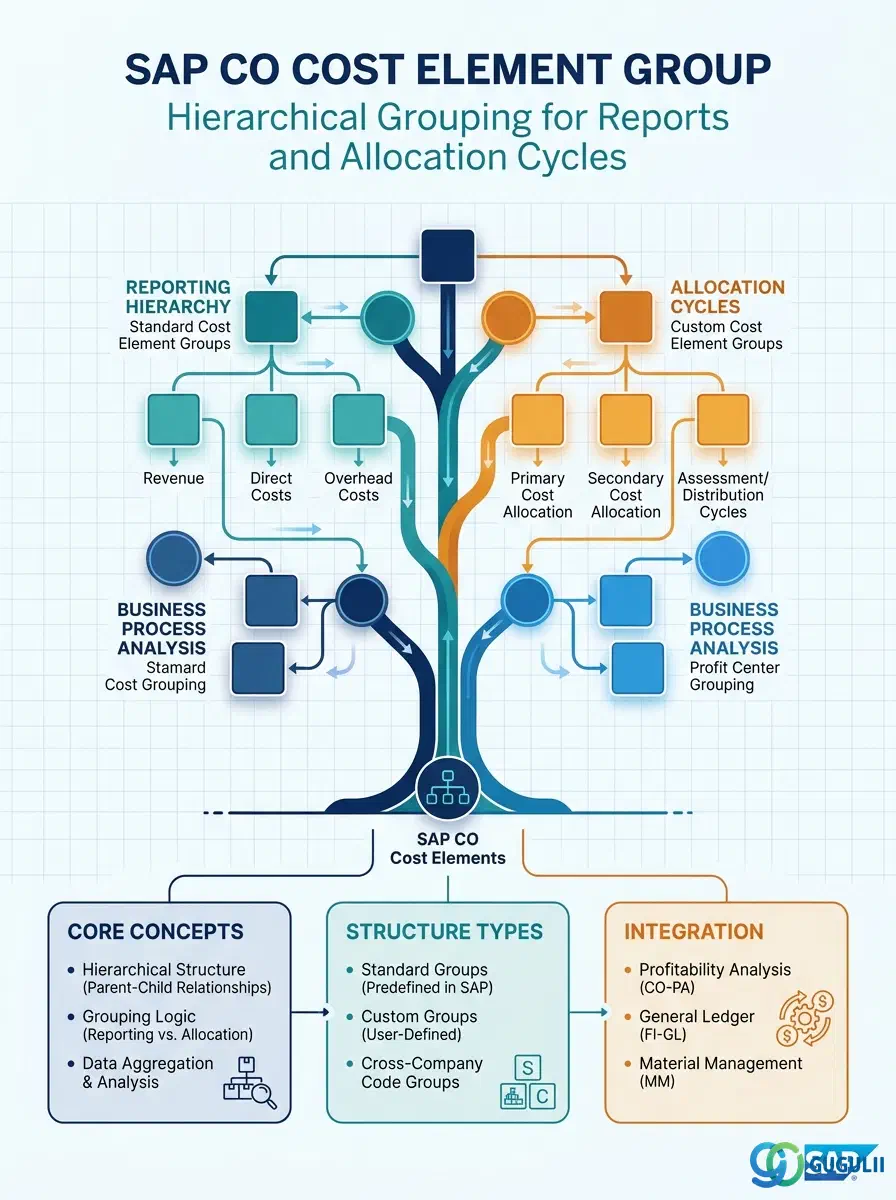
The Cost Element Group is the hierarchical grouping structure that organizes Cost Elements into logical categories for reporting, budgeting, and allocation cycles in SAP Controlling. Where the individual Cost Element defines what kind of cost a posting represents, the Cost Element Group defines how those costs are aggregated and presented in CO reports and cycle definitions. A well-designed Cost Element Group hierarchy is essential for readable cost center reports, efficiently defined assessment cycles, and meaningful budget-vs-actual comparisons.
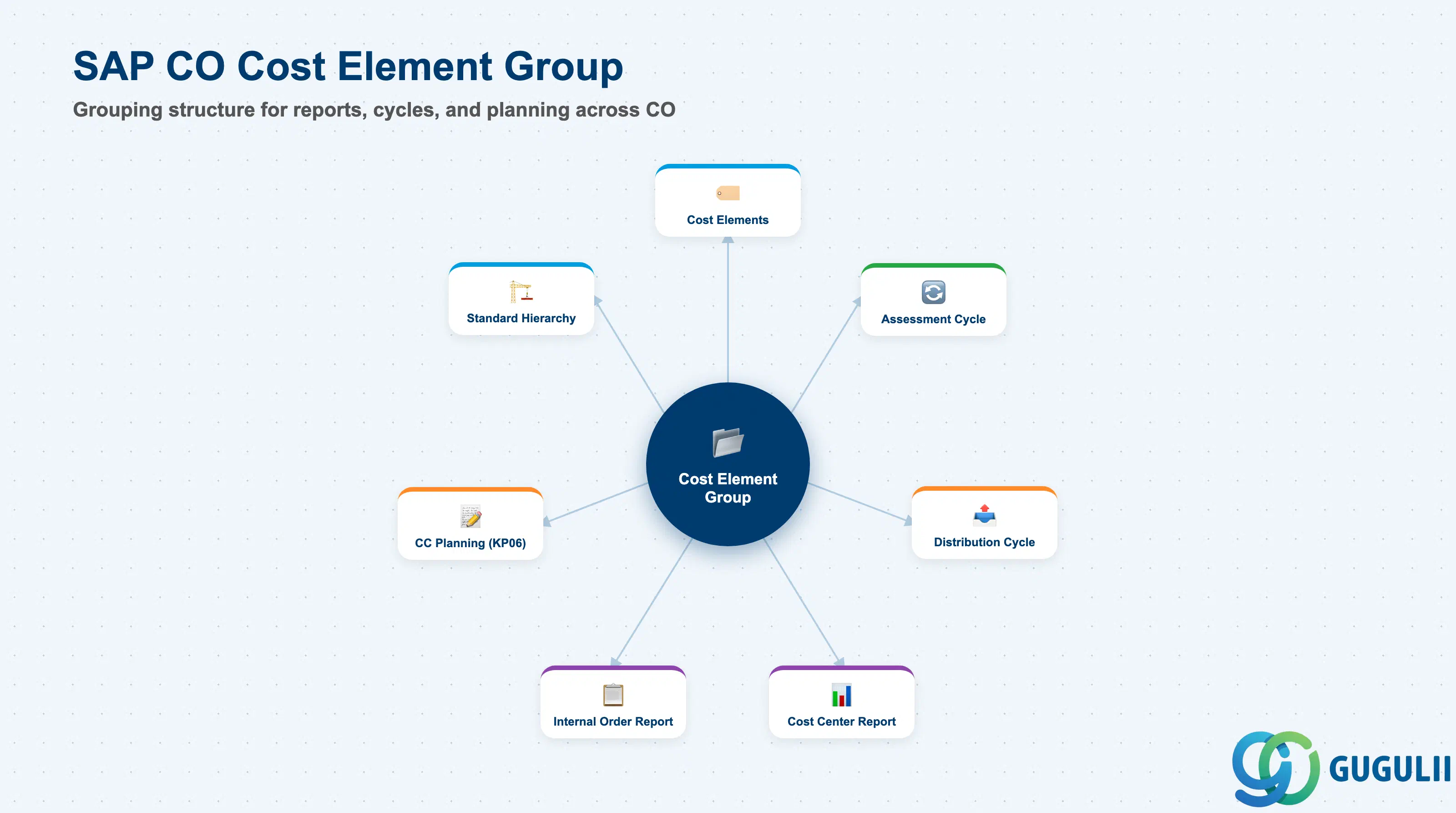
The Cost Element Group is a set object in SAP CO that groups one or more Cost Elements under a shared label. Groups can be nested to form multi-level hierarchies, enabling summarization at different levels of aggregation — from individual line items to broad cost categories. Every CO report that offers group-level summarization (e.g., S_ALR_87013611 — Cost Centers: Actual/Plan/Variance) uses Cost Element Groups to structure its column and row layout.
| Aspect | Details |
|---|---|
| Role | Groups Cost Elements for report summarization, allocation cycle sender/receiver definitions, and budget/plan entry at category level |
| Modules using it | CO-CCA (cost center reports and assessment cycles), CO-IO (internal order reports), CO-PC (product costing reports), CO-PA (profitability analysis allocation cycles) |
| Transactions | KAH1 (Create), KAH2 (Change), KAH3 (Display), KAH4 (Delete), KAH5 (Display where-used) |
| Key Tables | SETHEADER (Set header — group name and description), SETLEAF (Set leaves — individual elements assigned to the group), SETNODE (Set nodes — sub-groups nested within the group) |
| S/4HANA note | Cost Element Group structure and transactions are unchanged from ECC. Groups are maintained via KAH1/KAH2 or in the Fiori app “Manage Cost Element Groups.” The hierarchical set framework (SETHEADER/SETLEAF/SETNODE) is the same underlying data model used for Cost Center Groups and Profit Center Groups. |
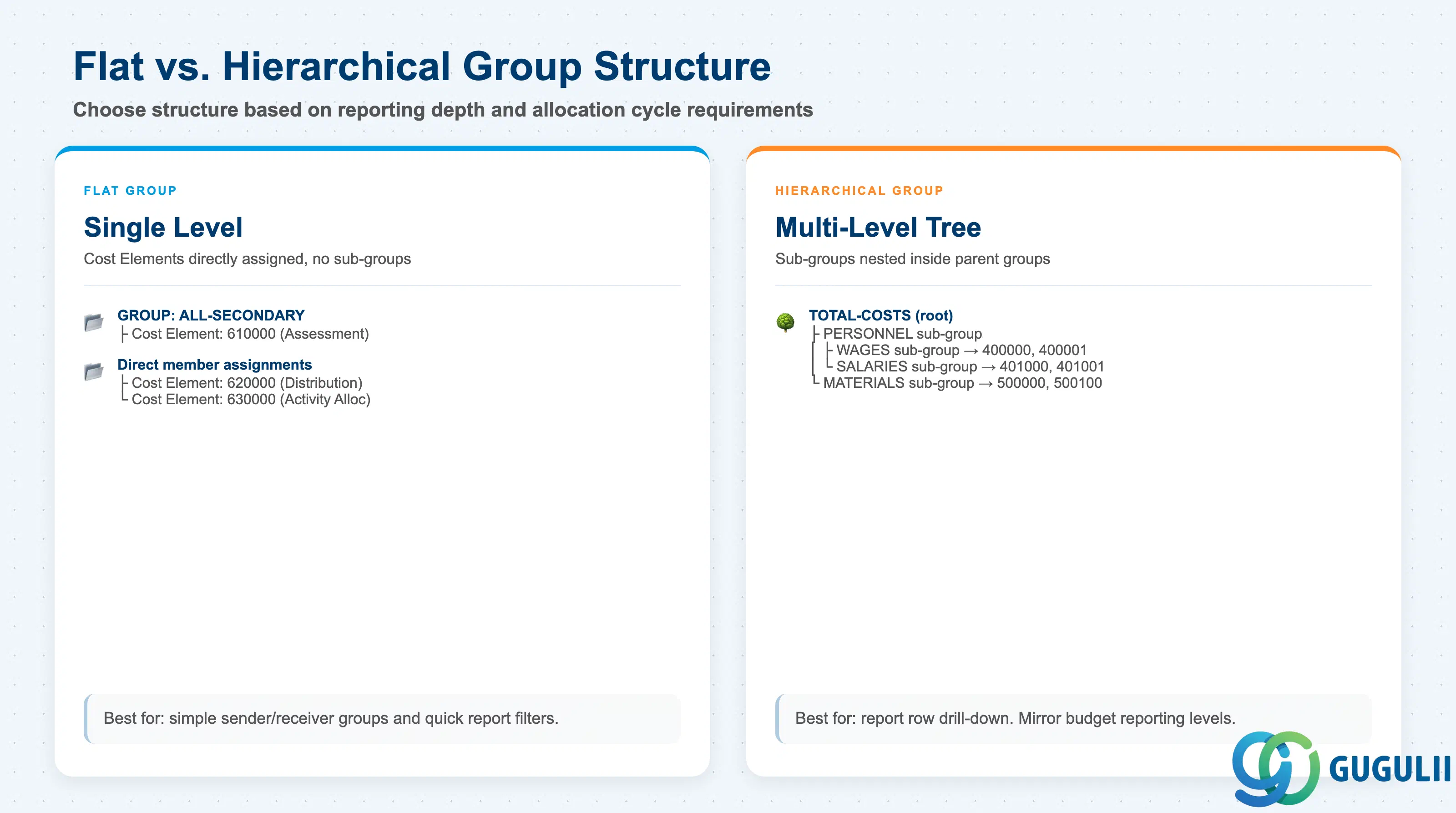
Cost Element Groups can be designed as flat lists or as multi-level hierarchies. The correct structure depends on the reporting and cycle requirements.
| Structure Type | Description | Use Case | Key Behavior |
|---|---|---|---|
| Flat Group | One group containing multiple individual Cost Elements, no sub-groups | Simple report filter (e.g., “All secondary cost elements”), quick cycle sender definition | Easy to maintain; no summarization levels — all elements appear at the same level in reports |
| Hierarchical Group | Group contains sub-groups, which in turn contain Cost Elements (multiple levels allowed) | Standard cost center report row structure: Level 1 = Personnel Costs, Level 2 = Wages / Salaries / Social Costs | Enables drill-down in ALV reports and summarized budget input at node level; requires more upfront design effort |
| Standard Hierarchy | The top-level group defined on the Controlling Area — contains all Cost Centers in a tree | Controlling Area-level cost overview (report KKBC_HOE) | Automatically maintained by the system as the root of the cost element structure when a standard hierarchy is defined |
Design principle: Design the Cost Element Group hierarchy to mirror your budget reporting structure. If budget owners review costs at the “Personnel” and “Materials” level, create groups at those levels. Retrofitting the hierarchy after go-live is possible but requires re-alignment of all reports and cycles that reference the existing groups.
Cost Element Group is scoped at the Controlling Area level, the same scope as the Cost Elements it groups. It sits alongside Cost Element as a CO-Area-scope master — it doesn’t own the Cost Elements, it references them by value range.
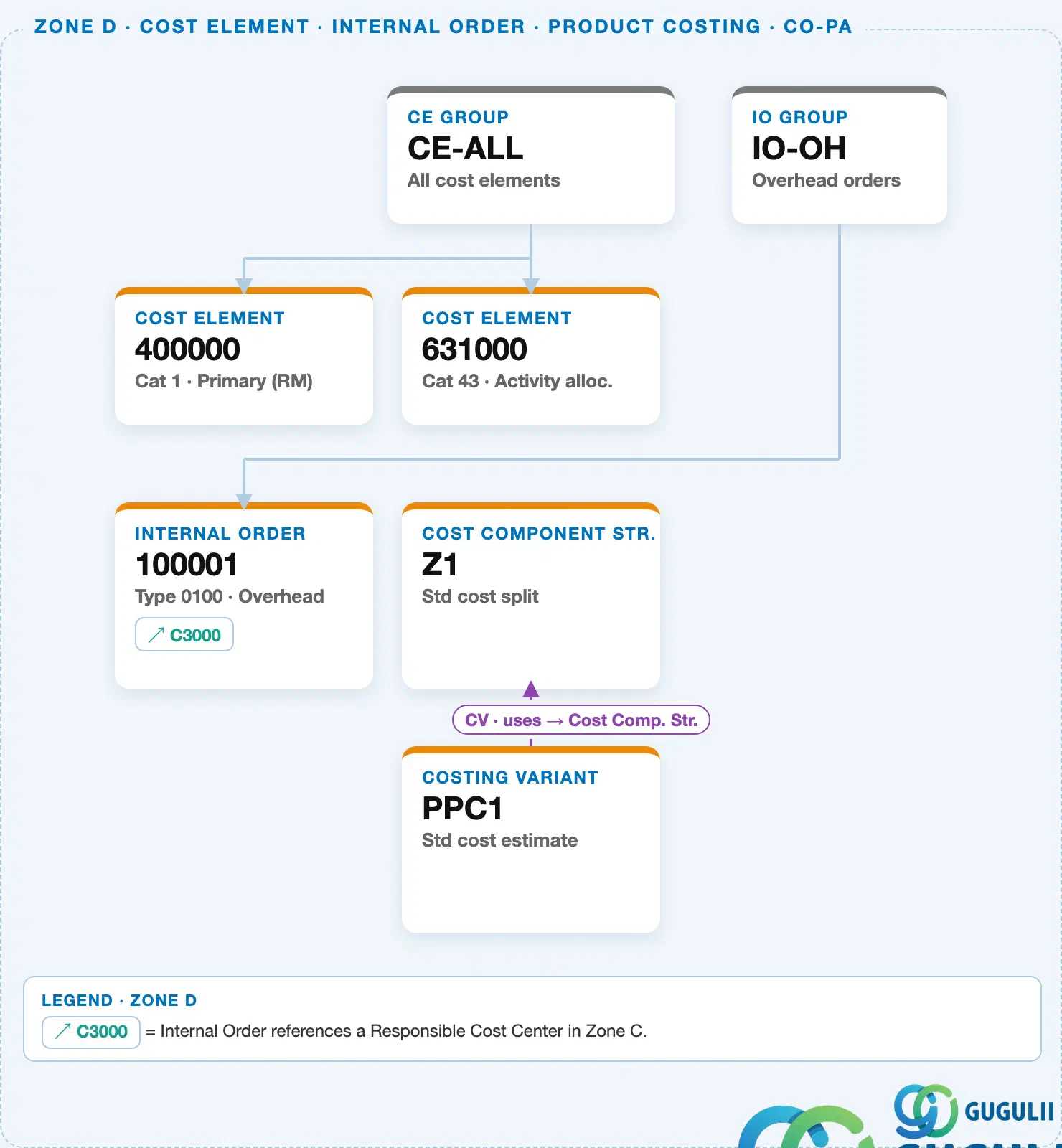
Data hierarchy with a concrete example
Controlling Area 1000
   │
   └── CE Group "CE-ALL"          All cost elements
          │
          ├── Cost Element "400000"   Cat 1 · Primary (RM)
          └── Cost Element "631000"   Cat 43 · Activity allocation
Design principle: Cost Elements are assigned to a group as value ranges (from–to), not as an explicit member list. Use narrow, deliberate ranges (e.g. one cost element per range) rather than wide ranges that could silently pull in future cost elements never intended for that group.
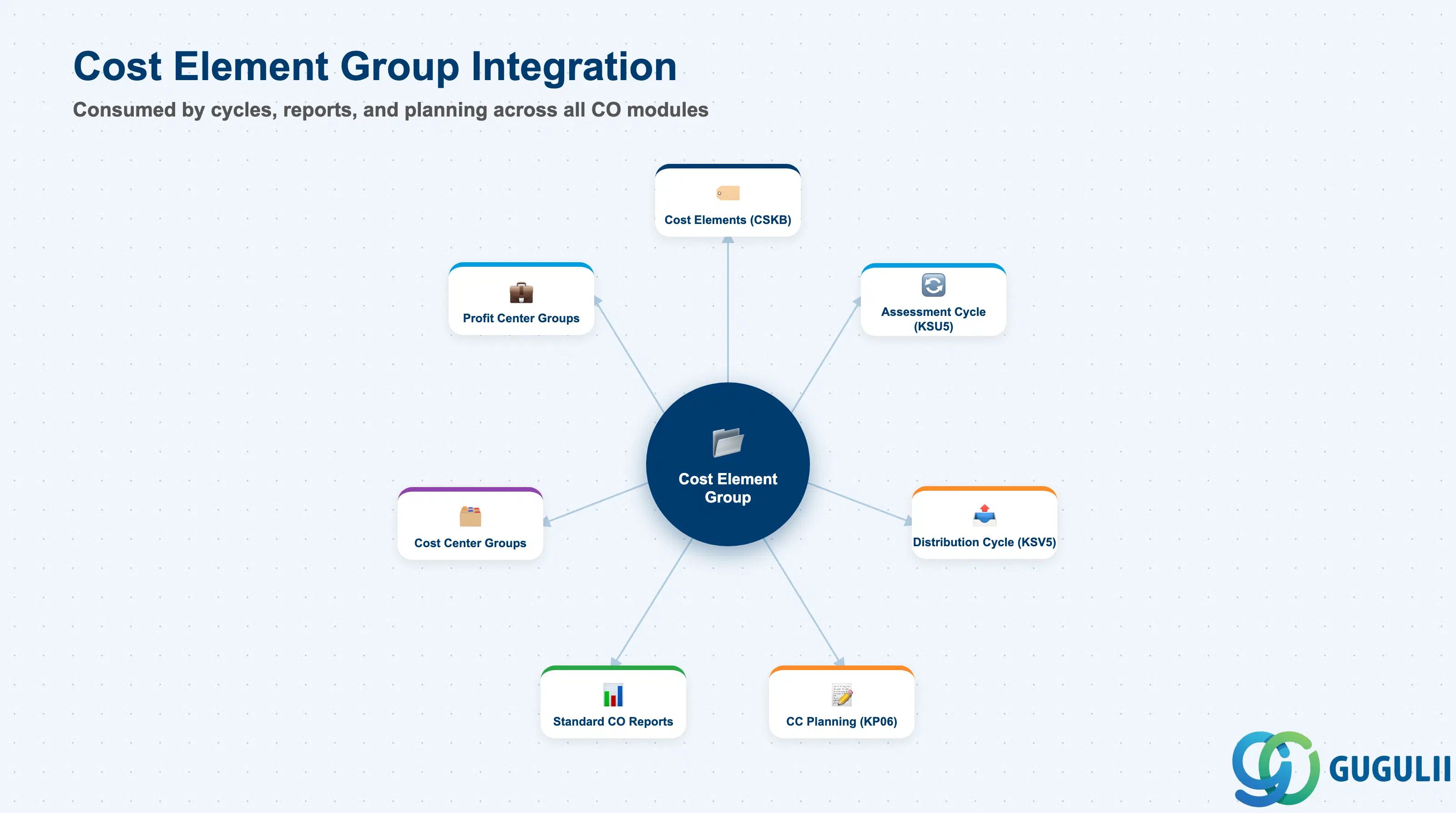
The Cost Element Group is a transversal object consumed by virtually every CO planning, reporting, and allocation activity.
| Object | Relationship | Practical Notes |
|---|---|---|
| Cost Elements (CSKB) | Cost Element Group contains Cost Element members | Every member Cost Element must exist in the same Controlling Area. Deleted Cost Elements leave gaps in the group — run KAH5 (where-used) before deleting a Cost Element to identify all groups that reference it. |
| Assessment Cycle (KSU5) | Cycle sender/receiver can reference a Cost Element Group | Using a Cost Element Group as the sender definition in an assessment cycle allocates all elements in the group as a single unit. Changes to group membership automatically affect the cycle — document group membership changes as part of cycle change control. |
| Distribution Cycle (KSV5) | Same as assessment — group as sender or receiver | Distribution cycles use groups to define which cost elements are distributed. Confirm the group scope matches the posting volume the cycle is designed to handle. |
| Cost Center Planning (KP06) | Planning can be entered at Cost Element Group level | Budget input at the “Personnel Costs” group level distributes equally or can be broken down to individual elements. Some organizations plan at group level for ease of input and report actuals at element level. |
| Standard CO Reports | Report row structure defined by Cost Element Groups | Reports like S_ALR_87013611 (Cost Center: Actual/Plan/Variance) use a report painter row structure that references Cost Element Groups. The report hierarchy mirrors the group hierarchy — group design and report design must be aligned. |
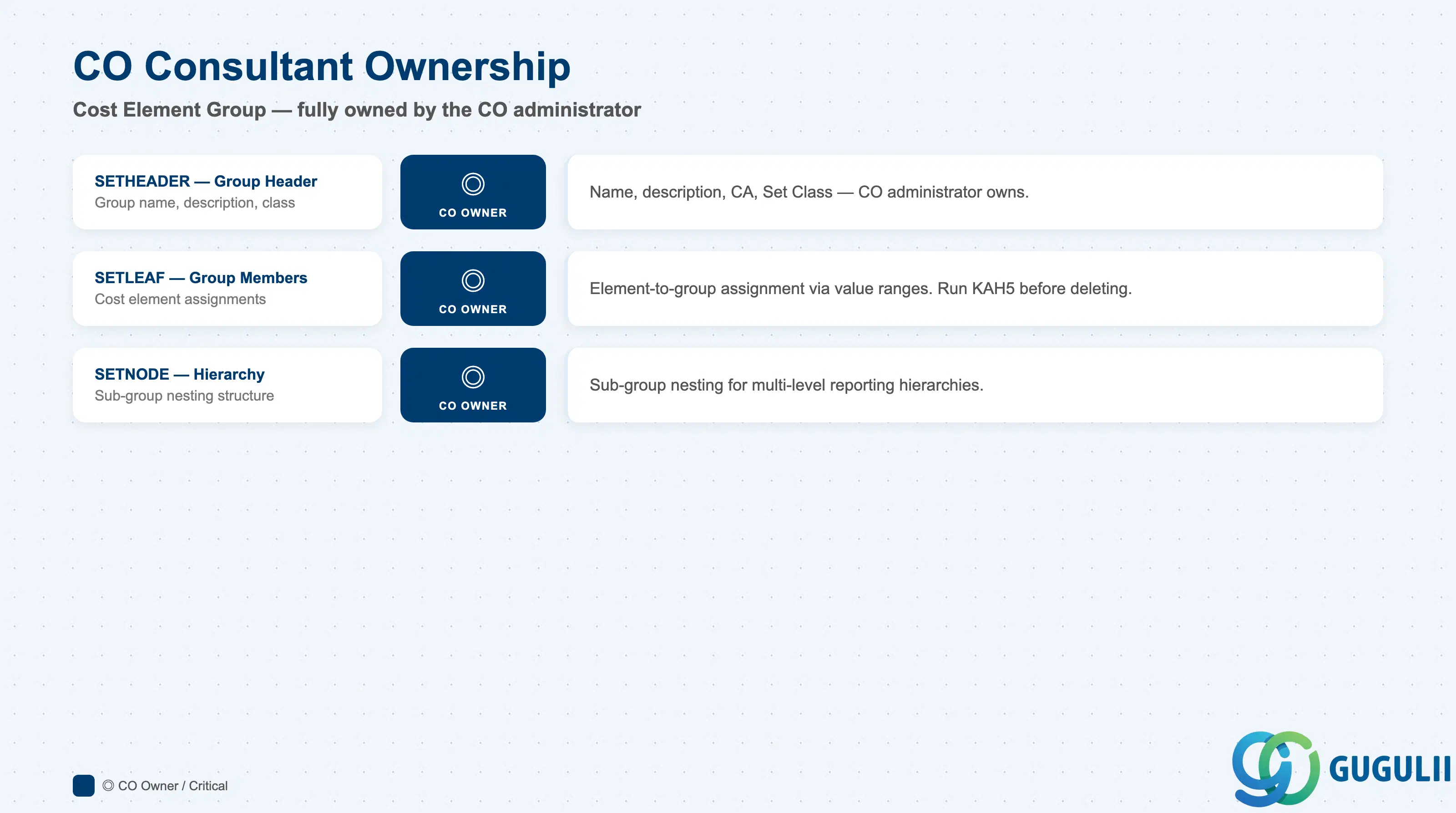
| Data Section | CO Involvement | Notes |
|---|---|---|
| Group Header (SETHEADER) | ◎ Owner | Group name, description, Controlling Area — entirely CO administrator responsibility |
| Group Members (SETLEAF) | ◎ Owner | Assignment of individual Cost Elements to the group — CO administrator maintains |
| Hierarchy Structure (SETNODE) | ◎ Owner | Nesting of sub-groups — CO administrator designs and maintains the tree |
Legend: ◎ = Owner / Critical, ○ = Direct involvement
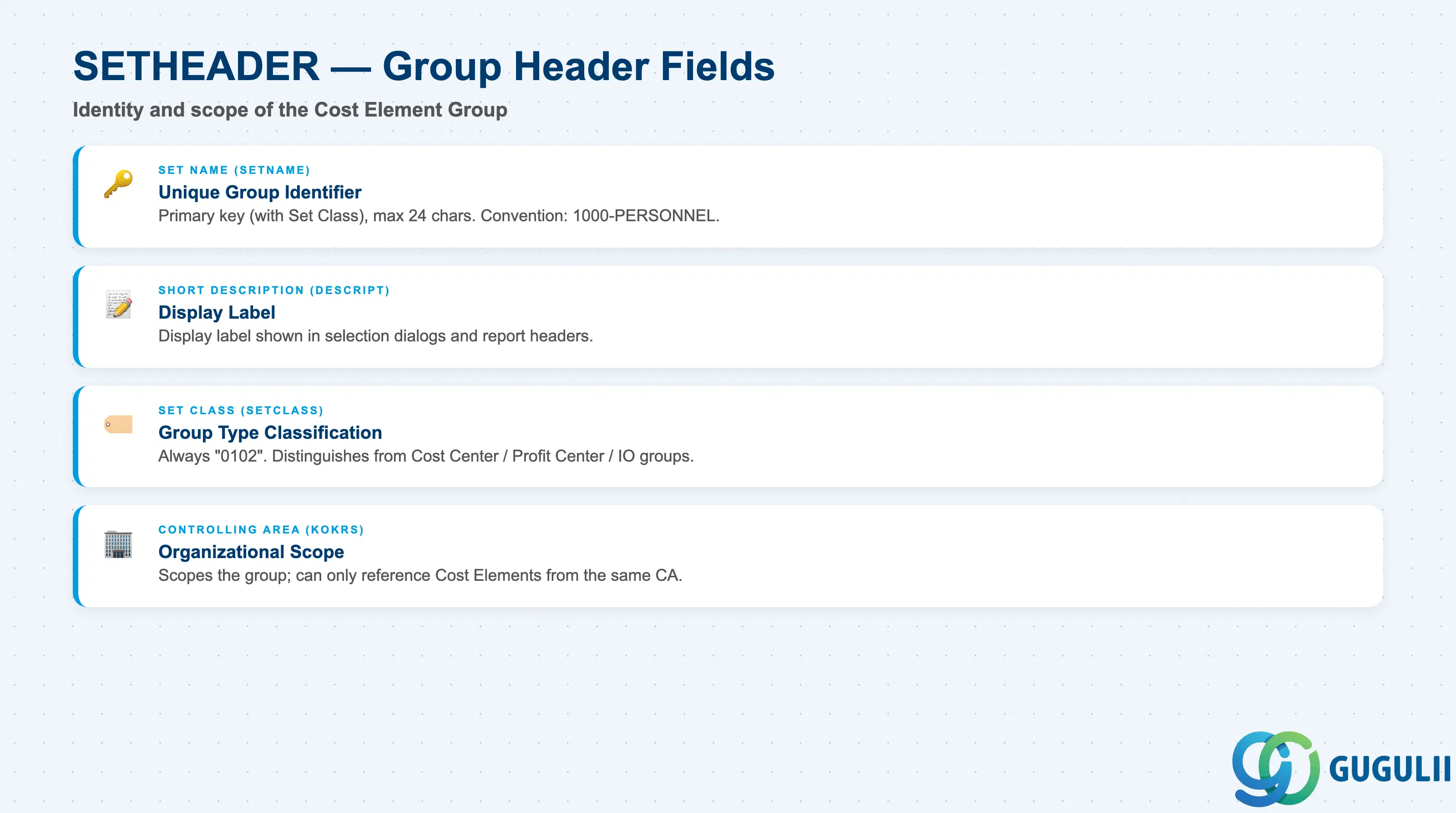
The Group Header defines the identity of the Cost Element Group and its Controlling Area scope.
| Field | Description | Practical Usage |
|---|---|---|
| Set Name (SETNAME) | The unique identifier of the Cost Element Group | Maximum 24 characters. Acts as the primary key together with the Set Class. Use a naming convention that reflects the Controlling Area (e.g., “1000-PERSONNEL”) to distinguish groups across Controlling Areas in a multi-CA landscape. The set name is referenced directly in cycle definitions and report painter rows — changing it requires updating all references. |
| Short Description (DESCRIPT) | Free-text description of the group | Displayed in group selection dialogs and report headers. Keep it precise and in the language used by the business (typically English for global templates). Avoid abbreviations that are meaningful only to the project team — the description must be self-explanatory to future CO administrators. |
| Set Class (SETCLASS) | Internal classification code for the group type | For Cost Element Groups: always “0102”. Do not change. The Set Class distinguishes Cost Element Groups from Cost Center Groups (0101), Profit Center Groups (0106), and other set types within the same SETHEADER table. |
| Controlling Area (KOKRS) | The Controlling Area the group belongs to | Scopes the group — it can only reference Cost Elements from the same Controlling Area. For multi-CA implementations, each Controlling Area maintains its own group structure independently. Transport request handling: groups are client-independent but Controlling Area-scoped, so transporting a group into a target system requires the target Controlling Area to exist. |
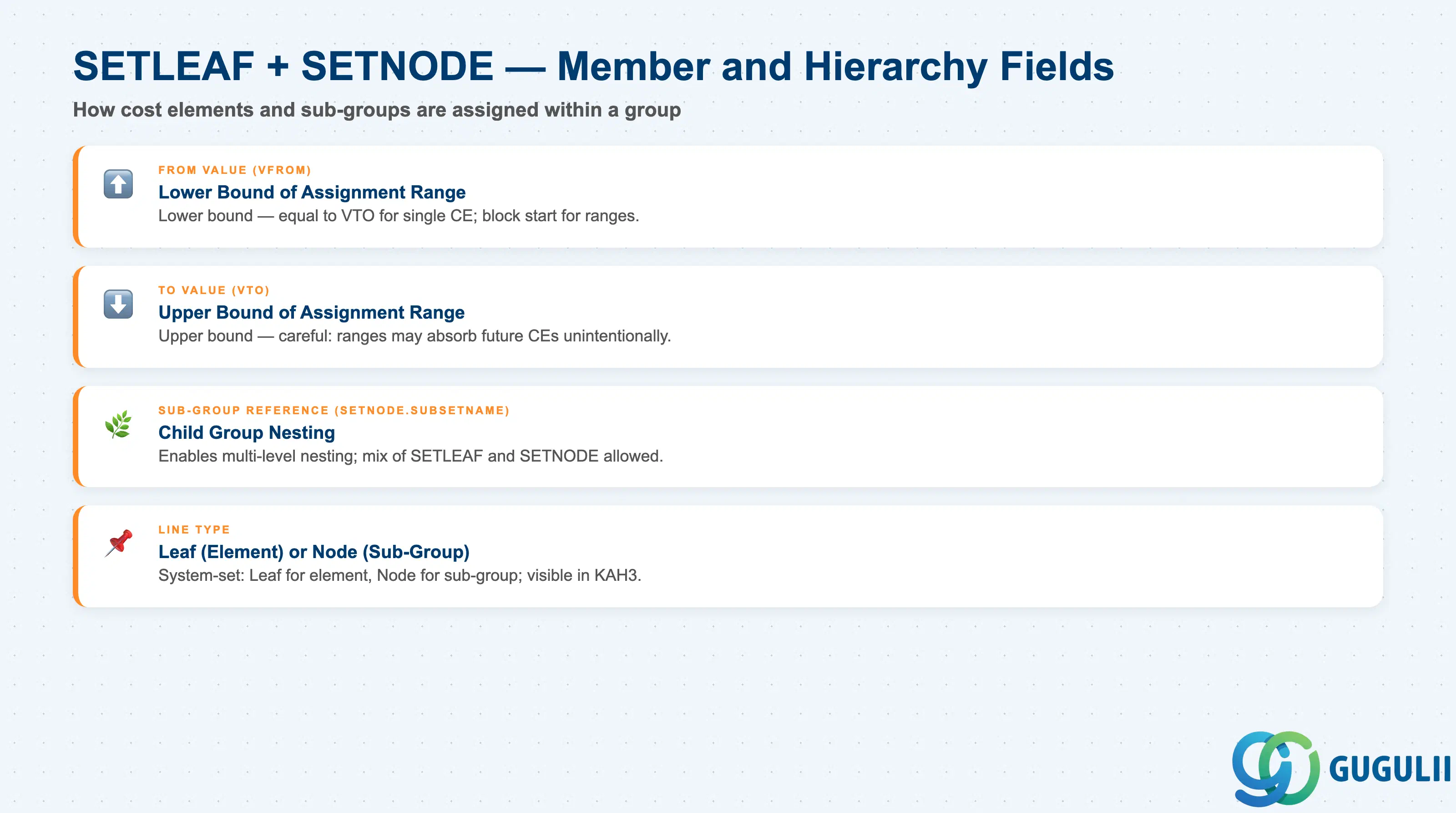
Group membership defines which Cost Elements are included in the group and how the hierarchy is structured.
| Field | Description | Practical Usage |
|---|---|---|
| From Value (VFROM) | Lower bound of the Cost Element assignment | For individual element assignment: set equal to To Value. For range assignment (e.g., 400000 to 409999): set to the start of the range. Use ranges only for logically contiguous blocks of Cost Elements that were planned as a group from the start — ad-hoc ranges risk including future Cost Elements not intended for the group. |
| To Value (VTO) | Upper bound of the Cost Element assignment | For individual assignment: same as From Value. Define the range end carefully. Document all range assignments in the master data governance log so future Cost Element additions can be checked against existing group ranges. |
| Sub-Group Reference (SETNODE.SUBSETNAME) | Name of a child group nested within this group | Enables multi-level hierarchies. A group can contain both individual Cost Element members (via SETLEAF) and sub-groups (via SETNODE) simultaneously. Avoid circular references — SAP will prevent saving but the error message is not always intuitive. |
| Line Type | Whether the line is a leaf (element) or node (sub-group) | Maintained implicitly by the system based on whether you assign an element or a sub-group on that line. No direct user input required; shown in display mode for orientation. |
| ID | Category | Title |
|---|---|---|
| co-001 | Overview | What is SAP CO? |
| ID | Category | Title |
|---|---|---|
| co-a01 | Overview | SAP CO Master Data: Overview, Hierarchy & Relationships |
| co-a02-01 | Master Data | SAP CO Material Master |
| co-a03-01 | Master Data | SAP CO Cost Element |
| co-a03-02 | Master Data | SAP CO Cost Element Group 📍 |
| co-a04-01 | Master Data | SAP CO Profit Center Group |
| co-a04-02 | Master Data | SAP CO Profit Center |
| co-a05-01 | Master Data | SAP CO Cost Center Group |
| co-a05-02 | Master Data | SAP CO Cost Center |
| co-a05-03 | Master Data | SAP CO Activity Type Group |
| co-a05-04 | Master Data | SAP CO Activity Type |
| co-a05-05 | Master Data | SAP CO Statistical Key Figure |
| co-a06-01 | Master Data | SAP CO Internal Order Group |
| co-a06-02 | Master Data | SAP CO Internal Order |
| co-a07-01 | Master Data | SAP CO Cost Component Structure |
| co-a07-02 | Master Data | SAP CO Costing Variant |
| co-a08-01 | Master Data | SAP CO Operating Concern |
| ID | Category | Title |
|---|---|---|
| co-b01 | Overview | SAP CO Transactions: Process Flow, Hierarchy & Relationships |