Title here
Summary here

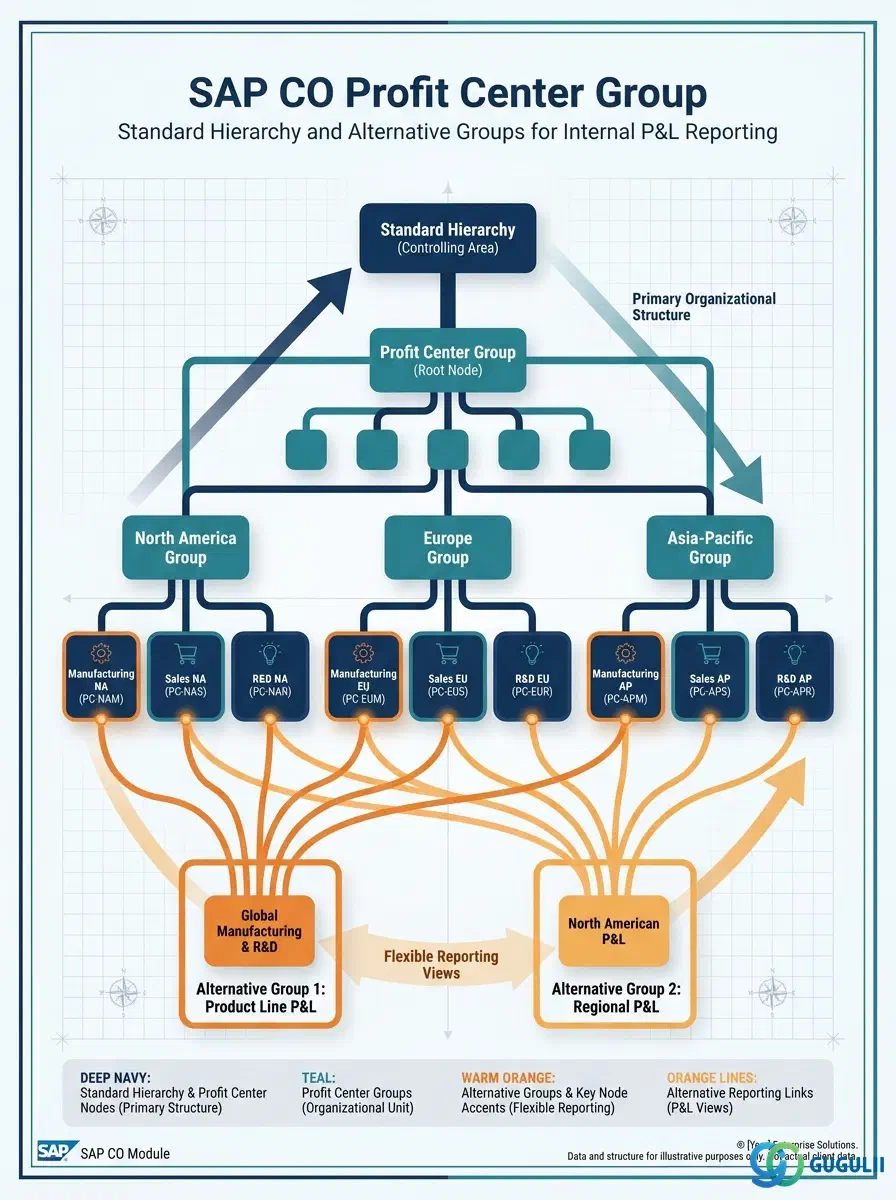
The Profit Center Group is the hierarchical grouping structure that organizes Profit Centers into a logical tree for internal reporting, profitability management, and allocation cycles in SAP Controlling. Every Profit Center belongs to at least one group — the Standard Hierarchy — and may belong to additional groups created for specific reporting or allocation purposes. The design of the Profit Center Group hierarchy directly determines the structure of internal P&L reports, segment reporting outputs, and the granularity at which profitability can be analyzed across the organization.
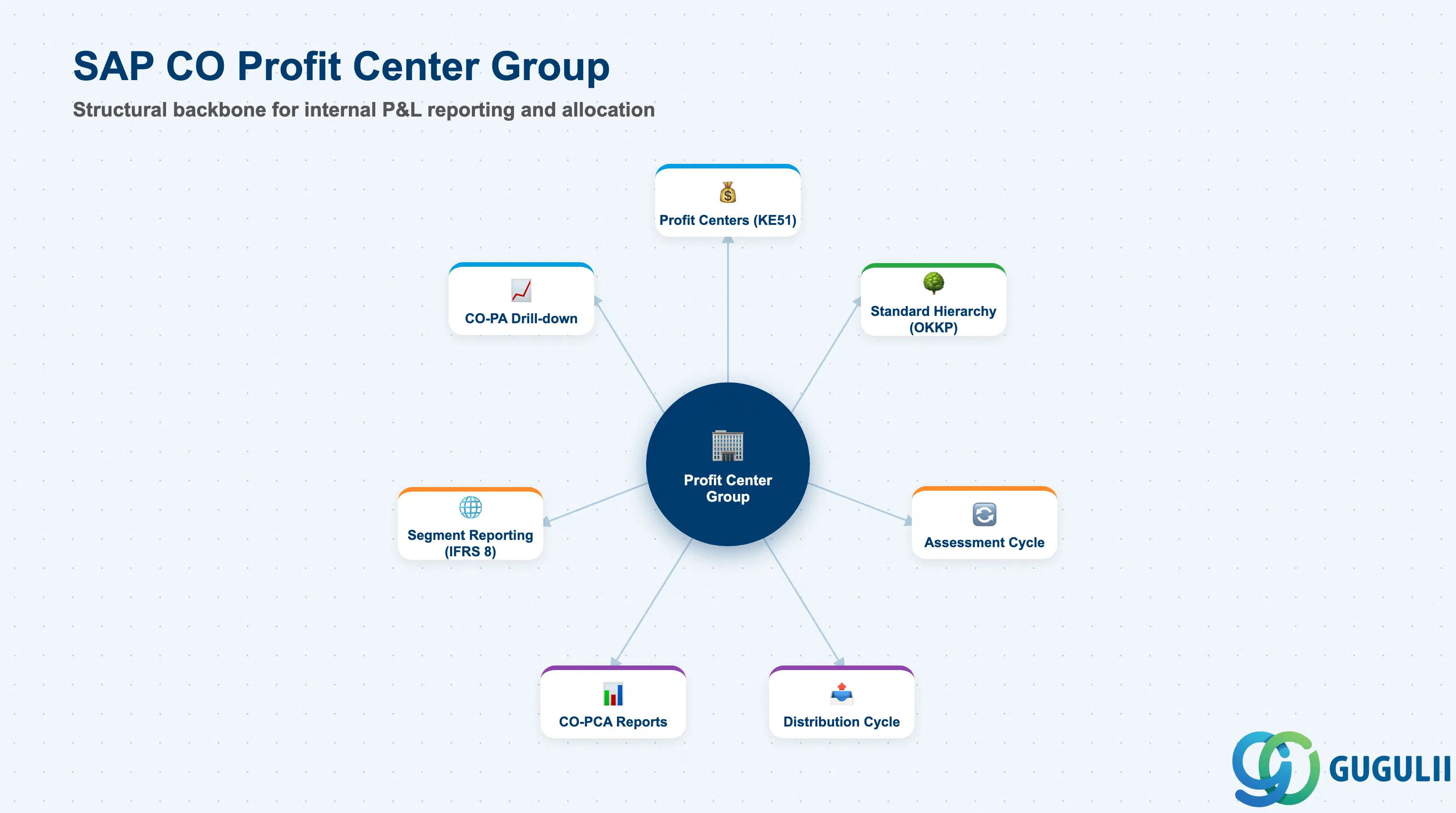
The Profit Center Group is a set object in SAP CO that aggregates Profit Centers for reporting and allocation purposes. It follows the same underlying set framework (SETHEADER/SETLEAF/SETNODE) used for Cost Element Groups and Cost Center Groups. The most important Profit Center Group is the Standard Hierarchy — a mandatory top-level group defined on the Controlling Area that must contain all Profit Centers.
| Aspect | Details |
|---|---|
| Role | Aggregates Profit Centers for internal P&L summarization, segment reporting, and allocation cycle sender/receiver definitions |
| Modules using it | CO-PCA (Profit Center Accounting — primary user), FI (segment reporting via Profit Center), CO-PA (profitability analysis drill-down), CO-CCA (assessment/distribution cycles to Profit Centers) |
| Transactions | KCH1 (Create Group), KCH2 (Change), KCH3 (Display), KCH5 (Change Standard Hierarchy), KCH6 (Display Standard Hierarchy) |
| Key Tables | SETHEADER (Group header), SETLEAF (Individual profit center assignments), SETNODE (Sub-group references) |
| S/4HANA note | The Profit Center Standard Hierarchy is mandatory and defined on the Controlling Area (OKKP). In S/4HANA, Profit Centers are also linked to Segments for external financial statement reporting under IFRS 8 / local GAAP. The Profit Center Group hierarchy should align with the segment reporting structure required by the external auditors. |
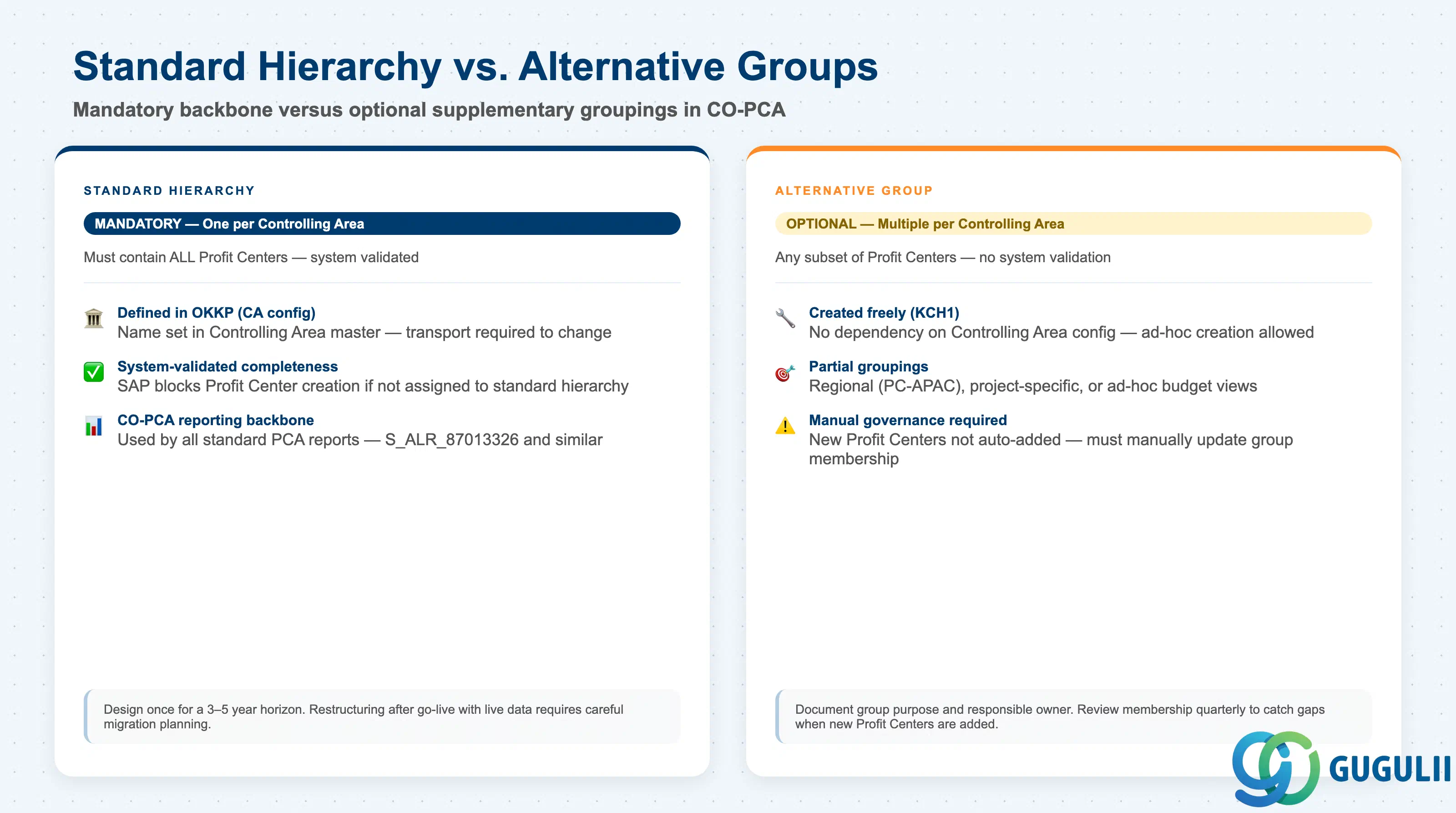
Two types of Profit Center Group structures serve different purposes in SAP CO.
| Type | Description | Use Case | Key Behavior |
|---|---|---|---|
| Standard Hierarchy | The mandatory top-level group defined on the Controlling Area — must contain ALL Profit Centers | CO-PCA reporting that spans all profit centers; validation that every Profit Center is assigned to the hierarchy | System validates at Profit Center creation that the new PC is assigned to the Standard Hierarchy. All Profit Centers without a Standard Hierarchy assignment are blocked. |
| Alternative Group | Optional supplementary grouping — may contain any subset of Profit Centers | Regional report (e.g., “Asia Pacific Profit Centers”), ad-hoc allocation cycle, budget comparison for a specific business unit | No system validation — alternative groups can contain partial lists. More flexible but requires manual governance to keep them current when Profit Centers are added or changed. |
| Temporary/Ad-hoc Group | Created for a single report run or one-time cycle | Period-end reporting for a project scope, one-time restatement analysis | Delete after use to avoid cluttering the group namespace. Document the purpose and deletion date in the group description. |
Design principle: Design the Standard Hierarchy during blueprint to reflect your internal management reporting structure. Once Profit Centers are assigned to the Standard Hierarchy and live data exists, restructuring the hierarchy requires careful data migration — plan the hierarchy for a 3–5 year horizon.
Profit Center Group is scoped at the Controlling Area level, consistent with the Profit Centers it contains. It forms the Standard Hierarchy — every Profit Center in the CO Area must belong to it.
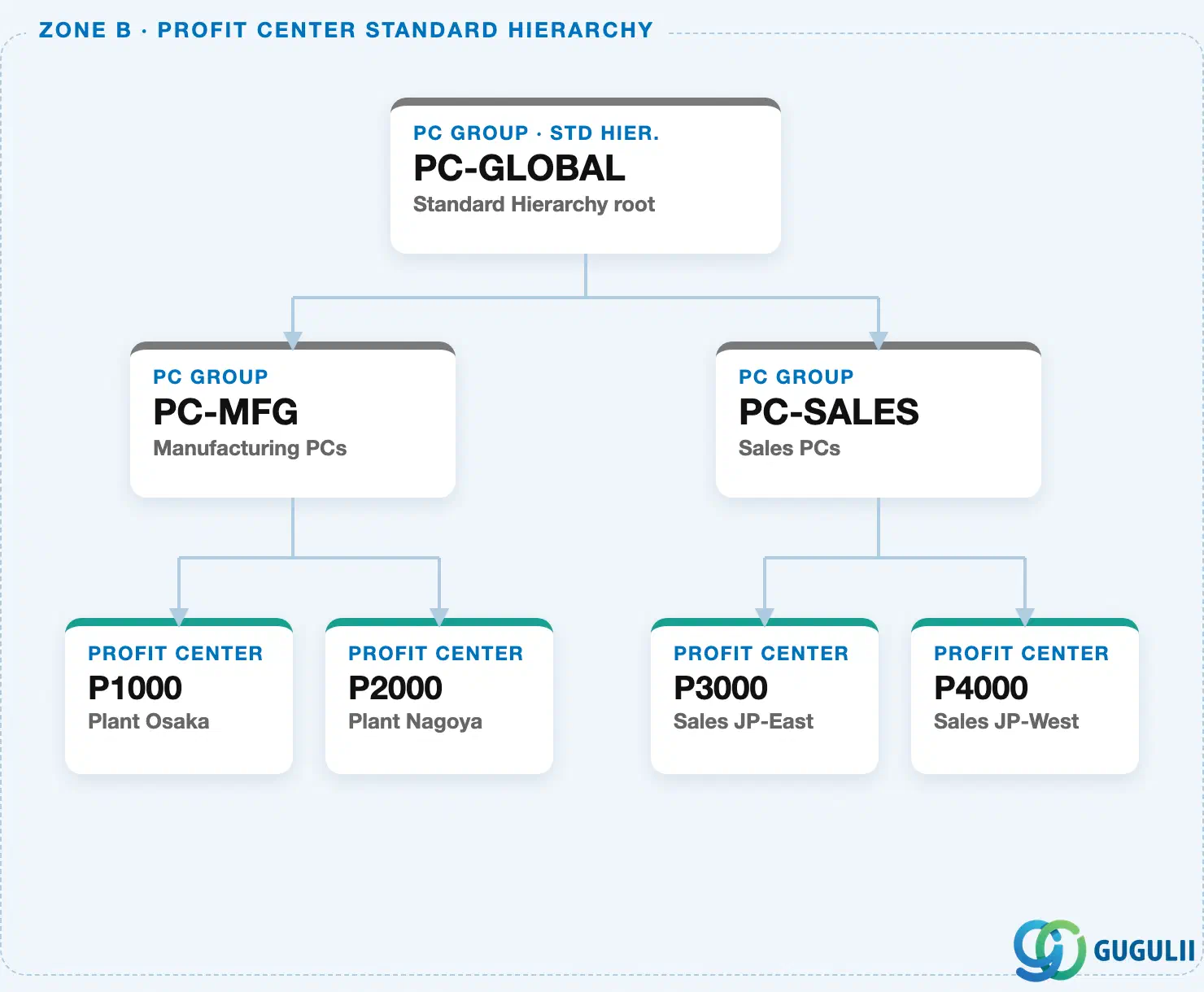
Data hierarchy with a concrete example
Controlling Area 1000
   │
   └── PC Group "PC-GLOBAL"       Standard Hierarchy root
          │
          ├── PC Group "PC-MFG"      Manufacturing PCs
          │      ├── Profit Center "P1000"   Plant Osaka
          │      └── Profit Center "P2000"   Plant Nagoya
          │
          └── PC Group "PC-SALES"    Sales PCs
                 ├── Profit Center "P3000"   Sales JP-East
                 └── Profit Center "P4000"   Sales JP-West
Design principle: Choose a hierarchy depth that matches how management actually reviews P&L — a flat two-level tree (Group → Profit Center) is easy to maintain, while a deeper tree enables drill-down but demands consistent upkeep whenever the org structure changes. Every Profit Center must sit somewhere in this Standard Hierarchy; none can be left unassigned.
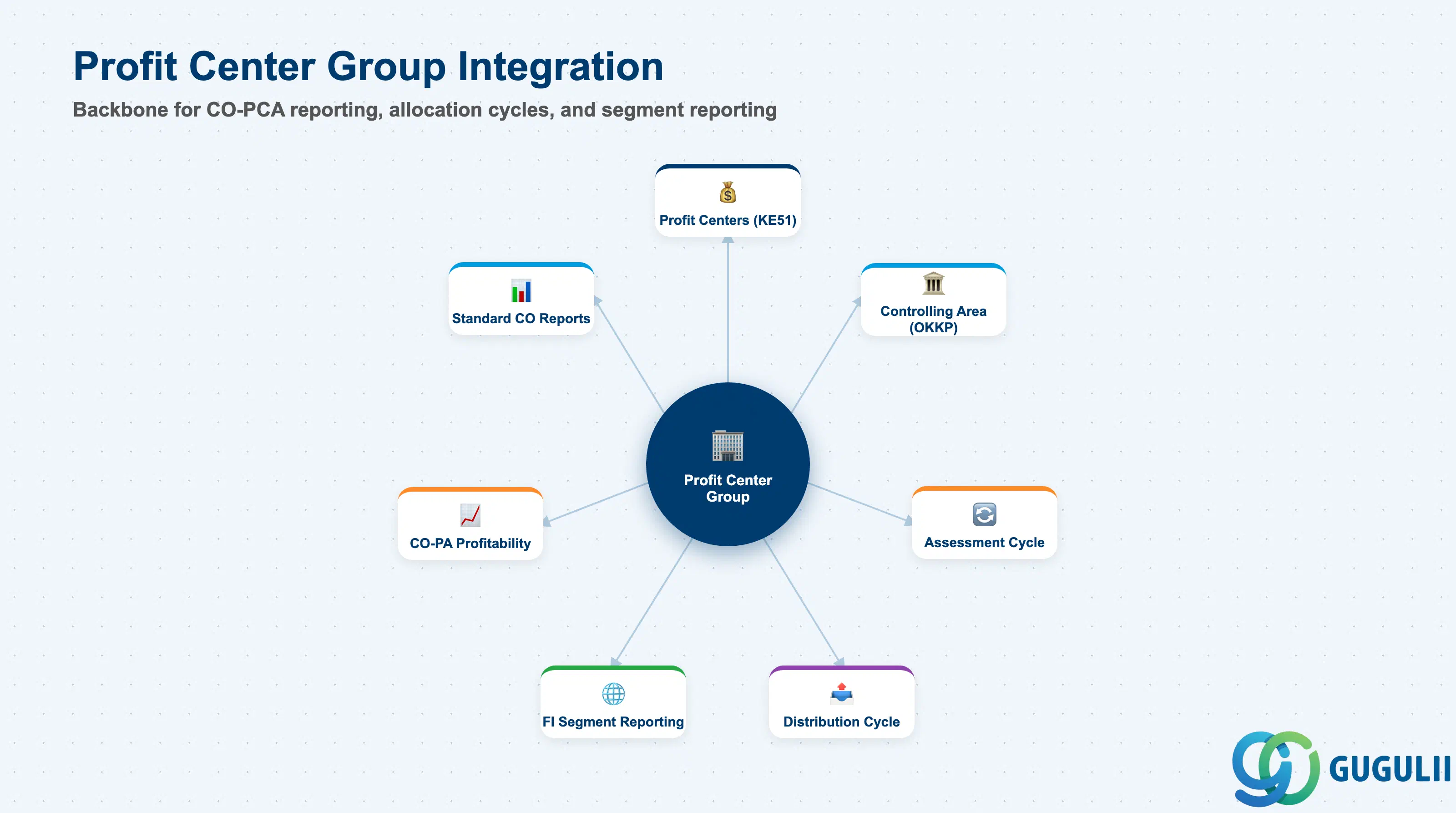
The Profit Center Group is the structural backbone for CO-PCA reporting and allocation.
| Object | Relationship | Practical Notes |
|---|---|---|
| Profit Centers (KE51) | Group contains individual Profit Center members | Every Profit Center must be assigned to the Standard Hierarchy. Assignment to alternative groups is optional. When a Profit Center is created, the system prompts for the Standard Hierarchy node — failure to assign blocks Profit Center activation. |
| Controlling Area (OKKP) | Standard Hierarchy is defined on the Controlling Area | The Standard Hierarchy name is a mandatory field in the Controlling Area configuration. It cannot be left blank after the first Profit Center is created. The hierarchy is the organizational backbone for the entire CO-PCA landscape. |
| Assessment / Distribution Cycles | Profit Center Groups used as receiver definitions | Cycles that post to Profit Centers (e.g., shared service cost distribution) reference Profit Center Groups as receiver pools. The system determines the actual receivers dynamically based on current group membership — add a Profit Center to the group, and the next cycle run automatically includes it. |
| FI Segment Reporting | Profit Center → Segment link enables external reporting | In S/4HANA, each Profit Center can be assigned a Segment (a legal entity sub-classification). The Profit Center Group hierarchy plus Segment assignment together drive the financial statement by segment required under IFRS 8 and similar standards. |
| CO-PA (Profitability Analysis) | Profit Center is a characteristic in CO-PA reports | CO-PA drill-down can use Profit Center Group hierarchies for summarization in profitability reports. Ensure the CO-PA characteristic derivation rules correctly populate the Profit Center on CO-PA line items. |
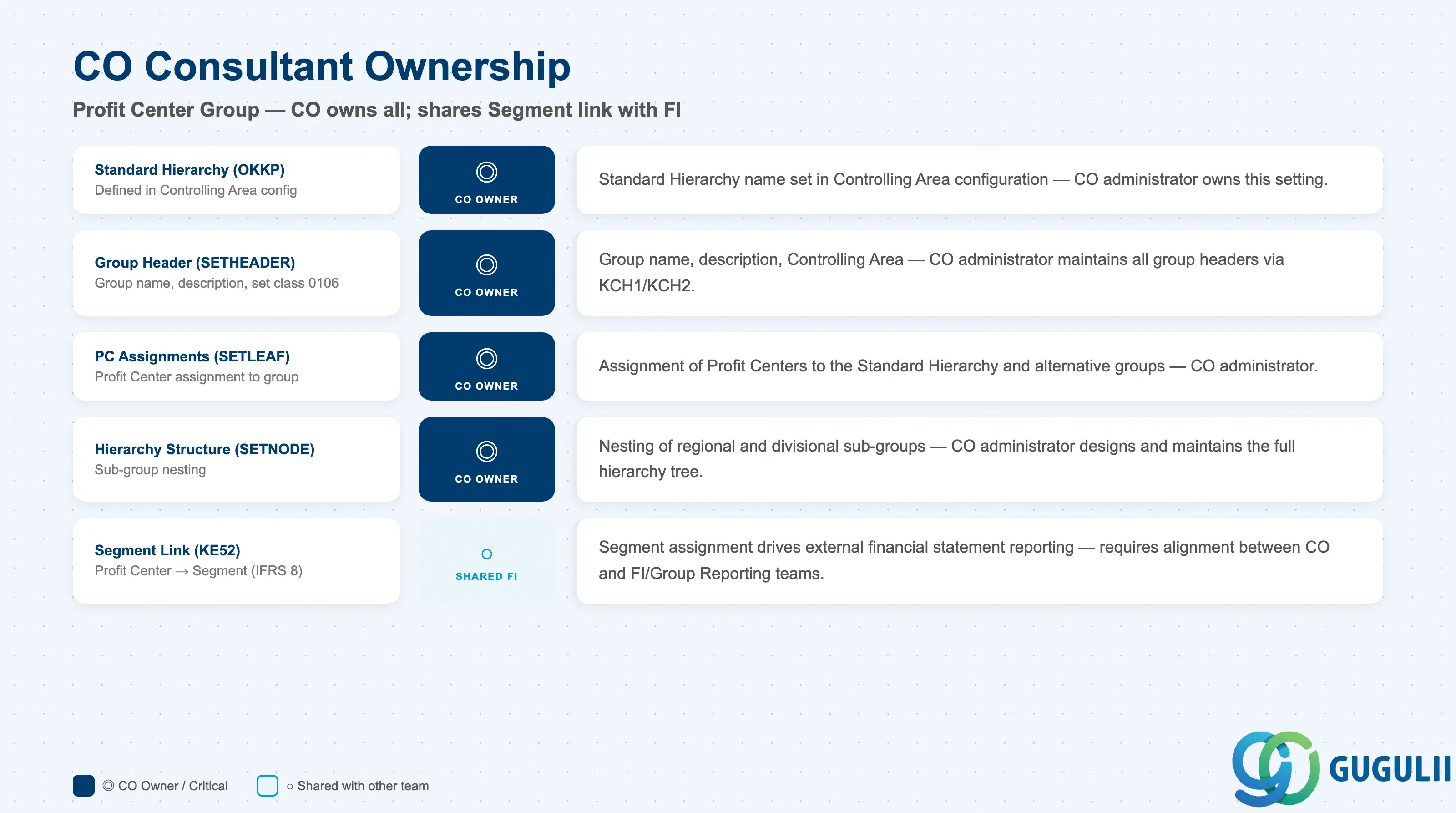
| Data Section | CO Involvement | Notes |
|---|---|---|
| Standard Hierarchy Definition (OKKP) | ◎ Owner | The Standard Hierarchy name is defined in Controlling Area configuration — CO administrator owns this setting |
| Group Header (SETHEADER) | ◎ Owner | Group name, description, Controlling Area — CO administrator maintains all group headers |
| Profit Center Assignments (SETLEAF) | ◎ Owner | Assignment of Profit Centers to groups — CO administrator responsibility |
| Hierarchy Structure (SETNODE) | ◎ Owner | Nesting of sub-groups within the Standard Hierarchy and alternative groups |
| Segment Link on Profit Center (KE52) | ○ Shared with FI | Segment assignment drives external financial reporting — requires alignment between CO and FI/Group Reporting teams |
Legend: ◎ = Owner / Critical, ○ = Direct involvement
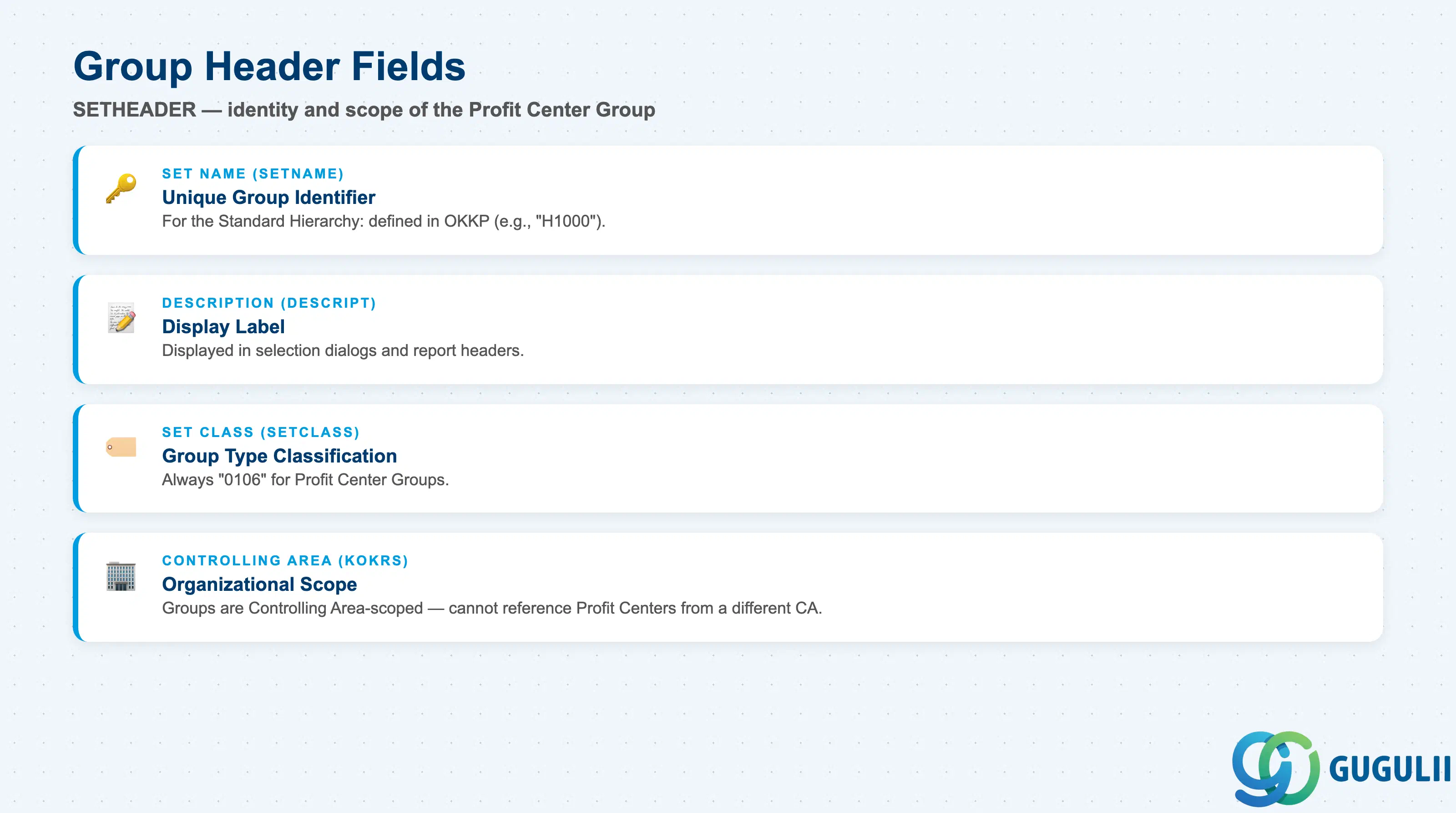
| Field | Description | Practical Usage |
|---|---|---|
| Set Name (SETNAME) | Unique identifier of the Profit Center Group | For the Standard Hierarchy, the name is defined in OKKP (e.g., “H1000” for Controlling Area 1000). For alternative groups, use a descriptive naming convention (e.g., “PC-APAC”, “PC-EUROPE”). The set name is referenced in cycle definitions and report painter structures — changing it after go-live requires updating all references. Maximum 24 characters. |
| Description (DESCRIPT) | Free-text description of the group | Used in selection dialogs and report headers. Write the description from the perspective of the end-user who will select this group in a report filter. Include the Controlling Area scope in the description if multiple CAs exist (e.g., “APAC Profit Centers — CA 1000”). |
| Set Class (SETCLASS) | Internal classification code | Always “0106” for Profit Center Groups. Do not modify. Distinguishes Profit Center Groups from Cost Center Groups (0101), Cost Element Groups (0102), and other set types in SETHEADER. |
| Controlling Area (KOKRS) | The Controlling Area the group belongs to | Groups are Controlling Area-scoped. A group from CA 1000 cannot include Profit Centers from CA 2000. For multi-CA landscapes, define a parallel group structure in each Controlling Area and document the mapping between them for cross-CA management reporting purposes. |
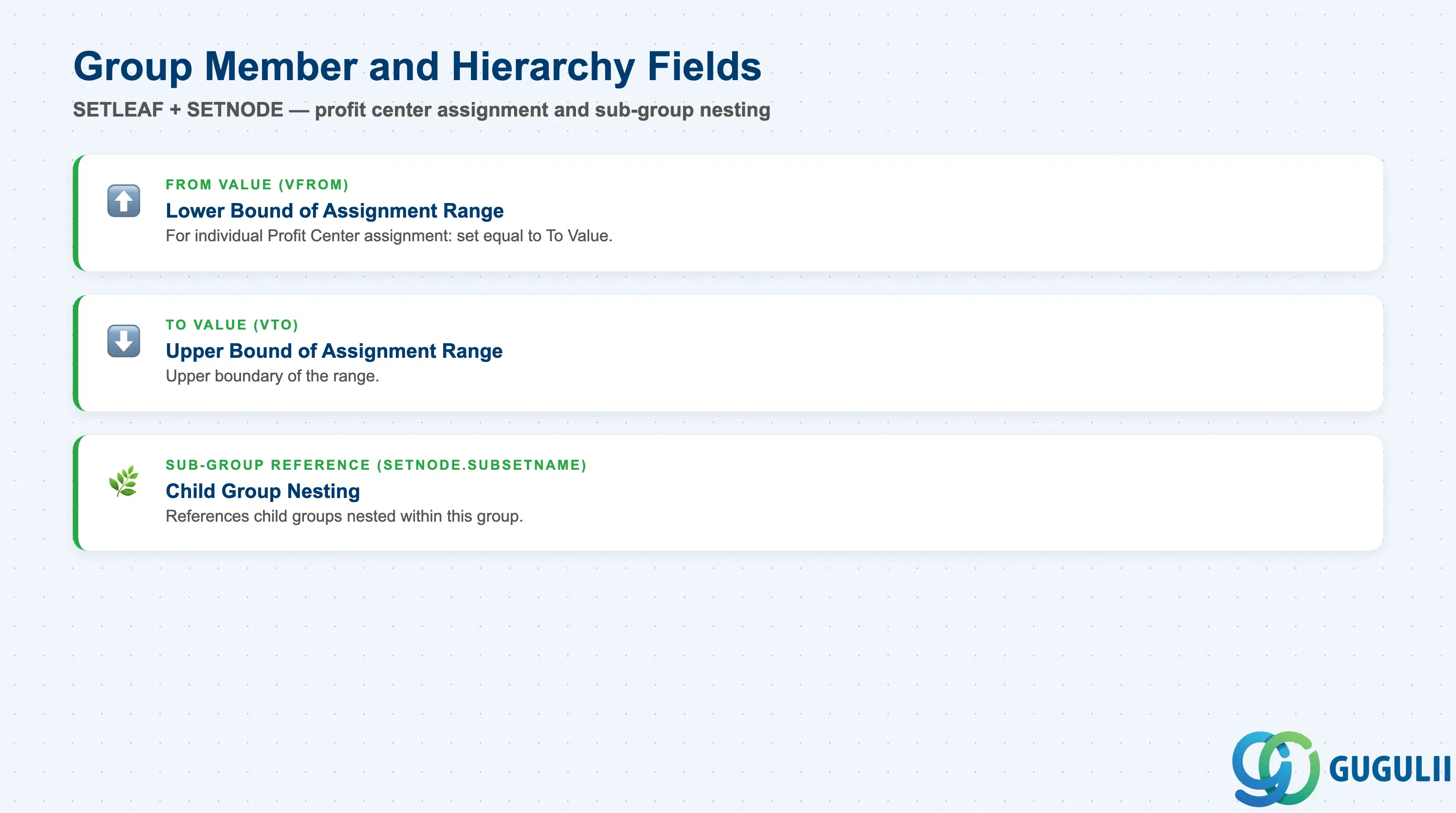
| Field | Description | Practical Usage |
|---|---|---|
| From Value (VFROM) | Lower bound of the Profit Center assignment | For individual Profit Center assignment: same as To Value. For range assignment: set to the start of the Profit Center number range. Use ranges only when the number range was pre-allocated for a logically cohesive block (e.g., 1000–1999 = Manufacturing Profit Centers). Document range boundaries in the master data design document. |
| To Value (VTO) | Upper bound of the Profit Center assignment | Upper boundary of the range. When using ranges, always validate that no gaps exist between the defined range and the actual Profit Centers in that block — missing elements in the range silently exclude Profit Centers from group-level reports. |
| Sub-Group Reference (SETNODE.SUBSETNAME) | Child group nested within this group | Used to build the hierarchy by referencing sub-groups as children. The Standard Hierarchy typically has 2–4 levels depending on the organizational depth required. |
| ID | Category | Title |
|---|---|---|
| co-001 | Overview | What is SAP CO? |
| ID | Category | Title |
|---|---|---|
| co-a01 | Overview | SAP CO Master Data: Overview, Hierarchy & Relationships |
| co-a02-01 | Master Data | SAP CO Material Master |
| co-a03-01 | Master Data | SAP CO Cost Element |
| co-a03-02 | Master Data | SAP CO Cost Element Group |
| co-a04-01 | Master Data | SAP CO Profit Center Group 📍 |
| co-a04-02 | Master Data | SAP CO Profit Center |
| co-a05-01 | Master Data | SAP CO Cost Center Group |
| co-a05-02 | Master Data | SAP CO Cost Center |
| co-a05-03 | Master Data | SAP CO Activity Type Group |
| co-a05-04 | Master Data | SAP CO Activity Type |
| co-a05-05 | Master Data | SAP CO Statistical Key Figure |
| co-a06-01 | Master Data | SAP CO Internal Order Group |
| co-a06-02 | Master Data | SAP CO Internal Order |
| co-a07-01 | Master Data | SAP CO Cost Component Structure |
| co-a07-02 | Master Data | SAP CO Costing Variant |
| co-a08-01 | Master Data | SAP CO Operating Concern |
| ID | Category | Title |
|---|---|---|
| co-b01 | Overview | SAP CO Transactions: Process Flow, Hierarchy & Relationships |