Title here
Summary here

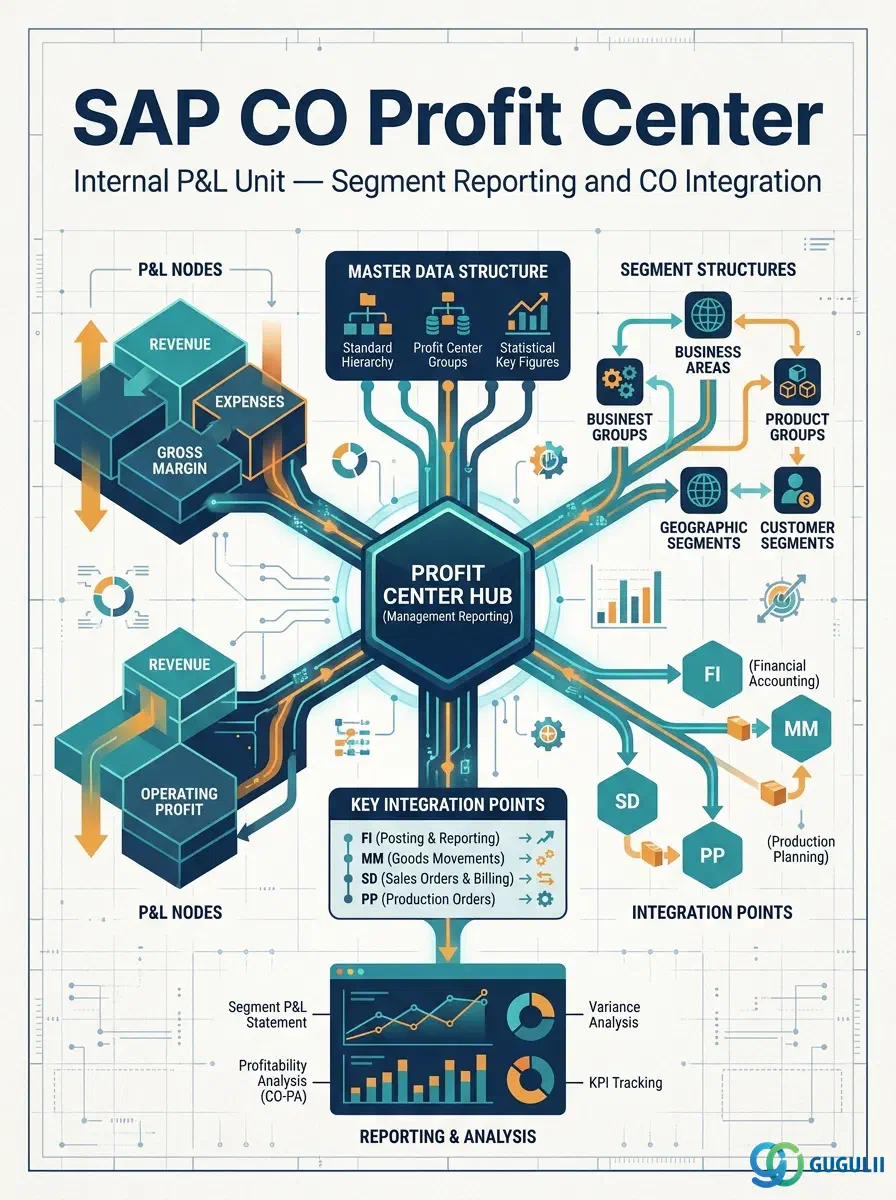
The Profit Center is the organizational unit in SAP Controlling that collects revenues and costs for internal profit and loss reporting. Every posting to a cost object in SAP — whether a Cost Center, Internal Order, WBS Element, or Production Order — ultimately flows to a Profit Center, enabling management-level P&L analysis below the level of the legal entity. In S/4HANA, the Profit Center is also the foundation for segment reporting under IFRS 8, making its design a joint concern for both Controlling and Financial Accounting.
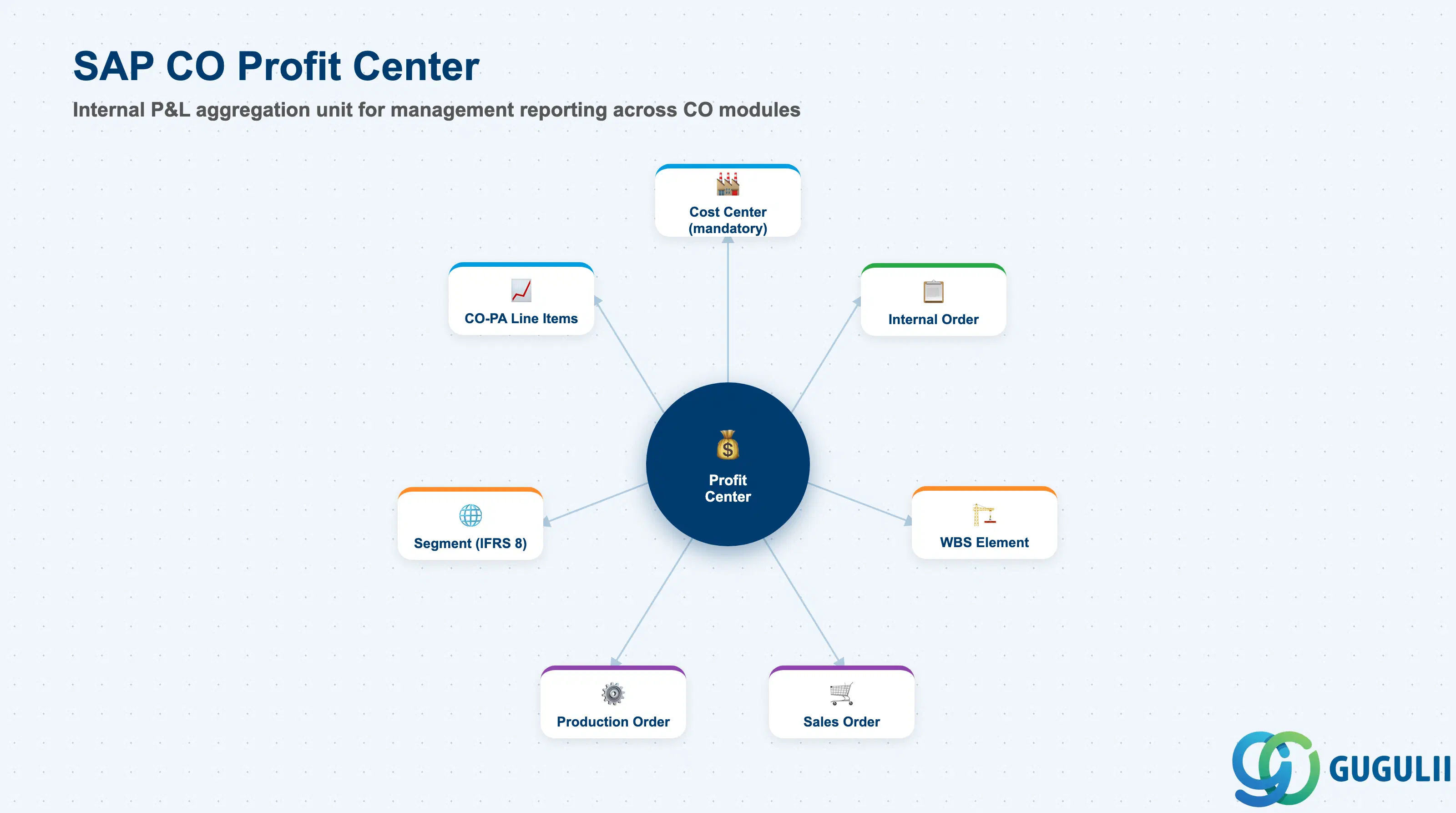
The Profit Center is a unit of internal management that aggregates the revenues and costs of a business area, product line, region, or any other management dimension defined by the company. Every CO cost object (Cost Center, Internal Order, WBS Element) has a mandatory Profit Center assignment in S/4HANA, ensuring that all actual costs flow into Profit Center Accounting automatically.
| Aspect | Details |
|---|---|
| Role | Internal P&L management unit — aggregates revenues and costs for profitability reporting by business segment, product line, or region |
| Modules using it | CO-PCA (Profit Center Accounting — primary), FI (segment reporting via KE5T transfer), CO-PA (profit center as a characteristic in profitability analysis), SD (revenue posting to profit center via CO-PA or account determination) |
| Transactions | KE51 (Create), KE52 (Change), KE53 (Display), KE54 (Delete), 1KEF (Profit Center — Change Management) |
| Key Tables | CEPC (Profit Center master data), CEPCT (Profit Center texts), CEPC_BUKRS (Profit Center to company code assignment) |
| S/4HANA note | In S/4HANA, every Cost Center must have a Profit Center assignment (mandatory, unlike ECC where it was optional). The Profit Center is also linked to a Segment (FI segment object) to enable IFRS 8 segment reporting. The Profit Center Group Standard Hierarchy assignment is mandatory during creation. |
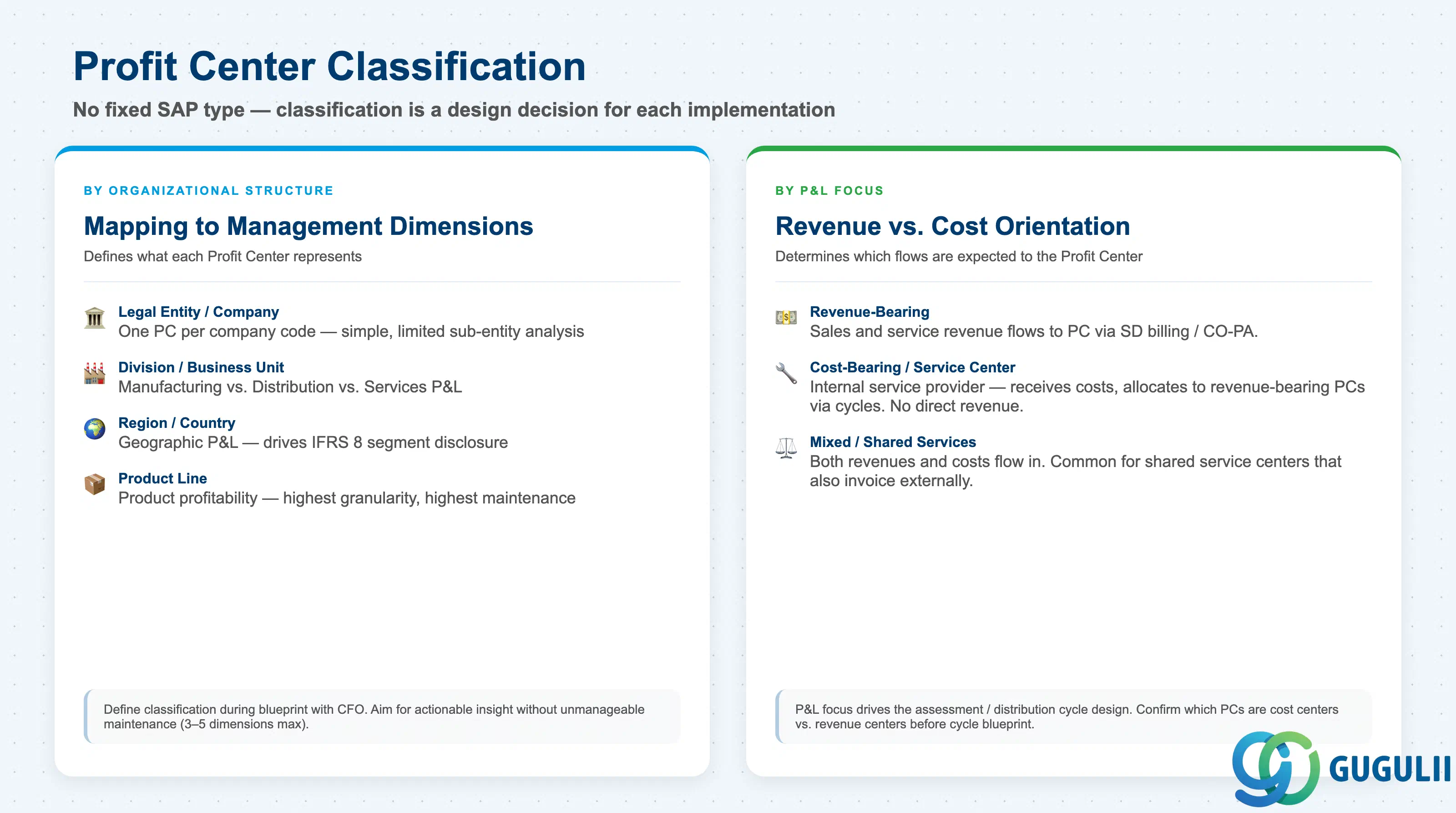
SAP does not enforce a fixed Profit Center type — the classification is entirely a design decision. However, projects typically define Profit Centers along one of these dimensions:
| Classification | Description | Use Case | Key Behavior |
|---|---|---|---|
| By Legal Entity | One Profit Center per company code | Small organizations where the legal entity is the management unit | Segment = Company Code; simple but limits sub-entity analysis |
| By Division / Business Unit | Profit Centers map to major business divisions | Manufacturing vs. Distribution vs. Services P&L | Enables divisional management reporting independent of legal entity |
| By Region / Country | Profit Centers map to geographic units | Regional P&L for multinational organizations | Drives segment reporting for geographic segment disclosure under IFRS 8 |
| By Product Line | Profit Centers map to product families | Product profitability analysis | High granularity — requires reliable revenue allocation to each product line |
| By Project (temporary) | Short-lived Profit Centers for major projects | Capital project tracking at the management level | Consider Internal Orders as an alternative for temporary tracking |
Design principle: Define the Profit Center classification during blueprint in consultation with the CFO and management reporting team. The correct granularity is one that provides actionable management insight without creating an unmanageable maintenance burden. Three to five management dimensions (e.g., Division × Region) requiring a matrix of Profit Centers are feasible; twenty dimensions are not.
Profit Center is scoped at the Controlling Area level, and every Profit Center must be assigned into the Standard Hierarchy (Profit Center Group).
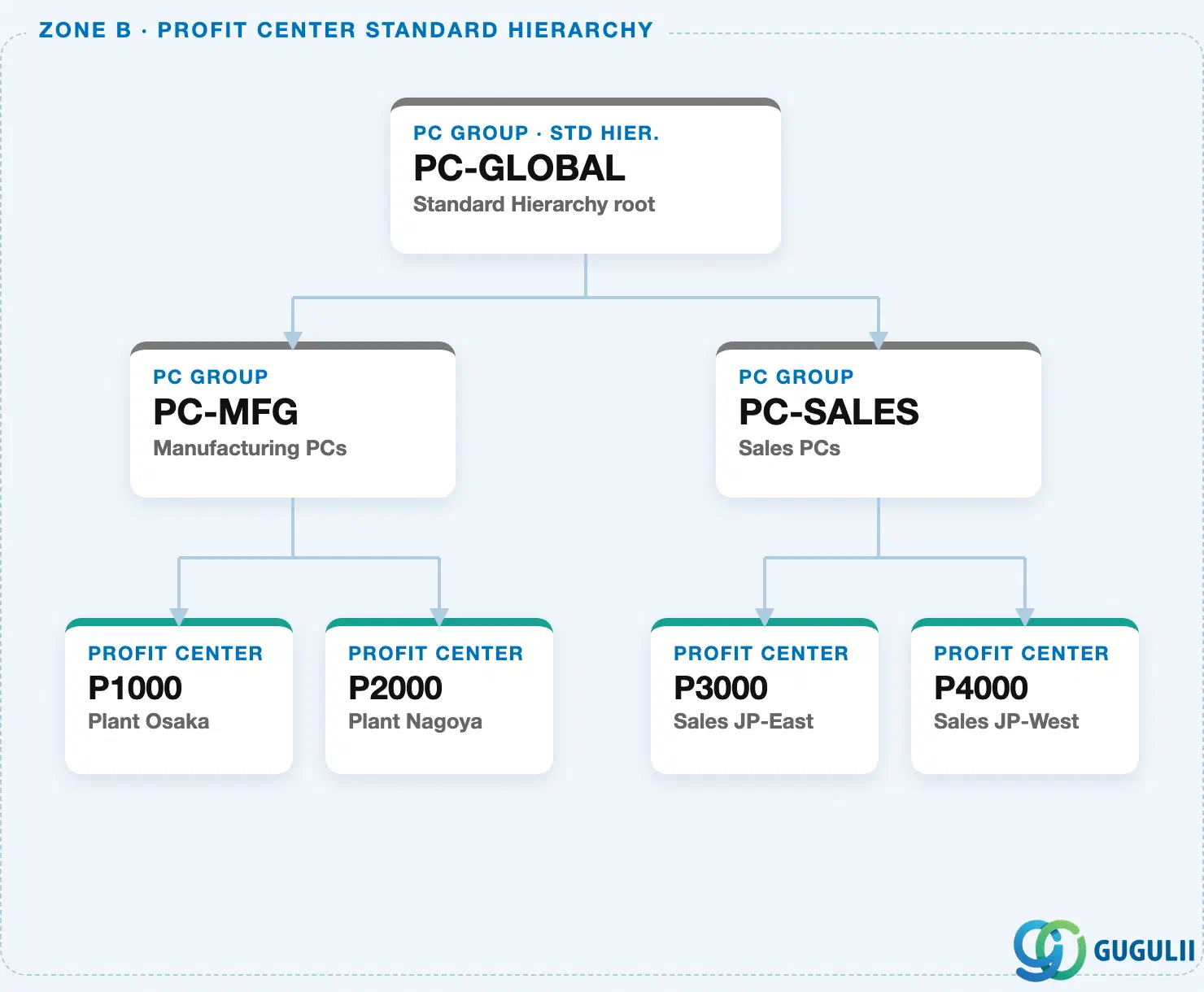
Cost Centers reference a Profit Center directly — this is how P&L results get attributed from a cost-collecting unit to a management reporting unit.
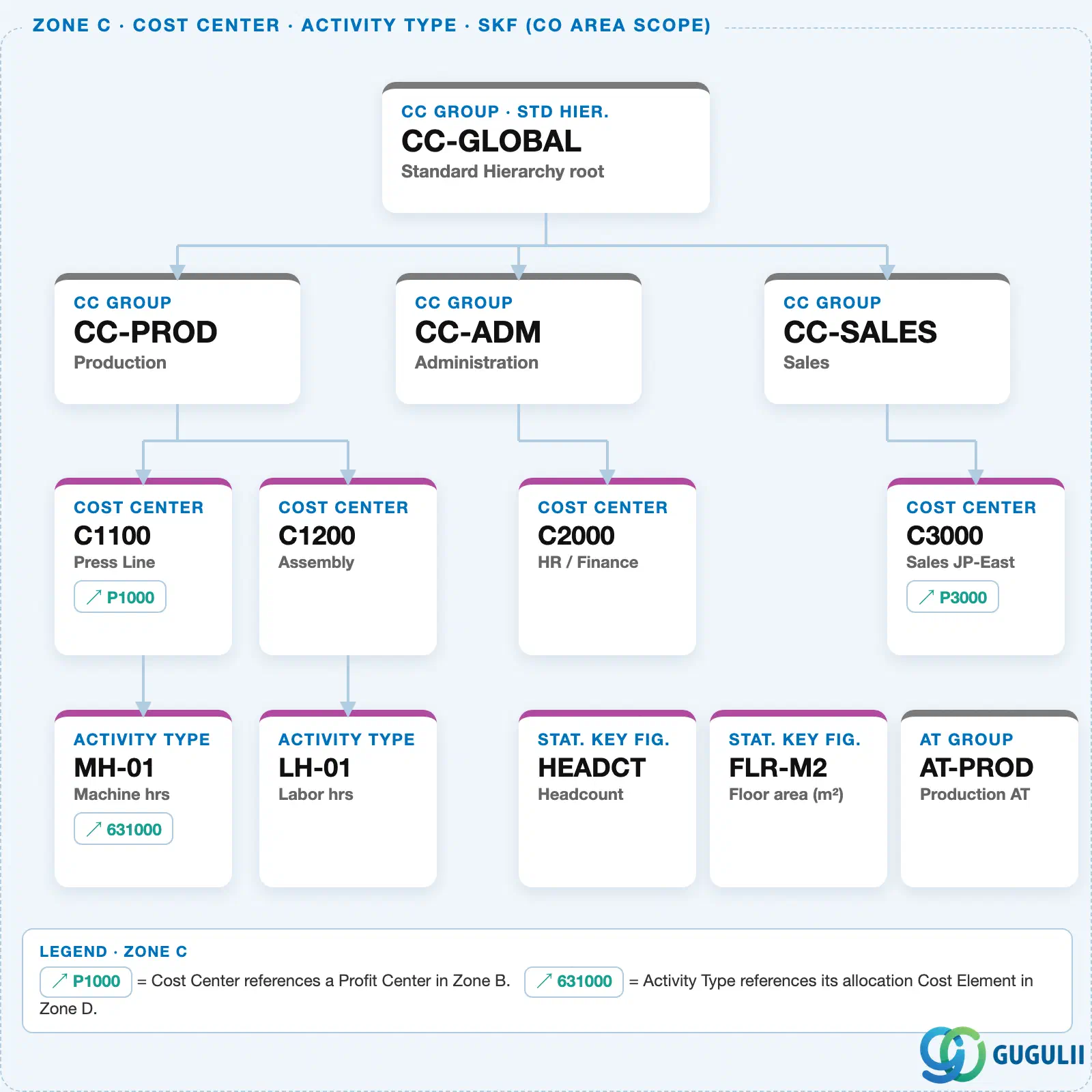
Data hierarchy with a concrete example
Controlling Area 1000
   │
   └── PC Group "PC-SALES"        Sales PCs
          │
          └── Profit Center "P3000"   Sales JP-East
                 ↑
                 └── referenced by ── Cost Center "C3000"   Sales JP-East (Zone C)
Design principle: Assign Company Codes to a Profit Center only when postings must be restricted to specific legal entities. In a single-company-code CO Area this restriction is unnecessary; in a multi-company-code CO Area it prevents cross-company postings and simplifies reconciliation.
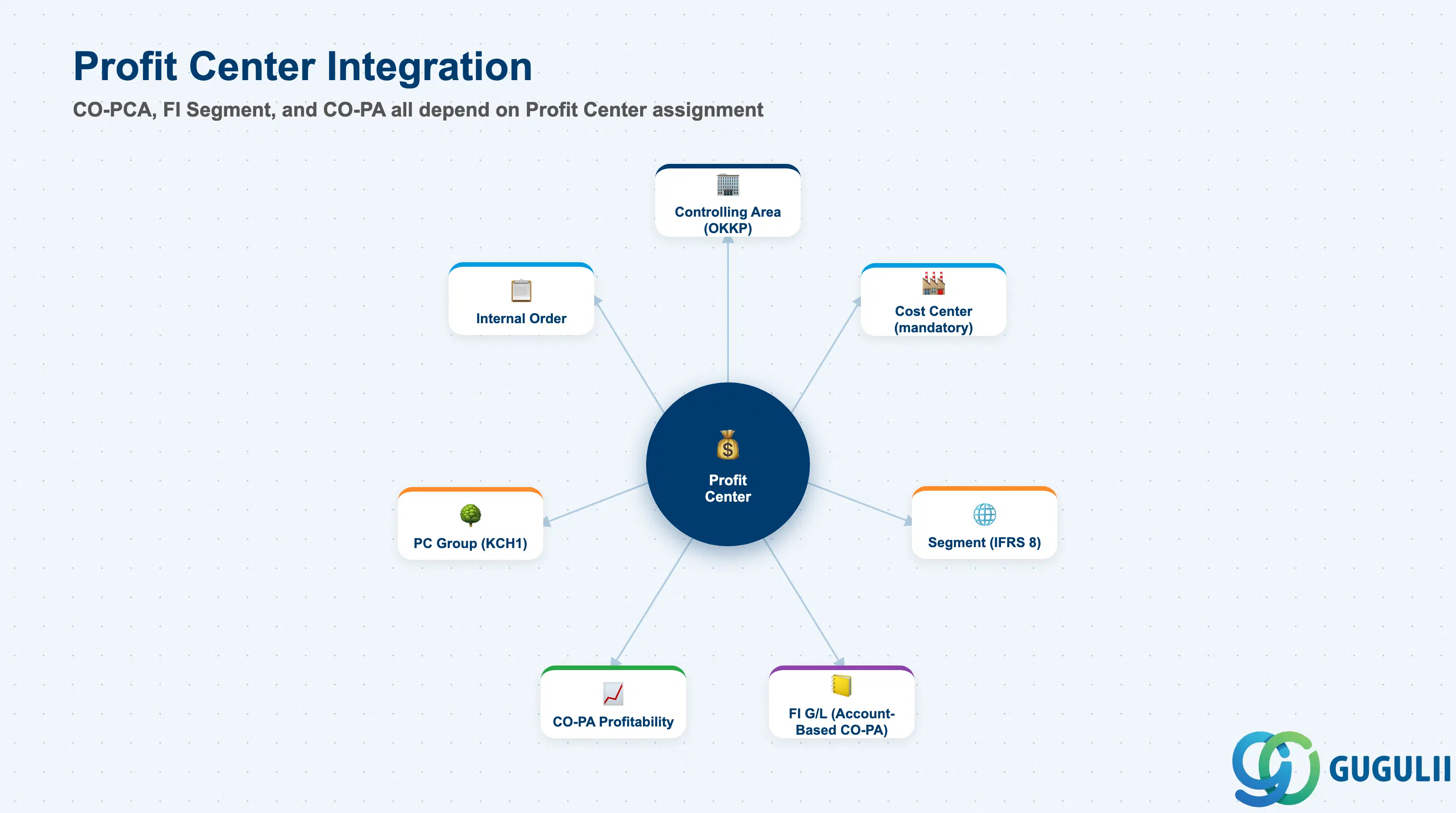
| Object | Relationship | Practical Notes |
|---|---|---|
| Controlling Area | Profit Center is defined within and scoped to a Controlling Area | All cost objects (Cost Centers, Orders) that post to a Profit Center must also belong to the same Controlling Area. |
| Cost Center (KS01) | Cost Center references a Profit Center — mandatory in S/4HANA | Every Cost Center must have exactly one Profit Center assignment. All postings to the Cost Center flow to the assigned Profit Center automatically via the Account-Based CO-PA mechanism. |
| Internal Order (KO01) | Internal Order references a Profit Center | Overhead orders and investment orders post to a Profit Center. Settlement of the order transfers costs to the settlement receivers (Cost Center, asset, CO-PA), which in turn carry their own Profit Center assignments. |
| Segment (FI) | Profit Center is linked to a Segment for external reporting | The Segment field on the Profit Center enables financial statements by segment under IFRS 8. One Segment can cover multiple Profit Centers. Define Segments during blueprint in conjunction with the external audit team. |
| Profit Center Group (KCH1) | Profit Center is a member of the Standard Hierarchy and optional alternative groups | Standard Hierarchy membership is mandatory. Alternative groups for ad-hoc reporting or allocation cycles are optional. |
| CO-PA (Profitability Analysis) | Profit Center is a characteristic in CO-PA line items | Account-Based CO-PA (mandatory in S/4HANA) captures the Profit Center on every CO-PA line item. Costing-Based CO-PA uses derivation rules to populate the Profit Center characteristic. |
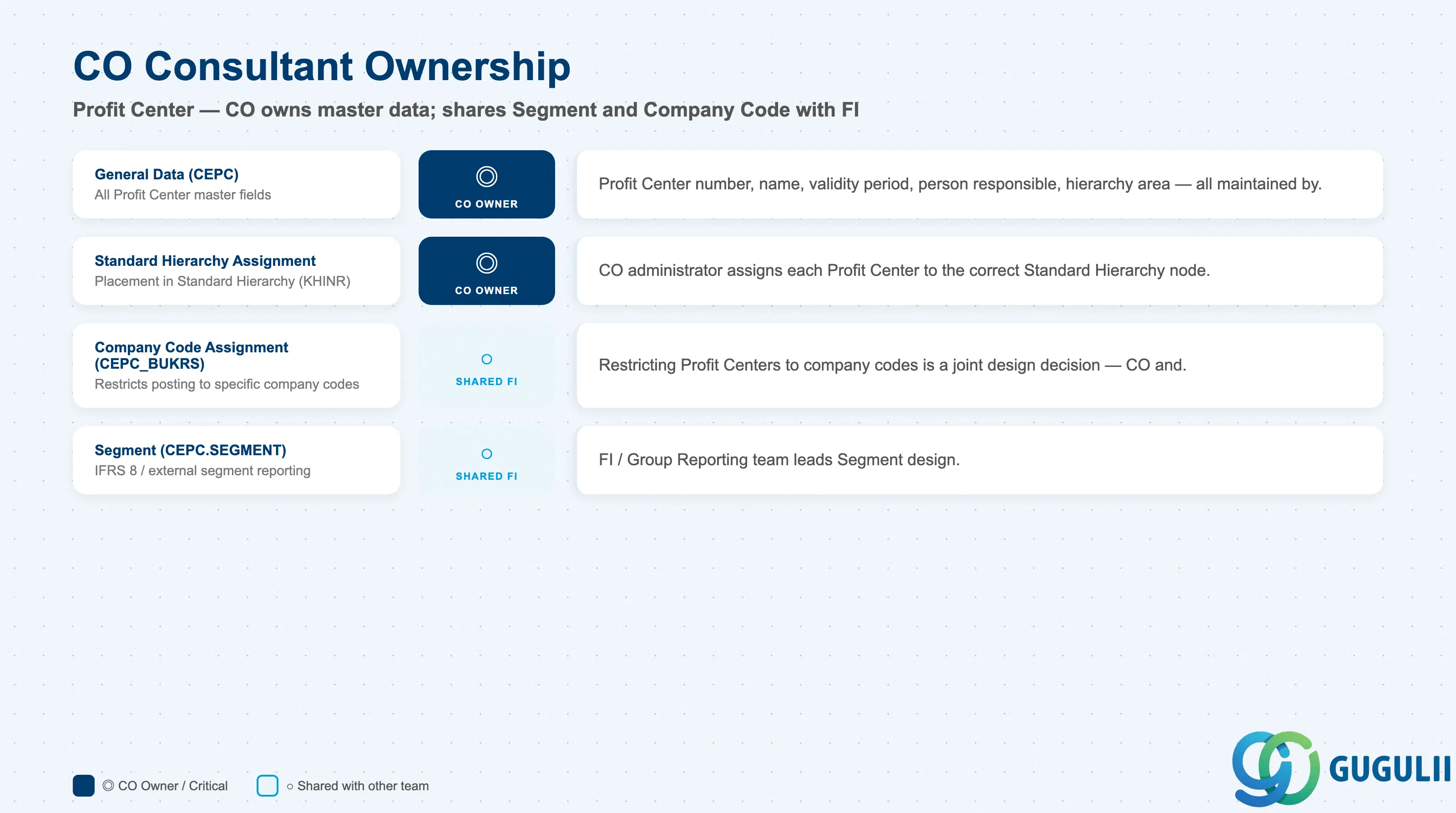
| Data Section | CO Involvement | Notes |
|---|---|---|
| General Data (CEPC) | ◎ Owner | All Profit Center master data fields — maintained by CO administrator |
| Standard Hierarchy Assignment | ◎ Owner | Hierarchy node assignment — CO administrator ensures every PC is correctly placed |
| Company Code Assignment (CEPC_BUKRS) | ○ Shared with FI | Restricting Profit Centers to company codes is a joint design decision — CO and FI must align |
| Segment (CEPC.SEGMENT) | ○ Shared with FI | Segment assignment drives external IFRS 8 reporting — FI/Group Reporting teams lead the design, CO assigns the value |
Legend: ◎ = Owner / Critical, ○ = Direct involvement
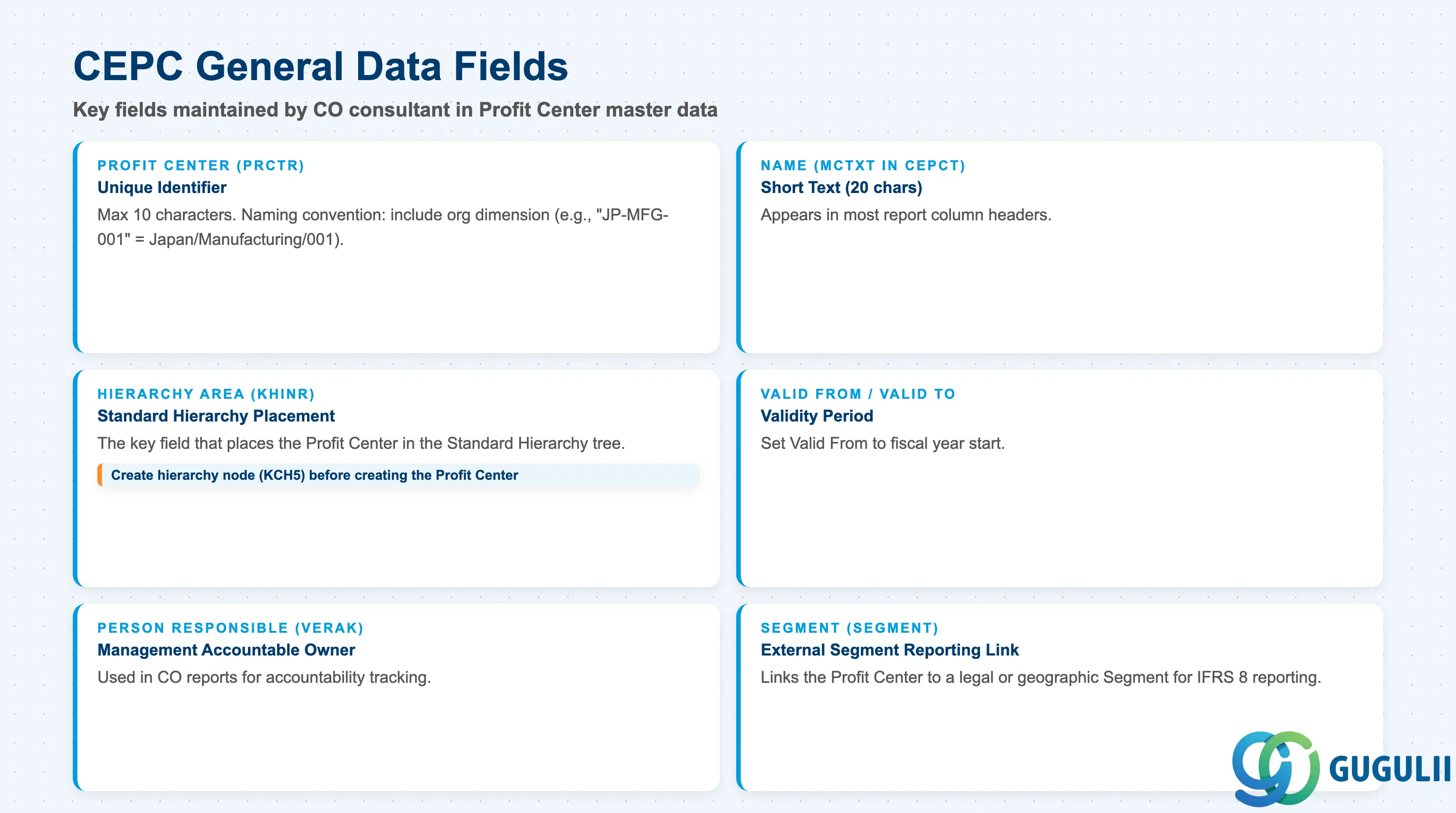
| Field | Description | Practical Usage |
|---|---|---|
| Profit Center (PRCTR) | Unique identifier within the Controlling Area | Maximum 10 characters. Use a naming convention that reflects the organizational dimension (e.g., “JP-MFG-001” = Japan / Manufacturing / Sequence 001). In S/4HANA, the Profit Center appears on every CO-PA line item and FI document segment — a clear naming convention significantly improves reporting readability and troubleshooting. |
| Name (MCTXT in CEPCT) | Short text (20 chars) and long text | The short text appears in most report column headers. Keep it short but specific: “Japan Manufacturing” is better than “MFG01”. Long text should document the organizational scope, the responsible business unit, and the date of last update. |
| Valid From (DATAB) | Validity start date | Set to the fiscal year start of the implementation. In S/4HANA, Profit Centers can be created with a future valid-from date for planned organizational changes. Do not set a past valid-from date that predates the productive period — it has no impact on past postings but can cause confusion in historical reports. |
| Valid To (DATBI) | Validity end date | Leave open-ended (9999-12-31) for permanent Profit Centers. Set a specific end date only for Profit Centers that are being retired at a known date. Block the Profit Center for new postings via the Blocked Indicator before the end date to prevent late postings. |
| Person Responsible (VERAK) | Name of the management-level responsible person | Used in CO reports for accountability tracking. Update when organizational responsibility changes. In large organizations, the person responsible is often a cost center manager or department head — confirm the governance model during blueprint. |
| Hierarchy Area (KHINR) | The Standard Hierarchy node where this Profit Center is assigned | This is the key field that places the Profit Center in the Standard Hierarchy tree. Must reference an existing hierarchy node. If the node does not exist yet, create it in KCH5 before creating the Profit Center. Misassignment here causes the Profit Center to appear in the wrong section of all management reports. |
| Segment (SEGMENT) | FI Segment for external segment reporting | Links the Profit Center to a legal or geographic segment for IFRS 8 and similar external reporting requirements. One Segment can cover multiple Profit Centers. In implementations that do not require segment reporting, leave blank. Confirm the requirement with the FI lead before the blueprint is finalized. |
| Department (ABTEI) | Organizational department | Optional free-text field. Some organizations use this for additional reporting dimensions below the Profit Center level (e.g., “Finance” vs. “HR” within a shared services Profit Center). Not available as a standard drill-down dimension in most CO reports — use CO-PA characteristics for that purpose instead. |
| ID | Category | Title |
|---|---|---|
| co-001 | Overview | What is SAP CO? |
| ID | Category | Title |
|---|---|---|
| co-a01 | Overview | SAP CO Master Data: Overview, Hierarchy & Relationships |
| co-a02-01 | Master Data | SAP CO Material Master |
| co-a03-01 | Master Data | SAP CO Cost Element |
| co-a03-02 | Master Data | SAP CO Cost Element Group |
| co-a04-01 | Master Data | SAP CO Profit Center Group |
| co-a04-02 | Master Data | SAP CO Profit Center 📍 |
| co-a05-01 | Master Data | SAP CO Cost Center Group |
| co-a05-02 | Master Data | SAP CO Cost Center |
| co-a05-03 | Master Data | SAP CO Activity Type Group |
| co-a05-04 | Master Data | SAP CO Activity Type |
| co-a05-05 | Master Data | SAP CO Statistical Key Figure |
| co-a06-01 | Master Data | SAP CO Internal Order Group |
| co-a06-02 | Master Data | SAP CO Internal Order |
| co-a07-01 | Master Data | SAP CO Cost Component Structure |
| co-a07-02 | Master Data | SAP CO Costing Variant |
| co-a08-01 | Master Data | SAP CO Operating Concern |
| ID | Category | Title |
|---|---|---|
| co-b01 | Overview | SAP CO Transactions: Process Flow, Hierarchy & Relationships |