Title here
Summary here

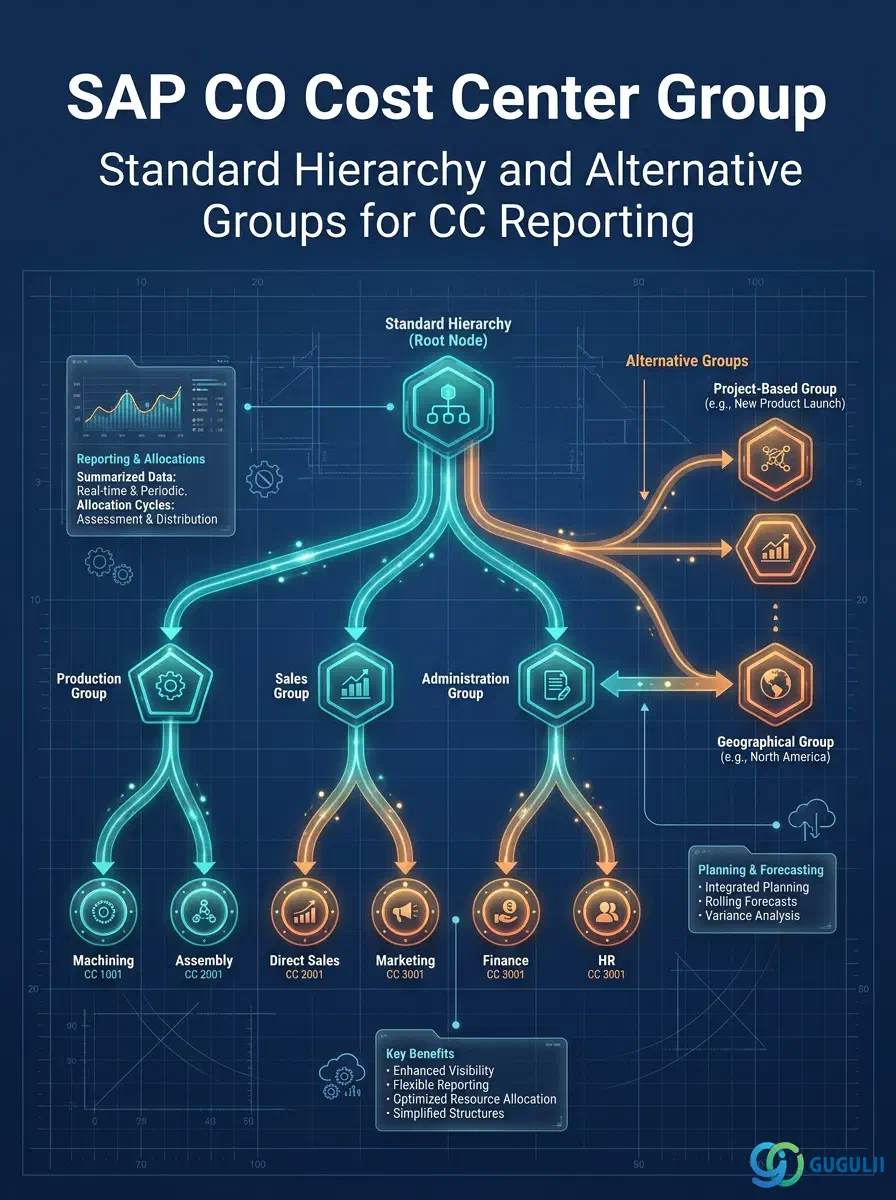
The Cost Center Group is the hierarchical grouping structure that organizes Cost Centers for reporting, budgeting, and allocation cycle definitions in SAP Controlling. Every Cost Center belongs to the Standard Hierarchy — the mandatory top-level group defined on the Controlling Area — and may additionally belong to alternative groups for specific reporting or cycle purposes. The design of the Cost Center Group hierarchy determines the structure of every Cost Center report in the system and the groupings used in period-end assessment and distribution cycles.
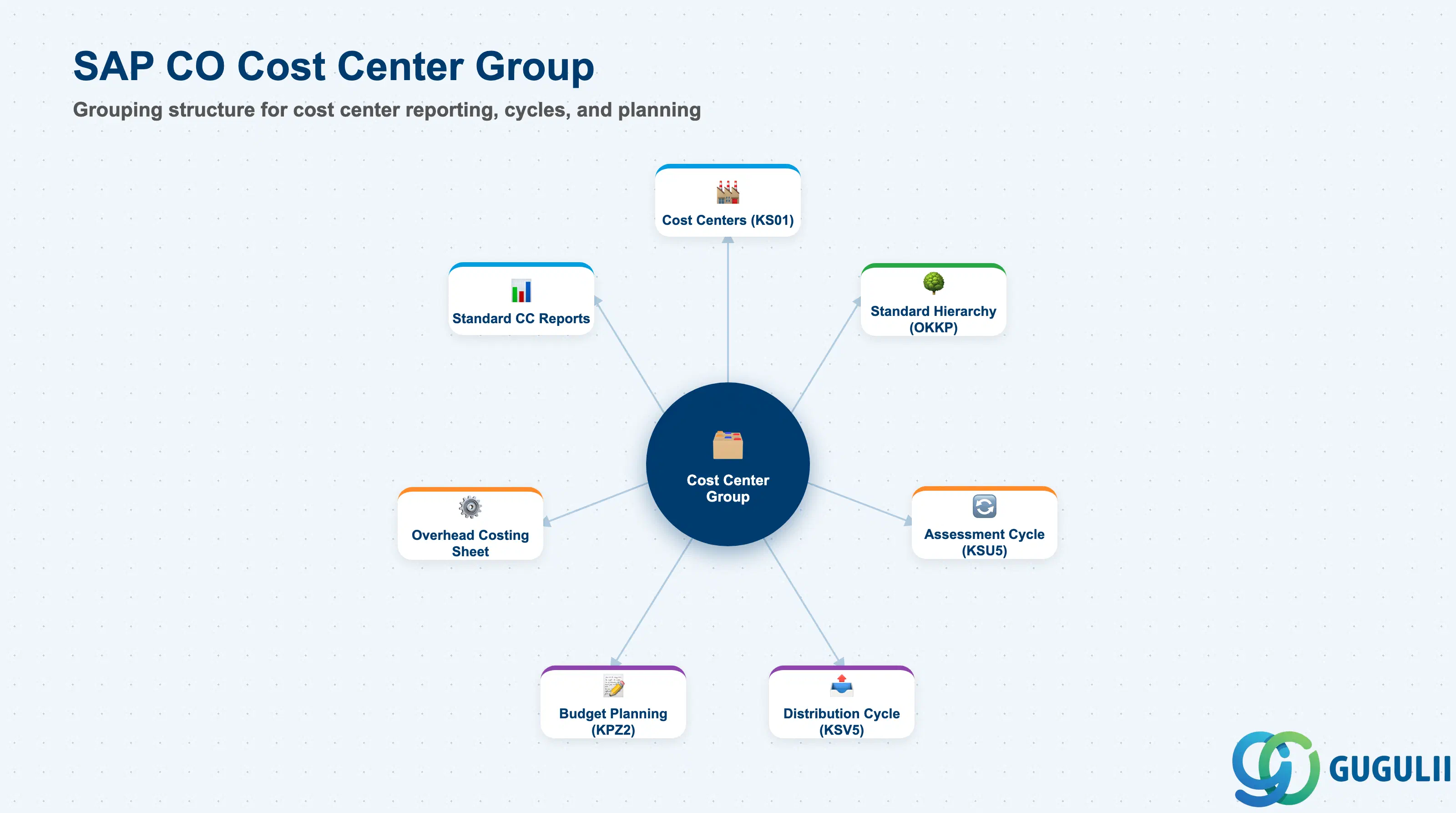
The Cost Center Group is a set object in SAP CO that aggregates Cost Centers for reporting and allocation. It uses the same underlying set framework (SETHEADER/SETLEAF/SETNODE) as Cost Element Groups and Profit Center Groups. The Standard Hierarchy is the most important Cost Center Group — it is mandatory, must contain all Cost Centers, and serves as the root structure for the primary CO cost center reports.
| Aspect | Details |
|---|---|
| Role | Aggregates Cost Centers for report row structures, allocation cycle sender/receiver definitions, and budget input at category level |
| Modules using it | CO-CCA (Cost Center Accounting — primary), CO-PCA (Profit Center Accounting allocation), CO-PC (product costing overhead rates by cost center group), HR (cost center group reporting for personnel costs) |
| Transactions | KSH1 (Create Group), KSH2 (Change), KSH3 (Display), OKEON (Change Standard Hierarchy), OKENN (Display Standard Hierarchy) |
| Key Tables | SETHEADER (Group header), SETLEAF (Cost center assignments), SETNODE (Sub-group references) |
| S/4HANA note | Cost Center Group transactions and the set framework are unchanged from ECC. The Standard Hierarchy is defined in OKKP. In S/4HANA, the Cost Center must have a Profit Center assignment — ensure that Cost Center Group design and Profit Center Group design are coordinated so that reporting at both CO-CCA and CO-PCA levels provides consistent views. |
| Type | Description | Use Case | Key Behavior |
|---|---|---|---|
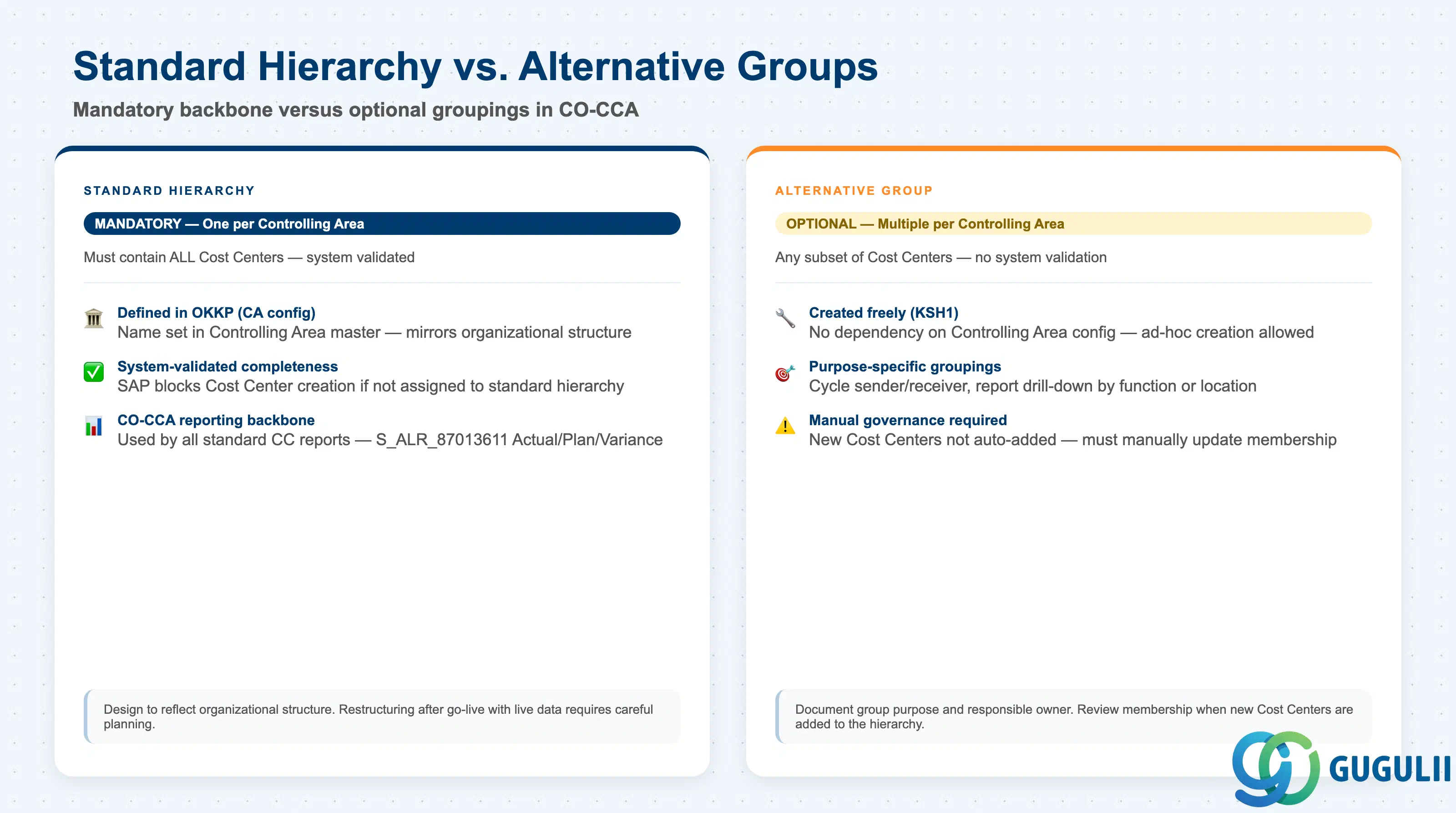
| Standard Hierarchy | Top-level mandatory group — must contain ALL Cost Centers | Primary cost center management report (S_ALR_87013611), Controlling Area-level overhead overview | System validates that every Cost Center is assigned to the Standard Hierarchy upon creation. Acts as the organizational backbone for cost center reporting. |
| Alternative Group | Optional subset grouping — any combination of Cost Centers | Assessment cycle sender/receiver (e.g., “All Manufacturing Cost Centers”), ad-hoc reporting for a project scope | No system validation — partial lists are allowed. Must be manually maintained when Cost Centers are added or changed. |
| Functional Group | Groups Cost Centers by functional category (Manufacturing, Administration, Sales, R&D) | Overhead rate calculation in product costing (overhead costing sheet by group) | Common in Product Costing implementations where overhead rates vary by functional area. |
Design principle: Mirror the Standard Hierarchy to the management reporting structure. A three-level hierarchy (Company → Department → Cost Center) is typical for mid-size organizations. A five-level hierarchy (Division → Region → Department → Team → Cost Center) suits large multinationals. Define the depth during blueprint — adding levels after go-live requires migrating all report painter rows that reference the existing hierarchy.
Cost Center Group is scoped at the Controlling Area level, and forms the Standard Hierarchy — every Cost Center in the CO Area must belong to it.
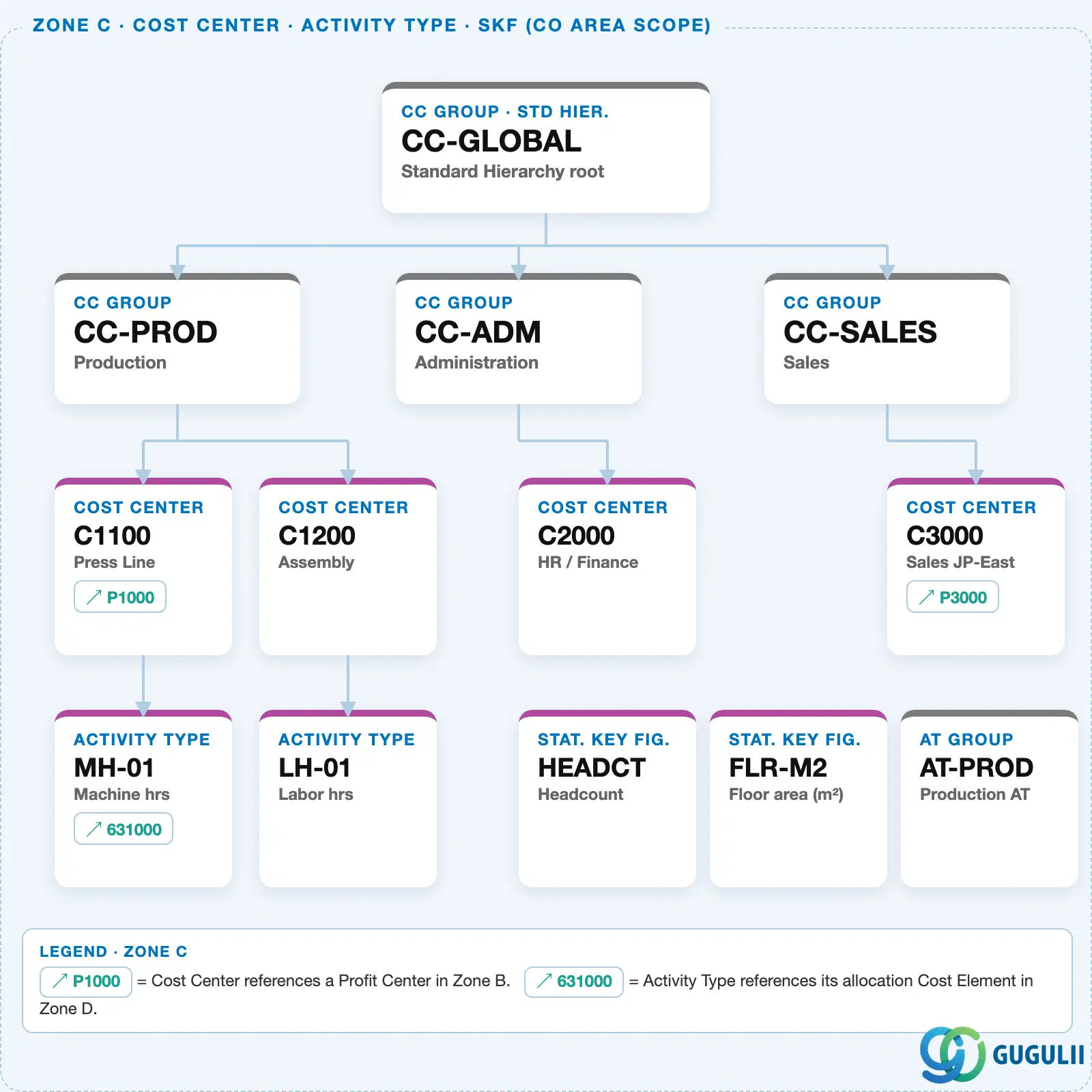
Data hierarchy with a concrete example
Controlling Area 1000
   │
   └── CC Group "CC-GLOBAL"       Standard Hierarchy root
          │
          ├── CC Group "CC-PROD"     Production
          │      ├── Cost Center "C1100"   Press Line
          │      └── Cost Center "C1200"   Assembly
          │
          ├── CC Group "CC-ADM"      Administration
          │      └── Cost Center "C2000"   HR / Finance
          │
          └── CC Group "CC-SALES"    Sales
                 └── Cost Center "C3000"   Sales JP-East
Design principle: The Standard Hierarchy is the single most referenced master data structure in CO-CCA reporting. Design it for the 3–5 year organizational outlook, not just the go-live state — restructuring after go-live means moving Cost Centers between hierarchy nodes, which must be planned carefully to preserve historical report consistency.
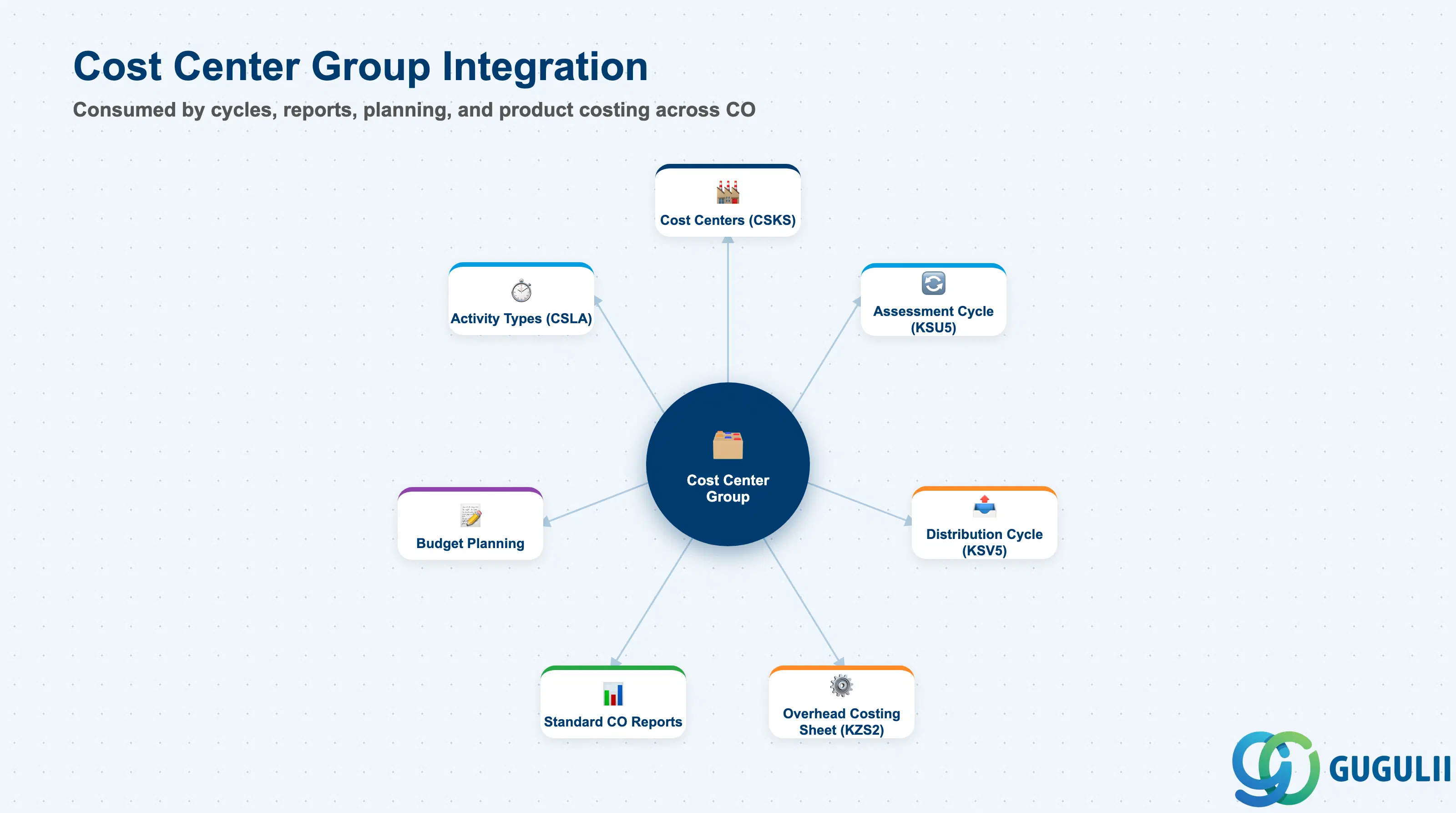
| Object | Relationship | Practical Notes |
|---|---|---|
| Cost Centers (KS01) | Group contains Cost Center members | Every Cost Center must be in the Standard Hierarchy. When a Cost Center is created, the hierarchy node assignment is mandatory. |
| Assessment Cycle (KSU5) | Groups as sender and/or receiver | Assessment cycles typically use Cost Center Groups to define both the pool of senders (e.g., “Service Cost Centers”) and the receivers (e.g., “Manufacturing Cost Centers”). Group membership changes automatically affect the next cycle run. |
| Distribution Cycle (KSV5) | Same usage as assessment | Distribution cycles use groups to define the distribution scope. |
| Overhead Costing Sheet (KZS2) | Groups as the base for overhead rate application | In product costing, overhead rates can be applied based on the Cost Center Group (e.g., “Overhead rate for Manufacturing CCs = 15% of direct labor”). |
| Budget Planning (KPZ2) | Budget can be entered and compared at group level | Group-level budgeting is common for department-level approval — the department manager approves the total for their group, and individual Cost Center budgets are derived from that total. |
| Standard CO Reports (S_ALR_87013611) | Report rows defined by Cost Center Group hierarchy | The primary cost center report uses the Standard Hierarchy to structure its row layout. The hierarchy depth determines the number of summarization levels available in the report. |
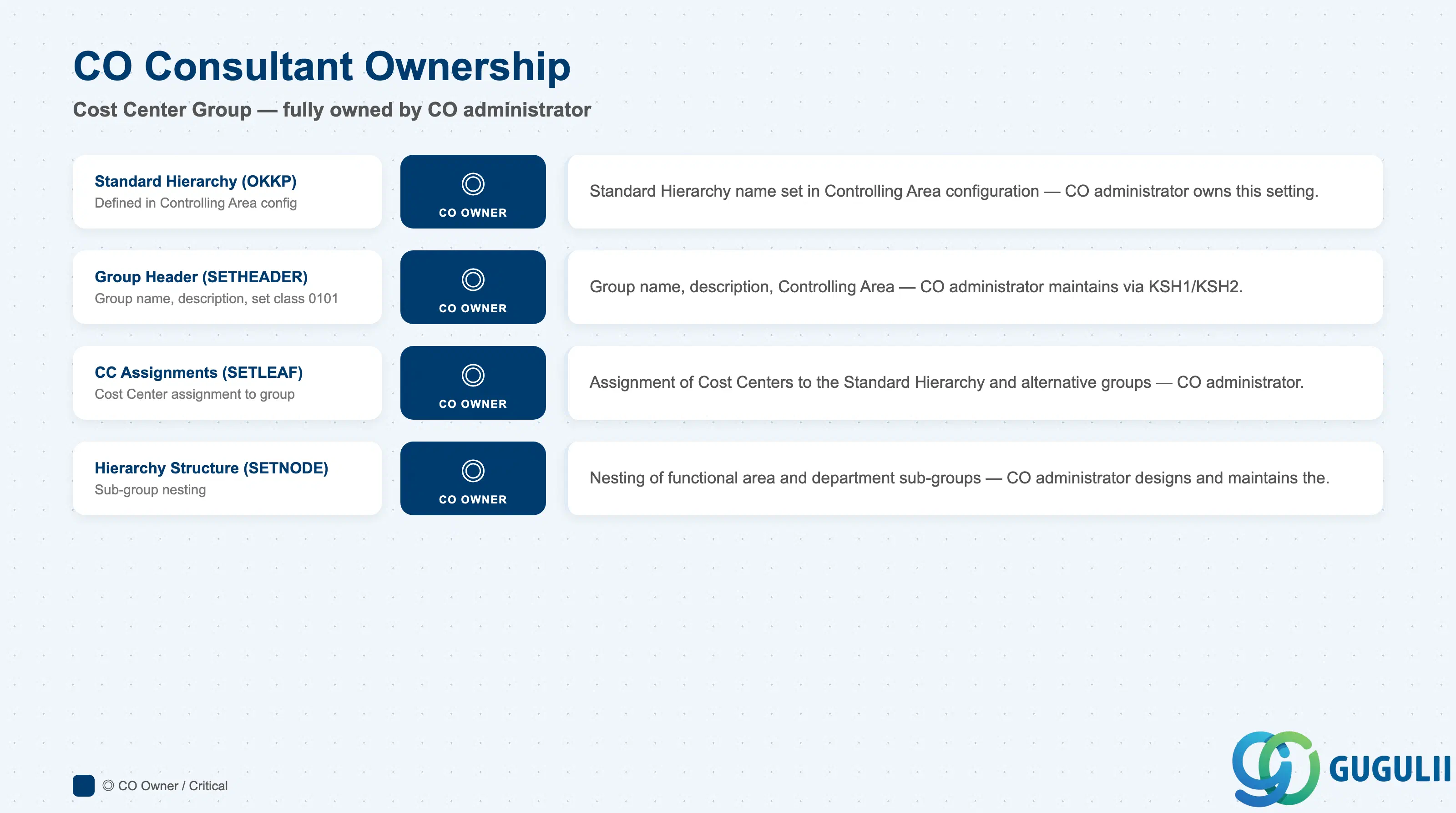
| Data Section | CO Involvement | Notes |
|---|---|---|
| Standard Hierarchy Definition (OKKP) | ◎ Owner | The Standard Hierarchy name is a Controlling Area configuration parameter — CO administrator owns |
| Group Header (SETHEADER) | ◎ Owner | All Cost Center Group headers — CO administrator creates and maintains |
| Cost Center Assignments (SETLEAF) | ◎ Owner | Assignment of Cost Centers to groups — CO administrator |
| Hierarchy Structure (SETNODE) | ◎ Owner | Nesting of sub-groups — CO administrator designs and maintains |
Legend: ◎ = Owner / Critical, ○ = Direct involvement
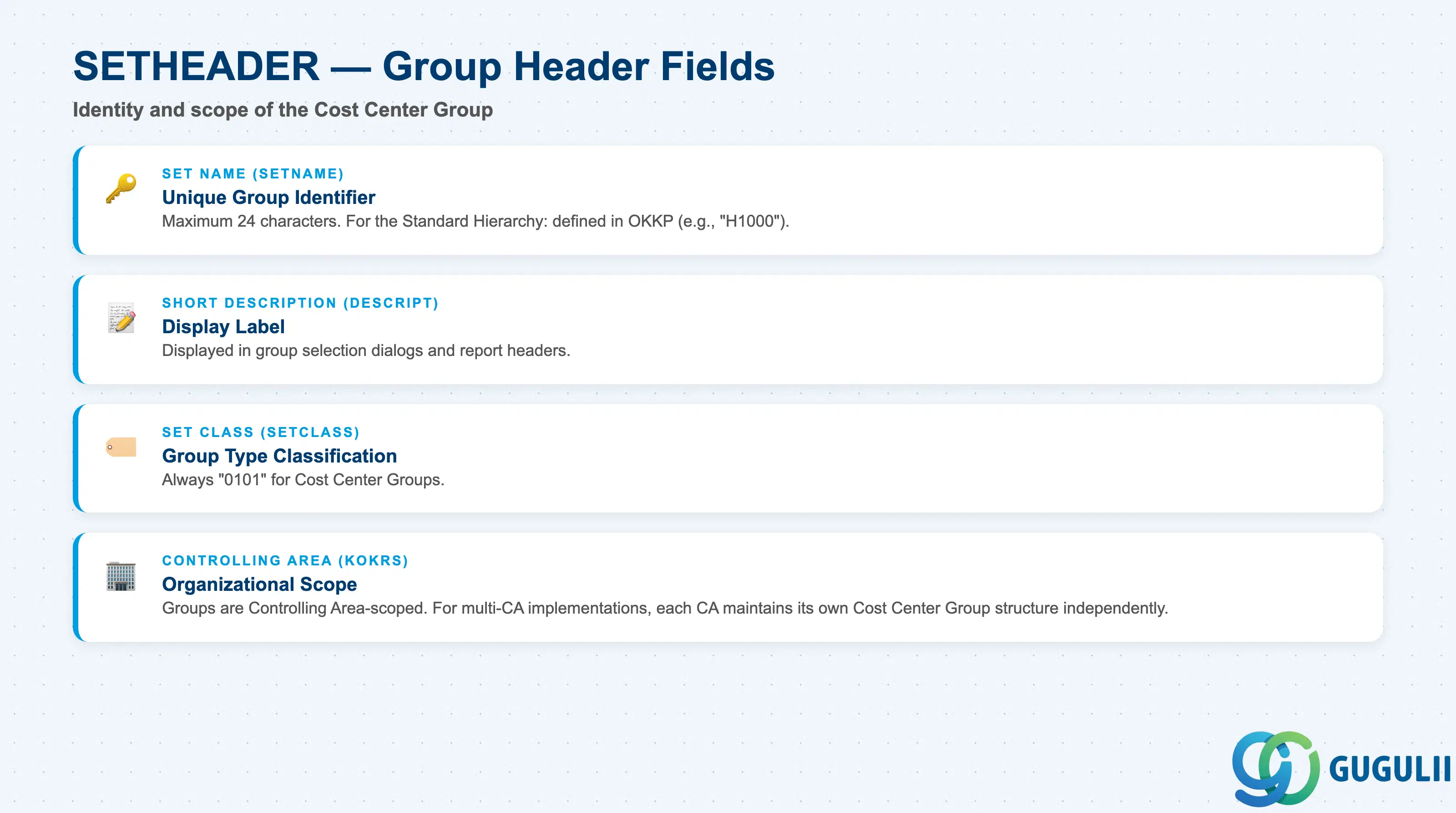
| Field | Description | Practical Usage |
|---|---|---|
| Set Name (SETNAME) | Unique identifier of the Cost Center Group | Maximum 24 characters. For the Standard Hierarchy, the name is defined in OKKP (e.g., “H-CC-1000”). For alternative groups, use a clear naming convention (e.g., “CC-MFG”, “CC-ADMIN”). The set name is the primary reference in cycle definitions — changing it requires updating all cycle and report painter references. |
| Description (DESCRIPT) | Free-text description | Used in selection dialogs. Write from the end-user perspective. Include the Controlling Area in the description for multi-CA environments. |
| Set Class (SETCLASS) | Internal code for group type | Always “0101” for Cost Center Groups. Do not change. |
| Controlling Area (KOKRS) | Scoping Controlling Area | Groups are Controlling Area-specific. A Cost Center Group from CA 1000 cannot reference Cost Centers from CA 2000. |
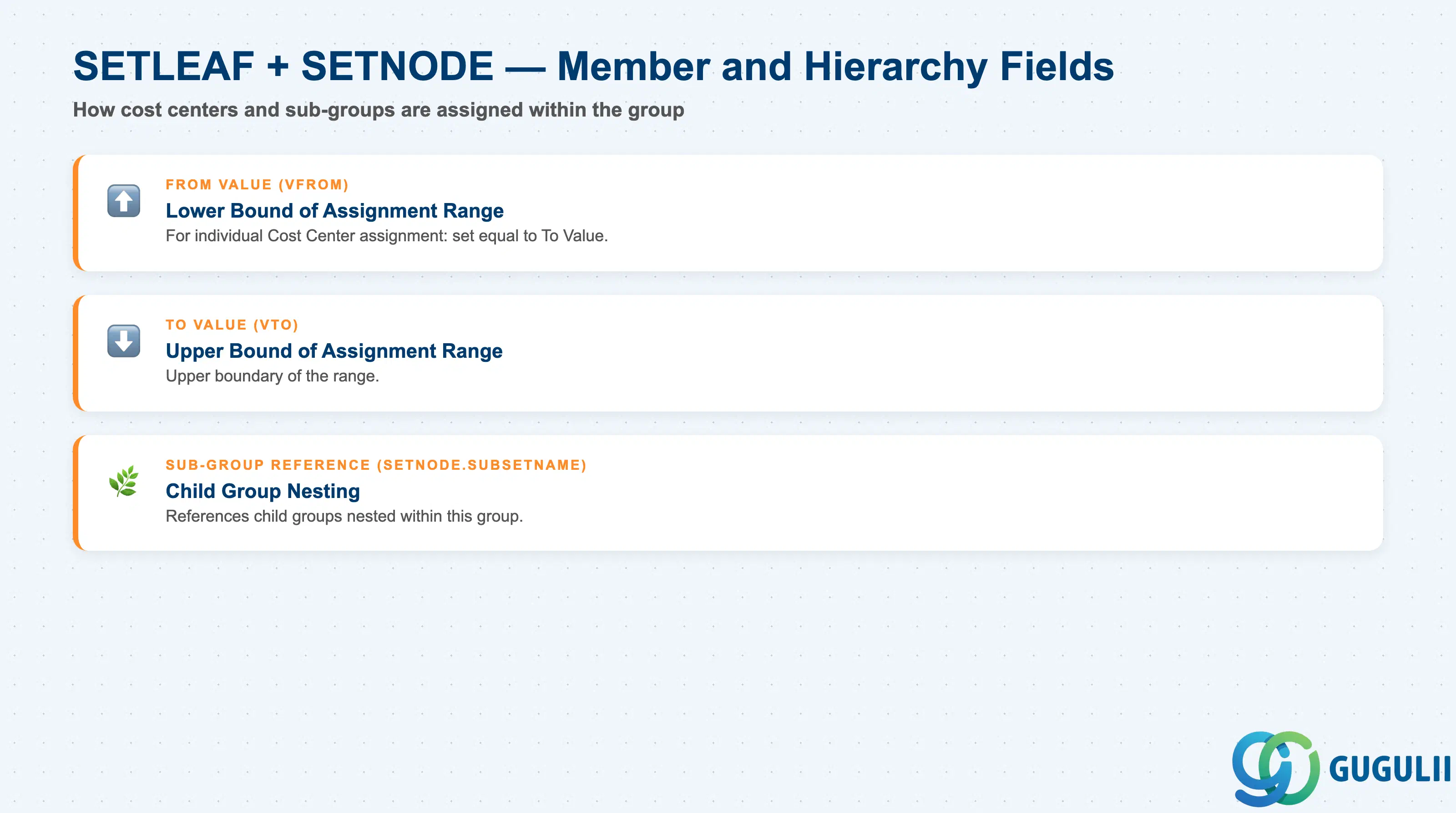
| Field | Description | Practical Usage |
|---|---|---|
| From Value (VFROM) | Lower bound of Cost Center assignment | For individual assignment: same as To Value. For range: start of the Cost Center number block. Use ranges only when all Cost Centers in the range belong to the same organizational group — gaps in a range silently exclude Cost Centers from reports. |
| To Value (VTO) | Upper bound of Cost Center assignment | Upper boundary of the range. Validate that no current or planned Cost Centers outside the intended scope fall within the range. |
| Sub-Group Reference | Child group nested within this group | Enables multi-level hierarchy. The Standard Hierarchy is typically built with 2–4 levels of SETNODE nesting. |
| ID | Category | Title |
|---|---|---|
| co-001 | Overview | What is SAP CO? |
| ID | Category | Title |
|---|---|---|
| co-a01 | Overview | SAP CO Master Data: Overview, Hierarchy & Relationships |
| co-a02-01 | Master Data | SAP CO Material Master |
| co-a03-01 | Master Data | SAP CO Cost Element |
| co-a03-02 | Master Data | SAP CO Cost Element Group |
| co-a04-01 | Master Data | SAP CO Profit Center Group |
| co-a04-02 | Master Data | SAP CO Profit Center |
| co-a05-01 | Master Data | SAP CO Cost Center Group 📍 |
| co-a05-02 | Master Data | SAP CO Cost Center |
| co-a05-03 | Master Data | SAP CO Activity Type Group |
| co-a05-04 | Master Data | SAP CO Activity Type |
| co-a05-05 | Master Data | SAP CO Statistical Key Figure |
| co-a06-01 | Master Data | SAP CO Internal Order Group |
| co-a06-02 | Master Data | SAP CO Internal Order |
| co-a07-01 | Master Data | SAP CO Cost Component Structure |
| co-a07-02 | Master Data | SAP CO Costing Variant |
| co-a08-01 | Master Data | SAP CO Operating Concern |
| ID | Category | Title |
|---|---|---|
| co-b01 | Overview | SAP CO Transactions: Process Flow, Hierarchy & Relationships |