Title here
Summary here

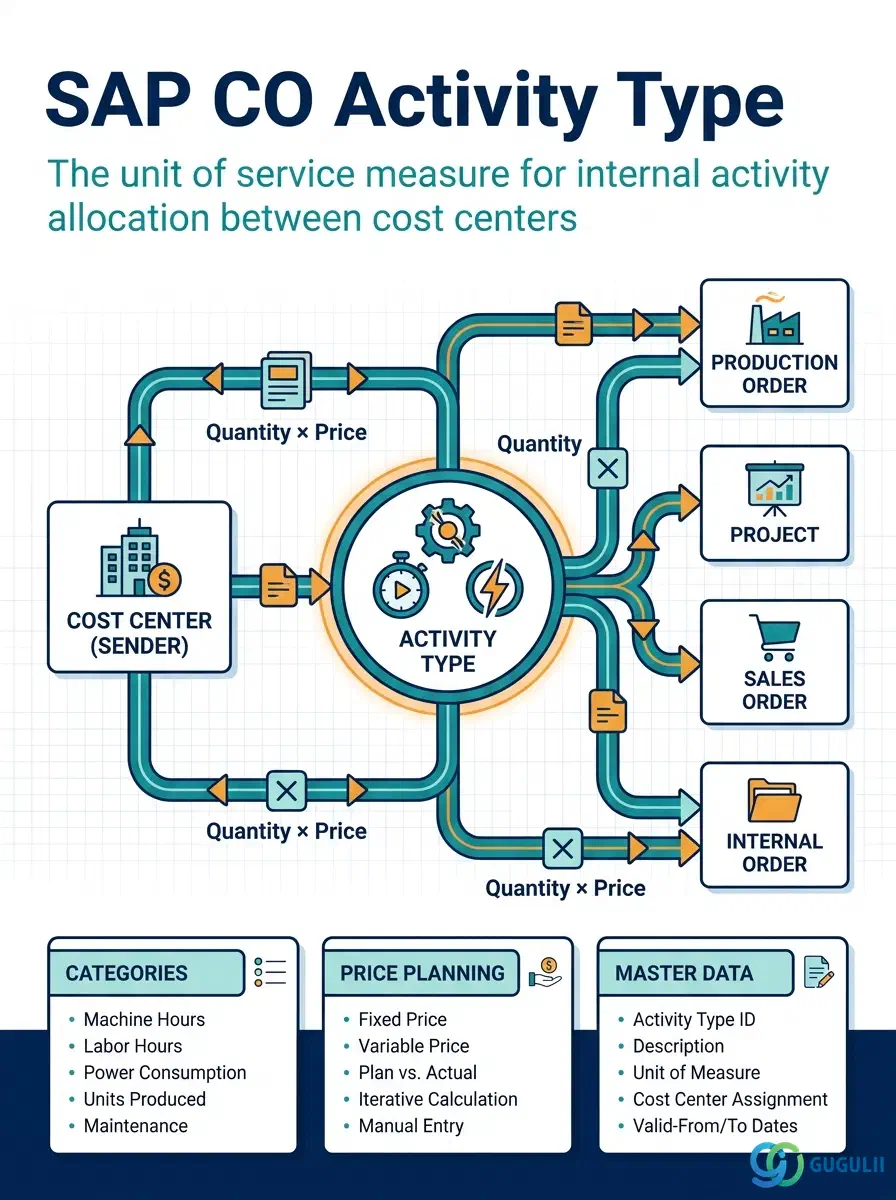
The Activity Type is the unit of service measure that enables quantity-based internal cost allocation between Cost Centers in SAP Controlling. Where an assessment cycle distributes costs as a percentage or fixed amount, an Activity Type allocation distributes costs based on a measurable quantity — machine hours consumed, labor hours worked, kilowatt-hours used — multiplied by a planned or actual price per unit. Activity Types are the foundation of product costing (they drive the activity-based component of standard cost estimates) and of Cost Center Accounting (they enable meaningful activity-based variance analysis).
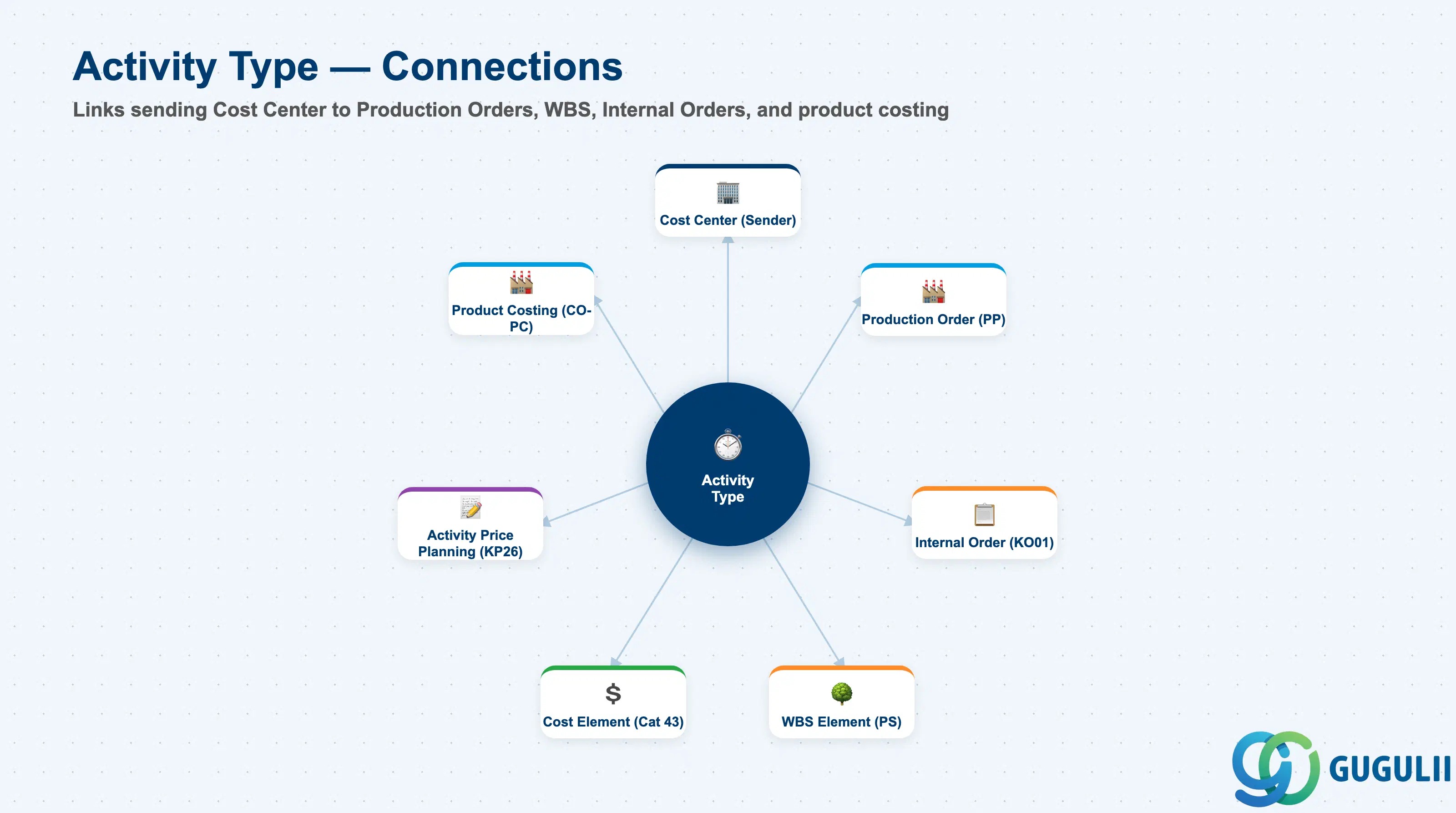
The Activity Type represents a specific service that a Cost Center provides to other cost objects. The Cost Center performing the service is the sender; the cost object receiving the service (Production Order, WBS Element, Internal Order, another Cost Center) is the receiver. The allocation quantity is measured in the Activity Type’s unit (e.g., hours), and the cost is transferred using the activity price — either the planned price (for standard cost estimates) or the actual price (calculated at period end).
| Aspect | Details |
|---|---|
| Role | Unit of service measure for internal cost allocation — quantity × price = allocated cost. Foundation for activity-based standard cost estimates and variance analysis |
| Modules using it | CO-CCA (Cost Center Accounting — sending cost center activity), CO-PC (Product Costing — activity rates in standard cost estimates), PP (Routing operations reference Activity Types for manufacturing cost rollup), PS (project activity cost via WBS and network elements) |
| Transactions | KL01 (Create), KL02 (Change), KL03 (Display), KL04 (Delete), KP26 (Activity Price Planning), KBK6 (Actual Activity Input) |
| Key Tables | CSLA (Activity Type master data — general), CSLB (Activity Type data per Controlling Area), CSSL (Cost Center × Activity Type assignment) |
| S/4HANA note | Activity Type definition and price planning are unchanged from ECC. In S/4HANA, the actual price for activity allocation is calculated via KSII (Actual Activity Price Calculation), replacing the manual price entry flow from ECC. Fiori apps: “Manage Activity Types” and “Plan Activity Prices.” |
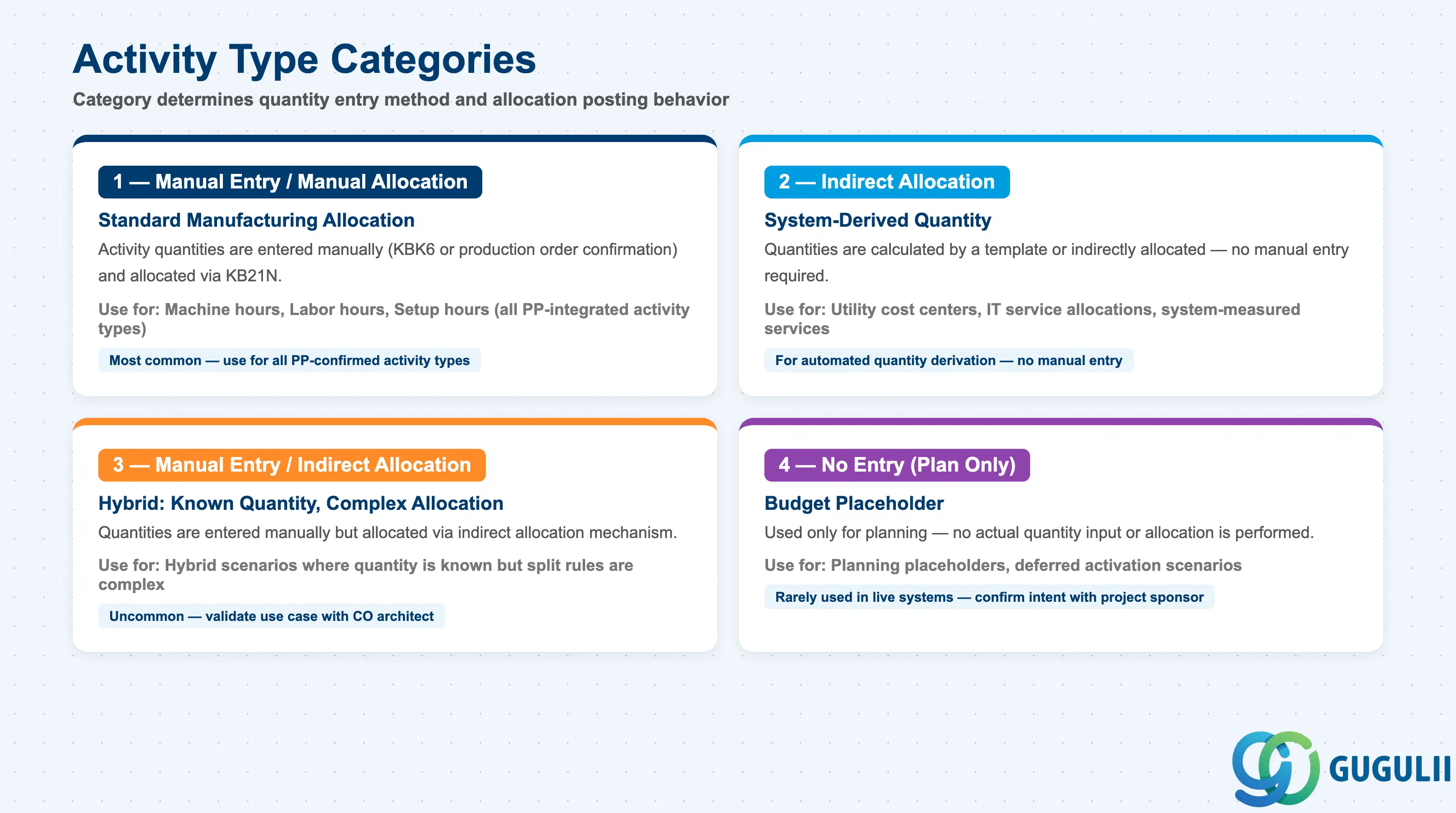
The Activity Type Category determines how activity quantities are entered and how the allocation is performed. This is the most critical design decision for each Activity Type.
| Category | Code | Description | Use Case |
|---|---|---|---|
| Manual Entry / Manual Allocation | 1 | Activity quantities are entered manually (KBK6 or production order confirmation) and allocated manually via KB21N | Machine hours confirmed at production order goods receipt; labor hours entered by production supervisor; standard for manufacturing activity types |
| Indirect Allocation | 2 | Quantities are calculated by a template or indirectly allocated — no manual entry required | Automated cost center service activities where quantity is system-derived (e.g., ERP system transactions allocated to user departments) |
| Manual Entry / Indirect Allocation | 3 | Quantities are entered manually but allocated via indirect allocation mechanism | Hybrid scenario — activity quantity is known but the allocation logic is complex |
| No Entry (Plan Only) | 4 | Activity Type is used only for planning — no actual quantity input or allocation is performed | Budget planning activities where no actual posting is intended; placeholder for future activation |
Design principle: Most manufacturing Activity Types use Category 1 (Manual Entry / Manual Allocation). Activity Types for utilities (electricity, water) often use Category 2 or 3. Category 4 is rarely used in production — confirm with the PP consultant during blueprint whether each Activity Type will have actual confirmations at production order level.
Activity Type is scoped at the Controlling Area level and is attached to the Cost Center(s) that perform it.
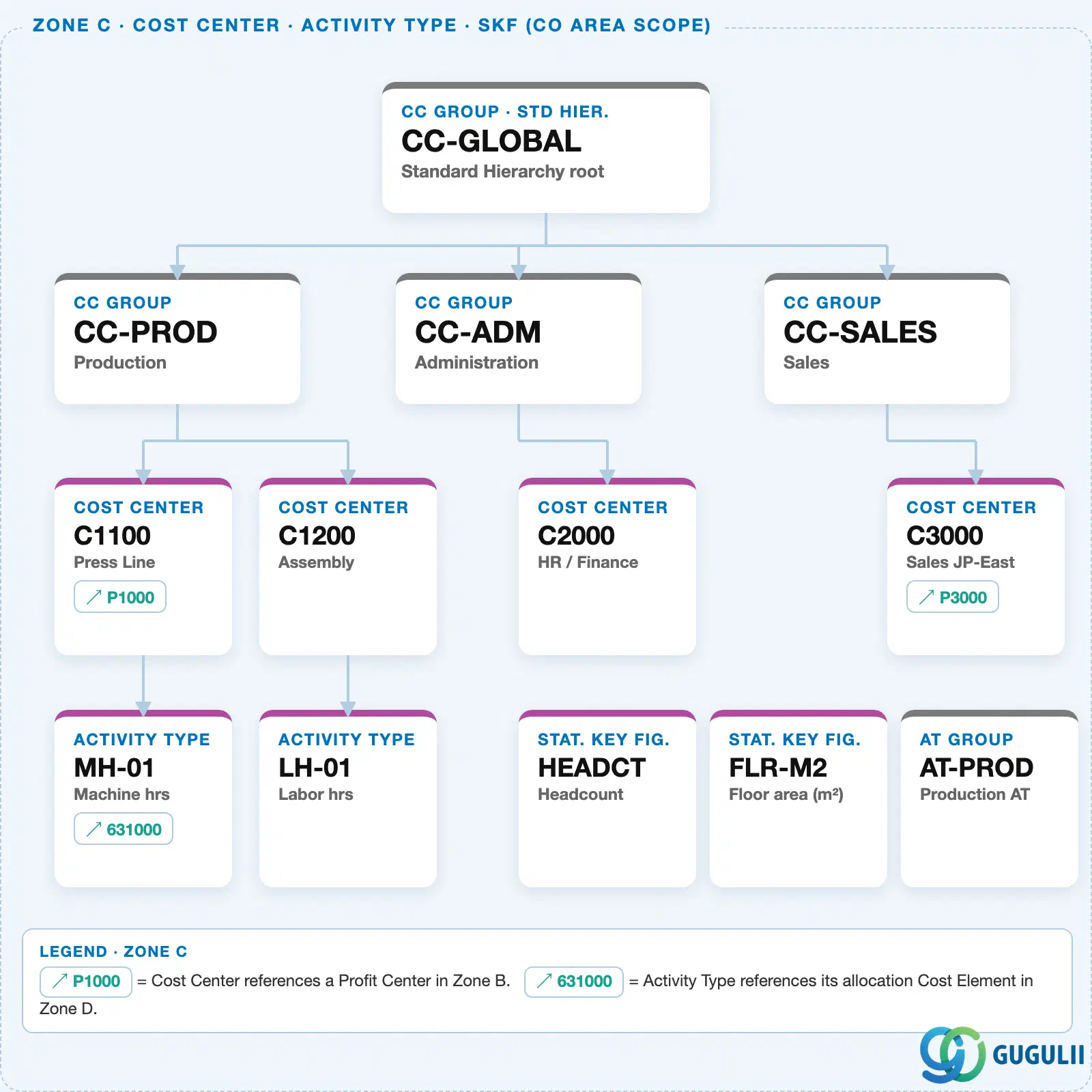
Every Activity Type references a Secondary Cost Element (Category 43) — this is the “allocation Cost Element” that carries the credit posting whenever the Activity Type is used to charge another cost object.
Data hierarchy with a concrete example
Cost Center "C1100"          Press Line
   │
   └── Activity Type "MH-01"   Machine hrs
          ↓
          └── references ── Cost Element "631000"   Cat 43 · Activity allocation
Design principle: Share one Activity Type across every Cost Center that performs the same kind of work (e.g., “MH-01” for all machine hours), rather than creating a separate Activity Type per Cost Center. Price planning still happens per Cost Center × Activity Type combination, so sharing the type doesn’t force a shared price.
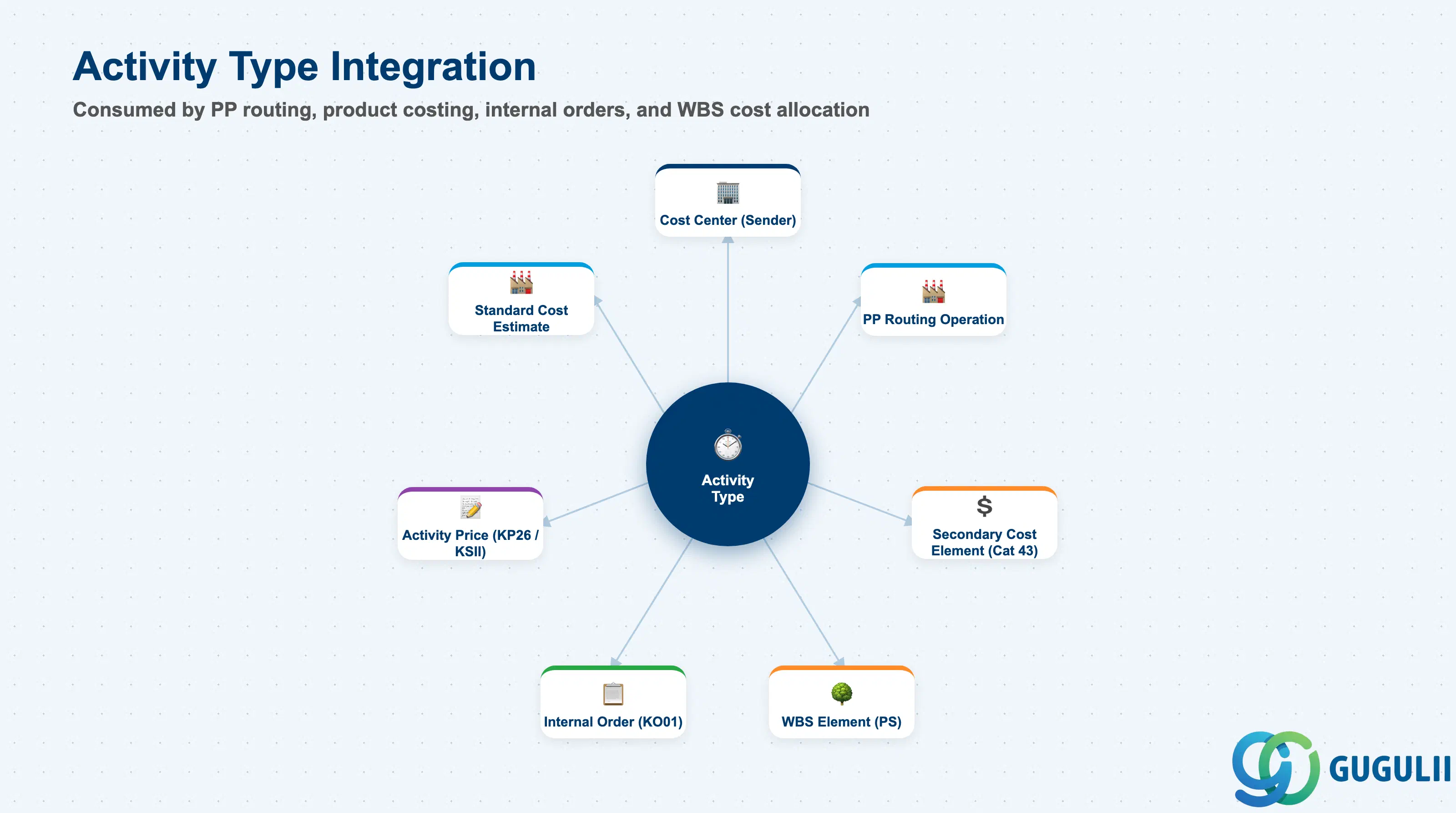
| Object | Relationship | Practical Notes |
|---|---|---|
| Cost Center (KS01) | Activity Type is performed by (assigned to) a Cost Center | The Cost Center is the sender of activity allocation. Activity allocation creates a credit on the sending Cost Center (using the secondary cost element) and a debit on the receiving cost object. |
| Secondary Cost Element (Category 43) | Every Activity Type references a secondary cost element for the allocation posting | The secondary cost element (Category 43 — Activity Allocation) is created automatically when the Activity Type is activated, or must be pre-created by the CO administrator. It never appears in FI — it is a CO-internal classification for activity credits and debits. |
| Production Order Routing (PP) | Routing operations reference Activity Types for standard cost calculation | Each routing operation references an Activity Type from the Work Center Cost Center. The standard cost estimate multiplies the operation’s standard times by the activity rates to calculate the activity-based component of the product’s standard cost. |
| WBS Element (PS) | Activity allocations can post to WBS Elements | In project-based implementations, project teams confirm their time (activity hours) against WBS Elements, with the cost flowing from the Cost Center to the project. |
| Activity Price Planning (KP26) | Planned price drives standard cost estimates | The plan activity price = planned CC cost ÷ planned activity quantity. Entered per fiscal year, Controlling Area, Cost Center, and Activity Type. This price is used in all standard cost estimate runs until the actual price is calculated at period end. |
| Actual Activity Price (KSII) | Actual price calculated at period end | KSII calculates the actual price based on actual CC costs and actual activity quantities. The difference between planned and actual price = activity rate variance, which appears in variance analysis. |
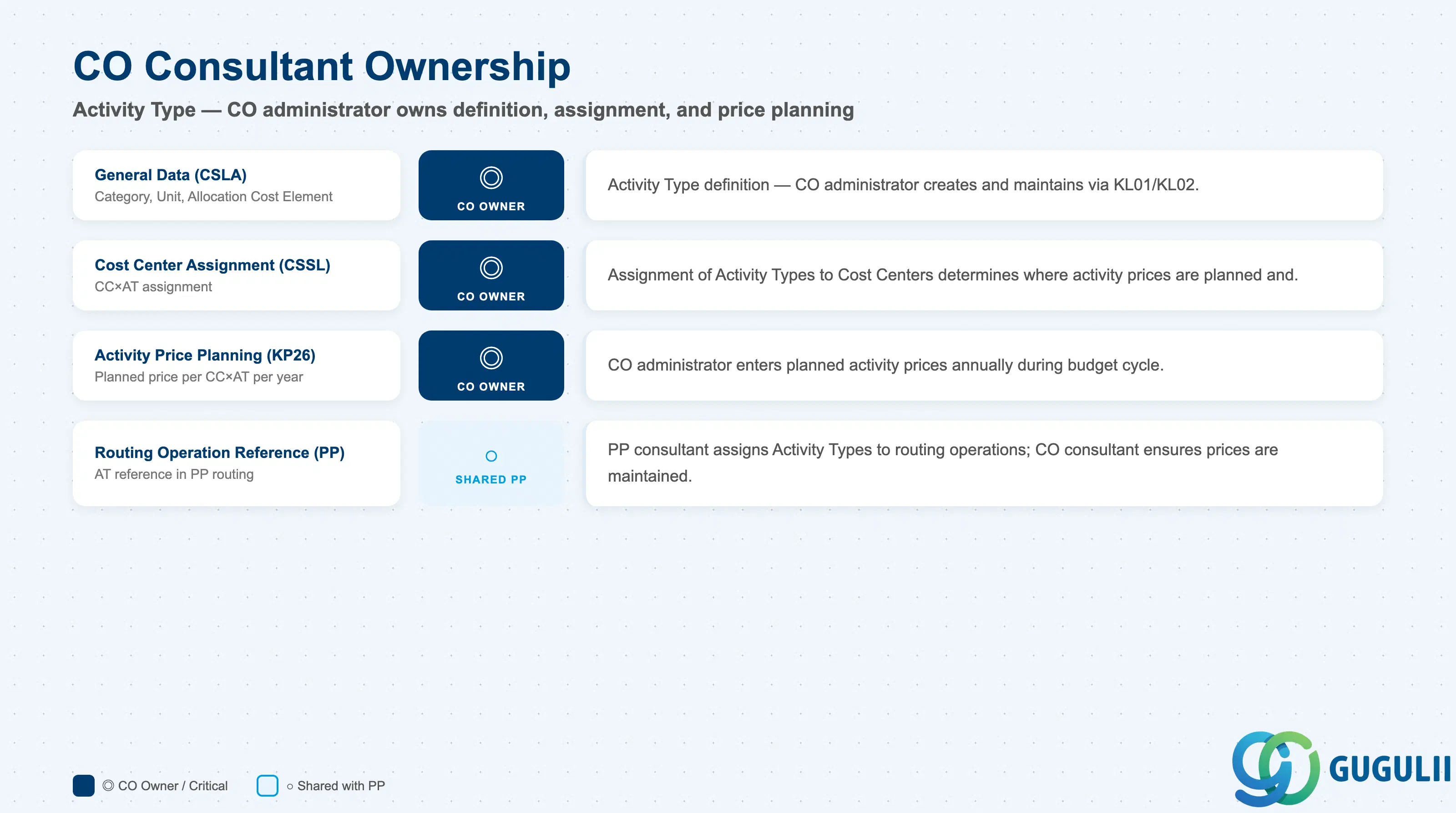
| Data Section | CO Involvement | Notes |
|---|---|---|
| General Data (CSLA) | ◎ Owner | Activity Type definition, category, unit, allocation cost element — CO administrator creates and maintains |
| Cost Center Assignment (CSSL) | ◎ Owner | Assignment of Activity Types to Cost Centers — CO administrator |
| Activity Price Planning (KP26) | ◎ Owner | Planned prices — CO administrator enters annually during budget cycle |
| Routing Operation Reference (PP) | ○ Shared with PP | PP consultant assigns Activity Types to routing operations; CO consultant ensures prices are maintained |
Legend: ◎ = Owner / Critical, ○ = Direct involvement
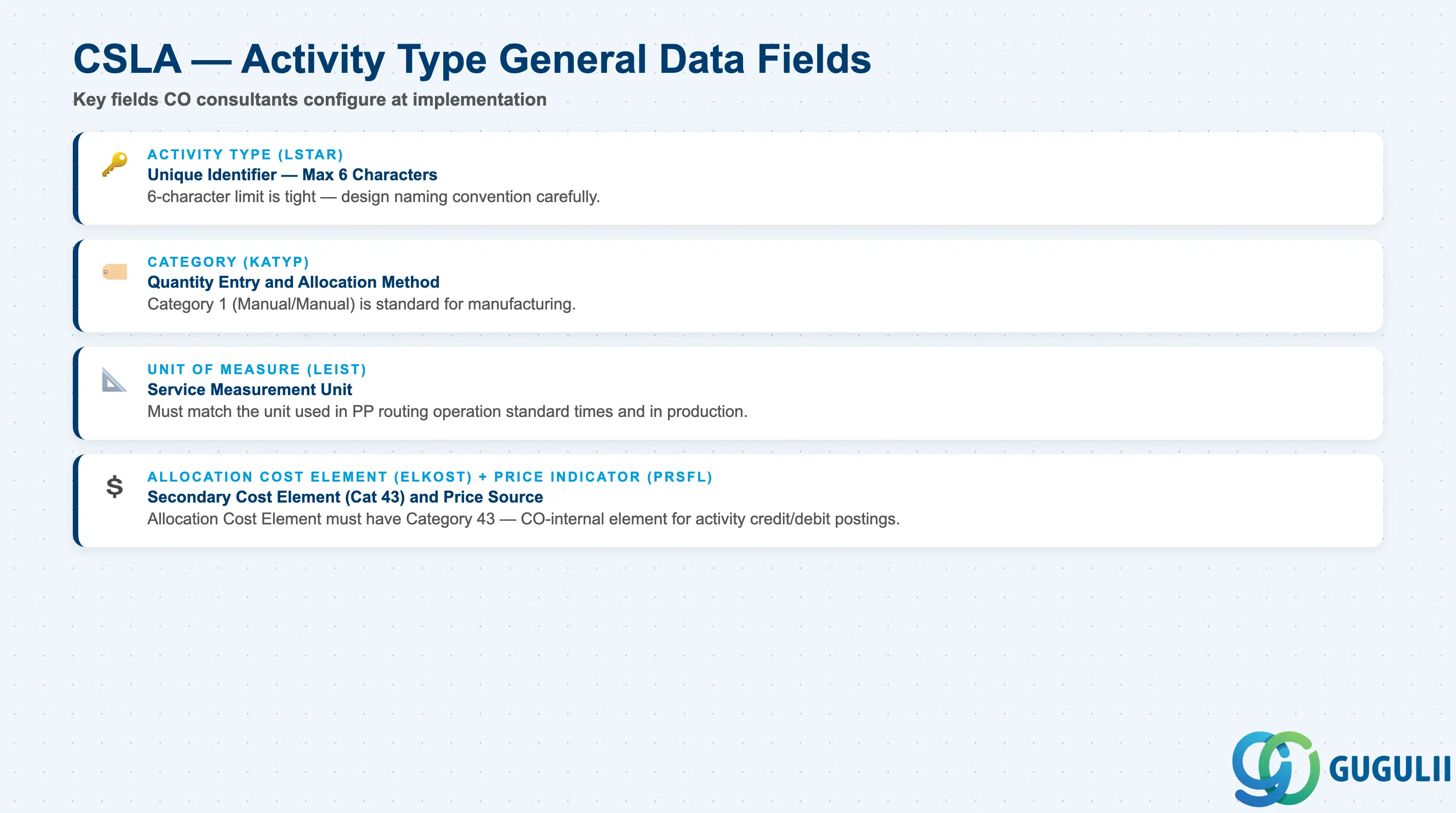
| Field | Description | Practical Usage |
|---|---|---|
| Activity Type (LSTAR) | Unique identifier within the Controlling Area | Maximum 6 characters. Use a descriptive code (e.g., “MACH01”, “LABOR1”, “SETUP1”). For global templates, prefix with a function code (e.g., “LAB-MFG”, “MACH-CNC”). The 6-character limit is tight — design the naming convention carefully. In S/4HANA, the Activity Type code also appears in PP routing operations and production order confirmations, so it must be recognizable to PP consultants and shop floor users. |
| Activity Type Category (KATYP) | Classification (1, 2, 3, or 4) | Determines the posting and quantity entry behavior. Category 1 (Manual Entry / Manual Allocation) is the most common for manufacturing. Confirm with PP team that the Category matches the confirmation process design during routing blueprint. |
| Unit of Measure (LEIST) | The measurement unit for the activity | Typically: H (hours), MIN (minutes), PC (pieces), KWH (kilowatt-hours), KM (kilometers), TON (metric tons). The unit must match the unit used in the routing operation standard times (PP) and in production order confirmations. Changing the unit after live postings exist is technically possible but operationally disruptive — confirm during blueprint. |
| Allocation Cost Element (ELKOST) | Secondary cost element (Category 43) used for the allocation posting | Created automatically when the Activity Type is activated if a corresponding secondary cost element does not yet exist, or referenced from an existing one. The allocation cost element must have Category 43. It is the CO-internal cost element that records the credit on the sending cost center and the debit on the receiving cost object during activity allocation. Validate that this element does not conflict with other secondary cost elements already defined for assessment or settlement (Categories 41, 42, 21). |
| Price Indicator (PRSFL) | Controls how the activity price is determined | 1 = Planned price, automatically calculated from plan data (most common). 2 = Actual price, calculated by KSII at period end. 3 = Target cost-based price. In most implementations, use “1” for standard cost estimates and calculate actual prices via KSII at period end for variance reporting. Changing the Price Indicator after live data exists requires re-running price calculations. |
| ID | Category | Title |
|---|---|---|
| co-001 | Overview | What is SAP CO? |
| ID | Category | Title |
|---|---|---|
| co-a01 | Overview | SAP CO Master Data: Overview, Hierarchy & Relationships |
| co-a02-01 | Master Data | SAP CO Material Master |
| co-a03-01 | Master Data | SAP CO Cost Element |
| co-a03-02 | Master Data | SAP CO Cost Element Group |
| co-a04-01 | Master Data | SAP CO Profit Center Group |
| co-a04-02 | Master Data | SAP CO Profit Center |
| co-a05-01 | Master Data | SAP CO Cost Center Group |
| co-a05-02 | Master Data | SAP CO Cost Center |
| co-a05-03 | Master Data | SAP CO Activity Type Group |
| co-a05-04 | Master Data | SAP CO Activity Type 📍 |
| co-a05-05 | Master Data | SAP CO Statistical Key Figure |
| co-a06-01 | Master Data | SAP CO Internal Order Group |
| co-a06-02 | Master Data | SAP CO Internal Order |
| co-a07-01 | Master Data | SAP CO Cost Component Structure |
| co-a07-02 | Master Data | SAP CO Costing Variant |
| co-a08-01 | Master Data | SAP CO Operating Concern |
| ID | Category | Title |
|---|---|---|
| co-b01 | Overview | SAP CO Transactions: Process Flow, Hierarchy & Relationships |