Title here
Summary here

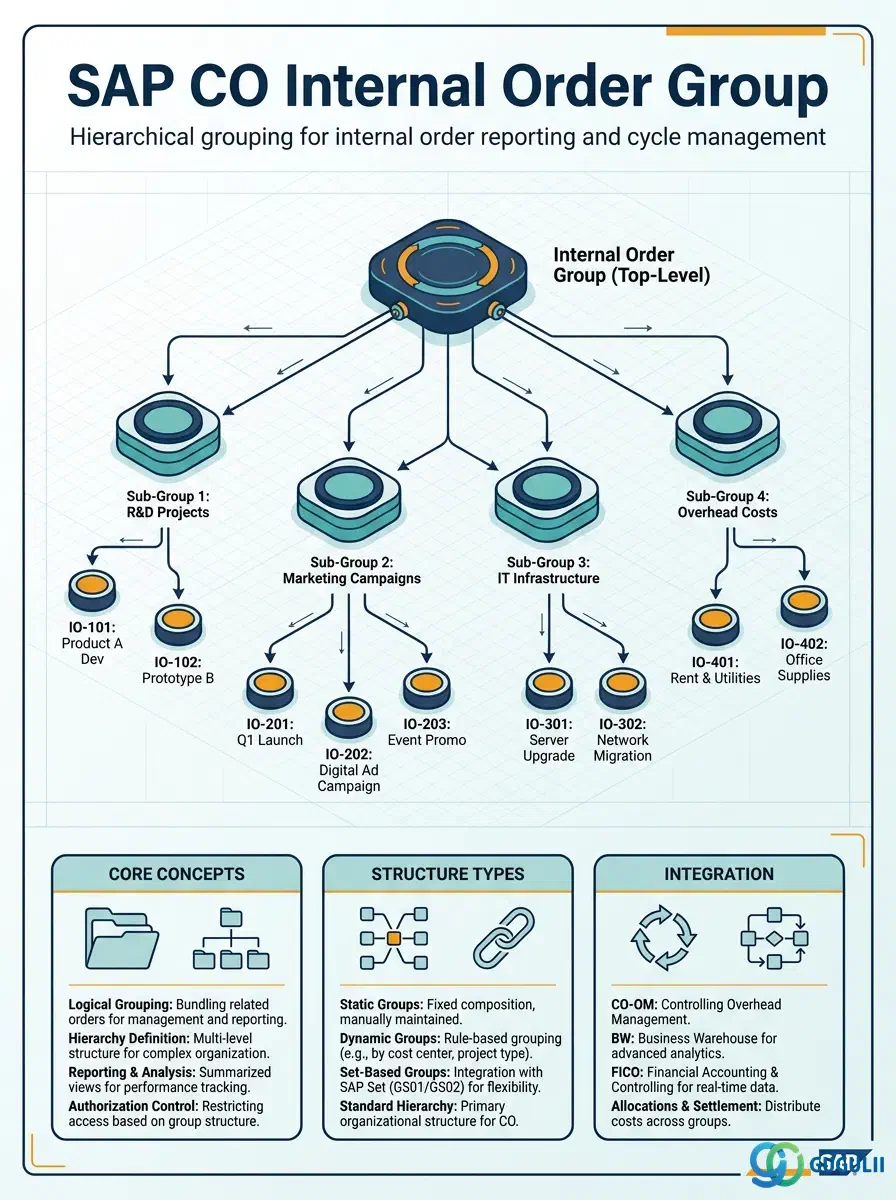
The Internal Order Group is the hierarchical grouping structure that organizes Internal Orders for reporting, budgeting, and cycle receiver definitions in SAP Controlling. Internal Orders are used as temporary cost collectors for specific projects, campaigns, events, or capital expenditures — and the Internal Order Group provides the aggregation layer that makes a portfolio of orders manageable in reports and period-end processes. A well-designed Internal Order Group hierarchy enables budget owners to review their entire portfolio at a glance while drilling into individual order details as needed.
The Internal Order Group is a set object in SAP CO that aggregates Internal Orders under a shared label for reporting and cycle purposes. It uses the same underlying set framework (SETHEADER/SETLEAF/SETNODE) as Cost Element Groups, Cost Center Groups, and Profit Center Groups. Unlike those groups, the Internal Order Group has no “Standard Hierarchy” concept — there is no mandatory top-level group that all orders must belong to.
| Aspect | Details |
|---|---|
| Role | Aggregates Internal Orders for report summarization, budget overview at portfolio level, and assessment/settlement cycle receiver definitions |
| Modules using it | CO-IO (Internal Order Accounting — primary), CO-CCA (assessment cycle receivers), FI (budget monitoring at group level), CO-PA (settlement to profitability analysis for grouped orders) |
| Transactions | KOH1 (Create Group), KOH2 (Change), KOH3 (Display), KOH4 (Delete), KOH5 (Display where-used) |
| Key Tables | SETHEADER (Group header), SETLEAF (Individual order assignments), SETNODE (Sub-group references) |
| S/4HANA note | Internal Order Group transactions and the set framework are unchanged from ECC. In S/4HANA, the Internal Order Group is used in the same way — primarily for Fiori-based order portfolio reporting and for cycle receiver definitions. The Fiori app “Internal Orders” (F0738) uses groups for portfolio filtering. |
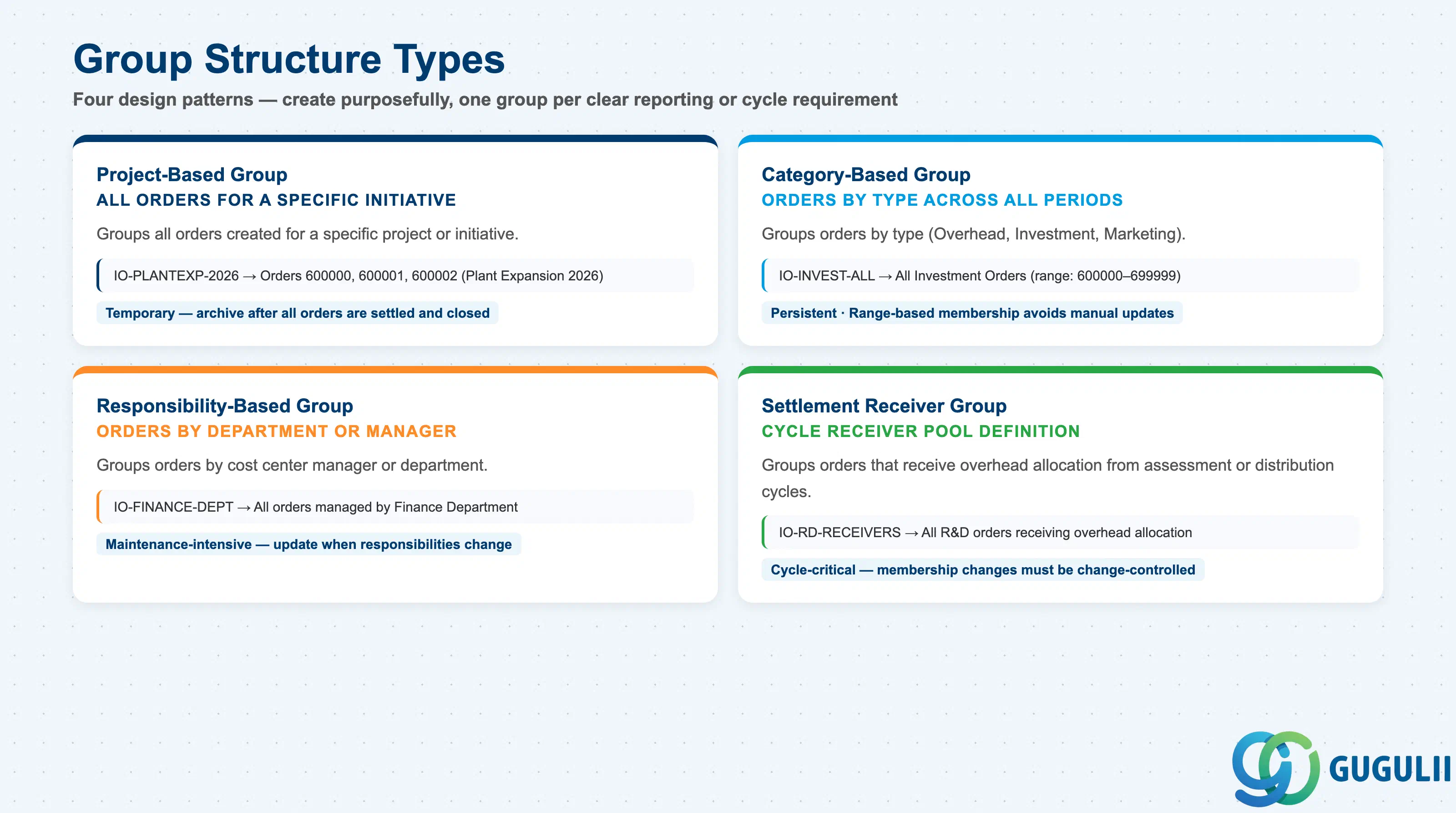
Internal Order Groups can be designed along different organizational dimensions.
| Structure Type | Description | Use Case | Key Behavior |
|---|---|---|---|
| Project-Based Group | Groups all orders for a specific project or initiative | “All orders for Plant Expansion 2026” — enables project-level portfolio reporting and budget monitoring | Temporary groups — delete when the project is closed and all orders are settled |
| Category-Based Group | Groups orders by type (Overhead, Investment, Marketing, etc.) | Category reporting — “All Investment Orders FY2026” for CapEx portfolio review | Persistent groups that accumulate orders over multiple years; membership changes as orders are opened and closed |
| Responsibility-Based Group | Groups orders by cost center manager or department | “Orders managed by Finance Department” — enables department-level order portfolio reports | Requires consistent maintenance when managers change or reorganize |
| Settlement Receiver Group | Groups orders that settle to the same receiver pool | Assessment cycle receiver definition — “All R&D orders that receive overhead allocation” | Membership changes affect the next cycle run — document changes in cycle change control |
Design principle: Create Internal Order Groups purposefully — one group per clear reporting or cycle requirement. Unlike Cost Center Groups (where the Standard Hierarchy is mandatory and comprehensive), Internal Order Groups are entirely optional and purpose-specific. Over-creating groups leads to maintenance burden and namespace clutter. Review and archive unused groups at fiscal year end.
Internal Order Group is scoped at the Controlling Area level, consistent with the Internal Orders it groups. Unlike Cost Center Groups, there is no mandatory Standard Hierarchy — an Internal Order does not have to belong to any group.
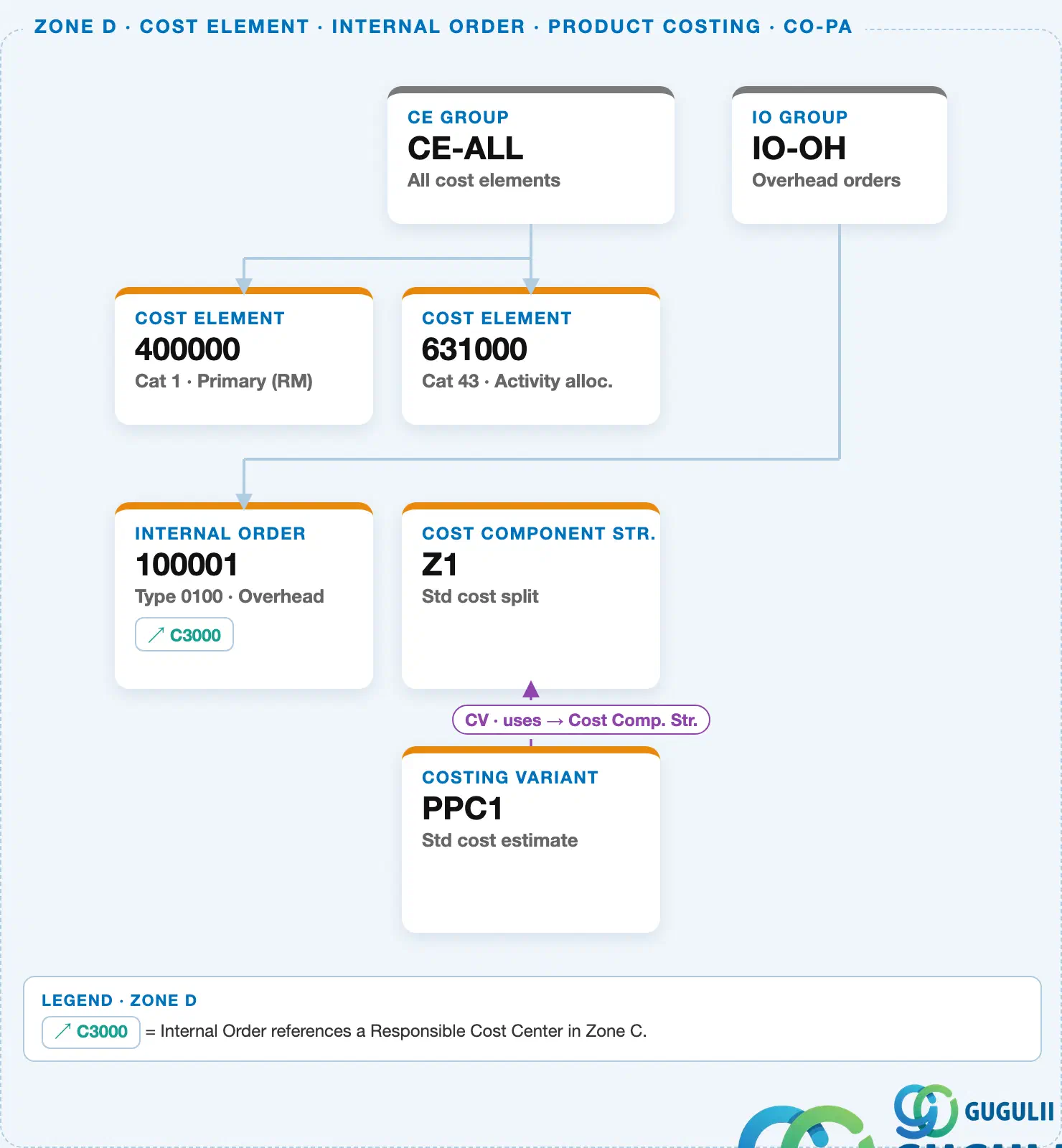
Data hierarchy with a concrete example
Controlling Area 1000
   │
   └── IO Group "IO-OH"           Overhead orders
          │
          └── Internal Order "100001"   Type 0100 · Overhead
Design principle: Use type-coded number ranges (e.g., 1xxxxx = Overhead, 6xxxxx = Investment) so range-based group membership picks up new orders automatically, without manually maintaining a member list each time an order is created.
| Object | Relationship | Practical Notes |
|---|---|---|
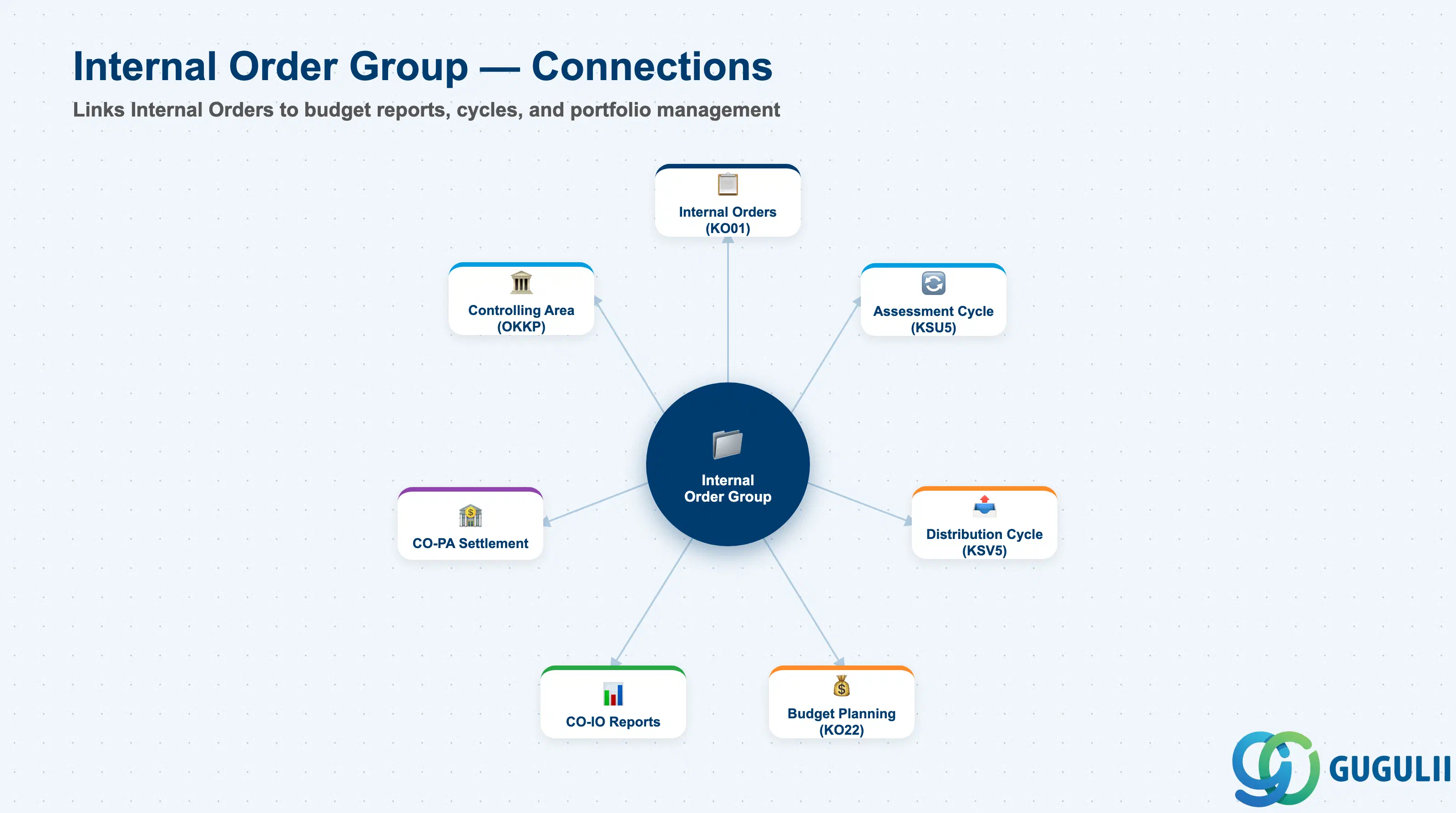
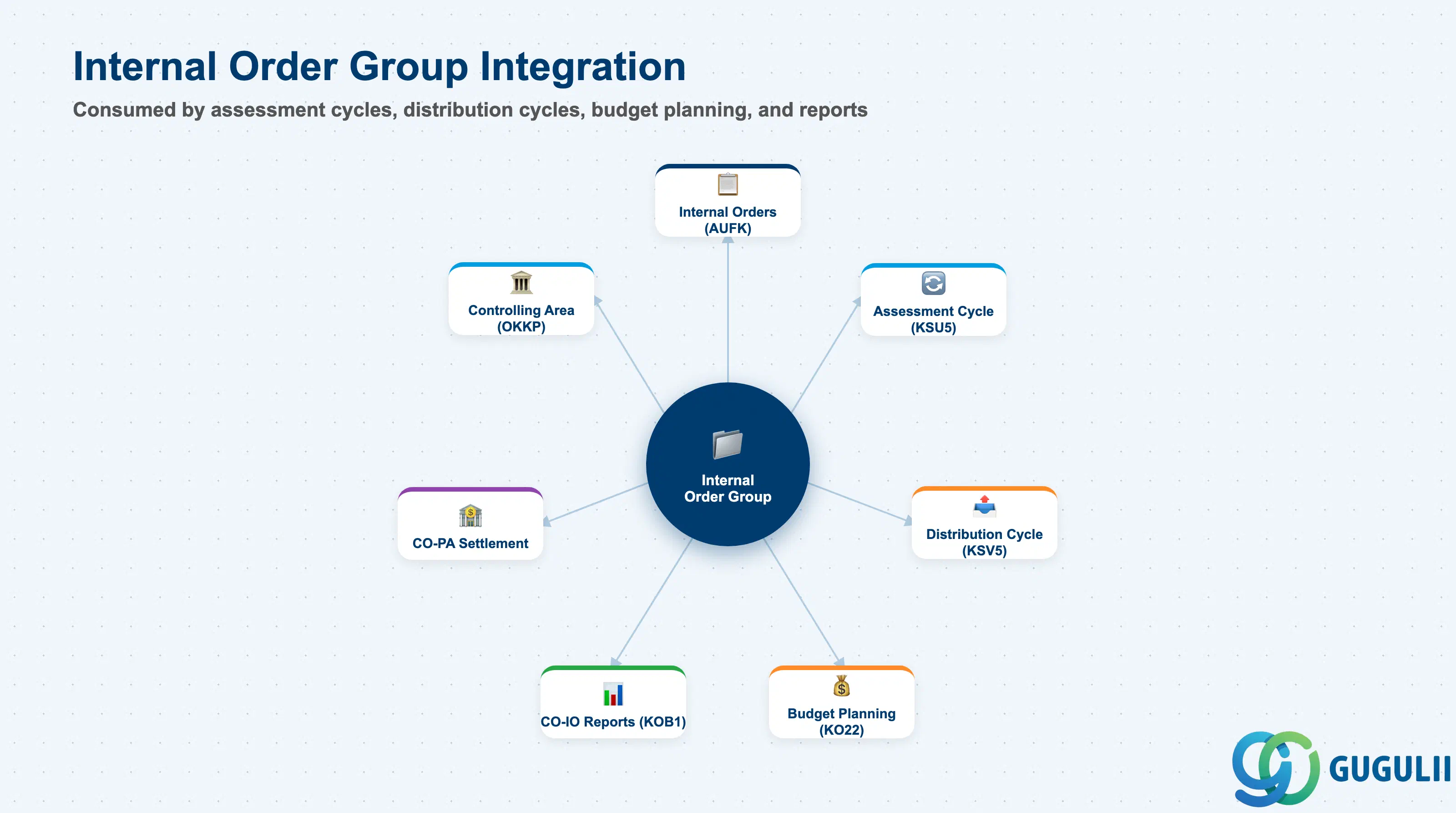
| Internal Orders (KO01) | Group contains Internal Order members | Unlike Cost Center Standard Hierarchy, no system validation ensures all orders are in a group. Maintain groups based on reporting and cycle requirements only. |
| Assessment Cycle (KSU5) | Internal Order Group as cycle receiver | When a shared service cost (cafeteria, building maintenance) is allocated to Internal Orders, the Internal Order Group defines the receiver pool. The system reads current group membership at cycle execution. |
| Distribution Cycle (KSV5) | Same usage as assessment | Distribution cycles can post to Internal Orders as receivers, using the group to define the eligible order pool. |
| Budget Planning (KO22/KO12) | Budget monitoring at group level | KO12 (Internal Order List with Budget) can filter by Internal Order Group to show a budget overview for a portfolio. Group-level budget reports are standard for project sponsors and CapEx controllers. |
| Settlement | Settlement rules on individual orders | Settlement from individual orders is not directly driven by the group (unlike allocation cycles). However, reporting on a group shows the combined settled and open balances across all group members. |
| Data Section | CO Involvement | Notes |
|---|---|---|
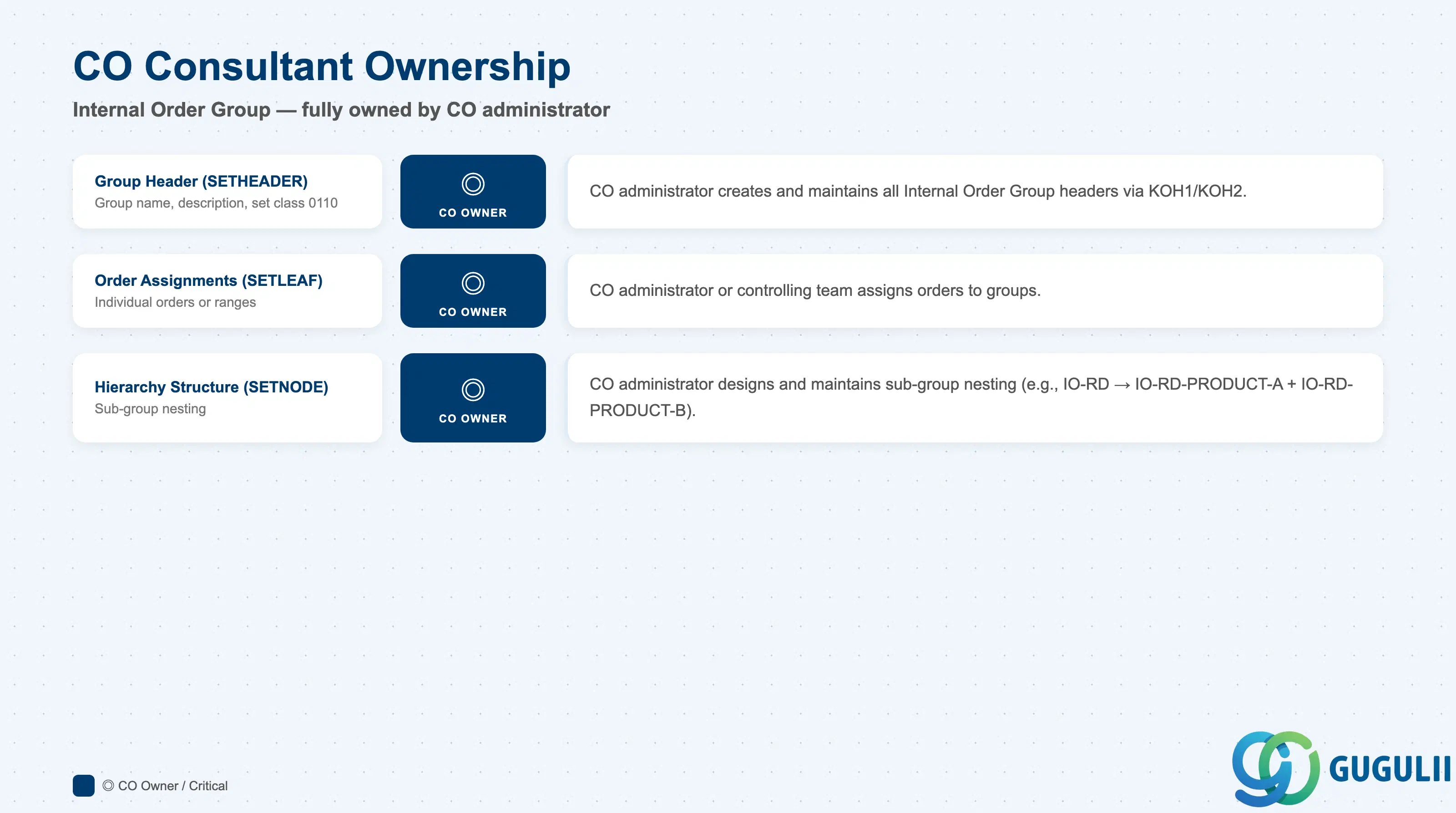
| Group Header (SETHEADER) | ◎ Owner | CO administrator creates and maintains all Internal Order Group headers |
| Order Assignments (SETLEAF) | ◎ Owner | Assignment of orders to groups — CO administrator or controlling team |
| Hierarchy Structure (SETNODE) | ◎ Owner | Sub-group nesting — CO administrator |
Legend: ◎ = Owner / Critical, ○ = Direct involvement
| Field | Description | Practical Usage |
|---|---|---|
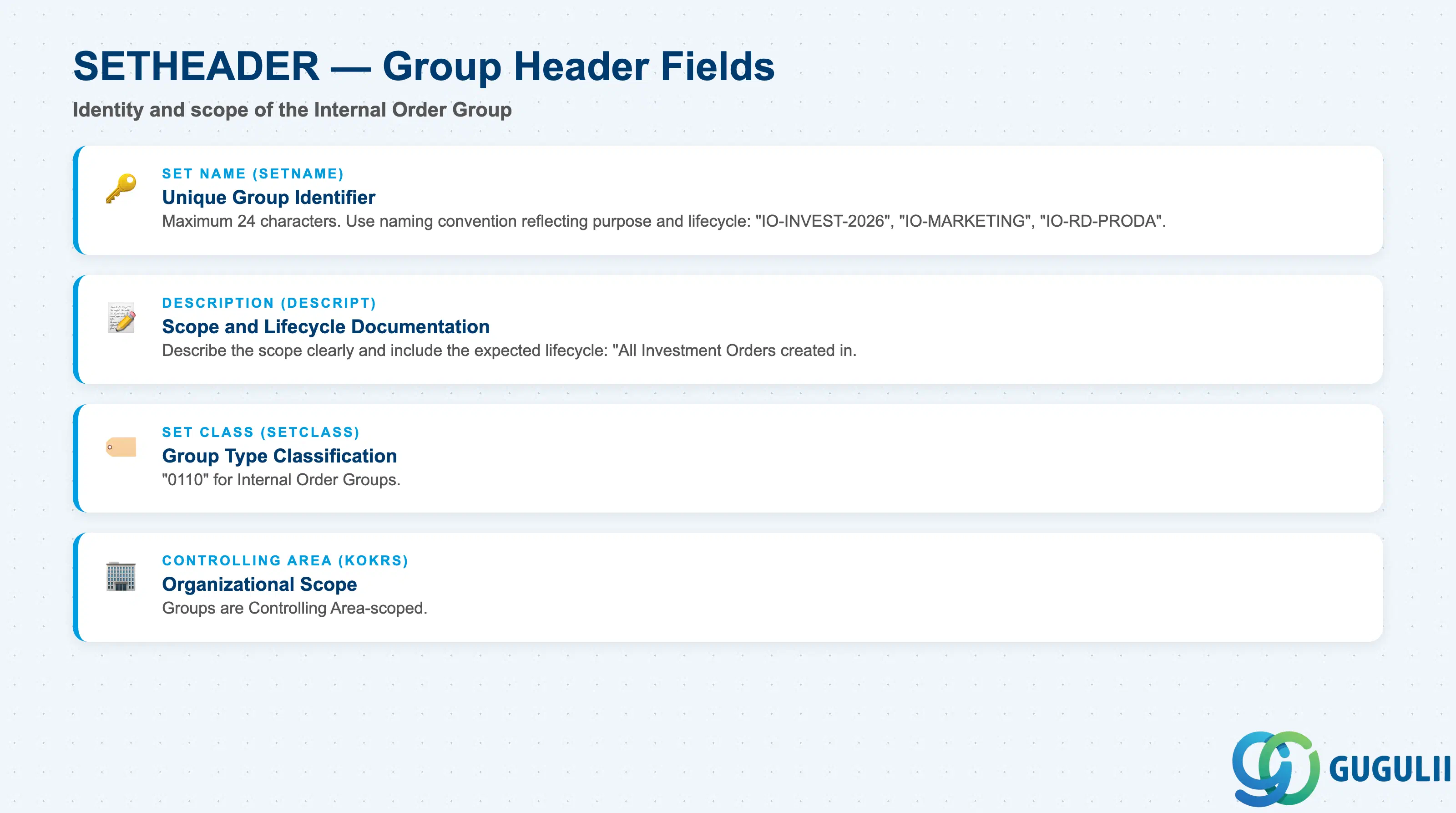
| Set Name (SETNAME) | Unique identifier of the Internal Order Group | Maximum 24 characters. Use a naming convention that reflects the purpose: “IO-INVEST-2026”, “IO-MARKETING”, “IO-RD-PRODA”. Include year suffixes for temporary groups to make them easy to identify for annual housekeeping. The set name is referenced in cycle definitions and report filters — plan the name before creation and avoid changing it after live use. |
| Description (DESCRIPT) | Free-text description | Describe the group’s scope clearly: “All Investment Orders created in FY2026”, “Marketing Campaign Orders — Domestic”. Include the expected lifecycle: “Temporary — archive after all orders settled and closed.” This supports future CO administrators who maintain the group. |
| Set Class (SETCLASS) | Internal classification code | “0110” for Internal Order Groups. Do not change. Distinguishes Internal Order Groups from Cost Element Groups (0102), Cost Center Groups (0101), and Profit Center Groups (0106) in the SETHEADER table. |
| Controlling Area (KOKRS) | The Controlling Area the group belongs to | Scopes the group to one Controlling Area. An Internal Order from CA 1000 cannot be in an Internal Order Group from CA 2000. |
| Field | Description | Practical Usage |
|---|---|---|
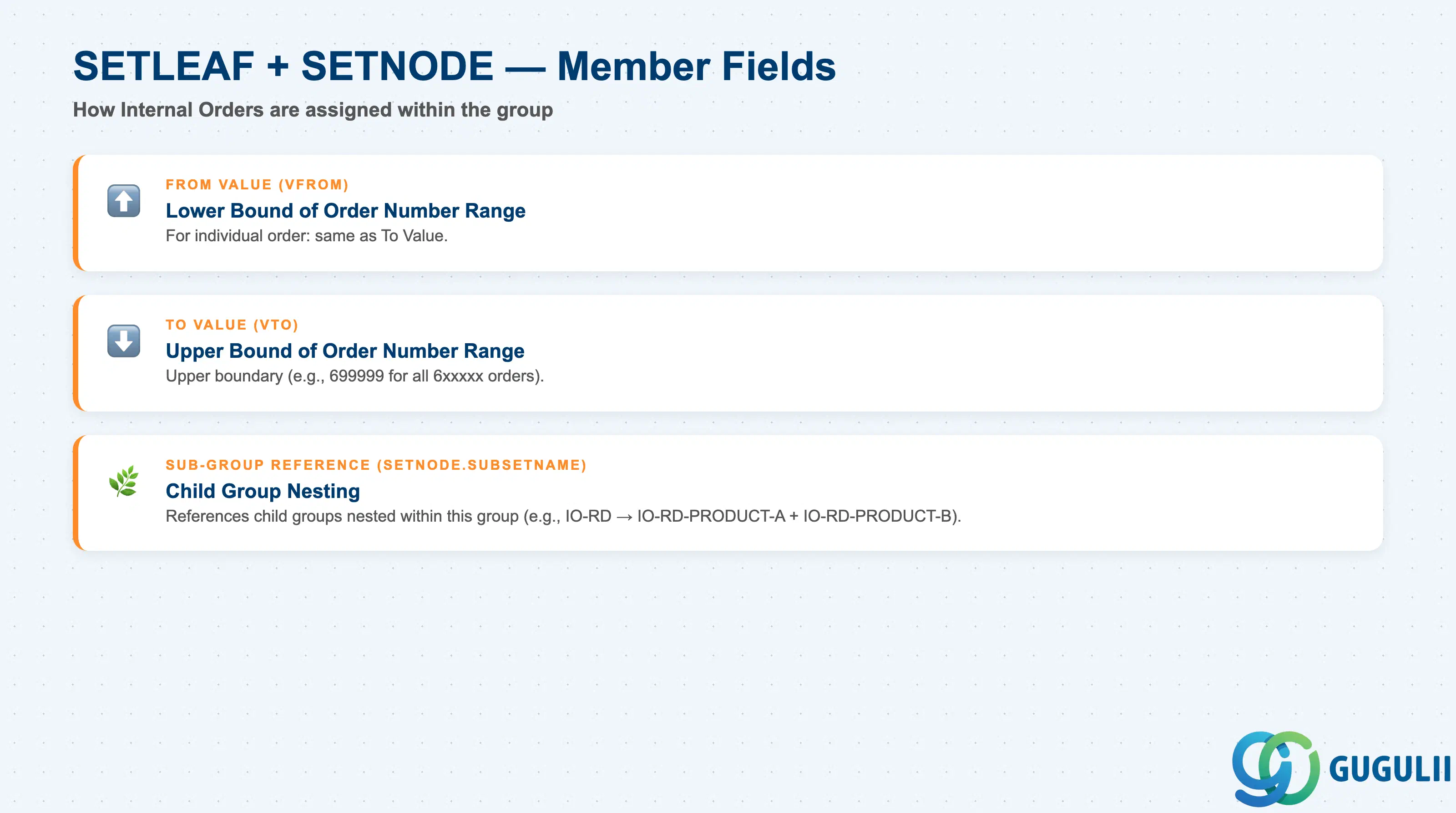
| From Value (VFROM) | Lower bound of the order number assignment | For individual order: same as To Value. For range: start of the order number range (e.g., 600000). Ranges are effective when order numbers are sequentially assigned by type. When using ranges, validate that the range boundaries do not overlap with other order types — overlap causes orders to appear in the wrong group silently. |
| To Value (VTO) | Upper bound of the order number assignment | Upper boundary of the range (e.g., 699999 for all 6xxxxx orders). Monitor the range as order creation continues — ranges can fill up faster than planned in high-volume periods. |
| Sub-Group Reference | Child group nested in this group | Enables hierarchical grouping. Common for R&D portfolios where multiple product lines each have their own sub-group of orders. |
| ID | Category | Title |
|---|---|---|
| co-001 | Overview | What is SAP CO? |
| ID | Category | Title |
|---|---|---|
| co-a01 | Overview | SAP CO Master Data: Overview, Hierarchy & Relationships |
| co-a02-01 | Master Data | SAP CO Material Master |
| co-a03-01 | Master Data | SAP CO Cost Element |
| co-a03-02 | Master Data | SAP CO Cost Element Group |
| co-a04-01 | Master Data | SAP CO Profit Center Group |
| co-a04-02 | Master Data | SAP CO Profit Center |
| co-a05-01 | Master Data | SAP CO Cost Center Group |
| co-a05-02 | Master Data | SAP CO Cost Center |
| co-a05-03 | Master Data | SAP CO Activity Type Group |
| co-a05-04 | Master Data | SAP CO Activity Type |
| co-a05-05 | Master Data | SAP CO Statistical Key Figure |
| co-a06-01 | Master Data | SAP CO Internal Order Group 📍 |
| co-a06-02 | Master Data | SAP CO Internal Order |
| co-a07-01 | Master Data | SAP CO Cost Component Structure |
| co-a07-02 | Master Data | SAP CO Costing Variant |
| co-a08-01 | Master Data | SAP CO Operating Concern |
| ID | Category | Title |
|---|---|---|
| co-b01 | Overview | SAP CO Transactions: Process Flow, Hierarchy & Relationships |