Title here
Summary here

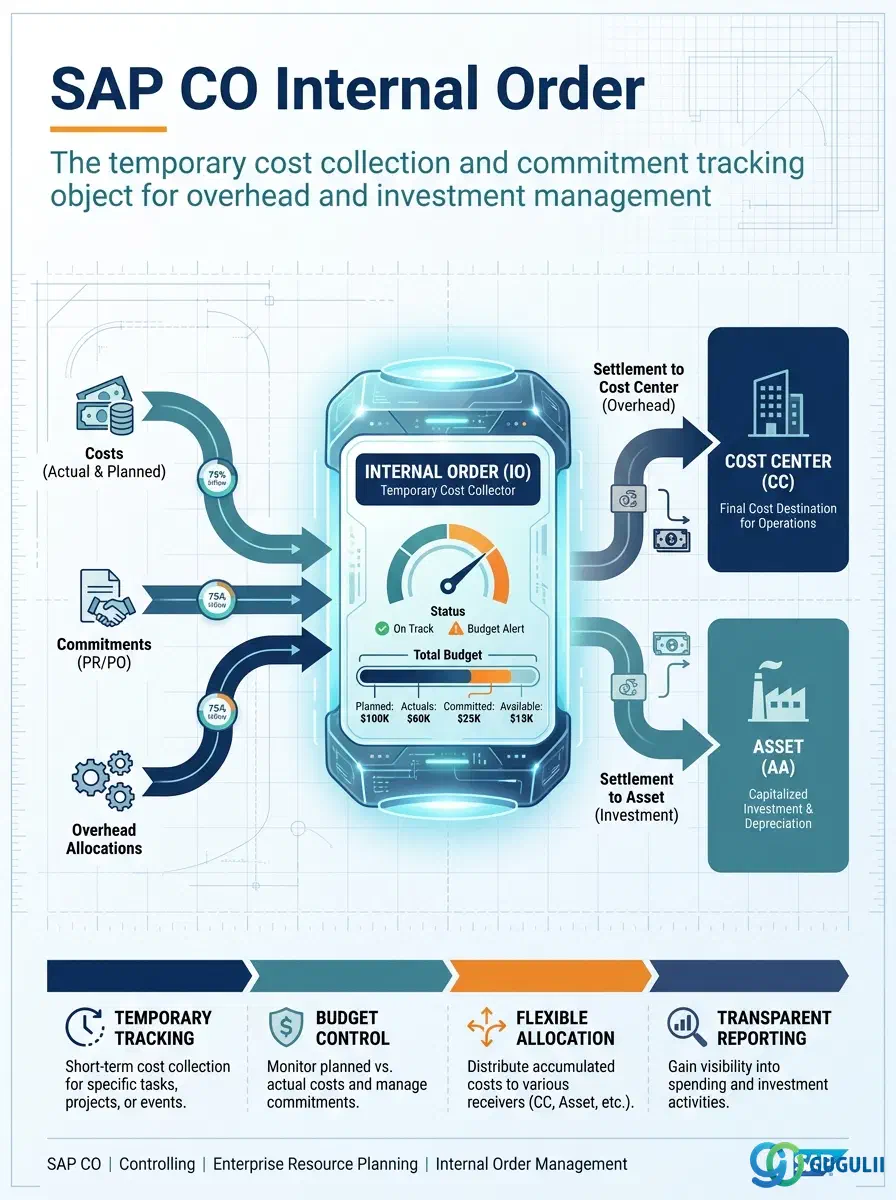
The Internal Order is the temporary cost collection and commitment tracking object in SAP Controlling. It captures all costs for a specific purpose — a marketing campaign, a plant maintenance project, a trade show, a capital investment — in a single CO object, enabling precise budget tracking, commitment management, and period-end settlement to the appropriate receivers. Unlike the Cost Center (which is a permanent organizational unit), the Internal Order has a lifecycle: it is created, costs are collected against it, and it is settled and closed when the purpose is fulfilled.
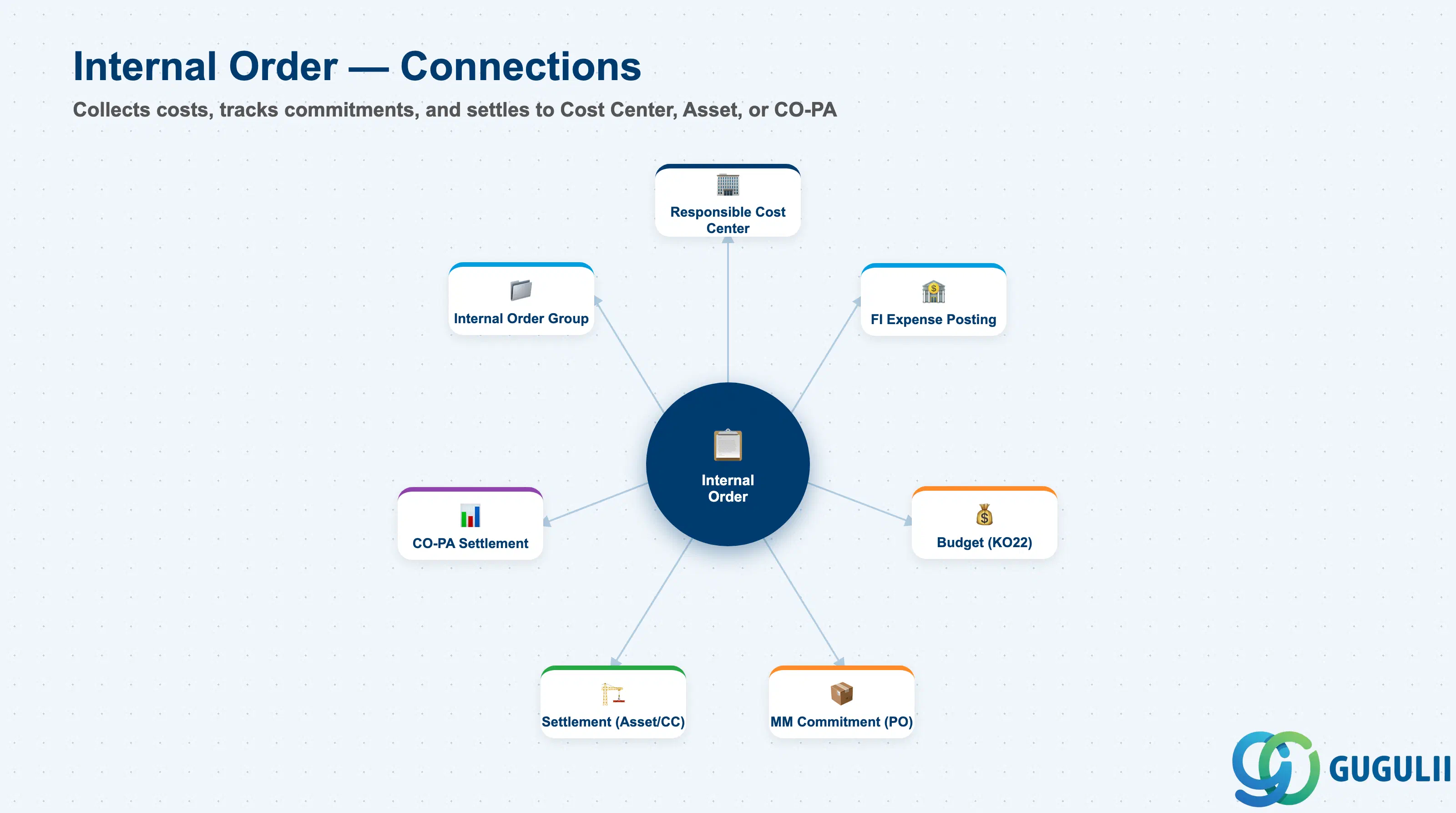
The Internal Order is a CO cost object with a defined purpose and a lifecycle. Every financial posting that belongs to the order — FI expense postings, purchase order commitments, goods receipts — is captured against the order, enabling complete visibility into the actual vs. budgeted spend for that specific activity. At period end, the accumulated costs are settled to the order’s receivers according to the settlement rule, transferring responsibility for the costs to the appropriate long-term CO objects.
| Aspect | Details |
|---|---|
| Role | Temporary cost collection for specific purposes; budget and commitment tracking; period-end settlement to permanent CO receivers (Cost Center, Asset, CO-PA) |
| Modules using it | CO-IO (Internal Order Accounting — primary), FI (cost posting, AuC management via Investment Orders), MM (purchase order commitments), PM (maintenance orders referencing overhead order types), PS (internal project tracking where WBS is not required) |
| Transactions | KO01 (Create), KO02 (Change), KO03 (Display), KO04 (Delete), KO08 (Settlement), KO22 (Budget Original), KO24 (Budget Current Year) |
| Key Tables | AUFK (Order master data), AUFLAY0 (Order classifications), AFKO (Order header — for production orders, not applicable here), COEP (CO posting line items) |
| S/4HANA note | Internal Orders are unchanged in S/4HANA for CO purposes. Investment Orders (for AuC management) now also interact with the Asset Accounting new GL integration. Budget monitoring and commitment management are available via Fiori apps “Manage Internal Orders” (F1369) and “Internal Order Budget” (F2226). |
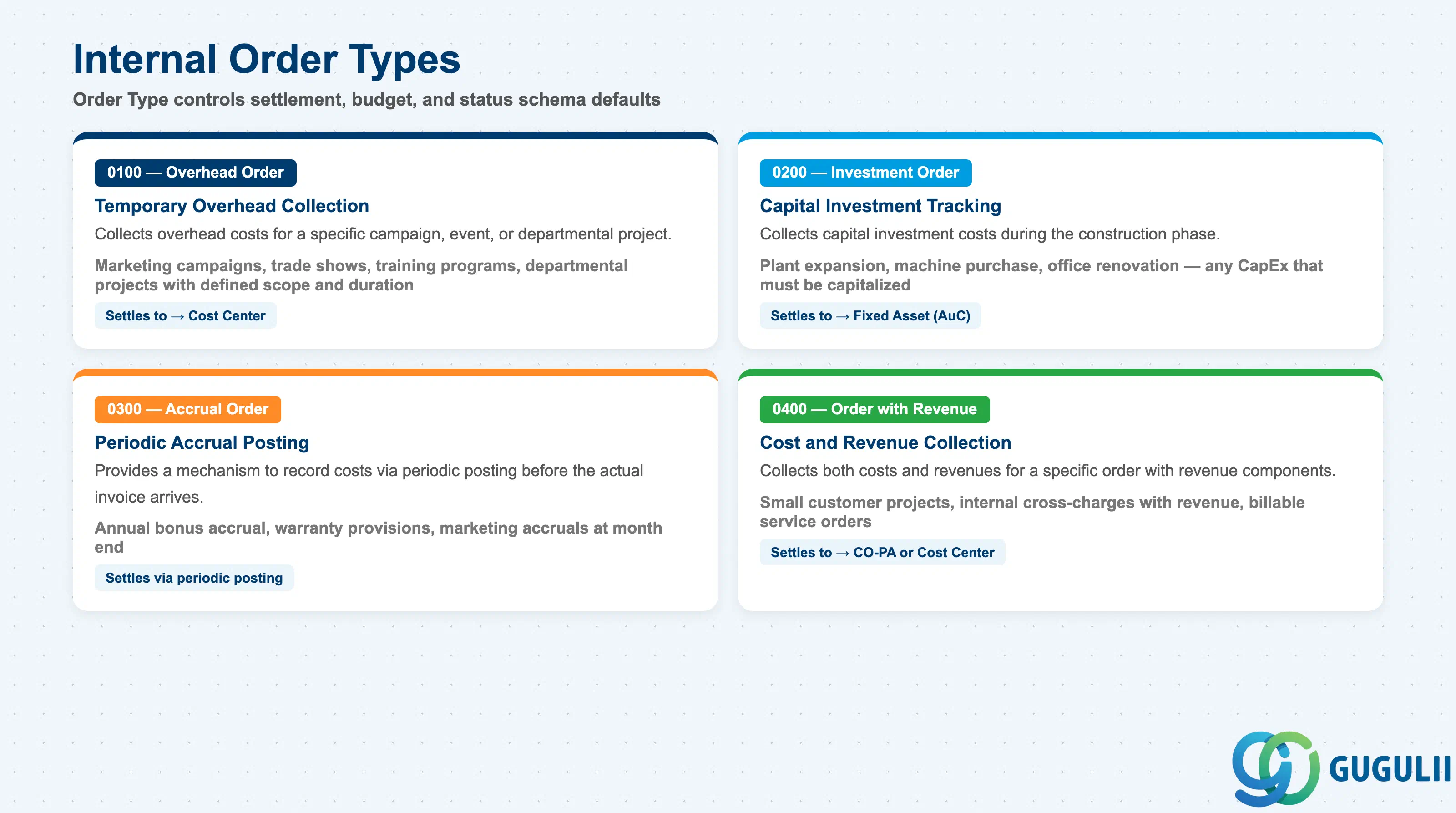
The Order Type determines the default behavior, settlement profile, budget profile, and status management for all orders of that type. The Order Type is defined in Customizing (KOAO) and assigned at order creation.
| Order Type | Standard Type Code | Description | Use Case |
|---|---|---|---|
| Overhead Order | 0100 | Collects overhead costs for a specific campaign, event, or department project; settles to a Cost Center | Marketing campaign, trade show, training program, departmental project with defined scope and duration |
| Investment Order | 0200 | Collects capital investment costs in the construction phase; settles to a Fixed Asset (via AuC — Asset under Construction) | Plant expansion, machine purchase, office renovation — any CapEx that must be capitalized |
| Accrual Order | 0300 | Provides a mechanism to record costs (via periodic posting) before the actual invoice arrives | Annual bonus accrual, warranty provision, marketing accrual at month end |
| Order with Revenue | 0400 | Collects both costs and revenues for a specific order with revenue components | Customer project billing (small scale), internal cross-charge with revenue |
Design principle: Define the minimum number of Order Types needed to meet reporting and settlement requirements. Each Order Type carries its own settlement profile, budget profile, and status schema in Customizing. Adding Order Types after go-live is low-risk but each one requires Customizing transport and testing. Recommend 3–5 standard Order Types per project scope.
Internal Order is scoped at the Controlling Area level, and every order can optionally belong to an Internal Order Group.
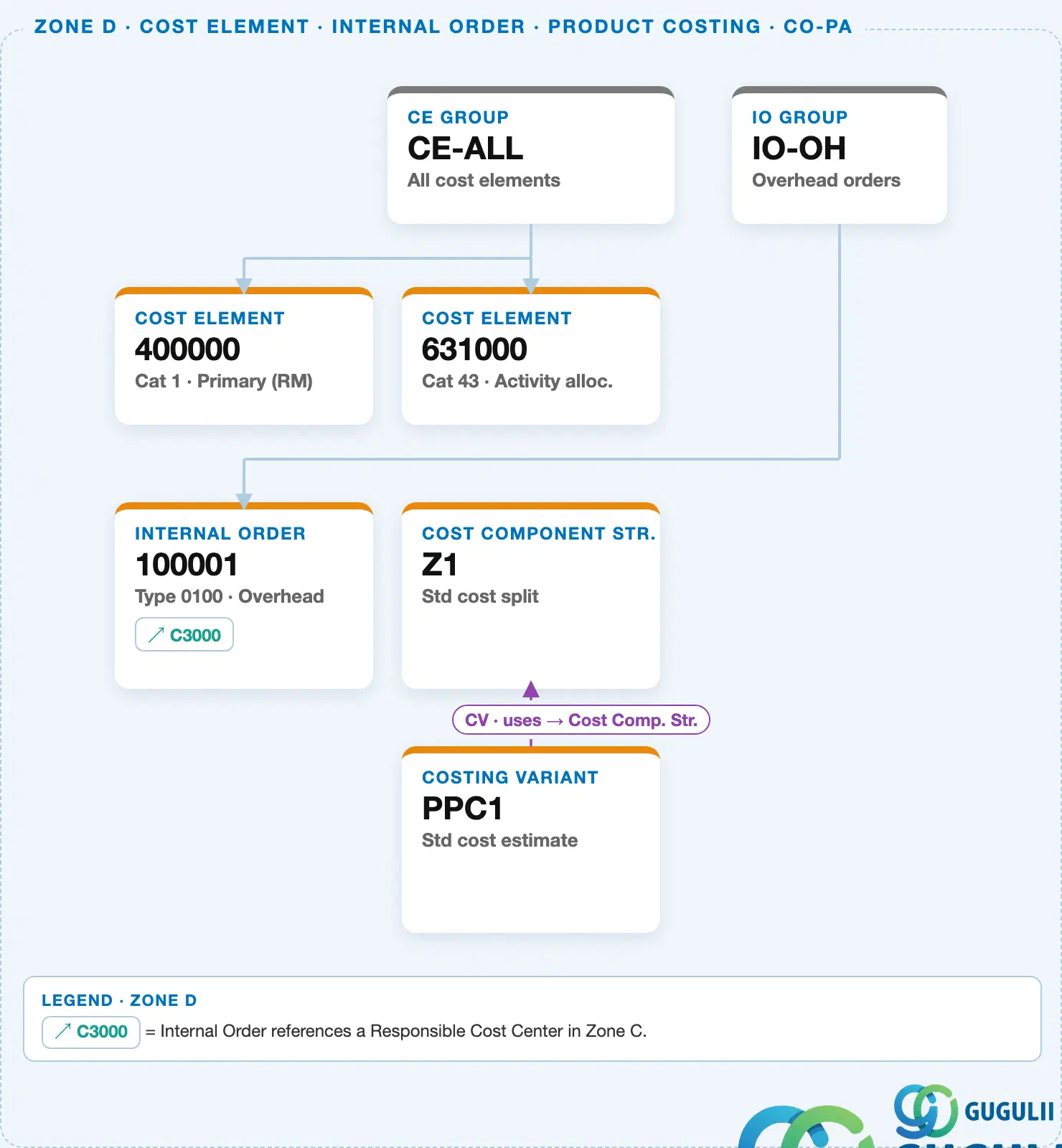
Every Internal Order references a Responsible Cost Center — this is the organizational home of the order, and (in S/4HANA) it also drives the order’s inherited Profit Center.
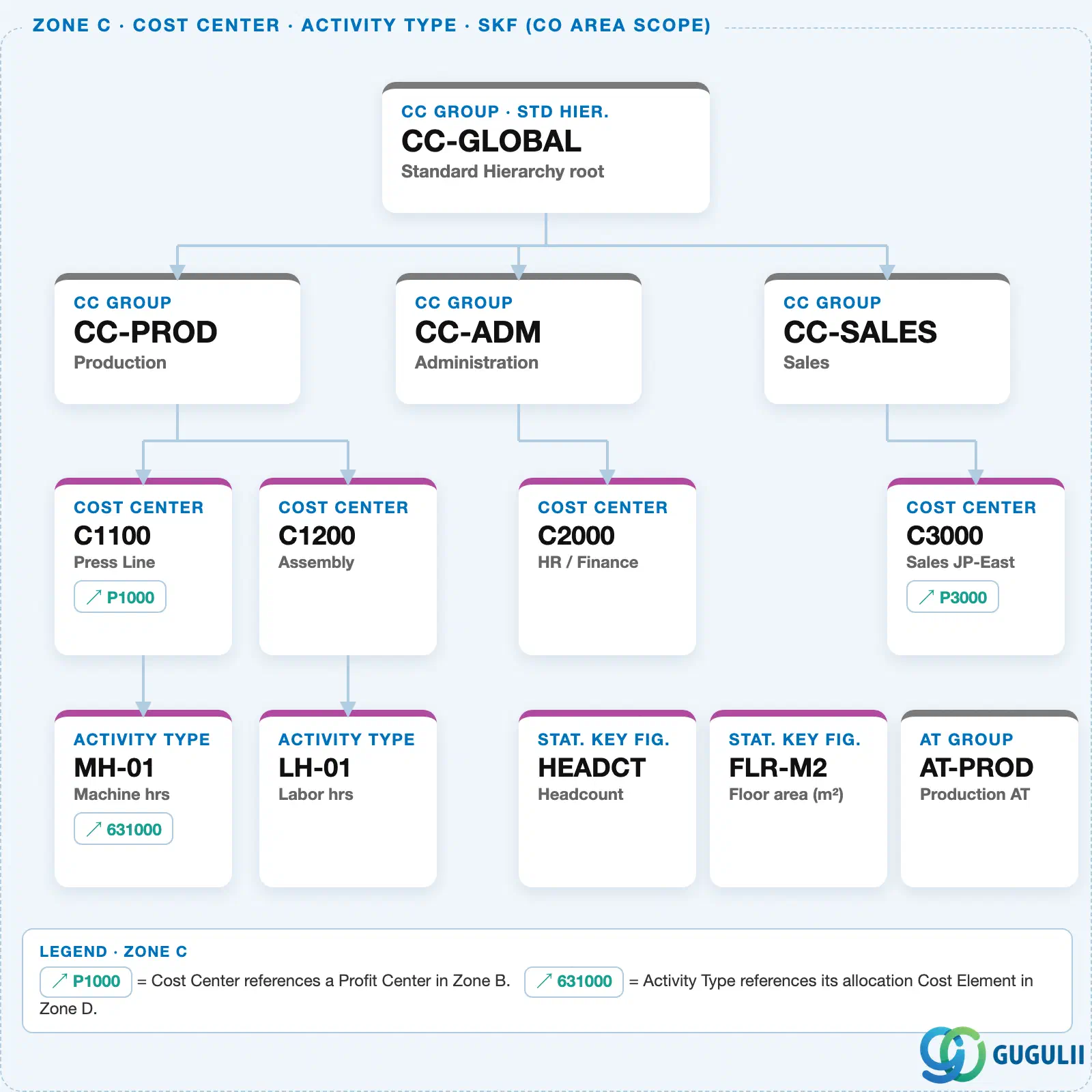
Data hierarchy with a concrete example
Controlling Area 1000
   │
   └── IO Group "IO-OH"              Overhead orders
          │
          └── Internal Order "100001"   Type 0100 · Overhead
                 ── responsible ──> Cost Center "C3000"   Sales JP-East (Zone C)
Design principle: Investment Orders vs. WBS Elements for CapEx tracking — Internal Orders are simpler and sufficient for single-asset investments, while WBS Elements (PS module) suit complex multi-phase, multi-year projects needing resource planning. Confirm the right tool for each CapEx category during blueprint.
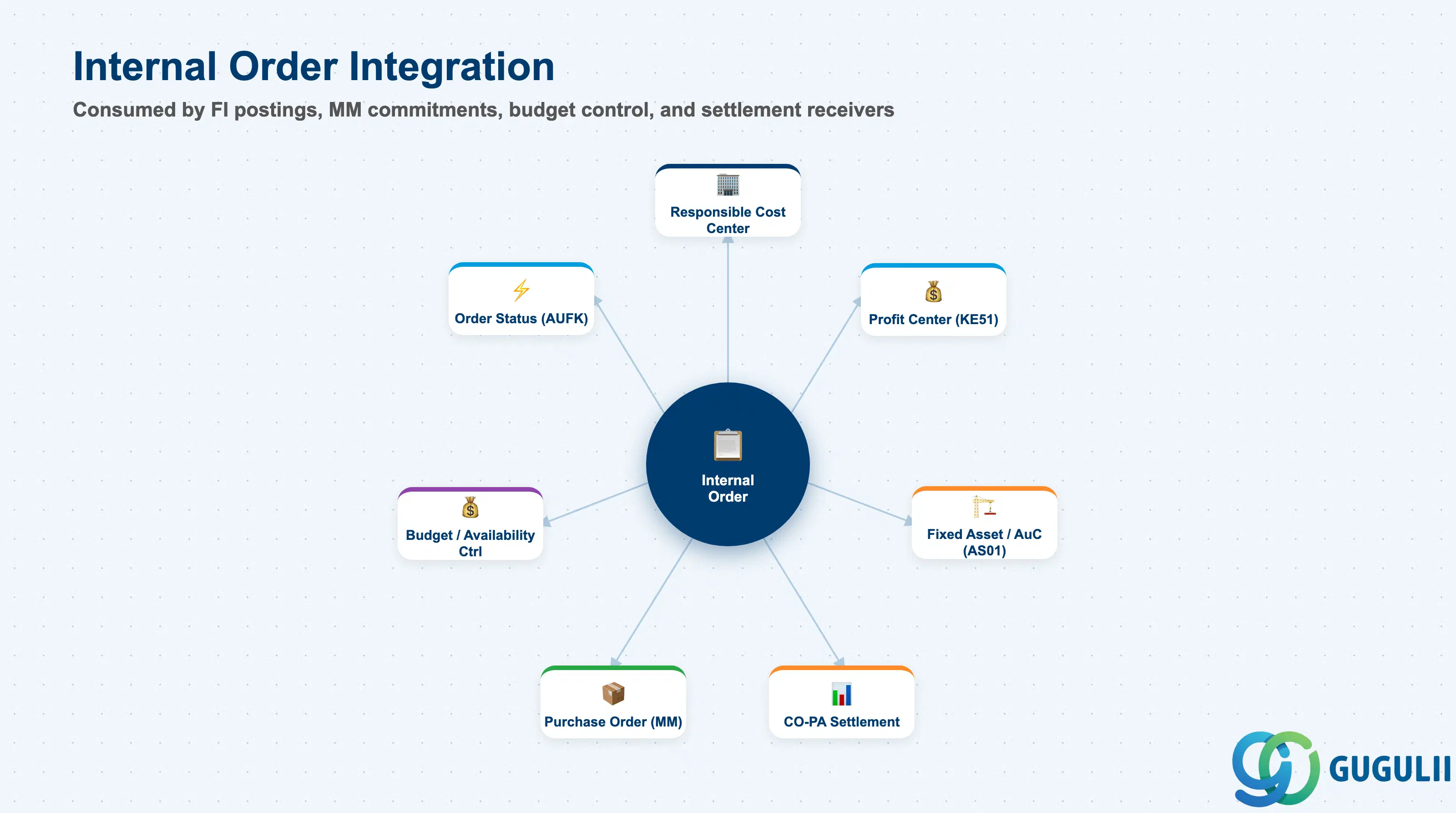
| Object | Relationship | Practical Notes |
|---|---|---|
| Responsible Cost Center (KS01) | Internal Order references a Responsible Cost Center | The Responsible CC is the organizational home of the order — it determines which department “owns” the order for reporting and governance purposes. Does not drive settlement unless explicitly set as the settlement receiver. |
| Profit Center (KE51) | Internal Order references a Profit Center | All costs collected on the order flow to the Profit Center for CO-PCA reporting. Correct Profit Center assignment is essential for management P&L accuracy. |
| Fixed Asset / AuC (AS01) | Investment Orders settle to an Asset under Construction | The AuC is the balance sheet object that holds the capitalized investment during the construction phase. At project completion, the final settlement transfers from the AuC to the completed fixed asset. |
| CO-PA (Profitability Analysis) | Orders can settle to CO-PA line items | When settlement type is PA, the settled amount flows into CO-PA for profitability analysis. Requires a valid PA assignment for the settlement combination (characteristics + value fields). |
| Purchase Order (MM) | PO commitments are tracked against the Internal Order | When a PO references an Internal Order, the open PO value appears as a commitment against the order’s budget. Commitment management requires the budget profile to have availability control active. |
| Order Status (AUFK.OBJNR) | Status drives posting eligibility | Status: CRTD (Created), REL (Released), TECO (Technically Complete), CLSD (Closed). Only REL allows cost postings. TECO blocks new postings but allows settlement. CLSD blocks all postings and settlement. Manage status via KO02 or mass status change (COHV). |
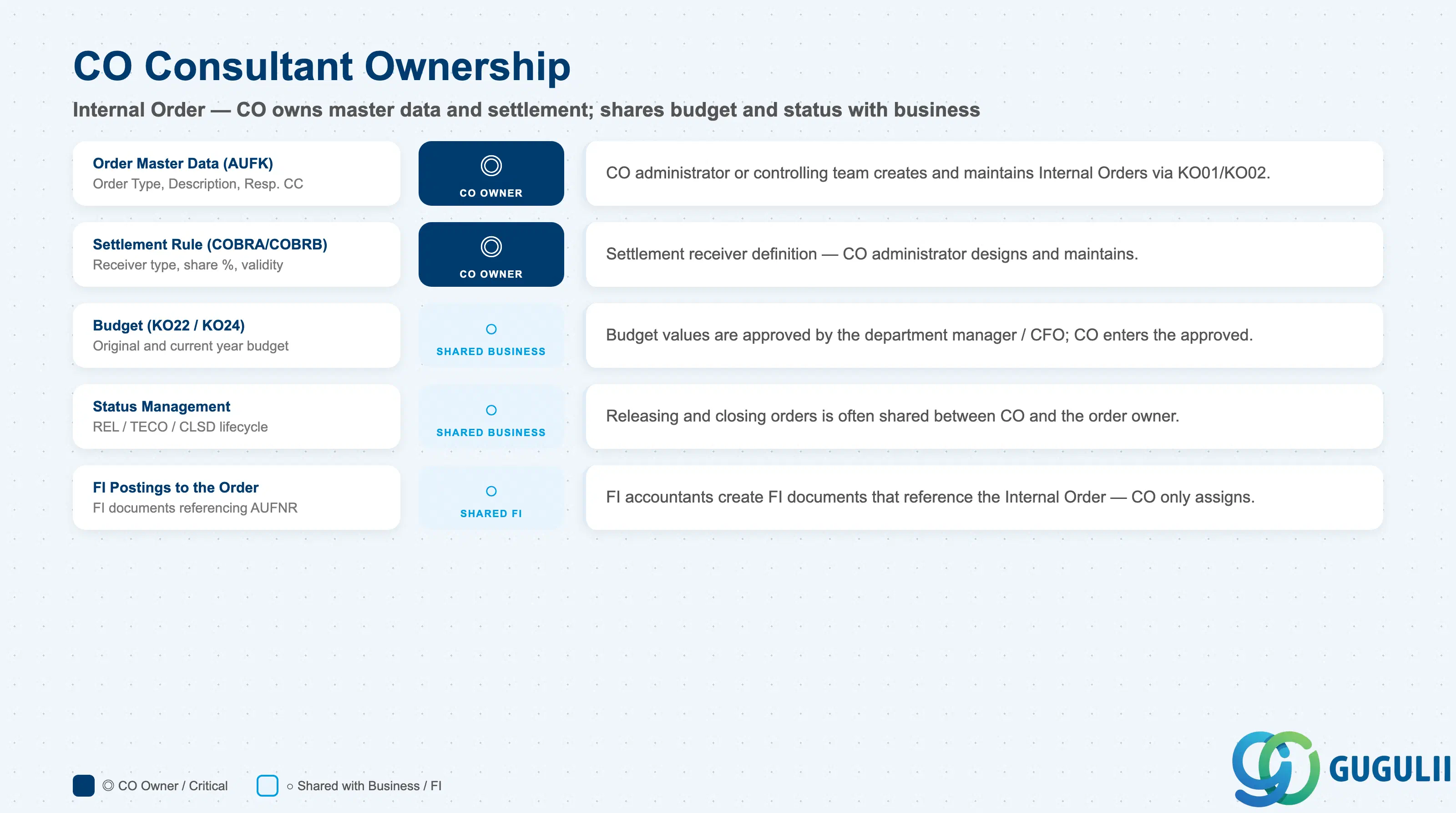
| Data Section | CO Involvement | Notes |
|---|---|---|
| Order Master Data (AUFK) | ◎ Owner | CO administrator or controlling team creates and maintains Internal Orders |
| Budget (KO22/KO24) | ○ Shared with business | Budget values are approved by the business (department manager / CFO); CO enters the approved budget in the system |
| Settlement Rule (COBRA/COBRB) | ◎ Owner | Settlement receiver definition — CO administrator designs and maintains |
| Status Management | ○ Shared with business | Releasing and closing orders is often a shared responsibility between CO and the order owner (department manager or project manager) |
| FI Postings to the Order | ○ Shared with FI | FI documents that post to Internal Orders are created by FI accountants — CO only assigns the order on the posting |
Legend: ◎ = Owner / Critical, ○ = Direct involvement
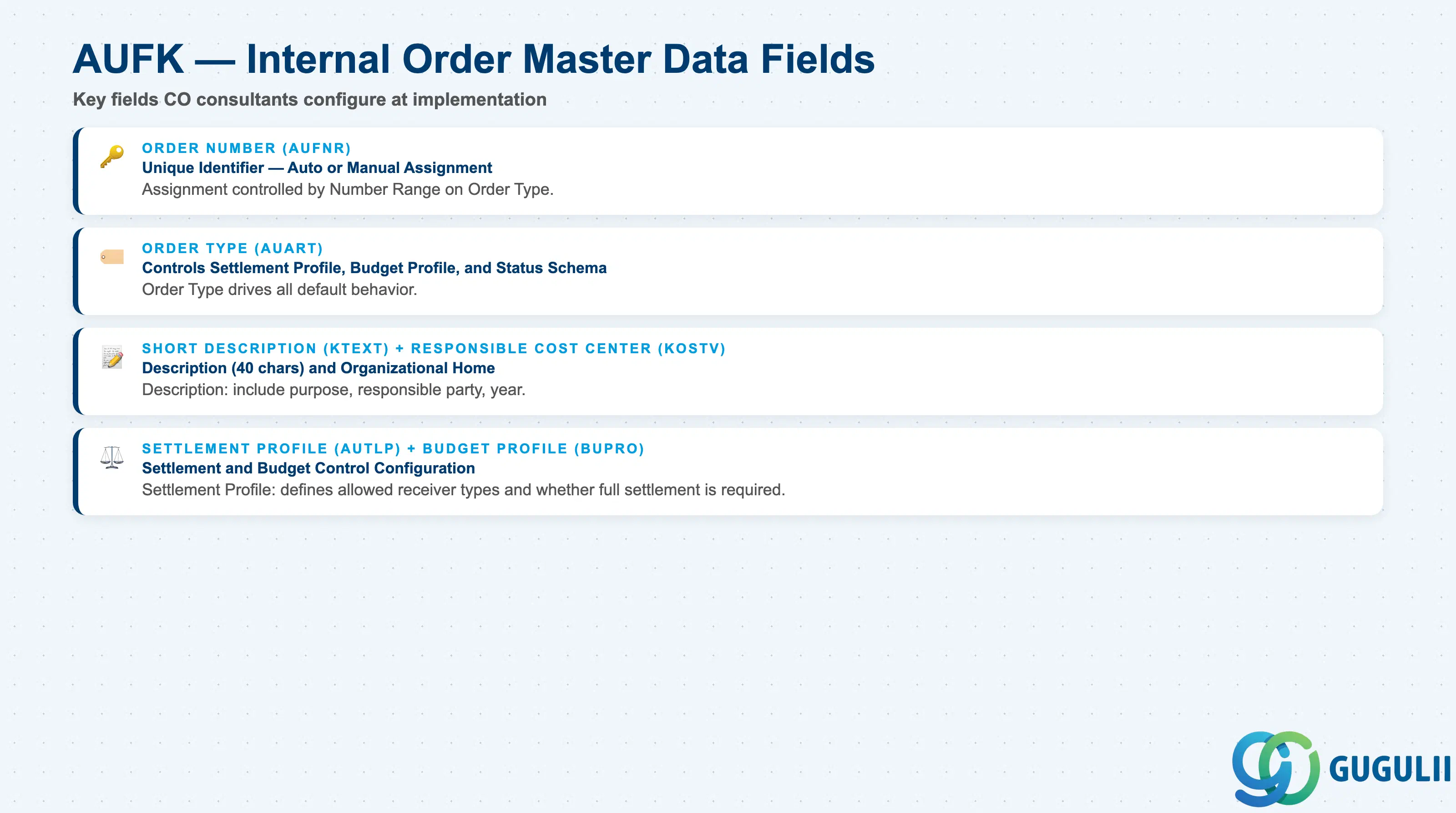
| Field | Description | Practical Usage |
|---|---|---|
| Order Number (AUFNR) | Unique identifier — auto-assigned or manually entered | Order number assignment is controlled by the Number Range on the Order Type (Customizing). Auto-assignment is standard — manual assignment is rarely used except for legacy migration. The number range should be designed to reflect the Order Type (e.g., 6xxxxx = Investment Orders, 7xxxxx = Overhead Orders) to enable range-based group membership in Internal Order Groups. |
| Order Type (AUART) | The Customizing-defined type (0100, 0200, 0300, 0400 or custom) | Determines the settlement profile, budget profile, planning profile, and status schema defaults. Must be determined during blueprint. Cannot be changed after the first posting exists on the order. |
| Short Description (KTEXT) | Free-text description | Maximum 40 characters. Write a description that includes the purpose, responsible party, and expected lifecycle: “HVAC Upgrade – Office Bldg – Facilities 2026”. Visible in all order lists and report outputs — invest time in clear naming during mass order creation projects. |
| Responsible Cost Center (KOSTV) | The CO home of the order | Links the order to the Cost Center Accounting hierarchy for reporting purposes. Does NOT drive cost posting — costs are posted to the order directly (AUFNR), not to the Cost Center. The Responsible CC drives the Profit Center assignment if no separate Profit Center is set on the order. |
| Profit Center (PRCTR) | Profit Center for CO-PCA reporting | All costs on the order flow to this Profit Center in CO-PCA. If blank, the system derives the Profit Center from the Responsible Cost Center. Set explicitly for orders where the Profit Center differs from the Responsible CC’s default. |
| Settlement Profile (AUTLP) | Controls settlement behavior and required fields | Defined in Customizing per Order Type. Determines: allowed receiver types (Cost Center, Asset, CO-PA), whether full settlement is required, whether the profile allows partial settlement, and the allocation structure for CO-PA settlements. Confirm the settlement profile design covers all required receiver types during blueprint. |
| Budget Profile (BUPRO) | Controls budget monitoring and availability control | Defined in Customizing. Determines whether budget is required, the tolerance levels for warnings and errors, and whether purchase order commitments are tracked against the budget. For Investment Orders (0200), budget monitoring is typically active with error level at 100% (no overspend allowed). For Overhead Orders (0100), a warning level at 90% and error at 110% is common. |
| ID | Category | Title |
|---|---|---|
| co-001 | Overview | What is SAP CO? |
| ID | Category | Title |
|---|---|---|
| co-a01 | Overview | SAP CO Master Data: Overview, Hierarchy & Relationships |
| co-a02-01 | Master Data | SAP CO Material Master |
| co-a03-01 | Master Data | SAP CO Cost Element |
| co-a03-02 | Master Data | SAP CO Cost Element Group |
| co-a04-01 | Master Data | SAP CO Profit Center Group |
| co-a04-02 | Master Data | SAP CO Profit Center |
| co-a05-01 | Master Data | SAP CO Cost Center Group |
| co-a05-02 | Master Data | SAP CO Cost Center |
| co-a05-03 | Master Data | SAP CO Activity Type Group |
| co-a05-04 | Master Data | SAP CO Activity Type |
| co-a05-05 | Master Data | SAP CO Statistical Key Figure |
| co-a06-01 | Master Data | SAP CO Internal Order Group |
| co-a06-02 | Master Data | SAP CO Internal Order 📍 |
| co-a07-01 | Master Data | SAP CO Cost Component Structure |
| co-a07-02 | Master Data | SAP CO Costing Variant |
| co-a08-01 | Master Data | SAP CO Operating Concern |
| ID | Category | Title |
|---|---|---|
| co-b01 | Overview | SAP CO Transactions: Process Flow, Hierarchy & Relationships |