Title here
Summary here

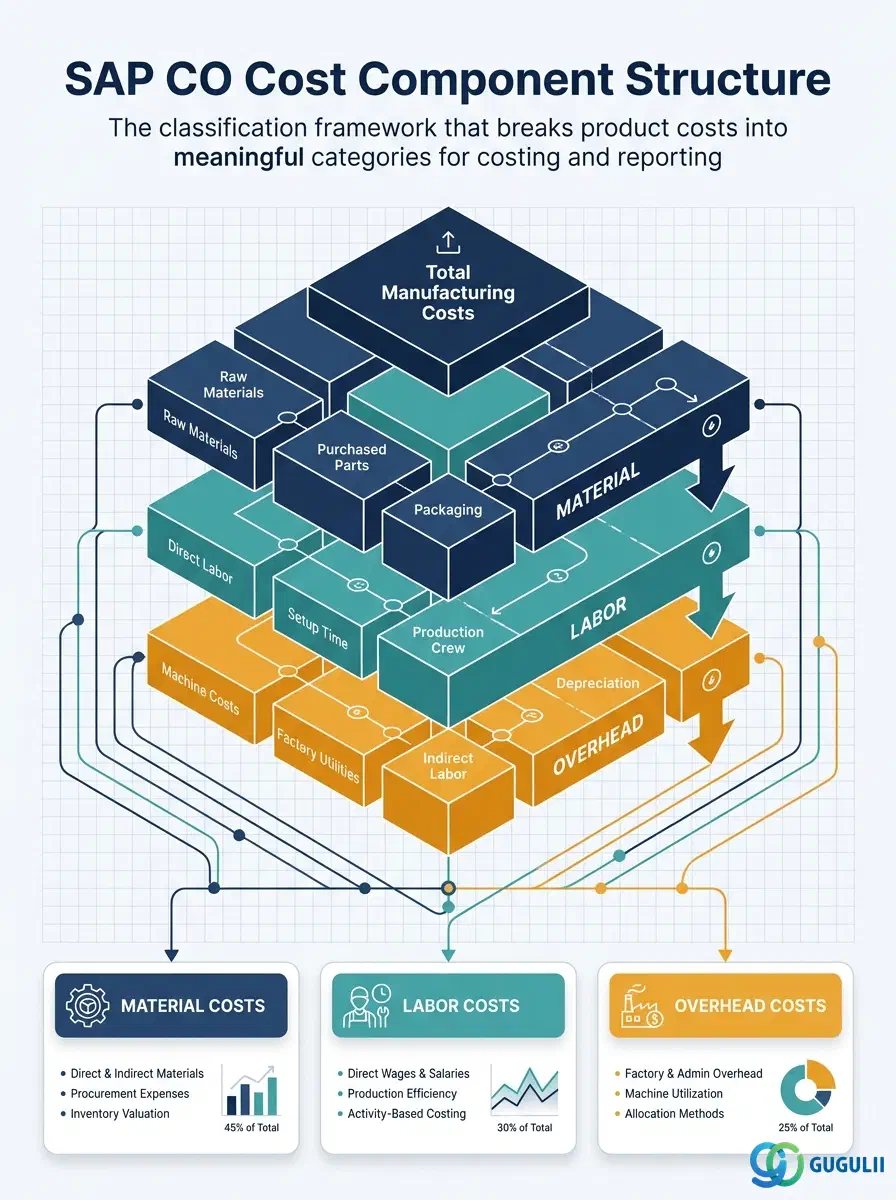
The Cost Component Structure is the classification framework that determines how a product’s total manufacturing cost is broken down into meaningful categories in SAP Controlling Product Costing. It defines the Cost Components — such as Raw Material, Direct Labor, Machine Costs, and Manufacturing Overhead — that appear in cost reports, standard cost estimates, and variance analysis. Every standard cost estimate, costing run, and product cost report in SAP CO references the Cost Component Structure to determine how to present costs in aggregated and disaggregated views. A well-designed Cost Component Structure is fundamental to readable product cost reports and actionable variance analysis.
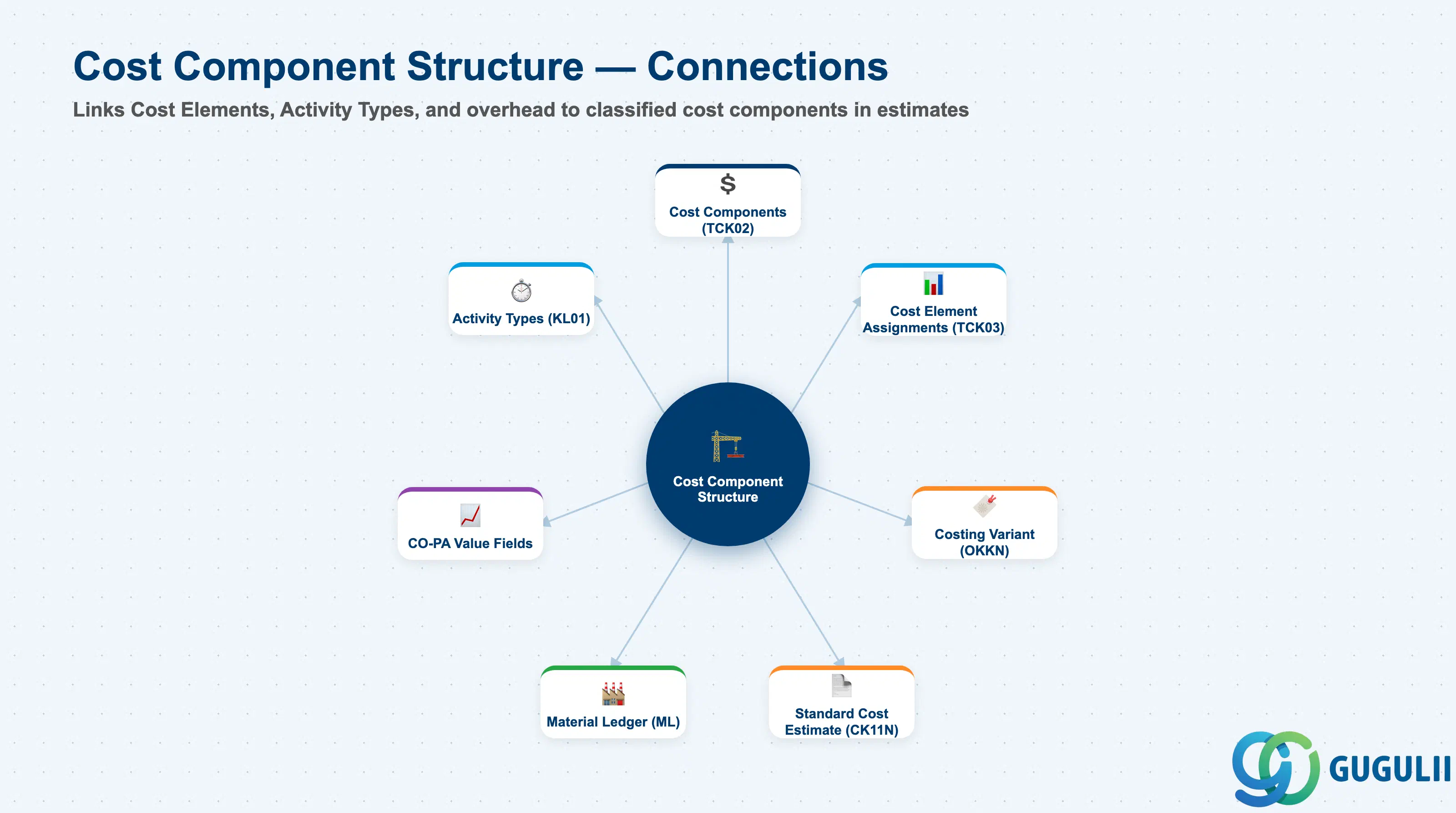
The Cost Component Structure is a Customizing object that maps individual Cost Elements to named cost categories (Cost Components). During a standard cost estimate run, every cost that flows into the estimate — material costs from BOM components, activity costs from routing operations, overhead from costing sheets — is classified into a Cost Component based on the originating Cost Element. The Cost Component Structure thus converts a complex, multi-element cost breakdown into a structured, business-readable view of “what it costs to make this product.”
| Aspect | Details |
|---|---|
| Role | Maps Cost Elements to Cost Components for product cost classification; determines the structure of cost estimate reports and variance reports |
| Modules using it | CO-PC (Product Costing — primary; used in standard cost estimates, costing runs, and WIP calculation), CO-CCA (activity rates contribute to cost components via Activity Types), PP (routing operations reference the Activity Types whose costs are classified by the structure), CO-PA (cost components can be mapped to CO-PA value fields for profitability analysis) |
| Transactions | OKTZ (Create/Change Cost Component Structure), OKTZE (Assign Cost Elements to Components), CK11N (Standard Cost Estimate that uses the structure), CK40N (Costing Run) |
| Key Tables | TCK01 (Cost Component Structure header), TCK02 (Cost Components within the structure), TCK03 (Cost Element to Cost Component assignments), TCK05 (Cost Component Groups) |
| S/4HANA note | In S/4HANA, the Cost Component Structure is unchanged from ECC in terms of configuration and usage. The Material Ledger (mandatory in S/4HANA) uses the same Cost Component Structure to split actual costs into the same categories as standard costs, enabling actual vs. standard cost component comparison. This makes the Cost Component Structure design even more important in S/4HANA than in ECC — it drives both standard cost estimates and actual cost layering. |
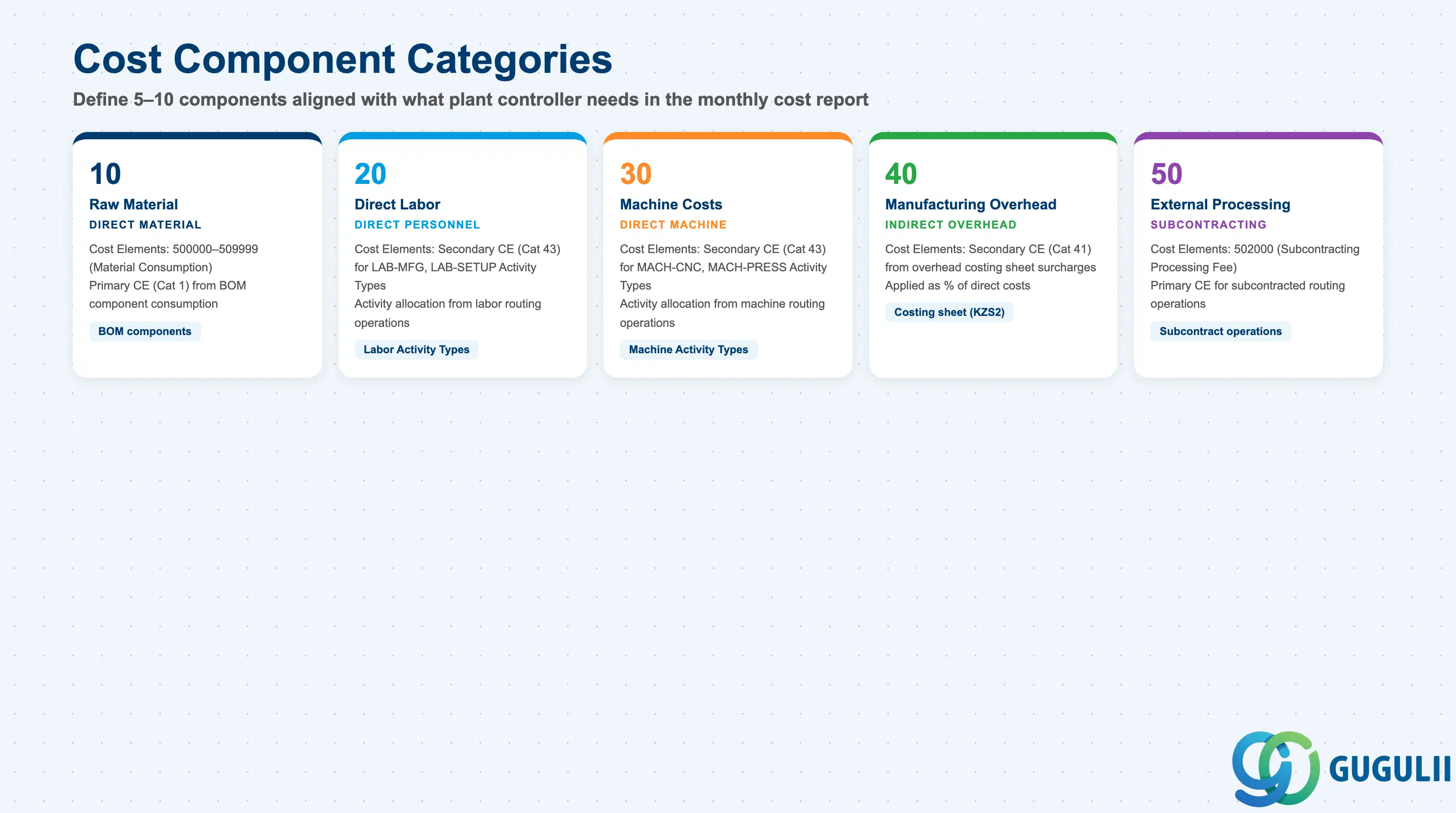
Cost Components are user-defined categories within the Cost Component Structure. SAP does not prescribe the categories — the CO consultant designs them based on the client’s reporting requirements. However, the following categories are industry-standard starting points.
| Cost Component | Typical Category | Examples of Assigned Cost Elements | Key Behavior |
|---|---|---|---|
| Raw Material | Direct material cost | 500000 (Raw Material Consumption), 500100 (Auxiliary Material) | Primary cost elements (Category 1) from BOM component consumption |
| Purchased Parts | Direct material cost | 501000 (Purchased Components), 501100 (Semi-finished Purchased) | Primary cost elements for externally sourced components |
| Direct Labor | Direct personnel cost | Secondary cost elements (Category 43) linked to manual labor Activity Types (LAB-MFG, LAB-SETUP) | Activity allocation cost elements from production labor activity types |
| Machine Costs | Direct machine cost | Secondary cost elements (Category 43) linked to machine Activity Types (MACH-CNC, MACH-PRESS) | Activity allocation cost elements from machine activity types |
| Manufacturing Overhead | Indirect overhead | Secondary cost elements (Category 41) from overhead costing sheet calculations | Overhead surcharge cost elements |
| External Processing | Subcontracting cost | 502000 (Subcontracting — Processing Fee) | Primary cost elements for subcontracted operations |
| Variance (Statistical) | Variance classification | Secondary cost elements assigned to variance categories | Used in variance analysis — not in standard cost estimate |
Design principle: Define 5–10 Cost Components. More components provide finer reporting granularity but increase configuration complexity and report width. Fewer components (fewer than 5) may not provide enough visibility for cost management decisions. Align the component list with what the CFO and plant controller need to see in the monthly cost report.
Cost Component Structure is scoped at the Controlling Area level, alongside the other Product Costing masters. A Costing Variant references a Cost Component Structure — the structure itself is a Customizing object, not a directly-postable transaction object.
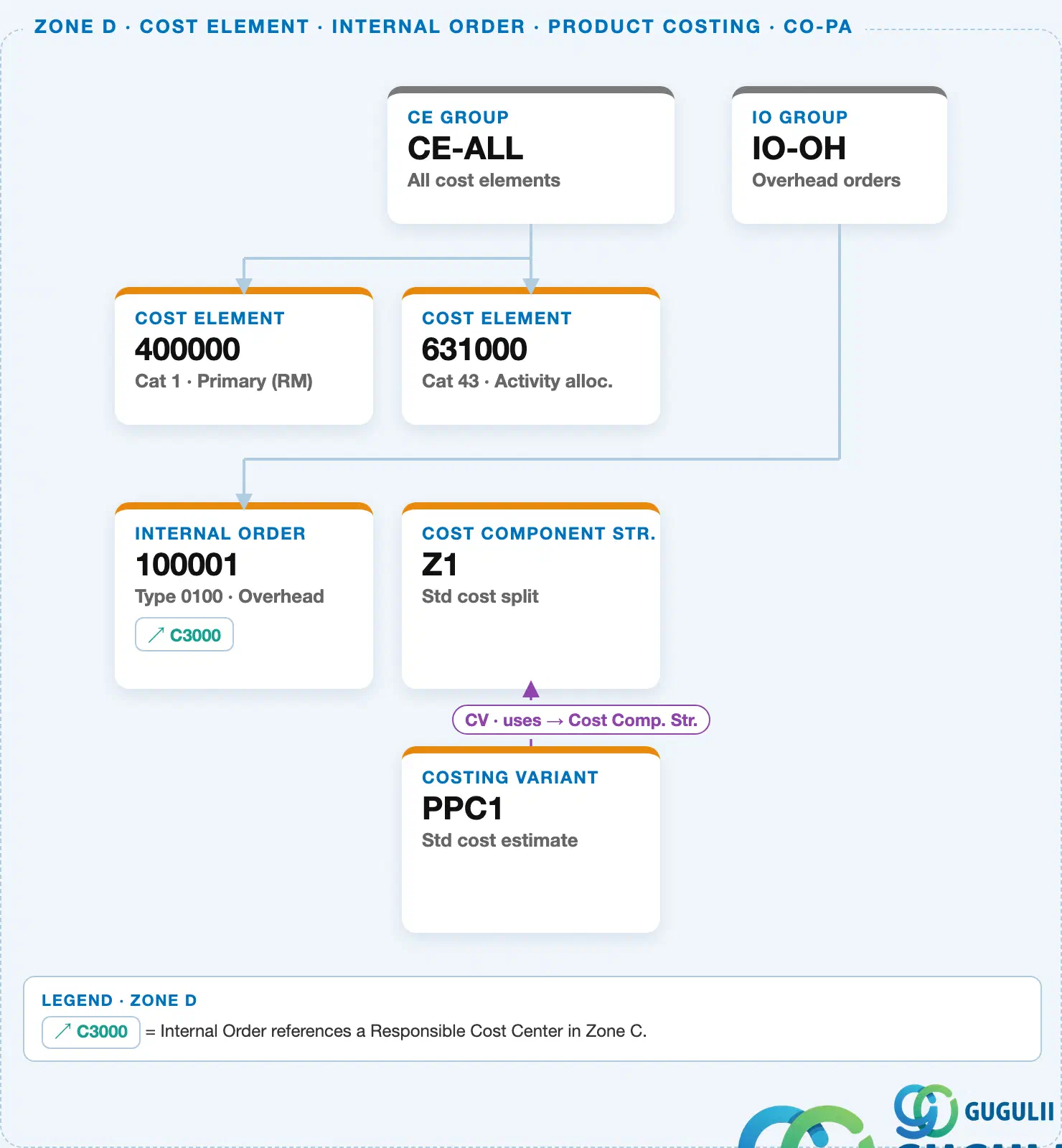
Data hierarchy with a concrete example
Controlling Area 1000
   │
   └── Cost Component Structure "Z1"      Std cost split
          ↑
          └── used by ── Costing Variant "PPC1"   Std cost estimate
Design principle: Use one Cost Component Structure per Controlling Area unless plants have fundamentally different cost structures (e.g., automotive vs. consumer goods within the same CO Area). One shared structure keeps standard-cost reporting consistent across all plants.
| Object | Relationship | Practical Notes |
|---|---|---|
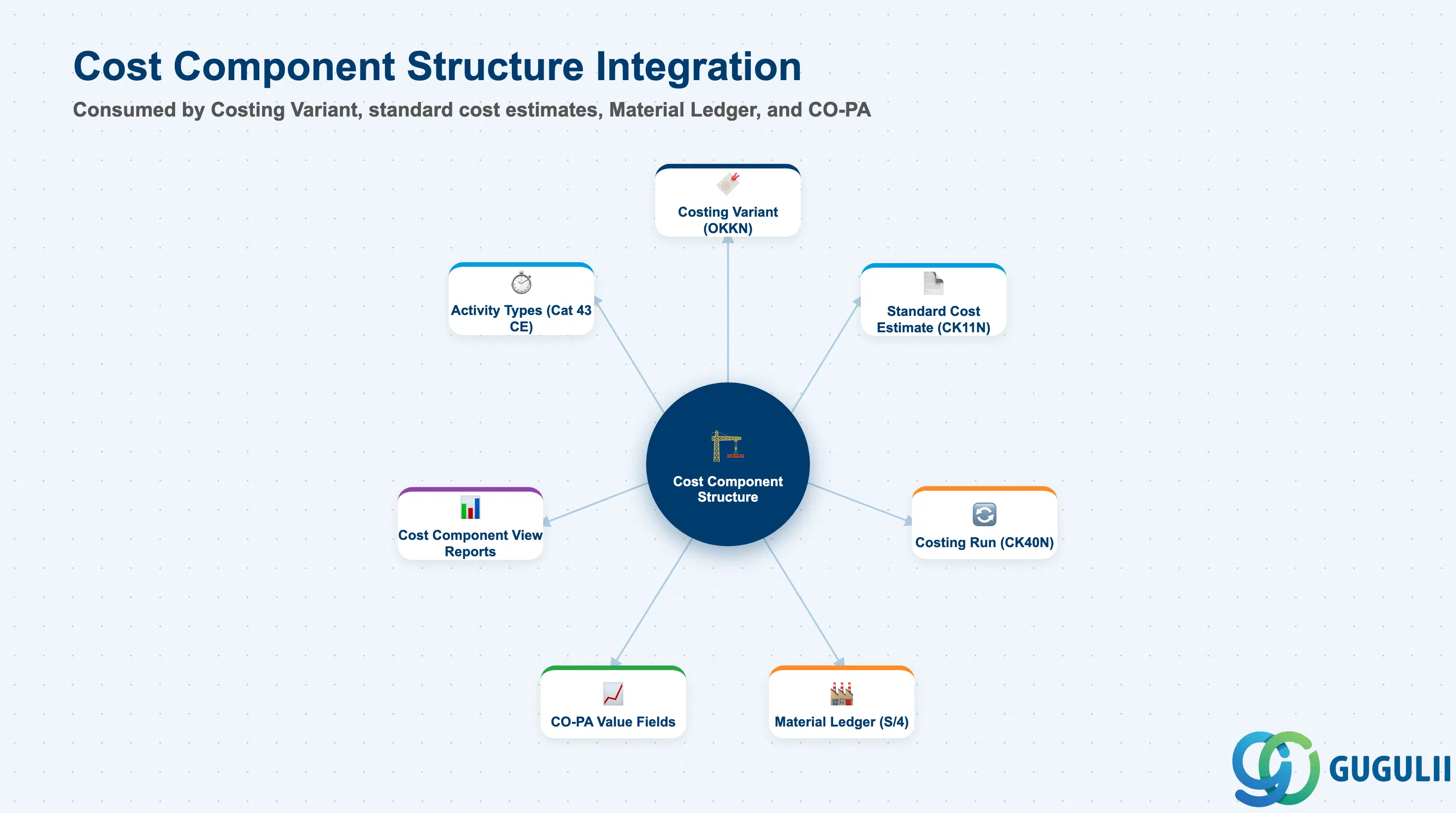
| Costing Variant (OKKN) | Costing Variant references the Cost Component Structure | The Cost Component Structure is assigned to the Costing Variant in Customizing. Each Costing Variant can reference only one Cost Component Structure. Design the Cost Component Structure before configuring the Costing Variant. |
| Standard Cost Estimate (CK11N) | Every cost estimate uses the structure to classify cost elements into components | When CK11N calculates a standard cost estimate, every cost element in the itemization is mapped to a Cost Component via TCK03. The result is visible in the “Cost Component View” of the cost estimate. |
| Material Ledger | In S/4HANA, the Material Ledger stores actual costs by Cost Component | The ML uses the same Cost Component Structure as the standard cost estimate to classify actual costs. This enables the actual vs. standard comparison by component — the key output of S/4HANA Product Costing variance analysis. |
| Activity Type (KL01) | Activity Types contribute costs to components via secondary cost elements | The secondary cost element (Category 43) assigned to an Activity Type is mapped to a Cost Component in TCK03. This determines which component receives the credit/debit from activity allocations in cost estimates. |
| CO-PA (Profitability Analysis) | Cost Components can be mapped to CO-PA value fields | Via PA transfer structure, each Cost Component can flow to a specific CO-PA value field (e.g., Raw Material component → PA value field VV010). This enables product cost component analysis at the profitability analysis level. |
| Data Section | CO Involvement | Notes |
|---|---|---|
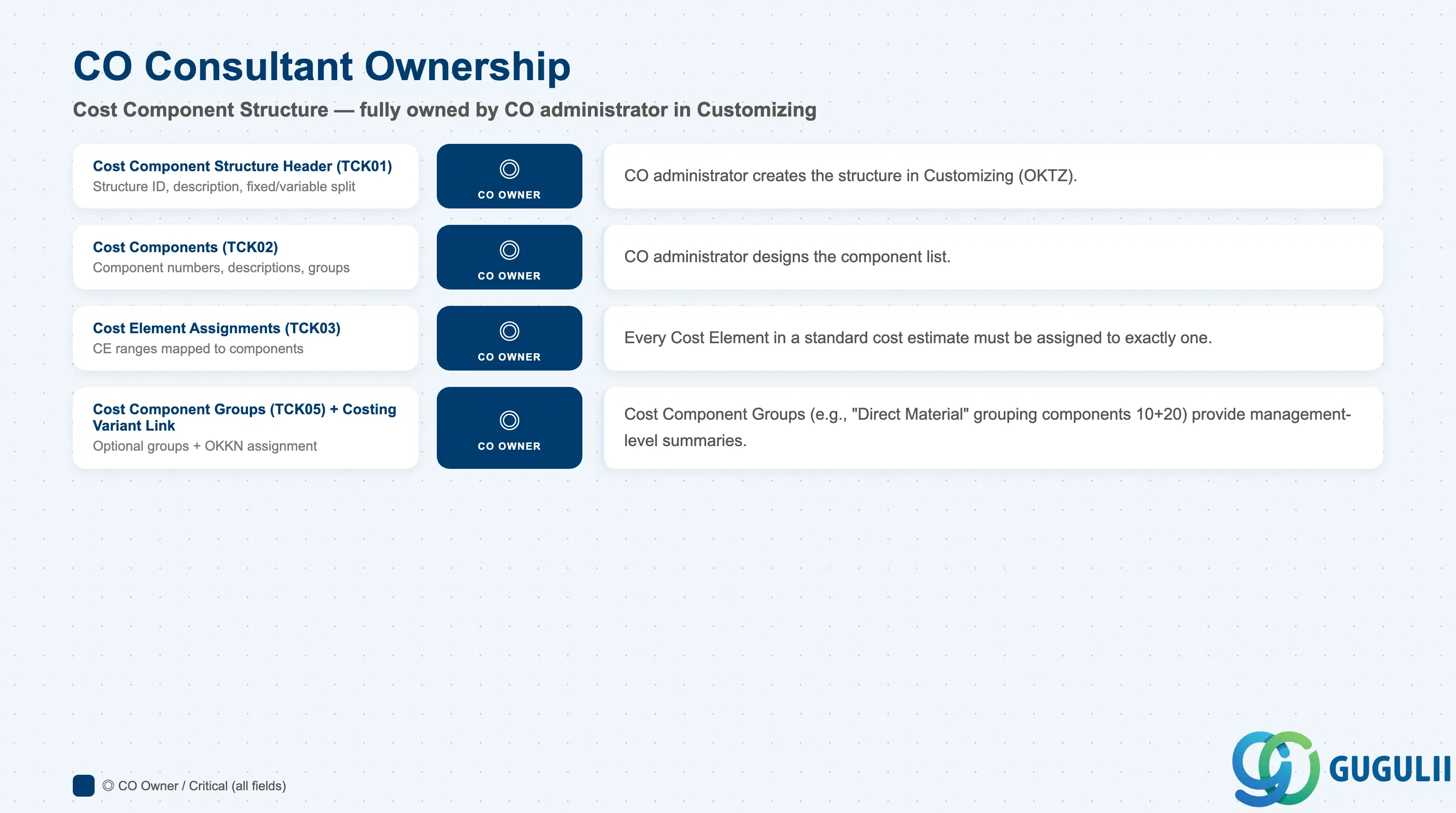
| Cost Component Structure Header (TCK01) | ◎ Owner | CO administrator creates and maintains the structure in Customizing (OKTZ) |
| Cost Components (TCK02) | ◎ Owner | Component design and numbering — CO administrator in Customizing |
| Cost Element Assignments (TCK03) | ◎ Owner | Mapping Cost Elements to Components — CO administrator, requires alignment with FI for primary cost elements and CO-CCA for secondary cost elements |
| Cost Component Groups (TCK05) | ◎ Owner | Optional grouping for summarized reporting — CO administrator |
| Costing Variant Link | ◎ Owner | Assignment of Cost Component Structure to Costing Variant — CO administrator in Customizing |
Legend: ◎ = Owner / Critical, ○ = Direct involvement
| Field | Description | Practical Usage |
|---|---|---|
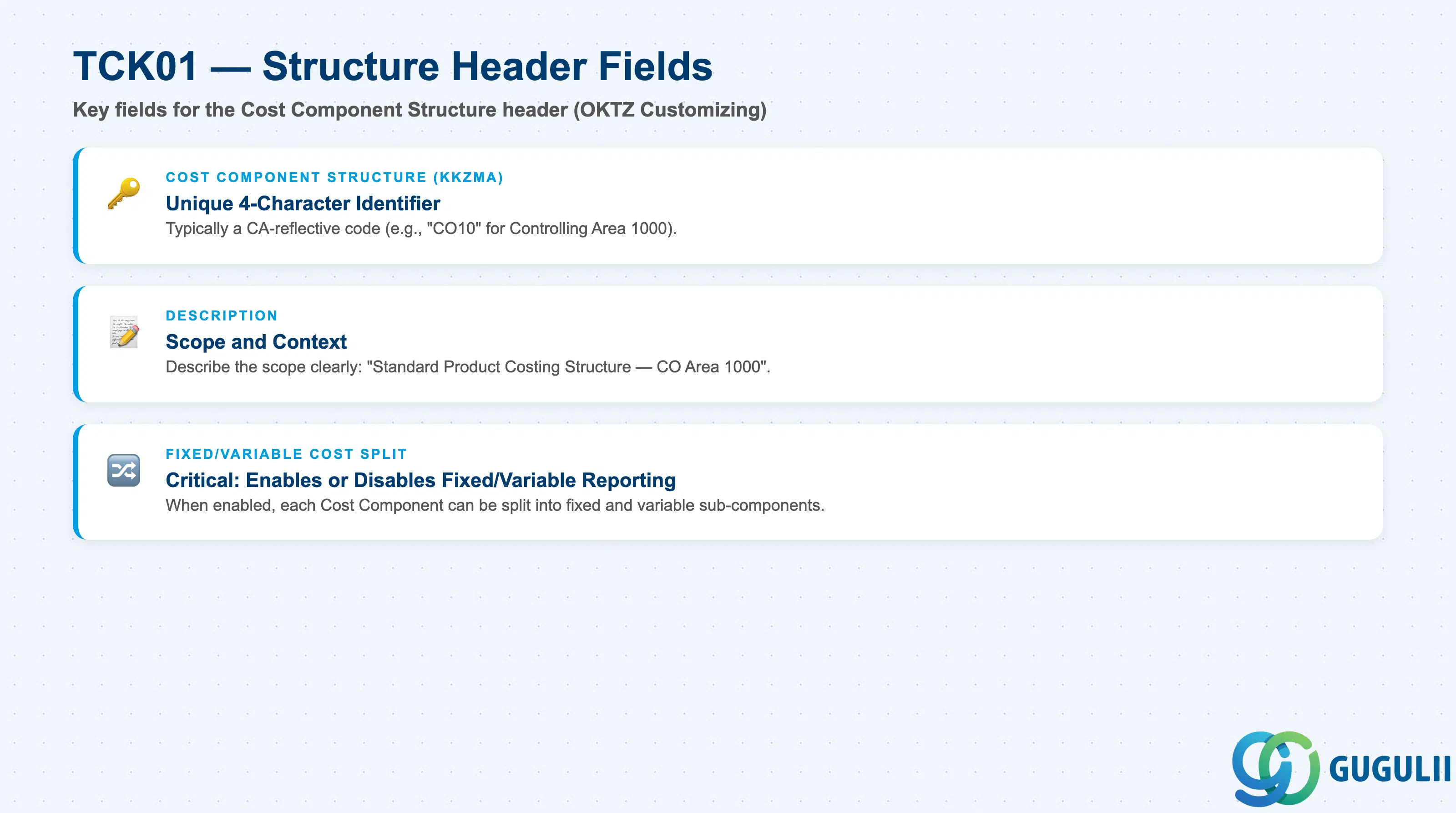
| Cost Component Structure (KKZMA) | Unique identifier — typically a 4-character alphanumeric code | Use a code that reflects the Controlling Area (e.g., “CO10” for Controlling Area 1000). In multi-CA implementations, use CA-specific codes to distinguish structures. The structure ID is referenced in Costing Variant Customizing — plan the code before creation. |
| Description | Free-text description of the structure | Describe the scope: “Standard Product Costing Structure — CO Area 1000”. If multiple structures exist per CA (primary + modified), differentiate clearly in the description. |
| Fixed/Variable Cost Split | Whether components distinguish fixed and variable portions | A single Cost Component can optionally be split into a fixed sub-component and a variable sub-component. This is required for Cost Center Accounting’s fixed/variable cost analysis. Enabling the split increases reporting granularity but requires that all cost elements and activity rates are split between fixed and variable in planning. Confirm during blueprint whether the client requires fixed/variable cost analysis in product costing. |
| Field | Description | Practical Usage |
|---|---|---|
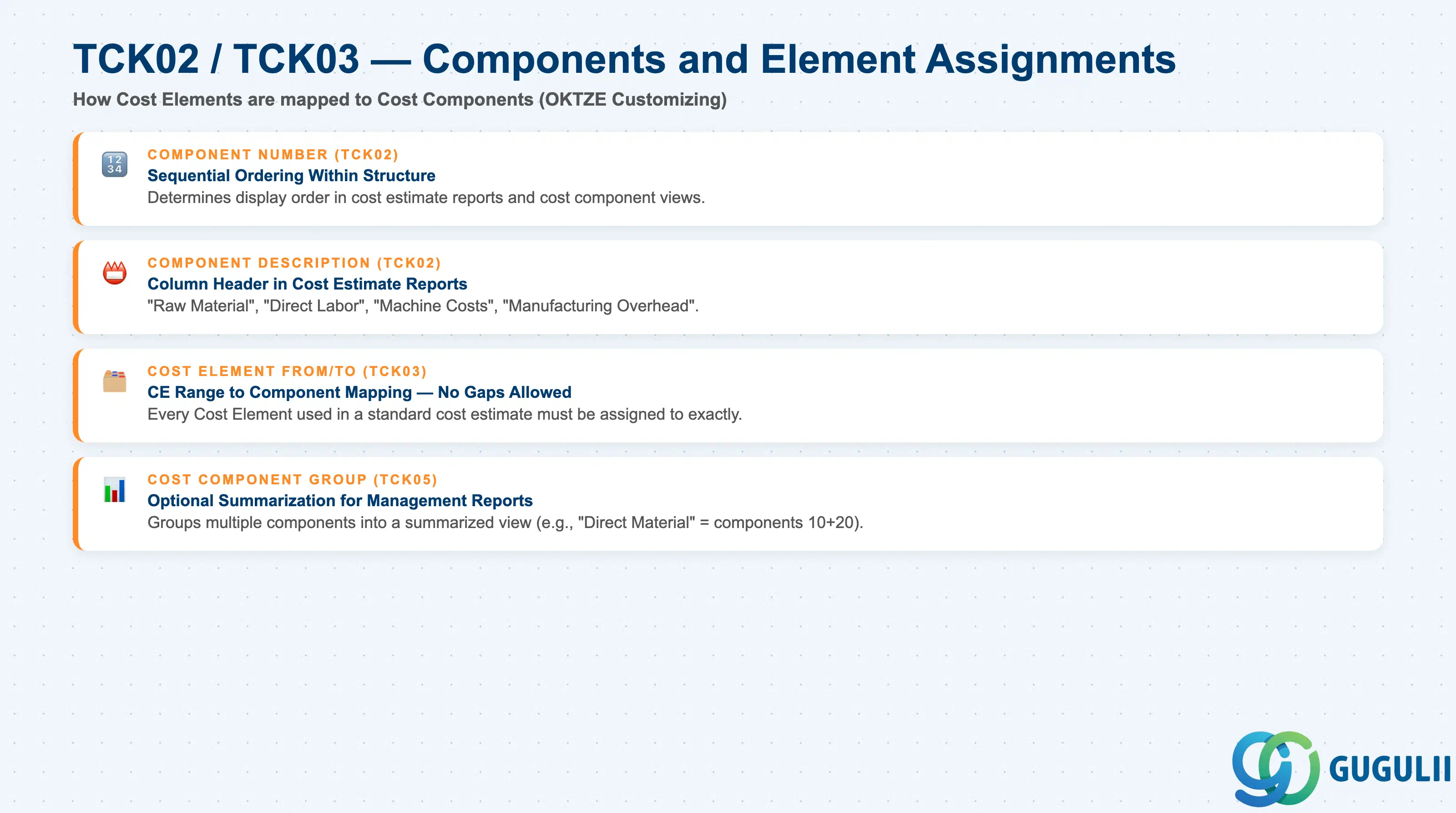
| Component Number | Sequential number (10, 20, 30, …) for ordering within the structure | Determines the display order in cost reports. Number in increments of 10 to allow future insertions. Document the standard component numbering in the master data governance guide. |
| Component Description | Display name of the cost component | “Raw Material”, “Direct Labor”, “Machine Costs”, “Manufacturing Overhead”. Keep names short — they appear as column headers in cost estimate reports. Avoid abbreviations not known to business users. |
| Cost Element From/To | Range of Cost Elements assigned to this component | Every Cost Element used in a cost estimate must be assigned to exactly one component. Gaps (unmapped cost elements) result in “unclassified” amounts in the cost estimate — a defect that must be caught in unit testing. After adding new Cost Elements (e.g., when an Activity Type is created), always update TCK03 to map the new secondary cost element to the correct component. |
| Cost Component Group | Optional grouping of Cost Components for summarized views | Example: Components 10 (Raw Material) and 20 (Purchased Parts) grouped into “Direct Material.” Groups appear as subtotals in cost reports. Useful for management-level summaries that need fewer line items than the full component list. |
| ID | Category | Title |
|---|---|---|
| co-001 | Overview | What is SAP CO? |
| ID | Category | Title |
|---|---|---|
| co-a01 | Overview | SAP CO Master Data: Overview, Hierarchy & Relationships |
| co-a02-01 | Master Data | SAP CO Material Master |
| co-a03-01 | Master Data | SAP CO Cost Element |
| co-a03-02 | Master Data | SAP CO Cost Element Group |
| co-a04-01 | Master Data | SAP CO Profit Center Group |
| co-a04-02 | Master Data | SAP CO Profit Center |
| co-a05-01 | Master Data | SAP CO Cost Center Group |
| co-a05-02 | Master Data | SAP CO Cost Center |
| co-a05-03 | Master Data | SAP CO Activity Type Group |
| co-a05-04 | Master Data | SAP CO Activity Type |
| co-a05-05 | Master Data | SAP CO Statistical Key Figure |
| co-a06-01 | Master Data | SAP CO Internal Order Group |
| co-a06-02 | Master Data | SAP CO Internal Order |
| co-a07-01 | Master Data | SAP CO Cost Component Structure 📍 |
| co-a07-02 | Master Data | SAP CO Costing Variant |
| co-a08-01 | Master Data | SAP CO Operating Concern |
| ID | Category | Title |
|---|---|---|
| co-b01 | Overview | SAP CO Transactions: Process Flow, Hierarchy & Relationships |