Title here
Summary here

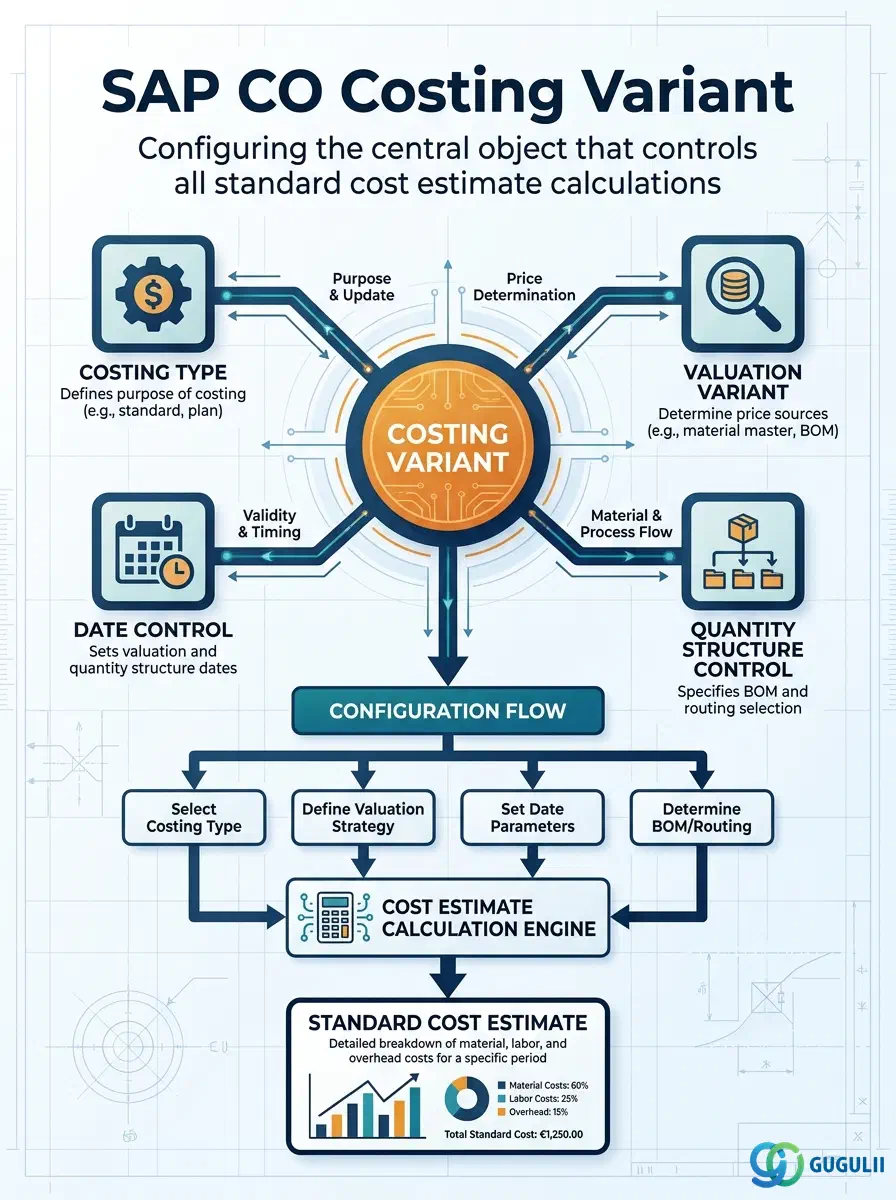
The Costing Variant is the central configuration object that defines all rules for how a standard cost estimate is calculated in SAP Controlling Product Costing. It bundles together the Costing Type (what kind of cost to calculate), the Valuation Variant (where to get material prices and activity rates), the Date Control (which dates to use for BOM and routing selection), and the Quantity Structure Control (which BOM and routing alternatives to use). Every time a user runs a standard cost estimate (CK11N) or a costing run (CK40N), they select a Costing Variant — and that variant’s configuration determines every aspect of how the cost is computed.
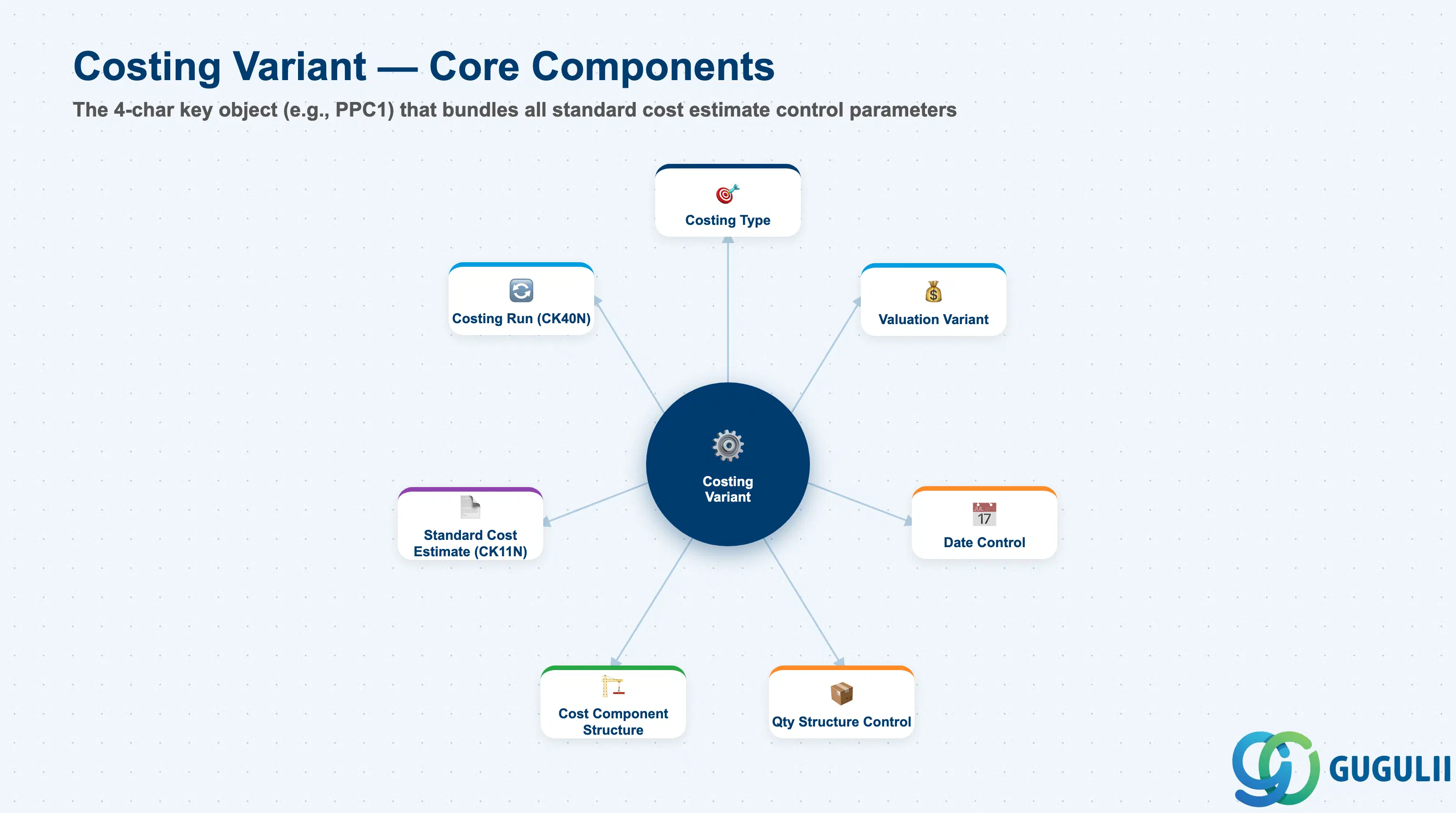
The Costing Variant is a Customizing configuration object identified by a 4-character key (e.g., “PPC1”). It acts as a control document for the cost estimate engine — every parameter needed to compute the cost of a material is either defined directly on the Costing Variant or referenced from a subordinate configuration object (Valuation Variant, Costing Type). For most implementations, 2–4 Costing Variants are sufficient: one for standard cost (plan), one for modified standard cost, and optionally one for actual cost or transfer pricing.
| Aspect | Details |
|---|---|
| Role | Controls all parameters of standard cost estimate calculation: what type, what prices, what dates, what BOM/routing alternatives |
| Modules using it | CO-PC (Product Costing — primary; all standard cost estimates reference a Costing Variant), PP (BOM and Routing selection controlled via Quantity Structure Control on the variant), MM (material price update controlled via Costing Type), CO-PA (standard cost settlements use the Costing Variant to classify costs) |
| Transactions | OKKN (Maintain Costing Variants), CK11N (Standard Cost Estimate — selects Costing Variant), CK40N (Costing Run — selects Costing Variant) |
| Key Tables | T499S (not primary), T001W (plant to comp code), TCKH (Costing Variant header), TCKH1 (Costing Variant detail — Costing Type, Valuation Variant, etc.) |
| S/4HANA note | Costing Variants work identically in S/4HANA and ECC at the configuration level. In S/4HANA, the Material Ledger is mandatory and actual cost calculation (Material Ledger actual costing) runs in parallel using the same material prices and activity rates defined by the Costing Variant’s Valuation Variant. The Costing Variant for standard cost estimates is typically “PPC1” (SAP standard); for actual costing via Material Ledger, a separate variant is used. |
| Variant Type | Typical Key | Costing Type | Use Case | Key Behavior |
|---|---|---|---|---|
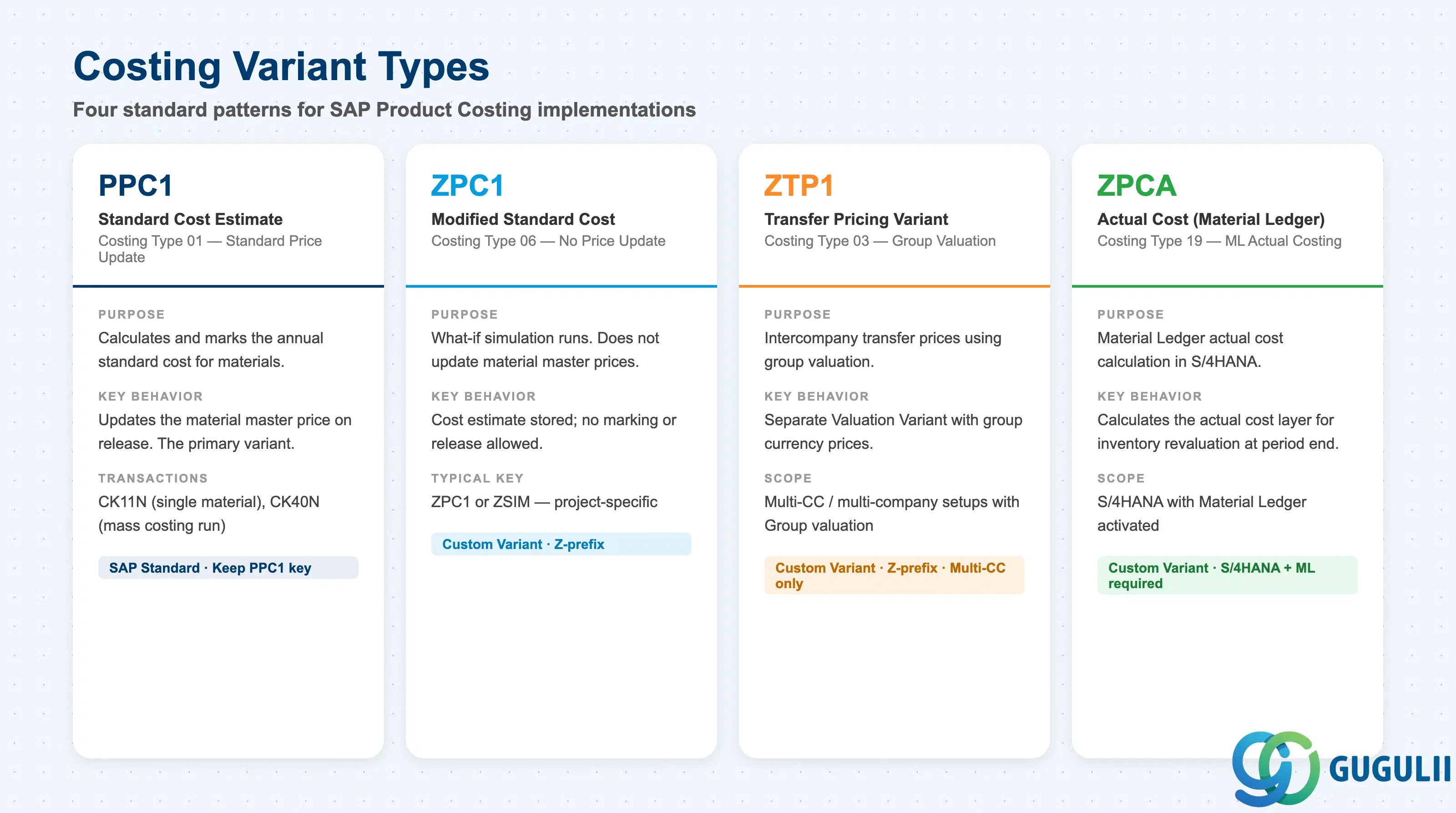
| Standard Cost | PPC1 | 01 (Standard Cost) | Annual standard cost estimate — marks and releases the new standard price for the material | Updates the standard price (Material Ledger moving average in ECC; ML standard in S/4HANA) when released via CK24 |
| Modified Standard Cost | ZPC1 (custom) | 06 (Modified Standard) | “What if” cost simulations — what would the cost be if material prices changed? | Does not update the material price — for simulation and planning analysis only |
| Transfer Pricing Variant | ZTP1 (custom) | 03 (Transfer Price) | Intercompany cost calculation for group pricing | Uses group valuation instead of legal valuation for cross-company postings |
| Actual Cost Variant | ZPCA (custom) | 19 (Actual Price) | Post-period actual cost calculation using ML prices | Used in Material Ledger actual costing run to recalculate costs at actual prices |
Design principle: Configure the minimum set of Costing Variants needed. PPC1 for standard cost is always required. A simulation variant (ZPC1 or similar) is strongly recommended for annual budget planning and price change analysis. Transfer pricing variants are required only when intercompany pricing is in scope. Actual cost variants (ML) are required in S/4HANA for Material Ledger reconciliation.
Costing Variant is scoped at the Controlling Area level — a Customizing object available to every plant in the CO Area (it has no plant restriction of its own).
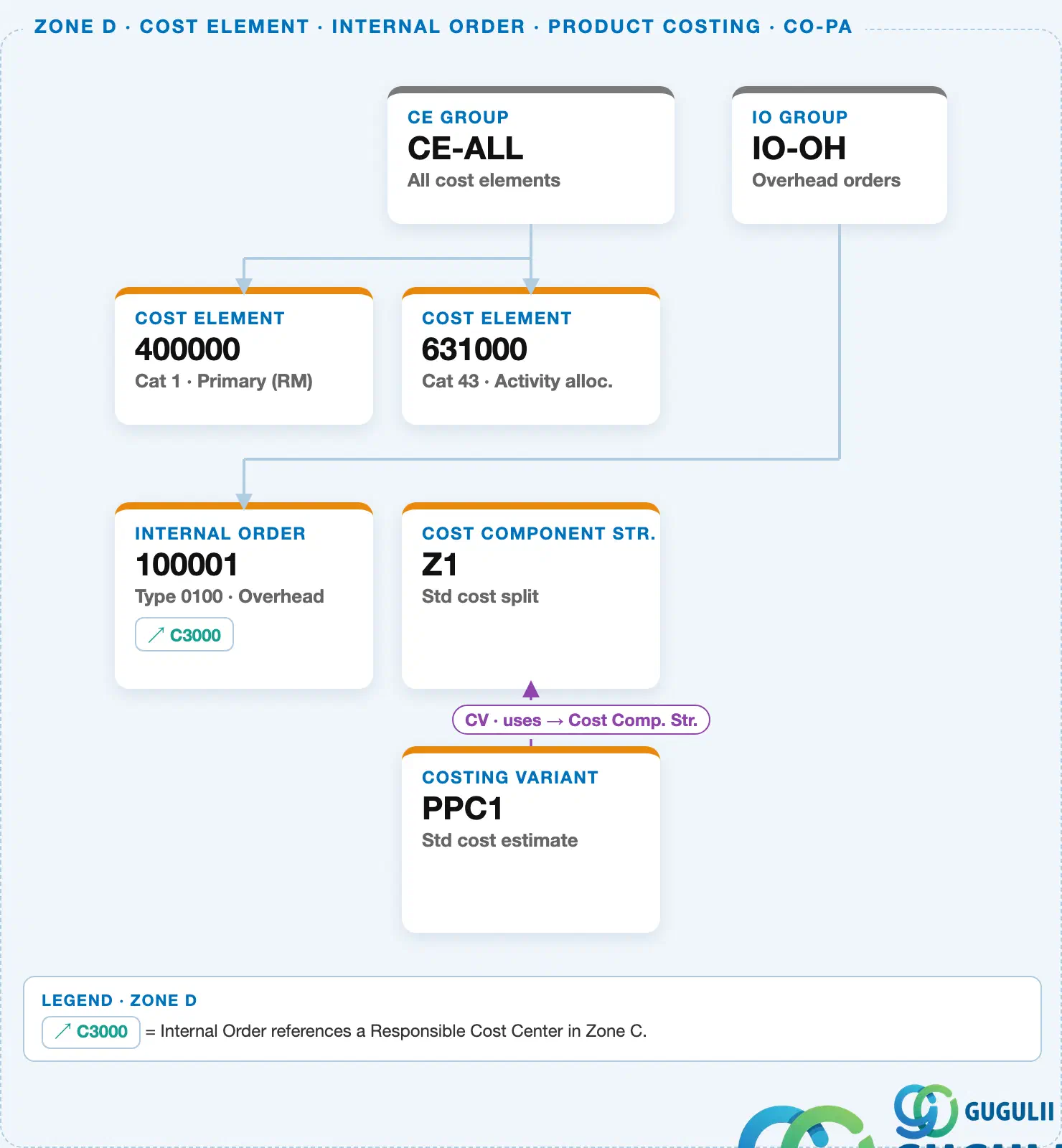
Every Costing Variant references a Cost Component Structure, which controls how the resulting cost estimate is split (material, labor, overhead, etc.).
Data hierarchy with a concrete example
Controlling Area 1000
   │
   └── Costing Variant "PPC1"      Std cost estimate
          └── uses ── Cost Component Structure "Z1"   Std cost split
Design principle: The Valuation Variant inside the Costing Variant determines where each cost estimate’s prices come from (Material Master standard price, Purchase Info Record, or planned activity rate). For the annual standard cost run, Purchase Info Record prices for raw materials plus planned activity rates for manufacturing is the most common configuration.
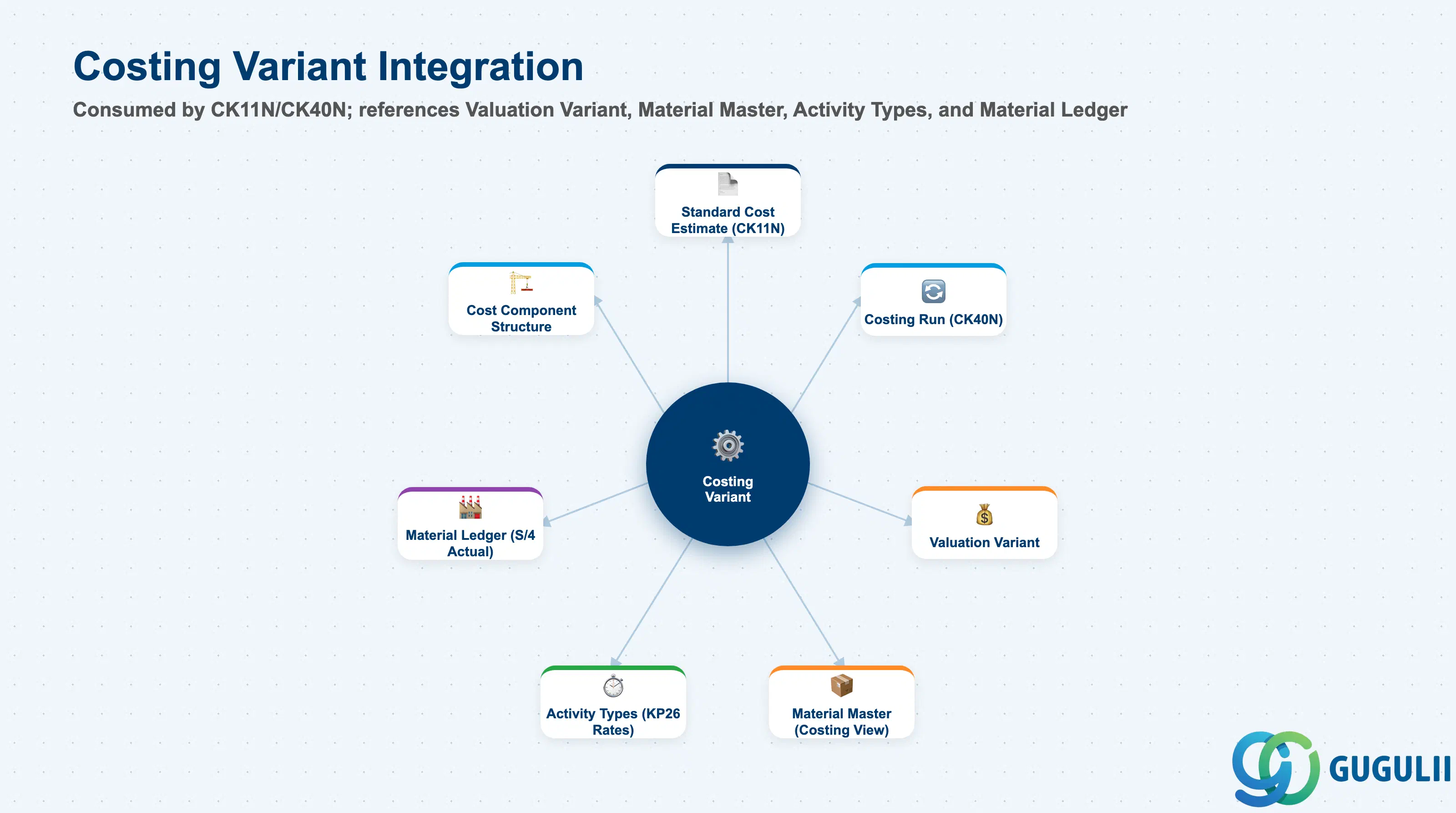
| Object | Relationship | Practical Notes |
|---|---|---|
| Cost Component Structure | Referenced directly on the Costing Variant | The Cost Component Structure determines how cost elements are classified into cost components in the estimate output. Must be fully configured before the first cost estimate run with this variant. |
| Valuation Variant | Sub-configuration object referenced by the Costing Variant | Defines where to get prices for materials (PIR, standard price, planned price), for activities (plan rate from KP26, actual rate from KSII), and for external operations. Must align with the current state of price maintenance in the system — if KP26 activity prices are not yet planned, activity costs will be zero in the estimate. |
| Material Master (Standard Price) | Costing Variant can source material prices from the Material Master | For manufactured materials at higher BOM levels, the standard price from the lower-level material’s Material Master (already released from a previous cost estimate run) is used. This creates a dependency: lower-level standard costs must be released before upper-level cost estimates are run. |
| Activity Type (KP26) | Costing Variant’s Valuation Variant sources activity rates from KP26 planning | If the Valuation Variant is configured to use planned activity prices (most common), KP26 prices must be maintained for all Activity Types used in routing operations before the cost estimate run. |
| Costing Run (CK40N) | The Costing Run uses the Costing Variant to process all materials in scope | CK40N selects the Costing Variant once for the entire run. Ensure the variant is consistent and fully configured before initiating a mass costing run — errors in the variant affect all materials in the run scope. |
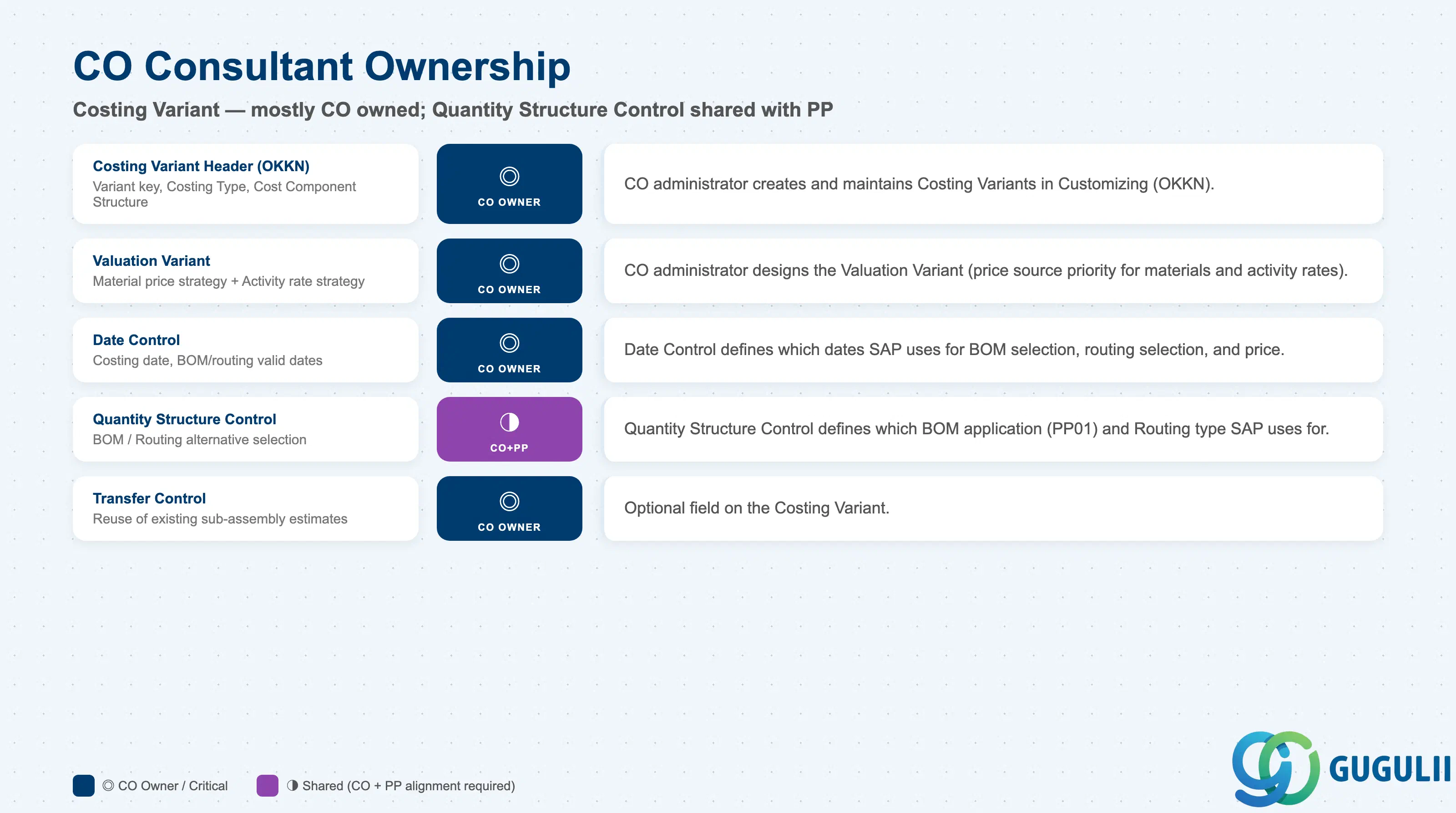
| Data Section | CO Involvement | Notes |
|---|---|---|
| Costing Variant Header (TCKH) | ◎ Owner | CO administrator creates and maintains in Customizing (OKKN) |
| Costing Type | ◎ Owner | CO Customizing — determines standard price update behavior |
| Valuation Variant | ◎ Owner | CO Customizing — most critical sub-object; defines price sources |
| Date Control | ◎ Owner | CO Customizing — controls BOM and routing selection dates |
| Quantity Structure Control | ○ Shared with PP | PP consultant defines BOM and Routing selection criteria; CO integrates with the costing variant |
Legend: ◎ = Owner / Critical, ○ = Direct involvement
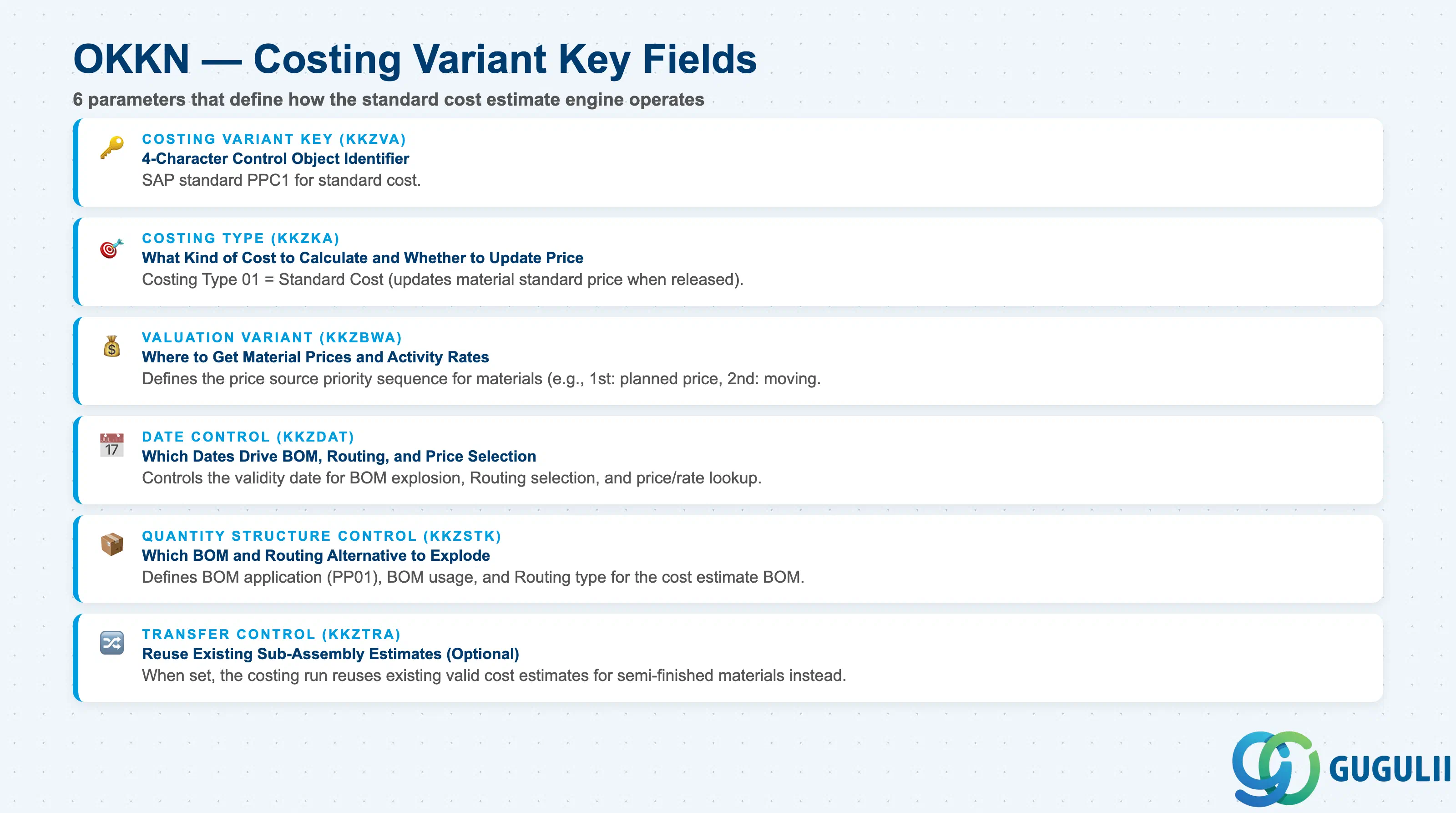
| Parameter | Description | Practical Usage |
|---|---|---|
| Costing Variant Key | 4-character identifier (e.g., PPC1, ZPC1) | Use the SAP standard PPC1 for standard cost estimation whenever possible — it is pre-configured and well-documented. Create custom variants only when specific control parameters are needed that differ from PPC1. Name custom variants with a “Z” prefix per SAP naming convention. |
| Costing Type | Determines the purpose and price update behavior of the estimate | Costing Type 01 (Standard Cost) is the most common — allows the estimate to be marked and released to update the standard price. Costing Type 06 (Modified Standard) is used for simulations. Costing Type 19 (Actual Cost) is for Material Ledger actual costing. The Costing Type is a separate Customizing object (transaction OKKI) — create the type before configuring the variant. |
| Valuation Variant | References the sub-configuration that defines price sources | The Valuation Variant is the most technically complex sub-object. It defines: (1) Material price source — which field in the Material Master or which external price record to use for material costs; (2) Activity price source — planned rate (KP26), actual rate (KSII), or manual price; (3) External processing — price source for subcontracted operations. Maintain the Valuation Variant in OKKN → Valuation Variant. |
| Date Control | Controls which dates are used for BOM and routing validity during the cost estimate | Date Control determines: Costing Date From (start of validity for the estimate), BOM validity date (which BOM to select), Routing validity date (which routing to select). For annual standard cost estimates, typically set BOM and Routing validity dates to the first day of the new fiscal year, ensuring that engineering changes effective from that date are reflected in the new standard cost. |
| Quantity Structure Control | Controls BOM type, routing type, and selection priority | References the PP BOM application (e.g., “PP01”) and routing type to use during the cost estimate BOM explosion. For standard manufacturing cost estimates, this typically references the Production BOM and Standard Routing. For process industries, this may reference the Master Recipe instead of the routing. |
| Transfer Control | Controls whether multi-level BOM explosion uses existing cost estimates for sub-materials | If Transfer Control is active, the cost estimate for a sub-material already marked/released is used as the cost for that sub-material in the upper-level estimate, rather than re-exploding the sub-material’s BOM. This speeds up cost estimate runs significantly for large BOMs. Standard practice for annual costing runs where all sub-material standard costs are released in a specific sequence (lower levels first). |
| ID | Category | Title |
|---|---|---|
| co-001 | Overview | What is SAP CO? |
| ID | Category | Title |
|---|---|---|
| co-a01 | Overview | SAP CO Master Data: Overview, Hierarchy & Relationships |
| co-a02-01 | Master Data | SAP CO Material Master |
| co-a03-01 | Master Data | SAP CO Cost Element |
| co-a03-02 | Master Data | SAP CO Cost Element Group |
| co-a04-01 | Master Data | SAP CO Profit Center Group |
| co-a04-02 | Master Data | SAP CO Profit Center |
| co-a05-01 | Master Data | SAP CO Cost Center Group |
| co-a05-02 | Master Data | SAP CO Cost Center |
| co-a05-03 | Master Data | SAP CO Activity Type Group |
| co-a05-04 | Master Data | SAP CO Activity Type |
| co-a05-05 | Master Data | SAP CO Statistical Key Figure |
| co-a06-01 | Master Data | SAP CO Internal Order Group |
| co-a06-02 | Master Data | SAP CO Internal Order |
| co-a07-01 | Master Data | SAP CO Cost Component Structure |
| co-a07-02 | Master Data | SAP CO Costing Variant 📍 |
| co-a08-01 | Master Data | SAP CO Operating Concern |
| ID | Category | Title |
|---|---|---|
| co-b01 | Overview | SAP CO Transactions: Process Flow, Hierarchy & Relationships |