Title here
Summary here

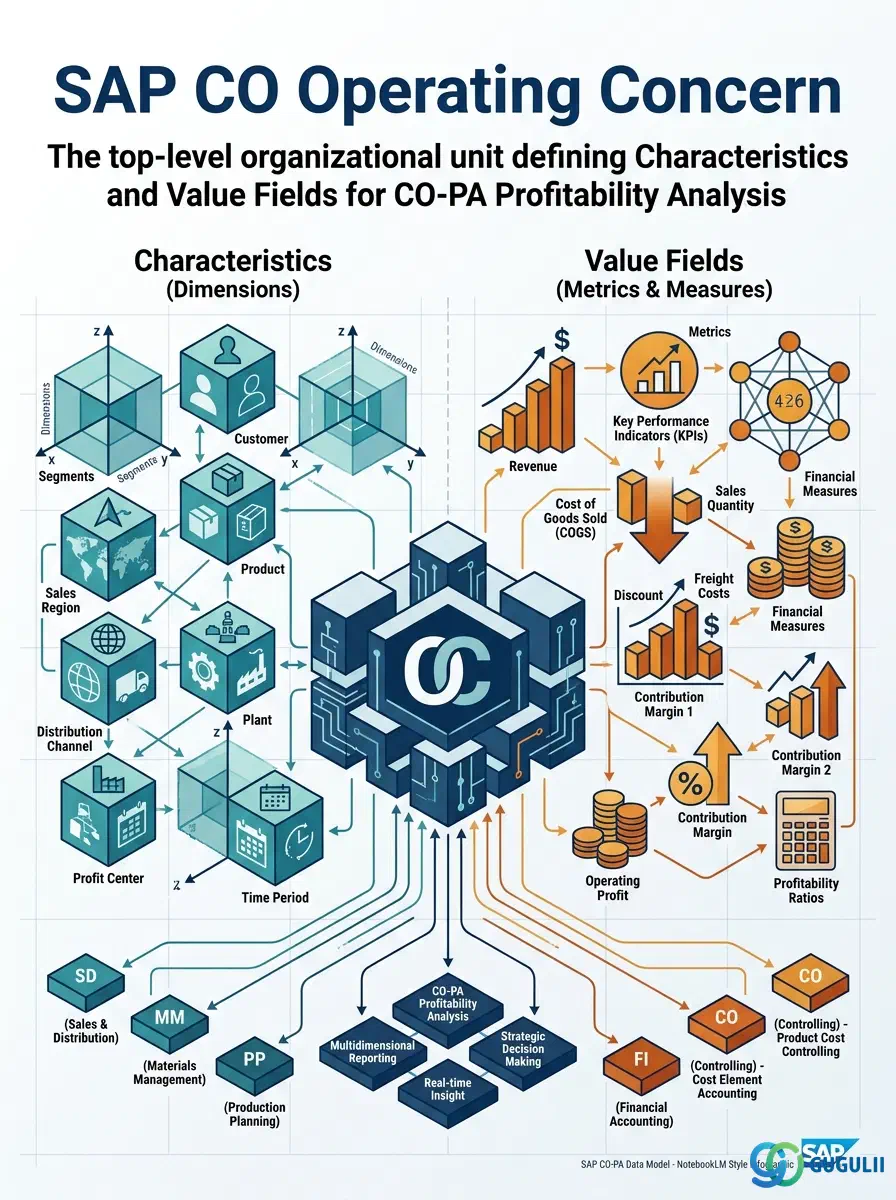
The Operating Concern is the top-level organizational unit for SAP CO-PA (Profitability Analysis) that defines the dimensions and measures used to analyze company profitability. It is configured once per SAP system (or per business scope) and forms the analytical framework for all CO-PA reporting: which dimensions you can slice and dice by (Characteristics such as Customer, Product, Region, Sales Channel), and which financial measures you can analyze (Value Fields such as Revenue, Discounts, Cost of Goods Sold, Marketing Costs, Margin). The Operating Concern design is one of the most strategic and high-impact Customizing decisions in a CO-PA implementation.
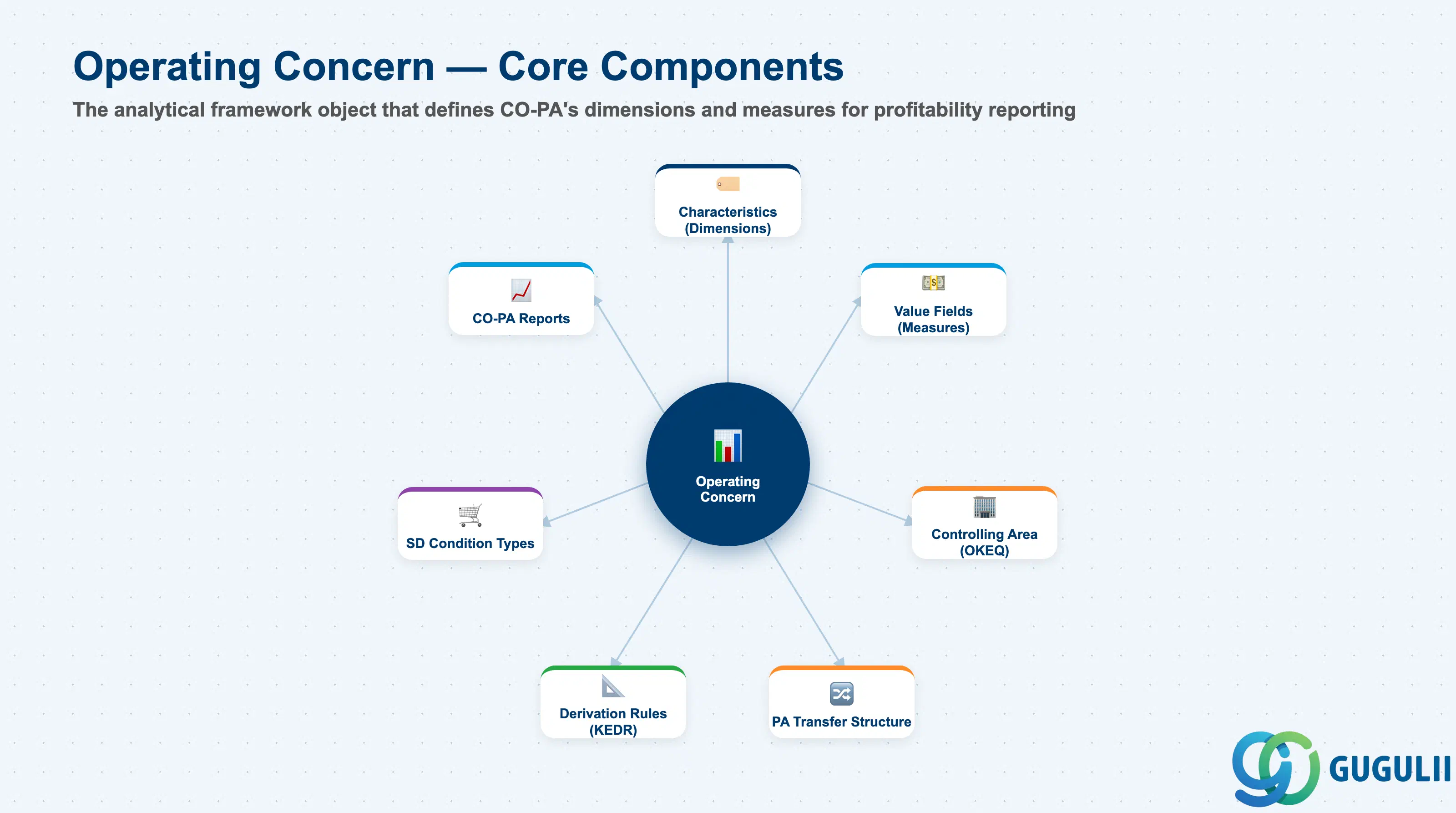
The Operating Concern is the analytical framework object of CO-PA. It defines the “data model” of Profitability Analysis: what dimensions exist, what measures are tracked, and which organizational entities are included. Every CO-PA line item (actual, plan, and statistical) references an Operating Concern and carries values for all defined Characteristics and Value Fields. The Operating Concern is assigned to a Controlling Area, linking it to the CO master data (Cost Centers, Profit Centers, Cost Elements) already defined.
| Aspect | Details |
|---|---|
| Role | Defines the analytical data model for CO-PA: Characteristics (dimensions) and Value Fields (measures) for profitability reporting |
| Modules using it | CO-PA (Profitability Analysis — the object is CO-PA’s foundation), SD (revenue and condition postings to CO-PA on sales order billing), CO-PC (product cost component values transferred to CO-PA via PA transfer structure), FI (account-based CO-PA uses FI documents directly for cost classification) |
| Transactions | KEA0 (Create/Change Operating Concern), KEA3 (Maintain Characteristics), KEA5 (Maintain Value Fields), KEDR (Derivation Rules), KES3 (PA Transfer Structure) |
| Key Tables | TKE1 (Operating Concern definition), TKEVS (Value Fields), TKEMERKS (Characteristics), CE1xxxx (Line item table — one per Operating Concern, e.g., CE1O001 for OC “O001”) |
| S/4HANA note | In S/4HANA, Account-Based CO-PA (aKO-PA) is mandatory. Costing-Based CO-PA (cKO-PA) is optional. The key difference: Account-Based CO-PA posts to reconciled G/L accounts in real time and does not use Value Fields — it uses cost elements and G/L accounts. Costing-Based CO-PA uses Value Fields and creates a separate line item table (CE1xxxx). In S/4HANA Universal Journal (ACDOCA), account-based CO-PA data is natively stored in the same journal entry as FI data, eliminating the reconciliation overhead that was a major pain point in ECC. The Operating Concern still defines the Characteristics for both types, but Value Fields are Costing-Based only. |
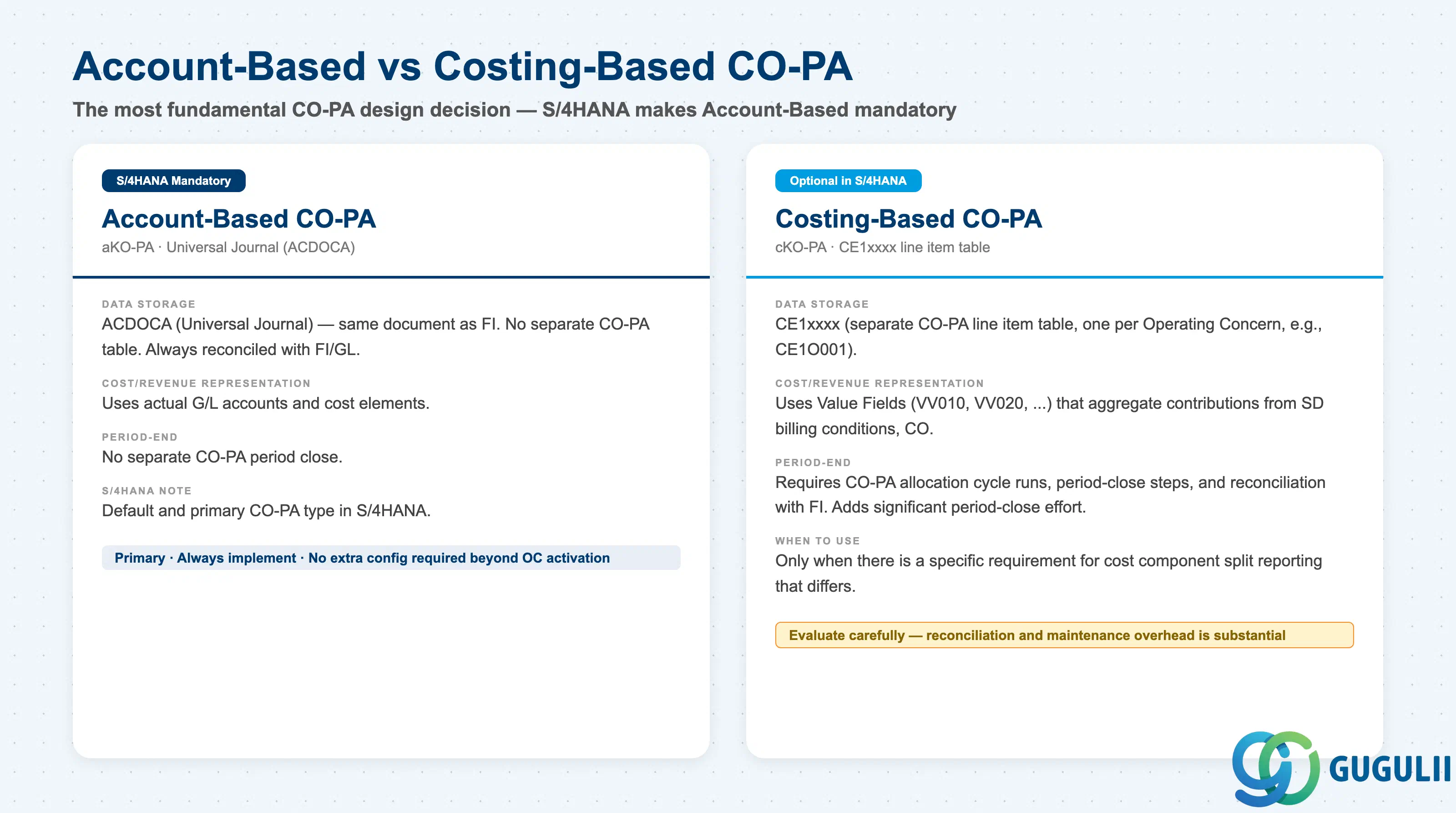
This is the most fundamental design decision in a CO-PA implementation.
| Type | Account-Based (aKO-PA) | Costing-Based (cKO-PA) |
|---|---|---|
| Availability | Mandatory in S/4HANA | Optional (additional configuration required) |
| Data Storage | ACDOCA (Universal Journal) | CE1xxxx (separate CO-PA line item table) |
| Cost Representation | Actual cost elements / G/L accounts | Value Fields (estimated/actual split by component) |
| Revenue Representation | SD billing conditions map to G/L accounts | SD billing conditions map to Value Fields |
| Reconciliation with FI | Always reconciled — same document | Requires periodic reconciliation (CE4xxxx) |
| Period-End Processing | No separate CO-PA period close needed | Requires CO-PA allocation cycle runs |
| Cost Component Split | Via Material Ledger / Cost Component Structure | Via PA Transfer Structure and Value Field assignment |
| Typical Use Case | S/4HANA standard for all clients | When historical Costing-Based CO-PA data is required for continuity, or when Value Field flexibility is essential for management reporting |
Design principle: In S/4HANA, implement Account-Based CO-PA as the primary reporting basis. Implement Costing-Based CO-PA only if there is a specific, documented business requirement that cannot be met with Account-Based CO-PA (typically: the need for cost component split reporting in a format that differs from the Cost Component Structure). The reconciliation and maintenance overhead of Costing-Based CO-PA in addition to Account-Based is substantial — confirm the requirement with the CFO and management reporting team before committing to both types.
Operating Concern sits at the top of the CO organization, above the Controlling Area. One Operating Concern can carry multiple Controlling Areas (1 : N).
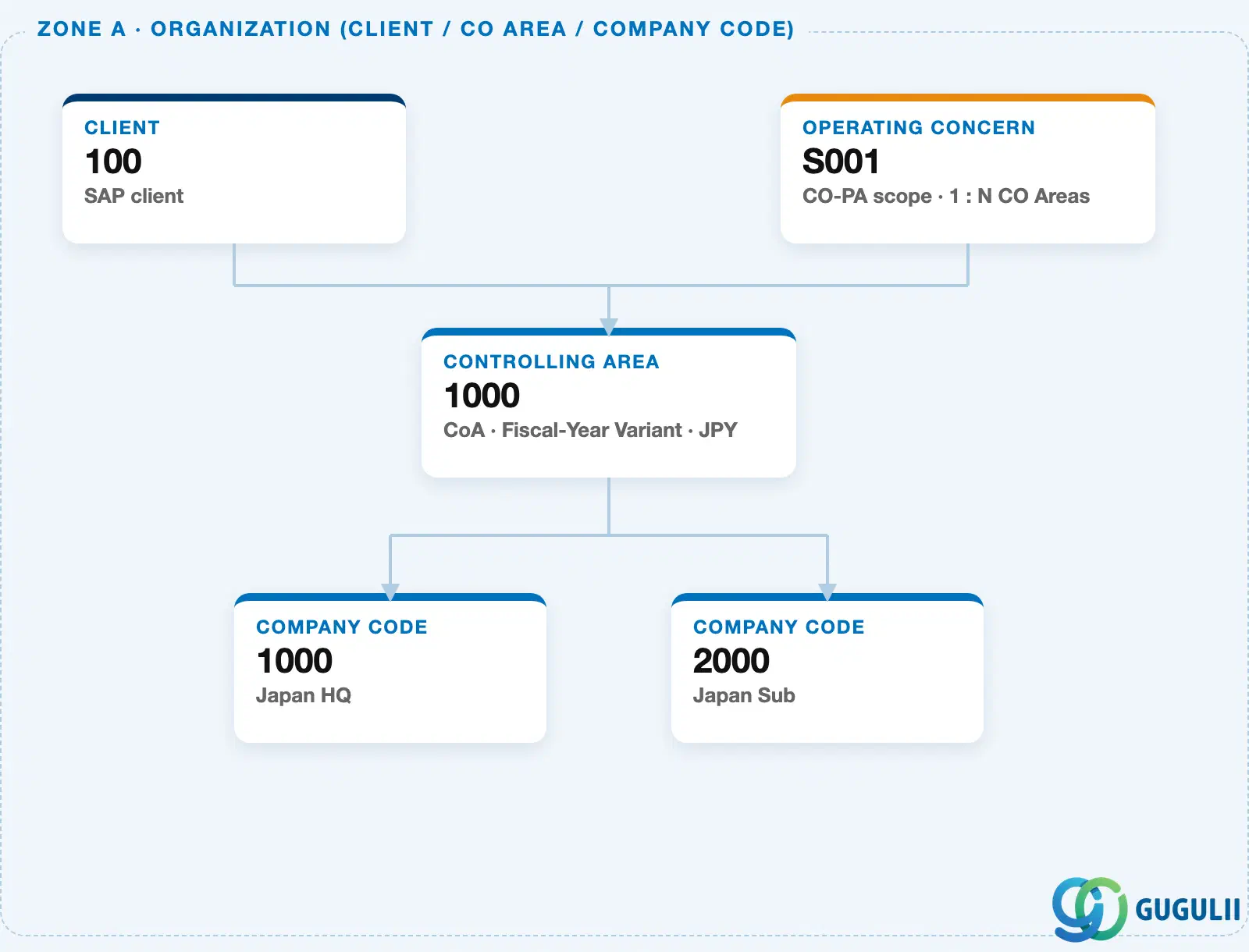
Data hierarchy with a concrete example
Operating Concern "S001"       CO-PA scope · 1 : N CO Areas
   │
   └── Controlling Area "1000"     CoA · Fiscal-Year Variant · JPY
          ├── Company Code "1000"   Japan HQ
          └── Company Code "2000"   Japan Sub
Design principle: One Operating Concern per corporate group is the common design — sharing it across every Controlling Area keeps CO-PA reporting consistent group-wide. Split into multiple Operating Concerns only when business units genuinely need different Characteristics or currencies for profitability analysis.
| Object | Relationship | Practical Notes |
|---|---|---|
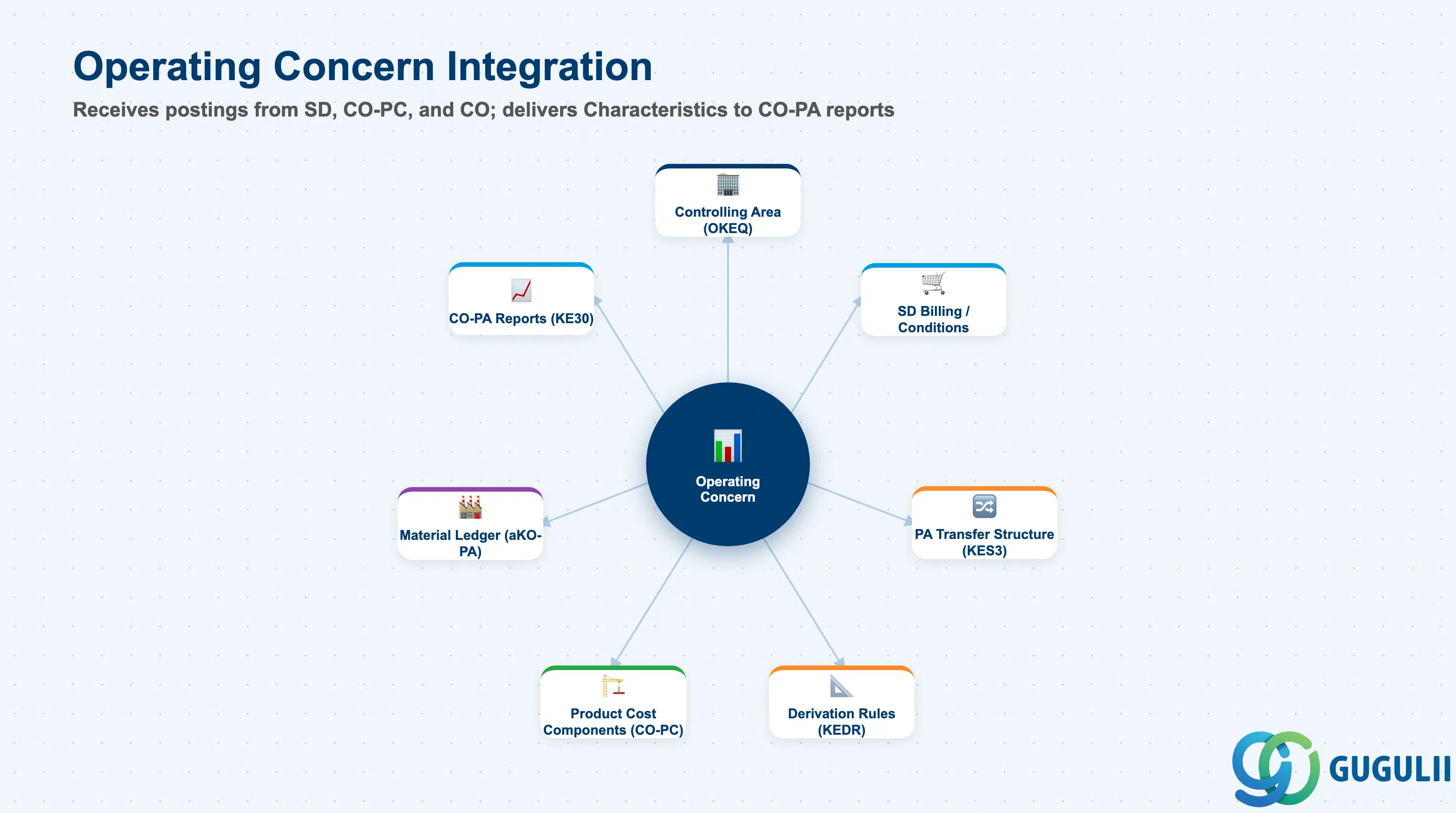
| Controlling Area (OKKP) | Operating Concern is assigned to a Controlling Area via OKEQ | Multiple Controlling Areas can share one Operating Concern — typical in global implementations where all company codes report to the same CO-PA. Each CA must be explicitly assigned to the OC. |
| SD Condition Types | SD billing conditions map to CO-PA Value Fields via PA Transfer Structure | For Costing-Based CO-PA: the PA Transfer Structure (KES3) maps SD condition types (PR00, RA01, etc.) to Value Fields (VV010 Revenue, VV020 Discounts). For Account-Based CO-PA: SD conditions map to G/L accounts natively. The mapping must cover all SD pricing condition types used in billing. |
| PA Transfer Structure | Defines how CO-PA value fields receive values from CO settlements and SD billing | The PA Transfer Structure controls how costs from cost center assessments, order settlements, and product cost settlements flow into CO-PA Value Fields. One of the most complex configuration objects in CO-PA — design it after all cost flows are mapped. |
| Derivation Rules (KEDR) | Automatically populate Characteristics from posted documents | Derivation rules fill in CO-PA Characteristics that cannot be derived directly from the source document. Example: derive “Sales Channel” from Customer Group, derive “Product Hierarchy” from Material number. Up to 20 derivation steps can be chained. Test all derivation rules with real document examples in unit testing. |
| Product Cost Component Structure | Cost component values transferred to CO-PA Value Fields | Via PA Transfer Structure → product cost settlement, each Cost Component (Raw Material, Labor, Overhead) maps to a specific CO-PA Value Field. Enables margin analysis that shows gross profit less each cost component. |
| Data Section | CO Involvement | Notes |
|---|---|---|
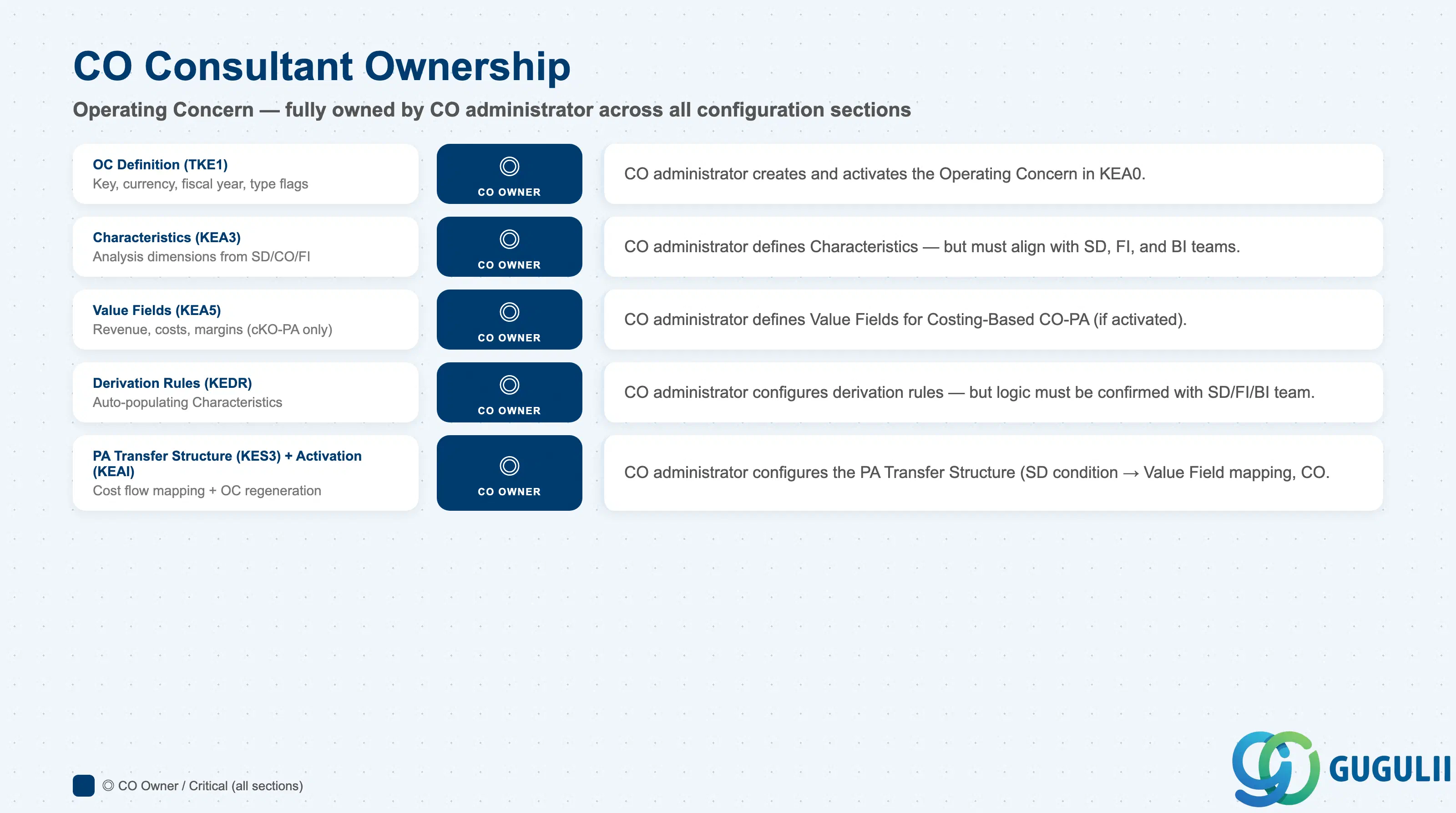
| Operating Concern Definition (TKE1) | ◎ Owner | CO administrator creates and activates the Operating Concern in Customizing |
| Characteristics (TKEMERKS) | ◎ Owner | CO administrator defines — but Characteristics often map to SD or FI fields, requiring cross-functional alignment |
| Value Fields (TKEVS) | ◎ Owner | CO administrator defines Value Fields (Costing-Based only) — must align with the PA Transfer Structure design |
| Derivation Rules (KEDR) | ◎ Owner | CO administrator configures — but derivation logic must be confirmed with SD/FI/BI team |
| PA Transfer Structure (KES3) | ◎ Owner | CO administrator configures — requires input from SD (condition type mapping) and CO-PC (cost component mapping) |
| Operating Concern Activation (KEAI) | ◎ Owner | Must be regenerated whenever Characteristics or Value Fields are added. CO administrator runs KEAI. |
Legend: ◎ = Owner / Critical, ○ = Direct involvement
| Field | Description | Practical Usage |
|---|---|---|
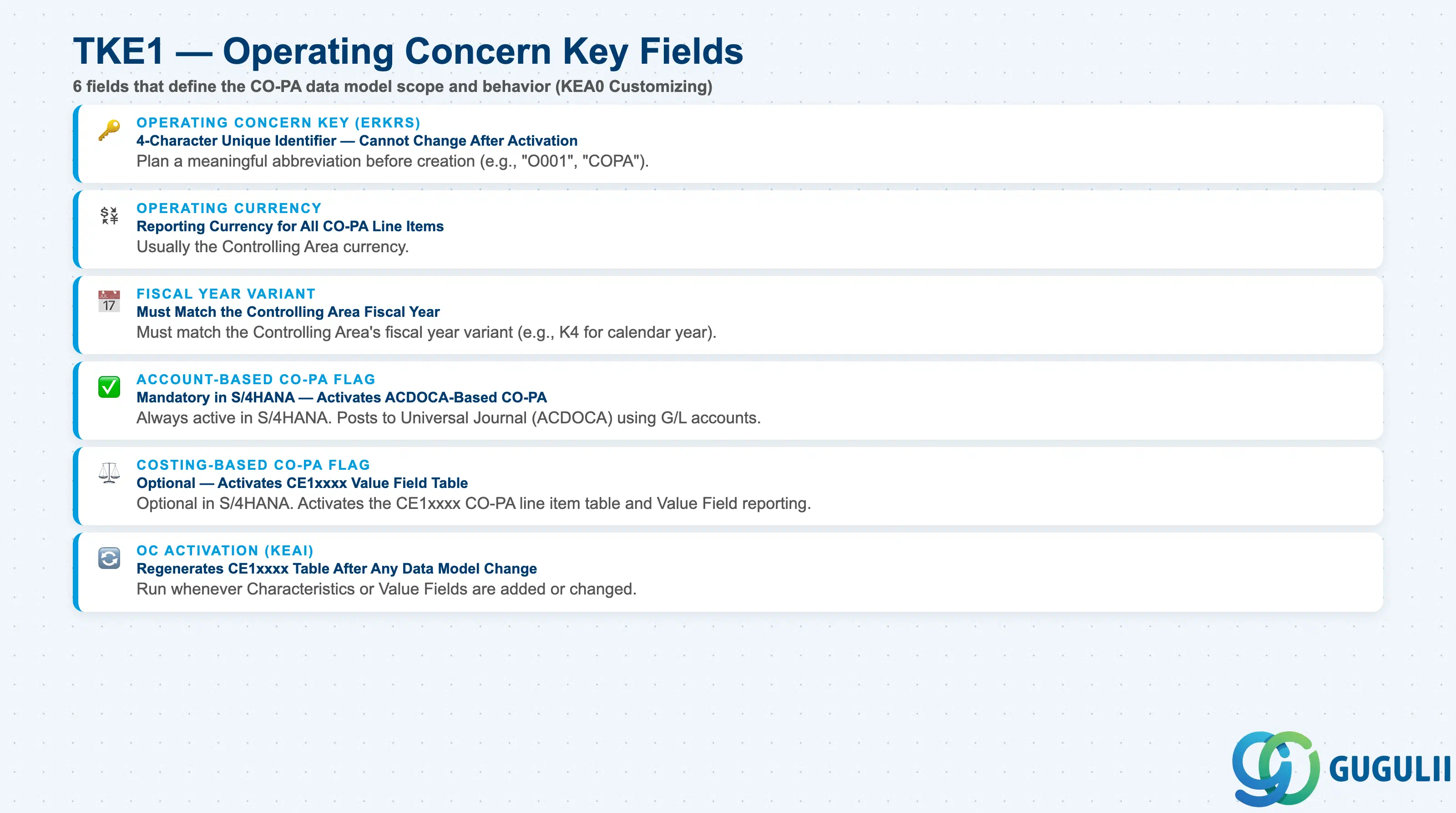
| Operating Concern (ERKRS) | 4-character unique key | Typically uses a meaningful abbreviation (e.g., “O001”, “COPA”, “GOPA” for global). The key is referenced in every CO-PA transaction, report, and configuration object — plan the key before creation. Cannot be changed after activation. |
| Description | Free-text description | Describe the scope: “Global Profitability Analysis — All Company Codes”. Include whether this is Account-Based only or also Costing-Based. Visible in Customizing navigation and selection dialogs. |
| Operating Currency | Currency for CO-PA reporting | Usually the Controlling Area currency (company code currency for single-CA). For multi-CA global implementations, may be a group reporting currency (EUR, USD). Confirm with FI/Group Reporting team — the currency set here drives the reporting currency in all CO-PA reports. |
| Fiscal Year Variant | Controls the fiscal year structure | Must match the Controlling Area’s fiscal year variant. For fiscal years aligned with the calendar year (K4), select K4. For non-standard fiscal years (e.g., April to March), select the appropriate variant. Mismatch between OC fiscal year and CO fiscal year is a fatal configuration error. |
| Account-Based CO-PA | Activates Account-Based CO-PA | Must be active in S/4HANA. Enables posting of CO-PA data using G/L accounts in the Universal Journal (ACDOCA). |
| Costing-Based CO-PA | Activates Costing-Based CO-PA | Optional in S/4HANA. Activates the CE1xxxx line item table and Value Field-based CO-PA. Enable only when there is a specific business requirement. |
| Element | Description | Practical Usage |
|---|---|---|
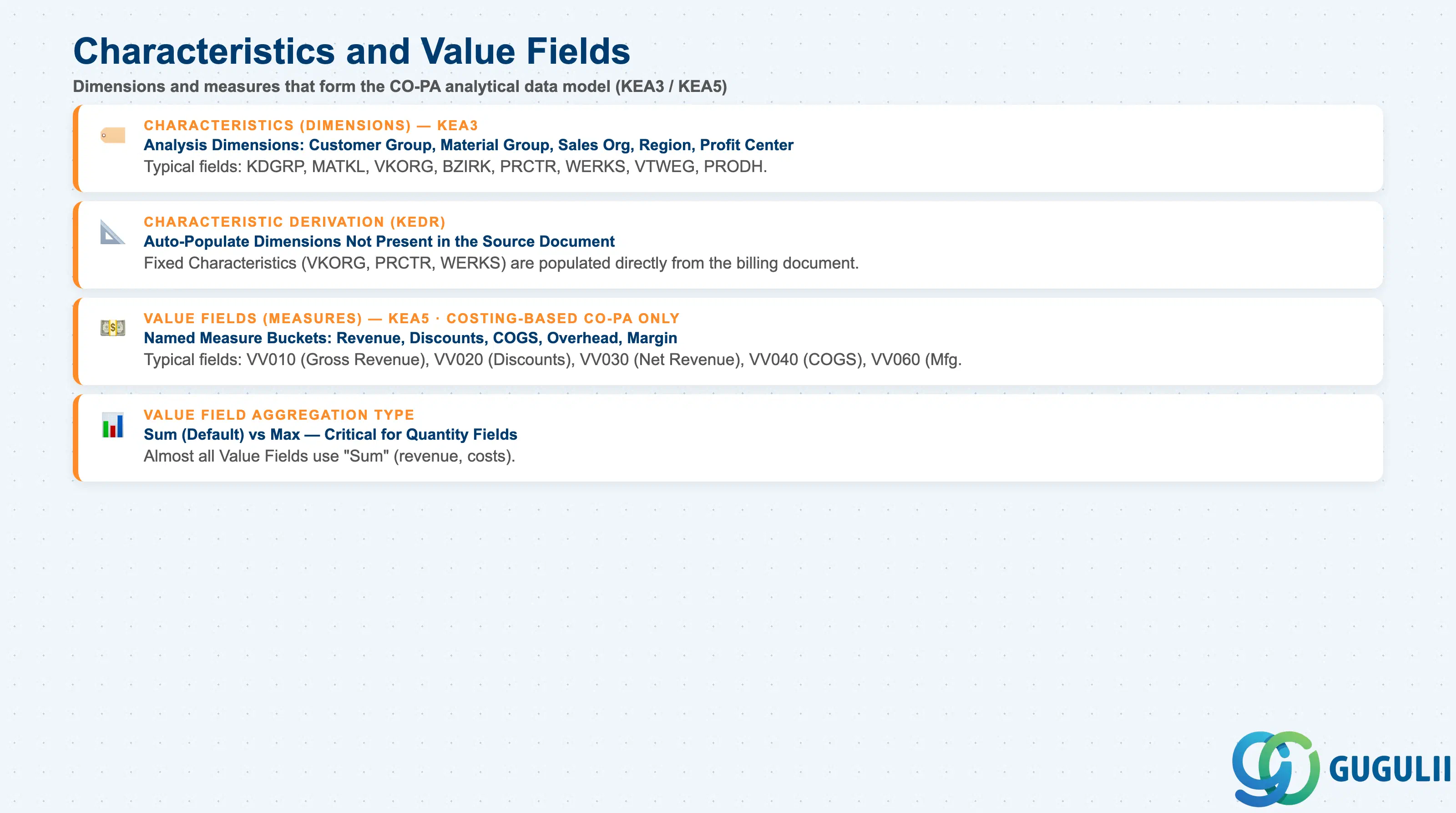
| Characteristic (Dimension) | A named dimension for slicing and dicing profitability data | Typical Characteristics: Customer (KUNNR), Material Group (MATKL), Sales Organization (VKORG), Sales District (BZIRK), Profit Center (PRCTR), Plant (WERKS), Distribution Channel (VTWEG), Product Hierarchy (PRODH). Each Characteristic maps to an existing field in SD, CO, or FI. Custom Characteristics (PAPH1, etc.) can be defined for client-specific dimensions (Brand, Channel, Business Line). |
| Characteristic Derivation | How Characteristics are populated on CO-PA line items | Fixed characteristics (VKORG, PRCTR, WERKS) are populated directly from the source document. Derived characteristics are filled by Derivation Rules (KEDR) — e.g., “derive Region from Sales District lookup table.” All Characteristics must have a populated value on every CO-PA posting — empty Characteristics cause drill-down reports to show unclassified totals. |
| Value Field (Costing-Based) | A named measure bucket for a specific financial value | Typical Value Fields: VV010 (Gross Revenue), VV020 (Customer Discounts), VV030 (Net Revenue), VV040 (Material Costs), VV050 (Production Labor), VV060 (Manufacturing Overhead), VV090 (Contribution Margin I). Value Fields accumulate (sum) values from multiple sources: SD billing, CO settlements, CO-PA allocations. Design the Value Fields to match the management P&L format used by the CFO. |
| Value Field Aggregation | Whether the value field sums or takes the maximum | Almost always “Sum” (additive values like revenue and costs). “Max” is used only for statistical value fields like quantity fields where the maximum in a period makes more sense than summing. |
| ID | Category | Title |
|---|---|---|
| co-001 | Overview | What is SAP CO? |
| ID | Category | Title |
|---|---|---|
| co-a01 | Overview | SAP CO Master Data: Overview, Hierarchy & Relationships |
| co-a02-01 | Master Data | SAP CO Material Master |
| co-a03-01 | Master Data | SAP CO Cost Element |
| co-a03-02 | Master Data | SAP CO Cost Element Group |
| co-a04-01 | Master Data | SAP CO Profit Center Group |
| co-a04-02 | Master Data | SAP CO Profit Center |
| co-a05-01 | Master Data | SAP CO Cost Center Group |
| co-a05-02 | Master Data | SAP CO Cost Center |
| co-a05-03 | Master Data | SAP CO Activity Type Group |
| co-a05-04 | Master Data | SAP CO Activity Type |
| co-a05-05 | Master Data | SAP CO Statistical Key Figure |
| co-a06-01 | Master Data | SAP CO Internal Order Group |
| co-a06-02 | Master Data | SAP CO Internal Order |
| co-a07-01 | Master Data | SAP CO Cost Component Structure |
| co-a07-02 | Master Data | SAP CO Costing Variant |
| co-a08-01 | Master Data | SAP CO Operating Concern 📍 |
| ID | Category | Title |
|---|---|---|
| co-b01 | Overview | SAP CO Transactions: Process Flow, Hierarchy & Relationships |