SAP Consultant | BTP · S/4HANA · US Global Rollout
·9 min read
TL;DR
SAP EWM manages all warehouse movements — inbound, outbound, internal transfers, and physical inventory — at the storage-bin level, well beyond what IM alone provides.
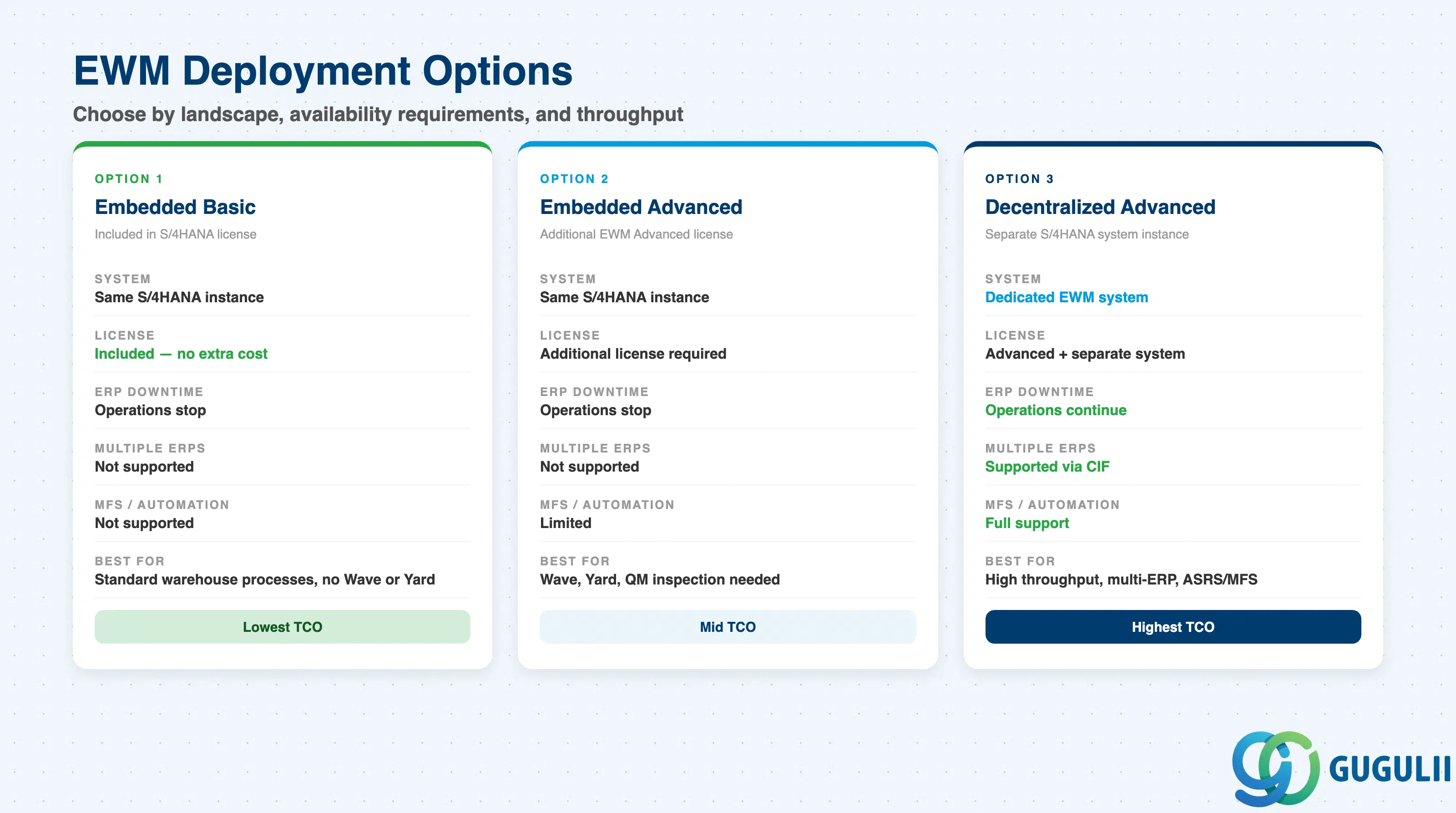
The Embedded vs Decentralized deployment decision is the first architectural choice: Embedded reduces TCO and eliminates master data replication, but Decentralized is required when the warehouse must survive ERP downtime or connect to multiple ERP systems.
Warehouse structure design (Warehouse Number → Storage Type → Storage Section → Storage Bin), putaway/picking strategy configuration, and integration boundaries with MM, SD, PP, QM, and TM are the core customizing decisions in the requirements definition phase.
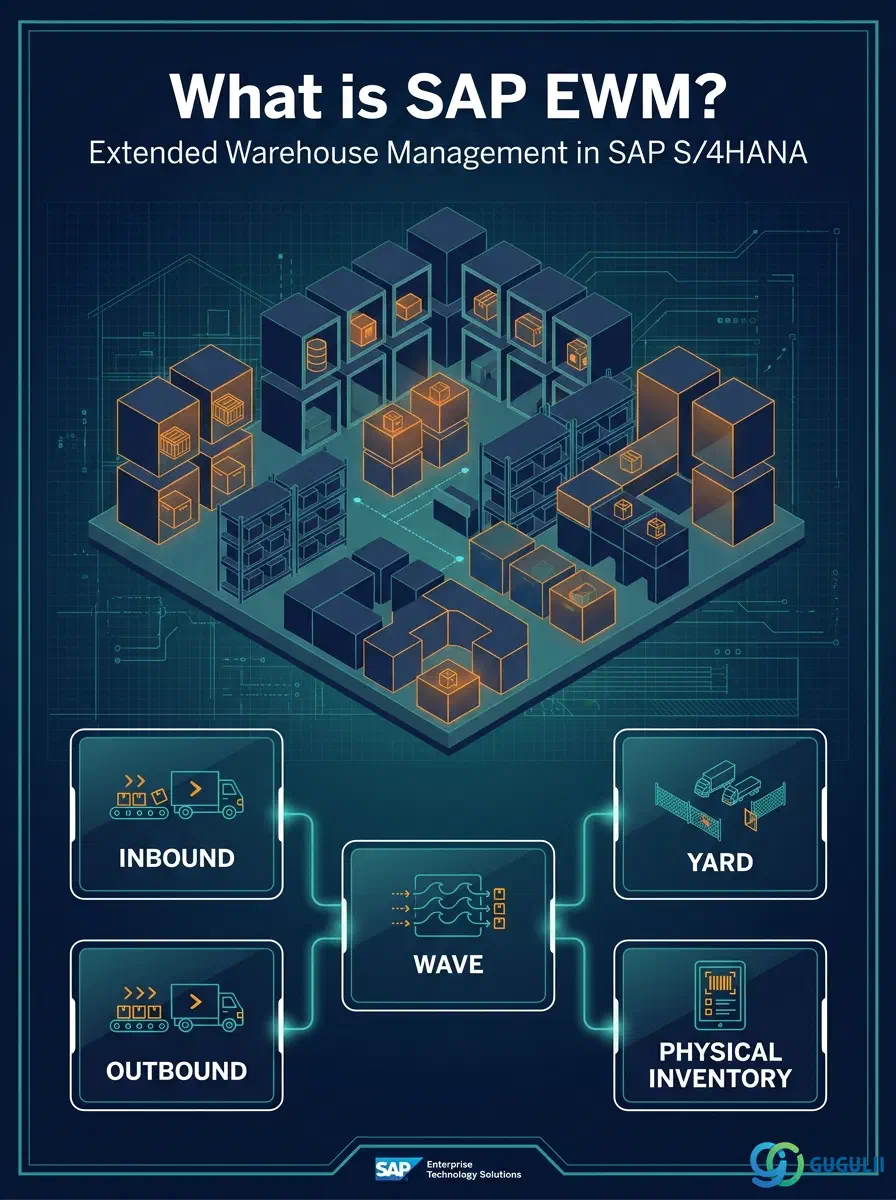
SAP Extended Warehouse Management (EWM) is an advanced warehouse management application within SAP S/4HANA that provides real-time, bin-level control over all warehouse movements. Where SAP Inventory Management (IM) tracks stock at the storage-location level, EWM drills down to the individual storage bin — the exact shelf position of a pallet or carton — and manages the physical journey of every unit through the warehouse.
EWM became part of the S/4HANA platform from release 1610 onwards. It supersedes the earlier standalone SAP Extended Warehouse Management (formerly known as SAP SCM EWM) and the classic Warehouse Management (WM) module, which SAP has flagged for eventual discontinuation in S/4HANA.
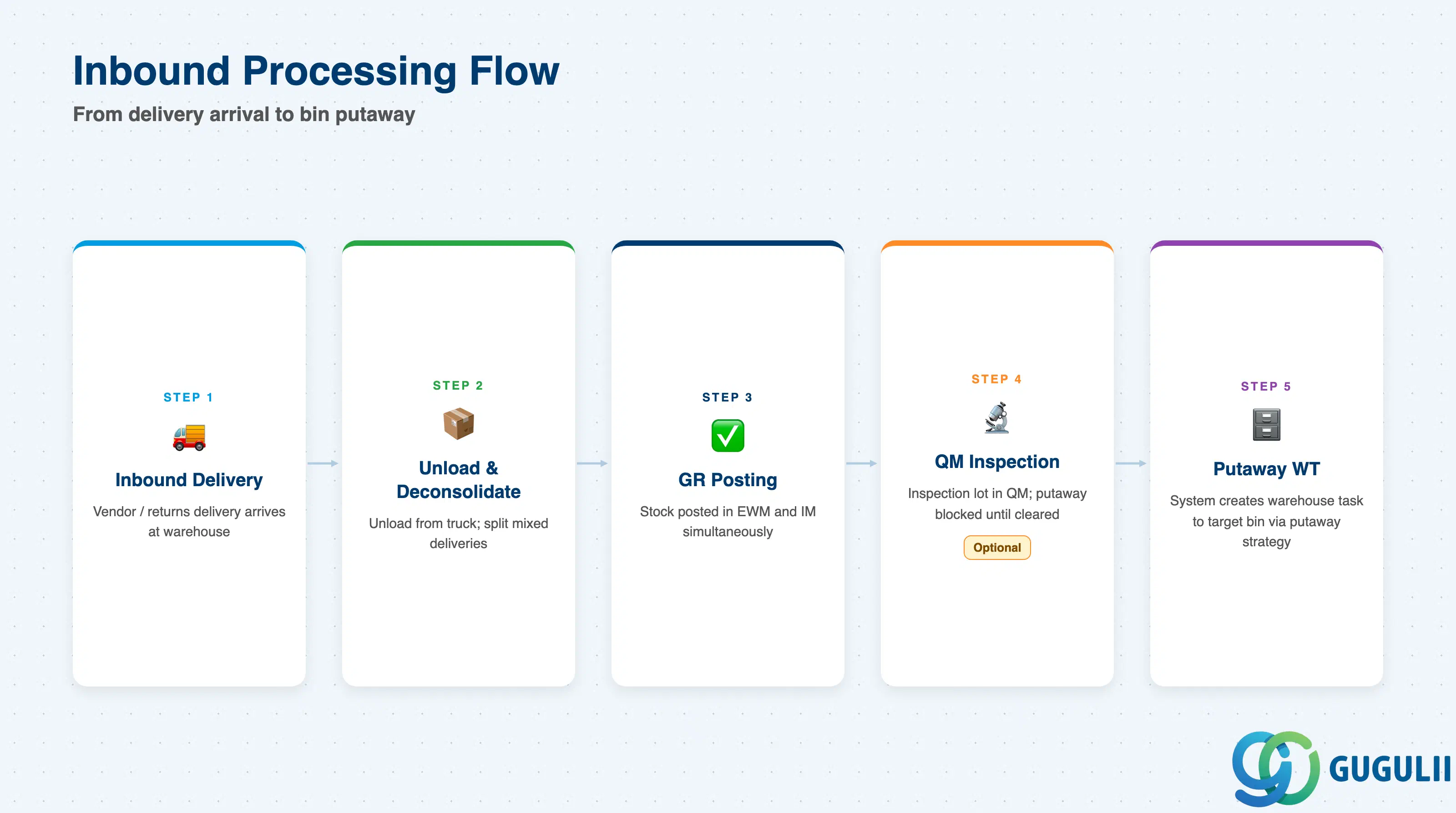
The inbound process in EWM begins when an inbound delivery arrives from a vendor or returns from a customer. The steps handled by EWM are:
Unloading — the physical unloading of trucks or containers from the yard, recorded against a transportation unit.
Deconsolidation — splitting a mixed inbound delivery into individual materials or handling units for separate processing.
Goods Receipt (GR) — posting the stock increase in both EWM (EWM stock) and IM (IM stock) simultaneously. For embedded EWM the two databases share the same system, so posting is immediate.
Quality Inspection — if QM integration is active, goods can be placed into Quality Inspection stock. EWM blocks putaway until the inspection lot is cleared and the stock type changed to Unrestricted.
Putaway Warehouse Task (WT) Creation and Execution — the system creates a warehouse task directing a warehouse worker (via RF scanner or GUI) to move the goods to the destination storage bin. The destination bin is determined by the putaway strategy configured for the storage type.
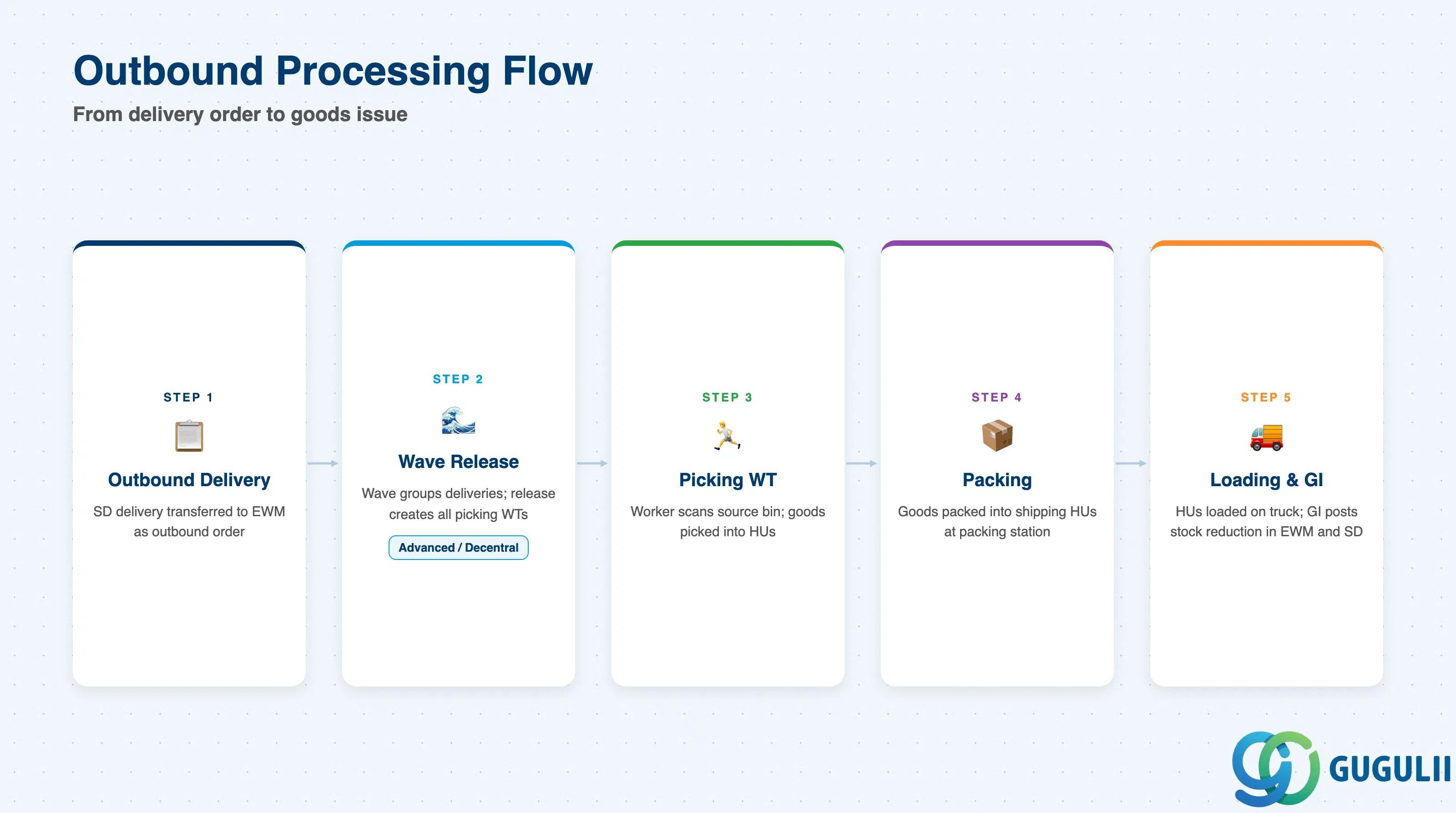
The outbound process begins when an outbound delivery is created in SD and transferred to EWM. EWM then manages:
Picking Warehouse Task Creation — for each delivery item, a picking WT is created directing the worker to the source bin.
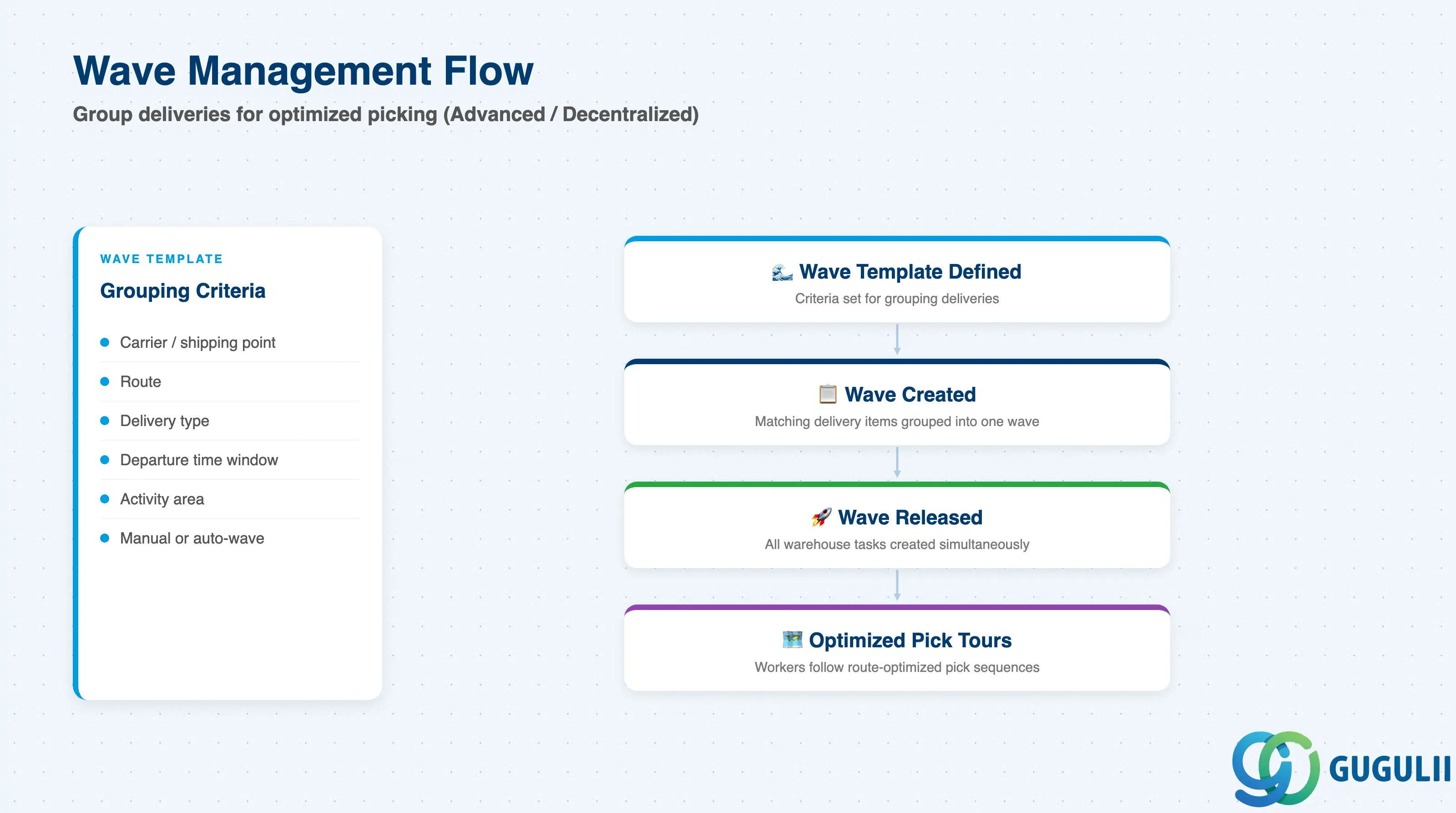
Wave Management (Advanced/Decentralized) — multiple outbound deliveries can be grouped into a wave by a wave template. Releasing the wave creates all picking WTs at once, enabling route-optimized pick tours.
Packing — picked goods are packed into shipping handling units (HUs) at packing work centers. Pack Handling Units (Pick HUs) can be created automatically through Warehouse Order Creation Rules (WOCR).
Staging and Loading — packed HUs are staged at the goods issue zone and loaded onto the truck.
Goods Issue (GI) — GI posts the stock reduction in both EWM and IM/SD, triggering billing in SD.
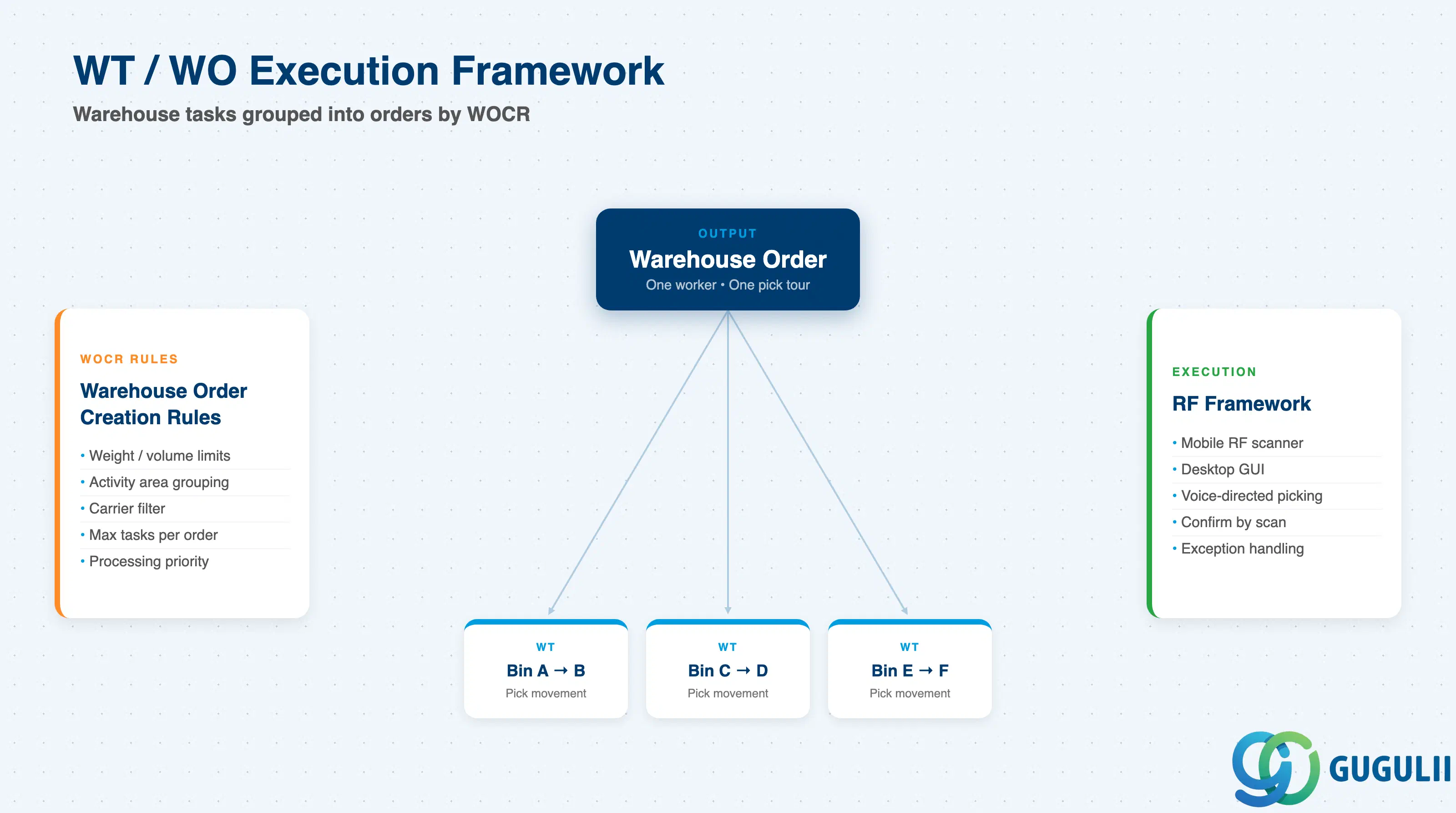
The engine that drives physical execution in EWM is the Warehouse Task (WT) and Warehouse Order (WO) framework:
A Warehouse Task is a single movement instruction: move product X from bin A to bin B.
A Warehouse Order groups one or more warehouse tasks into a unit of work for a single worker or resource, governed by Warehouse Order Creation Rules (WOCR). WOCR filters and caps tasks by weight, volume, activity area, or carrier to create ergonomic pick tours.
Execution is typically performed via the RF Framework (mobile scanner transactions), though desktop GUI and voice-directed picking are also supported.
Handling Units (HUs) are containers that carry products through the warehouse. EWM tracks the HU hierarchy (e.g., pallet → carton → item) and can enforce packing specifications that define how many items fit into a carton and how many cartons stack on a pallet.
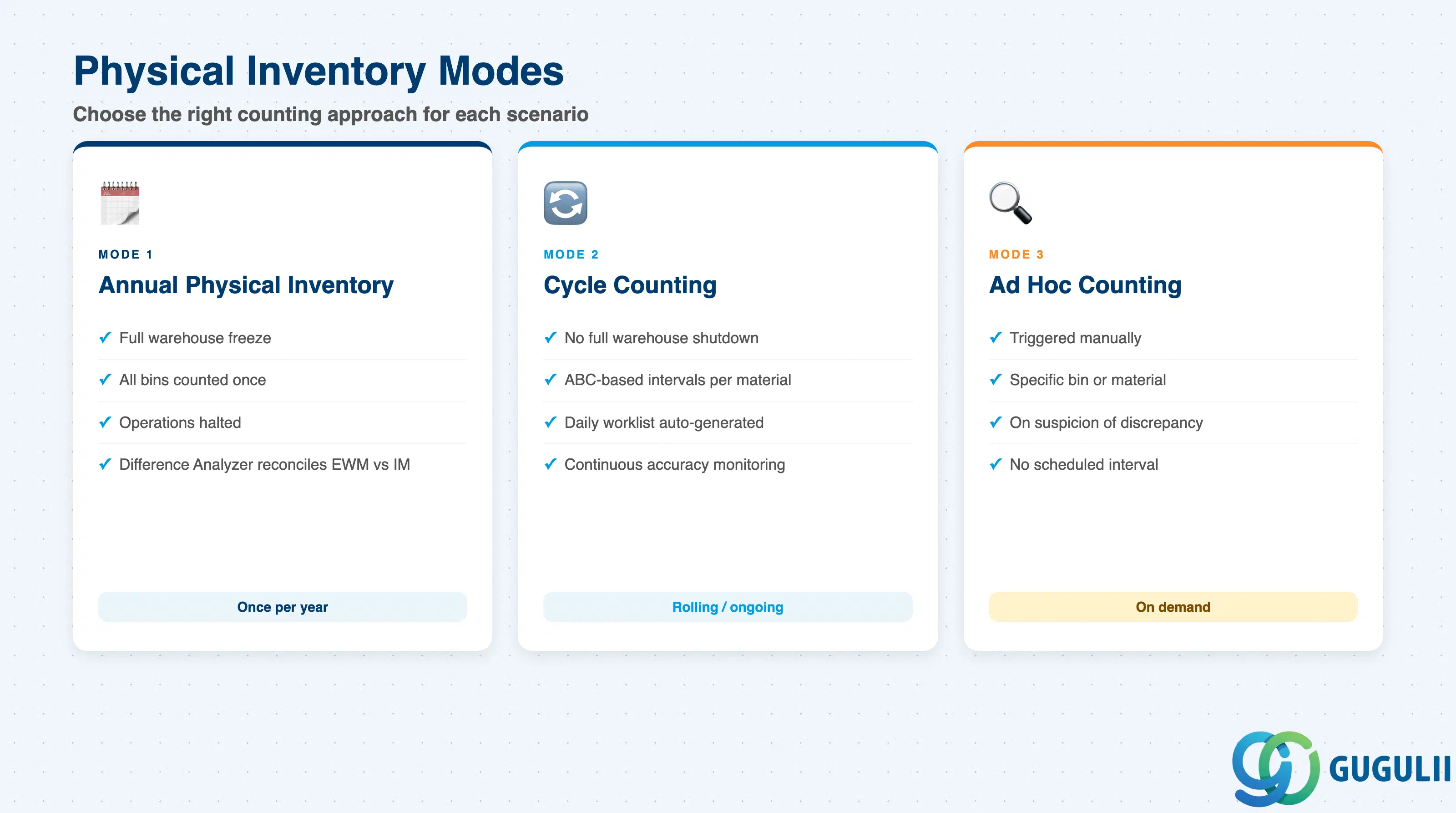
Annual Physical Inventory: all warehouse movements are frozen while every storage bin is counted. Stock differences are posted back to IM via the Difference Analyzer.
Cycle Counting: continuous, low-disruption counting based on intervals defined per material. Each material is assigned a cycle-counting indicator (e.g., A/B/C ABC class) that defines the counting frequency in working days. Bins due for counting appear on a daily worklist without stopping other operations.
Ad Hoc counting: triggered manually when a discrepancy is suspected.
Yard Management (Embedded Advanced and Decentralized) manages the movement of transportation units (trucks, trailers) within the yard:
Check-in at the gate: the yard clerk registers the arriving TU and records its position in the yard.
Yard movements: moving TUs between yard positions and warehouse doors.
Door assignment: docking the TU to the correct unloading or loading door.
Check-out: registering departure after loading/unloading.
Wave Management is the planning layer above picking execution. A wave template defines criteria for grouping outbound delivery items (carrier, route, delivery type, departure time window). The planner — or an automated background job — groups matching items into a wave. When the wave is released, EWM creates all warehouse tasks and warehouse orders simultaneously. This enables the system to optimize pick routes across multiple deliveries, reducing travel distance and increasing throughput. Wave Management is available in Embedded Advanced and Decentralized EWM.
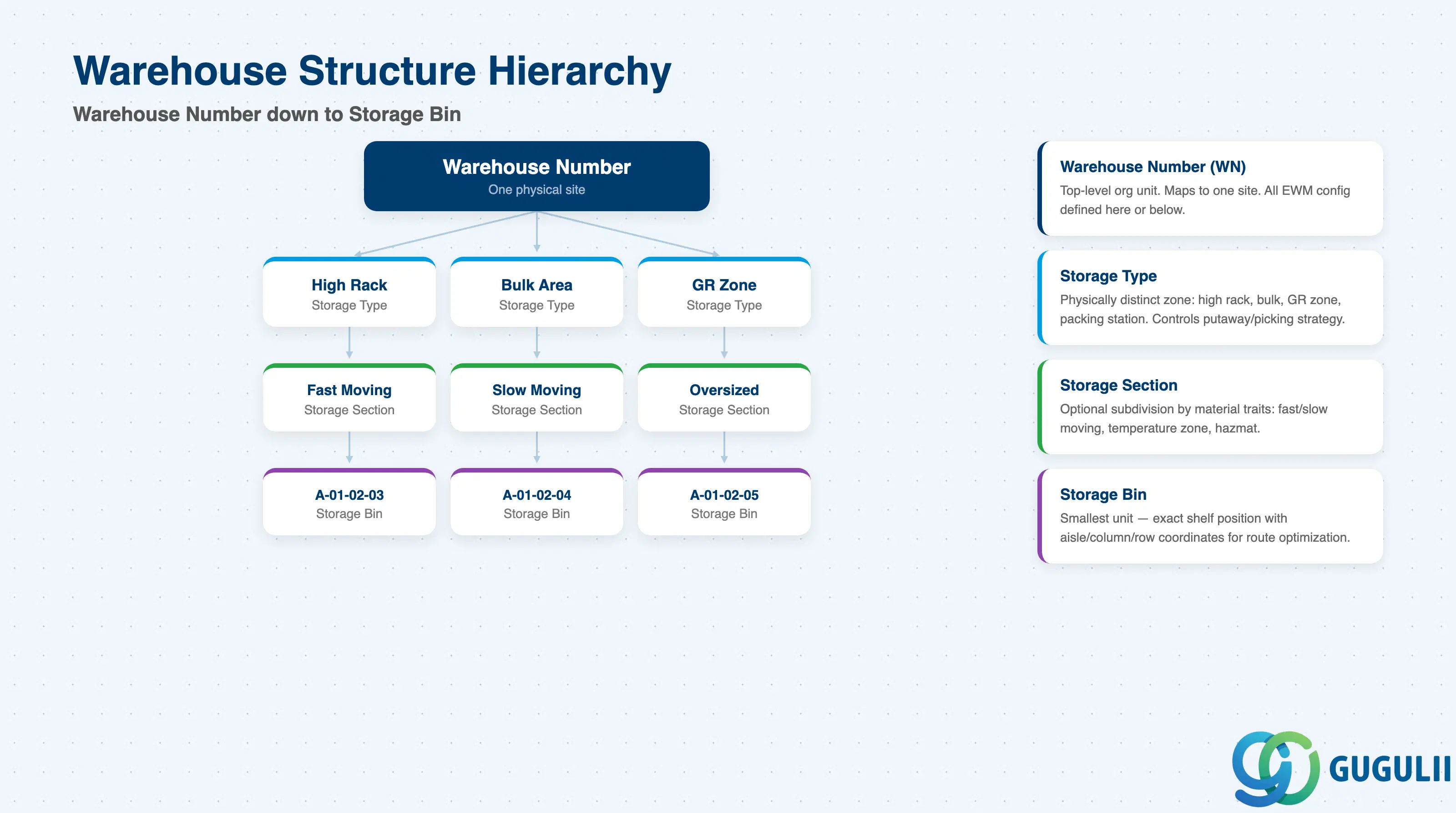
EWM’s organizational structure maps to the physical warehouse layout through a four-level hierarchy:
Warehouse Number (WN)
└── Storage Type
    └── Storage Section
        └── Storage Bin
Warehouse Number: the top-level organizational unit in EWM, corresponding to one physical warehouse site. It is assigned to one or more IM storage locations. All EWM configuration — strategies, activity areas, warehouse orders — is defined at or below the warehouse number level.
Storage Type: represents a physically distinct area within the warehouse — for example, a high-rack area, a bulk storage area, a goods receipt zone, a packing station, or a goods issue zone. The storage type controls how products enter and leave its bins (putaway strategy, picking strategy, mixed-storage rules, etc.).
Storage Section: an optional subdivision of a storage type used to separate materials by handling or storage requirements. A classic example is splitting a high-rack storage type into a fast-moving section (near the goods issue zone) and a slow-moving section (further away).
Storage Bin: the smallest spatial unit — the exact bin, shelf, or floor position where a specific quantity of a specific product is stored. Bins have coordinates (aisle, column, row) that enable route optimization.
Additionally, Activity Areas can span bins across multiple storage types. They are used to group bins for task sequencing — for example, defining a pick tour that sweeps an aisle from bottom to top before moving to the next aisle.
No Wave Management, Yard Management, or quality inspection in the warehouse.
Budget constraints favor the included license.
Choose Embedded Advanced when:
Wave Management is required (combining multiple deliveries for optimized picking).
Yard Management (door assignment, TU tracking) is needed.
Quality Inspection integration (quarantine zones, inspection lot management in EWM) is required.
The warehouse is mid-size and does not require independent operation from the ERP.
Choose Decentralized when any of the following apply:
Multiple ERP connections: the warehouse serves goods from more than one SAP ERP or S/4HANA system (e.g., a logistics service provider running a shared warehouse for multiple entities). Embedded EWM cannot integrate to storage locations in another system/client.
ERP downtime independence: warehouse operations must continue when the ERP system is down for maintenance or outages.
High automation / MFS: conveyor systems, ASRS (Automated Storage and Retrieval Systems), pick-by-light, or pick-by-voice at high throughput volumes require a dedicated system to avoid I/O bottlenecks in a shared S/4HANA instance.
High transaction volume: the warehouse generates warehouse task volumes that would impact ERP performance if co-located.
In decentralized EWM, master data (material, business partner, batch) must be replicated from the ERP via Core Interface (CIF). Transaction data (inbound/outbound deliveries) travels via queued RFC (qRFC). This adds integration overhead but decouples warehouse availability from ERP availability.
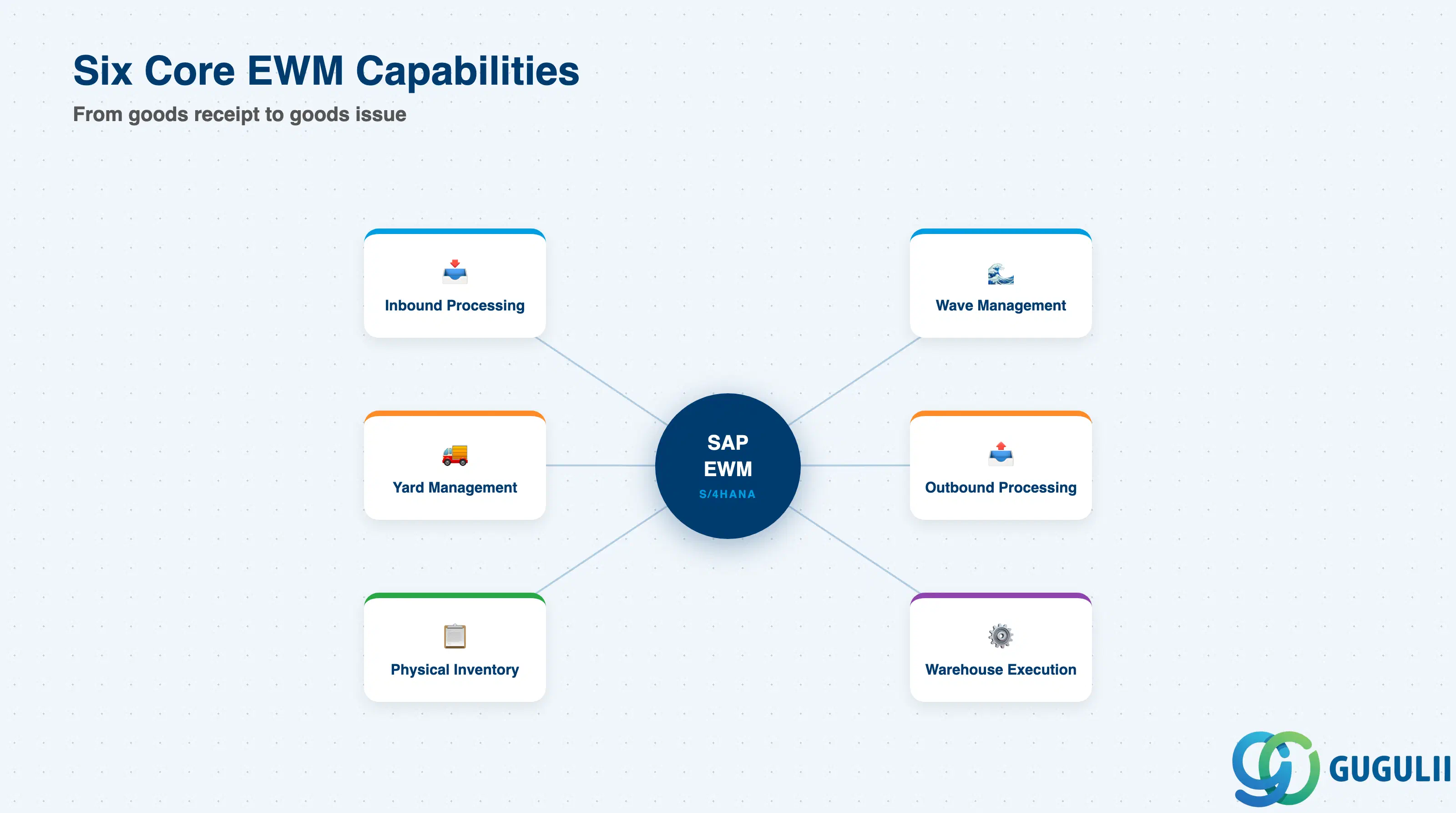
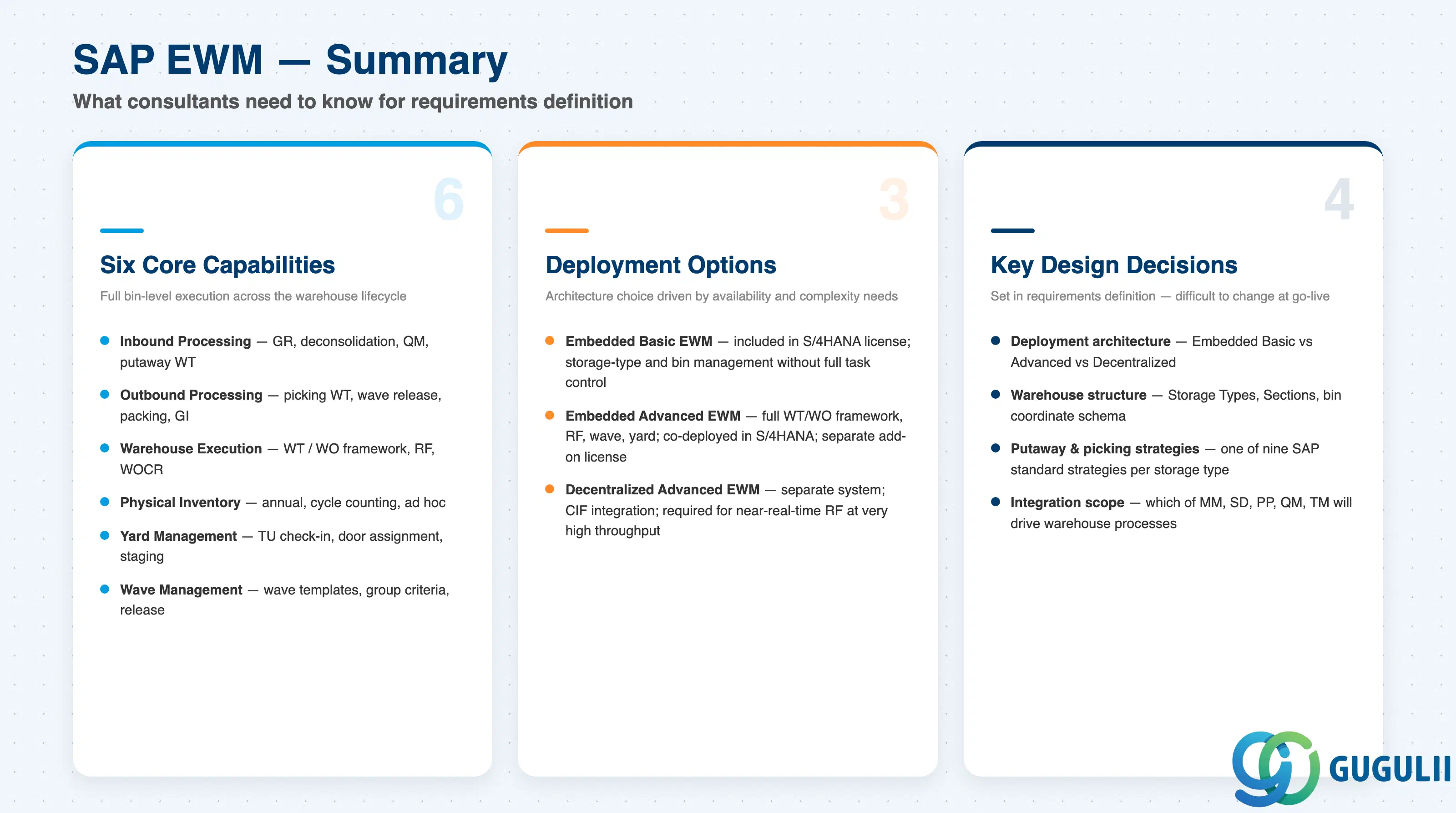
SAP EWM extends S/4HANA’s warehouse capabilities from storage-location-level stock tracking to full bin-level execution management. The six core capability pillars — Inbound Processing, Outbound Processing, Warehouse Execution, Physical Inventory, Yard Management, and Wave Management — cover the full operational lifecycle of a warehouse.
For consultants and key users entering the requirements definition phase, the critical decisions are:
Deployment architecture: Embedded Basic, Embedded Advanced, or Decentralized — driven by ERP landscape, availability requirements, automation level, and throughput.
Warehouse structure design: mapping physical zones to Storage Types and Sections; designing the bin coordinate schema.
Putaway and picking strategies: selecting from SAP’s nine standard putaway strategies and the corresponding picking strategies per storage type.
Integration scope: defining which of MM, SD, PP, QM, and TM will drive warehouse processes and how stock types are synchronized.
Getting these decisions right early prevents costly rework during realization and go-live.