Title here
Summary here

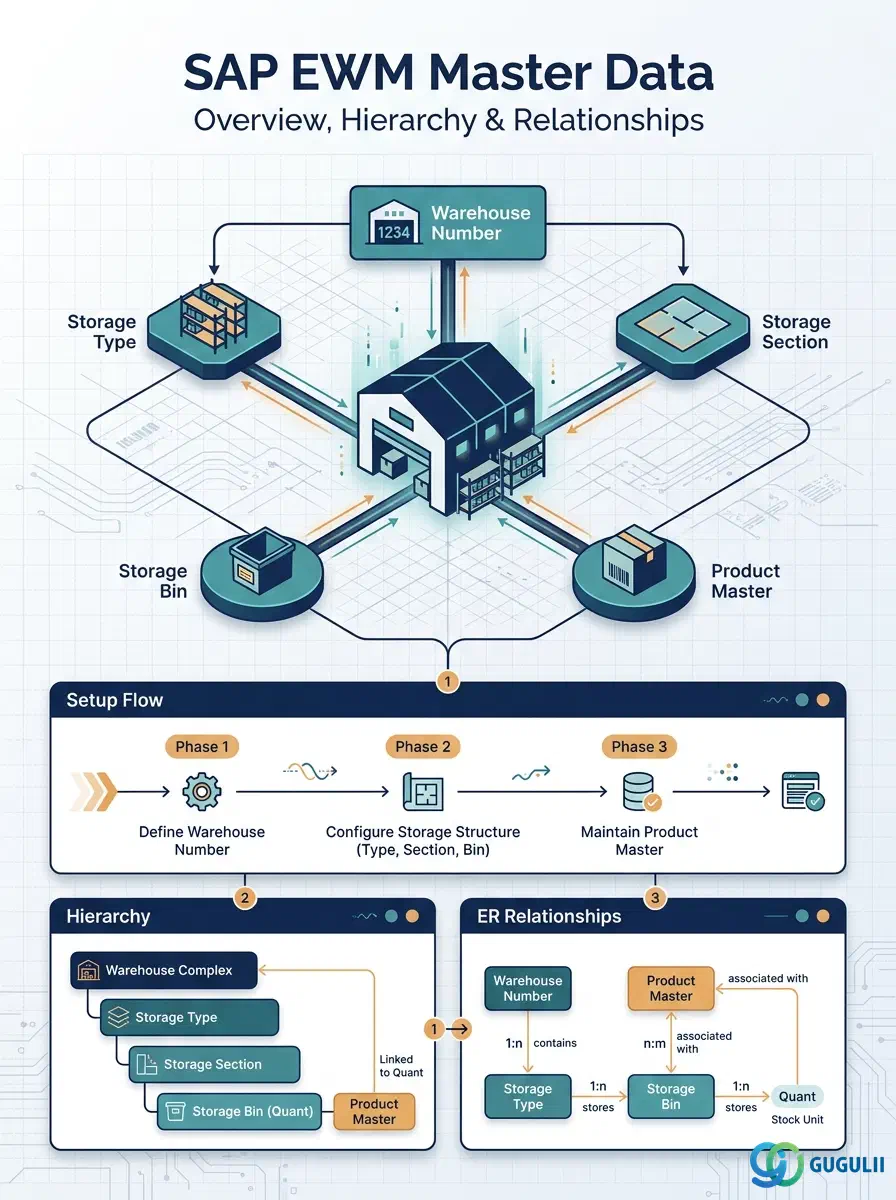
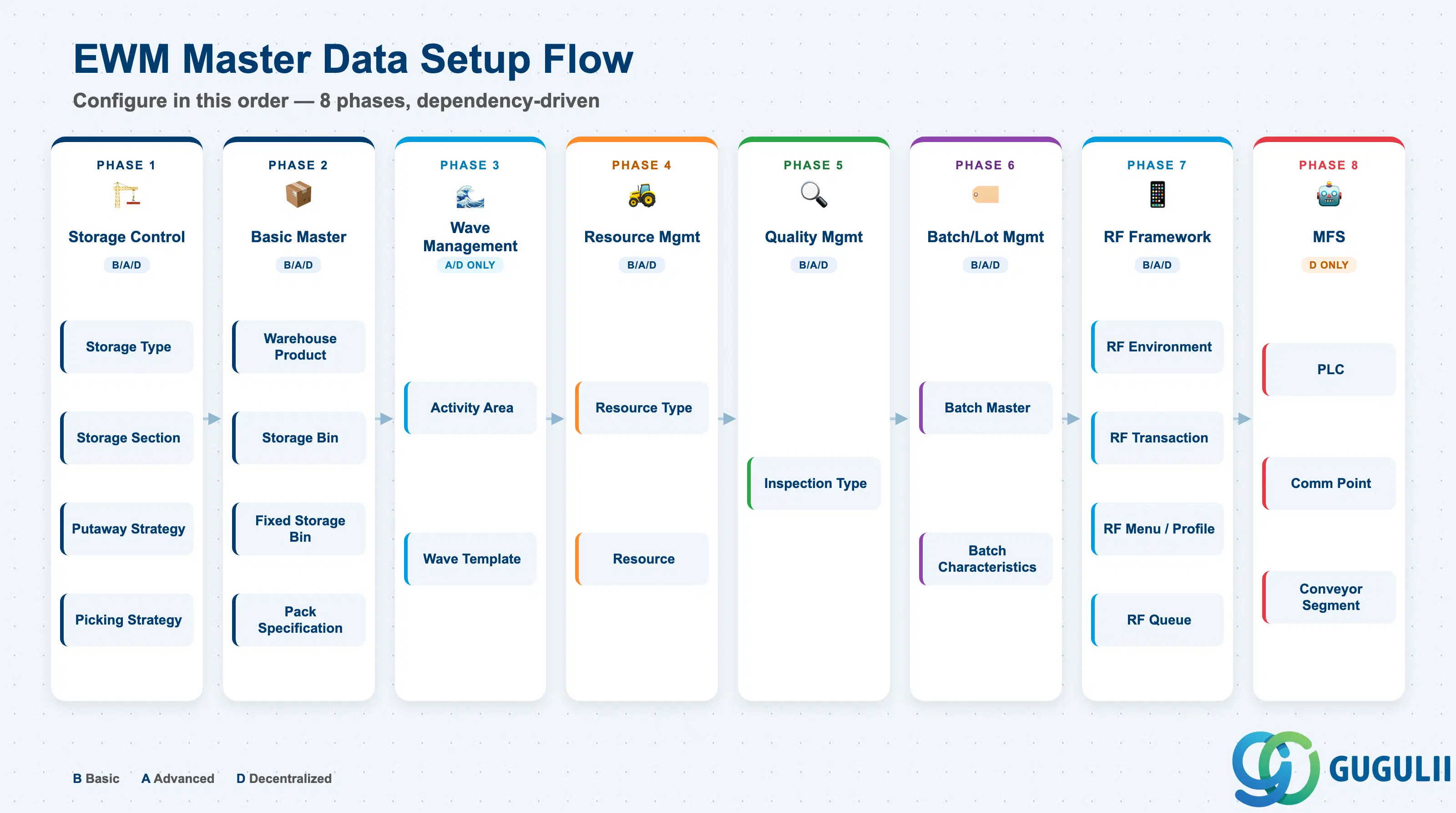
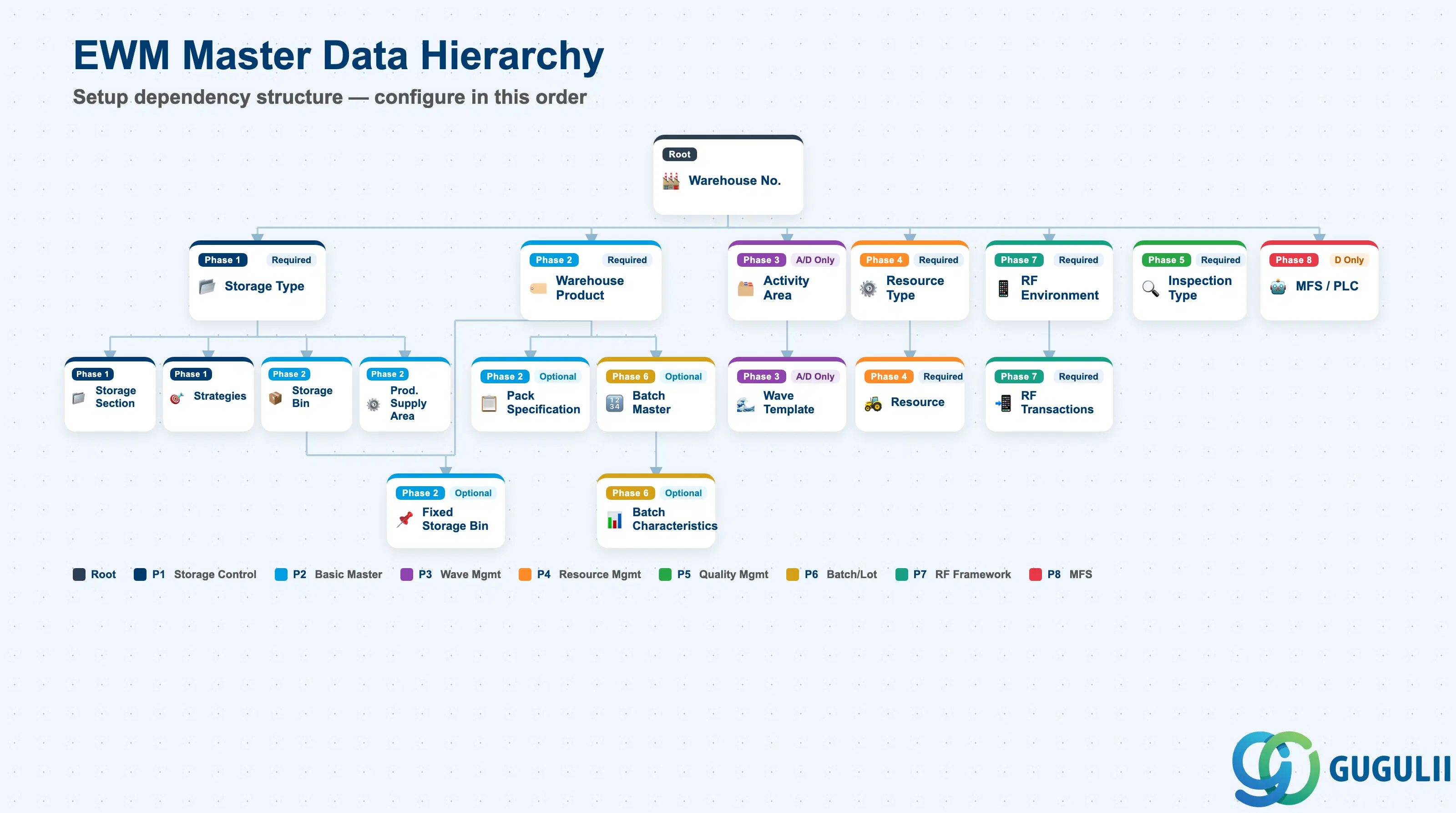
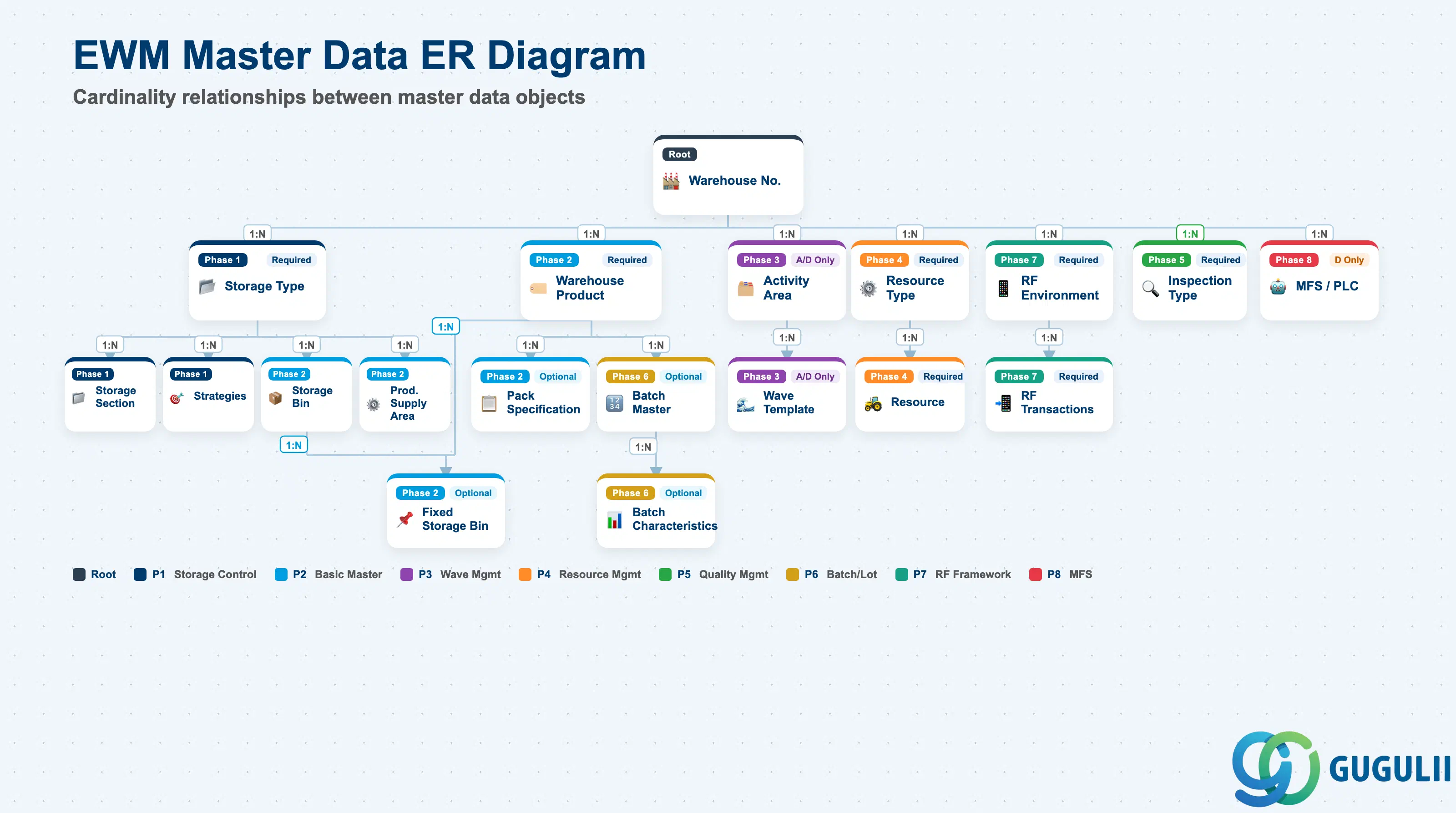
| Phase | Object | Integration | Prerequisite | B | A | D | Tr-Cd | Description | Role |
|---|---|---|---|---|---|---|---|---|---|
| 1 Storage Control | Storage Type | - | Warehouse Number | x | x | x | SPRO | Defines the storage area types within the warehouse | EWM Administrator |
| Storage Section | - | Storage Type | x | x | x | SPRO | Defines section divisions within a storage type | EWM Administrator | |
| Putaway Strategy | - | Storage Type | x | x | x | SPRO | Defines rules for determining storage location during putaway | EWM Administrator | |
| Picking Strategy | - | Storage Type | x | x | x | SPRO | Defines the retrieval order during picking | EWM Administrator | |
| 2 Basic Master | Warehouse Product | MM | Material Master (S/4HANA) | x | x | x | /SCWM/MAT1 | Adds warehouse-specific attributes to the S/4HANA material master | EWM Administrator |
| Storage Bin | - | Storage Type | x | x | x | /SCWM/LS01 | Defines physical storage locations within the warehouse | EWM Administrator | |
| Fixed Storage Bin | - | Storage Bin, Warehouse Product | x | x | x | /SCWM/BINMAT | Assigns specific products to fixed storage bins | EWM Administrator | |
| Production Supply Area | PP | Storage Type | x | x | x | /SCWM/PSA | Defines parts supply areas for production lines | EWM Administrator | |
| Packaging Specification | - | Warehouse Product | x | x | x | /SCWM/PACKSPEC | Defines packaging materials, methods, and HU structure | EWM Administrator | |
| User | - | - | x | x | x | /SCWM/USER | Manages user settings for warehouse workers | EWM Administrator | |
| 3 Wave Management | Wave Template | - | Activity Area | x | x | /SCWM/WAVETMP | Defines grouping conditions for waves | EWM Administrator | |
| 4 Resource Management | Resource | - | Resource Type | x | x | x | /SCWM/RSRC | Defines forklifts, workers, and other resources | EWM Administrator |
| 5 Quality Management | Inspection Type | QM | - | x | x | x | /SCWM/QM | Defines quality inspection types and conditions | EWM Administrator |
| 6 Batch/Lot Management | Batch Master | MM | Warehouse Product | x | x | x | /SCWM/BATCH | Integrates with S/4HANA batch master | EWM Administrator |
| Batch Characteristics | - | Batch Master | x | x | x | /SCWM/BATCH | Manages characteristic values per batch/lot | EWM Administrator | |
| 7 RF Framework | RF Environment | - | Warehouse Number | x | x | x | /SCWM/RF_ENV | Defines RF terminal screen size and display settings | EWM Administrator |
| RF Logical Transaction | - | RF Environment | x | x | x | /SCWM/RFLTRANS | Defines business functions executable on RF terminals | EWM Administrator | |
| RF Menu | - | RF Environment | x | x | x | /SCWM/RFMENU | Defines menu structure for RF terminals | EWM Administrator | |
| RF Profile | - | RF Menu | x | x | x | /SCWM/RFPROF | Defines RF settings per user or resource | EWM Administrator | |
| RF Queue | - | RF Profile | x | x | x | /SCWM/RFQUEUE | Defines task distribution queues for RF terminals | EWM Administrator | |
| RF Presentation Device | - | RF Environment | x | x | x | /SCWM/RFPD | Registers RF terminal devices | EWM Administrator | |
| 8 MFS | PLC (Note 1) | - | Warehouse Number | x | /SCWM/MFS | Defines PLCs that control automated equipment | EWM Administrator | ||
| Communication Point | - | PLC | x | /SCWM/MFS | Defines communication points with PLCs | EWM Administrator | |||
| Conveyor Segment | - | Communication Point | x | /SCWM/MFS | Defines conveyor segments | EWM Administrator |
Note 1: MFS is used for integration with large-scale automated warehouses (ASRS, etc.). Decentralized EWM is strongly recommended for high-throughput environments.
| ID | Category | Title |
|---|---|---|
| ewm-001 | Overview | What is SAP EWM? |
| ID | Category | Title |
|---|---|---|
| ewm-b01 | Overview | SAP EWM Transactions: Process Flow, Hierarchy & Relationships |