Title here
Summary here

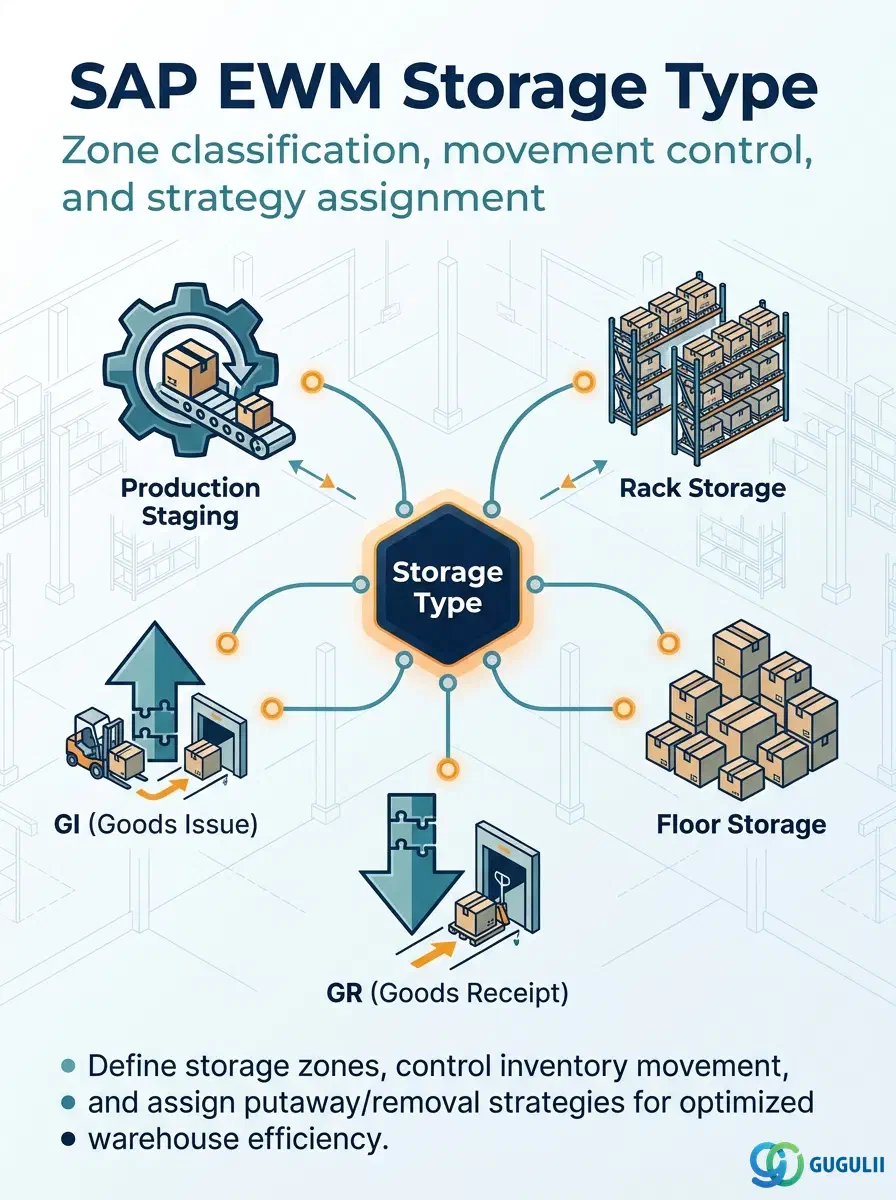
The Storage Type is the first configuration object defined in an SAP EWM warehouse — it divides the physical warehouse into functional zones (racking, floor storage, goods receipt zone, production staging, etc.) and controls how inventory moves into, within, and out of each zone. All downstream master data objects — Storage Sections, Storage Bins, Putaway and Picking Strategies, and Production Supply Areas — reference a Storage Type. Getting the Storage Type design right in Phase 1 is the most consequential structural decision in an EWM implementation.
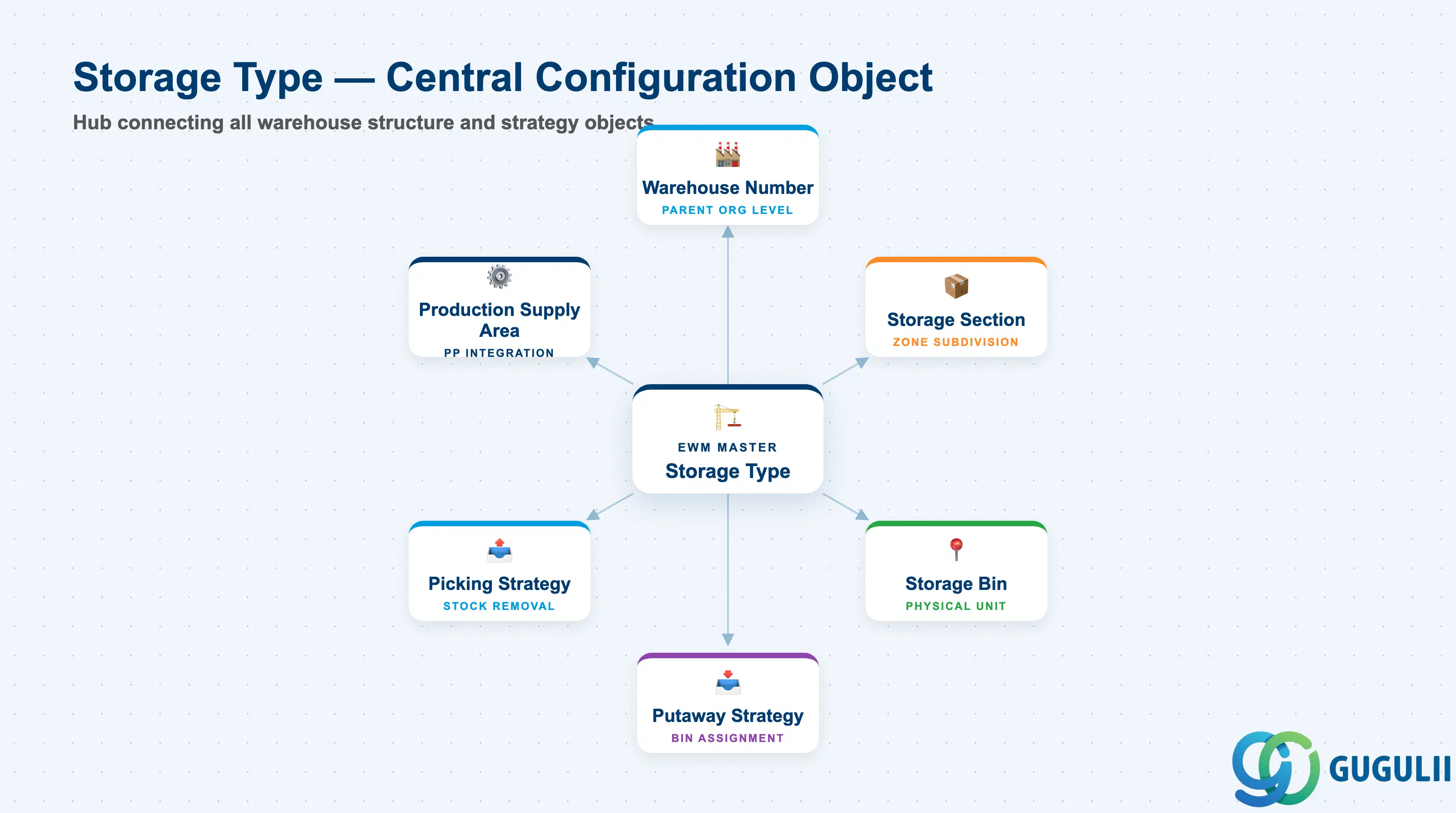
A Storage Type is a logical and physical classification of a storage area within a warehouse. It answers the question: “What kind of storage is this zone, and how does product move through it?” Each Storage Type belongs to exactly one Warehouse Number and carries its own set of movement control parameters — independently from any other Storage Type in the same warehouse.
| Aspect | Details |
|---|---|
| Role | Classifies a physical warehouse zone and controls all putaway, picking, and transfer movements within that zone |
| Modules using it | EWM (primary — all warehouse execution), PP (Production Supply Area references Storage Type for production staging zones) |
| Transactions / Config | SPRO: EWM → Master Data → Warehouse Structure → Define Storage Type (transaction code path); /SCWM/MBIN (Bin monitoring); /SCWM/MON (Warehouse Monitor) |
| Key Tables | /SCWM/TLAGTYP (Storage Type definition), /SCWM/LAGTYP (Storage Type attributes), LGPLA (related bin table) |
| S/4HANA note | Storage Type configuration is managed exclusively in SPRO in both Embedded and Decentralized EWM. No Fiori app replaces SPRO for Storage Type definition. The data model is identical across Embedded Basic, Embedded Advanced, and Decentralized variants. |
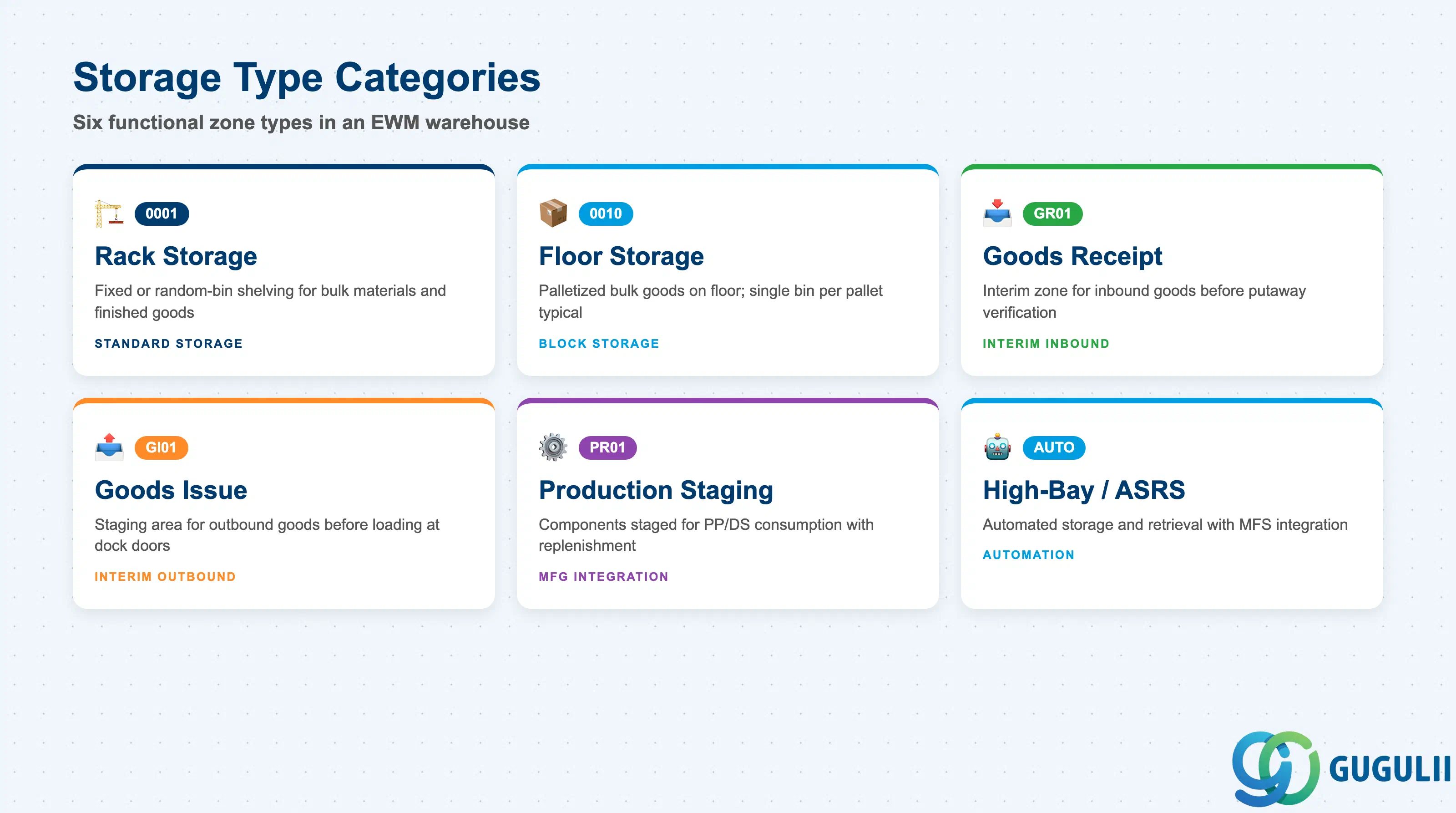
Storage Types are differentiated by both their physical characteristic and their functional role in warehouse flow. A single warehouse typically contains four to ten Storage Types. Choosing the wrong category causes misrouted warehouse tasks and incorrect bin search results.
| Storage Type Category | Typical Code | Use Case | Key Behavior |
|---|---|---|---|
| Standard Rack Storage | 0001 | Fixed or random-bin shelving — bulk raw materials, finished goods | Supports both fixed and random bin assignment; Putaway and Picking strategies fully configurable |
| Floor Storage (Block Storage) | 0010 | Palletized bulk goods stored directly on floor | No bin structure required; single bin per pallet common; stack height control via EWM quant |
| Goods Receipt Zone | GR01 | Interim storage for inbound goods before putaway | Typically one open bin per inbound delivery; goods moved to target Storage Type after verification |
| Goods Issue Zone | GI01 | Staging area for outbound goods before loading | Short-dwell interim type; bins often represent dock doors or staging lanes |
| Production Staging Area | PR01 | Components staged for PP/DS consumption | Linked to Production Supply Area; controlled replenishment from main storage |
| High-Bay / ASRS | AUTO | Automated storage and retrieval systems (MFS-integrated) | Requires MFS integration; Movement Types and PLC communication defined separately |
Design principle: Define one Storage Type per distinct physical or operational zone. Avoid overloading a single Storage Type with incompatible movement behaviors — it makes strategy configuration impossible to maintain.
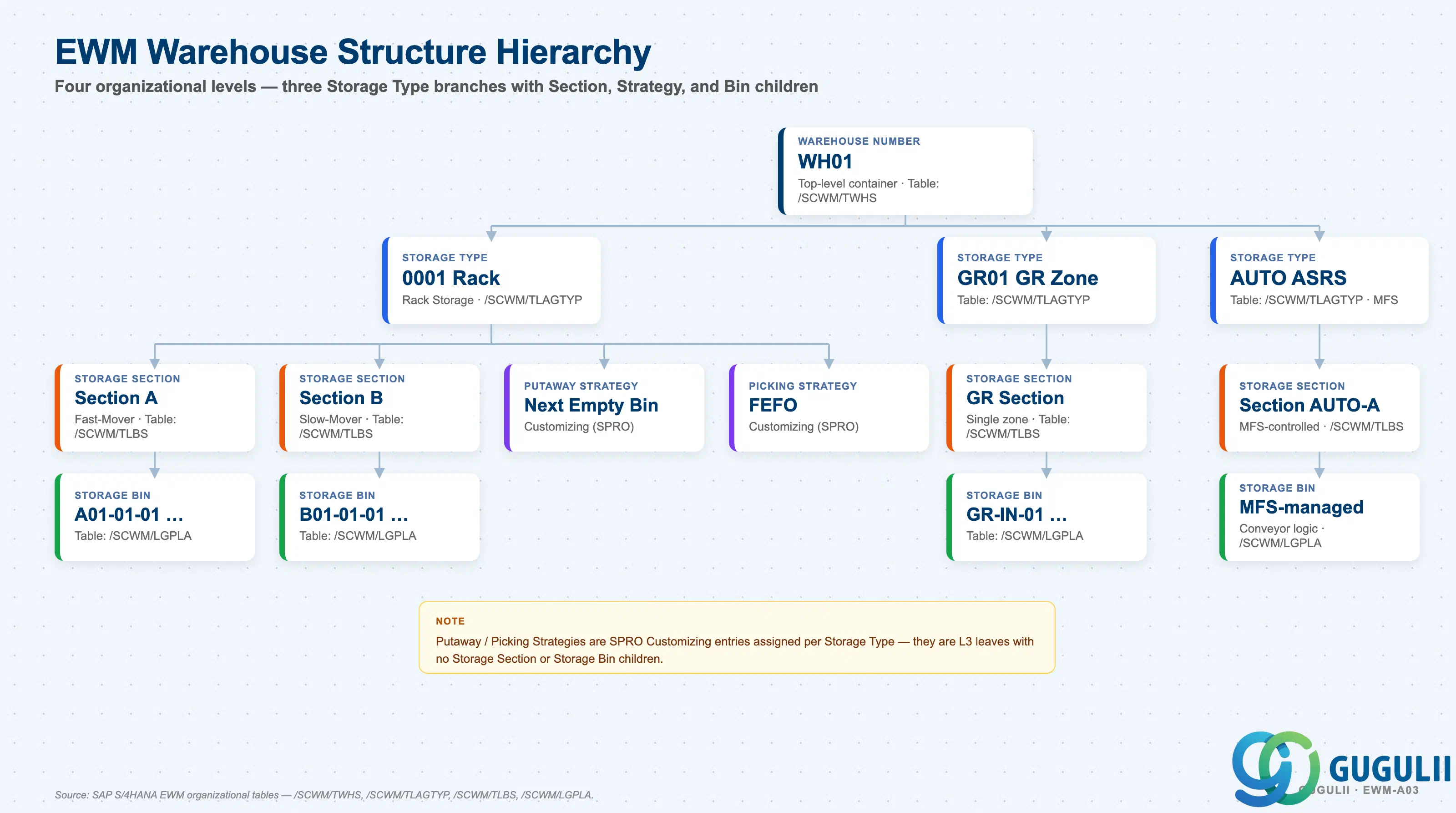
Storage Type sits at the second level of the EWM warehouse structure. Every subordinate object — Section, Bin, Strategy — inherits the Storage Type as its parent reference.
Warehouse Number (e.g., WH01)
   │
   ├── Storage Type 0001 (Rack Storage)
   │      │
   │      ├── Storage Section A (Fast-mover zone)
   │      │      └── Storage Bins: A01-01-01, A01-01-02, ...
   │      │
   │      ├── Storage Section B (Slow-mover zone)
   │      │      └── Storage Bins: B01-01-01, ...
   │      │
   │      ├── Putaway Strategy (e.g., Next Empty Bin)
   │      └── Picking Strategy (e.g., FEFO)
   │
   ├── Storage Type GR01 (Goods Receipt Zone)
   │      └── Storage Section GR (single section)
   │             └── Storage Bins: GR-IN-01, GR-IN-02, ...
   │
   └── Storage Type AUTO (ASRS — MFS-integrated)
          └── Storage Section AUTO-A
└── Storage Bins: managed by MFS conveyor logic| Org Level | Table | Primary Fields | Notes |
|---|---|---|---|
| Warehouse Number | /SCWM/TWHS | Warehouse Number, Description, Address | One warehouse per physical site; all Storage Types belong to exactly one Warehouse Number |
| Storage Type | /SCWM/TLAGTYP | Storage Type code, Description, Movement Type Group, Strategy controls | Defined in SPRO; all strategy and movement controls are set here |
| Storage Section | /SCWM/TLBS | Section code, Storage Type reference, Sort sequence | Optional subdivision of a Storage Type; used by Putaway Strategy to target sub-zones |
| Storage Bin | /SCWM/LGPLA | Bin ID, Storage Type, Section, coordinates, max weight/volume | Physical unit of inventory; inherits Storage Type and Section |
Key design decision: Decide whether to use Storage Sections within each Storage Type before creating any Bins. Adding or changing Sections after bin creation requires a Bin migration — a high-effort SPRO and data activity in a live warehouse.
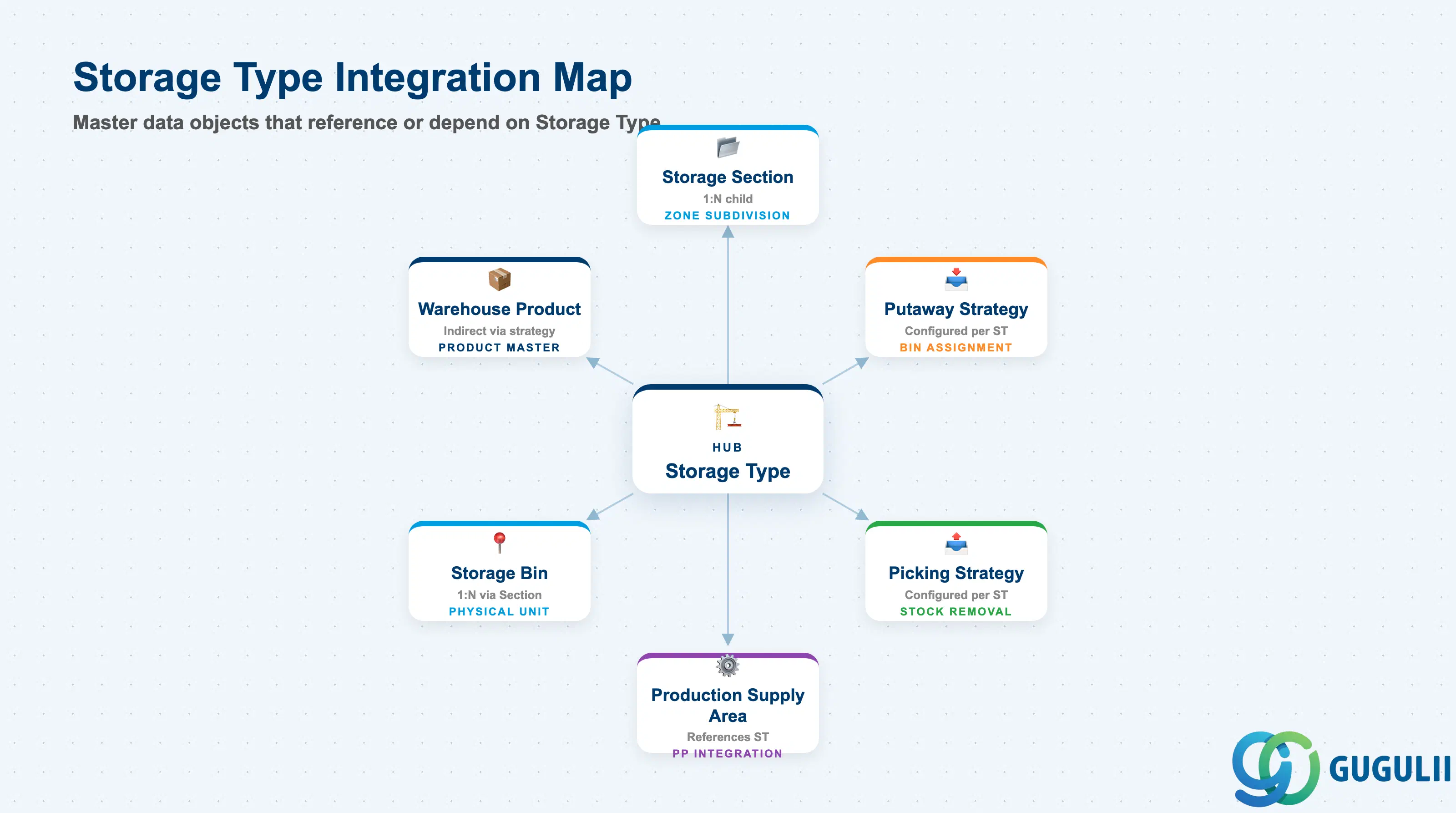
Storage Type is the hub from which all Phase 1 Storage Control objects radiate. It is also the reference point for Phase 2 Basic Master objects that require a physical location.
| Object | Relationship | Practical Notes |
|---|---|---|
| Storage Section | 1:N child of Storage Type | Must reference a Storage Type at creation. Sections subdivide the physical zone for strategy targeting (e.g., fast-mover vs. slow-mover aisles within a rack area). |
| Putaway Strategy | Configured per Storage Type | Strategy parameters (Next Empty Bin, Fixed Bin, Addition to Existing Stock) are defined independently per Storage Type. The same strategy type can behave differently in different Storage Types based on the parameter set. |
| Picking Strategy | Configured per Storage Type | FIFO, FEFO, LIFO, and Fixed Bin strategies are set per Storage Type. FEFO requires batch management active on the Warehouse Product. |
| Storage Bin | 1:N child of Storage Type (via Section) | Every Bin belongs to a Storage Type. Bin capacity (max weight, max volume, max quantity) constraints are enforced at the Storage Type level before individual bin checks. |
| Production Supply Area (PSA) | References Storage Type | PSA defines the physical staging area in a manufacturing zone. It references the Storage Type where components are replenished and consumed — critical for PP-EWM integration. |
| Warehouse Product | Indirect — via Putaway/Picking strategy | Warehouse Product carries the Putaway/Picking Control Indicator, which is matched against the Storage Type strategy at runtime to determine which bin to use. |
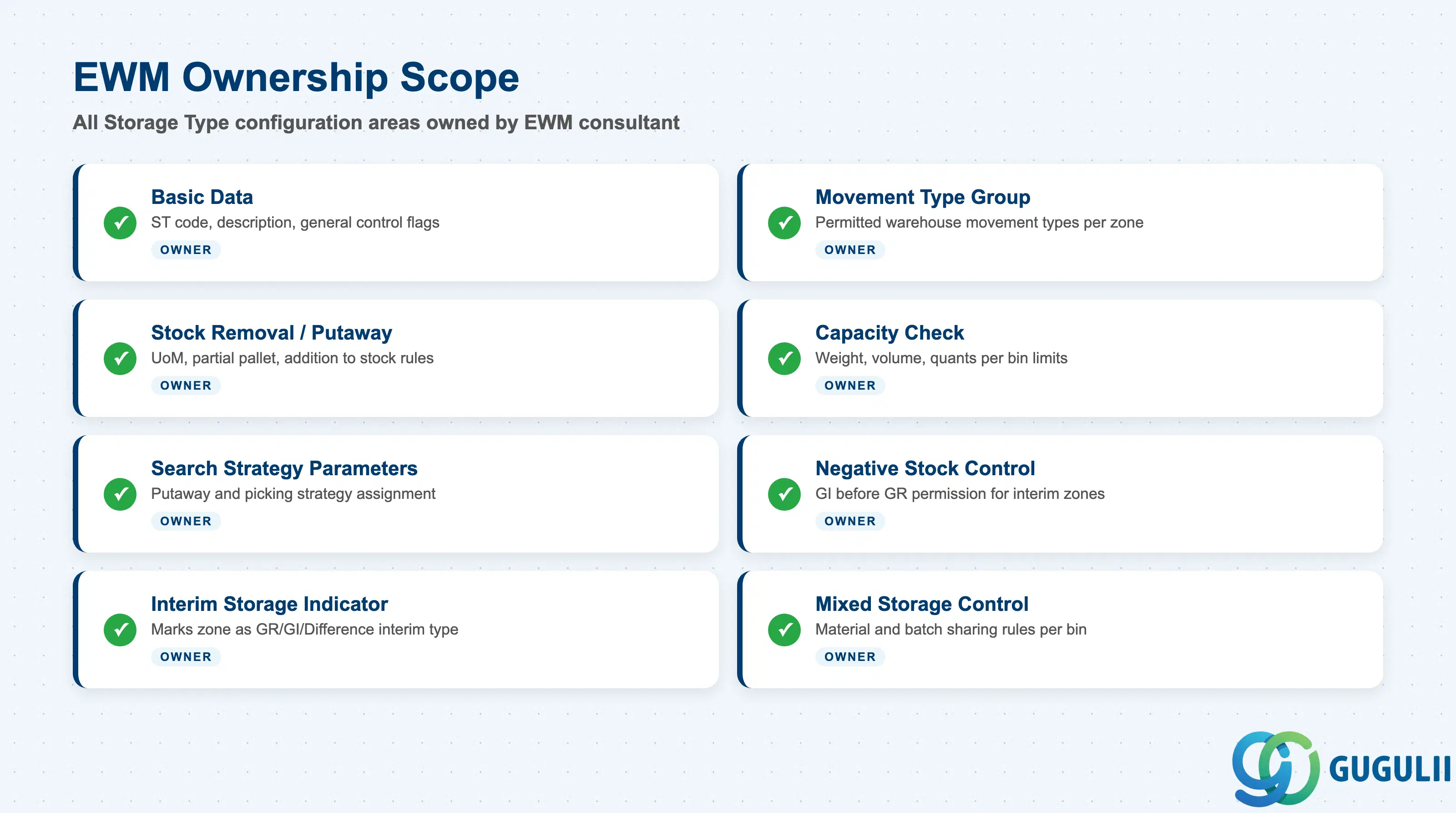
| Data Section | EWM Involvement | Notes |
|---|---|---|
| Basic Data | ◎ Owner | Storage Type code, description, and general control flags |
| Movement Type Group | ◎ Owner | Controls which warehouse movement types are permitted in this zone |
| Stock Removal / Putaway Control | ◎ Owner | Unit of measure for putaway/picking, partial pallet handling rules |
| Capacity Check | ◎ Owner | Max weight, max volume, max quants per bin — enforced at runtime |
| Search Strategy Parameters | ◎ Owner | Which Putaway and Picking strategies apply, in which sequence |
| Negative Stock Control | ◎ Owner | Whether negative stock (goods issue before goods receipt) is allowed |
| Interim Storage Indicator | ◎ Owner | Marks the Storage Type as an interim zone (GR, GI, Difference) — changes bin assignment and stock transfer behavior |
| Mixed Storage Control | ◎ Owner | Whether different materials or batches may share a bin |
Legend: ◎ = Owner / Critical
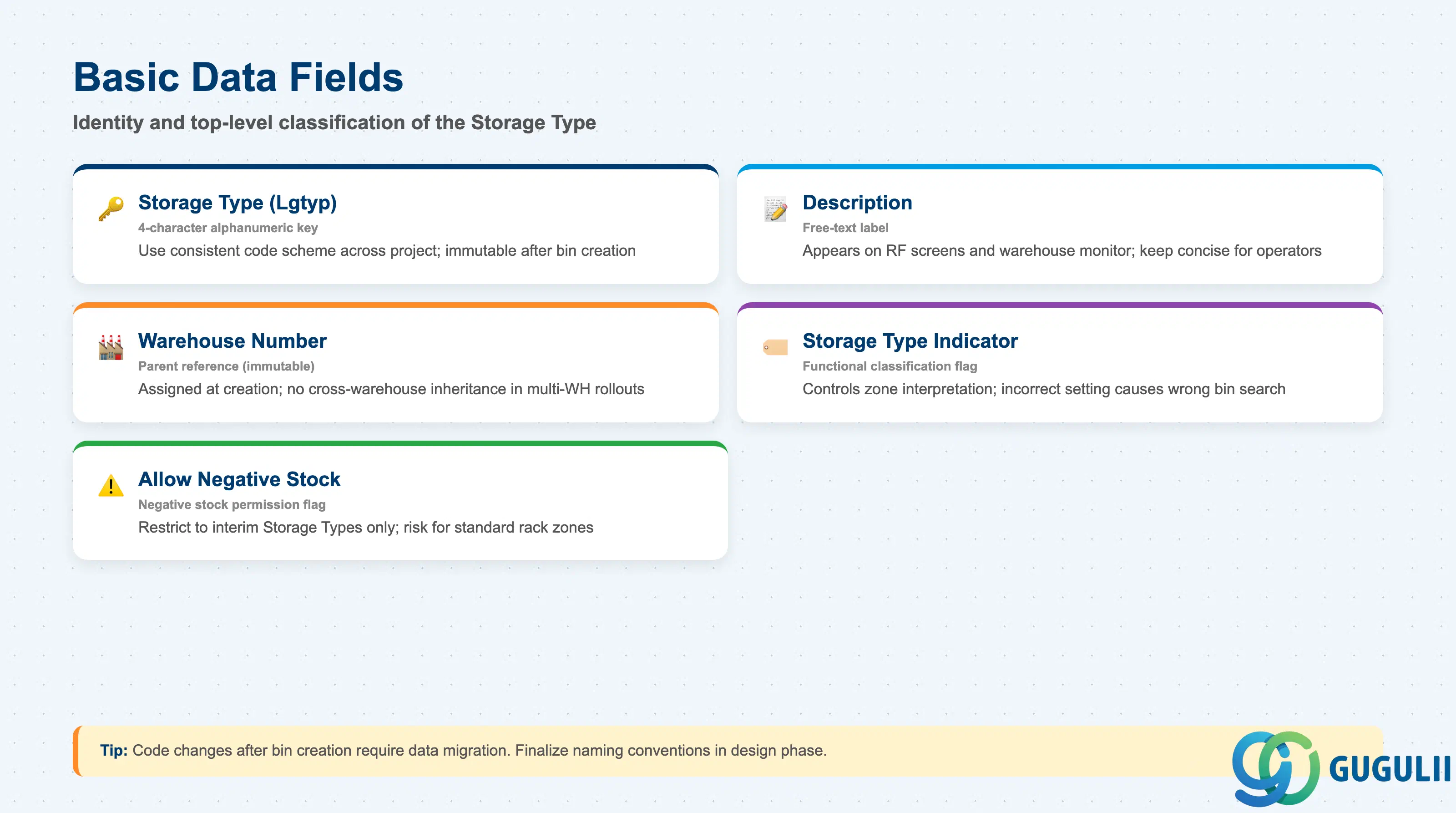
Basic Data defines the identity and top-level classification of the Storage Type. These fields are set once at go-live and rarely changed in a production system.
| Field | Description | Practical Usage |
|---|---|---|
| Storage Type (Lgtyp) | Four-character alphanumeric key | Naming convention matters: use a consistent code scheme (e.g., 0001–0099 for rack types, GR01 for goods receipt, GI01 for goods issue) across the project. Code changes after bin creation are not supported without data migration. |
| Description | Free-text label | Use a concise, location-accurate description that operators recognize on RF screens — the description appears in warehouse monitor and task displays. |
| Warehouse Number | Parent warehouse reference | Assigned at creation and immutable. One Storage Type belongs to exactly one Warehouse Number. In multi-warehouse rollouts, replicate the Storage Type configuration per Warehouse Number — there is no cross-warehouse inheritance. |
| Storage Type Indicator | Functional classification flag | Controls how EWM interprets the zone (standard storage, interim storage, work center, etc.). Setting this incorrectly causes incorrect bin search and stock management behavior. Consult SAP note 2196438 for the complete list of supported indicator values and their behavioral impact. |
| Allow Negative Stock | Negative stock permission flag | Permit goods issue from a bin before the physical goods receipt is confirmed. Required for certain decoupled inbound-outbound scenarios (e.g., cross-docking). Should be restricted to interim Storage Types only — enabling on a standard rack Storage Type is a data governance risk. |
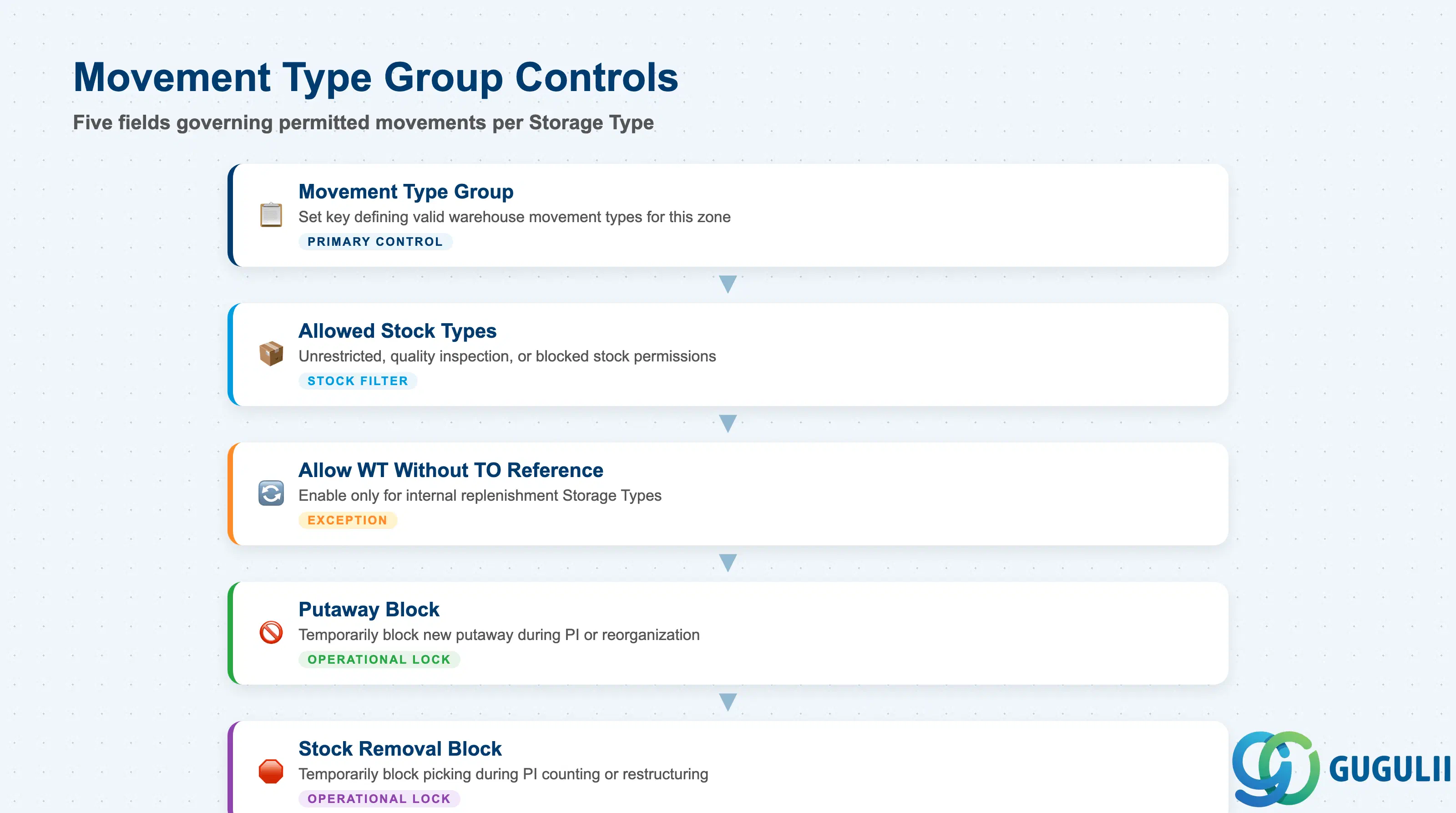
The Movement Type Group defines the set of EWM warehouse movement types that are valid for this Storage Type. It is the primary control that prevents unauthorized or incorrect stock movements into or out of a zone.
| Field | Description | Practical Usage |
|---|---|---|
| Movement Type Group | Movement type set key | Assign a Movement Type Group that matches the operational role of this Storage Type. For example, a GR interim zone should permit only inbound movement types; a GI zone permits only outbound. Mixing movement types in the wrong zone causes incorrect SLED/batch determination at picking. |
| Allowed Stock Types | Stock type permissions (unrestricted, inspection, blocked) | Controls which stock type quants can be stored in this Storage Type. Goods Receipt zones typically allow unrestricted and quality inspection stock. Blocked stock zones allow only blocked. |
| Allow Transfer Orders Without TO Reference | Create WT without transfer order reference | Enable only for internal replenishment Storage Types. Enabling on a standard storage zone allows uncontrolled stock movements that bypass task monitoring. |
| Putaway Block | Putaway blocked indicator | Temporarily block all new putaway to this Storage Type — used during physical inventory or zone reorganization. Block is removed via SPRO or warehouse monitor without requiring a transport. |
| Stock Removal Block | Picking blocked indicator | Temporarily block all picking from this Storage Type. Use in conjunction with physical inventory counting or during zone restructuring. |
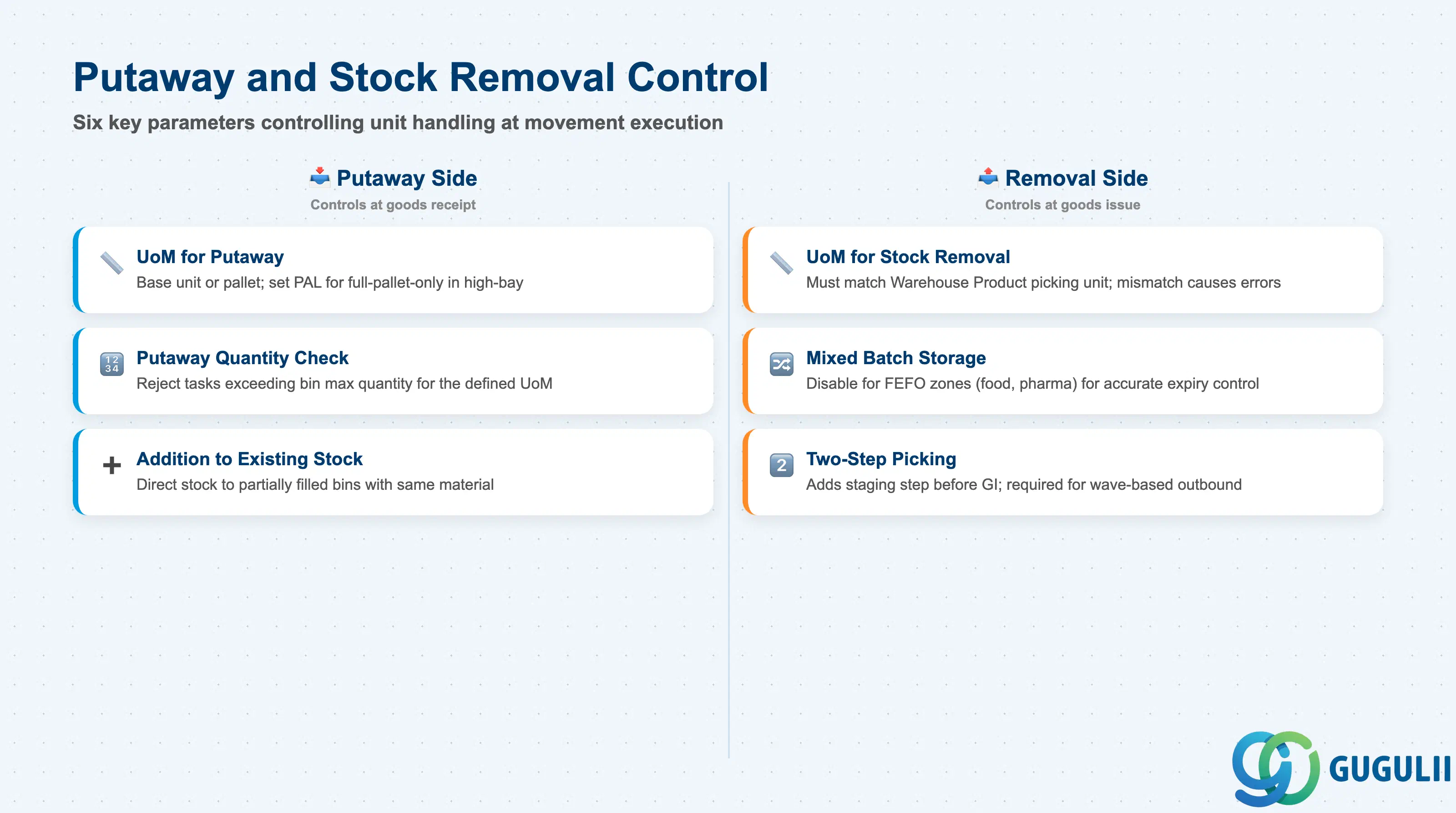
Putaway and Stock Removal Control parameters determine how the system handles unit-of-measure transitions, partial pallets, and bin sharing at the point of movement execution.
| Field | Description | Practical Usage |
|---|---|---|
| Unit of Measure for Putaway | UoM used when placing stock into bins | Typically Base Unit (EA, KG) or a warehouse-specific pallet unit. For high-bay storage, set to PAL to enforce full-pallet-only putaway — prevents partial pallet handling in automated racking. |
| Unit of Measure for Stock Removal | UoM used when removing stock from bins | Should match the picking unit specified in Warehouse Product. Mismatches cause UoM conversion errors at task confirmation and require SPRO-level correction. |
| Putaway Quantity Check | Enforce maximum putaway quantity | When active, the system rejects putaway tasks that would exceed the bin’s maximum quantity for the defined UoM. Activate for zone where capacity discipline is critical (e.g., freezer storage, hazmat). |
| Addition to Existing Stock | Allow adding to a partially filled bin | When enabled, the putaway strategy may direct stock to a bin that already contains the same material. Disable for storage zones where each bin must hold a single delivery unit (e.g., high-value serialized goods). |
| Mixed Batch Storage | Allow multiple batches per bin | Enable only when mixing batches in one bin is operationally acceptable. For FEFO-controlled storage (food, pharma), mixed batch storage prevents accurate FEFO determination — always disable in such zones. |
| Two-Step Picking | Enable two-step (wave) picking | When enabled, a staging step is introduced between bin removal and goods issue. Required for wave-based outbound processes in conjunction with the Wave Template. Impacts task type configuration. |
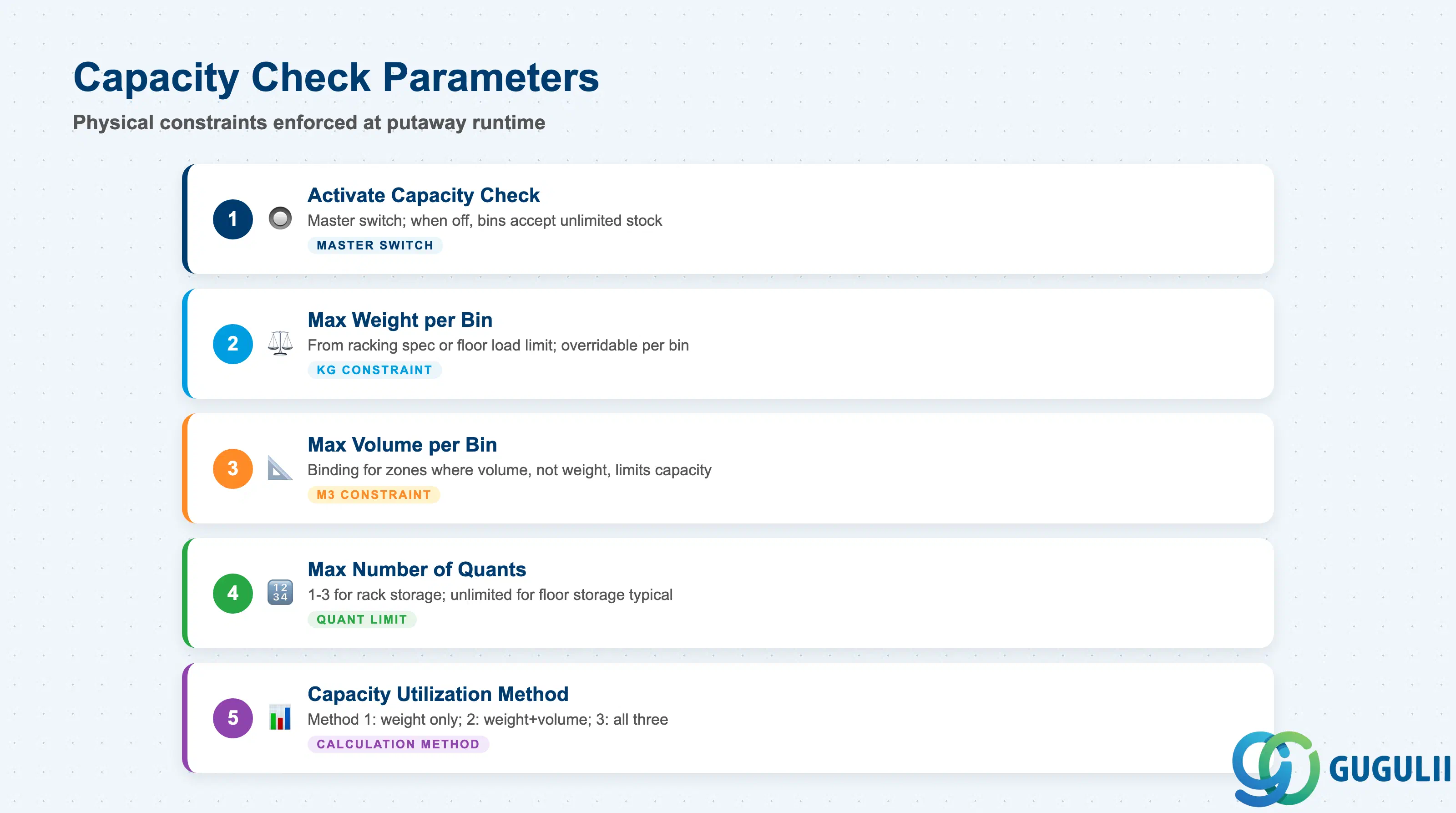
Capacity Check settings define the physical constraints of bins in this Storage Type and control when the system rejects a putaway because a target bin would be overloaded.
| Field | Description | Practical Usage |
|---|---|---|
| Activate Capacity Check | Master switch for capacity enforcement | When off, no capacity constraint is evaluated at putaway — bins can receive unlimited stock regardless of weight/volume. Activate for storage zones with structural or equipment constraints (racking load limits, refrigerated zone). |
| Max Weight per Bin | Maximum allowable weight in kg | Derived from the racking specification or floor load limit. Coordinate with facility management during design. The value here is the default for all bins in this Storage Type — individual bins can override in /SCWM/LS01. |
| Max Volume per Bin | Maximum allowable volume in m³ | Set for zone where volume (not weight) is the binding constraint — e.g., a dry goods zone with high-density small items. |
| Max Number of Quants | Maximum distinct stock lines per bin | A quant represents one unique combination of material + batch + stock type + owner. Limiting quants per bin controls search time at picking. For rack storage, 1–3 quants per bin is a common design target; unlimited quants are typical only for floor storage. |
| Capacity Utilization Method | How remaining capacity is calculated | Method 1: check only weight; Method 2: check weight and volume; Method 3: check weight, volume, and quant count. Choose based on which constraint is binding for the zone. |
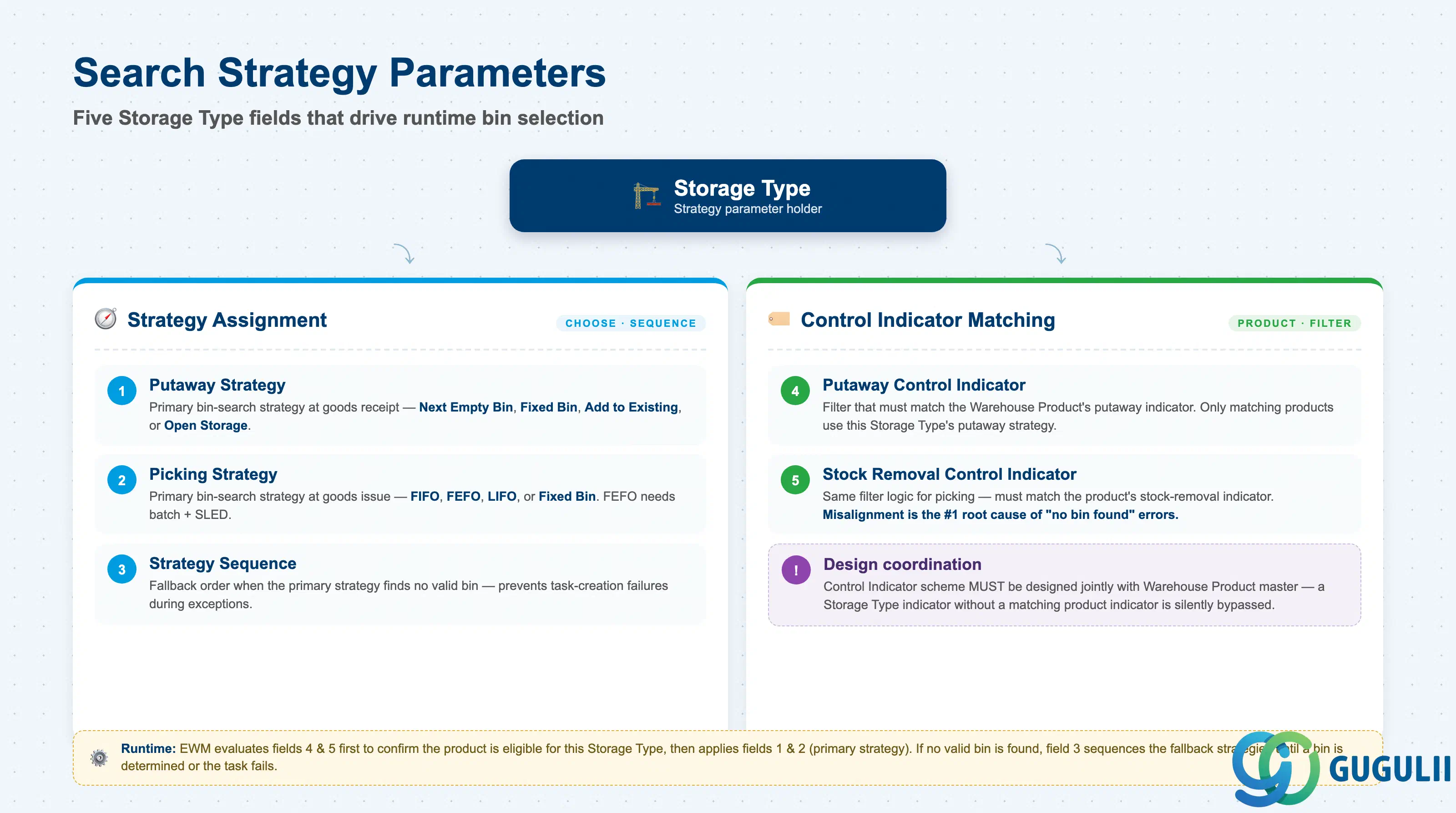
Search Strategy Parameters link the Storage Type to the Putaway and Picking Strategy objects defined in Phase 1. They control the sequence in which strategies are evaluated at runtime.
| Field | Description | Practical Usage |
|---|---|---|
| Putaway Strategy | Primary putaway strategy code | References a Putaway Strategy object (EWM-A03-03). The strategy determines which bin the system proposes when a warehouse task is created for goods receipt into this Storage Type. Common choices: P1 (Next Empty Bin), P2 (Fixed Bin), P3 (Addition to Existing Stock), P4 (Open Storage). |
| Picking Strategy | Primary picking strategy code | References a Picking Strategy object (EWM-A03-04). FEFO (First Expired First Out), FIFO (First In First Out), LIFO, and Fixed Bin are the standard options. FEFO requires batch management and SLED (Shelf Life Expiration Date) data active on the Warehouse Product. |
| Strategy Sequence | Fallback strategy order | When the primary strategy finds no valid bin, EWM evaluates the next strategy in the sequence. Define a fallback (e.g., Next Empty Bin as fallback after Fixed Bin) to avoid task creation failures during exceptions. |
| Putaway Control Indicator | Filters applicable Putaway Control | Matches the Putaway Control Indicator on the Warehouse Product. Only Warehouse Products with a matching indicator are subject to the Storage Type’s primary putaway strategy — others fall through to the fallback. Design the control indicator scheme in conjunction with Warehouse Product master data design. |
| Stock Removal Control Indicator | Filters applicable Picking Control | Same principle as Putaway Control Indicator but for the picking strategy. Misalignment between the Storage Type indicator and the Warehouse Product indicator is the most common root cause of “no bin found” errors at picking task creation. |
| ID | Category | Title |
|---|---|---|
| ewm-001 | Overview | What is SAP EWM? |
| ID | Category | Title |
|---|---|---|
| ewm-b01 | Overview | SAP EWM Transactions: Process Flow, Hierarchy & Relationships |