Title here
Summary here

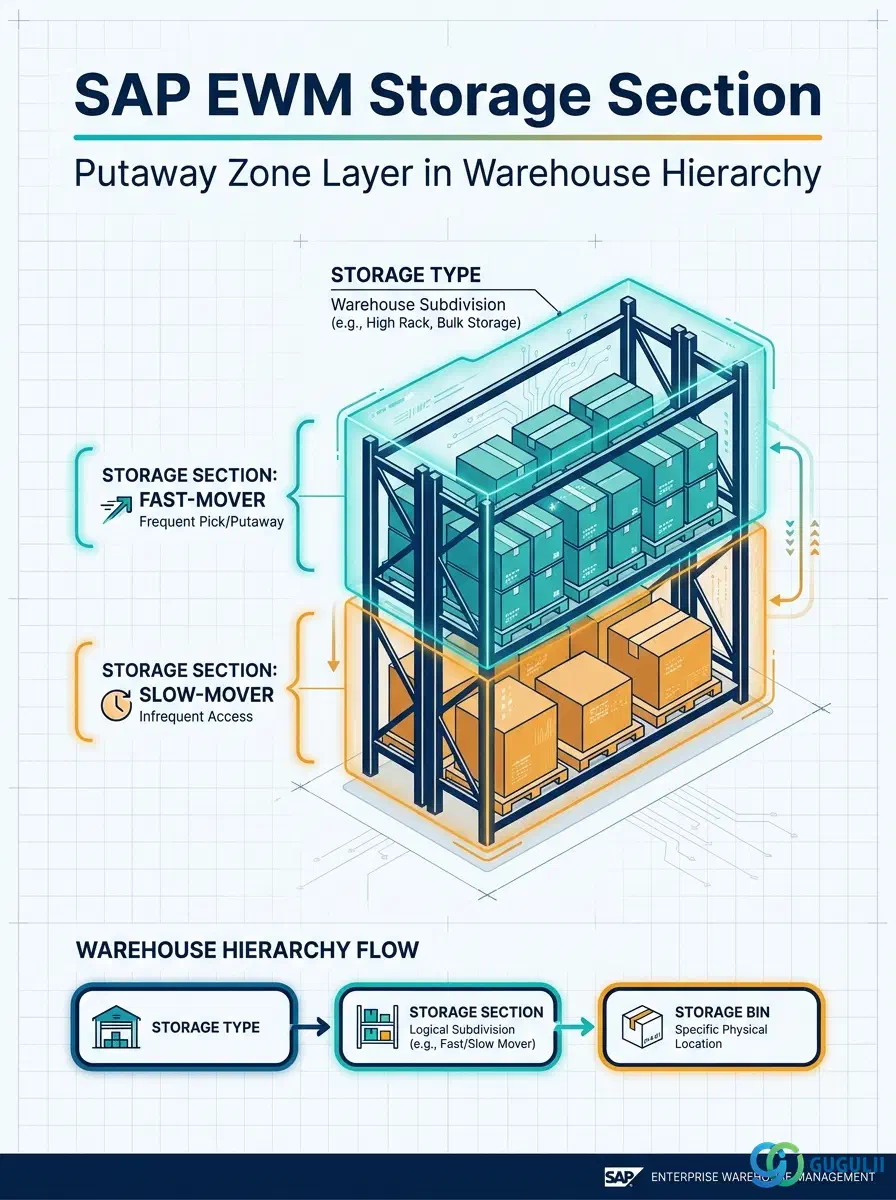
The Storage Section is the intermediate organizational layer inside a Storage Type that groups Storage Bins into putaway zones. By assigning each bin to a section, the warehouse system can steer incoming stock to a specific area — for example, routing fast-moving goods to the front of an aisle and slow movers to the rear — without changing the physical layout. This article covers the Storage Section’s role in the warehouse hierarchy, its relationship to Putaway Strategy, and all SPRO configuration fields that EWM consultants define during blueprint and system setup.
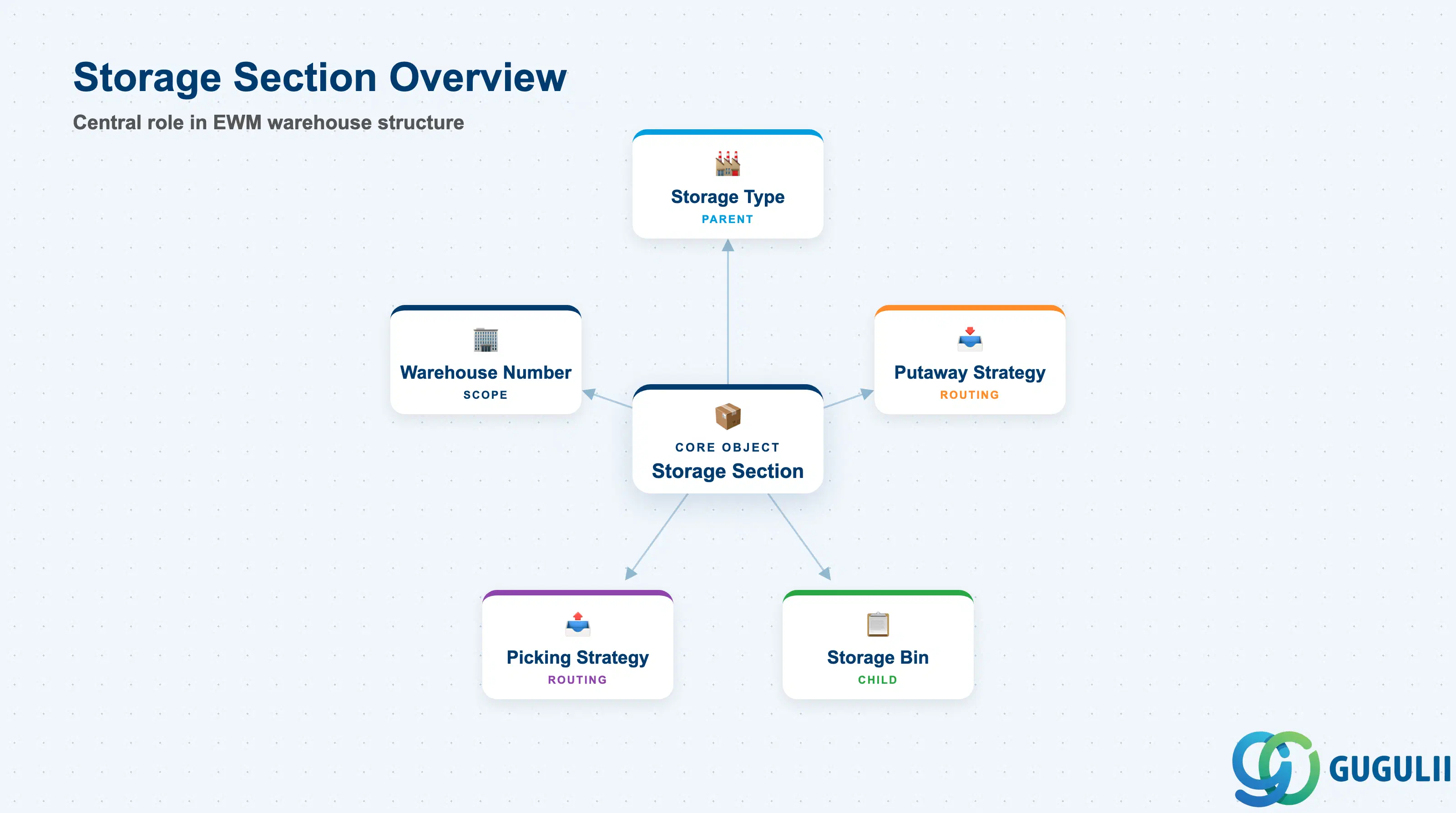
A Storage Section is a named subdivision of a Storage Type that collects a logical group of Storage Bins sharing the same putaway behavior. While the Storage Type defines the physical nature of a storage area (rack, floor, high-bay, etc.), the Storage Section defines the functional zone within that type where a product should be placed. Every Storage Bin in EWM belongs to exactly one Storage Section.
| Aspect | Details |
|---|---|
| Role | Groups Storage Bins within a Storage Type into putaway zones that steer stock placement |
| Modules using it | EWM (Storage Control — primary owner; all EWM deployment modes: Embedded Basic, Embedded Advanced, Decentralized) |
| Transactions | SPRO (Customizing only — no standalone master data transaction) |
| Key Tables | /SCWM/TSECTION (Storage Section definition); /SCWM/TBIN (Storage Bin — references Storage Section) |
| S/4HANA note | Storage Section is a pure Customizing object in all EWM deployment variants. No Fiori app is used to maintain it; all configuration is performed in SPRO under Extended Warehouse Management → Master Data → Define Storage Sections. |
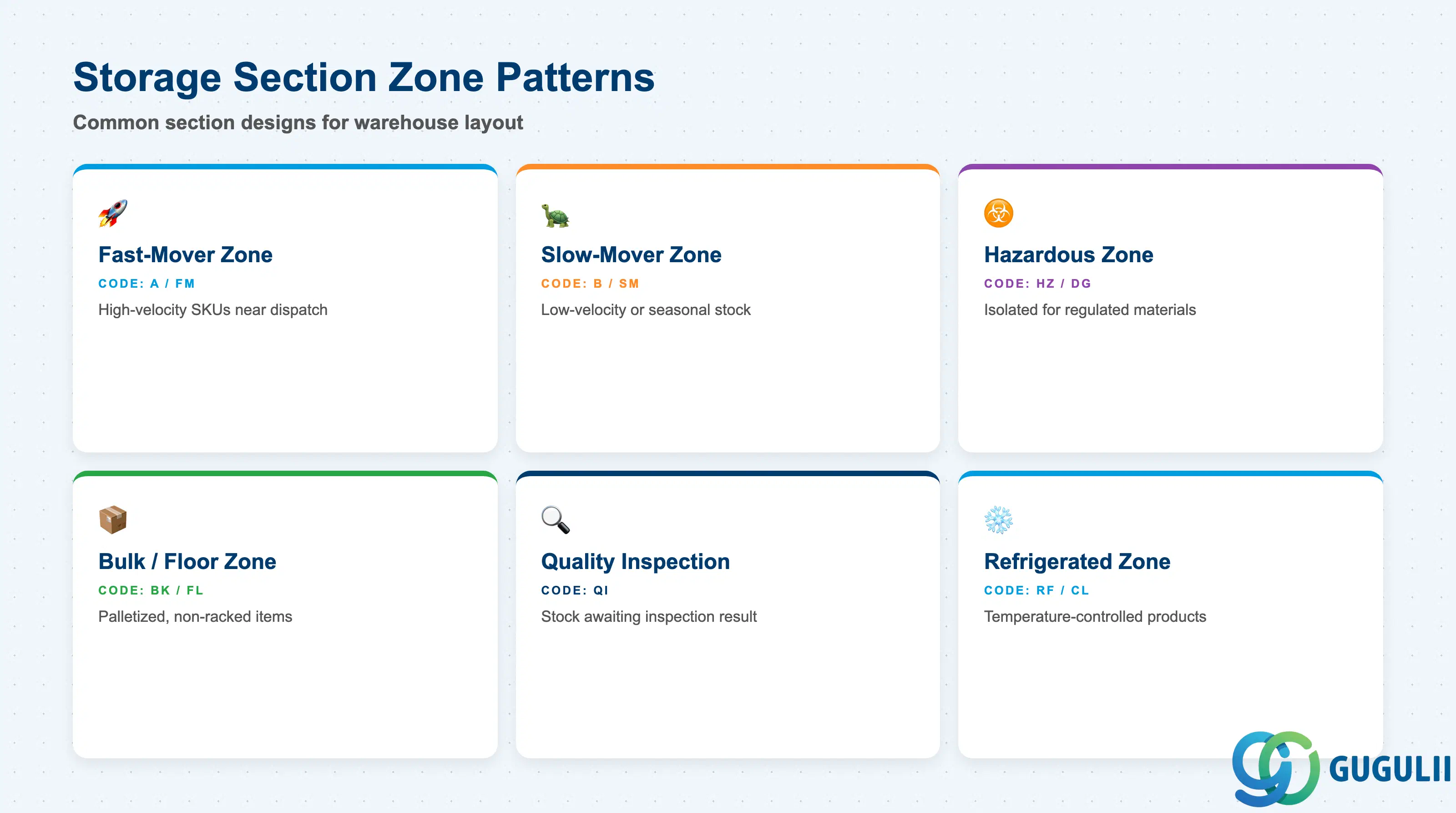
SAP EWM does not define fixed “section types” in the traditional sense — the Storage Section is a free-form Customizing key. However, warehouse design best practice yields a consistent set of zone patterns. Choosing the wrong zoning strategy at blueprint increases rework during bin master data migration.
| Zone Pattern | Typical Code | Use Case | Key Behavior |
|---|---|---|---|
| Fast-mover zone | A, FM | High-velocity SKUs requiring short travel paths | Bins in this section receive priority in putaway strategies such as “Fixed Bin” and “Near-empty Bin first” |
| Slow-mover zone | B, SM | Low-velocity or seasonal stock | Assigned lower priority in putaway to keep fast-mover sections available; often further from the dispatch area |
| Hazardous goods zone | HZ, DG | Chemicals, flammables, regulated materials | Isolated section ensuring separation from incompatible goods; combined with Storage Type restrictions and QM inspection types |
| Bulk / floor zone | BK, FL | Palletized, non-racked, or oversized items | Typically associated with floor Storage Types; sections reflect distinct floor areas (Bay A, Bay B) |
| Quality inspection zone | QI | Stock awaiting inspection result before putaway | Physically or logically isolated; combined with Quality Management Inspection Type configuration |
| Refrigerated / cold zone | RF, CL | Temperature-controlled products | Usually a dedicated Storage Type per temperature range; sections within it separate further by product family or FEFO date range |
Design principle: Define sections during the physical warehouse layout workshop. Each section should map to a contiguous physical zone that shares the same Putaway Strategy — splitting a contiguous zone across multiple sections adds complexity without benefit.
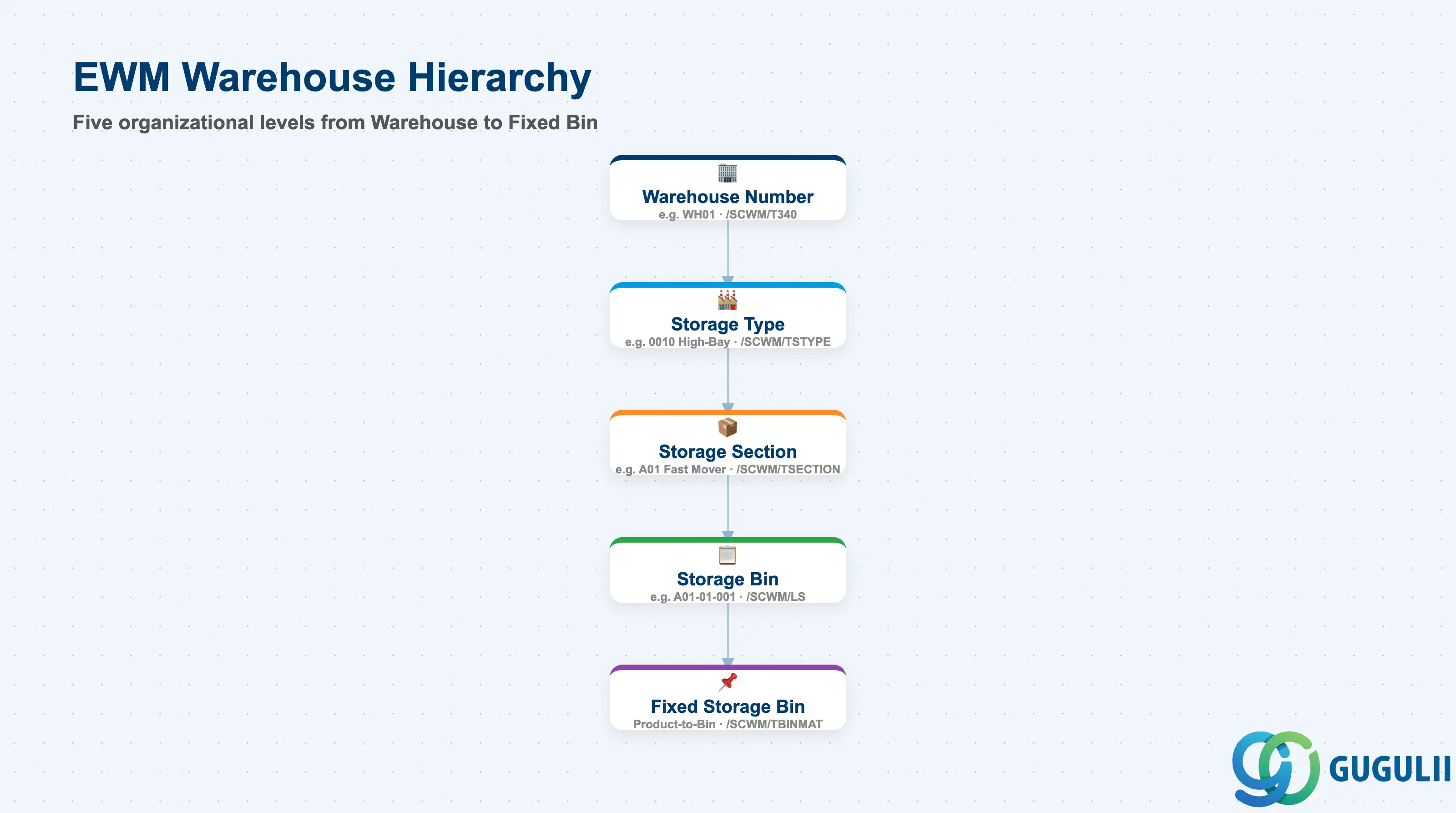
The Storage Section occupies the third level of the EWM warehouse structure. Every Customizing and master data object in EWM is scoped within a Warehouse Number, and the Storage Section inherits that scope through its parent Storage Type.
Warehouse Number (e.g., WH01)
   │
   └── Storage Type (e.g., 0010 — High-Bay Rack)            [/SCWM/TSTYPE]
          │
          └── Storage Section (e.g., A01 — Fast Mover)      [/SCWM/TSECTION]
                 │
                 └── Storage Bin (e.g., A01-01-001)          [/SCWM/LS]
                        │
                        └── Fixed Storage Bin               [/SCWM/TBINMAT]
                               (Warehouse Product assigned
to a specific bin)| Org Level | Table | Primary Fields | Notes |
|---|---|---|---|
| Warehouse Number | /SCWM/T340 | Warehouse Number, Description, EWM deployment type | Top-level scope for all EWM master data. Defined in SPRO at Extended Warehouse Management → Master Data → Define Warehouse Number. |
| Storage Type | /SCWM/TSTYPE | Storage Type key, description, bin type, capacity check method, mixed storage allowed | Parent of Storage Section. Defines the physical storage technology and capacity management approach. |
| Storage Section | /SCWM/TSECTION | Storage Section key, description, sorting sequence | Child of Storage Type. Defines the logical zone within the type. Multiple sections per Storage Type are the norm in real implementations. |
| Storage Bin | /SCWM/LS | Bin number, Storage Type, Storage Section, bin type, max weight, max volume | Every bin references exactly one Storage Section. Bins inherit section during bin master data creation (/SCWM/LS01). |
Key design decision: The number and granularity of Storage Sections within a Storage Type directly controls putaway routing flexibility. Fewer sections mean simpler configuration; more sections allow finer-grained putaway logic. In projects with more than four sections per Storage Type, validate that each section genuinely drives a distinct putaway decision — otherwise collapse sections to reduce maintenance overhead.
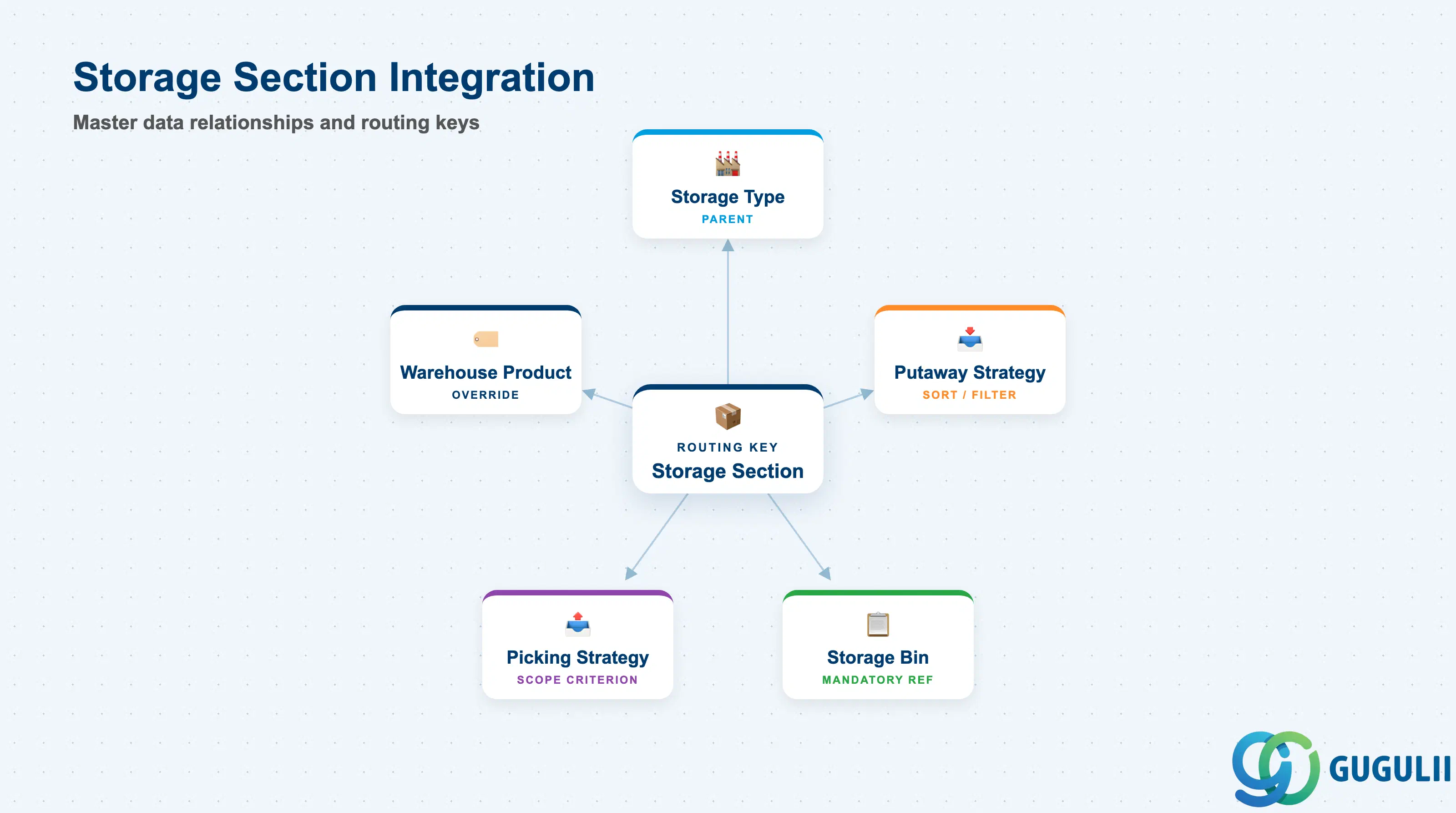
The Storage Section is a passive configuration object — it does not carry transactional data itself, but it acts as the routing key that Putaway Strategy and Picking Strategy algorithms evaluate when assigning a bin.
| Object | Relationship | Practical Notes |
|---|---|---|
| Storage Type | Parent. Storage Section is always defined within one Storage Type | A Storage Section key is only unique within its Storage Type. The same key (e.g., “A01”) can exist under multiple Storage Types without conflict. |
| Storage Bin | Storage Bin references Storage Section as a mandatory attribute | During bin master data creation (/SCWM/LS01) or mass creation (SPRO bin layout), the Storage Section must already exist. Bins without a valid section cannot be saved. |
| Putaway Strategy | Storage Section is a sort/filter criterion in the bin determination sequence | Standard putaway strategies (e.g., Next Empty Bin, Addition to Existing Stock) evaluate the Storage Section to narrow the pool of candidate bins before applying the sort sequence. |
| Picking Strategy | Storage Section is a sort criterion in the picking sequence | FIFO, FEFO, and Fixed Bin strategies use the Storage Section to scope the candidate bin search, ensuring pickers draw from the correct zone first. |
| Warehouse Product | Storage Section appears in the warehouse product putaway control data | The Warehouse Product record (/SCWM/MAT1) can specify a preferred Storage Type and Section for putaway, overriding the default strategy for specific SKUs. |
| Fixed Storage Bin | Fixed bins are always assigned to a bin that belongs to a section | Changing a Fixed Storage Bin assignment may implicitly change the effective Storage Section for that product-bin pair. |
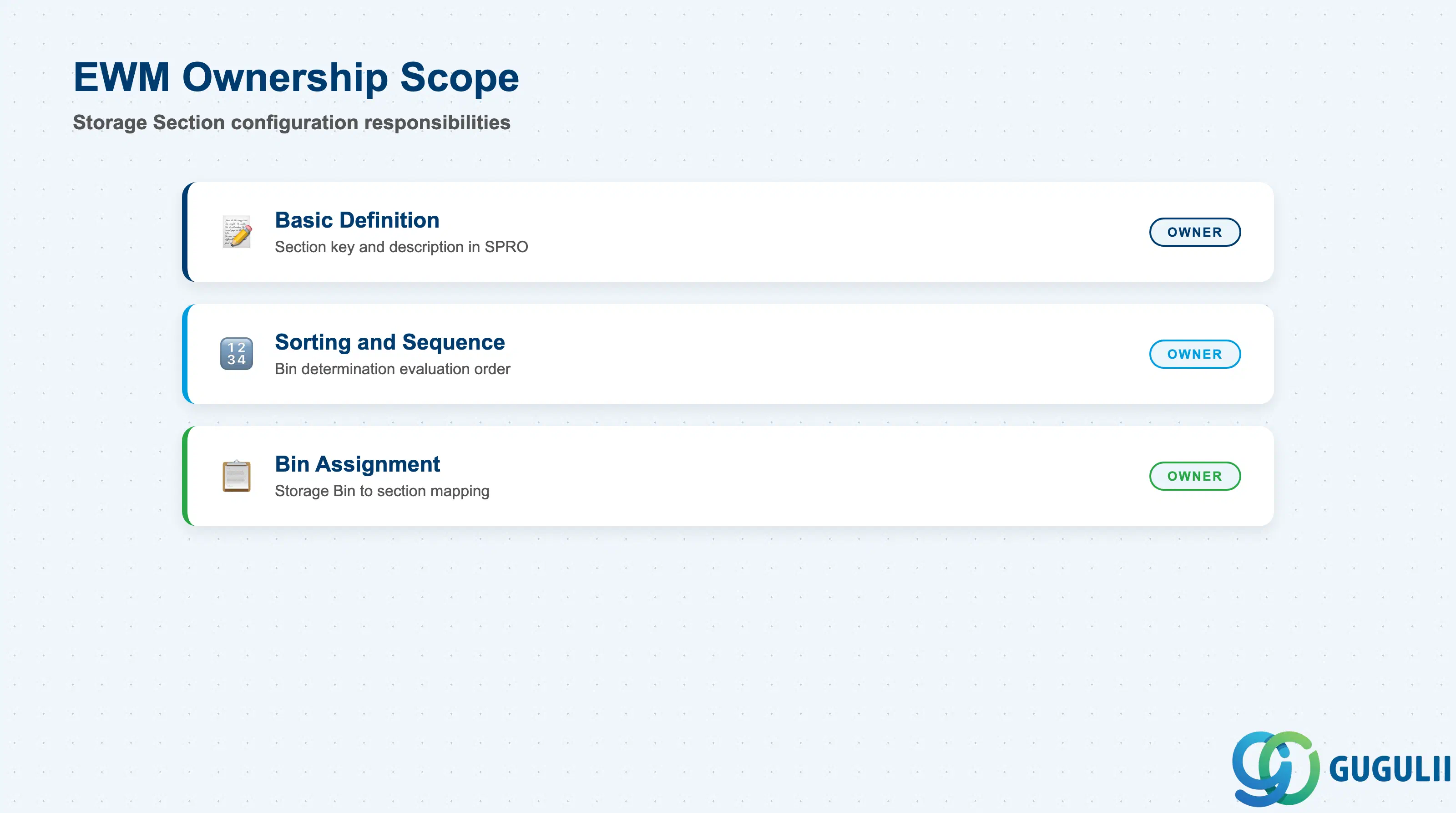
| Data Section | EWM Involvement | Notes |
|---|---|---|
| Basic Definition | ◎ Owner | Storage Section key, description — mandatory, defined in SPRO |
| Sorting and Sequence | ◎ Owner | Controls the order sections are evaluated during bin determination |
| Bin Assignment | ◎ Owner | Assigning Storage Bins to this section during bin master data setup |
Legend: ◎ = Owner / Critical, ○ = Direct involvement
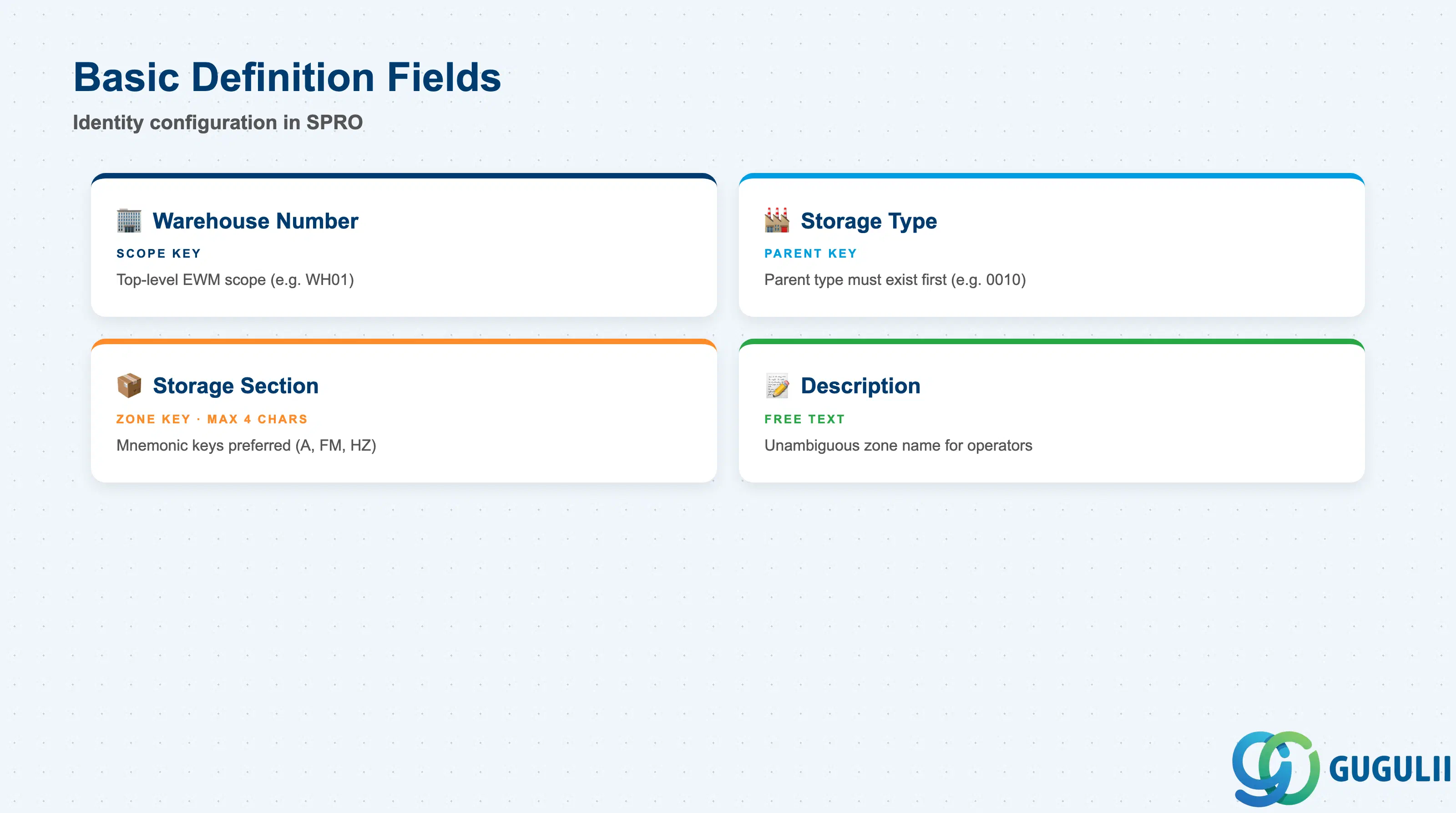
The Basic Definition data forms the identity of the Storage Section. These fields are entered in SPRO under Extended Warehouse Management → Master Data → Define Storage Sections, and must be established before any Storage Bins can be created in the Storage Type.
| Field | Description | Practical Usage |
|---|---|---|
| Warehouse Number | Key of the EWM warehouse (e.g., WH01) | All Storage Section definitions are scoped to a Warehouse Number. In multi-warehouse deployments (e.g., separate warehouses per plant), Storage Sections must be defined independently for each Warehouse Number even if the physical layout is identical. |
| Storage Type | Parent Storage Type key (e.g., 0010) | Storage Sections are always defined within a Storage Type. The Storage Type must exist before the Section can be created. Validate the Storage Type design (EWM-A03-01) before beginning section definition. |
| Storage Section | Section key (max 4 characters, e.g., A001, FM01) | The unique identifier for the zone within the Storage Type. Short, mnemonic keys (A, B, HZ, QI) are preferred over numeric sequences — they appear on warehouse task printouts and RF screens where space is limited. |
| Description | Free-text description (e.g., “Fast Mover Front Aisle”) | Displayed in SPRO and bin master data transactions. Use descriptions that unambiguously identify the physical zone for operators and future consultants maintaining the system. |
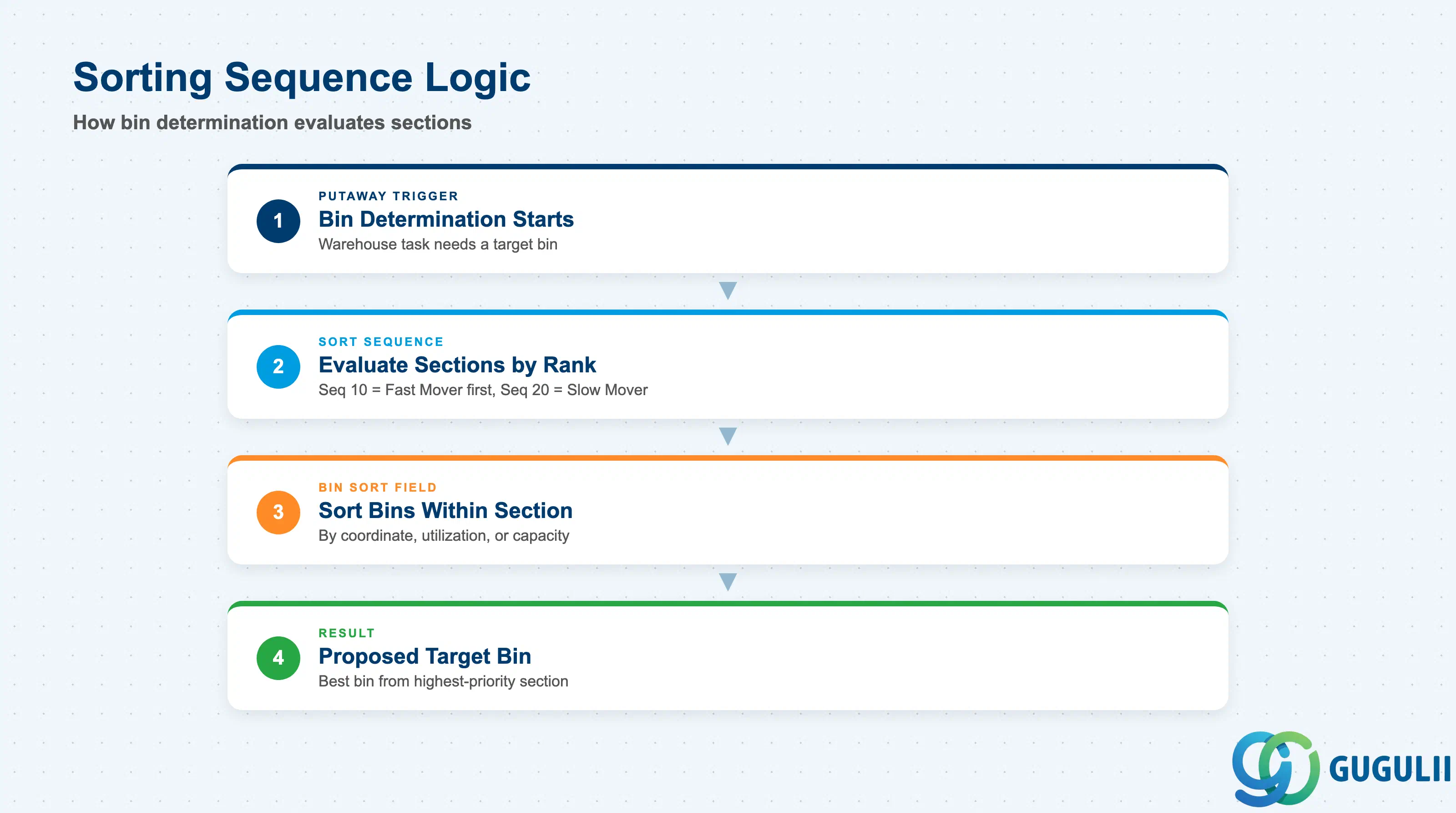
The Sorting and Sequence configuration determines the order in which the bin determination algorithm visits Storage Sections when searching for a suitable bin during putaway or picking. Correct sequence design is critical to achieving the intended throughput and stock placement patterns.
| Field | Description | Practical Usage |
|---|---|---|
| Sort Sequence | Numeric sequence number that ranks Storage Sections within a Storage Type for bin determination | Lower numbers are evaluated first. In a fast-mover / slow-mover design, assign sequence 10 to the fast-mover section and sequence 20 to the slow-mover section. The putaway strategy will fill fast-mover bins first and overflow to slow-mover sections when the primary zone is full. In FEFO environments, sorting interacts with the shelf life sort criterion — design the sequence in alignment with the picking strategy definition. |
| Bin Sort Field | Secondary sort criterion applied to bins within the section (e.g., bin coordinate, bin utilization) | Controls which bin within the section is proposed first after the section is selected. Common choices: bin coordinate for sequential putaway (fills an aisle front-to-back), utilization for addition-to-existing-stock strategies. The sort field interacts with the Putaway Strategy — review the putaway strategy configuration (EWM-A03-03) before finalizing this field. |
Prerequisite: The Putaway Strategy and Picking Strategy must be defined (EWM-A03-03, EWM-A03-04) before the sorting sequence can be validated end-to-end. Run a bin determination simulation (/SCWM/BIN_DET) in the test system to confirm the sequence produces the intended behavior before cutover.
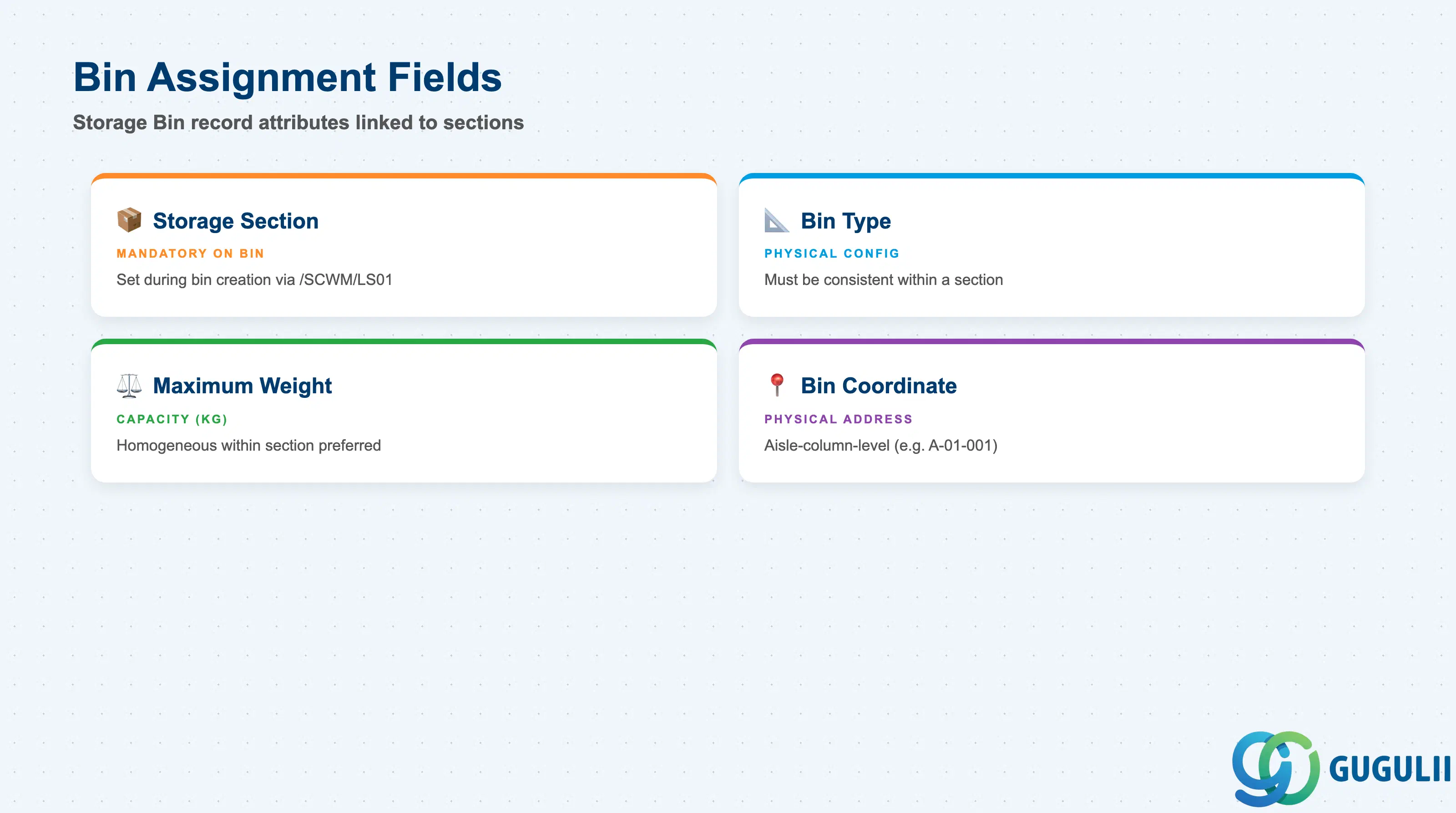
Storage Bins are assigned to a Storage Section at the time of bin master data creation. The assignment is a mandatory attribute of the Storage Bin — every bin belongs to exactly one section, and that assignment controls all putaway and picking routing for that bin.
| Field | Description | Practical Usage |
|---|---|---|
| Storage Section (on Bin) | Section key on the Storage Bin record (/SCWM/LS01) | Set during bin creation — either manually in /SCWM/LS01 or in bulk via the bin layout Customizing tool (SPRO → Define Layout). Mass reassignment of bins to a different section is possible via /SCWM/LS02 (Change Storage Bin) but should be tested in a non-productive client first, as open warehouse tasks or stock may exist in the affected bins. |
| Bin Type | Bin type code linked to the bin’s physical configuration (e.g., standard pallet, small parts) | While not a Storage Section field itself, bin type is defined at the same level and must be consistent within a section. Mixing bin types within one section can cause unexpected bin determination results if the putaway strategy filters on bin type. |
| Maximum Weight | Maximum allowed weight for the bin (kg) | Enforced at stock placement. Each bin’s maximum weight should be homogeneous within a section when capacity-check putaway strategies are used, to avoid the system systematically skipping overloaded bins in one zone. |
| Bin Coordinate | Physical address string (e.g., aisle-column-level: A-01-001) | Used as the primary sort criterion within a section when the sort field is set to coordinate. A consistent coordinate numbering convention within each section simplifies RF navigation and physical inventory counting. |
Prerequisite: The Storage Section must exist in SPRO before bins can be assigned to it. In projects using the automated bin layout generation tool (SPRO → Generate Storage Bins), the section assignment is defined in the generation template and applied to all generated bins in one step.
| ID | Category | Title |
|---|---|---|
| ewm-001 | Overview | What is SAP EWM? |
| ID | Category | Title |
|---|---|---|
| ewm-b01 | Overview | SAP EWM Transactions: Process Flow, Hierarchy & Relationships |