Title here
Summary here

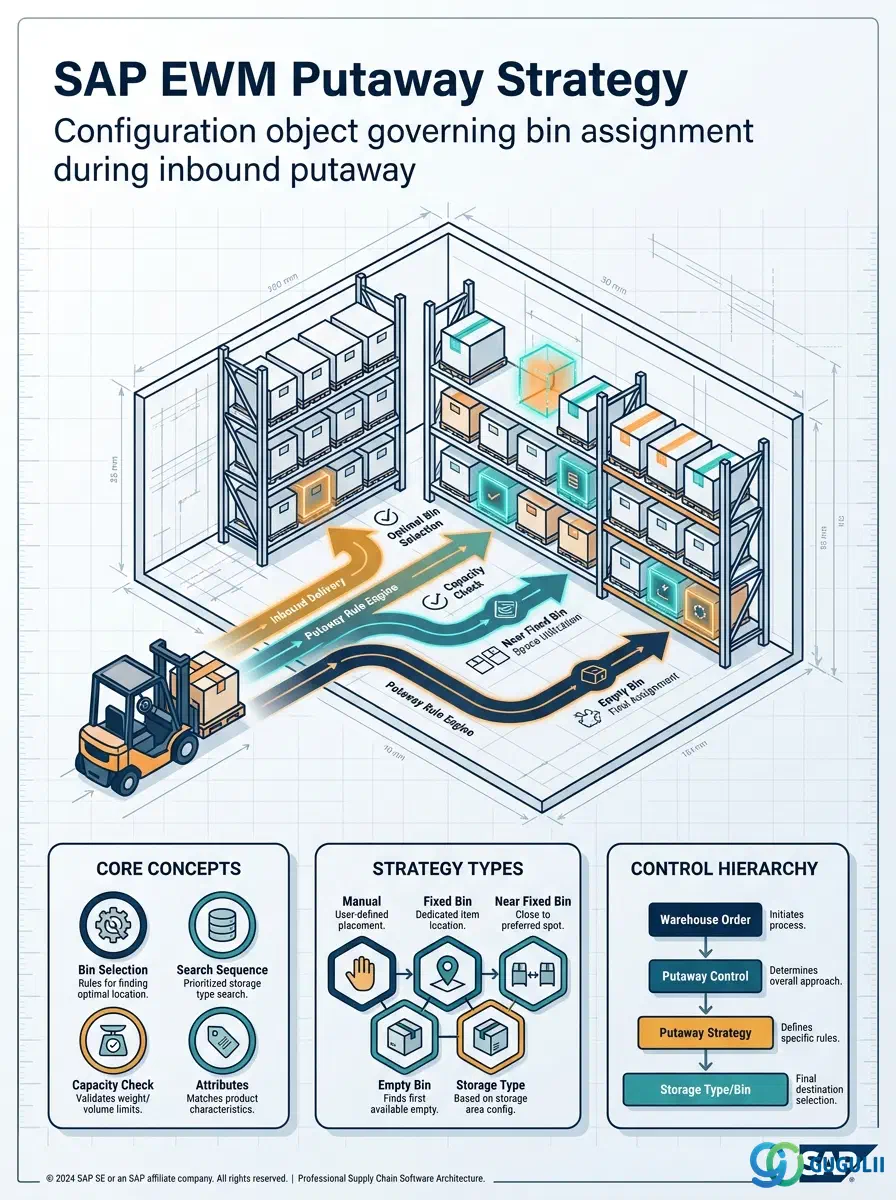
The Putaway Strategy is the configuration object in SAP EWM that governs which storage bin is proposed during inbound putaway. Rather than being a transactional master data record, it is defined in Customizing and assigned to Storage Types (and optionally overridden at the Storage Section or Warehouse Product level). Every Warehouse Task generated for a putaway movement is resolved against this strategy chain. This article covers the standard strategy types, the organizational control hierarchy from Warehouse Number down to individual product, and the EWM-specific configuration settings consultants must maintain.
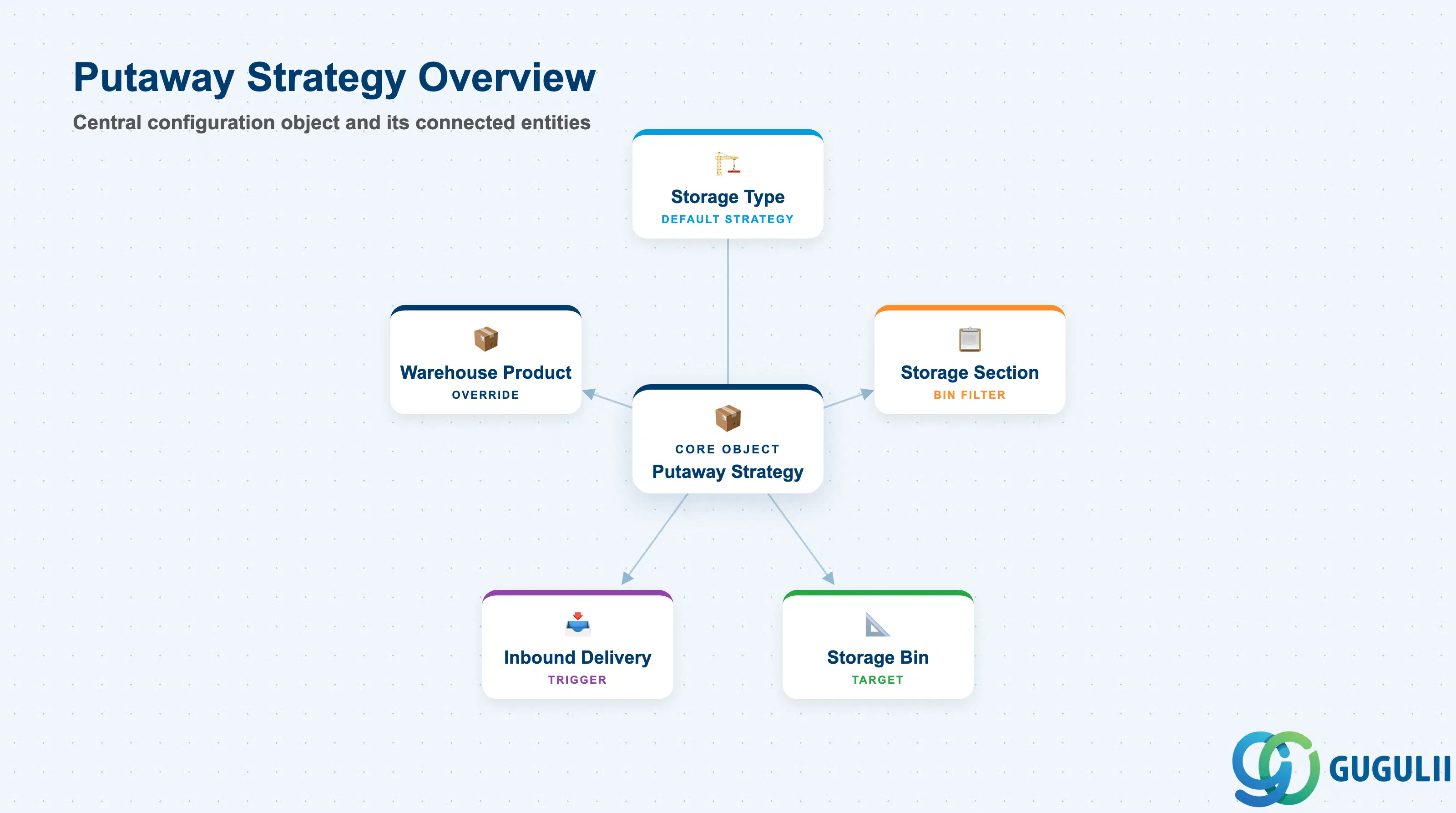
A Putaway Strategy is a rule set that instructs the EWM system how to search for and assign an available storage bin when goods arrive at the warehouse. It answers the practical question: “Given this product arriving now, which physical bin should receive it?” The strategy is evaluated each time a Warehouse Task is created for a putaway movement, making it a critical determinant of warehouse space utilization and throughput.
| Aspect | Details |
|---|---|
| Role | Determines the target storage bin during putaway Warehouse Task creation |
| Modules using it | EWM (primary — all inbound processes), PP (Production Supply replenishment putaway), QM (post-inspection putaway after stock type change) |
| Transactions / Apps | SPRO (strategy definition): IMG > EWM > Goods Receipt > Putaway Strategies; /SCWM/LCONFIG (Warehouse Configuration Monitor); Fiori: Manage Putaway Strategies |
| Key Tables | /SCWM/TSTRTYPE (Storage Type configuration including putaway strategy code); /SCWM/TSECTION (Storage Section with putaway indicator); /SCWM/MAT1 (Warehouse Product — putaway strategy override) |
| S/4HANA note | Embedded EWM (Basic and Advanced) retains the same putaway strategy framework as Decentralized EWM. In S/4HANA 2020+, Fiori-based configuration replaces many SPRO paths; core logic is unchanged. |
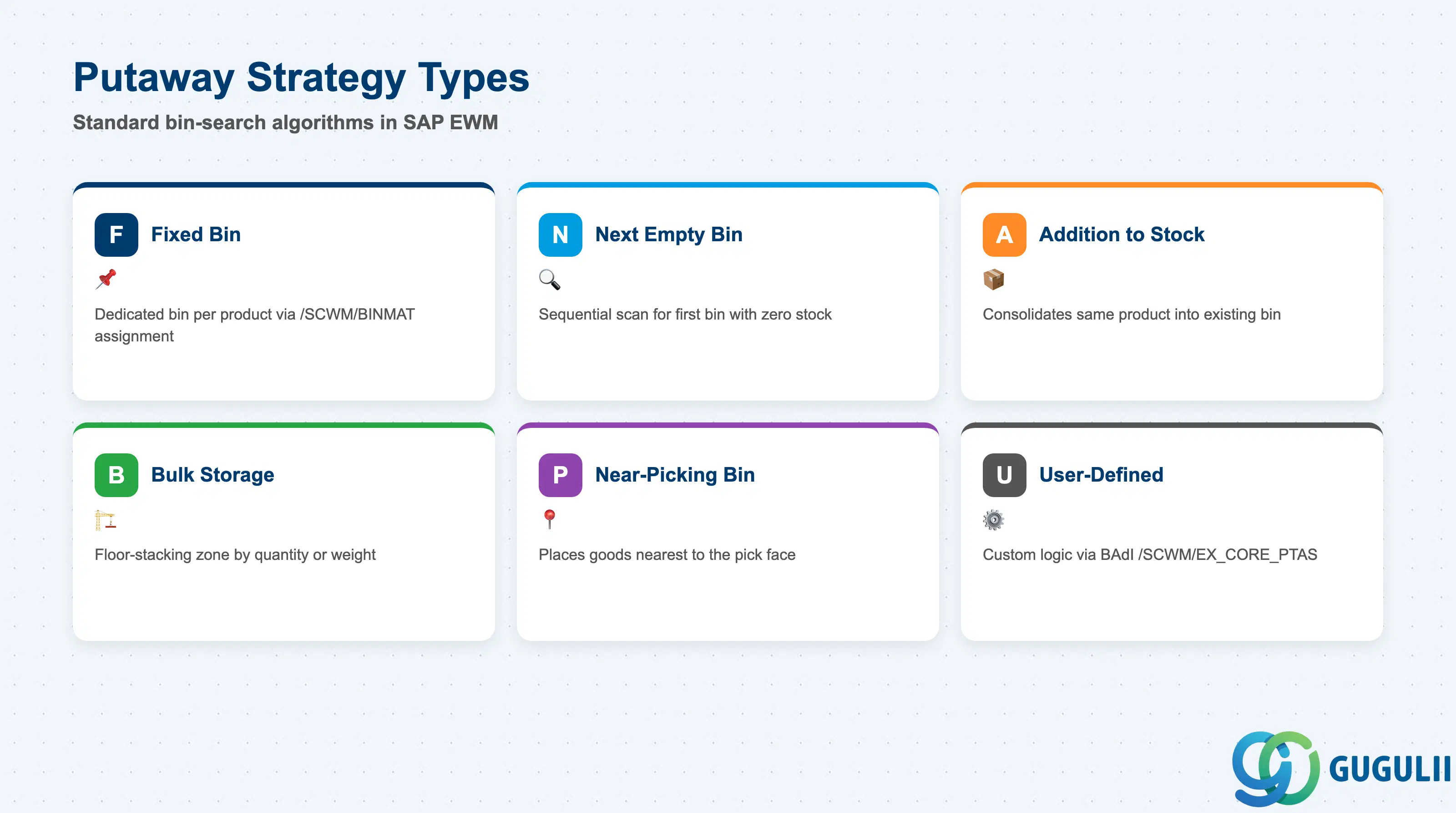
The strategy type code assigned to a Storage Type (or overridden at the product level) determines the bin-search algorithm EWM executes. Choosing the wrong type for a storage area wastes space, causes bin overflow errors, or defeats the purpose of the physical layout.
| Strategy Type | Code | Use Case | Key Behavior |
|---|---|---|---|
| Fixed Bin | F | High-frequency SKUs with dedicated bin assignments | System searches the Fixed Storage Bin record for the product. Bin is pre-assigned via /SCWM/BINMAT. Falls through to alternative if bin is full (configurable). |
| Next Empty Bin | N | General racking where any empty slot is equally valid | System scans bins sequentially (or by sort criteria) and proposes the first bin with zero stock and no open Warehouse Tasks. Efficient for shelf storage. |
| Addition to Existing Stock | A | Consolidation storage: same product stacked together | System finds an existing bin already holding the same product and adds to it, subject to capacity check. Reduces split-stock situations but requires accurate capacity data. |
| Bulk Storage | B | Floor-stacking of homogeneous product (pallets, drums) | System identifies a bulk zone bin. Capacity is calculated by quantity or weight. Common in ambient food, raw material, or packaging warehouses. |
| Near-Picking Bin | P | Replenishment putaway close to the pick face | System places goods in a storage bin nearest to the designated picking bin for the product, reducing travel distance during subsequent replenishment. |
| User-Defined (Enhancement) | U | Customer-specific logic via BAdI | EWM calls BAdI /SCWM/EX_CORE_PTAS, allowing custom bin search algorithms. Used when none of the standard strategies fit the operational model. |
Design principle: Assign strategy type at the Storage Type level as the default, then use product-level overrides sparingly — over-reliance on product-level exceptions creates maintenance overhead as the product catalog grows.
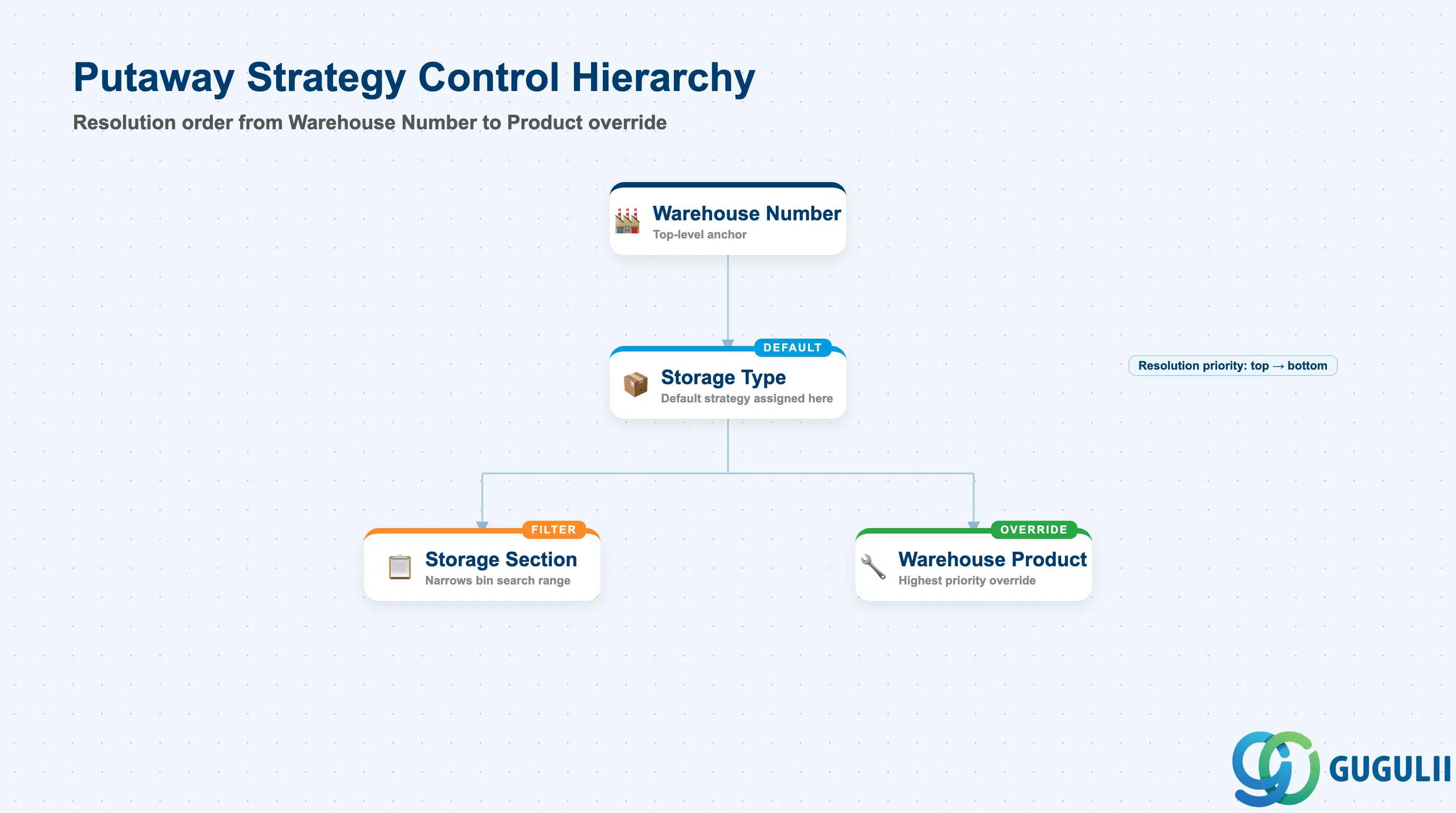
The Putaway Strategy is not evaluated in isolation — EWM resolves it through a control hierarchy that checks increasingly specific levels. Understanding this hierarchy is essential for designing a configuration that is both flexible and maintainable.
Warehouse Number (e.g. WH01)
   │
   └── Storage Type (e.g. 0001 — High-bay rack)
          │   Putaway Strategy Code = N (Next Empty Bin)   ← Default strategy
          │   Capacity Check Active = Yes
          │
          ├── Storage Section (e.g. A01 — Fast movers)
          │      Storage Section Indicator → links to product's Section Indicator
          │      (Overrides which section EWM searches within the Storage Type)
          │
          └── Warehouse Product (Product × Warehouse Number)
                 Putaway Strategy Override Code = F (Fixed Bin)  ← Product-specific override
                 Preferred Storage Type = 0001
Storage Section Indicator = FAST| Org Level | Table / Object | Primary Fields | Notes |
|---|---|---|---|
| Warehouse Number | SPRO (Warehouse definition) | Warehouse Number, EWM type (Embedded/Decentralized) | Top anchor — all Storage Types belong to one warehouse |
| Storage Type | /SCWM/TSTRTYPE | Putaway Strategy Code, Capacity Check Method, Mixed Storage allowed, Sort Criterion | Default strategy for all bins of this type |
| Storage Section | /SCWM/TSECTION | Storage Section Indicator, Sort Sequence | Narrows the bin-search range within a Storage Type |
| Warehouse Product | /SCWM/MAT1 (Warehouse Product Master) | Putaway Strategy Override, Preferred Storage Type, Storage Section Indicator | Highest priority override; overrules Storage Type default |
Key design decision: Define the putaway strategy at the Storage Type level first, covering 80–90% of products. Reserve product-level overrides for genuinely exceptional items (hazardous materials, temperature-controlled goods, or high-velocity SKUs requiring Fixed Bin).
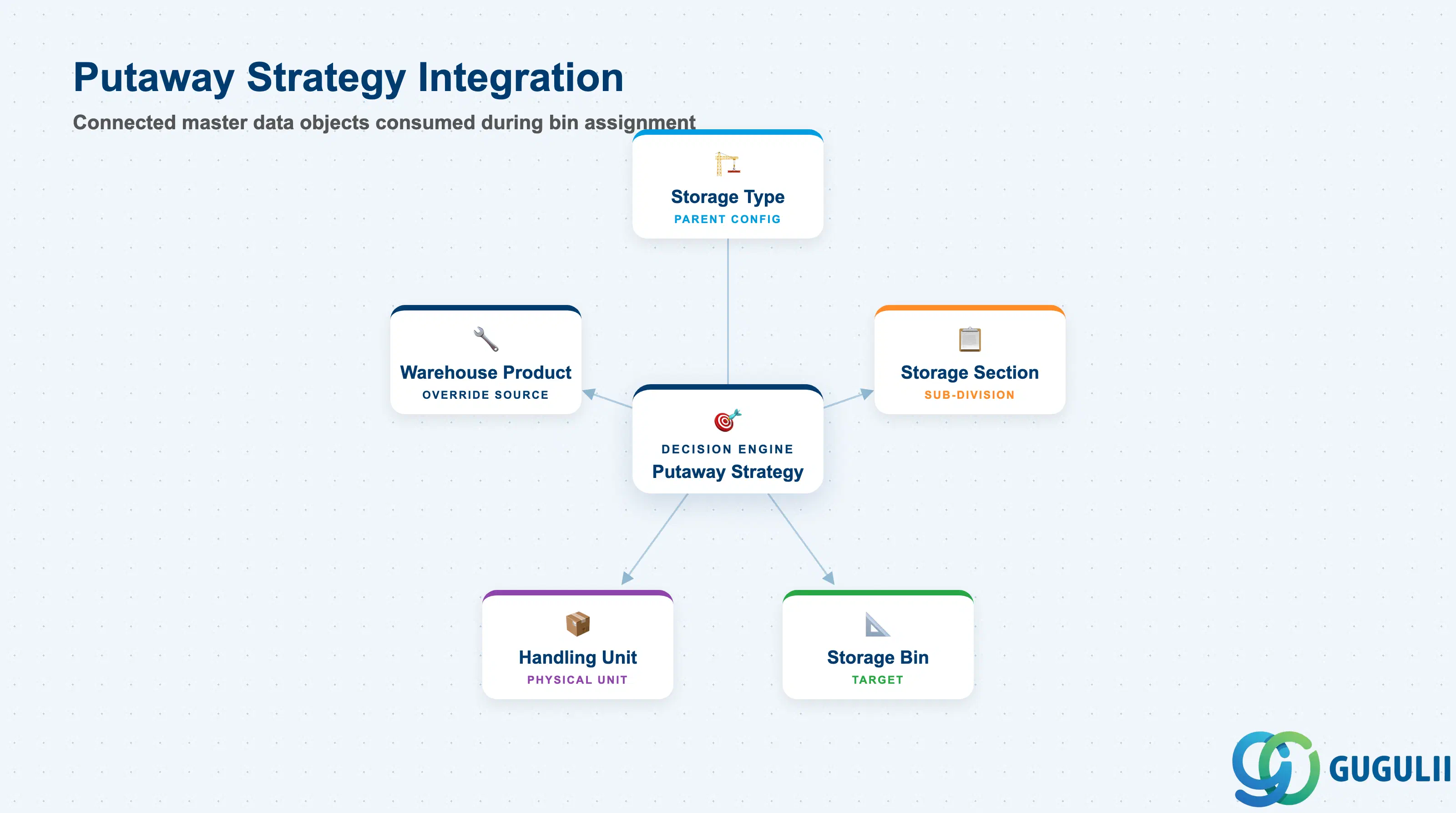
The Putaway Strategy does not operate independently — it is the decision engine that consumes data from surrounding master objects to arrive at a bin assignment. A gap in any of the dependent objects (missing capacity data, absent Fixed Bin record) causes the putaway to fail or fall through to an unintended alternative.
| Object | Relationship | Practical Notes |
|---|---|---|
| Storage Type | Parent configuration object — Putaway Strategy code is defined here | Strategy cannot be activated without a valid Storage Type. Changing the strategy code on a live Storage Type affects all future putaway WTs immediately. |
| Storage Section | Sub-division of Storage Type; strategy resolution filters available bins by section | Storage Section Indicator on the Warehouse Product drives which section EWM searches. If the indicator is blank on the product, all sections of the Storage Type are eligible. |
| Storage Bin | Target of the strategy — strategy selects from available bins in the Storage Type / Section | Bins must have correct status (Active, not blocked), available capacity, and matching storage conditions (temperature, hazard class) for the strategy to propose them. |
| Warehouse Product Master | Provides putaway strategy override, preferred storage type, and section indicator at the product level | This is the most common source of per-product exceptions. EWM reads the override before applying the Storage Type default. |
| Handling Unit (HU) | Physical unit being put away; its dimensions and weight are checked against bin capacity | When capacity check is active, the HU’s packed weight and dimensions must fit within the bin’s defined capacity limits. Ensure HU type master data is complete. |
| Data Section | EWM Involvement | Notes |
|---|---|---|
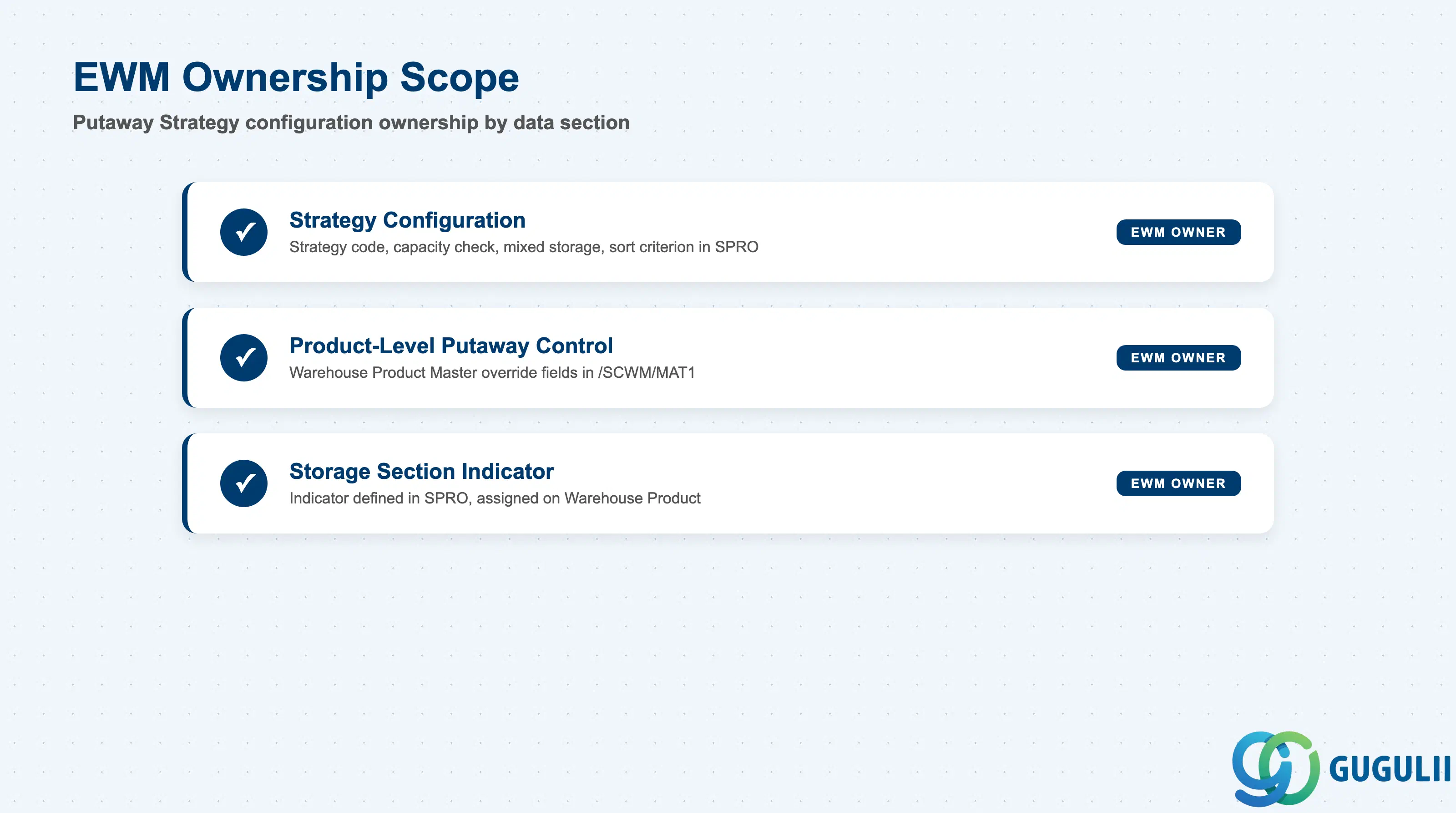
| Strategy Configuration (Storage Type level) | ◎ Owner | Strategy code, capacity check, mixed storage, and sort criterion are all SPRO/Customizing — owned entirely by EWM team |
| Product-Level Putaway Control | ◎ Owner | Warehouse Product Master putaway override fields maintained in EWM (/SCWM/MAT1); MM team owns the base Material Master but not EWM-specific tabs |
| Storage Section Indicator | ◎ Owner | Indicator defined in SPRO and assigned on the Warehouse Product — no cross-module dependency |
Legend: ◎ = Owner / Critical
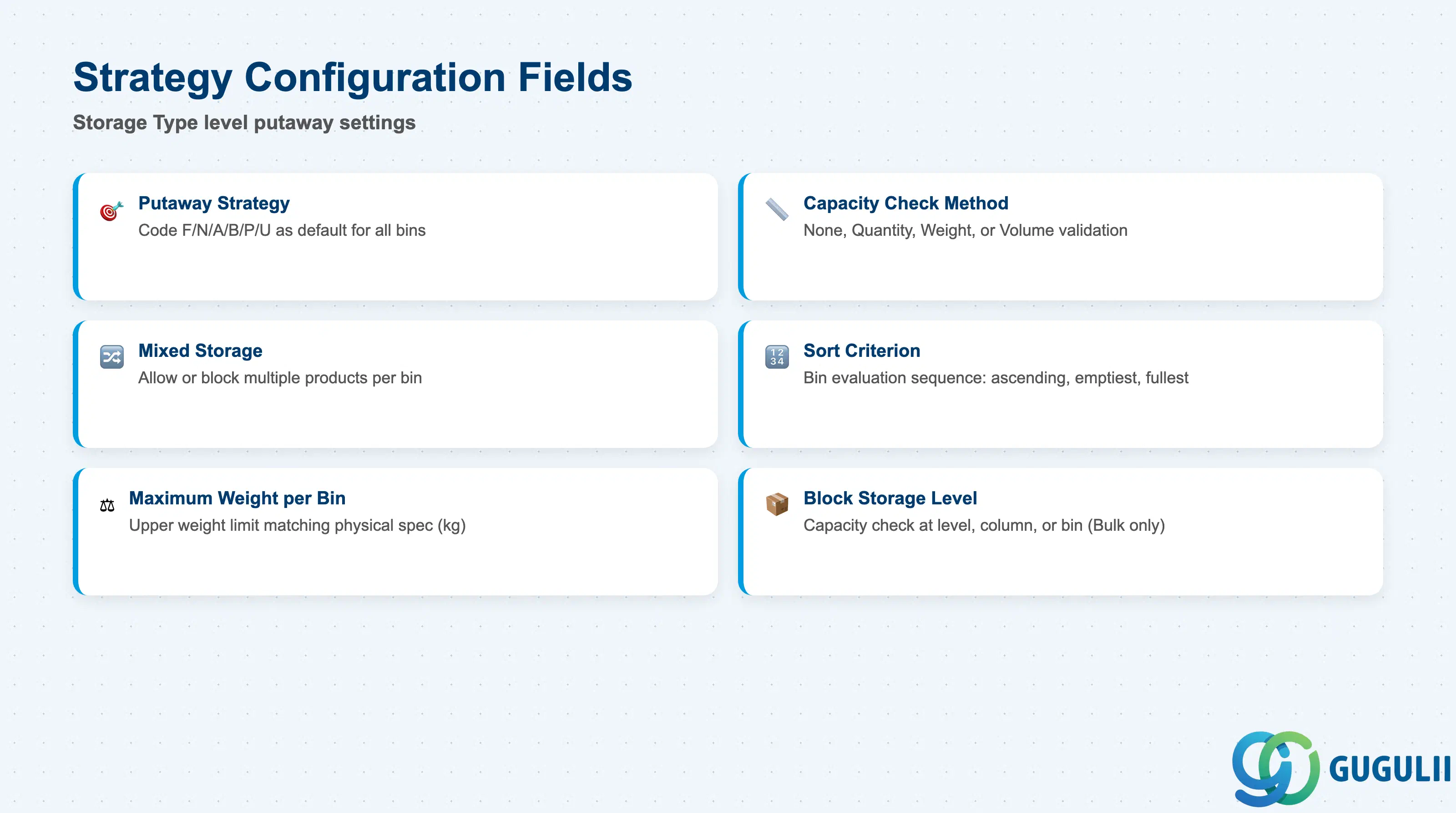
The core putaway strategy settings reside in the Storage Type configuration (SPRO or Fiori app “Define Storage Types”). These fields control which bin-search algorithm runs, how capacity is enforced, and how ties between equally eligible bins are broken.
| Field | Description | Practical Usage |
|---|---|---|
| Putaway Strategy | Strategy code (F / N / A / B / P / U) applied as the default for all bins in this Storage Type | Set during blueprint and rarely changed post-go-live. Changing this code on a Storage Type that already has stock can cause unexpected bin proposals if residual capacity data does not match the new algorithm. |
| Capacity Check Method | Determines how EWM validates that a bin has enough space: None, Quantity, Weight, or Volume | Always activate a capacity check for racking areas with fixed slot dimensions (height / weight limits). Skipping capacity check in high-bay warehouses leads to overflow errors that block physical putaway. |
| Mixed Storage | Flag indicating whether multiple products can share one bin | Set to “Not Allowed” for FEFO warehouses (food, pharma) or hazardous goods areas where cross-contamination or MSDS restrictions apply. Leaving it open in a regulated warehouse is a compliance risk. |
| Sort Criterion for Bin Search | Defines the sequence in which candidate bins are evaluated: bin coordinate ascending, bin coordinate descending, emptiest first, fullest first | Use ascending bin coordinate for “front-to-back” fill logic (common in block stacking). Use “fullest first” for Addition to Existing Stock strategy to consolidate partial bins before opening new ones. |
| Maximum Weight per Bin | Upper weight limit for capacity check (kg) | Must match the physical floor-load or racking-load specification of the storage area. Incorrect values cause the system to approve overloaded bins that fail physical inspection at goods receipt. |
| Block Storage Level | For bulk storage: defines whether capacity is checked at level (row), column, or individual bin | Applicable only when strategy = B (Bulk Storage). Block-level capacity grouping reduces system overhead for large floor-storage areas with hundreds of positions per row. |
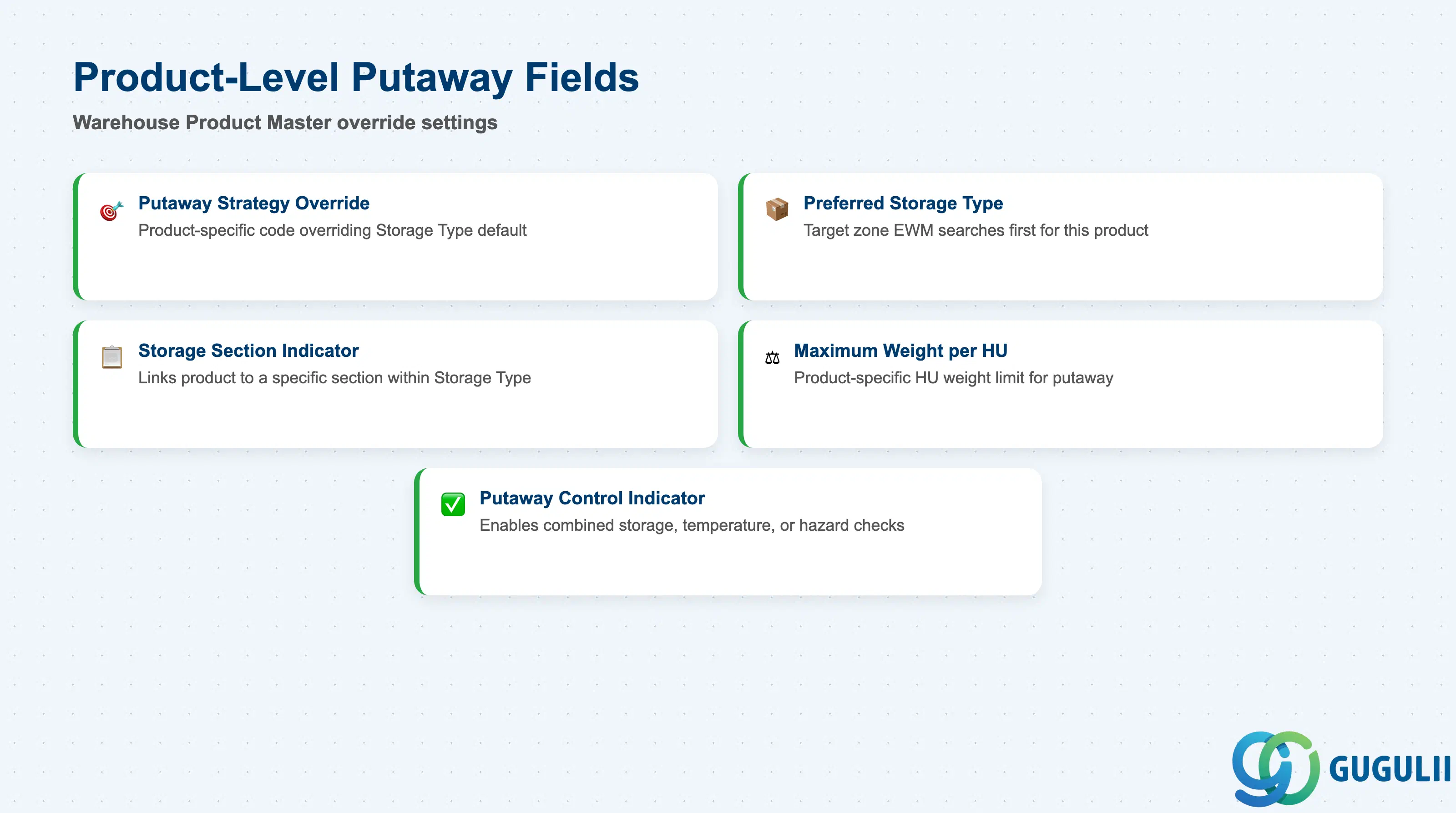
The Warehouse Product Master (/SCWM/MAT1) extends the S/4HANA Material Master with EWM-specific warehouse attributes. The putaway control tab on this record allows per-product exceptions to the Storage Type default strategy.
| Field | Description | Practical Usage |
|---|---|---|
| Putaway Strategy (Override) | Product-specific strategy code that overrides the Storage Type default | Use only for genuine exceptions (e.g., a single high-velocity SKU requiring Fixed Bin in a warehouse otherwise using Next Empty Bin). Overusing this field creates a hidden layer of configuration that is difficult to audit during system incidents. |
| Preferred Storage Type | The storage type EWM targets first when searching for a putaway bin for this product | Critical for products that must be stored in a specific zone (e.g., refrigerated storage type 0005, hazardous area 0010). If blank, EWM applies the standard storage type determination sequence. |
| Storage Section Indicator | Code linking the product to a specific Storage Section within the preferred Storage Type | Design the indicator taxonomy during blueprint (e.g., FAST = fast movers, SLOW = slow movers, HAZ = hazardous). Adding new indicators post-go-live requires both SPRO Customizing and retroactive assignment to all affected Warehouse Products. |
| Maximum Weight per HU | Product-specific maximum Handling Unit weight permitted for putaway | Overrides the Storage Type capacity limit for this product. Used when a product’s density means even small quantities approach the bin weight limit, while most other products in the same Storage Type are much lighter. |
| Putaway Control Indicator | Composite flag enabling additional putaway checks: combined storage check, temperature check, hazard class check | Activate for products subject to storage restrictions. Each activated check adds a validation step to the WT creation process — test performance impact in high-volume warehouses before go-live. |
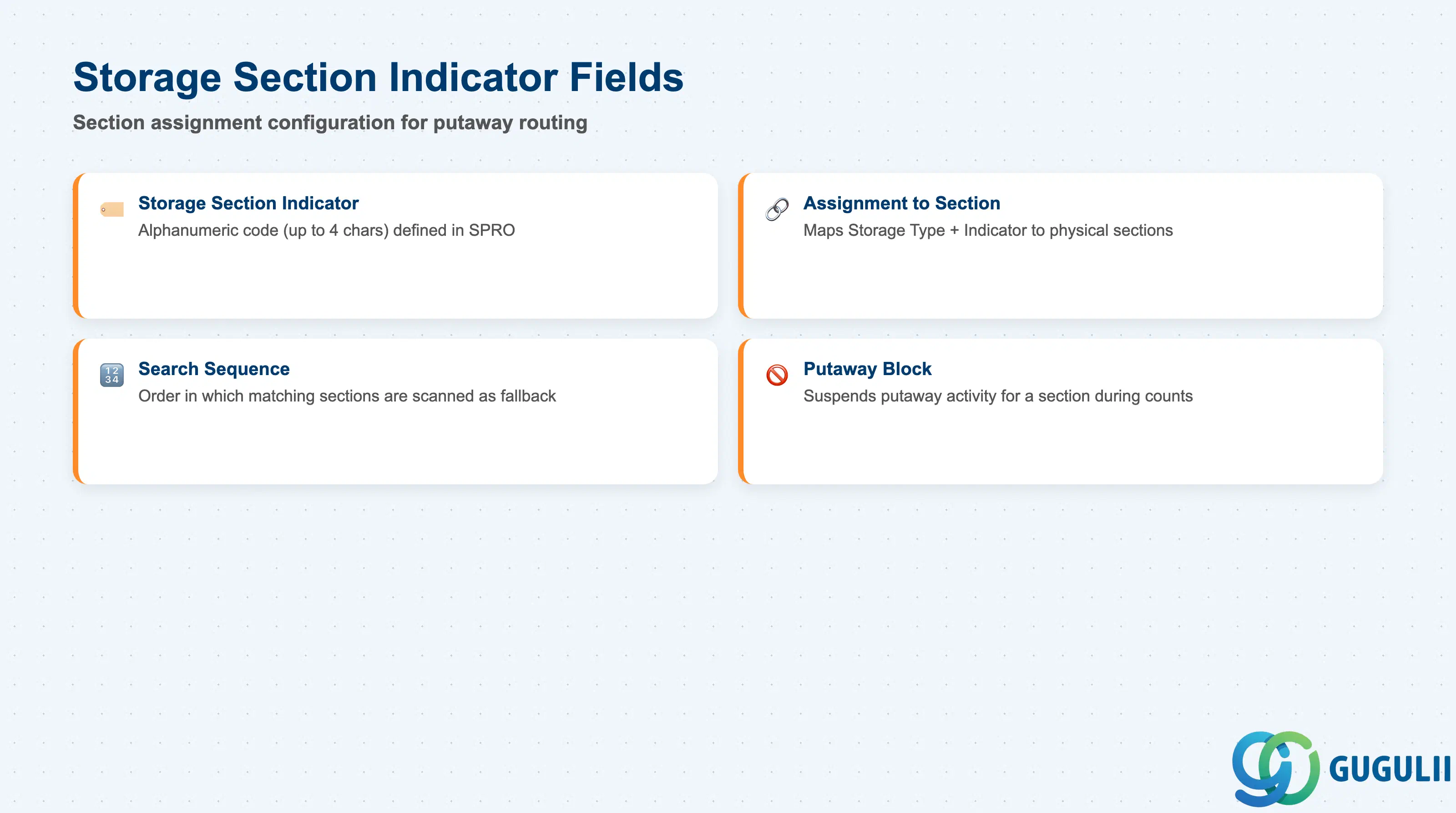
The Storage Section Indicator is the linking mechanism that routes a specific product to a specific Storage Section during putaway. It is defined in SPRO and then assigned on the Warehouse Product, creating a controlled mapping between product attributes and physical warehouse zones.
| Field | Description | Practical Usage |
|---|---|---|
| Storage Section Indicator | Alphanumeric code (up to 4 characters) defined in SPRO under Putaway Strategies > Define Storage Section Indicators | Keep the indicator scheme simple and business-readable (e.g., FAST, SLOW, COLD, HAZ). Cryptic codes (e.g., 0001, 0002) increase the risk of assignment errors during Warehouse Product Master maintenance. |
| Assignment to Storage Section | In SPRO: each Storage Type + Storage Section Indicator combination maps to one or more Storage Sections | One indicator can map to different physical sections in different Storage Types, allowing a single product-level field to drive section selection across multiple zones without per-Storage-Type overrides. |
| Search Sequence | Sequence number controlling the order in which Storage Sections are searched if multiple sections match the indicator | Configure a fallback sequence (primary section → secondary section → overflow section) to prevent putaway failure when the primary section is full, rather than hard-failing the WT and requiring manual bin assignment. |
| Putaway Block for Section | Flag on the Storage Section that suspends putaway activity for that section | Used during physical inventory counts, maintenance shutdowns, or section rebalancing. When a section is blocked, EWM skips it in the bin-search and proceeds to the next section in the search sequence — provided a sequence is defined. |
Prerequisite: Storage Section Indicators must be defined in SPRO before Warehouse Products can be assigned. If Warehouse Products are migrated via LSMW or data load before indicators are created in Customizing, the assignment fails silently — the indicator field accepts any value and only validates on WT creation.
| ID | Category | Title |
|---|---|---|
| ewm-001 | Overview | What is SAP EWM? |
| ID | Category | Title |
|---|---|---|
| ewm-b01 | Overview | SAP EWM Transactions: Process Flow, Hierarchy & Relationships |