Title here
Summary here

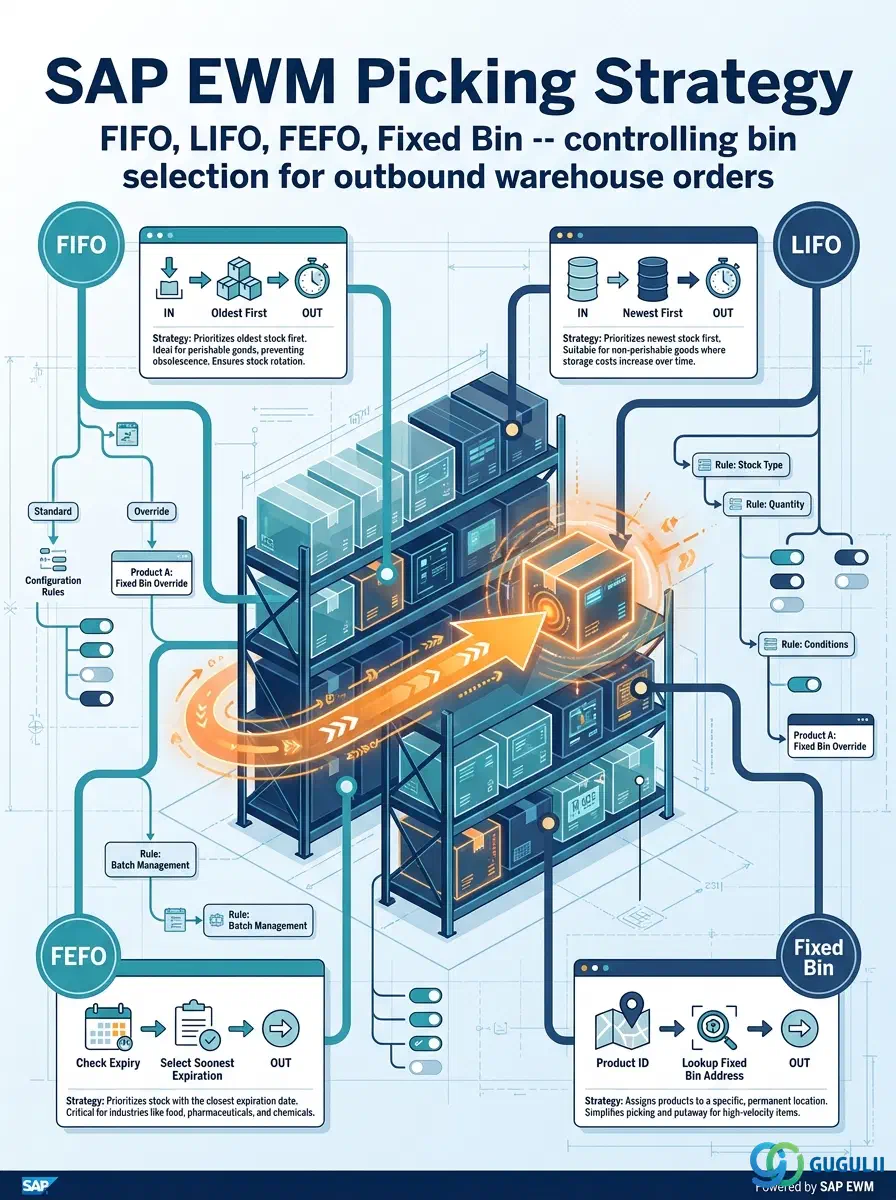
The Picking Strategy is the configuration object in SAP EWM that governs how the system selects storage bins during outbound warehouse order creation. It is defined at the Storage Type level in SPRO and determines the sort order in which the system searches candidate bins — whether by stock age (FIFO), expiry date (FEFO), fixed assignment, or quantity preference. Product-level overrides in the Warehouse Product Master let individual materials deviate from the Storage Type default, making the Picking Strategy a two-layer control mechanism that balances warehouse-wide rules with product-specific exceptions. This article covers strategy types, the organizational control hierarchy from Warehouse Number down to Batch, and the EWM-specific SPRO and master data fields that drive bin selection.
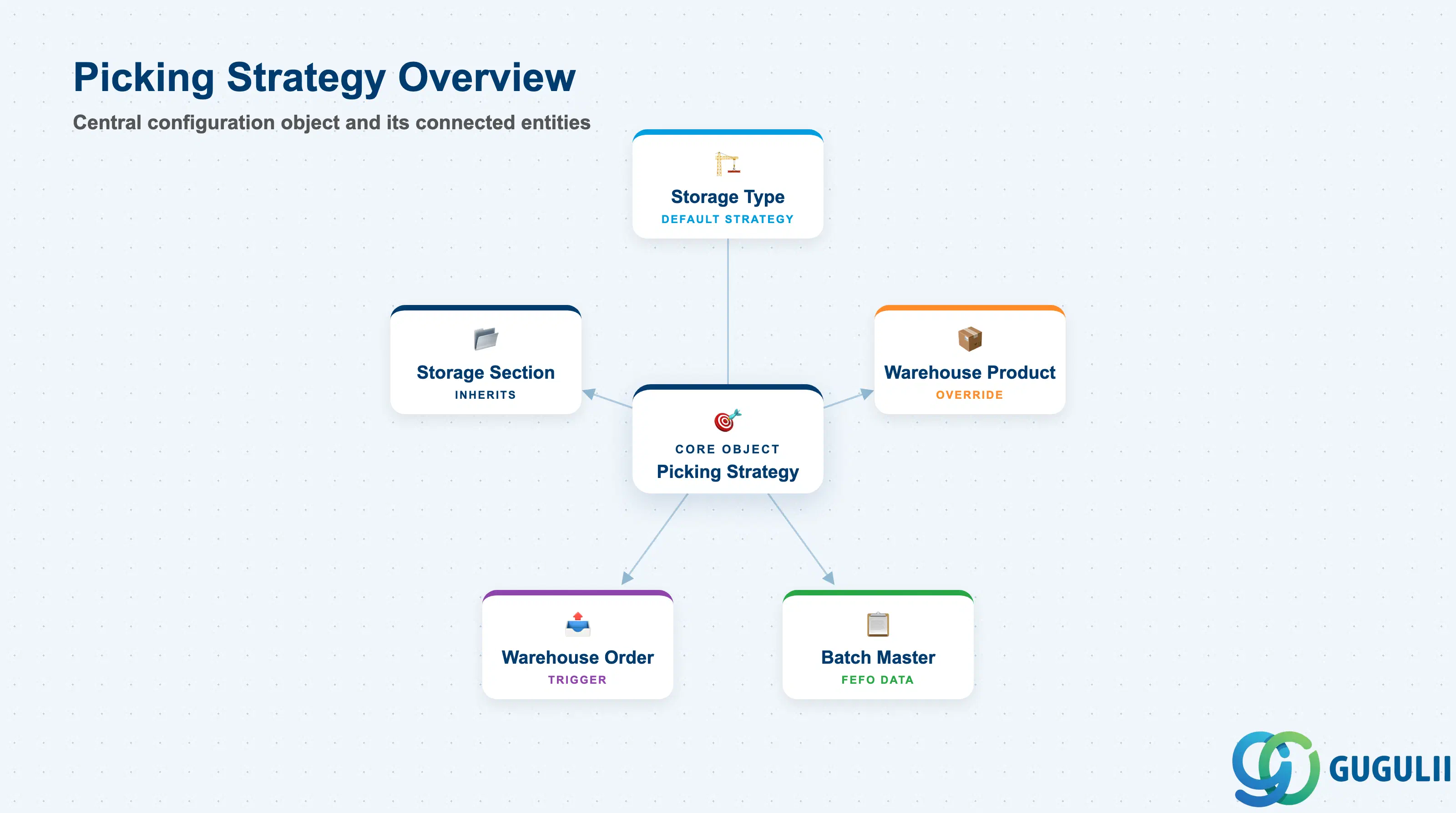
A Picking Strategy is a rule set that instructs the warehouse management system which bin — among all bins holding eligible stock — to present first when fulfilling a goods issue request. Without a defined strategy, bin selection is arbitrary and can lead to aged stock accumulating, expired goods being shipped, or inefficient pick paths. The strategy translates business rules (stock rotation policy, safety stock logic, packaging preferences) into a deterministic bin-sort sequence that EWM applies automatically during warehouse order creation.
| Aspect | Details |
|---|---|
| Role | Determines the sort order for bin selection during outbound warehouse order creation |
| Modules using it | EWM (primary owner — all deployment variants: Embedded Basic, Embedded Advanced, Decentralized) |
| Transactions | SPRO (strategy definition), /SCWM/MAT1 (product-level override), /SCWM/PRDI (physical inventory display, stock view) |
| Key Tables | /SCWM/TPGTYP (Storage Type strategy settings), /SCWM/MATMAS (Warehouse Product picking override) |
| S/4HANA note | Picking Strategy configuration is identical across Embedded EWM (Basic and Advanced) and Decentralized EWM. No structural change from ECC WM strategy codes; EWM adds finer-grained sort criteria and batch-relevance settings. |
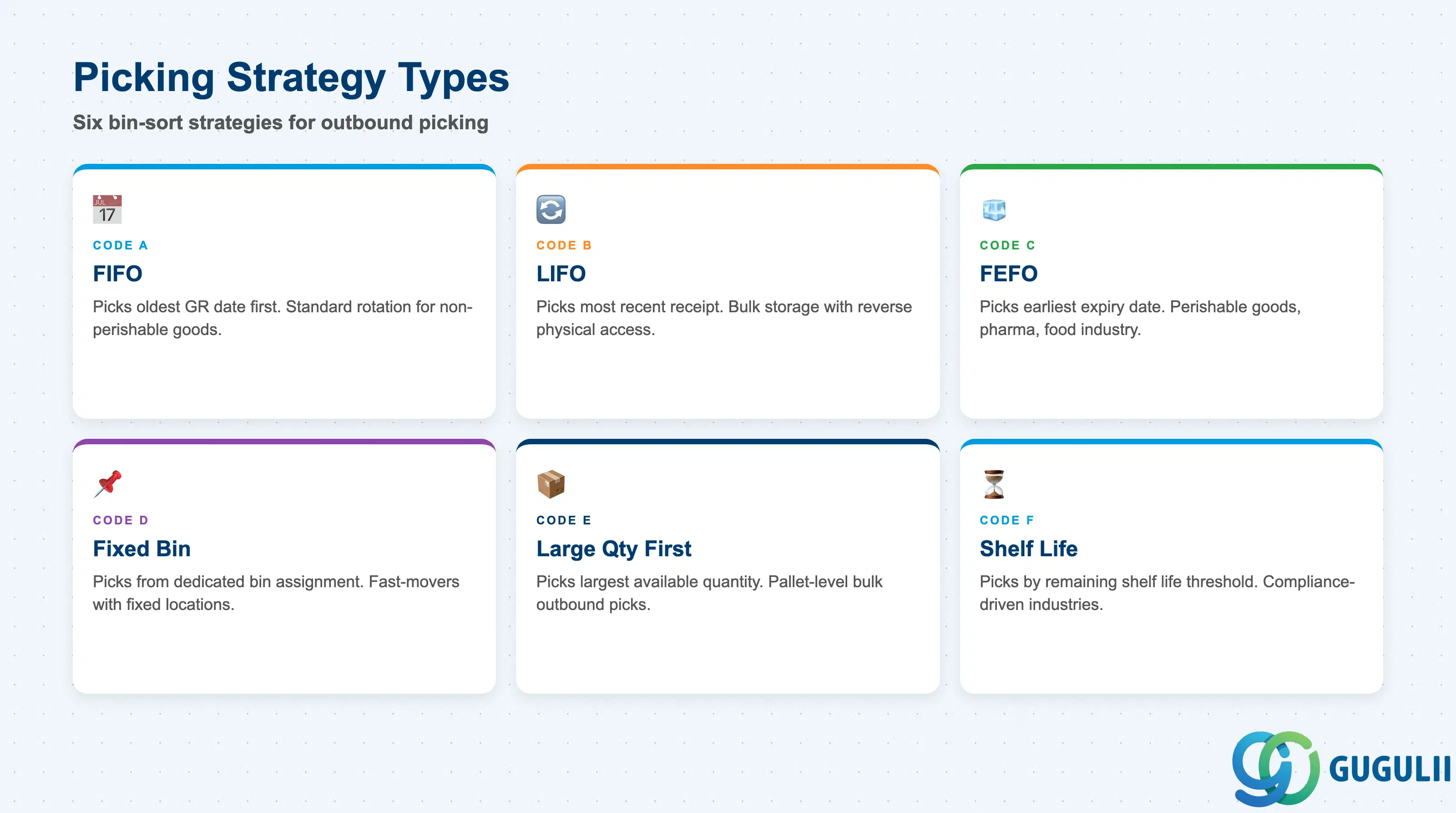
The picking strategy type determines the primary sort criterion applied to candidate bins. Choosing the wrong type at blueprint time is costly: a FEFO strategy requires shelf-life data to be maintained on every batch, while Fixed Bin picking requires fixed bin assignments to exist in the Warehouse Product Master — gaps in either setup cause warehouse order creation to fail or fall back silently to less optimal bins.
| Strategy | Code | Use Case | Key Behavior |
|---|---|---|---|
| FIFO (First In, First Out) | A | Standard goods rotation; general warehousing | Bins with the oldest GR date are picked first. Prevents stock aging. Most common baseline for non-perishable goods. |
| LIFO (Last In, First Out) | B | Bulk storage; floor-stacked goods where physical access forces reverse order | Picks the most recently received bin first. Use only where FIFO is physically impossible (e.g., drive-in racking). |
| FEFO (First Expired, First Out) | C | Perishable goods, pharmaceuticals, food industry | Picks the bin holding stock with the earliest expiry date (SLED/BBD). Requires batch management and shelf-life data on each batch. |
| Fixed Bin | D | High-frequency items; fast-movers with dedicated pick locations | Always picks from the fixed bin assigned to the product in the Warehouse Product Master. Falls back to other bins only when fixed bin is empty and replenishment is triggered. |
| Large Quantity First | E | Pallet-level picks; full-pallet outbound scenarios | Selects the bin with the largest available quantity first to minimize pick trips. Reduces warehouse order count for bulk shipments. |
| Shelf Life (Remaining Life) | F | Compliance-driven industries; items with regulated minimum remaining shelf life | Picks bins where the remaining shelf life of the batch meets or exceeds the customer’s minimum requirement. Requires SLED and minimum remaining life configuration on the Warehouse Product. |
Design principle: Establish the picking strategy type per Storage Type during blueprint. Changing from FIFO to FEFO after go-live requires retroactive batch SLED data backfill — a significant data migration effort.
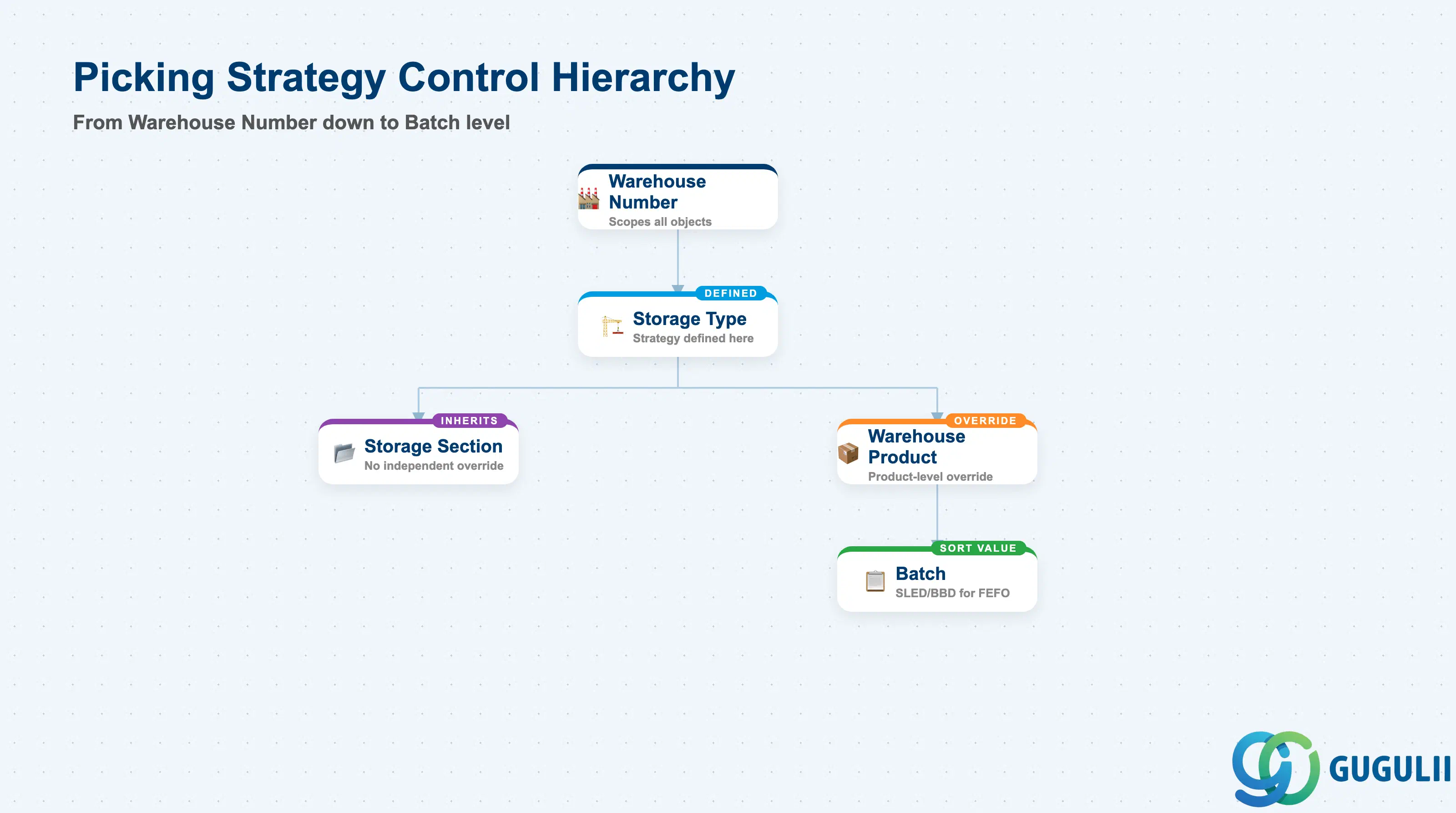
The Picking Strategy operates across four organizational levels. The strategy is defined at the Storage Type level (SPRO), optionally overridden at the product level (Warehouse Product Master), and refined further by Batch characteristics when FEFO or shelf-life strategies are active. Understanding which level carries which control is essential when designing multi-temperature zone warehouses or facilities handling both fast-movers and batch-managed goods in the same storage area.
Warehouse Number (e.g., WH01)
   │
   └── Storage Type (e.g., 0001 — Rack Storage, 0010 — Bulk Floor)
          │   Defined in: SPRO → EWM → Storage Control → Define Storage Types
          │   Fields: Picking Strategy Code, Sort Sequence, Quantity Rounding
          │
          ├── Storage Section (e.g., A01 — Fast Movers, B01 — Slow Movers)
          │      Inherits Storage Type strategy; no independent override
          │
          ├── Warehouse Product (per product)
          │      Defined in: /SCWM/MAT1 → Warehousing tab
          │      Fields: Picking Strategy Override, Min. Remaining Shelf Life
          │      Overrides the Storage Type default for this product only
          │
          └── Batch (per stock unit)
                 Attributes: SLED/BBD, Batch Classification Characteristics
Used by FEFO / Shelf Life strategies for sort criterion value| Org Level | Table/Config | Primary Fields | Notes |
|---|---|---|---|
| Warehouse Number | SPRO (Warehouse Definition) | Warehouse Number | No strategy setting at this level; scopes all subordinate objects |
| Storage Type | /SCWM/TPGTYP (SPRO) | Picking Strategy Code, Sort Sequence, Rounding Profile | Primary definition point. One strategy per Storage Type. |
| Storage Section | Inherits from Storage Type | — | No independent picking strategy; bins within a section follow the Storage Type strategy |
| Warehouse Product | /SCWM/MATMAS | Picking Strategy (override), Min. Remaining Shelf Life | Optional product-level override. Takes precedence over Storage Type when set. |
| Batch | Batch Master / Classification | SLED (Shelf Life Expiration Date), BBD (Best Before Date), Batch Characteristics | Provides sort criterion value for FEFO/Shelf Life strategies |
Key design decision: In multi-Storage-Type warehouses (rack + bulk + cold storage), assign a distinct picking strategy to each Storage Type. Rely on product-level override only for exceptions — excessive product-level overrides become a maintenance burden.
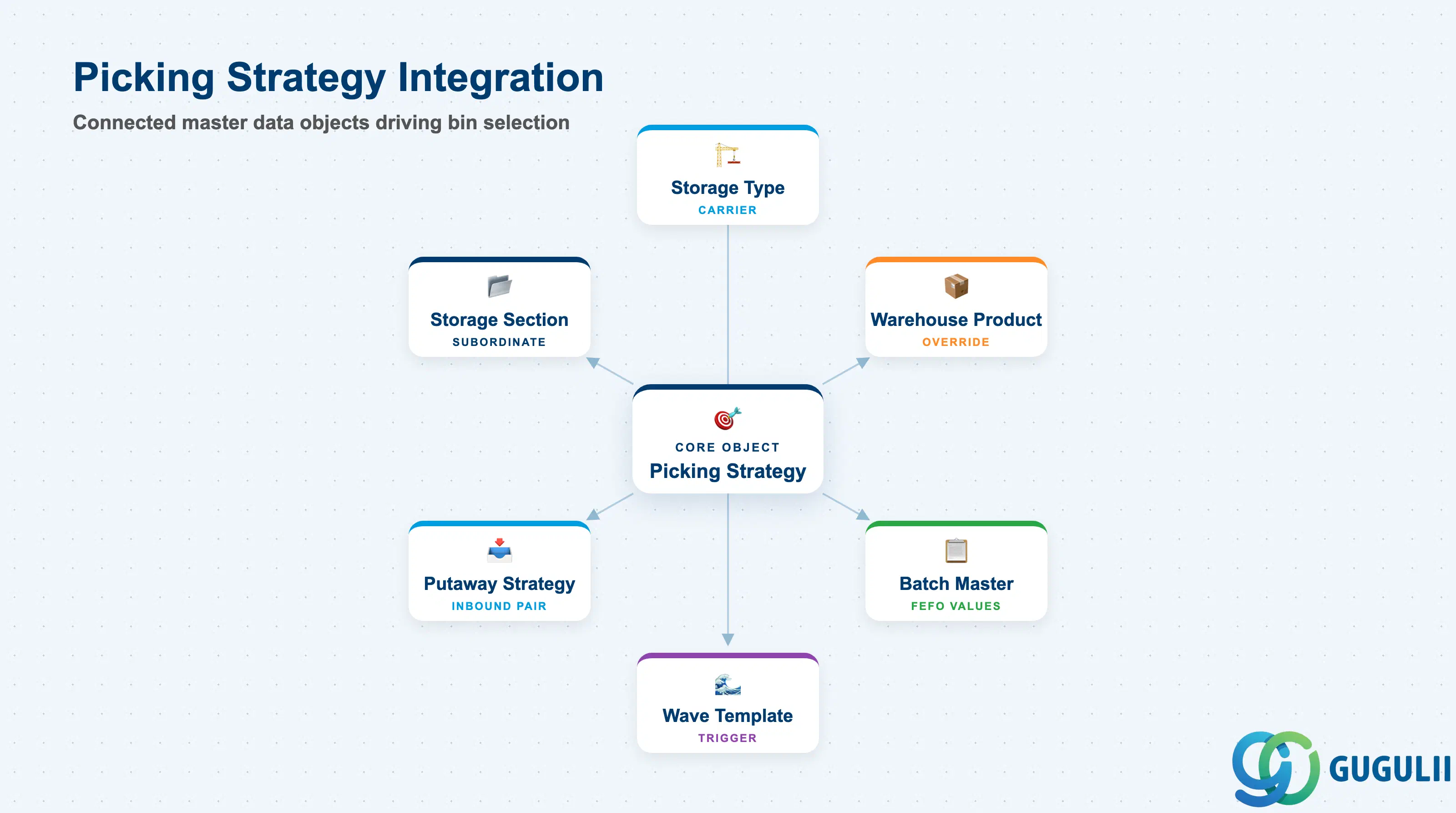
The Picking Strategy does not operate in isolation. It is the outbound counterpart to the Putaway Strategy and relies on several master data objects to function correctly. A misconfiguration in any of these connected objects causes the strategy to produce suboptimal bin selection or warehouse order creation errors.
| Object | Relationship | Practical Notes |
|---|---|---|
| Storage Type | Carrier of the strategy definition | Each Storage Type holds exactly one active Picking Strategy. The strategy code in SPRO is the primary configuration entry point. Changing it affects all products stored in that Storage Type unless product-level overrides exist. |
| Storage Section | Subordinate to Storage Type | Storage Sections inherit the strategy of their parent Storage Type. There is no section-level override; if different sections require different strategies, they must be modeled as separate Storage Types. |
| Warehouse Product Master | Product-level strategy override | The Warehousing tab in /SCWM/MAT1 allows a product-specific picking strategy that overrides the Storage Type default. Essential for products with special rotation requirements (e.g., FEFO only for batch-managed SKUs in an otherwise FIFO Storage Type). |
| Batch Master | Source of FEFO/Shelf Life sort values | FEFO and Shelf Life strategies read the SLED or BBD from the Batch Master to determine pick order. If SLED is not maintained on a batch, the FEFO sort degrades to FIFO. Batch management must be active on the material and SLED must be populated at every GR. |
| Wave Template | Upstream trigger for warehouse order creation | Wave Templates group outbound delivery items into waves and trigger warehouse order creation, at which point the Picking Strategy is evaluated. The sequence of wave release can affect how strategies such as FEFO select bins when multiple waves compete for the same batch stock. |
| Putaway Strategy (EWM-A03-03) | Inbound counterpart | The Putaway Strategy governs where stock is placed on inbound; the Picking Strategy governs where it is retrieved on outbound. The two strategies must be designed in tandem: for example, FEFO picking only works reliably if FEFO putaway (or at minimum, correct SLED entry at GR) ensures date-accurate bin inventory. |
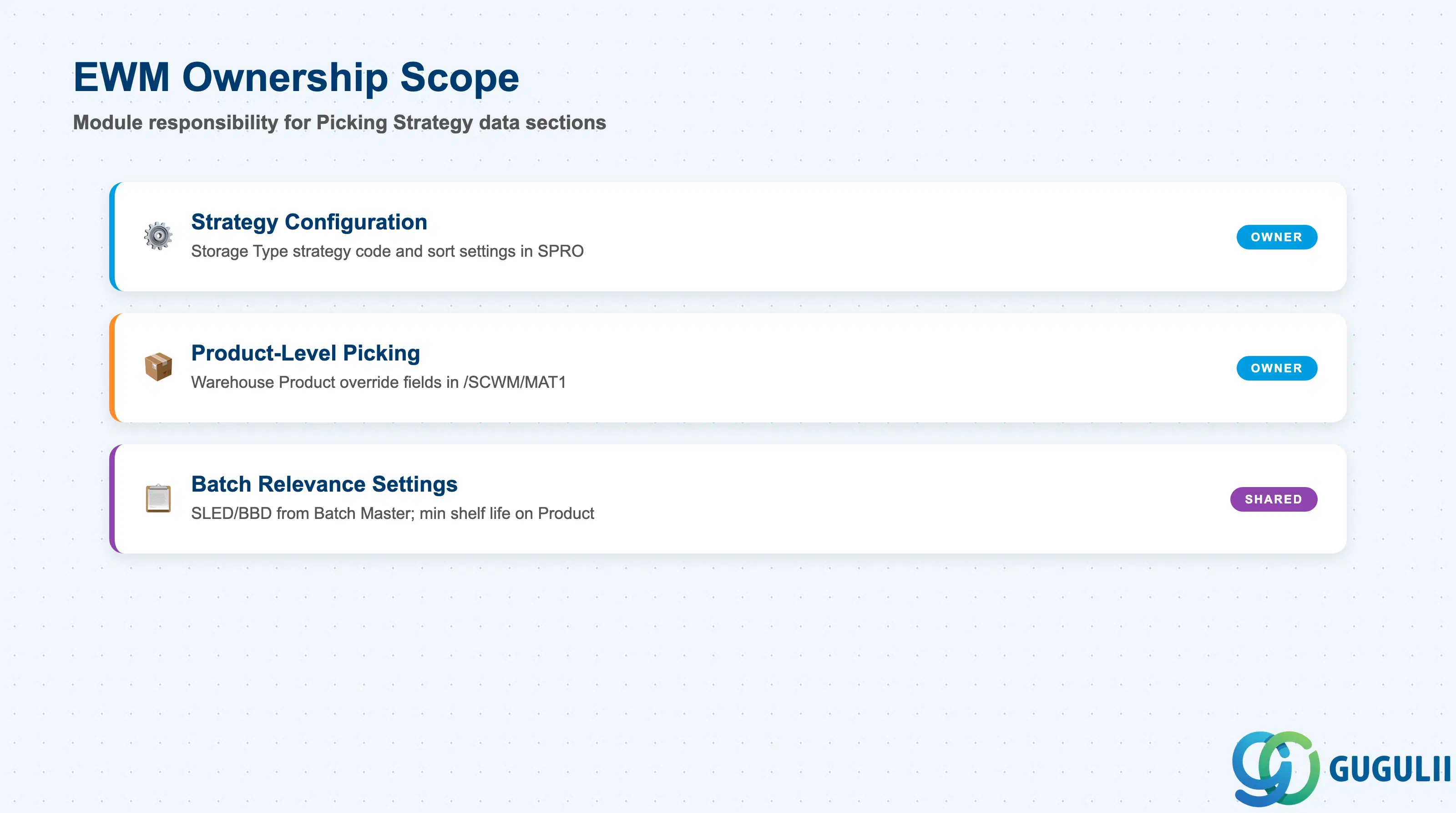
| Data Section | EWM Involvement | Notes |
|---|---|---|
| Strategy Configuration (Storage Type) | ◎ Owner | EWM owns all strategy code and sort sequence settings at the Storage Type level in SPRO. No other module defines this. |
| Product-Level Picking Control | ◎ Owner | The Warehouse Product Master picking override fields are EWM-only configuration. MM owns the Material Master base record; EWM adds the warehousing extension. |
| Batch Relevance Settings | ○ Shared with MM/QM | EWM reads SLED/BBD from the Batch Master (MM ownership). EWM configures minimum remaining shelf life on the Warehouse Product. QM may participate in shelf-life inspection. |
Legend: ◎ = Owner / Critical, ○ = Direct involvement
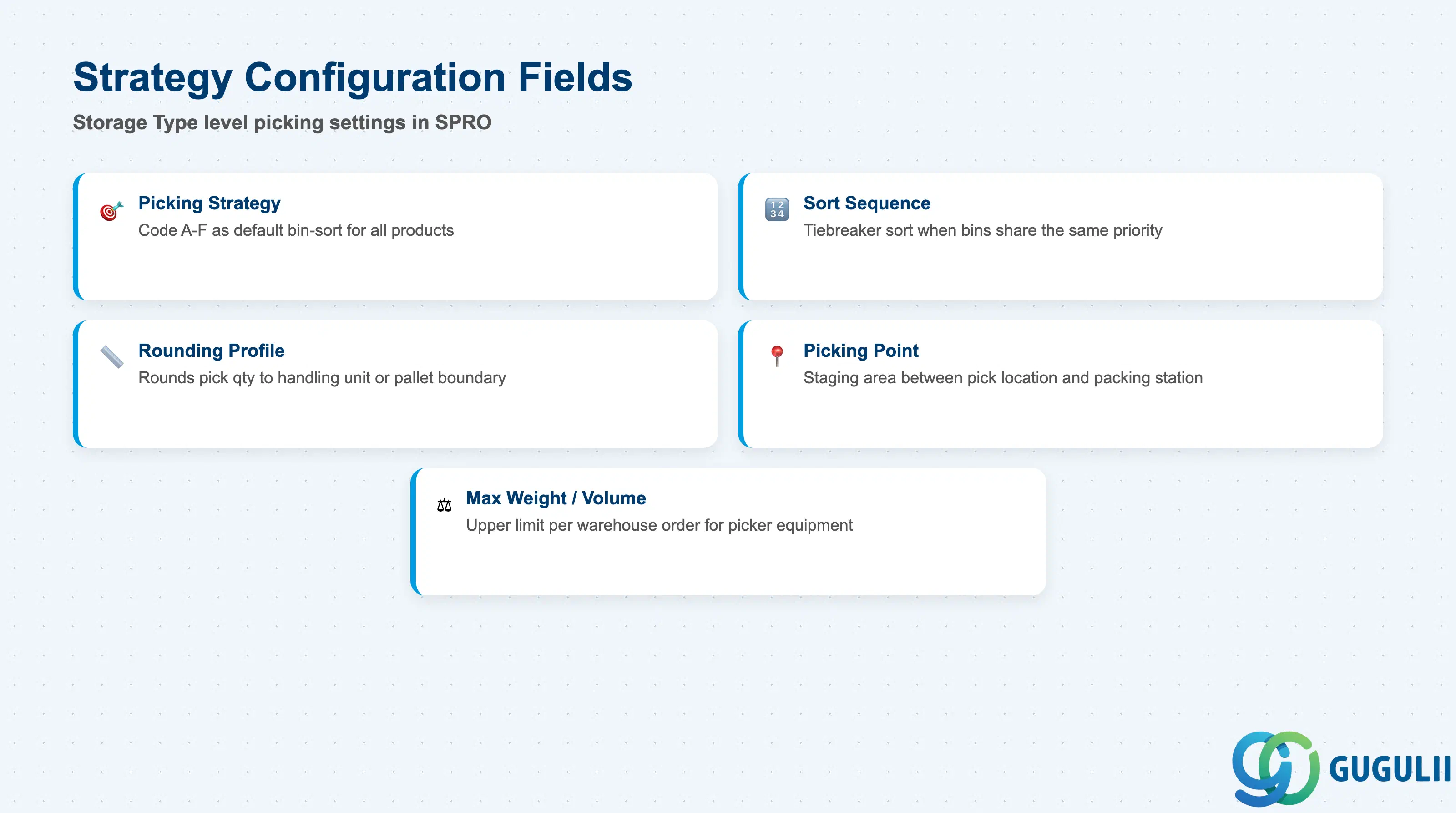
The Strategy Configuration is defined entirely in SPRO under EWM → Storage Control → Define Storage Types. These settings apply warehouse-wide for all products stored in a given Storage Type unless overridden at the product level. This is the primary configuration object for Picking Strategy and must be finalized before warehouse testing begins.
| Field | Description | Practical Usage |
|---|---|---|
| Picking Strategy | Strategy code assigned to the Storage Type (A=FIFO, B=LIFO, C=FEFO, D=Fixed Bin, E=Large Qty First, F=Shelf Life) | Sets the default bin-sort logic for all outbound picks from this Storage Type. In multi-temperature warehouses, set FEFO on cold storage types and FIFO on ambient types. Review during blueprint and lock before SIT. |
| Sort Sequence | Secondary sort field applied when multiple bins tie on the primary strategy criterion | Used to break ties — for example, in FIFO, bin coordinate (aisle-column-level) can be the tiebreaker to optimize pick path. Align with the physical warehouse layout to minimize travel distance. |
| Rounding Profile | Controls how pick quantities are rounded to handling unit or packaging unit boundaries | Prevents partial pallet picks. In automotive and FMCG projects, this field prevents the system from opening a new pallet when the pick quantity can be satisfied from an already-open partial. Configure in coordination with the Packaging Specification. |
| Picking Point | Defines the physical area in the warehouse where picked stock is staged for packing or loading | Required when the warehouse uses staging zones between the pick location and the packing station. Drives warehouse order routing in wave-based outbound flows. |
| Maximum Weight / Volume | Optional upper limit for the total weight or volume of items consolidated into a single warehouse order | Used when picker equipment (e.g., a forklift or pick cart) has a physical weight or volume limit. Prevents overloaded warehouse orders from being generated during wave release. |
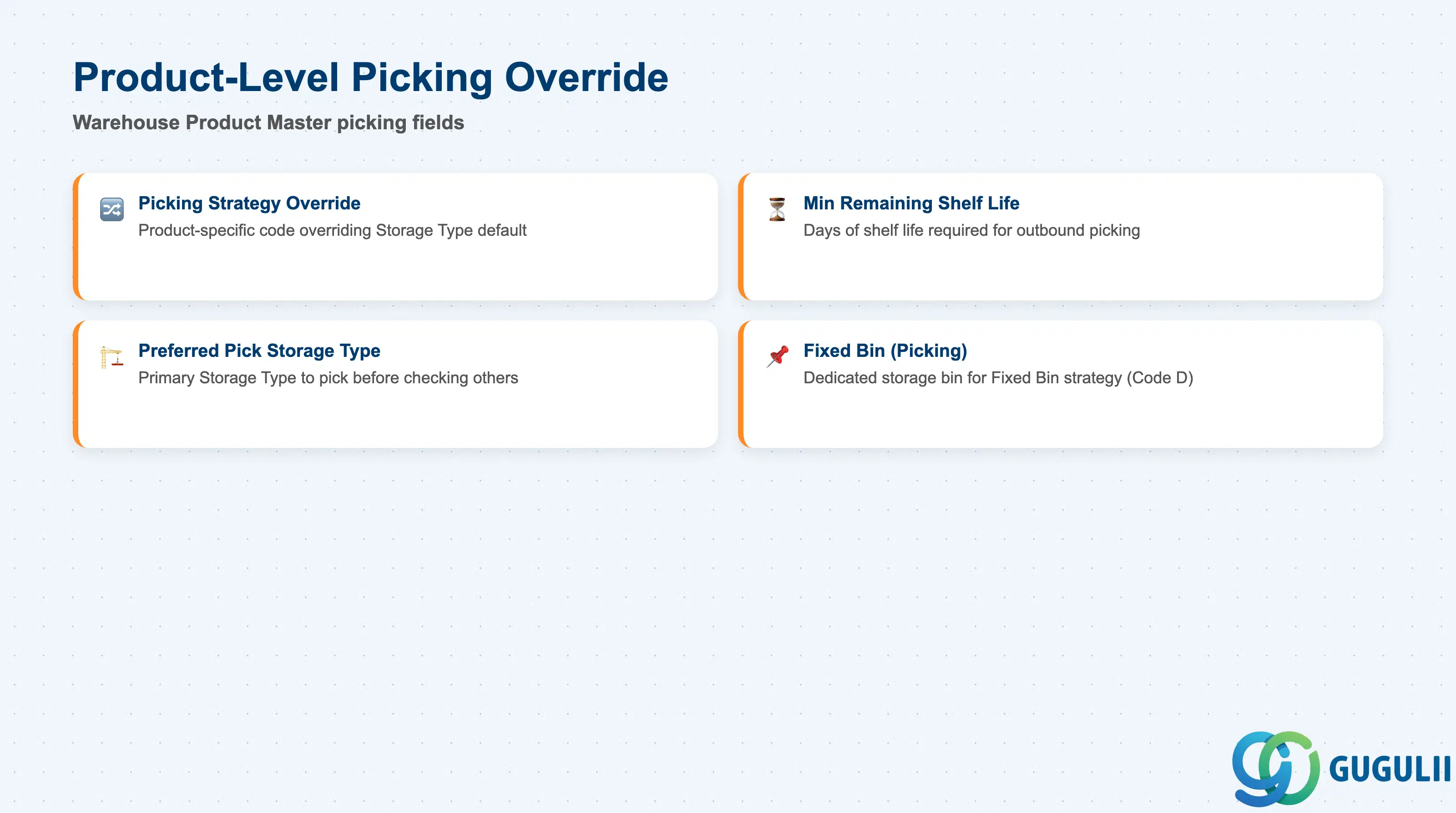
The Warehouse Product Master (/SCWM/MAT1) provides a product-level picking override that takes precedence over the Storage Type strategy. This allows a single Storage Type to apply FIFO as the warehouse-wide default while specific batch-managed products use FEFO, without the cost of creating a dedicated Storage Type for each exception.
| Field | Description | Practical Usage |
|---|---|---|
| Picking Strategy (Override) | Product-specific picking strategy code that overrides the Storage Type setting | Apply when a product’s rotation requirement differs from the Storage Type default. Common pattern: a food-grade warehouse runs FIFO by default; perishable SKUs are overridden to FEFO individually. Document overrides in the data migration template to prevent gaps at go-live. |
| Minimum Remaining Shelf Life | Minimum number of days of remaining shelf life required for outbound picking (Shelf Life strategy) | Enforces a customer-contractual minimum — for example, a retail customer requires 90 days remaining at point of delivery. If no batch meets this threshold, the warehouse order fails to create and the planner must investigate. Coordinate with the commercial team and logistics contract terms before setting. |
| Preferred Pick Storage Type | Designates the preferred Storage Type from which to pick this product before other types are considered | Used in multi-Storage-Type layouts where a product is stored in more than one type (e.g., rack and bulk floor). Sets the primary pick location, improving pick path efficiency and reducing travel time. |
| Fixed Bin (Picking) | References the fixed storage bin to be used when the Fixed Bin strategy (D) is active for this product | Mandatory when strategy code D is used. The fixed bin must exist in the Storage Bin master and must have capacity defined. Review periodically — if a fast-mover’s fixed bin is consistently empty pending replenishment, the replenishment wave timing must be adjusted. |
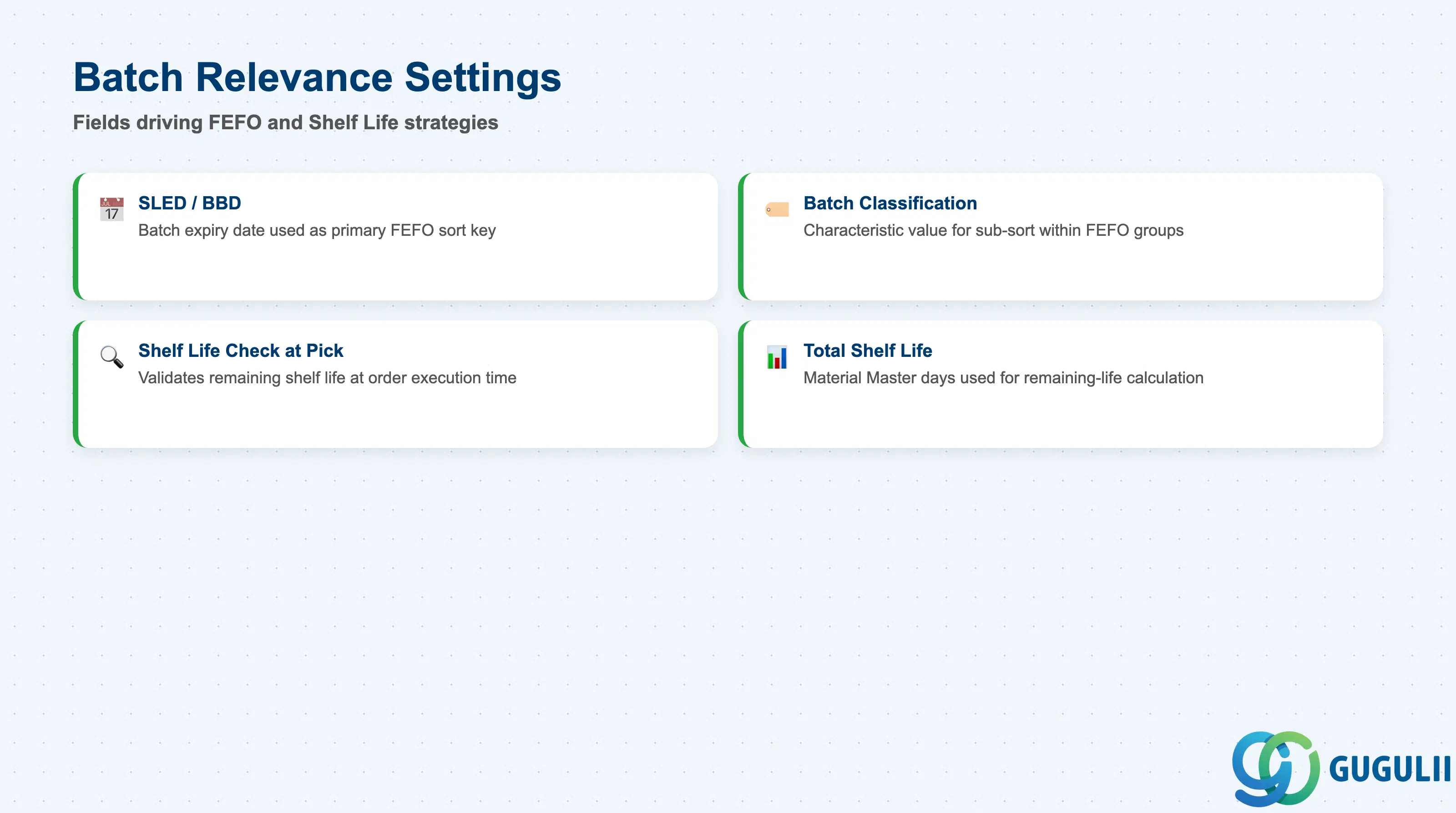
FEFO and Shelf Life picking strategies depend on accurate batch-level date data. These settings span both the Warehouse Product Master (configuration side) and the Batch Master (data side). EWM reads the batch date at warehouse order creation time — if the date is missing or incorrect, the strategy silently degrades or the warehouse order fails. Operational discipline around GR data entry is as important as the SPRO configuration.
| Field | Description | Practical Usage |
|---|---|---|
| SLED/BBD (Shelf Life Expiration Date / Best Before Date) | Date field on the Batch Master indicating when the batch expires or loses commercial quality | Primary sort key for FEFO strategy. Must be entered at every GR, either manually in MIGO or automatically via inbound delivery interface. In pharmaceutical projects, SLED is a GMP compliance field — gaps trigger regulatory risk. Train receiving staff and include SLED in interface mapping for EDI-driven GR. |
| Batch Classification (Sort Criterion) | Batch characteristic value (defined in Classification System) used as alternative sort criterion when SLED alone is insufficient | Enables sub-sort within FEFO groups — for example, sort by production date when two batches share the same SLED. Define the characteristic in the Batch Class before assigning it as a sort criterion in the Picking Strategy configuration. |
| Shelf Life Check at Picking | Setting on the Warehouse Product that activates a shelf-life validation check when the warehouse order is executed, not just at creation | Catches cases where stock aged between warehouse order creation and execution (long pick cycles). Activate for high-value or compliance-critical products. Requires the minimum remaining shelf life to be set consistently. |
| Total Shelf Life | The total defined shelf life for the material (in days), maintained on the Material Master MRP 1 view and referenced by EWM for remaining-life calculation | EWM calculates remaining shelf life as (SLED minus today) and compares against the minimum remaining shelf life on the Warehouse Product. Ensure the Material Master total shelf life is aligned with the commercial shelf life agreed with customers — discrepancies cause false FEFO failures. |
| ID | Category | Title |
|---|---|---|
| ewm-001 | Overview | What is SAP EWM? |
| ID | Category | Title |
|---|---|---|
| ewm-b01 | Overview | SAP EWM Transactions: Process Flow, Hierarchy & Relationships |