Title here
Summary here

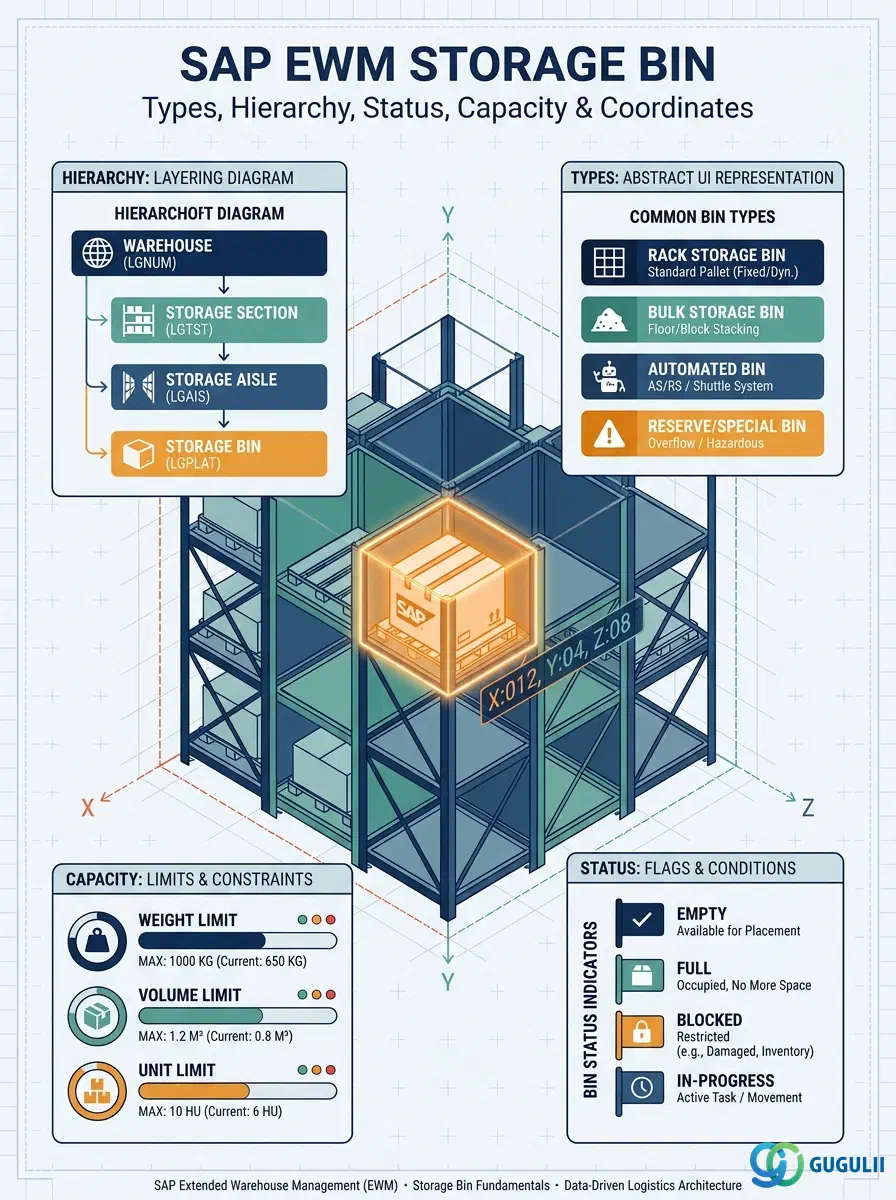
The Storage Bin is the lowest-level physical location record in SAP Extended Warehouse Management. Every putaway task, every pick confirmation, and every stock balance in EWM is ultimately tied to a Storage Bin address. A bin exists within exactly one Storage Section, which in turn belongs to one Storage Type, creating the four-level location hierarchy: Warehouse Number → Storage Type → Storage Section → Storage Bin. This article explains the bin types, organizational levels, integration dependencies, and the four data categories that EWM consultants configure and maintain.
A Storage Bin represents a uniquely addressable physical location in a warehouse — a shelf slot, a floor position, a staging area, or an automated rack cell. Unlike higher-level warehouse structures (Storage Type, Storage Section) which are configuration objects defined in SPRO, the Storage Bin is a transactional master data record that carries stock, status, and capacity information at runtime.
| Aspect | Details |
|---|---|
| Role | Identifies the exact physical location where goods are stored; carries stock balance, status flags, and capacity constraints |
| Modules using it | EWM (primary owner — all inbound, outbound, and internal processes), PP/DS (Production Supply Area bins for line feeding), QM (inspection bins in quality-managed storage types) |
| Transactions | /SCWM/LS01 (Create), /SCWM/LS02 (Change), /SCWM/LS03 (Display), /SCWM/MONITOR (Warehouse Monitor bin view) |
| Key Tables | /SCWM/LGPLA (Storage Bin master), /SCWM/AQUA (Quant — stock at bin level), /SCWM/LQUA (legacy quant view for Embedded EWM) |
| S/4HANA note | Embedded EWM stores bin master in /SCWM/LGPLA within the S/4HANA database. Decentralized EWM maintains bins in the separate EWM system. No structural change from ECC SCM-based EWM; the bin model is identical. |
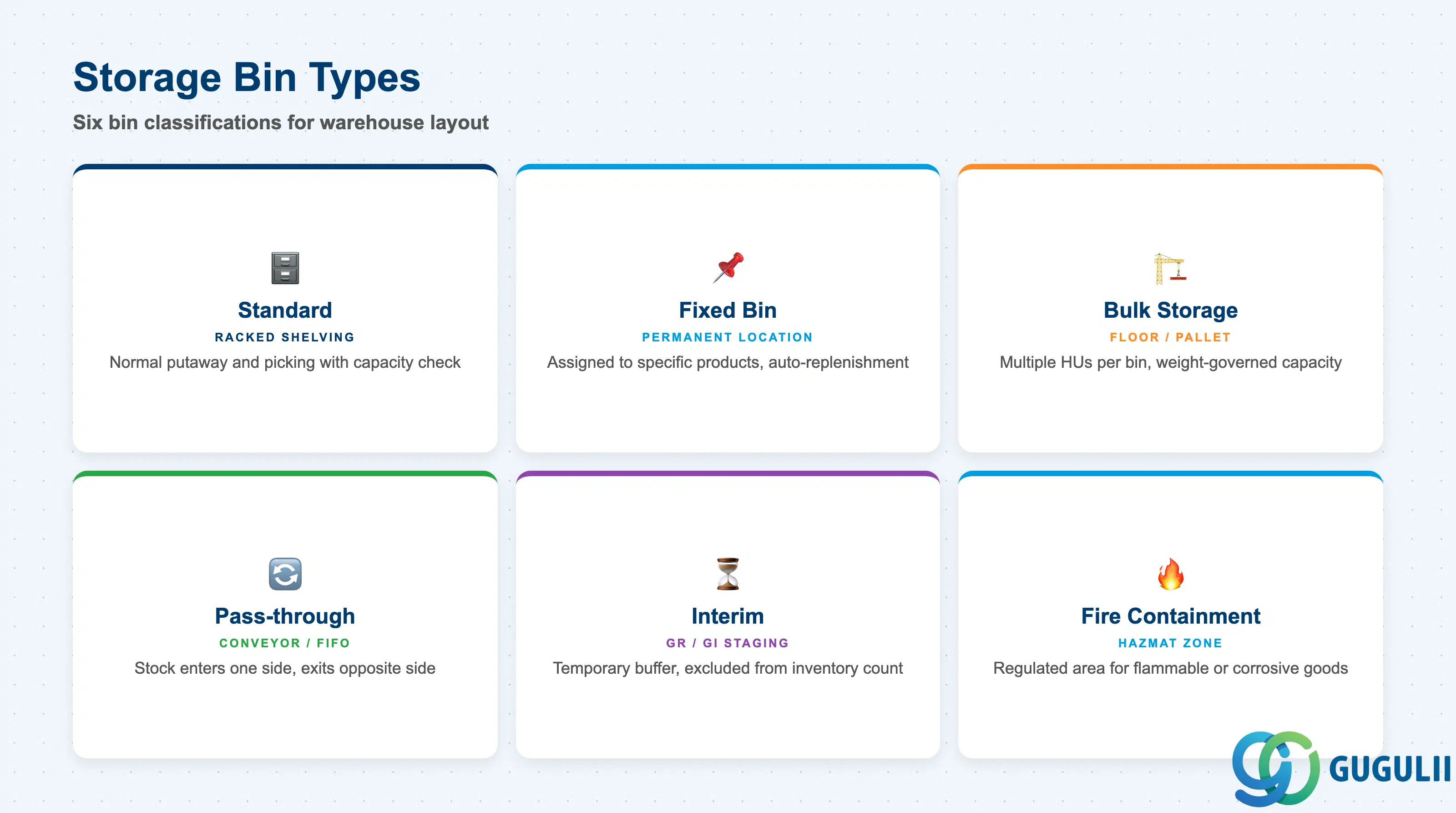
The Bin Type (stored in field LGTYP of /SCWM/LGPLA alongside the dedicated BINTO field) determines how the warehouse management system treats a bin at putaway and picking time. Choosing the wrong type for a physical location leads to capacity violations, incorrect strategy application, and stock count discrepancies.
| Bin Type | Code | Use Case | Key Behavior |
|---|---|---|---|
| Standard | (blank / numeric) | Racked shelving, mezzanine slots, drawer locations | Normal putaway and picking; capacity constraints enforced per bin |
| Fixed Bin | (linked via /SCWM/BINMAT) | High-frequency items assigned to a permanent location | Putaway strategy directs stock to the assigned bin; replenishment triggered automatically when stock drops below minimum |
| Bulk Storage | B | Floor storage for pallets, coils, or large items stacked in depth | Multiple pallets or HUs per bin; capacity governed by quantity or weight rather than unit count |
| Pass-through | P | Conveyor or gravity-flow racks where stock enters one side and exits the other | FIFO automatically enforced by physical flow; bin coordinates reflect entry and exit faces |
| Interim | I | GR zone, GI staging area, dock door buffer | Temporary holding location; not included in physical inventory count by default |
| Fire Containment Zone | (FHZ field) | Flammable or hazardous material areas requiring regulatory separation | Putaway strategy restricts non-hazardous material from entering; fire containment zone code checked against material’s hazardous goods profile |
Design principle: Model your physical warehouse layout in a bin-numbering scheme before creating bins in the system. A well-designed bin address (e.g., Row-Column-Level: A01-03-02) simplifies coordinate sorting and reduces warehouse task travel time.
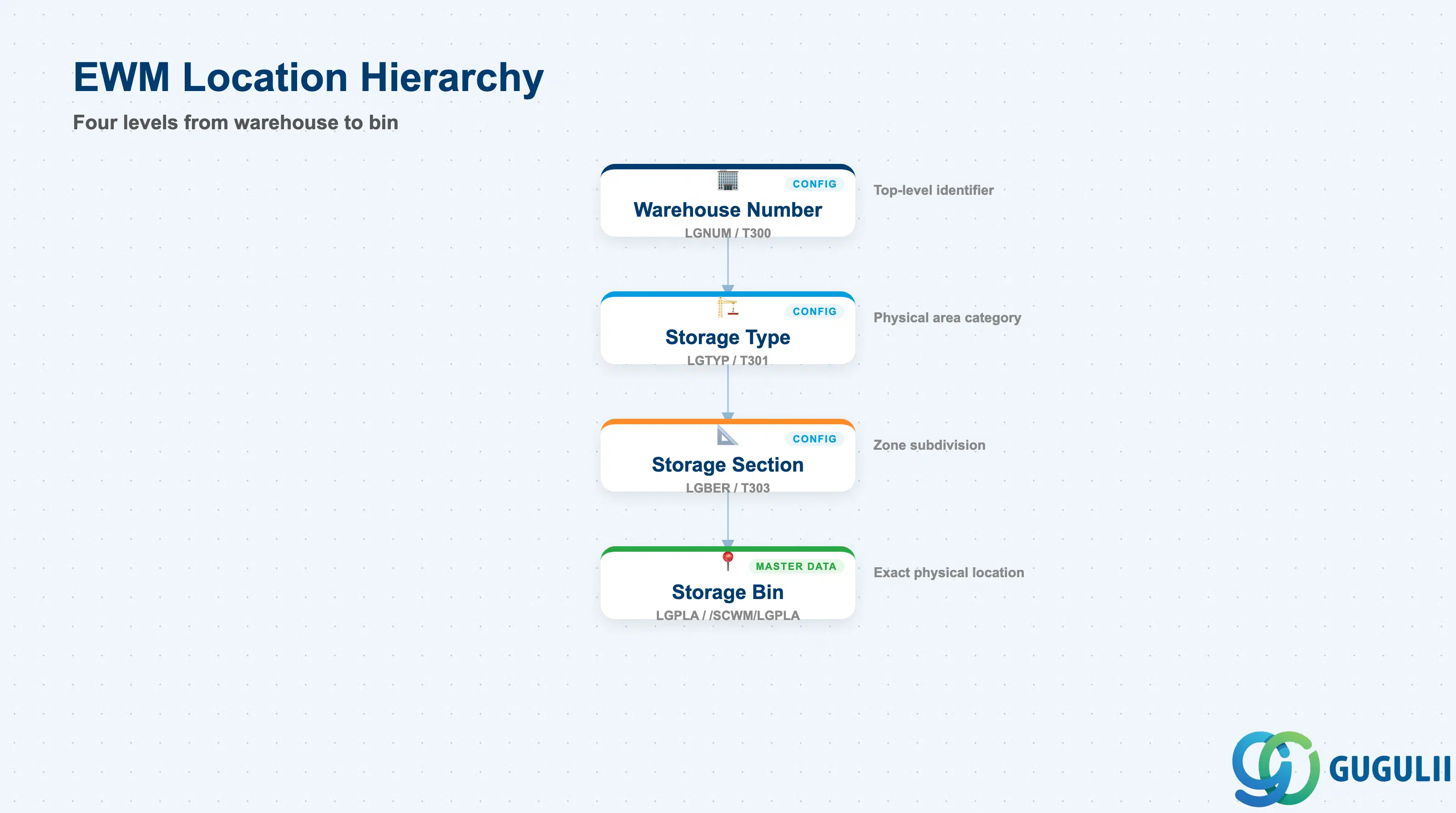
The Storage Bin sits at the bottom of a four-level physical location hierarchy. Each level is either a Customizing object (first three levels) or a master data record (Storage Bin). Understanding this split is critical at design time: errors at the Customizing levels (Storage Type, Storage Section) require transport requests to fix, while bin-level errors can be corrected with a single change transaction.
Warehouse Number  (LGNUM)
   │   defined in SPRO — top-level warehouse identifier
   │
   └── Storage Type  (LGTYP)   → Table: LGPLA field LGTYP
          │   defined in SPRO — physical area category (rack, floor, staging)
          │
          └── Storage Section  (LGBER)   → Table: LGPLA field LGBER
                 │   defined in SPRO — subdivision within a Storage Type
                 │
                 └── Storage Bin  (LGPLA)   → Table: /SCWM/LGPLA
                        master data record — physical location address
carries: bin type, status, capacity, coordinates| Org Level | Table / Object | Primary Fields | Notes |
|---|---|---|---|
| Warehouse Number | SPRO (T300) | LGNUM | One EWM system can manage multiple warehouse numbers |
| Storage Type | SPRO (T301) | LGTYP, putaway/picking strategy | Defines movement rules; bins inherit the storage type’s strategy settings |
| Storage Section | SPRO (T303) | LGBER, sort field | Used to subdivide a Storage Type (e.g., fast-movers vs. slow-movers) |
| Storage Bin | /SCWM/LGPLA | LGPLA, BINTO, LGBER, LGTYP, coordinates, capacity | The only level maintained as transactional master data (not SPRO) |
Key design decision: The bin address format (LGPLA, up to 18 characters) should encode physical coordinates (aisle, bay, level) to enable automatic travel-distance sorting in warehouse task creation.
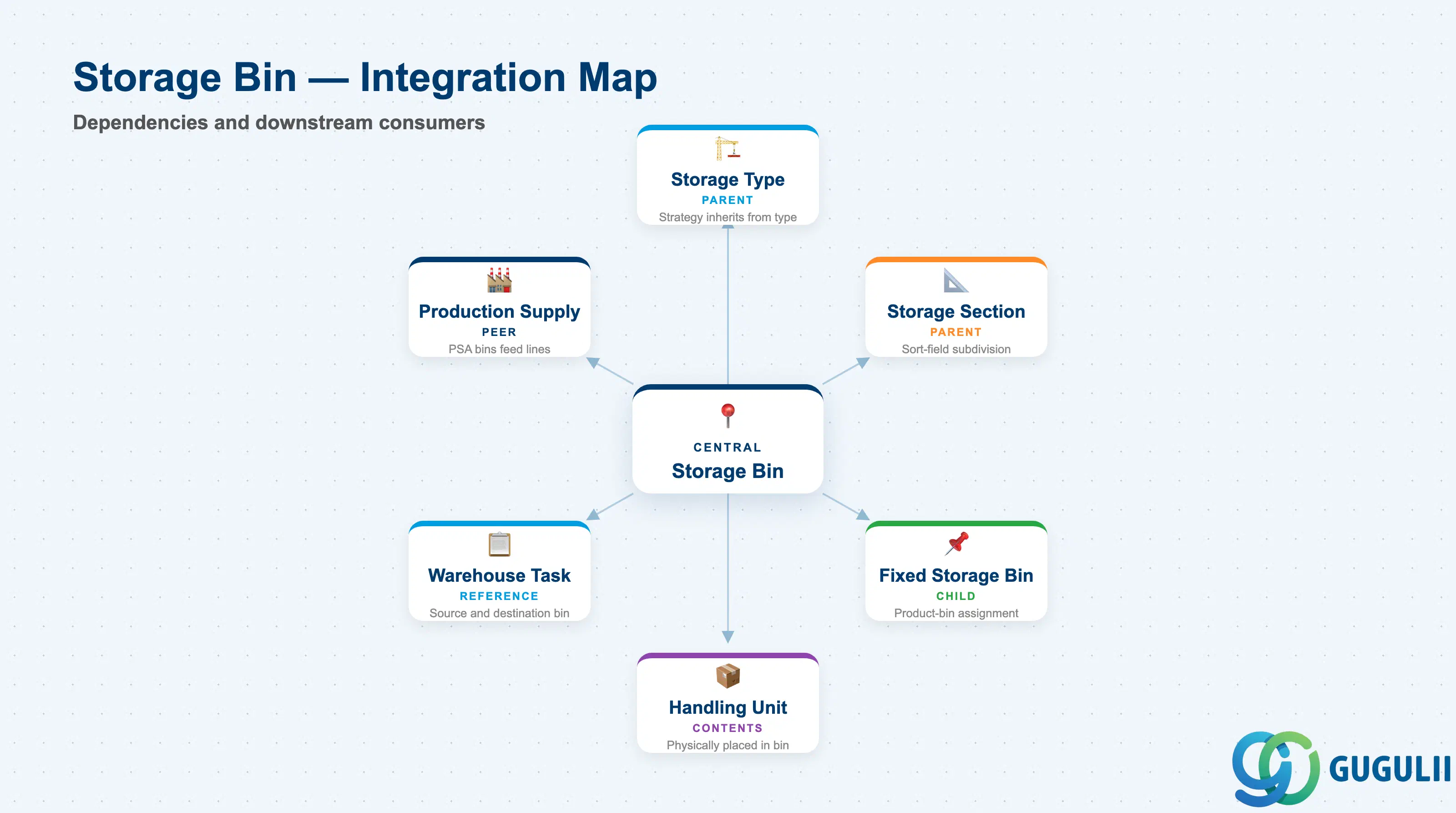
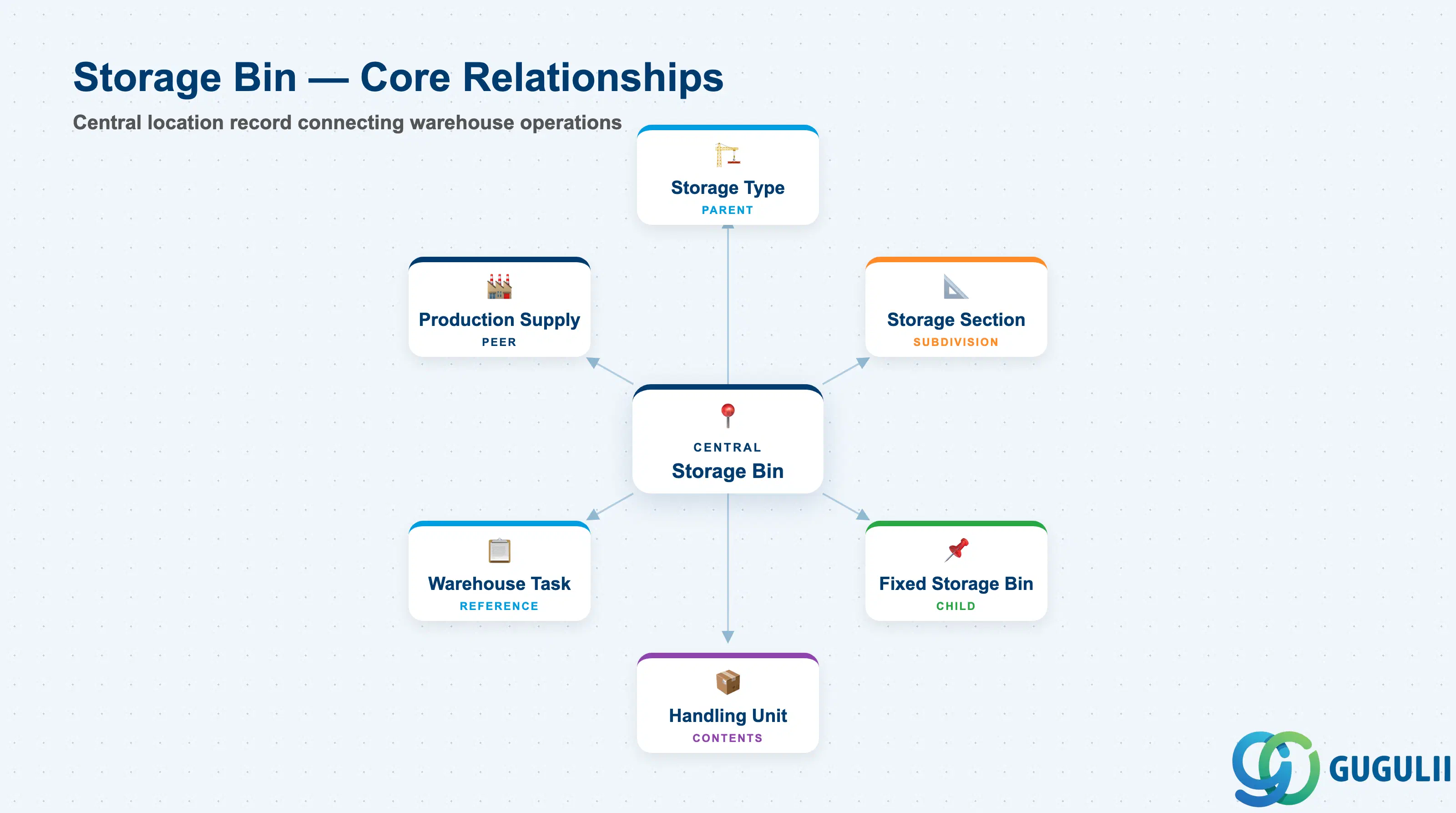
The Storage Bin is a dependency node for several downstream master data objects and is itself dependent on Storage Type and Storage Section being fully configured. Any gap in these upstream objects will prevent bin creation or putaway strategy execution.
| Object | Relationship | Practical Notes |
|---|---|---|
| Storage Type | Parent — bin must belong to exactly one Storage Type | The Storage Type’s putaway and picking strategies apply to all bins within it; changing strategy affects all bins |
| Storage Section | Parent subdivision — bin belongs to one Storage Section within its Storage Type | Section-level sort field influences which bins are selected first during putaway optimization |
| Fixed Storage Bin | Child relationship — a bin may be designated as the fixed location for one or more Warehouse Products | Managed via /SCWM/BINMAT; the bin’s status and capacity must allow the fixed assignment to function |
| Handling Unit (HU) | Contents — HUs are physically placed in a Storage Bin | HU-managed storage types require bin capacity to account for HU dimensions, not individual item quantities |
| Warehouse Task | Reference — every Warehouse Task carries a source bin and destination bin | Bin status (blocked flags) is checked at Warehouse Task creation; a blocked bin cannot be a valid destination |
| Production Supply Area (PSA) | Peer relationship — PSA bins feed manufacturing lines | PSA bins are a specialized interim bin type; the PSA master references them by bin address |
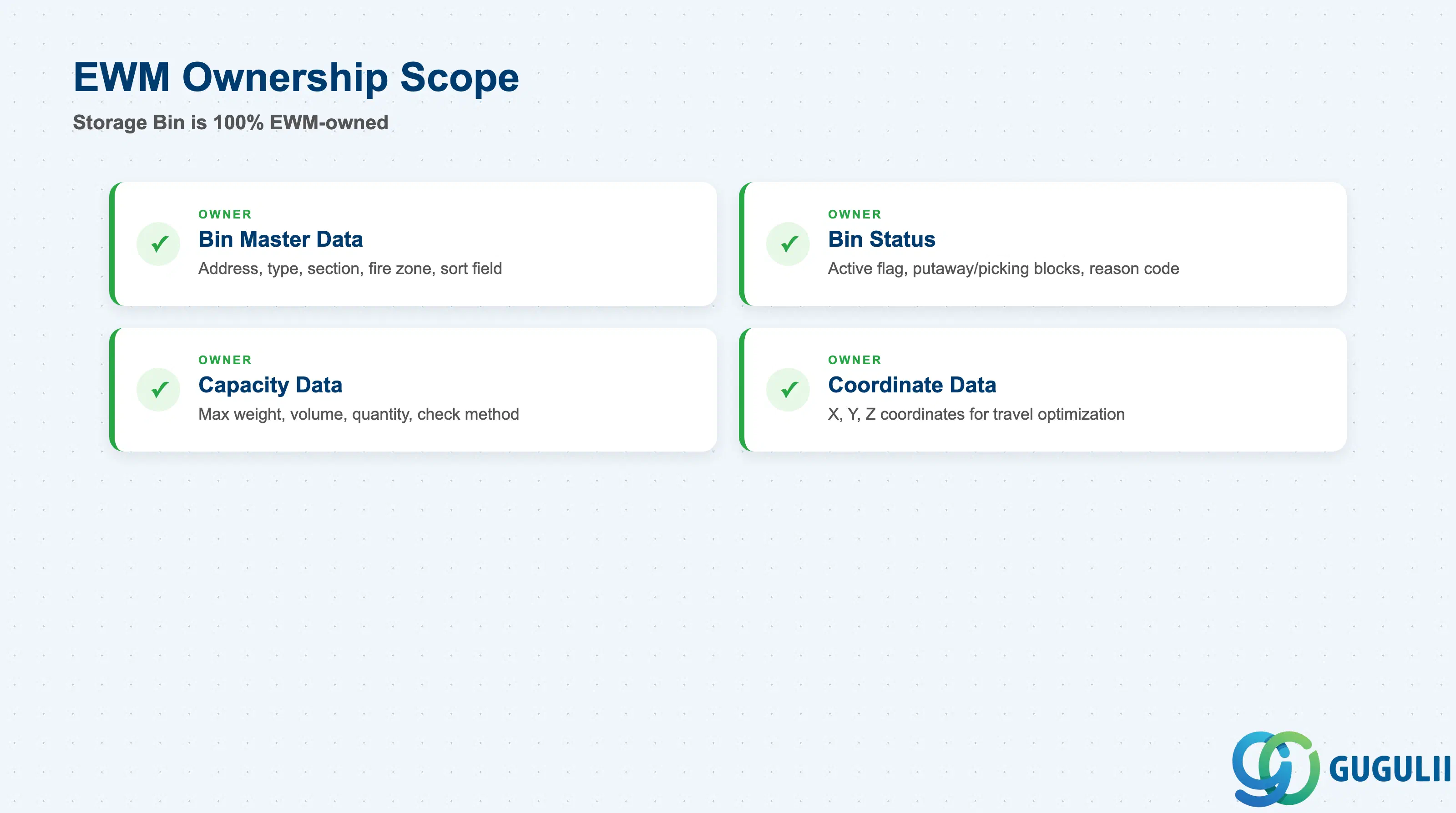
The Storage Bin is entirely within EWM’s ownership domain. There is no shared master data with S/4HANA core logistics (MM, SD, PP) at the bin level — the bin record exists exclusively in /SCWM/LGPLA and is maintained only by EWM transactions.
| Data Section | EWM Involvement | Notes |
|---|---|---|
| Bin Master Data | ◎ Owner | Bin address, bin type, storage section, fire containment zone, sort field — all maintained in /SCWM/LS01-02 |
| Bin Status | ◎ Owner | Active/Inactive flag, blocked-for-putaway, blocked-for-picking, block reason code — controlled by EWM only |
| Capacity Data | ◎ Owner | Maximum weight, maximum volume, maximum quantity, bin capacity check method — set at bin level and enforced at Warehouse Task creation |
| Coordinate Data | ◎ Owner | X, Y, Z numeric coordinates used for travel-distance sorting and warehouse optimization |
Legend: ◎ = Owner / Critical
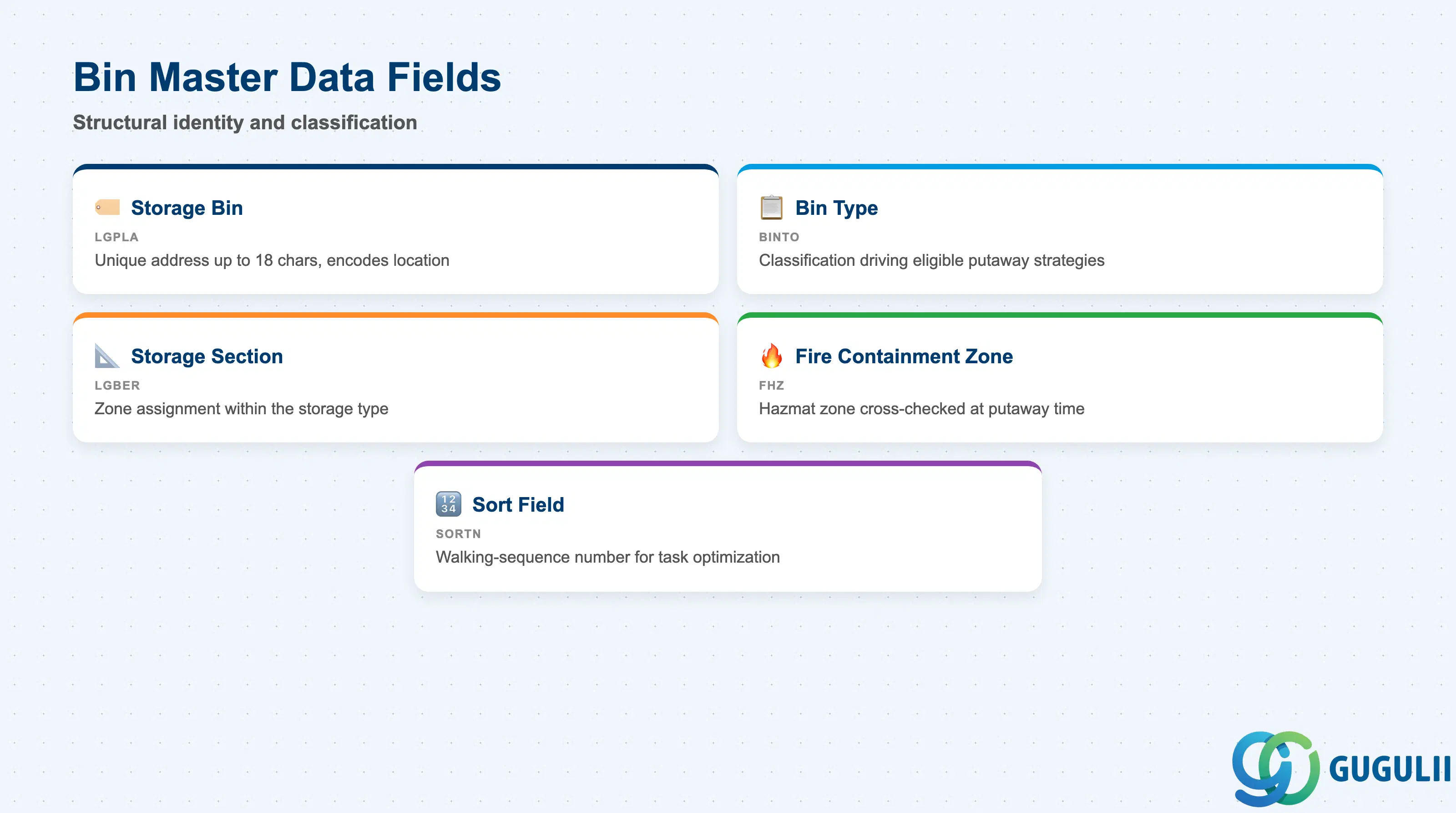
Bin Master Data defines the structural identity of the bin — what it is, where it sits in the warehouse hierarchy, and any special-purpose classifications that affect how the putaway and picking strategies treat it.
| Field | Description | Practical Usage |
|---|---|---|
| Storage Bin (LGPLA) | The unique bin address within the warehouse, up to 18 characters | Design the bin address to encode physical location coordinates (e.g., A01-03-02 for Aisle A, Bay 01, Level 02). This naming convention enables alphanumeric sorting to approximate travel sequence without requiring explicit XYZ coordinates. |
| Bin Type (BINTO) | Classifies the bin as standard, bulk, pass-through, interim, or custom type | Bin type drives which putaway strategies are eligible for the bin. For example, a bulk storage bin type can accept multiple HUs in a single bin, while a standard bin type enforces single-HU or single-quant rules depending on configuration. |
| Storage Section (LGBER) | Assigns the bin to a section within its Storage Type | Sections are used to subdivide a Storage Type into fast-mover and slow-mover zones, or to separate temperature-controlled areas from ambient areas. Always verify the section assignment matches the physical grouping — incorrect assignment leads to misrouted putaway tasks. |
| Fire Containment Zone (FHZ) | Identifies the fire containment zone to which the bin belongs | Required for warehouses storing flammable, corrosive, or otherwise regulated materials. The putaway strategy cross-checks this field against the material’s hazardous goods classification to prevent incompatible materials from being stored together. |
| Sort Field (SORTN) | A free-text alphanumeric field used to sequence bins for wave or task optimization | In large warehouses, the sort field provides an additional ordering dimension beyond the bin address itself. Consultants often populate it with a walking-sequence number derived from the physical bin-path survey. |
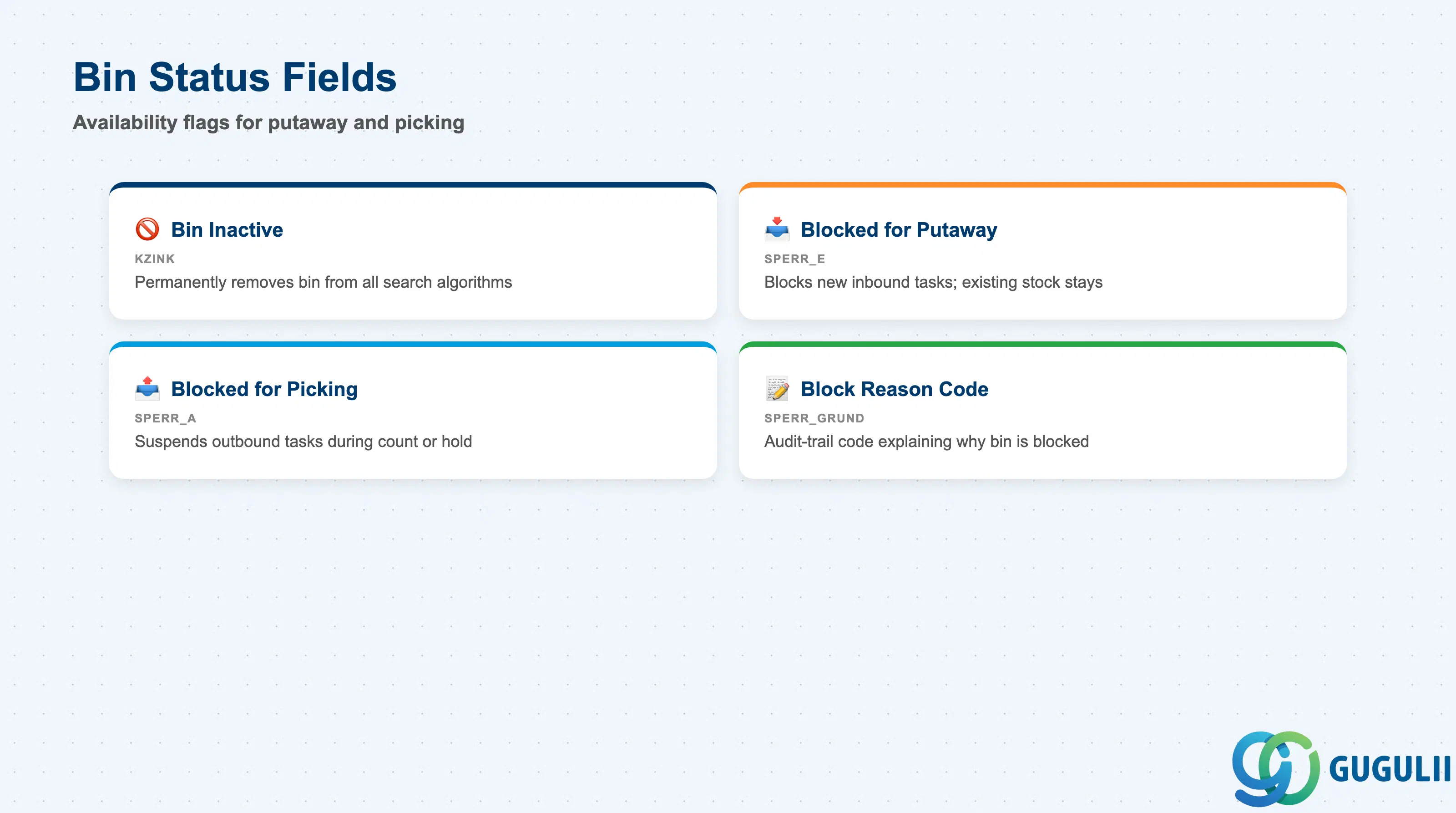
Bin Status flags control whether the warehouse management system can propose a bin for putaway or picking operations. Incorrect status settings are one of the most common causes of “no bin found” errors in EWM production systems. All status flags are maintained in /SCWM/LS02 and take effect immediately without transport.
| Field | Description | Practical Usage |
|---|---|---|
| Bin Inactive (KZINK) | Marks the bin as inactive, removing it from all bin-search algorithms | Use this flag when permanently decommissioning a bin location (e.g., due to structural changes in the warehouse). Inactive bins do not appear in putaway or picking proposals. Verify that any remaining stock is transferred out before setting the flag. |
| Blocked for Putaway (SPERR_E) | Prevents the bin from being selected as a destination in warehouse tasks | Set this flag during cleaning, maintenance, or when the bin is temporarily over-capacity. Existing stock in the bin is not affected — only new putaway tasks are blocked. Useful for seasonal zone reorganization without physically moving stock. |
| Blocked for Picking (SPERR_A) | Prevents the bin from being selected as a source in warehouse tasks | Typically set when a bin is under physical inventory count or when stock in the bin is under quality hold pending inspection results. The flag does not affect stock value; it only suspends picking task creation. |
| Block Reason Code (SPERR_GRUND) | Free-text or coded reason explaining why the bin is blocked | Providing a meaningful reason code is important for audit trails and for operators receiving queries from floor supervisors. Define a standard set of codes during project implementation (e.g., MAINT = maintenance, INVENT = physical inventory, REPAIR = structural repair). |
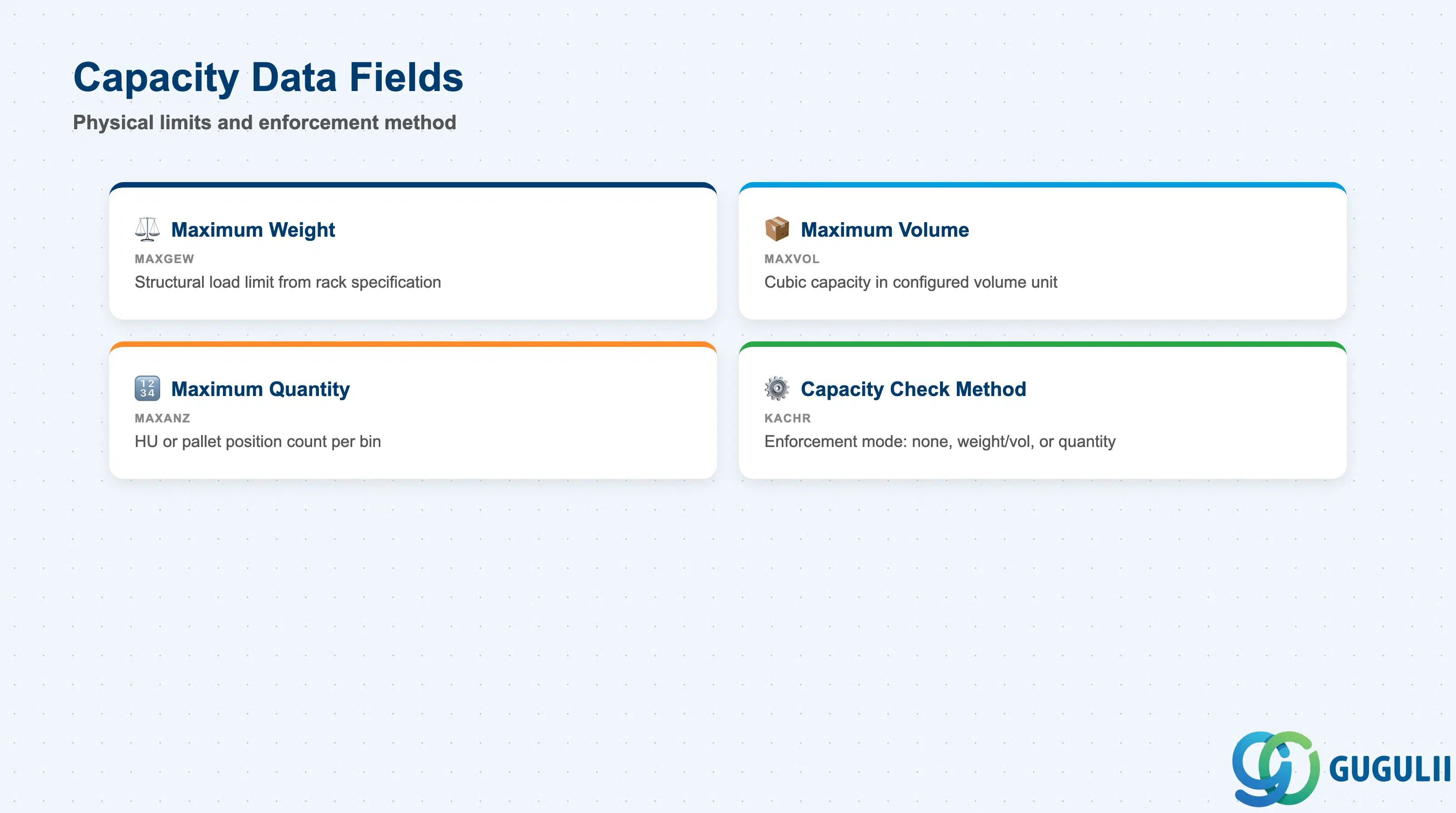
Capacity Data defines the physical limits of the bin and determines whether the EWM system enforces those limits at Warehouse Task creation time. Incorrect capacity settings are a frequent source of overloaded bins in live warehouses — especially when the capacity check method is inadvertently left as “no check.”
| Field | Description | Practical Usage |
|---|---|---|
| Maximum Weight (MAXGEW) | The maximum total weight, in the warehouse’s base weight unit, that the bin can hold | Enter the structural load limit of the shelf or floor location — not the average weight of the products stored there. For racked locations, this value is typically taken from the rack manufacturer’s documentation. Leave at zero only if capacity check by weight is intentionally disabled. |
| Maximum Volume (MAXVOL) | The maximum total volume the bin can accommodate | Use cubic measurements that match the warehouse’s volume unit configuration. For gravity-flow lanes with fixed depth, this is often the most constraining capacity dimension. Ensure the unit of measure configured in EWM Customizing matches the values entered here. |
| Maximum Quantity (MAXANZ) | The maximum number of stock items (HUs, pallets, or unit quantities) allowed in the bin | For HU-managed bins, this typically equals the number of pallet positions. For piece-pick bins in a tote-pick operation, it reflects the maximum number of open order lines that can share the bin simultaneously. |
| Capacity Check Method (KACHR) | Controls how and whether EWM enforces the capacity limits during Warehouse Task creation | Three primary options: no check (limits recorded for information only), check by weight/volume, or check by quantity. For most project starts, enabling at least the quantity check is recommended to prevent bin overflow. Weight and volume checks require the product master to carry accurate gross weight and volume data — validate this prerequisite before activating. |
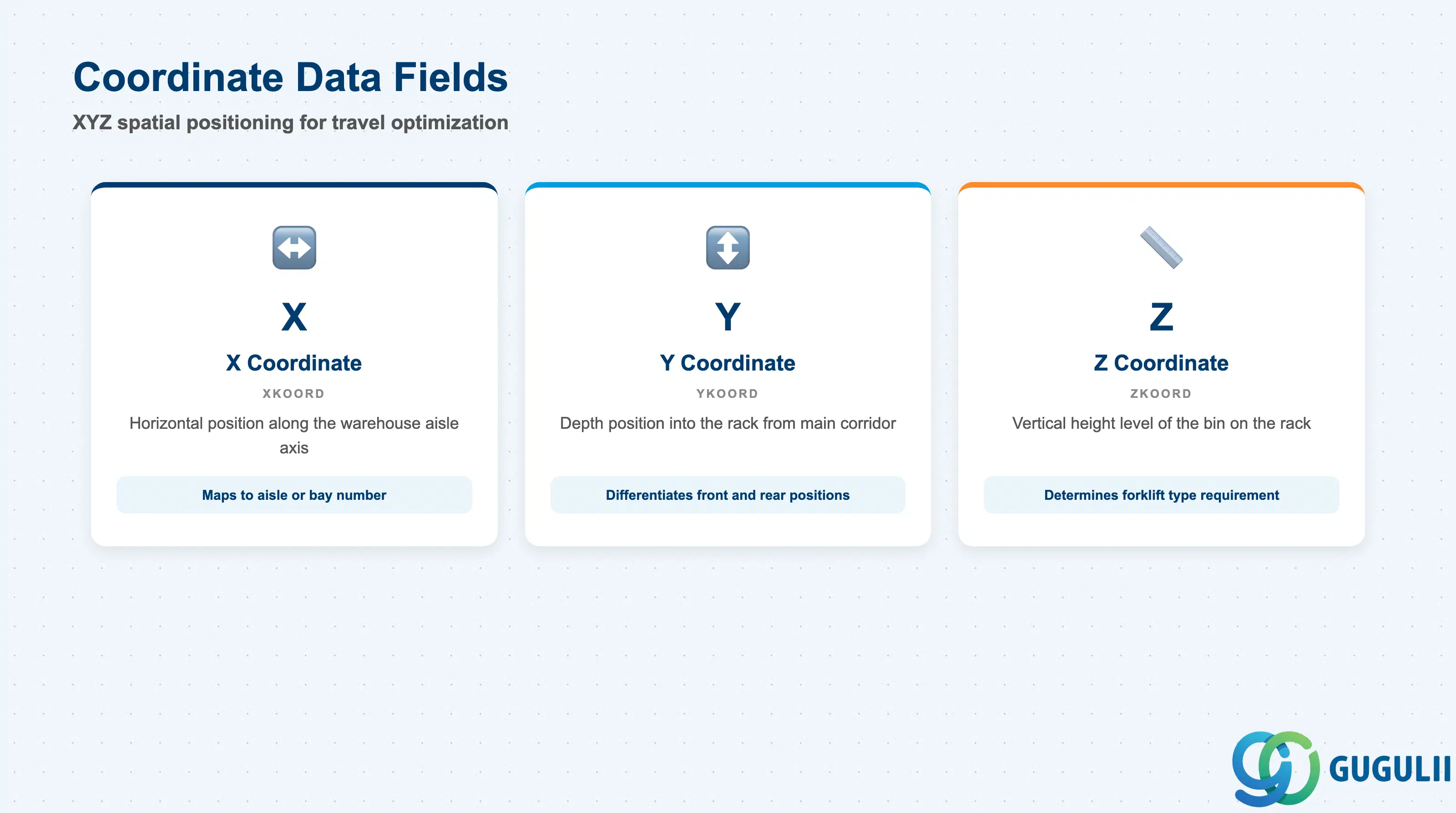
Coordinate Data provides numeric spatial coordinates for each bin, enabling EWM to sort warehouse tasks by physical proximity and minimize picker travel distance. Coordinates are particularly valuable in large, automated, or RF-directed warehouses where travel-time reduction directly impacts throughput.
| Field | Description | Practical Usage |
|---|---|---|
| X Coordinate (XKOORD) | Horizontal position of the bin along the warehouse X axis | Typically maps to the aisle or bay number. In most implementations the coordinate is entered as a whole integer representing meters or tenths-of-meters from the warehouse datum point. Consistency across all bins is more important than absolute accuracy — relative ordering drives the optimization. |
| Y Coordinate (YKOORD) | Depth position of the bin along the warehouse Y axis | Maps to the depth within an aisle (distance from the main corridor into the rack). For standard single-deep racking, all bins in the same row share the same Y value. For double-deep or drive-in racks, Y differentiates front and rear positions. |
| Z Coordinate (ZKOORD) | Vertical position of the bin (height level) | Maps to the rack level (Level 1 = floor, Level 2 = first rack tier, etc.). Z coordinate is used both for travel-time sorting and, in some implementations, to define forklift type requirements — high-level bins may require reach trucks rather than counterbalance forklifts. |
Prerequisite: Coordinate-based sorting only takes effect if the warehouse task creation profile is configured to sort by bin coordinates. Verify the “Sort by Coordinates” indicator in the Warehouse Process Type settings in SPRO.
| ID | Category | Title |
|---|---|---|
| ewm-001 | Overview | What is SAP EWM? |
| ID | Category | Title |
|---|---|---|
| ewm-b01 | Overview | SAP EWM Transactions: Process Flow, Hierarchy & Relationships |