Title here
Summary here

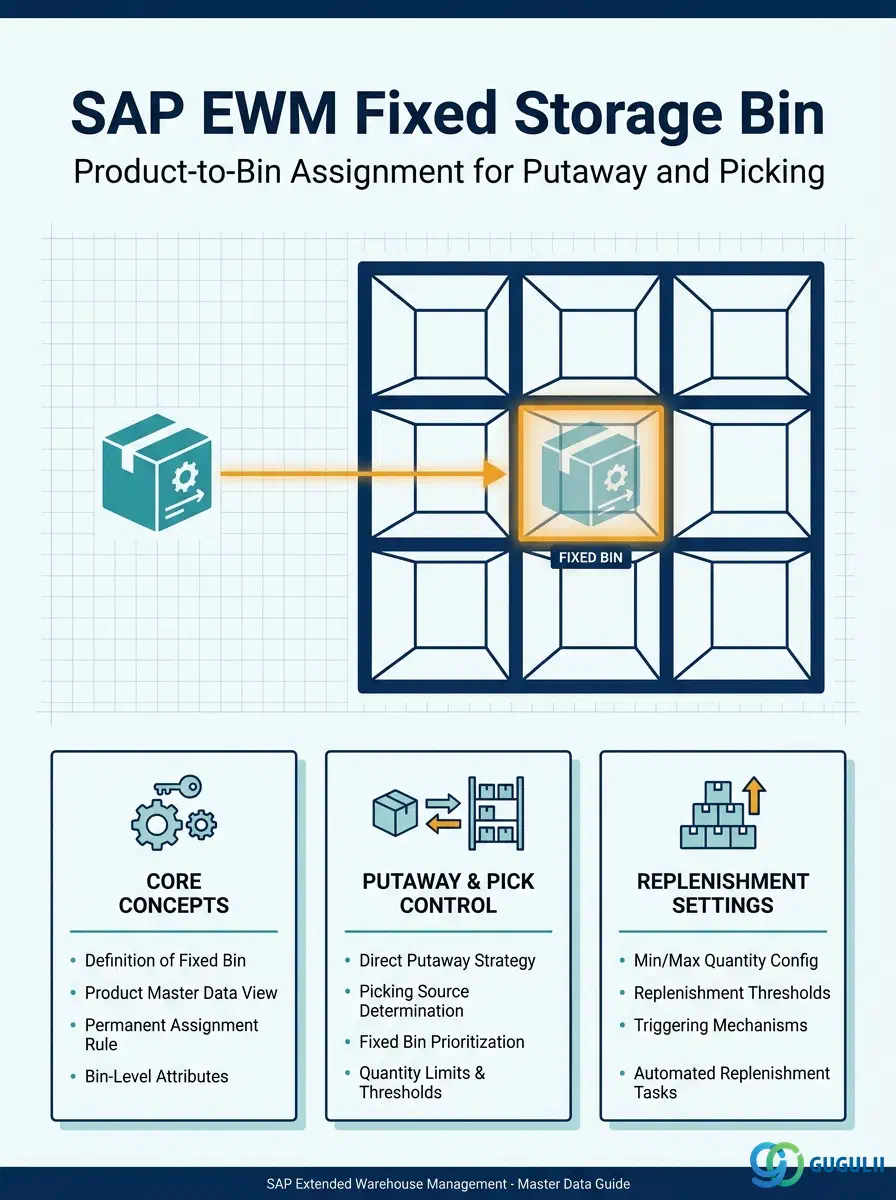
The Fixed Storage Bin (FSB) is not a physical location record — it is the assignment that designates a specific Storage Bin as the permanent home for a particular product within a given Storage Type. Created in the Warehouse Product Master or via transaction /SCWM/BINMAT, the FSB tells EWM exactly where to put stock during putaway (when Putaway Strategy “F — Fixed Bin” is active) and from which bin to pick first. This article covers the assignment concept, its organizational scope, how it interacts with surrounding master data, and the field-level details EWM consultants need to configure and maintain it.
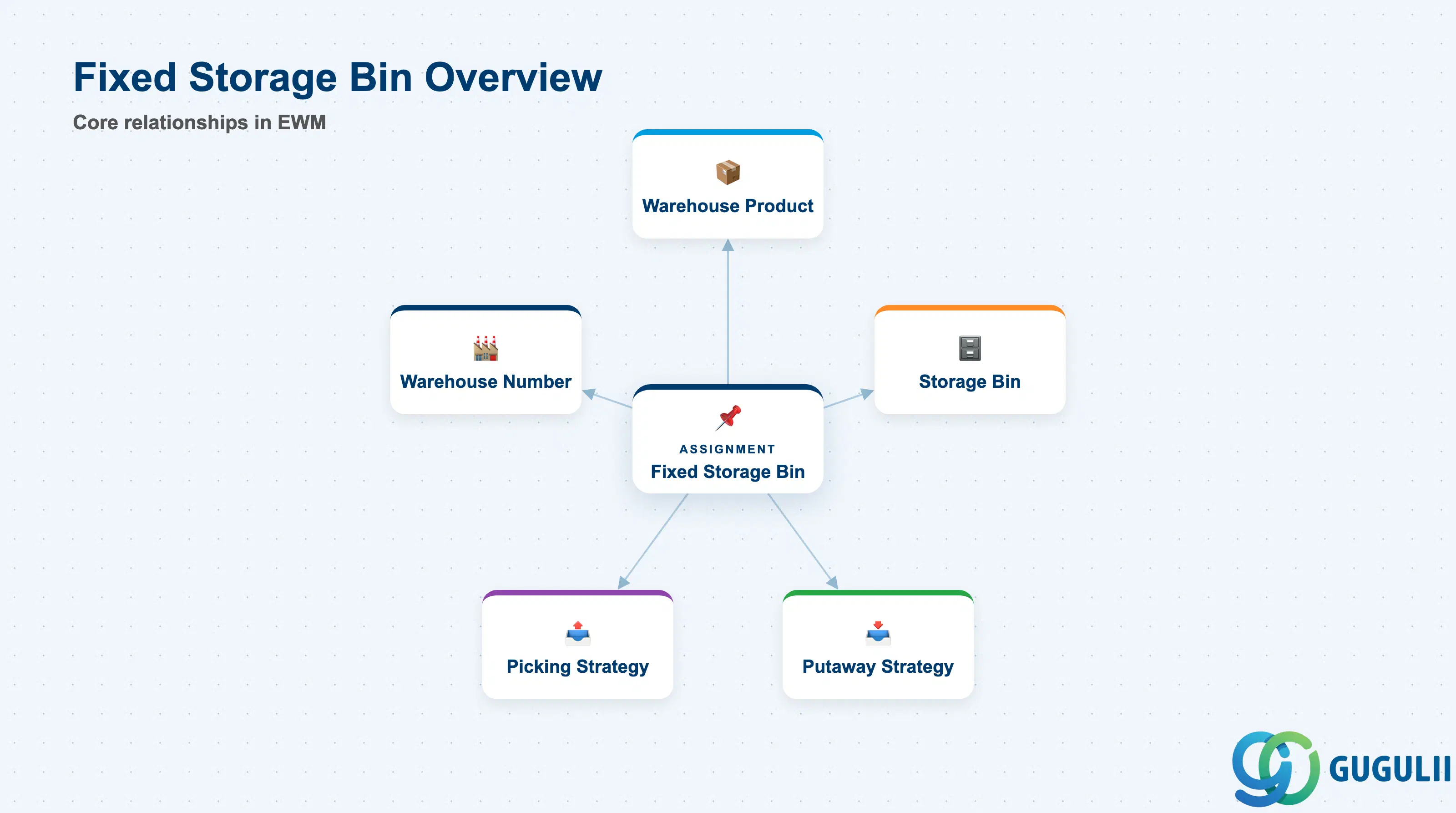
A Fixed Storage Bin is an assignment record that permanently links one product to one storage bin within a given Storage Type. Unlike the Storage Bin master (which defines the physical slot) or the Warehouse Product master (which defines how a product is stored), the FSB assignment is the intersection of the two — it answers the question “which bin does this product always go to and come from?”
| Aspect | Details |
|---|---|
| Role | Designates a permanent product-to-bin assignment for putaway destination and default pick bin within a Storage Type |
| Modules using it | EWM (primary owner — putaway, picking, replenishment), PP/DS (production supply via fixed bin in Production Supply Area), WM (fixed bin concept exists in classic WM but with different configuration path) |
| Transactions | /SCWM/BINMAT (Fixed Bin Assignment — maintain), /SCWM/MAT1 (Warehouse Product Master — Fixed Bin tab), /SCWM/LS03 (Display Storage Bin — verify current assignment) |
| Key Tables | /SCWM/BINMAT (Fixed Bin Assignment table), /SCWM/WHMARA (Warehouse Product Master — references fixed bin fields) |
| S/4HANA note | Embedded EWM shares the same DB as S/4HANA core. Fixed Bin assignment maintained via Fiori app “Manage Warehouse Product” or directly in /SCWM/BINMAT. Decentralized EWM uses the same transactions but communicates via CIF/qRFC for product master sync. |
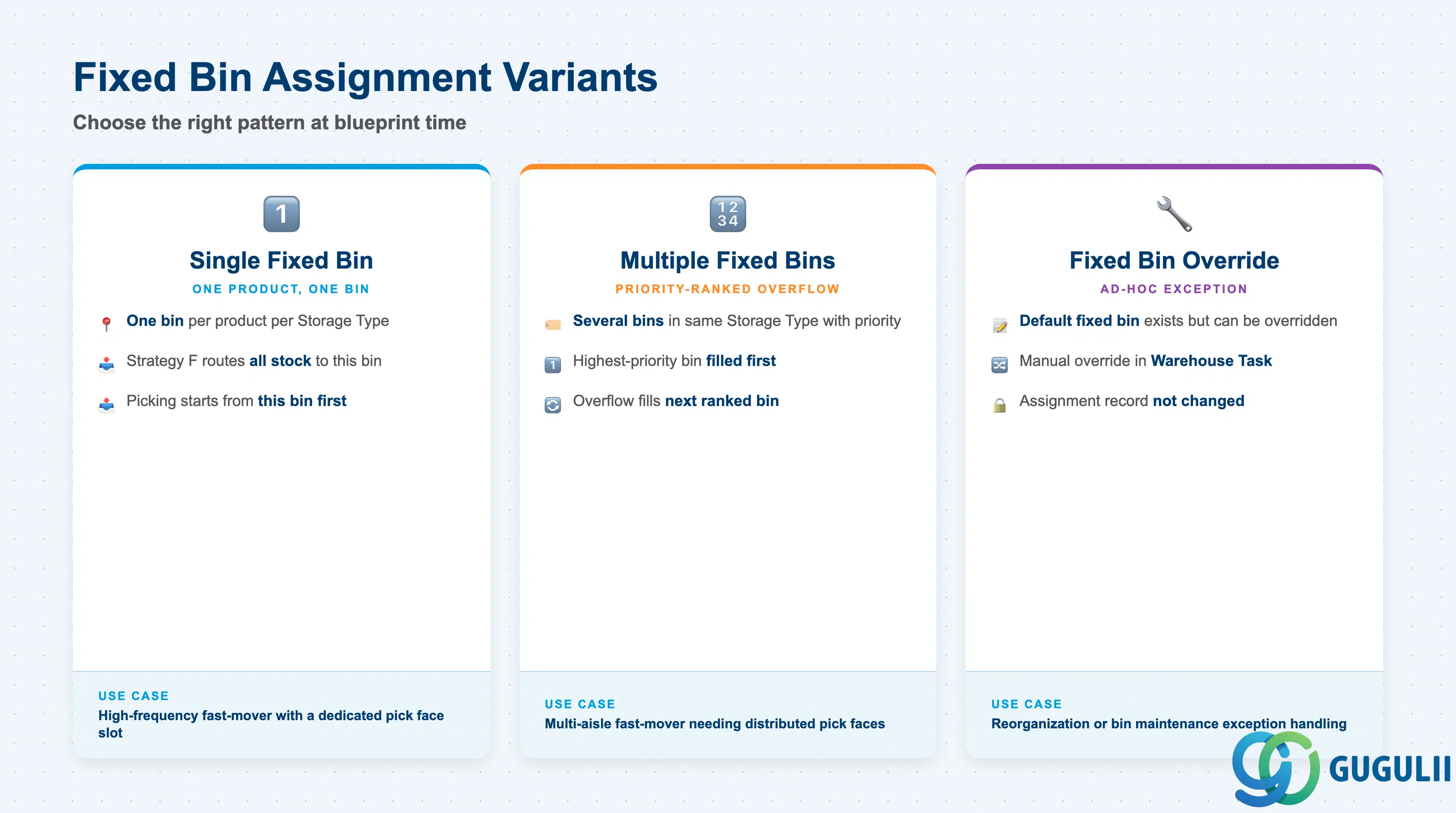
The FSB concept supports several assignment patterns. Choosing the right variant at blueprint time prevents rework during go-live, because changing from a single-bin to a multi-bin fixed approach requires re-assigning open warehouse tasks.
| Variant | Description | Use Case | Key Behavior |
|---|---|---|---|
| Single Fixed Bin | One product assigned to one bin in one Storage Type | High-frequency fast-mover with a dedicated slot (e.g., primary pick face in shelf storage) | Putaway Strategy F routes all stock directly to this bin; picking starts from this bin |
| Multiple Fixed Bins per Storage Type | One product assigned to several bins in the same Storage Type, with priority ranking | Overflow scenario or multi-aisle fast-mover needing distributed pick faces | EWM selects the highest-priority bin first; overflow fills the next ranked bin |
| Fixed Bin with Override | A default fixed bin exists but can be manually overridden in the Warehouse Task | Exception handling during reorganization or bin maintenance | Override is ad-hoc; the fixed bin assignment record is not changed |
Design principle: Fixed Bin is most effective for A-class fast-movers with predictable demand. Assigning it to slow-movers or erratic-demand products leads to wasted dedicated space and unnecessary replenishment tasks.
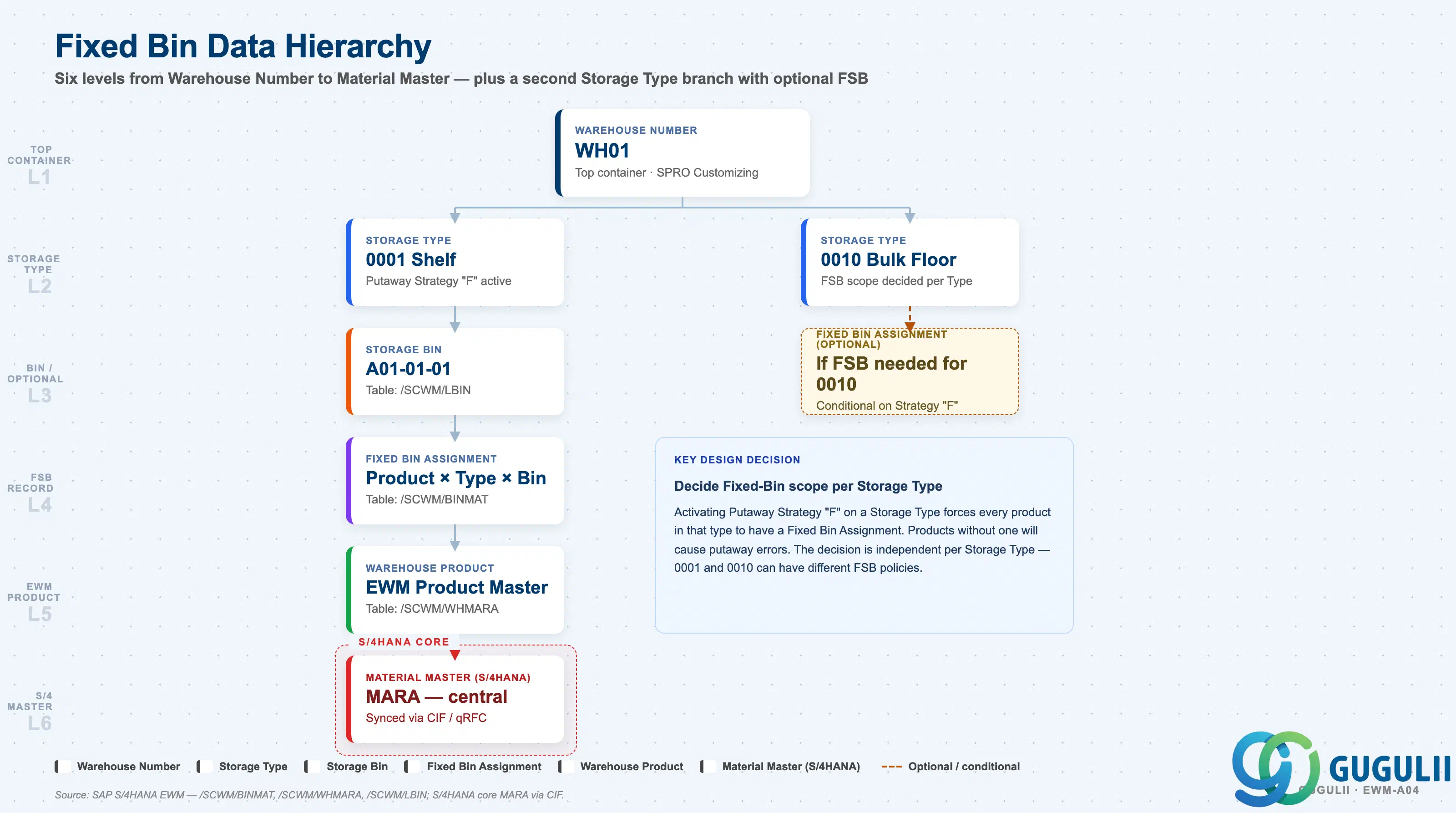
The FSB assignment sits at the intersection of the storage structure (Warehouse Number → Storage Type → Storage Bin) and the product master (Warehouse Product). Understanding this hierarchy is essential for correct scope decisions — particularly when a warehouse has multiple Storage Types serving different purposes (shelf, floor, automated).
Warehouse Number (e.g., WH01)
   │
   ├── Storage Type (e.g., 0001 — Shelf Storage)
   │      │
   │      └── Storage Bin (e.g., A01-01-01)   ← Physical location master (/SCWM/LS01)
   │             │
   │             └── Fixed Bin Assignment      ← /SCWM/BINMAT (or /SCWM/MAT1 Fixed Bin tab)
   │                    │
   │                    └── Warehouse Product  ← /SCWM/MAT1
   │                           │
   │                           └── Material Master (S/4HANA) — synchronized via CIF/qRFC
   │
   └── Storage Type (e.g., 0010 — Bulk Floor Storage)
          │
└── [Separate Fixed Bin Assignment if needed]| Org Level | Table | Primary Fields | Notes |
|---|---|---|---|
| Warehouse Number | Customizing (SPRO) | Warehouse Number key, EWM system settings | Top-level container; all EWM master data scoped here |
| Storage Type | Customizing (SPRO) | Storage Type key, Putaway Strategy, Picking Strategy | Putaway Strategy “F” must be activated here for Fixed Bin routing to take effect |
| Storage Bin | /SCWM/LBIN | Bin address, bin type, maximum weight/volume, bin status | Must exist before FSB assignment is created |
| Fixed Bin Assignment | /SCWM/BINMAT | Product, Warehouse Number, Storage Type, Bin, Priority, Valid-From | One record per product × Storage Type × bin combination |
| Warehouse Product | /SCWM/WHMARA | Product, Warehouse Number, putaway/picking control parameters | Parent master; Fixed Bin tab in /SCWM/MAT1 also maintains FSB records |
Key design decision: Decide per Storage Type whether Fixed Bin will be used. Activating Putaway Strategy “F” globally on a Storage Type forces all products in that type to have a fixed bin assignment — products without one will cause putaway errors.
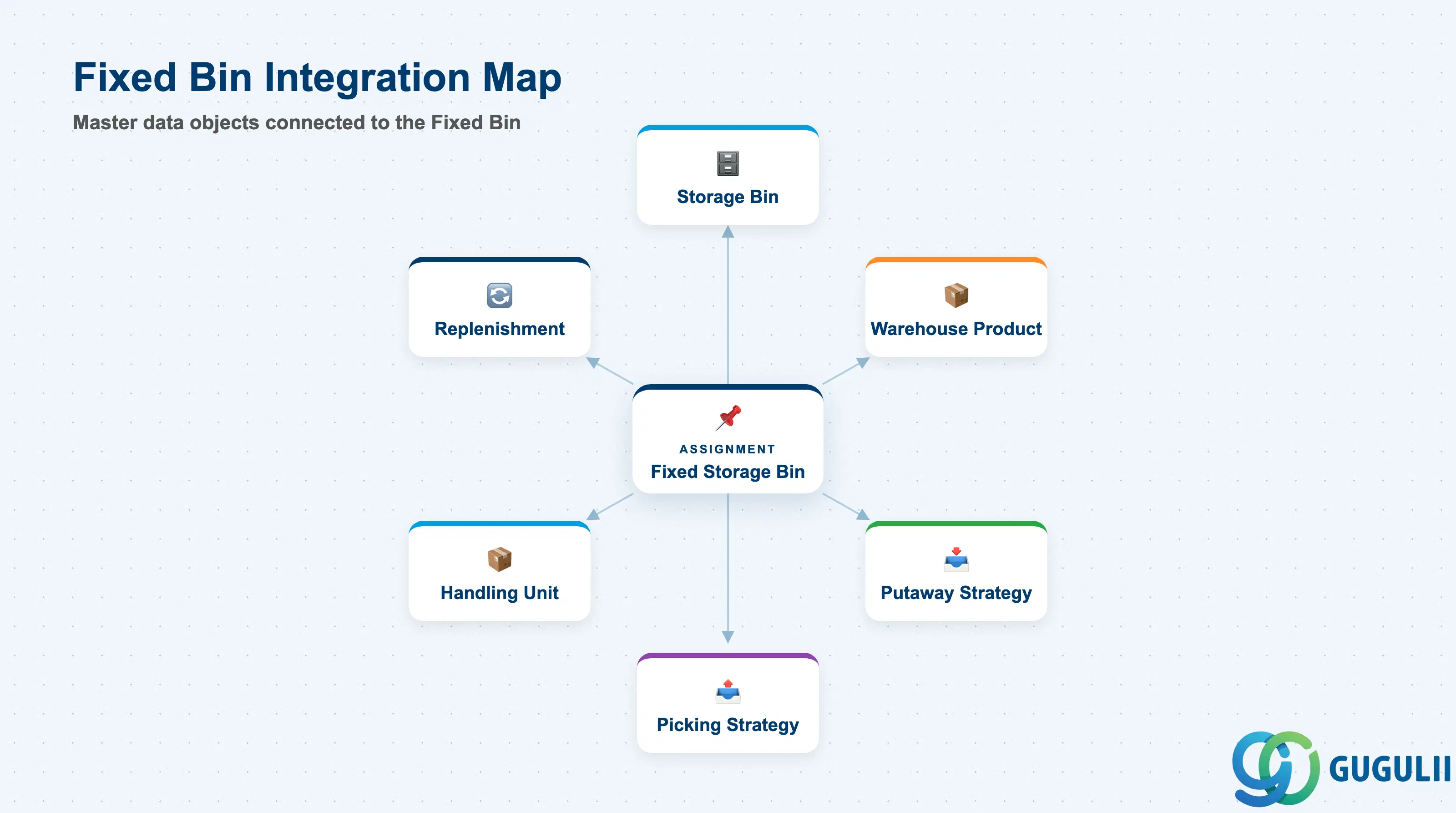
The Fixed Storage Bin assignment does not stand alone. It is the runtime bridge between the physical storage structure and the product-level warehouse parameters, activated and controlled by two Strategy masters.
| Object | Relationship | Practical Notes |
|---|---|---|
| Storage Bin (EWM-A04-02) | Prerequisite — the bin must exist in /SCWM/LBIN before assigning it as a fixed bin | If the Storage Bin is deleted or set to inactive, all FSB assignments referencing it will fail at putaway/pick time; always clean up FSB records first |
| Warehouse Product (EWM-A04-01) | Parent record — the product must have a Warehouse Product master before an FSB assignment can be created | FSB records are accessible directly from the Warehouse Product Master (/SCWM/MAT1, Fixed Bin tab) as well as from standalone /SCWM/BINMAT |
| Putaway Strategy (EWM-A03-03) | Activator — Storage Type must have Putaway Strategy “F — Fixed Bin” assigned for the FSB to be used as putaway destination | Without Strategy “F,” EWM ignores the fixed bin assignment during putaway and uses the next available bin instead |
| Picking Strategy (EWM-A03-04) | Consumer — the fixed bin acts as the preferred pick bin when a picking strategy references it | Combine with FIFO or FEFO picking within the fixed bin for batch-managed products |
| Handling Unit | Indirect — HUs stored in fixed bins are managed at bin level; FSB does not directly reference HUs | Ensure bin capacity (weight, volume, HU count) in the Storage Bin master covers the expected HU stack at the fixed bin |
| Replenishment (EWM-B09) | Trigger — min/max quantities on the FSB drive automatic replenishment task creation | Replenishment monitors the fixed bin stock level; when it falls below the minimum, a replenishment Warehouse Task is created to refill from a source bin |
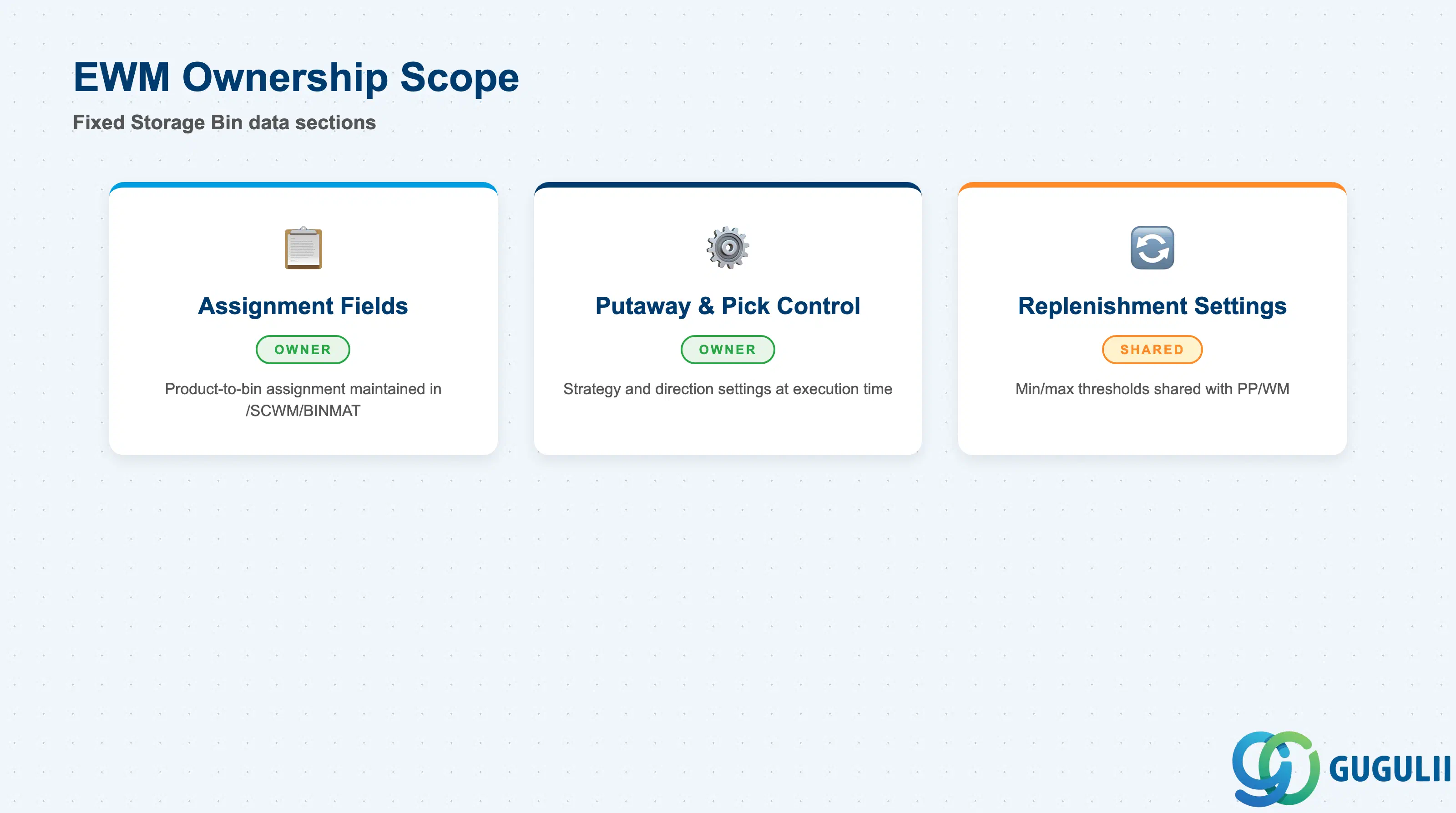
| Data Section | EWM Involvement | Notes |
|---|---|---|
| Fixed Bin Assignment Fields | ◎ Owner | Core product-to-bin assignment; fully owned and maintained in EWM (/SCWM/BINMAT or /SCWM/MAT1) |
| Putaway and Pick Control | ◎ Owner | Strategy and direction settings that govern how the fixed bin is used at execution time |
| Replenishment Settings | ○ Shared with PP/WM | Min/max quantity thresholds maintained in EWM; replenishment demand can originate from PP production supply requirements |
Legend: ◎ = Owner / Critical, ○ = Direct involvement
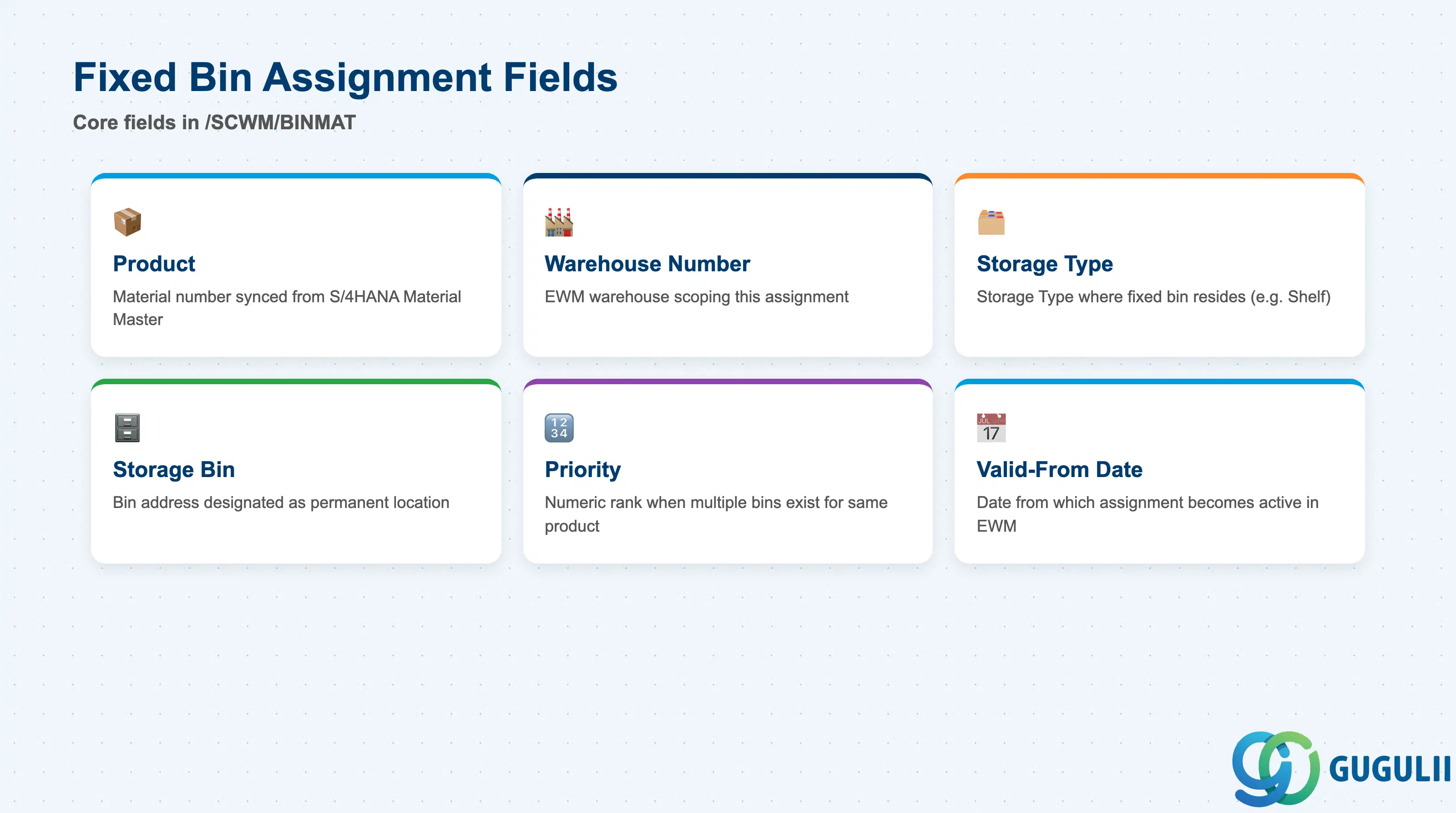
The Fixed Bin Assignment record (/SCWM/BINMAT) is the core master data entry for the FSB. Each record uniquely identifies which product goes to which bin in which Storage Type, and in what priority order when multiple bins are assigned.
| Field | Description | Practical Usage |
|---|---|---|
| Product | The material number (synced from S/4HANA Material Master) for which the fixed bin is designated | Always verify the Warehouse Product master exists before creating an FSB; the product number is taken from /SCWM/MAT1 and must be active in the warehouse |
| Warehouse Number | The EWM warehouse number (e.g., WH01) scoping this assignment | A single product can have different fixed bins in different warehouse numbers; maintain one FSB record per warehouse where the product is stored |
| Storage Type | The Storage Type within the warehouse where the fixed bin resides (e.g., 0001 — Shelf) | The Storage Type’s Putaway Strategy must be set to “F” for this assignment to control putaway routing; mismatch between FSB and active strategy causes silent bypass at putaway |
| Storage Bin | The bin address (e.g., A01-01-01) designated as the permanent location for this product | The bin must exist in /SCWM/LBIN and must be in the correct Storage Type; cross-type assignments are not allowed and will trigger a consistency error |
| Priority | Numeric rank when multiple fixed bins exist for the same product in the same Storage Type | Lower number = higher priority; EWM fills the priority-1 bin first, overflowing to priority-2 and beyond; use this for primary/overflow pick face configurations in high-velocity storage types |
| Valid-From Date | Date from which this fixed bin assignment becomes active | Useful for pre-configuring seasonal or layout-change assignments; the assignment is ignored by EWM until the valid-from date is reached |
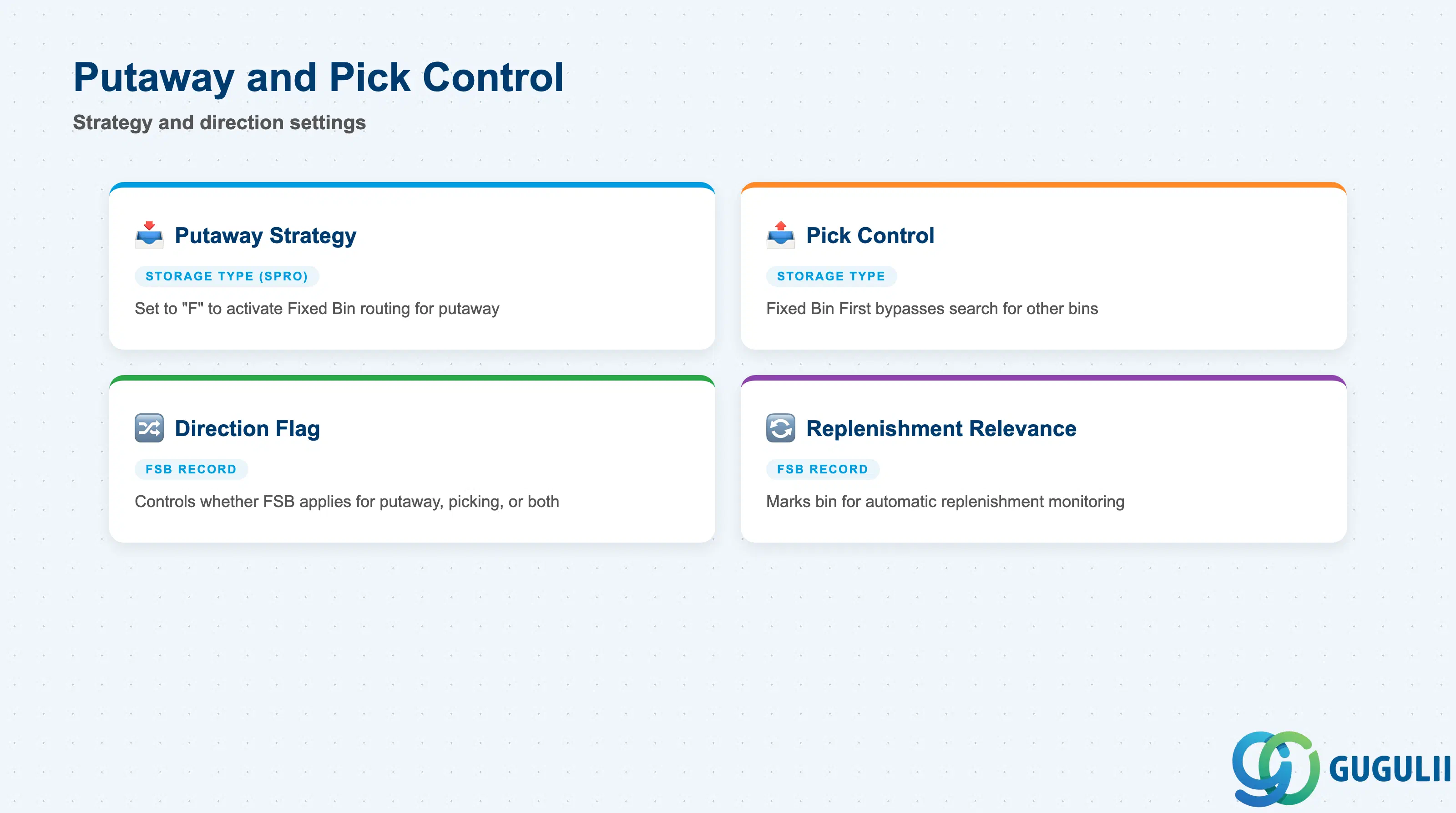
The putaway and pick control fields determine how EWM uses the fixed bin assignment at execution time. These settings are split between the Storage Type configuration (strategy selection) and the FSB record itself (direction and override flags).
| Field | Description | Practical Usage |
|---|---|---|
| Putaway Strategy (Storage Type) | Strategy code assigned to the Storage Type in SPRO; set to “F” to activate Fixed Bin routing | This is a Storage Type-level SPRO setting, not a field on the FSB record itself; confirm the strategy is set correctly before testing putaway — errors here cause all products in the type to route incorrectly |
| Pick Control (Storage Type) | Defines whether the fixed bin is used as the default pick source or as one candidate among several | When set to “Fixed Bin First,” EWM generates the pick Warehouse Task directly from the fixed bin without searching for other bins first; this improves pick efficiency for high-frequency products |
| Fixed Bin Direction Flag | Controls whether the FSB applies for putaway, picking, or both | Set to “Both” (default) for standard fast-mover scenarios; set to “Putaway Only” when the product is picked from a different zone (e.g., forward pick area) but always put away to the fixed bin |
| Bin Replenishment Relevance | Flag on the FSB record that marks the bin as subject to automatic replenishment monitoring | Must be activated if min/max replenishment (Section 2.3) is used; without this flag, the replenishment monitor ignores the fixed bin even if min/max quantities are maintained |
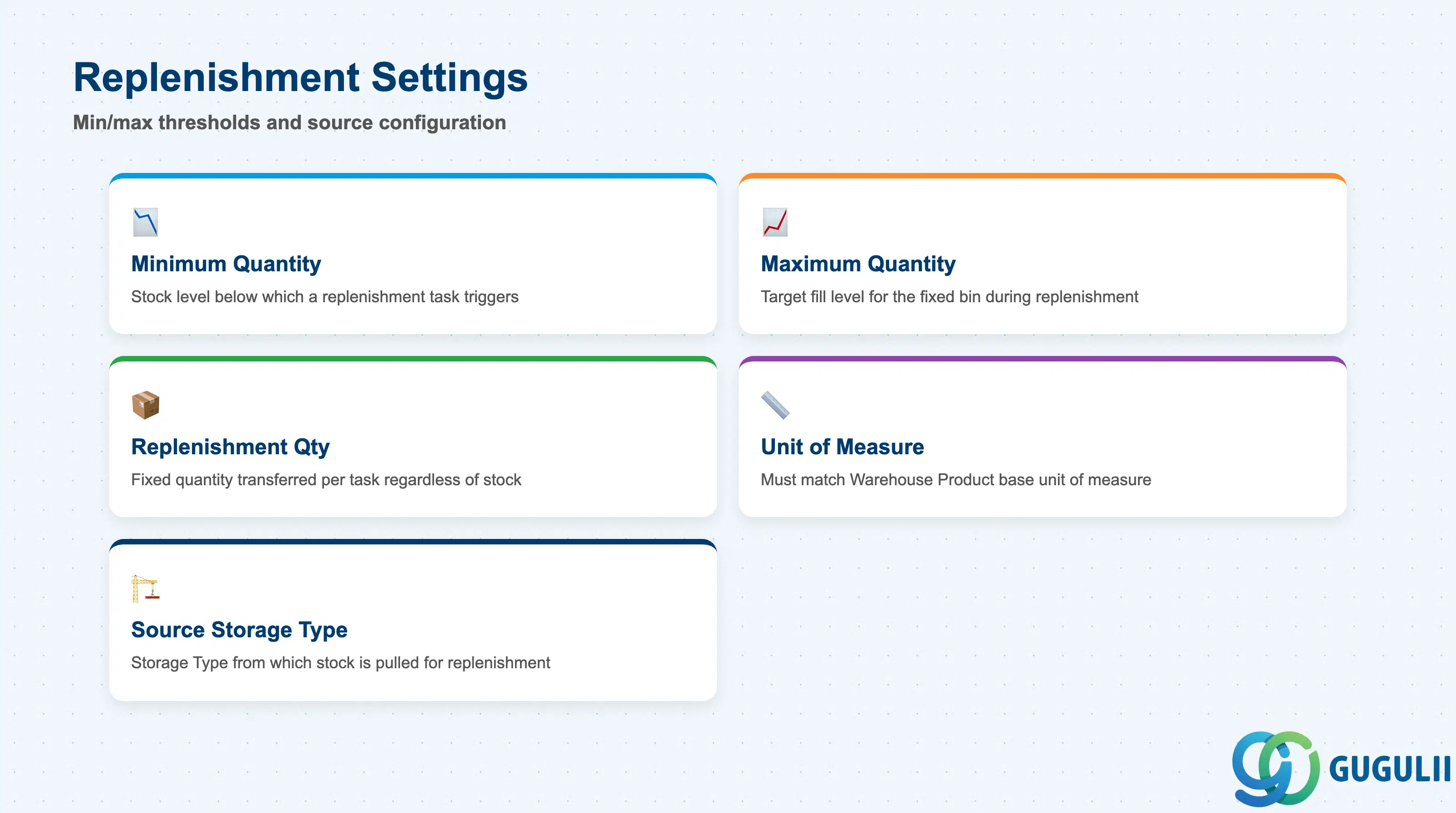
Replenishment settings on the Fixed Storage Bin drive automatic restocking of the pick face. When the stock level in the fixed bin drops below the minimum quantity, EWM creates a replenishment Warehouse Task to transfer stock from a bulk or reserve location into the fixed bin.
| Field | Description | Practical Usage |
|---|---|---|
| Minimum Quantity | Stock level in the fixed bin below which a replenishment task is triggered | Set this based on the expected pick rate between replenishment cycles — too high causes unnecessary tasks; too low causes stockouts at the pick face before replenishment arrives |
| Maximum Quantity | Target quantity to which the fixed bin is filled during replenishment | The replenishment task moves stock from the source bin up to this quantity; set it to match the bin’s physical capacity (weight and volume constraints from the Storage Bin master) |
| Replenishment Quantity | Alternative to min/max: a fixed quantity transferred per replenishment task regardless of current stock | Use this for scenarios where each replenishment cycle is always a full pallet or standard HU; simpler to configure and audit than percentage-based min/max |
| Unit of Measure | Base unit for all replenishment quantity fields | Must match the base unit of measure in the Warehouse Product master (/SCWM/MAT1); unit conversion errors at replenishment task creation indicate a mismatch between the FSB unit and the product’s warehouse unit |
| Source Storage Type | The Storage Type from which stock is pulled during replenishment | Define the replenishment source Storage Type in the Replenishment Strategy configuration (SPRO); the FSB record itself does not hold the source bin — the strategy determines it dynamically or from a second fixed bin in the source type |
| ID | Category | Title |
|---|---|---|
| ewm-001 | Overview | What is SAP EWM? |
| ID | Category | Title |
|---|---|---|
| ewm-b01 | Overview | SAP EWM Transactions: Process Flow, Hierarchy & Relationships |