Title here
Summary here

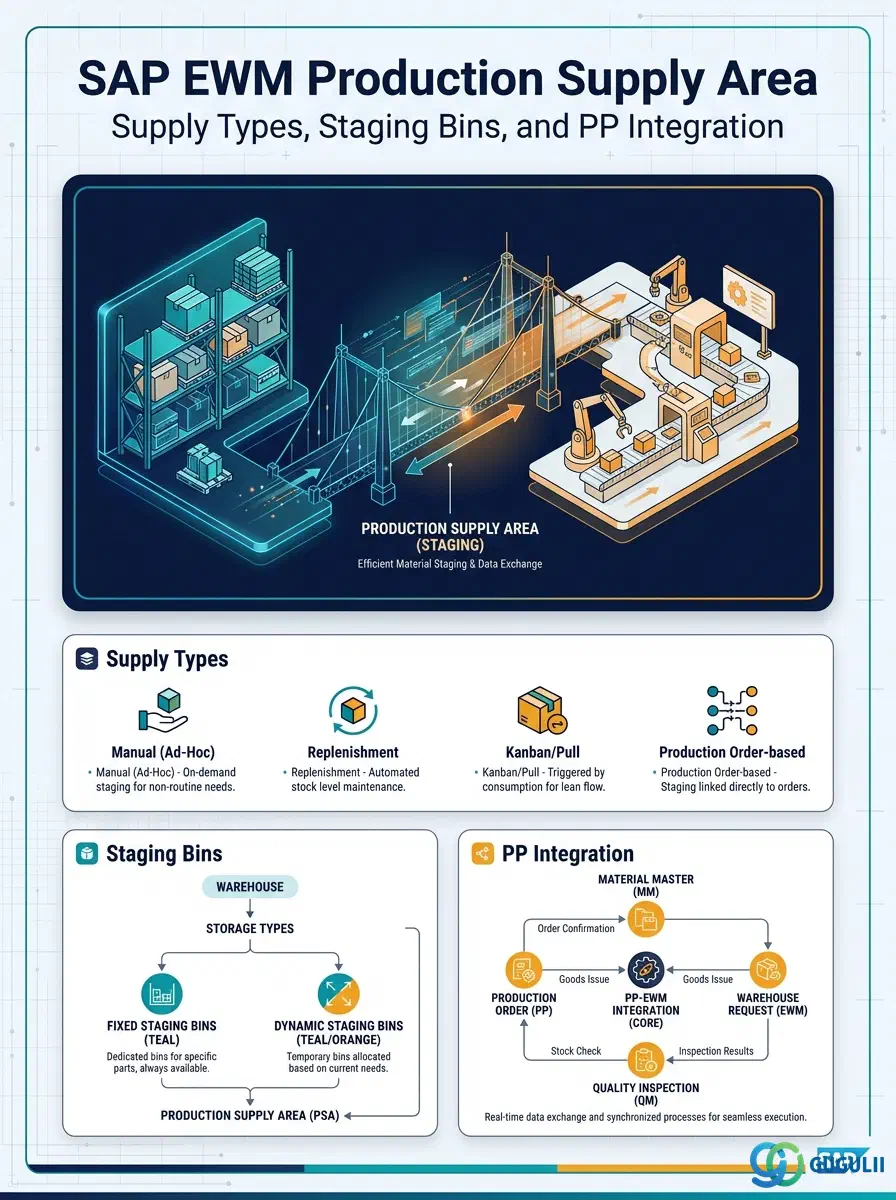
The Production Supply Area (PSA) is the master data object that defines how materials are staged from the EWM warehouse to a production line or work center. It acts as the bridge between EWM storage bins (the staging area) and SAP PP production structures — work centers, production orders, and kanban control cycles. Without a correctly configured PSA, EWM cannot generate warehouse tasks to replenish production, and production cannot consume materials from the correct staging bins. This article covers PSA supply types, its organizational hierarchy, integration dependencies, and every field EWM consultants own.
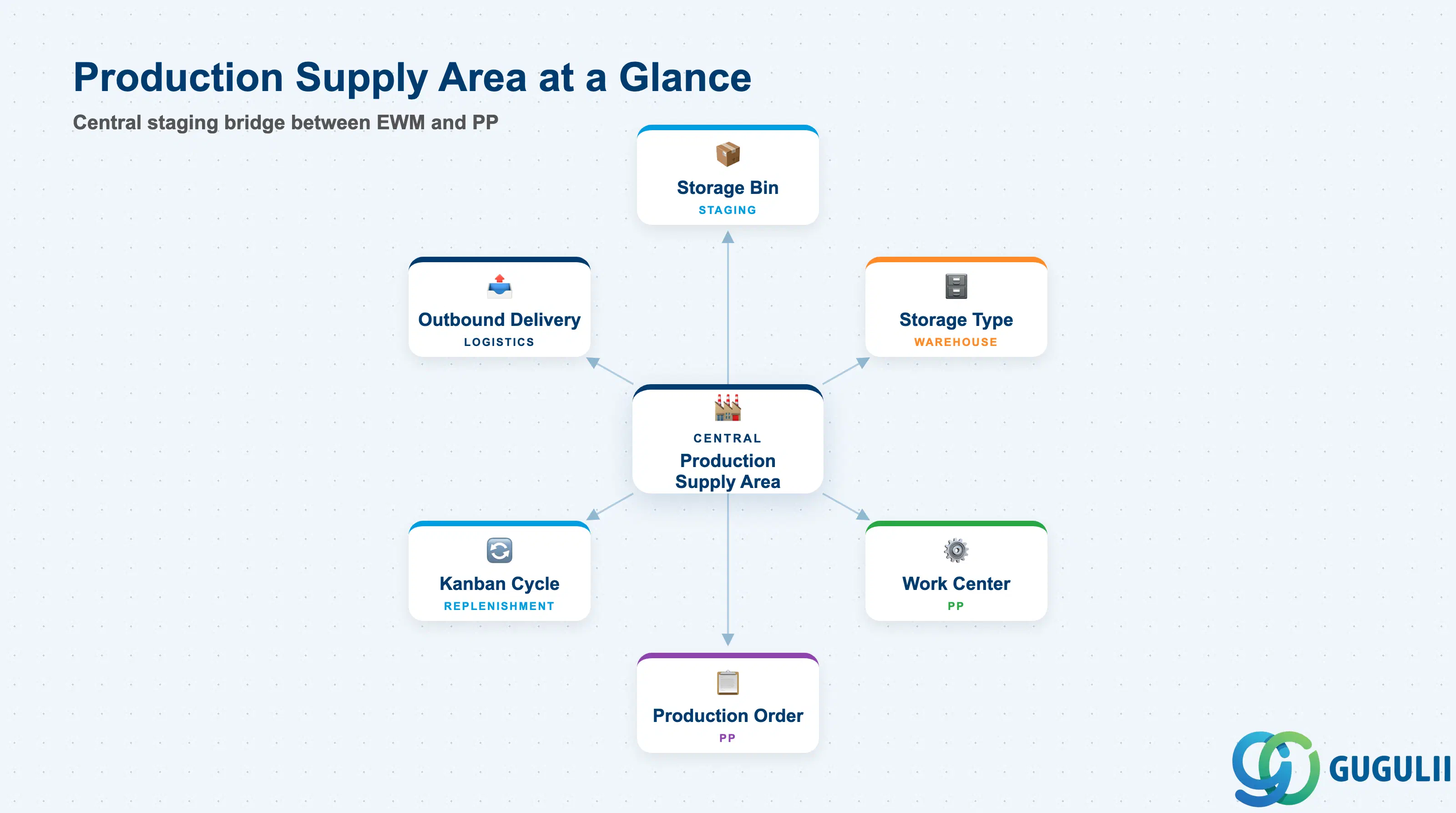
A Production Supply Area is a named staging zone within an EWM warehouse that is physically linked to one or more production work centers. Materials destined for the production line are moved from their main storage location to the PSA’s staging bins via warehouse tasks, making them available for PP consumption without further warehouse intervention.
| Aspect | Details |
|---|---|
| Role | Defines the staging area where EWM places materials before PP consumes them; controls replenishment method and bin assignment |
| Modules using it | EWM (primary owner — PSA definition, staging bins, supply control), PP (work center assignment, production order, kanban control cycle), MM (goods issue posting from staging bin) |
| Transactions | /SCWM/PSA (Create/Change/Display PSA), /SCWM/MON (Warehouse Monitor — PSA view), /SCWM/TO_CONF (Confirm warehouse tasks to staging bin) |
| Key Tables | /SCWM/TPOSA (PSA definition header), /SCWM/TPOSAB (PSA staging bin assignment), /SCWM/TPOSAC (PSA supply control parameters) |
| S/4HANA note | In Embedded EWM, the PSA is defined within the same system as PP. No CIF transfer is required. Fiori app “Manage Production Supply Areas” is available in S/4HANA 2021 onwards. |
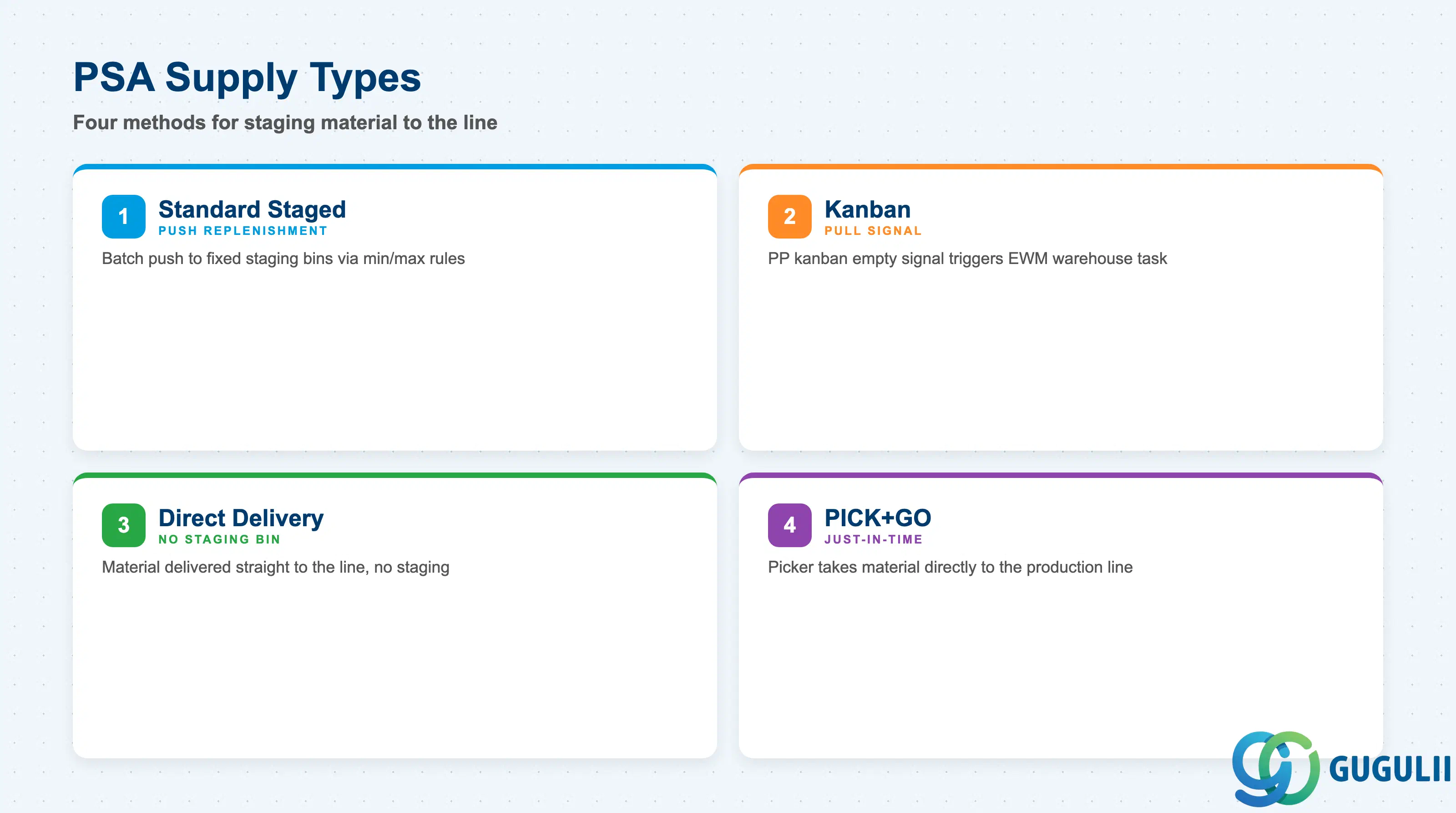
The supply type determines how EWM triggers and executes replenishment to the production line. Selecting the wrong supply type during blueprint leads to incorrect warehouse task generation, unplanned stock shortages, or PP integration errors that are costly to rework after go-live.
| Supply Type | Code | Use Case | Key Behavior |
|---|---|---|---|
| Standard Staged Supply | 1 | Batch-based push replenishment to a fixed staging bin ahead of production demand | EWM generates replenishment warehouse tasks based on min/max quantity rules or production order demand. Material waits in the staging bin until PP consumption. |
| Kanban Replenishment | 2 | Signal-driven pull replenishment where PP kanban control cycles trigger EWM warehouse tasks | A kanban empty signal from PP creates an EWM replenishment request. EWM fulfills it and sets the kanban to FULL. Requires PP kanban Customizing and a kanban control cycle referencing the PSA. |
| Direct Delivery | 3 | Material is delivered directly to the production line without an intermediate staging bin | Outbound delivery (EWM) or goods issue is posted directly to the work center / production order. Staging bins are not used. Common for bulky or just-in-time materials. |
| PICK+GO | 4 | Picker takes the material directly to the line without placing it in a fixed staging bin first | Warehouse task destination is the production line itself. Reduces staging dwell time but requires reliable synchronization with PP start times. |
Design principle: Supply type must be aligned with PP’s replenishment strategy during blueprint. Kanban supply type requires PP Kanban Customizing and control cycles to be defined before the PSA can be activated.
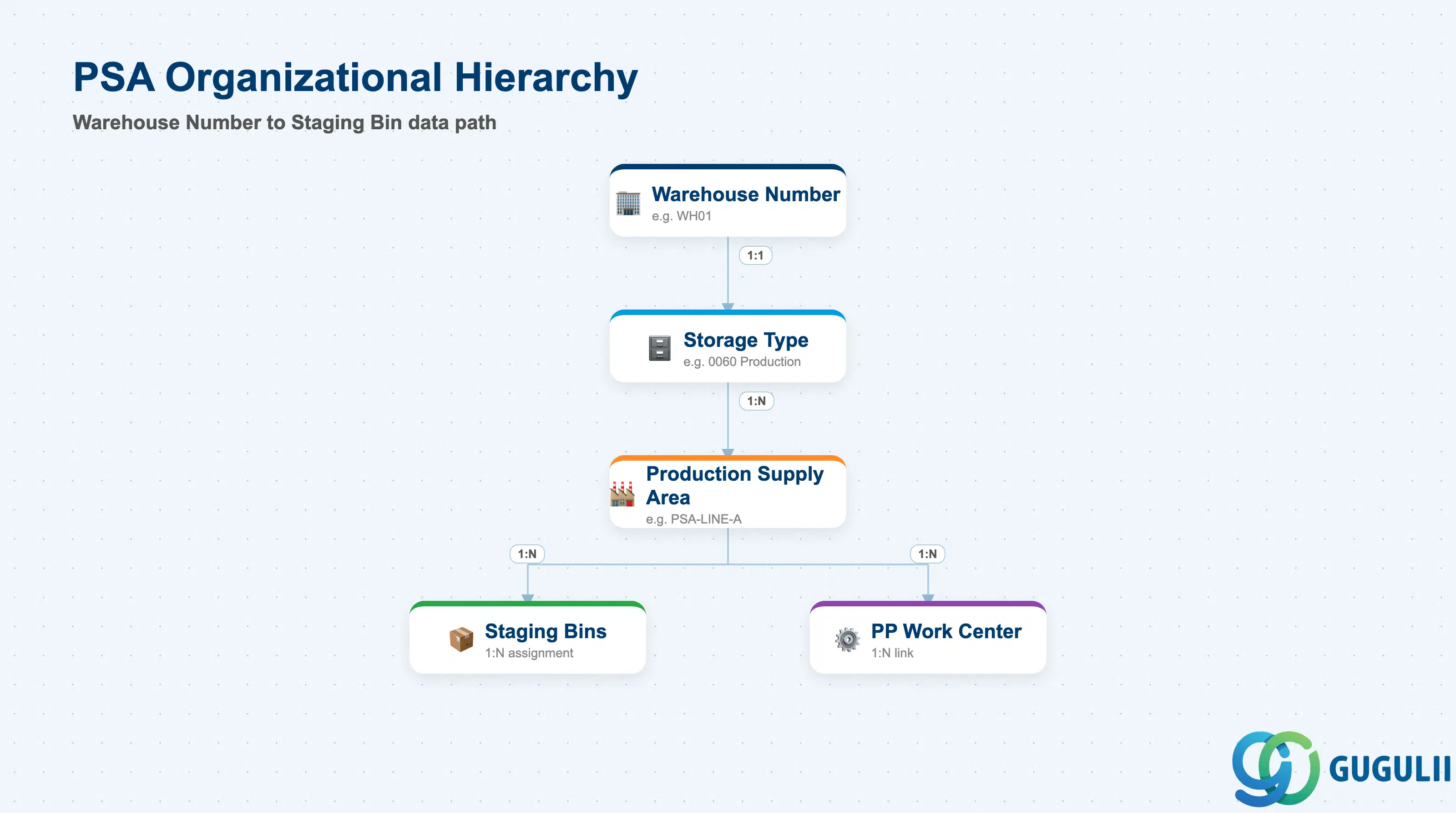
The PSA sits below the warehouse number and references a storage type for its staging bins. Understanding this hierarchy is essential for designing a PSA layout that scales across multiple production lines without bin assignment conflicts.
Warehouse Number (e.g., WH01)
   │
   └── Storage Type (e.g., 0060 — Production Staging)
          │
          └── Production Supply Area (e.g., PSA-LINE-A)
                 │
                 ├── Staging Bins (1:N — assigned in /SCWM/TPOSAB)
                 │      Example: A060-01-01, A060-01-02
                 │
                 └── PP Work Center Link (1:N — PP work center / production version)
Example: WKCTR-LINE-A, WKCTR-LINE-B| Org Level | Table | Primary Fields | Notes |
|---|---|---|---|
| Warehouse Number | LGNUM (SPRO) | Warehouse number key | PSA is always tied to exactly one warehouse number |
| Storage Type | /SCWM/TSTYP | Storage type key, bin type | Staging storage type is typically dedicated to production supply (e.g., type 0060). One PSA references one storage type. |
| PSA Header | /SCWM/TPOSA | PSA ID, description, supply type, warehouse number | One PSA per supply area ID. Multiple PSAs can share the same storage type. |
| Staging Bin Assignment | /SCWM/TPOSAB | PSA ID, storage bin, sequence, bin role | Each staging bin is assigned to exactly one PSA. Bin sequence controls the order of task generation. |
| PP Work Center Link | /SCWM/TPOSAC | PSA ID, work center, plant, production version | A PSA can serve multiple work centers; each link carries its own supply control parameters. |
Key design decision: A dedicated staging storage type for production supply simplifies bin management and prevents picking strategies from interfering with PSA bins. Reusing the main shelving storage type for staging is a common anti-pattern.
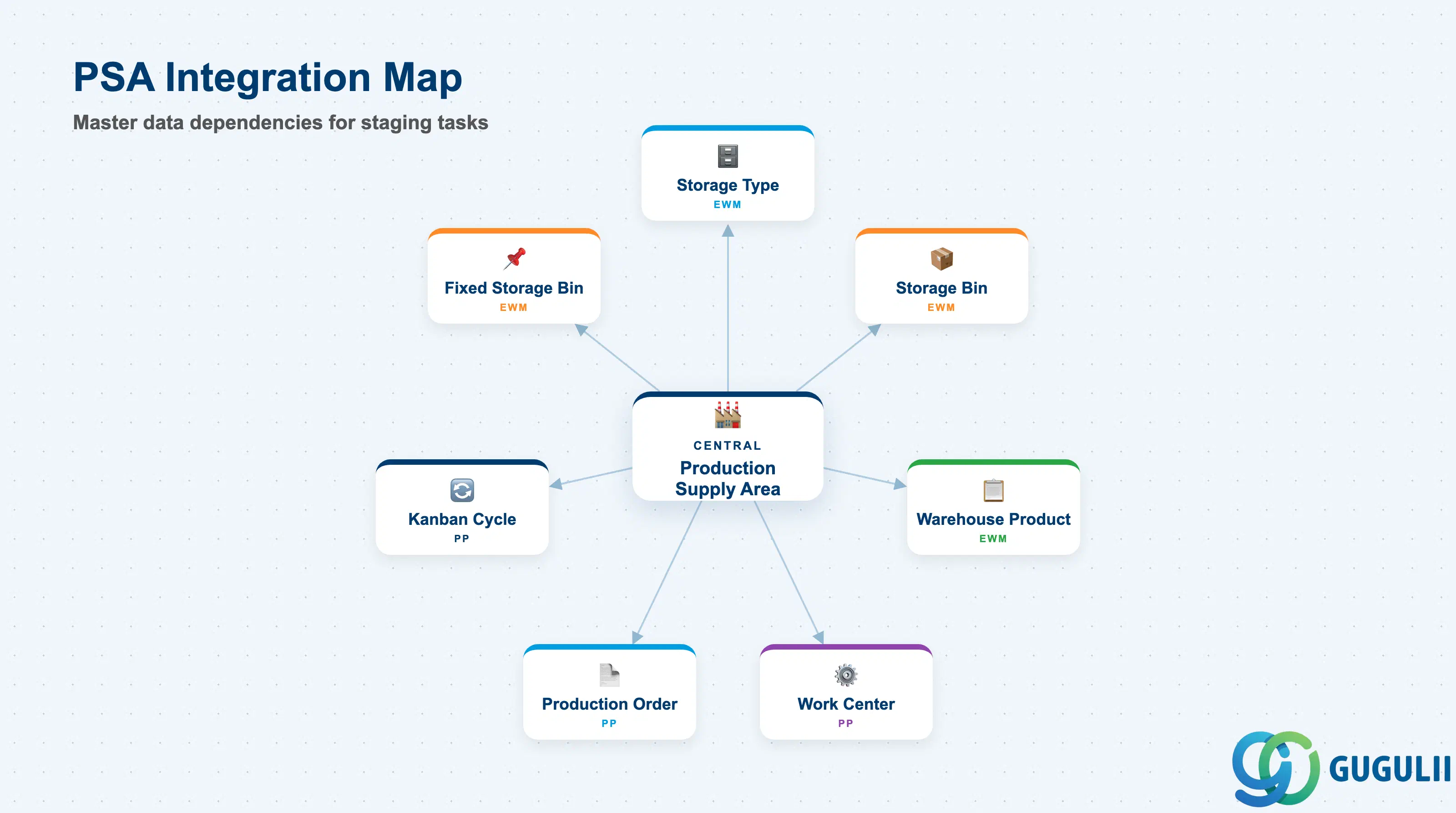
The PSA does not operate in isolation. Its correct functioning depends on upstream EWM master data (Storage Type, Storage Bin) and downstream PP master data (Work Center, Production Version, Kanban Control Cycle). A gap in any of these dependencies prevents successful staging task generation.
| Object | Relationship | Practical Notes |
|---|---|---|
| Storage Type | PSA references one storage type; staging bins must belong to that type | Define a dedicated production staging storage type in SPRO before creating PSAs. Mixed use with putaway/picking bins causes strategy conflicts. |
| Storage Bin | Staging bins are assigned to the PSA in /SCWM/TPOSAB | Staging bins must be pre-created in the referenced storage type via /SCWM/LS01. Bin capacity and maximum weight should be sized for the largest production batch. |
| Warehouse Product | Materials staged to the PSA must have an active Warehouse Product master | The Warehouse Product’s storage type indicator must allow placement in the PSA’s staging storage type. Absence of a Warehouse Product blocks warehouse task creation. |
| Work Center (PP) | PP work center is assigned to the PSA supply control record | Work center must exist in PP (transaction CR01) before being linked to the PSA. Multiple work centers can be linked to one PSA for shared staging areas. |
| Production Order | PP production orders reference the work center, which in turn resolves the PSA for staging | When PP releases a production order, EWM reads the work center → PSA link to determine where to stage materials. |
| Kanban Control Cycle | For Kanban supply type, the PP kanban control cycle references the PSA as the source area | The kanban control cycle (transaction PK01) must reference the correct PSA ID and warehouse number. Mismatches prevent kanban signal processing in EWM. |
| Fixed Storage Bin | High-runner materials at a production line often have a fixed bin within the PSA staging area | Fixed Storage Bin (EWM-A04-03) for staging bins pre-assigns specific materials to specific staging slots, reducing picker decision time. |
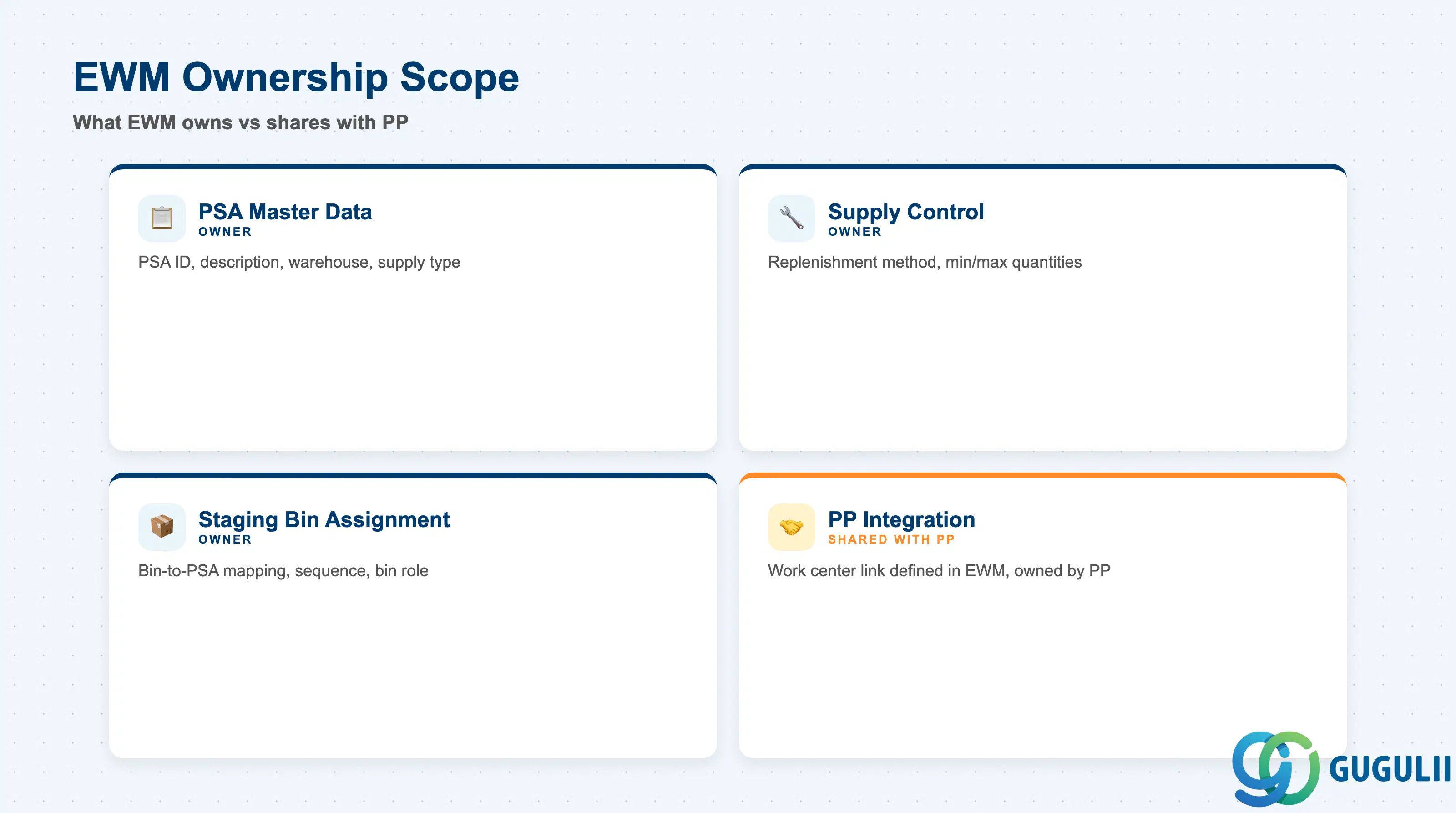
| Data Section | EWM Involvement | Notes |
|---|---|---|
| PSA Master Data | ◎ Owner | PSA ID, description, warehouse number, and supply type are defined entirely in EWM via /SCWM/PSA |
| Supply Control | ◎ Owner | Replenishment method, min/max quantities, and control parameters are EWM-owned; PP reads EWM output |
| Staging Bin Assignment | ◎ Owner | Bin-to-PSA assignment, bin sequence, and bin role are maintained in EWM |
| PP Integration Settings | ○ Shared with PP | Work center and production version are PP objects; the link is established in EWM, but PP owns the work center definition |
Legend: ◎ = Owner / Critical, ○ = Direct involvement
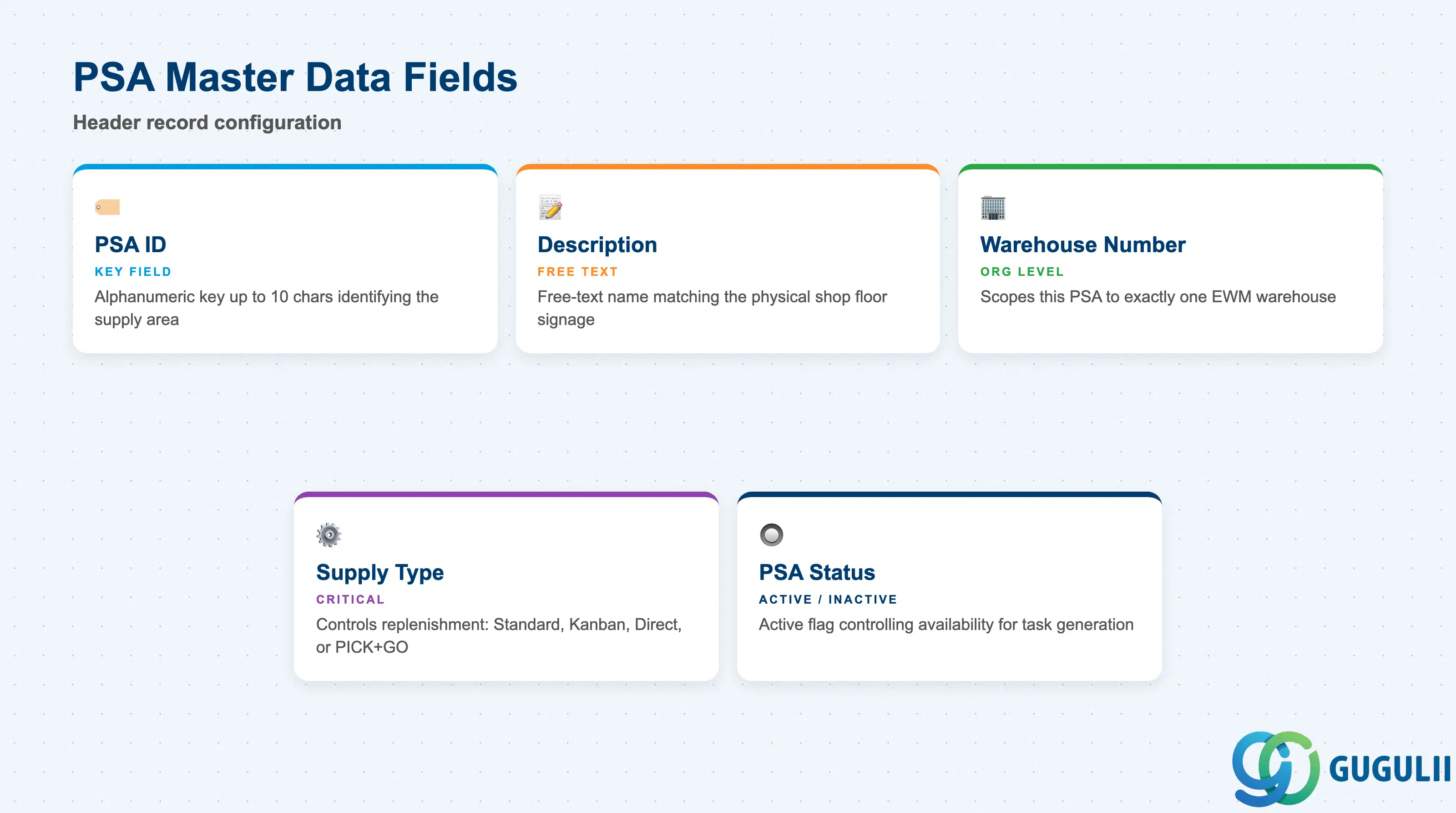
The PSA header record is the central master data object that all supply control and bin assignment records reference. Errors in the header — especially the supply type — cascade into incorrect task generation behavior across all materials staged at this area.
| Field | Description | Practical Usage |
|---|---|---|
| PSA ID | Alphanumeric key identifying the production supply area (up to 10 characters) | Design a naming convention that reflects the physical production line or area (e.g., LINE-A, PRESS-01). Short, meaningful IDs simplify operator communication and WM monitor filtering. |
| Description | Free-text description of the production supply area | Use a description that matches the physical signage on the shop floor. Operators and supervisors will reference this name in the Warehouse Monitor (/SCWM/MON). |
| Warehouse Number | The EWM warehouse number to which this PSA belongs | A PSA is always scoped to one warehouse. In multi-warehouse deployments, each warehouse defines its own PSAs independently. Verify the correct warehouse number before saving. |
| Supply Type | Controls the replenishment mechanism (1=Standard, 2=Kanban, 3=Direct, 4=PICK+GO) | This is the most critical field at blueprint time. It cannot be changed once production orders or kanban cycles reference the PSA without significant rework. Align with PP’s replenishment design before setting. |
| PSA Status | Active/Inactive flag controlling whether the PSA is available for task generation | Set to Inactive during initial configuration or when the production line is temporarily shut down. Deactivating a PSA with open warehouse tasks may leave tasks orphaned — check /SCWM/MON before deactivating. |
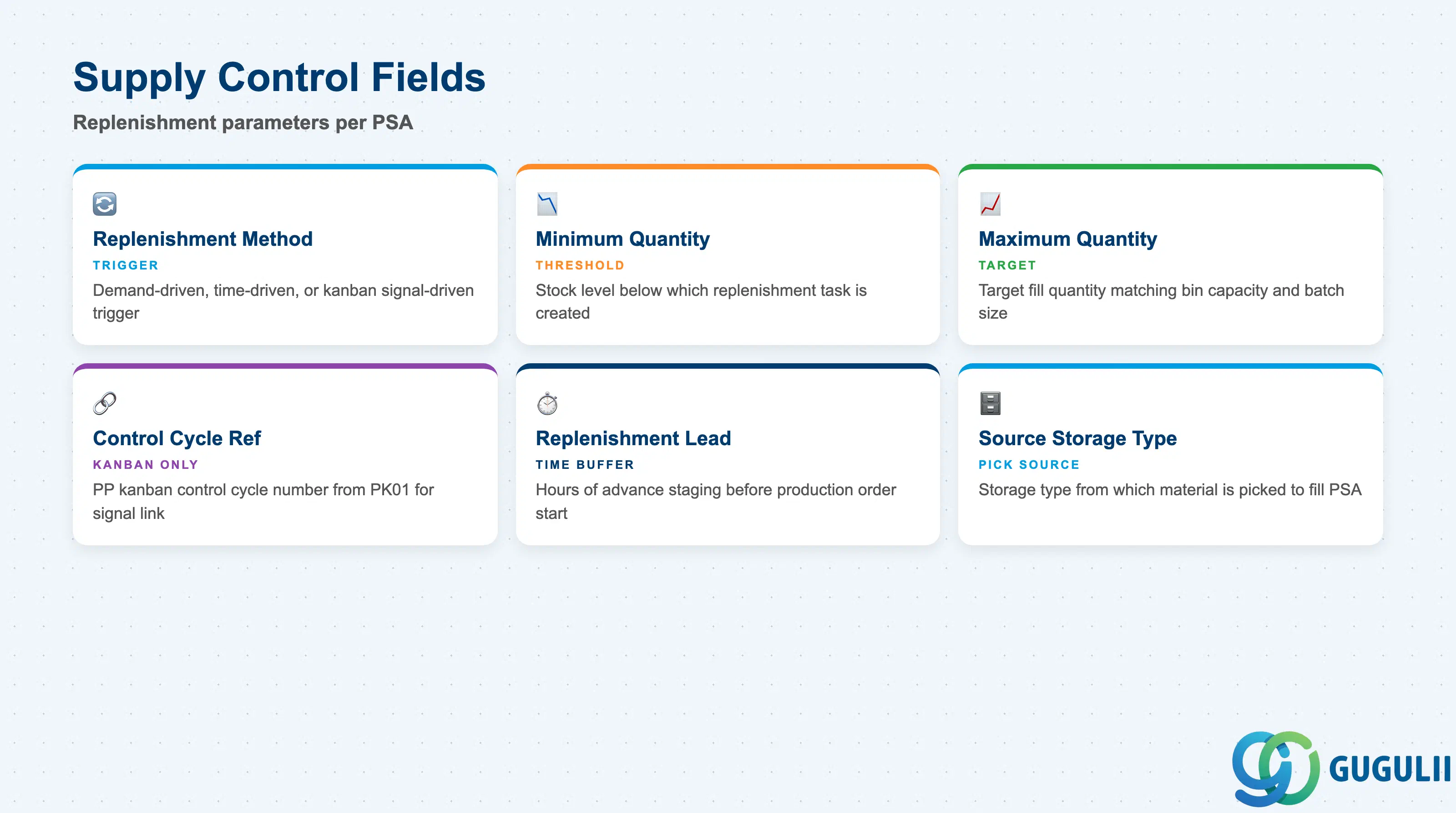
Supply control parameters govern when and how much material EWM replenishes to the PSA. These settings are maintained per PSA × Warehouse Product × Work Center combination, giving granular control over individual material flows at each production line.
| Field | Description | Practical Usage |
|---|---|---|
| Replenishment Method | Defines the trigger for replenishment warehouse task creation (demand-driven, time-driven, or signal-driven) | Demand-driven (production order based) is standard for discrete manufacturing. Time-driven is used for repetitive production. Kanban signal-driven applies only when Supply Type = 2. |
| Minimum Quantity | Stock level in the staging bin below which replenishment is triggered | Set this to the minimum quantity the production line consumes in one replenishment cycle. Too low a minimum causes frequent small replenishment tasks; too high causes overstaging and space waste. |
| Maximum Quantity | Target quantity to fill the staging bin to on each replenishment run | Maximum quantity should reflect bin capacity and production batch size. Exceeding bin capacity triggers a bin overflow error during task creation. |
| Control Cycle Reference | Reference to the PP kanban control cycle (for Supply Type = 2 only) | The control cycle number from PK01/PK05 must be entered here to link EWM replenishment to the kanban signal. Verify the control cycle is released in PP before activating the PSA. |
| Replenishment Lead Time | Time buffer (in hours) to trigger early replenishment before the production order start | Allows EWM to stage materials in advance of PP demand. Set conservatively — too short a lead time risks line stoppages; too long causes pre-staging congestion in the staging area. |
| Source Storage Type | The storage type from which material is picked to fill the PSA | Must match the storage type where the Warehouse Product has available stock. If blank, EWM searches all eligible types per the putaway/picking strategy sequence. |
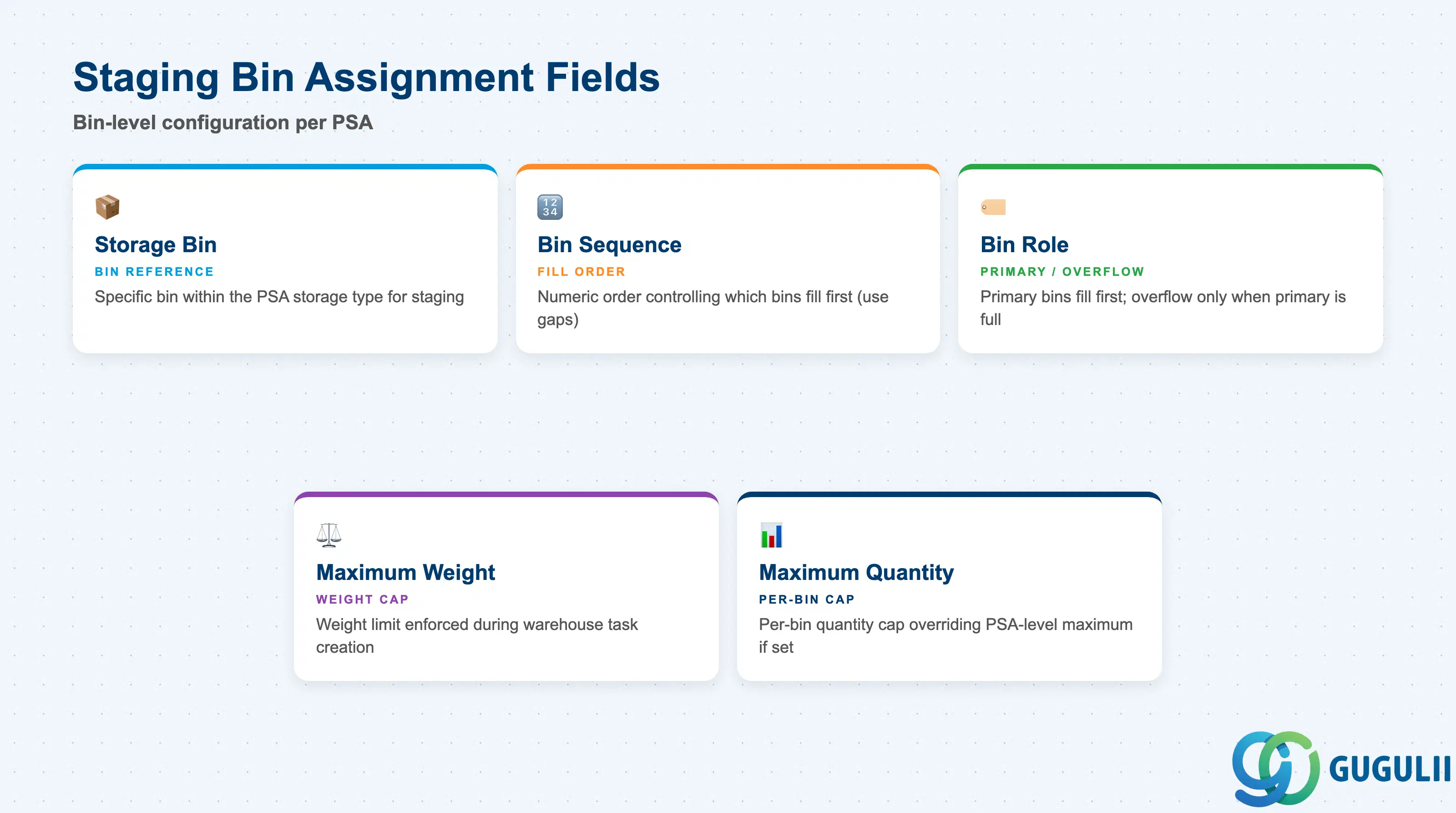
Staging bin assignment defines the physical bins within the PSA where materials wait before PP consumption. The sequence and bin role determine task generation priority, ensuring that the closest or most accessible bin is filled first, with overflow bins used only when the primary bin is full.
| Field | Description | Practical Usage |
|---|---|---|
| Storage Bin | The specific bin (within the PSA’s storage type) assigned to this PSA | Only bins that belong to the PSA’s referenced storage type can be assigned here. Attempting to assign a bin from a different storage type returns a validation error at save time. |
| Bin Sequence | Numeric sequence controlling the order in which EWM fills staging bins | Lower sequence numbers are filled first. Use gaps (10, 20, 30) rather than consecutive integers to allow future bins to be inserted without renumbering. |
| Bin Role | Classifies the bin as Primary or Overflow within the PSA | Primary bins are always targeted first. Overflow bins are used only when all primary bins exceed the maximum quantity threshold. For Kanban supply type, each kanban bin is typically designated as Primary with its own sequence. |
| Maximum Weight | Weight limit enforced during warehouse task creation for this staging bin | Pull from the bin master record in /SCWM/LS03. If the warehouse task would exceed this limit, EWM splits the task or throws an error depending on the split profile configuration. |
| Maximum Quantity | Per-bin quantity cap (overrides PSA-level maximum if set) | Use per-bin maximum when staging bins have different capacities within the same PSA. Leave blank to inherit the PSA-level maximum. Inconsistent per-bin maximums across a PSA are a common source of partial-replenishment defects. |
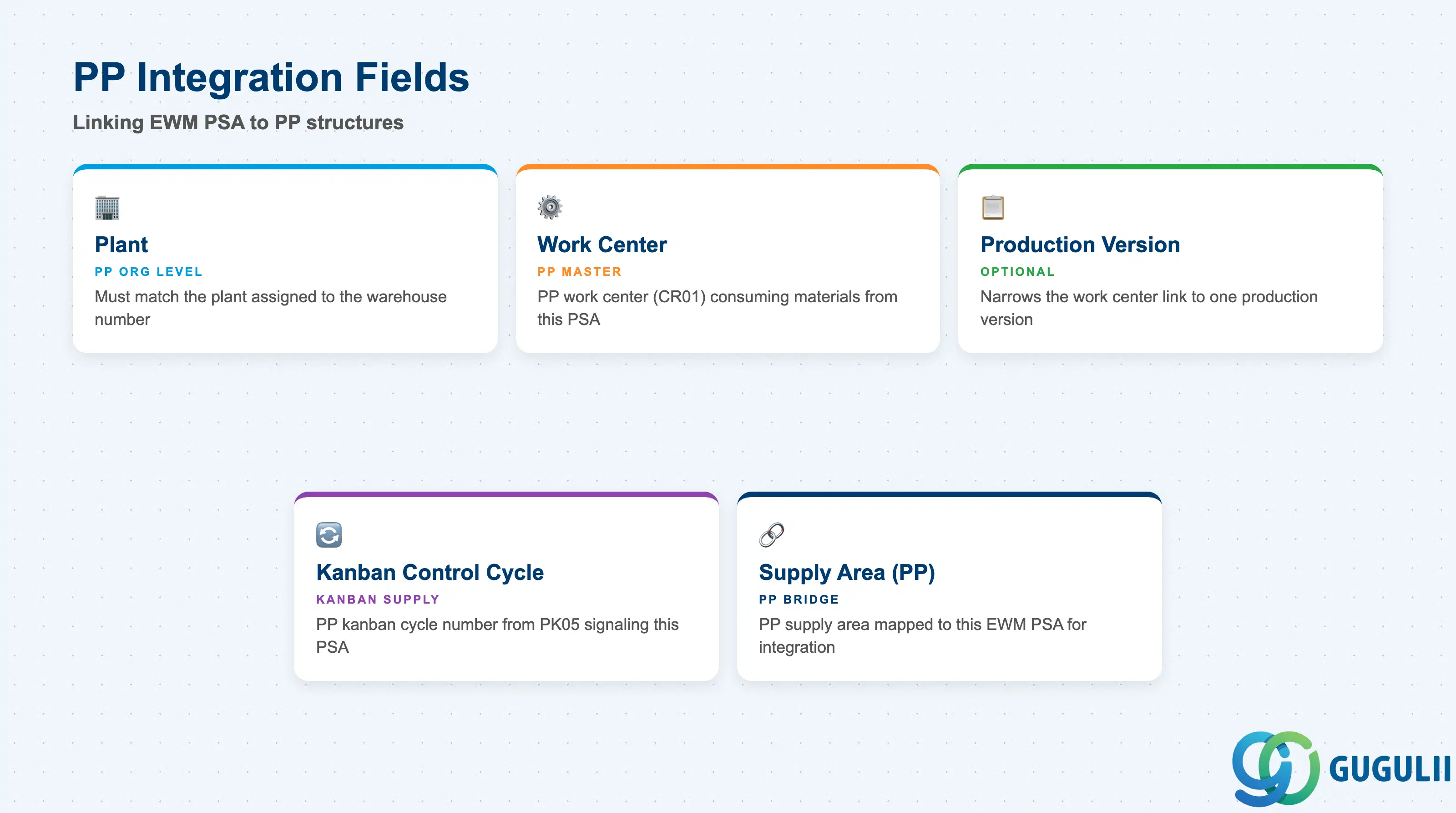
PP integration settings establish the link between the EWM PSA and the PP production structures. These fields are the join point between the two modules and must be validated jointly by EWM and PP consultants during configuration. A mismatch here is the most common root cause of “no warehouse task generated for production order” issues at go-live.
| Field | Description | Practical Usage |
|---|---|---|
| Plant | The plant in which the work center and production order are defined | Must match the plant assigned to the warehouse number in SPRO (EWM → Master Data → Define Warehouse Number). Cross-plant PSA assignments are not supported in standard configuration. |
| Work Center | The PP work center (CR01) that consumes materials staged in this PSA | One PSA can serve multiple work centers. If a work center is assigned to multiple PSAs, EWM resolves the staging area by the production order’s routing step. Verify in /SCWM/MON that the work center resolves to the expected PSA. |
| Production Version | Optional narrowing of the work center link to a specific production version | Use when the same work center runs multiple products with different staging requirements. Leaving blank means all production versions at that work center use this PSA. |
| Kanban Control Cycle | For Kanban supply type, the PP kanban control cycle number that signals this PSA | Enter the cycle number from PK05. The cycle must reference the same warehouse number and PSA ID; otherwise the kanban signal cannot be matched in EWM. |
| Supply Area (PP) | The PP supply area (from PP Customizing) that corresponds to this EWM PSA | Required when using the PP-EWM integration via supply area mapping. This field bridges PP’s supply area concept with EWM’s PSA. Misalignment causes goods movements to post to the wrong staging location. |
| ID | Category | Title |
|---|---|---|
| ewm-001 | Overview | What is SAP EWM? |
| ID | Category | Title |
|---|---|---|
| ewm-b01 | Overview | SAP EWM Transactions: Process Flow, Hierarchy & Relationships |