Title here
Summary here

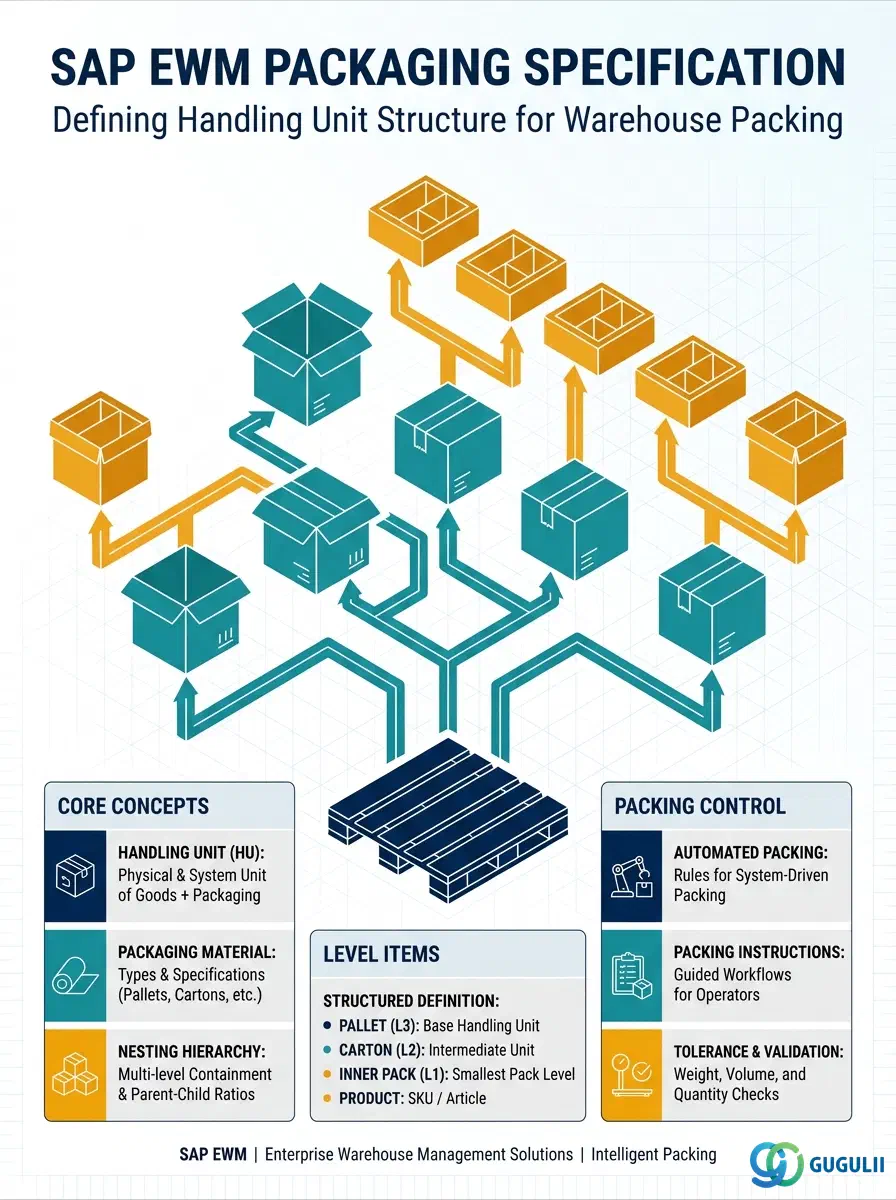
A Packaging Specification (PackSpec) is the master data record in SAP EWM that defines how a product or delivery item must be packed into handling units (HUs). It captures which packaging materials to use, how many items fit per layer or HU, and whether auto-packing is permitted — giving the system a precise blueprint for packing workstation operations, goods-issue auto-packing, and wave-driven packing. This article covers the concept, types, organizational structure, and field-level configuration of the Packaging Specification, followed by EWM-specific field details for each data section.
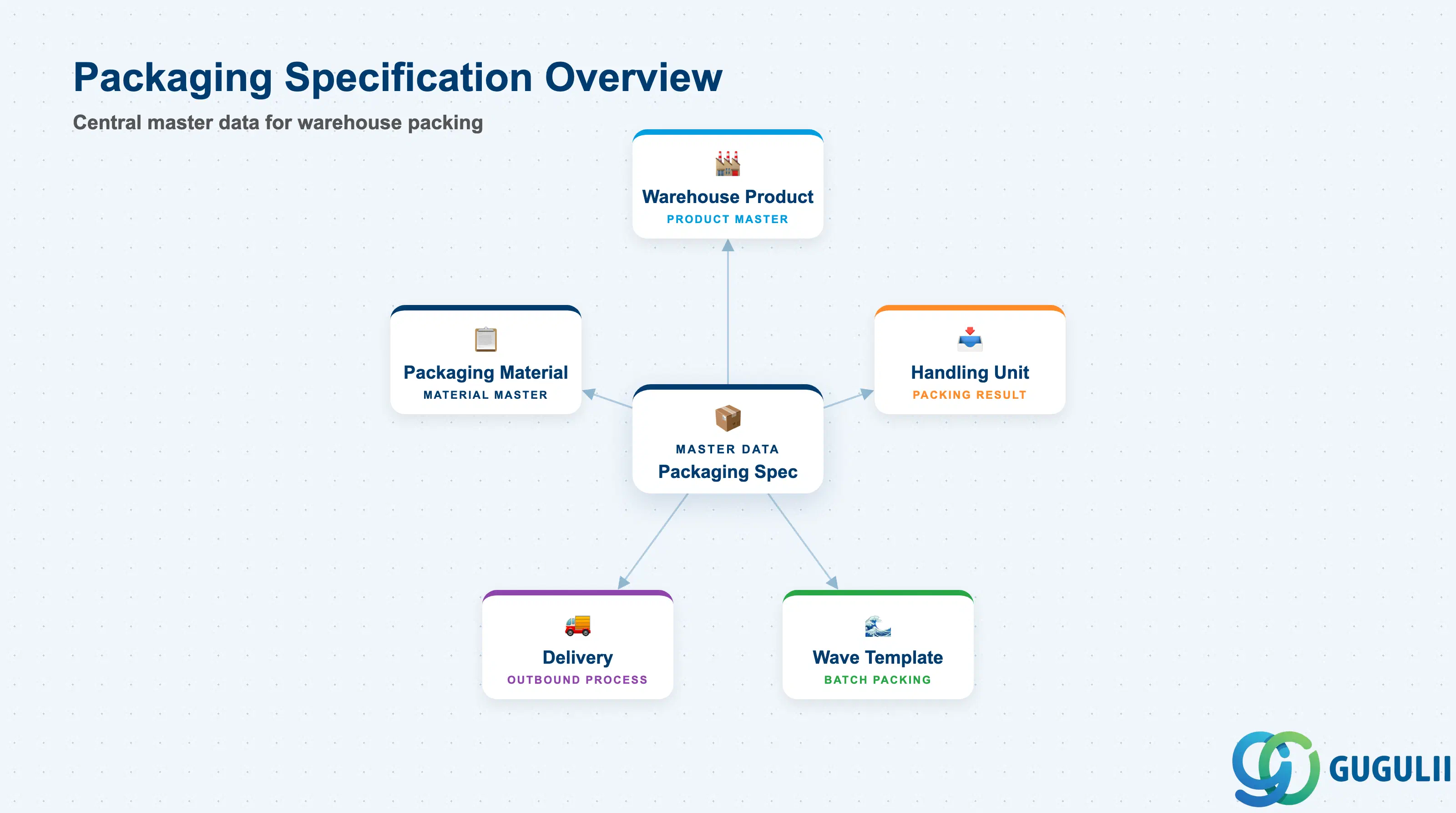
A Packaging Specification encodes the packing logic for a product or delivery scenario as reusable master data. Rather than letting warehouse operators improvise packing at the workstation, the PackSpec provides a rule set — packaging material hierarchy, quantities per level, weight and volume targets — that the system applies consistently across all packing activities. Without a PackSpec, auto-packing and wave-driven packing cannot execute; manual packing relies entirely on operator judgment.
| Aspect | Details |
|---|---|
| Role | Defines the HU structure (packaging hierarchy, materials, quantities) for packing a specific product or delivery item |
| Modules using it | EWM (packing workstation, goods-issue auto-packing, wave management) |
| Transactions | /SCWM/PACKSPEC (maintain packaging spec), /SCWM/PACK (packing workstation) |
| Key Tables | /SCWM/PACKSPEC (header), /SCWM/PSITEM (packaging level items) |
| S/4HANA note | Packaging Specification is an EWM-native object — no direct ECC equivalent. In Embedded EWM (S/4HANA), it is maintained via /SCWM/PACKSPEC within the S/4HANA system. Fiori app “Manage Packaging Specifications” is available in newer releases. |
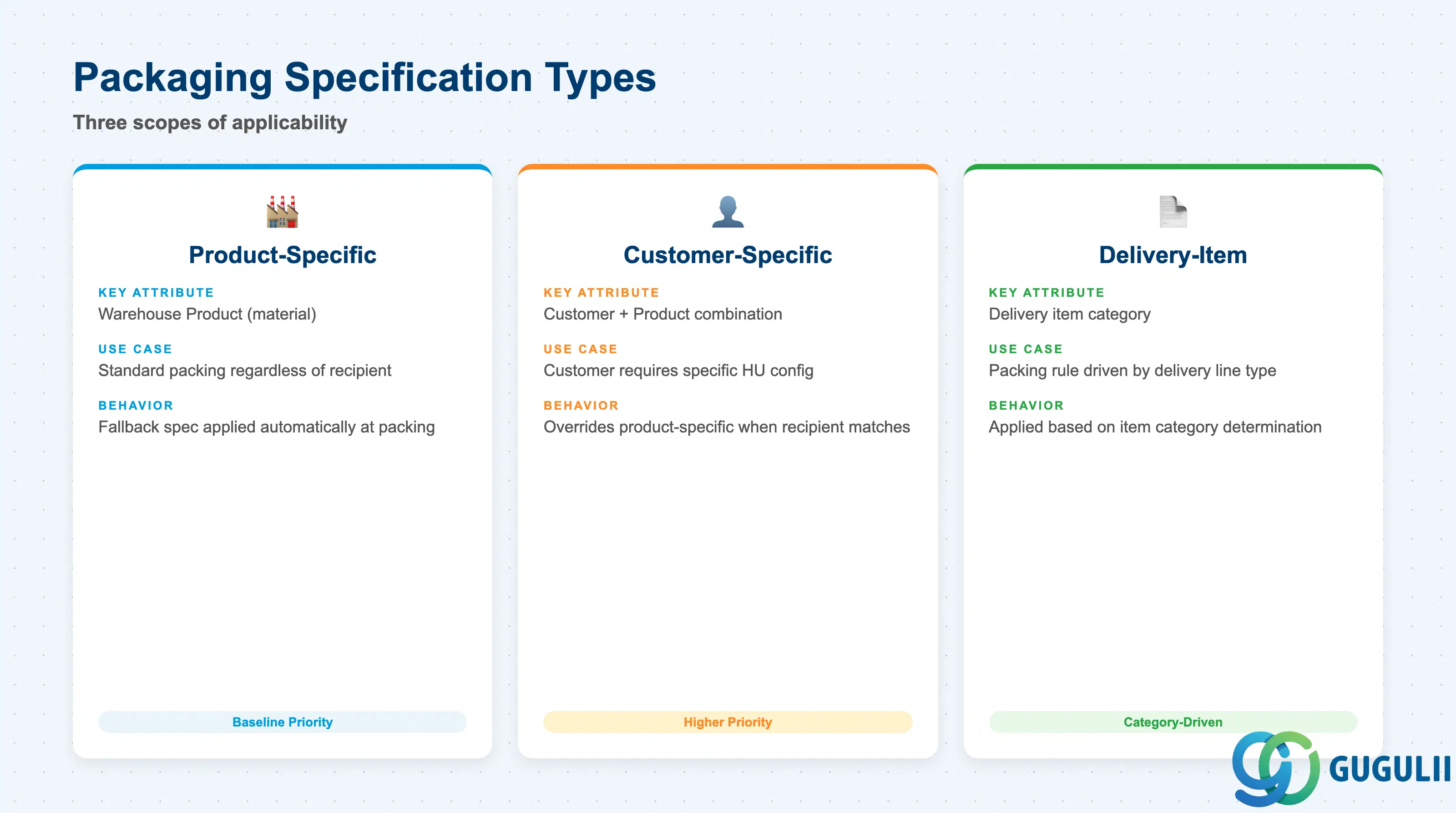
Packaging Specification types determine the scope of applicability: a spec can be tied to a product, to a specific customer shipping requirement, or to a delivery item category. Selecting the wrong type leads either to missed auto-packing (spec not found) or unintended spec application across products that share a customer assignment.
| Type | Key Attribute | Use Case | Key Behavior |
|---|---|---|---|
| Product-specific | Warehouse Product (material) | Standard packing for a product regardless of recipient | Applied automatically when the product is packed; serves as the fallback spec |
| Customer-specific | Customer + Product | Customer requires a specific HU configuration (e.g., retail-ready packs) | Takes priority over product-specific spec when the delivery recipient matches |
| Delivery-item-specific | Delivery item category | Packing rule driven by the type of delivery line (standard, returns, etc.) | Applied based on item category determination on the outbound delivery |
Design principle: Always define a product-specific PackSpec as the baseline; add customer-specific overrides only where shipping requirements genuinely differ.
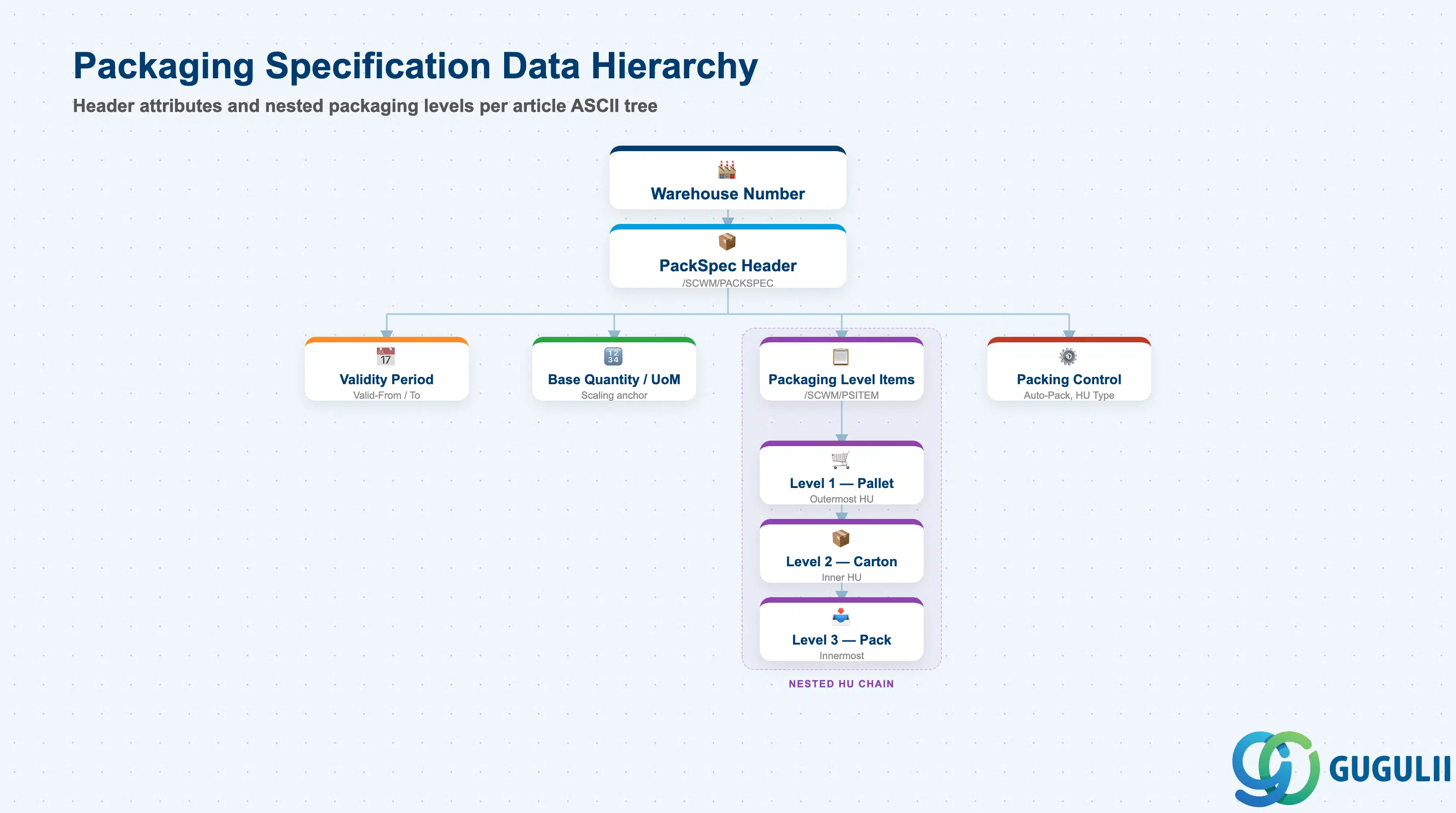
A Packaging Specification is scoped to a warehouse number and linked to one or more products or customers. Within a single PackSpec, packaging level items define the nested HU structure — from the outermost pallet or container down to inner packs and individual units. This multilevel design reflects real-world packing hierarchies and lets EWM calculate cumulative weight, volume, and quantity at each level automatically.
Warehouse Number (EWM)
  └── Packaging Specification Header (/SCWM/PACKSPEC)
        ├── Validity Period (Valid-From / Valid-To)
        ├── Base Quantity / Base Unit of Measure
        └── Packaging Level Items (/SCWM/PSITEM)
              ├── Level 1: Outermost HU (e.g., pallet)
              │     └── Level 2: Inner HU (e.g., carton)
              │           └── Level 3: Innermost pack (e.g., blister pack)
              └── Packing Control attributes per level
(HU Type, Max Qty, Target Weight, Auto-Pack flag)| Org Level | Table | Primary Fields | Notes |
|---|---|---|---|
| Warehouse Number | EWM config (SPRO) | Whse Number | All PackSpecs belong to one warehouse |
| PackSpec Header | /SCWM/PACKSPEC | PackSpec ID, Description, Type, Base Qty, UoM, Valid-From/To | One header per spec ID |
| Packaging Level Items | /SCWM/PSITEM | Level No., Packaging Material, Max Qty per HU, Stacking Factor | One row per nesting level within the spec |
Key design decision: Define the minimum number of packaging levels that reflect actual packing steps — unnecessary levels add system complexity without operational benefit.
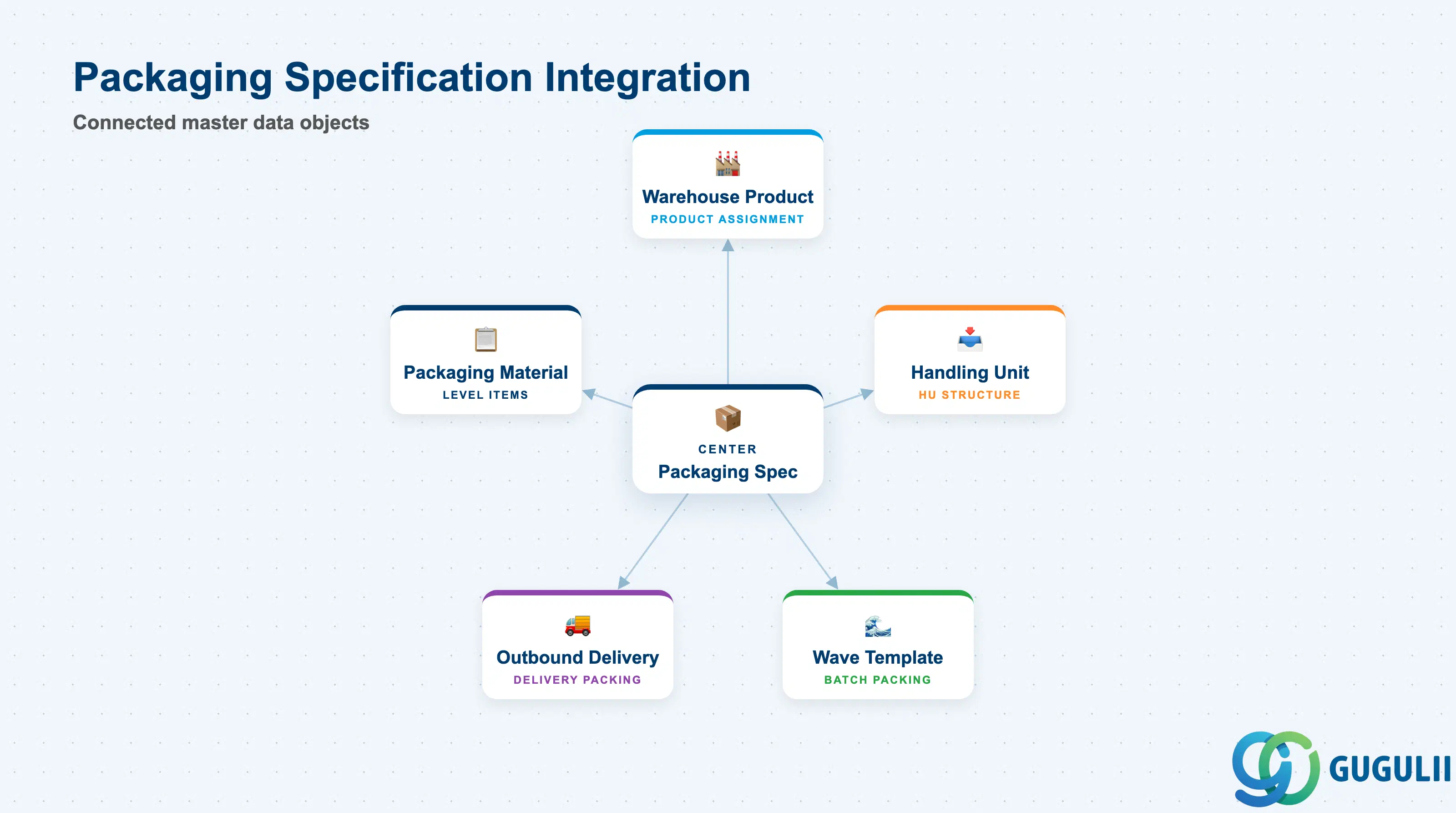
A Packaging Specification does not stand alone — it sits at the intersection of product master data, physical packaging materials, and outbound process control objects. Misalignment between the PackSpec and its linked masters (e.g., a packaging material not flagged as a packaging material type in the material master) will cause packing errors at runtime.
| Object | Relationship | Practical Notes |
|---|---|---|
| Warehouse Product | PackSpec is assigned to a Warehouse Product (product-specific type) | Warehouse Product must exist before a product-specific PackSpec can be created; changes to warehouse product attributes may require PackSpec revision |
| Handling Unit (HU) | PackSpec defines the HU structure that EWM creates during packing | HU type in the PackSpec level item must align with HU type configuration in SPRO |
| Packaging Material Master | Each packaging level item references a packaging material (e.g., pallet, carton) | The packaging material must exist in MM with packaging material type; standard material master views (MRP, Storage) also apply |
| Wave Template | Wave Template can reference a PackSpec for batch packing during wave release | Ensures all deliveries in a wave are packed consistently; Wave Template is defined after PackSpec (Phase 3 in EWM setup flow) |
| Outbound Delivery | Packing workstation (/SCWM/PACK) reads PackSpec when processing outbound delivery items | Delivery item category drives customer-specific or delivery-item-specific spec lookup |
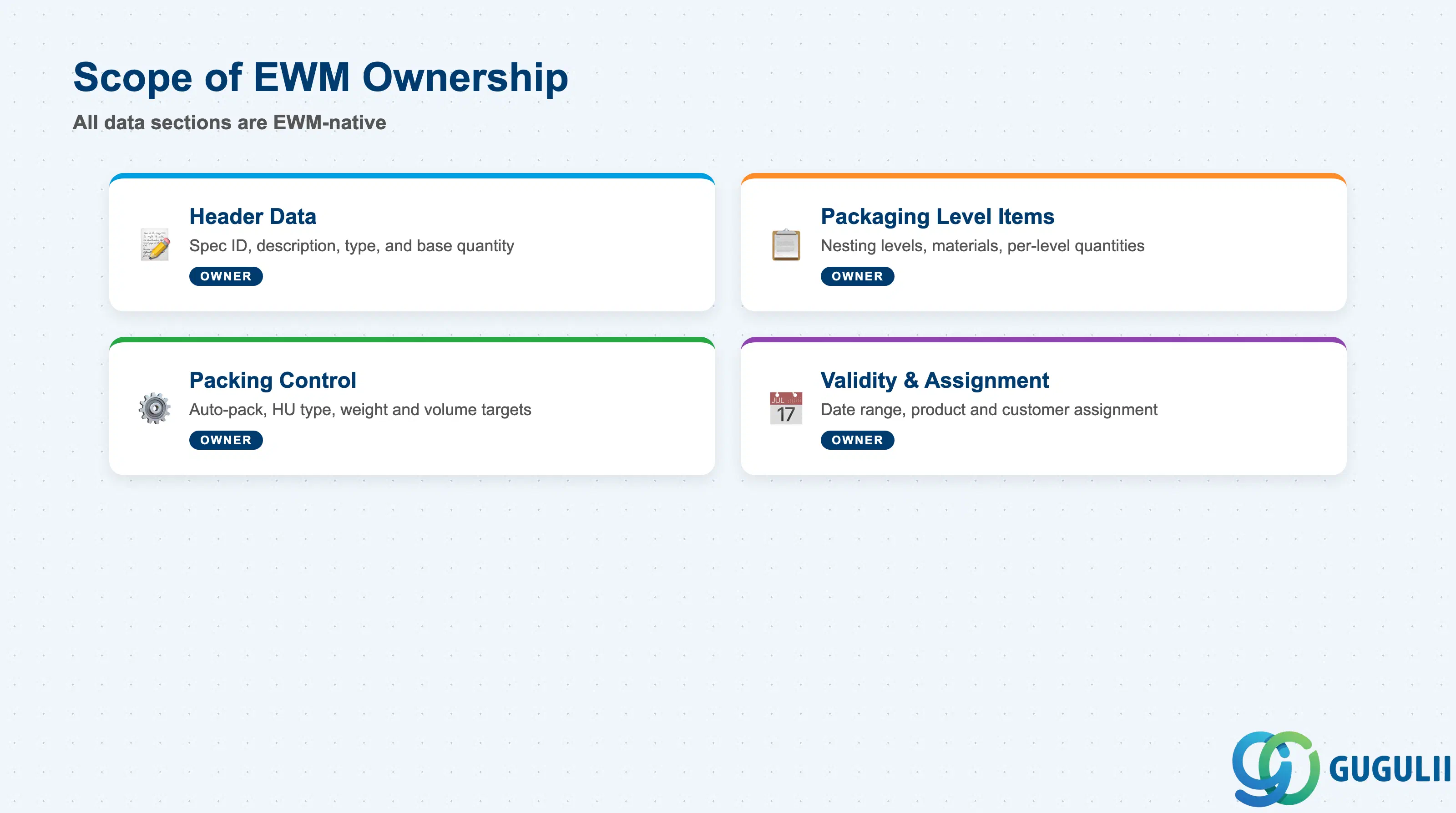
| Data Section | EWM Involvement | Notes |
|---|---|---|
| Header Data | ◎ Owner | Spec ID, description, base quantity, and spec type are all EWM-native; no cross-module dependency |
| Packaging Level Items | ◎ Owner | Nesting levels, packaging materials, and per-level quantities are maintained entirely in EWM |
| Packing Control | ◎ Owner | Auto-pack indicator, HU type, target weight/volume, and overpacking settings are EWM-specific |
| Validity and Assignment | ◎ Owner | Valid-from/to dates, product assignment, customer assignment, and priority are EWM-managed |
Legend: ◎ = Owner / Critical
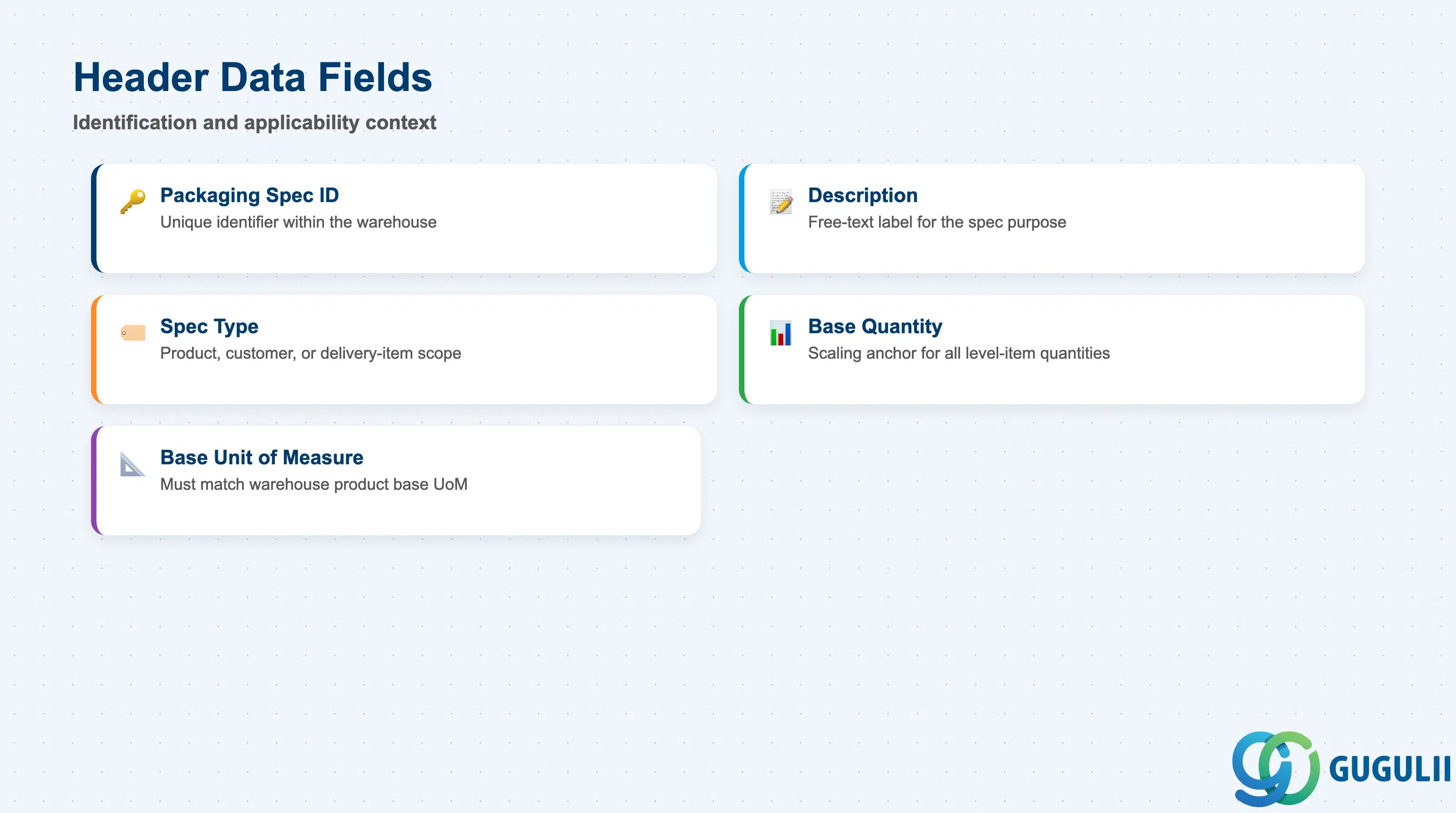
The header record identifies the Packaging Specification and anchors its applicability context. Getting the spec type and base quantity right at header level is critical because they determine how the system searches for and applies the spec during packing — changing the spec type after go-live typically requires creating a new spec ID.
| Field | Description | Practical Usage |
|---|---|---|
| Packaging Spec ID | Unique identifier for the specification within the warehouse | Use a consistent naming convention (e.g., prefix by product family or customer code) to keep the spec list manageable as the number of SKUs and customers grows. Avoid reusing deleted spec IDs. |
| Description | Free-text description of the spec purpose | Include the product name and target HU type (e.g., “Standard Pallet — Product A”) so operators and consultants can identify the spec without opening every level item. |
| Packaging Specification Type | Controls the search logic: Product, Customer, or Delivery-Item | The system evaluates customer-specific specs before product-specific specs. If a customer-specific spec exists for the same product and its validity covers the delivery date, it takes priority. Define the type carefully during blueprint. |
| Base Quantity | Quantity of the product that the spec is designed around | Expressed in the base UoM of the product. All level-item quantities scale relative to this base. Changing the base quantity after deployment may invalidate historical packing data. |
| Base Unit of Measure | UoM of the base quantity (e.g., EA, KG, L) | Must match the base UoM of the Warehouse Product; mismatches cause spec lookup failures during auto-packing. |
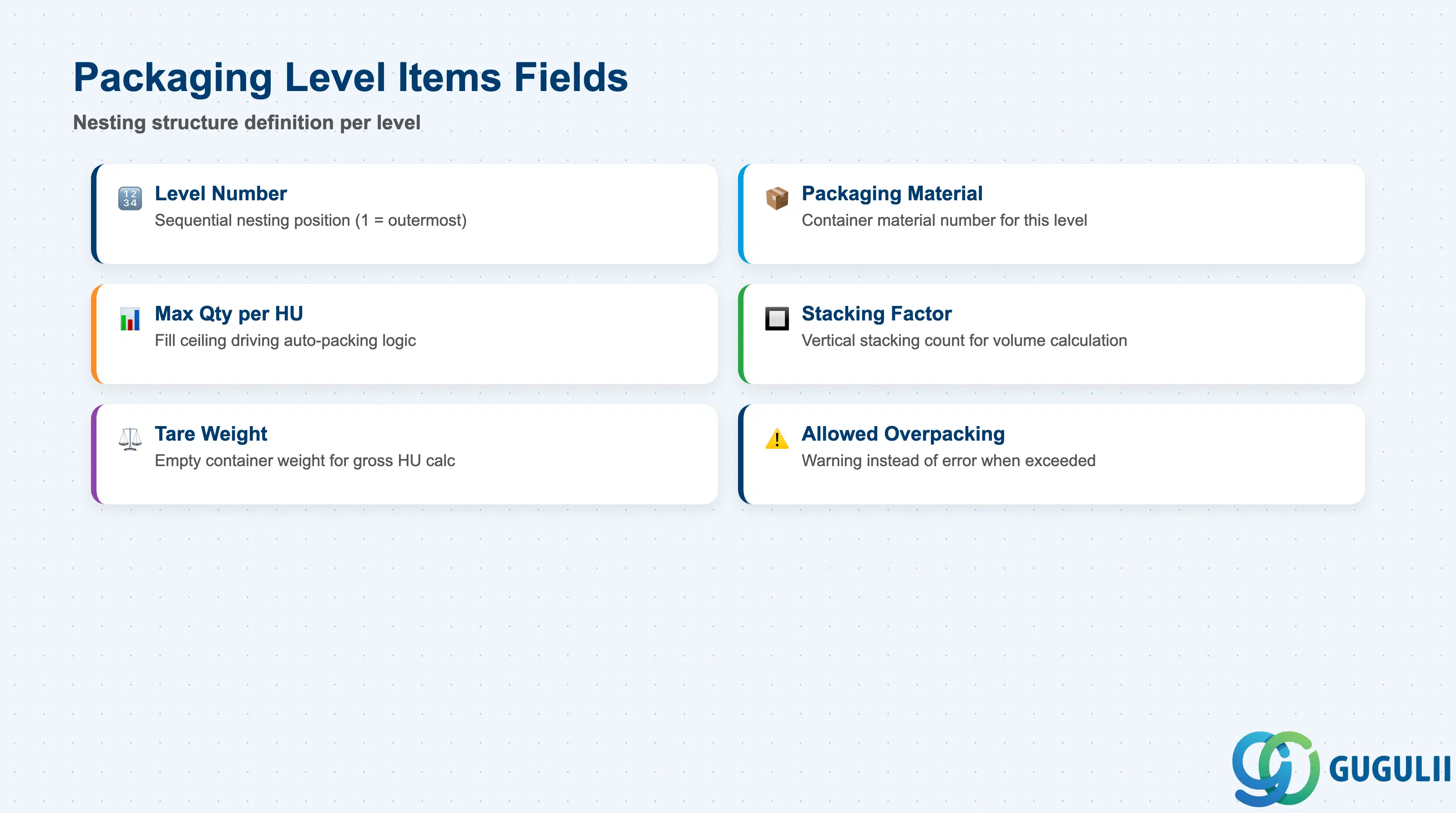
Packaging Level Items define the nesting structure of the handling unit — each item corresponds to one layer in the packing hierarchy. The combination of packaging material, maximum quantity, and stacking factor at each level drives the EWM system’s automatic HU creation logic, weight and volume calculation, and label printing sequence.
| Field | Description | Practical Usage |
|---|---|---|
| Level Number | Sequential number identifying the nesting position (1 = outermost) | Level 1 is typically the shipping unit (pallet or container). Inner levels represent cartons, blister packs, or other sub-units. Keep the level count as low as the physical packing process requires. |
| Packaging Material | Material number of the packaging container used at this level | Must be a material flagged with a packaging material type in MM. Verify that the material exists in the same plant/warehouse context before assigning it to the spec. |
| Maximum Quantity per HU | Maximum number of base-quantity units that can be placed in this packaging level | This ceiling drives auto-packing fill logic. Setting it too high causes under-filled HUs; setting it too low generates excessive HU count. Calibrate against actual pallet/carton capacity from packaging engineering. |
| Stacking Factor | Number of units that can be stacked vertically within the level | Used in volume and height calculations for transport planning integration. Especially important for fragile goods or height-restricted vehicles — set to 1 for products that cannot be stacked. |
| Tare Weight | Weight of the empty packaging material at this level | EWM adds tare weight to content weight to calculate the gross HU weight. Accurate tare weight is essential for transport documents (bill of lading, dangerous goods) and weight-based freight cost calculation. |
| Allowed Overpacking | Flag allowing the HU to be filled beyond the maximum quantity in exceptional cases | Enable only where physical overflow is genuinely acceptable. When enabled, the system issues a warning rather than an error, allowing operators to override. |
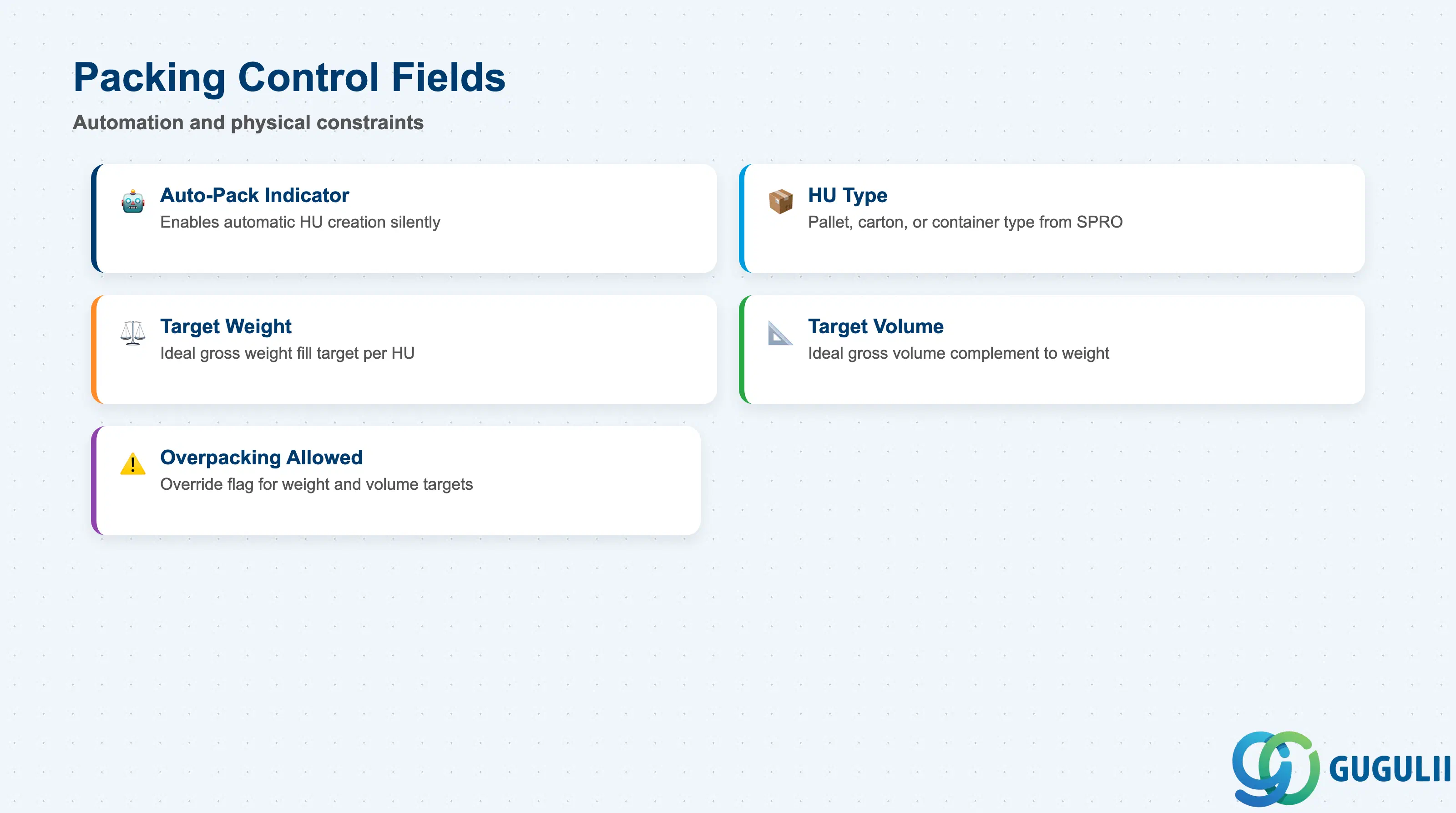
Packing Control attributes govern how and whether EWM triggers packing automatically and what physical constraints apply to the resulting HU. These settings determine whether operators see PackSpec suggestions on the packing workstation or whether packing executes silently in the background during wave release or goods issue.
| Field | Description | Practical Usage |
|---|---|---|
| Auto-Packing Indicator | Enables automatic HU creation without operator intervention | Set to active for high-volume, standardized products where manual packing selection is not needed. Leave inactive for products with variable packing requirements or fragile goods requiring operator confirmation. |
| HU Type | Specifies the handling unit type (e.g., PALL for pallet, CTON for carton) that EWM creates at this level | HU types must be configured in EWM SPRO. The HU type controls label printing templates, allowed nesting, and GI processing rules. A mismatch between the PackSpec HU type and SPRO configuration causes runtime packing errors. |
| Target Weight | Ideal gross weight of the HU at this packaging level | Used as a fill target for weight-controlled packing. When the actual weight approaches the target, EWM closes the current HU and opens a new one. Set based on logistic constraints (e.g., forklift rated capacity, freight weight limits). |
| Target Volume | Ideal gross volume of the HU at this packaging level | Complements target weight; EWM closes the HU when either weight or volume target is reached. Requires accurate material master volume data to be effective. |
| Overpacking Allowed | Flag permitting the HU to exceed target weight or volume | Distinct from level-item overpacking: this flag applies at the control level and overrides both weight and volume targets. Activate only for specific delivery scenarios where flexibility outweighs the risk of overloaded units. |
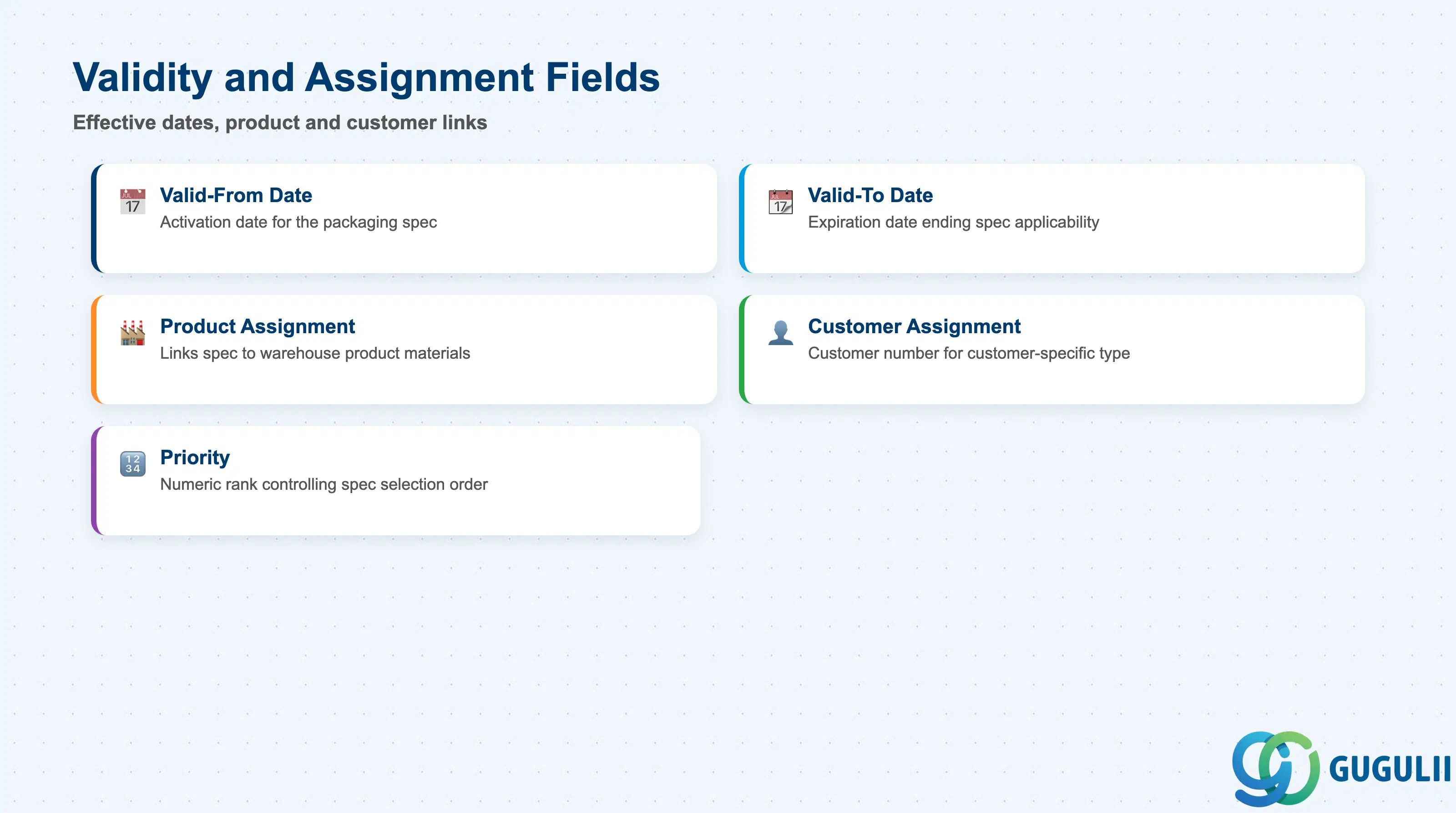
Validity and Assignment settings control when a PackSpec is active and to which products or customers it applies. Because EWM evaluates multiple specs at packing time and selects based on priority and validity, maintaining clean validity records is critical — overlapping, open-ended specs for the same product/customer combination lead to unpredictable packing behavior.
| Field | Description | Practical Usage |
|---|---|---|
| Valid-From Date | Date from which the packaging specification becomes effective | Set to the production go-live date or the date the physical packaging changes. Advance-dating allows configuration teams to prepare specs before the effective change date. |
| Valid-To Date | Date on which the packaging specification expires | Always set an explicit end date for customer-specific or promotional packaging specs. Open-ended validity (high future date) is acceptable for permanent product-specific specs but should be reviewed during annual master data audits. |
| Product Assignment | Links the PackSpec to one or more Warehouse Products (material numbers) | A single spec can cover multiple products if they share an identical packing configuration (e.g., same SKU in different colors). However, product-specific weight or volume differences usually require separate specs. |
| Customer Assignment | Links the PackSpec to a specific customer number (for customer-specific type) | Drawn from the SD customer master. Verify the customer number is valid in the EWM-connected ERP system — an invalid customer number causes spec lookup failure for that recipient’s deliveries. |
| Priority | Numeric priority controlling which spec is selected when multiple valid specs match the same packing scenario | Lower numbers indicate higher priority. Define a clear priority scheme at project design time (e.g., customer-specific = 10, product-specific = 50) and document it; ad hoc priority assignment causes resolution conflicts that are difficult to debug in production. |
| ID | Category | Title |
|---|---|---|
| ewm-001 | Overview | What is SAP EWM? |
| ID | Category | Title |
|---|---|---|
| ewm-b01 | Overview | SAP EWM Transactions: Process Flow, Hierarchy & Relationships |