Title here
Summary here

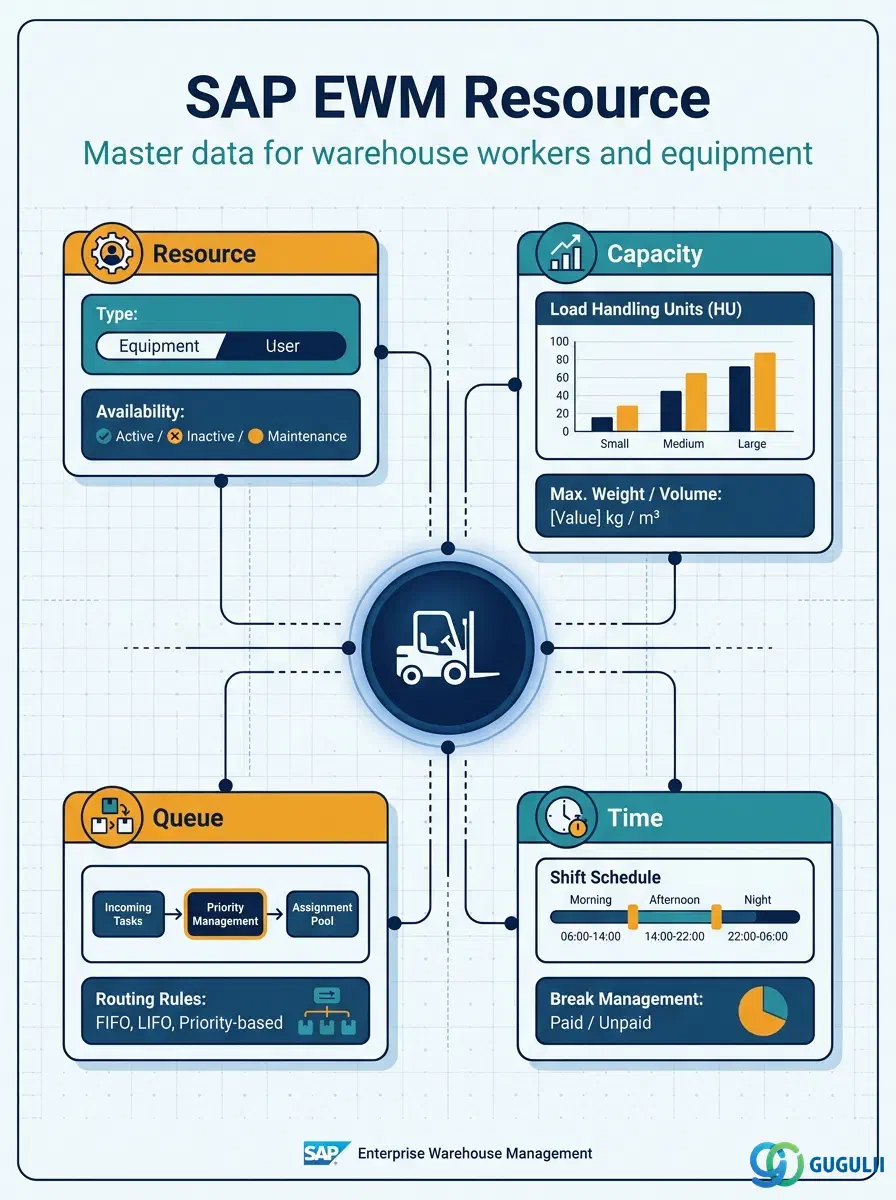
The Resource is the master data object that represents any person or piece of equipment capable of executing warehouse tasks — from a human picker to a PLC-controlled forklift or conveyor. It is the link between the organizational setup (Warehouse Number, Resource Type, Resource Group) and the execution layer (Warehouse Orders, Warehouse Queues, Wave Management). Correctly configuring Resource master data determines how tasks are distributed, how capacity constraints are enforced, and how automation equipment is tracked in real time.
A Resource in SAP EWM is the master data record that identifies and describes a physical execution unit — a warehouse worker, a forklift, a picking robot, or any other equipment involved in moving goods inside the warehouse. It holds identity, capacity constraints, and organizational assignments that the EWM task distribution engine uses to decide which resource should handle which warehouse task.
| Aspect | Details |
|---|---|
| Role | Represents a warehouse execution unit (human or equipment) and holds its capacity, queue assignment, and working time profile |
| Modules using it | EWM (primary owner — resource definition, task assignment, queue management), MFS (equipment-linked resources driven by PLC signals), HR/TM (optional time management integration for shift and working time) |
| Transactions | /SCWM/RSRC (Maintain Resource), /SCWM/RSRCTP (Maintain Resource Type), /SCWM/RSCGRP (Maintain Resource Group), Fiori: “Manage Resources” |
| Key Tables | /SCWM/RSRC (Resource master), /SCWM/RSRCTP (Resource Type), /SCWM/RSCGRP (Resource Group) |
| S/4HANA note | Resource master data is unchanged in concept from earlier EWM releases. In Embedded EWM (S/4HANA), the /SCWM/RSRC transaction is available within the S/4HANA system. Fiori app “Manage Resources” provides a modern UI for creating and editing resource records. MFS-linked resources require Decentralized EWM for high-throughput environments. |
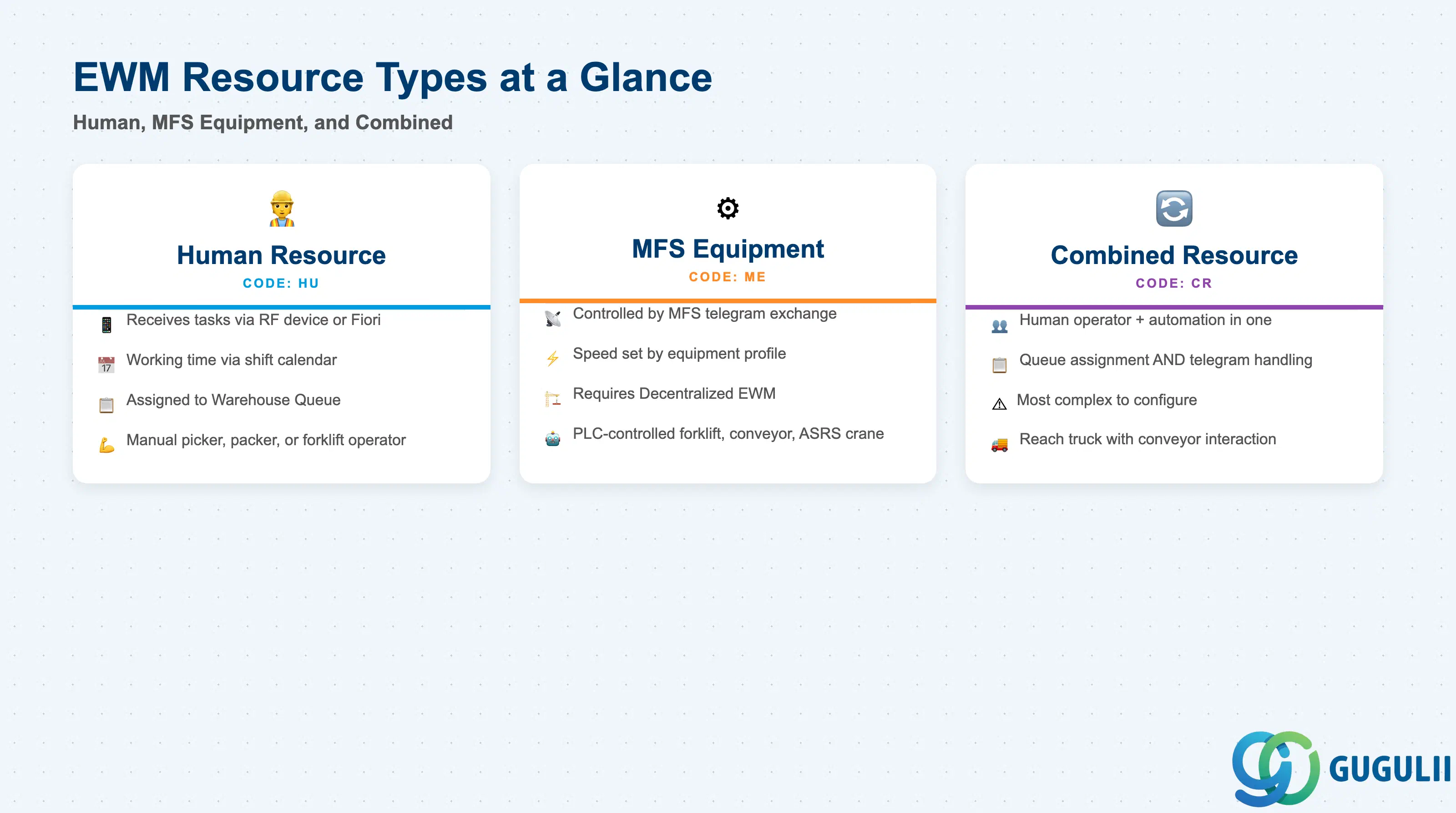
The Resource Type is the fundamental classification that determines how EWM treats a resource during task distribution and queue assignment. Choosing the wrong type results in tasks being sent to the wrong queue or automation equipment being uncontrolled by EWM.
| Resource Type | Code | Use Case | Key Behavior |
|---|---|---|---|
| Human Resource | HU | Warehouse picker, packer, forklift operator with manual RF terminal | Assigned to Warehouse Queue; receives tasks via RF device or Fiori; working time managed via shift calendar |
| MFS Equipment | ME | PLC-controlled forklift, conveyor, ASRS crane — no human operator in the loop | Controlled directly by MFS telegram exchange; capacity and speed determined by equipment profile; requires Decentralized EWM |
| Combined Resource | CR | Semi-automated equipment with a human operator (e.g. a reach truck that also interacts with conveyor segments) | Participates in both human queue assignment and MFS telegram handling; most complex to configure |
Design principle: The resource type must be aligned with the MFS architecture decision made in blueprinting. Introducing MFS Equipment resources after go-live requires significant Customizing in PLC and Communication Point configuration.
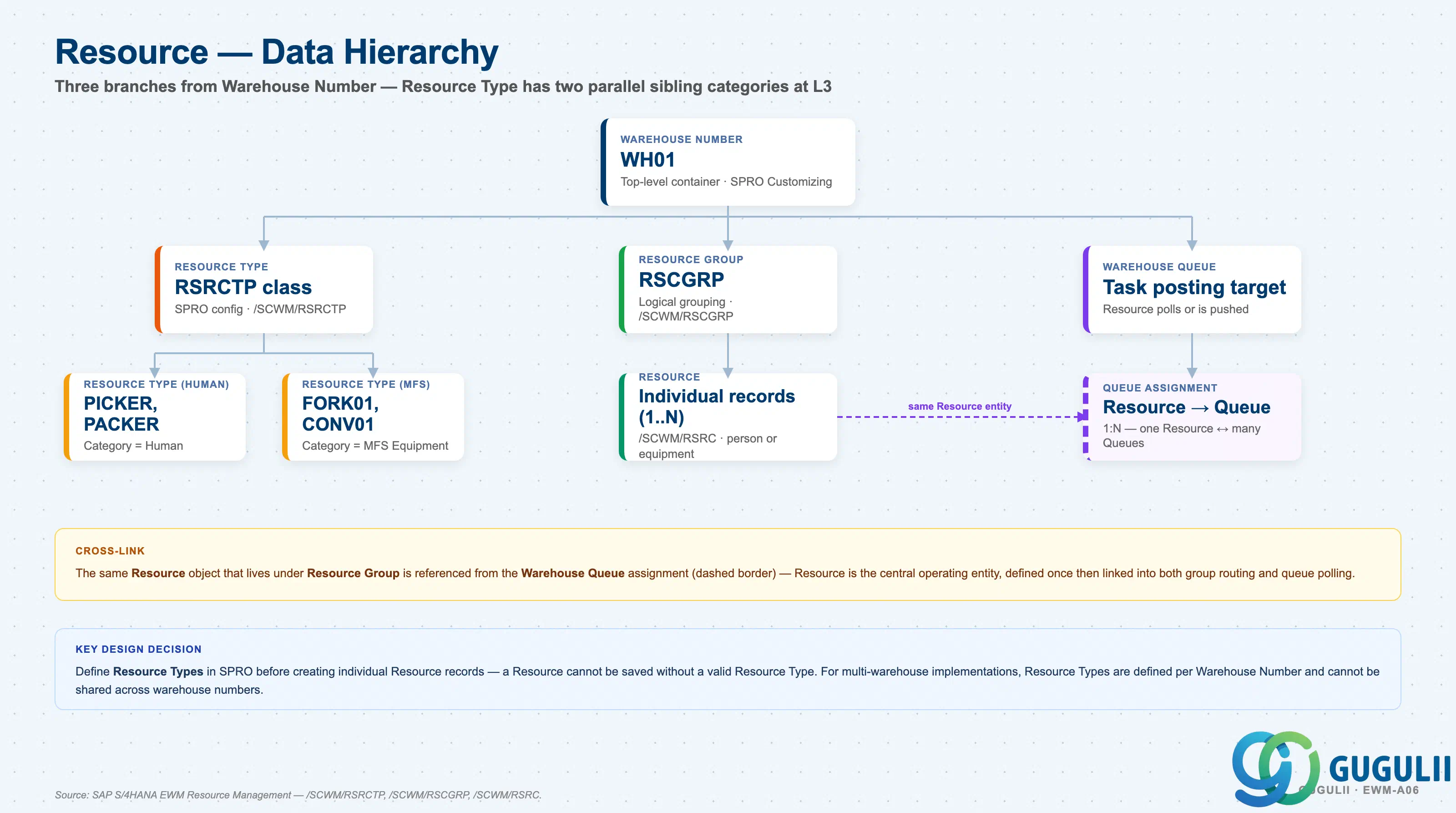
The Resource sits within a clear organizational hierarchy in EWM. Understanding which attributes are defined at which level avoids misconfigurations that cause task distribution failures or capacity planning errors.
Warehouse Number (e.g. WH01)
   │
   ├── Resource Type (SPRO — defines class and default capacities)
   │      ├── Human Resource Type (e.g. PICKER, PACKER)
   │      └── MFS Equipment Type (e.g. FORK01, CONV01)
   │
   ├── Resource Group (groups resources for workload distribution)
   │      └── Resource 1..N (individual person or equipment)
   │
   └── Warehouse Queue (tasks are posted to queue, resource polls or is pushed)
└── Resource → assigned to Queue (1:N relationship)| Org Level | Table | Primary Fields | Notes |
|---|---|---|---|
| Warehouse Number | SPRO / /SCWM/RSRCTP | Warehouse number scope, resource type definition | Resource Type is defined in SPRO and scoped to a Warehouse Number |
| Resource Type | /SCWM/RSRCTP | Type code, description, category (human/MFS), default capacity weight/volume | Acts as a template — individual Resources inherit defaults from their Resource Type |
| Resource Group | /SCWM/RSCGRP | Group ID, description, warehouse number | Logical grouping of resources for queue routing and workload balancing; does not carry capacity data |
| Resource | /SCWM/RSRC | Resource ID, resource type, description, warehouse number, capacity overrides, queue assignment, shift calendar | The individual record — one row per person or piece of equipment |
Key design decision: Define Resource Types in SPRO before creating individual Resource records. A Resource cannot be saved without a valid Resource Type. For multi-warehouse implementations, Resource Types are defined per Warehouse Number and cannot be shared across warehouse numbers.
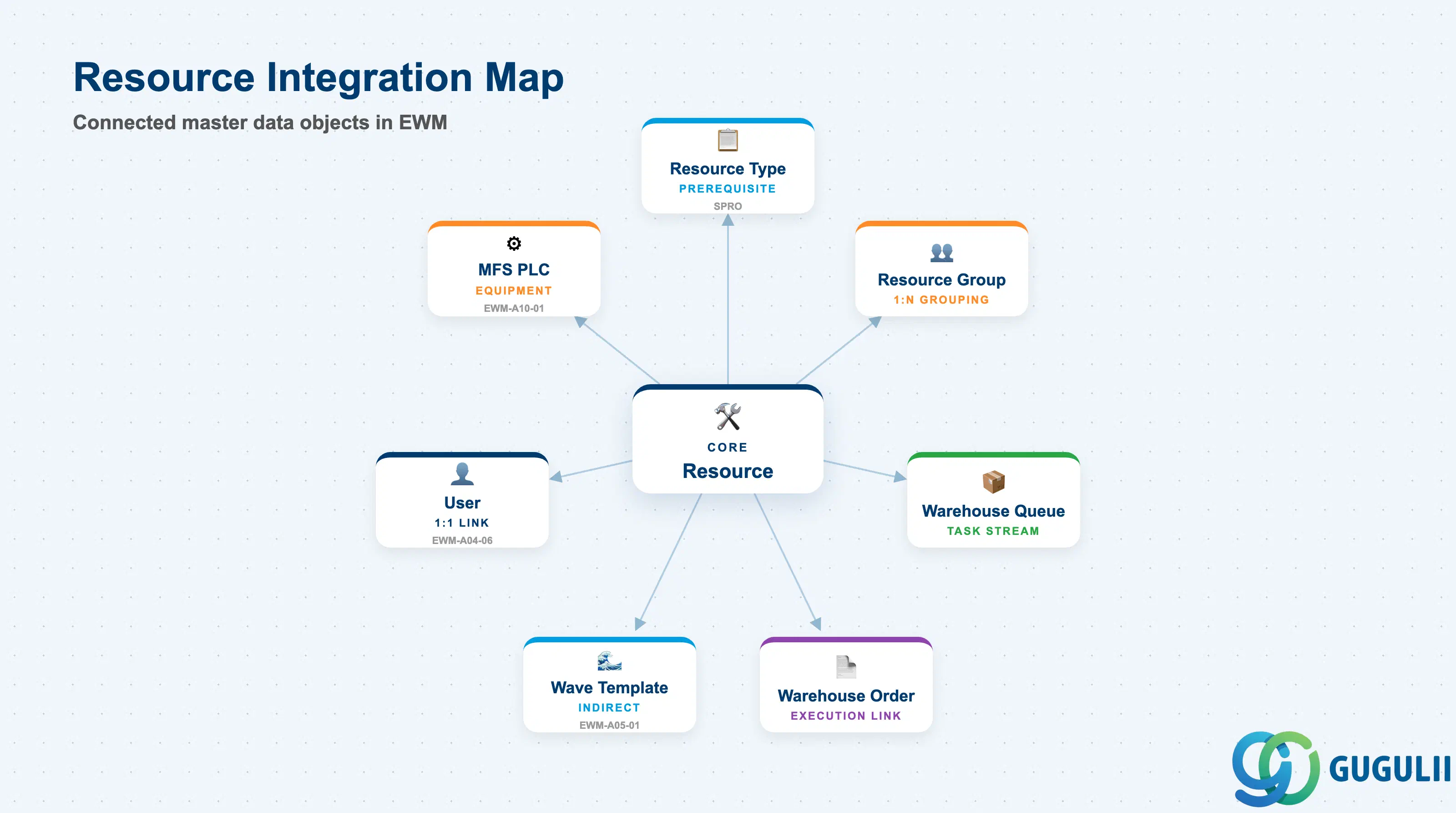
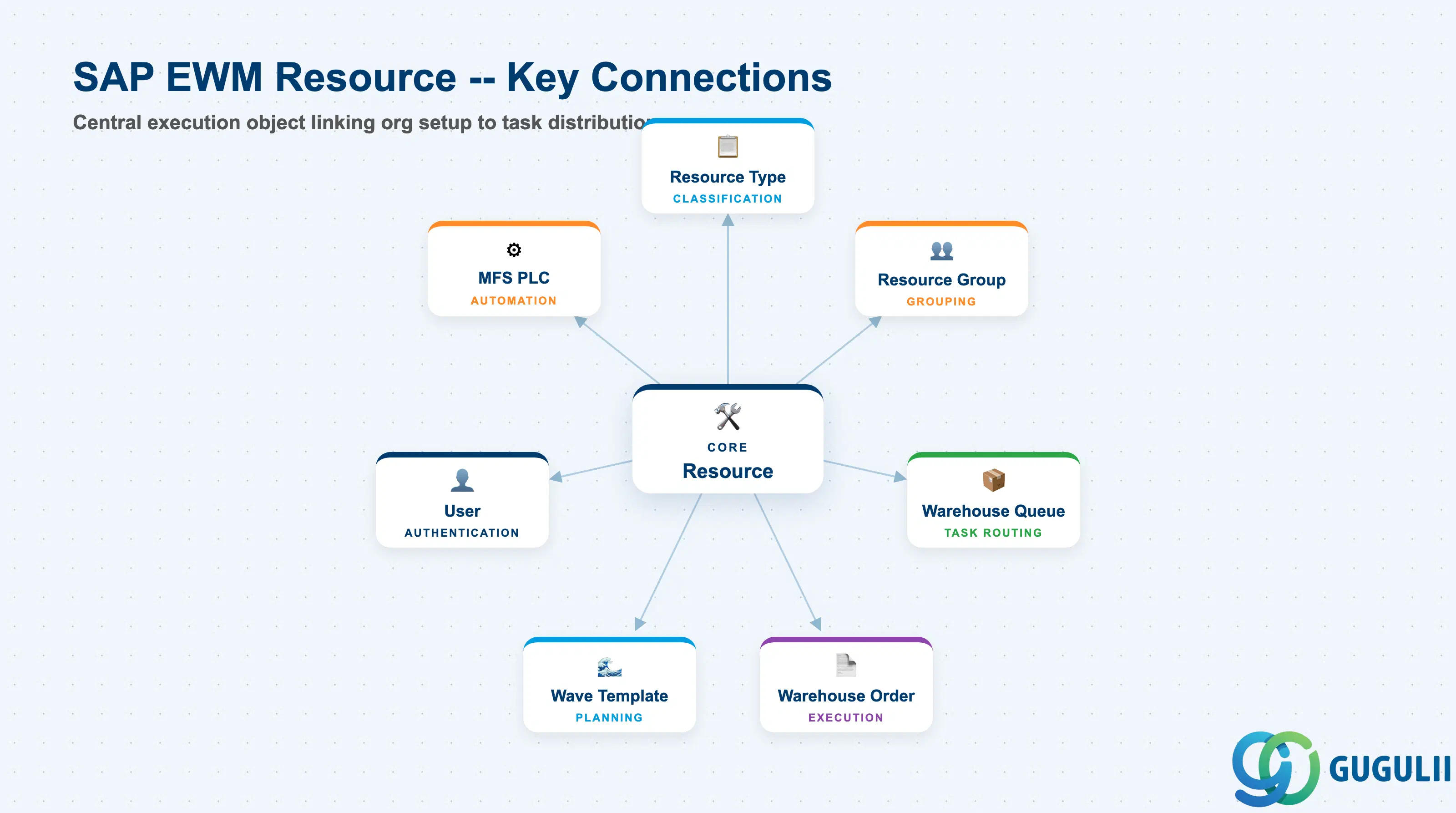
The Resource does not operate in isolation. It is the execution endpoint of a chain that starts with Wave Templates and Warehouse Orders and ends with a confirmed task on the shop floor. Each connected object must be configured before Resource assignment can work correctly in production.
| Object | Relationship | Practical Notes |
|---|---|---|
| Resource Type (SPRO) | Prerequisite — Resource references a Resource Type for its classification and default capacities | Must exist in SPRO before any Resource record can be created; defines human vs. MFS behavior |
| Resource Group (/SCWM/RSCGRP) | Organizational grouping — a Resource belongs to one Resource Group per Warehouse Number | Resource Groups are used in Queue configuration to restrict which resources can receive which task types |
| Warehouse Queue (/SCWM/QUEUE) | Assignment — a Resource is assigned to one or more Warehouse Queues | Queue assignment drives task distribution; a resource with no queue assignment receives no warehouse tasks |
| Warehouse Order (/SCWM/TO) | Execution link — Warehouse Orders are assigned to a Resource when the resource picks up or is assigned a task | A Warehouse Order remains open until the assigned Resource confirms completion; used to track productivity |
| Wave Template (EWM-A05-01) | Indirect — Wave Templates generate Warehouse Orders that are then distributed to Resources via Queues | Wave release time and activity area settings determine which Resources are in scope for which wave |
| User (EWM-A04-06) | 1:1 link — a Human Resource is typically linked to an EWM User record for RF authentication and task acknowledgement | The User record carries RF Profile and Queue assignments that must align with the linked Resource |
| MFS PLC (EWM-A10-01) | Equipment integration — MFS Resources are linked to PLC Communication Points for automated task execution | MFS Resources receive telegrams from the PLC instead of RF tasks; the PLC must be configured before MFS resources go live |
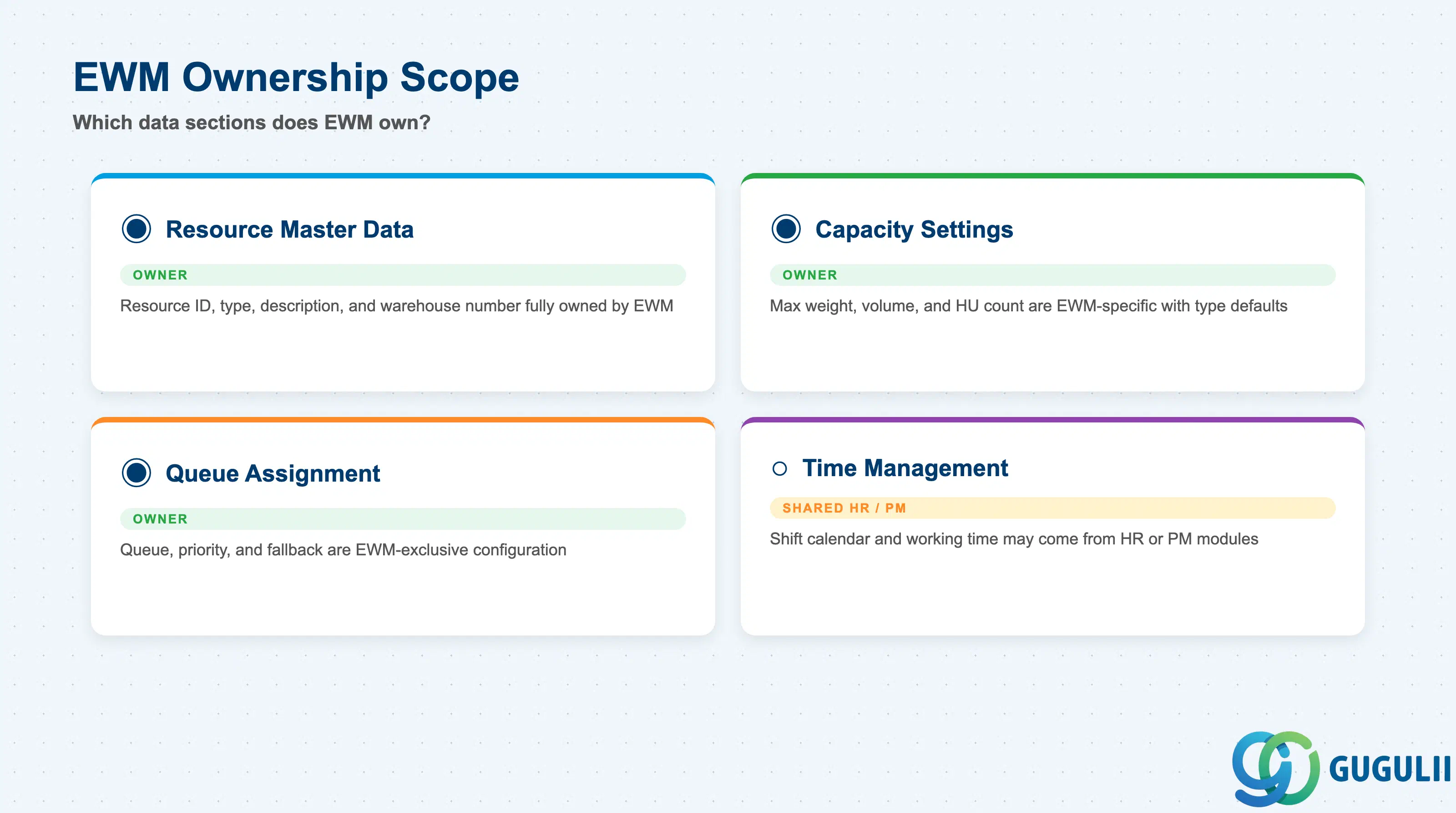
| Data Section | EWM Involvement | Notes |
|---|---|---|
| Resource Master Data | ◎ Owner | Resource ID, Resource Type, description, and Warehouse Number are fully owned and maintained by EWM; no other module touches this section |
| Capacity Settings | ◎ Owner | Maximum weight, volume, and handling unit count are EWM-specific; default values come from Resource Type (SPRO) and can be overridden per Resource |
| Queue Assignment | ◎ Owner | Warehouse Queue assignment, priority, and fallback queue are EWM-exclusive configuration; HR and PM have no involvement |
| Time Management | ○ Shared with HR/PM | Shift calendar and working time model may be maintained by HR (via work schedule rules) or PM (for equipment maintenance windows); EWM reads the result but does not own the HR/PM configuration |
Legend: ◎ = Owner / Critical, ○ = Direct involvement
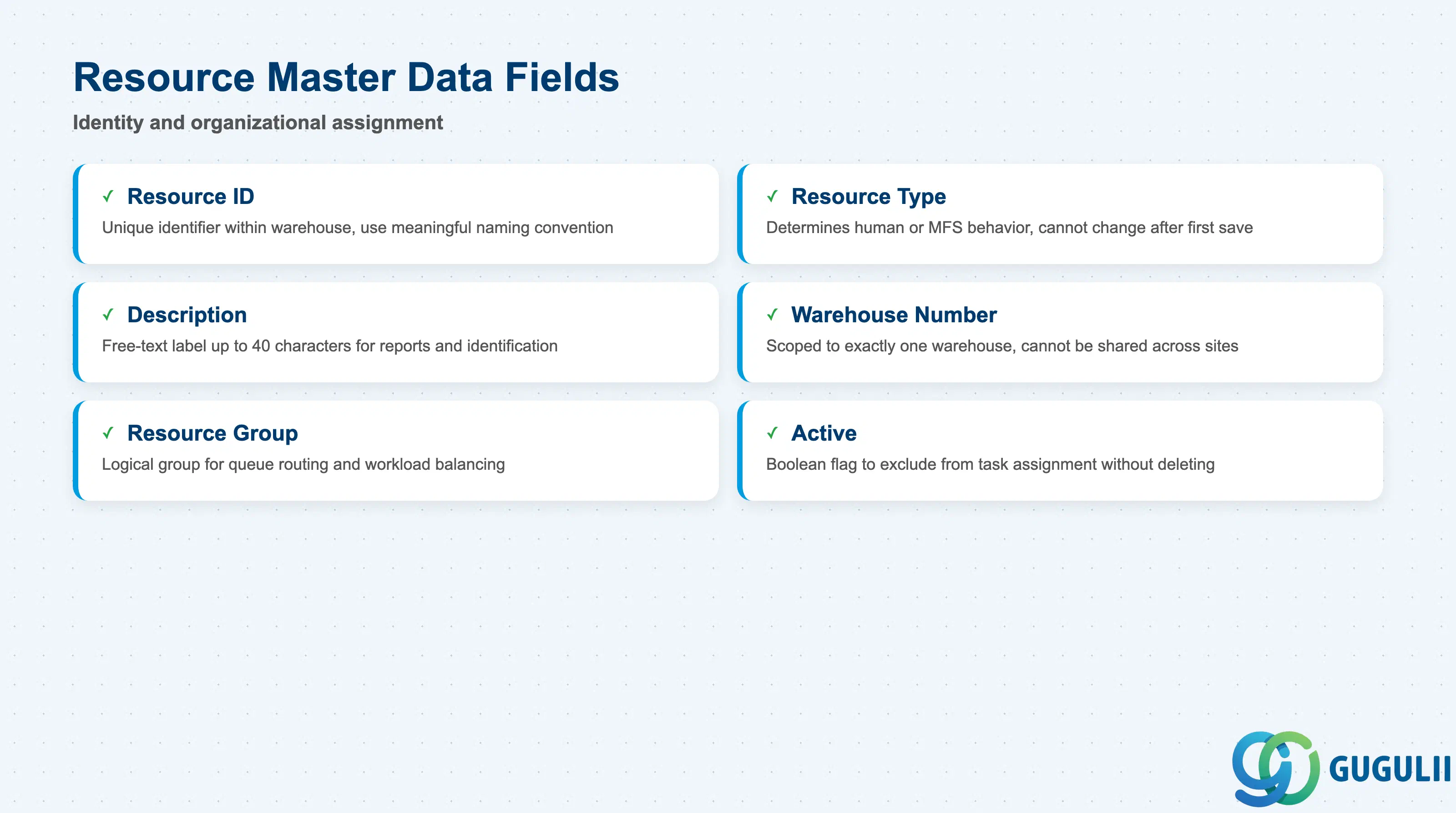
The Resource Master Data section establishes the identity of the resource within EWM. These fields must be correct at creation time — the Resource ID and Resource Type cannot be changed after the first save in standard SAP configuration, making planning accuracy critical before data entry.
| Field | Description | Practical Usage |
|---|---|---|
| Resource ID | Unique identifier for the resource within the Warehouse Number | Use a naming convention that encodes the resource category and location — e.g. “PICK-A01” for picker in area A01, “FORK-B02” for forklift in zone B02. Avoid auto-generated numeric IDs that are meaningless to floor supervisors reading reports. |
| Resource Type | References the Resource Type defined in SPRO; determines whether the resource is human or MFS equipment | The Resource Type is the single most important field in this section. Assigning a human picker to an MFS Equipment Type will cause the system to expect telegram-based task confirmation, which will never arrive, leaving tasks permanently open. Validate all Resource Type assignments in a sandbox before mass upload. |
| Description | Free-text label for the resource (up to 40 characters) | Use the actual worker name or equipment model number for human and MFS resources respectively. Floor supervisors use this field in /SCWM/RSRC reports to identify resources at a glance; vague descriptions like “Forklift 1” cause confusion in multi-shift environments. |
| Warehouse Number | Identifies which EWM warehouse this resource belongs to | A Resource is always scoped to exactly one Warehouse Number. Resources cannot be shared across warehouse numbers. In a multi-DC rollout, create separate Resource records per warehouse even for equipment that physically moves between sites. |
| Resource Group | Assigns the resource to a logical group within the warehouse for workload distribution | Resource Group is used in Queue Determination to restrict task routing. A picker in a refrigerated zone should be in a different Resource Group than ambient pickers so that cold-chain tasks are never routed to ambient staff by mistake. |
| Active | Boolean flag indicating whether the resource is available for task assignment | Set to inactive for resources on long-term leave or equipment under major maintenance. Inactive resources are excluded from queue distribution without needing to delete the record, preserving historical task confirmation data. |
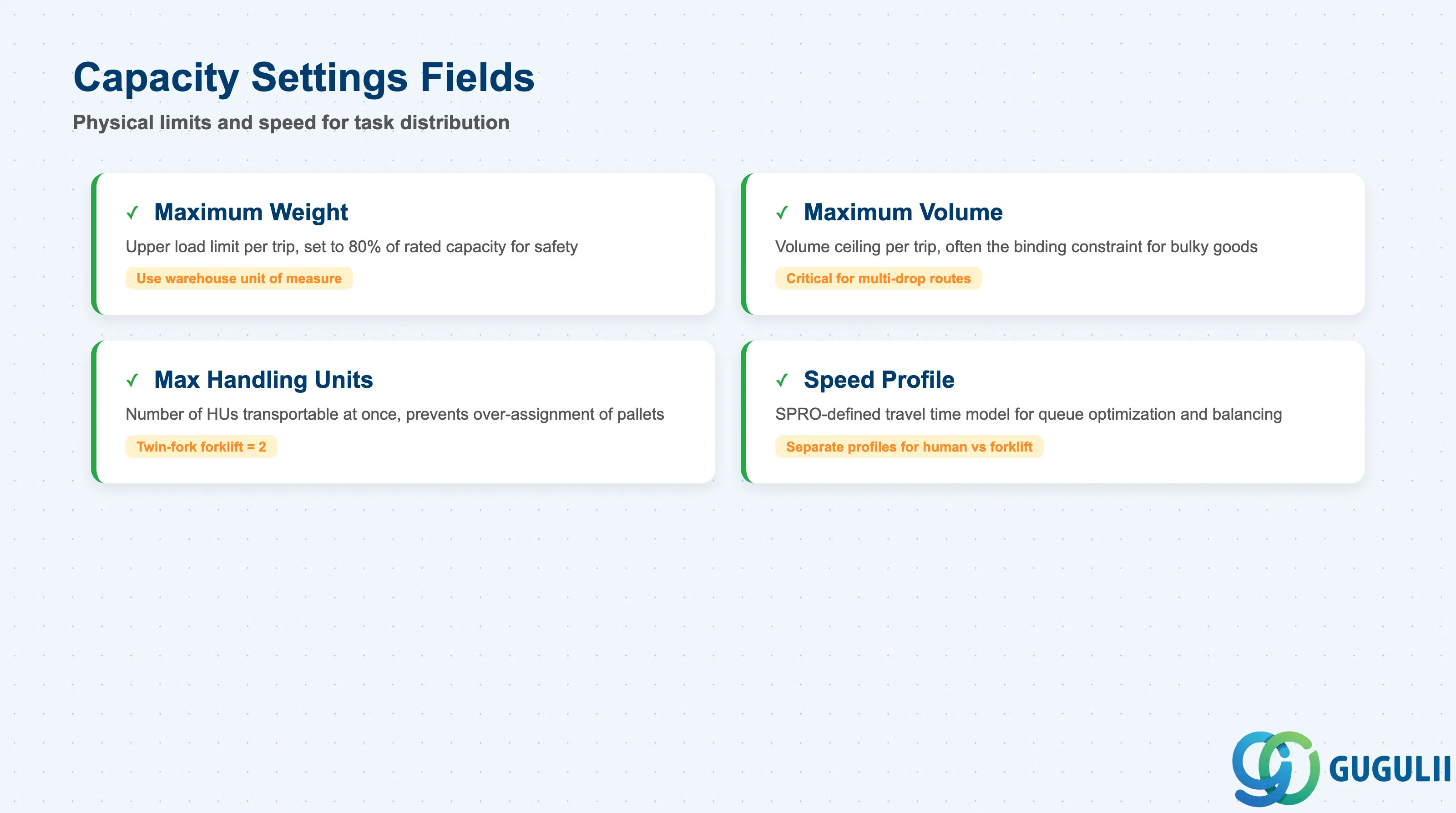
Capacity Settings control how many goods and how much weight or volume a resource can handle in a single warehouse task or within a single wave. EWM uses these values to prevent over-assignment — a resource will not be given a task if it would exceed its maximum weight or volume. The default values come from the Resource Type, but each individual resource record can override them.
| Field | Description | Practical Usage |
|---|---|---|
| Maximum Weight | Upper limit on the total weight (in the warehouse unit of measure) a resource can carry in one trip | Set this to the rated load capacity of the forklift or the physical carrying limit of a human picker. For forklifts, use 80% of the manufacturer-rated maximum to build in a safety buffer. Leaving this field empty disables weight-based capacity checking — common in implementations where all picks are single-item, but a risk in mixed-SKU operations. |
| Maximum Volume | Upper limit on total volume a resource can carry in one trip | Relevant mainly for bulky goods operations (e.g. automotive parts, white goods). If your warehouse picks primarily by piece count rather than volume, set this field to a large value or leave empty. For multi-drop picking routes, volume is often the binding constraint before weight. |
| Maximum Number of Handling Units | Upper limit on the number of Handling Units (HUs) a resource can transport simultaneously | This field is critical for pallet-picking and multi-pallet forklift runs. A forklift with twin forks can handle two pallets; setting this to 2 prevents EWM from assigning a three-pallet task to a single forklift run, which would require a second trip and break the task confirmation logic. |
| Speed Profile | References a SPRO-defined speed profile that models the travel time of the resource between storage bins | Used by EWM’s travel time estimation for queue optimization and workload balancing. Human pickers and forklifts should have separate speed profiles. In implementations without travel time optimization, this field is often left empty — but activating it later requires significant testing of queue and wave behavior. |
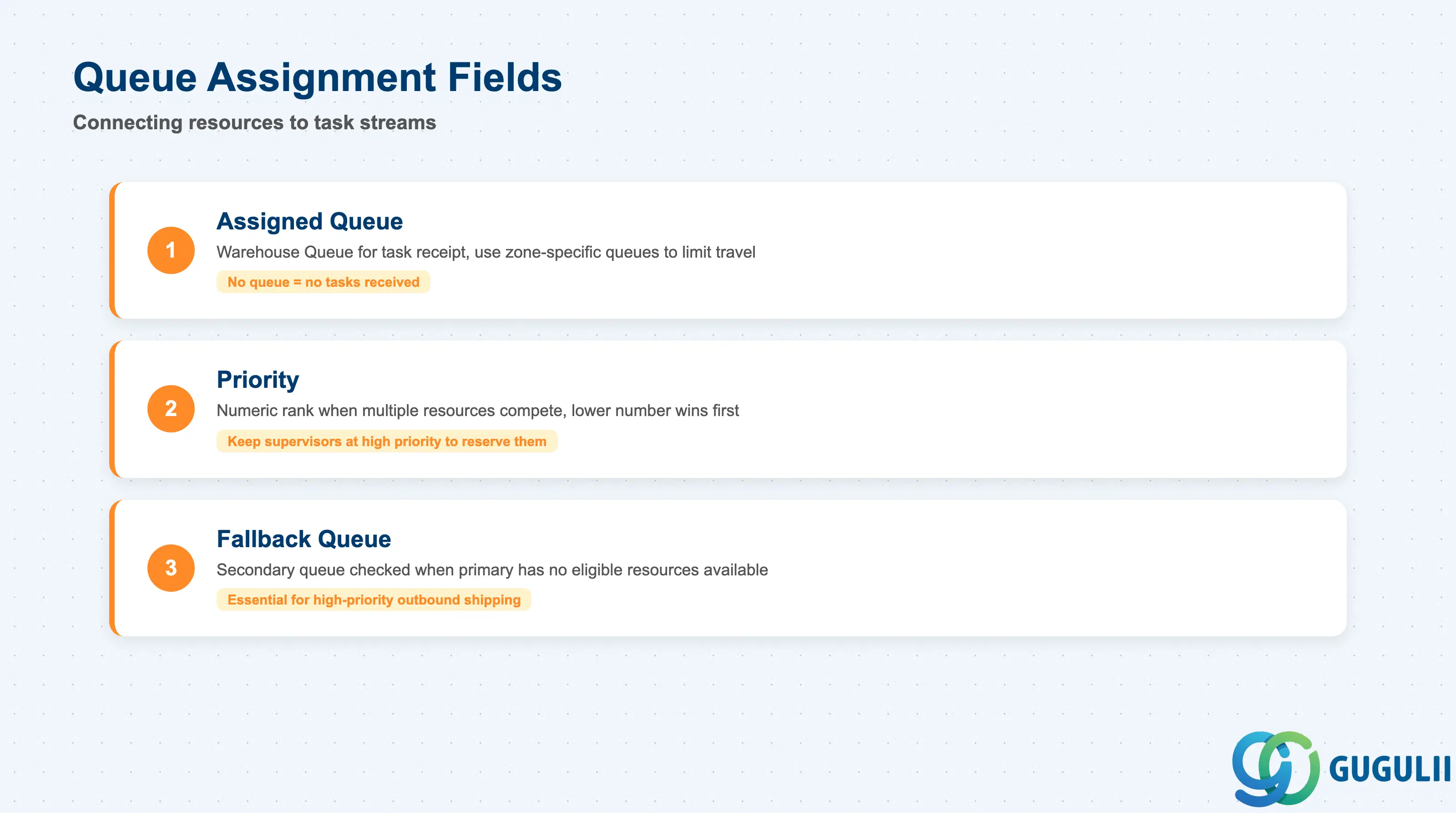
Queue Assignment is the mechanism that connects a Resource to the stream of Warehouse Orders it will execute. A Resource with no queue assignment receives no tasks from EWM — this is one of the most common configuration errors in go-live preparations. Queue assignment also supports priority-based routing and fallback queues for overflow scenarios.
| Field | Description | Practical Usage |
|---|---|---|
| Assigned Queue | The Warehouse Queue to which this resource is connected for task receipt | Each resource must be assigned to at least one queue. The queue is defined in /SCWM/QUEUE and determines which categories of warehouse tasks (inbound, outbound, replenishment) the resource can receive. In a multi-zone warehouse, assign resources to zone-specific queues to prevent cross-zone task routing that increases travel time. |
| Priority | Numeric priority (lower number = higher priority) used when multiple resources are eligible for the same task | In scenarios where a supervisor resource and a standard resource both belong to the same queue, set the supervisor’s priority higher (lower number) to ensure that the supervisor is not used for routine tasks when standard resources are available. |
| Fallback Queue | Secondary queue that the system checks if the primary queue has no eligible resources available | Configure a fallback queue for high-priority outbound operations to ensure tasks are never stuck when the primary queue’s resources are all occupied. Without a fallback queue, tasks remain in the primary queue until a resource becomes available, which can breach shipping deadlines. |
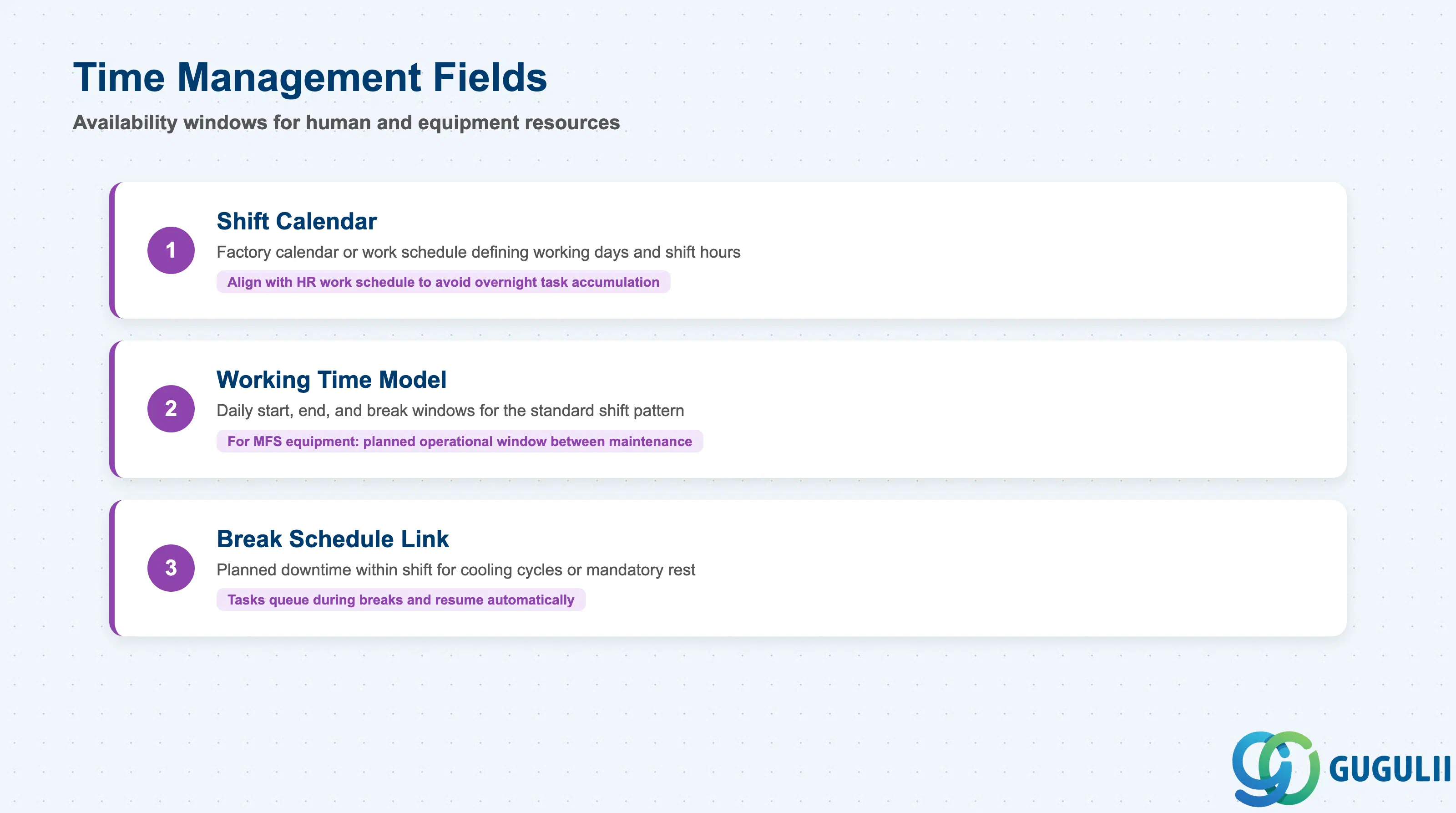
Time Management configuration defines when a Resource is available for task assignment. For human resources, this typically integrates with HR work schedule rules; for equipment, it may reference PM maintenance windows. EWM uses the availability information to exclude resources from queue distribution during unavailable periods, preventing tasks from being assigned to a resource that has ended their shift or whose equipment is under maintenance.
| Field | Description | Practical Usage |
|---|---|---|
| Shift Calendar | References a factory calendar or work schedule rule that defines the resource’s working days and shift hours | For human resources, align this with the HR work schedule assigned to the worker’s position. Misalignment between the HR schedule and the EWM shift calendar causes resources to appear available in EWM after the worker has clocked out, leading to unacknowledged tasks accumulating overnight. |
| Working Time Model | Defines the daily start time, end time, and break windows for the resource’s standard shift | Use this field when the EWM system is not integrated with HR work schedules. For MFS equipment, the working time model represents the planned operational window between maintenance cycles. |
| Break Schedule Link | References a break schedule that identifies planned downtime within the shift | During breaks, EWM can suppress task assignment to the resource. This is particularly important for MFS equipment with mandatory cooling or lubrication cycles — tasks queued during a maintenance break remain in the queue and are distributed as soon as the break ends, preventing manual intervention. |
| ID | Category | Title |
|---|---|---|
| ewm-001 | Overview | What is SAP EWM? |
| ID | Category | Title |
|---|---|---|
| ewm-b01 | Overview | SAP EWM Transactions: Process Flow, Hierarchy & Relationships |