Title here
Summary here

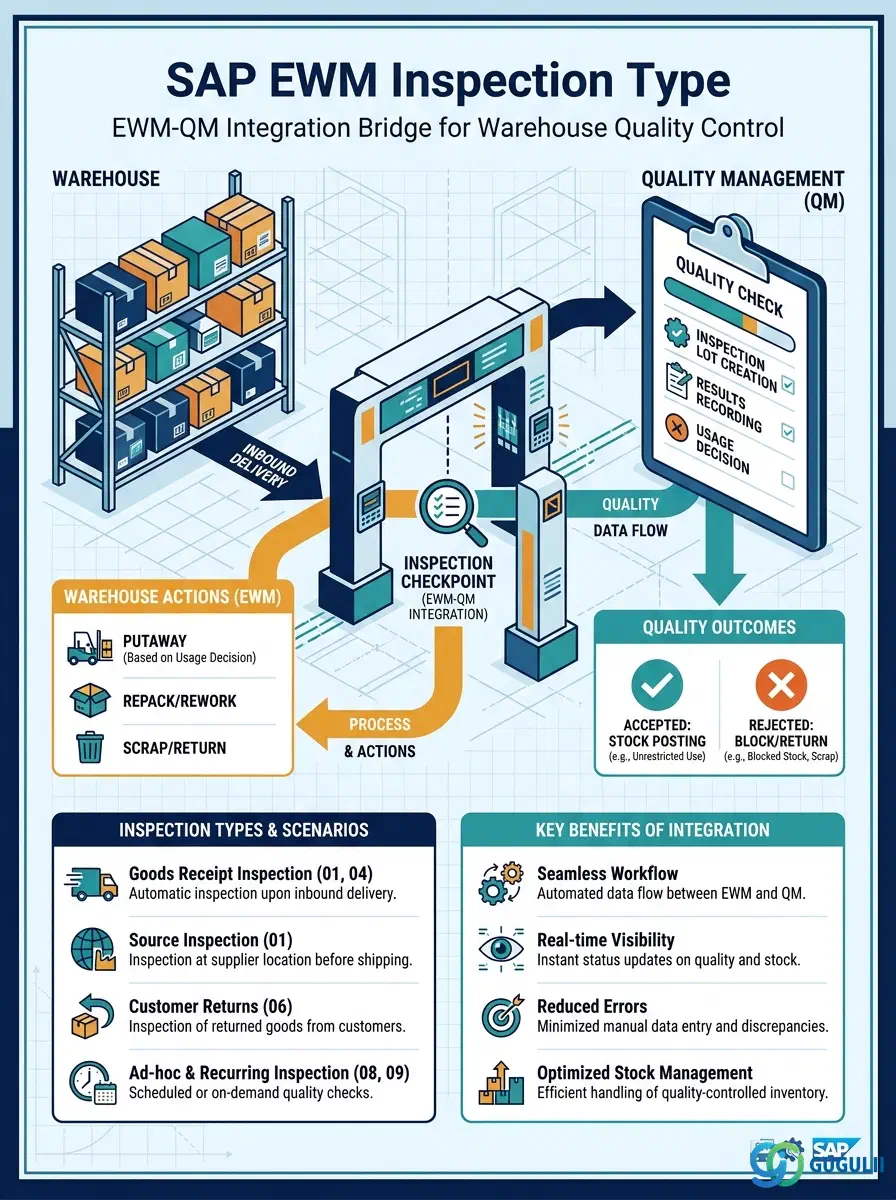
The Inspection Type is a configuration-level master data object in SAP EWM that defines the rules for triggering QM inspection lots during warehouse activities. It acts as the integration bridge between EWM process execution — goods receipt, putaway, internal transfer, and goods issue — and SAP Quality Management (QM), controlling which stock type is held during inspection and what happens to that stock after a usage decision is made. This article covers the concept, categories, organizational scope, and EWM-specific field details for the Inspection Type.
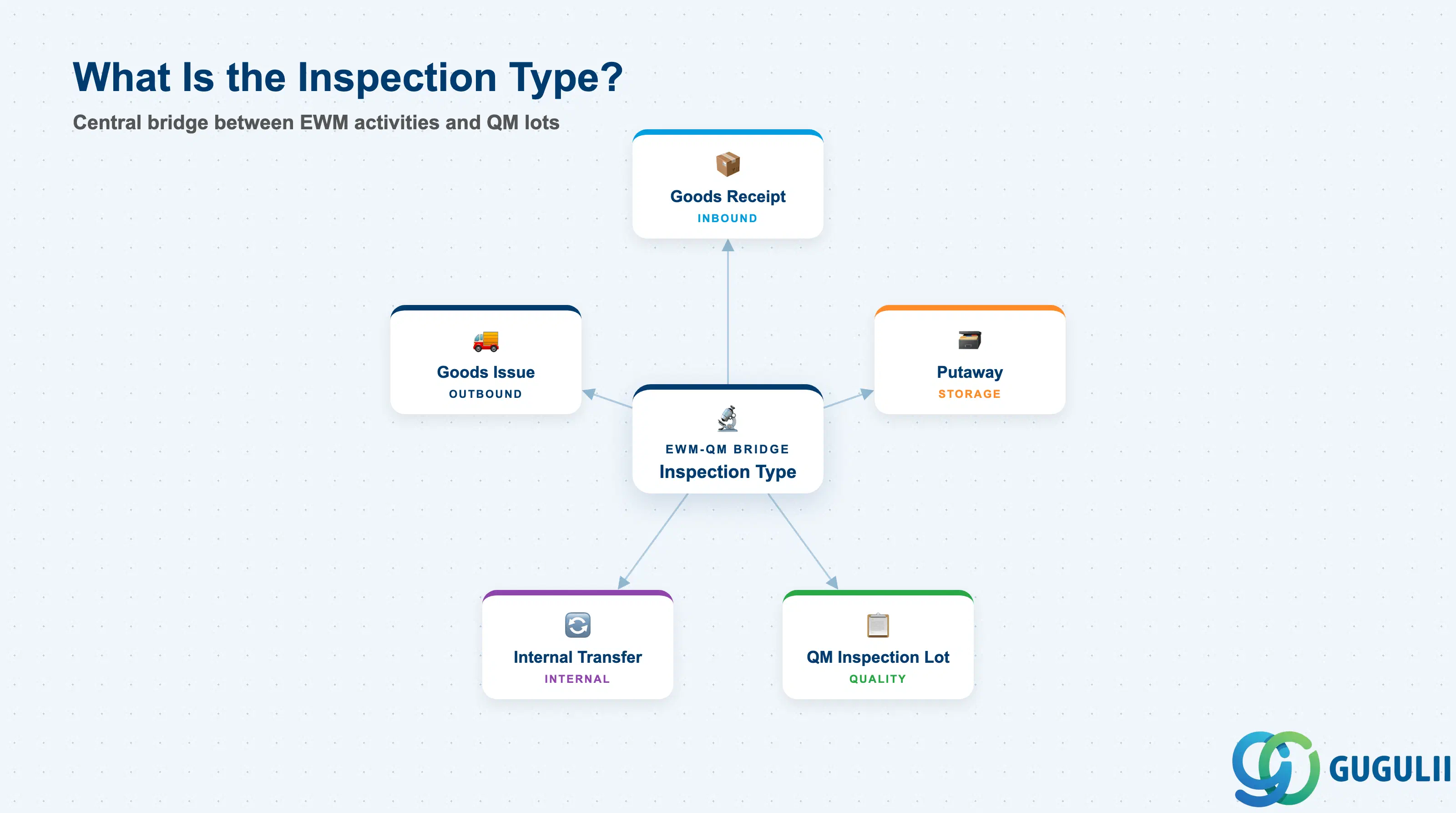
An Inspection Type is a configuration object in SAP EWM that maps a warehouse process scenario — such as a goods receipt or an internal transfer — to a QM inspection lot origin. When EWM executes a warehouse task that matches the trigger conditions defined in the Inspection Type, it automatically creates a QM inspection lot, places the relevant stock in the designated inspection stock type, and waits for the QM usage decision before allowing the stock to continue through the warehouse process.
| Aspect | Details |
|---|---|
| Role | Defines when EWM triggers a QM inspection lot and how stock type transitions during and after inspection |
| Modules using it | EWM (trigger and stock control), QM (inspection lot, usage decision, result recording) |
| Transactions | /SCWM/QINSPTYPE (Inspection Type config), SPRO (EWM QM Integration), QA11 (usage decision in QM) |
| Key Tables | /SCWM/TQITYPE (inspection type definition), /SCWM/TQIPROC (inspection procedure assignment) |
| S/4HANA note | Embedded EWM uses inspection lot origin 89 (EWM) natively; no separate CIF transfer needed. Fiori app “Manage Quality Inspections” (F4566) provides a unified view of EWM-triggered lots. |
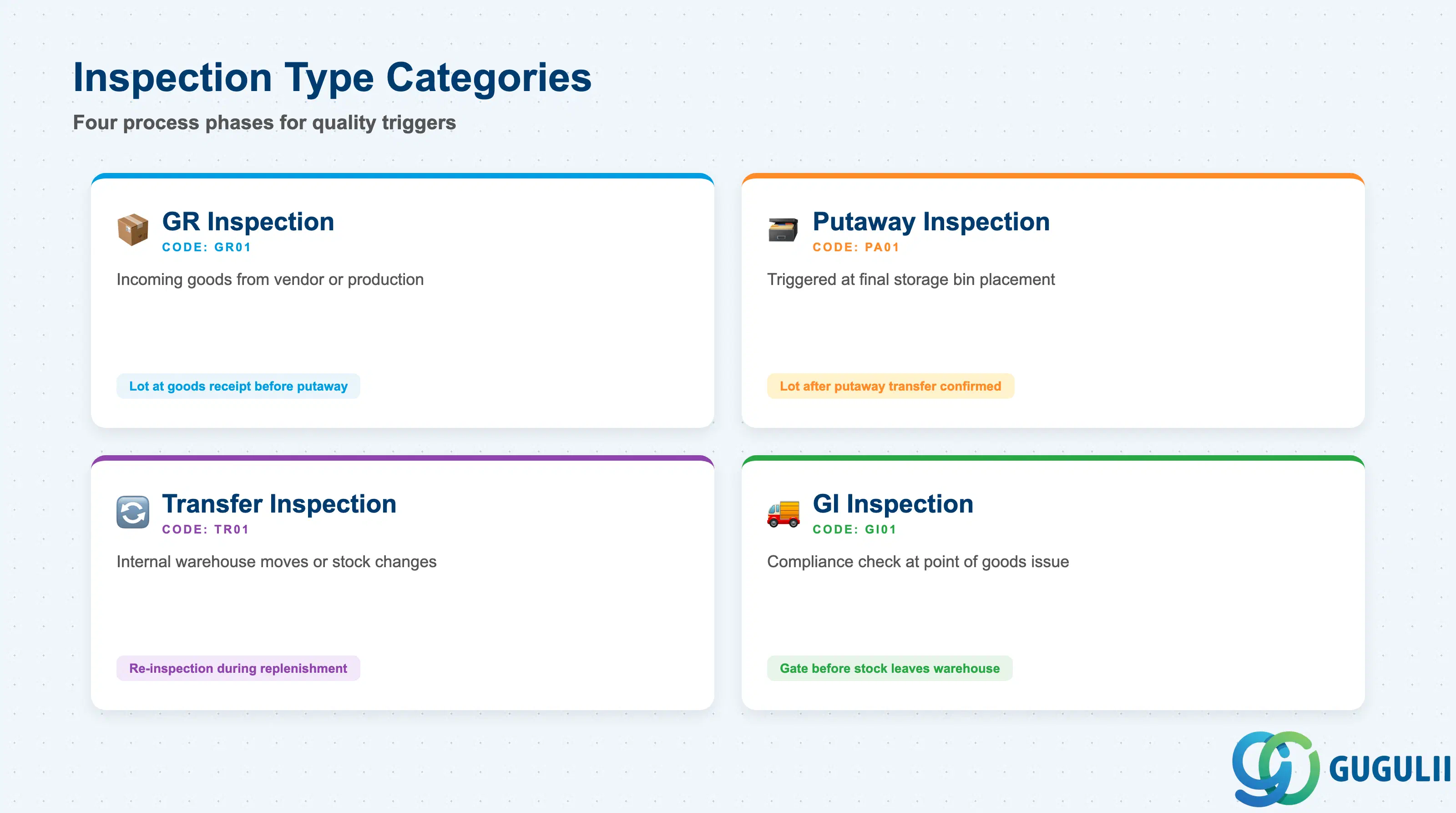
EWM Inspection Types are categorized by the warehouse process phase in which the inspection is triggered. Selecting the wrong category causes inspection lots to be created at the wrong point in the process — for example, triggering a GR inspection after putaway has already occurred — leading to stock type inconsistencies and blocked warehouse tasks.
| Category | Typical Code | Use Case | Key Behavior |
|---|---|---|---|
| GR Inspection | GR01 | Incoming goods from vendor or production | Inspection lot created at goods receipt; stock posted to quality inspection stock before putaway |
| Putaway Inspection | PA01 | Inspection triggered when stock is moved to its final storage bin | Stock enters quality inspection type after the putaway transfer order is confirmed |
| Transfer Inspection | TR01 | Inspection during internal warehouse moves or stock type changes | Useful for re-inspection or sampling during internal replenishment |
| GI Inspection | GI01 | Inspection at point of goods issue to customer or production | Ensures compliance check before stock leaves the warehouse |
Design principle: Always match the inspection category to the business point of control — for vendor quality gates, use GR Inspection; for final assembly supply, consider GI Inspection.
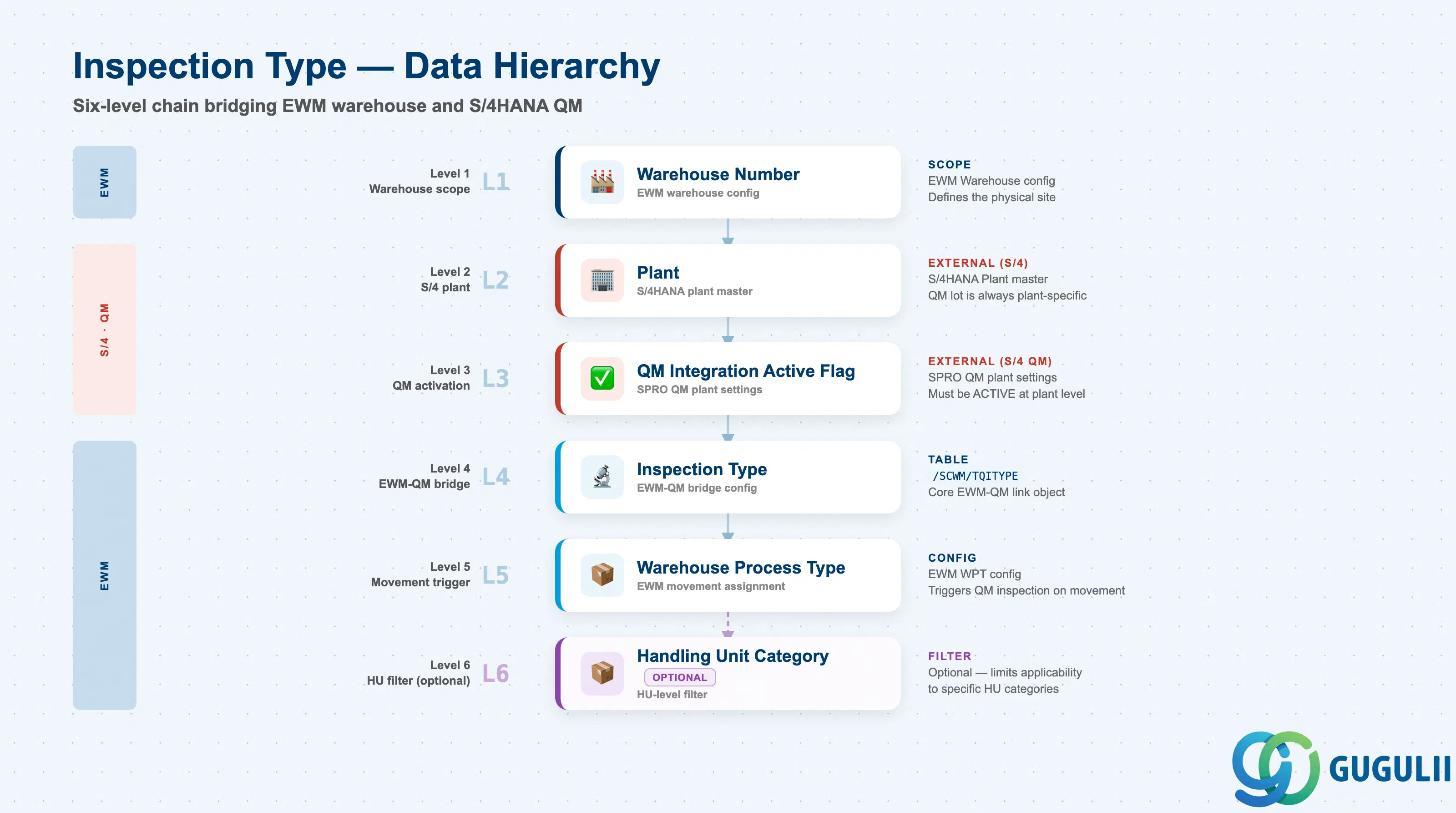
The Inspection Type sits at the intersection of EWM warehouse organization and the QM plant structure. The plant assignment ensures that QM inspection lots carry the correct plant-dependent QM parameters, while the warehouse number scope limits which physical warehouse the inspection type applies to. Getting this hierarchy right at design time prevents mismatches where an Inspection Type applies to the wrong plant’s QM settings.
Warehouse Number (EWM)
  └── Plant (S/4HANA / QM)
        └── QM Integration Active Flag (Plant-level QM setting)
              └── Inspection Type (EWM-QM bridge config — /SCWM/TQITYPE)
                    └── Warehouse Process Type (EWM movement assignment)
└── Handling Unit Category (optional HU-level filter)| Org Level | Table / Config | Primary Fields | Notes |
|---|---|---|---|
| Warehouse Number | EWM Warehouse config | Warehouse Number | Defines the physical EWM site scope |
| Plant | S/4HANA Plant | Plant code | QM inspection lot is always plant-specific |
| QM Integration | SPRO QM plant settings | QM active flag, inspection lot origin | Must be activated at plant level before Inspection Types take effect |
| Inspection Type | /SCWM/TQITYPE | Inspection Type code, lot origin, plant, WPT | Core EWM-QM link object |
| Warehouse Process Type | EWM WPT config | WPT code, process category | Determines which warehouse movement triggers the inspection |
Key design decision: The Inspection Type is defined independently (no mandatory parent master), but it only has effect when the QM integration is active at the plant level and the assigned Warehouse Process Type is used in actual warehouse tasks.
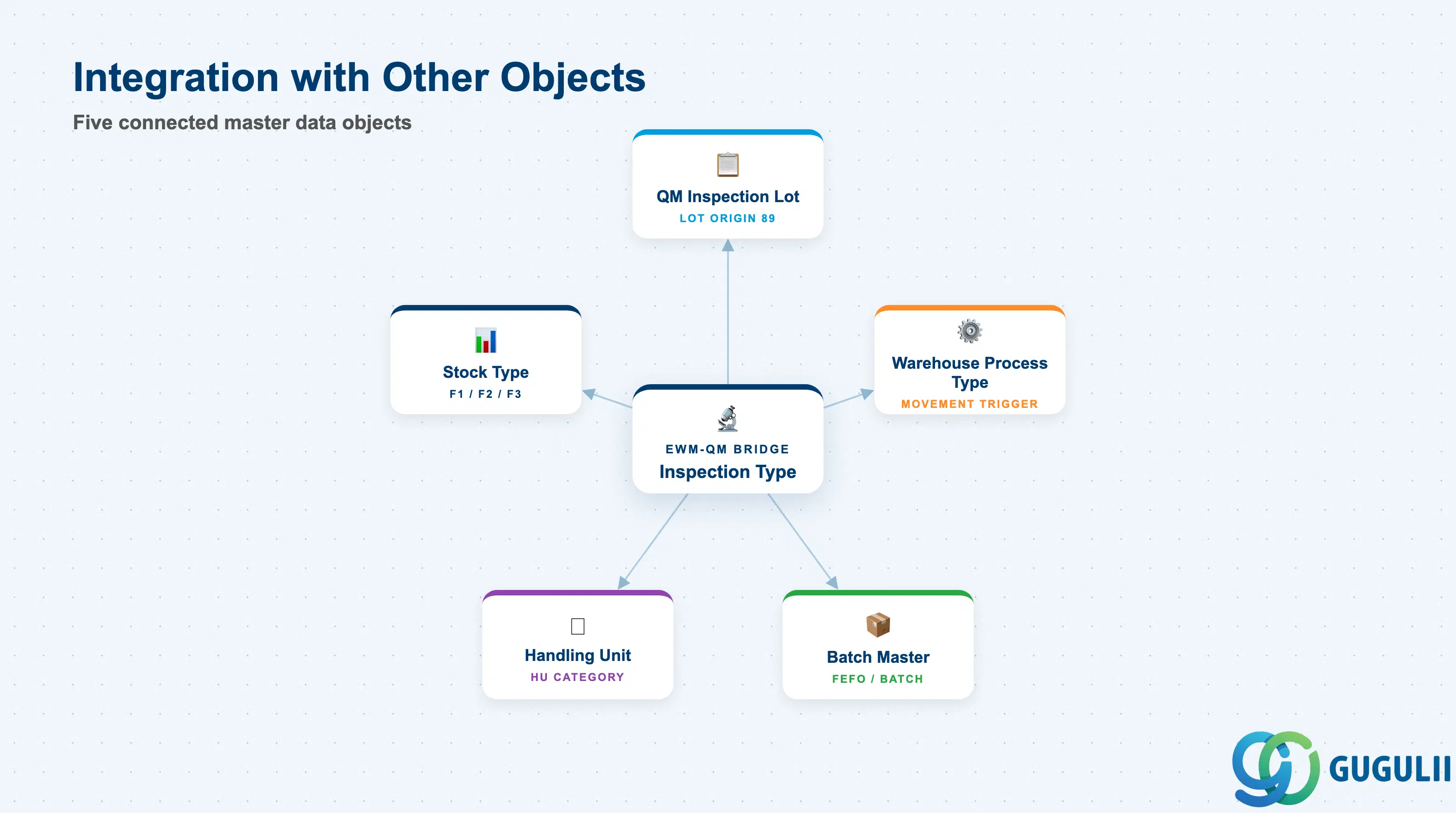
The Inspection Type does not stand alone; it is the configuration glue that connects several EWM and QM objects. A change to any connected object — for example renaming a Warehouse Process Type or reconfiguring QM stock types — can silently break the inspection trigger chain, so cross-object impact assessment is essential during system changes.
| Object | Relationship | Practical Notes |
|---|---|---|
| QM Inspection Lot | Created by EWM when the Inspection Type triggers; carries all inspection results and the usage decision | Inspection lot origin 89 (EWM) must match the lot origin configured in the Inspection Type; mismatch prevents lot creation |
| Warehouse Process Type | The WPT assigned to the Inspection Type determines which warehouse movements trigger the inspection | One Inspection Type can reference one WPT; multiple Inspection Types can share a WPT with different conditions |
| Stock Type | Source and target stock types are defined in the Inspection Type; stock moves from unrestricted or blocked to quality inspection on trigger, then transitions based on the usage decision | Incorrect stock type mapping causes stock to be invisible to subsequent picking or putaway tasks |
| Handling Unit | Optional HU category filter within the Inspection Type allows inspection to apply only to specific HU types (e.g., pallets but not individual cartons) | Used in high-volume operations where not every handling unit requires a full inspection |
| Batch Master | When batch management is active, the Inspection Type controls whether inspection is lot-specific or covers the entire batch across warehouse locations | Critical for FEFO-managed stock where batch quality status drives picking eligibility |
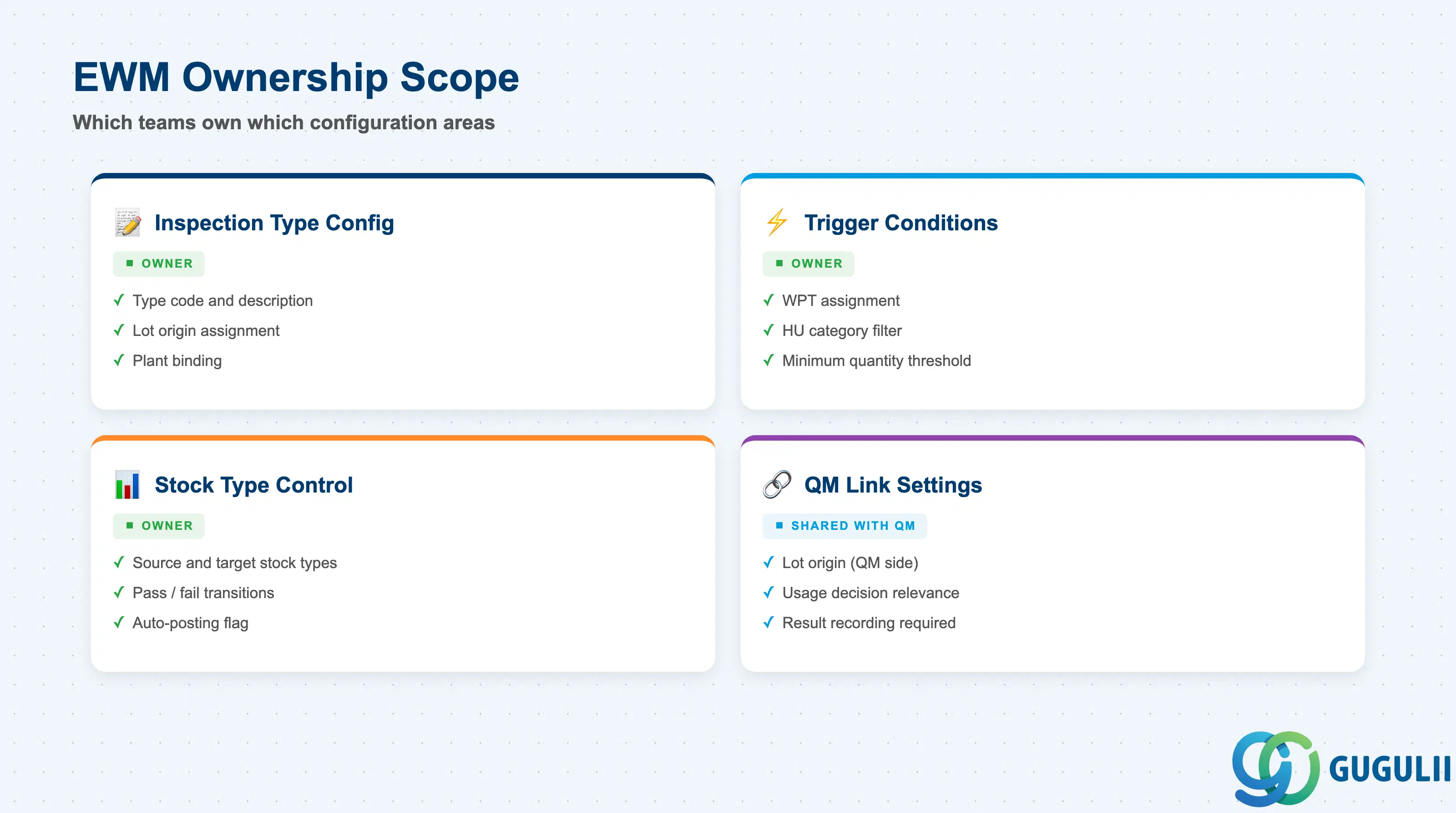
| Data Section | EWM Involvement | Notes |
|---|---|---|
| Inspection Type Configuration | ◎ Owner | Type code, description, lot origin, plant assignment — fully defined in EWM SPRO |
| Trigger Conditions | ◎ Owner | Warehouse movement category, WPT assignment, HU category filter — EWM controls when inspection fires |
| Stock Type Control | ◎ Owner | Source and target stock types on inspection open, pass, and fail — EWM manages stock type transitions |
| QM Link Settings | ○ Shared with QM | Lot origin, usage decision relevance, automatic posting — split ownership between EWM config and QM plant settings |
Legend: ◎ = Owner / Critical, ○ = Direct involvement
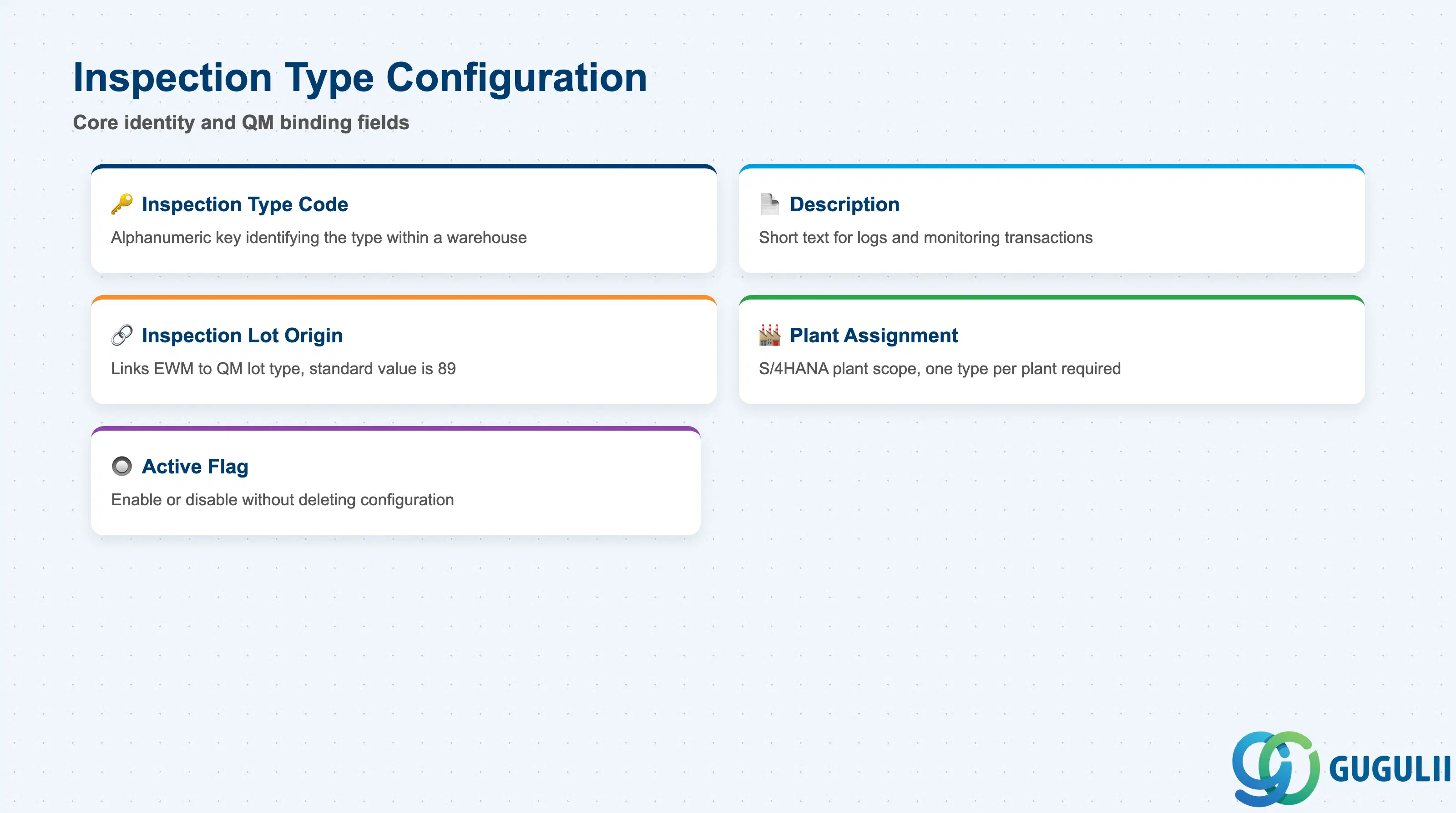
The Inspection Type Configuration section defines the identity and QM binding of the inspection type. These fields are set once at configuration time and are referenced by all trigger and stock control settings downstream. Any change to the lot origin or plant assignment requires a full regression test of the EWM-QM integration for affected scenarios.
| Field | Description | Practical Usage |
|---|---|---|
| Inspection Type Code | Alphanumeric key identifying the inspection type within the EWM warehouse | Use a naming convention that reflects the process phase and scenario — for example, GR01 for goods receipt inspection and PA01 for putaway inspection. Consistent naming across warehouses reduces configuration support effort significantly. |
| Description | Short text describing the purpose and scope of the inspection type | Include the trigger scenario and the plant or warehouse in the description (e.g., “GR Inspection — Plant 1000 Vendor Stock”). This is the primary label visible in logs and monitoring transactions. |
| Inspection Lot Origin | Numeric code linking EWM to the QM inspection lot type; standard value for EWM-triggered lots is 89 | The lot origin 89 must be activated in QM Customizing for the relevant plant. Using an incorrect lot origin causes EWM to attempt lot creation with a QM origin that has no active inspection plan, resulting in a hard error during goods receipt posting. |
| Plant Assignment | S/4HANA plant to which this inspection type applies | One Inspection Type is always plant-specific. For multi-plant warehouses (shared warehouse number across plants), a separate Inspection Type must be configured for each plant, even if the logic is identical. |
| Active Flag | Indicator that enables or disables the inspection type without deleting the configuration | Use the active flag during phased go-live rollouts to deactivate inspection types for plants not yet live, rather than leaving incomplete configuration entries that could trigger erroneously. |
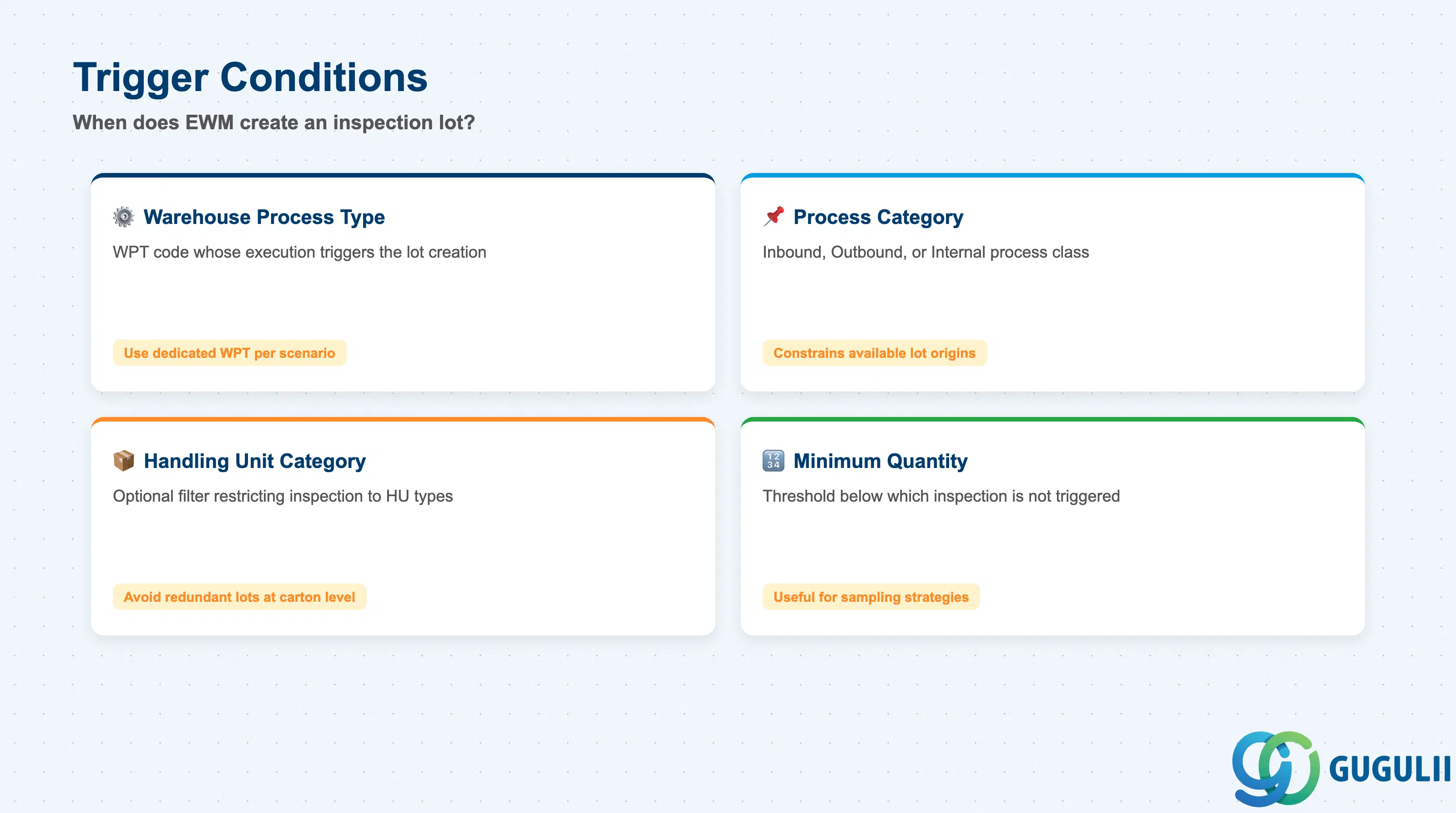
The Trigger Conditions section defines the exact circumstances under which EWM creates a QM inspection lot. These conditions act as a filter: only warehouse tasks that match all specified conditions simultaneously will fire the inspection trigger. Overly broad trigger conditions lead to unwanted inspection lots on routine internal moves; overly narrow conditions cause expected inspections to be skipped silently.
| Field | Description | Practical Usage |
|---|---|---|
| Warehouse Process Type | The EWM WPT code whose execution triggers the inspection lot creation | Map each inspection scenario to a dedicated WPT rather than reusing general-purpose WPTs. This ensures that adding or removing an inspection type does not affect other warehouse process flows that share the same WPT. |
| Process Category | High-level process category of the WPT (Inbound, Outbound, Internal) | The process category constrains which lot origins are available. For example, inbound process categories are associated with lot origin 89 for vendor GR inspection; outbound categories may link to lot origin 10 for shipping inspections. |
| Handling Unit Category | Optional filter restricting inspection to specific HU types (e.g., pallet-level HUs only) | In automotive manufacturing environments, it is common to inspect only pallet-level HUs at GR, skipping carton-level HUs that are inspected later during line feeding. Configure the HU category filter to avoid creating thousands of redundant inspection lots per delivery. |
| Minimum Quantity | Optional minimum stock quantity threshold below which the inspection is not triggered | Useful for sampling strategies where full inspection applies only to shipments above a minimum pallet count. Below the threshold, stock moves directly to unrestricted without an inspection lot. |
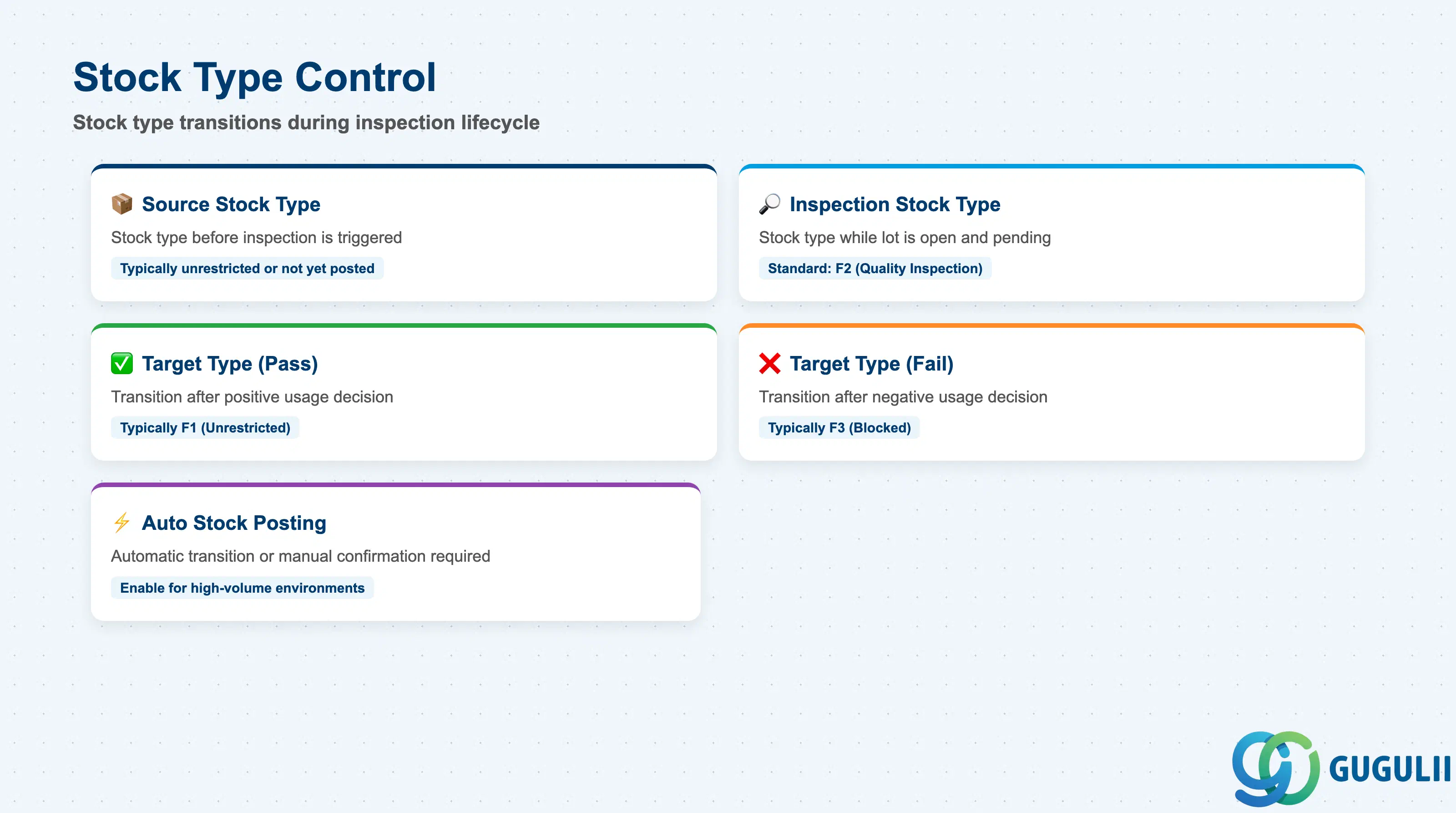
The Stock Type Control section determines how stock moves through the EWM stock type classification during the inspection lifecycle. These settings directly affect stock availability for picking and putaway: stock in quality inspection stock type is typically blocked for outbound delivery, and the post-decision transition to unrestricted or blocked must align with the QM usage decision outcome configured in SAP QM.
| Field | Description | Practical Usage |
|---|---|---|
| Source Stock Type | The stock type the material is in before the inspection is triggered | For GR inspection, the source stock type is typically unrestricted or not yet posted; for transfer inspections, the source is the current stock type at time of transfer order creation. Confirm with the QM team which stock type the material arrives in to avoid a mismatch. |
| Inspection Stock Type | The stock type to which material is moved when the inspection lot is opened and pending | Standard EWM uses stock type F2 (Quality Inspection) for this purpose. Stock in this type is excluded from available-to-promise calculations and cannot be picked for outbound delivery until the usage decision moves it. |
| Target Stock Type (Pass) | The stock type to which material transitions after a positive QM usage decision (e.g., “Accepted”) | Typically set to F1 (Unrestricted). In regulated industries such as pharmaceuticals, the pass target may be a specific released stock type that carries additional control parameters beyond standard unrestricted. |
| Target Stock Type (Fail) | The stock type to which material transitions after a negative QM usage decision (e.g., “Rejected”) | Set to F3 (Blocked) for rejected material. Coordinate with the procurement team to establish a clear process for vendor return or scrapping of rejected stock, as EWM does not automatically initiate a return delivery when stock enters blocked type. |
| Automatic Stock Type Posting | Flag controlling whether the stock type transition after the usage decision is posted automatically by EWM or requires manual warehouse task confirmation | Enable automatic posting for high-volume environments to avoid backlogs in the quality decision queue. Disable for regulated environments where a second human confirmation of the stock type change is required for audit compliance. |
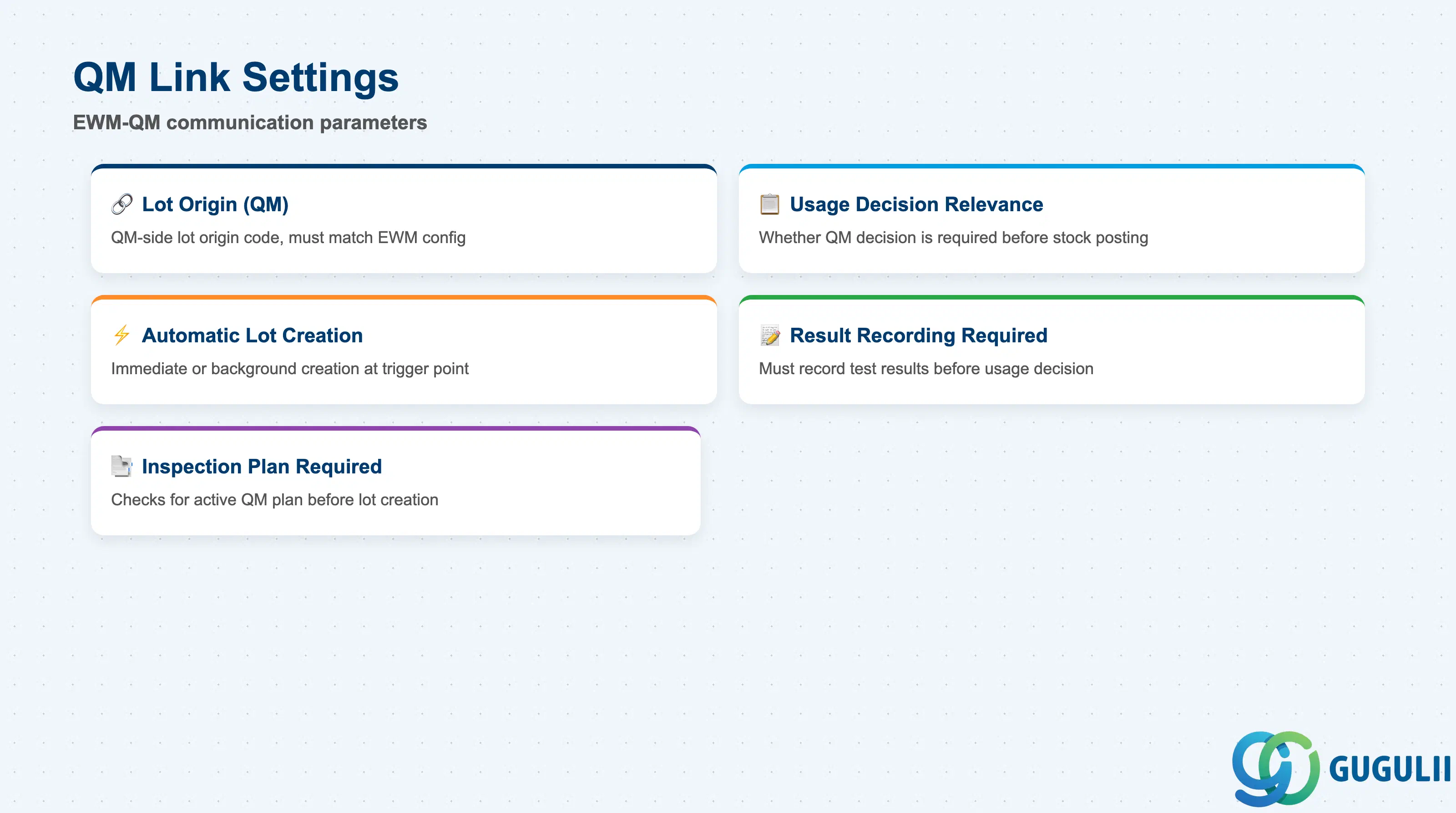
The QM Link Settings section defines how EWM communicates with SAP QM during the inspection lifecycle. These settings are partly shared with QM Customizing — the lot origin and usage decision relevance must be consistent on both the EWM and QM sides. Misalignment between EWM’s Inspection Type settings and QM’s lot origin configuration is the most common source of failed inspection lot creation during go-live.
| Field | Description | Practical Usage |
|---|---|---|
| Inspection Lot Origin (QM) | The QM-side lot origin code that EWM passes when creating the inspection lot; must match the lot origin configured in QM Customizing | For EWM-triggered inspections, the standard lot origin is 89. Verify that lot origin 89 is active in QM Customizing (transaction SPRO > QM > Inspection Lot > Inspection Lot Origin) for every plant where EWM inspections will be used. |
| QM Usage Decision Relevance | Controls whether the QM usage decision is required before EWM can post the stock type transition | Set to “Required” in regulated industries (medical devices, food, chemicals) to enforce a QM approval gate before stock becomes available. In less-regulated environments, setting this to “Not Required” allows automatic stock posting after a configurable timeout. |
| Automatic Lot Creation | Flag controlling whether EWM creates the QM inspection lot immediately at trigger point or queues it for background processing | Immediate creation is preferred for interactive GR scenarios where the warehouse worker needs real-time feedback. Background processing is suitable for bulk GR scenarios where thousands of lots are created in a single posting run. |
| Result Recording Required | Indicator specifying whether inspection results must be recorded in QM before the usage decision is allowed | For supplier qualification programs, set this flag to enforce result recording. Without it, QM allows usage decisions without any recorded test results, which undermines traceability requirements. |
| Inspection Plan Required | Controls whether EWM checks for an active QM inspection plan before creating the inspection lot | Enabling this check prevents lot creation for materials that do not yet have a valid inspection plan, giving the QM team a clear error signal rather than creating an empty lot that will be closed without results. |
| ID | Category | Title |
|---|---|---|
| ewm-001 | Overview | What is SAP EWM? |
| ID | Category | Title |
|---|---|---|
| ewm-b01 | Overview | SAP EWM Transactions: Process Flow, Hierarchy & Relationships |