Title here
Summary here

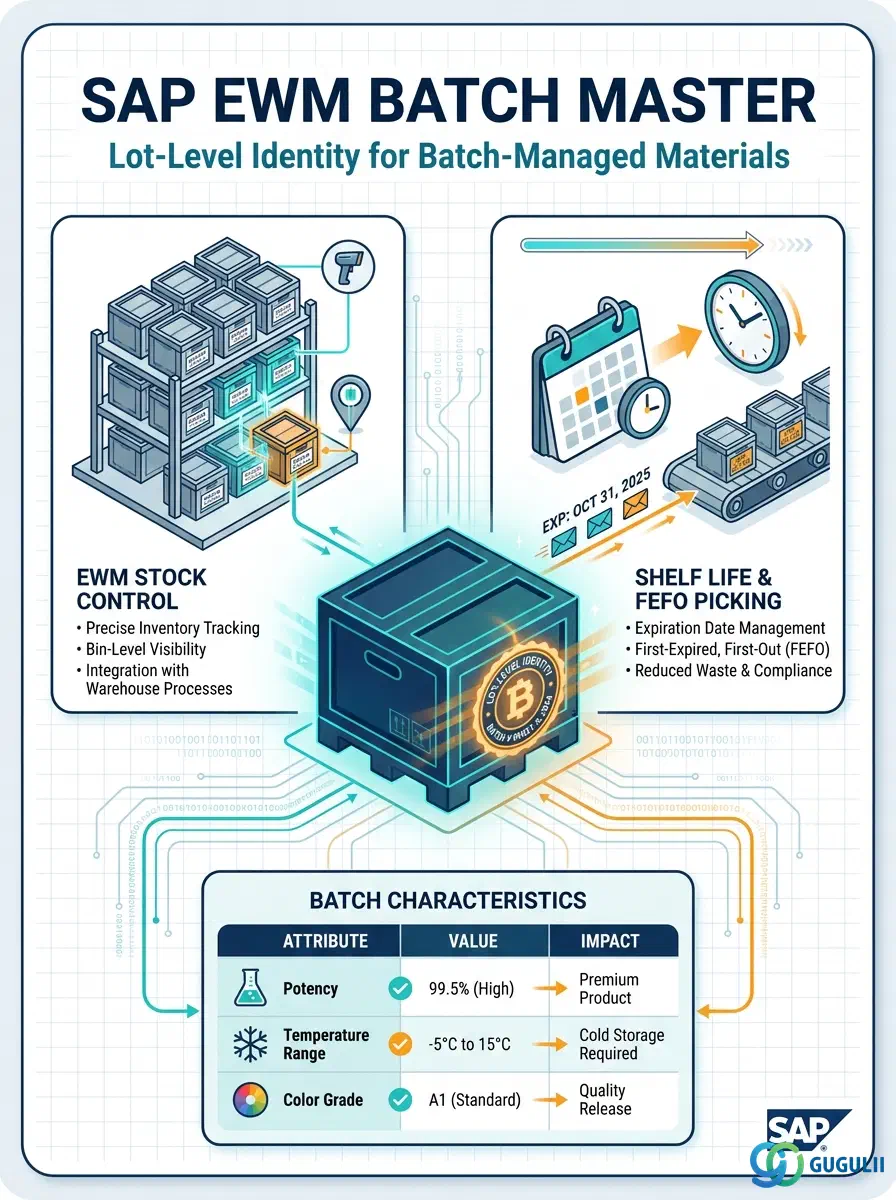
The Batch Master is the master data record that captures lot-specific information for batch-managed materials in SAP S/4HANA and EWM. Each batch is uniquely identified by the combination of Material, Plant, and Batch Number, and carries critical attributes such as manufacturing date, shelf life expiration date (SLED/BBD), classification values, and stock status. In SAP EWM, the Batch Master drives FEFO (First Expiry, First Out) picking strategy, batch-specific storage bin assignment, and batch split during putaway and packing. This article covers the Batch Master’s core concepts (Part 1) and the EWM-specific field details that warehouse consultants own or configure (Part 2).
A batch is a uniquely identifiable quantity of a material that shares the same production run, supplier lot, or quality characteristics. The Batch Master record stores the attributes of that specific lot — when it was made, when it expires, what classification values it carries, and what stock status it is in. Unlike the Material Master, which describes a material type, the Batch Master describes a particular physical instance of that material.
| Aspect | Details |
|---|---|
| Role | Stores lot-specific attributes (dates, classification, stock status) for one instance of a batch-managed material |
| Modules using it | MM (batch-managed purchasing and goods movements), WM/EWM (FEFO picking, batch-split putaway, stock type control), QM (quality inspection lot linked to batch), PP (production lot tracking), SD (batch determination for sales) |
| Transactions | MSC1N (Create Batch) / MSC2N (Change Batch) / MSC3N (Display Batch) / MB56 (Batch Where-Used) / MM60 (Batch List) / Fiori: “Manage Batches” (F2370) |
| Key Tables | MCH1 (Batch Header — Client level) / MCHA (Batch per Plant) / MCHB (Batch Stock — Plant/Storage Location) / MCH7 (Batch Classification) |
| S/4HANA note | Batch level is configurable at Client, Plant, or Material/Plant level. Embedded EWM shares the same DB — Batch Master created in MM is immediately available in EWM without CIF transfer. For Decentralized EWM, batch replication occurs via CIF/qRFC in real time. |
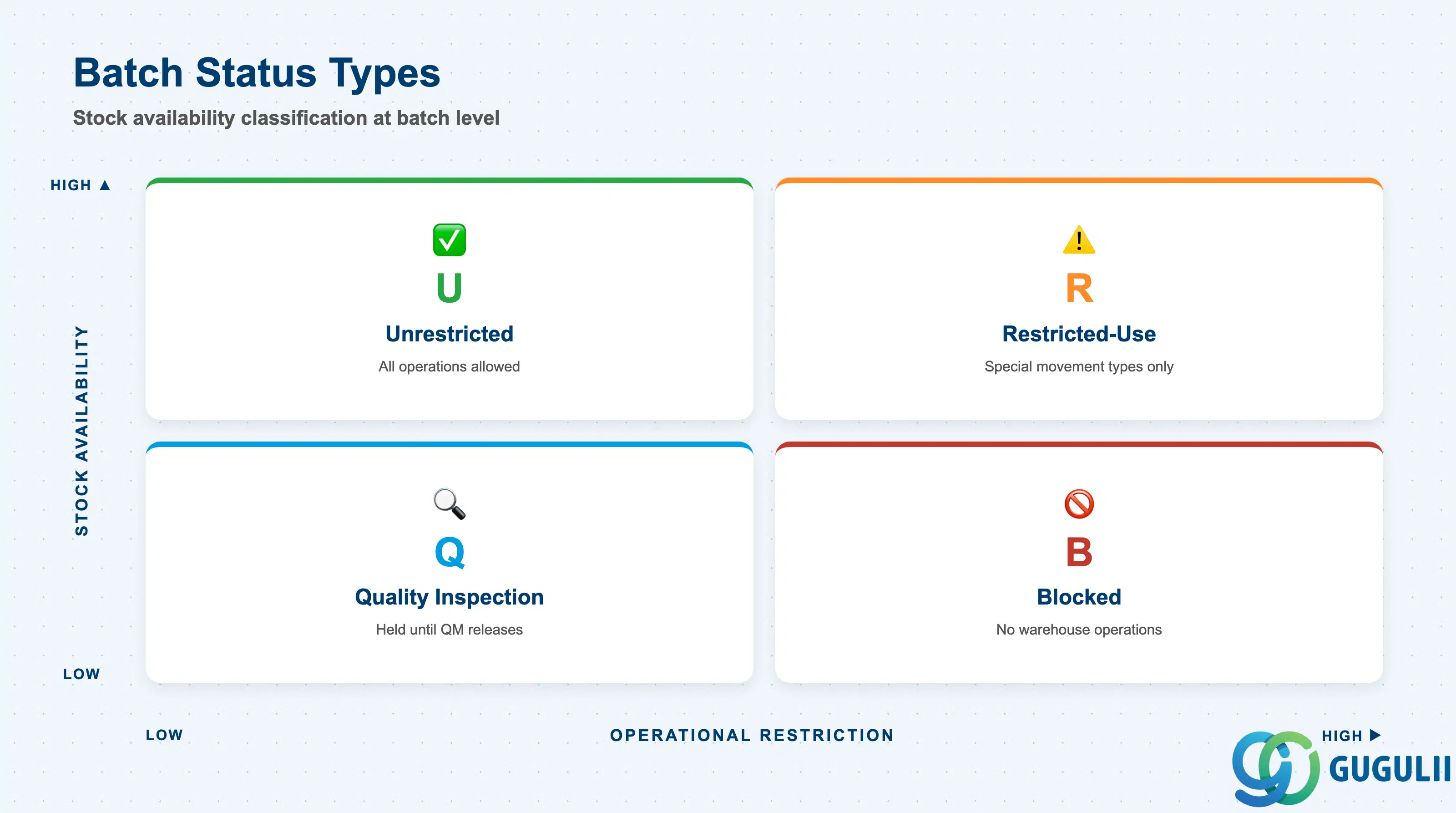
The batch status (also called the batch classification status or restricted-use indicator in EWM) determines whether stock in a batch can be freely used in warehouse operations. Selecting the wrong status at goods receipt causes operational disruption — a batch that should be held for inspection may be picked before QM releases it.
| Batch Status | Code | Use Case | Key Behavior |
|---|---|---|---|
| Unrestricted | U | Normal usable stock, all operations allowed | Available for all picking, transfer order, and delivery processes without restriction |
| Restricted-Use | R | Conditionally usable stock (partial quality hold) | Available for special movement types only; EWM can route to restricted-use storage type |
| Blocked | B | Blocked stock — not available for any use | Cannot be picked or transferred; requires QM or supervisor action to unblock |
| Quality Inspection | Q | Under active quality inspection | GR-posted stock held until QM releases; EWM puts in quarantine storage type; released to unrestricted upon QM usage decision |
Design principle: Define the initial stock status at goods receipt in the batch classification and QM integration settings during blueprint. Changing batch status after GR requires a special movement type (344/344-R) and leaves an audit trail.
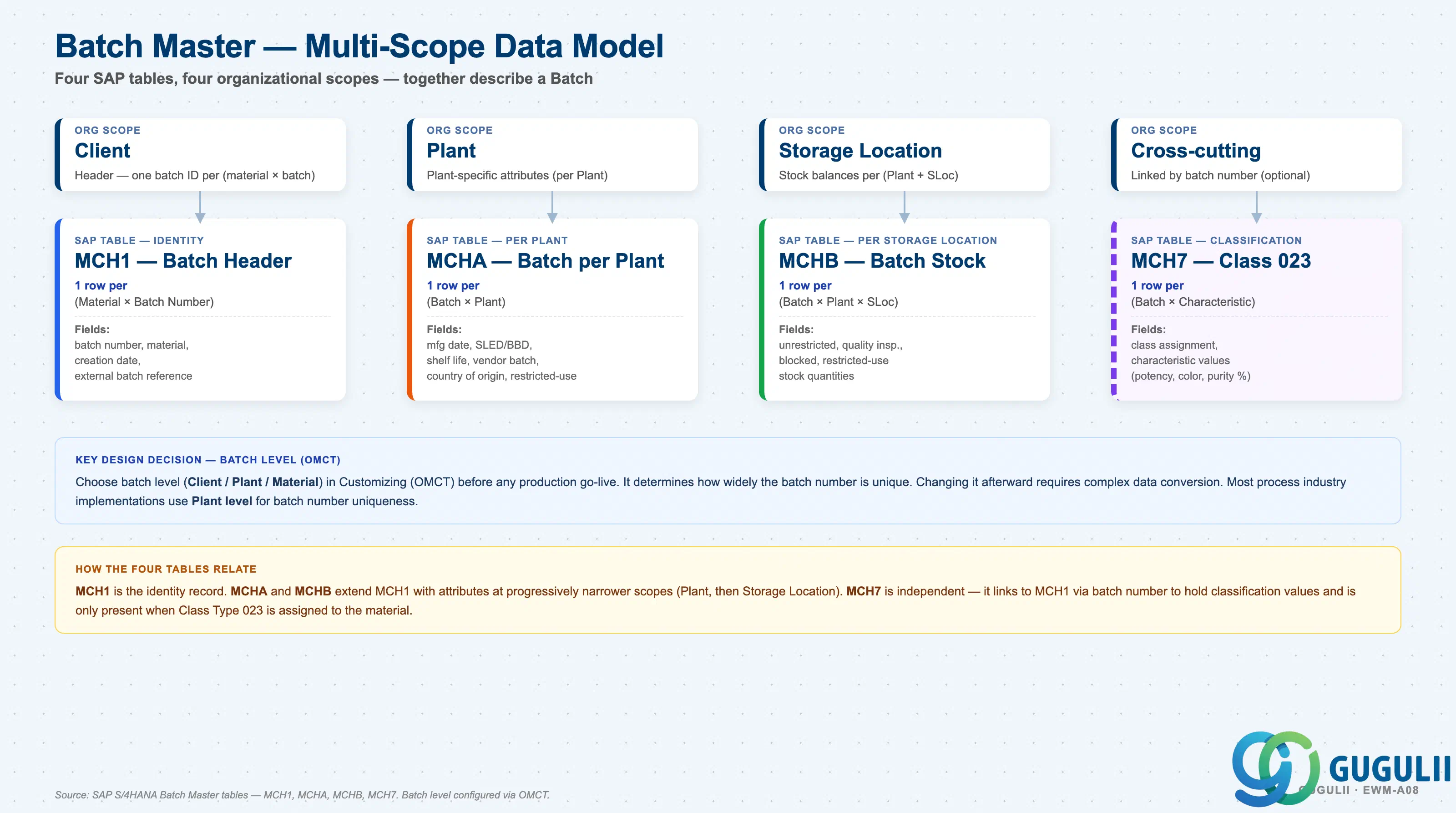
A Batch is not a single record but a set of related entries across four SAP tables, each maintained at a different organizational scope. The batch level (Client / Plant / Material) is a Customizing decision (OMCT) made before go-live — it controls how widely a batch number is unique and cannot be changed afterward without complex data conversion.
Client scope
   │
   └── MCH1 — Batch Header (identity record)
          One row per (Material × Batch Number)
          Fields: batch number, material, creation date, external batch reference

Plant scope (per Plant: 1000, 2000, …)
   │
   └── MCHA — Batch per Plant (plant-specific attributes)
          One row per (Batch × Plant)
          Fields: Manufacturing date, SLED/BBD, total shelf life,
                  minimum remaining shelf life, vendor batch number,
                  country of origin, restricted-use indicator

Storage Location scope (per Plant + Storage Location)
   │
   └── MCHB — Batch Stock per Storage Location
          One row per (Batch × Plant × Storage Location)
          Fields: unrestricted, quality inspection, blocked,
                  restricted-use stock quantities

Cross-cutting (linked by batch number, optional)
   │
   └── MCH7 — Batch Classification (Class Type 023)
          One row per (Batch × Characteristic)
          Fields: class assignment, characteristic values
(e.g. potency, color, particle size, purity %)| Org Scope | Table | Primary Fields | Notes |
|---|---|---|---|
| Client | MCH1 | Batch number, material, creation date, external batch reference | Identity record. When batch level = Client, the same batch number is unique across all plants — prevents duplicate lot numbers across sites. |
| Plant | MCHA | Manufacturing date, SLED/BBD, total shelf life, minimum remaining shelf life, vendor batch, country of origin | Plant-specific attributes — the same batch number can carry different expiry dates per plant when batch level is Plant. |
| Storage Location | MCHB | Unrestricted, quality inspection, blocked, restricted-use quantities | Updated by goods movements; the source of truth for batch-specific stock balances per storage location. |
| Cross-cutting | MCH7 | Class 023 assignment, characteristic values | Quality and specification values for batch determination in SD/EWM; maintained via CL01 / CT01 / MSC2N. |
Key design decision: Choose batch level (Client / Plant / Material) in Customizing (OMCT) before any production go-live. Changing it afterward requires a complex data conversion. Most process industry implementations use Plant level for batch number uniqueness.
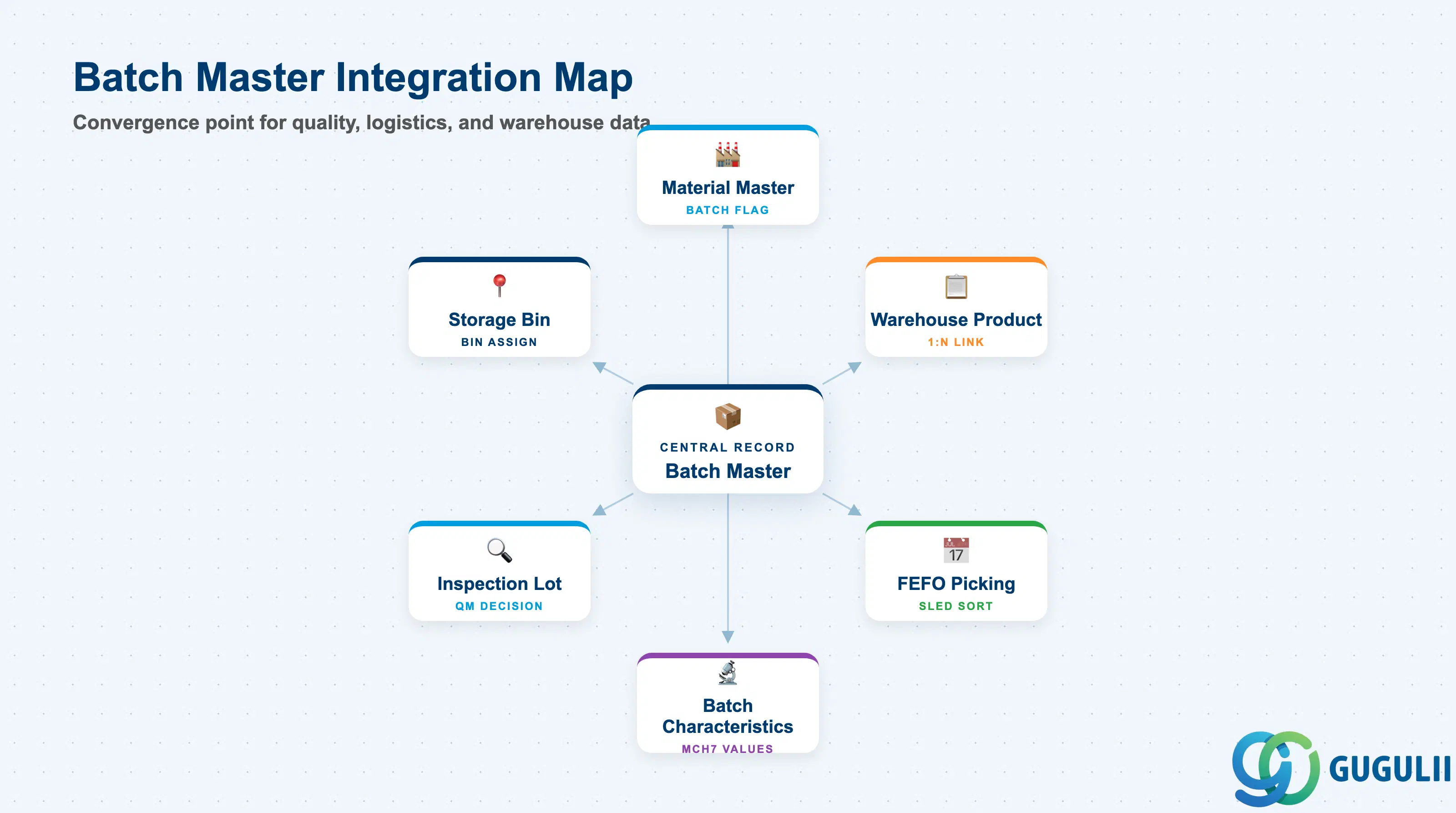
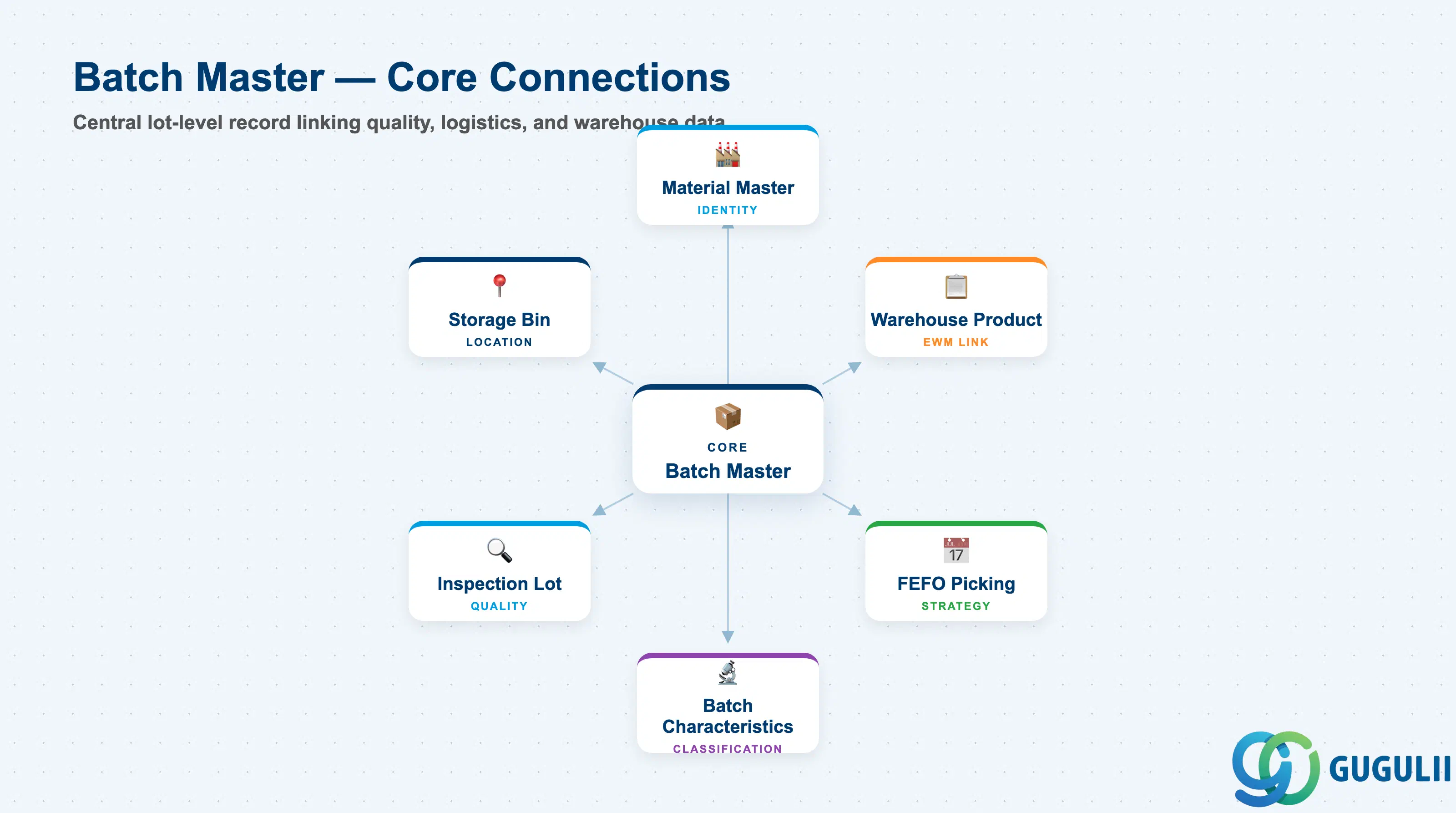
The Batch Master does not stand alone. It is the convergence point for quality, logistics, and warehouse data — every batch-triggered process in EWM traces back to data recorded here.
| Object | Relationship | Practical Notes |
|---|---|---|
| Material Master | Batch Master references Material (MATNR); batch management activated in MM Plant/Storage View | The “Batch Management” checkbox in Material Master (Plant/Storage View) must be set before a batch can be created. Total shelf life and minimum remaining shelf life can be defaulted from the Material Master and overridden at batch level |
| Warehouse Product (EWM) | Batch Master is linked 1:N to Warehouse Product in EWM hierarchy | Warehouse Product inherits batch management from Material Master; EWM picks up SLED/BBD from the Batch Master for FEFO sorting |
| Batch Characteristics (EWM-A08-02) | Batch Characteristics are values stored within the Batch Master’s classification segment (MCH7) | Characteristic values (potency, purity, temperature range) are maintained in MSC2N / Fiori “Manage Batches”; EWM uses them for batch determination in picking |
| Inspection Lot (QM) | QM Inspection Lot is created on GR for a batch; lot links to batch number | QM usage decision changes batch status from Q (inspection) to U (unrestricted) or B (blocked); EWM reacts in real time to update available stock |
| Picking Strategy — FEFO | EWM evaluates SLED/BBD from Batch Master to sort available batches for FEFO picking | FEFO picking is only effective when SLED/BBD is correctly maintained at GR; missing dates cause FEFO to fall back to FIFO or produce sorting errors |
| Storage Bin | EWM can assign batches to dedicated storage bins or storage types based on batch status | Restricted-use and quality inspection stock can be automatically directed to separate storage types via EWM Putaway Strategy, preventing mix with unrestricted stock |
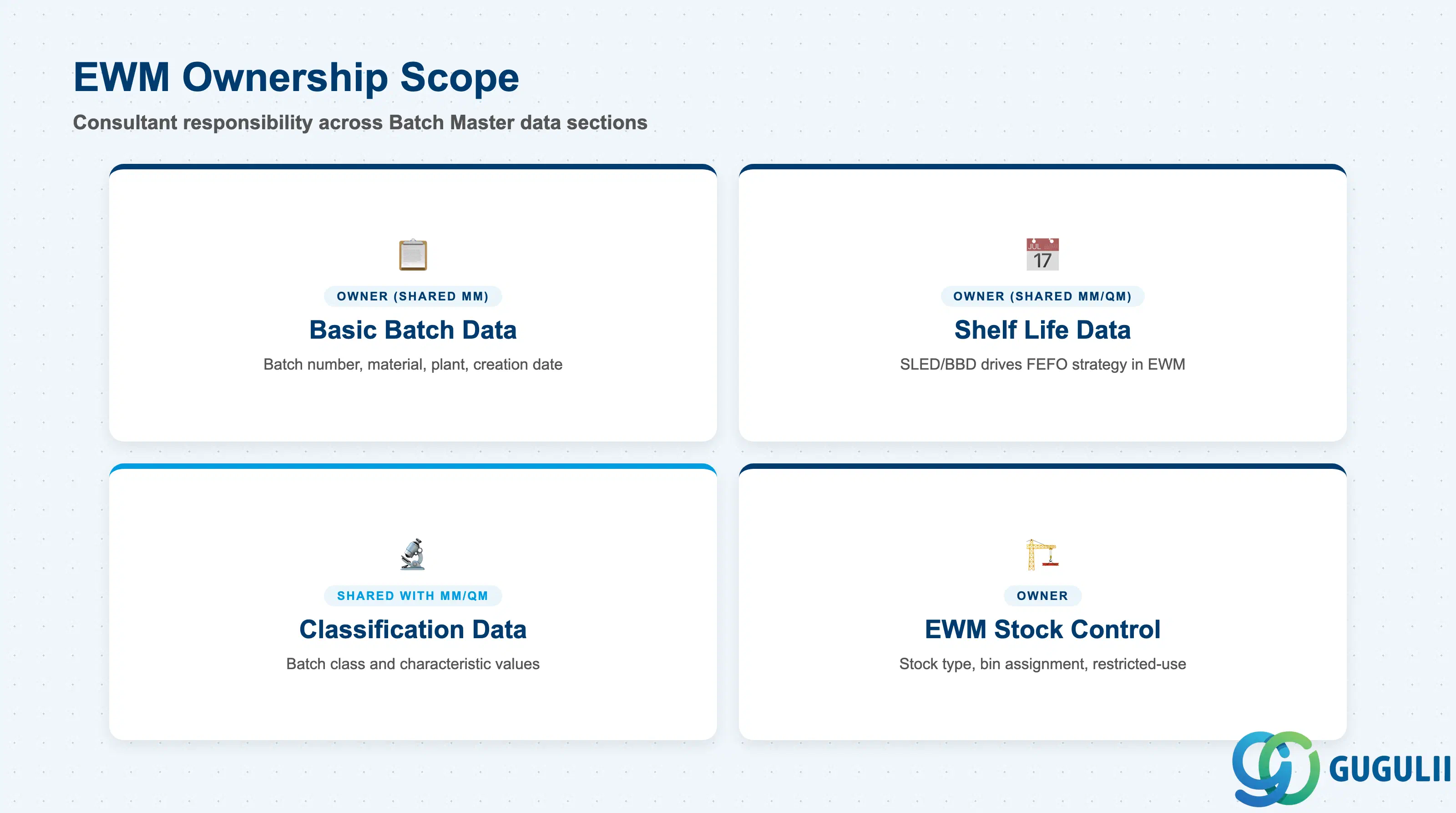
| Data Section | EWM Involvement | Notes |
|---|---|---|
| Basic Batch Data | ◎ Owner (shared MM) | Batch number, material, plant, creation date — created in MM but consumed by EWM for all warehouse operations |
| Shelf Life Data | ◎ Owner (shared MM/QM) | SLED/BBD drives FEFO strategy; EWM consultant must verify SLED is mandatory at GR in configuration |
| Classification Data | ○ Shared with MM/QM | Batch class and characteristic values created in MM/QM; EWM uses values for batch determination and sorting |
| EWM Stock Control | ◎ Owner | Batch-specific stock type, restricted-use indicator, and bin assignment are EWM-specific configurations |
Legend: ◎ = Owner / Critical, ○ = Direct involvement
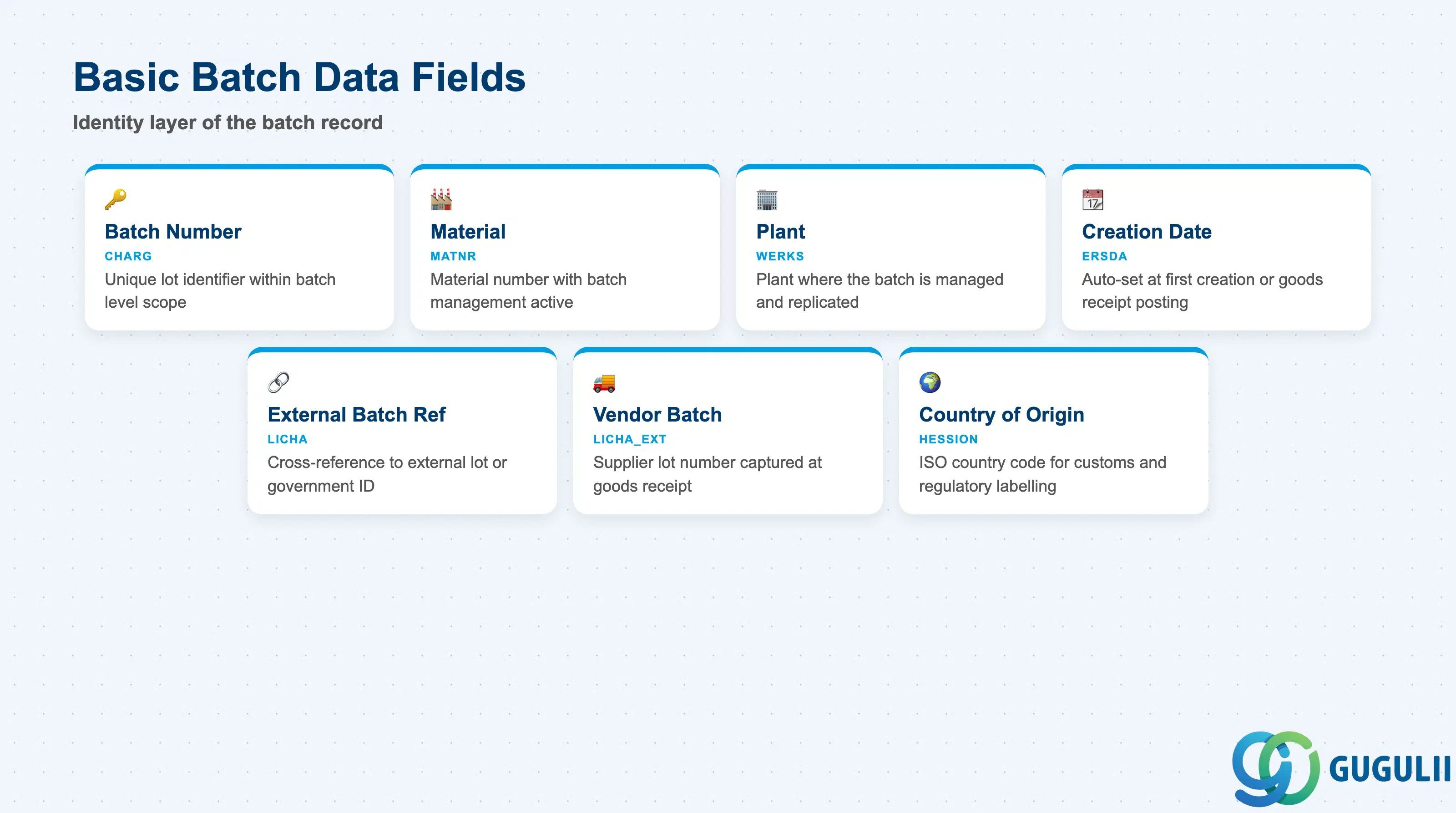
Basic Batch Data forms the identity layer of the batch record — it establishes which material, which lot, and which plant the batch belongs to. This data is created in MM (MSC1N or automatically at GR) and is the anchor for all subsequent EWM operations.
| Field | Description | Practical Usage |
|---|---|---|
| Batch Number (CHARG) | Unique lot identifier within the batch level scope | EWM uses this as the primary key for all batch-specific warehouse tasks. Auto-assignment via number range object “BATCH_CLT” or “BATCH_PLT” is strongly recommended for high-volume environments to prevent duplicate entry errors at GR |
| Material (MATNR) | Material number linked to this batch | Must have batch management active in the Material Master Plant/Storage View; without this flag, the batch cannot be created or referenced in EWM warehouse tasks |
| Plant (WERKS) | Plant where the batch is managed | For Decentralized EWM, plant assignment triggers real-time CIF replication to the EWM system; for Embedded EWM, the same DB is shared and no transfer is needed |
| Creation Date | Date the batch record was first created | Auto-set by the system at MSC1N or first GR posting; used in where-used reports (MB56) to trace batch origin across the supply chain |
| External Batch Reference | Cross-reference to an external batch system | Used in regulated industries (pharma, food) where a government lot number or customer batch number must be tracked alongside the internal SAP batch number |
| Vendor Batch Number | Supplier’s own lot number | Captured at GR (MIGO or Inbound Delivery); allows traceability from the internal batch back to the vendor’s own production lot — essential for supplier quality investigations and recall management |
| Country of Origin | ISO country code for the batch’s origin | Required for customs, import duty, and origin-based quality rules; in food and pharma industries this field also drives regulatory labelling and country-of-origin declarations |
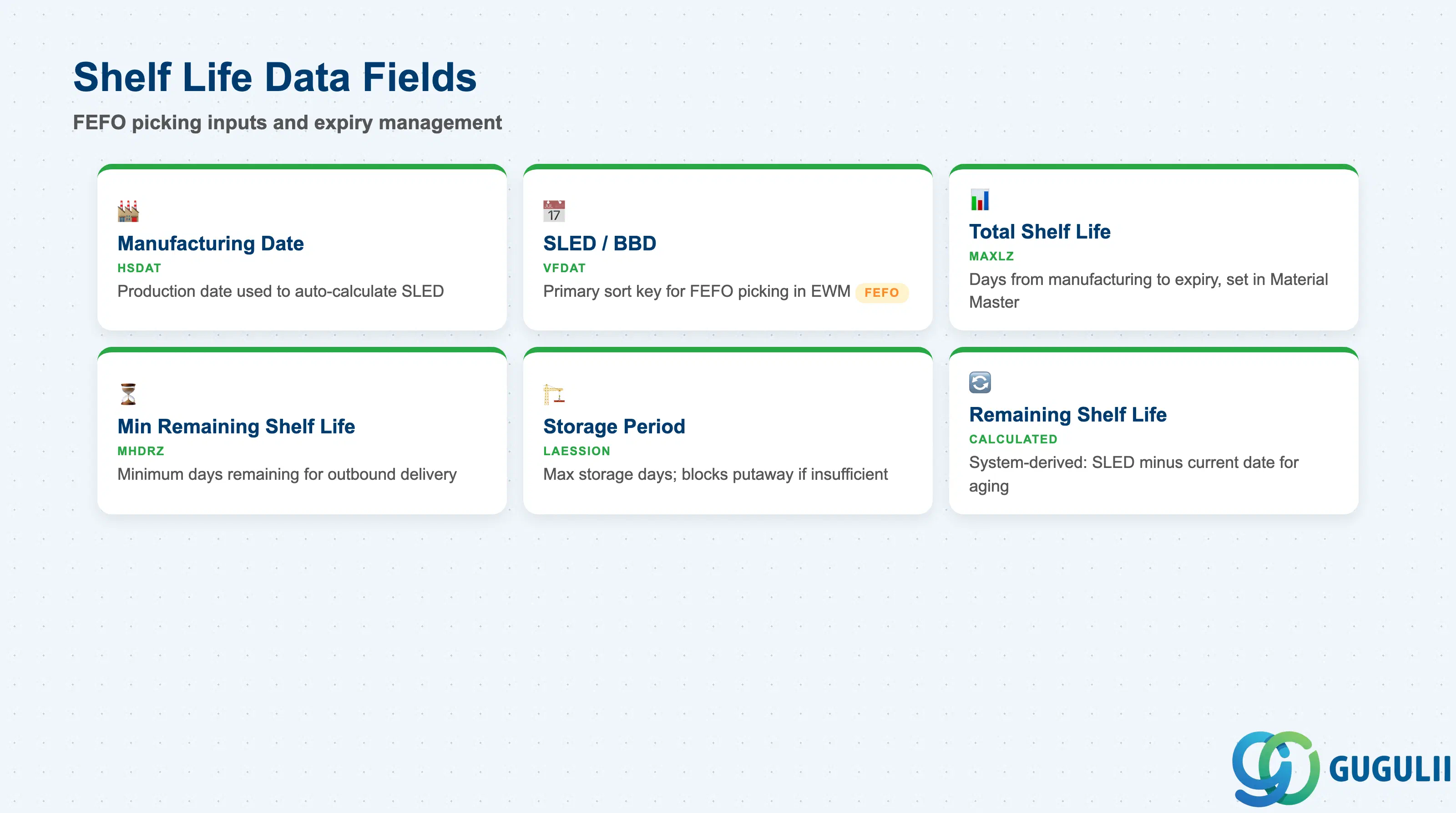
Shelf Life Data is the most operationally critical section of the Batch Master in an EWM FEFO environment. These fields are the direct inputs to the FEFO picking strategy — if they are missing or incorrect at goods receipt, FEFO sort order breaks down silently and older batches may remain in stock past their expiry date.
| Field | Description | Practical Usage |
|---|---|---|
| Manufacturing Date (HSDAT) | Date the batch was produced or filled | EWM can calculate SLED automatically from Manufacturing Date + Total Shelf Life when “Shelf Life Expiration Date Check” is active in the Material Master; in automated GR flows this eliminates manual SLED entry |
| Shelf Life Expiration Date / BBD (VFDAT) | Date after which the batch must not be used or sold | The primary sort key for FEFO picking in EWM. Must be mandatory at GR — configure this in MM Customizing (OMJJ for movement type 101, or in Warehouse Product settings). Blank SLED causes FEFO to ignore this batch in sort order, leading to expiry risk |
| Total Shelf Life | Total number of days from manufacturing to expiry | Maintained in the Material Master Plant/Storage View; copied to the batch at creation and used to auto-calculate SLED when Manufacturing Date is entered; change at Material Master level affects future batches only |
| Minimum Remaining Shelf Life | Minimum days remaining when delivered to customer | Used in SD batch determination and EWM goods issue checks; a batch with fewer remaining days than this threshold will be blocked for outbound delivery — critical for food, pharma, and cosmetics meeting retailer shelf life requirements |
| Storage Period | Number of days the material can be stored in the warehouse | Used in EWM Putaway to determine whether a newly received batch has sufficient remaining shelf life to justify putaway; if remaining shelf life < storage period, the system can block putaway |
| Total Shelf Life (Remaining) | Calculated remaining shelf life at the time of transaction | System-calculated field used in FEFO reports and stock aging analysis; not entered manually — derived from SLED minus current date |
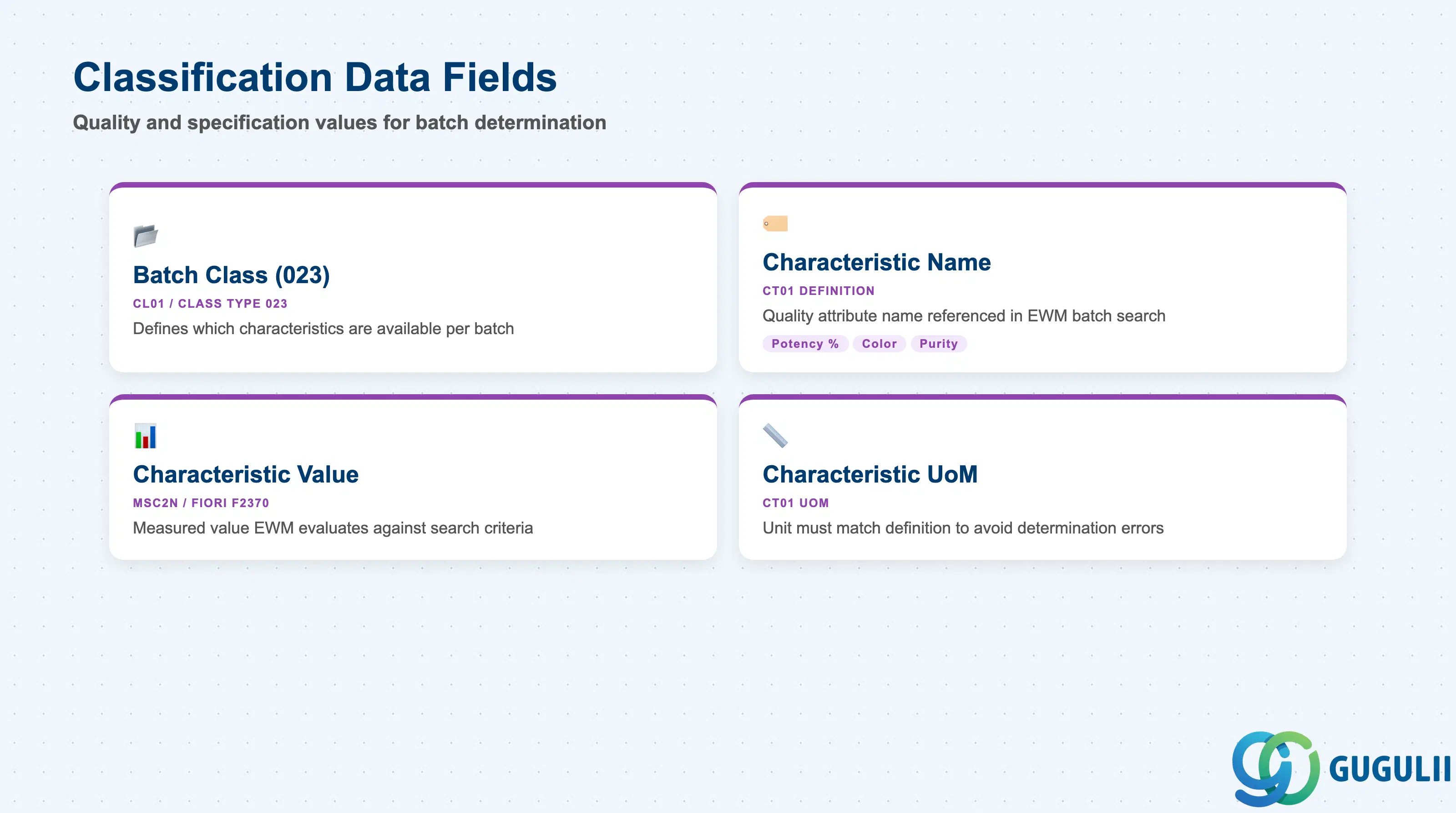
Classification Data stores the quality and specification values that distinguish one batch from another at the characteristic level. While the class and characteristic definitions are owned by QM/MM, EWM uses these values for batch determination during picking — selecting only batches that meet the outbound delivery’s required specification.
| Field | Description | Practical Usage |
|---|---|---|
| Batch Class (023) | Classification class of type 023 assigned to the batch | Must be created in CL01 with class type 023 before it can be assigned to a batch; the class defines which characteristics are available for this batch record; all batches of the same material should use the same class for consistent batch determination |
| Characteristic Name | Name of the batch-specific quality attribute | Examples: Potency (%), Color (RAL code), Particle Size (µm), Purity (%), Temperature Range; defined in CT01; EWM batch determination conditions reference these characteristic names directly |
| Characteristic Value | Actual measured or assigned value for this batch | Entered at GR (MSC2N or Fiori “Manage Batches”) or populated automatically from QM Inspection Lot usage decision; EWM evaluates these values against batch search criteria defined in the delivery or warehouse task to select the correct batch |
| Characteristic Unit of Measure | Unit for numeric characteristic values | Must match the UoM defined in the characteristic definition (CT01); mismatch between the entered UoM and the defined UoM causes batch determination errors in EWM picking |
Prerequisite: Batch Classification cannot be used in EWM batch determination unless the batch class (023) is assigned to the material in the Material Master Classification View and characteristic values are populated on each batch. Missing values cause EWM to skip the batch in search criteria evaluation.
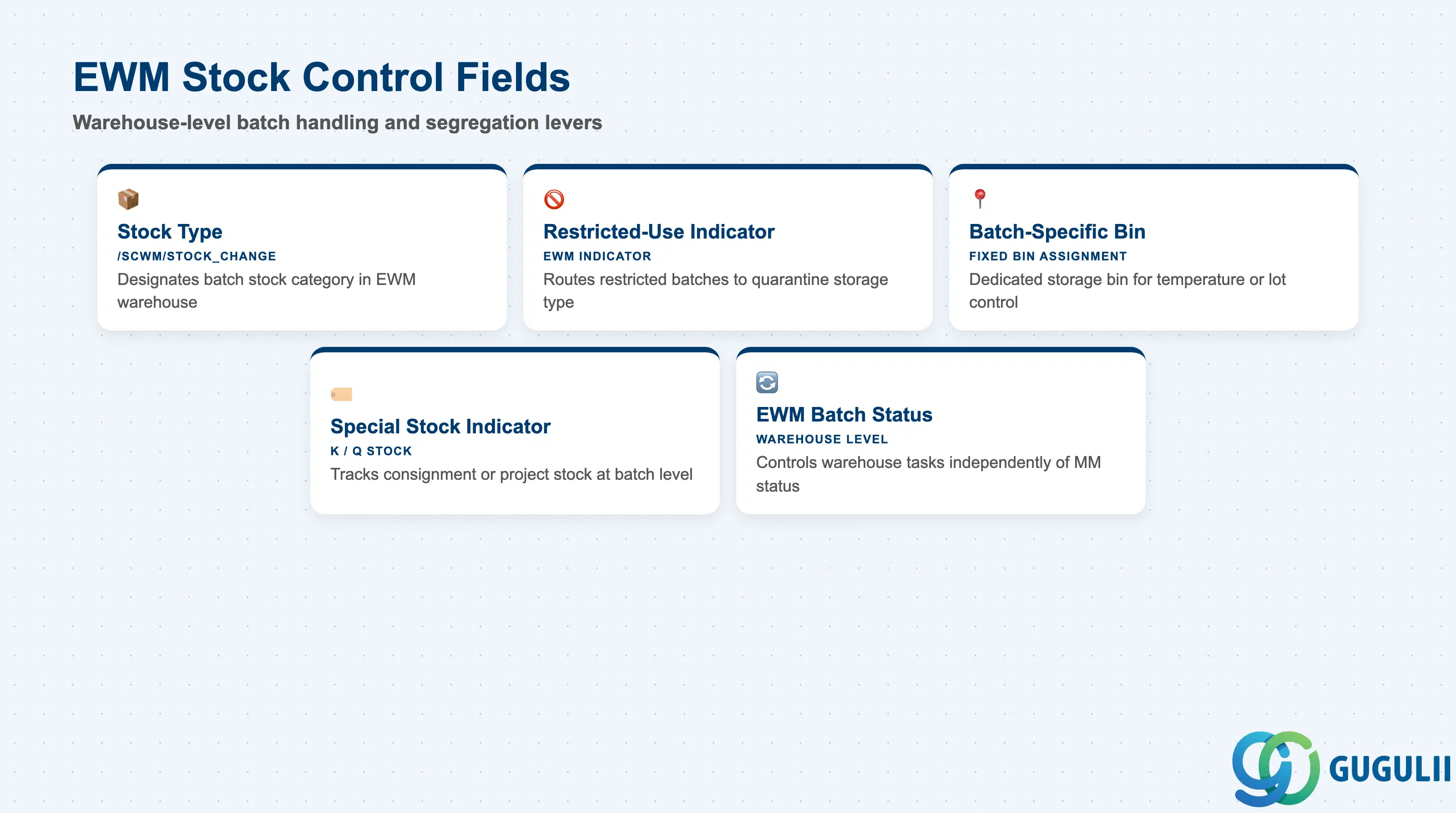
EWM Stock Control fields govern how the EWM system handles a specific batch within the warehouse — which stock type it occupies, whether it can be freely transferred, and whether it is assigned to a dedicated bin. These fields are EWM-specific and are the primary levers the warehouse consultant configures to enforce lot integrity and quality segregation.
| Field | Description | Practical Usage |
|---|---|---|
| Stock Type | Designates the stock category for the batch in EWM (Unrestricted / Quality Inspection / Blocked / Restricted-Use) | Drives which warehouse tasks and processes are permitted; changed by QM usage decision, goods receipt posting, or manual stock type transfer (/SCWM/STOCK_CHANGE); always confirm the initial stock type flow at GR in the integration design with QM |
| Restricted-Use Indicator | Flags the batch as restricted-use stock within EWM | Restricted-use stock can be made available for specific movement types only; EWM putaway strategy can route restricted-use batches to a separate storage type (e.g., quarantine area) to prevent physical mixing with unrestricted stock |
| Batch-Specific Bin Assignment | EWM Storage Bin dedicated to this batch | Used when a batch must be stored in a specific physical location (e.g., a temperature-controlled zone for a particular lot); configured via Fixed Storage Bin assignment combined with batch-level putaway strategy rules |
| Special Stock Indicator | Identifies vendor consignment, project, or sales order stock at batch level | When a batch is managed as vendor consignment (special stock type K) or project stock (Q), EWM tracks stock separately per batch and special stock indicator; important for consignment settlement (MRKO) and project inventory accuracy |
| EWM Batch Status | EWM-internal batch status managed at the warehouse level | Can differ from the MM batch restricted-use indicator when EWM is Decentralized; the EWM batch status controls warehouse task creation while MM batch status controls goods movement posting — mismatches between the two must be monitored in decentralized landscapes |
| ID | Category | Title |
|---|---|---|
| ewm-001 | Overview | What is SAP EWM? |
| ID | Category | Title |
|---|---|---|
| ewm-b01 | Overview | SAP EWM Transactions: Process Flow, Hierarchy & Relationships |