Title here
Summary here

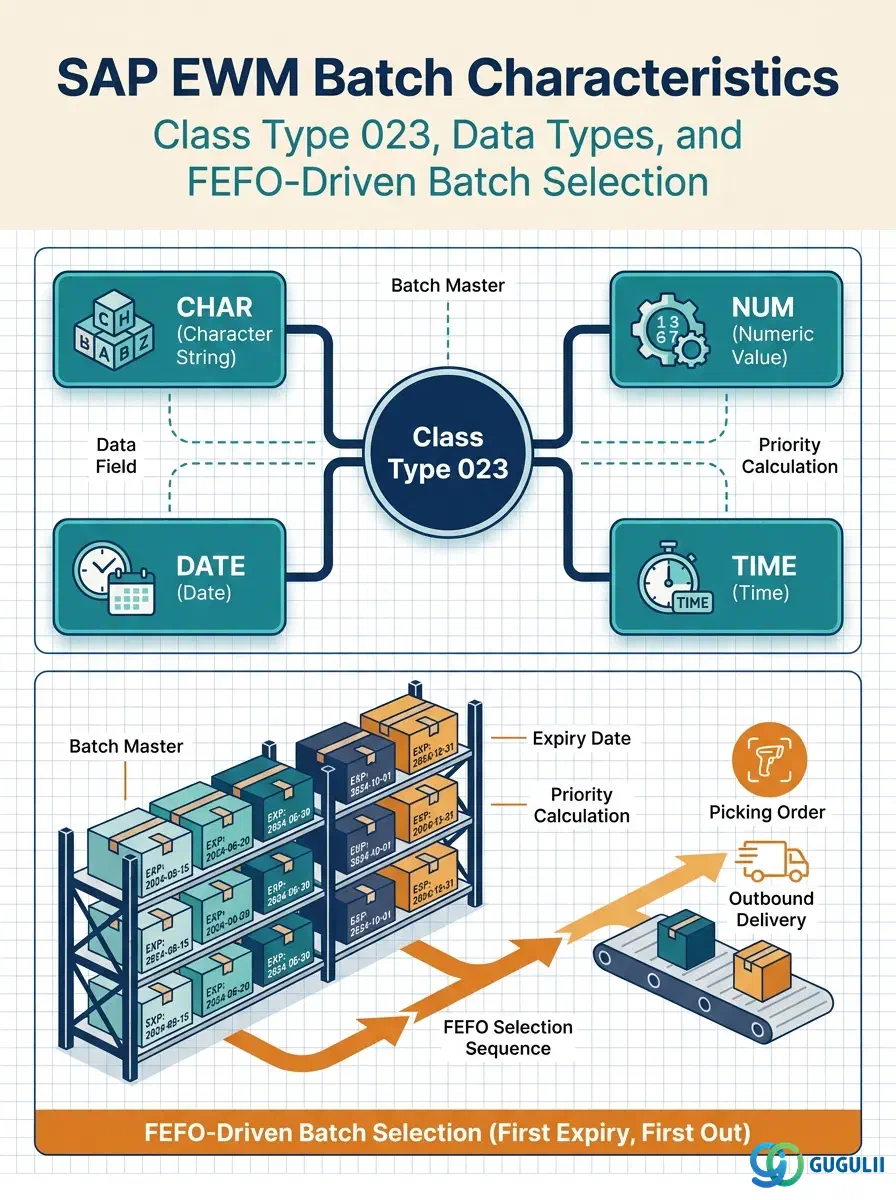
Batch Characteristics are classification attributes assigned to batch-managed materials through SAP’s classification system (class type 023). Each characteristic defines a data type and value range — for example, an expiry date, purity percentage, or storage temperature. Values are entered per individual batch and are then read by EWM during warehouse task creation to sort and filter batches according to FEFO, class-based search strategies, and quality inspection relevance. This article covers the three-step setup sequence (Characteristic → Class → Class-Material Assignment) and the per-batch value entry that activates classification-driven warehouse processes.
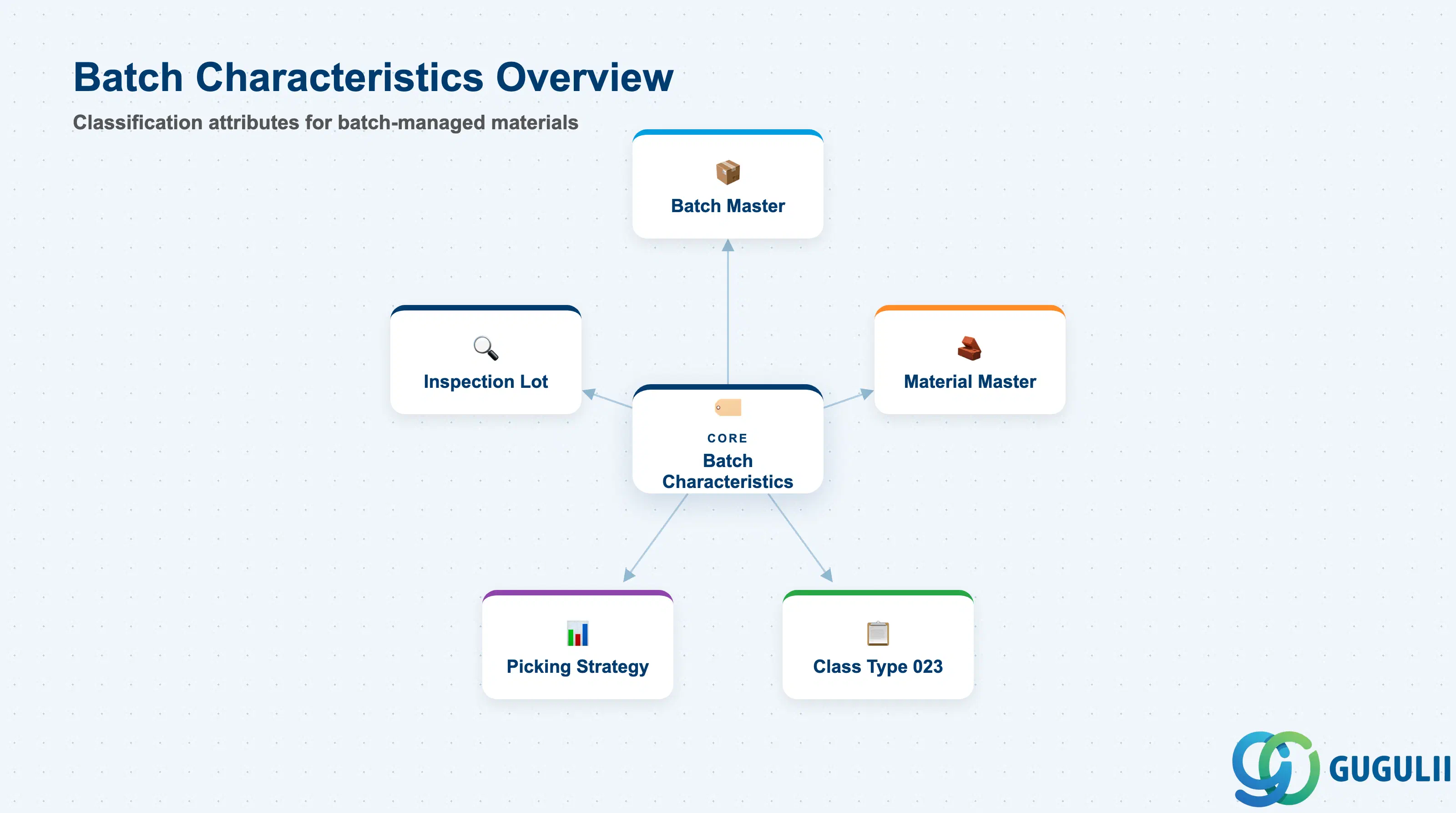
A Batch Characteristic is a descriptor — a named attribute with a defined data type and allowed values — that classifies individual batches of a material. Rather than storing every possible attribute directly on the batch record, SAP delegates classification to the general Classification System: characteristics are defined once in CT04, grouped into classes of type 023 in CL01, the class is assigned to a material-plant combination, and values are entered per batch on the Classification tab of MSC2N. EWM reads these values at task creation time to rank, filter, or sequence batches.
| Aspect | Details |
|---|---|
| Role | Provides typed, queryable attributes at the batch level to support FEFO sorting, class-based batch search, and QM inspection relevance in EWM picking strategies |
| Modules using it | EWM (batch search strategy, FEFO sort, wave template batch filter), MM/WM (batch classification values maintained in MM), QM (inspection-relevant batch filtering), PP (batch-tracked production components) |
| Transactions | CT04 (characteristic definition), CL01 (class definition), MSC2N (batch value entry — Classification tab), CL30N (class assignment report) |
| Key Tables | CABN (characteristic definition), KLAH (class header), KSSK (object-class assignment), AUSP (characteristic values per batch) |
| S/4HANA note | Classification system unchanged from ECC. In Embedded EWM, batch classification values are read directly from S/4HANA tables. In Decentralized EWM, values are replicated via CIF/qRFC in real time. The Fiori app “Manage Batch Master Records” supports value entry on mobile. |
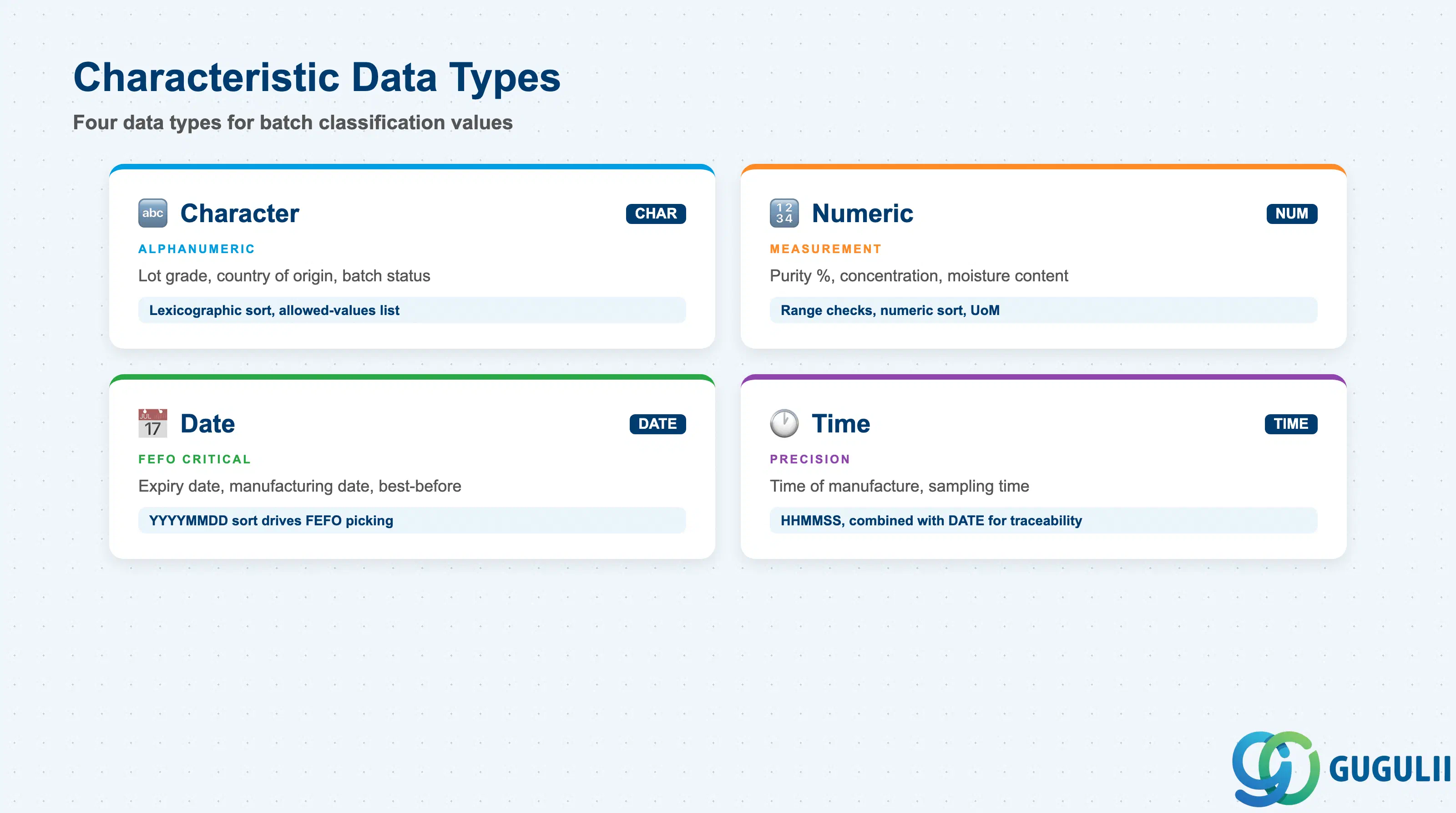
The data type of a characteristic determines how values are stored, compared, and sorted. Choosing the wrong data type causes sort failures in FEFO strategies and breaks class-based batch searches.
| Data Type | Code | Use Case | Key Behavior |
|---|---|---|---|
| Character | CHAR | Lot grade (A/B/C), country of origin, batch status label | Values are alphanumeric strings. Sorting is lexicographic. Allowed-values lists (via CT04 → Values tab) restrict input to a predefined set. |
| Numeric | NUM | Purity (%), concentration (g/L), moisture content (%), quantity | Values are numeric with unit of measure and decimal places. Supports range checks (min/max), scale intervals, and numeric sort. Critical for EWM batch search strategies using numeric thresholds. |
| Date | DATE | Expiry date, manufacturing date, best-before date | Stored as YYYYMMDD. Used by FEFO sort to rank batches from earliest to latest expiry. This is the most critical data type for food, pharmaceutical, and chemical industries. |
| Time | TIME | Time of manufacture, sampling time | Stored as HHMMSS. Rarely used alone; typically combined with a DATE characteristic for precise lot traceability. |
Design principle: Always use DATE type for expiry-date characteristics — not CHAR. A CHAR expiry date cannot be sorted correctly by EWM’s FEFO strategy, and numeric comparisons on date strings produce incorrect results.
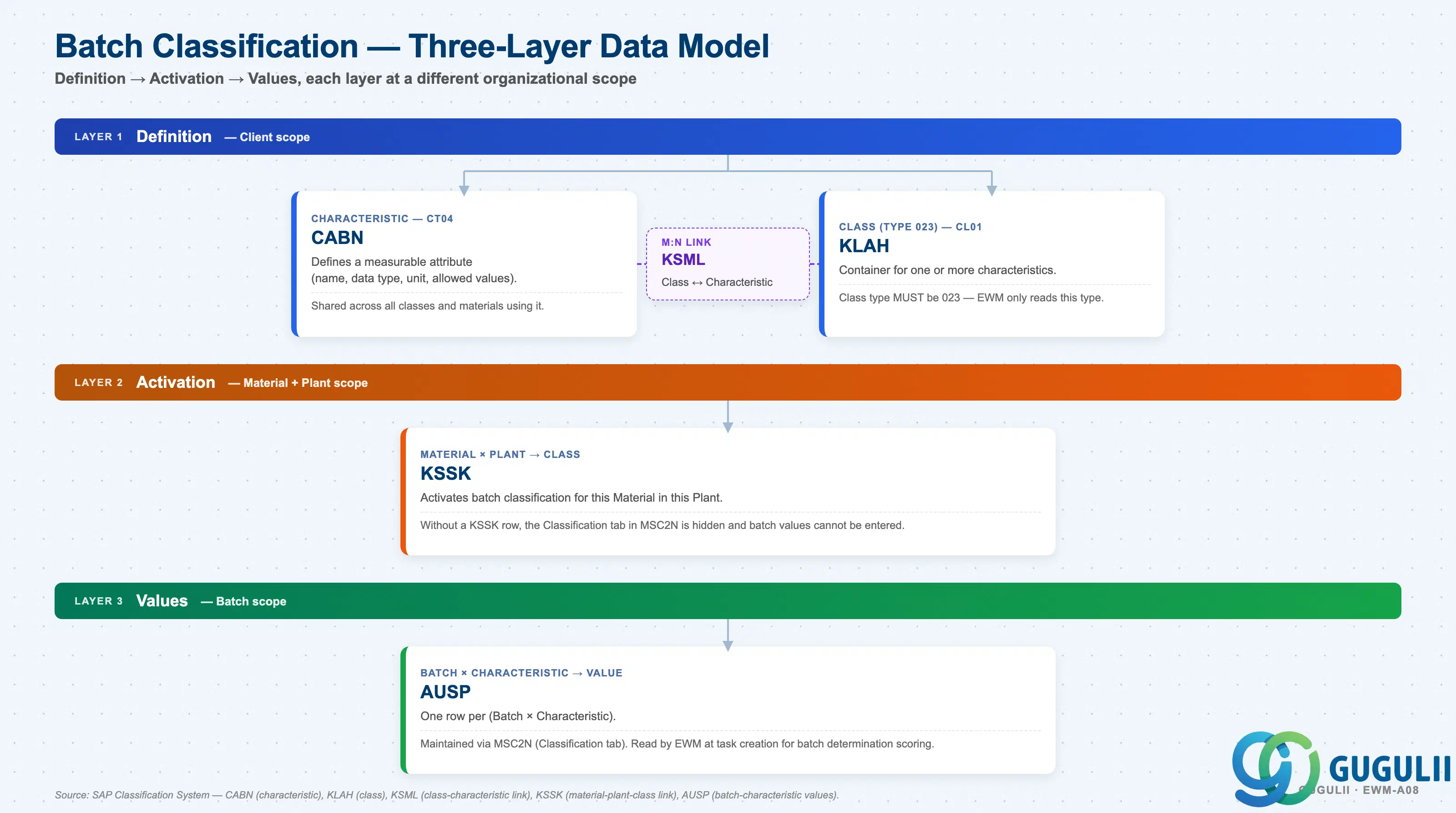
Batch Classification follows SAP’s Classification System using Class Type 023. The data lives at three layers, each populated via different transactions and stored in different tables:
Layer 1 — Definition (Client scope)
   │
   ├── Characteristic — CT04 → table CABN
   │      Defines a measurable attribute: name, data type, unit,
   │      allowed values, decimal places.
   │      Shared across all classes and materials that use it.
   │
   └── Class (Class Type 023) — CL01 → table KLAH
          Container for one or more characteristics.
          Class type MUST be 023 — EWM only reads this type.

       Class ↔ Characteristic link — table KSML
          Many-to-many: a Class can contain multiple Characteristics;
          a Characteristic can belong to multiple Classes.

Layer 2 — Activation (Material + Plant scope)
   │
   └── Material × Plant → Class — table KSSK
          Activates batch classification for this Material in this Plant.
          Without a KSSK row, the Classification tab in MSC2N is hidden
          and batch values cannot be entered.

Layer 3 — Values (Batch scope)
   │
   └── Batch × Characteristic → Value — table AUSP
          One row per (Batch × Characteristic).
          Maintained via MSC2N (Classification tab).
Read by EWM at task creation for batch determination scoring.| Layer | Object | Table | Scope | Notes |
|---|---|---|---|---|
| Definition | Characteristic | CABN | Client | One row per characteristic. All plants share the same definition. Changes affect every class and material using that characteristic. |
| Definition | Class (type 023) | KLAH | Client | One row per class. Class type 023 is mandatory for batch classification — other types are not read by EWM. |
| Definition | Class ↔ Characteristic link | KSML | Client | Many-to-many: one Class can contain multiple Characteristics; one Characteristic can belong to multiple Classes. |
| Activation | Material-Plant ↔ Class | KSSK | Material + Plant | Activating the assignment enables the Classification tab in MSC2N for that material-plant combination. Without it, batch value entry is not possible. |
| Values | Batch ↔ Characteristic | AUSP | Batch (Material + Batch Number) | One AUSP row per batch per characteristic. Read by EWM at task creation to score and sequence batch candidates. |
Key design decision: Define characteristics before classes, and lock the data type and value range before go-live. A characteristic cannot be changed once values exist for it in production — plan the data type and value range during blueprint and lock them in before go-live.
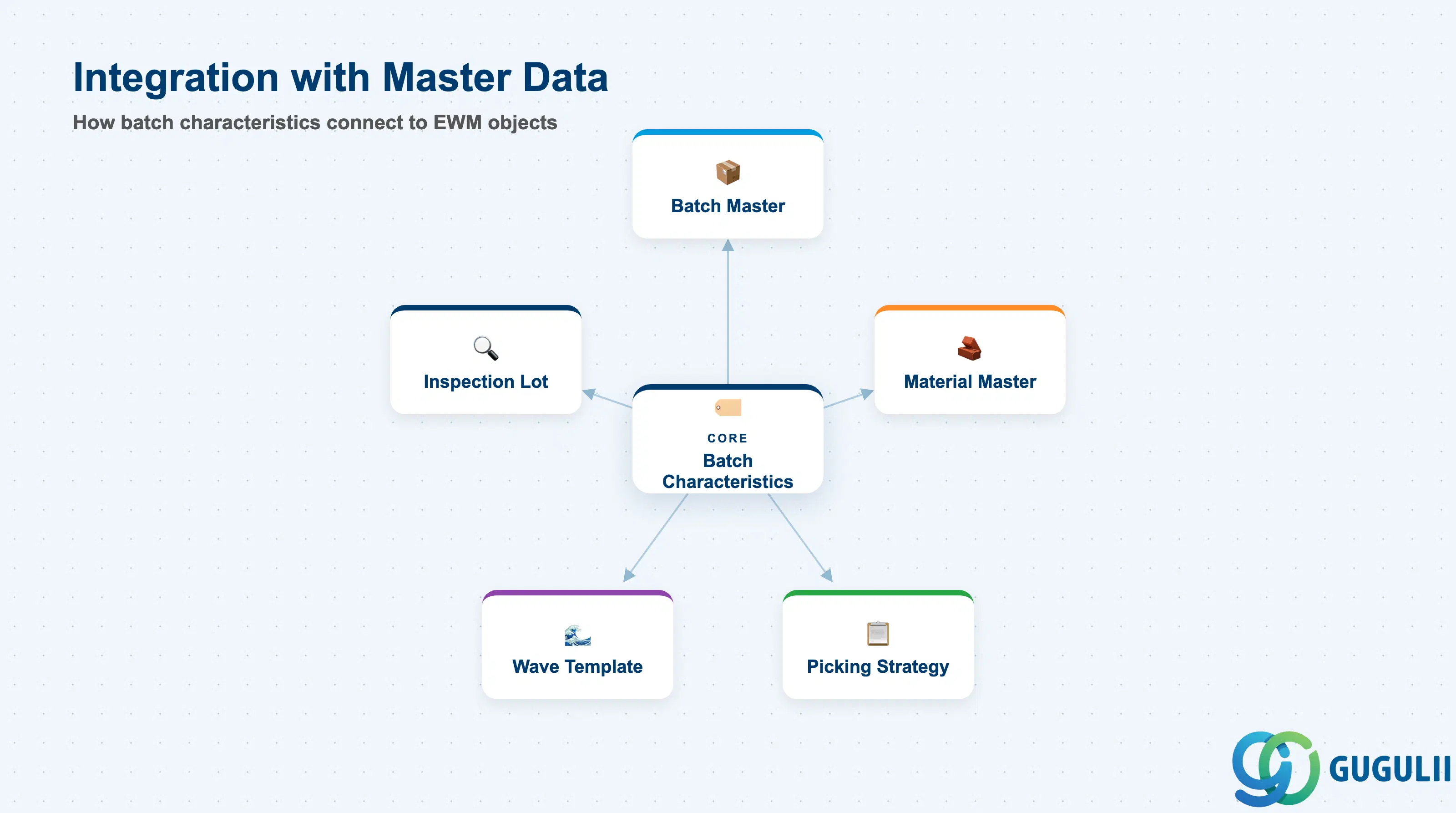
Batch Characteristics do not operate in isolation. Their values are meaningful only when the surrounding master data — Batch Master, Material Master classification tab, and EWM picking strategy — is configured consistently.
| Object | Relationship | Practical Notes |
|---|---|---|
| Batch Master (EWM-A08-01) | Batch Characteristics are attributes of the Batch Master | The Batch Master record must exist before characteristic values can be entered. Batch Master holds identity (batch number, material, plant); Batch Characteristics hold quality and logistics attributes. |
| Material Master (Classification tab) | Class-material assignment stored in Material Master | Activating batch classification requires assigning the class type 023 class to the material-plant in MM01/MM02 Classification view or directly via CL01. Without this, the Classification tab does not appear in MSC2N. |
| Picking Strategy (FEFO) | EWM reads ZEXPIRY_DATE characteristic for FEFO sort | The FEFO picking strategy in EWM references the characteristic configured in the batch search strategy. If the characteristic name or data type does not match the strategy configuration in SPRO, FEFO sorting is silently bypassed. |
| Wave Template (/SCWM/WAVETMP) | Wave templates can filter batches by class-based criteria | Class-based batch selection in wave templates uses characteristic value ranges (e.g., only batches with ZPURITY >= 98%). This requires both the characteristic and its class assignment to be active for the material. |
| Inspection Lot (QM) | QM inspection relevance can be tied to characteristic values | When a batch characteristic flags QM relevance (e.g., ZQUALITY_STATUS = “HOLD”), EWM can be configured to exclude or route those batches to inspection storage types before releasing for picking. |
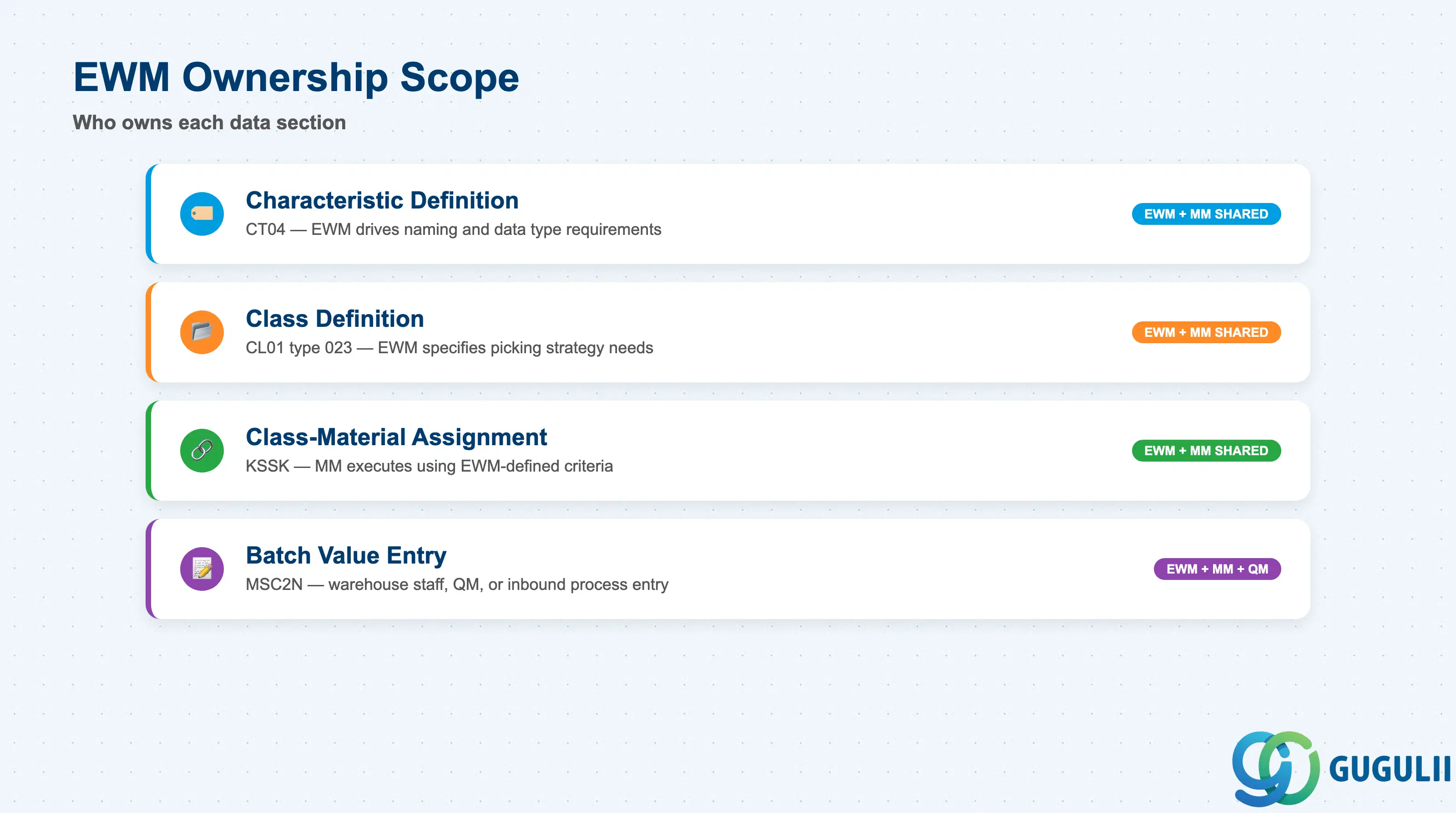
| Data Section | EWM Involvement | Notes |
|---|---|---|
| Characteristic Definition | ◎ Owner (shared MM) | CT04 is maintained by the EWM/MM team. The characteristic definition is a client-level object shared across all modules. EWM drives the naming convention and data type requirements. |
| Class Definition | ◎ Owner (shared MM) | CL01 class type 023 is configured jointly by EWM and MM consultants. EWM specifies which characteristics must be in each class to support picking strategies. |
| Class-Material Assignment | ◎ Owner (shared MM) | Assignment of a type-023 class to a material-plant activates batch classification. EWM and MM both have interest; typically executed by the MM team using criteria defined by EWM. |
| Batch Value Entry | ◎ Owner (shared MM/QM) | Values entered via MSC2N by warehouse staff, QM inspectors, or inbound process users. EWM defines which characteristics require values and at which process step (GR, inspection, etc.). |
Legend: ◎ = Owner / Critical, ○ = Direct involvement
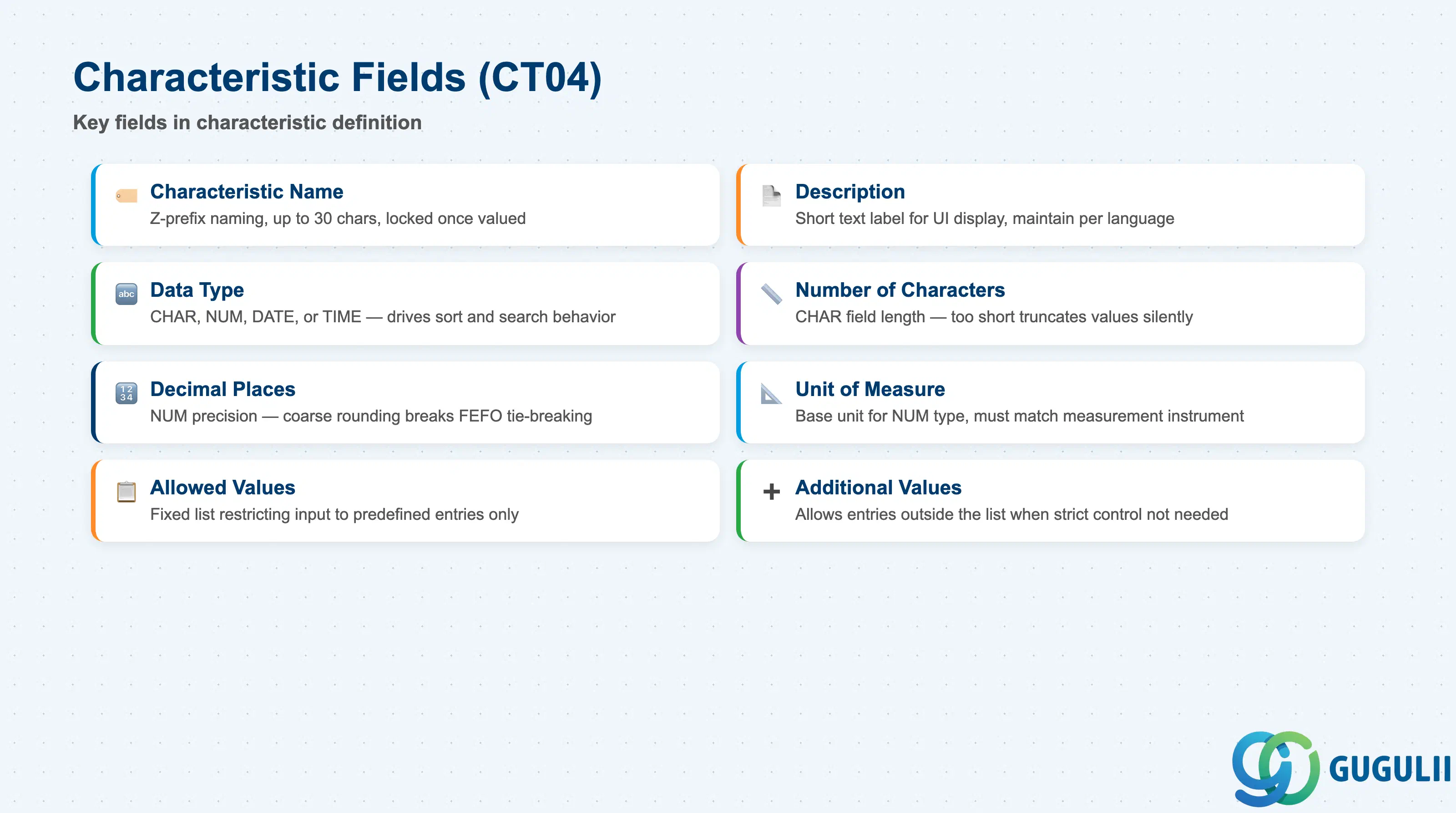
A characteristic definition in CT04 is the foundation of the entire batch classification system. Every attribute that EWM will use to sort, filter, or evaluate batches must be defined here as a named characteristic with an explicit data type before it can be assigned to a class or receive values.
| Field | Description | Practical Usage |
|---|---|---|
| Characteristic Name | Internal name (up to 30 chars) | Use a Z-prefix naming convention (e.g., ZEXPIRY_DATE, ZPURITY, ZTEMPERATURE) to distinguish custom characteristics from SAP-delivered ones. Once a characteristic has values in production, the name cannot be changed — establish naming standards during blueprint and enforce them via change management. |
| Description | Short text label shown in UI | Write the description in the language visible to warehouse operators. For Japan-targeted deployments, maintain both English and Japanese descriptions (CT04 → Descriptions tab) so that MSC2N users see the Japanese label while technical config documents use the English name. |
| Data Type | CHAR / NUM / DATE / TIME | The single most consequential field in the characteristic. DATE is mandatory for expiry-date characteristics driving FEFO; NUM is mandatory for any characteristic used in numeric range searches. Mismatching data type to business intent causes silent failures in EWM batch selection. |
| Number of Characters | Length for CHAR type | Set the minimum length that accommodates all expected values plus a reasonable buffer. Too-short CHAR characteristics truncate values silently at entry — discovered only during batch search testing. |
| Decimal Places | Decimal precision for NUM type | Set to the measurement precision required (e.g., 2 decimal places for purity percentage). Overly coarse precision causes rounding in FEFO tie-breaking scenarios. |
| Unit of Measure | Unit for NUM type | Assign the correct base unit (e.g., % for purity, °C for temperature, days for shelf life). EWM batch search strategies can filter using the unit as a filter boundary — ensure the unit matches what the warehouse operators actually measure. |
| Allowed Values | Fixed list of allowed entries (CHAR/NUM) | Define an allowed-values list when free-text input must be restricted (e.g., ZGRADE = A, B, or C only). An unrestricted CHAR characteristic without an allowed-values list accepts any input, leading to inconsistent batch query results and failed EWM batch selection. |
| Additional Values | Allow values outside the list | Leave unchecked when strict input control is required. If checked, the allowed-values list becomes advisory rather than enforced — useful for reference-only characteristics not used in automated EWM selection. |
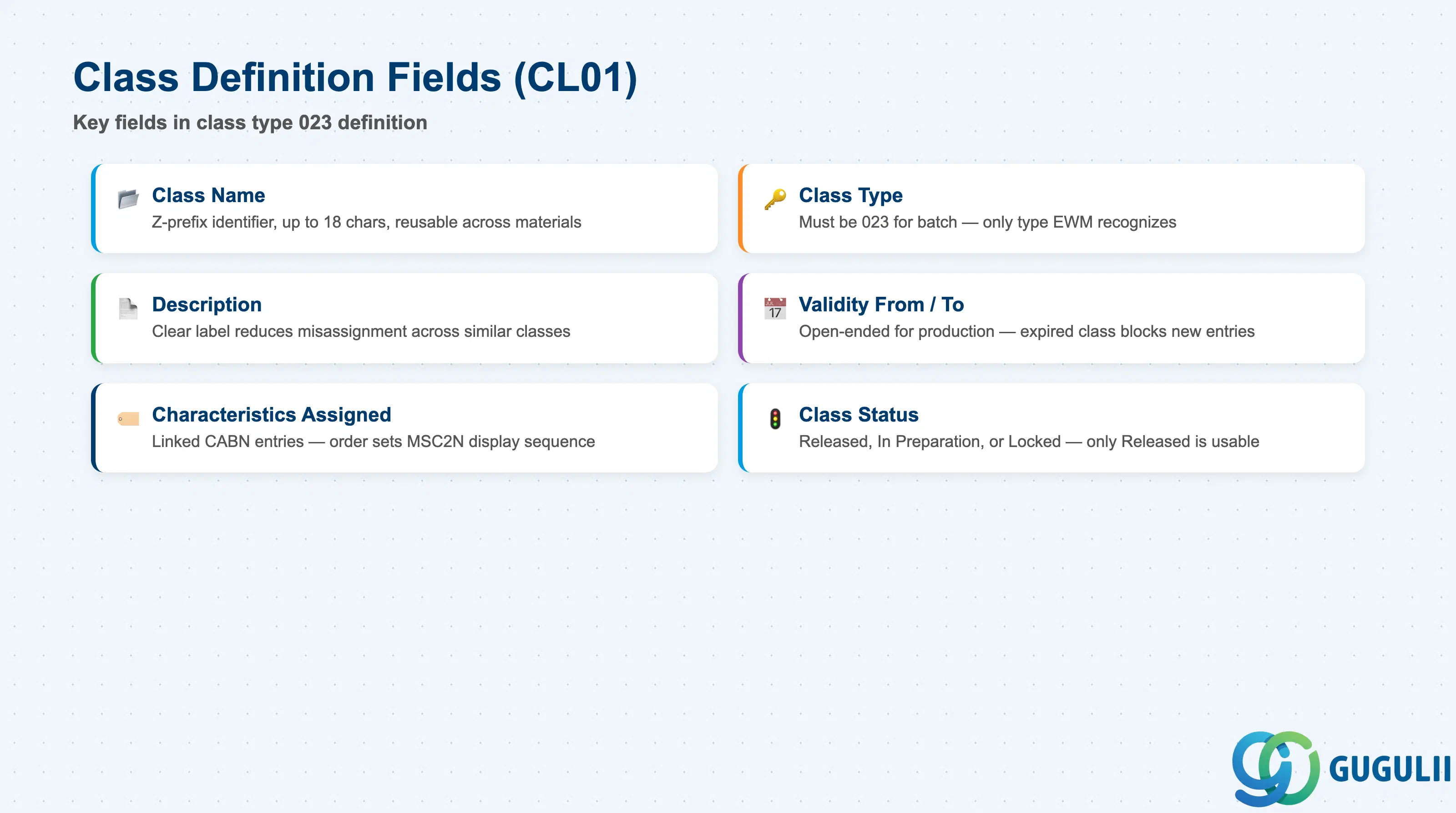
A class of type 023 is the container that groups related batch characteristics and connects them to materials. The class definition controls which attributes are available for batch value entry and which EWM picking strategy configurations can reference.
| Field | Description | Practical Usage |
|---|---|---|
| Class Name | Internal class identifier (up to 18 chars) | Use a Z-prefix convention (e.g., ZBATCH_QM, ZBATCH_FOOD, ZBATCH_CHEM). Classes are reusable across materials — a single class can be assigned to many material-plant combinations. Design classes around attribute groupings rather than individual materials (e.g., “all food-grade batches” rather than “material XYZ batch”). |
| Class Type | Must be 023 for batch classification | This field is set at class creation and cannot be changed afterward. Class type 023 is the only type recognized by EWM’s batch search strategy and the Classification tab in MSC2N. Using type 001 (general) or any other type prevents batch value entry and EWM batch selection from functioning. |
| Description | Short text label | Describe the classification purpose clearly (e.g., “Quality Management — Food Grade Batches”). This text appears in class assignment screens and reports — a clear description reduces misassignment risk when multiple classes exist for similar material groups. |
| Validity From / To | Date range during which the class is active | Leave “Valid To” open-ended (12/31/9999) for production classes. A class that expires silently prevents new batch value entries and EWM batch queries after the expiry date — a common cause of unexpected FEFO failures following year-end processing. |
| Characteristics Assigned | List of characteristics linked to this class (KSML) | Add all characteristics that must be available for batch value entry and EWM evaluation. Order the characteristics logically (e.g., expiry date first, then purity, then temperature) as this order determines the display sequence in MSC2N and MSC3N. |
| Class Status | Released / In Preparation / Locked | Only “Released” classes can be assigned to materials and have values entered. Set to “Released” after completing the characteristics assignment and QA sign-off. Lock classes that are being revised to prevent new assignments during the change period. |
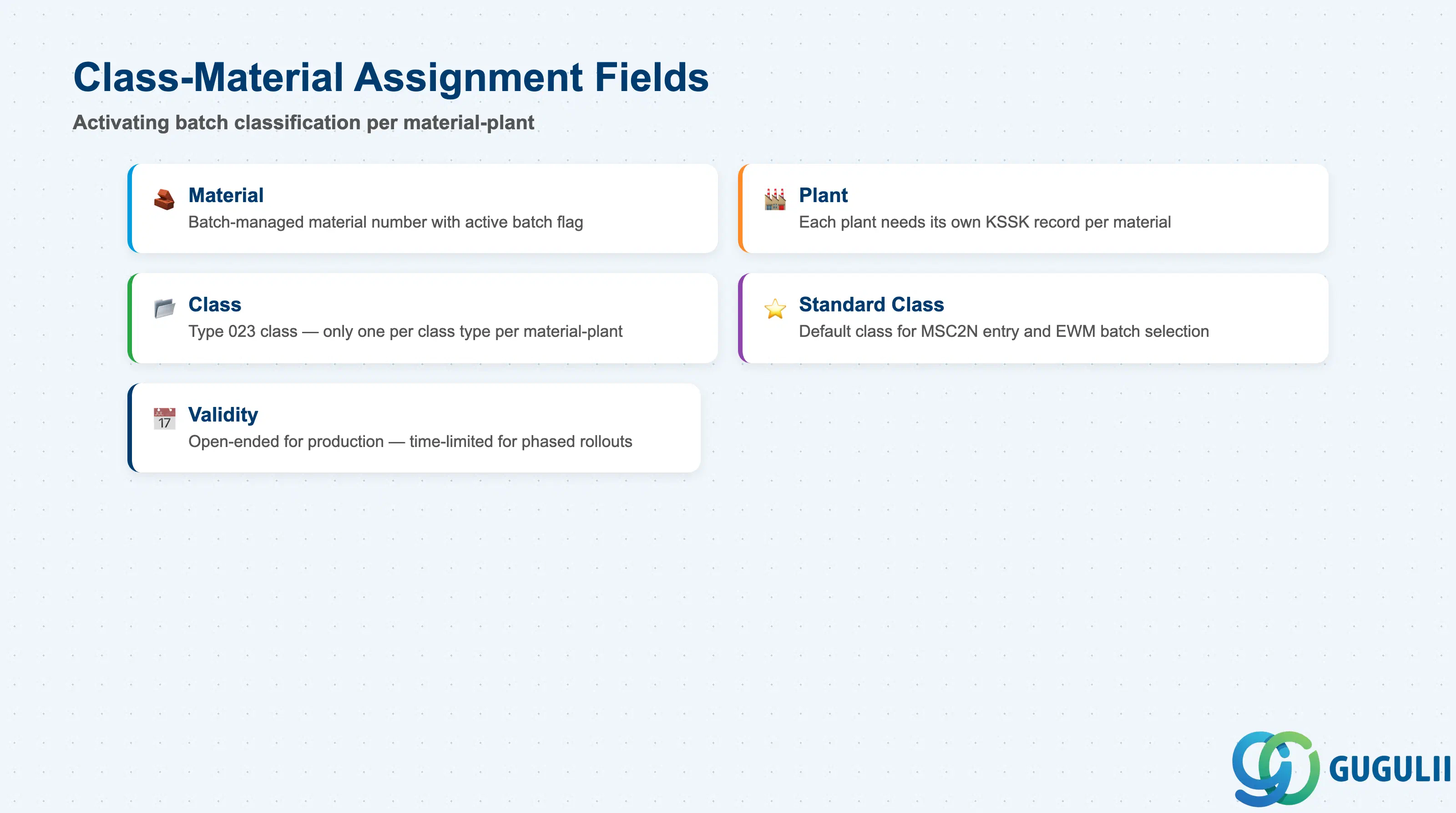
Assigning a type-023 class to a material-plant combination is the activation step that enables batch value entry for that material. Without this assignment, the Classification tab does not appear in MSC2N and EWM cannot read characteristic values for batch selection.
| Field | Description | Practical Usage |
|---|---|---|
| Material | Material number (MATNR) | The batch-managed material receiving the class assignment. The material must have batch management active (Material Master MRP 1 or Plant Data / Storage 1 view — Batch Management checkbox) before the classification assignment has operational effect in EWM. |
| Plant | Plant code | Scope the assignment to the plant where EWM operates. If the same material is batch-managed in multiple plants, each plant requires its own class assignment (one KSSK record per material-plant combination). Forgetting a plant is the most common setup error found during EWM integration testing. |
| Class | Class name (type 023) | The class to assign. Only one class per class type can be assigned to a material-plant; if multiple attribute groupings are needed, merge them into a single class or use a multi-level classification design. |
| Standard Class | Flag marking the default classification class | When a material has multiple classes of the same type, the standard class is the one used by default in MSC2N and by EWM batch selection. Always set exactly one standard class per class type per material-plant to avoid ambiguous batch queries. |
| Validity | Date range of the assignment | Matches the class validity. For production systems, leave the end date open (12/31/9999). A time-limited class assignment is useful during phased rollouts — activate the class for a future plant before that plant goes live without affecting current production. |
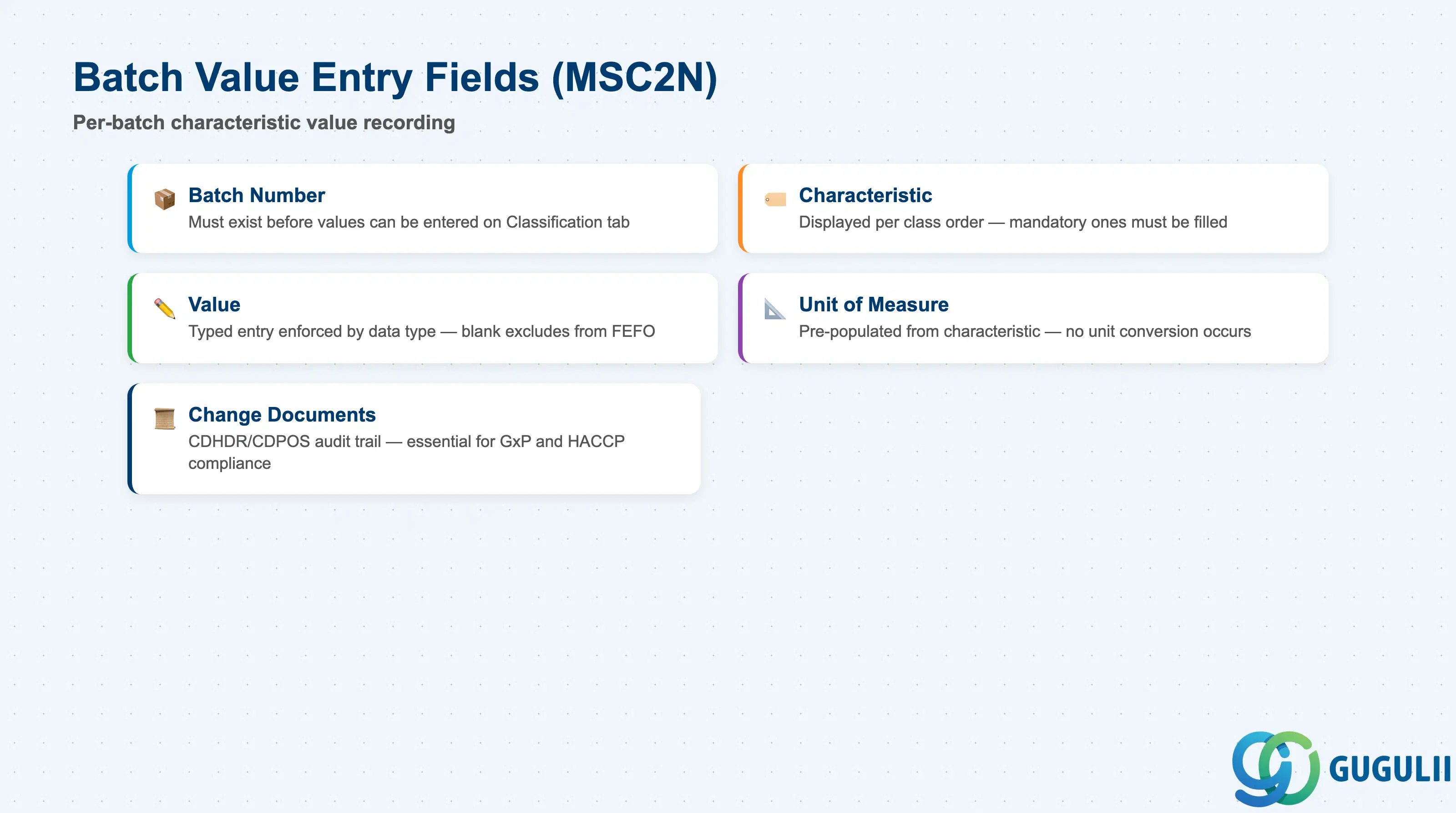
Batch value entry is the operational step where characteristic values are recorded for each individual batch. These values are the data that EWM reads at task creation to execute FEFO sorting, class-based batch selection, and quality-relevant batch routing.
| Field | Description | Practical Usage |
|---|---|---|
| Batch Number | The batch being classified | Entered in the selection screen of MSC2N. The batch must already exist (created during GR in MIGO or replicated from an upstream system) before values can be entered. In automated inbound processes, batch creation and value population are triggered together via BAPI or IDoc — manual MSC2N entry is used for exception handling and corrections. |
| Characteristic | Attribute name (from the assigned class) | Displayed on the Classification tab in MSC2N in the order defined in the class. All characteristics assigned to the class appear — mandatory characteristics (defined in CT04 with “Entry Required” flag) must be filled before the batch record can be saved. |
| Value | The typed value for this characteristic | Entry format is enforced by the data type: date picker for DATE, numeric input with decimal validation for NUM, dropdown from allowed-values list for restricted CHAR. EWM reads this value directly from AUSP at batch search time — a blank or incorrect value causes the batch to be excluded from FEFO sort or class-based selection. |
| Unit of Measure | Display unit for NUM characteristics | Pre-populated from the characteristic definition. For temperature, the configured unit (°C) must match the measuring instrument — do not enter a value in °F if the characteristic unit is °C, as no unit conversion occurs in classification. |
| Change Documents | Audit trail of value changes | Every change to a classification value is logged in the change document system (CDHDR/CDPOS). This audit trail is essential for batch traceability in regulated industries (pharmaceutical GxP, food HACCP). Verify that change document activation is set on each characteristic in CT04 (Additional Data tab → Change Documents = X). |
| ID | Category | Title |
|---|---|---|
| ewm-001 | Overview | What is SAP EWM? |
| ID | Category | Title |
|---|---|---|
| ewm-b01 | Overview | SAP EWM Transactions: Process Flow, Hierarchy & Relationships |