Title here
Summary here

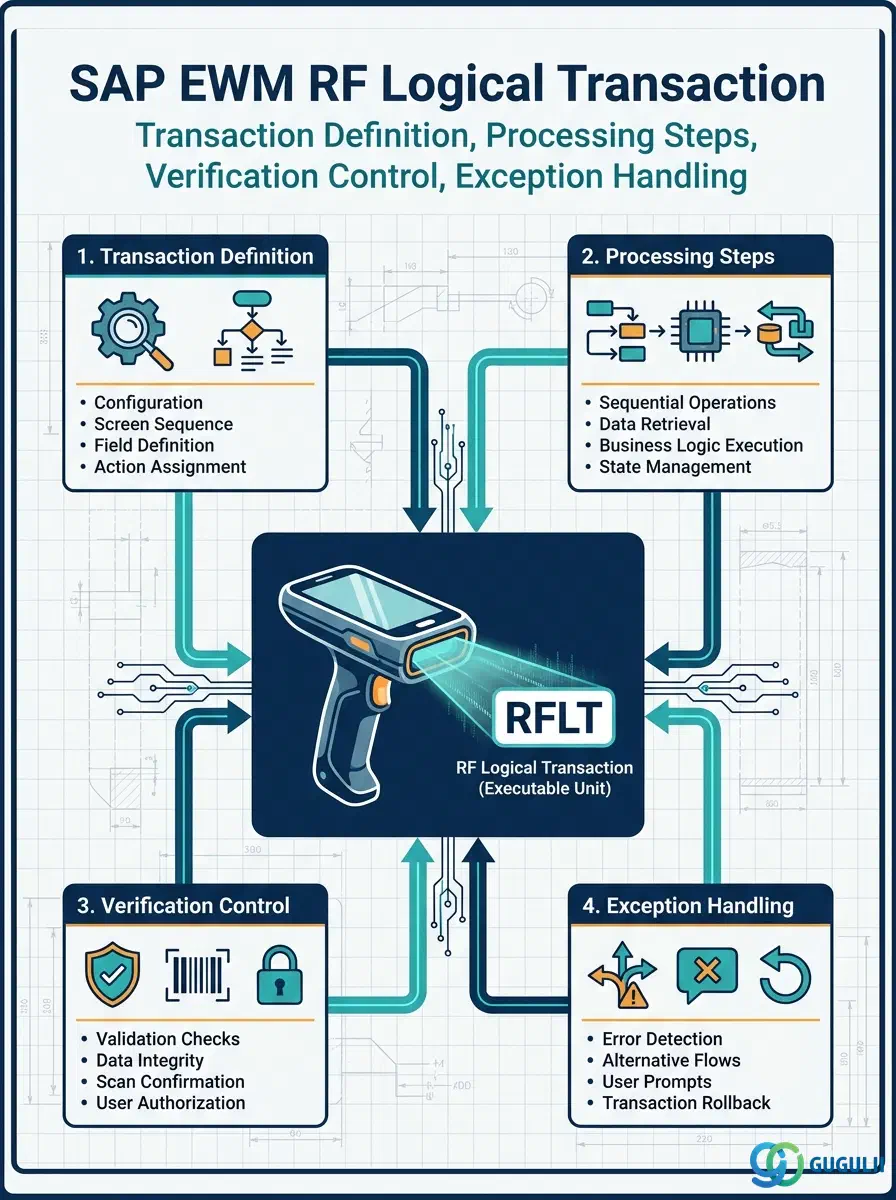
The RF Logical Transaction (RFLT) is the executable unit within the SAP EWM RF Framework — it defines precisely which warehouse function a handheld RF terminal can perform and how the operator interacts with it step by step. Each RFLT encapsulates one complete screen flow for one warehouse task type, such as picking, putaway, packing, or goods receipt. This article maps its definition structure, processing steps, verification controls, and exception-handling behavior, giving EWM consultants and administrators the detail needed to configure, extend, or troubleshoot RF terminal operations.
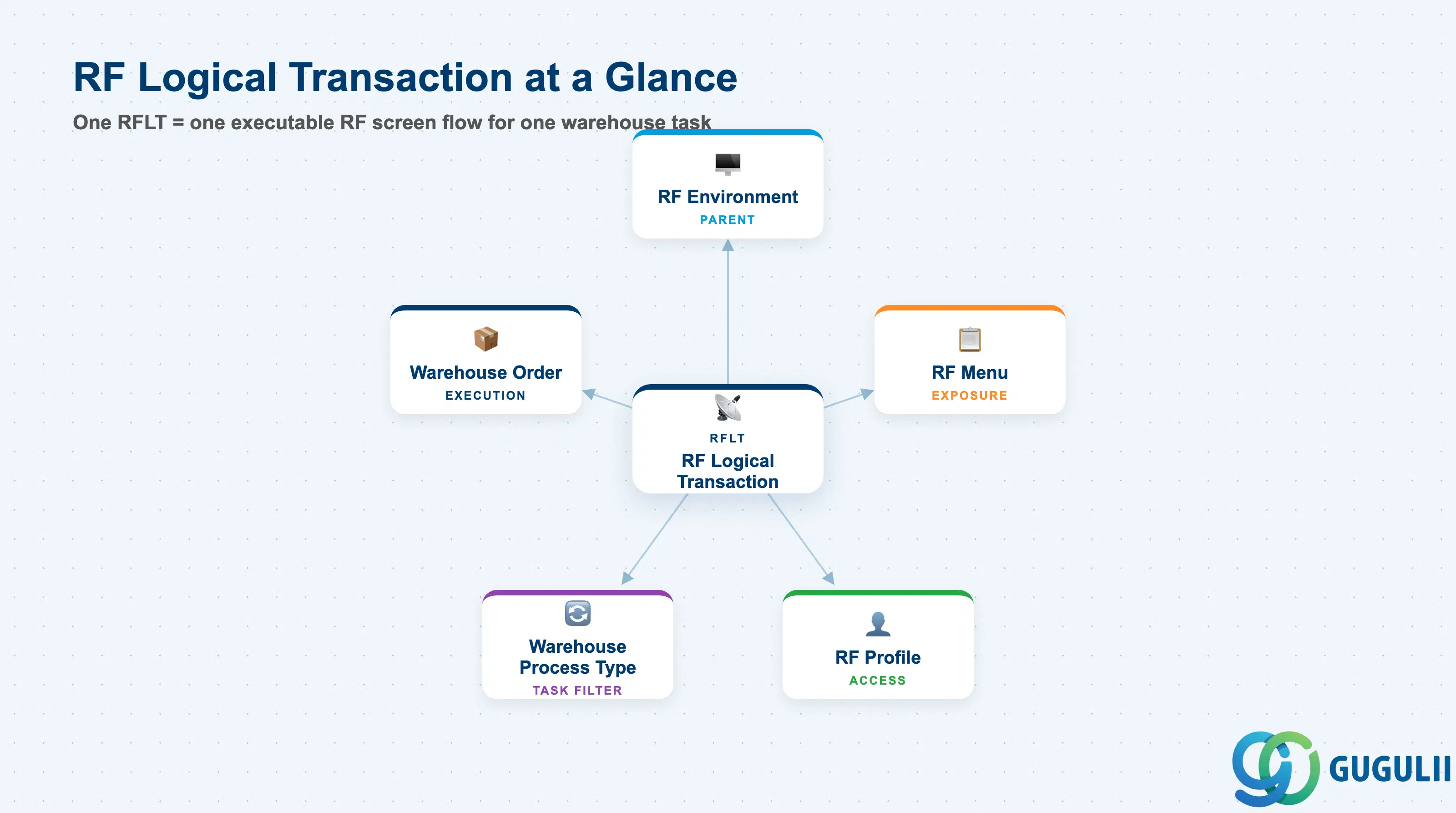
An RF Logical Transaction defines one complete, end-to-end interaction sequence between a warehouse worker using an RF handheld terminal and the EWM system for a single warehouse task type. It is the atomic executable unit of the RF Framework: just as a transaction code in SAP GUI opens one functional screen, an RFLT opens one guided RF screen flow on the scanner.
| Aspect | Details |
|---|---|
| Role | Defines one RF screen flow for one warehouse task type (e.g., picking, putaway, packing, GR confirmation) |
| Modules using it | EWM (RF Framework — primary owner); indirectly consumed by PP (production supply via RF) and QM (inspection confirmation via RF) |
| Transactions | /SCWM/RFLTRANS (Maintain RF Logical Transactions), SPRO → EWM → RF Framework → Logical Transactions, /SCWM/RFMENU (RF Menu assignment) |
| Key Tables | /SCWM/TRFTR (Logical transaction header definition), /SCWM/TRFTRSTEP (Processing steps per logical transaction) |
| S/4HANA note | RF Framework is unchanged in Embedded EWM S/4HANA vs. Decentralized EWM. Standard RFLTs (PICK, PUT, PUTW, PACKS, GRPE, etc.) are delivered by SAP. Custom RFLTs are created by copying a standard RFLT and adjusting steps or function modules. |
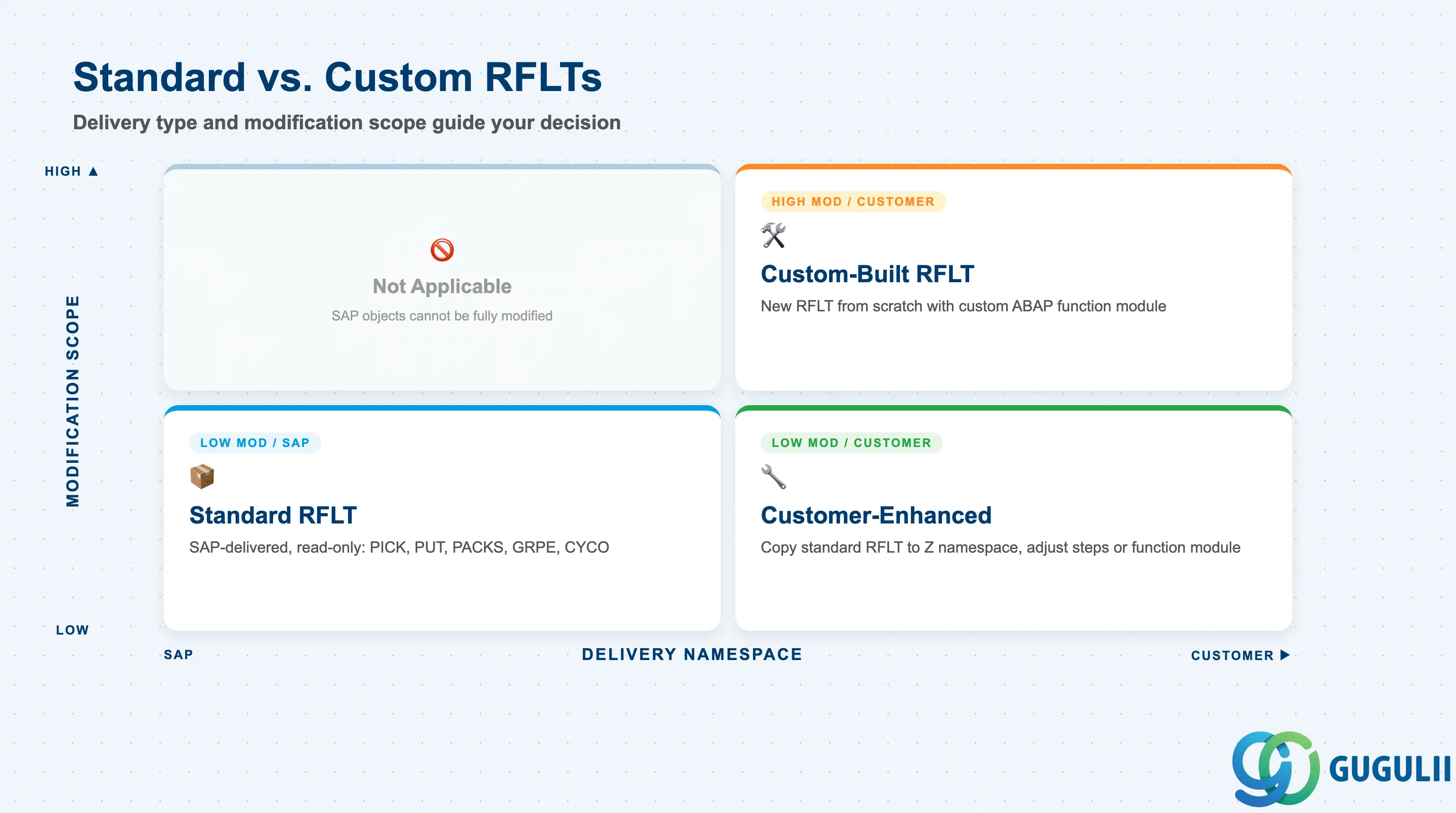
SAP delivers a comprehensive set of standard RF Logical Transactions covering the most common warehouse operations. Projects must decide early which standard RFLTs to use as-is, which to enhance, and which scenarios require custom-built RFLTs — a decision that directly affects upgrade effort and support complexity.
| RFLT Variant | Delivery | Modification Scope | Key Behavior |
|---|---|---|---|
| Standard (SAP-delivered) | SAP namespace (/SCWM/) | Read-only; no direct modification | Covers core operations: PICK (picking), PUT (putaway), PUTW (putaway with warehouse order), PACKS (packing), GRPE (GR at PE), TRSP (transfer), CYCO (cycle count), etc. Use as-is wherever possible. |
| Customer-Enhanced | Customer namespace copy of standard | Step sequence or function module adjusted | Created by copying a standard RFLT to a customer namespace (e.g., Z_PICK) and adding/removing steps or switching the function module. Preserves upgrade compatibility better than modifying standard objects directly. |
| Custom-Built | Customer namespace, new RFLT | Full definition from scratch | Built when no standard RFLT covers the required warehouse operation. Requires a custom ABAP function module for screen logic. Highest maintenance effort; must be regression-tested on every EWM upgrade. |
Design principle: Use standard RFLTs wherever possible. Copy to customer namespace for enhancements rather than modifying SAP objects. Custom-built RFLTs are justified only for warehouse operations with no standard equivalent (e.g., proprietary label scanning workflows or dual-confirm quality gate steps).
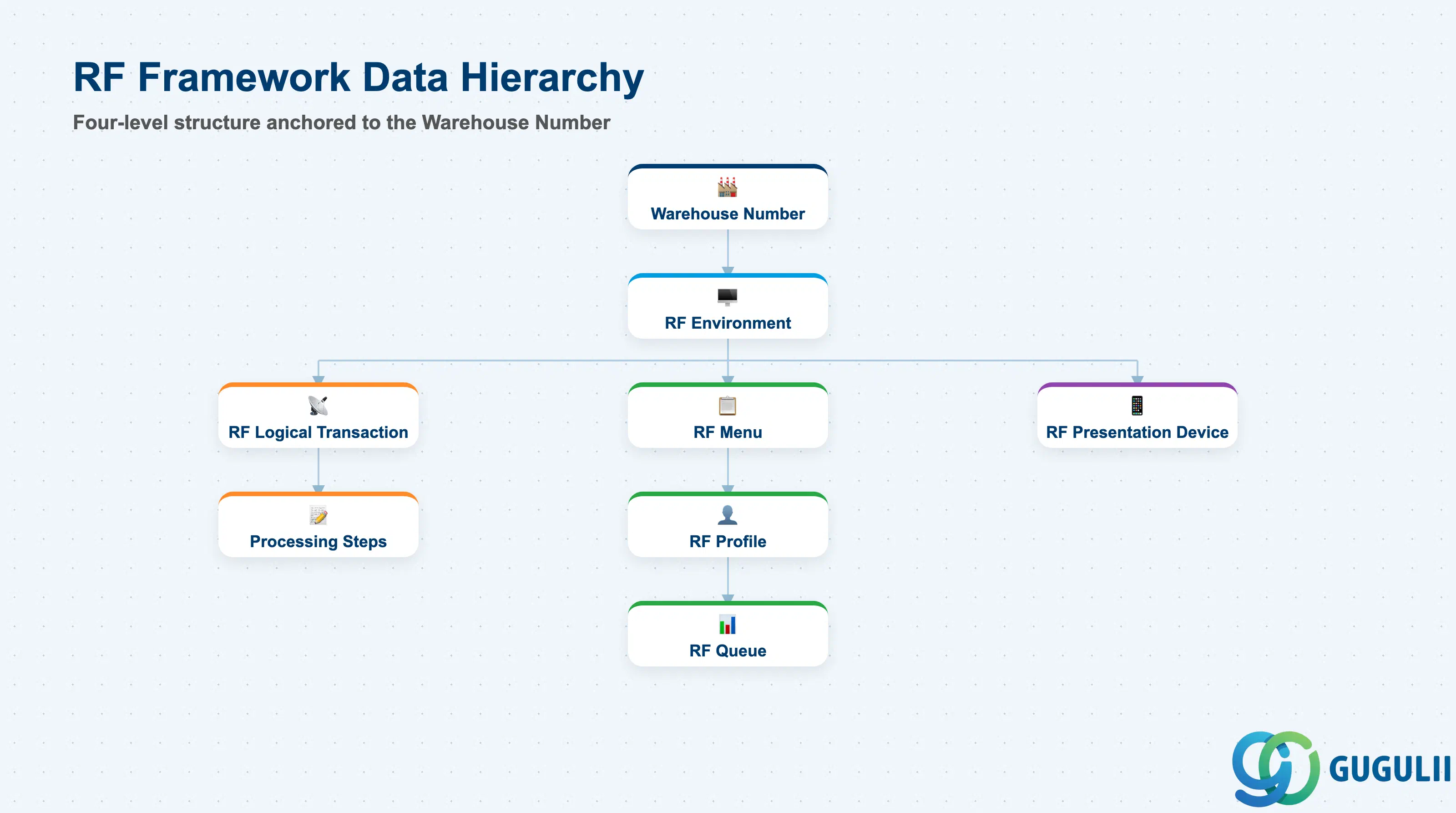
The RF Framework is organized in a strict four-level hierarchy anchored to the Warehouse Number. The RF Logical Transaction sits at the second level, below RF Environment and above the menu and profile layer. Understanding where each configuration object lives in this hierarchy is essential for correct scope planning in multi-warehouse projects.
Warehouse Number (e.g., WH01)
   │
   └── RF Environment (e.g., ENV01 — screen size, display settings)
          │
          ├── RF Logical Transaction (e.g., PICK, PUT, PACKS)
          │      └── Processing Steps (Step 1: scan HU, Step 2: confirm qty, ...)
          │
          ├── RF Menu (menu tree visible to the operator)
          │      └── RF Profile (user/resource-specific settings)
          │             └── RF Queue (task assignment queue)
          │
└── RF Presentation Device (registered handheld terminal)| Org Level | Table | Primary Fields | Notes |
|---|---|---|---|
| RF Environment | SPRO / /SCWM/RF_ENV | Environment ID, Warehouse Number, screen rows/columns, display type | One RF Environment per warehouse number per screen format. All RFLTs in the same environment share screen size and display settings. |
| RF Logical Transaction | /SCWM/TRFTR | RFLT ID, description, function module, transaction type, warehouse process type | One record per executable RF function. Multiple RFLTs share the same RF Environment. |
| Processing Steps | /SCWM/TRFTRSTEP | Step number, step type, scan field, mandatory flag, verification method | Each RFLT has 1–N ordered steps defining the scan and confirmation sequence. |
Key design decision: Define one RF Environment per distinct screen size (e.g., 20-row vs. 16-row terminals). Do not mix screen sizes within one RF Environment — field positions will misalign on smaller screens.
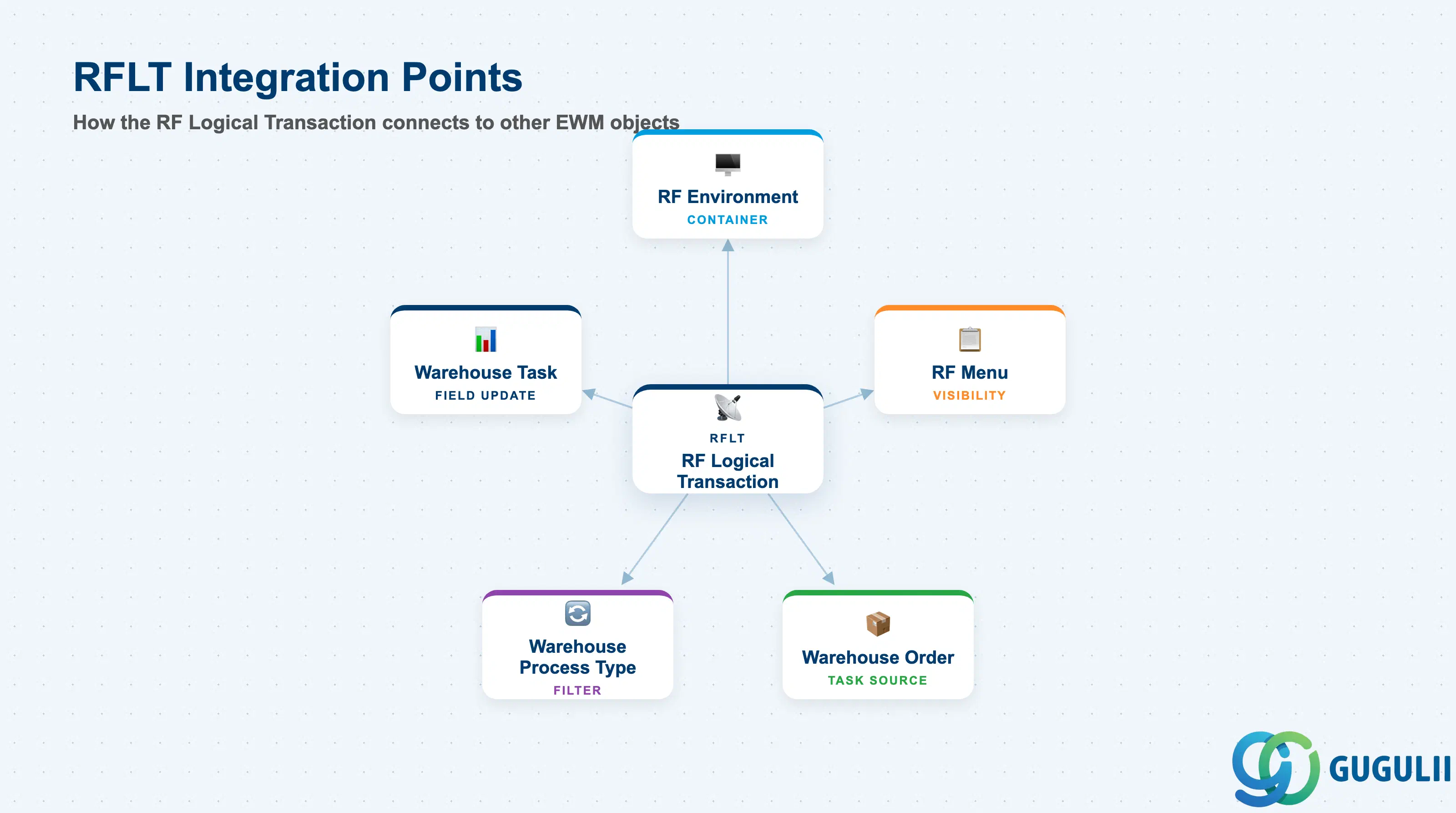
The RF Logical Transaction does not operate in isolation. It is embedded in a web of configuration objects that together determine which operators see which tasks, how tasks are routed to terminals, and how warehouse orders and process types interact with the RF execution layer.
| Object | Relationship | Practical Notes |
|---|---|---|
| RF Environment (EWM-A09-01) | Parent container — RFLT is assigned to one RF Environment | All display and hardware settings (screen size, function key layout) are inherited from the RF Environment. Changing the RF Environment requires review of all child RFLTs for screen alignment. |
| RF Menu (EWM-A09-03) | RFLT is assigned to one or more RF Menu entries | The RF Menu exposes the RFLT to the operator as a menu item. An RFLT not assigned to any menu cannot be launched by an operator — it is effectively invisible on the terminal. |
| RF Profile (EWM-A09-04) | RF Profile controls which RF Menu (and thus which RFLTs) an operator or resource can access | In security-sensitive warehouses, restrict packing or GI confirmation RFLTs to designated resources via RF Profile. |
| Warehouse Process Type (WPT) | RFLT is linked to one or more Warehouse Process Types | The WPT drives putaway and picking strategy selection. The RFLT must be compatible with the process types used in the warehouse order — a mismatch causes the task to be excluded from RF execution. |
| Warehouse Order | RFLT executes the physical tasks within a Warehouse Order | The RF system presents pending Warehouse Order tasks to the operator. The RFLT governs the scan sequence and confirmation steps the operator must complete before the Warehouse Order line is confirmed. |
| Warehouse Task | Each step in the RFLT processes one or more Warehouse Task fields | Scan confirmation within the RFLT updates the Warehouse Task status in real time. Partial confirmation (if allowed) creates a split Warehouse Task. |
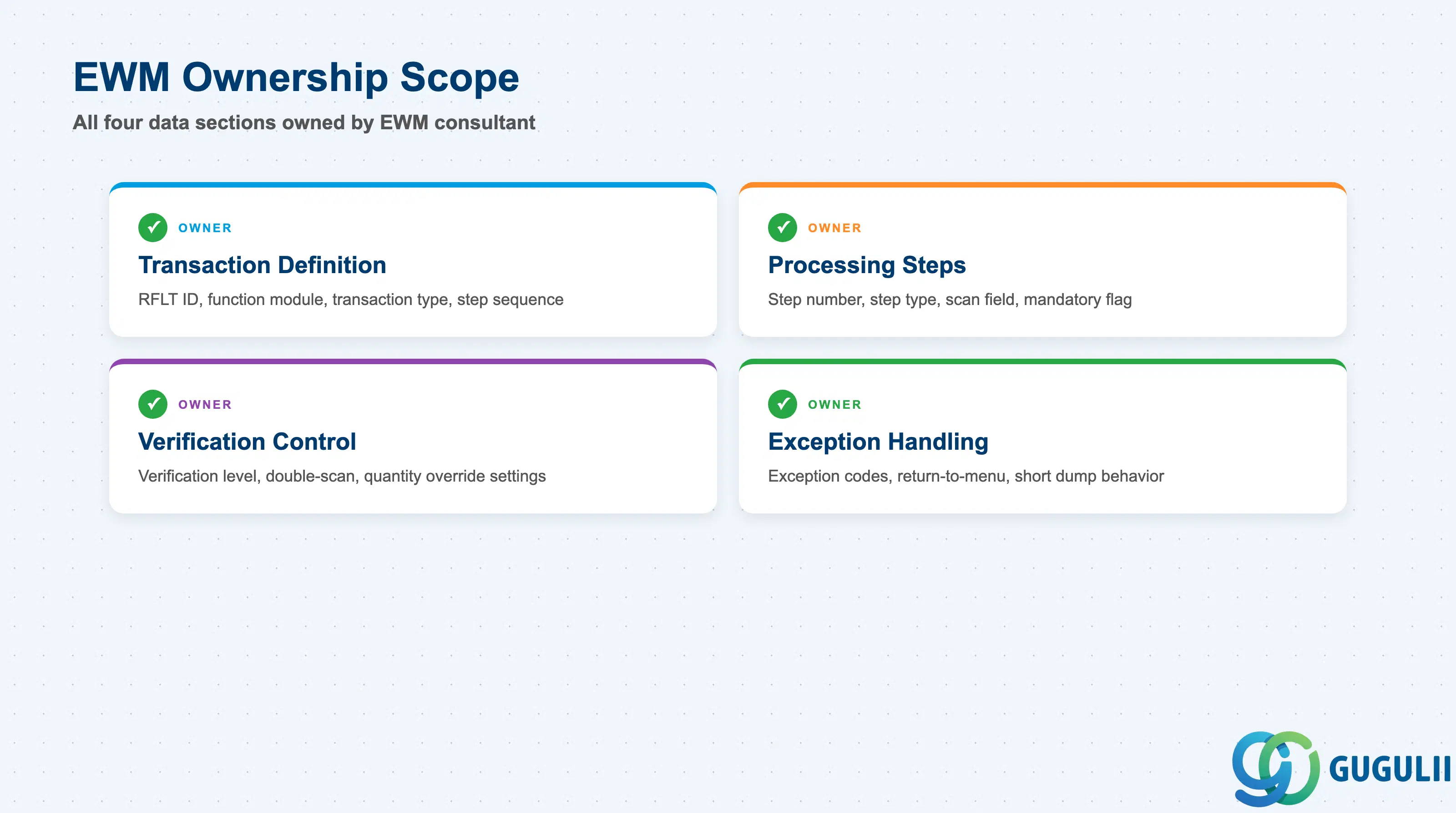
| Data Section | EWM Involvement | Notes |
|---|---|---|
| Transaction Definition | ◎ Owner | RFLT ID, description, function module, transaction type, step sequence — all EWM configuration |
| Processing Steps | ◎ Owner | Step number, step type, scan field, mandatory/optional flag, verification method |
| Verification Control | ◎ Owner | Verification level, double-scan confirmation, quantity override permission |
| Exception Handling | ◎ Owner | Exception codes, short dump behavior, return-to-menu behavior |
Legend: ◎ = Owner / Critical
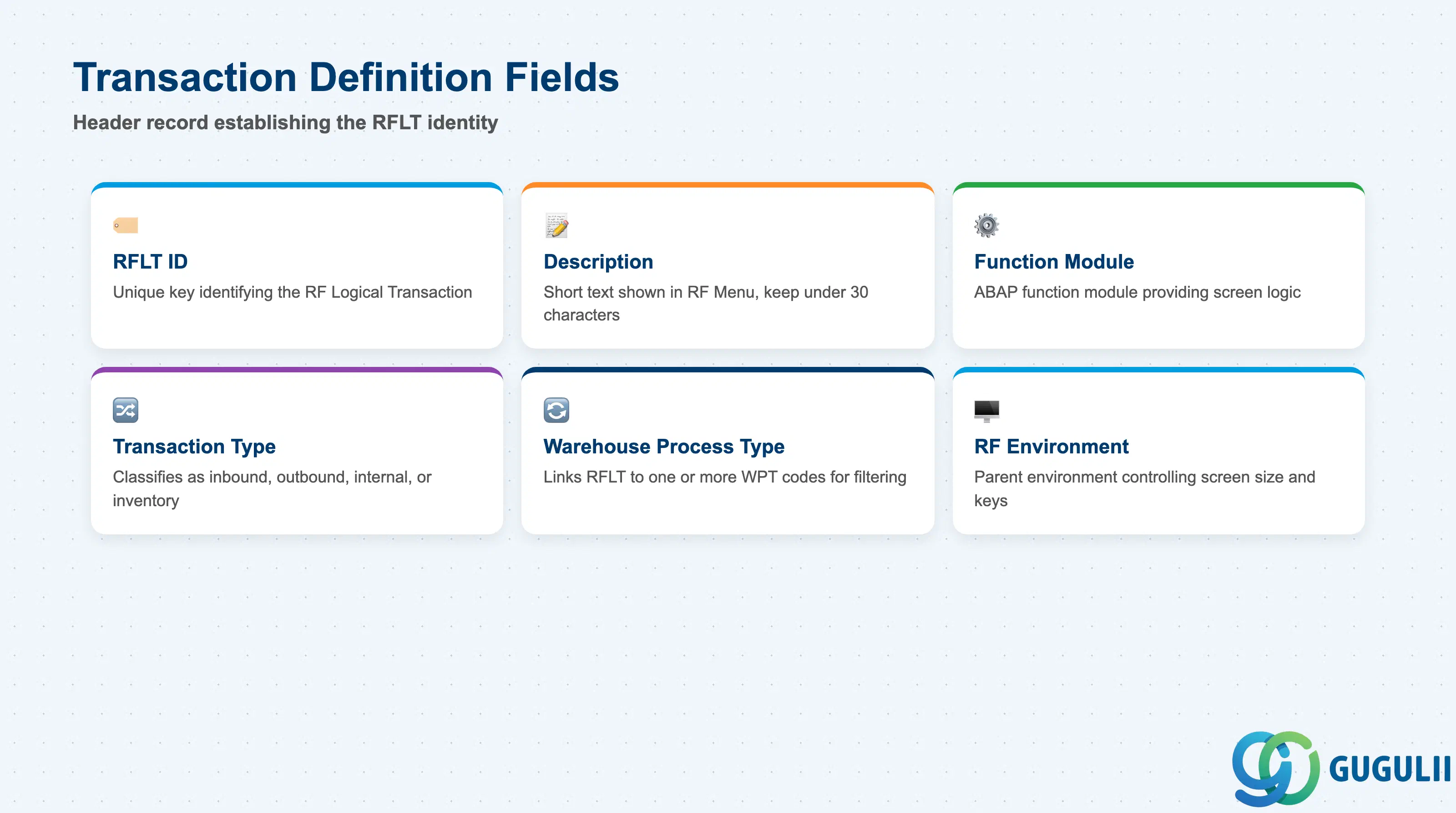
The Transaction Definition is the header record of the RF Logical Transaction. It establishes the identity of the RFLT, binds it to the ABAP function module that controls screen processing, and determines which warehouse process type it serves.
| Field | Description | Practical Usage |
|---|---|---|
| Logical Transaction (RFLT ID) | Unique key identifying the RF Logical Transaction | Use a clear naming convention that reflects the warehouse function (e.g., Z_PICK_FG for a custom finished-goods picking RFLT). Standard SAP RFLTs follow the pattern PICK, PUT, PACKS — do not reuse these IDs in the customer namespace. |
| Description | Short text displayed in the RF Menu and configuration screens | Keep the description concise (under 30 characters) so it fits cleanly in the RF Menu display on small-screen terminals. Long descriptions are truncated and confuse operators. |
| Function Module | ABAP function module providing the RF screen logic | SAP-delivered RFLTs use function modules in the /SCWM/ namespace (e.g., /SCWM/RF_PICKING). For custom RFLTs, copy the nearest standard function module to the customer namespace and adjust — never modify SAP function modules directly. |
| Transaction Type | Classifies the RFLT as inbound, outbound, internal movement, or physical inventory | The transaction type determines which Warehouse Task categories are presented to the operator. Setting the wrong type causes the RFLT to display tasks from incompatible process steps. |
| Warehouse Process Type | Links the RFLT to one or more WPT codes | During task selection on the RF terminal, EWM filters pending Warehouse Tasks by the WPT assigned to the active RFLT. Ensure the WPT assigned here matches the WPT used in the relevant Warehouse Order type. |
| RF Environment | Parent RF Environment for this RFLT | Determines screen size, function key assignments, and display settings. An RFLT is only available on terminals registered under the same RF Environment. |
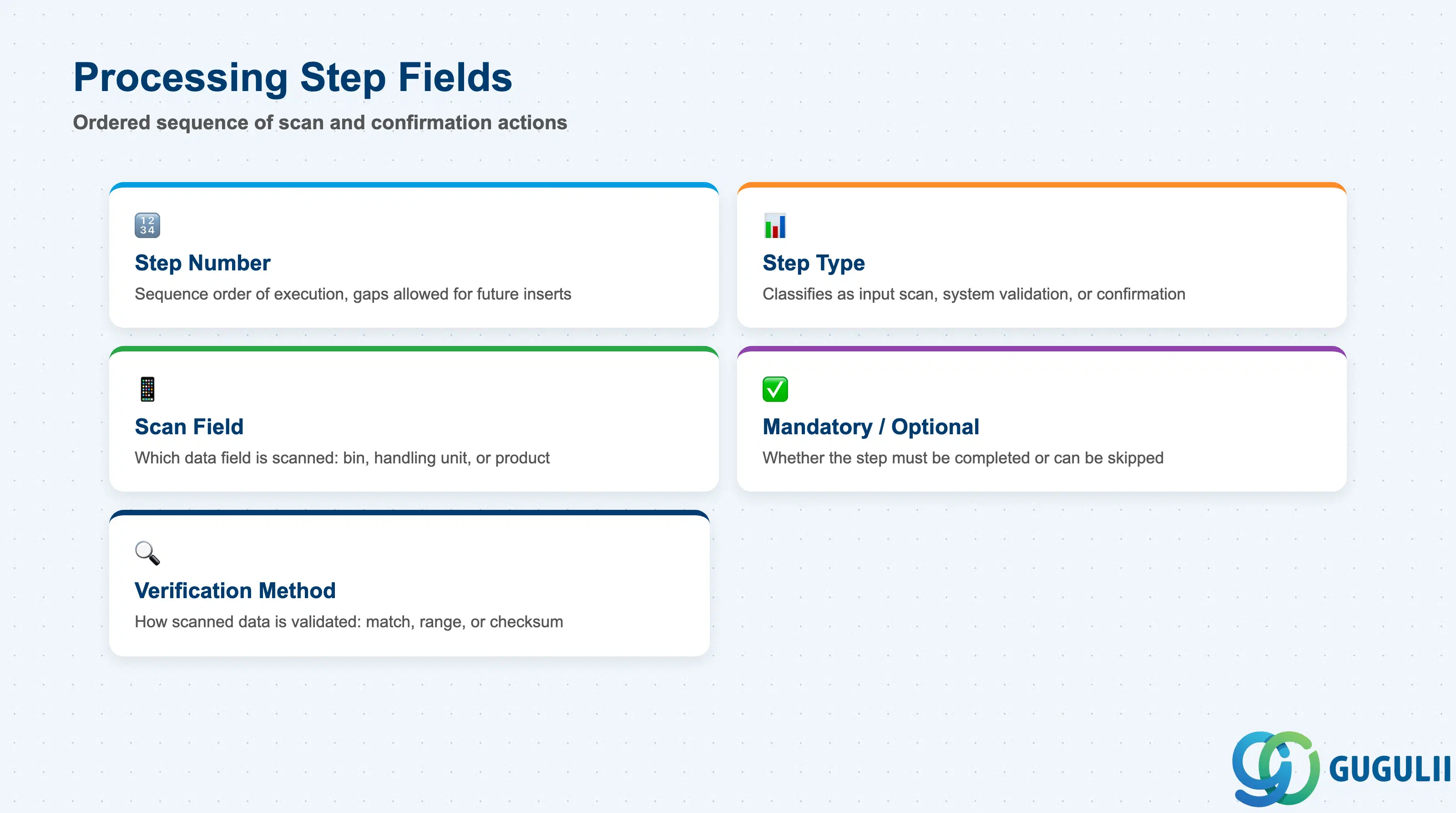
Processing Steps define the ordered sequence of screens and scan actions the operator must complete within the RF Logical Transaction. Each step maps to one user interaction — a barcode scan, a quantity entry, or a system-triggered validation. The step sequence is the core of the RFLT’s operational behavior.
| Field | Description | Practical Usage |
|---|---|---|
| Step Number | Sequence number controlling the order of execution | Steps are executed in ascending sequence order. Gaps are allowed (e.g., 10, 20, 30) to allow future insertion of intermediate steps without renumbering. Renumbering existing steps in a live system risks disrupting in-progress RF sessions. |
| Step Type | Classifies the step as input (operator scan/entry), system (automatic validation), or confirmation (operator acknowledges) | Use system steps for validations that run without operator interaction (e.g., check bin availability). Input steps pause execution and await a scan. Confirmation steps display a summary screen and wait for the operator to press Enter. |
| Scan Field | Specifies which warehouse data field is scanned at this step (e.g., storage bin, handling unit, product) | Map each scan field to the physical barcode label design in the warehouse. If the warehouse uses a combined barcode (e.g., SSCC that encodes both HU and product), a single scan step can resolve multiple fields — configure the barcode interpretation profile in the RF Environment accordingly. |
| Mandatory / Optional | Determines whether the step must be completed or can be skipped | Mark steps mandatory only where the scanned data is required for system logic (e.g., destination bin confirmation). Optional steps should remain truly optional in the process design — misclassifying a critical step as optional creates audit gaps and inventory accuracy risks. |
| Verification Method | Specifies how the scanned data is validated (e.g., match to expected value, range check, checksum) | Choose the strictest verification method the operational environment supports. Double-verification (operator must scan the same label twice) reduces mis-scan errors at the cost of slower throughput — typically applied to high-value or hazardous goods picking steps. |
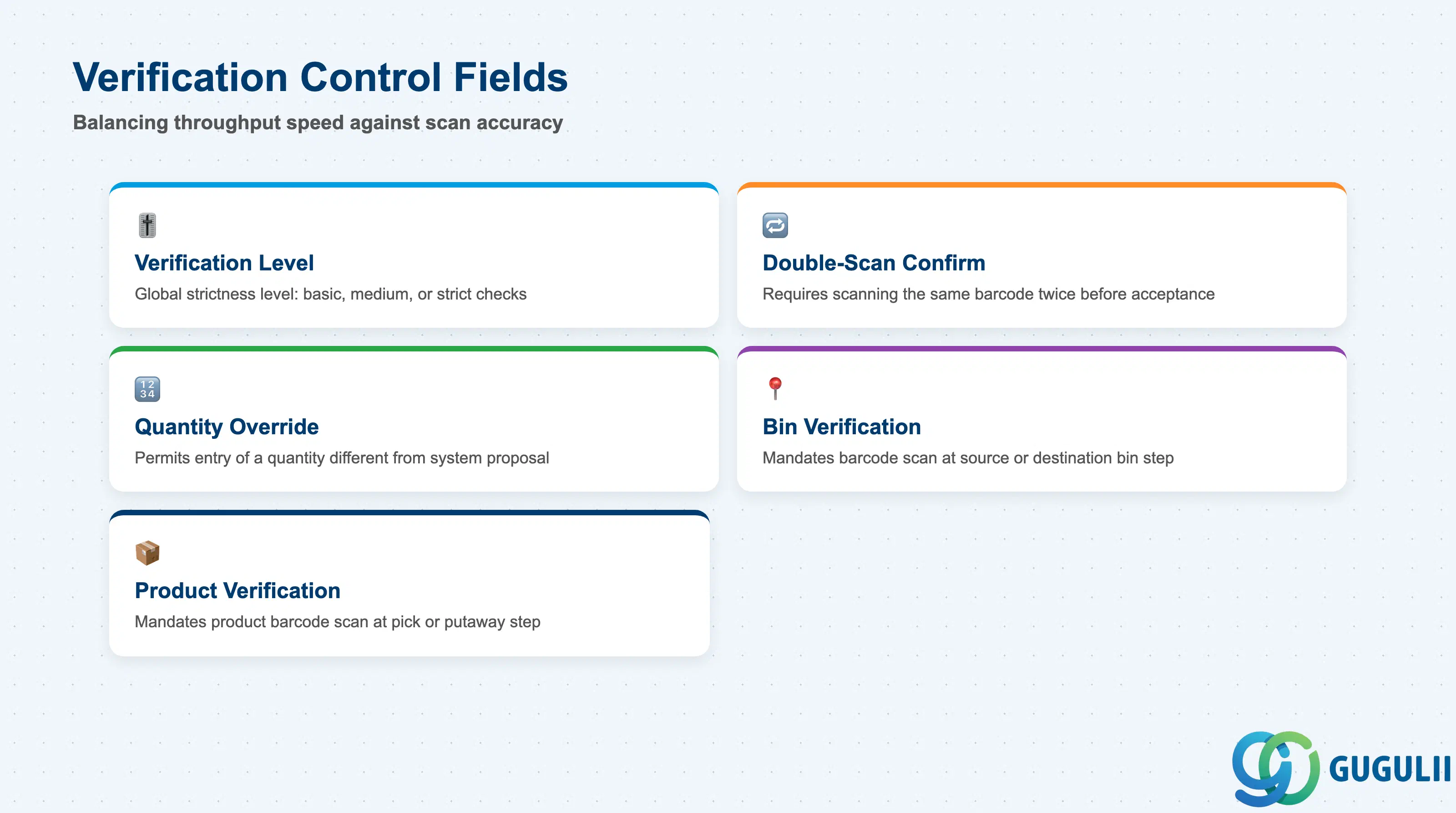
Verification Control governs how strictly the system validates operator input during the RF session. These settings balance throughput speed against scan accuracy and are among the most operationally sensitive configuration choices in the RF Framework.
| Field | Description | Practical Usage |
|---|---|---|
| Verification Level | Global strictness level for the RFLT (e.g., 1 = basic, 2 = medium, 3 = strict) | Higher verification levels trigger additional system checks at each step, increasing session duration. In high-throughput picking environments (e.g., automotive JIT lines), use level 1 to minimize dwell time per pick. In pharmaceutical or hazardous goods warehouses, use level 3 to enforce full scan validation at every step. |
| Double-Scan Confirmation | Requires the operator to scan the same barcode twice before the step is accepted | Apply to high-risk steps only — such as destination bin confirmation for high-value goods or hazardous material putaway. Do not apply globally; double-scan on every step typically doubles average task time and reduces operator compliance. |
| Quantity Override Allowed | Permits the operator to enter a quantity different from the system-proposed quantity | Enable for partial picking scenarios where split delivery is operationally acceptable. Disable for strict full-pick operations (e.g., automated sorter lines where partial picks break batch integrity). Log quantity overrides in the system and review in periodic inventory accuracy audits. |
| Bin Verification Required | Mandates a bin barcode scan at the source or destination bin step | Enable in warehouses where bin misidentification is a recurring inventory error. If bins are not barcoded, this setting must remain disabled — attempting to require a scan in an unbarcoded warehouse causes all RF tasks to fail at the bin step. |
| Product Verification Required | Mandates a product barcode scan at the pick or putaway step | Enable for pick verification in mixed-SKU storage areas to prevent mis-picks. Product scanning adds one scan per line — weigh the accuracy gain against throughput impact in the design workshop. |
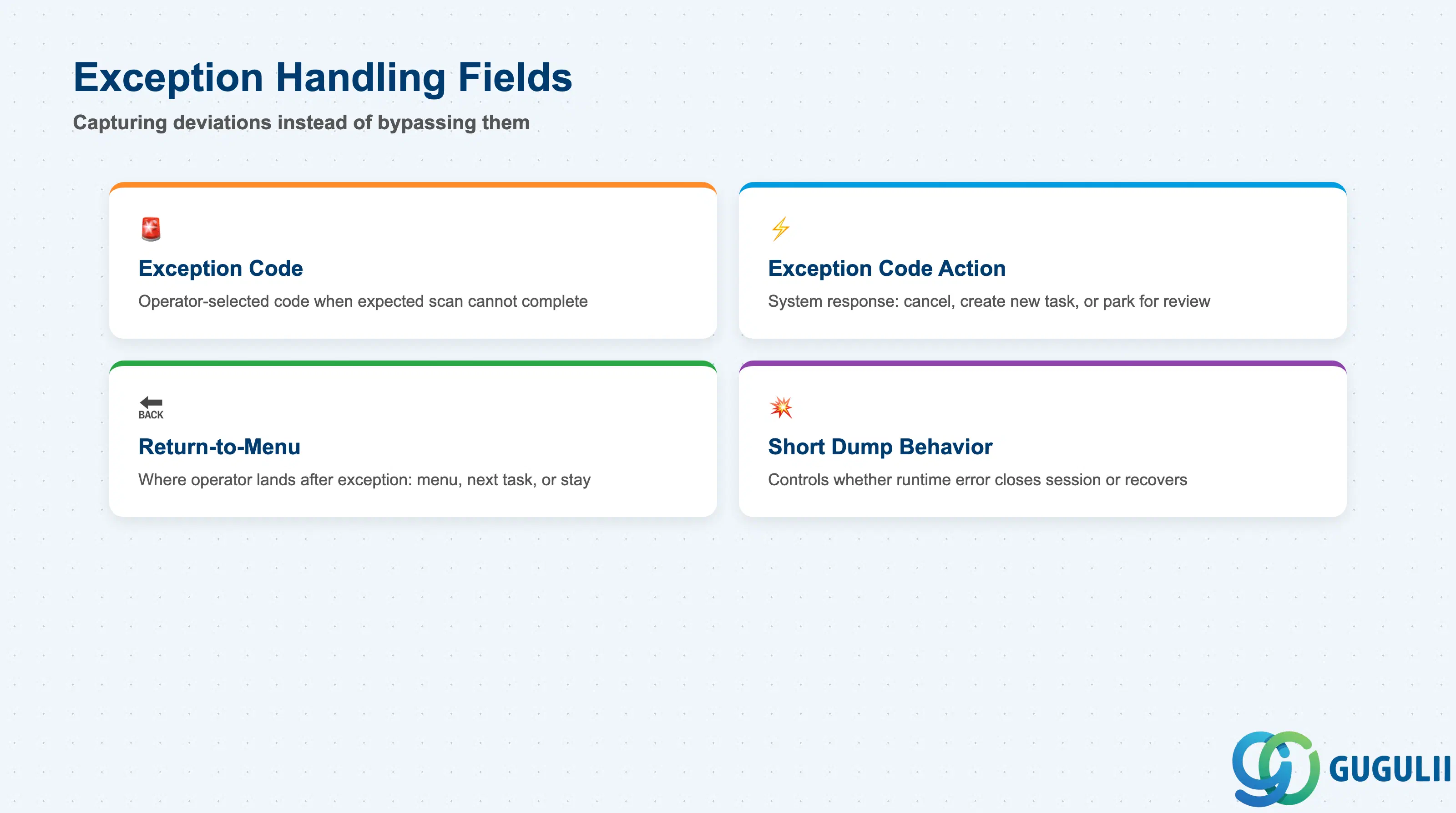
Exception Handling defines what happens when an operator cannot complete a step as designed — for example, a bin is physically inaccessible, a product barcode is damaged, or a quantity discrepancy is found. Proper exception configuration ensures that unexpected situations are captured in the system rather than silently bypassed.
| Field | Description | Practical Usage |
|---|---|---|
| Exception Code | User-selectable code the operator enters when an expected scan cannot be completed | Define exception codes for every operationally plausible deviation (e.g., BIN_BLOCK = bin blocked, LABEL_DMG = label damaged, QTY_DIFF = quantity difference found). Each code should trigger a specific system action — do not rely on a generic “OTHER” code that creates untraceable exception records. |
| Exception Code Action | System response to the selected exception code (e.g., cancel task, create new task, park task for supervisor) | For bin-blocked exceptions, configure the action to create a re-putaway or re-pick Warehouse Task automatically. For quantity-difference exceptions, trigger a physical inventory document. Avoid actions that simply cancel the task with no follow-up — this creates open Warehouse Orders that accumulate and cause delivery delays. |
| Return-to-Menu Behavior | Defines where the operator is sent after an exception is confirmed (return to main menu, go to next task, or stay in RFLT) | In high-throughput environments, configure return to “next task” so operators do not need to manually navigate back from the menu between picks. In environments where supervisors must acknowledge exceptions before work resumes, configure return to “main menu” to force a supervisor check-in. |
| Short Dump Behavior | Controls whether an ABAP runtime error (short dump) in the RFLT closes the session or allows graceful recovery | Configure the RFLT to log the error and return the operator to the main menu rather than crashing the RF session. An unhandled short dump that freezes the terminal leaves the Warehouse Task in an inconsistent “in progress” state, requiring manual administrator intervention to reset. |
| ID | Category | Title |
|---|---|---|
| ewm-001 | Overview | What is SAP EWM? |
| ID | Category | Title |
|---|---|---|
| ewm-b01 | Overview | SAP EWM Transactions: Process Flow, Hierarchy & Relationships |