Title here
Summary here

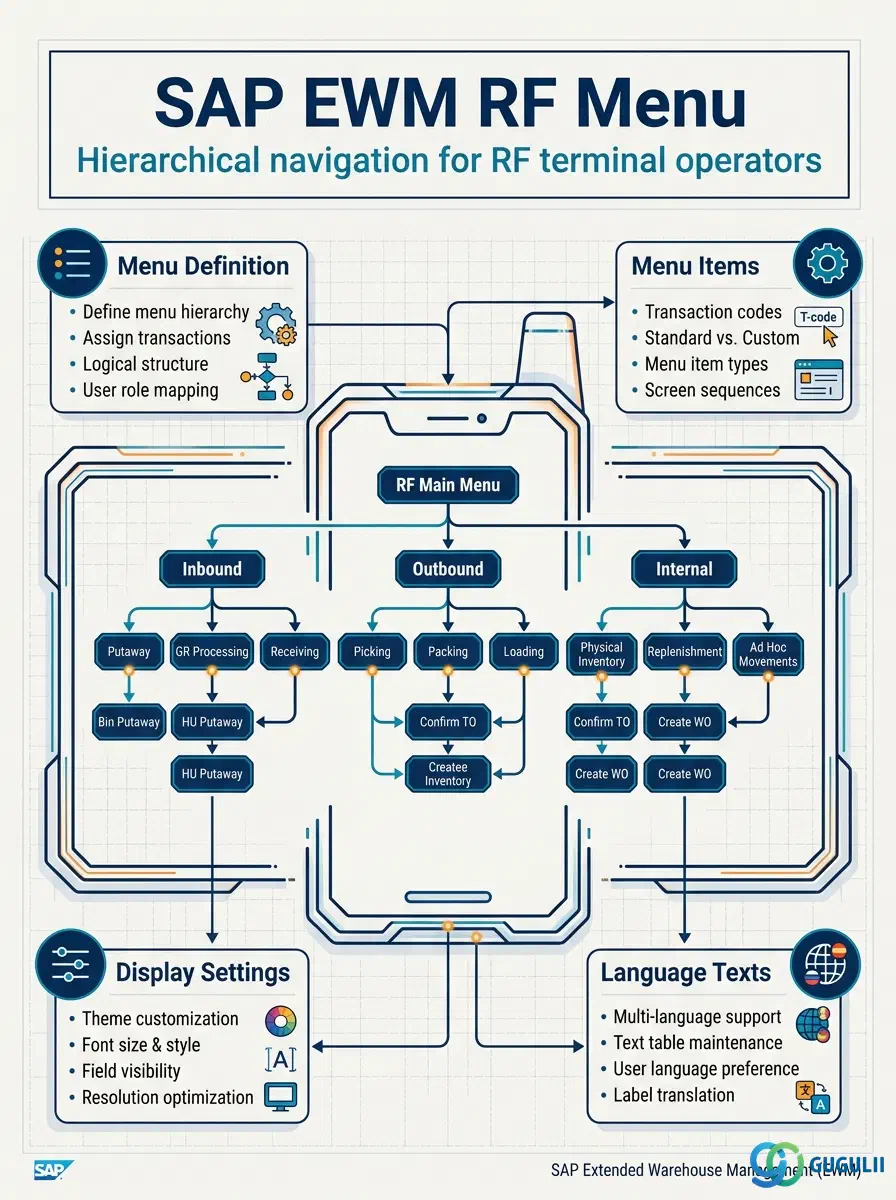
The RF Menu is the navigation structure displayed on an RF terminal that groups RF Logical Transactions (RFLTs) into a browsable menu tree. When a warehouse operator logs into an RF device, they are directed to the RF Menu assigned through their RF Profile. The menu organizes all executable warehouse tasks — putaway, picking, stock transfers, physical inventory — into a hierarchical structure that matches operator roles and warehouse processes. This article covers the menu definition, item configuration, display settings, and multi-language text management that EWM consultants own.
An RF Menu is a named menu object within an RF Environment that presents warehouse operators with a structured list of executable RF tasks. Rather than exposing every RF Logical Transaction directly, the menu organizes them into a tree that the operator navigates using function keys or cursor movement. Each leaf node in the tree executes an RFLT; each intermediate node opens a sub-menu.
| Aspect | Details |
|---|---|
| Role | Defines the navigation tree on RF terminals — groups RFLTs into an operator-facing menu hierarchy |
| Modules using it | EWM (RF Framework — primary owner across all license editions: B, A, D) |
| Transactions | /SCWM/RFMENU (Define RF Menus), SPRO → EWM → RF Framework → Define RF Menus |
| Key Tables | /SCWM/TRFMENU (menu header definition), /SCWM/TRFMITEM (menu item entries) |
| S/4HANA note | RF Menu configuration is identical across Embedded Basic, Embedded Advanced, and Decentralized EWM. No structural changes from ECC-based Decentralized EWM. |
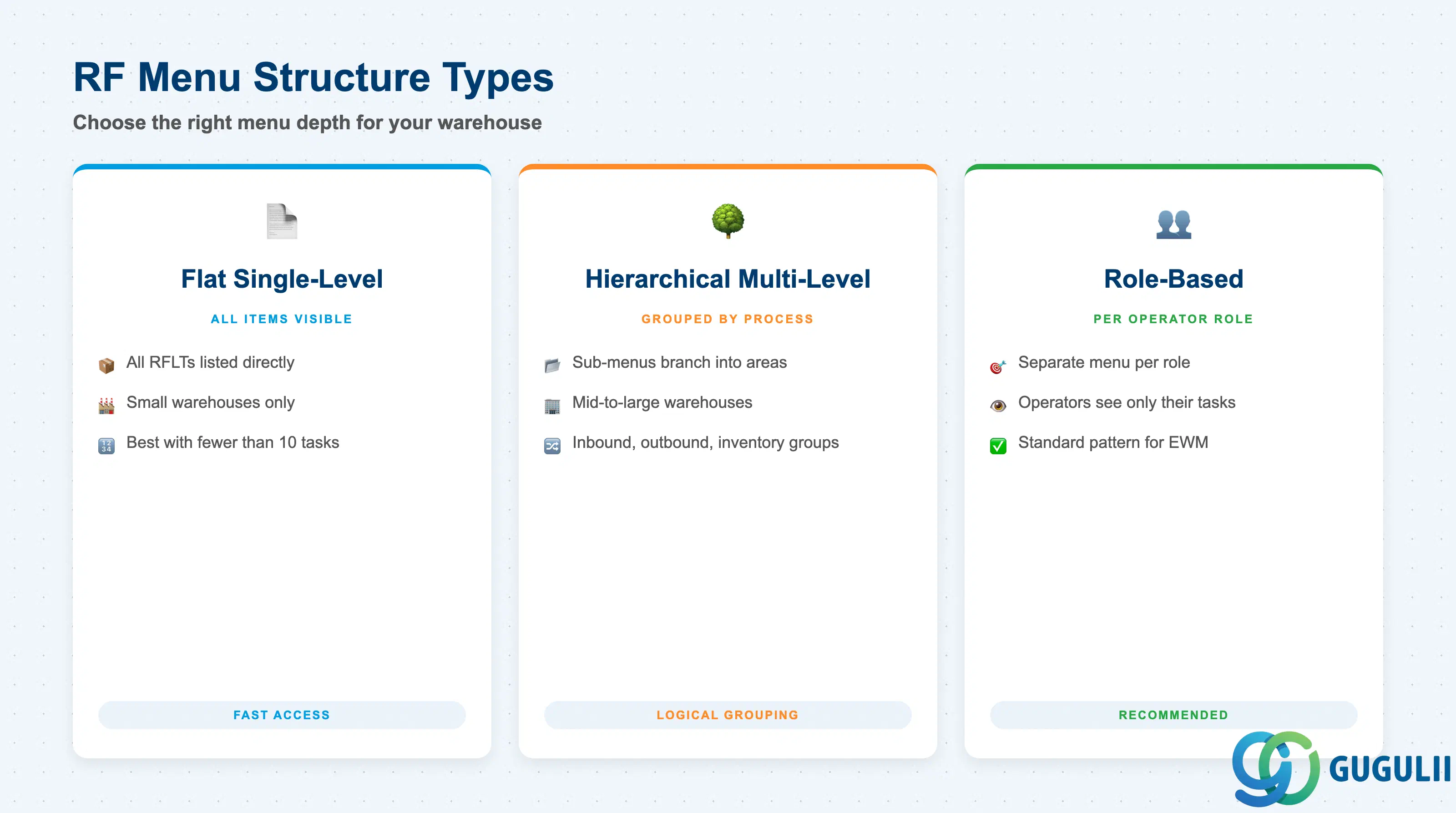
The depth and organization of an RF Menu reflects the complexity of warehouse operations and the diversity of operator roles. Choosing the wrong structure forces operators to scroll through irrelevant tasks or navigate too many sub-menu levels, both of which reduce picking and putaway efficiency.
| Structure Type | Description | Use Case | Key Behavior |
|---|---|---|---|
| Flat Single-Level | All RFLTs appear as direct items under one menu, no sub-menus | Small warehouses with limited task types; operators perform all functions | Fast access, minimal navigation; only suitable when total RFLT count is low (typically fewer than 10) |
| Hierarchical Multi-Level | Menu items branch into sub-menus, which contain further sub-menus or RFLTs | Mid-to-large warehouses with distinct functional areas (inbound, outbound, internal, inventory) | Allows logical grouping by process; operator navigates to their area before selecting a task |
| Role-Based Menu | Separate RF Menus defined per operator role; each menu contains only the RFLTs relevant to that role | Differentiated warehouse roles (receiver, picker, packer, replenishment) | Reduces visible clutter; operator sees only authorized tasks; role assignment handled via RF Profile |
Design principle: Design one RF Menu per distinct operator role rather than building a single large menu for everyone. Role-based menus combined with RF Profile assignment are the standard pattern for mid-size and large EWM implementations.
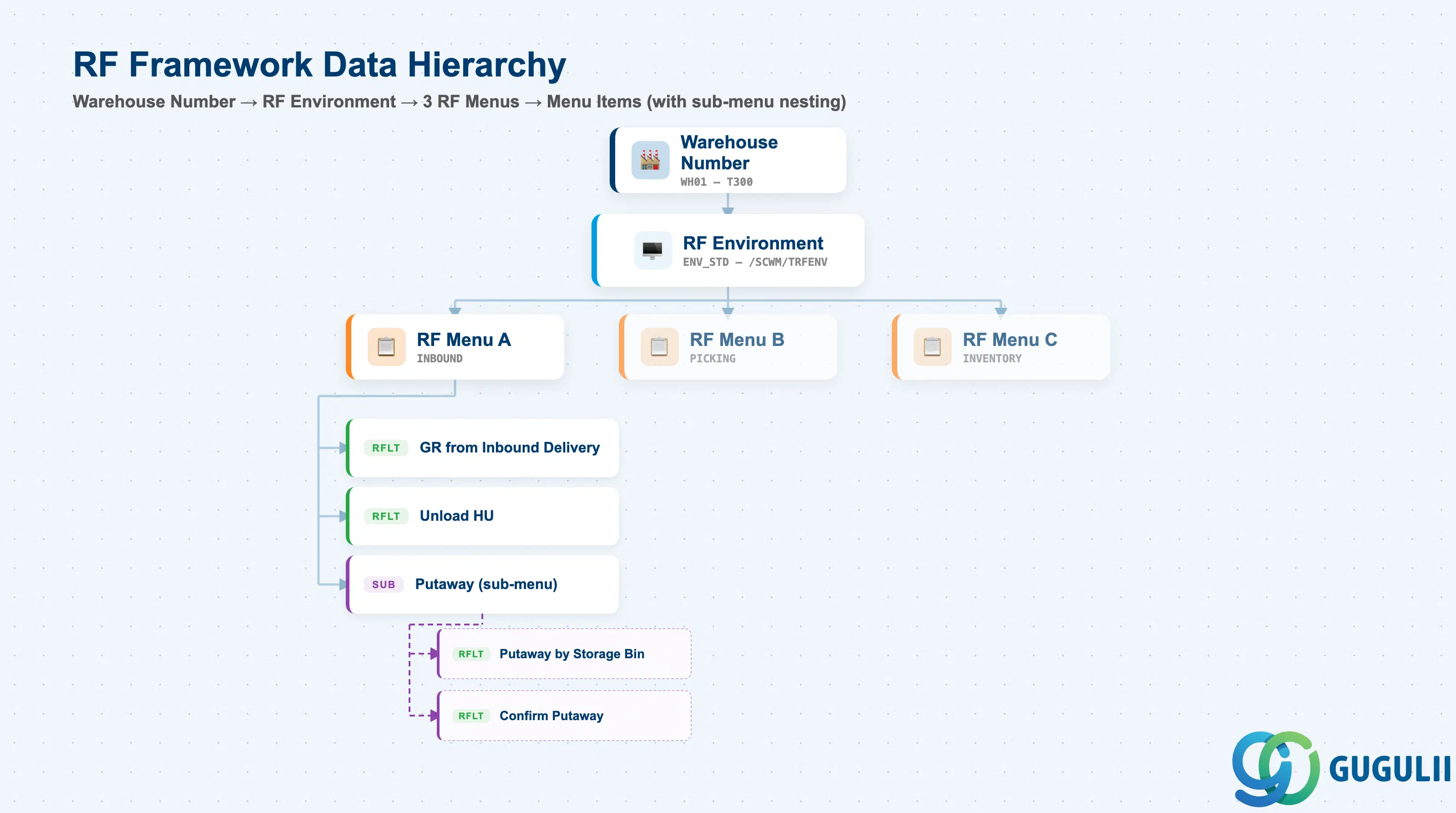
The RF Menu sits within the RF Framework hierarchy. It is defined under an RF Environment, which is itself scoped to a Warehouse Number. Understanding this hierarchy is essential when designing menus for multi-warehouse deployments — each warehouse may have different RF Environments, and each Environment can have multiple menus for different operator populations.
Warehouse Number (e.g., WH01)
   │
   └── RF Environment (e.g., ENV_STD — screen size, display settings)
          │
          ├── RF Menu A (e.g., INBOUND — receiver role)
          │      ├── Menu Item 1: [RFLT] GR from Inbound Delivery
          │      ├── Menu Item 2: [RFLT] Unload HU
          │      └── Menu Item 3: [Sub-Menu] Putaway
          │                          ├── Item 3-1: [RFLT] Putaway by Storage Bin
          │                          └── Item 3-2: [RFLT] Confirm Putaway
          │
          ├── RF Menu B (e.g., PICKING — picker role)
          │      └── ...
          │
          └── RF Menu C (e.g., INVENTORY — stock controller role)
└── ...| Level | Object | Table | Primary Fields | Notes |
|---|---|---|---|---|
| 1 | Warehouse Number | T300 (SPRO config) | LGNUM | Top-level scope; all RF objects are scoped to a warehouse |
| 2 | RF Environment | /SCWM/TRFENV | RFENV, LGNUM, screen rows/cols | Screen size and display parameters; prerequisite for RF Menu |
| 3 | RF Menu | /SCWM/TRFMENU | RFMENU, RFENV, LGNUM, description | Menu header; links to its parent RF Environment |
| 4 | Menu Item | /SCWM/TRFMITEM | RFMENU, SEQNO, item type, target RFLT/sub-menu | Each entry in the menu tree; sequence number controls display order |
| 5 | RF Logical Transaction | /SCWM/TRFLTS | RFLT, RFENV | Leaf-level executable task; referenced from menu items of type RFLT |
Key design decision: RF Menu is defined at the RF Environment level, not at the Warehouse Number level directly. A single warehouse can have multiple RF Environments (e.g., different device screen sizes), each with its own set of menus.
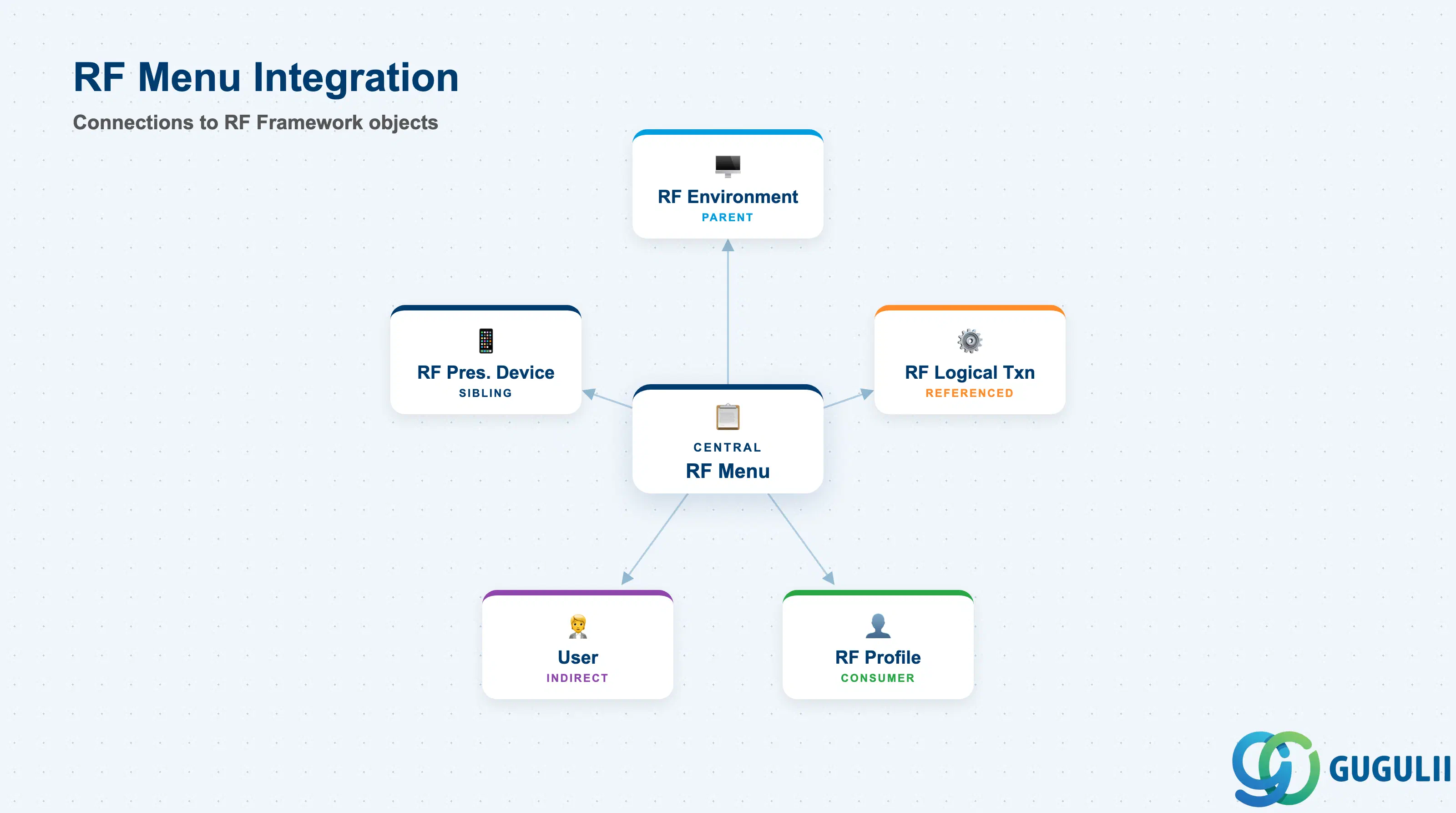
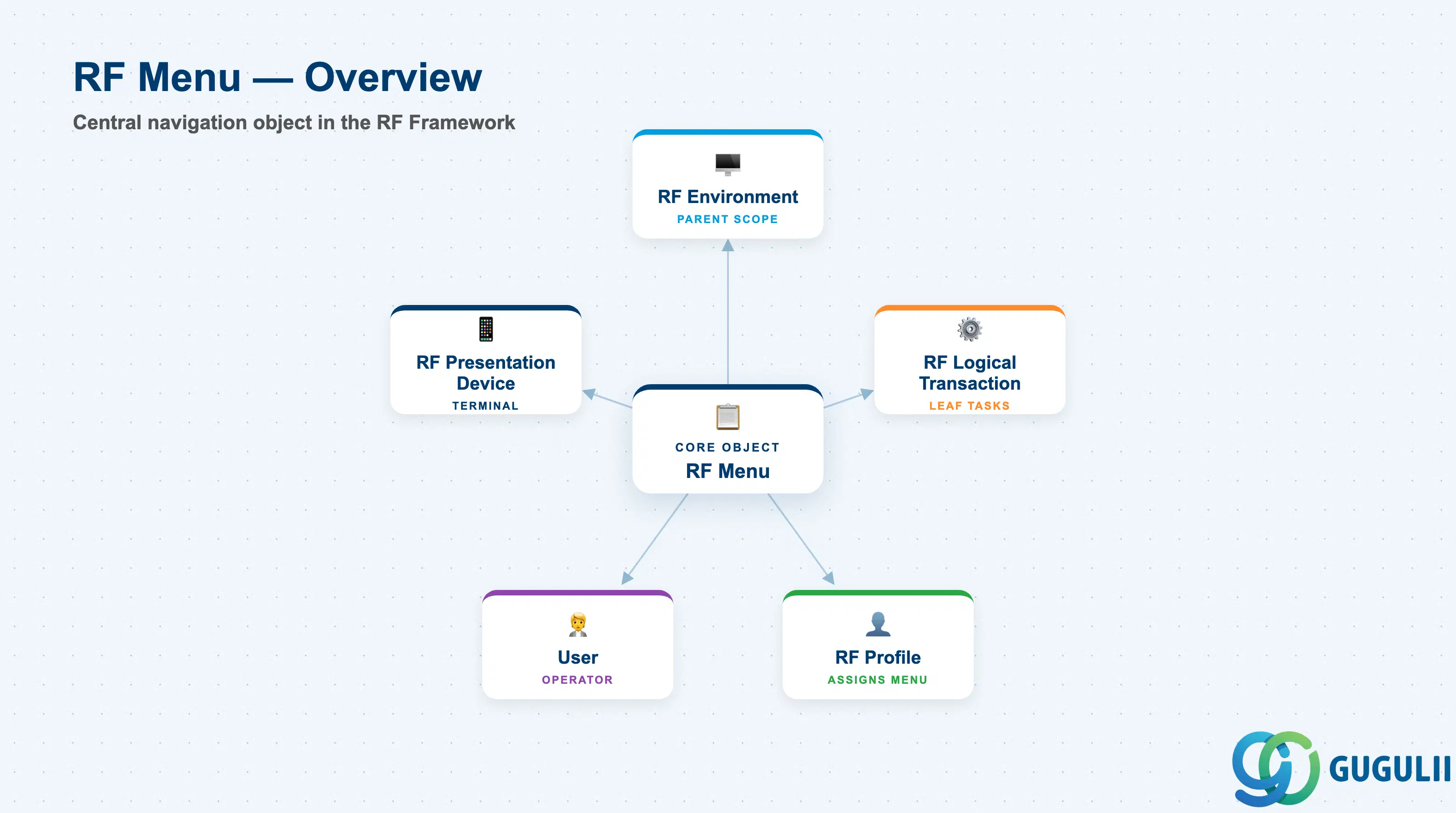
The RF Menu does not operate in isolation. It is the central navigation object in the RF Framework and connects upward to the RF Environment, downward to RF Logical Transactions, and sideways to the RF Profile that assigns the menu to operators.
| Object | Relationship | Practical Notes |
|---|---|---|
| RF Environment (EWM-A09-01) | Parent — RF Menu is defined within an RF Environment | The RF Environment determines screen dimensions and global display settings that all menus in the environment inherit; the RF Menu must be created under an existing RF Environment |
| RF Logical Transaction (EWM-A09-02) | Referenced by menu items — leaf-level items execute an RFLT | Each RFLT referenced in the menu must already exist in the same RF Environment; referencing an RFLT from a different RF Environment is not supported |
| RF Profile (EWM-A09-04) | Consumer — the RF Profile assigns an RF Menu to an operator or resource | One RF Profile references exactly one RF Menu; changing the menu in the profile immediately affects all users assigned to that profile at next login |
| User (EWM-A04-06) | Indirect — the User master references an RF Profile, which in turn references the RF Menu | Operators do not reference the RF Menu directly; their menu is resolved at login by traversing User → RF Profile → RF Menu |
| RF Presentation Device (EWM-A09-06) | Sibling — both are children of the RF Environment | RF Presentation Device registers the physical terminal; the device and the menu are separate objects under the same RF Environment |
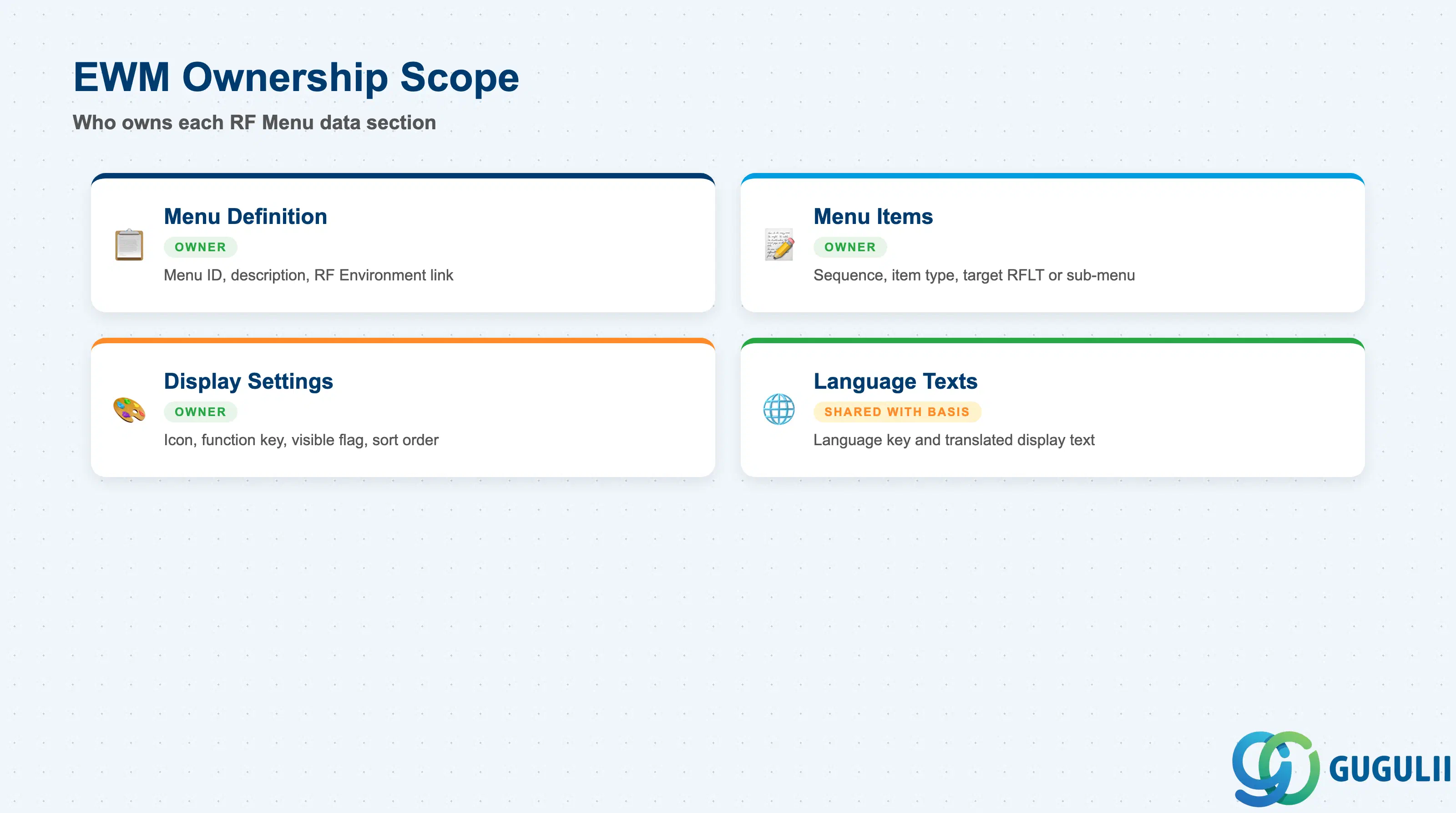
| Data Section | EWM Involvement | Notes |
|---|---|---|
| Menu Definition | ◎ Owner | Menu ID, description, parent RF Environment — entirely EWM-managed in /SCWM/RFMENU |
| Menu Items | ◎ Owner | Item sequence, item type, target RFLT or sub-menu reference — EWM-specific configuration |
| Display Settings | ◎ Owner | Icon assignment, function key shortcut, visible/hidden flag, sort order — configured per menu item |
| Language Texts | ○ Shared with Basis | Language key and translated display text — EWM stores texts in standard SAP text tables; Basis manages transport and language import |
Legend: ◎ = Owner / Critical, ○ = Direct involvement
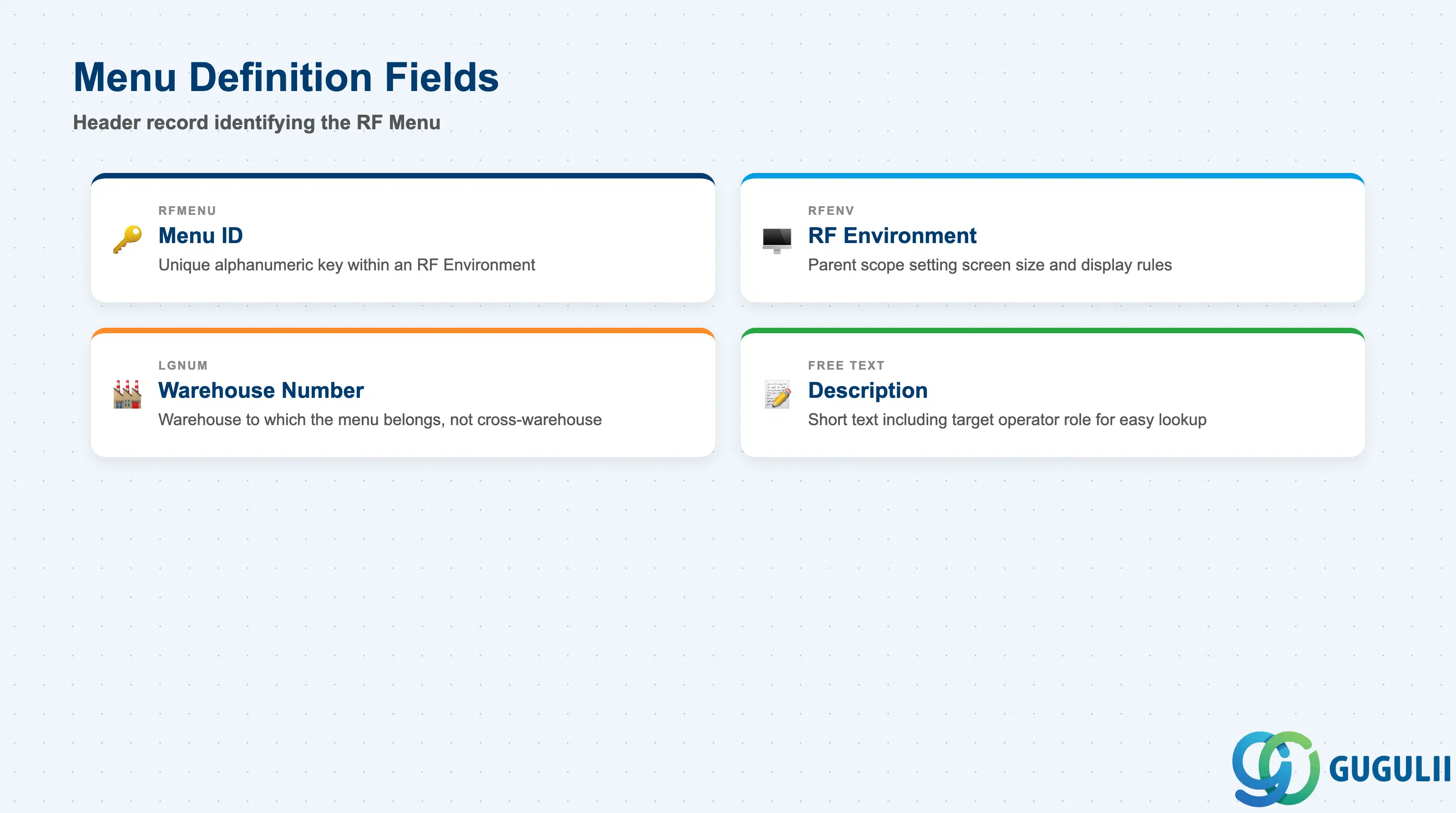
The menu definition is the header record that uniquely identifies an RF Menu within an RF Environment. It establishes the menu’s identity before any items or language texts can be added. All menu items and display configuration hang off this header.
| Field | Description | Practical Usage |
|---|---|---|
| Menu ID (RFMENU) | Unique alphanumeric identifier for the RF Menu within an RF Environment | Use a naming convention that reflects role and environment — for example, INBOUND_STD or PICKING_A. A clear ID makes RF Profile assignment and troubleshooting faster when multiple menus exist for the same warehouse. |
| RF Environment (RFENV) | Reference to the parent RF Environment under which this menu is defined | The RF Environment sets the screen constraint for all menus within it; assign the menu to the correct environment matching the target device screen size. Attempting to add menu items that exceed the screen row count may cause display issues at runtime. |
| Warehouse Number (LGNUM) | Warehouse to which the RF Environment and therefore this menu belongs | In multi-warehouse deployments, verify that the LGNUM matches the warehouse where operators using this menu will be working. Menus are not cross-warehouse — each warehouse requires its own set of RF Menus. |
| Description | Short free-text description of the menu | Include the target operator role in the description (e.g., “Receiver Menu — Inbound Dock”). This text appears in RF Profile maintenance and helps administrators quickly identify the correct menu when assigning profiles. |
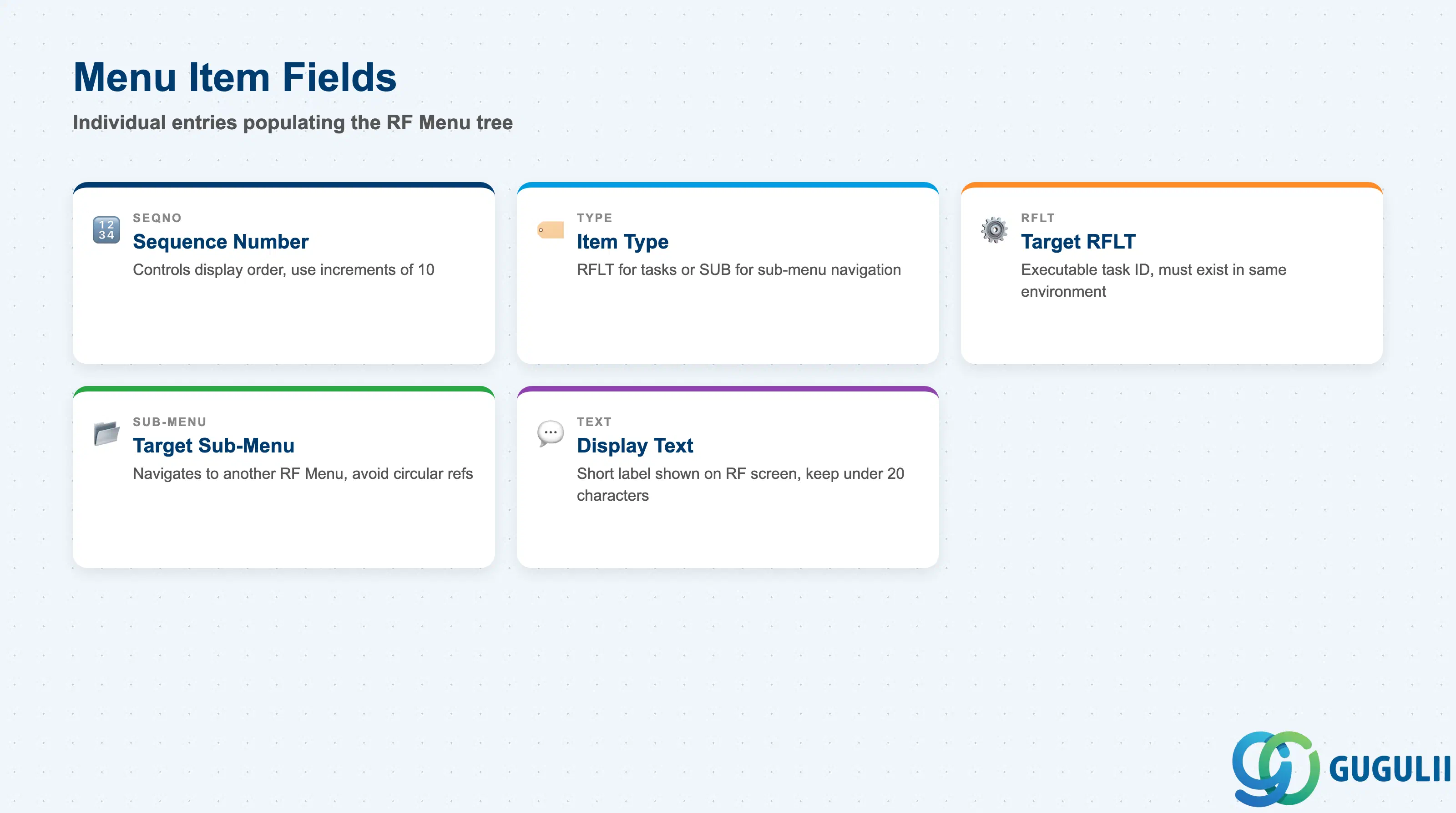
Menu items are the individual entries that populate the RF Menu tree. Each item is either a reference to an RFLT (leaf node) or a pointer to another sub-menu (intermediate node). The sequence number controls the order in which items appear on the RF terminal screen.
| Field | Description | Practical Usage |
|---|---|---|
| Sequence Number (SEQNO) | Integer that determines the display order of items within the menu | Number items in increments of 10 (10, 20, 30 …) rather than 1, 2, 3 to allow future insertion without full renumbering. The most frequently used tasks should receive the lowest sequence numbers to minimize navigation keystrokes. |
| Item Type | Specifies whether the item executes an RFLT or navigates to a sub-menu | Use RFLT type for executable tasks and SUB type for grouping sub-menus. Avoid nesting more than three sub-menu levels — deeper hierarchies slow down operators and increase mis-navigation errors during time-pressured warehouse work. |
| Target RFLT (RFLT) | RF Logical Transaction ID to execute when the operator selects this item (only for RFLT-type items) | The referenced RFLT must belong to the same RF Environment. Verify that the RFLT exists and is active before adding it as a menu item; a missing or deactivated RFLT causes a runtime error when the operator attempts to select that item. |
| Target Sub-Menu | RF Menu ID of the sub-menu to navigate to when this item is selected (only for SUB-type items) | The target sub-menu must be defined under the same RF Environment. Circular references (Menu A → Sub-Menu B → back to Menu A) are not validated at save time but cause infinite loops at runtime — always verify sub-menu chains manually after configuration. |
| Display Text | Short text shown on the RF terminal screen for this menu item | Keep display text under 20 characters to prevent truncation on standard RF screens (typically 20 columns wide). Abbreviations are acceptable and often necessary — document abbreviation conventions in the project configuration guide. |
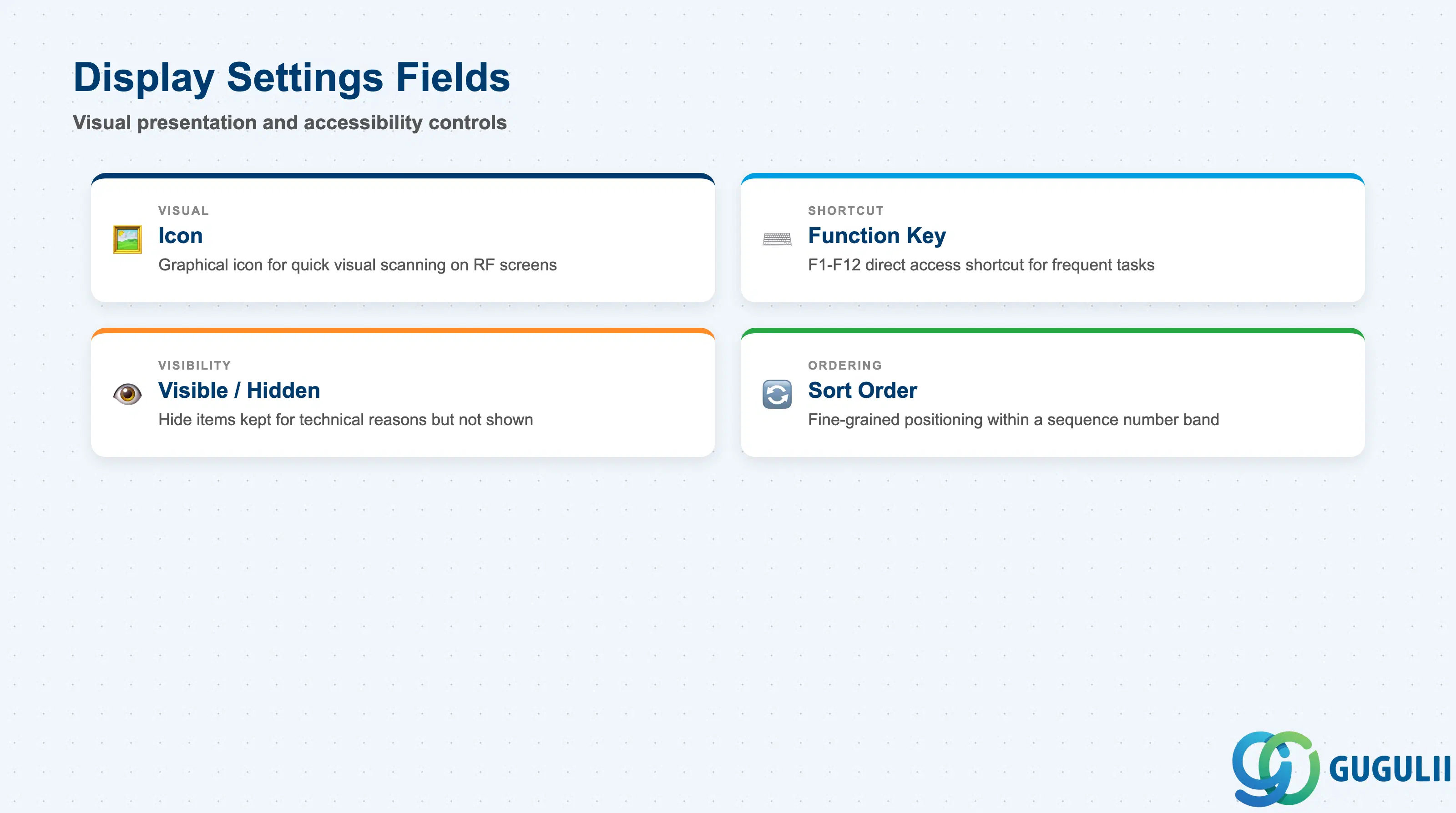
Display settings control the visual presentation and accessibility of each menu item on the RF terminal screen. These settings are especially important for high-throughput environments where operators execute repetitive tasks under time pressure — a well-configured display layout reduces miskeys and speeds up task selection.
| Field | Description | Practical Usage |
|---|---|---|
| Icon | Graphical icon assigned to the menu item for visual identification | SAP provides a standard icon set for EWM RF menus. Assign recognizable icons to high-frequency items (e.g., a fork icon for putaway, a truck icon for goods receipt) to support quick visual scanning on small RF screens. Not all RF terminal firmware renders icons; confirm device capability during hardware selection. |
| Function Key Shortcut | F-key (F1–F12) assigned as a direct shortcut to this menu item | Assign function key shortcuts to the most frequently accessed items in each menu. Document the key assignments in operator training materials — inconsistent shortcut assignments across different menus cause confusion for operators who work across multiple areas. |
| Visible/Hidden Flag | Controls whether the menu item is displayed to the operator or hidden | Use the hidden flag for items that must remain in the menu definition for technical reasons (e.g., referenced in RF Profile configuration) but should not be operator-accessible. This is preferable to deleting items that may be re-activated later. |
| Sort Order | Secondary ordering field when multiple items share the same sequence number range | Sort order allows fine-grained positioning of items within a sequence band. In practice, this field is rarely needed if sequence numbers are assigned with sufficient gaps (increments of 10). |
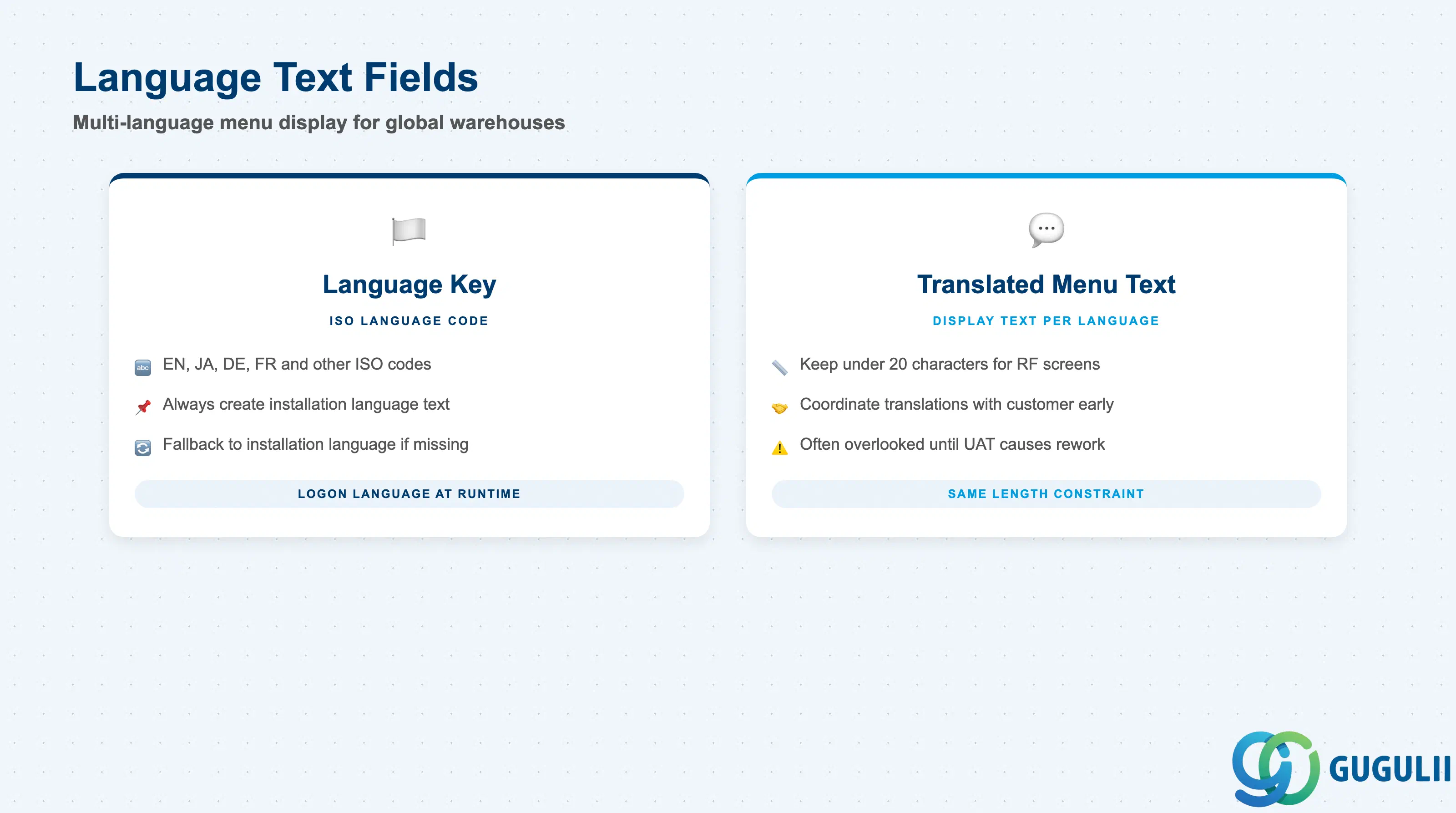
Language texts allow the same RF Menu to display item labels in the operator’s logon language. In multi-national warehouses or facilities with a multilingual workforce, language text maintenance ensures that operators see menu items in their preferred language without requiring separate menu definitions per language.
| Field | Description | Practical Usage |
|---|---|---|
| Language Key | ISO language code (e.g., EN for English, JA for Japanese, DE for German) identifying the text language | Always create at minimum the installation language text and the primary operator language. For Japanese manufacturing sites operating EWM, maintain both EN and JA texts; the EN text serves as the fallback when a logon language has no translation. |
| Translated Menu Text | Display text for the menu item in the specified language | Keep translations to the same length constraint as the original text (under 20 characters for standard RF screens). Coordinate with the customer’s translation team early in the project — RF menu texts are often overlooked in translation scope until user acceptance testing, causing last-minute rework. |
Prerequisite: Language texts can only be maintained after the menu item exists. The logon language of the operator at RF terminal login determines which language text is retrieved at runtime — if no text exists for the logon language, the system falls back to the installation language text.
| ID | Category | Title |
|---|---|---|
| ewm-001 | Overview | What is SAP EWM? |
| ID | Category | Title |
|---|---|---|
| ewm-b01 | Overview | SAP EWM Transactions: Process Flow, Hierarchy & Relationships |