Title here
Summary here

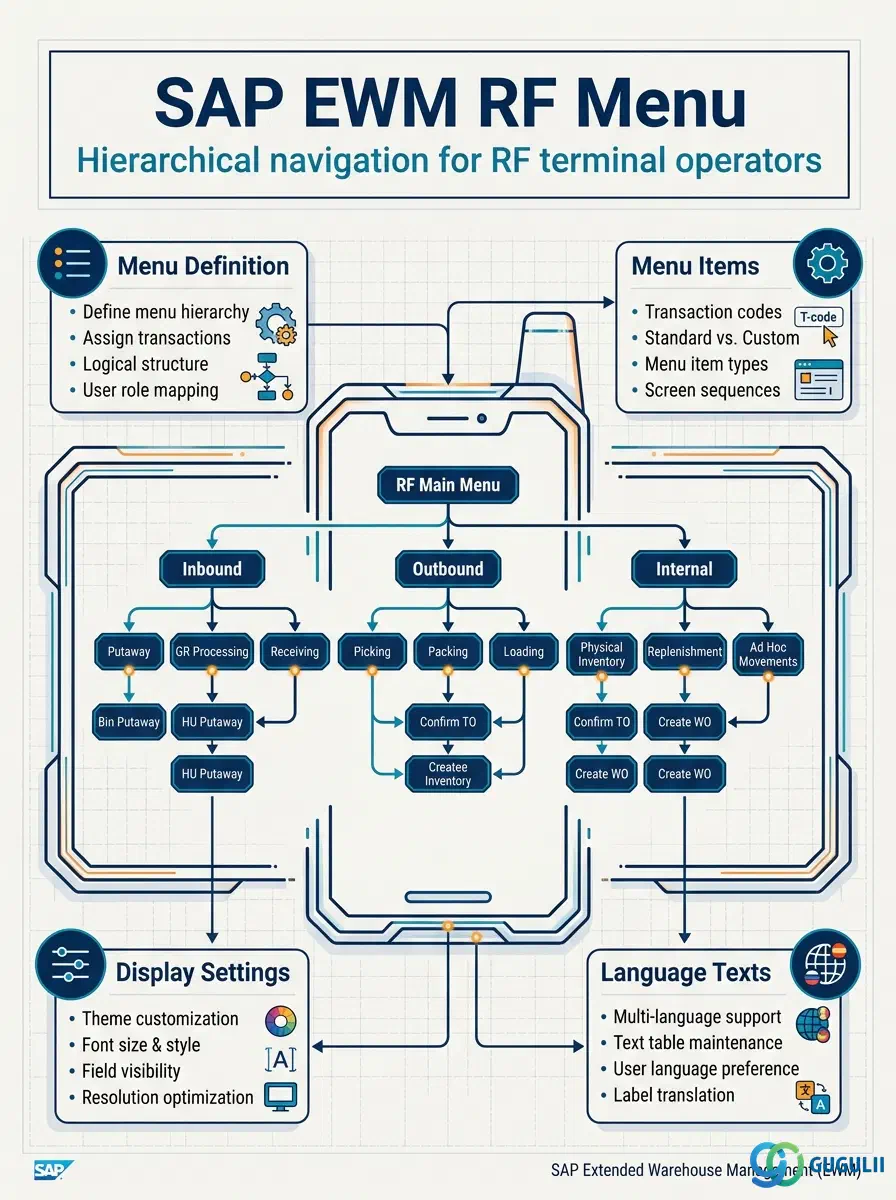
The RF Profile is the master data object that links a warehouse operator or resource to their RF terminal configuration. It sits at the intersection of the RF Framework hierarchy — below the RF Menu and above the RF Queue — and bundles together the RF Menu assignment, resource type, user group, and display preferences that govern what an operator sees and can do on their RF device. Every user who logs into an RF terminal in SAP EWM must be associated with an RF Profile; without it, the terminal session cannot determine which menu to display or which task queue to draw from. This article covers the profile definition, assignment model, display control fields, and integration with sibling RF Framework objects.
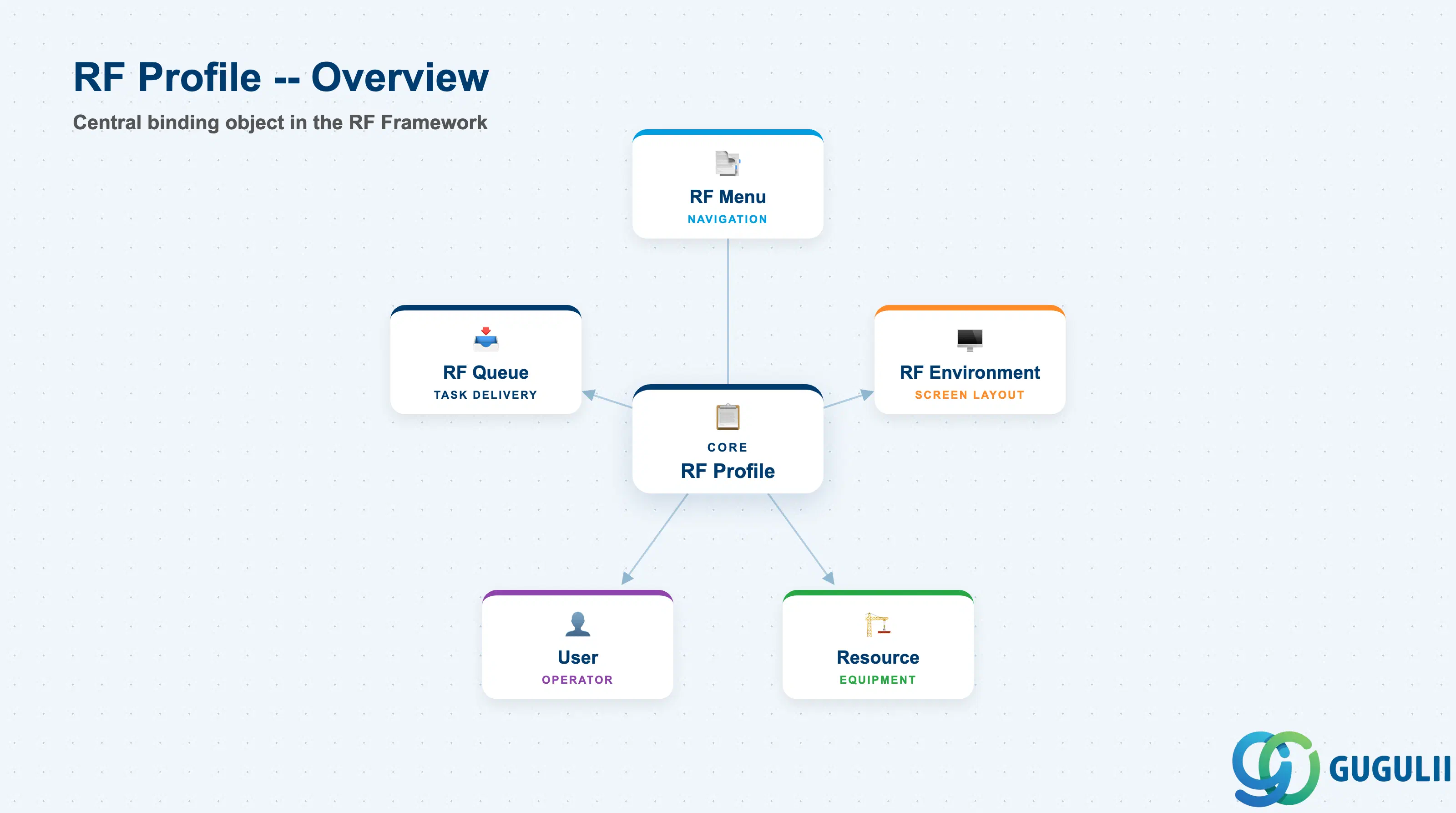
An RF Profile is a named configuration object within the RF Framework that acts as the personalization layer between a warehouse operator and the RF terminal. Rather than hardcoding a menu or resource type directly on each user master, the RF Profile centralizes these settings into a reusable record that can be assigned to multiple users or resources. This separation means that when a process or menu changes, administrators update the profile once instead of editing every individual user record.
| Aspect | Details |
|---|---|
| Role | Assigns RF Menu, resource type, user group, and display preferences to a user or resource for RF terminal sessions |
| Modules using it | EWM (RF Framework — primary owner across all license editions: B, A, D) |
| Transactions | /SCWM/RFPROF (Define RF Profiles), SPRO → EWM → RF Framework → Define RF Profiles |
| Key Tables | /SCWM/TRFPROF (profile header), /SCWM/TRFPRUSG (user-group assignment), /SCWM/TRFPRDSP (display settings per profile) |
| S/4HANA note | RF Profile configuration is identical across Embedded Basic, Embedded Advanced, and Decentralized EWM. No structural changes from ECC-based Decentralized EWM. |
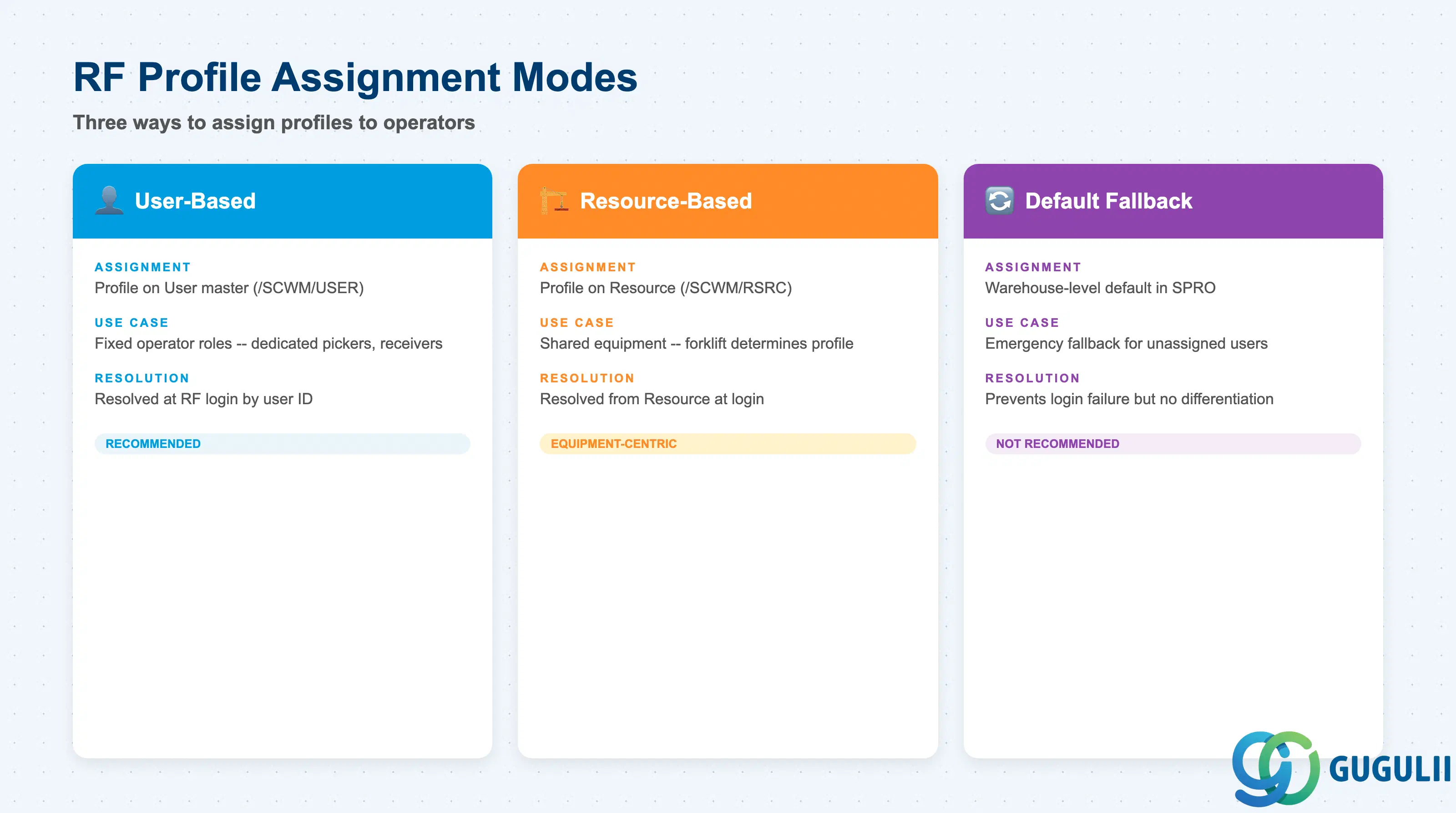
The RF Profile can be assigned to warehouse operators through different mechanisms depending on whether the operation is user-driven or resource-driven. Understanding which assignment mode applies to each scenario is essential during the RF Framework design phase — the wrong choice leads to incorrect menu presentation or task queue misrouting.
| Assignment Mode | Description | Use Case | Key Behavior |
|---|---|---|---|
| User-Based | RF Profile is assigned to the warehouse User master (/SCWM/USER) | Fixed operator roles where the same person always performs the same function (e.g., dedicated picker, dedicated receiver) | Profile is resolved at RF login based on the logged-in user ID; overrides resource-based profile if both are set |
| Resource-Based | RF Profile is assigned to a Resource (/SCWM/RSRC) such as a forklift or mobile terminal | Shared equipment operated by multiple users; the machine determines the profile rather than the person | Profile is resolved from the Resource the user logs onto; particularly common in forklift-intensive environments where equipment capability drives the task set |
| Default Fallback | A warehouse-level default RF Profile is configured in SPRO | Emergency fallback for users with no profile assigned; not recommended as a standard configuration | Prevents login failure but results in every unassigned user seeing the same menu — should be treated as a configuration gap indicator, not a design pattern |
Design principle: Decide the assignment model during blueprint. User-based assignment suits role-differentiated warehouses; resource-based suits equipment-centric operations. Mixed models are supported but require clear documentation to avoid profile resolution ambiguity at runtime.
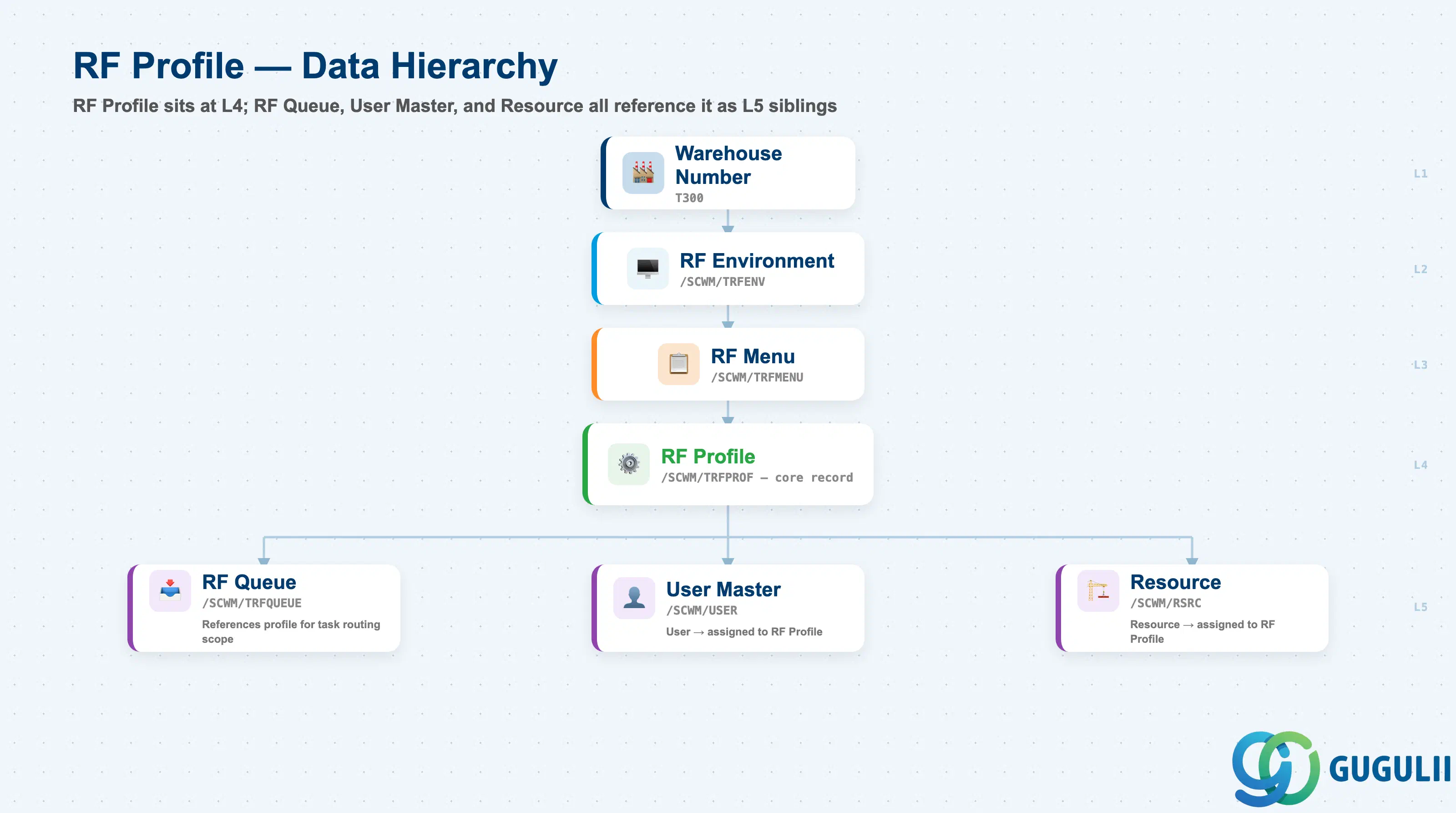
The RF Profile occupies a specific position within the RF Framework hierarchy. It is not directly parented to the RF Environment — instead, it references the RF Menu, which is itself parented to the RF Environment. The RF Queue, in turn, references the RF Profile. Understanding this chain is critical for troubleshooting RF terminal behavior and for ensuring that changes to one object cascade correctly to dependent objects.
Warehouse Number (e.g., WH01)
   │
   └── RF Environment (e.g., ENV_STD)
          │
          └── RF Menu (e.g., PICKING_A)
                 │
                 └── RF Profile (e.g., PROF_PICKER)
                        │
                        ├── RF Queue (references profile for task routing)
                        │
                        ├── User Master (/SCWM/USER) → assigned RF Profile
                        │
└── Resource (/SCWM/RSRC) → assigned RF Profile| Level | Object | Table | Primary Fields | Notes |
|---|---|---|---|---|
| 1 | Warehouse Number | T300 (SPRO config) | LGNUM | Top-level scope; all RF objects are scoped to a warehouse |
| 2 | RF Environment | /SCWM/TRFENV | RFENV, LGNUM | Screen size and display parameters; grandparent of RF Profile via RF Menu |
| 3 | RF Menu | /SCWM/TRFMENU | RFMENU, RFENV, LGNUM | Navigation tree assigned to the profile; the profile references one menu |
| 4 | RF Profile | /SCWM/TRFPROF | RFPROF, RFMENU, LGNUM, resource type, user group | Core configuration record; one profile per operator role or resource type |
| 5 | RF Queue | /SCWM/TRFQUEUE | RFQUEUE, RFPROF, LGNUM | Task delivery queue that references the profile for scope filtering |
Key design decision: The RF Profile inherits its screen environment indirectly through its assigned RF Menu → RF Environment chain. A profile cannot reference menus from different RF Environments simultaneously — each profile is implicitly scoped to the single RF Environment of its assigned menu.
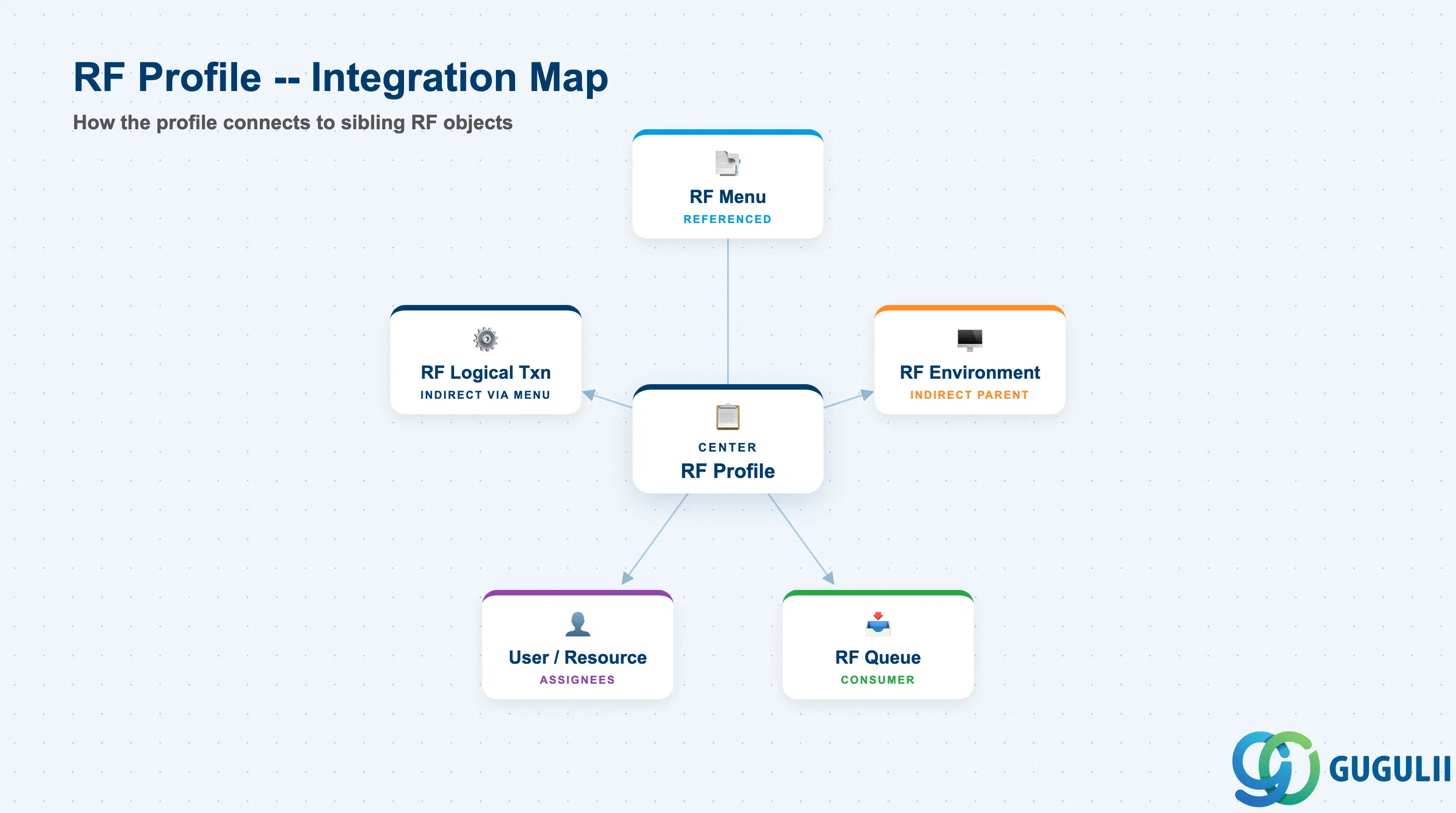
The RF Profile is the central binding object in the RF Framework. It does not operate in isolation; it is the point where the navigation structure (RF Menu), the task delivery mechanism (RF Queue), and the physical operator or resource (User, Resource) all converge.
| Object | Relationship | Practical Notes |
|---|---|---|
| RF Menu (EWM-A09-03) | Referenced by profile — the profile assigns exactly one RF Menu to the operator | Changing the RF Menu assignment in a profile takes effect at the operator’s next RF login; active sessions are not interrupted. If multiple operator roles share the same menu, they can share the same profile — or maintain separate profiles if any other settings differ. |
| RF Environment (EWM-A09-01) | Indirect parent — the profile’s effective RF Environment is determined by its RF Menu’s parent environment | The profile itself does not store the RF Environment key; it is derived at runtime. Ensure all profiles referencing a given RF Menu are aware that a change to the RF Environment (e.g., screen size update) affects all those profiles simultaneously. |
| RF Logical Transaction (EWM-A09-02) | Indirect — RFLTs are accessible to the operator based on the RF Menu items the profile assigns | The profile does not directly list RFLTs; access is governed entirely through the RF Menu hierarchy. If an RFLT needs to be restricted for a subset of users, the recommended approach is to define a separate RF Menu without that RFLT and assign it via a separate RF Profile. |
| RF Queue (EWM-A09-05) | Consumer — the RF Queue references the RF Profile to determine which operators receive which task types | One RF Profile can be referenced by multiple RF Queues, allowing a single operator role to receive tasks from several queue sources simultaneously. Verify queue assignments when a new profile is created — an unassigned profile receives no queued tasks. |
| User (EWM-A04-06) | Assignee — the User master references an RF Profile | User-to-profile assignment is the most common model. Review all user assignments whenever a profile is deactivated or replaced; unassigned users cannot log into an RF terminal. |
| Resource (EWM-A06-01) | Assignee — the Resource references an RF Profile | Resource-to-profile assignment is used for equipment-centric operations. The resource type configured in the profile must match the resource type of the Resource master to ensure consistent task routing. |
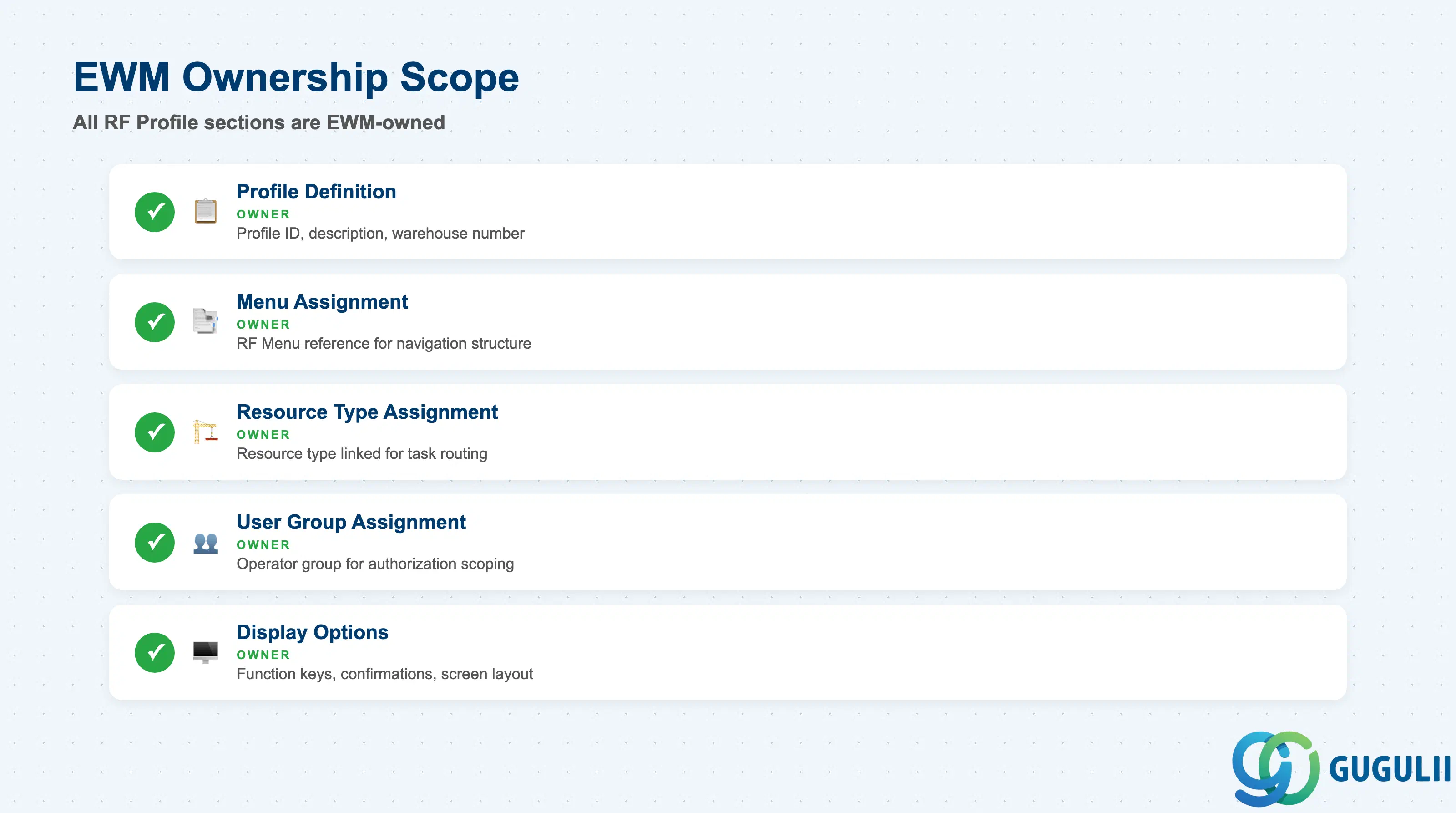
| Data Section | EWM Involvement | Notes |
|---|---|---|
| Profile Definition | ◎ Owner | Profile ID, description, warehouse number — entirely EWM-managed in /SCWM/RFPROF |
| Menu Assignment | ◎ Owner | RF Menu reference — determines the navigation structure shown to the operator |
| Resource Type Assignment | ◎ Owner | Resource type linked to the profile; drives task routing and resource compatibility checks |
| User Group Assignment | ◎ Owner | User group controlling which operator users are associated with this profile for authorization scoping |
| Display Options | ◎ Owner | Function key behavior, confirmation prompts, screen layout preferences — all EWM-specific settings |
Legend: ◎ = Owner / Critical, ○ = Direct involvement
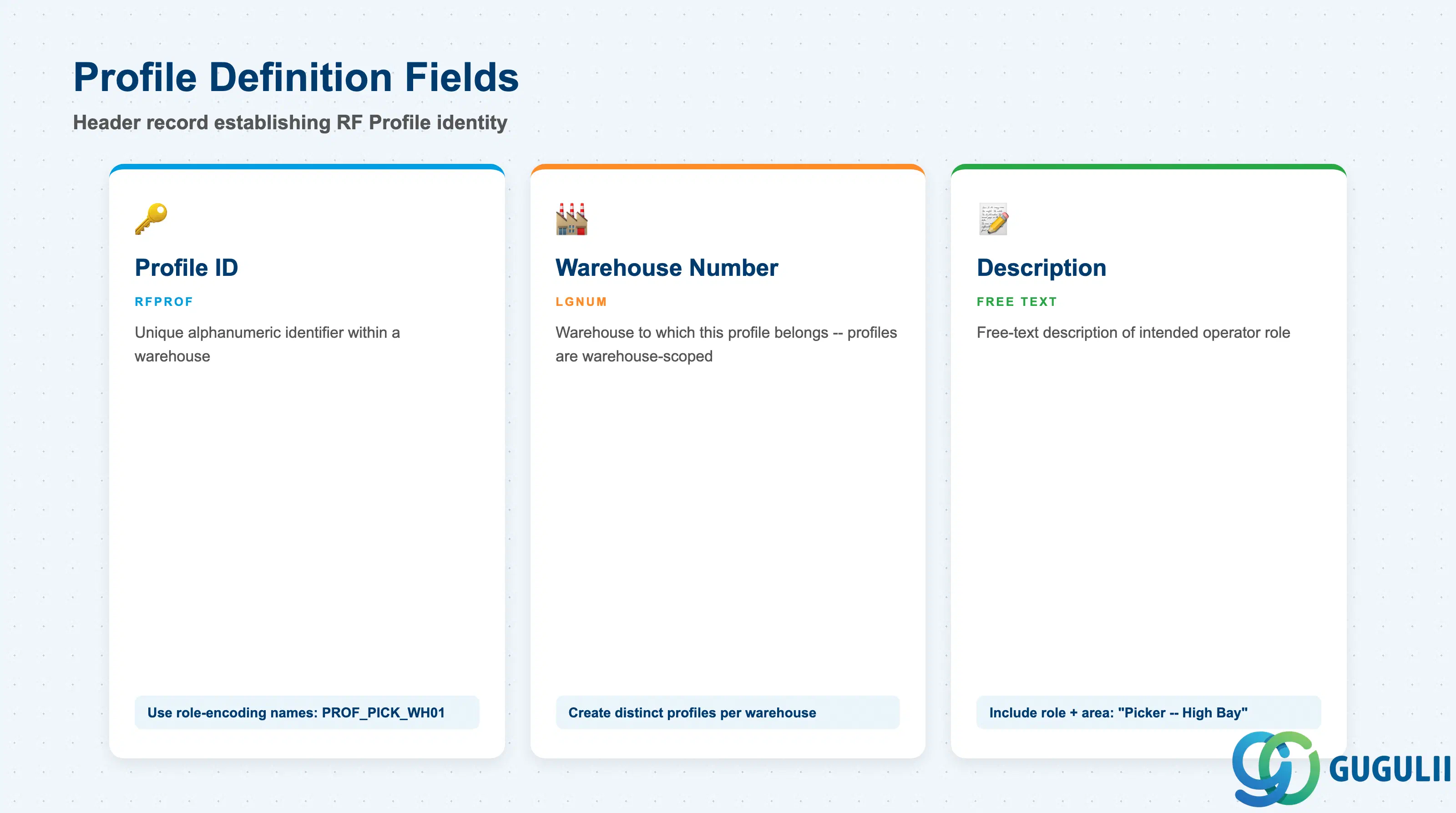
The profile definition is the header record that establishes the identity of an RF Profile within a warehouse. Every downstream assignment — RF Menu, resource type, user group, display options — hangs off this header. The profile header must be created before any assignments can be made.
| Field | Description | Practical Usage |
|---|---|---|
| Profile ID (RFPROF) | Unique alphanumeric identifier for the RF Profile within a warehouse | Adopt a naming convention that encodes the operator role and warehouse — for example, PROF_PICK_WH01 or RCVR_DOCK2. A structured naming convention makes RF Profile assignment in User and Resource masters self-documenting and simplifies troubleshooting during RF terminal login issues. |
| Warehouse Number (LGNUM) | Warehouse to which this RF Profile belongs | Profiles are warehouse-scoped; a profile defined for WH01 cannot be assigned to a user operating in WH02. In multi-warehouse rollouts, create distinct profiles per warehouse even if the settings are identical — cross-warehouse reuse is not supported by the data model. |
| Description | Free-text description of the profile | Include the intended operator role and any key distinguishing characteristic (e.g., “Picker Profile — High Bay Area” or “Receiver Profile — Dock 3”). This description appears in User and Resource master assignment screens and is the primary aid for administrators selecting the correct profile during onboarding. |
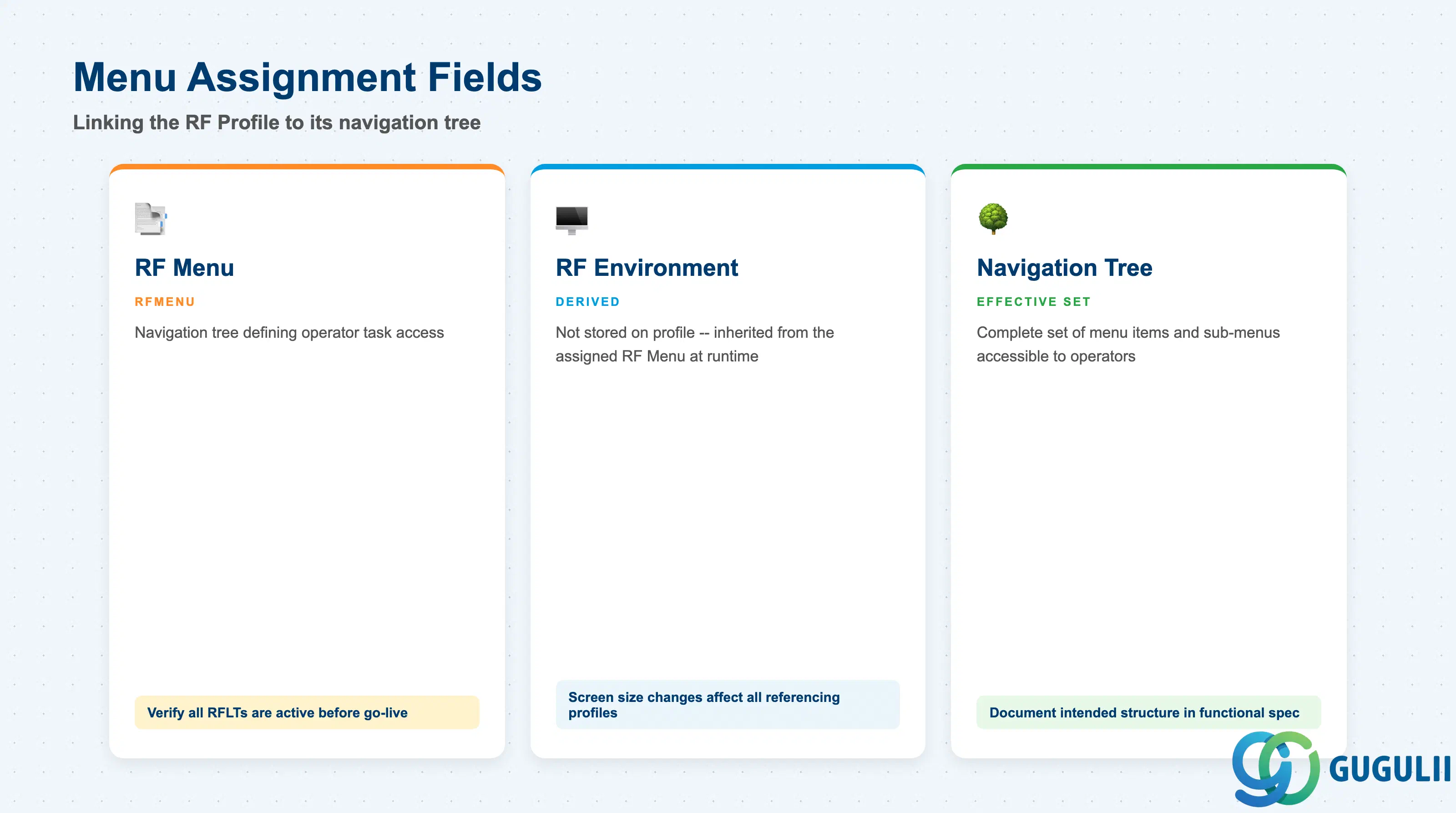
The menu assignment is the most operationally significant setting in an RF Profile. It determines the complete set of tasks visible to the operator on their RF terminal. A single RF Profile references exactly one RF Menu — the chosen menu must exist under an RF Environment that matches the screen dimensions of the target device.
| Field | Description | Practical Usage |
|---|---|---|
| RF Menu (RFMENU) | Reference to the RF Menu that defines the operator’s navigation tree | Verify that the referenced RF Menu has been fully configured with the correct RF Logical Transactions before assigning it to a live profile. An incomplete menu — missing items or referencing inactive RFLTs — causes runtime errors when operators select those items. In validation environments, test the full menu navigation path before transporting the profile to production. |
| RF Environment (derived) | The RF Environment is not directly stored in the profile; it is derived from the referenced RF Menu at runtime | Although the RF Environment key is not an explicit field on the profile, it governs screen layout constraints for all operators using this profile. If the RF Environment is changed (e.g., screen size adjusted), re-verify the RF Menu’s item count against the new screen dimensions. |
| Effective Navigation Tree | The set of menu items and sub-menus that operators with this profile can access | Document the intended menu structure in the project’s functional specification so that any future changes to the RF Menu can be impact-assessed against all profiles that reference it. Multiple profiles can reference the same RF Menu — a change to the menu affects all profiles simultaneously. |
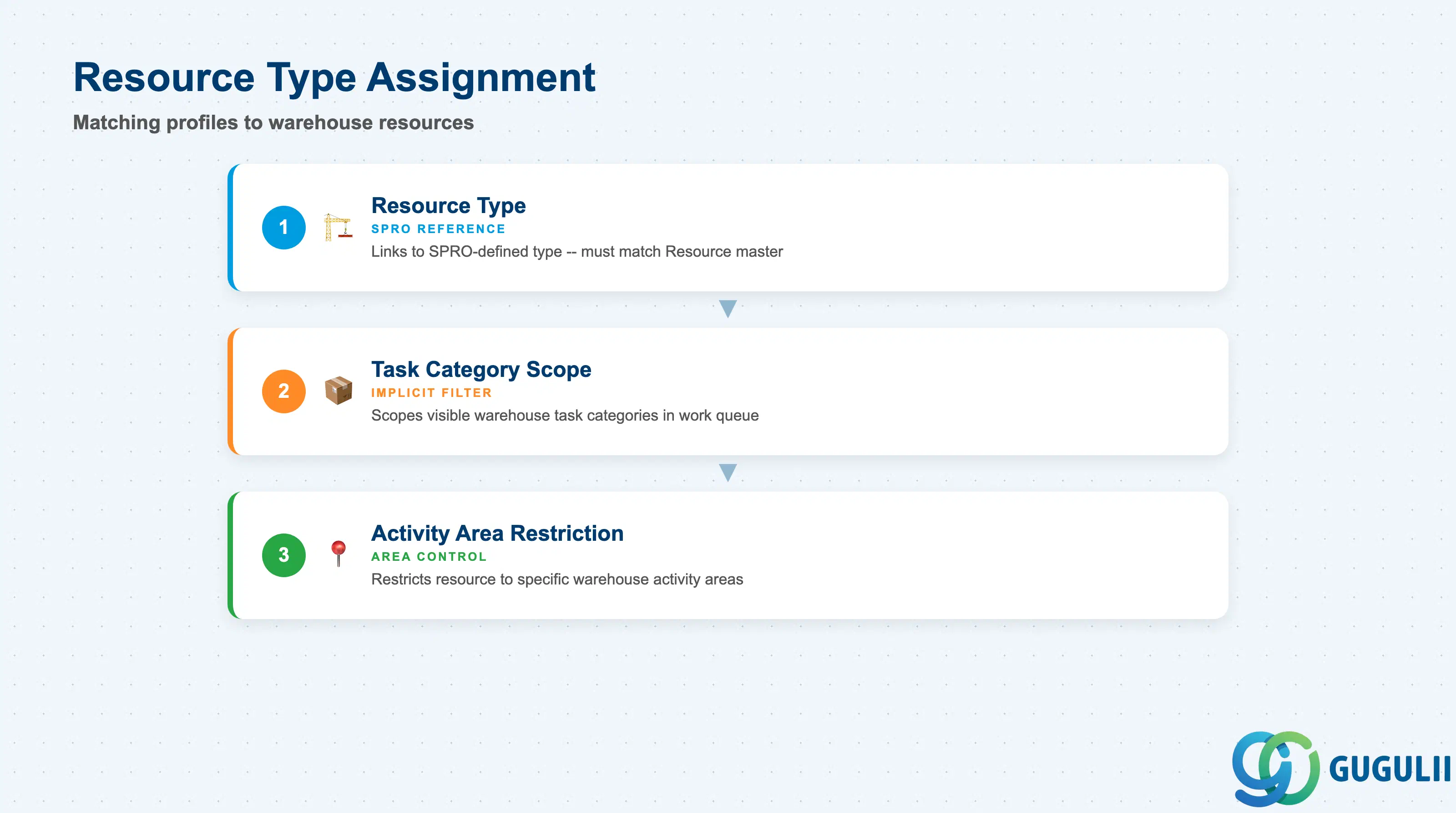
The resource type assignment in the RF Profile determines which category of warehouse resource — human operator, forklift, conveyance vehicle — is associated with this profile. This setting drives task routing: EWM uses the resource type to match work tasks to the appropriate resource and, by extension, to the operator working on that resource.
| Field | Description | Practical Usage |
|---|---|---|
| Resource Type | Reference to a Resource Type defined in SPRO (EWM → Resource Management → Define Resource Types) | Align the resource type in the RF Profile with the resource type of the Resource master records that operators will log onto. A mismatch between the profile’s resource type and the actual resource causes task routing failures — tasks queued for a forklift resource type will not be offered to an operator whose profile specifies a manual picking resource type. |
| Task Category Relevance | Resource type implicitly scopes the categories of warehouse tasks visible in the work queue | Define one RF Profile per resource type when task categories differ significantly between resource types (e.g., forklift-executable bulk tasks vs. operator-executable piece-pick tasks). Sharing a profile across resource types that handle different task categories leads to operators being offered tasks that their physical resource cannot execute. |
| Activity Area Restriction | Some resource type configurations restrict the resource to specific activity areas within the warehouse | Confirm with the warehouse operations team which areas each resource type is permitted to work in before finalizing the profile-to-resource-type mapping. Activity area restrictions are enforced at task assignment time, so a misconfigured resource type in the profile causes tasks to be withheld from operators even when the physical resource is capable. |
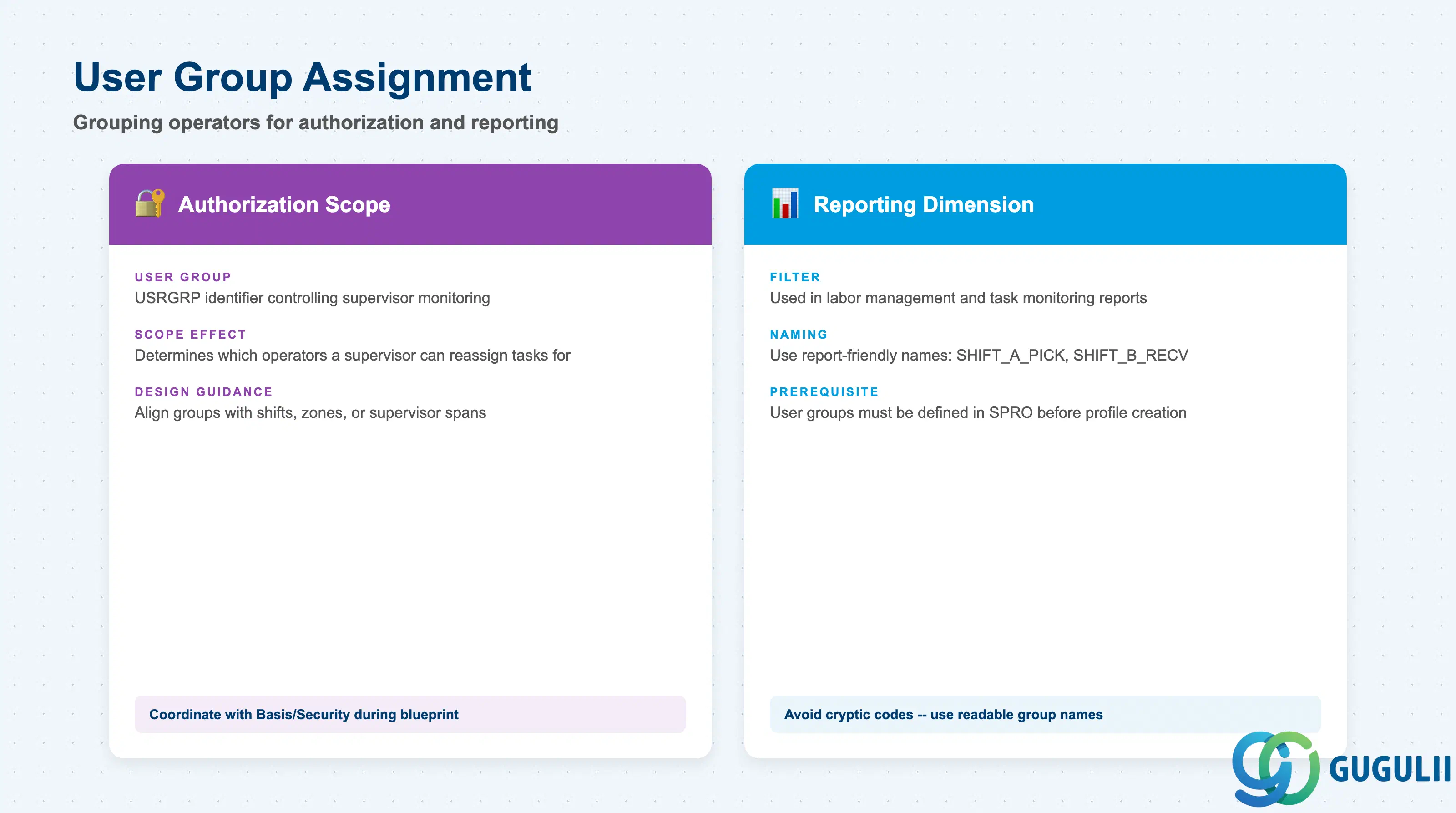
The user group assignment in the RF Profile groups operators for authorization scoping and reporting. It does not directly restrict menu access — that is the RF Menu’s role — but it controls which supervisors and system users can view, monitor, or reassign tasks belonging to operators in this group.
| Field | Description | Practical Usage |
|---|---|---|
| User Group (USRGRP) | Identifier for the user group that operators assigned to this profile belong to | Define user groups aligned with operational shifts, zones, or supervisor spans of control. A group of pickers supervised by one team leader should share a user group so that the team leader’s monitoring views in EWM are correctly scoped to their team. Avoid a single catch-all user group across all profiles — it eliminates the ability to filter task monitoring by team. |
| Authorization Scope | User group is used in EWM authorization objects to control which operators a supervisor can reassign tasks for | Coordinate user group design with the Basis/Security team during blueprint. If supervisors have authorization restrictions based on user group, adding an operator to the wrong group grants or denies access incorrectly. This is especially important in regulated environments (pharmaceutical, food) where segregation of duties is audited. |
| Reporting Dimension | User group serves as a filter dimension in EWM labor management and task monitoring reports | Build user group naming conventions that are report-friendly (e.g., SHIFT_A_PICK, SHIFT_B_RECV). Cryptic or sequential codes (USG001, USG002) are harder to interpret in live monitoring dashboards and may require additional documentation overhead during operations hand-off. |
Prerequisite: User groups must be defined in SPRO before they can be referenced in the RF Profile. Confirm that all required user groups exist in the target system prior to profile creation, particularly in new landscape builds where SPRO configuration transport order may not yet be complete.
| ID | Category | Title |
|---|---|---|
| ewm-001 | Overview | What is SAP EWM? |
| ID | Category | Title |
|---|---|---|
| ewm-b01 | Overview | SAP EWM Transactions: Process Flow, Hierarchy & Relationships |