Title here
Summary here

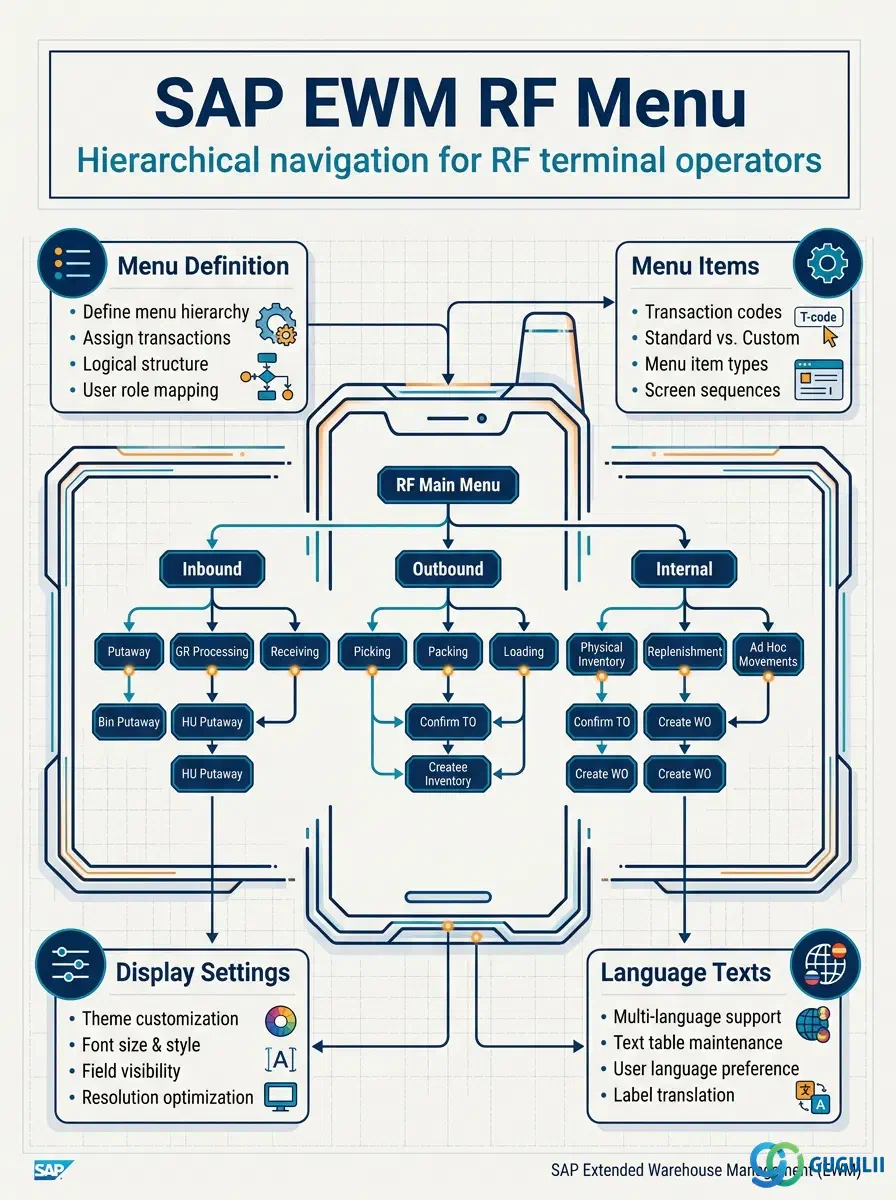
The RF Queue is the master data object that controls task dispatching to RF terminals in SAP EWM’s Radio Frequency Framework. It defines named queues assigned to an RF Profile, determines which warehouse tasks are routed to which operator or resource group, and governs the priority and capacity parameters that drive orderly task assignment on the warehouse floor. This article covers the RF Queue’s role in the RF Framework hierarchy, its queue types and organizational scope, integration with RF Profile (EWM-A09-04) and Resource (EWM-A06-01), and the complete field-level configuration reference for EWM administrators.
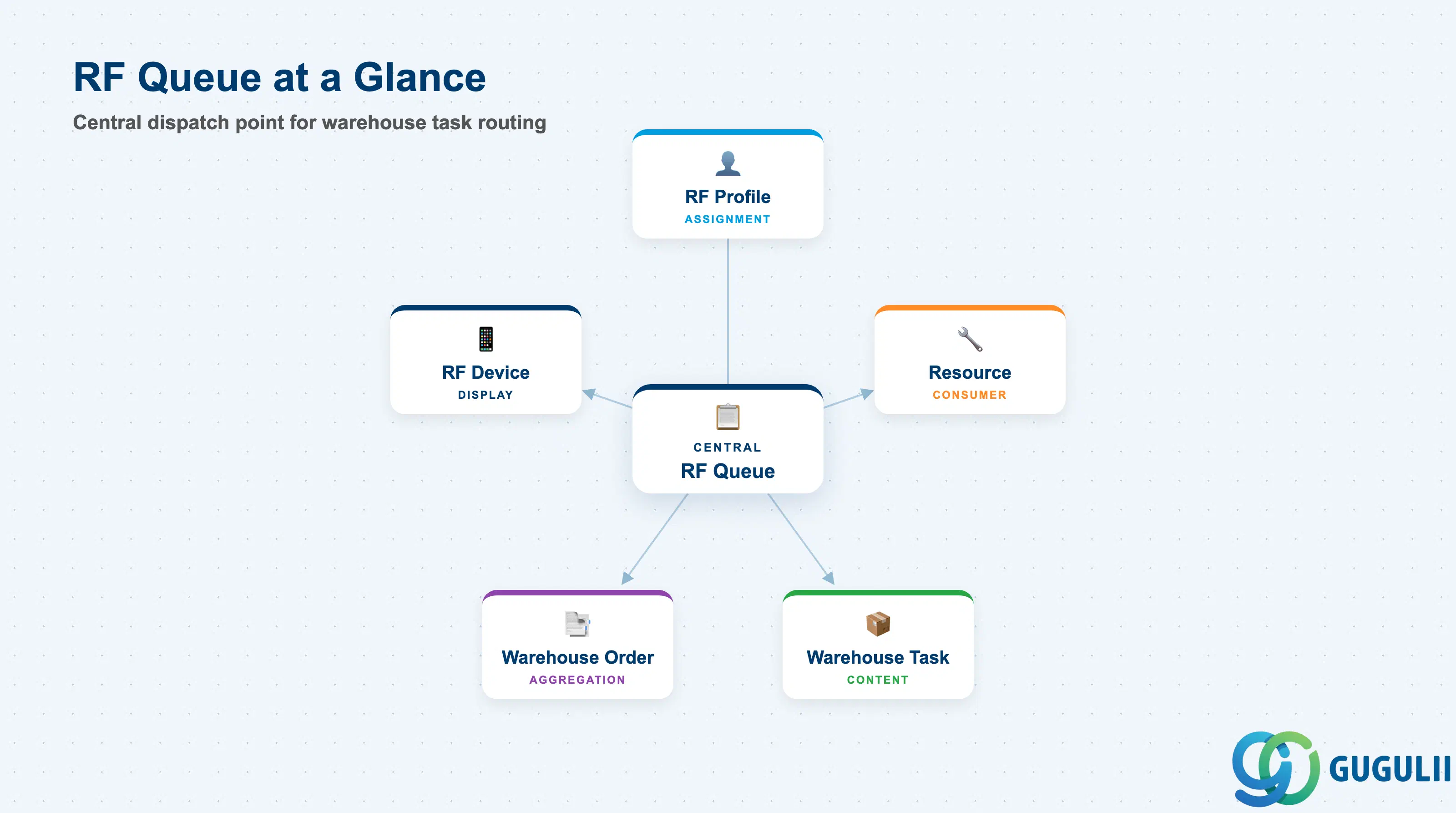
An RF Queue is a logical holding area through which SAP EWM channels warehouse tasks toward a specific group of RF terminal users or automated resources. Rather than assigning each warehouse task directly to an individual worker, the system places tasks into a named queue; operators pull the next task from the queue appropriate to their role or location. This decouples task creation from task assignment, enabling dynamic load balancing and priority-based sequencing across the warehouse floor.
| Aspect | Details |
|---|---|
| Role | Defines a named task queue associated with an RF Profile; controls which tasks are visible and in what sequence for a group of RF terminal users or resources |
| Modules using it | EWM (RF Framework — primary and sole owner) |
| Transactions | /SCWM/RFQUEUE (Create / Change / Display RF Queue) |
| Key Tables | /SCWM/RFQUEUE (queue header), /SCWM/RFQPRF (queue-to-profile assignment) |
| S/4HANA note | RF Queue configuration is identical between Embedded and Decentralized EWM. No Fiori replacement exists for /SCWM/RFQUEUE; the ABAP transaction remains the standard maintenance tool. |
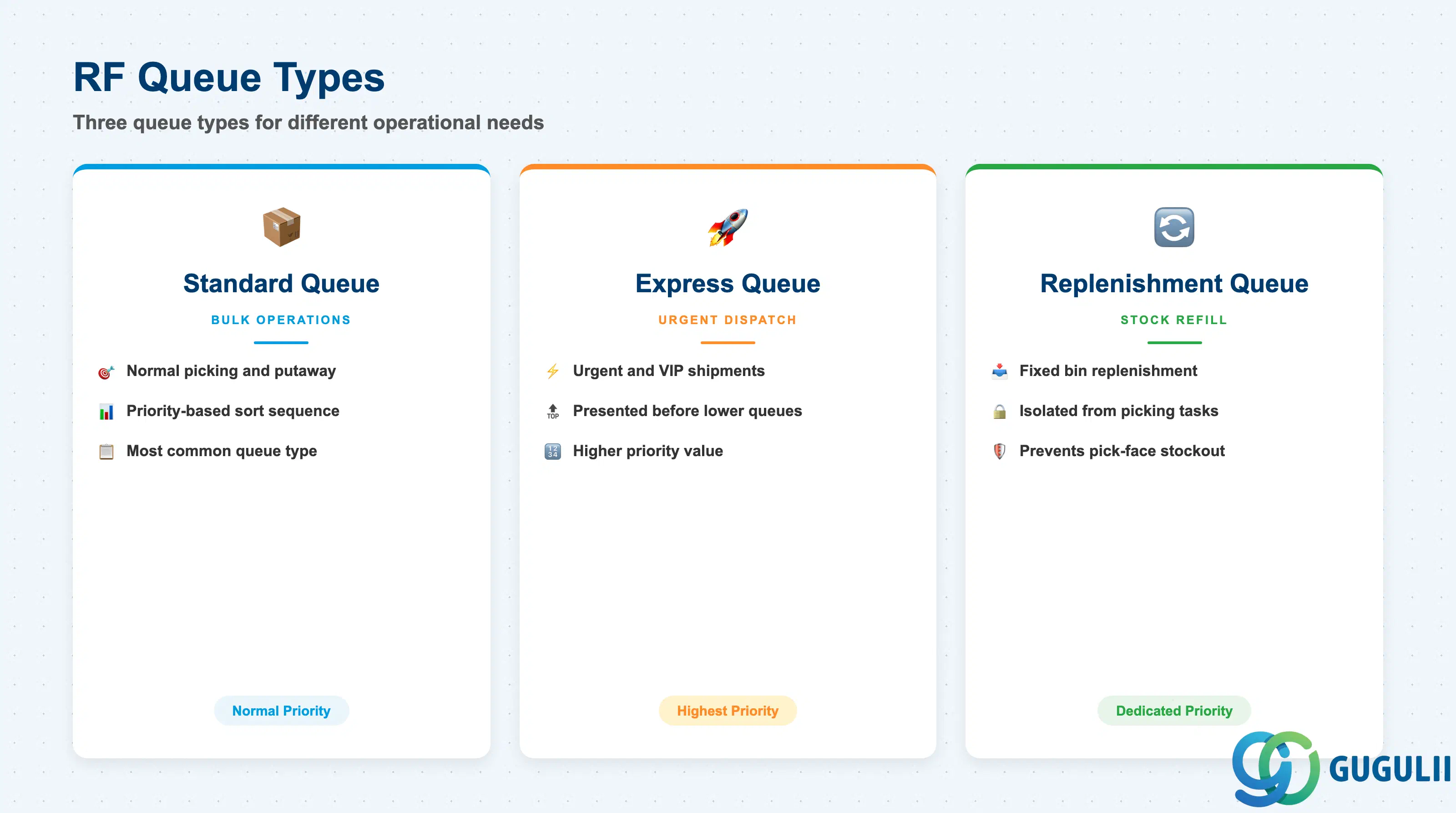
The RF Queue is not a single monolithic object — it is differentiated by how it prioritizes and filters tasks. Understanding the queue type selection prevents task starvation (low-priority tasks never executed) and ensures urgent tasks reach operators without delay.
| Queue Type | Code | Use Case | Key Behavior |
|---|---|---|---|
| Standard Queue | Standard | Normal picking, putaway, and transfer tasks in regular warehouse flow | Tasks are served in the order determined by the queue priority and warehouse task sort sequence. Most common type; used for the bulk of daily warehouse transactions. |
| Express Queue | Express | Urgent shipments, VIP orders, or time-critical replenishments | Tasks in an Express Queue are presented to the RF terminal before tasks in lower-priority queues. Configured by assigning a higher Queue Priority value (lower number = higher priority). |
| Replenishment Queue | Replenishment | Dedicated replenishment tasks to fixed bins or pick faces | Isolates replenishment work from picking to prevent operators assigned to outbound from inadvertently consuming replenishment tasks and vice versa. Helps avoid stockout at pick face during peak periods. |
Design principle: Define queues by function, not by individual operator. Assign operators to queues via RF Profile so that adding or removing staff does not require queue reconfiguration. One queue per functional role (inbound, outbound, replenishment) per warehouse area is a proven starting design.
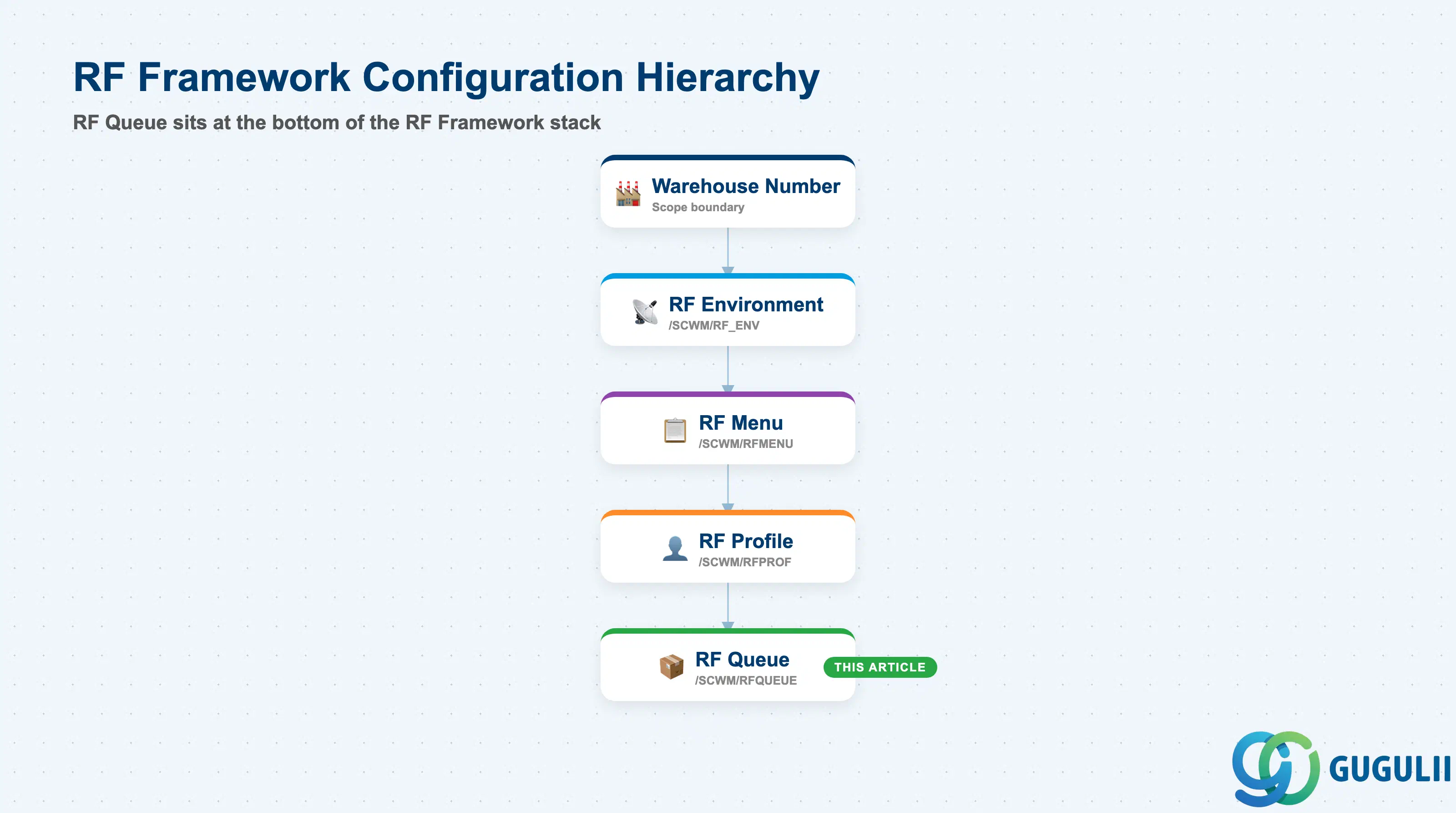
The RF Queue sits at the bottom of the RF Framework configuration hierarchy. Every queue belongs to a warehouse number through its RF Profile assignment, and its scope is therefore always warehouse-number-scoped. There is no cross-warehouse-number queue sharing.
Warehouse Number
   │
   └── RF Environment (/SCWM/RF_ENV)
          │
          └── RF Menu (/SCWM/RFMENU)
                 │
                 └── RF Profile (/SCWM/RFPROF)
                        │
└── RF Queue (/SCWM/RFQUEUE) ← This article| Org Level | Table | Primary Fields | Notes |
|---|---|---|---|
| Warehouse Number | Implicit via RF Profile | — | RF Queue is always scoped to one warehouse number through its parent RF Profile. No cross-warehouse sharing is supported. |
| RF Profile | /SCWM/RFQPRF | Queue Name, RF Profile, Priority | One RF Profile can have multiple queues. One queue can be assigned to multiple profiles (many-to-many via the assignment table). |
| RF Queue (header) | /SCWM/RFQUEUE | Queue Name, Description, Capacity, Sort Sequence | Queue header data is maintained centrally and reused across all profiles that reference it. |
Key design decision: Decide early whether queues are shared across RF Profiles or exclusive. Shared queues reduce master data volume but make workload reporting by role harder to interpret. Exclusive queues per profile give cleaner metrics and easier troubleshooting at the cost of more maintenance objects.
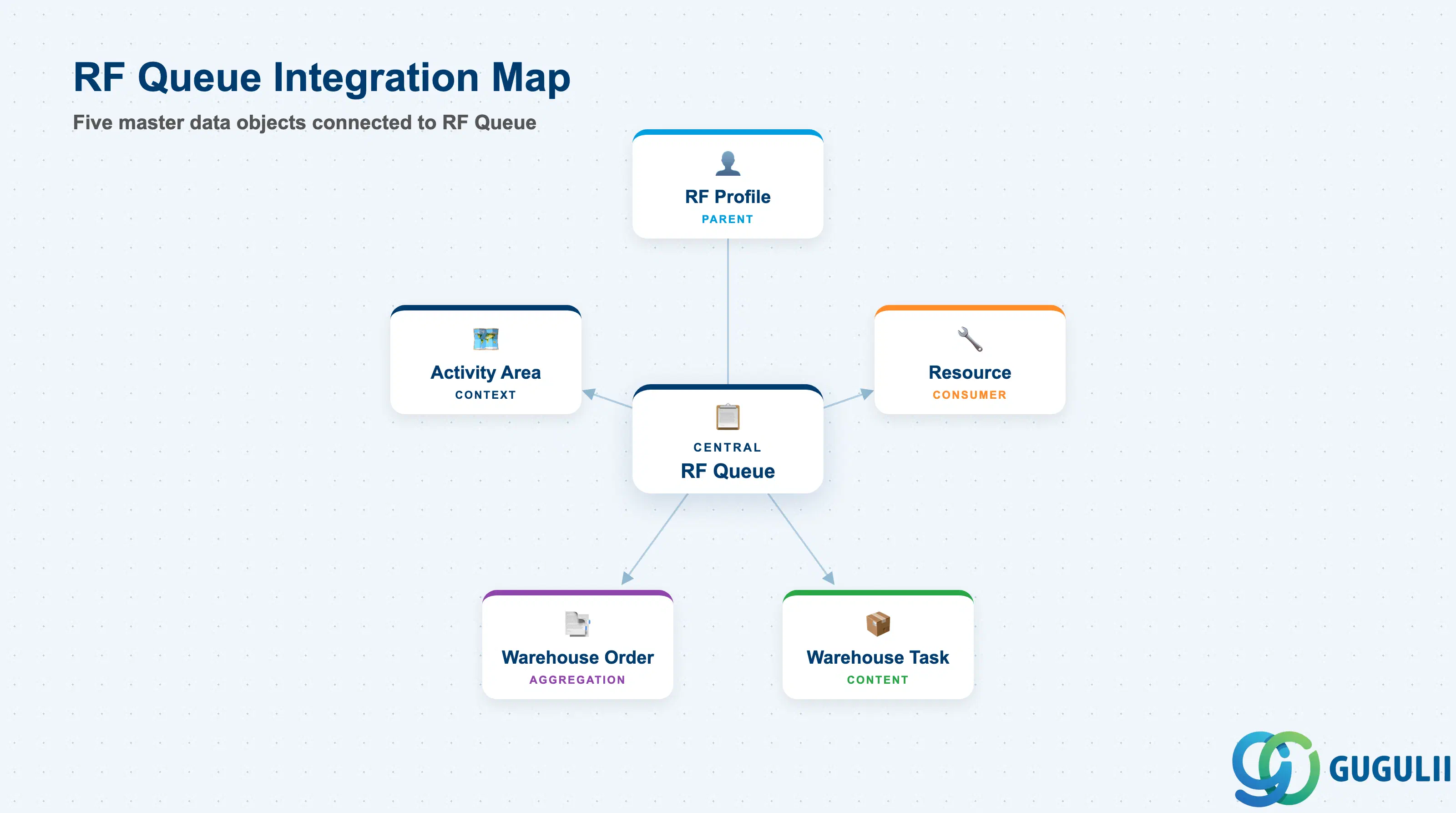
The RF Queue does not stand alone. It is the final configuration layer in the RF Framework and feeds directly into live task execution on the warehouse floor.
| Object | Relationship | Practical Notes |
|---|---|---|
| RF Profile (EWM-A09-04) | Parent — RF Queue is assigned to one or more RF Profiles | RF Profile is the prerequisite for RF Queue creation. The queue configuration has no effect until it is linked to at least one active RF Profile. |
| Resource (EWM-A06-01) | Consumer — Resources (forklift operators, RF terminal users) are assigned an RF Profile, which in turn determines their visible queues | Resource-to-Profile assignment drives which queues appear on the operator’s RF terminal. Changes to queue assignment in the RF Profile are immediately reflected on all resources using that profile. |
| Warehouse Task (/SCWM/TO) | Content — Warehouse tasks are placed into queues for assignment | Task type, activity area, and storage type can be used as filters when selecting which queue a task enters. Incorrect queue assignment causes tasks to be invisible to the workers responsible for executing them. |
| Warehouse Order | Aggregation — Warehouse orders group warehouse tasks and share the queue assignment | For RF-guided picking, the warehouse order inherits the queue of its constituent warehouse tasks. Confirm warehouse order creation rules align with queue design during blueprint. |
| Activity Area (SPRO) | Context — Activity Areas are used in Wave Template and task sorting logic | Queue sort sequences often reference activity area boundaries to keep operators in defined zones, reducing travel time and preventing cross-aisle congestion. |
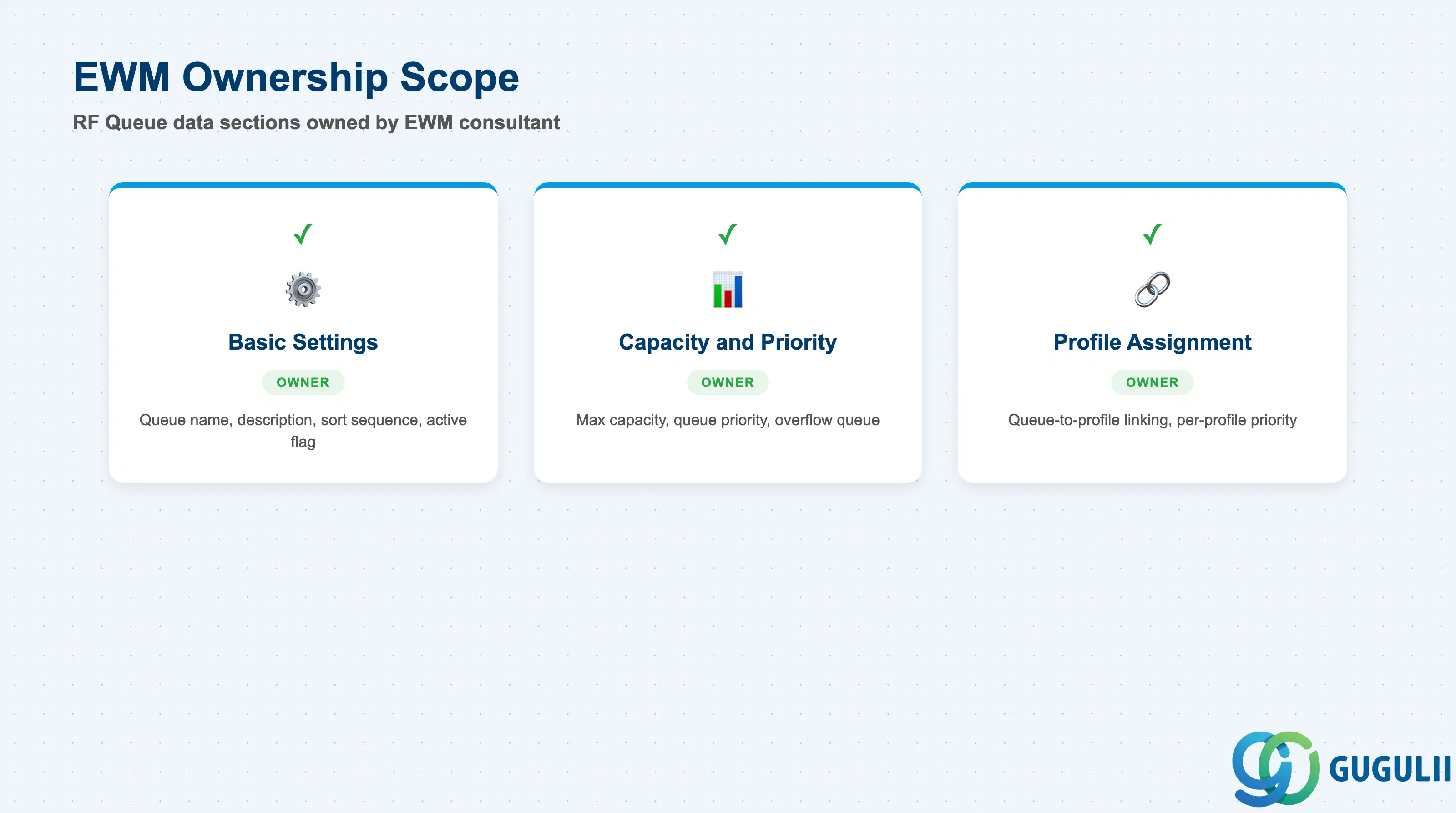
| Data Section | EWM Involvement | Notes |
|---|---|---|
| Basic Settings | ◎ Owner | Queue name, description, sort sequence, and active flag — entirely EWM-owned |
| Capacity and Priority | ◎ Owner | Maximum queue capacity and queue priority — drive runtime task dispatching behavior |
| Profile Assignment | ◎ Owner | Assignment of queue to RF Profiles — controls which operator groups see the queue at runtime |
Legend: ◎ = Owner / Critical, ○ = Direct involvement
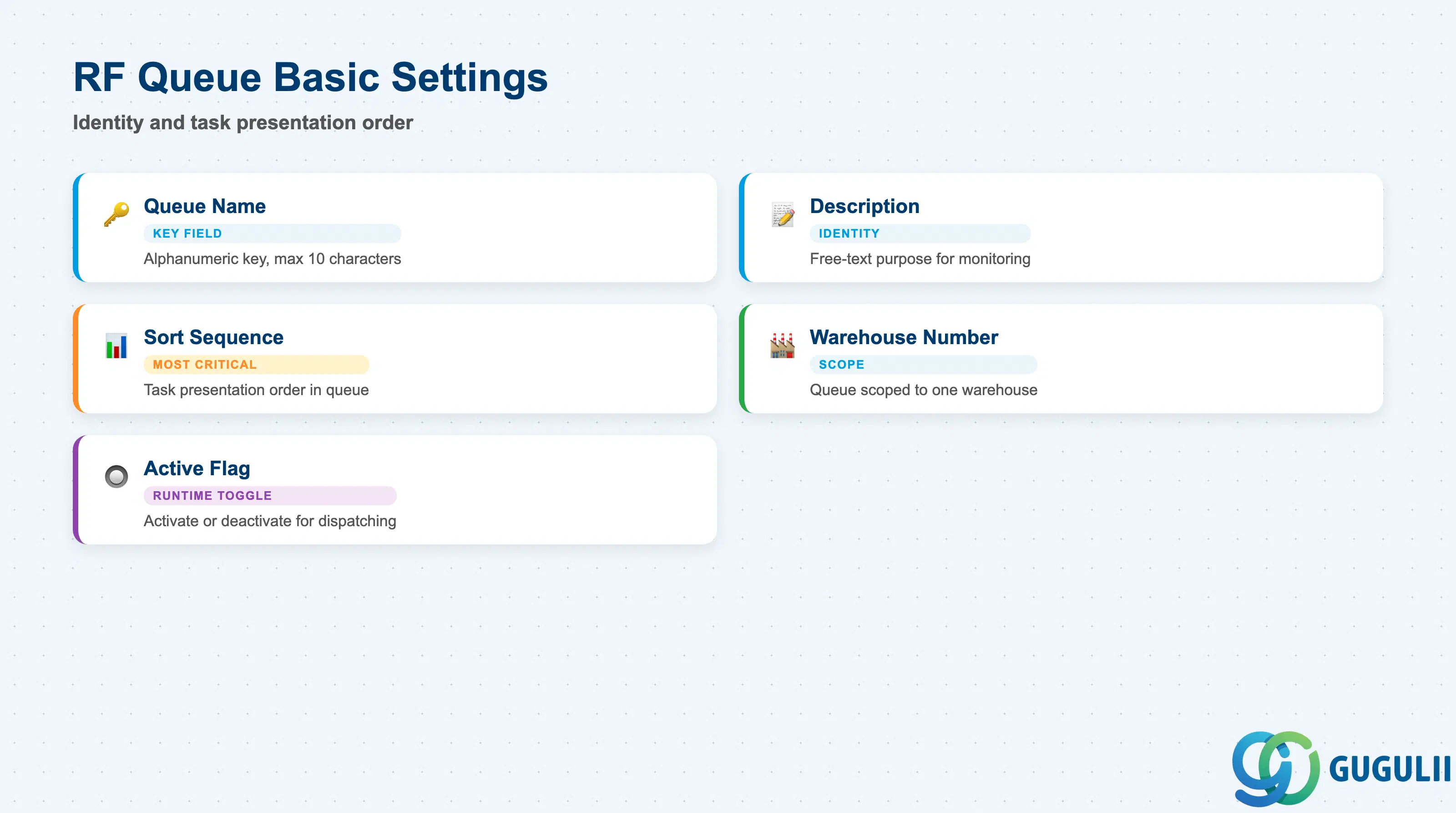
Basic Settings define the queue’s identity and the order in which tasks are presented to operators when they pull from the queue. Correct sort sequence configuration is the single most impactful setting for operator efficiency.
| Field | Description | Practical Usage |
|---|---|---|
| Queue Name | Alphanumeric key identifying the queue (max 10 characters) | Choose a naming convention that encodes the function and area (e.g., PICK-ZONE1, REPL-HB). Short, descriptive names reduce mis-assignment during live operations. Renaming after go-live is not straightforward — invest time in the naming convention during blueprint. |
| Description | Free-text description of the queue’s purpose | Used in monitoring transactions (/SCWM/RFQMON) and in operator displays. Write a description meaningful to both the administrator and the warehouse supervisor — for example, “Zone 1 Outbound Picking — Standard” rather than a generic label. |
| Warehouse Number | Warehouse to which this queue belongs | Inherited implicitly through the RF Profile assignment; however, it must match the target warehouse number explicitly during configuration. A queue created under the wrong warehouse number will not appear in the correct warehouse’s monitoring reports. |
| Sort Sequence | Sequence field that determines the task presentation order within the queue | This is the most operationally critical setting. Common sort criteria include: planned start time (chronological), storage bin sequence (geographic — minimizes travel), document number (FIFO by order). Confirm sort design with the operations team before go-live; changing sort sequence after operators are trained causes confusion and requires retraining. |
| Active Flag | Activates or deactivates the queue for runtime task assignment | Deactivating a queue immediately removes it from the task dispatching engine. Use this for planned maintenance windows or seasonal queue rotations. Do not delete queues that have historical task references — deactivate instead to preserve reporting integrity. |
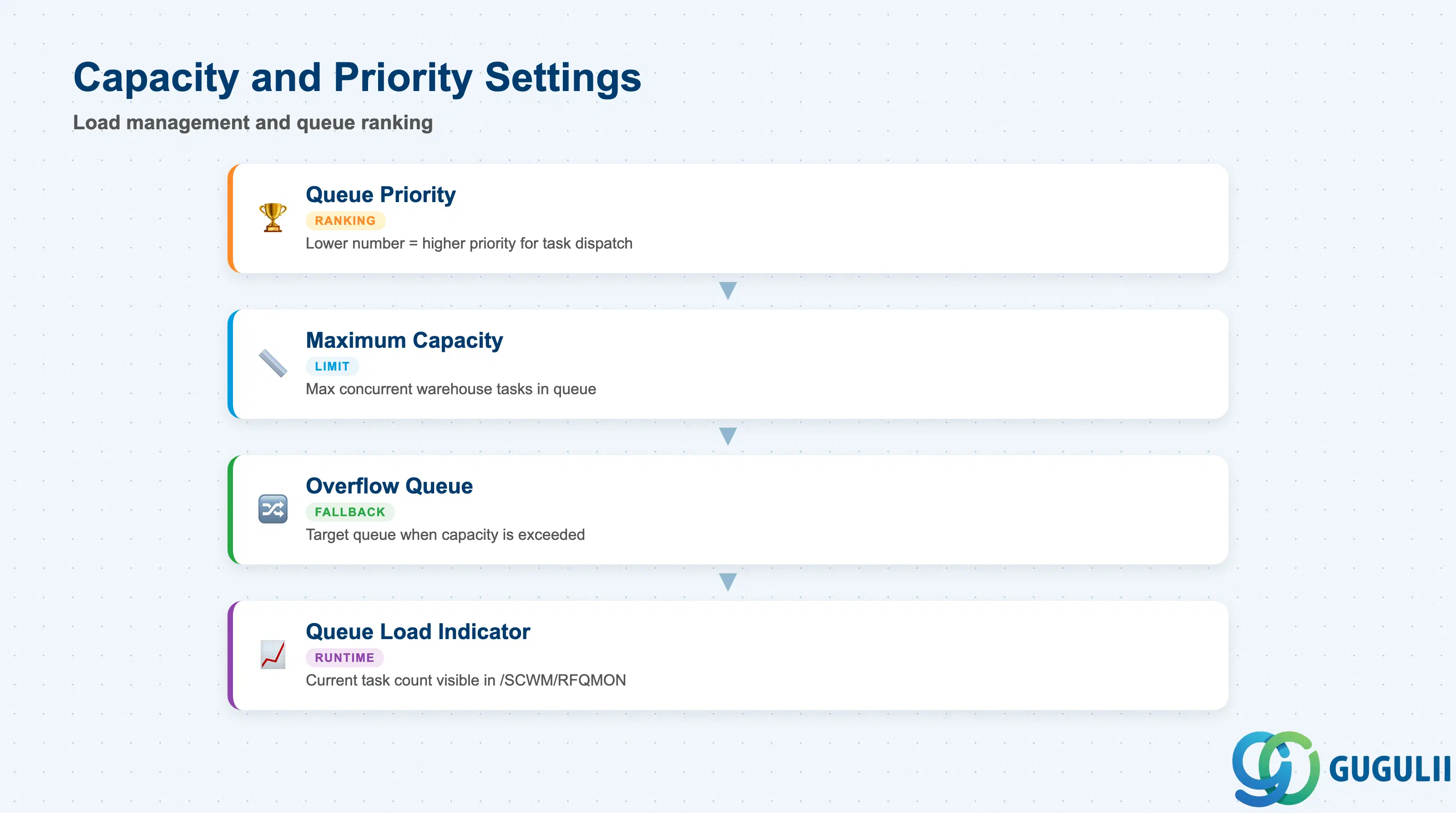
Capacity and Priority settings determine how the system manages queue load and how it ranks this queue against other queues when an operator or resource is available to pull the next task.
| Field | Description | Practical Usage |
|---|---|---|
| Queue Priority | Numeric priority value — lower number = higher priority | Used when a resource can serve multiple queues. The system presents tasks from the highest-priority (lowest-number) queue first. Set Express queues (urgent orders) to priority 1 and standard picking queues to priority 10. Avoid assigning identical priorities to queues with overlapping task types — the tiebreaker behavior is system-default and may not match operational intent. |
| Maximum Capacity | Maximum number of warehouse tasks the queue will hold simultaneously | When the queue reaches this limit, new tasks are redirected to the Overflow Queue (if configured) or held in a pending state. Size this based on the expected number of active operators pulling from the queue multiplied by their average task cycle time. Undersizing causes task blocking; oversizing masks workload imbalances that should trigger supervisor intervention. |
| Overflow Queue | Target queue for tasks when Maximum Capacity is exceeded | Defines a fallback queue. If no overflow queue is specified, tasks exceeding capacity are queued in a system-default pending state. In high-volume warehouses (automotive suppliers, 3PL), always configure an overflow queue to prevent task blocking at peak periods. |
| Queue Load Indicator | Read-only runtime field showing current task count in the queue | Visible in the RF Queue monitor (/SCWM/RFQMON). Use this during cutover and the first weeks of go-live to tune Maximum Capacity settings based on observed peak loads. Not a configuration field — configured values take effect immediately at runtime. |
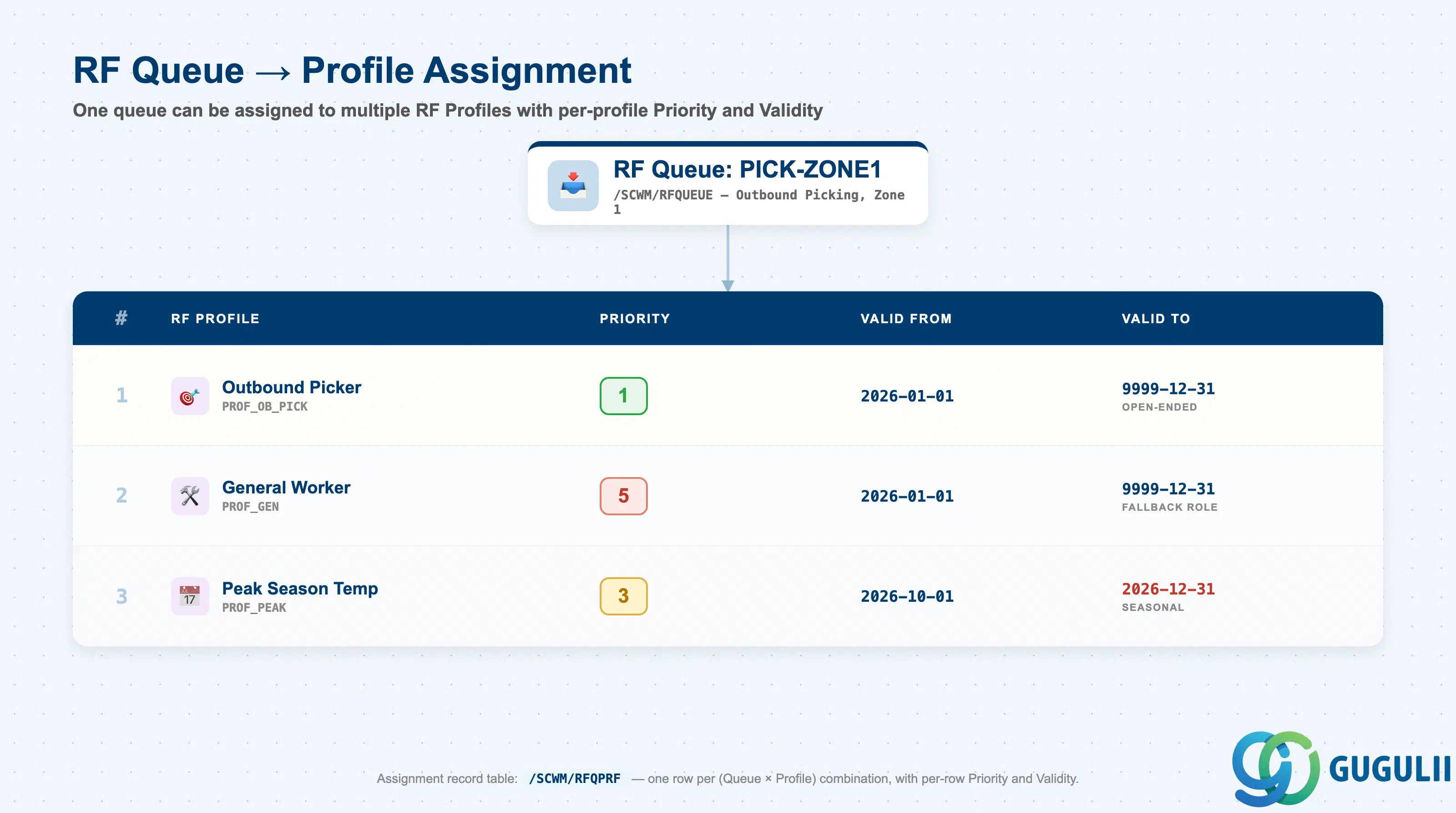
Profile Assignment links a configured RF Queue to one or more RF Profiles, making the queue visible and active for the resources assigned to those profiles. This is the runtime activation step — a correctly configured queue has no operational effect until it is assigned to at least one RF Profile.
| Field | Description | Practical Usage |
|---|---|---|
| RF Profile | Key of the RF Profile to which this queue is assigned | Maintained in /SCWM/RFQPRF. One queue can be assigned to multiple profiles to share task pools across roles (e.g., a replenishment queue shared by both a dedicated replenishment role and a general-purpose warehouse worker profile). Review the operator role matrix before assigning queues to multiple profiles to avoid unintended task visibility. |
| Priority (per Profile) | Queue priority as seen by resources using this specific RF Profile | Allows the same queue to have different priorities for different profiles. For example, an express queue could be priority 1 for dedicated express operators but priority 5 for generalist operators who handle express tasks only when their primary queue is empty. This field overrides the queue-level default priority for resources on this profile. |
| Valid From / Valid To | Date range during which this profile assignment is active | Use validity periods for seasonal queue routing (e.g., a peak-season overflow queue active only during defined periods) without permanently altering the standard queue structure. Expired assignments are retained in the system for audit purposes. |
Prerequisite: RF Profile must exist before profile assignment can be created. Complete EWM-A09-04 (RF Profile) configuration before beginning queue assignment.
| ID | Category | Title |
|---|---|---|
| ewm-001 | Overview | What is SAP EWM? |
| ID | Category | Title |
|---|---|---|
| ewm-b01 | Overview | SAP EWM Transactions: Process Flow, Hierarchy & Relationships |