Title here
Summary here

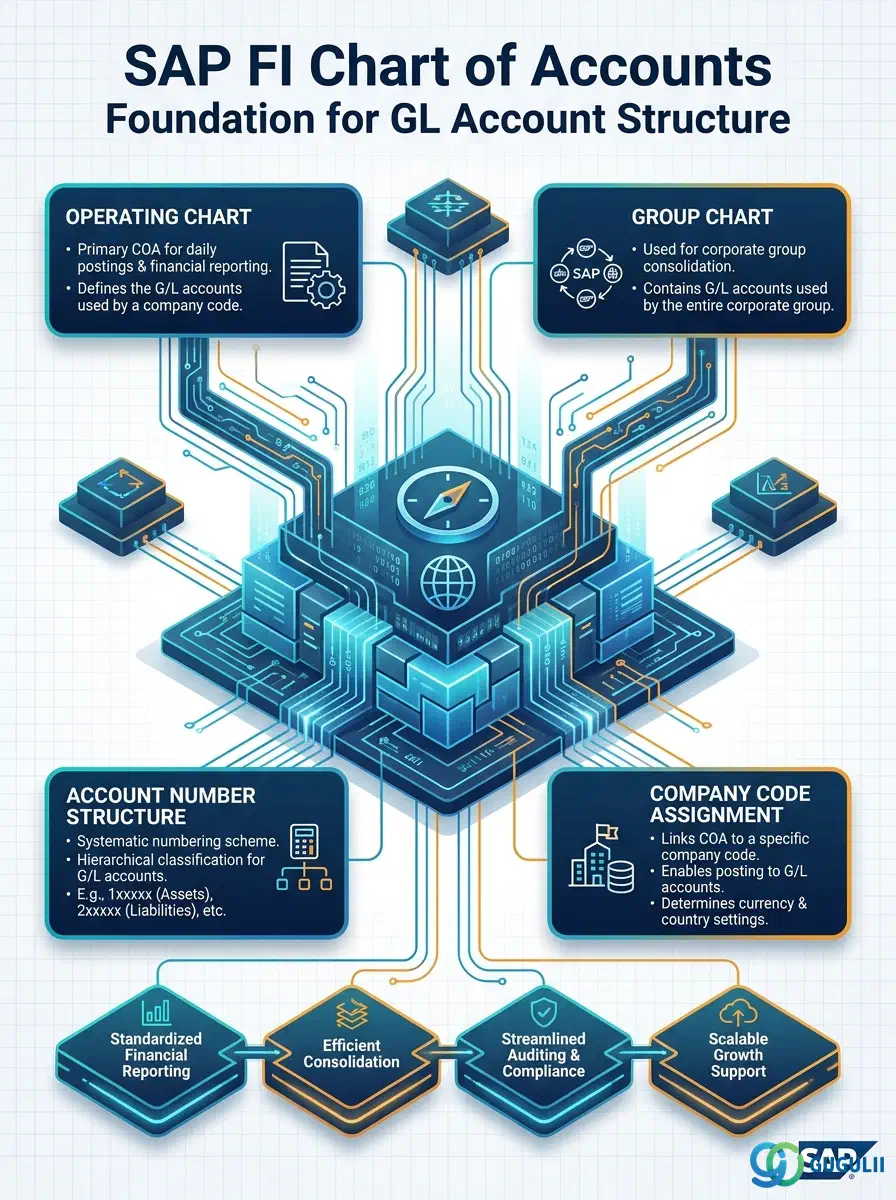
The Chart of Accounts (COA) is the foundational master data that defines the structure, numbering system, and organizational framework for all general ledger accounts in SAP. It serves as the shared blueprint that can be used across multiple company codes, ensuring consistent account coding while allowing company-specific extensions. This article maps the types of charts of accounts, their organizational hierarchy, integration points with other master data, and the field-level configuration controlled by Financial Accounting.
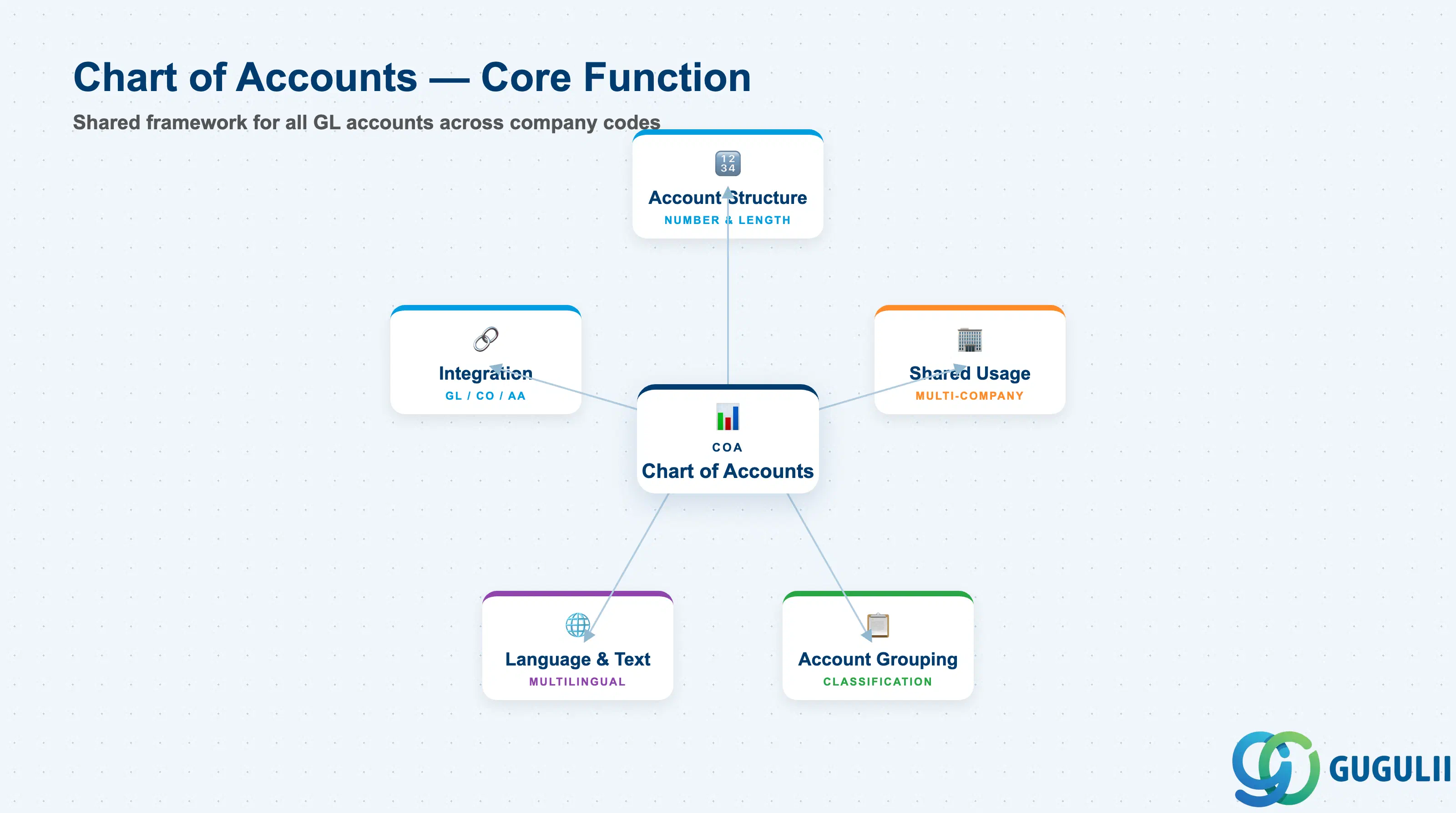
The Chart of Accounts is a structured list of all general ledger accounts used by an organization to record financial transactions. It defines the account number range, length, language, and grouping rules that apply consistently across all company codes that reference it.
| Aspect | Details |
|---|---|
| Role | Defines the structural framework for all GL accounts; shared across company codes within the same legal/reporting group |
| Modules using it | FI (owner), CO (secondary cost elements), AA (asset depreciation accounts), MM/SD (automatic account determination), PS (WBS settlement accounts) |
| Transactions | OB13 (COA definition), FS00 (GL account creation/maintenance), OBY6 (assign COA to company code) |
| Key Tables | SKA1 (chart-of-accounts-level data), SKB1 (company-code-level data), SKAT (GL account text) |
| S/4HANA note | Chart of Accounts logic unchanged from ECC; Fiori app “Manage Chart of Accounts” (F2766) provides modern UI for OB13; “Manage G/L Accounts” (F0030A) replaces FS00 for cloud and on-premise with Fiori enablement |
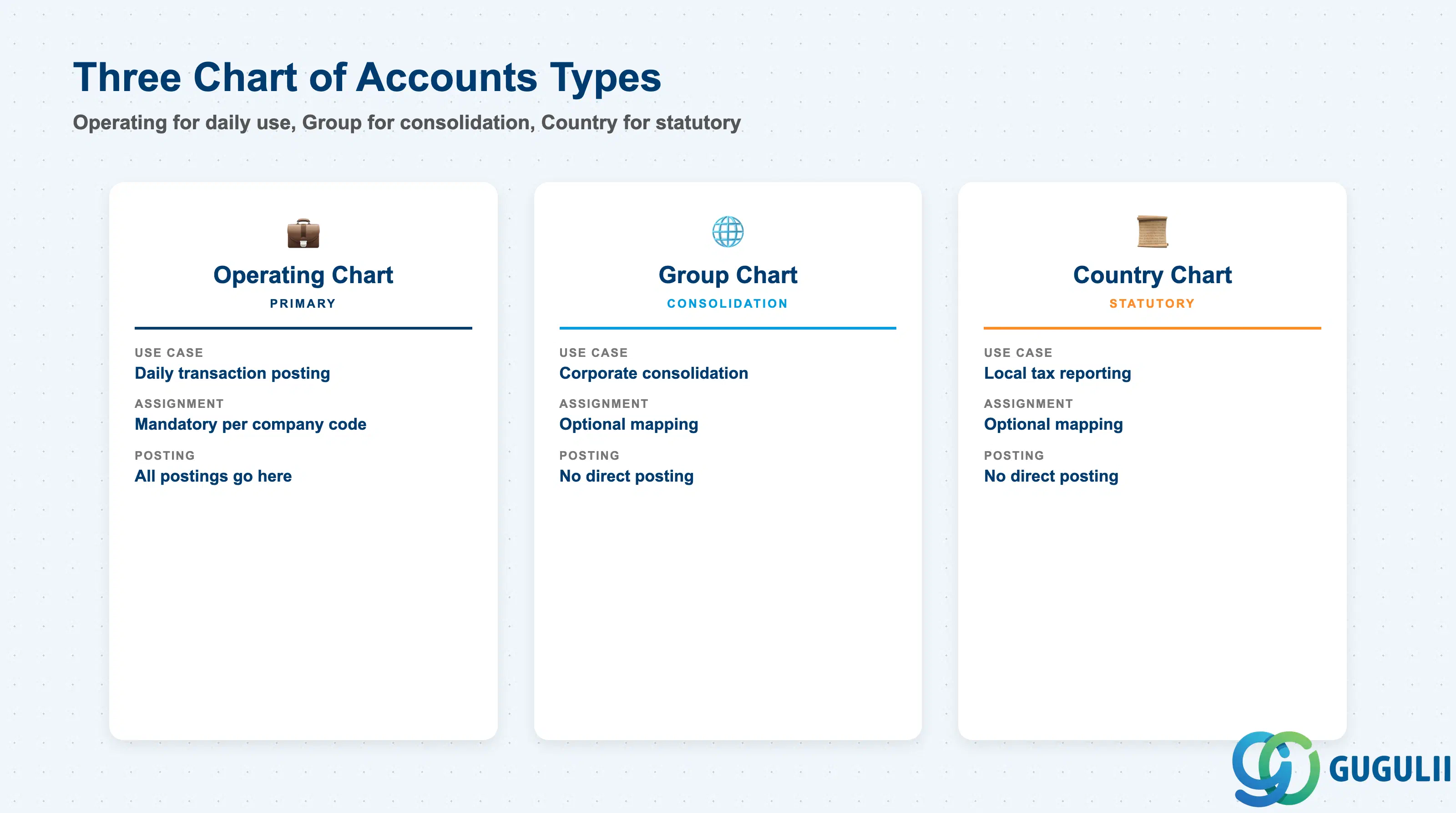
SAP supports three types of charts of accounts to address operational, consolidation, and legal reporting needs. Assigning the wrong type or failing to maintain group/country charts when required by headquarters creates reconciliation gaps at month-end.
| Type | Code | Use Case | Key Behavior |
|---|---|---|---|
| Operating Chart of Accounts | 1 alphanumeric identifier (up to 4 chars) | Primary COA for daily transaction posting; assigned to company code via OBY6 | All GL accounts must exist in the operating chart; posting only occurs to operating COA accounts |
| Group Chart of Accounts | 1 alphanumeric identifier (up to 4 chars) | Used for corporate consolidation when subsidiaries use different operating charts | GL accounts in operating chart optionally reference a group account number; financial statements can be reported at group level for consolidation |
| Country Chart of Accounts | 1 alphanumeric identifier (up to 4 chars) | Required for countries with statutory COA mandates (e.g., France PCG, Germany SKR03/SKR04) | GL accounts reference a country-specific account number for local tax/statutory reporting; parallel to group chart logic |
Design principle: One operating chart per company code. Add group chart only if consolidation requires it. Add country chart only if statutory reporting mandates a specific structure.
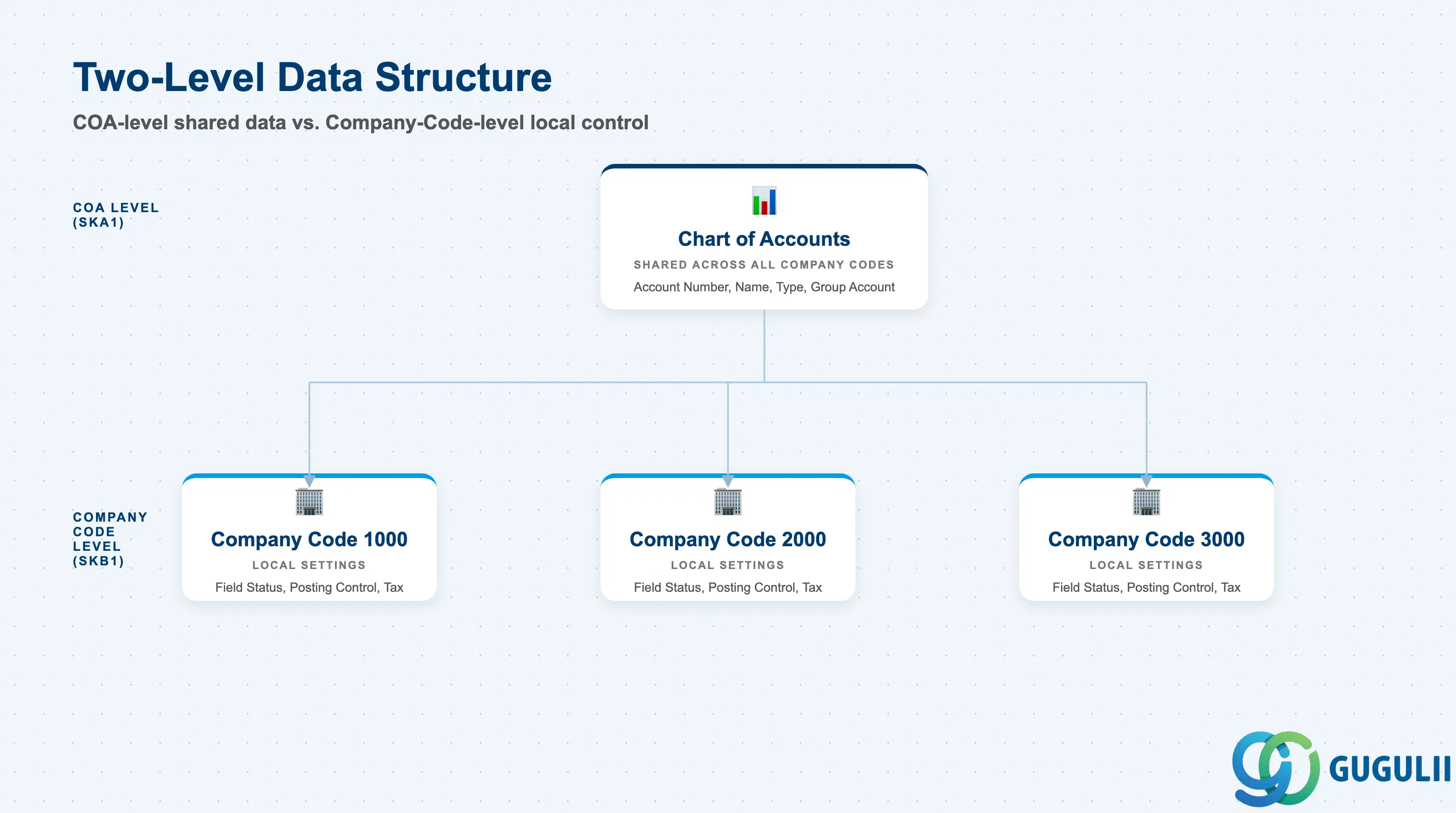
Chart of Accounts data is split across two organizational levels: the chart-of-accounts level (shared across all company codes using the COA) and the company-code level (specific to each legal entity). The split allows centralized governance of account numbering while enabling local control over posting rules, reconciliation flags, and tax settings.
Chart of Accounts (SKA1)
  ├── Account Number, Name, Group Account, Language
  ├── Account Type (P&L / Balance Sheet)
  └── Shared across all Company Codes
      │
      ├─ Company Code 1000 (SKB1)
      │    ├── Field Status Group, Posting Control
      │    ├── Reconciliation Account Flag, Tax Category
      │    └── Local Currency, Open Item Management
      │
      ├─ Company Code 2000 (SKB1)
      │    └── (same field structure, different values)
      │
      └─ Company Code 3000 (SKB1)
└── (same field structure, different values)| Org Level | Table | Primary Fields | Notes |
|---|---|---|---|
| Chart of Accounts Level | SKA1 | Account Number, Account Group, P&L Statement Account Type, Group Account Number, Account Name (SKAT) | Maintained once; applies to all company codes using this COA. Cannot be changed if GL account has transactions in any company code. |
| Company Code Level | SKB1 | Field Status Group, Posting Control (posting-blocked, posting without tax), Reconciliation Account Flag, Open Item Management, Sort Key, Tax Category | Maintained separately per company code. Allows local finance teams to control posting behavior without affecting other entities. |
Key design decision: Account number and account type are locked at COA level. Posting rules and reconciliation flags are controlled per company code — this split is the foundation for shared services with local compliance.
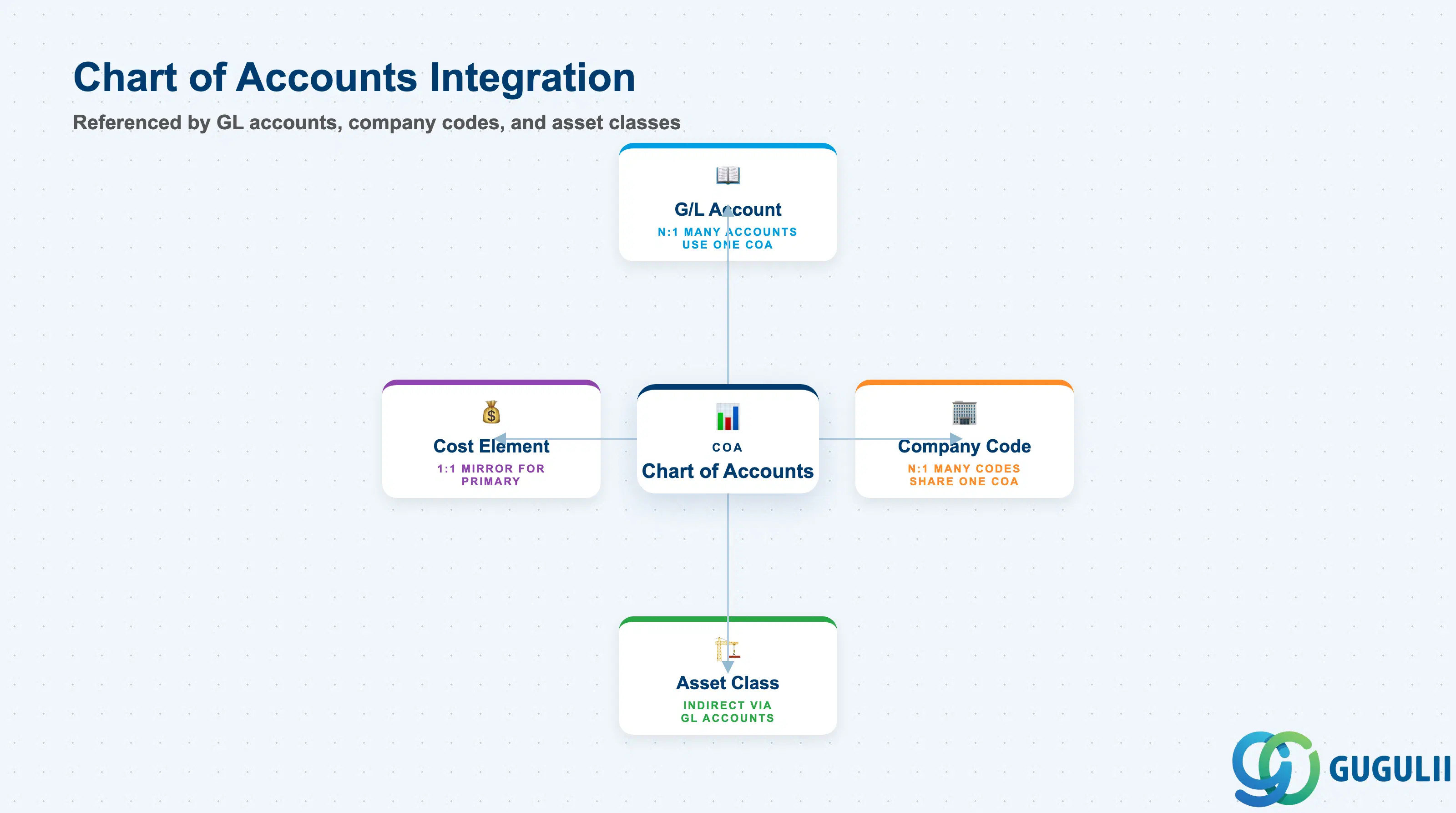
The Chart of Accounts does not exist in isolation. It is referenced by GL accounts (which inherit the COA’s numbering structure), by asset classes (which assign depreciation/acquisition accounts from the COA), and by company codes (which adopt the COA as their account framework).
| Object | Relationship | Practical Notes |
|---|---|---|
| G/L Account | N:1 — many GL accounts belong to one Chart of Accounts | GL accounts cannot exist without a COA. The COA defines the allowed number range and account length. If COA uses 10-digit accounts, all GL accounts in that COA must follow the same length. |
| Company Code | N:1 — many company codes can share one Chart of Accounts | Company code assignment (OBY6) is mandatory before any GL account can be used for posting. Multiple company codes in the same corporate group typically share the same operating chart but may have different group/country charts. |
| Asset Class | Indirect via G/L Account — asset class references GL accounts (acquisition, depreciation, retirement) that belong to the COA | When you change a COA’s structure (e.g., renumber accounts), asset classes must be updated to point to the new account numbers. This is a major effort and typically avoided in production. |
| Cost Element (CO) | 1:1 for primary cost elements — CO mirrors GL accounts flagged as cost elements | Primary cost elements in CO are auto-created from GL accounts marked “Cost Element” in FI. Secondary cost elements exist only in CO and do not have a GL counterpart, so they do not consume COA account numbers. |
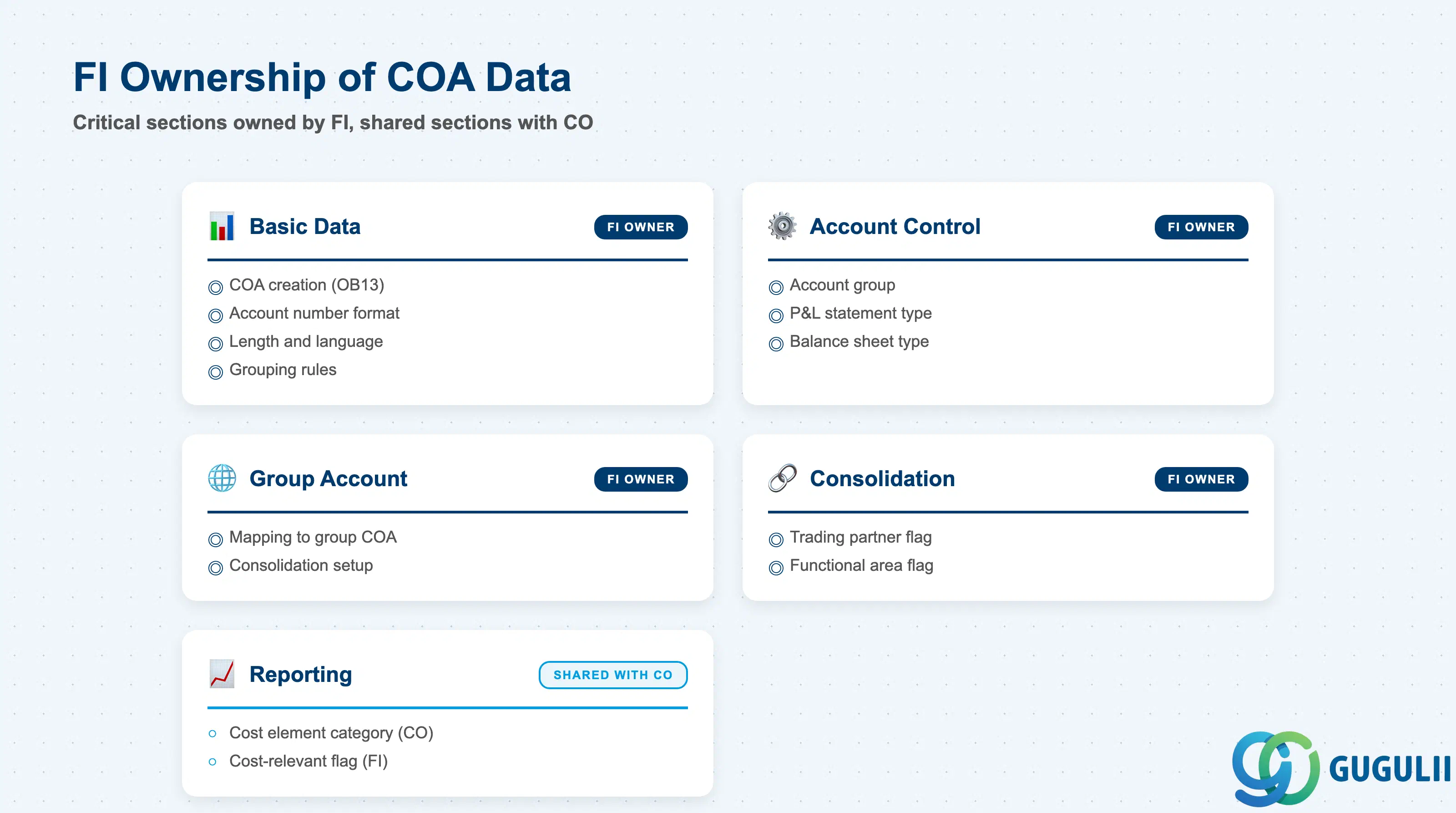
| Data Section | FI Involvement | Notes |
|---|---|---|
| Basic Data | ◎ Owner | FI controls COA creation, account number format, length, language, and grouping rules (OB13) |
| Account Control | ◎ Owner | FI sets account group, P&L statement account type, and balance sheet account type (FS00, COA level) |
| Group Account Number | ◎ Owner | FI maintains the mapping to group chart of accounts for consolidation (FS00, COA level) |
| Keywords and Consolidation | ◎ Owner | FI assigns consolidation-relevant flags (trading partner, functional area) at COA level |
| Reporting and Analysis | ○ Shared with CO | CO uses cost element categories; FI controls whether GL accounts are flagged as cost-relevant (FS00, COA level) |
Legend: ◎ = Owner / Critical, ○ = Direct involvement
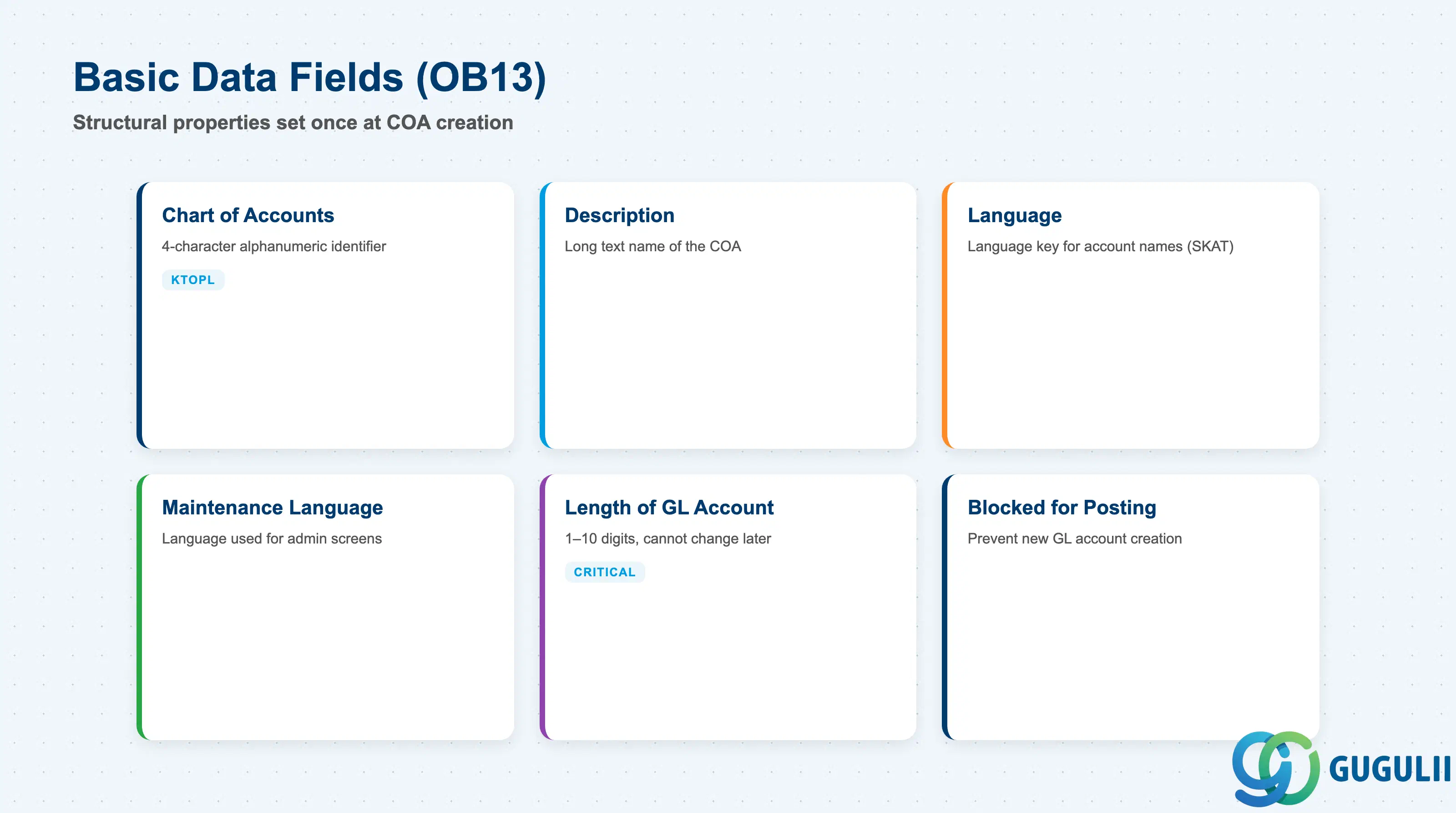
Basic data defines the structural properties of the Chart of Accounts that apply uniformly to all company codes using it. These fields are set once at COA creation (OB13) and are difficult to change afterward.
| Field | Description | Practical Usage |
|---|---|---|
| Chart of Accounts (KTOPL) | 4-character alphanumeric identifier | Used in company code assignment (OBY6) and GL account creation (FS00). Choose a mnemonic code (e.g., INT for International Group, JPGP for Japan Group). Changing this after go-live requires reassigning all company codes and re-creating all GL accounts — effectively impossible in production. |
| Description | Long text name of the Chart of Accounts | Appears in selection screens and reports. Use a descriptive name that identifies the scope (e.g., “APAC Operating Chart of Accounts”, “EU Consolidation COA”). |
| Language | Language key for account names (SKAT) | Determines the default language for GL account short text and long text. Additional languages can be maintained via FS00 → Extras → Translations, but the primary language set here is used in financial statements and trial balances if no translation exists. |
| Maintenance Language | Language used for COA administration screens | Controls the language displayed in OB13 and FS00. Independent of the account name language — an English-speaking finance team can maintain a Japanese-language COA by setting Maintenance Language = EN and Language = JA. |
| Length of G/L Account Number | 1–10 digits | Defines the maximum account number length for all GL accounts in this COA. Common choices: 6 digits (simple structures), 8 digits (medium complexity), 10 digits (global templates with country/function/account segments). Cannot be changed after GL accounts are created. If you start with 6 digits and later need 8, you must create a new COA and migrate. |
| Consolidation Chart of Accounts | Reference to another COA used for group reporting | Used only if your group consolidation tool (e.g., SAP BPC, S/4HANA Group Reporting) requires a separate consolidation COA. Rarely used in modern implementations — group account number mapping (field in SKA1) is the preferred method. |
| Blocked for Posting | Checkbox to prevent new GL account creation | Set this flag when the COA is deprecated or under redesign. Existing accounts remain postable, but FS00 will reject new account creation. Useful during COA migration projects to freeze the old structure. |
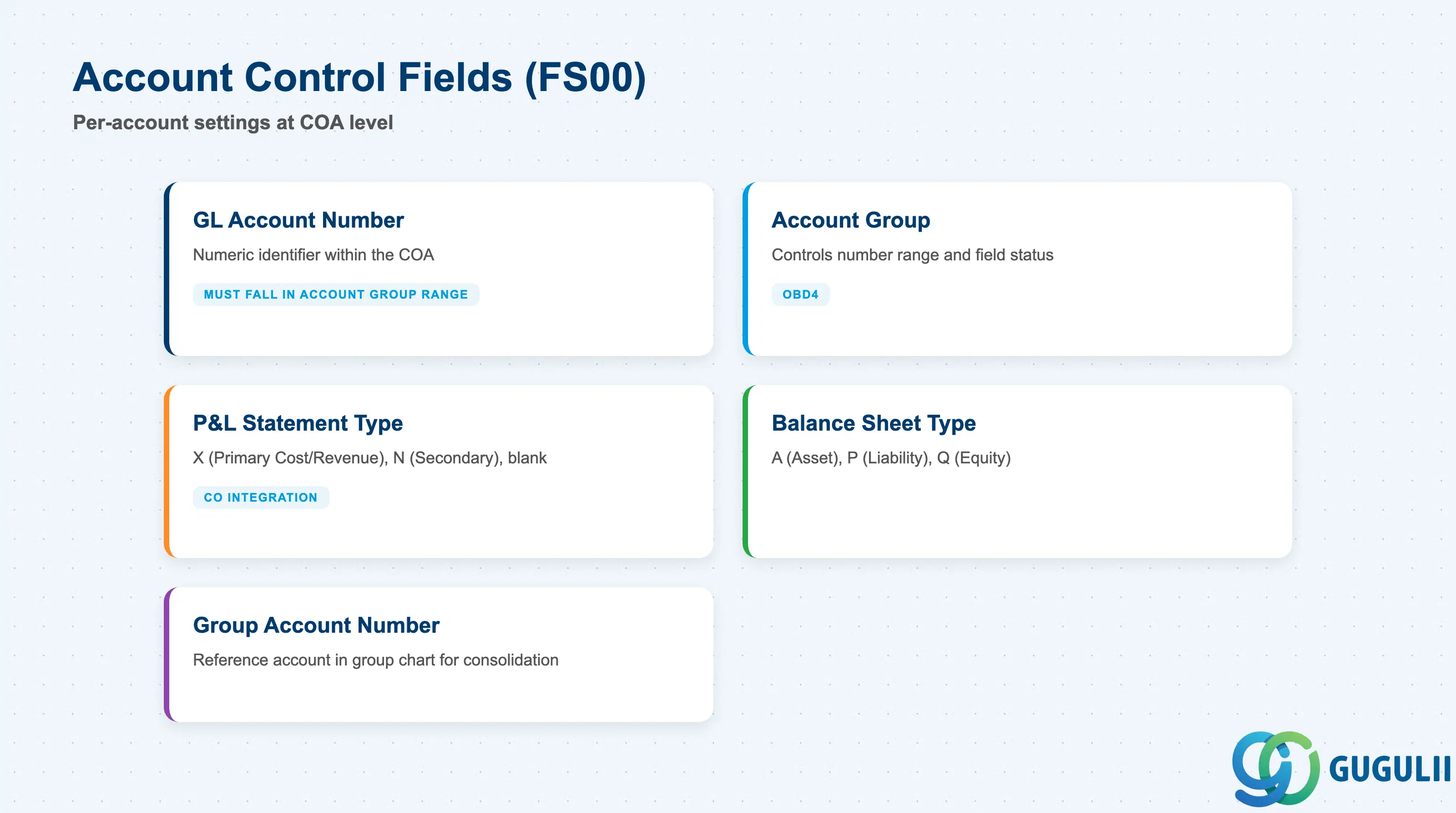
Account control fields determine the account type (balance sheet vs. P&L), the account group (which controls field status and number range), and the posting behavior at the chart-of-accounts level. These fields are set per GL account in FS00 at the COA level.
| Field | Description | Practical Usage |
|---|---|---|
| G/L Account Number | Numeric identifier within the COA | Must fall within the number range assigned to the selected account group. Example: if account group “Asset Accounts” owns range 100000–199999, you cannot create account 200000 in that group. Leading zeros are stored (e.g., 0010000 vs. 10000 are different accounts if length = 10). |
| Account Group | Grouping code that controls number range and field status | Determines which fields are required/optional/suppressed during GL account creation and posting. Standard SAP account groups: SAKO (GL accounts with subledger), MWST (tax accounts), ERLOES (revenue accounts). Custom account groups can be created in OBD4. Choose the account group first — it pre-fills many fields and enforces number range discipline. |
| P&L Statement Account Type | X (Primary Cost/Revenue), N (Secondary Cost), blank (not P&L-relevant) | Determines whether the account appears on the profit-and-loss statement and whether CO mirrors it as a cost element. Set X for expense and revenue accounts that flow through the P&L. Set N for CO-only cost elements (e.g., internal allocations) that do not post in FI. Leave blank for balance sheet accounts (assets, liabilities, equity). |
| Balance Sheet Account Type | Classification for balance sheet reporting (asset, liability, equity) | Used by SAP’s financial statement version (OB58) to group accounts into balance sheet sections. Example values: A (asset), P (liability), Q (equity). Unlike P&L Statement Account Type, this field does not trigger CO integration — it is purely for FI reporting hierarchy. |
| Group Account Number | Reference account number in the group chart of accounts | If your group uses a different COA for consolidation (e.g., operating COA = 8-digit local structure, group COA = 6-digit HQ structure), map each local account to the corresponding group account here. Financial reports can then be generated at group level by aggregating all local accounts with the same group account number. Leave blank if not using group consolidation. |
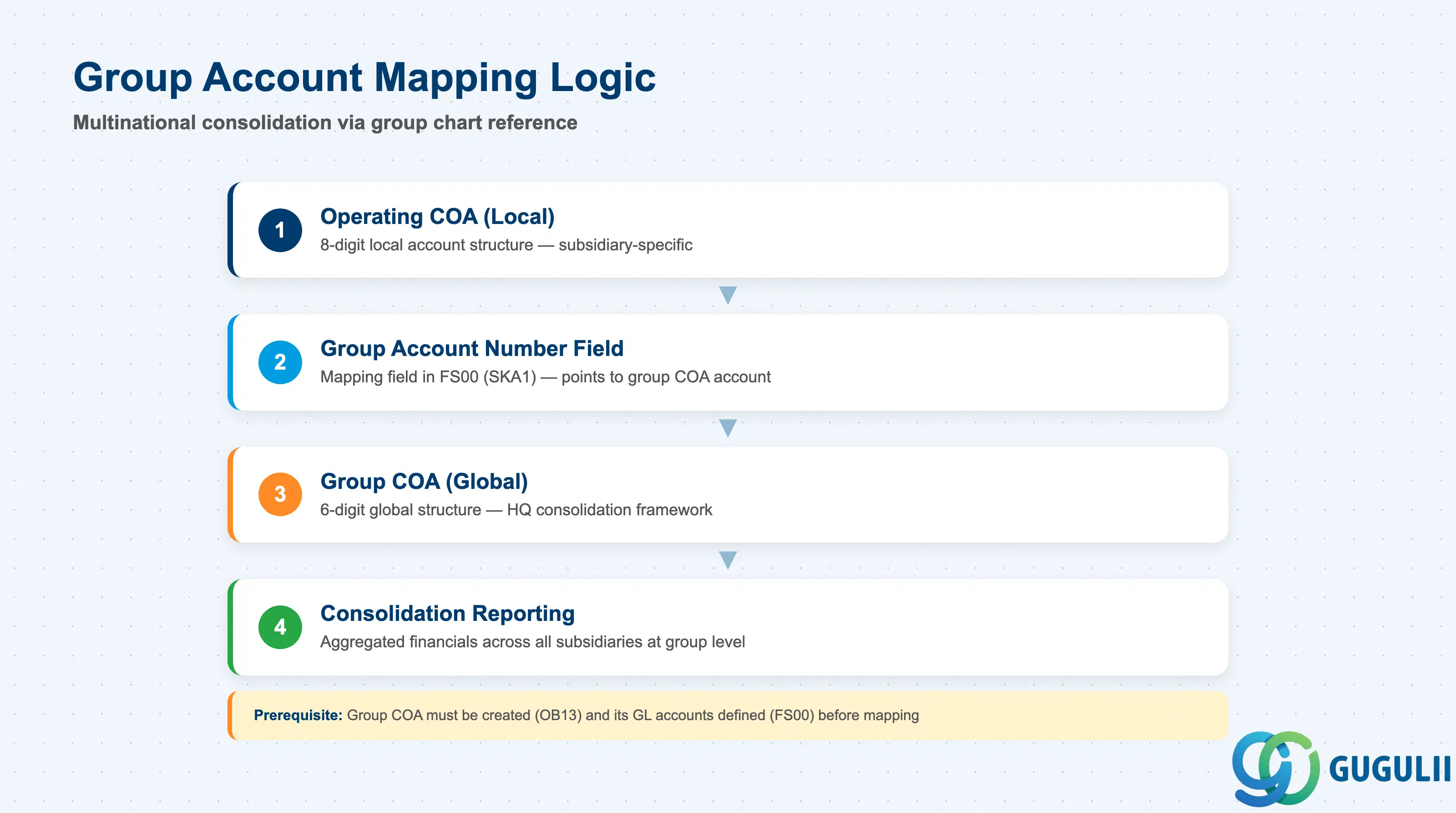
The group account number field allows multinational organizations to map local operating charts of accounts to a unified group chart of accounts for consolidation. This section details the mapping logic, use cases, and activation requirements.
| Field | Description | Practical Usage |
|---|---|---|
| Group Chart of Accounts (in OBY6) | The reference COA used for consolidation purposes | Assigned at company code level via OBY6. If set, the system expects all GL accounts in the operating chart to have a group account number. Example: Company code 1000 uses operating COA “JP01”, group COA “INT”; company code 2000 uses operating COA “US01”, group COA “INT” — both map their local accounts to the shared INT group accounts. |
| Group Account Number (in FS00, SKA1) | The account number in the group COA that this operating account maps to | Must exist as a valid GL account in the group COA. Example: Local account 50010000 (Japan sales revenue) maps to group account 500100 (global sales revenue). All subsidiaries map their local revenue accounts to 500100, enabling HQ to see total group revenue without knowing each subsidiary’s local account structure. |
| Alternative Account Number | Secondary mapping for country-specific statutory reporting | Used when a country mandates a specific chart of accounts for tax filing (e.g., France PCG). Logic identical to group account number but for country chart. Rarely used in S/4HANA — most countries accept custom COA with a statutory mapping table external to SAP. |
| Mapping Validation Rule | No system enforcement — you must maintain discipline | SAP does not prevent you from mapping multiple operating accounts to the same group account, or from mapping a P&L account to a balance sheet group account. Finance must validate the mapping logic during COA design — errors here corrupt consolidated financial statements and are discovered only at month-end close when reports do not balance. |
Prerequisite: The group chart of accounts must be created as a standalone COA (OB13) and its GL accounts must be created (FS00) before you can map operating accounts to it. The group COA is never assigned to a company code — it exists only as a reporting structure.
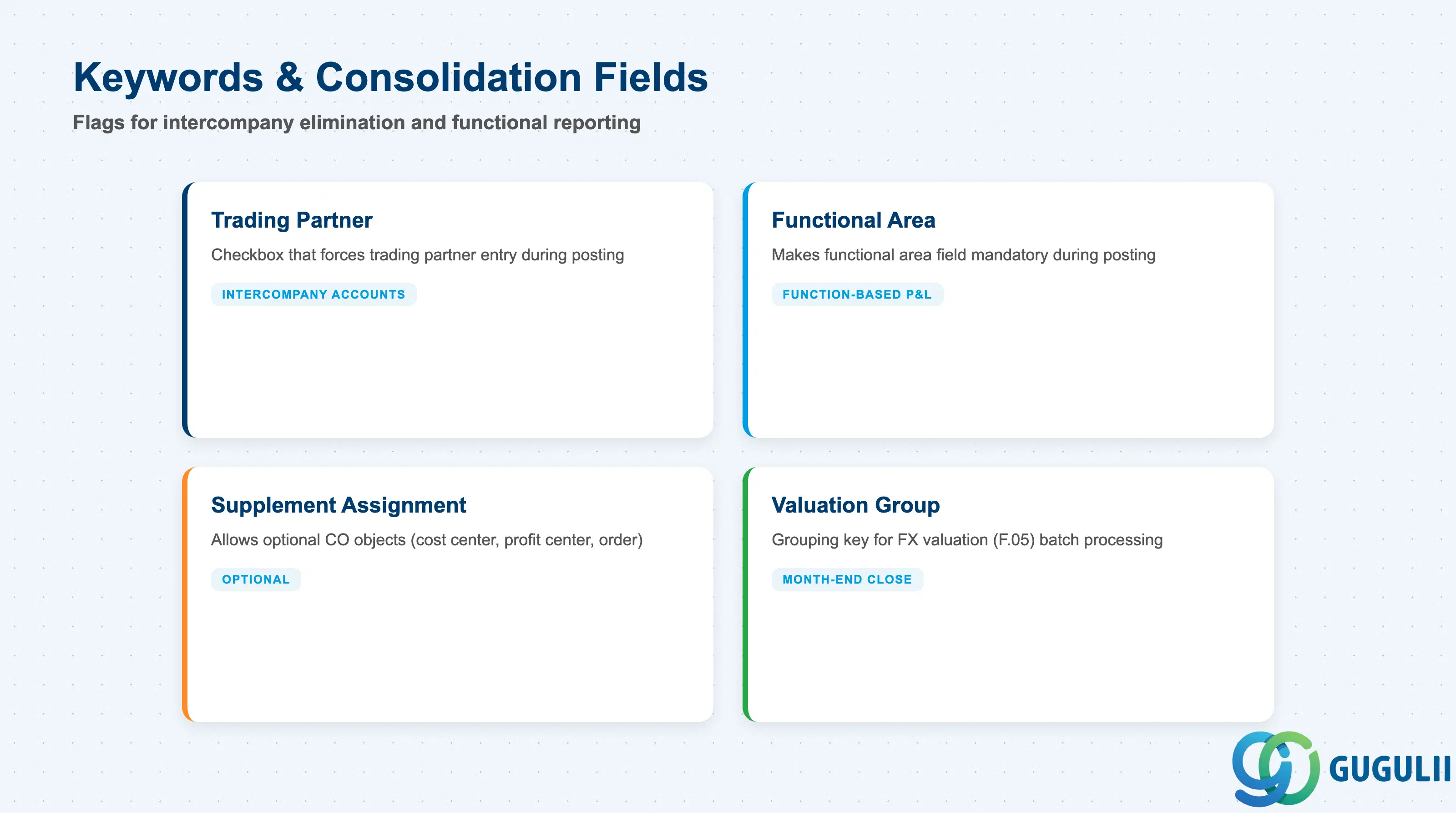
Keywords and consolidation fields control how GL accounts behave in intercompany elimination, functional area reporting, and cost center/profit center accounting. These are set at the COA level (FS00, SKA1) and inherited by all company codes using the account.
| Field | Description | Practical Usage |
|---|---|---|
| Trading Partner | Checkbox that forces entry of a trading partner field during posting | Enable this for intercompany accounts (intercompany receivables, payables, revenue, COGS). When checked, every posting to this account requires a trading partner ID (usually the partner company code). This allows consolidation tools to identify and eliminate intercompany transactions. Example: Account 120000 “Intercompany Receivables” has Trading Partner = X; when you post, SAP prompts for trading partner → you enter “2000” → consolidation report eliminates the receivable/payable pair between 1000 and 2000. |
| Functional Area | Checkbox that makes the functional area field mandatory during posting | Used by organizations that report financials by function (e.g., manufacturing, sales, administration) in addition to legal entity. When enabled, every journal entry must specify a functional area. Example: Account 600100 “Salaries” has Functional Area = X; when HR posts payroll, they must assign functional area “ADMIN” or “SALES” — this enables a matrix P&L report showing total salaries by function across all company codes. |
| Supplement Account Assignment | Field that allows additional account assignments (cost center, profit center, order, WBS element) | If enabled, the system allows (but does not require) additional CO objects during posting. Example: Account 400000 “Telephone Expense” has Supplement Account Assignment enabled; users can optionally enter a cost center, but it is not mandatory. Contrast with “Required Entry” flags in field status group (company code level, SKB1), which enforce mandatory entry. |
| Valuation Group | Grouping key for foreign currency valuation (F.05) | Used during month-end close to group accounts for currency revaluation. Example: All foreign-currency bank accounts have Valuation Group “BANK”; when you run F.05 (foreign currency valuation), you can process all BANK accounts in one batch using the same exchange rate and valuation method. |
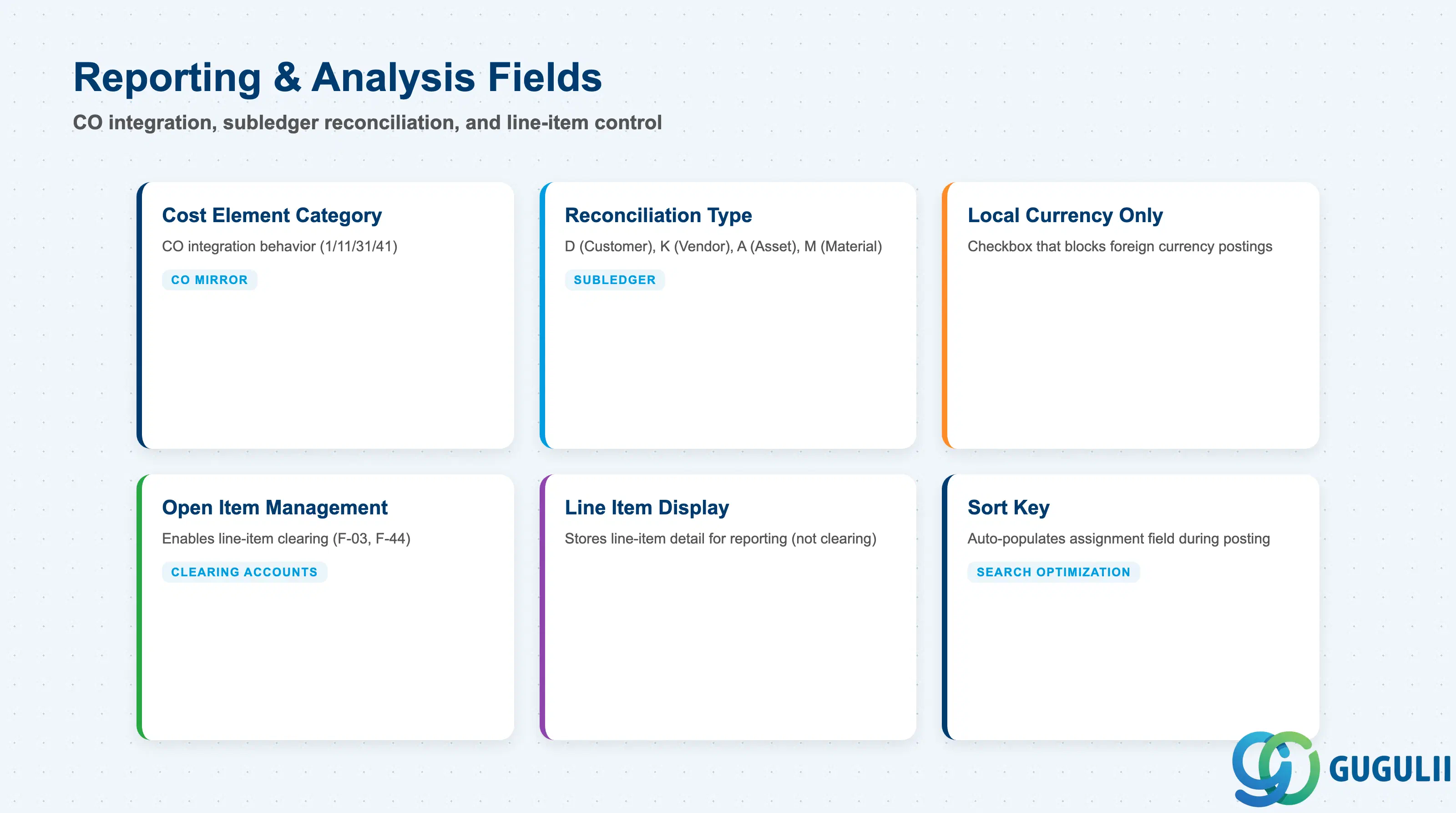
Reporting and analysis fields determine whether the account is cost-relevant (integrated with CO), reconciliation-enabled (subledger postings), or planning-relevant (budget entry allowed). These are set at the COA level (FS00, SKA1) and control downstream behavior in CO, AA, and AR/AP subledgers.
| Field | Description | Practical Usage |
|---|---|---|
| Cost Element Category | Numeric code that determines CO integration behavior (1=primary revenue, 11=revenue from CO, 31=accrual, 41=overhead, etc.) | Only relevant if P&L Statement Account Type = X. When you save a GL account with P&L type X, SAP prompts for cost element category. Choose based on the nature of the account: 1 for expense/revenue accounts that receive postings from FI; 11/21/31/41 for accounts that receive only CO postings (cost allocations, settlements, accruals). If you set the wrong category, CO allocation cycles will fail with “cost element not allowed for this transaction.” |
| Reconciliation Account Type | D (customer), K (vendor), A (asset), M (material) | Marks this account as a control account for a subledger. When set, direct posting to the account is blocked in FI — all postings must originate from the subledger (AR invoice, AP invoice, asset acquisition, etc.). Example: Account 110000 “Accounts Receivable” has Reconciliation Account Type = D; if you try to post a manual journal entry (FB01) to 110000, SAP rejects it — you must post via customer invoice (FB70) instead. This ensures subledger and GL always reconcile. |
| Only Balances in Local Currency | Checkbox that blocks foreign currency postings | Enable for accounts that should only hold local currency balances (e.g., tax clearing accounts, local statutory reserves). When checked, any posting in a foreign currency is rejected. Useful to prevent user error (e.g., accidentally posting a USD invoice to a JPY-only tax account). |
| Open Item Management | Checkbox that enables line-item clearing (F-03, F-44) | Required for any account where you need to track and clear individual line items (e.g., GR/IR account, clearing accounts, advance payments). When enabled, each posting creates a line item with an “open” status; you later clear the item with an offsetting posting. Example: Account 191000 “GR/IR Clearing” has Open Item Management = X; goods receipt posts +1000 JPY (open); invoice receipt posts -1000 JPY (clears the GR line); any unmatched items remain open and appear in the GR/IR clearing report (MB5S). |
| Line Item Display | Checkbox that stores line-item detail for reporting (not clearing) | Use for accounts where you need to drill down to individual postings but do not need clearing logic. Example: Account 500000 “Sales Revenue” has Line Item Display = X (no clearing needed, but you want to see all invoices that make up the balance). Contrast with Open Item Management, which adds clearing workflow overhead — use Line Item Display for pure reporting needs. |
| Sort Key | Field used to auto-populate the assignment field during posting | Controls how the system assigns a reference number to each line item. Example: Sort key “001” = document number; “012” = invoice date; “018” = cost center. Choose based on what finance uses to search for postings. If your team always searches by cost center, set sort key = 018 — the cost center will auto-fill the assignment field, making it searchable in FBL3N. |
| ID | Category | Title |
|---|---|---|
| fi-001 | Overview | What is SAP FI? |
| ID | Category | Title |
|---|---|---|
| fi-a01 | Overview | SAP FI Master Data: Overview, Hierarchy & Relationships |
| fi-a02-01 | Master Data | SAP FI Material Master |
| fi-a03-01 | Master Data | SAP FI Chart of Accounts 📍 |
| fi-a03-02 | Master Data | SAP FI G/L Account |
| fi-a04-01 | Master Data | SAP FI Payment Terms |
| fi-a04-02 | Master Data | SAP FI Tax Code |
| fi-a06-01 | Master Data | SAP FI Bank Master |
| fi-a06-02 | Master Data | SAP FI House Bank |
| fi-a07-01 | Master Data | SAP FI Asset Class |
| fi-a07-02 | Master Data | SAP FI Depreciation Key |
| fi-a07-03 | Master Data | SAP FI Asset Master |
| ID | Category | Title |
|---|---|---|
| fi-b01 | Overview | SAP FI Transactions: Process Flow, Hierarchy & Relationships |