Title here
Summary here

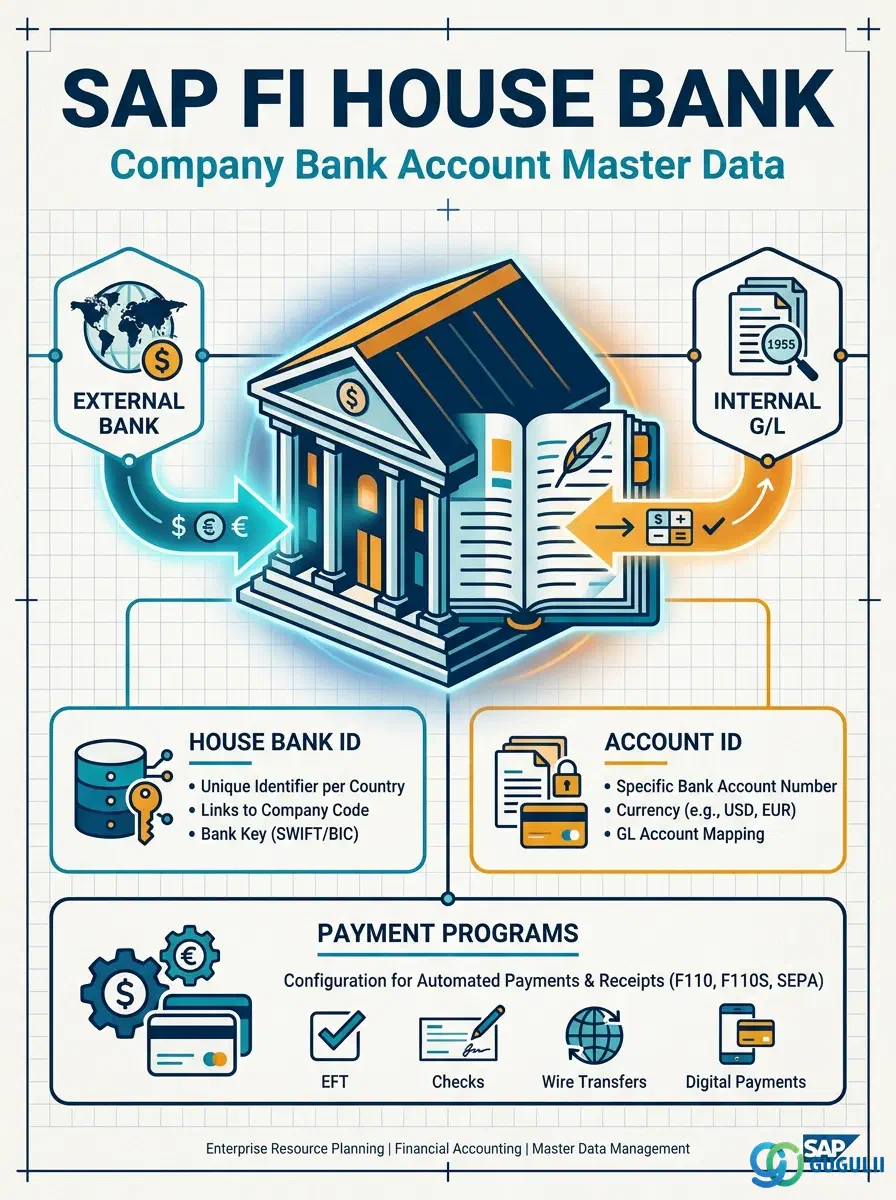
The House Bank is the master data object that represents your company’s bank accounts within SAP. It links the Bank Master (the external bank’s identification) to the Company Code, assigns G/L accounts for posting bank transactions, and serves as the configuration anchor for automatic payment programs, check printing, and bank reconciliation. Every outgoing payment run, incoming payment posting, and bank statement upload references a House Bank.
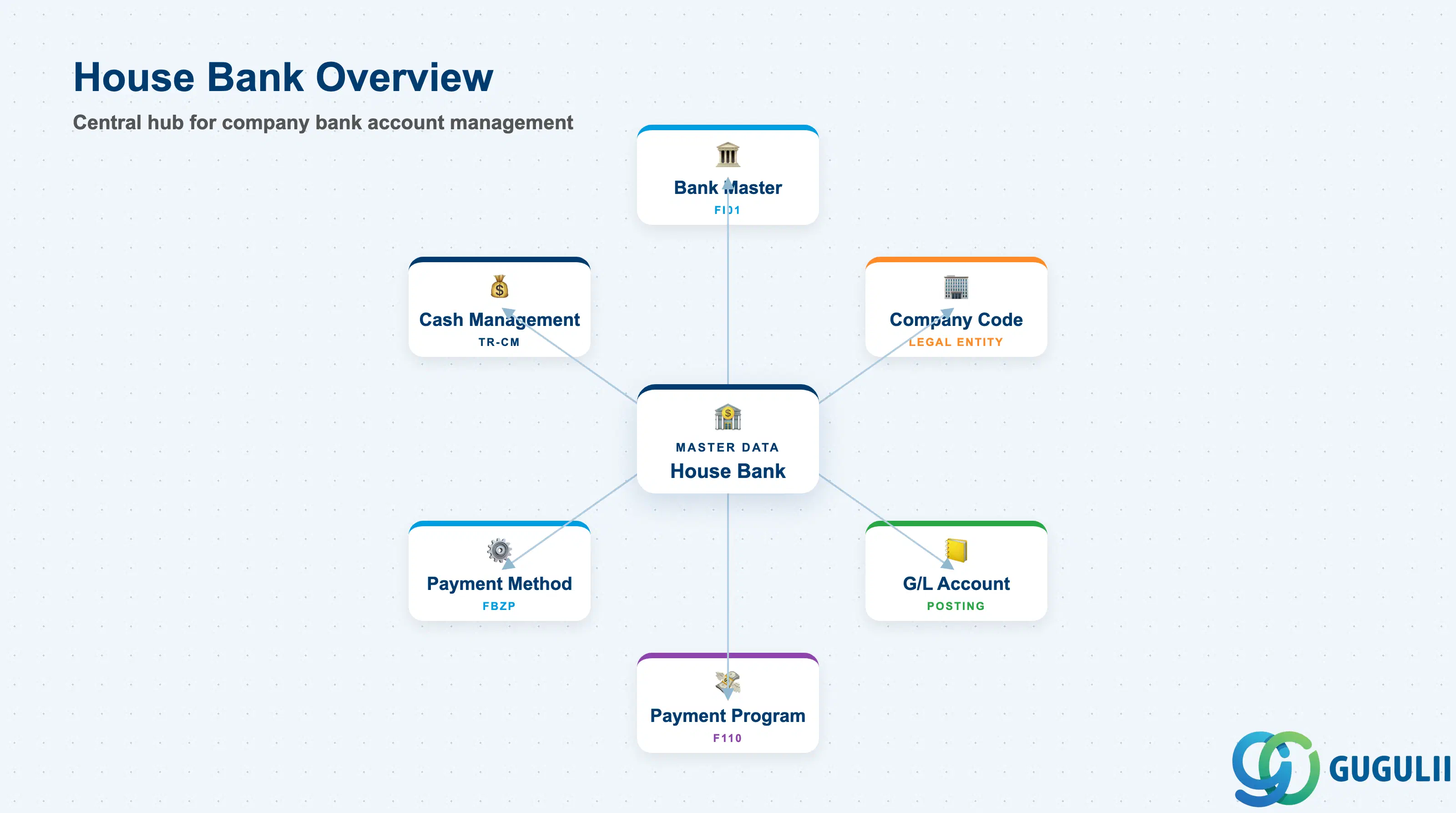
The House Bank is the company-internal representation of a bank account. While the Bank Master (FI01) stores the external bank’s details (bank name, bank key, SWIFT code), the House Bank stores the internal accounting link: which G/L account to post to, which currency the account holds, and which payment methods are allowed for this account.
| Aspect | Details |
|---|---|
| Role | Links company bank accounts to the General Ledger, enabling automated posting of payments, receipts, and bank charges |
| Modules using it | FI (Cash Management, Payment Programs — primary owner), AP (Automatic Payment via F110), AR (Incoming Payment posting), TR-CM (Cash Management and bank statement reconciliation), SD/MM (indirect — payment method configuration for customer/vendor master) |
| Transactions | FI12 (Create/Change/Display House Bank and Account ID), FBZP (Payment Program Configuration referencing House Bank), FF67 (Incoming Payment posting), F-53 (Post with Clearing — manual bank posting) |
| Key Tables | T012 (House Bank — Company Code and Bank Master link), T012K (House Bank Account ID — currency, G/L account, check lot), TIBAN (IBAN assignment) |
| S/4HANA note | House Bank data model unchanged from ECC. IBAN and SWIFT management now available in Fiori app “Manage House Banks.” Bank statement import supports CAMT.053 XML format natively. |
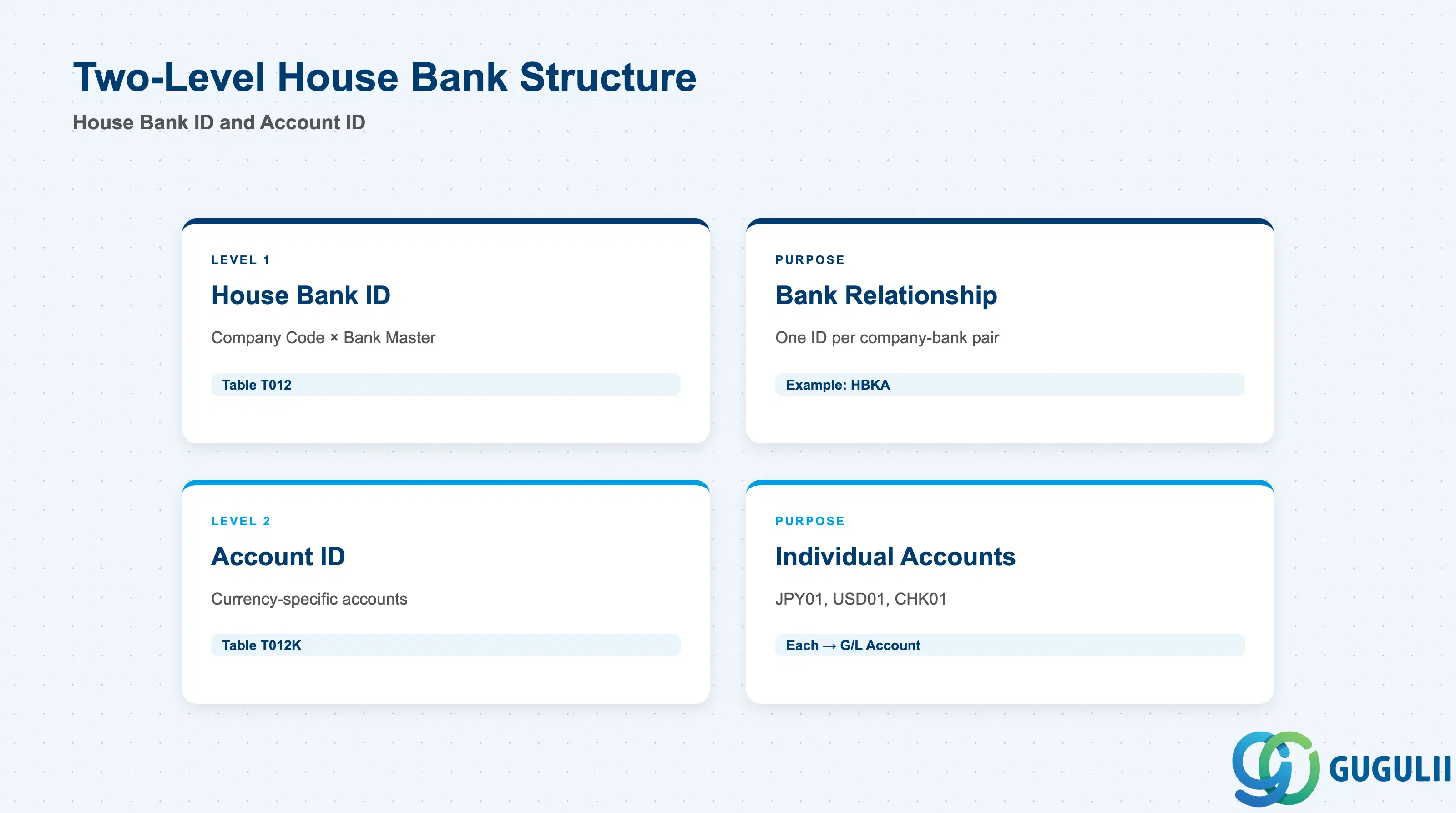
The House Bank is structured in two levels: the House Bank ID identifies the company-bank relationship, and the Account ID identifies individual bank accounts within that relationship. This structure allows one company to maintain multiple accounts at the same bank (e.g., JPY current account, USD foreign currency account, separate check disbursement account).
| Level | Code | Use Case | Key Behavior |
|---|---|---|---|
| House Bank ID | 5-character alphanumeric | Identifies the company’s relationship with a specific bank | One House Bank ID per Company Code × Bank Master pair. Example: HBKA for “Tokyo Branch Sumitomo Mitsui Banking Corporation.” |
| Account ID | 5-character alphanumeric | Identifies individual bank accounts within the House Bank | One Account ID per currency or functional purpose. Example: JPY01 (JPY current), USD01 (USD foreign currency), CHK01 (check disbursement). Each Account ID has its own G/L account assignment. |
Design principle: For global projects with multiple legal entities and currencies, design the House Bank ID naming convention upfront. Common patterns: HBKA for Bank A, HBKB for Bank B; or HBTK for Tokyo branch, HBOS for Osaka branch. Account ID should reflect currency (JPY01, USD01) or purpose (MAIN, PAYROLL, CHECK) for clarity in payment configuration.
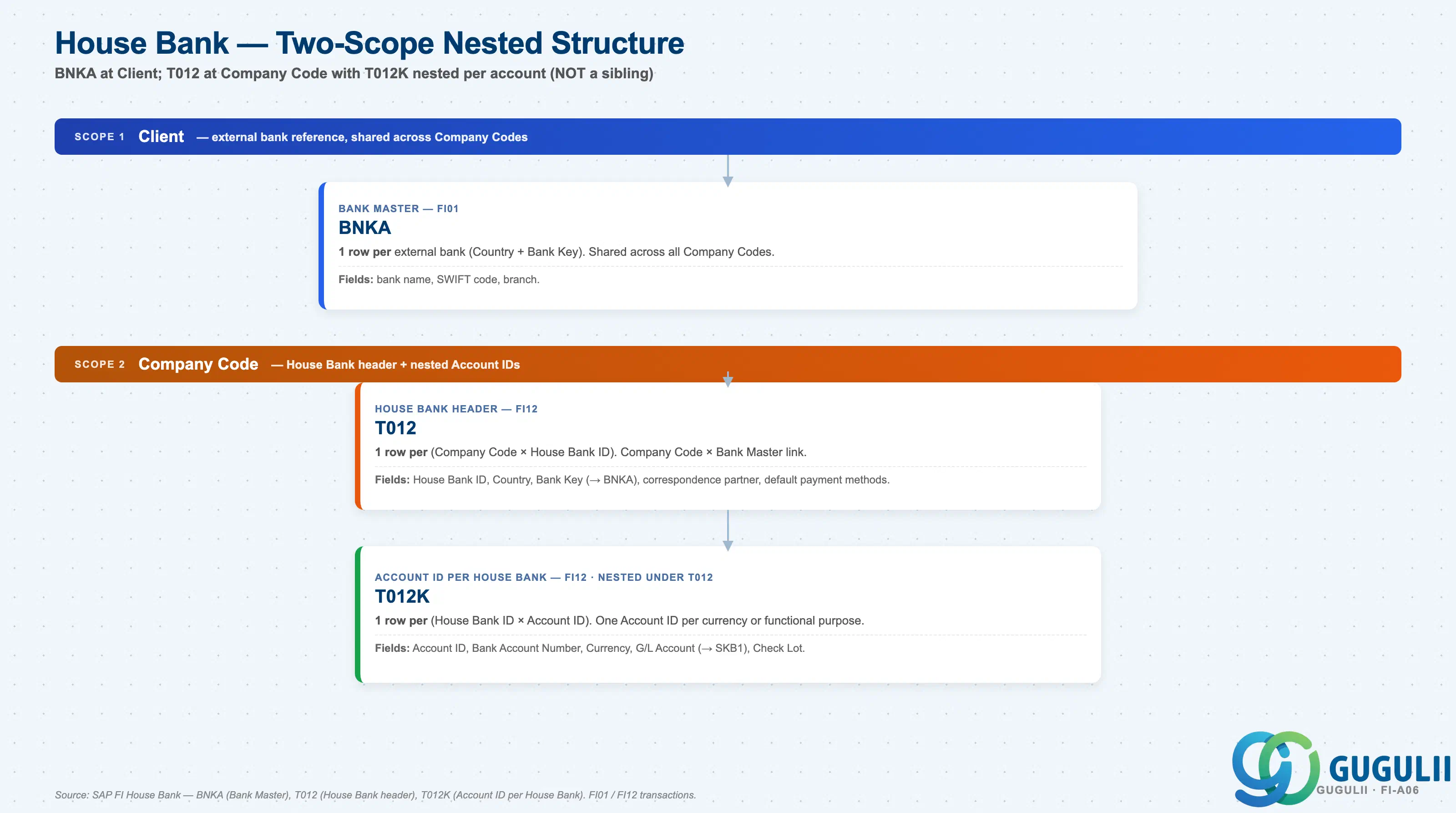
The House Bank links a Company Code to a bank account at an external Bank Master. It has a two-step nested structure: the House Bank header (T012) identifies the bank relationship, and Account IDs (T012K) under it represent individual accounts at that bank — typically one Account ID per currency or per functional purpose.
Client scope
   │
   └── BNKA — Bank Master
          One row per external bank (Country + Bank Key).
          Fields: bank name, SWIFT code, branch.
          Shared across all Company Codes; created via FI01.

Company Code scope
   │
   └── T012 — House Bank header (Company Code × Bank Master link)
          One row per (Company Code × House Bank ID).
          Fields: House Bank ID, Country, Bank Key (reference to BNKA),
                  correspondence partner, default payment methods.
          Created via FI12.
          │
          └── T012K — Account ID (per House Bank)
                 One row per (House Bank ID × Account ID).
                 Fields: Account ID, Bank Account Number, Currency,
                         G/L Account (link to SKB1), Check Lot.
Created via FI12.| Org Scope | Table | Primary Fields | Notes |
|---|---|---|---|
| Client | BNKA | Country, Bank Key, Bank Name, SWIFT Code, Branch | One Bank Master per external bank. Shared across all Company Codes. Created via FI01. |
| Company Code | T012 | Company Code, House Bank ID, Country, Bank Key, correspondence partner, default payment methods | Links a Company Code to a specific Bank Master. One House Bank ID per (Company Code × Bank Master) pair. Created via FI12. |
| House Bank | T012K | House Bank ID, Account ID, Bank Account Number, Currency, G/L Account, Check Lot | One Account ID per currency or per functional purpose under one House Bank ID. Each Account ID posts to a separate G/L account. Created via FI12. |
Key design decision: For companies with multiple bank accounts at the same bank, use one House Bank ID (T012) with multiple Account IDs (T012K) rather than multiple separate House Bank IDs. This consolidates the bank relationship at one header while maintaining separate G/L posting control per account — and reduces master data redundancy when the bank changes its correspondence details.
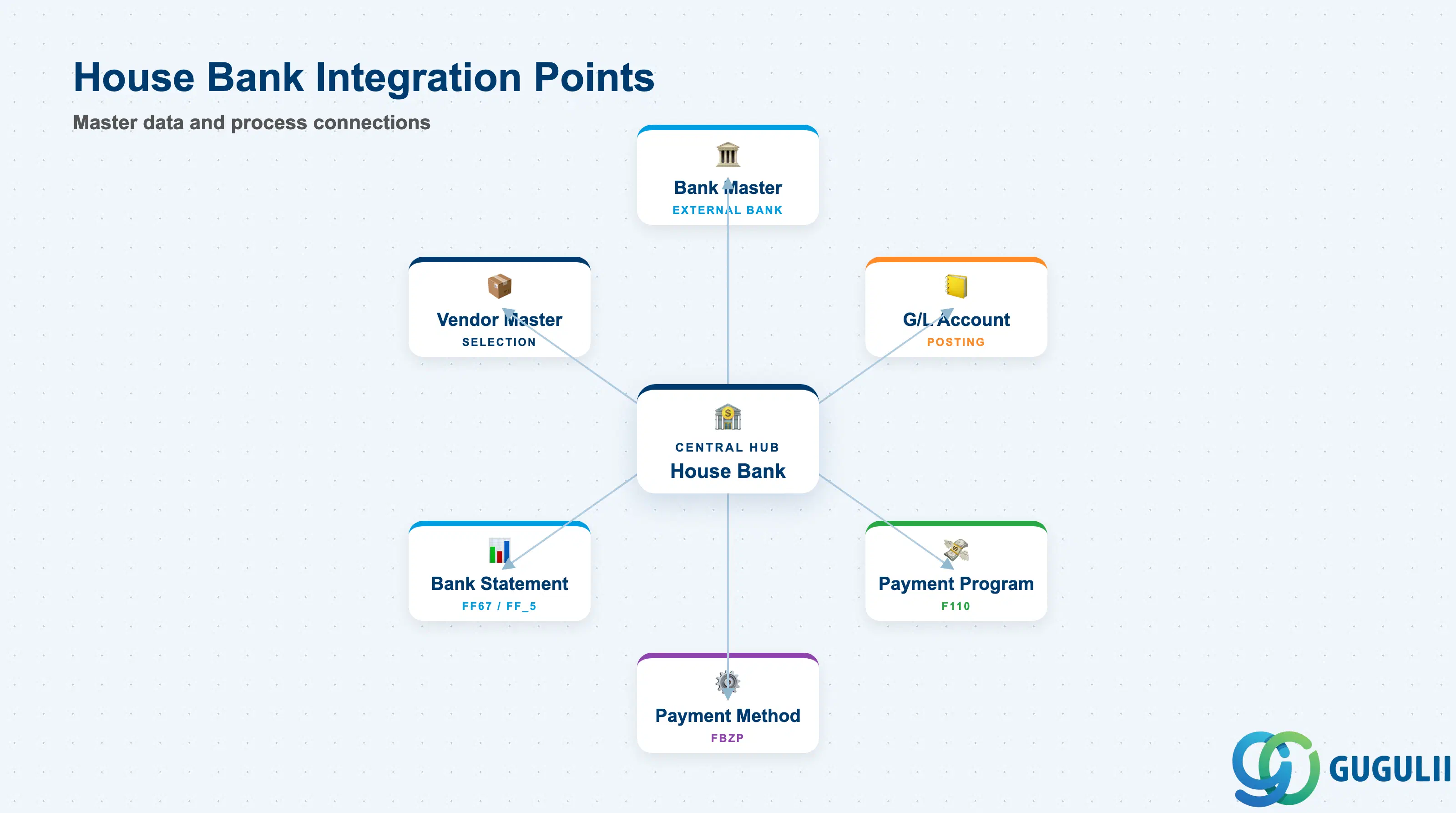
The House Bank does not stand alone. It is the bridge between external bank information and internal accounting postings, consumed by payment programs, cash management, and bank reconciliation processes.
| Object | Relationship | Practical Notes |
|---|---|---|
| Bank Master (FI01) | House Bank references the Bank Master (Country + Bank Key) | Bank Master stores the external bank’s details; House Bank links that bank to a Company Code and G/L account. One Bank Master can be referenced by multiple House Banks (different Company Codes). |
| G/L Account (FS00) | Each Account ID assigns a G/L account for posting | The G/L account must be a Balance Sheet account (typically under Cash & Cash Equivalents). One G/L account per Account ID — if you have JPY and USD accounts at the same bank, create two Account IDs with two separate G/L accounts. |
| Payment Program (FBZP) | House Bank ID is the payment account in Automatic Payment (F110) | Payment methods (e.g., bank transfer, check) are configured per House Bank and Company Code in FBZP. The payment program proposes the House Bank based on the payment method selected in the vendor master. |
| Payment Method (FBZP) | Payment methods are assigned to House Bank + Account ID | Example: payment method “T” (bank transfer) uses Account ID JPY01; payment method “C” (check) uses Account ID CHK01. Each payment method can have a different check lot and number range. |
| Bank Statement (FF67, FF_5) | Bank Statement upload references House Bank ID and Account ID | Incoming bank statements (MT940, CAMT.053) are imported and reconciled against the G/L account assigned to the House Bank Account ID. Automatic reconciliation via FF_5 matches statement lines to open items (invoices, payments). |
| Customer / Vendor Master | Payment method in Customer/Vendor master drives House Bank selection | During payment run (F110), the system selects the House Bank based on the payment method stored in the vendor master and the payment method configuration in FBZP. |
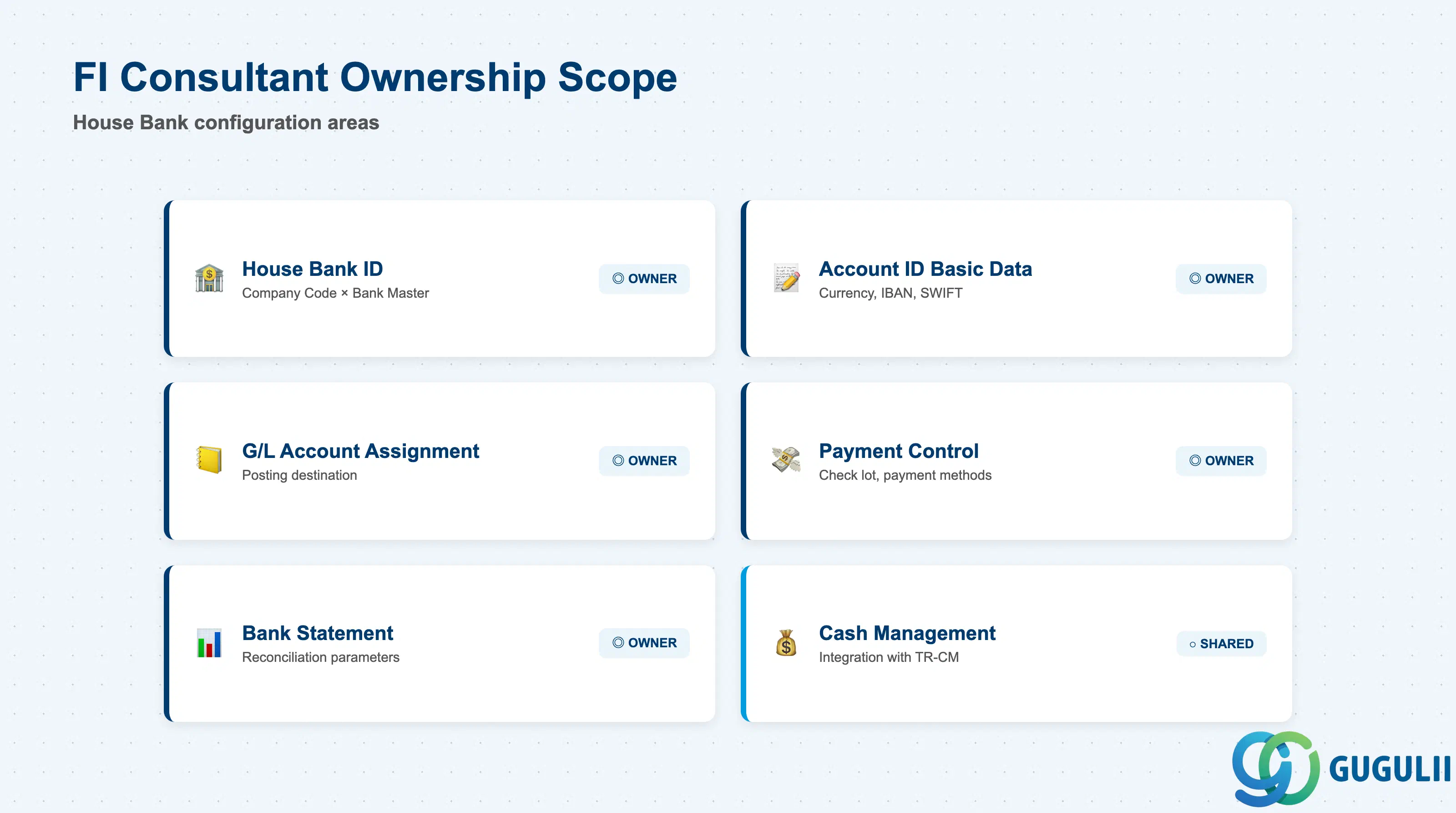
| Data Section | FI Involvement | Notes |
|---|---|---|
| House Bank ID (T012) | ◎ Owner | Links Company Code to Bank Master |
| Account ID (T012K) — Basic Data | ◎ Owner | Bank account number, currency, IBAN, SWIFT |
| G/L Account Assignment | ◎ Owner | Posting account for bank transactions |
| Payment Transaction Control | ◎ Owner | Check lot, payment method configuration, number ranges |
| Bank Statement Reconciliation | ◎ Owner | Account statement parameters, tolerance groups |
| Cash Management Integration | ○ Shared with TR-CM | Cash position reporting, forecast integration |
Legend: ◎ = Owner / Critical, ○ = Direct involvement
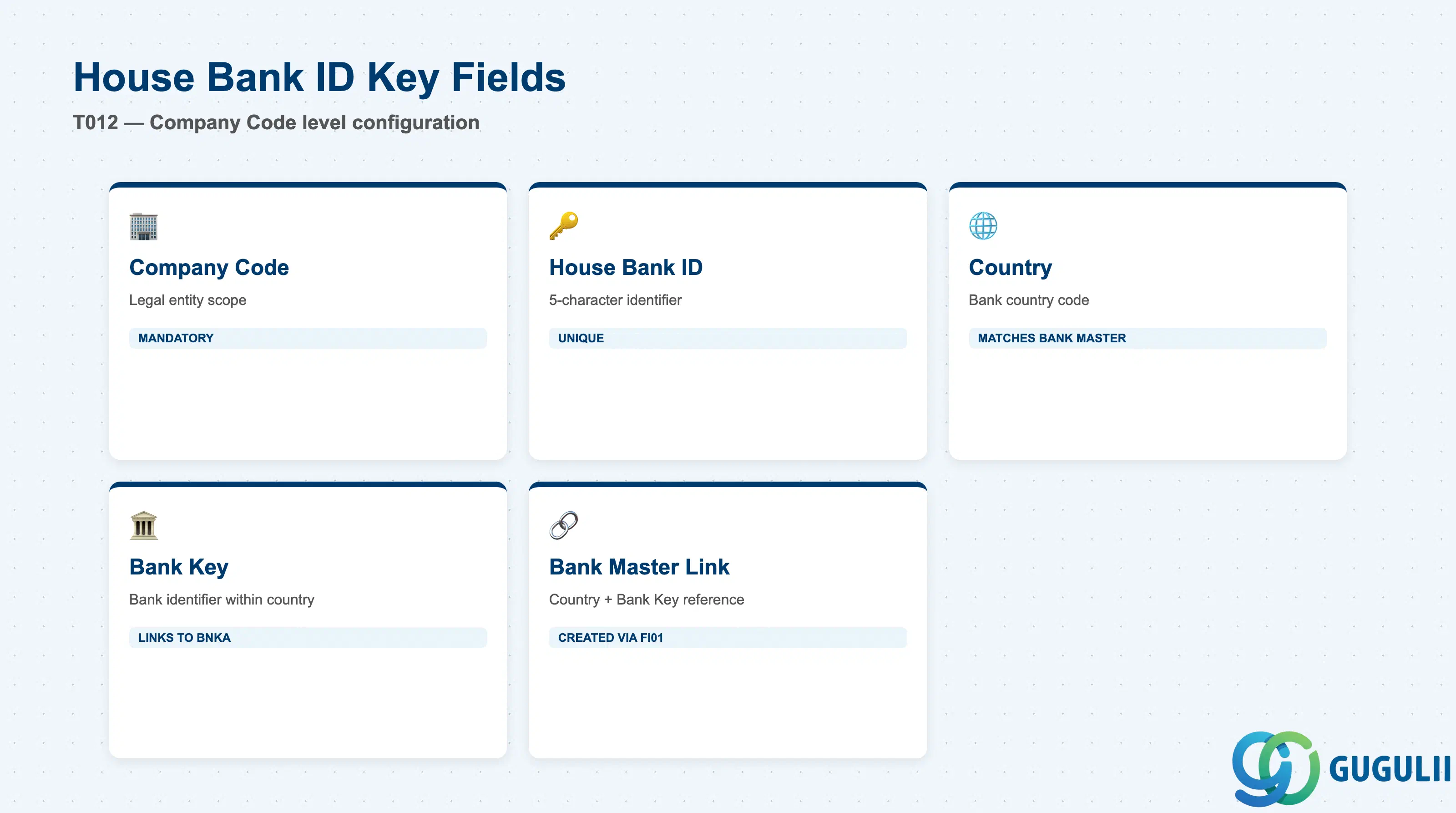
The House Bank ID is the top-level identifier linking the Company Code to the Bank Master. It serves as the anchor for all payment programs and bank statement reconciliation.
| Field | Description | Practical Usage |
|---|---|---|
| Company Code | Legal entity identifier | Scopes the House Bank to a single Company Code. One House Bank ID cannot be shared across Company Codes — if two legal entities use the same bank, create separate House Bank IDs for each. |
| House Bank ID | 5-character alphanumeric identifier | Internal identifier for the company-bank relationship. Must be unique within the Company Code. Use a consistent naming convention across the enterprise (e.g., HBKA for Bank A, HBKB for Bank B, or HBTK for Tokyo branch, HBOS for Osaka branch). |
| Country | Bank country code | Links to the Bank Master’s country. Must match the Bank Master’s country. For Japan, this is “JP.” |
| Bank Key | Bank identifier within the country | Links to the Bank Master’s bank key. In Japan, this is the 4-digit bank code + 3-digit branch code (e.g., 0009001 for MUFG Bank, Tokyo Main Branch). Combined with Country, this uniquely identifies the Bank Master. |
| Bank Account Number | (stored at Account ID level, not House Bank ID level) | See section 2.2 Account ID for bank account number details. |
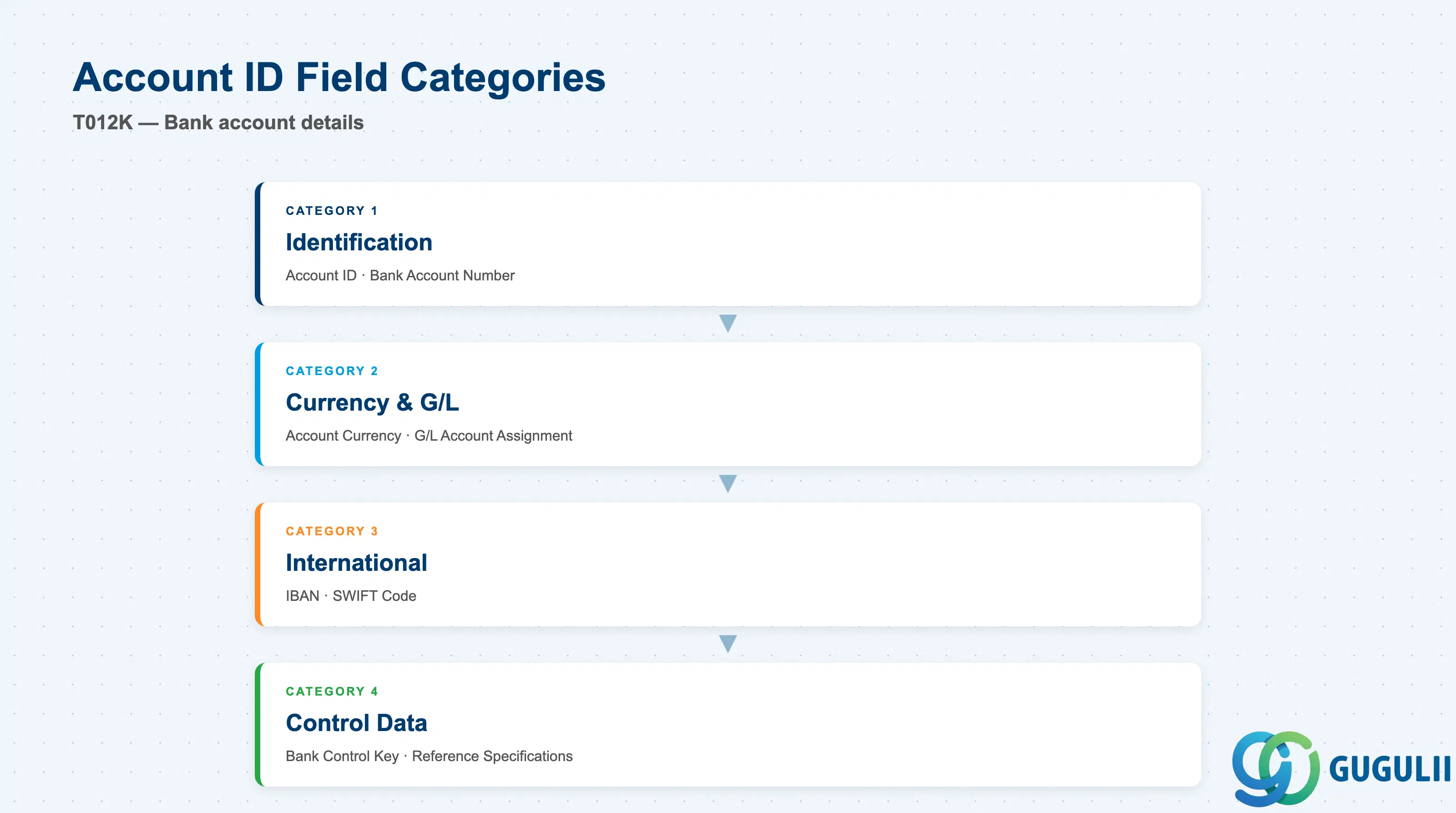
The Account ID is the operational core of the House Bank. Each Account ID represents a separate bank account with its own currency, G/L account, and posting control.
| Field | Description | Practical Usage |
|---|---|---|
| Account ID | 5-character alphanumeric identifier | Identifies the individual bank account within the House Bank. Must be unique within the House Bank ID. Common patterns: JPY01 (JPY current account), USD01 (USD foreign currency account), CHK01 (check disbursement account). |
| Bank Account Number | External bank account number | The account number assigned by the bank. Displayed on payment advice and bank statements. May include branch code, account type code, and check digit depending on country format. For Japan, typically 7 digits (普通 = current account, 当座 = checking account). |
| Currency | Account currency | The currency of this bank account. One Account ID = one currency. If the company holds both JPY and USD accounts at the same bank, create two Account IDs (e.g., JPY01 and USD01) with separate G/L accounts. |
| IBAN | International Bank Account Number | Required for SEPA payments (EU) and increasingly for international payments. Auto-calculated or manually maintained depending on country. For Japan, IBAN is not used — leave blank. |
| SWIFT Code | Bank Identifier Code (BIC) | 8 or 11 characters identifying the bank and branch for international payments. Typically inherited from the Bank Master, but can be overridden at Account ID level if the specific account has a different SWIFT code (e.g., dedicated branch for foreign currency accounts). |
| Bank Control Key | Internal control field | Country-specific field for bank-specific processing control. In Japan, rarely populated. In Germany, used to distinguish account types (e.g., postal giro vs. bank account). Check with local banking requirements during blueprint. |
| Reference Specifications | Reference details for bank statement | Free text field for additional account identification details displayed on bank statements and payment advice. Use for internal account nicknames (e.g., “Tokyo HQ Operating Account”) to simplify bank reconciliation. |
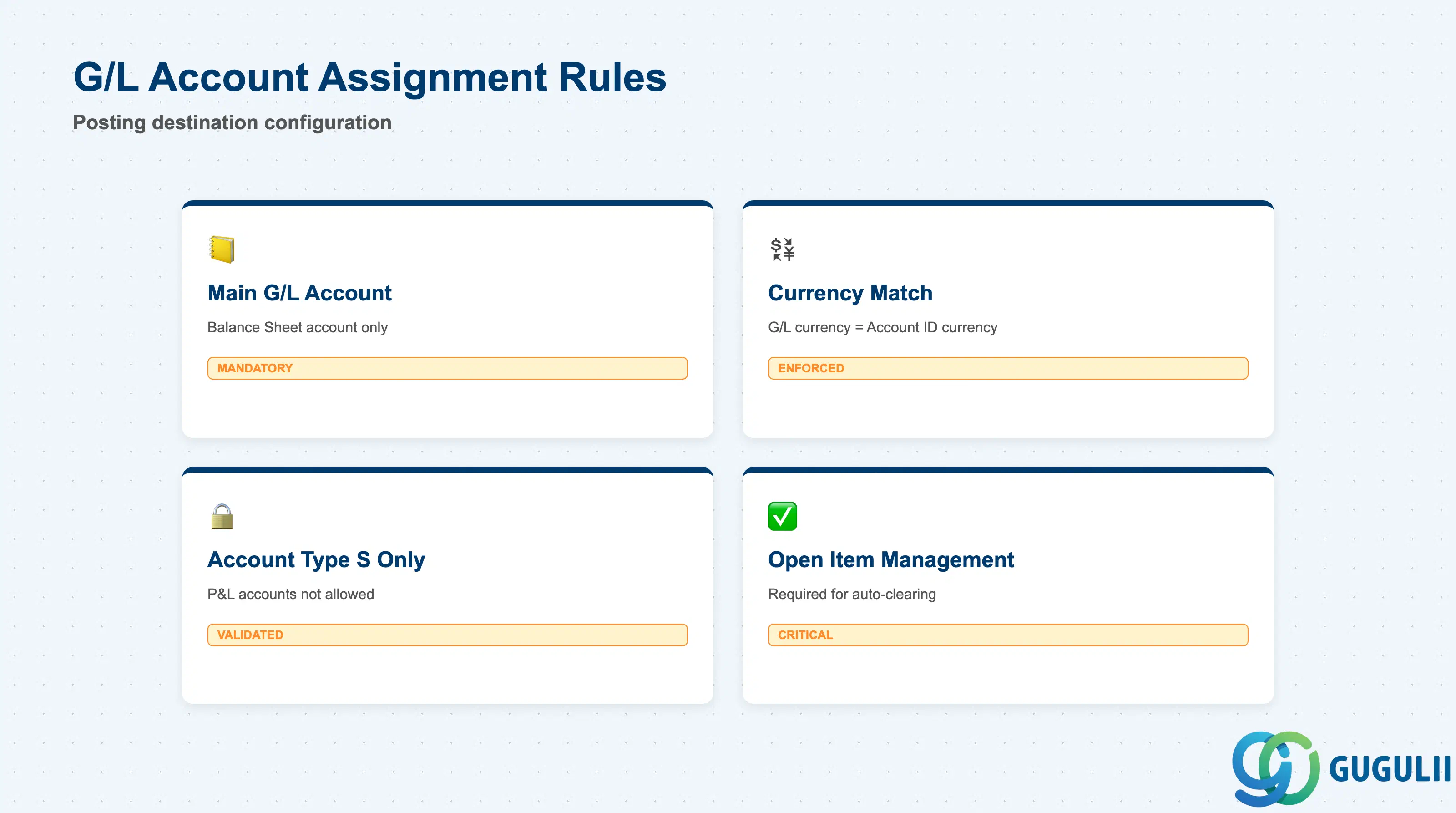
Each Account ID must be assigned to a G/L account. This G/L account is the posting destination for all bank transactions processed through the House Bank.
| Field | Description | Practical Usage |
|---|---|---|
| G/L Account | General Ledger account for bank postings | The primary G/L account for this bank account. All bank statement postings, payment program postings (F110), and manual bank postings (F-53) default to this G/L account. Must be a Balance Sheet account (Account Type S), typically under Cash & Cash Equivalents. |
| Currency Match | G/L account currency must match Account ID currency | The G/L account’s currency (set in FS00) must match the Account ID currency. System blocks posting if currencies do not align. For multi-currency companies, create separate G/L accounts for each currency (e.g., 100100 for JPY Cash, 100200 for USD Cash) and assign to corresponding Account IDs. |
| Account Type | Balance Sheet only | The assigned G/L account must be a Balance Sheet account (not P&L). Attempting to assign a P&L account (expense/revenue) triggers a configuration error. Bank charges and bank interest are posted separately via bank statement line items, not the main bank account G/L. |
| Reconciliation Key | Open Item Management required | The G/L account must have Open Item Management activated (FS00 → Control Data → “Open Item Management” checkbox). This enables automatic clearing of payments against invoices during bank statement upload and payment posting. Without Open Item Management, manual clearing is required for every bank transaction. |
Critical design decision: Decide early whether to use one G/L account per currency or one G/L account per bank account. Best practice for large enterprises: one G/L account per Account ID (even if the same currency) — this provides clearer visibility of cash position per bank account on the balance sheet, simplifies bank reconciliation, and avoids commingling of cash across different banks or account purposes (operating vs. payroll vs. escrow).
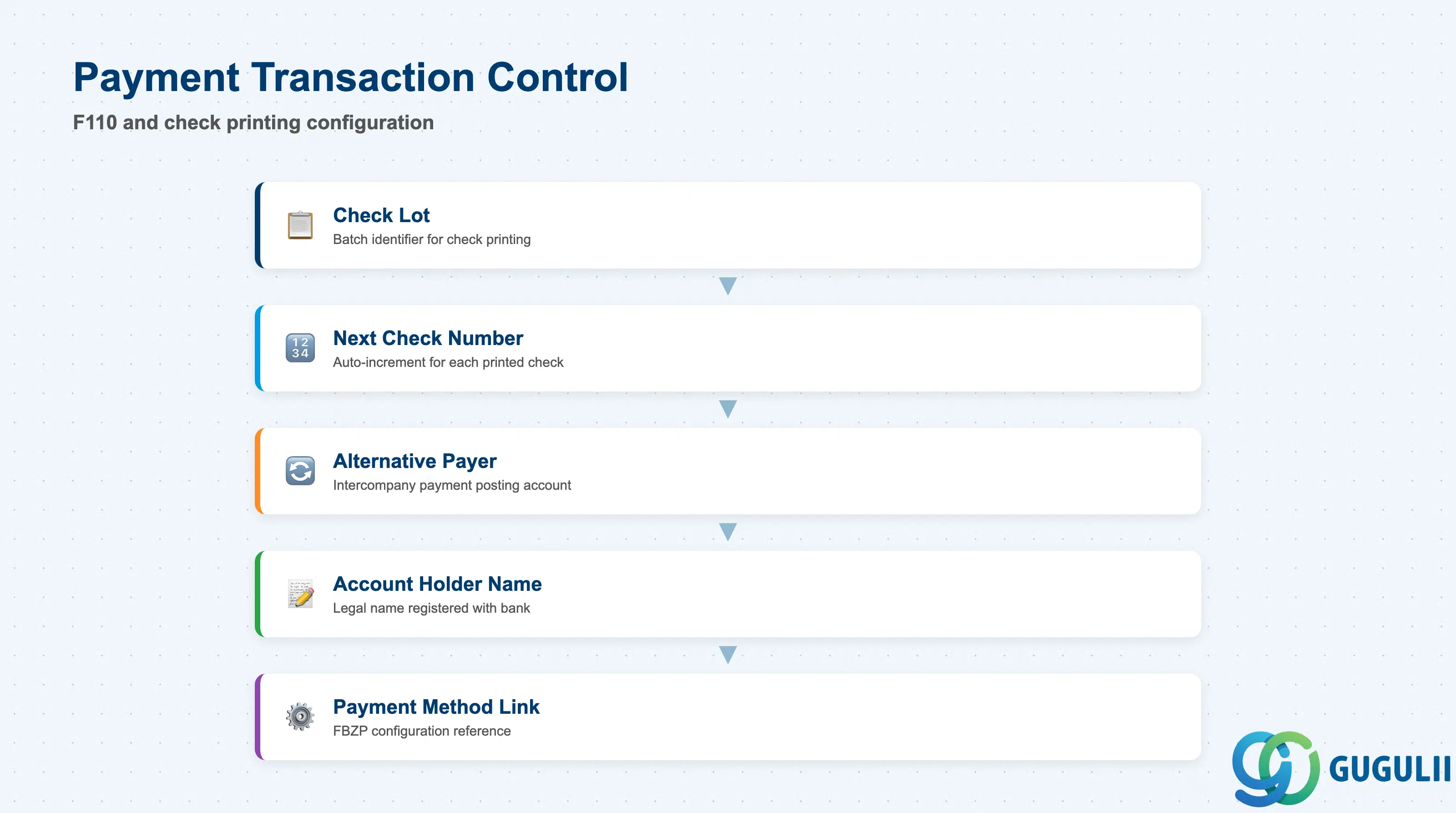
Payment Transaction Control fields govern how the House Bank is used in the Automatic Payment Program (F110) and manual check printing.
| Field | Description | Practical Usage |
|---|---|---|
| Check Lot | Current check lot number | For check payments, the check lot is the batch identifier printed on the physical check. Increments automatically when a new check number range is started. Rarely used in modern payment processing (bank transfer is standard in Japan), but still required for legacy check printing configurations. |
| Next Check Number | Next available check number | The system auto-increments this field each time a check is printed via F110 or F-58 (manual check printing). If you are migrating from a legacy system and need to continue the check number sequence, initialize this field to the next available number from the old system. |
| Alternative Payer | Alternative payer account | When populated, outgoing payments post to this alternative G/L account instead of the main House Bank G/L account. Use case: a parent company pays on behalf of subsidiaries — payments post to an intercompany clearing account rather than the subsidiary’s bank account. Rarely used; most configurations leave this blank. |
| Account Holder Name | Name of the account holder | Free text field for the legal name of the account holder as registered with the bank. Printed on payment advice and SEPA XML files. Must match the bank’s official account registration to avoid payment rejection. For Japan, this is the company’s legal name in English (e.g., “ABC Corporation”). |
| Partner Bank Type | Bank relationship type | Rarely used. Can be set to “SWIFT Partner” for correspondent banking relationships where the House Bank acts as an intermediary. For standard corporate bank accounts, leave blank. |
| Allocation Number | Internal allocation reference | Optional field for internal reference tracking. Can be used to link the House Bank to external treasury systems or cash forecasting tools. Most implementations leave blank. |
Payment method configuration (transaction FBZP) is where the House Bank and Account ID are assigned to specific payment methods (T = bank transfer, C = check, etc.). Each payment method can specify different House Banks for outgoing payments, and the payment program (F110) selects the House Bank based on the payment method in the vendor master. This configuration is separate from the House Bank master but tightly integrated — always test payment method selection logic end-to-end during User Acceptance Testing (UAT).
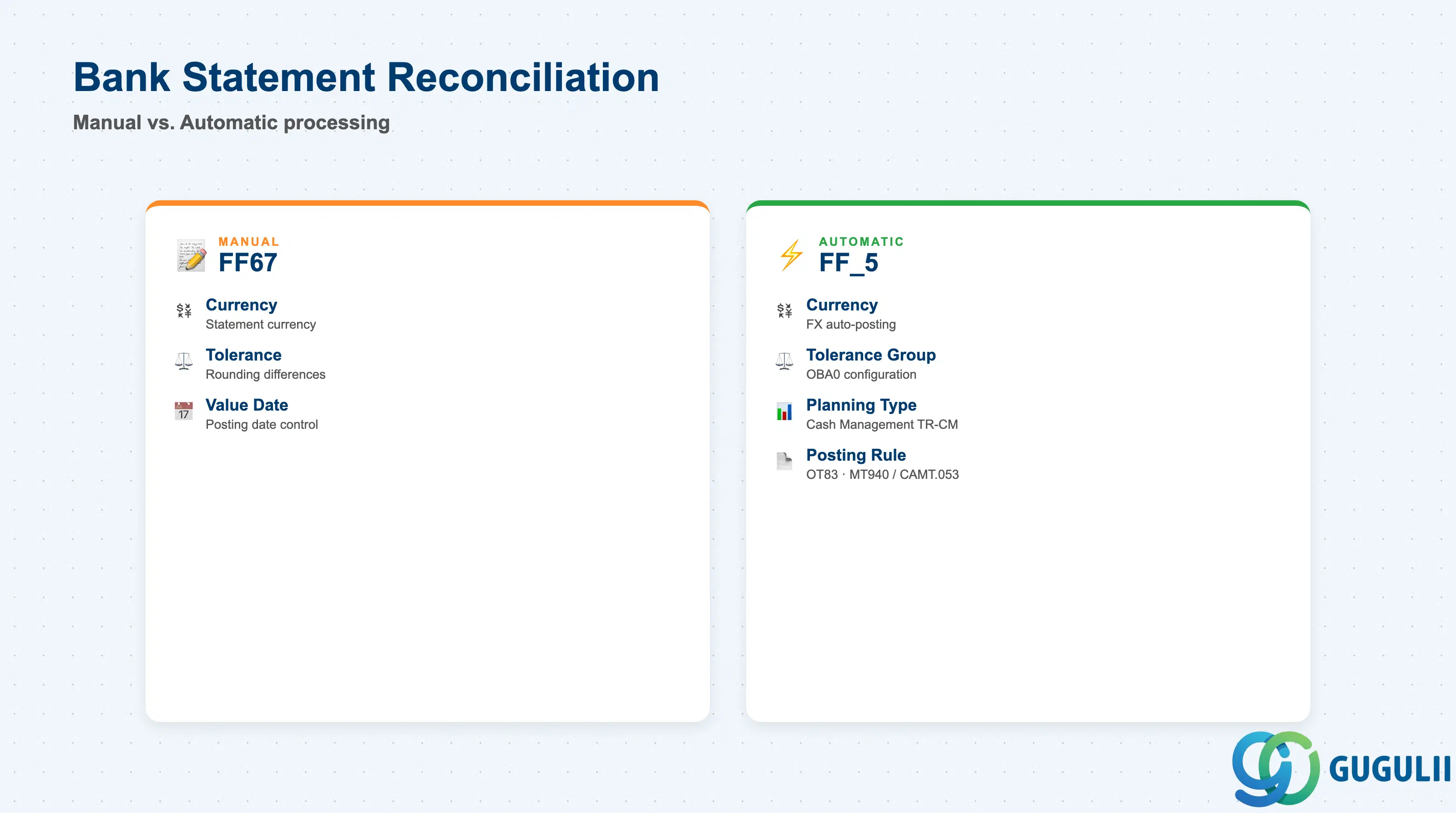
Bank Statement Reconciliation parameters control how incoming bank statements are processed and matched against open items in the G/L and subledgers.
| Field | Description | Practical Usage |
|---|---|---|
| Account Statement Currency | Statement currency | Currency of the bank statement. Must match the Account ID currency. For foreign currency accounts (e.g., USD), the statement is in USD, and the system posts FX differences to the FX gain/loss G/L account automatically. |
| Tolerance Group | Bank statement tolerance | References a tolerance group (OBA0) that defines the maximum rounding differences allowed during automatic reconciliation. Example: allow ±5 JPY rounding on bank charges. If the difference exceeds the tolerance, the line is flagged for manual review. |
| Value Date Tolerance | Days tolerance for value date matching | For automatic clearing, the system can tolerate a mismatch of N days between the statement value date and the posting date of the open item. Set to 0 for strict matching; set to 2-3 days for lenient matching in high-volume environments. |
| Planning Type | Cash Management planning type | References a planning type in Cash Management (TR-CM). When bank statement lines are posted, the system updates the cash position for this planning type. Used for liquidity forecasting and cash flow reporting. Set during Cash Management activation; leave blank if Cash Management is not implemented. |
| Posting Rule | Bank statement posting rule | Determines which G/L accounts to use for specific bank statement transaction codes (e.g., bank charges, interest income, wire transfer fees). Configured in transaction OT83 (Define Posting Rules for Electronic Bank Statement). Links statement transaction codes to G/L accounts and posting keys. |
Automatic Bank Statement Upload (transaction FF_5 or Fiori app “Upload Bank Statement”) processes MT940, CAMT.053, or BAI2 files and auto-matches lines to open items using algorithms (exact amount match, invoice number match, reference number match). The matching tolerance is controlled by the Tolerance Group assigned to the House Bank. For Japan, MT940 is rarely used; most banks provide CSV or proprietary formats — these require custom import programs or conversion to CAMT.053 before upload.
| ID | Category | Title |
|---|---|---|
| fi-001 | Overview | What is SAP FI? |
| ID | Category | Title |
|---|---|---|
| fi-a01 | Overview | SAP FI Master Data: Overview, Hierarchy & Relationships |
| fi-a02-01 | Master Data | SAP FI Material Master |
| fi-a03-01 | Master Data | SAP FI Chart of Accounts |
| fi-a03-02 | Master Data | SAP FI G/L Account |
| fi-a04-01 | Master Data | SAP FI Payment Terms |
| fi-a04-02 | Master Data | SAP FI Tax Code |
| fi-a06-01 | Master Data | SAP FI Bank Master |
| fi-a06-02 | Master Data | SAP FI House Bank 📍 |
| fi-a07-01 | Master Data | SAP FI Asset Class |
| fi-a07-02 | Master Data | SAP FI Depreciation Key |
| fi-a07-03 | Master Data | SAP FI Asset Master |
| ID | Category | Title |
|---|---|---|
| fi-b01 | Overview | SAP FI Transactions: Process Flow, Hierarchy & Relationships |