Title here
Summary here

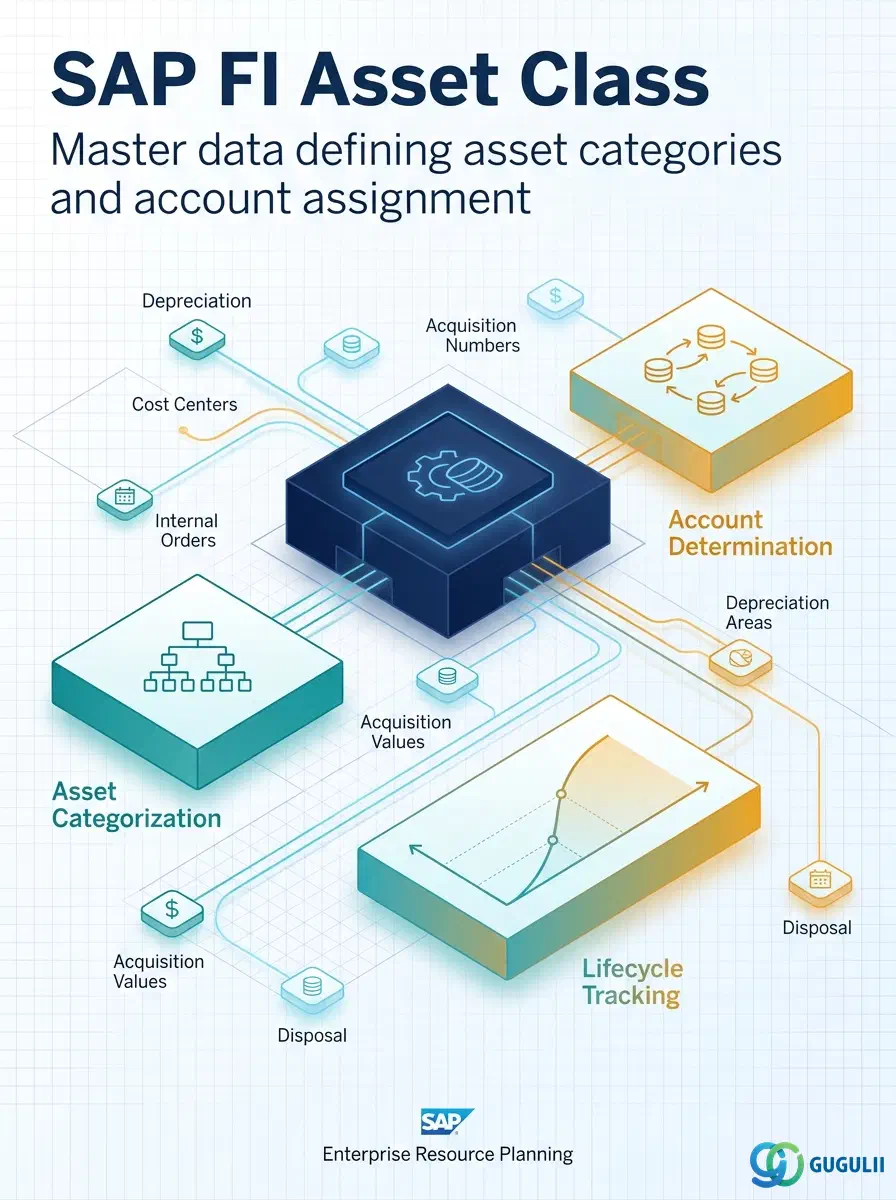
Asset Class is the master data object that defines the category, number range, and accounting treatment for fixed assets. It determines how assets are identified, where their transactions are posted, and which depreciation parameters apply. Every Asset Master record references an Asset Class — it is the template that standardizes asset accounting across the enterprise.
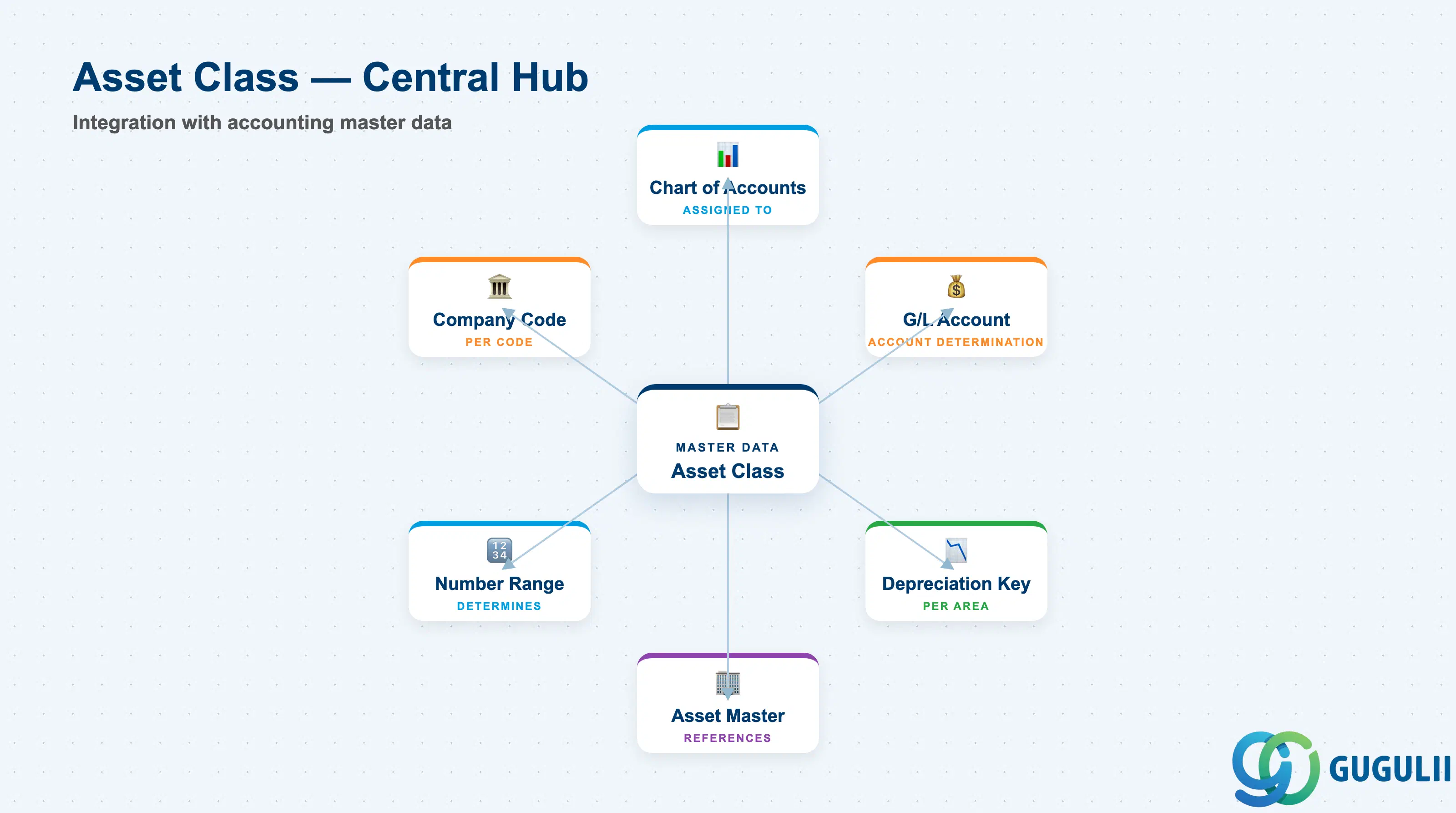
Asset Class is a classification scheme that groups assets with similar accounting treatment. It acts as the bridge between the Chart of Accounts structure and individual Asset Master records, holding the account determination and number range rules at the intersection of these two objects.
| Aspect | Details |
|---|---|
| Role | Defines asset category, number range, account determination, and screen layout for asset master data |
| Modules using it | FI-AA (Asset Accounting — primary owner), CO (internal order settlement to assets), PS (project settlement to assets), MM (goods receipt for capitalization), PM (maintenance asset link) |
| Transactions | OAOA (Asset Class Customizing) / AS01 (Create Asset Master with class selection) / AS03 (Display Asset Master) / AO90 (Mass change) |
| Key Tables | T095 (Asset Class header) / T095B (Depreciation area assignment) / T095T (Asset Class description) / ANLB (Asset Depreciation) / ANLA (Asset Master Data) |
| S/4HANA note | Asset Class configuration unchanged from ECC. Fiori app “Manage Fixed Assets” uses Asset Class for data validation and defaulting. Universal Journal continues to reference Asset Class (ANLA-ANLKL) for segment reporting. |
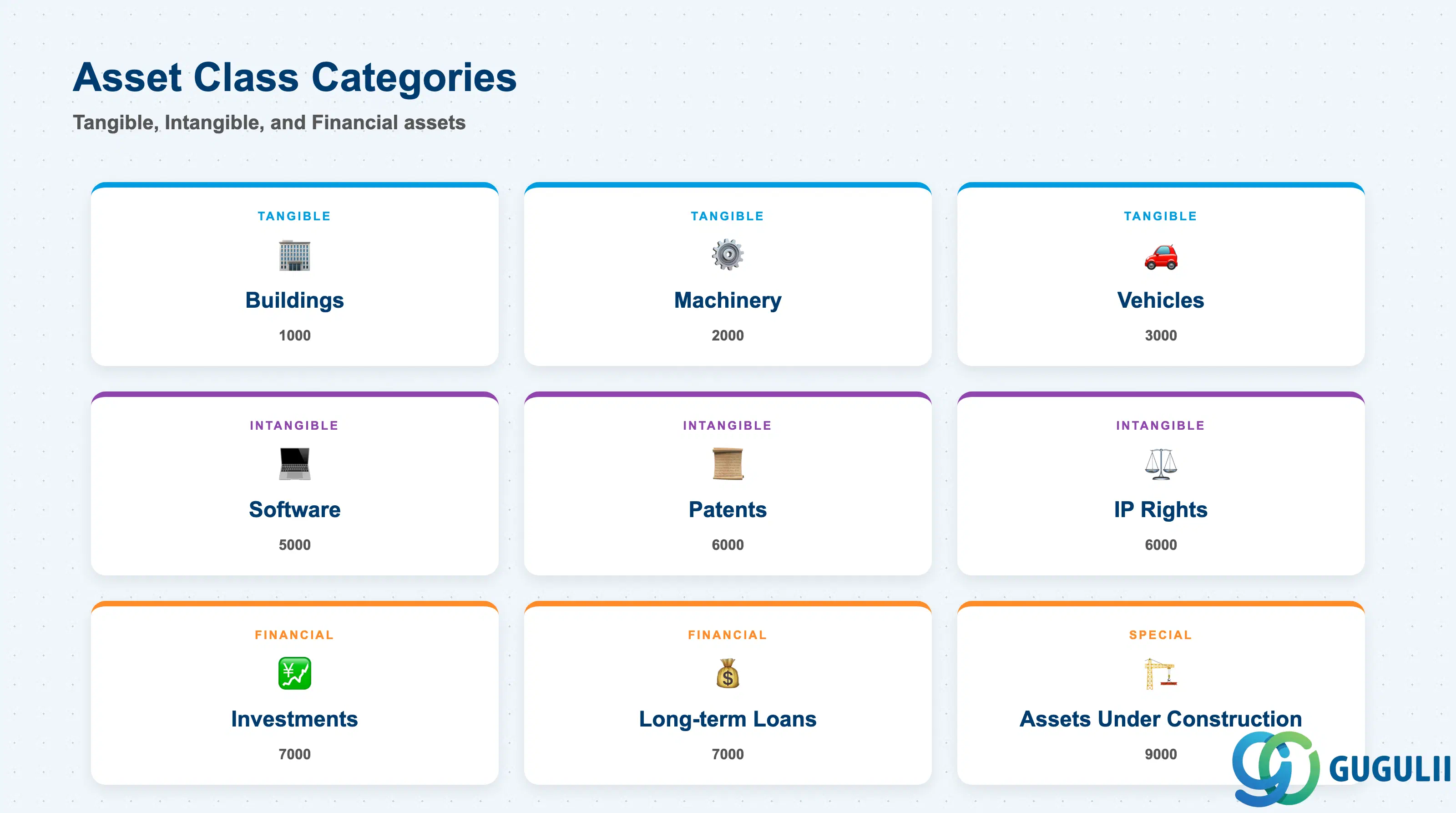
Asset Class categories determine which balance sheet line the asset appears on and which depreciation treatment applies. Choosing the wrong category can result in incorrect financial statements and tax non-compliance.
| Asset Type | Category | Use Case | Key Behavior |
|---|---|---|---|
| Tangible — Buildings | 1000 | Land, office buildings, production facilities | Typically straight-line depreciation. Land is non-depreciable. |
| Tangible — Machinery | 2000 | Production equipment, machine tools | Declining-balance or units-of-production depreciation. |
| Tangible — Vehicles | 3000 | Company cars, forklifts, delivery trucks | Time-based or mileage-based depreciation. |
| Tangible — IT Equipment | 4000 | Servers, PCs, network devices | Short useful life (3–5 years). Often immediate write-off below threshold. |
| Intangible — Software | 5000 | Licensed software, internally developed applications | Amortized over license term or estimated useful life. |
| Intangible — Patents / IP | 6000 | Patents, trademarks, goodwill | Amortized over legal or economic life. |
| Financial — Investments | 7000 | Equity investments, long-term loans | Non-depreciable. Reported at cost or fair value. |
| Assets Under Construction (AuC) | 9000 | Capital projects in progress | No depreciation until transferred to the final asset class upon project completion. |
Design principle: Asset Class numbering should follow balance sheet structure. Use leading digits to indicate balance sheet line item (1xxx = Buildings, 2xxx = Machinery) to simplify financial reporting and reconciliation.
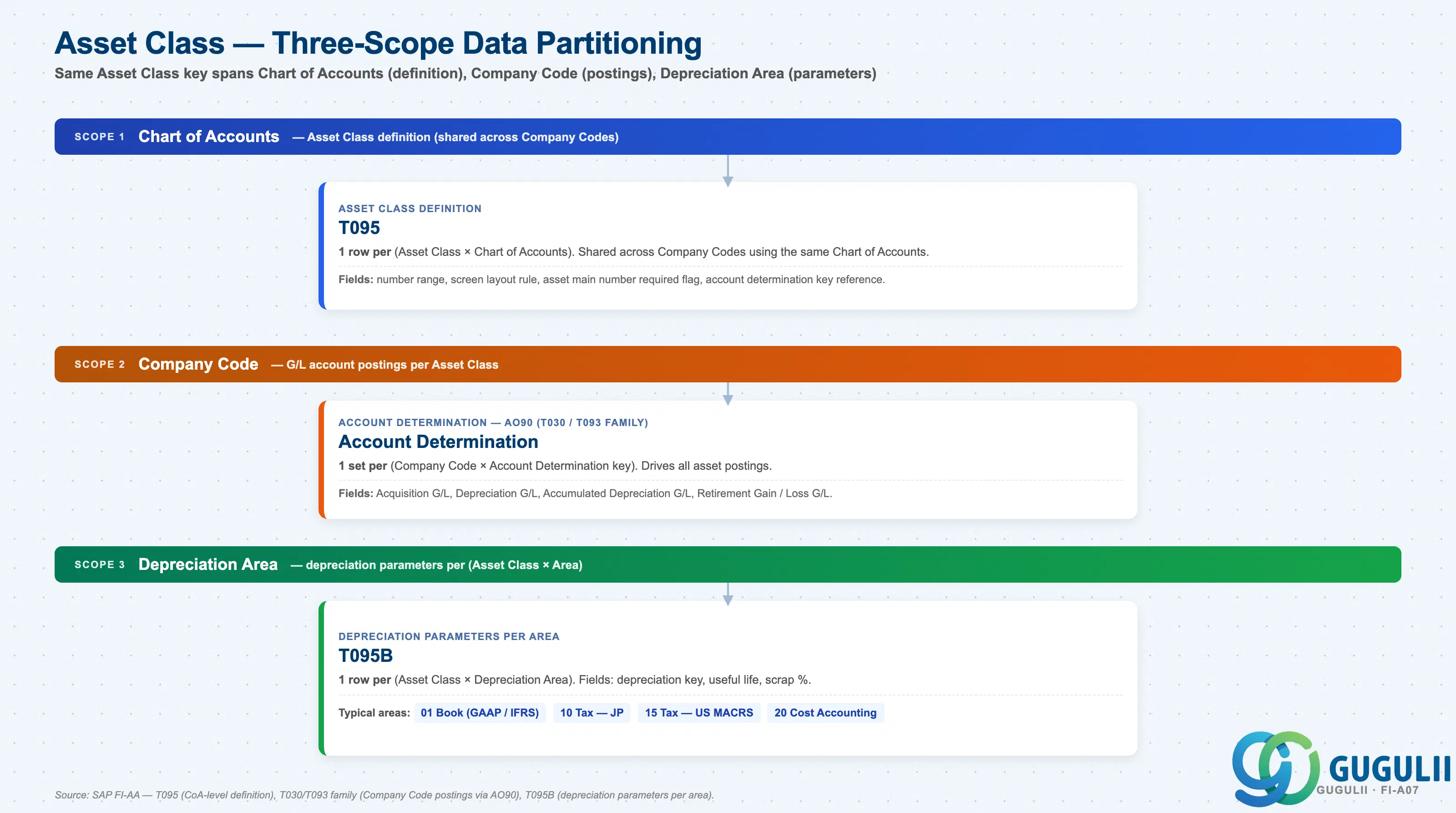
Asset Class data is partitioned across three organizational scopes, each holding a different aspect of the configuration. The same Asset Class key appears at all three scopes but with different attributes.
Chart of Accounts scope (definition)
   │
   └── T095 — Asset Class Definition
          One row per (Asset Class × Chart of Accounts).
          Fields: number range, screen layout rule,
                  asset main number required flag,
                  account determination key reference.
          Shared across Company Codes using the same Chart of Accounts.

Company Code scope (G/L account postings)
   │
   └── Account Determination (configured via AO90 — stored in T093 family)
          One set per (Company Code × Account Determination key).
          Fields: Acquisition G/L, Depreciation G/L,
                  Accumulated Depreciation G/L,
                  Retirement Gain / Loss G/L.
          Drives all asset postings for that combination.

Depreciation Area scope (depreciation parameters)
   │
   └── T095B — Depreciation Parameters per Area
          One row per (Asset Class × Depreciation Area).
          Fields: depreciation key, useful life, scrap percentage,
                  net book value calculation method.
          Typical areas:
            01 Book (GAAP / IFRS — financial reporting)
            10 Tax — JP corporate tax
            15 Tax — US federal (MACRS)
20 Cost Accounting (managerial)| Org Scope | Table | Primary Fields | Notes |
|---|---|---|---|
| Chart of Accounts | T095 | Asset Class, number range interval, screen layout rule, account determination key | One row per (Asset Class × Chart of Accounts). Shared across Company Codes using the same Chart of Accounts. |
| Company Code | T030 / T093 family (via AO90) | Acquisition G/L, Depreciation G/L, Accumulated Depreciation G/L, Retirement Gain / Loss G/L | One set per (Company Code × Account Determination key). Drives all asset postings for that combination. |
| Depreciation Area | T095B | Depreciation key, useful life, scrap %, net book value calculation method | One row per (Asset Class × Depreciation Area). Examples: 01 Book (GAAP / IFRS), 10 Tax JP, 15 Tax US MACRS, 20 Cost Accounting. |
Key design decision: For global projects with multiple Company Codes, decide early whether Asset Class is shared (same class across all Company Codes) or localized (country-specific classes). Shared classes simplify consolidation but require standardized chart of accounts. Localized classes (e.g., separate classes for US MACRS vs JP tax depreciation) offer flexibility but increase maintenance cost.
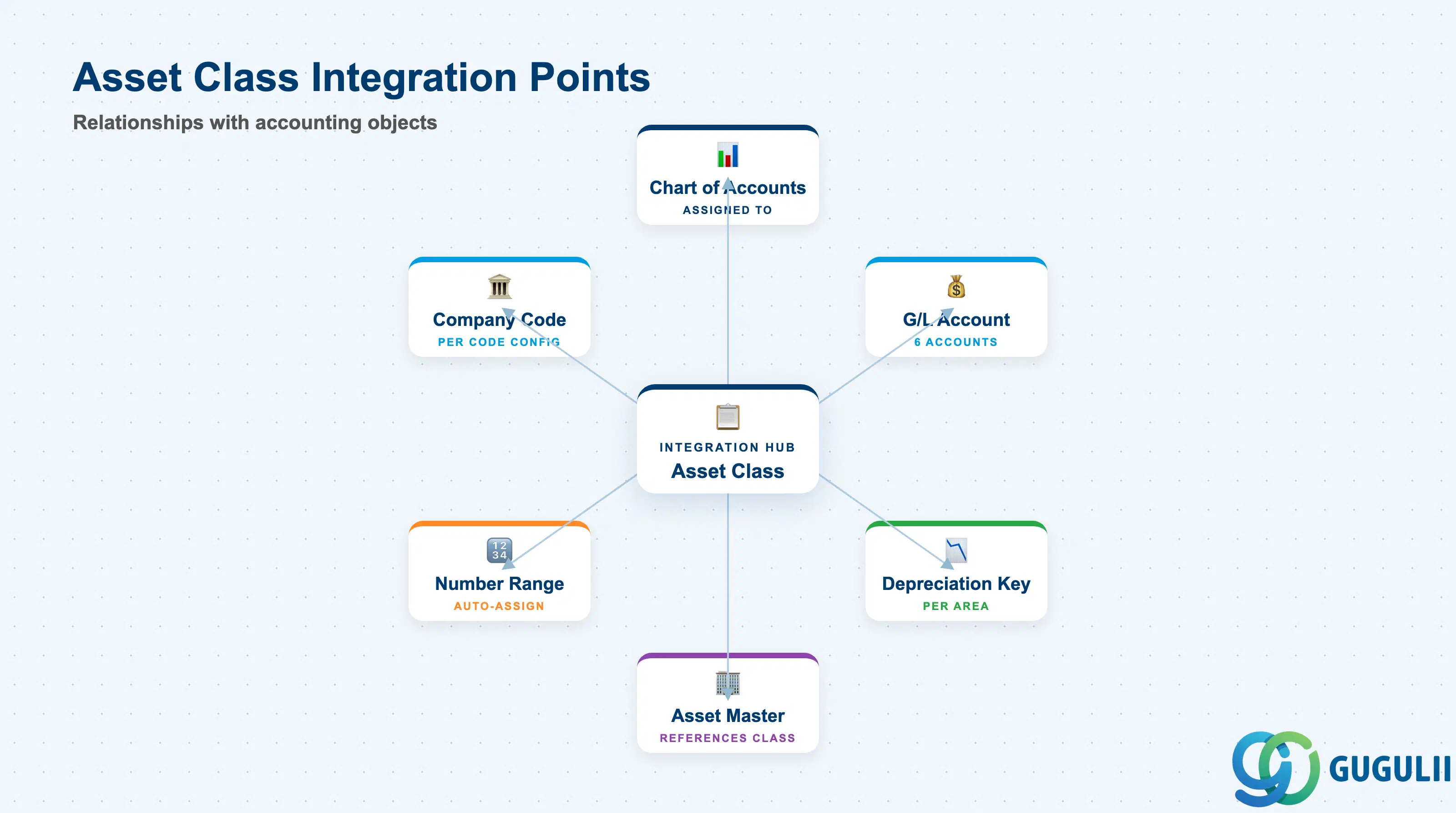
Asset Class does not stand alone. It is referenced by Asset Master records and drives integration with Chart of Accounts, G/L Accounts, and Depreciation Keys.
| Object | Relationship | Practical Notes |
|---|---|---|
| Chart of Accounts | Asset Class is assigned to a Chart of Accounts | The Asset Class is available only to Company Codes using that Chart of Accounts. When copying an Asset Class to a new Chart of Accounts, account determination must be reconfigured. |
| G/L Account | Asset Class holds account determination rules | The six G/L accounts (Acquisition, Depreciation, Accumulated Depreciation, Revaluation, Retirement Gain, Retirement Loss) must exist in the Chart of Accounts before Asset Class configuration. Missing accounts cause posting errors at asset acquisition. |
| Depreciation Key | Asset Class references Depreciation Key per Depreciation Area | The Depreciation Key (AFAMS) defines the calculation method and useful life. One Asset Class can use different Depreciation Keys across Depreciation Areas (e.g., straight-line for books, declining-balance for tax). |
| Asset Master | Asset Master (AS01) references Asset Class | Asset Class is mandatory at asset creation. Once assigned, the Asset Class can only be changed via a special transaction (ABAA) with strict governance — changing it retroactively impacts all depreciation history. |
| Number Range | Asset Class determines the number range for Asset Master | Each Asset Class can be assigned a unique number range interval (e.g., 1000000–1999999 for Buildings). This segregation simplifies asset reporting and reconciliation. |
| Company Code | Asset Class account determination is per Company Code | For multi-company projects, validate that all required G/L accounts exist in each Company Code’s chart before activating the Asset Class. |
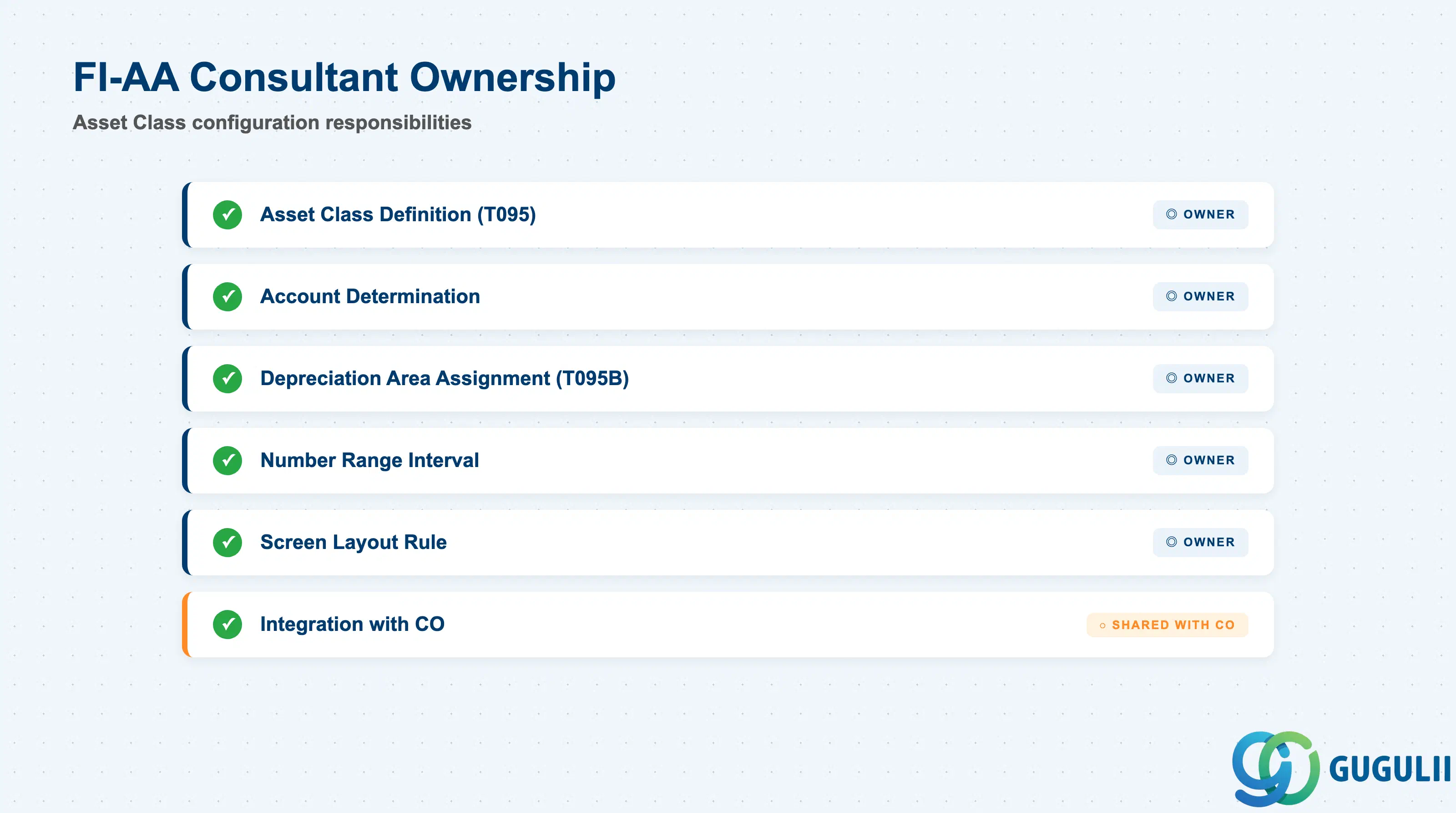
| Data Section | FI Involvement | Notes |
|---|---|---|
| Asset Class Definition (T095) | ◎ Owner | Class key, number range, screen layout rule |
| Account Determination | ◎ Owner | Six G/L accounts (acquisition, depreciation, accumulated depreciation, revaluation, retirement gain/loss) |
| Depreciation Area Assignment (T095B) | ◎ Owner | Depreciation key, useful life, scrap percentage per area |
| Number Range Interval | ◎ Owner | Assigned per Asset Class |
| Screen Layout Rule | ◎ Owner | Controls field visibility and mandatory/optional status in AS01/AS02 |
| Integration with CO | ○ Shared with CO | Internal order / WBS settlement to assets — CO consultant validates settlement profile |
Legend: ◎ = Owner / Critical, ○ = Direct involvement
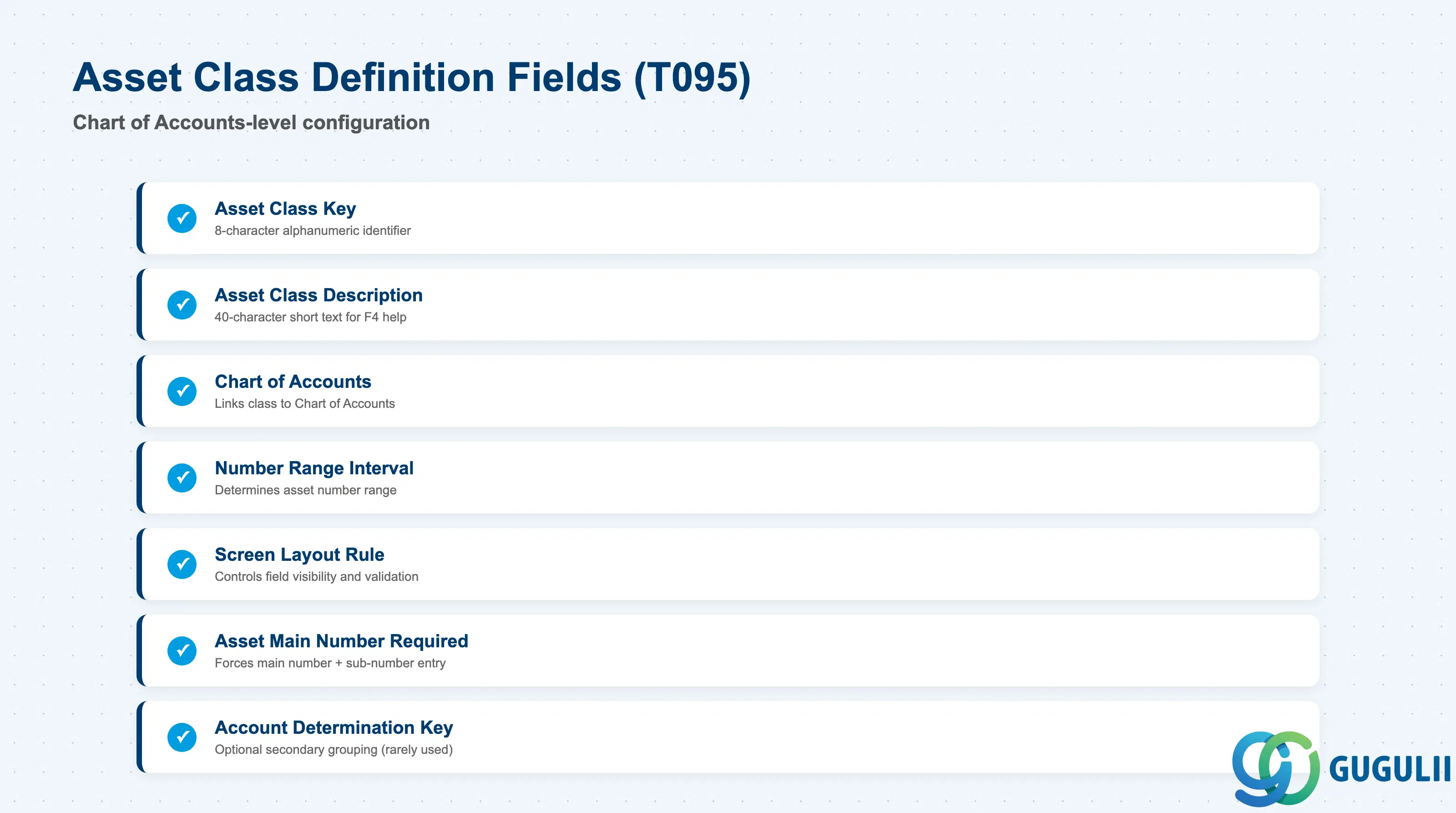
The Asset Class Definition section is the foundation of the asset master data structure. It determines how assets are numbered, displayed, and categorized.
| Field | Description | Practical Usage |
|---|---|---|
| Asset Class | Asset Class key (8 characters, alphanumeric) | The primary identifier for the asset category. Best practice: use leading digits aligned with balance sheet line items (1000 = Buildings, 2000 = Machinery) to simplify reporting and audit trail. Do not reuse retired Asset Class codes — historical assets remain linked. |
| Asset Class Description | Short text (40 characters) | Displayed in F4 help and asset master creation screens. Use consistent naming conventions across all Company Codes to avoid confusion in multi-country projects. Example: “1000 Buildings” rather than “Bldgs” or “Real Estate”. |
| Chart of Accounts | Chart of Accounts key | Links the Asset Class to a Chart of Accounts. The Asset Class is only available to Company Codes using this Chart of Accounts. When copying Asset Classes across charts, verify that all referenced G/L accounts exist in the target chart. |
| Number Range Interval | Number range key | Determines the asset number range for all assets created under this Asset Class. Example: Asset Class 1000 (Buildings) uses interval 01 (1000000–1999999); Asset Class 2000 (Machinery) uses interval 02 (2000000–2999999). Segregated intervals simplify mass reporting (e.g., “all buildings = 1xxxxxxx”). |
| Asset Main Number Required | Checkbox | When checked, forces users to enter an Asset Main Number and Sub-Number (e.g., 1000000-0001) rather than a single flat number. Use this for complex assets with multiple components (e.g., a building with multiple floors, each as a sub-asset). Deactivate for simple assets (vehicles, PCs) to reduce data entry overhead. |
| Screen Layout Rule | Screen layout key | References the screen layout configuration (transaction AS01 → Fields per Screen). Controls which fields are displayed, required, optional, or hidden during asset master creation and maintenance. Critical for data governance — use separate layout rules for different user roles (e.g., stricter validation for end users, relaxed for migration teams). |
| Account Determination Key | Account determination key | Optional secondary grouping for account determination. Rarely used — most projects assign accounts directly to the Asset Class without this intermediate layer. |
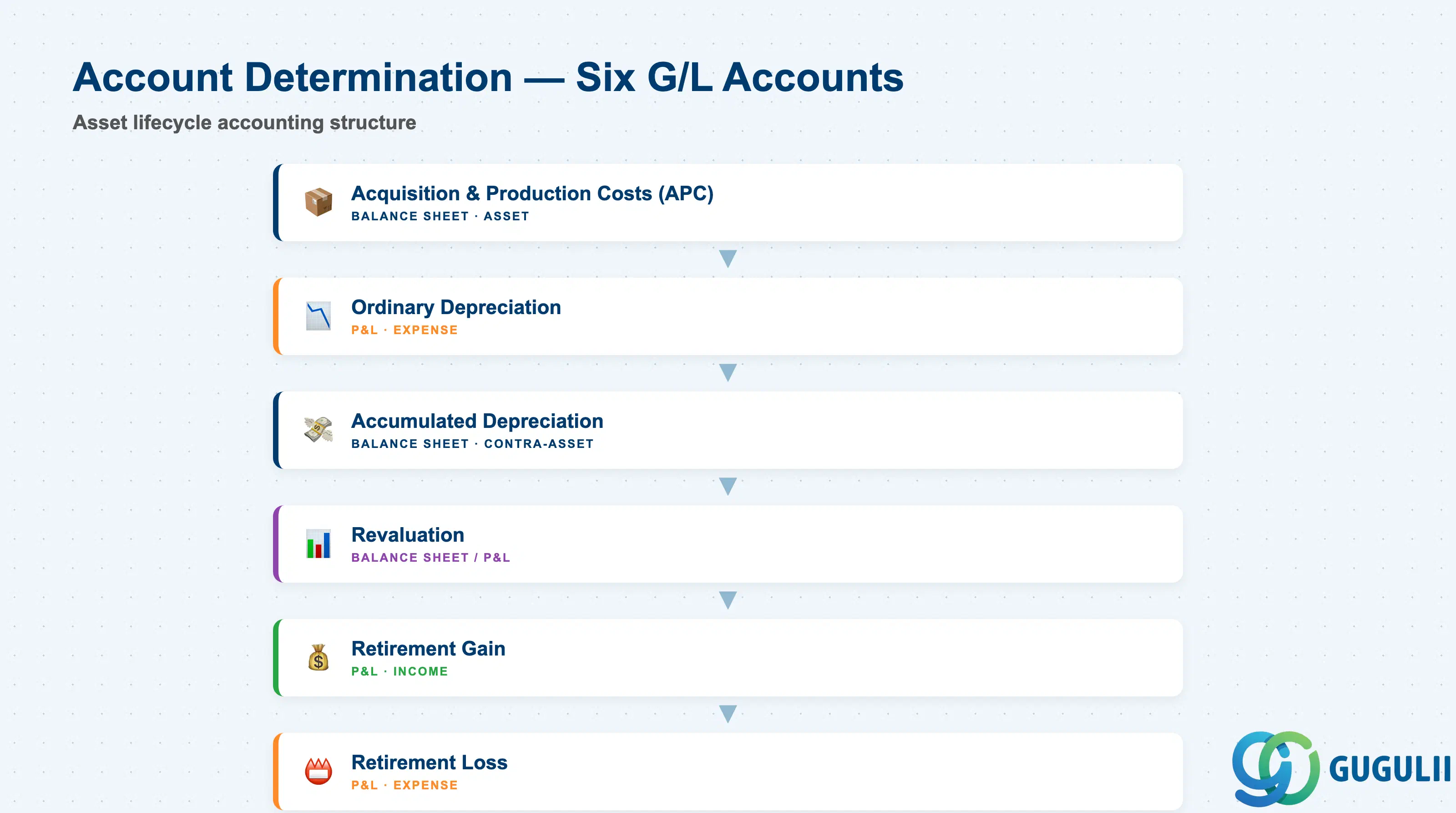
The Account Determination section maps each Asset Class to the six G/L accounts required for complete asset lifecycle accounting — from acquisition through depreciation to retirement.
| Field | Description | Practical Usage |
|---|---|---|
| Acquisition and Production Costs (APC) G/L | Balance sheet account for asset gross value | Capitalized when the asset is acquired or produced. Debited at acquisition (via MIRO, F-90, or AS91), credited at retirement (via ABAVN). This is the “gross asset value” line on the balance sheet. Must be a Balance Sheet account (not P&L). |
| Ordinary Depreciation G/L | P&L expense account for depreciation | Debited monthly when depreciation is posted (via AFAB). This is the “depreciation expense” line on the P&L. For multi-ledger projects (e.g., Japan with book + tax depreciation), validate that the account accepts posting from all active Depreciation Areas. |
| Accumulated Depreciation G/L | Balance sheet contra-asset account | Credited monthly when depreciation is posted. The net book value (NBV) = APC – Accumulated Depreciation. This account must be flagged as a reconciliation account if using sub-ledger reporting for assets. |
| Revaluation G/L | Balance sheet or P&L account for revaluation adjustments | Used when asset values are adjusted due to impairment, fair value revaluation, or index-based revaluation (IAS 16). Rarely posted in Japan (where historical cost is standard), but required for IFRS-compliant Depreciation Areas. |
| Retirement Gain G/L | P&L income account for retirement gain | Credited when an asset is sold or retired with proceeds exceeding net book value. Example: Asset NBV = 500,000 JPY, sale proceeds = 700,000 JPY → Retirement Gain = 200,000 JPY posted here. |
| Retirement Loss G/L | P&L expense account for retirement loss | Debited when an asset is sold or retired with proceeds below net book value. Example: Asset NBV = 500,000 JPY, sale proceeds = 300,000 JPY → Retirement Loss = 200,000 JPY posted here. |
Prerequisite: All six G/L accounts must exist in the Chart of Accounts and be assigned to the Company Code before Asset Class configuration is saved. Missing accounts cause a hard error at asset acquisition posting (MIRO, F-90). For Japan projects, confirm that the Ordinary Depreciation and Accumulated Depreciation accounts are configured with the correct tax category (non-taxable) to prevent consumption tax posting errors.
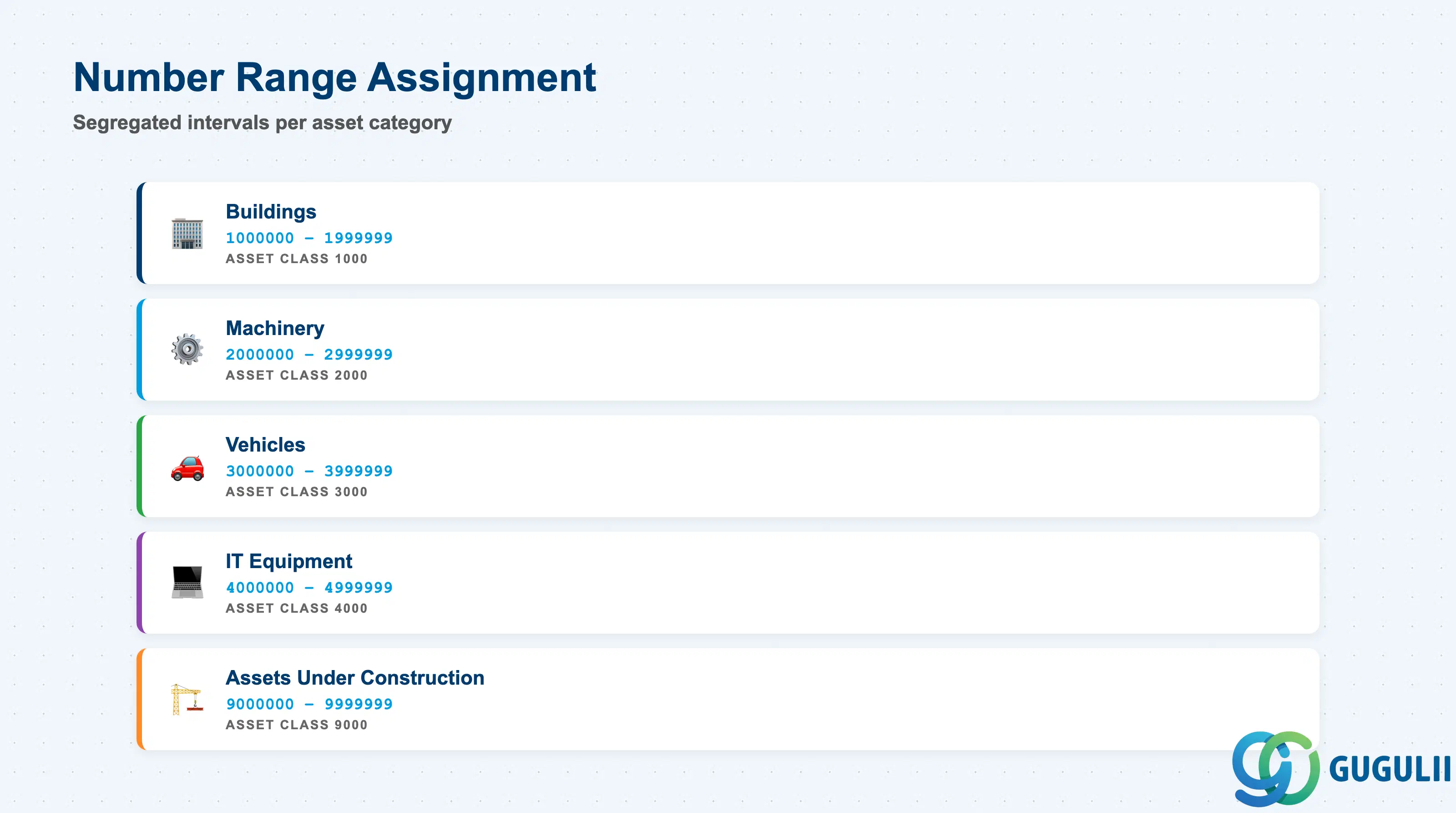
Number Range Assignment determines how asset numbers are generated when new Asset Master records are created. Each Asset Class can be assigned a unique interval to segregate asset numbers by category.
| Field | Description | Practical Usage |
|---|---|---|
| Number Range Interval | Number range key | The interval ID assigned to this Asset Class. Configured in transaction AS08. Example: Interval 01 = 1000000–1999999 for Buildings; Interval 02 = 2000000–2999999 for Machinery. When an asset is created under Asset Class 1000, the system auto-assigns the next available number from Interval 01. |
| External Numbering | Checkbox (per interval) | When checked, the user must manually enter the asset number at creation (AS01). Use for projects migrating legacy asset numbers or where asset numbers must align with physical asset tags. Deactivate for greenfield implementations to enable auto-numbering and prevent duplicate or out-of-range errors. |
| Current Number | System-maintained counter | The last-assigned number in the interval. Increments automatically with each asset creation. Do not manually adjust this field except during data migration cutover — incorrect values cause number collisions or gaps. |
| Range Start / Range End | Numeric boundaries | The first and last numbers in the interval. Ensure the range is large enough to accommodate future asset growth — running out of numbers requires creating a new interval and reassigning the Asset Class, which is disruptive. For large enterprises, allocate 1 million numbers per major Asset Class (e.g., 1000000–1999999). |
Design note: Use leading digits aligned with Asset Class codes to make asset numbers self-documenting. Example: Asset Class 1000 (Buildings) → number range 1000000–1999999. When auditors or users see asset number 1234567, they immediately know it is a Building without querying the Asset Class field.
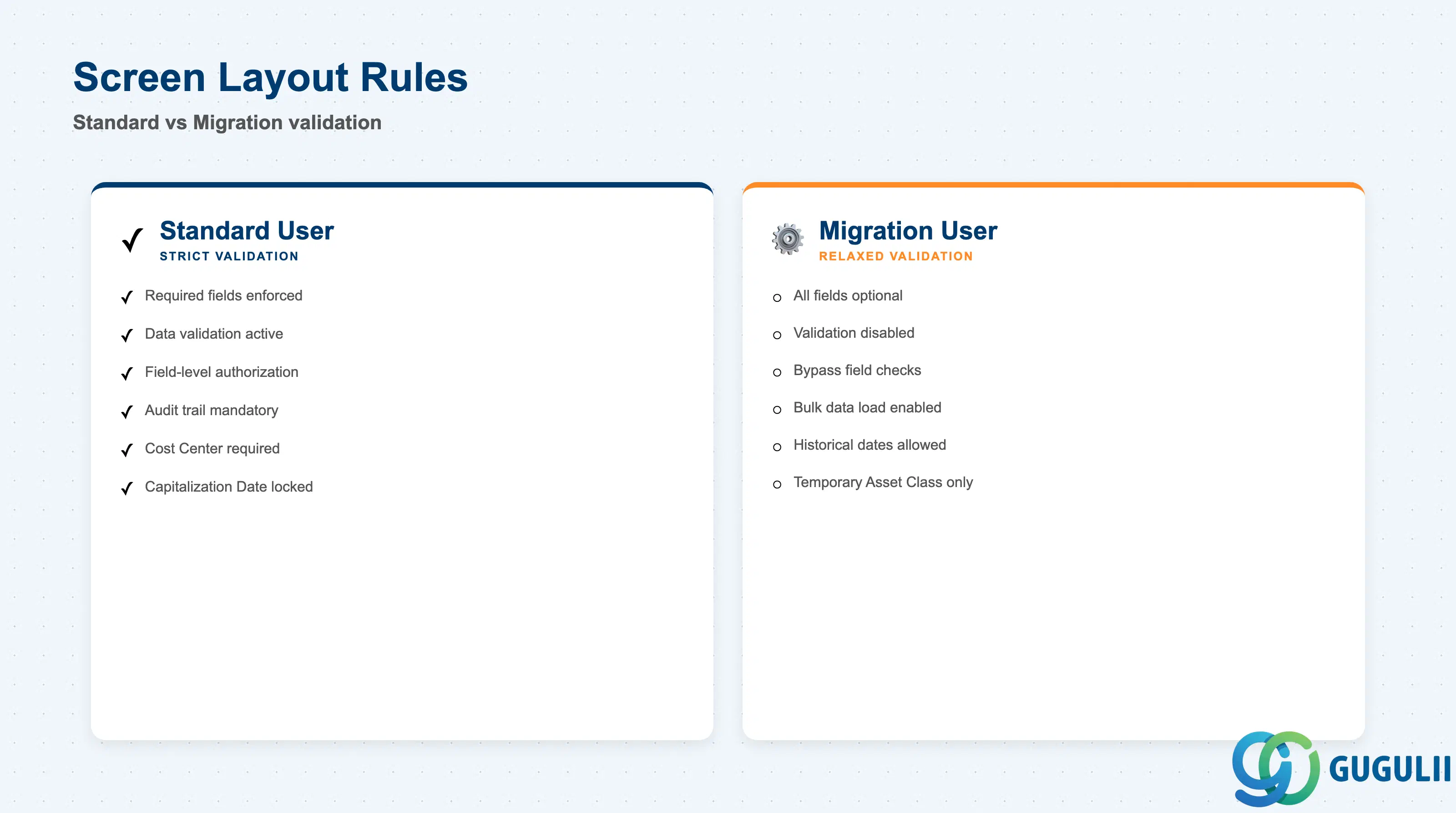
The Screen Layout Rule controls which fields are displayed, required, optional, or suppressed during asset master creation and maintenance (AS01, AS02, AS03).
| Field | Description | Practical Usage |
|---|---|---|
| Screen Layout Rule | Layout rule key | References the screen layout configuration (transaction AS01 → Fields per Screen). Each Asset Class is assigned one layout rule. Example: Layout rule “0001” for standard assets (all validation enabled); layout rule “MIGR” for migration assets (relaxed validation, all fields optional). |
| Field Group | Logical grouping of fields | Standard field groups include General Data, Allocations, Time-Dependent Data, Origin, Depreciation. The layout rule sets the status (required / optional / suppressed / display-only) for each field within each group. |
| Field Status | Required / Optional / Suppressed / Display-Only | Required: User must enter a value (e.g., Description, Cost Center for assets assigned to cost centers). Optional: User may enter a value. Suppressed: Field is hidden from the screen. Display-Only: Field is shown but cannot be edited (e.g., Capitalization Date after the first depreciation run). |
| User-Specific Layouts | Per-user or per-role override | Advanced projects may use Personalization (transaction AS01 → Layout → Save Layout) to allow individual users to customize field visibility. Not recommended for controlled environments — it creates audit trail gaps and inconsistent data quality. |
Practical tip: For data migration projects, create a separate Screen Layout Rule with all validation disabled (all fields optional) and assign it to a temporary Asset Class used only for migration. After cutover, mass-change the assets to the production Asset Class with strict validation. This prevents migration load errors without permanently weakening data governance.
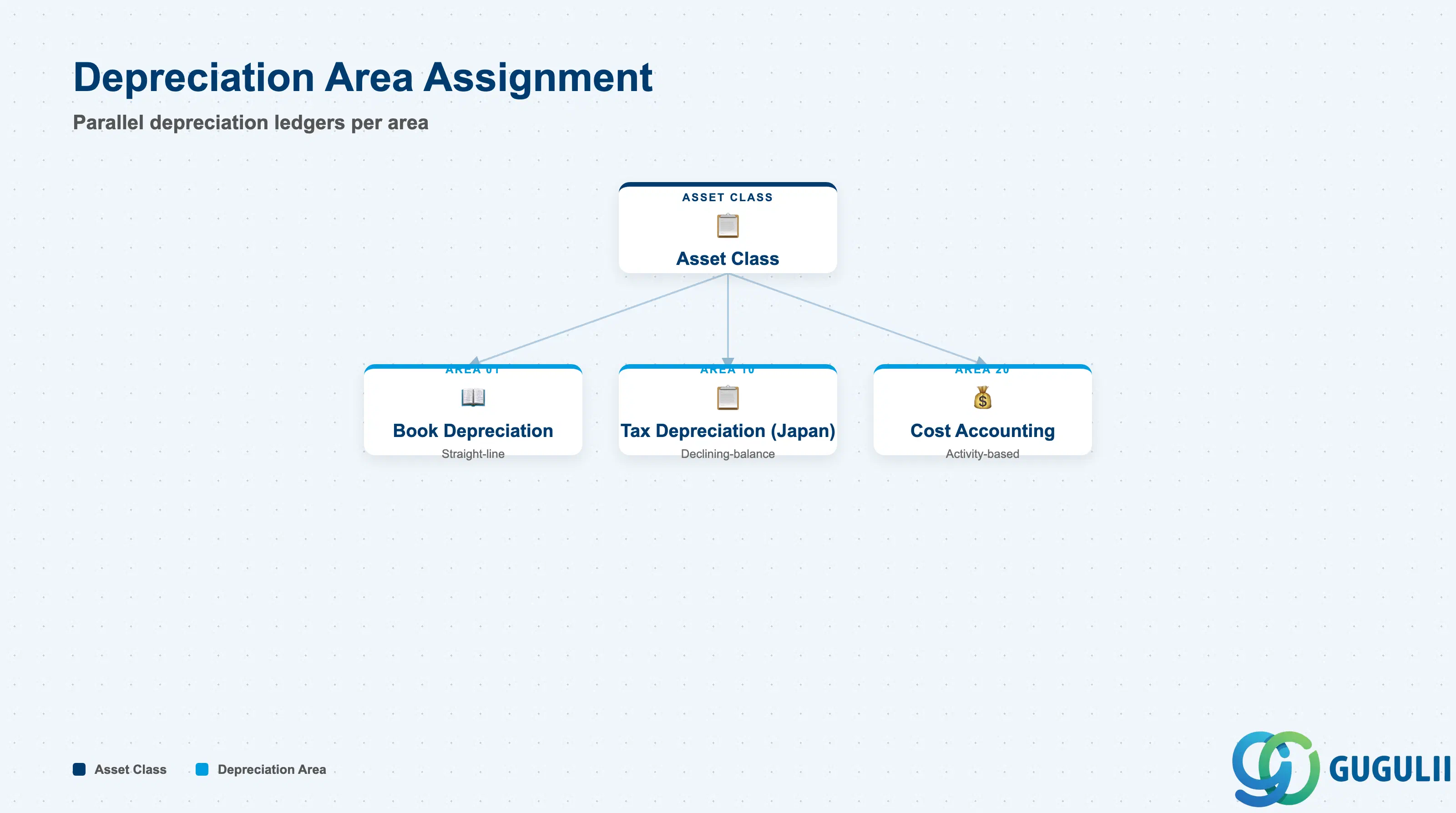
Depreciation Area Assignment defines the depreciation parameters per Asset Class per Depreciation Area. Each area represents a parallel depreciation ledger (e.g., book, tax, IFRS).
| Field | Description | Practical Usage |
|---|---|---|
| Depreciation Area | Area key | Standard areas: 01 = Book Depreciation; 10 = Tax Depreciation (Japan-specific); 20 = Cost Accounting Depreciation; 30 = IFRS Depreciation. Each Asset Class must have at least Area 01 configured. Additional areas are optional and depend on regulatory or reporting requirements. |
| Depreciation Key | Depreciation calculation method key | References the Depreciation Key master (AFAMS). Determines the depreciation method (straight-line, declining-balance, units-of-production) and useful life. One Asset Class can use different Depreciation Keys across areas — example: straight-line (Area 01) for books, declining-balance (Area 10) for tax. |
| Useful Life (Years) | Default useful life in years | Proposed when an asset is created under this Asset Class. Overridable at the asset level (AS01 Time-Dependent tab). Critical for tax compliance: In Japan, the useful life must match the statutory table (耐用年数表) for the asset category, or the system will calculate incorrect tax depreciation. |
| Useful Life (Periods) | Default useful life in posting periods | Alternative to years. Use for assets with depreciation cycles that do not align with calendar years (e.g., seasonal production equipment). |
| Scrap Percentage | Residual value % | The percentage of acquisition cost that is not depreciated. Example: Asset cost = 1,000,000 JPY, scrap % = 10% → depreciable amount = 900,000 JPY. Commonly 0% for most asset classes; non-zero for vehicles or equipment with known resale value. |
| Net Book Value Calculation | Checkbox | When checked, the system calculates net book value (NBV) for this area. Deactivate for statistical areas (e.g., quantity-only tracking) that do not post financial values. |
| Post Depreciation | Checkbox | When checked, depreciation is posted to G/L for this area. Activate for all financial reporting areas (01, 10, 30). Deactivate for non-posting areas (e.g., Area 40 = Management Reporting, values tracked in assets but not posted). |
Key design decision: For Japan projects, Area 01 (Book) and Area 10 (Tax) must be configured with different Depreciation Keys to comply with differences between financial accounting and tax accounting. Area 01 typically uses straight-line; Area 10 uses declining-balance (定率法) where allowed by tax law. Missing Area 10 causes tax return errors during year-end close.
| ID | Category | Title |
|---|---|---|
| fi-001 | Overview | What is SAP FI? |
| ID | Category | Title |
|---|---|---|
| fi-a01 | Overview | SAP FI Master Data: Overview, Hierarchy & Relationships |
| fi-a02-01 | Master Data | SAP FI Material Master |
| fi-a03-01 | Master Data | SAP FI Chart of Accounts |
| fi-a03-02 | Master Data | SAP FI G/L Account |
| fi-a04-01 | Master Data | SAP FI Payment Terms |
| fi-a04-02 | Master Data | SAP FI Tax Code |
| fi-a06-01 | Master Data | SAP FI Bank Master |
| fi-a06-02 | Master Data | SAP FI House Bank |
| fi-a07-01 | Master Data | SAP FI Asset Class 📍 |
| fi-a07-02 | Master Data | SAP FI Depreciation Key |
| fi-a07-03 | Master Data | SAP FI Asset Master |
| ID | Category | Title |
|---|---|---|
| fi-b01 | Overview | SAP FI Transactions: Process Flow, Hierarchy & Relationships |