Title here
Summary here

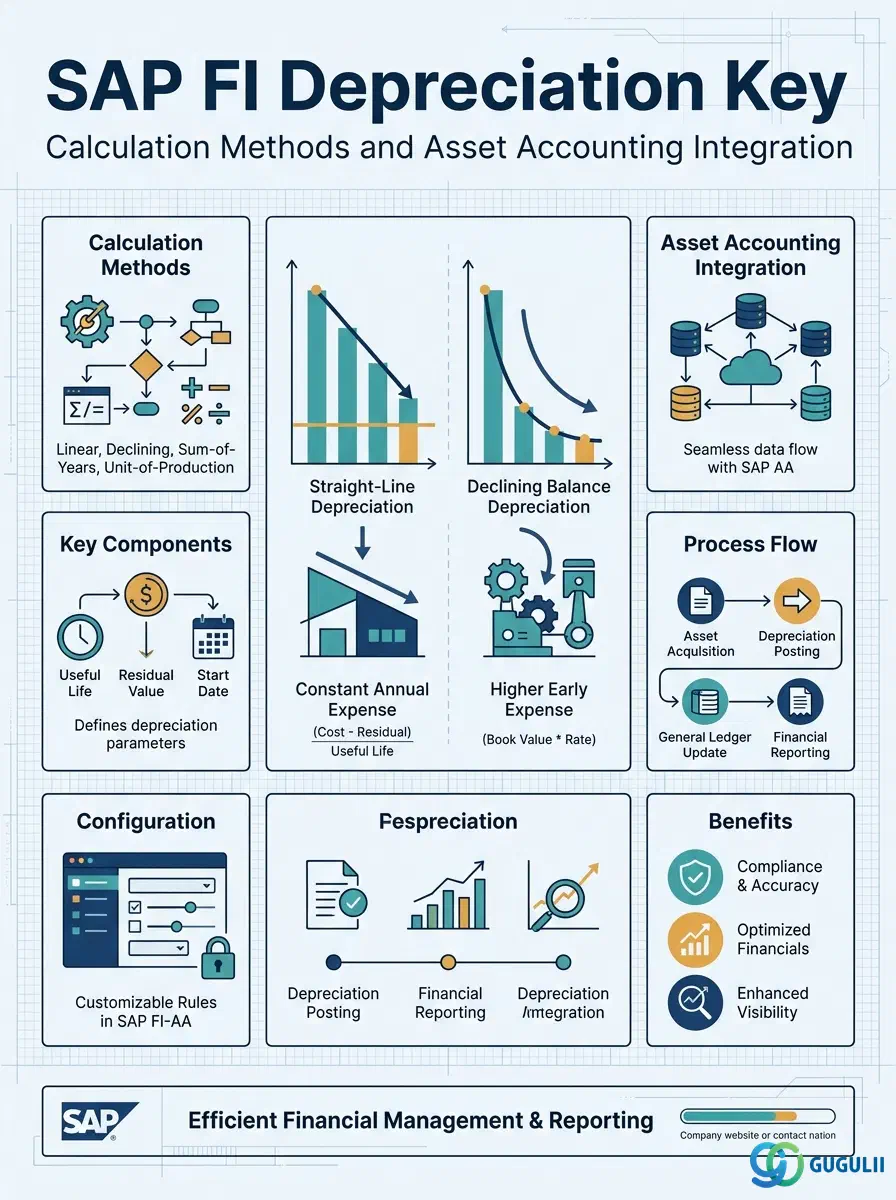
The Depreciation Key is the master data object that determines how SAP calculates depreciation for fixed assets. It specifies the depreciation method (straight-line, declining balance, units of production), useful life, and the rules for when depreciation starts and stops. Each Asset Master record references a Depreciation Key per depreciation area, allowing companies to maintain statutory, tax, and management book values simultaneously with different calculation rules.
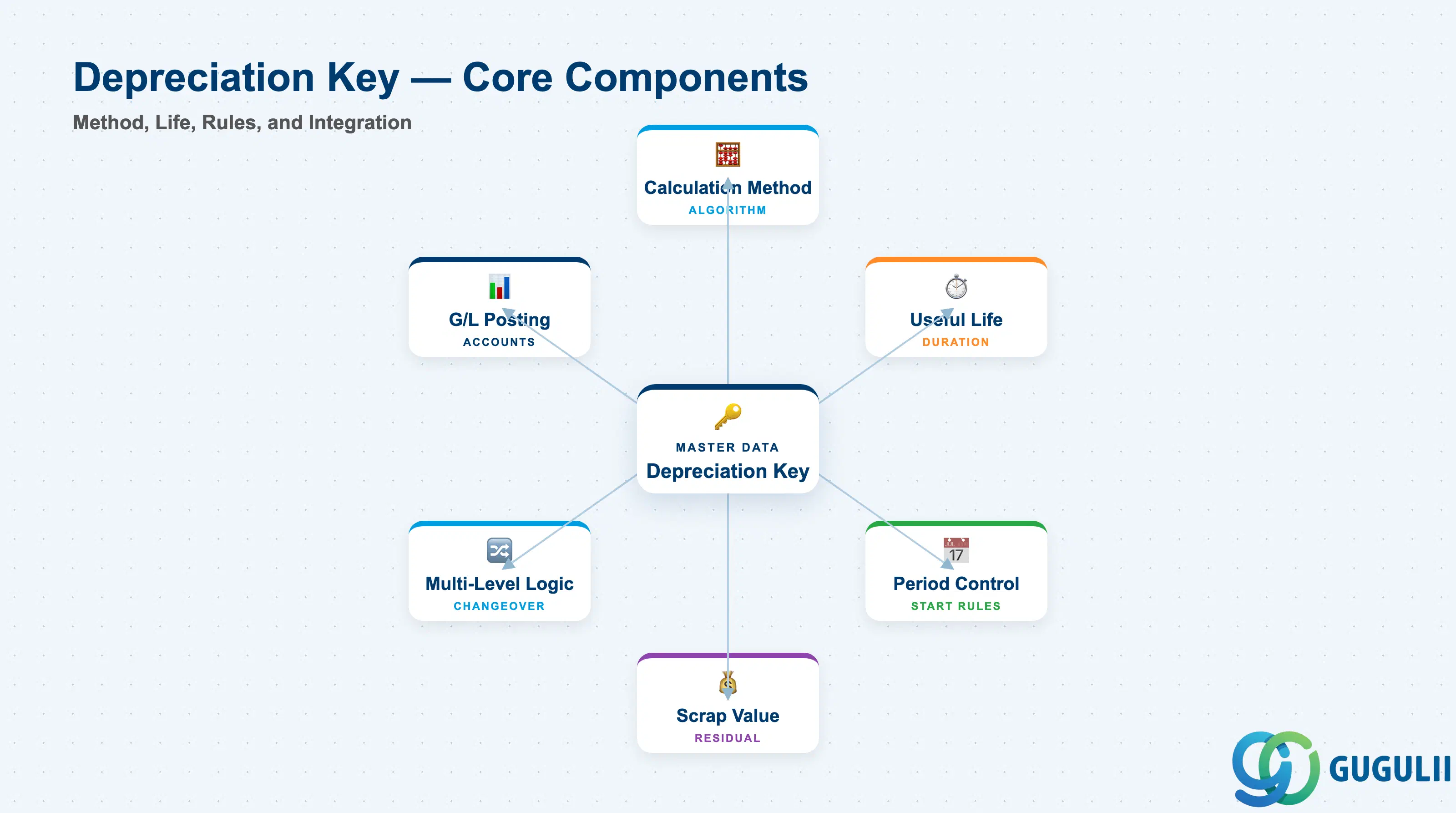
The Depreciation Key is a configuration object that encapsulates all the rules needed to calculate periodic depreciation: the mathematical method, the asset’s economic life, the month and year when depreciation begins, and whether the first and last periods use pro-rated amounts or full-year conventions.
| Aspect | Details |
|---|---|
| Role | Defines the calculation method and parameters for depreciating fixed assets |
| Modules using it | FI-AA (primary owner); CO (overhead allocation via settlement); PS (WBS-capitalized assets); RE-FX (real estate depreciation) |
| Transactions | AFAMS (Maintain Depreciation Key), AFAMA (Assign to Chart of Depreciation), AS01/AS02 (Asset Master creation/change references the key) |
| Key Tables | T5A4A (Depreciation Key master — method and base life), T5A5D (period control rules), ANLA (Asset Master — depreciation area assignment) |
| S/4HANA note | Depreciation Keys remain largely unchanged in S/4HANA; Fiori apps for Asset Master (Manage Fixed Assets) reference the same backend customizing. Simplified Asset Accounting (2LT — new asset) is available for small/midsize deployments but uses the same Depreciation Key structure. |
Choosing the wrong method can lead to misstated financials and tax penalties. Japan’s tax law, for example, mandates declining-balance for machinery but straight-line for buildings — mixing them up triggers audit findings.
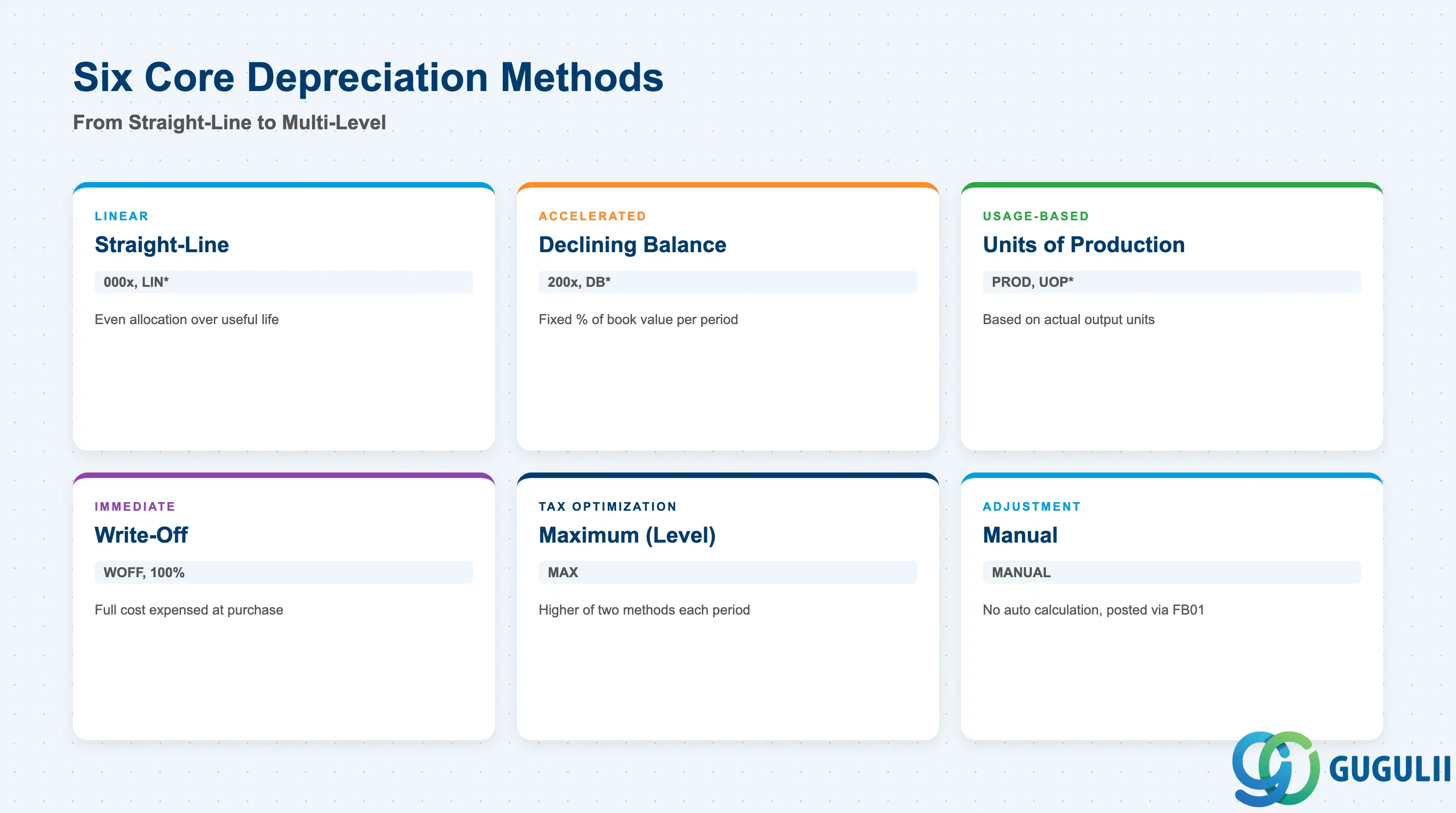
| Method | Code Pattern | Use Case | Key Behavior |
|---|---|---|---|
| Straight-Line (Linear) | 000x, 001x, LIN* | Buildings, long-lived infrastructure, intangibles | Allocates cost evenly over useful life; each period gets (Acquisition Value − Scrap) ÷ Useful Life |
| Declining Balance | 200x, 250x, DB* | Machinery, vehicles, production equipment | Applies a fixed percentage to the book value each period; faster write-off in early years, slower later |
| Units of Production | PROD, UOP* | Mining equipment, production lines with measurable output | Depreciation = (Total Units Produced ÷ Lifetime Expected Units) × (Acquisition Value − Scrap); requires periodic production data entry |
| Immediate Write-Off | WOFF, 100% | Low-value assets (e.g., office supplies capitalized below materiality threshold), promotional items | Entire acquisition cost is expensed in the period of purchase; book value drops to zero immediately |
| Maximum (Level) | MAX | Tax optimization scenarios (e.g., Japan’s special depreciation incentives) | Compares straight-line and declining-balance each period, books the higher amount; requires two sub-keys configured in parallel |
| Manual | MANUAL | One-off adjustments, correction postings | Depreciation is not calculated automatically; amounts are posted manually via ABAA or FB01 |
Design principle: Assign the Depreciation Key at the Asset Class level as a default, but allow overrides at the Asset Master level when individual assets require different treatment (e.g., a building extension with a shorter remaining life than the original structure).
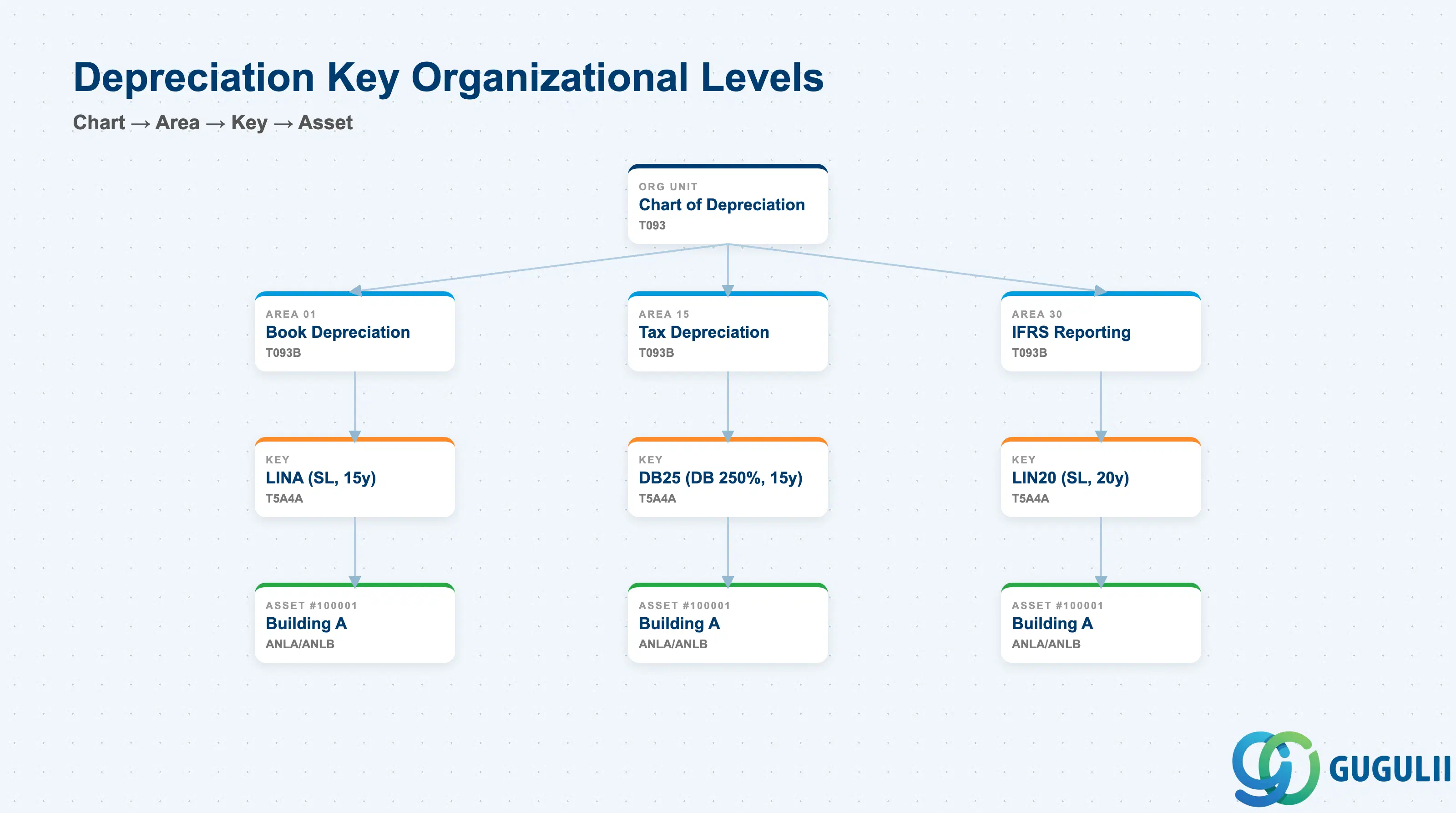
Depreciation Keys are defined per depreciation area within a Chart of Depreciation. A single company code uses one Chart of Depreciation, but each asset can have multiple depreciation areas (book depreciation, tax depreciation, group reporting, IFRS, cost accounting). Each area references its own Depreciation Key, allowing the same asset to depreciate at different rates for different purposes.
Chart of Depreciation (e.g., 1000 = Japan CoA)
  ├─ Depreciation Area 01 (Book Depreciation — JGAAP)
  │    └─ Asset Master #100001 → Depreciation Key LINA (Straight-line, 15 years)
  ├─ Depreciation Area 15 (Tax Depreciation — Japan Tax)
  │    └─ Asset Master #100001 → Depreciation Key DB25 (Declining-balance 250%, 15 years)
  └─ Depreciation Area 30 (IFRS Reporting)
└─ Asset Master #100001 → Depreciation Key LIN20 (Straight-line, 20 years)| Org Level | Table | Primary Fields | Notes |
|---|---|---|---|
| Chart of Depreciation | T093 | AFABER (Chart of Depreciation ID, e.g., 1000) | One per company code or group of company codes with identical asset accounting rules |
| Depreciation Area | T093B | AFABER, AFBNR (Area number 01–99), XBILK (balance-sheet flag), XGKRE (G/L integration flag) | Areas 01–15 are typically real (post to G/L); 16–99 are derived or planning areas |
| Depreciation Key | T5A4A | AFABER, AFBNR, AFASL (Depreciation Key code, e.g., LINA), BMETH (base method), NDJAR (useful life in years) | Assigned per area; the same key code (e.g., LINA) can have different parameters in different areas |
| Asset Master (per area) | ANLA, ANLB | ANLN1 (Asset number), AFABE (Depreciation Area), AFASL (Depreciation Key for this area), ND (useful life override) | ANLB holds time-dependent data (acquisition, book value, accumulated depreciation) |
Key design decision: If your organization runs parallel book and tax depreciation, configure two depreciation areas (01 and 15) with different Depreciation Keys for the same Asset Class. The system will post to separate G/L accounts, keeping statutory and tax basis cleanly separated.
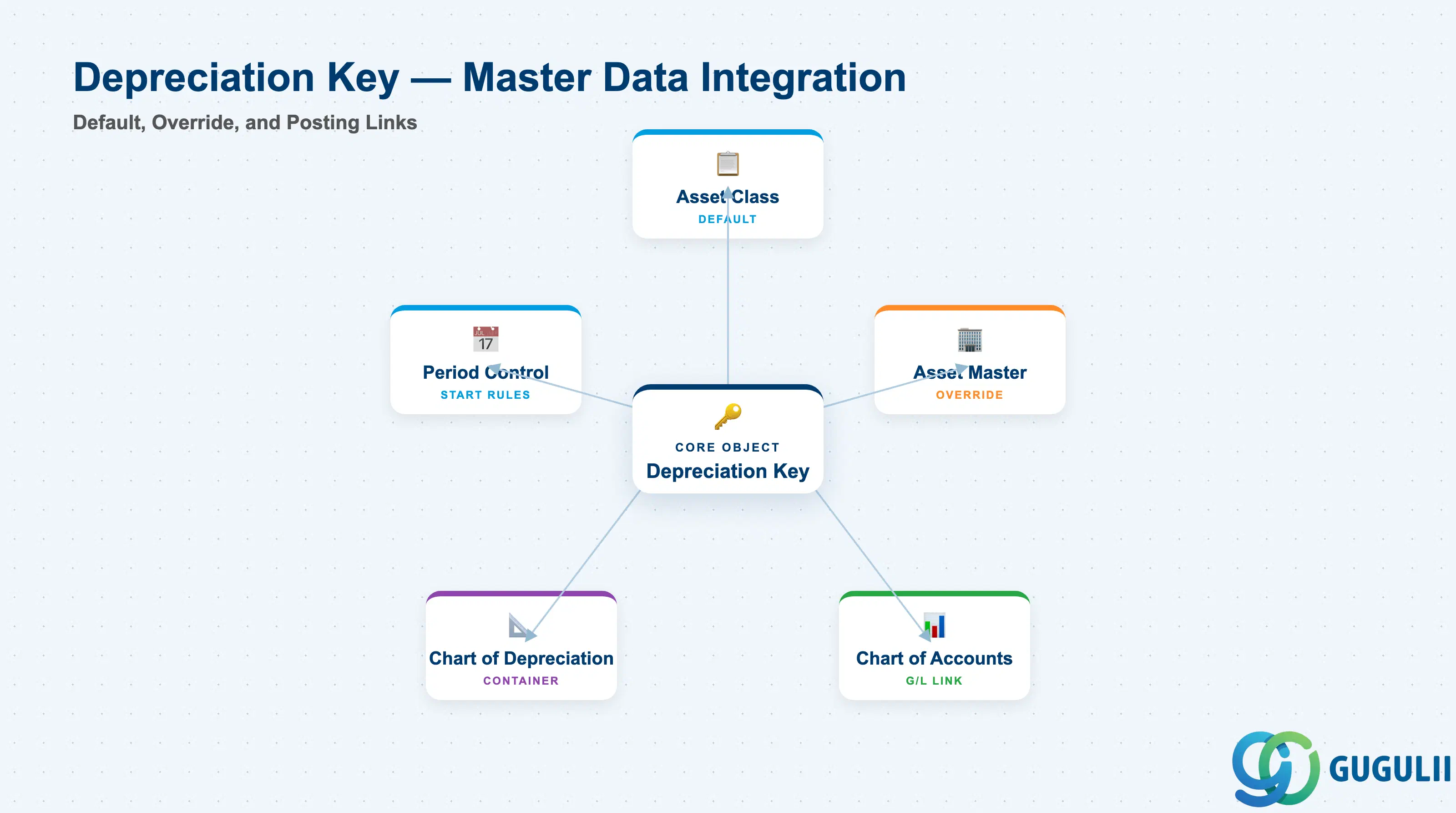
The Depreciation Key does not stand alone; it is referenced by Asset Classes (which provide default values) and individual Asset Masters (which can override those defaults). It also determines which G/L accounts receive depreciation postings, linking it tightly to the Chart of Accounts.
| Object | Relationship | Practical Notes |
|---|---|---|
| Asset Class | Asset Class → Default Depreciation Key (per area) | When you create a new Asset Master and select an Asset Class, the system proposes the Depreciation Key configured in OAYZ. You can override this proposal at asset creation time (AS01), but the default saves time and enforces policy. |
| Asset Master | Asset Master (per area) → Depreciation Key | Each depreciation area in the Asset Master (ANLB) can have a different Depreciation Key. This is essential for companies with statutory vs. tax depreciation differences (e.g., Japan’s 定額法 for buildings in book, 定率法 for machinery in tax). |
| Chart of Accounts | Chart of Depreciation → Account Determination → G/L Accounts | The Depreciation Key does not directly reference G/L accounts, but the depreciation area’s account determination (AO90) uses the transaction type (e.g., AFAB = ordinary depreciation, AIAB = unplanned depreciation) to post to G/L. Different Depreciation Keys can trigger different transaction types if configured to do so. |
| Chart of Depreciation | 1:N with Depreciation Keys | One Chart of Depreciation (e.g., 1000 for Japan operations) can contain dozens of Depreciation Keys (LINA for straight-line buildings, DB25 for declining-balance machinery, PROD for production-based assets, etc.). |
| Period Control (Depreciation Start Rules) | Depreciation Key → T5A5D (start/end rules) | Determines whether depreciation starts the month of acquisition, the following month, or the beginning of the fiscal year. In Japan, tax rules typically require mid-month convention (half-month depreciation if acquired after the 15th). |
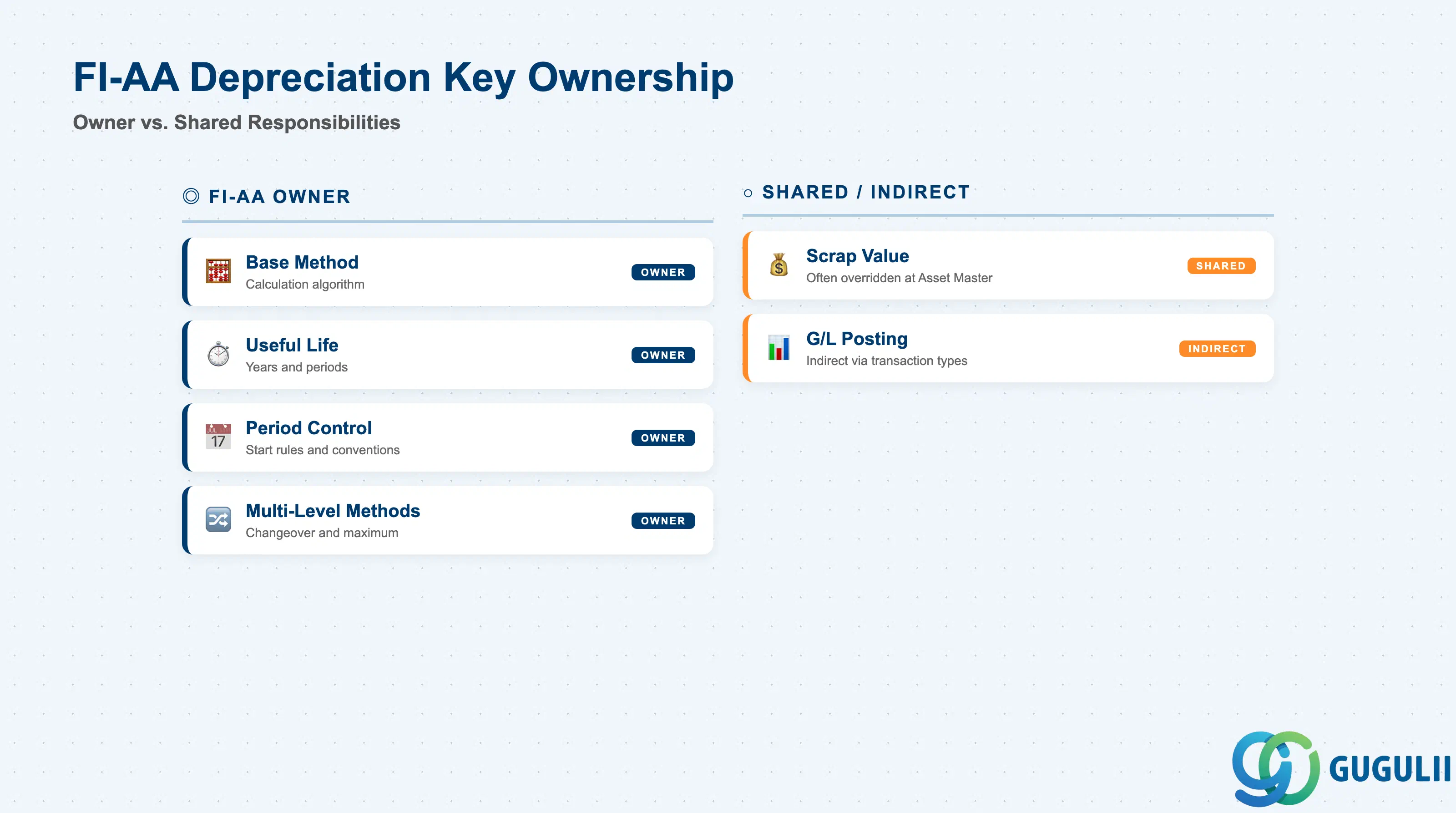
| Data Section | FI Involvement | Notes |
|---|---|---|
| Base Method and Calculation | ◎ Owner | FI-AA customizing (AFAMS, AFAMA) defines which calculation algorithm (straight-line, declining balance, units of production) the Depreciation Key uses. This is the core of the object. |
| Useful Life and Period Control | ◎ Owner | Useful life (years, periods, or units) is set per Depreciation Key. Period control rules (T5A5D) determine depreciation start month, mid-period conventions, and whether the last period is pro-rated or full. |
| Multi-Level Methods | ◎ Owner | For methods like Maximum (chooses the higher of straight-line or declining-balance each period), FI-AA configuring links a primary and comparison key. Japan tax often requires this for special depreciation incentives. |
| Scrap Value and Changeover | ○ Shared | Scrap value percentage and changeover rules (e.g., switch from declining-balance to straight-line when the latter yields higher depreciation) are Depreciation Key parameters, but they are commonly overridden at the Asset Master level for individual assets. |
| Integration with G/L Posting | ○ Indirect | The Depreciation Key itself does not specify G/L accounts, but the depreciation area’s account determination (AO90) uses transaction types that can vary by method (e.g., ordinary vs. special depreciation). |
Legend: ◎ = Owner / Critical, ○ = Direct involvement
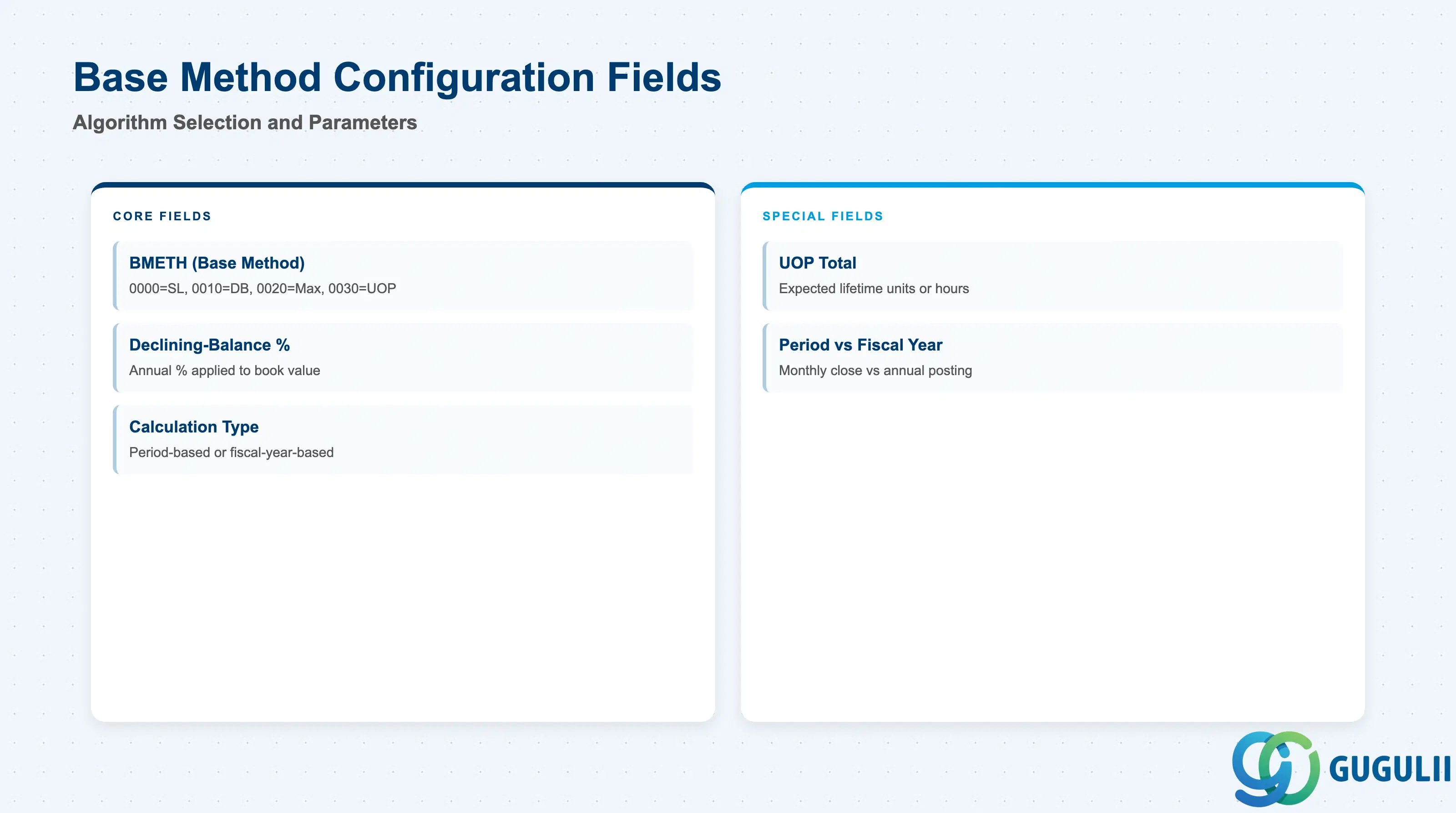
This section defines the mathematical algorithm the system uses to calculate each period’s depreciation amount.
| Field | Description | Practical Usage |
|---|---|---|
| Base Method (BMETH) | The core calculation algorithm: 0000 = straight-line (linear), 0010 = declining-balance, 0020 = maximum (level), 0030 = units of production, 0040 = multi-level (changeover), 0050 = immediate write-off | Japan implementations commonly use 0000 for buildings (税法上の定額法) and 0010 for machinery (定率法 250%). If you choose the wrong base method, the entire depreciation schedule will be incorrect, and you will need to perform manual corrections via ABAA or reset the asset. Always validate the base method against local tax regulations before going live. |
| Declining-Balance Percentage | The annual percentage applied to book value (e.g., 25.0% for 250% declining-balance) | In Japan, the tax authority publishes declining-balance rates per asset category (e.g., 0.250 for certain machinery with 8-year life). If you configure 20% when the law requires 25%, the asset will be under-depreciated for tax purposes, leading to higher taxable income and penalties. Double-check this field against the official 耐用年数表. |
| Calculation Type (Period or Fiscal Year) | Whether the system calculates depreciation per posting period (01–12) or per fiscal year | Period-based is standard for monthly financial closes. Fiscal-year-based is used when depreciation is posted only once per year (uncommon in S/4HANA). If you set this to fiscal year but run monthly depreciation (AFAB), the system will post zero in periods 01–11 and the full amount in period 12, which breaks monthly P&L. |
| Units of Production Total | For UOP methods, the total expected lifetime output (e.g., 1,000,000 units, 500,000 hours) | A mining company might configure a Depreciation Key for an excavator with 10,000 expected operating hours. Each period, the system reads actual hours from the Asset Master (entered manually or via PM integration) and calculates depreciation = (actual hours ÷ 10,000) × acquisition cost. If the total is set incorrectly, the depreciation schedule will finish too early or too late. |
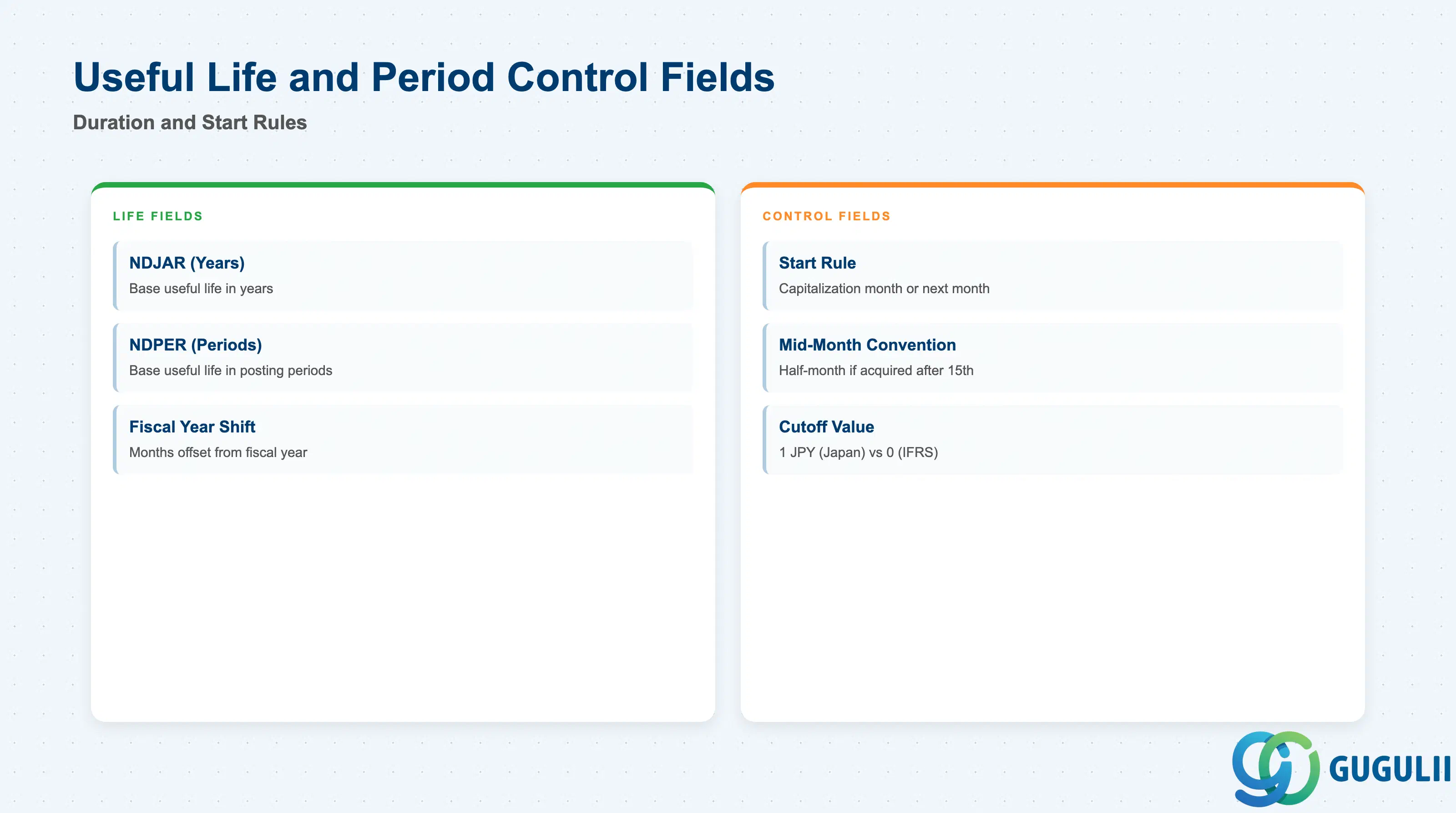
Useful life determines how long the asset is depreciated; period control determines when depreciation starts and whether partial periods apply.
| Field | Description | Practical Usage |
|---|---|---|
| Base Useful Life (NDJAR, NDPER) | The default depreciation period in years (NDJAR) or posting periods (NDPER). NDJAR is more common (e.g., 15 years for a building). | Japan tax law specifies useful life per asset category (e.g., 耐用年数 15 years for reinforced concrete buildings, 6 years for passenger vehicles). Set NDJAR to match the tax table. If you configure 10 years when the law says 15, the asset will be over-depreciated early, triggering tax adjustments. Note that individual assets can override this at the Asset Master level (AS02 → Depreciation tab → Useful Life field), so the Depreciation Key value is a default, not a hard constraint. |
| Depreciation Start Rule (Period Control Key) | Controls whether depreciation begins in the capitalization month, the following month, the start of the fiscal year, or uses mid-month conventions | Japan tax typically requires depreciation to start the month of acquisition, but if the asset is acquired after the 15th, only half a month’s depreciation is allowed (mid-month convention). Configure this in T5A5D (Period Control). If you use “start next month” when the law requires “start this month,” you will under-depreciate by one period, and the final year will carry over depreciation into year 16, which complicates retirement. |
| Fiscal Year Shift | Number of months the depreciation year is shifted relative to the fiscal year (rarely used) | In a company with an April–March fiscal year, if an asset must depreciate on a calendar-year basis for group reporting, you might configure a +3 month shift. This is uncommon; most deployments use depreciation areas to handle multiple calendars instead. |
| Cutoff Value (Scrap/Net Book Value Minimum) | The book value below which depreciation stops (e.g., 1 JPY for Japan tax, 0 for IFRS) | Japan税法 requires assets to retain a memorandum value of 1 JPY after full depreciation. If you configure cutoff = 0, the asset will depreciate to zero, which is acceptable for book purposes but incorrect for tax. IFRS allows zero. Always set this field to match the reporting standard of the depreciation area. |
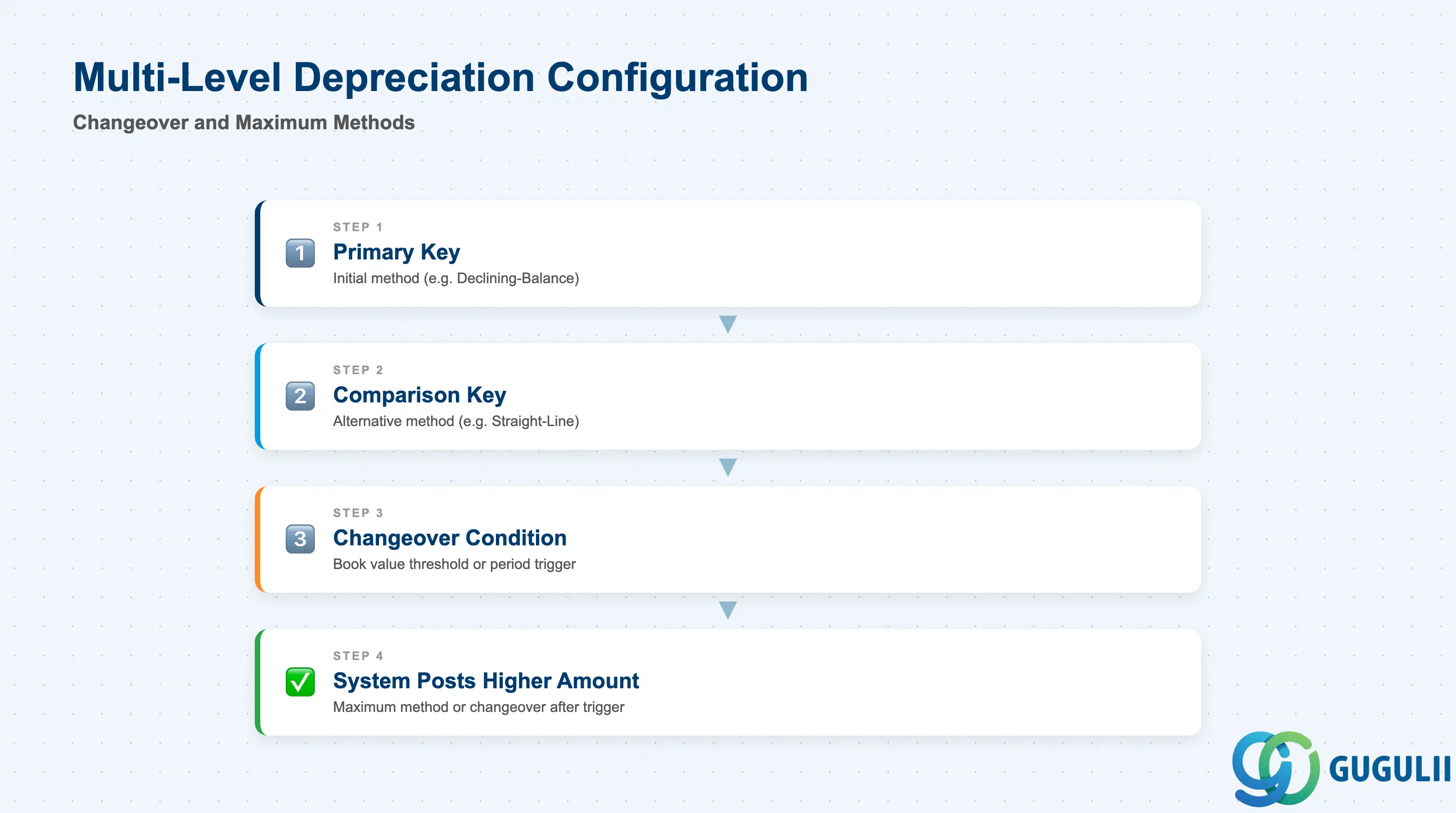
Multi-level methods allow the system to switch calculation methods during the asset’s life or choose the higher of two methods each period.
| Field | Description | Practical Usage |
|---|---|---|
| Changeover Method (Primary and Comparison Key) | For base method 0040 (multi-level), specify the first Depreciation Key (e.g., declining-balance) and the changeover key (e.g., straight-line). The system switches when the comparison method yields higher depreciation. | Japan’s special depreciation (特別償却) allows companies to write off a percentage of cost immediately, then revert to declining-balance. Configure the immediate key as primary, and the declining-balance key as comparison. If the changeover logic is wrong, the system may switch too early or too late, producing incorrect financials. Test the schedule in AFAR (Asset Explorer) before finalizing. |
| Changeover Condition (Book Value or Period) | Whether to trigger changeover when book value crosses a threshold or after N periods | Period-based: “Switch to straight-line after 5 years.” Book-value-based: “Switch to straight-line when book value falls below 50%.” Book-value logic is more common for declining-balance → straight-line transitions. If you configure period-based when the asset has an irregular acquisition date, the changeover may occur mid-year, complicating the P&L. |
| Maximum (Level) Method Sub-Keys | For base method 0020 (maximum), specify two Depreciation Keys (e.g., straight-line LINA and declining-balance DB25). Each period, the system calculates both and posts the higher amount. | This is legally required in some jurisdictions (e.g., Japan’s 旧定額法・旧定率法選択). Configure both keys with the same useful life but different methods. If the sub-keys have mismatched lives (e.g., LINA = 15 years, DB25 = 10 years), the logic will break after year 10. Always pair keys with identical NDJAR. |
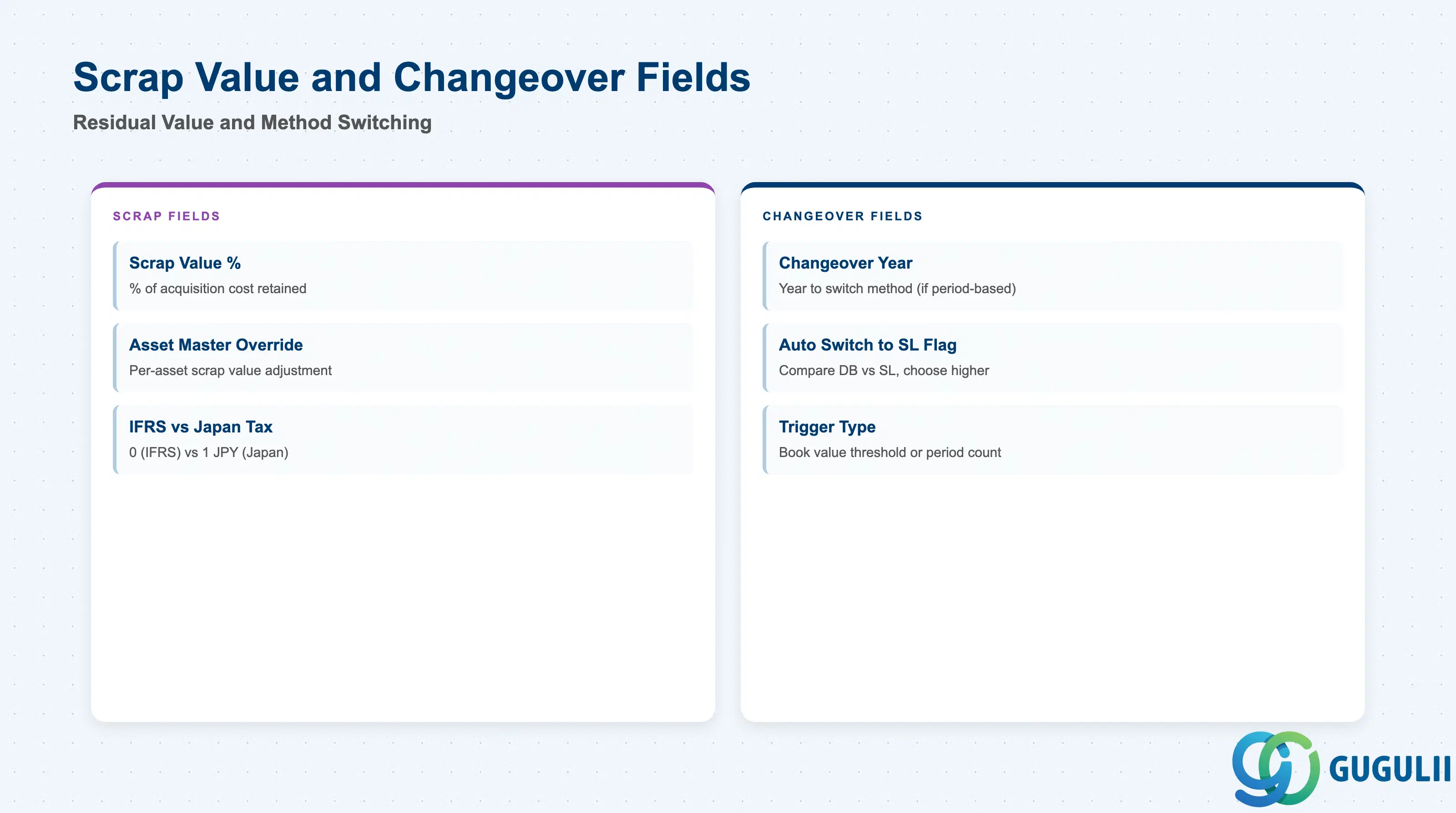
Scrap value and changeover parameters control when and how the asset stops depreciating or shifts to a different calculation.
| Field | Description | Practical Usage |
|---|---|---|
| Scrap Value Percentage | The percentage of acquisition cost that remains as scrap value (e.g., 10% for vehicles expected to have resale value) | In S/4HANA, scrap value is more commonly set at the Asset Master level (AS02 → Depreciation tab → Scrap Value field) than in the Depreciation Key. If you configure 10% scrap in the key, all assets using that key will retain 10% of cost undepreciated, which may not match reality. Best practice: set scrap = 0% in the Depreciation Key and override per asset when needed. IFRS often requires scrap = 0 unless there is a binding resale agreement. |
| Changeover Year | For multi-level keys, the year in which to switch methods (if using period-based changeover) | If Japan tax law allows declining-balance for 8 years, then requires straight-line for the remainder of a 15-year life, set changeover year = 8. If you set it to 9, the asset will over-depreciate in year 9, producing a book-tax difference that complicates DTA/DTL calculations. |
| Changeover to Straight-Line (auto switch flag) | A flag that tells the system to automatically compare declining-balance and straight-line each period and switch when straight-line is higher | This is the most common declining-balance configuration. Without this flag, the asset will continue declining-balance until book value equals scrap, which can leave a small undepreciated balance at the end of life. Enable the flag to ensure the asset is fully depreciated by the end of the useful life. |
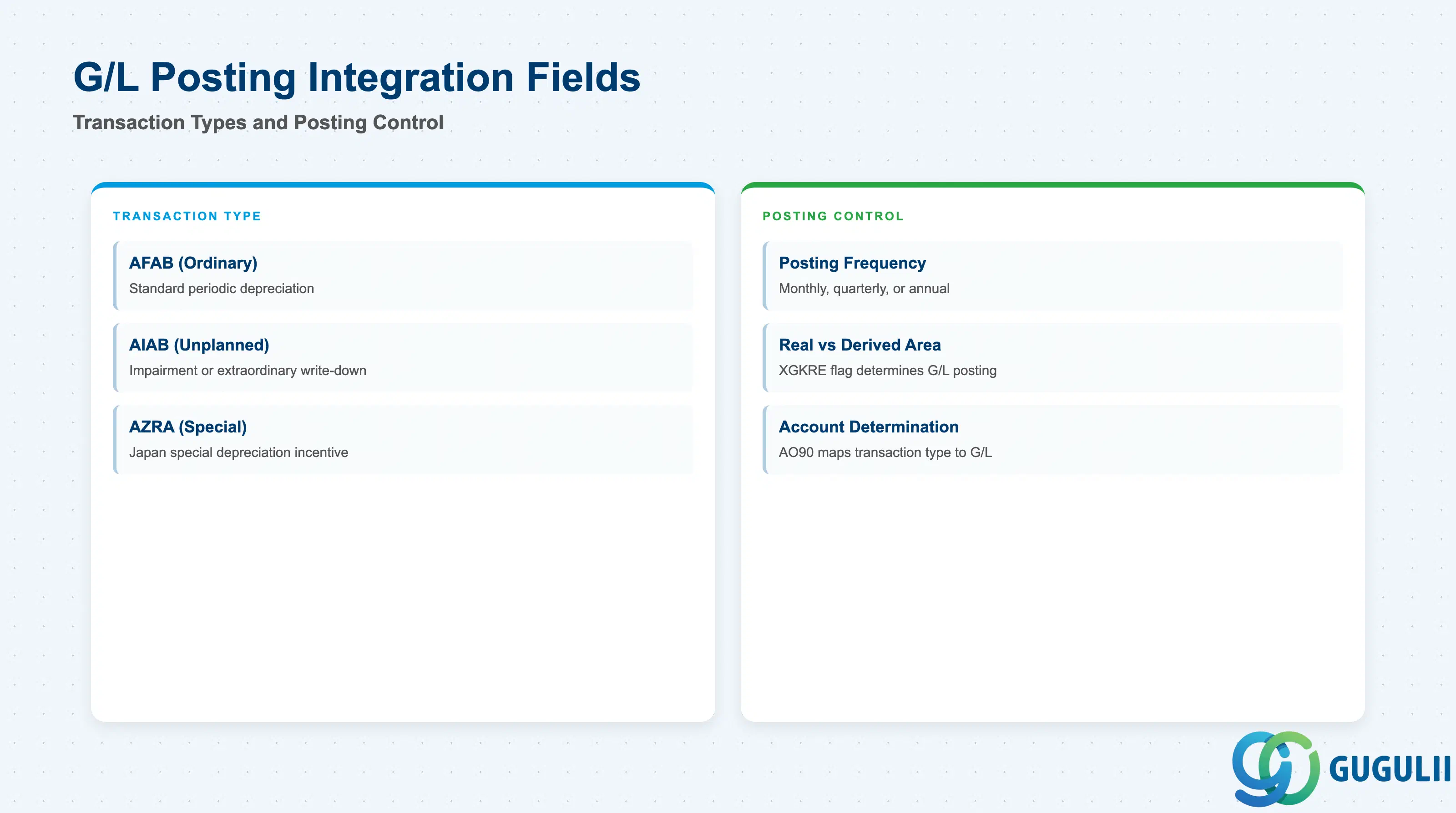
While the Depreciation Key does not directly specify G/L accounts, it influences which transaction types are used, which in turn drive account determination.
| Field | Description | Practical Usage |
|---|---|---|
| Transaction Type Assignment | Some Depreciation Keys trigger special transaction types (e.g., AIAB = unplanned depreciation, AZRA = special depreciation). The depreciation area’s account determination (AO90) maps transaction types to G/L accounts. | If you configure a Depreciation Key for Japan’s special depreciation (特別償却) and forget to assign transaction type AZRA, the system will post to the ordinary depreciation account, mixing special and ordinary depreciation in the same G/L line. This breaks tax reporting. Always verify transaction type assignment in AFAMA after defining a new key. |
| Posting Period Frequency | Whether the Depreciation Key posts monthly, quarterly, or annually | Standard practice is monthly (depreciation run AFAB is executed each period close). If you configure quarterly but run AFAB monthly, the system will post zero in months 1–2, 4–5, 7–8, 10–11 and full amounts in months 3, 6, 9, 12, producing lumpy P&L. Match the posting frequency to your close calendar. |
| Real vs. Derived Area | Real areas (01–15) post to G/L; derived areas (16–99) are calculated but not posted (used for analytics) | Depreciation Keys are assigned per area. If you assign a Depreciation Key to area 30 (IFRS reporting) but forget to mark area 30 as real (XGKRE = X in T093B), the depreciation will calculate but never hit the G/L, and your IFRS balance sheet will show zero accumulated depreciation. Always check the area’s XGKRE flag when configuring new keys. |
| ID | Category | Title |
|---|---|---|
| fi-001 | Overview | What is SAP FI? |
| ID | Category | Title |
|---|---|---|
| fi-a01 | Overview | SAP FI Master Data: Overview, Hierarchy & Relationships |
| fi-a02-01 | Master Data | SAP FI Material Master |
| fi-a03-01 | Master Data | SAP FI Chart of Accounts |
| fi-a03-02 | Master Data | SAP FI G/L Account |
| fi-a04-01 | Master Data | SAP FI Payment Terms |
| fi-a04-02 | Master Data | SAP FI Tax Code |
| fi-a06-01 | Master Data | SAP FI Bank Master |
| fi-a06-02 | Master Data | SAP FI House Bank |
| fi-a07-01 | Master Data | SAP FI Asset Class |
| fi-a07-02 | Master Data | SAP FI Depreciation Key 📍 |
| fi-a07-03 | Master Data | SAP FI Asset Master |
| ID | Category | Title |
|---|---|---|
| fi-b01 | Overview | SAP FI Transactions: Process Flow, Hierarchy & Relationships |