Title here
Summary here

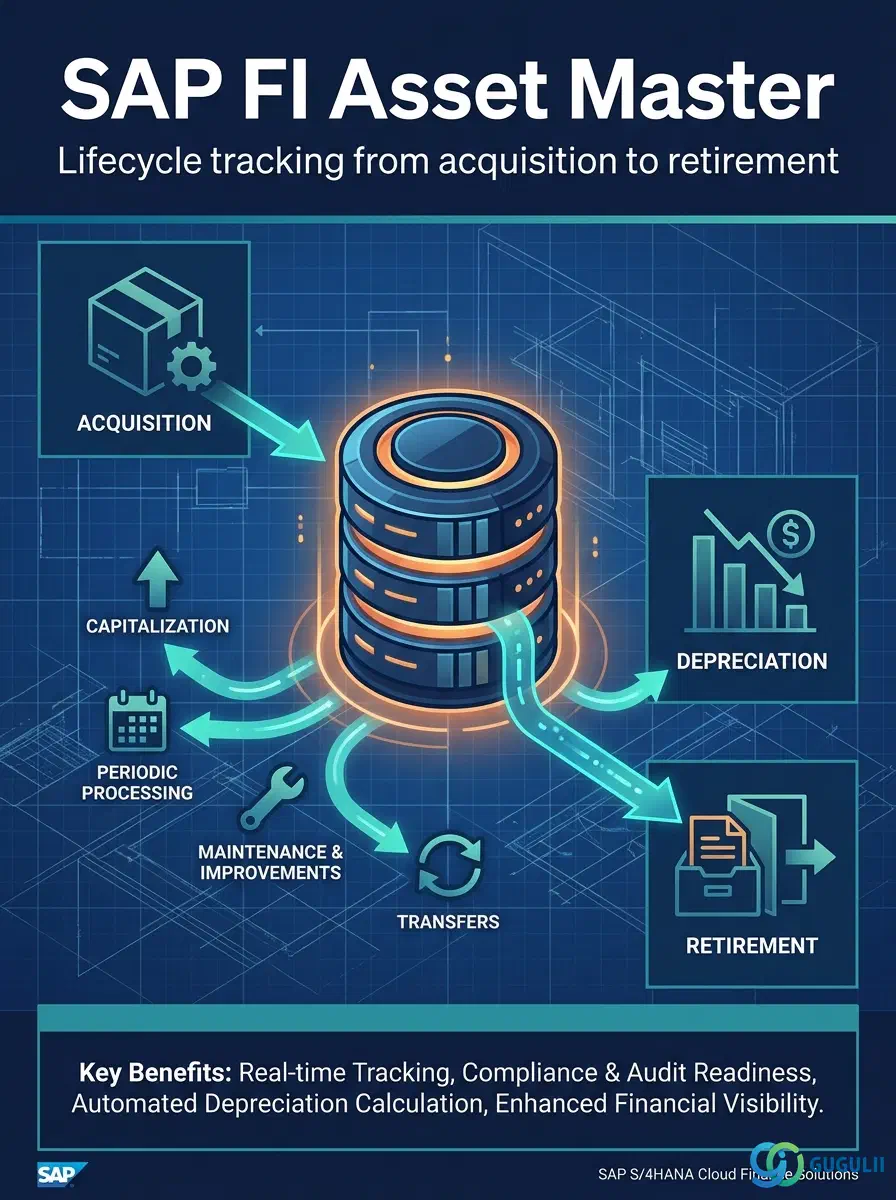
The Asset Master (ANLA/ANLZ/ANLC) is the central repository for all fixed asset data in SAP S/4HANA FI-AA. It stores the complete lifecycle of each asset — from initial acquisition and capitalization through depreciation calculation to eventual retirement or sale. Each asset record links to an Asset Class (which governs account determination and field layout), a Company Code (which defines ownership and financial reporting scope), and optional organizational assignments such as Cost Center, Business Area, and Plant. This article maps the asset master’s conceptual structure (Part 1) and then details the field-level configuration owned by FI-AA (Part 2).
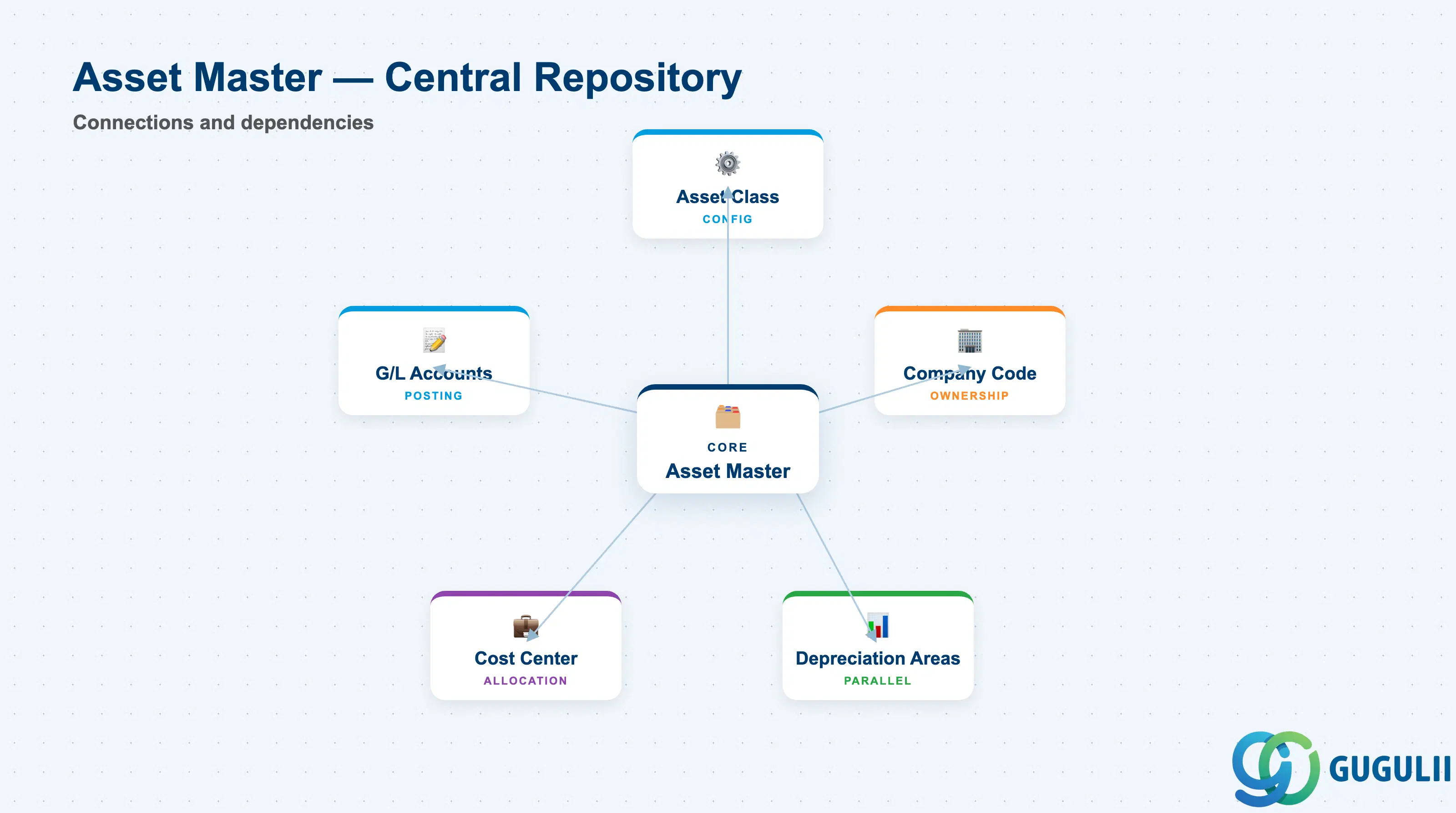
An asset master record represents a single capitalized item (or group of items) that a company owns and depreciates over multiple fiscal periods. In SAP, it is not just a data container; it is the operational anchor for depreciation runs, asset transactions, and financial statement reporting.
| Aspect | Details |
|---|---|
| Role | Tracks acquisition value, accumulated depreciation, net book value, and organizational assignment for each fixed asset throughout its lifecycle |
| Modules using it | FI-AA (owner), CO (cost allocation via cost center), PM (equipment linkage for maintenance), PS (WBS linkage for project assets), RE-FX (real estate object linkage) |
| Transactions | AS01 (create), AS02 (change), AS03 (display), ABZON (depreciation run), F-92 (retirement posting) |
| Key Tables | ANLA (asset master record), ANLZ (time-dependent data), ANLC (asset values per depreciation area), ANLB (depreciation terms) |
| S/4HANA note | Asset Master structure largely unchanged from ECC; Fiori app “Manage Fixed Assets” (F1800) provides simplified UI; Business Partner integration via BP Role “Fixed Asset Vendor” for origination tracking |
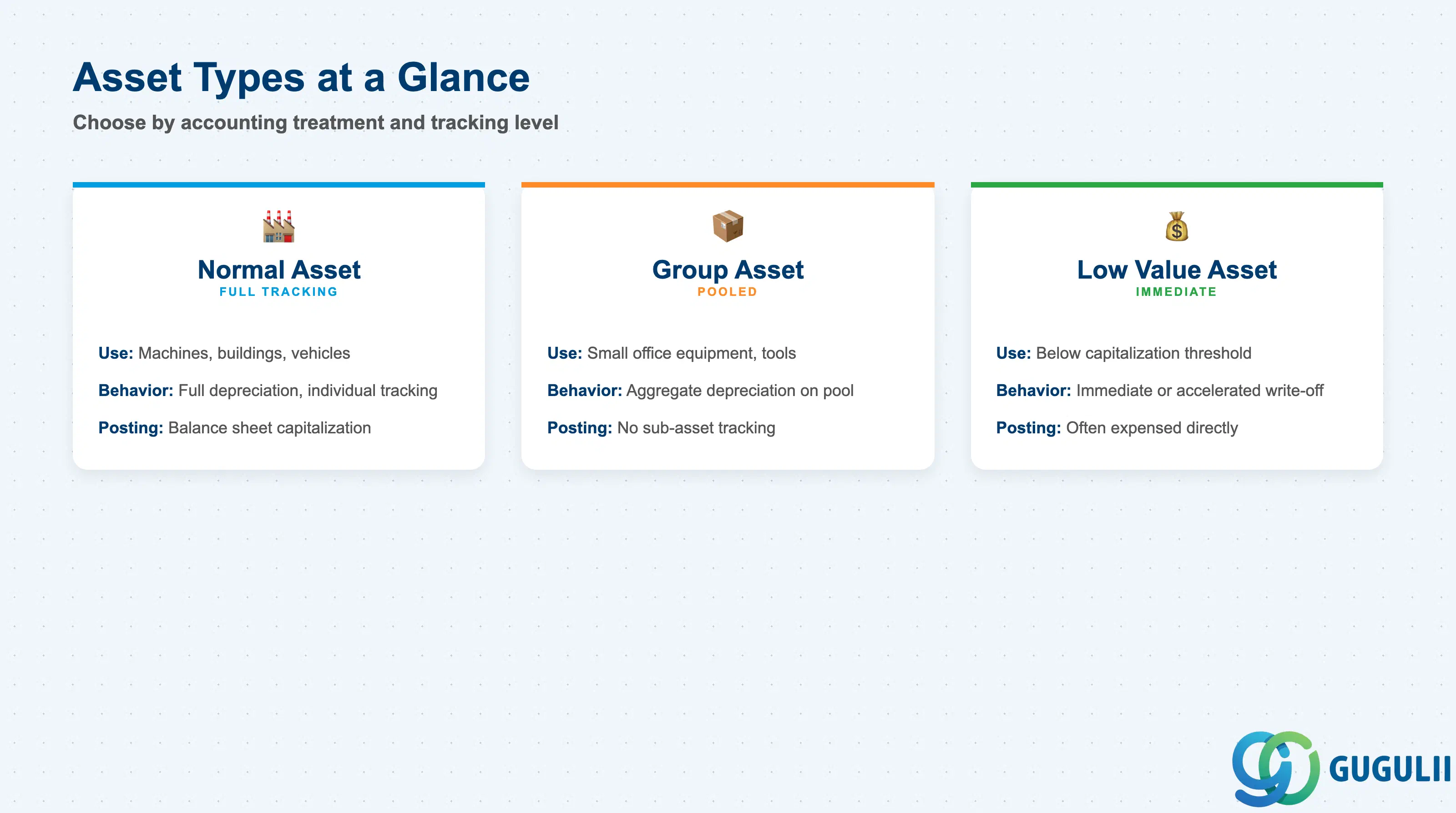
Asset Master records are created within an Asset Class, which determines the asset’s capitalization behavior, depreciation rules, and account assignments. Within that framework, assets are further differentiated by their accounting treatment and summarization level.
| Type | Code/Indicator | Use Case | Key Behavior |
|---|---|---|---|
| Normal Asset | Blank (default) | Standard capitalized assets tracked individually (machines, buildings, vehicles) | Full depreciation calculation, posted to balance sheet accounts, can be transferred or retired individually |
| Low Value Asset (LVA) | Special indicator in Asset Class or depreciation key | Assets below capitalization threshold (e.g., JPY 100,000) | Immediate or accelerated write-off; may bypass full depreciation plan; often posted to expense instead of balance sheet |
| Group Asset | Special indicator in Asset Class | Pooled assets tracked as a single master (small office equipment, tools) | Depreciation calculated on aggregate value; individual additions and retirements update group balance, no sub-asset tracking |
| Asset Under Construction (AuC) | Special Asset Class | Capital projects not yet placed in service (construction-in-progress) | No depreciation until capitalized; settlement to final asset or expense via Settlement Rule; often linked to PS WBS or CO Internal Order |
| Leased Asset | Special Asset Class + Leasing indicator | Right-of-use assets under IFRS 16 / ASC 842 | Separate depreciation schedule aligned with lease term; retirement triggered by lease expiry or buyout |
Design principle: Choose asset type at Asset Class setup, not per asset — capitalization threshold and depreciation behavior are governed by the class, not by individual records.
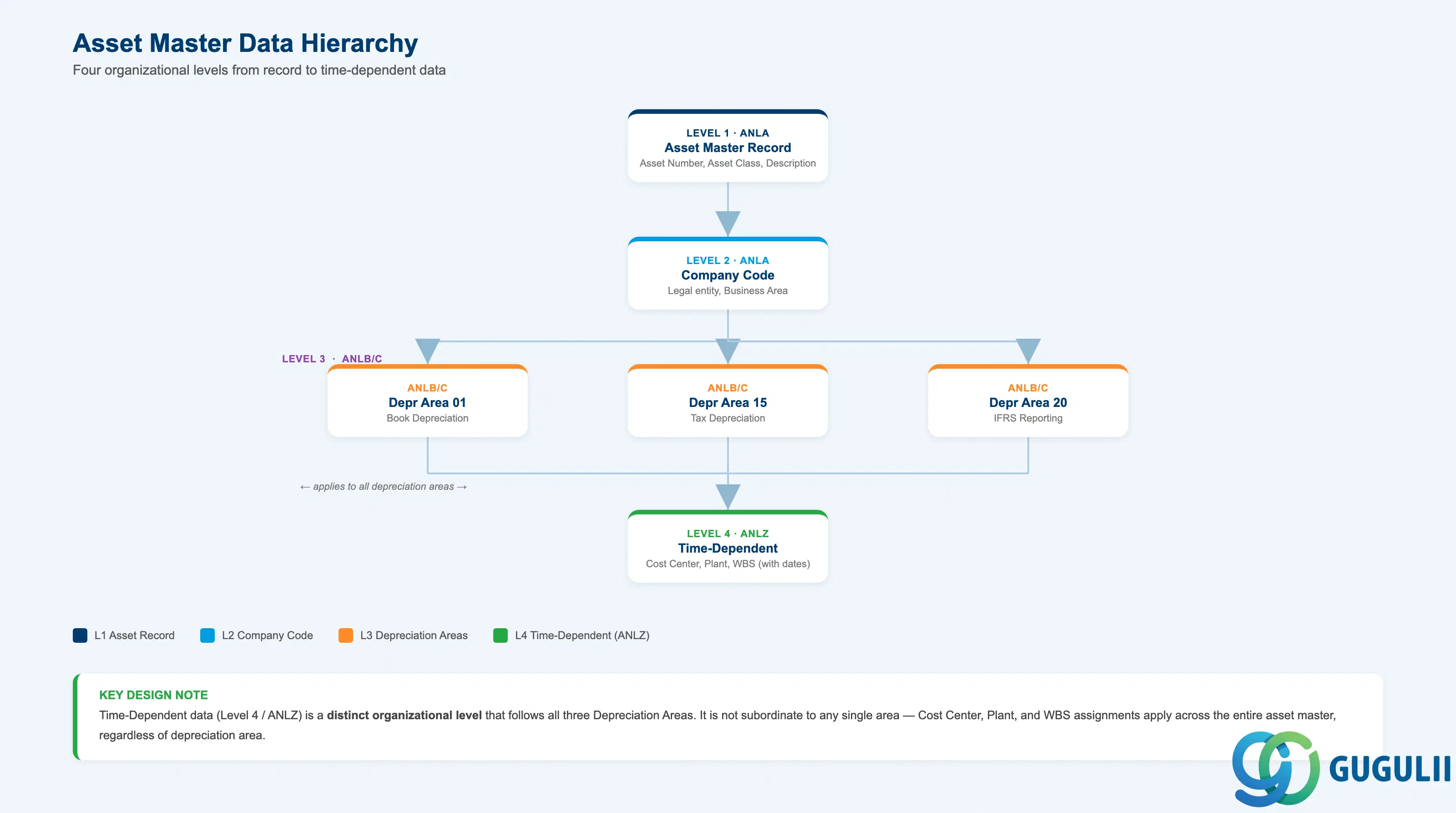
Asset Master data is split across multiple organizational dimensions. Some fields (Asset Class, Description) are stored at the master record level and apply to all company codes and depreciation areas. Others (Cost Center, WBS Element) are time-dependent or depreciation-area-specific.
Level 1: Asset Master Record (ANLA)
  ├── Asset Number (unique within Company Code)
  ├── Asset Class → governs account determination, screen layout, number range
  ├── Description / Asset Text
  └── Capitalization Date

Level 2: Company Code Assignment (ANLA)
  ├── Company Code (legal entity owning the asset)
  ├── Business Area (optional segment for parallel accounting)
  └── Cost Center / WBS (time-dependent, stored in ANLZ)

Level 3: Depreciation Area (ANLB / ANLC)
  ├── Depreciation Area 01 (Book Depreciation — statutory reporting)
  ├── Depreciation Area 15 (Tax Depreciation — country-specific accelerated methods)
  ├── Depreciation Area 20 (IFRS Depreciation — international financial reporting)
  └── Other areas (group consolidation, cost accounting, etc.)
      ├── Useful Life, Depreciation Key (ANLB)
      └── APC, Accumulated Depreciation, Net Book Value (ANLC)

Level 4: Time-Dependent Data (ANLZ)
  ├── Cost Center (effective from date X)
  ├── Plant / Location (effective from date Y)
└── WBS Element (effective from date Z)| Org Level | Table | Primary Fields | Notes |
|---|---|---|---|
| Asset Record | ANLA | Asset Number, Asset Class, Description, Capitalization Date | Created once; Asset Number cannot be changed after creation |
| Company Code | ANLA | Company Code, Business Area | One asset per Company Code; cross-company transfers require retirement + new creation |
| Depreciation Area | ANLB, ANLC | Useful Life, Depreciation Key (ANLB); APC, Depreciation (ANLC) | Up to 99 depreciation areas per asset; area 01 (Book) is mandatory |
| Time-Dependent | ANLZ | Cost Center, Plant, Location, WBS Element | Historical changes tracked with validity dates; used for cost allocation and reporting |
Key design decision: Depreciation areas allow parallel accounting (statutory, tax, IFRS) without duplicating asset masters — one asset master, multiple valuation views.
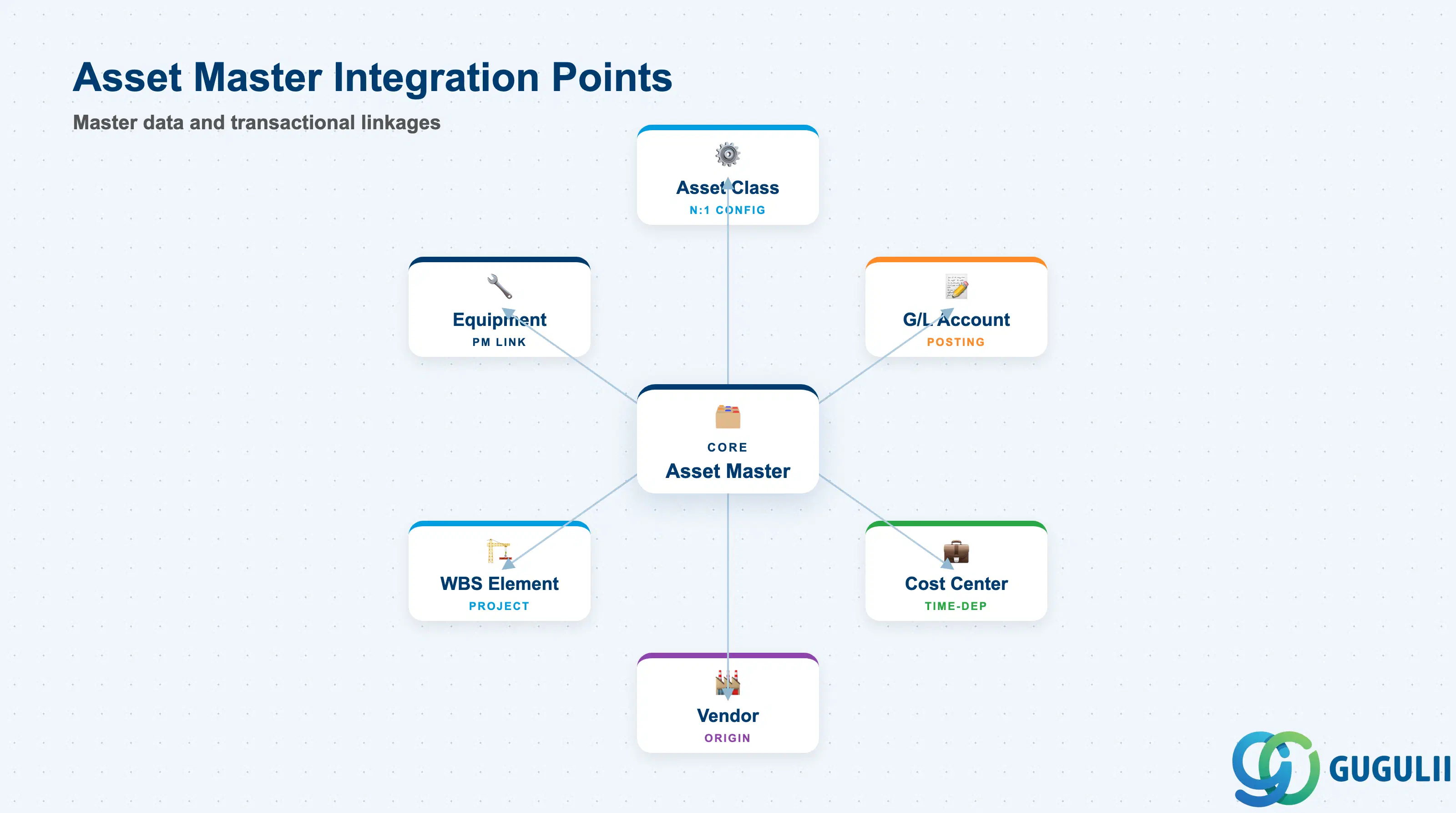
The Asset Master does not stand alone. It inherits configuration from Asset Class, posts to G/L Accounts determined by Asset Class account determination, and exchanges data with CO, MM, and PM during the asset lifecycle.
| Object | Relationship | Practical Notes |
|---|---|---|
| Asset Class | N:1 (many assets belong to one Asset Class) | Asset Class governs account determination (acquisition, depreciation, retirement), number range, screen layout, and depreciation calculation base; cannot be changed after asset creation without data migration |
| Company Code | N:1 (each asset is owned by exactly one Company Code) | Determines currency, fiscal year variant, chart of depreciation; cross-company transfers require asset retirement in source and new creation in target |
| G/L Account | Derived via Asset Class account determination | Acquisition posts to Asset G/L (balance sheet), depreciation posts to Accumulated Depreciation (contra-asset) and Depreciation Expense (P&L); account determination keys on Transaction Type (acquisition, depreciation, retirement) |
| Cost Center | N:1 time-dependent (asset can move between Cost Centers) | Used for depreciation allocation in CO; historical assignments tracked in ANLZ; required if Asset Class screen layout mandates it |
| Vendor | N:1 (tracked in acquisition origin) | Linked via Purchase Order or Invoice Reference during acquisition posting (transaction type 100); used for warranty tracking and vendor analysis |
| WBS Element (PS) | N:1 time-dependent (for project assets) | Assets created from AuC settlement inherit WBS; used for project cost tracking and capitalization from Internal Order or WBS |
| Equipment (PM) | 1:1 optional linkage | PM Equipment record can reference Asset Master for cost tracking; depreciation from FI-AA flows to PM for total cost of ownership analysis |
| Material Master | Optional reference during acquisition | If asset is procured via MM, Material Number and Plant are recorded; enables GR/IR matching and inventory-to-asset transfer (e.g., spare parts capitalized as assets) |
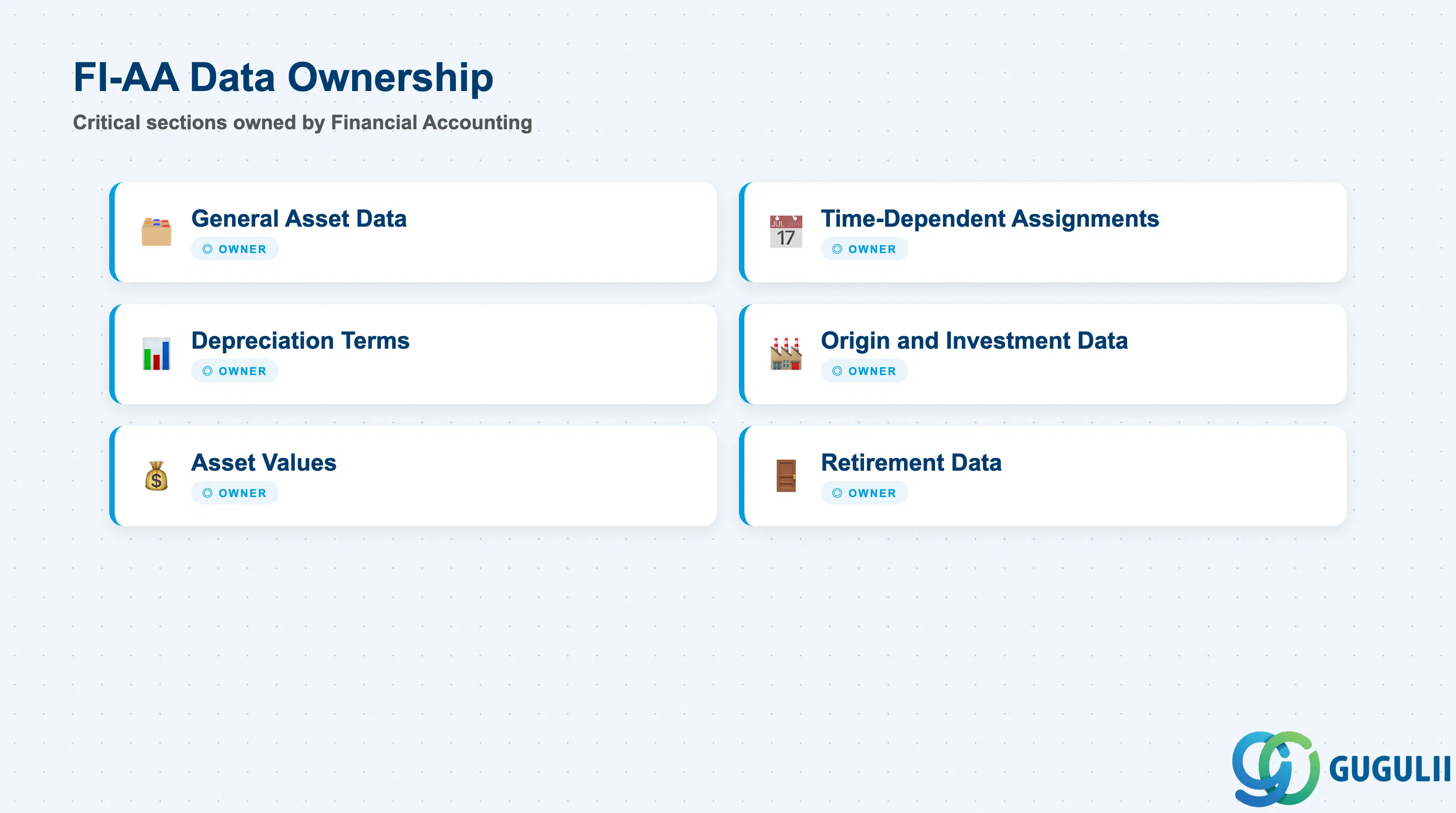
| Data Section | FI Involvement | Notes |
|---|---|---|
| General Asset Data | ◎ Owner | Asset Class, Description, Capitalization Date — master record foundation |
| Time-Dependent Assignments | ◎ Owner | Cost Center, Business Area, Plant, WBS — organizational allocation over time |
| Depreciation Terms | ◎ Owner | Useful Life, Depreciation Start Date, Scrap Value, Depreciation Key — per depreciation area |
| Origin and Investment Data | ◎ Owner | Vendor, Purchase Order, Original Asset, Investment Reason — acquisition traceability |
| Asset Values | ◎ Owner | APC (Acquisition and Production Costs), Posted Depreciation, Net Book Value — financial position per depreciation area |
| Retirement Data | ◎ Owner | Retirement Date, Gain/Loss Account, Proceeds — disposition and write-off tracking |
Legend: ◎ = Owner / Critical, ○ = Direct involvement
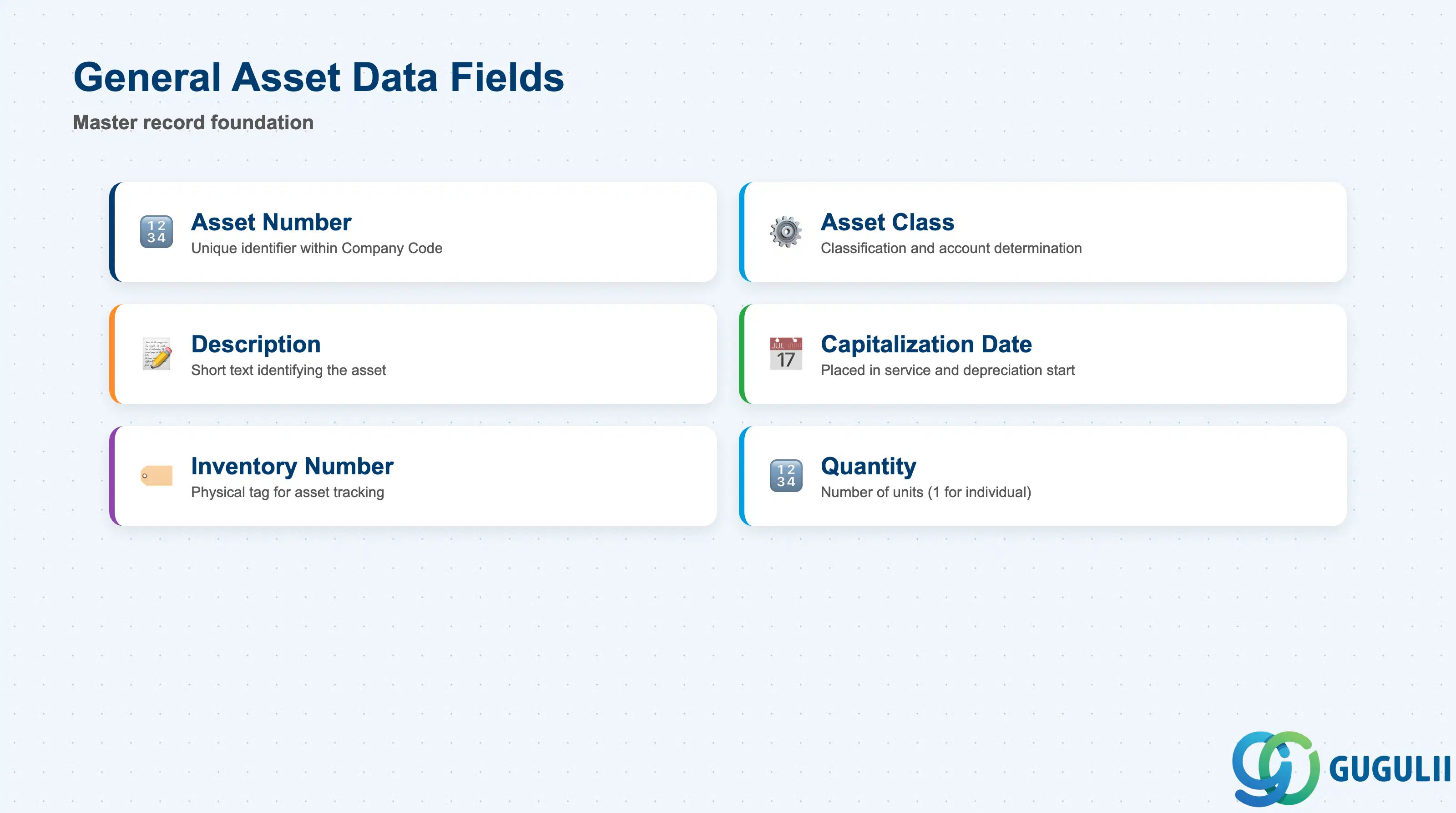
This section contains the master record’s identifying and descriptive information. These fields are entered at asset creation (AS01) and rarely changed afterward.
| Field | Description | Practical Usage |
|---|---|---|
| Asset Number | Unique identifier within Company Code | Assigned automatically from Asset Class number range or entered manually if range allows external numbering. Once created, the asset number is permanent and cannot be reused even after retirement. Tip: Use leading zeros for consistent reporting (e.g., 0000100001 instead of 100001). |
| Asset Class | Classification code determining account determination, screen layout, and number range | Inherited from transaction entry; cannot be changed after creation without migrating the asset (AS06 / OAMU). Choose carefully: wrong Asset Class means wrong G/L accounts and depreciation rules. If you realize the error post-capitalization, you must reverse all postings and recreate the asset. |
| Description / Asset Text | Short text (max 50 characters) describing the asset | Used in reporting and asset inquiry (AS03, AR01). Be specific: “MacBook Pro 2024 - Sales Dept” is better than “Laptop”. This text appears on balance sheet subledger reports, so avoid internal jargon that auditors or tax authorities won’t understand. |
| Additional Description | Long text (up to 255 characters) for extended detail | Optional; used for serial numbers, vendor model codes, or location notes. Not displayed in standard depreciation reports, so reserve it for reference data that’s useful during audits or physical inventory (e.g., “Serial: ABC123, Location: Bldg 3 Floor 2”). |
| Capitalization Date | Date the asset was placed in service and depreciation began | Critical for depreciation calculation start. In most countries, depreciation starts on the capitalization date (or the first day of the following month, depending on Depreciation Key settings). Wrong date = wrong depreciation in Year 1. For Assets Under Construction, leave blank until settlement; system calculates it from the settlement transaction. |
| Inventory Number | Physical tag or barcode ID for asset tracking | Used during physical inventory counts. If your company performs annual asset verification, this number links the SAP record to the physical item. Best practice: affix a barcode label with this number to the asset and scan it during inventory (transaction AS26 for mass changes). |
| Quantity | Number of units represented by this master record | Normally 1 for individual assets. For Group Assets, this can be > 1 (e.g., 50 office chairs tracked as a single asset). Quantity is informational only; it does not affect depreciation unless you use Unit of Production methods. |
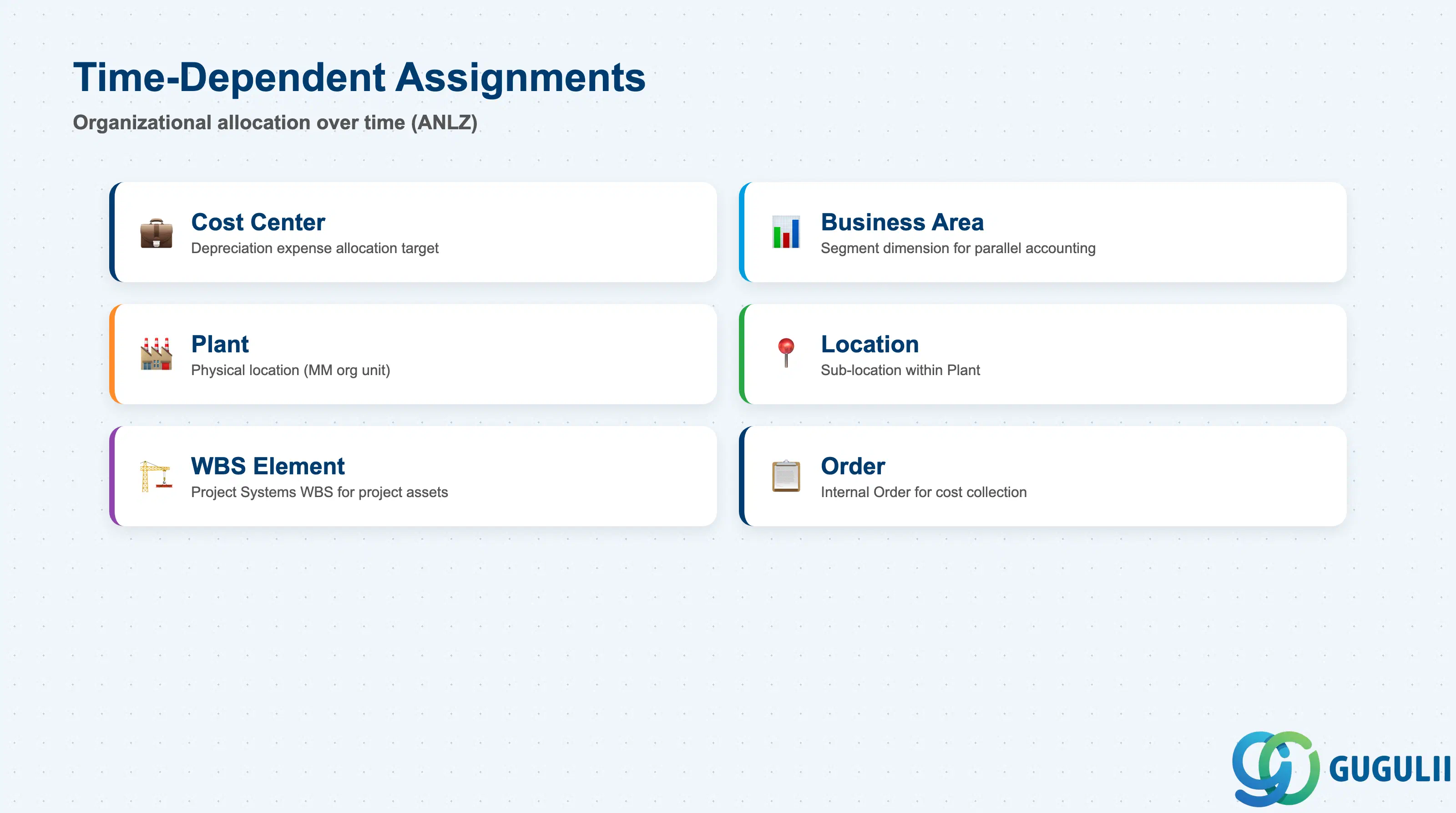
These fields are stored in ANLZ with validity-from dates. When an asset moves from one Cost Center to another, the system creates a new ANLZ record with the new assignment effective on the transfer date. Historical assignments remain in the database for reporting and audit trail.
| Field | Description | Practical Usage |
|---|---|---|
| Cost Center | Cost Center to which depreciation expense is allocated | Determines where depreciation hits in CO. When you run depreciation (AFAB), the system posts Depreciation Expense to the Cost Center specified in ANLZ. If the asset moves mid-year, depreciation is split proportionally. Transfer the asset via AS02 or ABUMN (mass transfer) and specify the effective date. Tip: For assets shared across departments (e.g., shared server), create separate sub-assets or use settlement rules to split depreciation. |
| Business Area | Segment dimension for parallel accounting (IFRS segment reporting) | Optional unless you run segment reporting. Business Area posts in parallel to the CO assignment and appears on the balance sheet. Change it via AS02 if the asset’s business purpose changes (e.g., production asset repurposed for R&D). Note: Business Area is not time-dependent in ANLA — only the current value is stored; historical changes are not tracked. |
| Plant | Physical location (MM organizational unit) | Links the asset to a Plant for regional reporting and physical inventory. If the asset is procured via MM, the Plant is inherited from the GR document. If you move the asset to another site, update the Plant in AS02 and specify the effective date. This is especially important for multinational companies with tax depreciation tied to geographic location. |
| Location | Free-text or master-data-based sub-location within Plant | More granular than Plant (e.g., “Building 3, Floor 2, Room 205”). Used during physical inventory and insurance valuations. Not part of account determination, so you can change it freely without financial impact. Some companies maintain a separate Location master (T499S) with structured codes; others use free text. |
| WBS Element | Project Systems WBS for project-capitalized assets | Populated when an Asset Under Construction (AuC) is settled to a final asset, or when an asset is directly assigned to a project (e.g., project-specific equipment). WBS linkage enables you to track total project costs (including depreciation) in PS reports. For ongoing projects, depreciation on project assets flows to WBS via settlement from Cost Center or via direct AuC depreciation. |
| Order | Internal Order for cost collection (alternative to WBS) | Less common than WBS for asset tracking, but used when assets are acquired or constructed via Internal Order. Similar to WBS, the Order is inherited at settlement or manually assigned in AS02. Depreciation can be settled from Cost Center to Order for project costing. |
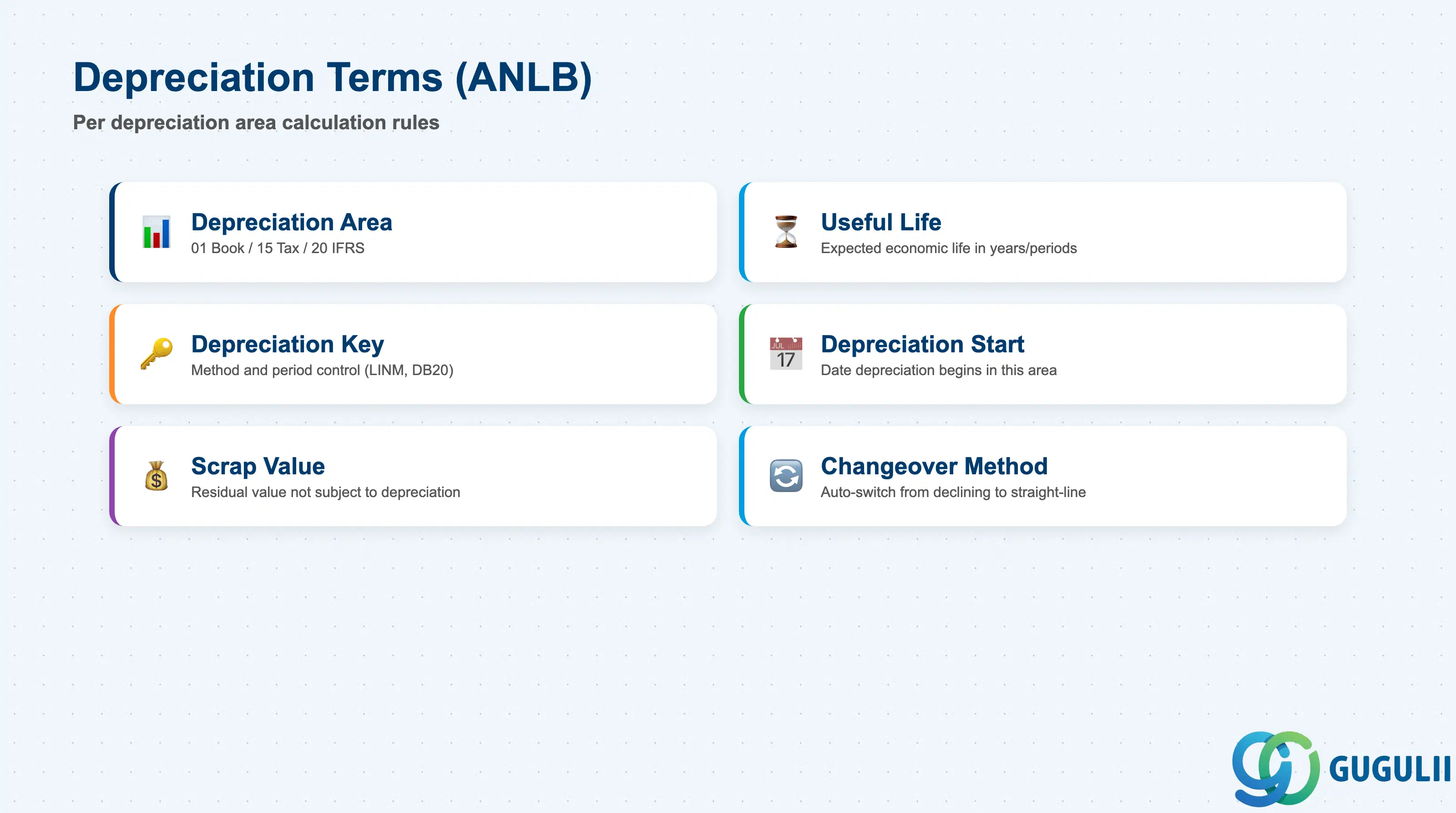
Depreciation terms are stored in ANLB (one record per asset per depreciation area). Each depreciation area can have its own Useful Life, Depreciation Key, and period control. These fields govern how depreciation is calculated in each area (Book, Tax, IFRS, etc.).
| Field | Description | Practical Usage |
|---|---|---|
| Depreciation Area | Identifier (01–99) for each parallel valuation ledger | Area 01 is typically Book Depreciation (statutory financials); 15 is Tax Depreciation; 20 is IFRS. Configure in customizing (OADB). Each area can post to different G/L accounts and use different depreciation methods. Tip: Use area-specific depreciation keys to apply straight-line in area 01 and accelerated methods in area 15 for tax optimization. |
| Useful Life (Years / Periods) | Expected economic life of the asset in years or posting periods | Determines the denominator in straight-line depreciation (APC / Useful Life). Defaulted from Asset Class or Depreciation Key, but can be overridden at asset creation or during change (AS02). For example, a server with 5-year useful life depreciates 20% per year. If you enter 60 periods instead of 5 years, you get monthly granularity. Country-specific: Japan often uses period-based entry for half-year convention; US uses years. |
| Depreciation Key | Code specifying depreciation method and period control rules | Examples: LINM (straight-line monthly), DB20 (20% declining balance), UNPR (unit of production). The Depreciation Key is configured in AFAMA and controls: (1) calculation method, (2) period control (full-year, half-year, mid-quarter), (3) whether scrap value is respected. Wrong key = wrong depreciation. For leased assets, use lease-specific keys that align depreciation with lease term, not standard useful life. |
| Depreciation Start Date | Date depreciation begins in this depreciation area | Usually the Capitalization Date, but can differ if the area has special rules (e.g., Tax area starts depreciation on the first day of the following month). Controlled by Period Control settings in the Depreciation Key (AFAMA). If you change this date after depreciation has started, you must reverse posted depreciation and rerun (caution: typically requires period-end correction). |
| Scrap Value / Salvage Value | Residual value not subject to depreciation | Enter as currency amount (e.g., JPY 100,000). Depreciation stops when Net Book Value = Scrap Value. Used for assets with known resale value (e.g., vehicles). If Scrap Value = 0 (most common), the asset depreciates fully to zero. Note: Some Depreciation Keys ignore Scrap Value (e.g., immediate write-off methods); check AFAMA configuration. |
| Changeover Method | Automatic switch from declining balance to straight-line when beneficial | Configured in AFAMA; common in US tax depreciation (MACRS). For example, 200% declining balance switches to straight-line when straight-line yields higher depreciation. The system recalculates automatically each period. If you use this, verify that the changeover year matches tax rules — SAP’s default logic may differ from IRS schedules for certain asset lives. |
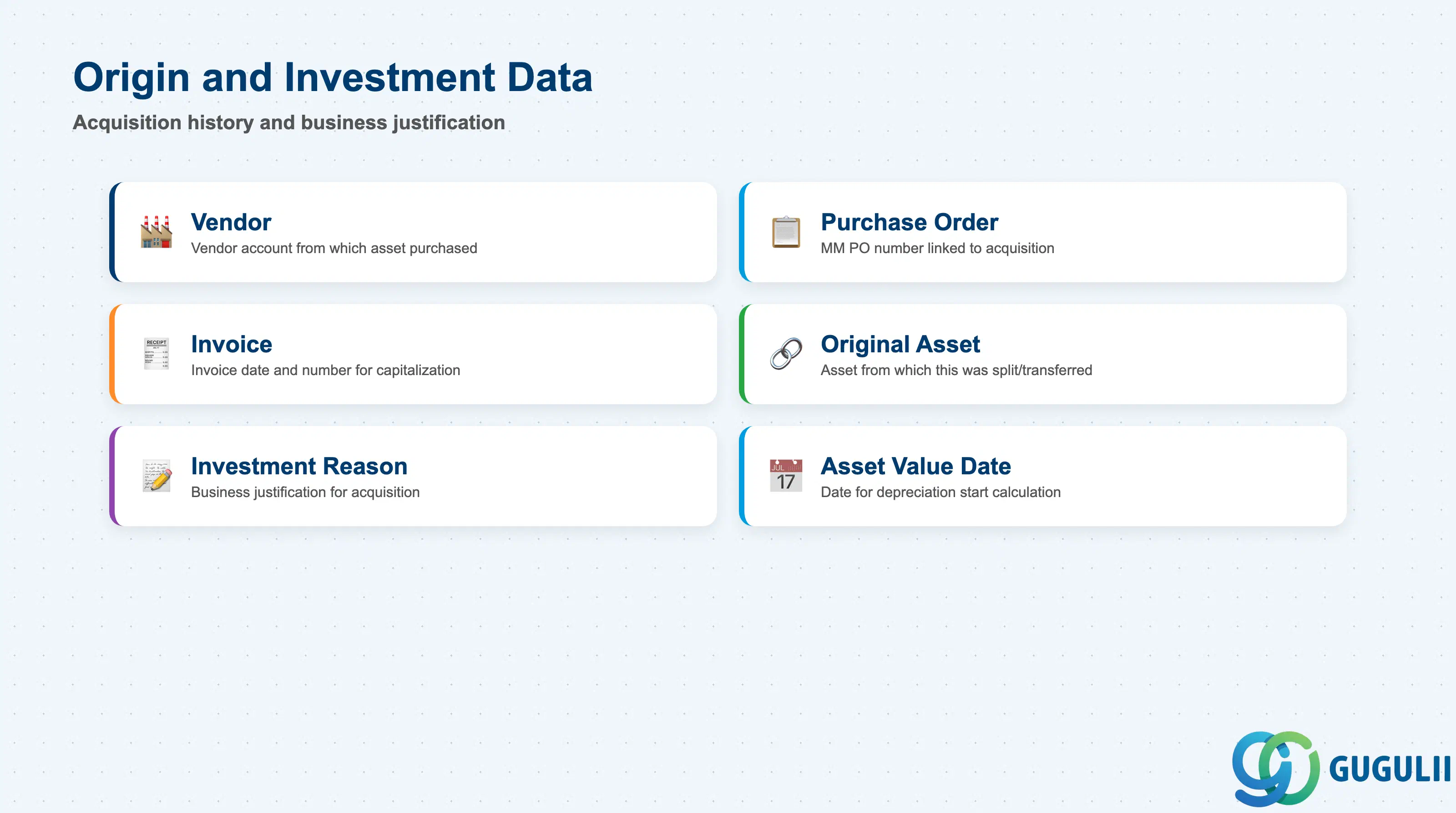
These fields capture the asset’s acquisition history and business justification. They are primarily informational (not used in depreciation calculation) but critical for audit trails, warranty tracking, and management reporting on capital expenditure.
| Field | Description | Practical Usage |
|---|---|---|
| Vendor | Vendor account number from which the asset was purchased | Populated automatically when acquisition is posted via MM (MIRO invoice) or FI (F-90 asset acquisition). Used for warranty claims, service contract tracking, and vendor spend analysis. If the asset was internally constructed, leave blank or populate with an internal “vendor” code for tracking. For Assets Under Construction, the Vendor is inherited from the settlement source (e.g., the last vendor invoice settled to the AuC). |
| Purchase Order | MM Purchase Order number linked to the acquisition | Enables you to trace the asset back to the procurement document. Useful during audits when you need to verify that the capitalized amount matches the PO and invoice. If the asset was acquired via multiple POs (e.g., equipment + installation), only the last PO is stored here; use AuC line-item settlement for full traceability. |
| Invoice Date / Invoice Number | Date and number of the vendor invoice that triggered capitalization | Captured from the MM invoice or FI posting. Invoice Date often drives the Asset Value Date (which in turn affects depreciation start). In countries with strict audit requirements (e.g., Japan), auditors cross-reference this to vendor invoices during fixed asset audits — ensure it matches your AP documents. |
| Original Asset | Asset Number from which this asset was created (via split or transfer) | Populated if you split an existing asset into multiple sub-assets (AS05) or transfer part of an asset’s value to a new asset (ABUMN). Creates an audit trail for asset restructuring. Example: You split a building into Building + Land; the Land asset will reference the original Building asset number here. |
| Investment Reason | Code or text describing why the asset was acquired | Custom field (must be added via AO90 if not already in your Asset Class screen layout). Examples: “Capacity Expansion”, “Replacement”, “Legal Requirement”. Used in capital budgeting reports to track whether CapEx spending aligns with strategic priorities. Not standard in SAP — configure it if your finance team needs it for investment approval workflows. |
| Asset Value Date | Date used for depreciation start and interest calculation | Typically the Invoice Date or GR Date. In some countries, depreciation starts the month after Asset Value Date. For Assets Under Construction, the Asset Value Date of the final asset is set at settlement. If you post an acquisition with a backdated Asset Value Date (e.g., posting in July with a May Asset Value Date), the system calculates catch-up depreciation in the current period — verify this is intentional. |
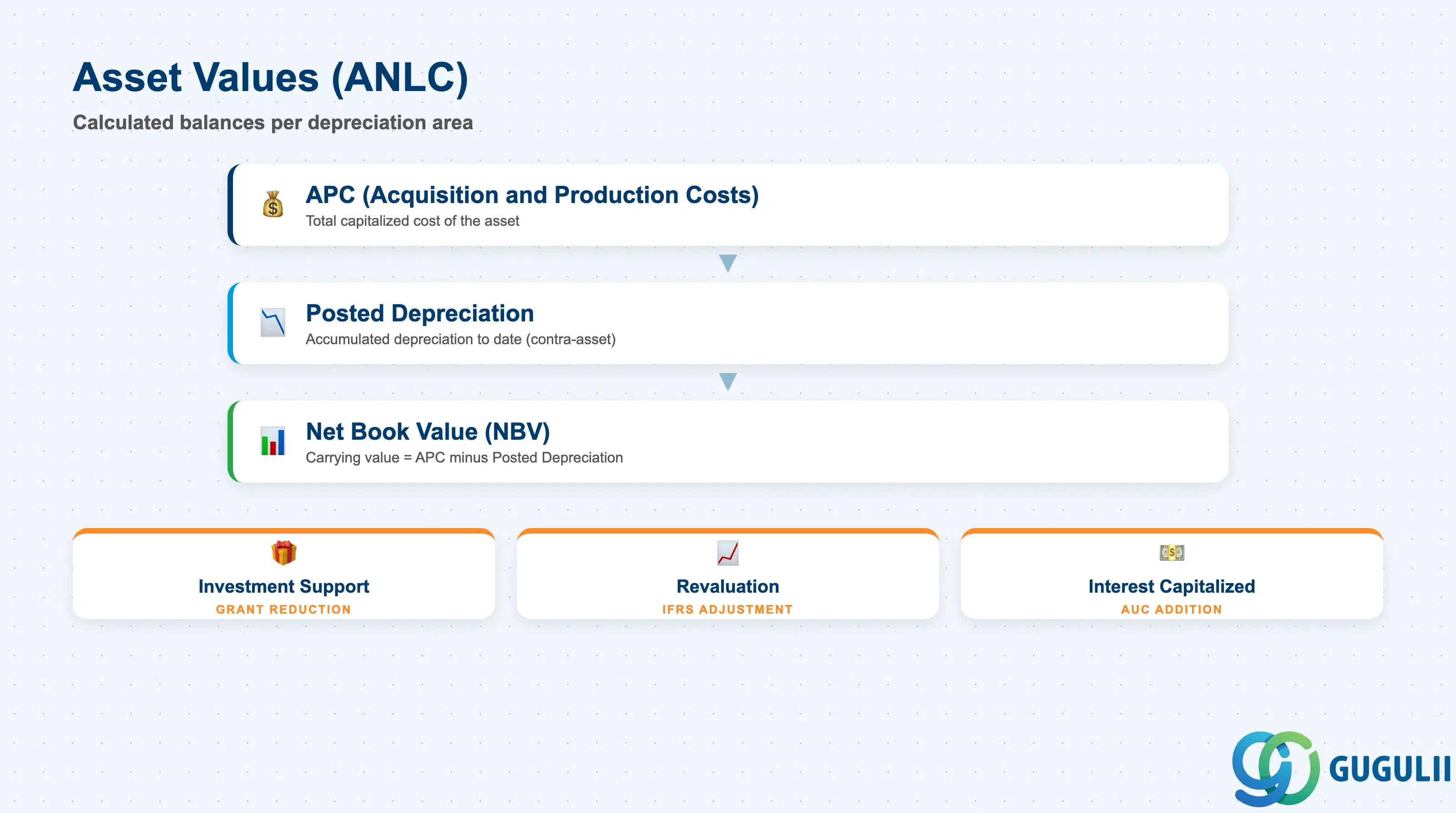
Asset values are stored in ANLC (one record per asset per depreciation area per fiscal year). These are calculated balances, not manually entered fields — they are updated by acquisition postings (F-90, MIRO), depreciation runs (AFAB), and retirement transactions (F-92, ABAVN).
| Field | Description | Practical Usage |
|---|---|---|
| APC (Acquisition and Production Costs) | Total capitalized cost of the asset in this depreciation area | Includes purchase price, installation costs, freight, non-refundable taxes, and any other costs required to bring the asset into service. Increased by acquisition postings (transaction type 100) and decreased by retirements (transaction type 200). For Assets Under Construction, APC accumulates from all settlement postings until final capitalization. Do not confuse APC with Purchase Price — APC is higher because it includes all capitalizable costs. |
| Posted Depreciation (Accumulated Depreciation) | Sum of all depreciation posted to date in this depreciation area | Increases each period when you run AFAB (Depreciation Posting Run). This is a contra-asset on the balance sheet. Formula: Posted Depreciation = ∑ all depreciation postings since capitalization. If you reverse a depreciation run (rare, typically during year-end corrections), Posted Depreciation decreases. For audit: compare this to the Accumulated Depreciation G/L account balance — they must match. |
| Net Book Value (NBV) | APC minus Posted Depreciation | Represents the asset’s carrying value on the balance sheet. Formula: NBV = APC - Posted Depreciation. NBV decreases each period as depreciation is posted. When NBV reaches Scrap Value (or zero), depreciation stops (unless you use extraordinary depreciation or impairment postings). For management reporting, NBV is the key metric for asset portfolio valuation and insurance coverage analysis. |
| Planned Depreciation (Current Year) | Estimated total depreciation for the current fiscal year | Calculated by the depreciation forecast (AFAR) based on Useful Life, Depreciation Key, and current APC. This is not posted to FI — it’s a planning figure. Compare Planned vs. Posted Depreciation to identify assets with incomplete acquisition or suspended depreciation. If Planned ≠ Posted at year-end, investigate: was the asset retired mid-year? Was depreciation suspended (e.g., asset idle)? |
| Investment Support | Government grants or subsidies reducing the depreciable base | Enter via transaction type 310 (investment grant). Investment Support reduces APC for depreciation calculation purposes but may not reduce the balance sheet APC (depending on country-specific accounting rules). For example, in Japan, a JPY 10M asset with JPY 2M grant has APC = 10M on the balance sheet but depreciable APC = 8M. Configure this behavior in depreciation area settings (OADB). |
| Revaluation | Upward adjustment to APC under IFRS or country-specific revaluation rules | Posted via transaction type 630 (revaluation). Increases APC and creates a revaluation reserve (equity) on the balance sheet. Subsequent depreciation is calculated on the revalued APC. For example, UK companies may revalue land and buildings under IFRS; the revaluation surplus is not depreciated but tracked separately. Not commonly used in Japan or US GAAP, where historical cost is the norm. |
| Interest Capitalized | Interest on construction loans capitalized into APC during the construction phase | Accumulated during the AuC period via settlement from FI (interest postings settled to AuC order). When the AuC is capitalized, the total interest becomes part of final APC. Example: You build a factory over 18 months; construction loan interest totals JPY 5M; this is added to the building’s APC at capitalization. IFRS and US GAAP allow this; tax treatment varies by country. |
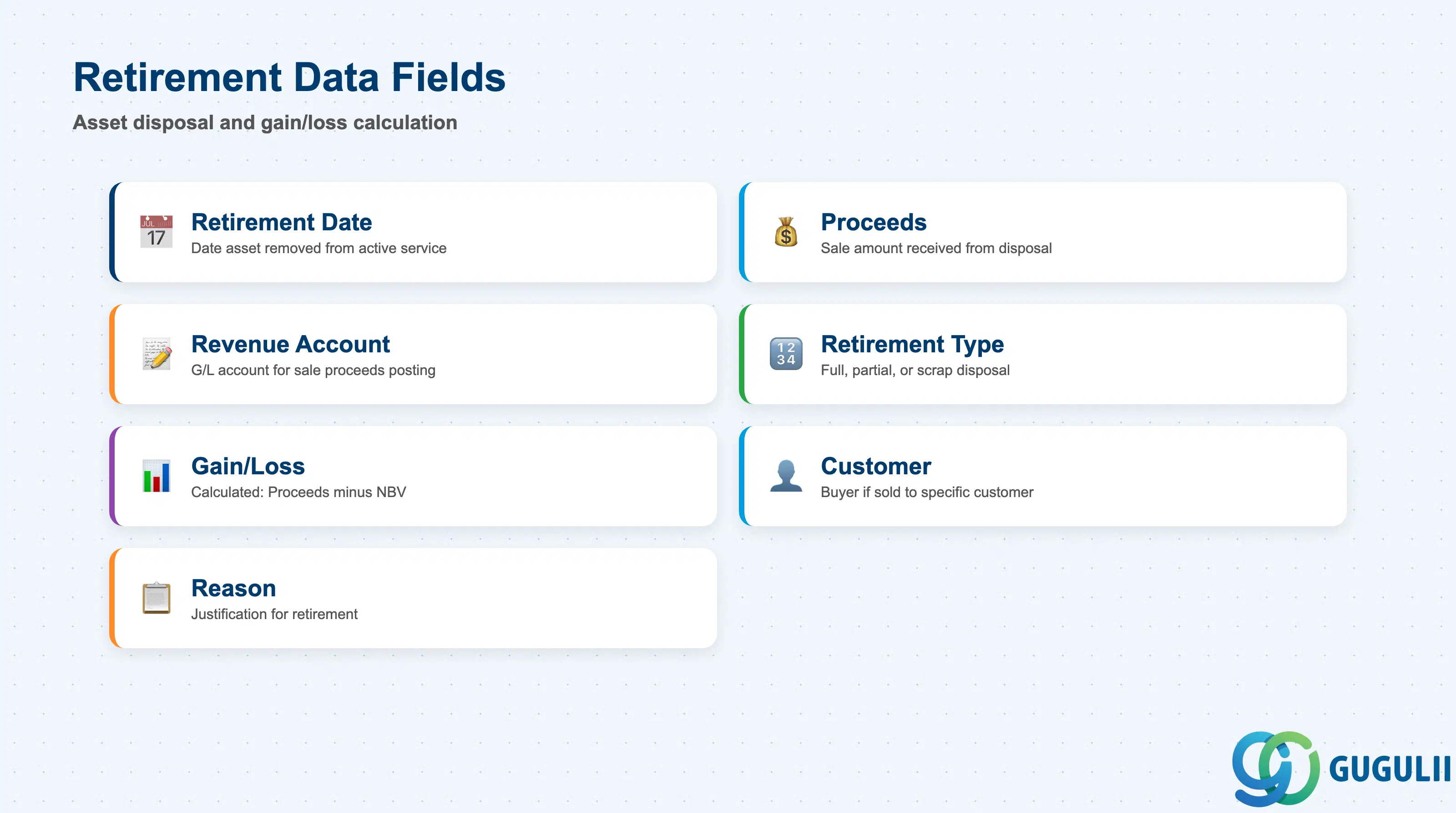
Retirement data is captured when an asset is sold, scrapped, or otherwise removed from the balance sheet. Retirement postings (F-92, ABAVN) update the asset’s status and calculate gain or loss on disposal.
| Field | Description | Practical Usage |
|---|---|---|
| Retirement Date | Date the asset was removed from active service | Determines when depreciation stops and when gain/loss is calculated. For sales, this is typically the invoice date or transfer of ownership date. For scrap, it’s the physical disposal date. If you retire an asset mid-year, the system posts depreciation up to the Retirement Date (either partial-period or full-period, depending on Depreciation Key period control). Wrong Retirement Date = wrong depreciation and wrong gain/loss. |
| Proceeds from Sale | Cash or receivable amount received from selling the asset | Enter as a positive amount in the retirement transaction (F-92). Proceeds > NBV = gain on disposal (posted to a revenue account); Proceeds < NBV = loss on disposal (posted to an expense account). If the asset is scrapped with no proceeds, enter zero. The system calculates the gain/loss automatically based on: Gain/Loss = Proceeds - NBV at Retirement Date. |
| Revenue from Sale (Account Assignment) | G/L account to which sale proceeds are posted | Determined by Asset Class account determination for transaction type 200 (retirement with revenue). Typically a revenue account for asset sales (e.g., “Gain on Asset Disposal”) or a balance sheet clearing account if the sale is not yet invoiced. Configure in customizing (AO90 account determination). |
| Retirement Type | Code indicating full retirement, partial retirement, or scrap | Full retirement (100%) removes the entire asset from the balance sheet. Partial retirement (e.g., 50%) reduces APC and NBV proportionally but leaves the asset active. Used when you sell part of a Group Asset or split a building into multiple units. Retirement Type is configured in OANW and determines which account determination rule is used. |
| Gain/Loss on Disposal | Calculated difference between Proceeds and NBV | Not a manually entered field — calculated by the system. Gain = Proceeds > NBV (posted to a revenue or extraordinary income account). Loss = Proceeds < NBV (posted to an expense account). The accounts are determined by Asset Class account determination for transaction type 200. At year-end, review the Gain/Loss account balances to ensure they tie to your asset retirement reports (S_ALR_87011990). |
| Customer (for asset sales) | Customer account number if the asset was sold to a specific customer | Populated if you post retirement via SD (e.g., selling used equipment as a side business). Links the asset retirement to an AR invoice. Rarely used in typical FI-AA workflows, but common in industries like automotive (selling off fleet vehicles) or IT (selling decommissioned servers). If populated, the AR invoice must be posted first; then post the asset retirement referencing that invoice. |
| Reason for Retirement | Code or text describing why the asset was retired | Custom field (add via AO90 if needed). Examples: “End of useful life”, “Obsolescence”, “Damaged beyond repair”, “Sale to third party”. Used in management reports to analyze asset turnover and capital planning. Not standard — configure it if your asset management team needs to track retirement reasons for budgeting and replacement forecasting. |
| ID | Category | Title |
|---|---|---|
| fi-001 | Overview | What is SAP FI? |
| ID | Category | Title |
|---|---|---|
| fi-a01 | Overview | SAP FI Master Data: Overview, Hierarchy & Relationships |
| fi-a02-01 | Master Data | SAP FI Material Master |
| fi-a03-01 | Master Data | SAP FI Chart of Accounts |
| fi-a03-02 | Master Data | SAP FI G/L Account |
| fi-a04-01 | Master Data | SAP FI Payment Terms |
| fi-a04-02 | Master Data | SAP FI Tax Code |
| fi-a06-01 | Master Data | SAP FI Bank Master |
| fi-a06-02 | Master Data | SAP FI House Bank |
| fi-a07-01 | Master Data | SAP FI Asset Class |
| fi-a07-02 | Master Data | SAP FI Depreciation Key |
| fi-a07-03 | Master Data | SAP FI Asset Master 📍 |
| ID | Category | Title |
|---|---|---|
| fi-b01 | Overview | SAP FI Transactions: Process Flow, Hierarchy & Relationships |