Title here
Summary here

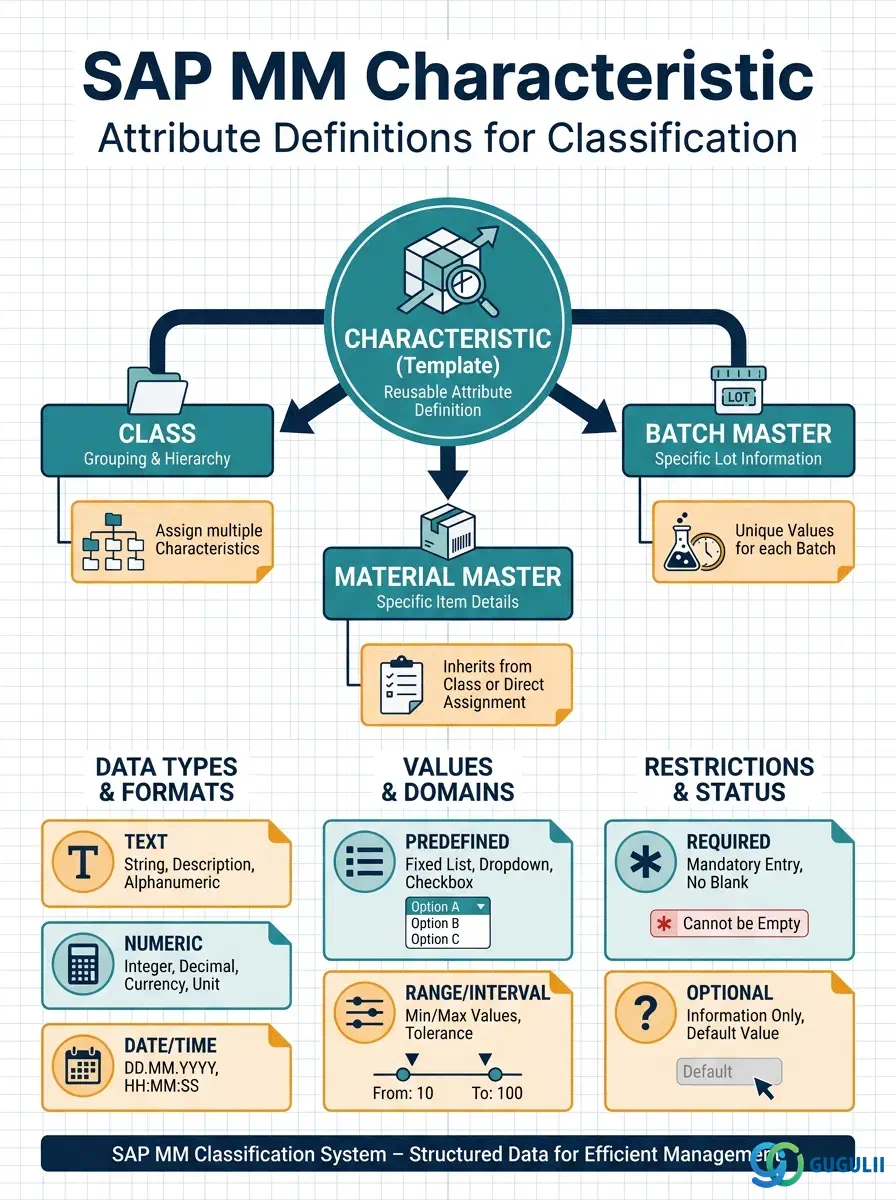
The Characteristic is the attribute definition object that gives the SAP Classification System its descriptive power. Where the Class defines the category to which an object belongs, the Characteristic defines the individual properties — color, material grade, shelf life temperature, country of origin — that can be assigned values within that class. Every searchable attribute on a Material Master or Batch Master in SAP ultimately traces back to a Characteristic. This article covers Characteristic data types, value restrictions, organizational levels, integration with other master data, and the field-level details MM consultants own and configure.
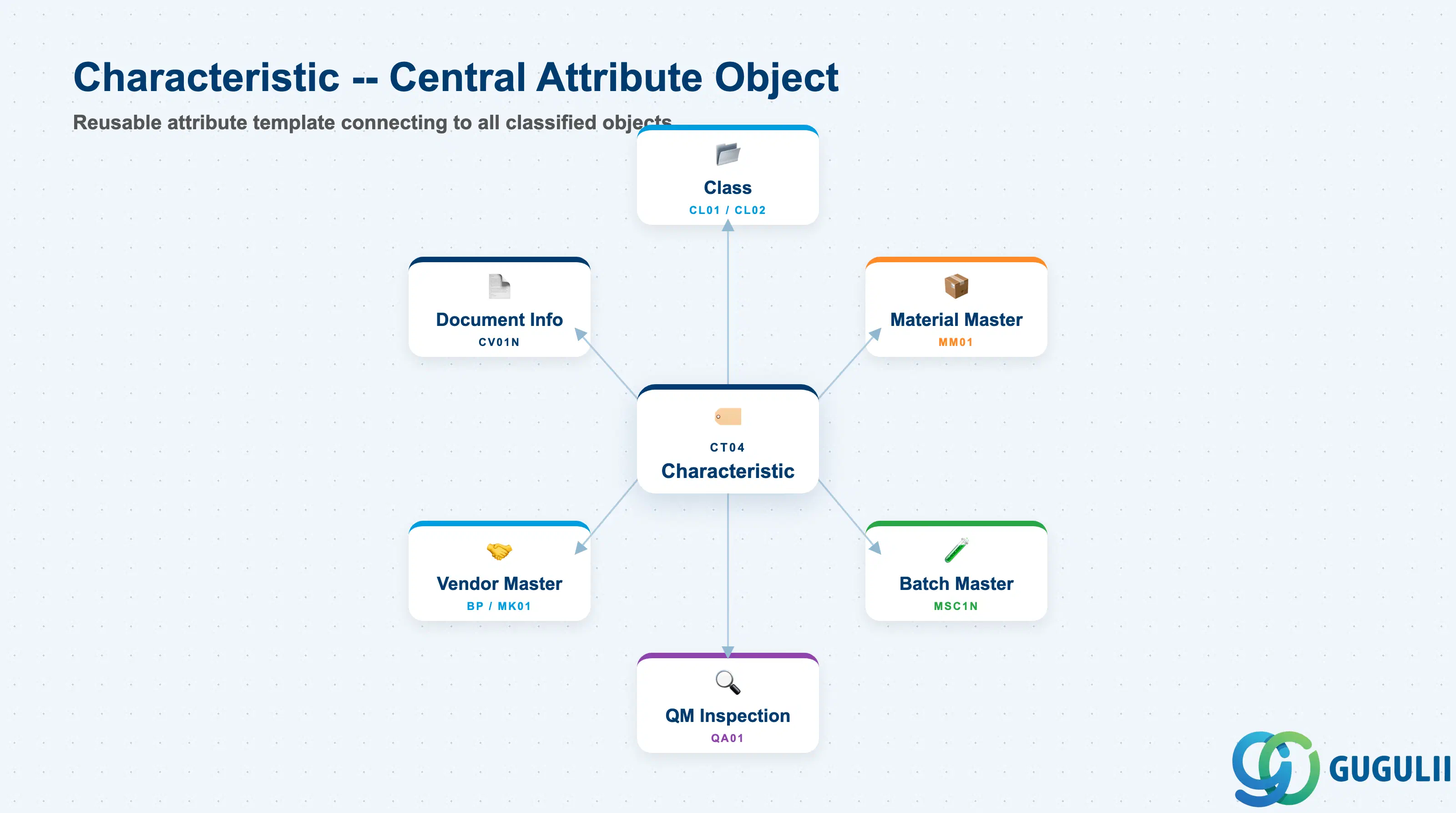
A Characteristic is a reusable attribute template that carries a data type, a unit of measure, and optionally a defined set of allowed values. It is assigned to one or more Classes, and through the Class, its values are collected on any object (Material, Batch, Vendor, Equipment, and others) that is assigned to that Class. The Characteristic itself is cross-client in concept — defined once and reused across as many Classes and object types as the design requires.
| Aspect | Details |
|---|---|
| Role | Defines a single searchable attribute (name, data type, allowed values, unit) for use inside one or more Classes |
| Modules using it | MM (Material classification, Batch classification — primary owner), QM (inspection characteristics for batch release), PM/EAM (equipment/functional location classification), SD (variant configuration — though SD uses its own characteristic objects in LO-VC) |
| Transactions | CT04 (Create/Change/Display Characteristic) / CL20N (Assign object to class, read characteristic values) / CT11 (Where-used: Classes using this Characteristic) |
| Key Tables | CABN (Characteristic header), CABNT (Characteristic description), CAWNT (Allowed values text), AUSP (Characteristic values assigned to objects) |
| S/4HANA note | Characteristic data model is unchanged from ECC. Transaction CT04 remains the primary maintenance tool. Fiori app “Manage Characteristics” (F2689) provides a modern UI for creating and editing characteristics; functional scope is equivalent to CT04. |
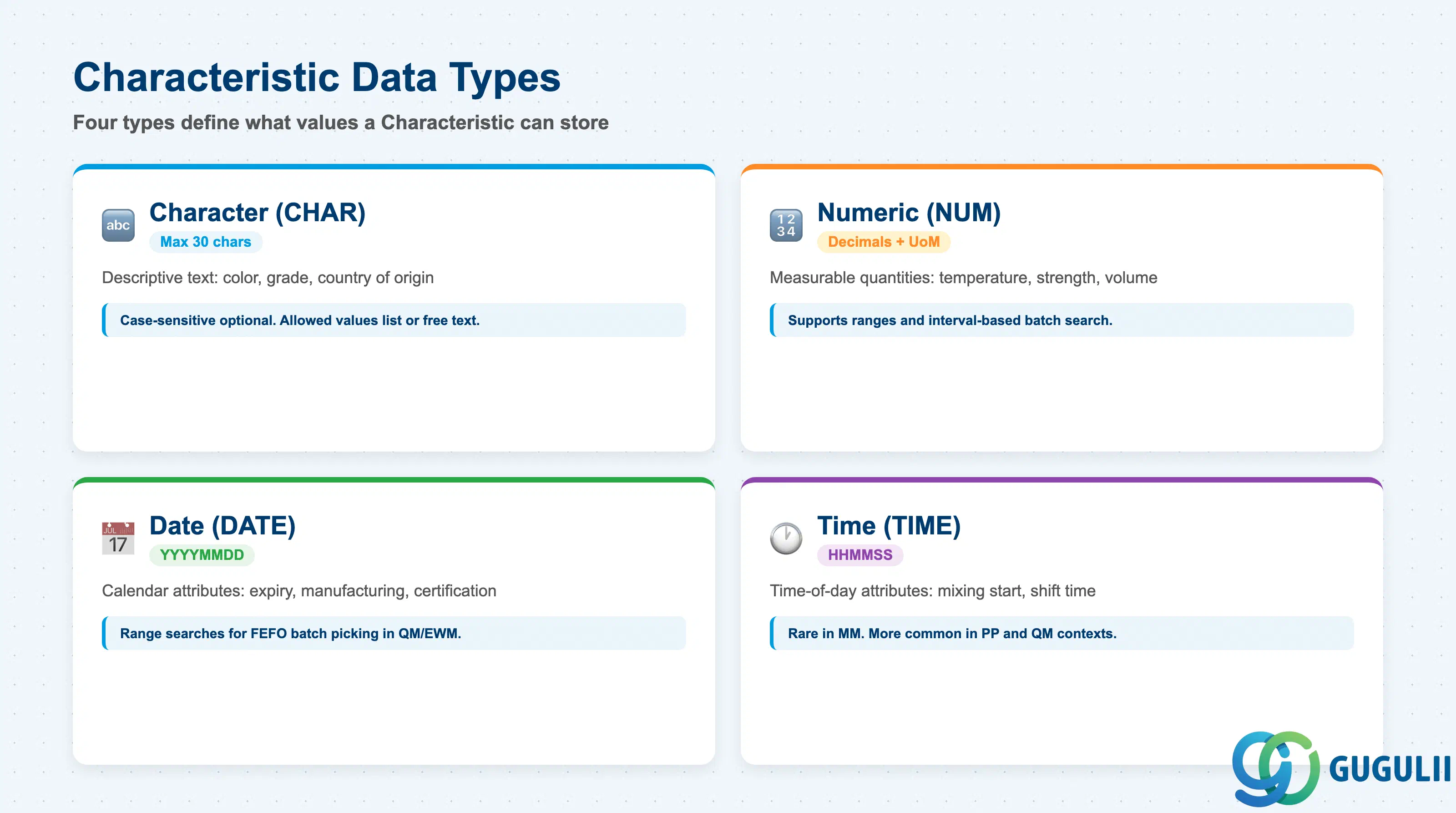
The Data Type is the most fundamental Characteristic setting — it determines what kind of value can be stored, how values are compared, and whether unit of measure or decimal places apply. Choosing the wrong data type requires deletion and re-creation; it cannot be changed after values have been assigned.
| Data Type | Code | Use Case | Key Behavior |
|---|---|---|---|
| Character | CHAR | Descriptive text attributes: color (“RED”, “BLUE”), grade (“A”, “B”, “C”), country of origin | Case-sensitive (optional). Allows a defined list of allowed values or free text. No unit of measure. Maximum 30 characters per value. |
| Numeric | NUM | Measurable quantities: shelf life temperature (°C), tensile strength (MPa), fill volume (L) | Supports decimal places, unit of measure, and value intervals. Enables range-based search (e.g., “temperature between 2 and 8°C”). |
| Date | DATE | Calendar-based attributes: manufacturing date, expiry date, certification validity | Stored internally as YYYYMMDD. Range searches supported. Commonly used in Batch classification for shelf life and quality date tracking. |
| Time | TIME | Time-of-day attributes: batch mixing start time, production shift time | Stored as HHMMSS. Rarely used in MM; more common in PP and QM contexts. |
Design principle: Numeric characteristics with units of measure are the most powerful for range-based material and batch searches. Define the unit at Characteristic level, not at value assignment level, to enforce consistency across all objects using the same characteristic.
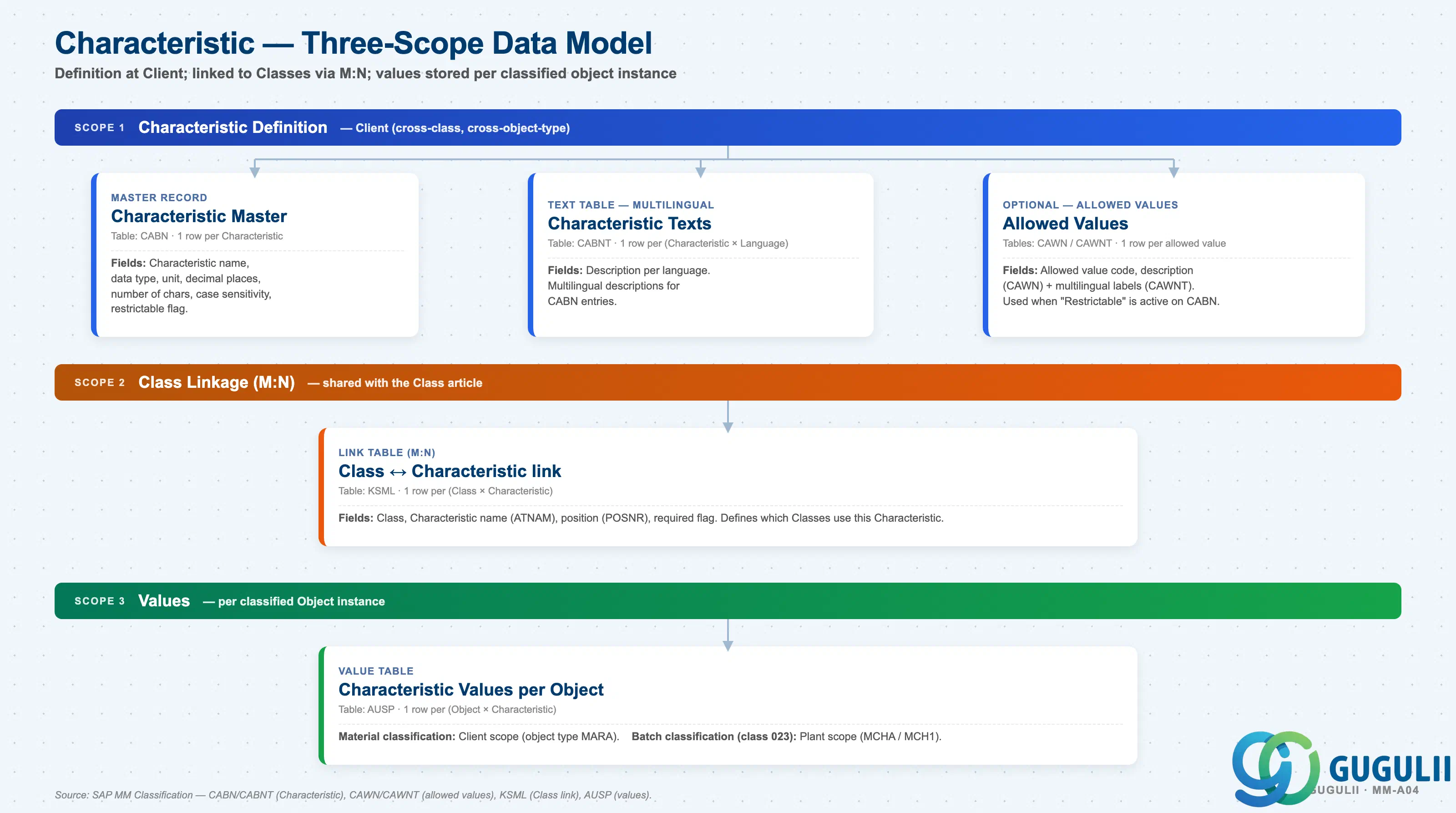
The Characteristic is a Client-level definition that is reused across many Classes and many Object types. Its data type and value range are fixed at design time and cannot be safely changed once values exist in production.
Client scope — Characteristic Definition
   │
   ├── Characteristic Master (CABN)
   │      Data type, unit, decimal places, number of chars,
   │      case sensitivity, restrictable flag.
   │
   ├── Characteristic Texts (CABNT) — multilingual
   │      Description per language.
   │
   └── Allowed Values (CAWN / CAWNT) — optional
          List of permitted value codes + multilingual labels.
          Used when "Restrictable to allowed values" is active on CABN.

Class linkage scope (M:N — see Class article)
   │
   └── Class ↔ Characteristic link (KSML)
          One row per (Class × Characteristic).
          Defines which Classes use this Characteristic.

Values scope (per Object instance)
   │
   └── Characteristic Values per Object (AUSP)
          One row per (Object × Characteristic).
          For Material classification: Client scope (object type MARA).
          For Batch classification (class type 023): Plant scope
(MCHA / MCH1 — Plant-specific batch values).| Object (Table) | Scope | Primary Fields | Notes |
|---|---|---|---|
| Characteristic Master (CABN) | Client | Characteristic name, data type, unit, decimal places, case sensitivity | One CABN per characteristic, shared across all using classes and object types |
| Characteristic Texts (CABNT) | Client | Description per language | Multilingual descriptions for CABN entries |
| Allowed Values (CAWN / CAWNT) | Client | Allowed value code, description | Optional — used when “Restrictable” is active on CABN |
| Characteristic Values per Object (AUSP) | Object instance (Plant for Batch) | Object GUID, characteristic internal ID, value | For Batch (class 023), partition is by batch (MCHA + plant) |
Key design decision: Characteristics used for batch classification (e.g., shelf life expiry date, manufacturing date) must be defined with the correct data type from the start. Numeric and Date characteristics support interval-based batch searches in the batch information cockpit (MB56), essential for FEFO picking in QM and EWM integration scenarios.
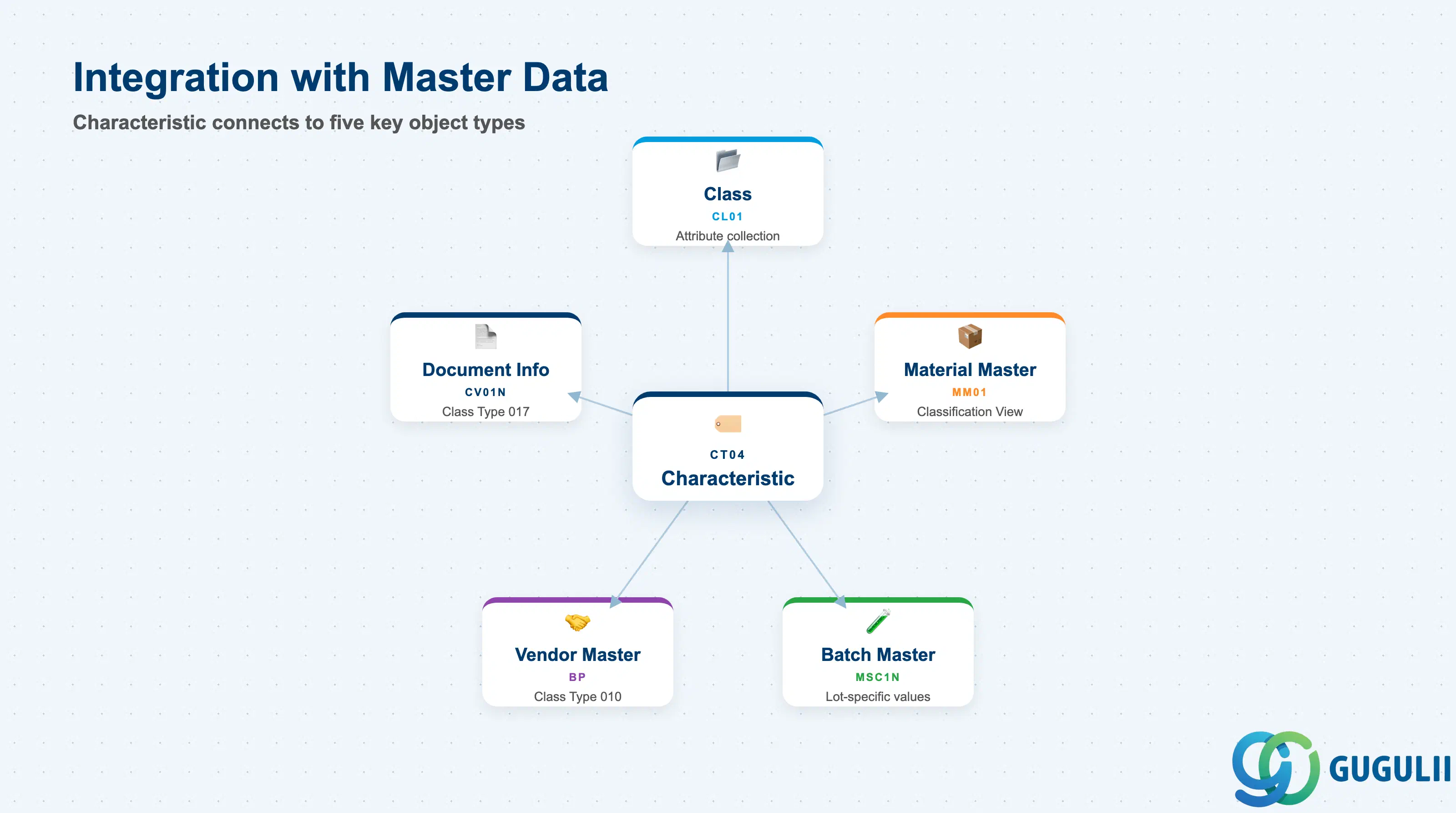
The Characteristic does not stand alone — it gains meaning only when assigned to a Class, and delivers value only when that Class is assigned to an object.
| Object | Relationship | Practical Notes |
|---|---|---|
| Class (CL01) | Characteristics are assigned to Classes — a Class is a collection of Characteristics | A Characteristic can be assigned to multiple Classes across different Class Types. Changes to the Characteristic definition (allowed values, decimal places) propagate immediately to all Classes using it — plan updates carefully in production. |
| Material Master (MM01) | Classification View of the Material Master stores Characteristic values via Class assignment | Material classification enables multi-attribute material search (transaction CL30N / Fiori “Find Material”). Supports scenarios where standard search by material description is insufficient — common in chemicals, electronics, and MRO environments. |
| Batch Master (MSC1N) | Batch classification stores lot-specific Characteristic values for quality, shelf life, and traceability attributes | Batch characteristics are the backbone of QM integration: inspection lots write characteristic results to the Batch Master via usage decision. For food, pharma, and chemicals industries, batch characteristics are mandatory master data. |
| Vendor Master / Business Partner | Class Type 010 (Vendor) uses Characteristics for vendor evaluation and qualification | Less common in standard MM; more common in strategic sourcing tools (Ariba, SRM). Confirm with the customer whether vendor classification in SAP is in scope or delegated to a procurement platform. |
| Document Info Record (DIR) | Class Type 017 (Document) enables classification of engineering documents | Cross-module; relevant when MM master data team coordinates with document management (DMS). Characteristic values on DIRs enable document search by technical attribute. |
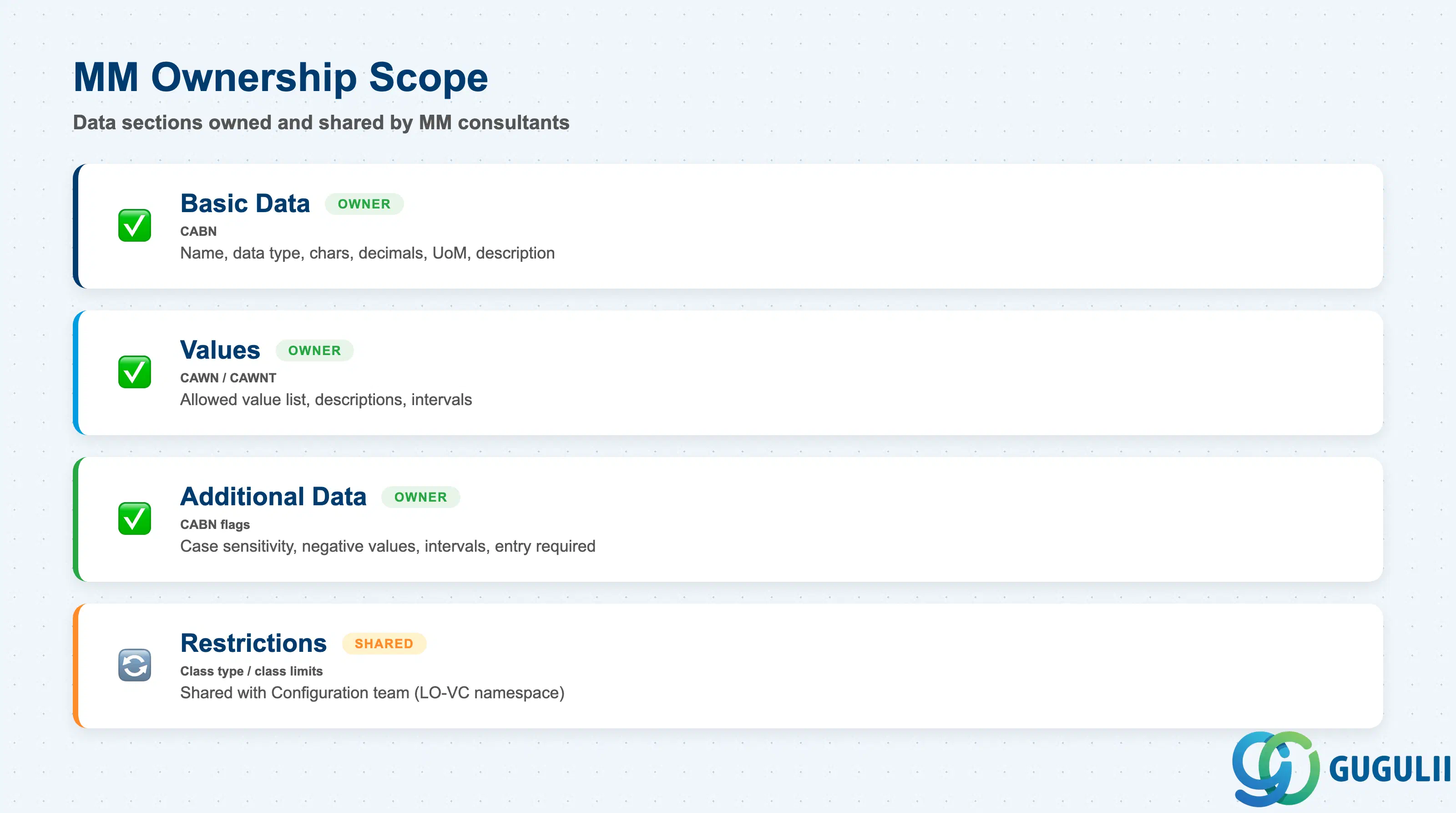
| Data Section | MM Involvement | Notes |
|---|---|---|
| Basic Data (CABN) | ◎ Owner | Characteristic name, data type, number of chars, decimal places, unit of measure, description |
| Values (CAWN / CAWNT) | ◎ Owner | Allowed value list, value descriptions, value interval settings |
| Additional Data | ◎ Owner | Case sensitivity, negative values allowed, interval values allowed, entry required flag |
| Restrictions | ○ Shared with Configuration team | Class type and class restrictions — limits which classes can use this characteristic. Relevant in multi-module implementations where LO-VC (Variant Configuration) and MM Classification share a characteristic namespace. |
Legend: ◎ = Owner / Critical, ○ = Direct involvement
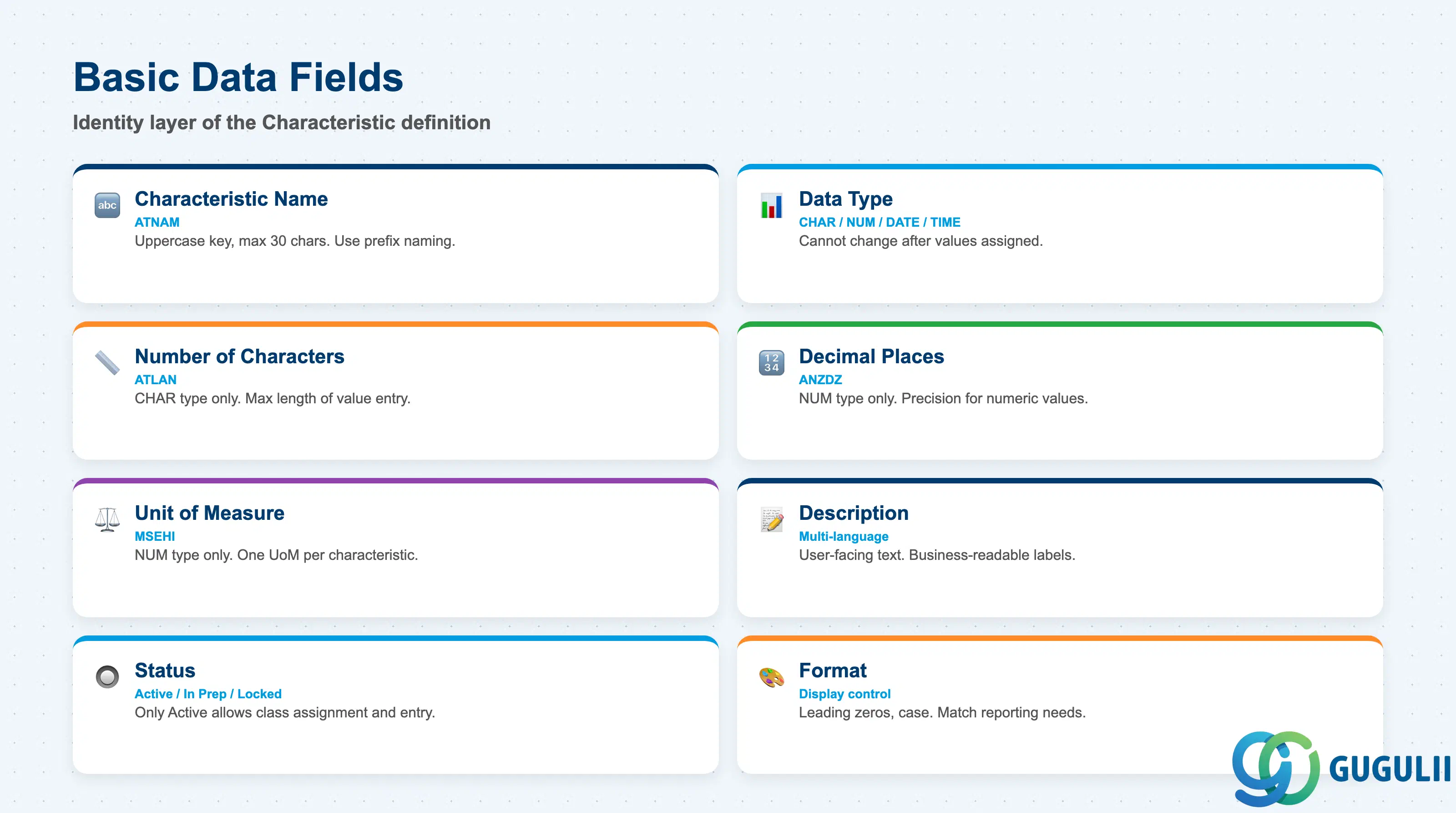
Basic Data is the identity layer of the Characteristic. Fields here define what the characteristic is, what it can store, and how values are displayed.
| Field | Description | Practical Usage |
|---|---|---|
| Characteristic Name (ATNAM) | Internal key for the characteristic — uppercase, up to 30 characters | Naming conventions are critical: once a characteristic is used in production, renaming requires deletion and recreation (or a migration). Use a prefix scheme tied to the functional domain (e.g., MM_COLOR, QM_EXPIRY_DATE, BATCH_MFG_DATE). Agree the naming standard at blueprint, not after go-live. |
| Data Type | Type of value the characteristic stores: CHAR / NUM / DATE / TIME | The most consequential setting — cannot be changed after value assignments exist. Numeric characteristics require unit and decimal-place settings. Date characteristics require no additional setup but benefit from description standards (e.g., “YYYYMMDD format” documented in characteristic description). |
| Number of Characters (ATLAN) | Maximum length of a CHAR value, in characters (max 30) | For CHAR type only. Size the field to the longest realistic value in the business context — over-allocating wastes nothing, but under-allocation truncates incoming data during migration or EDI. Typical values: Color = 10, Grade = 2–5, Country code = 3. |
| Decimal Places (ANZDZ) | Number of decimal places for a NUM value | For NUM type only. Shelf life temperature might need 1 decimal (2.5°C), fill volume might need 2 (1.25 L). Decimal places cannot exceed the display capacity of the underlying data type. |
| Unit of Measure (MSEHI) | Base unit for a numeric characteristic | For NUM type only. Stored as the SAP internal unit key (e.g., CEL for Celsius, L for litre, KG for kilogram). The unit is defined at the characteristic level and applies to all objects using this characteristic — it cannot vary per object. If multiple units are needed (e.g., both °C and °F), separate characteristics are required. |
| Characteristic Description | Short text describing the characteristic | Maintained in multiple languages via CT04 → “Description” tab. The description — not the characteristic name — is what end users see in classification screens and Fiori apps. Use business-readable text: “Shell Life Temperature (Storage Min, °C)” is more useful than “TEMP_SHELF_LIFE”. |
| Status | Active / In Preparation / Locked | Only “Active” characteristics can be used in Class assignments and object value entry. Set newly created characteristics to “Active” before assigning to a class. “Locked” prevents new value assignments while preserving existing ones — useful during data cleansing. |
| Format | Display format for the characteristic in classification screens | Controls how values appear: with or without leading zeros (numeric), upper/lower case (char). Set to match downstream reporting and external system expectations. |
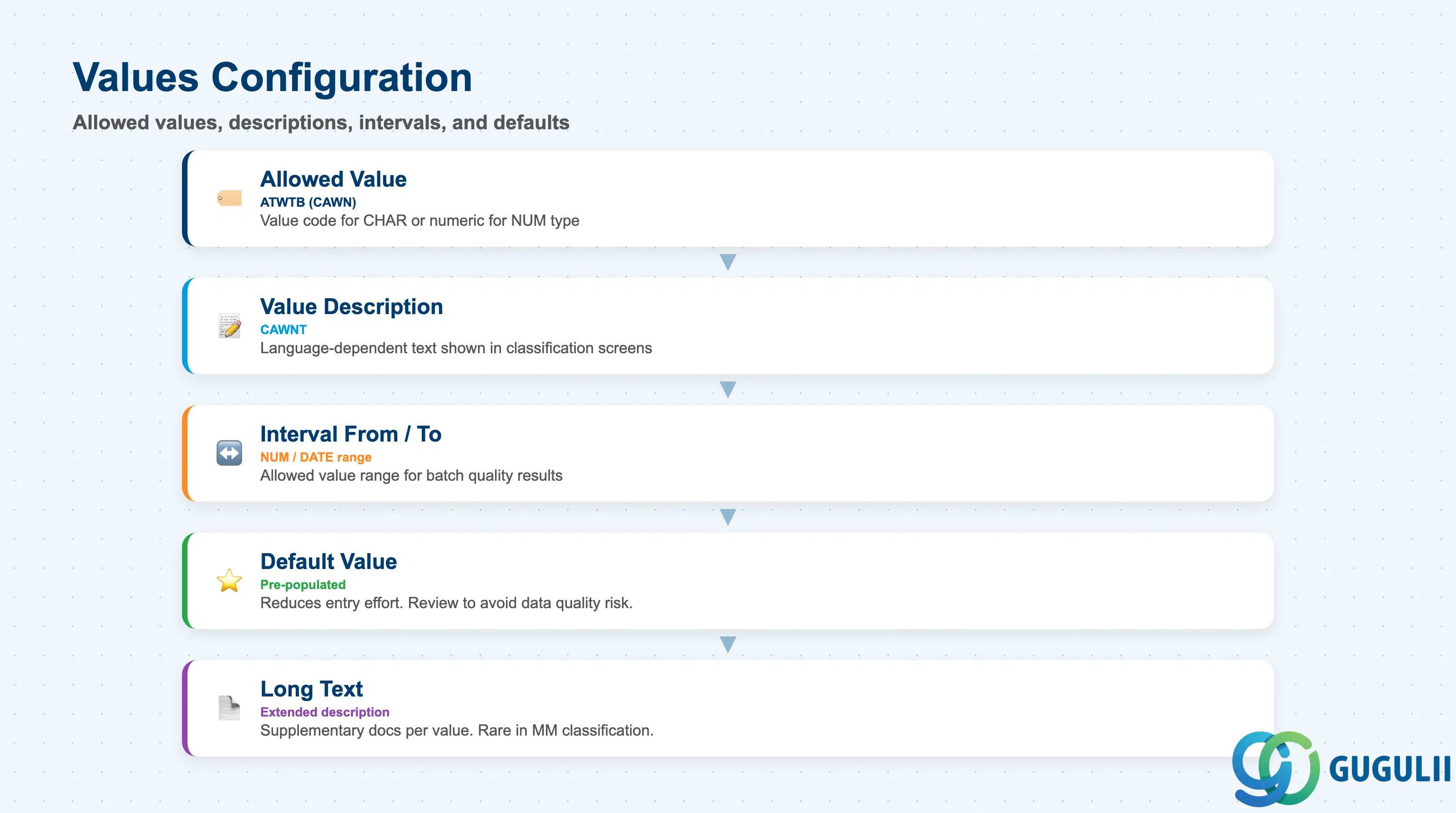
The Values section defines the allowed values for a Characteristic. When allowed values are defined and the “Restrictable” or “Values” entry setting is active, end users can only select from this list during classification — free-text entry is blocked.
| Field | Description | Practical Usage |
|---|---|---|
| Allowed Value (ATWTB) | The allowed value code (for CHAR type) or numeric value (for NUM type) | Each allowed value is an independent entry in the values table (CAWN). For CHAR characteristics, the value itself is the code (e.g., “RED”, “BLUE”, “A”, “B”). Add values incrementally — existing object assignments are not disrupted when new allowed values are added to a characteristic. |
| Value Description (CAWNT) | Language-dependent description for the allowed value | Displayed to end users in classification entry screens. Maintain descriptions in all relevant logon languages for the project (e.g., EN, JA). A characteristic value code of “ROH” is meaningless to a warehouse operator; a description of “Raw Material Grade” is actionable. |
| Interval From / To | For NUM or DATE characteristics, defines an allowed value range | Range-based entries allow a value interval as a single allowed value (e.g., “Temperature between 2 and 8°C”). Required for batch classification characteristics where quality results fall within a range rather than at a single point. |
| Default Value | Pre-populated value in the classification entry screen | Set a default for attributes where the most common value is known in advance (e.g., default country of origin = JP for domestically sourced materials). Reduces data entry effort but must be reviewed by users — an unchecked default is a data quality risk. |
| Long Text | Extended description for the allowed value | Available per value for supplementary documentation. Rarely used in MM classification; more common in engineering document classification (DMS). |
Prerequisite: If the Characteristic is of type CHAR with no allowed values defined, users can enter any text up to the character limit. This is appropriate for descriptive free-text attributes (e.g., a “Notes” characteristic) but inappropriate for attributes intended for group-based search and reporting. Define allowed values for any characteristic used in batch searches or material grouping reports.
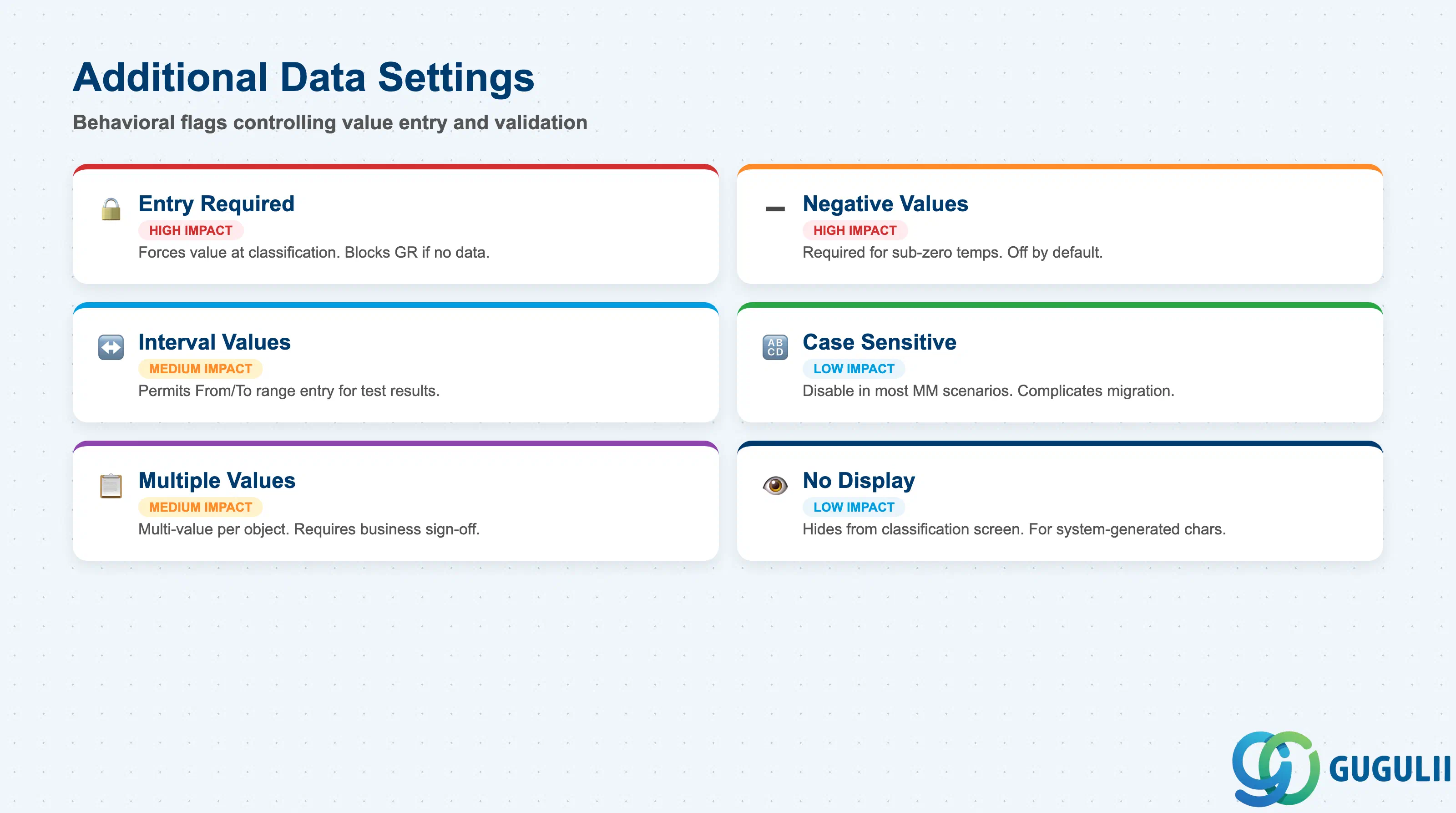
Additional Data contains behavioral flags that control how values are entered and validated on the Characteristic. These flags have significant impact on data quality and batch search behavior.
| Field | Description | Practical Usage |
|---|---|---|
| Entry Required | Forces a value to be entered for this characteristic when classifying an object | For mandatory batch attributes (e.g., manufacturing date, expiry date), set Entry Required. Objects whose batch class has an “Entry Required” characteristic cannot be saved without a value. This is the primary data completeness control in batch classification — use it deliberately, not by default, or it will block goods movements when data is not yet available at GR. |
| Negative Values Allowed | Permits negative numeric values | For NUM characteristics representing temperatures, pressure differentials, or financial offsets, enable this flag. Disabled by default. For example, a storage temperature characteristic without this flag cannot store “-18°C” (freezer storage) — a critical error for food and cold chain logistics. |
| Interval Values Allowed | Permits entry of a value range (From / To) instead of a single point | Enables batch classification scenarios where test results are expressed as ranges (e.g., tensile strength 450–480 MPa). When enabled, the classification screen shows two value fields (From / To) rather than one. |
| Case Sensitive | Makes CHAR values case-sensitive (e.g., “Red” ≠ “RED”) | Disable in almost all MM scenarios. Case sensitivity complicates data migration, EDI inbound processing, and manual entry — value “RED” and “Red” would be treated as different allowed values. Enable only when external system interface constraints require exact-case matching. |
| Multiple Values Allowed | Permits multiple values to be assigned to this characteristic for a single object | Enables multi-value classification (e.g., a material can have both “Color = RED” and “Color = BLUE” for a two-tone component). Use with caution: multiple values complicate characteristic value searches and reporting, and can create ambiguity in batch classification. Require explicit business sign-off before enabling. |
| No Display | Hides the characteristic from the classification entry screen | Used for technical or system-generated characteristics that should not be manually edited. Rare in MM master data contexts; more common in LO-VC and DMS. |
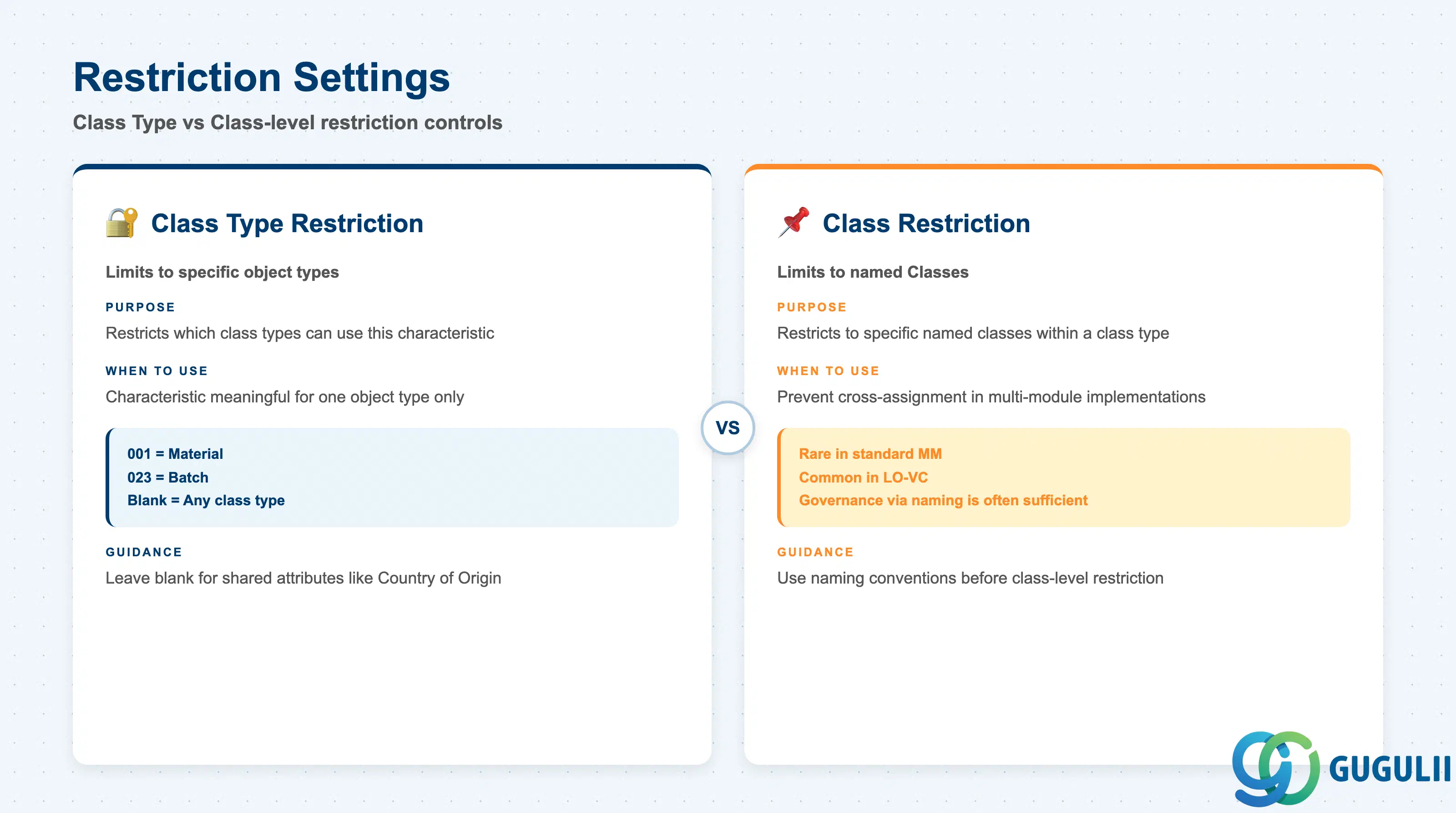
The Restrictions tab controls which Class Types and specific Classes are allowed to use this Characteristic. Restrictions protect the classification design in multi-module implementations where MM, QM, PM, and SD (LO-VC) all share the SAP Classification System.
| Field | Description | Practical Usage |
|---|---|---|
| Class Type | Limits the characteristic to objects of a specific class type (e.g., Class Type 001 = Material, Class Type 023 = Batch) | Leave blank to allow the characteristic to be used in any class type — appropriate for generic attributes (e.g., “Country of Origin”) shared across material and batch classification. Restrict to a specific class type when the characteristic is only meaningful for one object type and cross-assignment would cause confusion or governance issues. |
| Class | Further limits the characteristic to specific named Classes | Rarely needed in standard MM. More common in Variant Configuration (LO-VC) where characteristics are explicitly scoped to product model classes. In MM, Class-level restriction is occasionally used to prevent a batch quality characteristic from being accidentally assigned to a material class — but governance through naming conventions is usually sufficient. |
| Required Class | Marks assignment to a specific class as mandatory | Advanced use case. When set, any object assigned to the named class must provide a value for this characteristic — regardless of the “Entry Required” flag at the characteristic level. Rarely implemented in standard MM rollouts; more relevant in QM-driven implementations. |
Prerequisite: Class Type settings must align with the Classification Customizing (transaction CLBP — Class Type settings, transaction CLPT — allowed characteristics per class type). If the project uses a custom class type (non-standard), verify that the characteristic is permitted for that type in Customizing before assigning.
| ID | Category | Title |
|---|---|---|
| mm-001 | Overview | What is SAP MM? |
| ID | Category | Title |
|---|---|---|
| mm-a01 | Overview | SAP MM Master Data: Overview, Hierarchy & Relationships |
| mm-a02-01 | Master Data | SAP MM Material Master |
| mm-a04-01 | Master Data | SAP MM Class |
| mm-a04-02 | Master Data | SAP MM Characteristic 📍 |
| mm-a06-01 | Master Data | SAP MM Purchasing Info Record |
| mm-a05-01 | Master Data | SAP MM Batch Master |
| mm-a06-02 | Master Data | SAP MM Source List |
| mm-a06-03 | Master Data | SAP MM Quota Arrangement |
| mm-a06-04 | Master Data | SAP MM Price Condition |
| ID | Category | Title |
|---|---|---|
| mm-b01 | Overview | SAP MM Transactions: Process Flow, Hierarchy & Module Integration |