Title here
Summary here

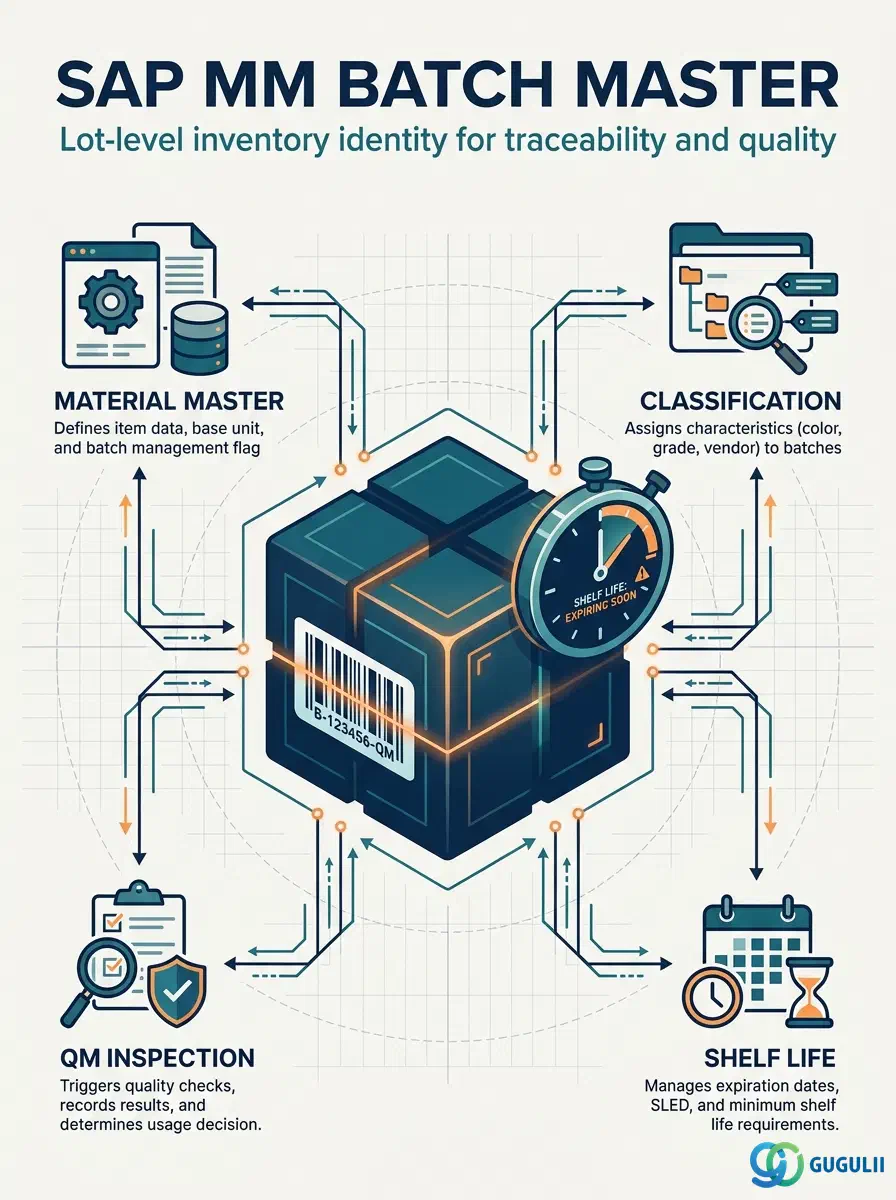
The Batch Master is the master data record that represents a uniquely identified lot, production run, or delivery unit of a material. Where the Material Master defines what a material is, the Batch Master defines a specific, traceable instance of it — capturing production dates, expiration dates, quality status, and vendor-assigned lot numbers. Every goods movement, quality inspection, and shelf-life check in SAP traces back to a Batch Master record. This article covers the object’s scope, types, organizational levels, integration points, and the MM-specific fields that consultants configure and maintain.
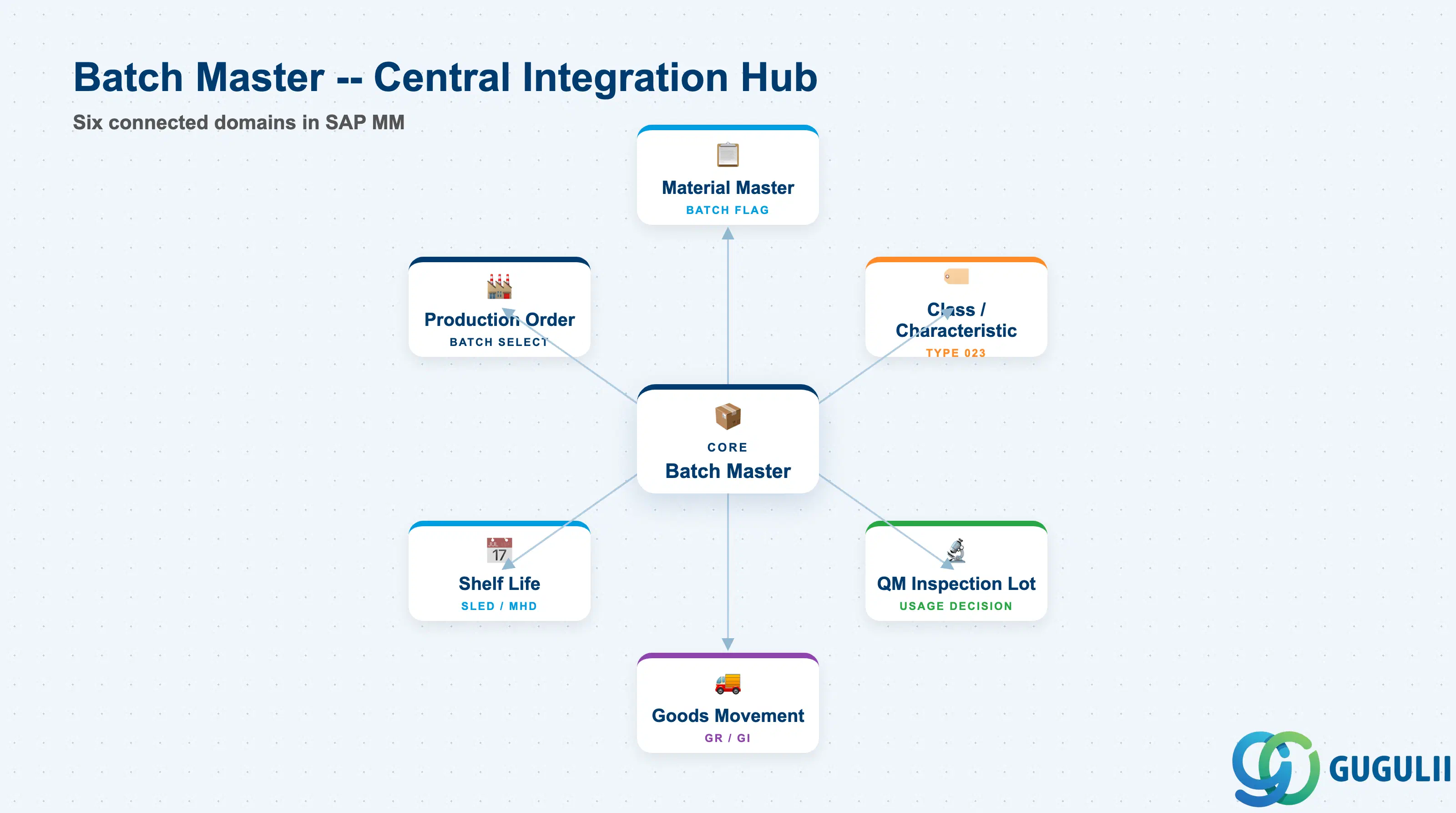
A batch is a subset of a material’s total stock that is managed as a separate, uniquely identified unit throughout its lifecycle — from goods receipt through storage, consumption, and disposal. The Batch Master record stores the lot-specific attributes that distinguish one batch from another: when it was made, when it expires, who supplied it, and whether it is unrestricted, restricted, or blocked for use.
| Aspect | Details |
|---|---|
| Role | Stores lot-level identity, shelf life dates, classification values, and batch status for a specific quantity of a material |
| Modules using it | MM (Goods movements, procurement batch assignment), QM (Quality inspection at batch level, usage decisions), WM/EWM (Warehouse-level batch tracing), PP (Production order batch assignment, component batch selection), SD (Batch-specific delivery and billing) |
| Transactions | MSC1N (Create) / MSC2N (Change) / MSC3N (Display) / MSCUV (Batch where-used list) / MB56 (Batch availability overview) |
| Key Tables | MCH1 (Batch level above plant — client/plant-independent) / MCHA (Plant-level batch) / MCHB (Batch stock by plant and storage location) / MCH7 (Batch classification values) |
| S/4HANA note | Core batch data model unchanged from ECC. In S/4HANA, the “Manage Batches” Fiori app (F1234) replaces MSC3N for display and search. Batch classification search is available via Fiori with characteristic-based filtering. |
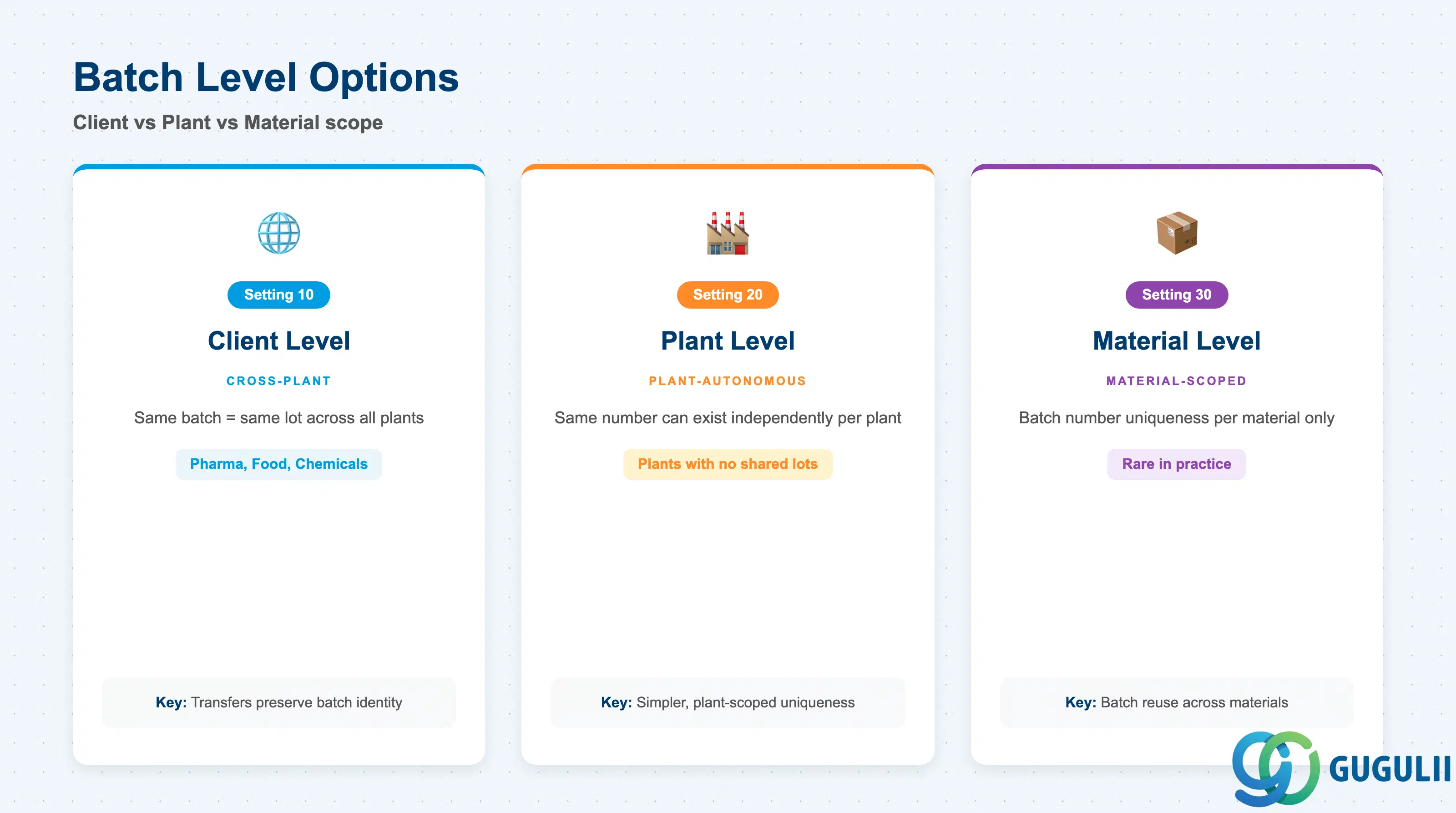
The batch level setting controls at which organizational scope a batch number is unique. This is a client-wide Customizing setting (transaction OMCE) and cannot be changed after batches exist — making the batch level decision one of the most consequential configuration choices in an MM implementation.
| Batch Level | Setting | Use Case | Key Behavior |
|---|---|---|---|
| Client Level | 10 | Cross-plant batch tracing — same batch number represents the same physical lot across all plants | Batch identity is unique at client + material + batch number. Stock can be transferred between plants without creating a new batch. Most common for regulated industries (pharma, food, chemicals). |
| Plant Level | 20 | Plant-autonomous batch management — same batch number can exist independently in different plants | Batch identity is unique at plant + material + batch number. A batch “1000” in Plant 1000 is a different record from “1000” in Plant 2000. Simpler for plants with no shared lots. |
| Material Level | 30 | Material-autonomous batches — batch number uniqueness scoped per material regardless of plant | Batch identity at material + batch number. Rare in practice; used when materials are logically distinct but batch numbers may be reused across them. |
Design principle: Batch level must be agreed between MM, QM, and PP during blueprint. Client-level batches are required when cross-plant stock transfers must preserve batch identity and when the same batch is inspected once and results must be visible plant-wide.
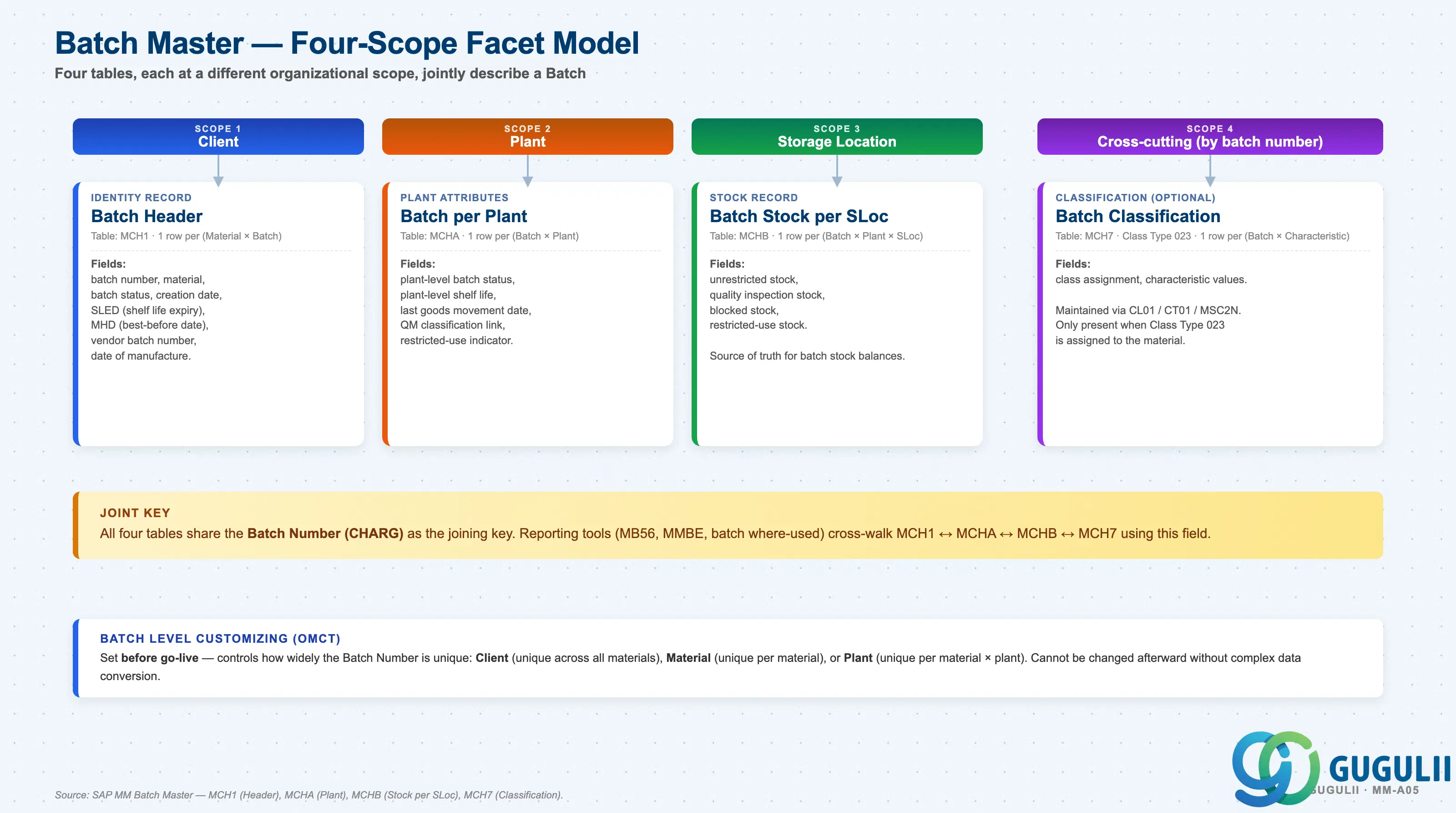
A Batch is not a single record but a set of related entries across four SAP tables, each maintained at a different organizational scope. The batch level (Client / Plant / Material) is a Customizing decision (OMCT) made before go-live — it controls how widely the batch number is unique and cannot be changed afterward without complex data conversion.
Client scope
   │
   └── Batch Header (MCH1) — identity record
          One row per (Material × Batch Number).
          Fields: batch number, material, batch status, creation date,
                  SLED (shelf life expiry), MHD (best-before date),
                  vendor batch number, date of manufacture.

Plant scope (per Plant)
   │
   └── Batch per Plant (MCHA) — plant-specific attributes
          One row per (Batch × Plant).
          Fields: plant-level batch status, plant-level shelf life,
                  last goods movement date, QM classification link,
                  restricted-use indicator.

Storage Location scope (per Plant + Storage Location)
   │
   └── Batch Stock per Storage Location (MCHB)
          One row per (Batch × Plant × Storage Location).
          Fields: unrestricted, quality inspection, blocked,
                  restricted-use stock quantities.

Cross-cutting (linked by batch number, optional)
   │
   └── Batch Classification (MCH7) — Class Type 023
          One row per (Batch × Characteristic).
Fields: class assignment, characteristic values.| Object (Table) | Scope | Primary Fields | Notes |
|---|---|---|---|
| Batch Header (MCH1) | Client | Batch number, material, batch status, SLED, MHD, vendor batch, date of manufacture | Identity record. Present even when batch level = Plant. |
| Batch per Plant (MCHA) | Plant | Plant-level batch status, plant-level shelf life, last goods movement date | Exists for each plant in which the batch has had a goods movement. |
| Batch Stock per Storage Location (MCHB) | Storage Location | Unrestricted, quality inspection, blocked, restricted-use stock quantities | Source of truth for batch-specific stock balances. Batch availability checks read MCHB. |
| Batch Classification (MCH7) | Cross-cutting (by batch number) | Class 023 assignment, characteristic values | Maintained via CL01 / CT01 / MSC2N. Only present when Class Type 023 is assigned to the material. |
Key design decision: For regulated industries, shelf life dates (SLED) must be maintained at MCH1 level and are automatically proposed during goods receipt if the material’s shelf life settings are active in the Material Master (MRP / Purchasing views). Inconsistent shelf life data between MCH1 and MCHA is a common source of batch availability errors.
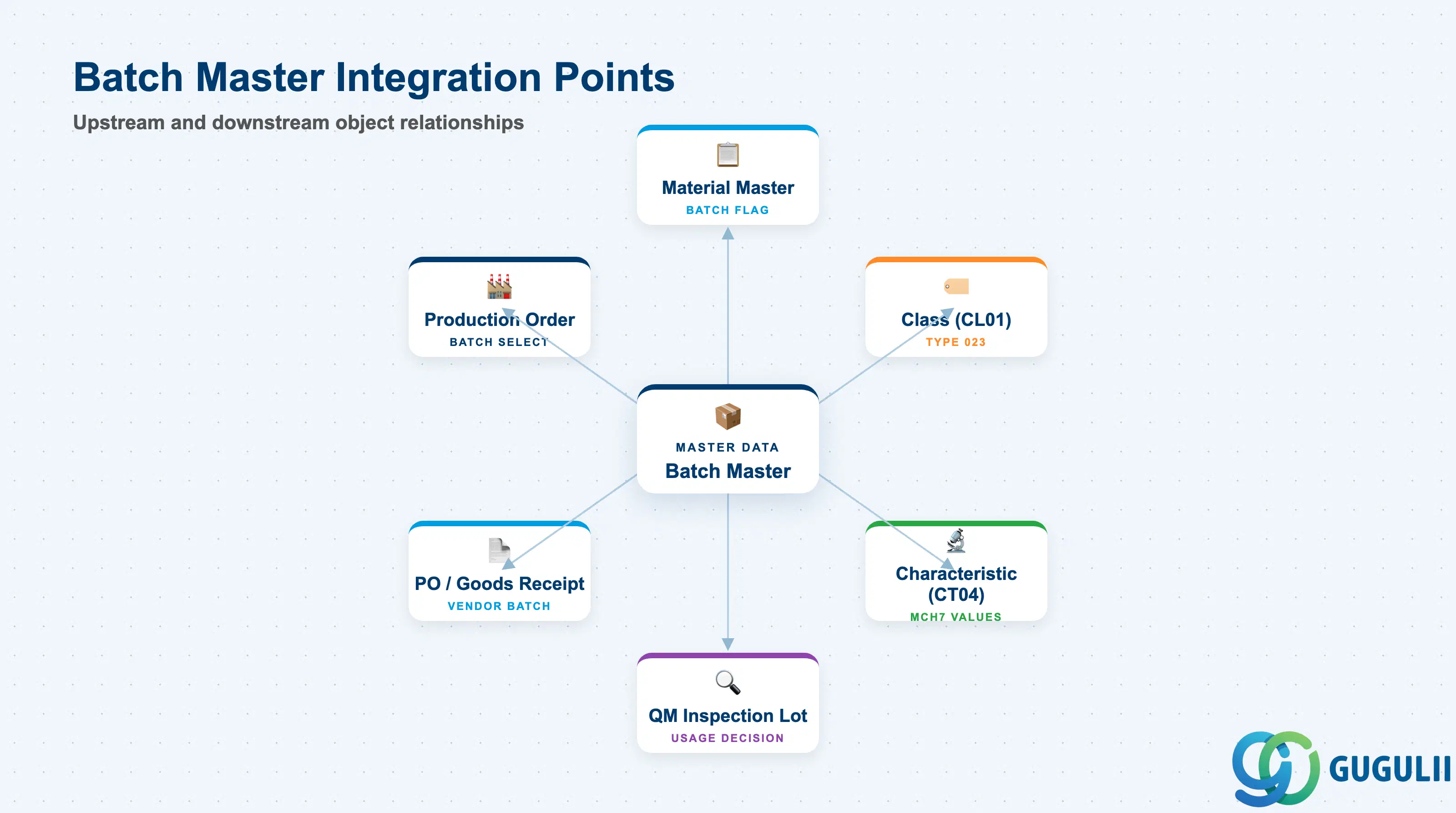
The Batch Master is not created in isolation. It is downstream of the Material Master and Classification objects, and is consumed by QM, PP, and WM processes.
| Object | Relationship | Practical Notes |
|---|---|---|
| Material Master | Batch management is activated per material in the Material Master (Plant/Storage 1 view — Batch Management flag) | Without this flag set, the system does not prompt for batch at goods movements. Activating batch management on an existing material that already has stock requires a careful migration procedure (stock must be zero or moved first). |
| Class (CL01) | Batch Master records are classified using class type 023 (Batch) | Classification enables characteristic-based batch search (e.g., find all batches with protein content ≥ 80%). Requires classes and characteristics to be defined first (Phase 3 prerequisite). |
| Characteristic (CT04) | Characteristic values stored in MCH7 per batch | Characteristics define the attributes captured per batch — pH level, viscosity, certificate number, inspection result. The characteristic data type and value range must be defined before batch classification can be used. |
| QM Inspection Lot | A QM usage decision updates the batch status (unrestricted / restricted / blocked) | The link between QM and Batch Master is the primary driver of batch status changes in quality-controlled processes. Misaligned batch status between QM and MM is the most common cross-module batch issue. |
| Purchase Order / Goods Receipt | Vendor batch number and SLED captured during GR into MCHA/MCH1 | Vendor batch number (LICHA) is recorded at GR via MIGO. If external batch number assignment is active (OMCE setting), the vendor’s lot number becomes the SAP batch number automatically. |
| Production Order | Component batch selection at order confirmation; finished goods batch created at GR | PP batch selection criteria (MIGO at backflush or component batch determination) read MCHA batch status and MCHB quantities. Batch where-used list (MSCUV) traces components through production. |
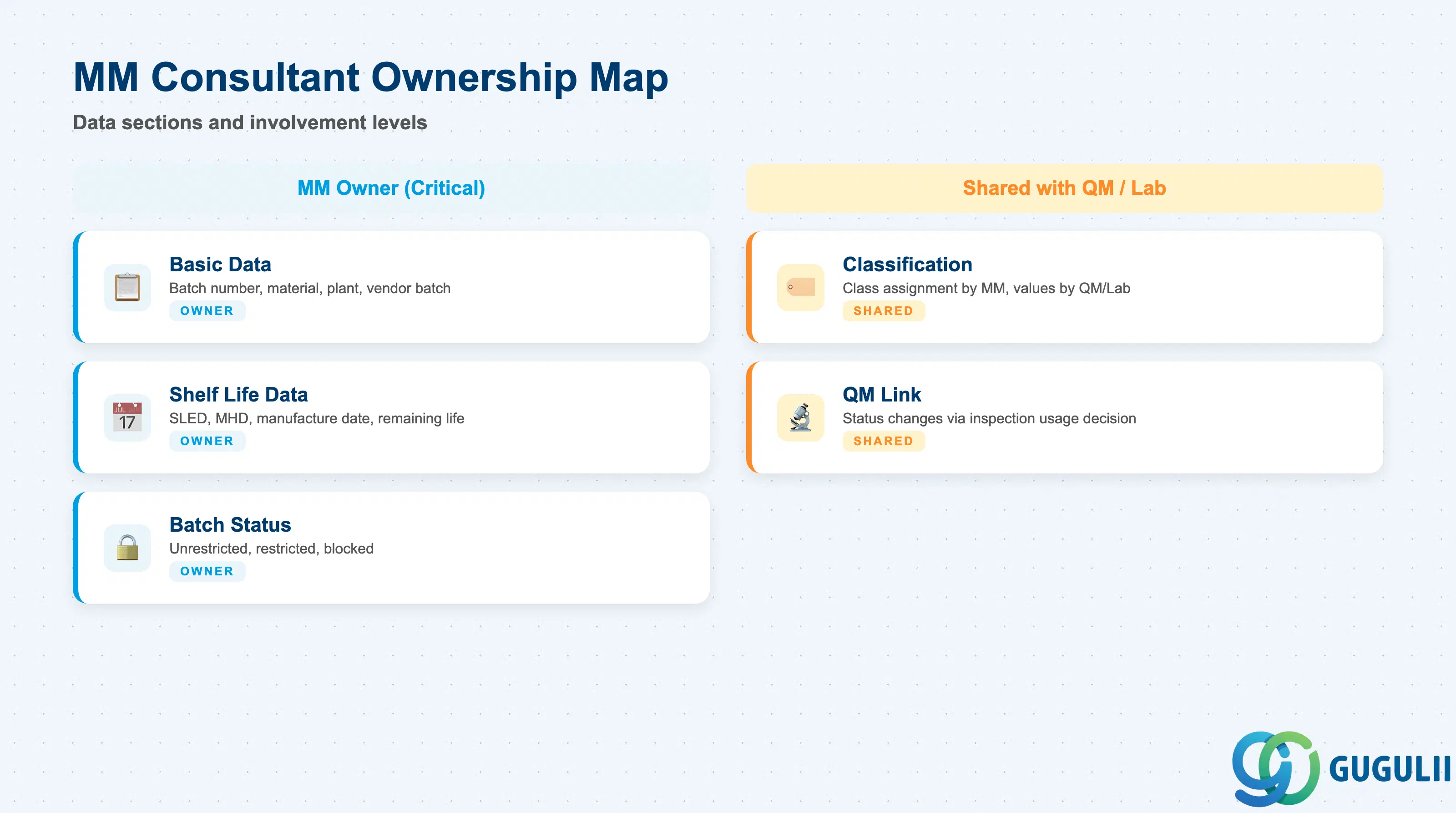
| Data Section | MM Involvement | Notes |
|---|---|---|
| Basic Data | ◎ Owner | Batch number, material, plant, vendor batch number |
| Shelf Life Data | ◎ Owner | SLED, MHD, date of manufacture, remaining shelf life |
| Batch Status | ◎ Owner | Unrestricted / restricted / blocked — MM sets initial status; QM may update via usage decision |
| Classification (Characteristic Values) | ○ Shared with QM / Lab | Class assignment driven by MM Customizing; values entered by QM or lab teams in quality-controlled processes |
| QM Link | ○ Shared with QM | Batch status changes triggered by QM inspection usage decision; MM consultant must coordinate inspection type and batch status management in blueprint |
Legend: ◎ = Owner / Critical, ○ = Direct involvement
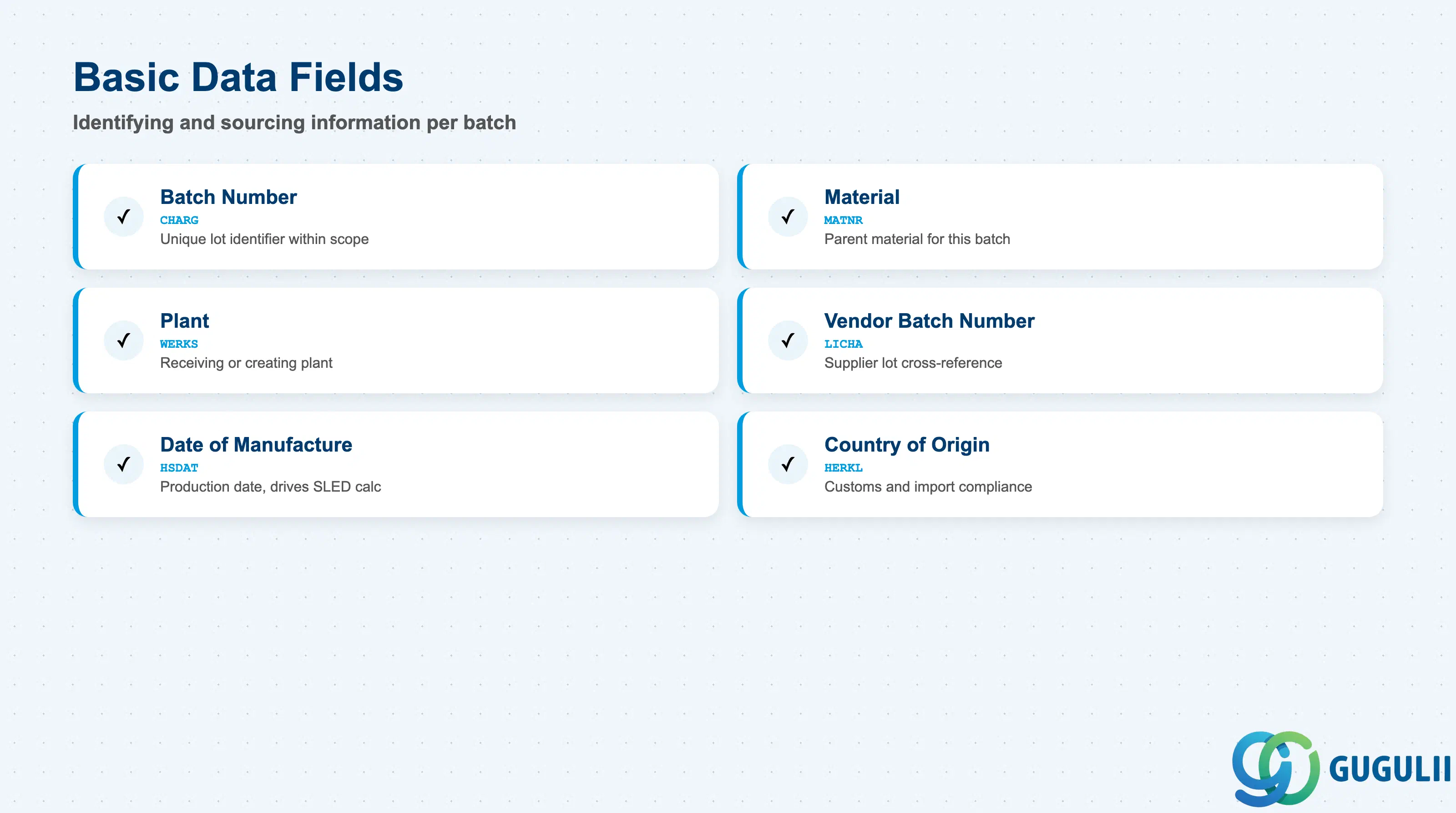
Basic Data captures the identifying and sourcing information for each batch. These fields are typically populated at goods receipt and drive traceability reporting.
| Field | Description | Practical Usage |
|---|---|---|
| Batch Number (CHARG) | Unique identifier for the batch within the material-plant scope | Length and format controlled by the batch number range configuration (OMCE). Internal batch number assignment (system-generated) is common in manufacturing; external assignment (vendor’s lot number becomes the batch number) is common in distribution and pharma. Agree on internal vs. external assignment in blueprint — it cannot be changed per material after the fact without a migration. |
| Material (MATNR) | The material this batch belongs to | A batch always belongs to exactly one material. Cross-material batch assignment is not possible in standard SAP — this drives the need for careful material master design in process industries where the same physical lot may be reclassified. |
| Plant (WERKS) | The plant at which the batch was received or created | Populated at GR. For client-level batch management, the batch header (MCH1) exists across plants, but MCHA tracks the plant-level status. Transfers between plants do not create new batches at client level. |
| Vendor Batch Number (LICHA) | The vendor’s internal lot or batch number | Captured during GR (MIGO field “External batch”). Critical for recall management — this is the cross-reference between SAP batch records and vendor quality certificates. Always configure GR screens to make this field visible and mandatory for quality-critical materials. |
| Date of Manufacture (HSDAT) | Production date of the batch | Entered at GR or maintained manually in MSC2N. Drives the automatic calculation of SLED when the material’s total shelf life is defined in the Material Master. If HSDAT is not entered at GR, SLED cannot be system-calculated — configure GR mandatory-field settings accordingly. |
| Country of Origin (HERKL) | Country where the material in this batch was produced | Required for customs declarations and import compliance. Can be defaulted from the Vendor Master or PIR but must be confirmed at GR for materials sourced from multiple countries. |
| Region of Origin (HERKR) | Specific region within the country of origin | Used for geographic designation requirements (e.g., wine appellations, protected designations of origin). Maintained in conjunction with HERKL. |
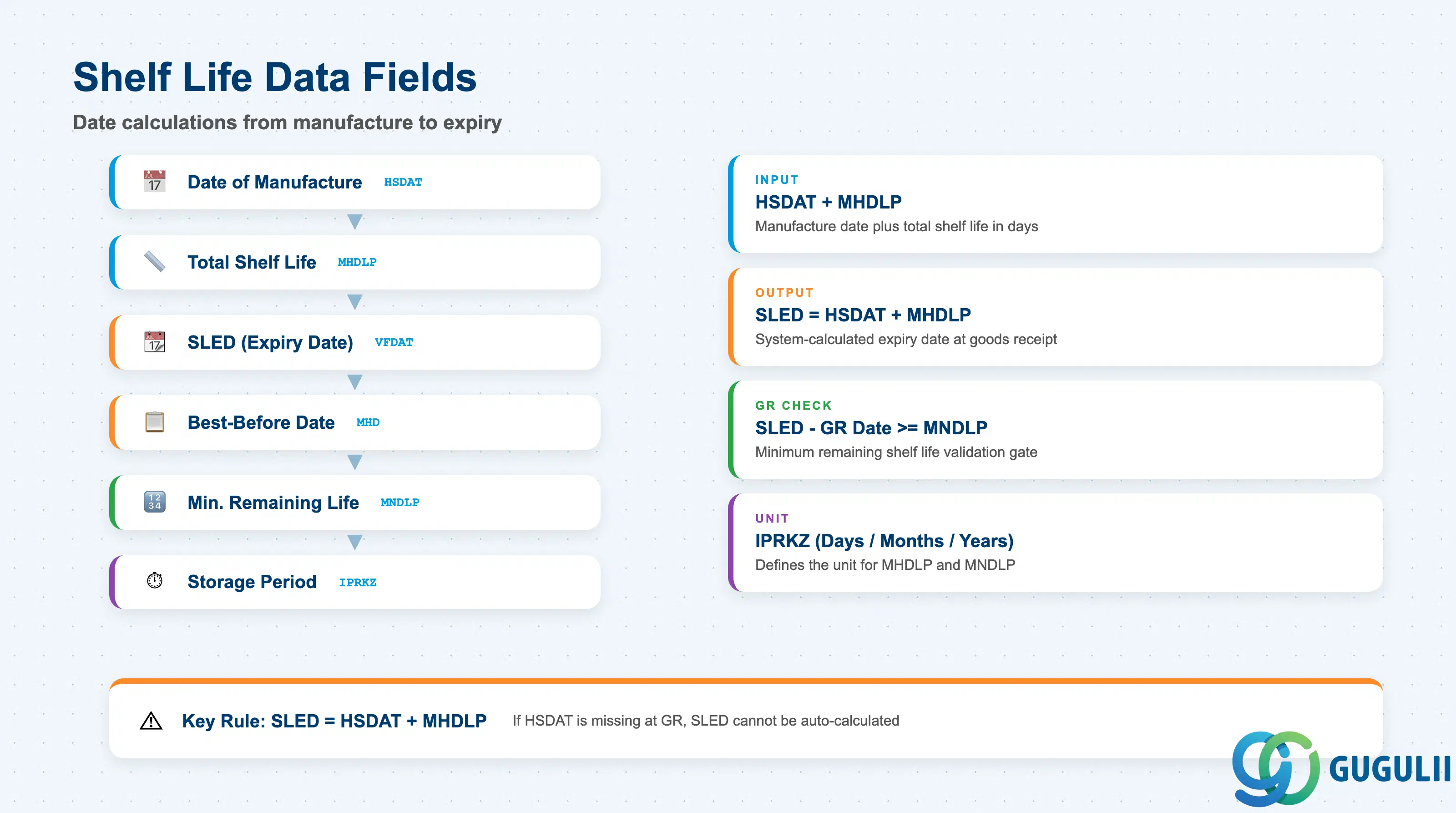
Shelf life management is the most operationally significant part of the Batch Master for food, pharma, chemical, and consumer goods industries. Fields in this section control batch availability and FEFO (First Expired First Out) picking.
| Field | Description | Practical Usage |
|---|---|---|
| Total Shelf Life (MHDLP) | Total number of days from manufacture to expiry | Defined in the Material Master (Plant/Storage 1 view — General Plant Data/Storage). When HSDAT is entered at GR, the system automatically calculates SLED = HSDAT + MHDLP. If left blank in Material Master, SLED must be entered manually at GR — a common source of data quality issues. |
| Shelf Life Expiry Date (SLED / VFDAT) | The date after which the batch must not be used or sold | The primary date used in batch availability checks and FEFO warehouse strategies. SLED-expired batches can be blocked automatically via a batch search strategy or by configuring the system to flag them as “blocked” at the stock determination level. In pharma and food projects, this is the most critical date in the Batch Master. |
| Best-Before Date (MHD) | “Best before” date — quality is guaranteed until this date but material may still be usable after | Separate from SLED. Used where regulatory requirements distinguish between the safety expiry (SLED) and the quality guarantee date (MHD). In Japan, food regulations commonly use both dates. |
| Minimum Remaining Shelf Life (MNDLP) | Minimum number of days of remaining shelf life required at time of goods receipt | Defined in Material Master (Purchasing view). If SLED − GR date < MNDLP, the system issues a warning or error at GR depending on the tolerance key configuration. Used to reject incoming deliveries with insufficient remaining shelf life — critical for retail customers who impose their own minimum shelf life requirements on suppliers. |
| Storage Period (IPRKZ) | Period indicator for shelf life unit (days, months, years) | Defines the unit for MHDLP and MNDLP calculations. Confirm the unit matches the business’s convention — mismatches between “days” and “months” settings cause SLED calculation errors that are hard to detect before go-live. |
| Remaining Shelf Life at GR | Calculated field: SLED − GR date | System-calculated at GR for information and tolerance checking. Not stored separately; displayed in MSC3N and on GR documents. |
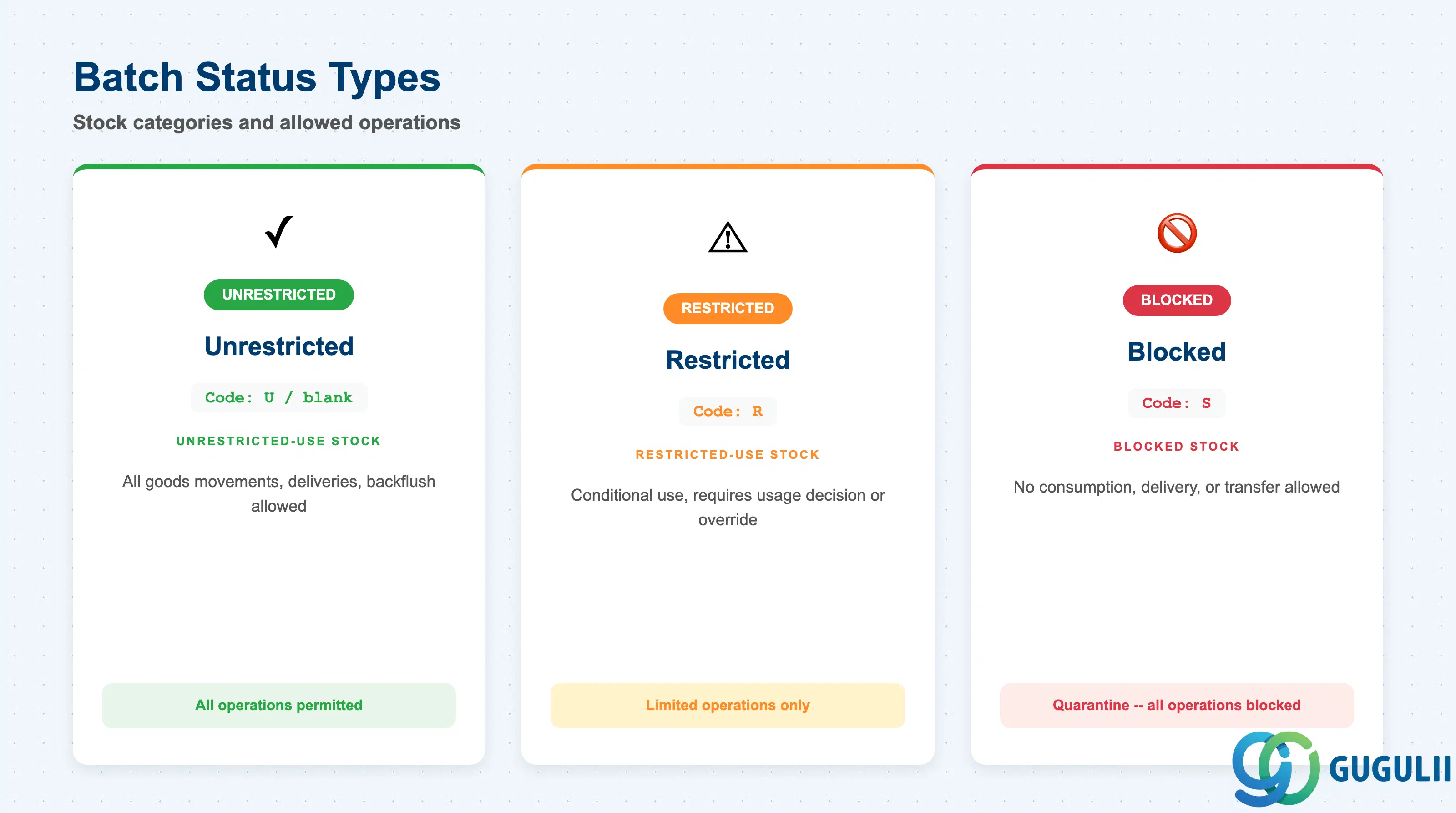
Batch status controls which stock category a batch’s inventory falls into and determines which transactions can consume or move the batch. It is the primary mechanism for quality hold management in MM.
| Status | Code | Stock Category | Allowed Operations | Practical Usage |
|---|---|---|---|---|
| Unrestricted | (blank / U) | Unrestricted-use stock | All goods movements, PO release, delivery, backflush | Default status for batches not under quality inspection or hold. All normal MM and PP operations proceed without restriction. |
| Restricted | R | Restricted-use stock | Goods movements allowed but restricted — typically requires a usage decision or override | Used when a batch is conditionally released for use in specific processes (e.g., downgraded for rework use only). Requires Customizing to enable movement type-level restriction behavior. |
| Blocked | S | Blocked stock | No consumption, no delivery, no transfer allowed | Applied automatically when QM creates an inspection lot requiring a usage decision, or manually via MSC2N for quality holds. A blocked batch cannot be delivered or consumed until the status is changed. This is the primary quarantine mechanism in regulated industries. |
Design principle: Batch status changes should be governed by a clear process — either through QM usage decisions (system-driven) or through an MM-authorized change in MSC2N (manual). Uncontrolled manual status changes are an audit risk in GxP environments. Establish a change log and approval workflow for batch status changes as part of the QM-MM integration design.
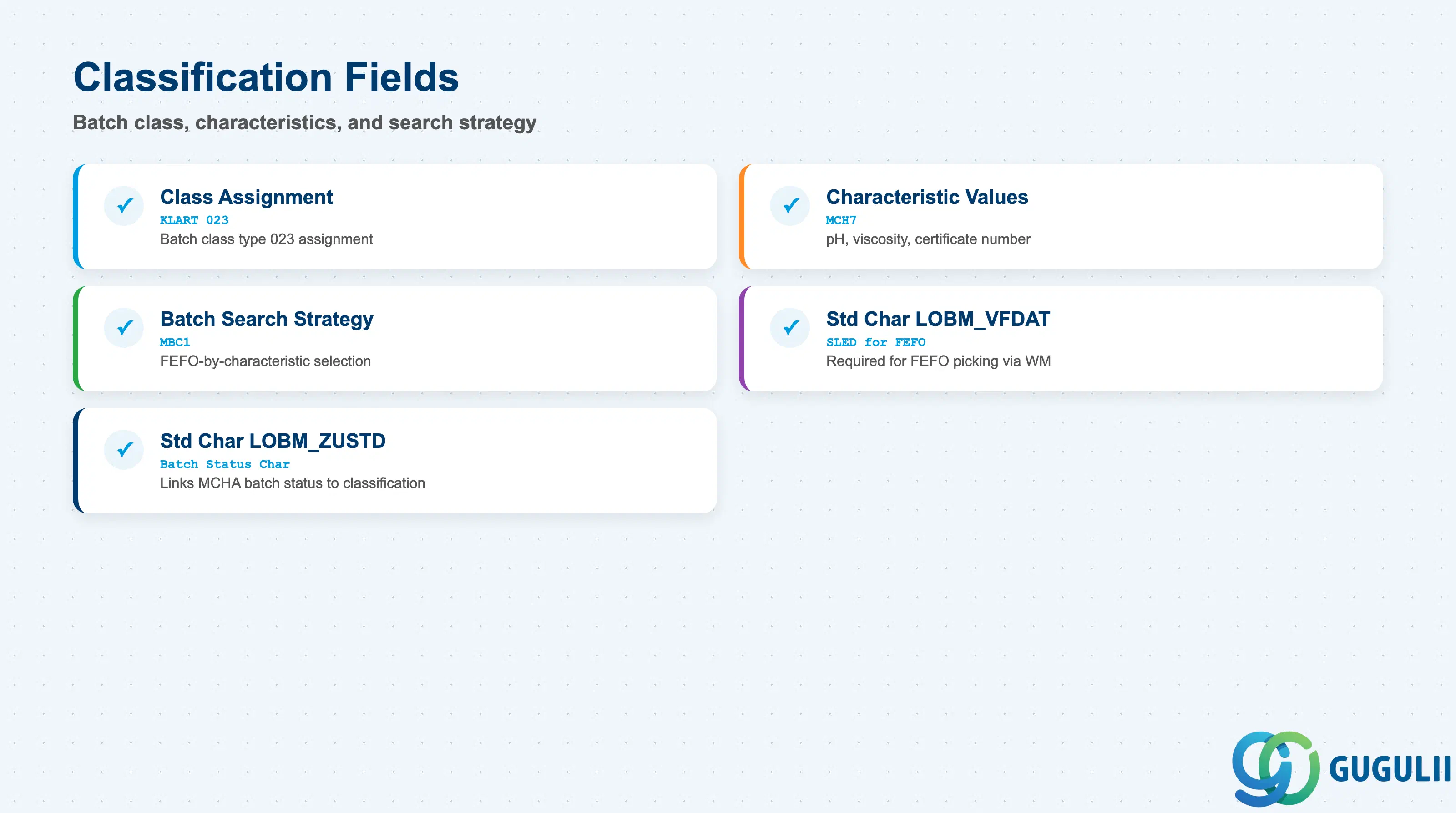
Batch classification enables capturing lot-specific quality, compositional, or process attributes and using them for batch search, selection, and reporting. It is the bridge between the Batch Master and the Classification module (Phase 3).
| Field | Description | Practical Usage |
|---|---|---|
| Class Assignment (KLART 023) | Assignment of a classification class (type 023 = Batch) to the batch | The class defines which characteristics are relevant for this batch. One or more classes can be assigned to a single batch. The class type 023 must be used — using other class types (e.g., 001 for materials) on batches causes search strategy errors in WM and SD. |
| Characteristic Values | Values entered for each characteristic defined in the assigned class | Example characteristics: Protein Content (%), pH Value, Certificate Number, Viscosity (mPas). Values are stored in MCH7 and are searchable via the Classification Info System (CL30N) or the Manage Batches Fiori app. In pharma and food, these values are often populated automatically from QM inspection results via the QM-Classification link. |
| Batch Search Strategy | SAP WM/EWM setting that selects batches based on characteristic values | Configured in Customizing (transaction MBC1). When a batch search strategy references a class, the system evaluates characteristic values to select the best-fit batch for a delivery or production order. This is the mechanism for FEFO-by-characteristic (e.g., always pick the batch with the highest protein content above 85%). |
| Standard Characteristic — LOBM_VFDAT | Standard batch classification characteristic for SLED | Pre-defined by SAP; must be included in the batch class to enable FEFO picking via WM batch search strategy. If LOBM_VFDAT is missing from the class, the SLED date cannot be used in the search strategy — a common configuration gap discovered only at WM testing. |
| Standard Characteristic — LOBM_ZUSTD | Standard characteristic for batch status | Links the MCHA batch status to the classification system. Required when batch status is used as a selection criterion in batch search strategies. |
Prerequisite: Class and Characteristic objects (Phase 3 — MM-A04-01, MM-A04-02) must be created and class type 023 activated before batch classification can be used. Batch classification setup should be included in the Phase 3 workbook even though it is used in Phase 4.
| ID | Category | Title |
|---|---|---|
| mm-001 | Overview | What is SAP MM? |
| ID | Category | Title |
|---|---|---|
| mm-a01 | Overview | SAP MM Master Data: Overview, Hierarchy & Relationships |
| mm-a02-01 | Master Data | SAP MM Material Master |
| mm-a04-01 | Master Data | SAP MM Class |
| mm-a04-02 | Master Data | SAP MM Characteristic |
| mm-a06-01 | Master Data | SAP MM Purchasing Info Record |
| mm-a05-01 | Master Data | SAP MM Batch Master 📍 |
| mm-a06-02 | Master Data | SAP MM Source List |
| mm-a06-03 | Master Data | SAP MM Quota Arrangement |
| mm-a06-04 | Master Data | SAP MM Price Condition |
| ID | Category | Title |
|---|---|---|
| mm-b01 | Overview | SAP MM Transactions: Process Flow, Hierarchy & Module Integration |