Title here
Summary here

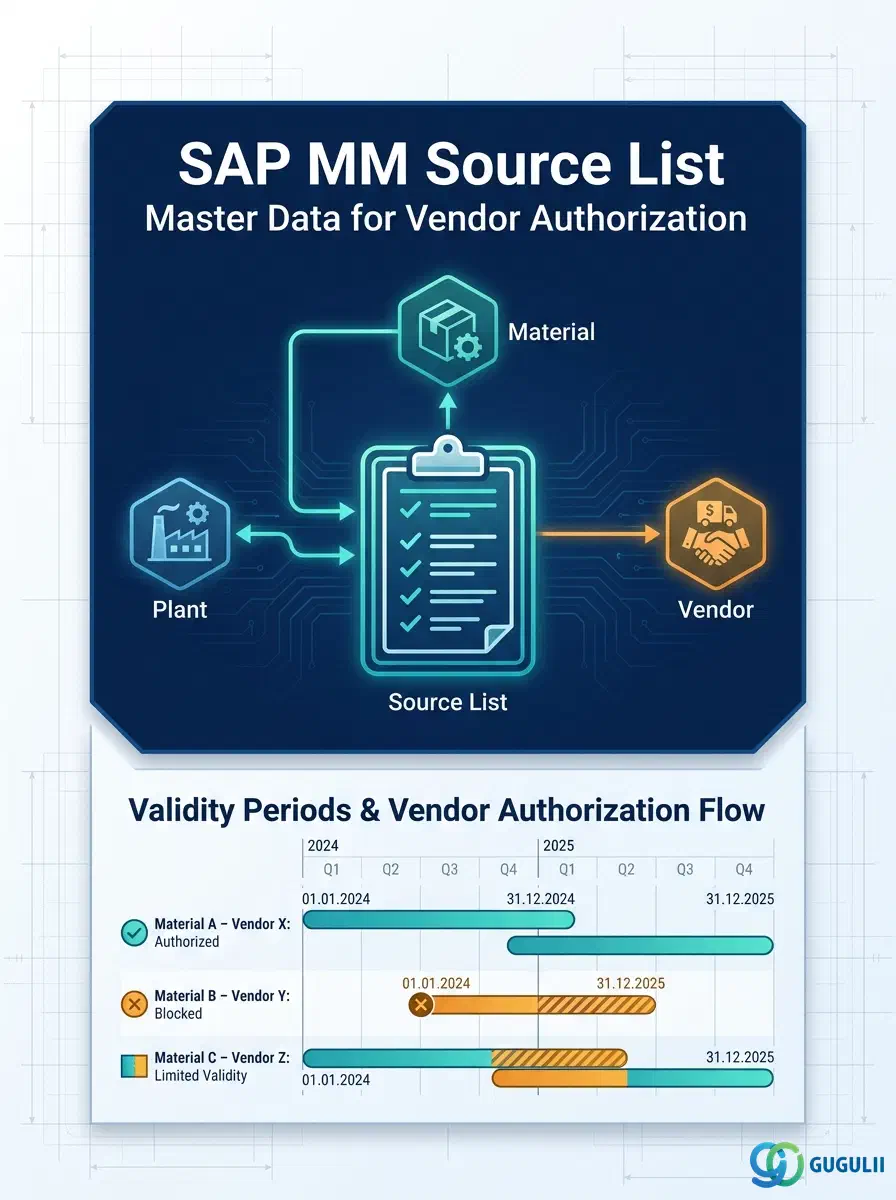
The Source List defines which vendors are authorized to supply a given material at a given plant, and for which time period. It sits directly below the Purchasing Info Record in the Phase 5 master data hierarchy and acts as the control gate for both manual purchasing and MRP-driven automatic source determination. Without an active Source List entry, the Purchasing Info Record is not considered when MRP assigns a source to a planned order or purchase requisition. This article maps the Source List’s types, organizational scope, data structure, and field-level detail for MM consultants.
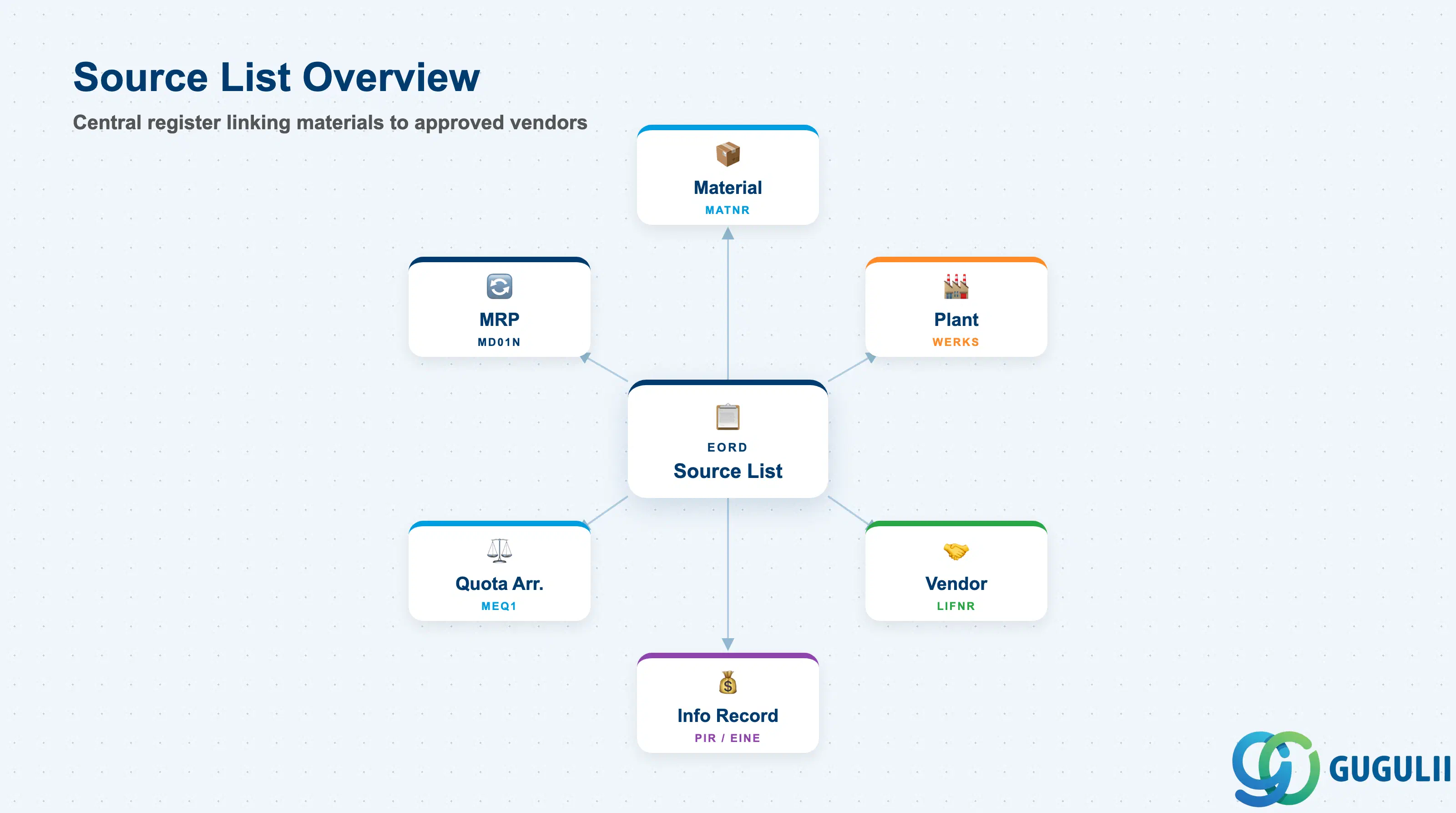
The Source List is a time-bounded register of approved supply sources for a specific material at a specific plant. Each line in the list names a vendor (and optionally a Purchasing Info Record, Contract, or Scheduling Agreement) and defines the window during which that source is valid. The Source List’s primary purpose is to answer a single operational question: “For this material-plant combination, which vendor should we order from today?”
| Aspect | Details |
|---|---|
| Role | Defines authorized vendors for a material-plant combination per validity period; acts as the input filter for automatic MRP source determination |
| Modules using it | MM (Purchasing — primary owner), MRP/PP (automatic source assignment on planned orders and purchase requisitions) |
| Transactions | ME01 (Create/Change) / ME03 (Display) / ME05 (Generate from PIR) / ME06 (Analyze) / ME07 (Reorganize expired entries) |
| Key Tables | EORD (Source List records) |
| S/4HANA note | Data model unchanged from ECC. Mass maintenance available via Fiori app “Manage Source Lists.” MRP source determination logic is unchanged; the MRP Indicator field values and behavior are identical. |
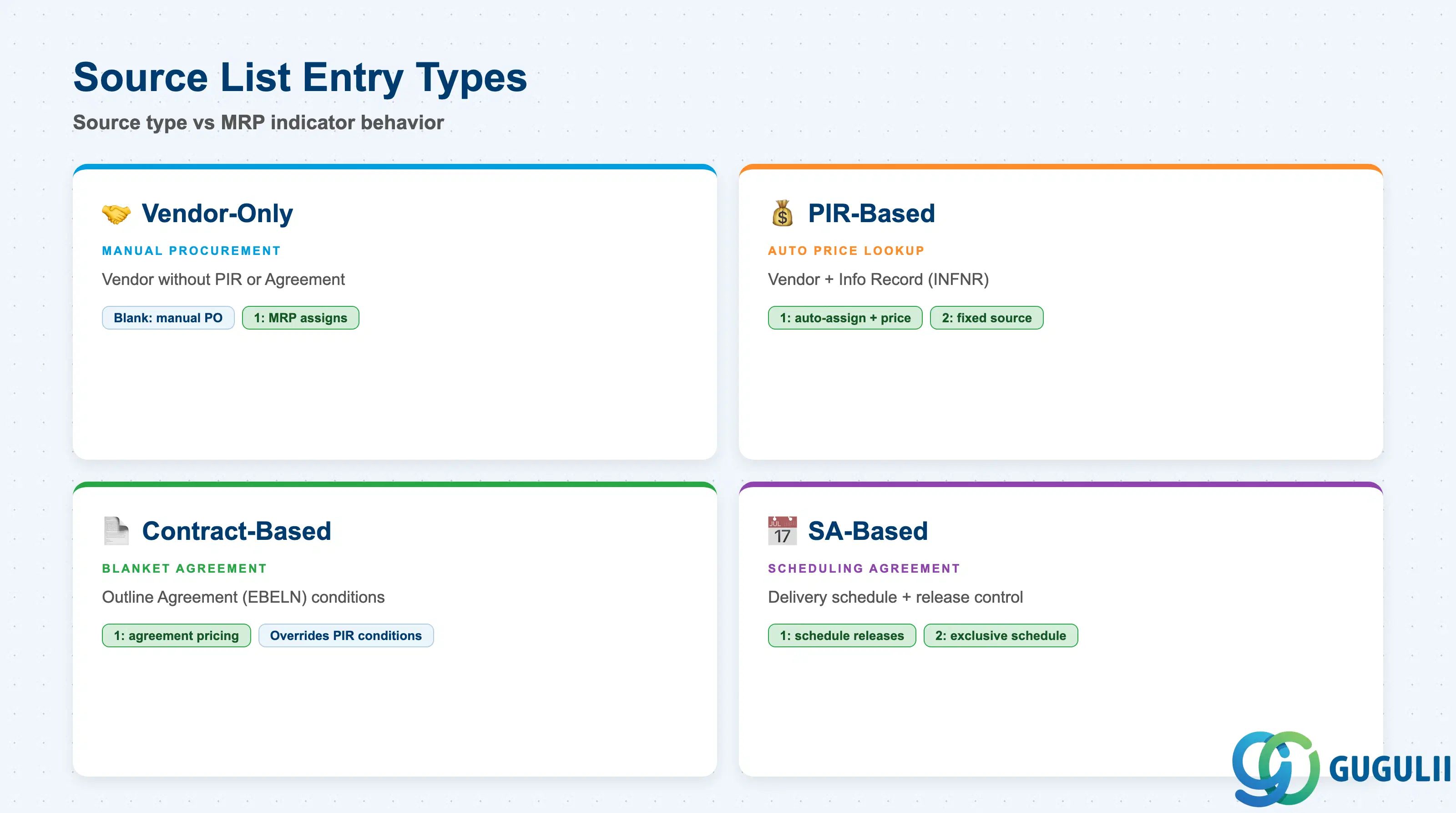
The Source List supports multiple source types in the same list. Each entry can point to a Vendor, an Outline Agreement (Contract or Scheduling Agreement), or both. The MRP Indicator field then controls whether MRP can use that source automatically, ignore it, or actively block procurement from other sources.
| MRP Indicator | Value | Behavior | Key Use Case |
|---|---|---|---|
| Not MRP-relevant | (blank) | Source is available for manual PO but MRP does not auto-assign it | Single-source materials where procurement is always manual; or historical vendor entries kept for reference |
| MRP-relevant | 1 | MRP auto-assigns this source to PRs and planned orders during source determination run | Standard multi-source or single-source scenarios with automated replenishment |
| Fixed source | 2 | MRP always uses this vendor exclusively; blocks other sources for MRP | Single-approved-vendor situations (sole-source, regulatory mandate, LTA) |
| Blocked | (Blocked indicator) | New procurement from this source is actively prevented | Vendor hold, quality issue, contract expiry; ensures no new POs are created |
Design principle: Set MRP Indicator = 1 as the default for all active sources participating in MRP replenishment. Reserve Fixed (2) for regulatory or contractual sole-source requirements. Never leave entries with overlapping Fixed-source periods for the same material-plant — MRP raises an error at source determination runtime.
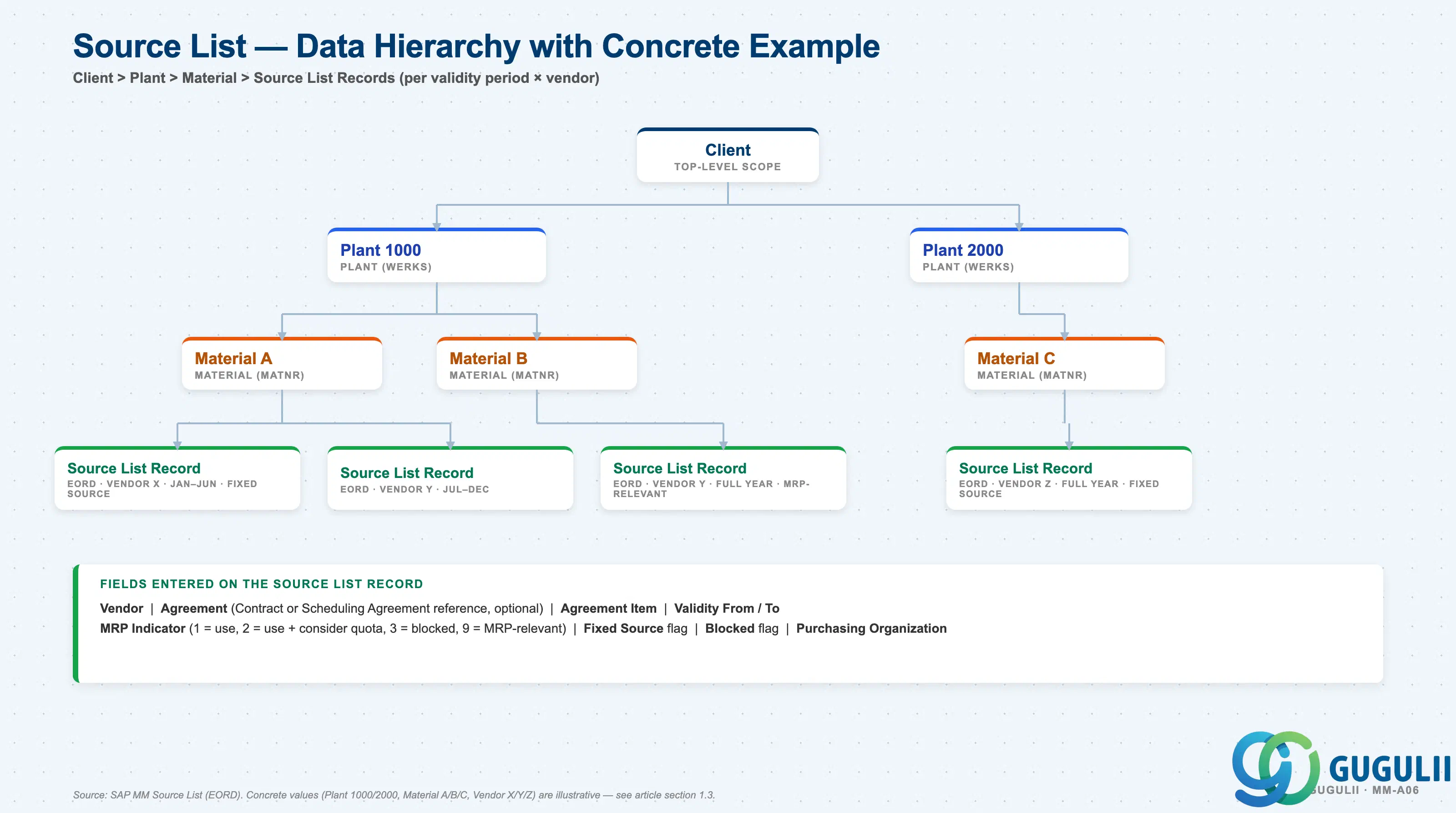
Data hierarchy with a concrete example
Client
   │
   ├── Plant 1000
   │      │
   │      ├── Material A
   │      │      ├── Source List Record: Vendor X (Jan–Jun, Fixed Source)
   │      │      └── Source List Record: Vendor Y (Jul–Dec)
   │      │
   │      └── Material B
   │             └── Source List Record: Vendor Y (full year, MRP-relevant)
   │
   └── Plant 2000
          │
          └── Material C
                 └── Source List Record: Vendor Z (full year, Fixed Source)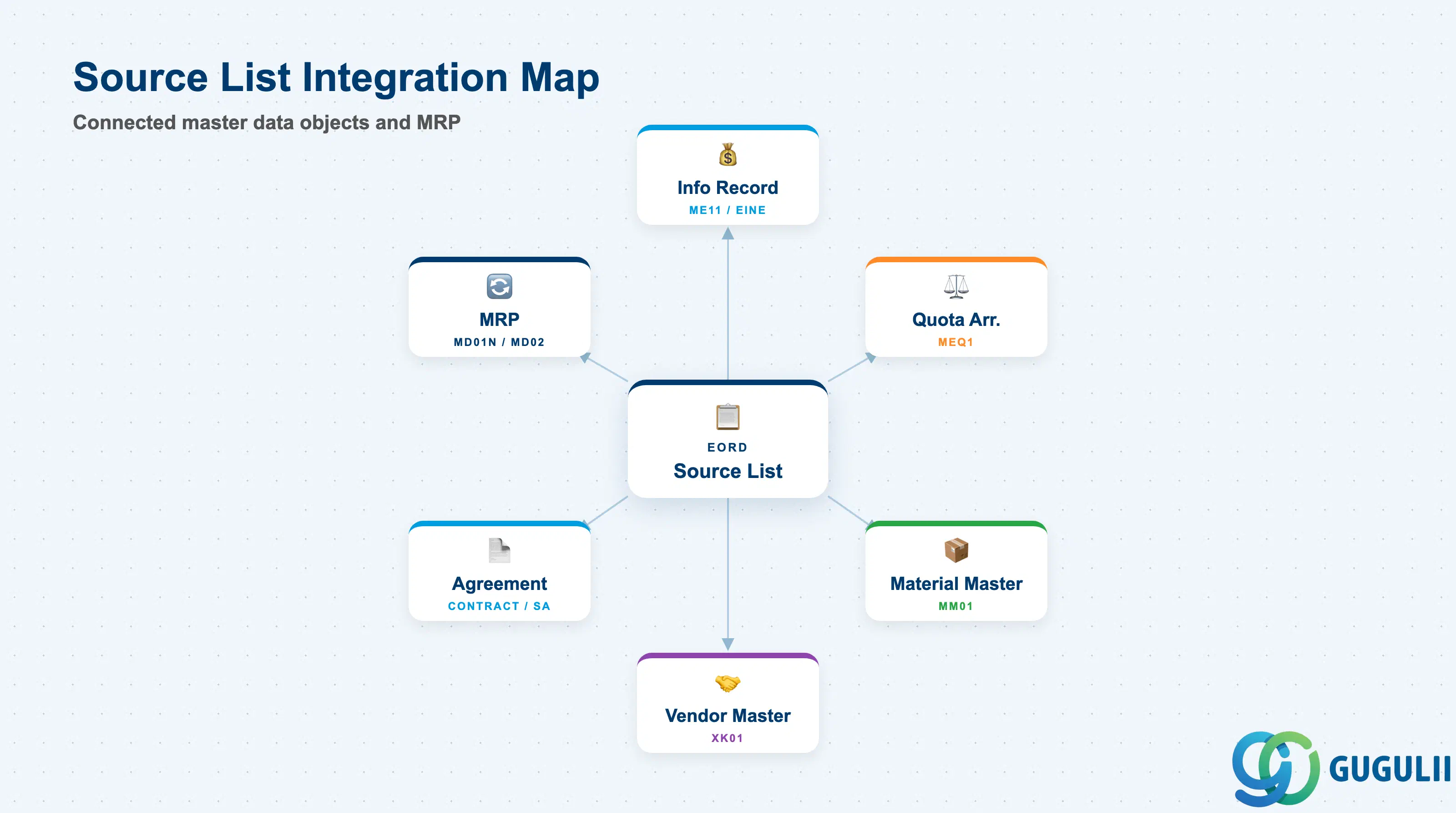
The Source List does not stand alone. It depends on the Purchasing Info Record for price and delivery data and feeds Quota Arrangement for multi-source splitting.
| Object | Relationship | Practical Notes |
|---|---|---|
| Purchasing Info Record (ME11) | Source List entry stores the PIR reference | The PIR provides price and delivery terms. Source List entries are automatically linked to a PIR when created from ME11 or ME05. Without a valid PIR, the system can still save the Source List entry but source determination may not find condition records for the PO. |
| Quota Arrangement (MEQ1) | Quota Arrangement references Source List entries | Multi-source splitting via Quota Arrangement only functions when Source List entries exist for all participating vendors. The Quota Arrangement usage key in the Material Master Purchasing View must also be set (typically “4”). |
| Material Master (MM01) | Source List requirement controlled per material | The “Source List” indicator in the Material Master Purchasing View determines whether a Source List is mandatory for the material-plant. If set, any PO without a Source List source match raises a warning or error depending on Customizing. |
| Vendor Master (XK01) | Source List entry references the vendor | Vendor must exist and be not blocked for purchasing at the plant’s company code. A blocked vendor in the Source List will not be proposed by source determination even with a valid MRP Indicator. |
| Outline Agreement (Contract / Scheduling Agreement) | Source List entry can reference a Contract or SA instead of or alongside a PIR | When an Agreement is specified, the Agreement conditions take priority over the PIR for price and delivery terms. Agreement-based Source List entries are the standard for blanket order scenarios. |
| MRP (MD01N / MD02) | MRP reads EORD during source determination | MRP filters Source List entries by validity date and MRP Indicator. Only entries valid on the MRP run date with Indicator = 1 or 2 are considered. Expired entries are ignored even if the PIR is still valid. |
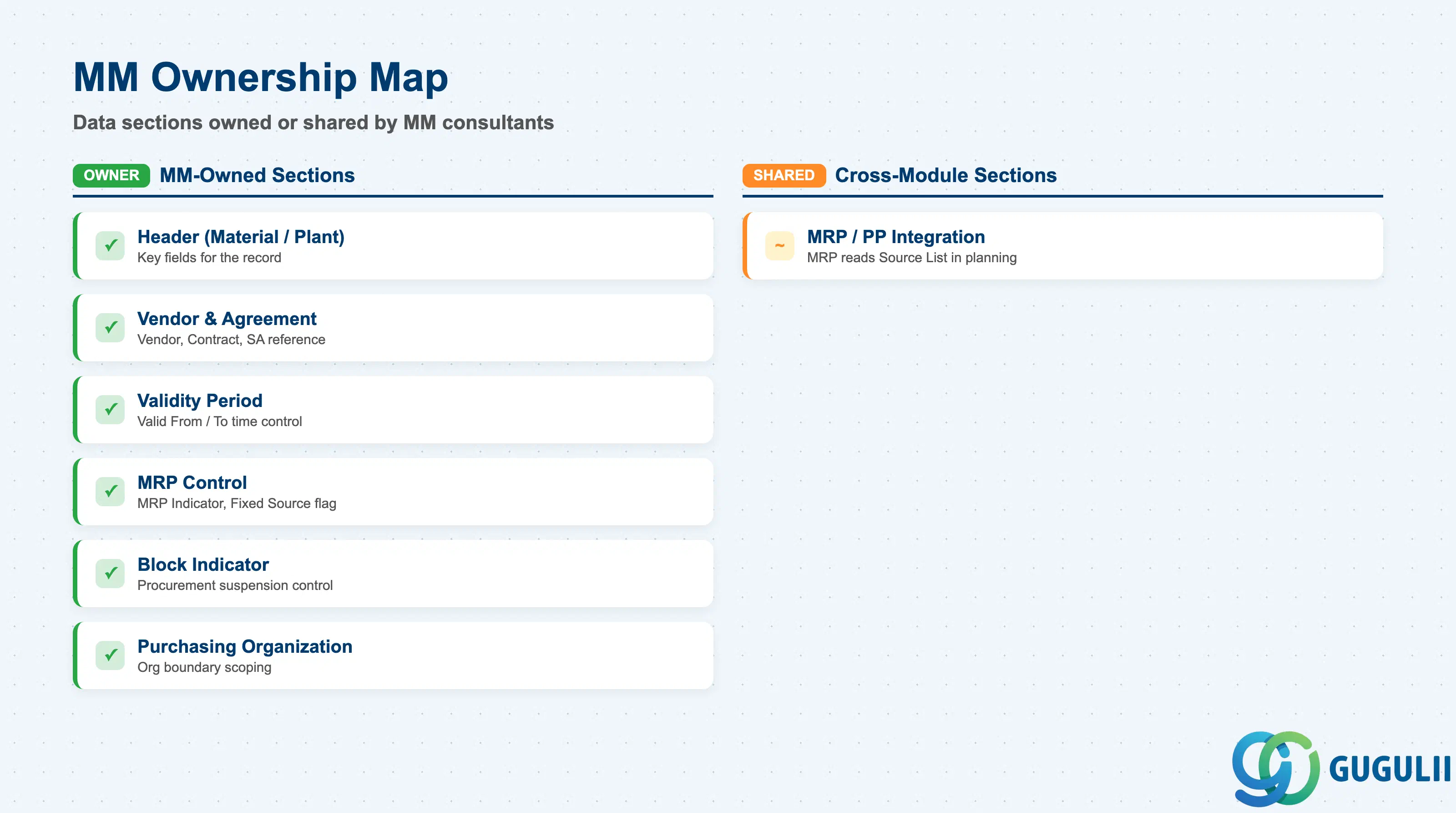
| Data Section | MM Involvement | Notes |
|---|---|---|
| Source List Header (Material / Plant) | ◎ Owner | Material number and plant are the key fields for the record |
| Source Entry — Vendor and Agreement | ◎ Owner | Vendor, Contract, Scheduling Agreement reference |
| Source Entry — Validity Period | ◎ Owner | Valid From / To — the primary time-control mechanism |
| Source Entry — MRP Control | ◎ Owner | MRP Indicator, Fixed Source flag — drives MRP source assignment |
| Source Entry — Block Indicator | ◎ Owner | Blocks procurement from the source; managed by Purchasing |
| Purchasing Organization | ◎ Owner | Scopes the source entry to a Purchasing Org |
| MRP / PP integration | ○ Shared with PP/MRP | MRP reads Source List during planning run; PP team must confirm Source List coverage before MRP activation |
Legend: ◎ = Owner / Critical, ○ = Direct involvement
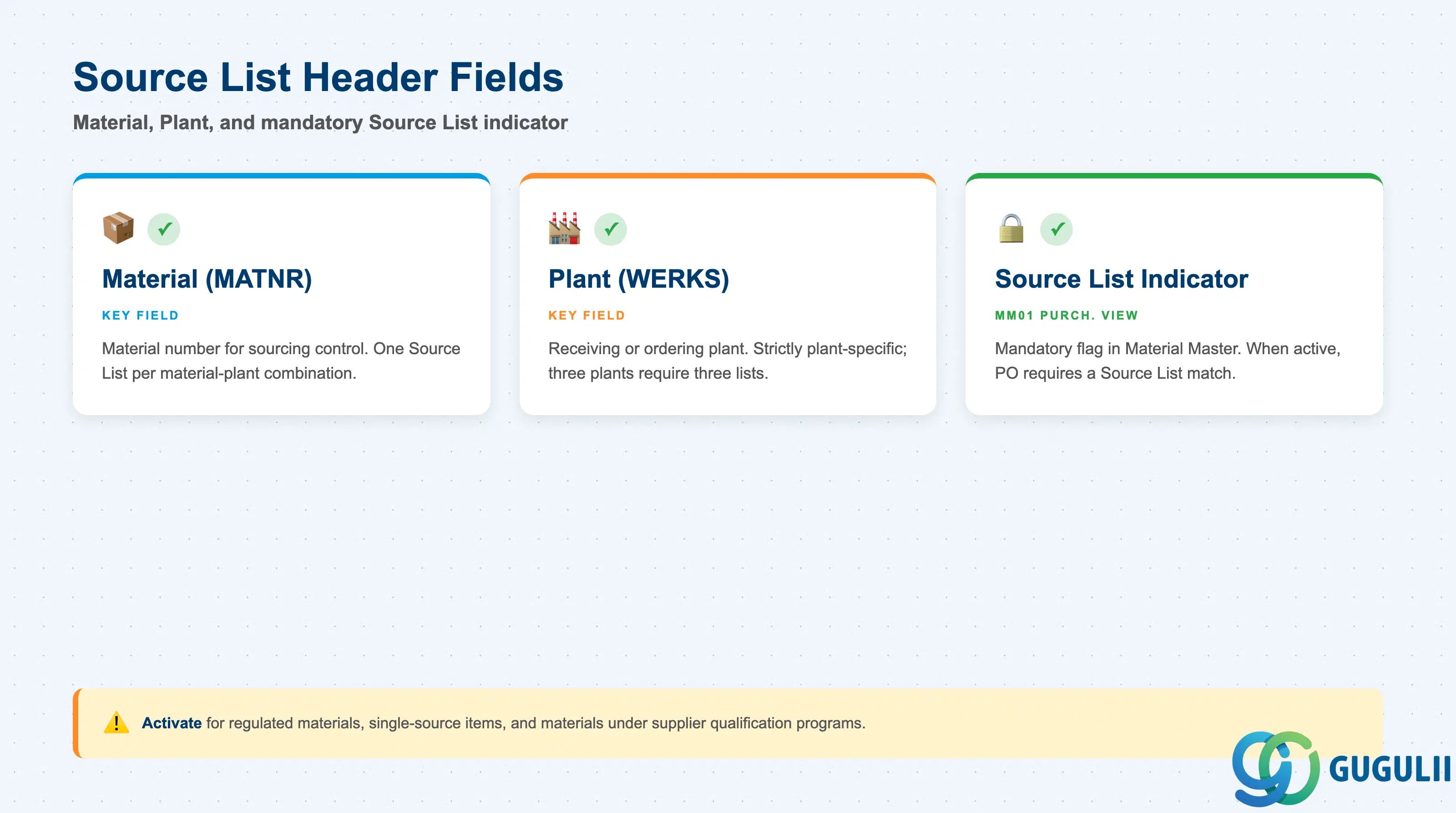
The Source List header identifies the material-plant combination being governed. The “Source List” indicator in the Material Master Purchasing View determines whether maintaining a Source List is mandatory or optional for this material.
| Field | Description | Practical Usage |
|---|---|---|
| Material (MATNR) | Material number | The material for which sourcing is being controlled. One Source List per material-plant combination; the list can have multiple lines (entries) covering different vendors and periods. |
| Plant (WERKS) | Plant key | The receiving or ordering plant. Source Lists are strictly plant-specific — a material procured by three plants requires three separate Source List maintenance entries. Centrally managed procurement organizations often use ME05 to generate lists in bulk across plants. |
| Source List Indicator (in Material Master) | Mandatory Source List flag | Set in MM01 Purchasing View. When active, every PO for this material-plant must reference a Source List entry. If no valid entry exists, the system blocks PO creation (or issues a warning, depending on Customizing message control). Activate for regulated materials, single-source items, and materials under formal supplier qualification programs. |
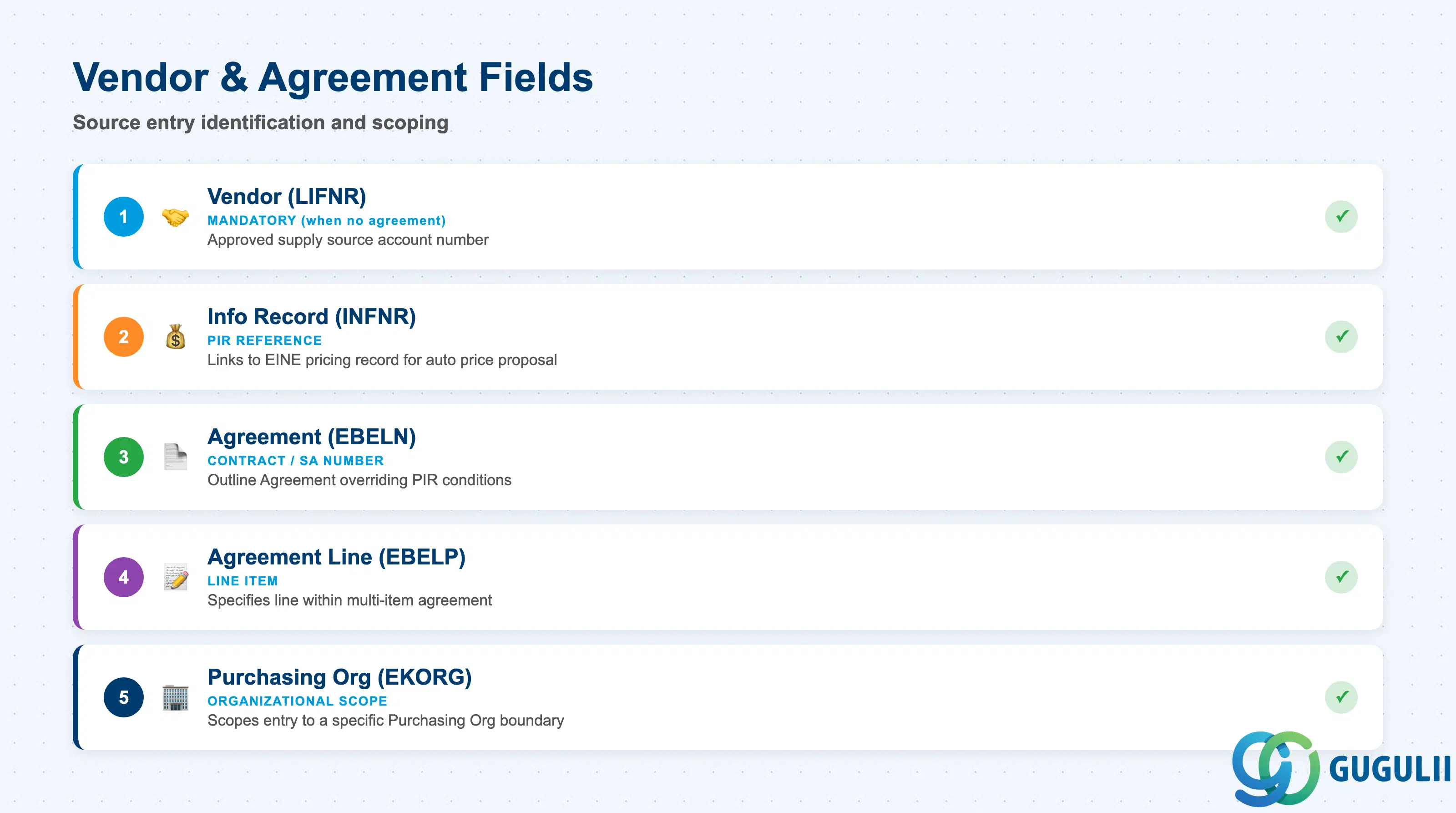
Each Source List line (EORD record) nominates one source of supply. The source can be a vendor alone (referenced via PIR) or an Outline Agreement (Contract or Scheduling Agreement) with or without an explicit vendor entry.
| Field | Description | Practical Usage |
|---|---|---|
| Vendor (LIFNR) | Vendor account number | The approved supply source. Mandatory when no Agreement is specified. Multiple vendor entries for the same material-plant can coexist if they cover non-overlapping validity periods or carry different MRP Indicators (e.g., one Fixed, others MRP-relevant). |
| Info Record Number (INFNR) | Purchasing Info Record reference | System-populated when the Source List is generated from ME11 or ME05. Can also be entered manually. When the PIR reference is present, the PO condition lookup is tied directly to the EINE pricing record — prices are proposed correctly without manual intervention at PO creation. |
| Agreement (EBELN) | Contract or Scheduling Agreement number | Specifies an Outline Agreement as the source. When populated, the Agreement conditions override PIR conditions for price and delivery terms. Use for long-term agreements, blanket orders, or scheduling agreements with confirmed delivery schedules. |
| Agreement Line (EBELP) | Line item within the Agreement | Required when the Agreement contains multiple line items covering different materials or conditions. Precision here prevents the system from applying incorrect Agreement conditions at PO creation. |
| Purchasing Organization (EKORG) | Purchasing Org key | Scopes the Source List entry to a specific Purchasing Org. Mandatory when multiple Purchasing Orgs share the same plant. Ensures that source determination respects organizational boundaries — a Purchasing Org in one country does not inadvertently inherit sourcing rules defined for another. |
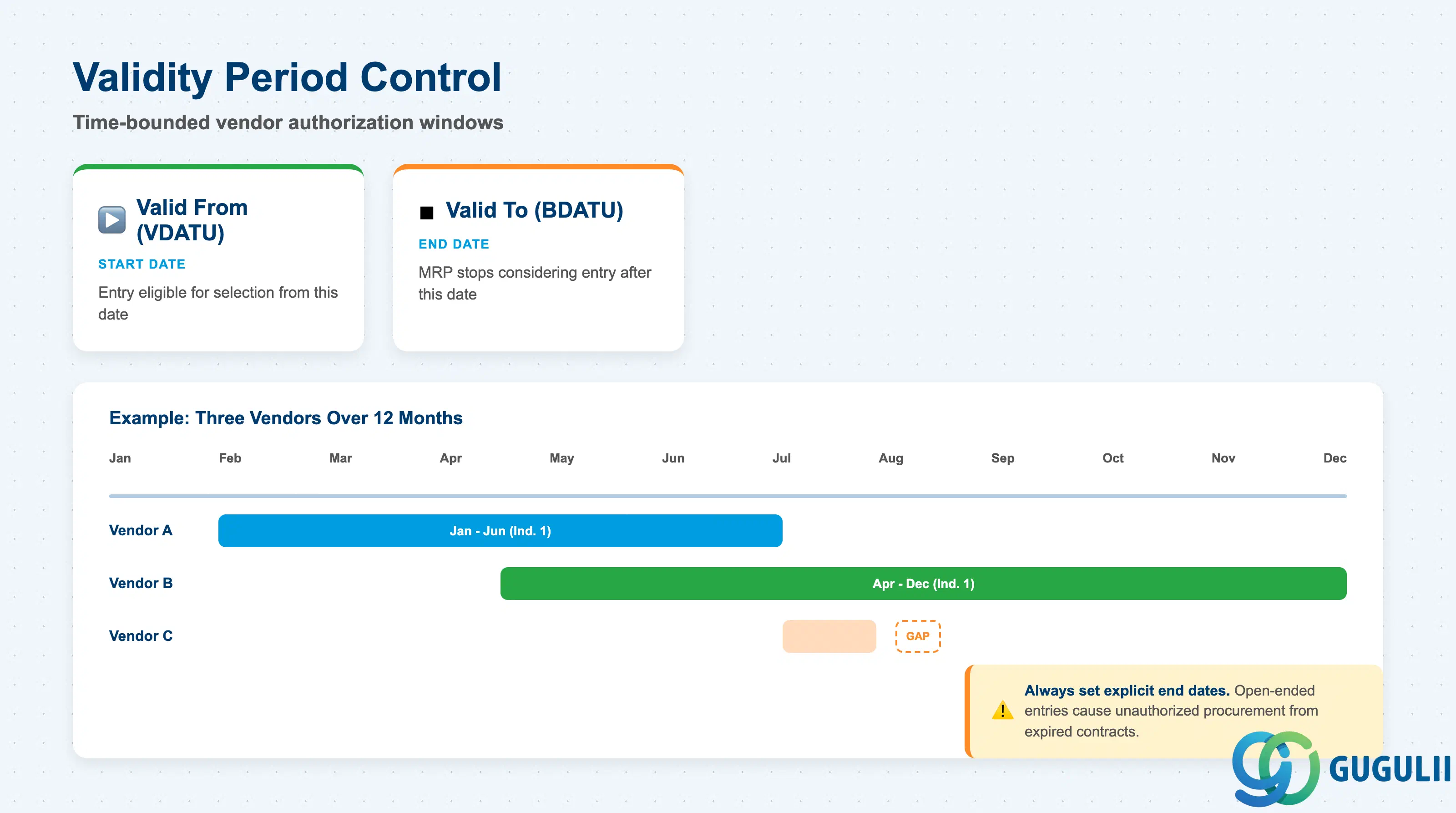
The validity period is the single most critical operational element of the Source List. A Source List entry that has expired is invisible to MRP and manual source determination, regardless of whether the PIR is still valid.
| Field | Description | Practical Usage |
|---|---|---|
| Valid From (VDATU) | Start date of the source validity | The date from which this vendor-source entry is eligible for selection. For new supplier onboarding, set this to the date of first expected PO — not the contract signature date. Early dating can cause MRP to propose PRs before the vendor is operationally ready. |
| Valid To (BDATU) | End date of the source validity | The date after which MRP and source determination stop considering this entry. Always set an explicit end date aligned with the contract term, annual price review cycle, or supplier qualification period. Open-ended Source List entries (blank Valid To) are a common cause of unauthorized procurement from expired contracts — review and purge regularly via ME07. |
Prerequisite: Validity periods for Fixed-source entries must not overlap across vendors for the same material-plant. Overlapping Fixed sources cause an MRP error at source determination runtime. For multi-source periods, use MRP Indicator = 1 (not Fixed) and manage allocation via Quota Arrangement instead.
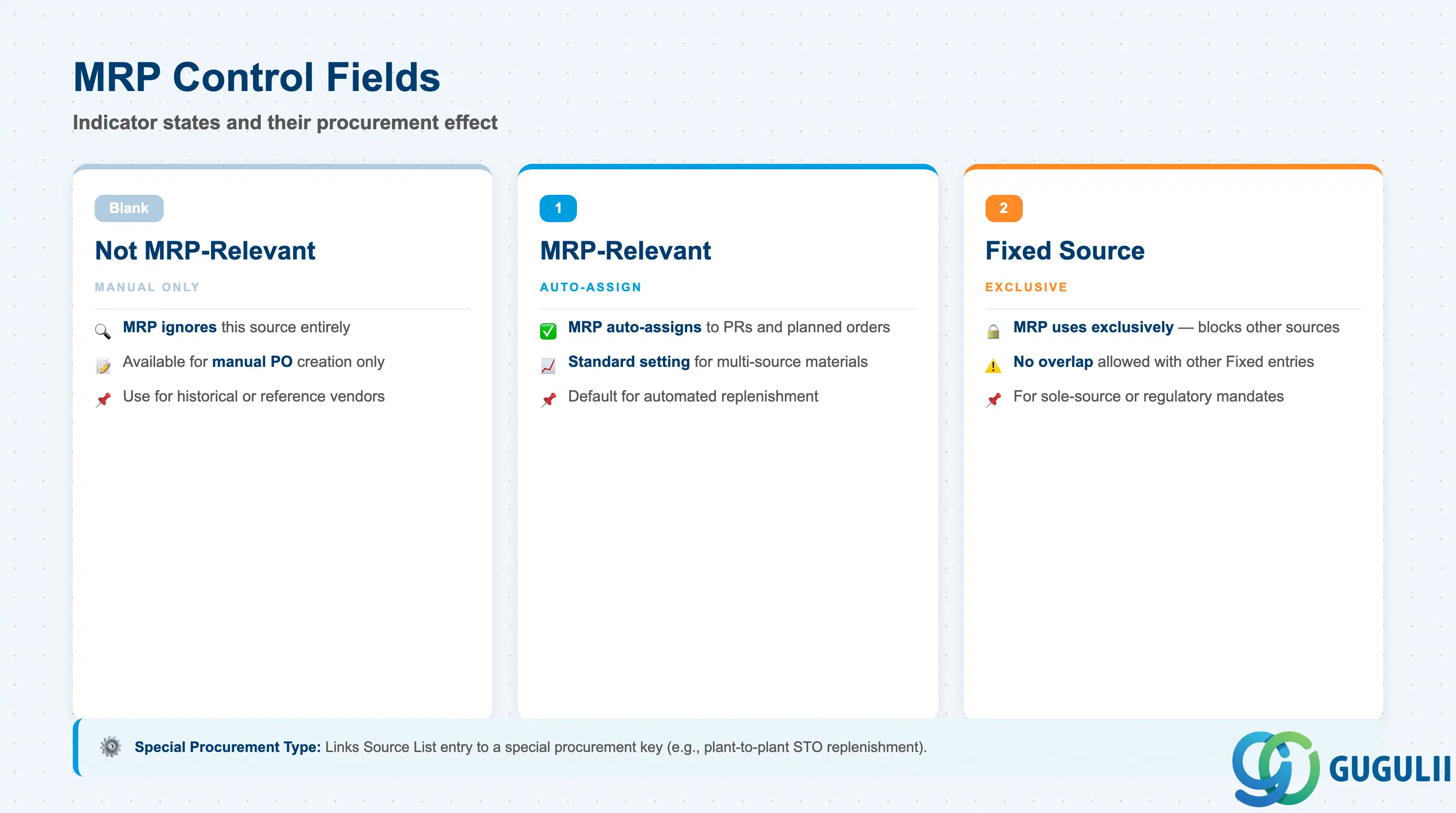
The MRP control fields determine whether and how MRP incorporates this source entry during the planning run. These fields are the bridge between the Source List master data and the MRP execution engine.
| Field | Description | Practical Usage |
|---|---|---|
| MRP Indicator (MODUS) | MRP relevance of the source | Blank = source available for manual PO, ignored by MRP. 1 = MRP auto-assigns this source to PRs (and planned orders for external procurement). 2 = Fixed source: MRP exclusively uses this vendor, no other sources considered. The most common production setting is 1 for multi-source materials. Value 2 should be used only when sole-source procurement is a genuine business requirement — it prevents MRP from ever splitting or redirecting demand even during vendor disruptions. |
| Fixed Source (FESTE) | Fixed source flag (alternative to Indicator 2) | Acts in conjunction with MRP Indicator = 2. When set, MRP generates all procurement proposals for this material-plant against this single vendor. Cannot be set simultaneously for two Source List entries with overlapping validity periods. During supplier disruptions, the fastest recovery is to set the blocked vendor’s entry to MRP Indicator blank and add a new entry for an alternative vendor with Indicator 1 or 2. |
| Special Procurement Type | Special procurement indicator | Links the Source List entry to a special procurement key from the Material Master (e.g., external procurement from a specific plant for stock transfer orders). Used in complex procurement scenarios such as plant-to-plant STO replenishment controlled via Source List. |
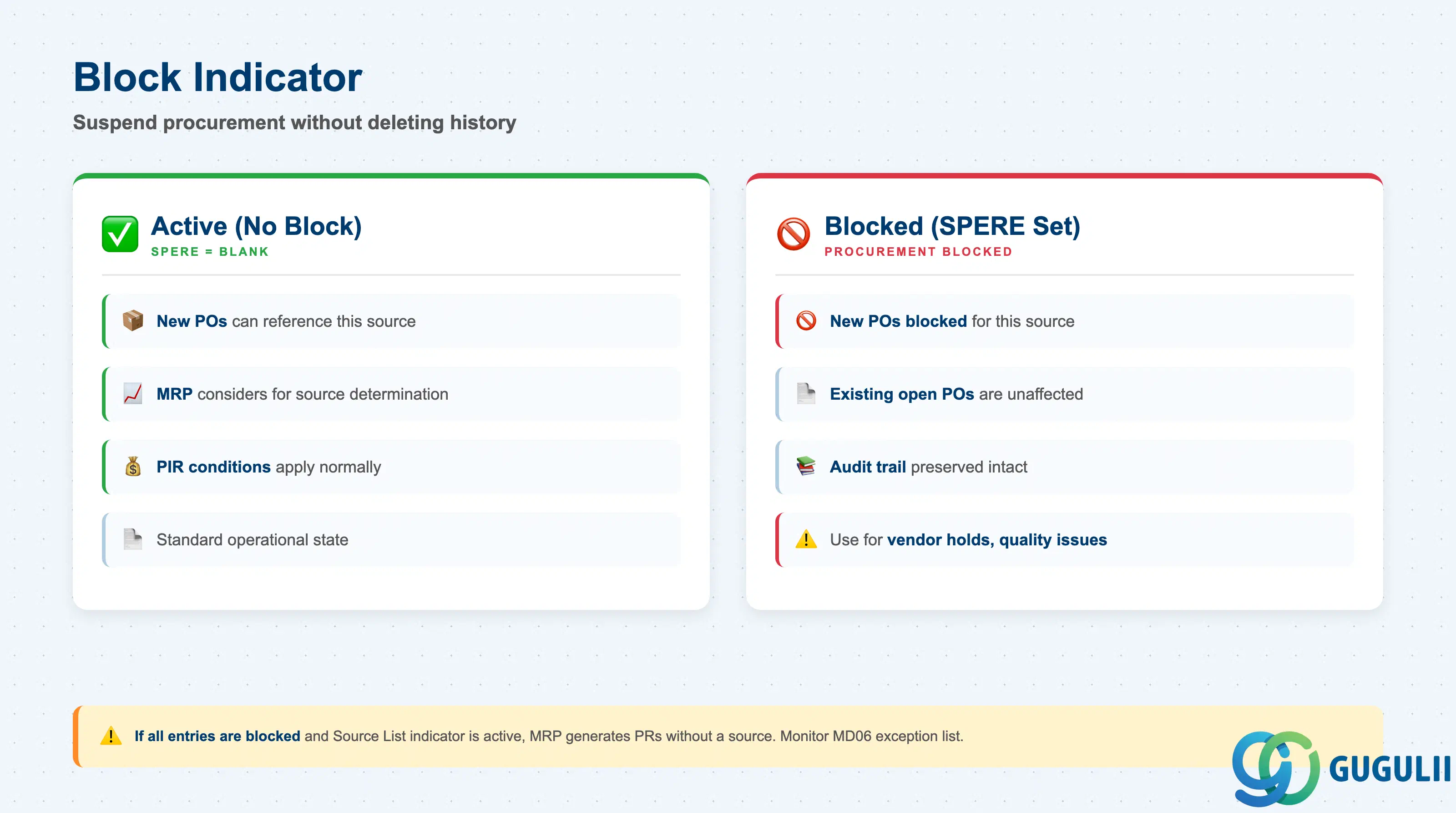
The Block indicator provides a lightweight mechanism to suspend procurement from a source without deleting the Source List entry or shortening its validity period. This preserves the audit trail while preventing new orders.
| Field | Description | Practical Usage |
|---|---|---|
| Blocked (SPERE) | Block indicator for this source entry | When set, no new Purchase Orders can reference this source for the material-plant. Existing open POs are not affected — the block is prospective only. Use for temporary vendor holds (quality issues, financial risk), regulatory suspensions, or situations where a contract has expired but the validity period has not yet been updated. Remove the block promptly once the situation is resolved; blocked entries tend to be forgotten and can silently prevent replenishment if MRP has no other active sources for the material. |
Prerequisite: If all Source List entries for a material-plant are blocked and the “Source List” indicator is active in the Material Master, MRP will generate PRs without a source assigned. Monitor for unassigned PRs in the MRP exception list (MD06) and investigate the Source List as the first diagnostic step.
| ID | Category | Title |
|---|---|---|
| mm-001 | Overview | What is SAP MM? |
| ID | Category | Title |
|---|---|---|
| mm-a01 | Overview | SAP MM Master Data: Overview, Hierarchy & Relationships |
| mm-a02-01 | Master Data | SAP MM Material Master |
| mm-a04-01 | Master Data | SAP MM Class |
| mm-a04-02 | Master Data | SAP MM Characteristic |
| mm-a06-01 | Master Data | SAP MM Purchasing Info Record |
| mm-a05-01 | Master Data | SAP MM Batch Master |
| mm-a06-02 | Master Data | SAP MM Source List 📍 |
| mm-a06-03 | Master Data | SAP MM Quota Arrangement |
| mm-a06-04 | Master Data | SAP MM Price Condition |
| ID | Category | Title |
|---|---|---|
| mm-b01 | Overview | SAP MM Transactions: Process Flow, Hierarchy & Module Integration |