Title here
Summary here

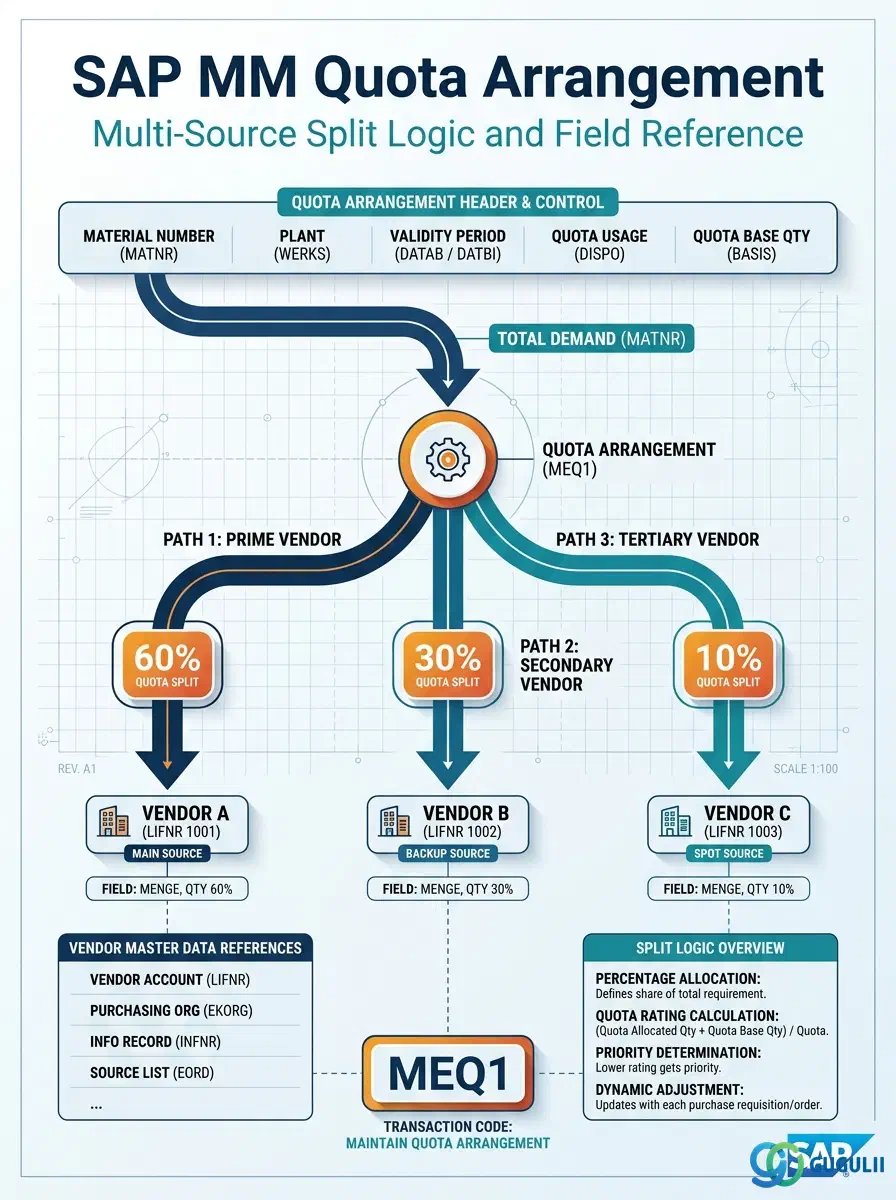
The Quota Arrangement is the master data object that controls how procurement demand for a material is distributed across multiple approved vendors. It stores the allocation percentage, cumulative usage counter, and lot-size constraints for each source within a defined validity period. Every MRP-driven multi-source split and automatic requisition assignment in SAP MM traces back to this master — provided a Source List is active and the Material Master is correctly configured.
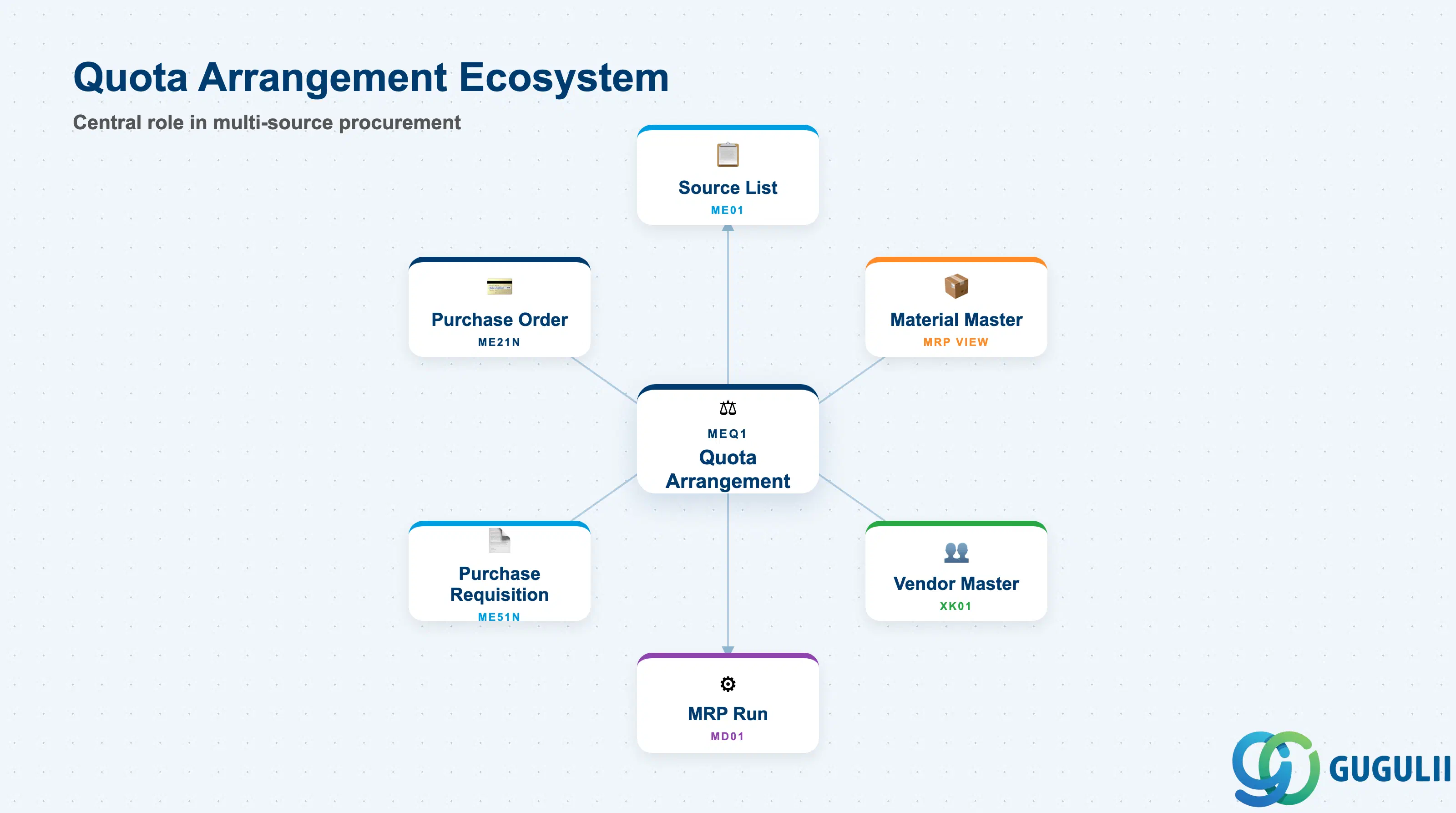
The Quota Arrangement is a purchasing master data record that governs multi-source procurement by defining what percentage of the total demand for a material-plant combination is allocated to each approved source of supply. It works as the distribution layer that sits above individual Source List entries, taking a pool of demand (MRP-generated purchase requisitions or manually created PRs) and routing each new order to the vendor whose cumulative quota usage is lowest relative to their allocation target.
| Aspect | Details |
|---|---|
| Role | Distributes procurement demand across multiple approved vendors at defined percentage splits |
| Modules using it | MM (Purchasing — primary owner), MRP/PP (automatic source assignment during planning runs), FI (no direct ownership, downstream impact via PO pricing and GR) |
| Transactions | MEQ1 (Create) / MEQ6 (Change) / MEQ3 (Display) / MEQ4 (Display changes) / ME2Q (Purchasing documents per quota) |
| Key Tables | EQUK (Quota Arrangement header) / EQUP (Quota Arrangement items — one row per source per validity period) |
| S/4HANA note | Quota Arrangement data model and transaction codes unchanged from ECC. Fiori app “Manage Quota Arrangements” available for maintenance. MRP integration behavior identical to ECC. |
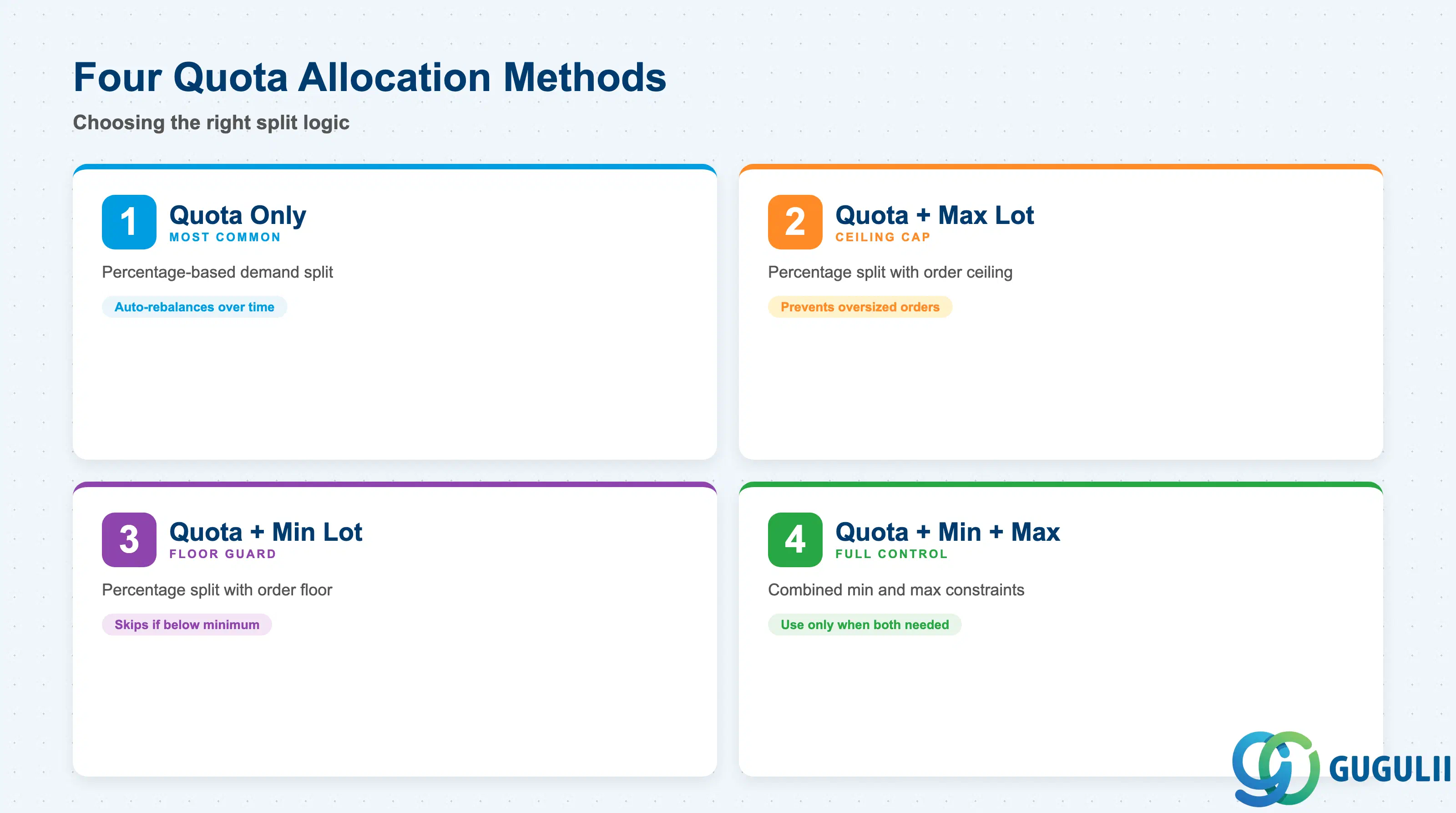
The quota split is governed by an allocation method that determines how the system selects a vendor when a new order is assigned. Selecting the wrong method can produce unexpected split results that are difficult to diagnose after the fact in MRP runs.
| Allocation Method | Code | Use Case | Key Behavior |
|---|---|---|---|
| Quota | 1 | Percentage-based demand split across vendors (most common) | System assigns the next order to the vendor with the lowest ratio of (cumulative usage / quota percentage). Counter-based — rebalances automatically over time. |
| Quota + Max. Lot | 2 | Percentage split with a ceiling per vendor per order | Same as quota method, but a single order cannot exceed the Maximum Lot Size defined per quota item. Prevents disproportionately large orders being routed to one vendor. |
| Quota + Min. Lot | 3 | Percentage split with a floor per vendor per order | Prevents trivially small split orders below the Minimum Lot Size. Common for vendors with economic minimum quantities or fixed setup costs. |
| Quota + Min. + Max. Lot | 4 | Combined min/max constraints on top of percentage split | Full control over order sizing per vendor. Adds complexity — only use when both a floor and a ceiling are required simultaneously. |
Design principle: Start with Method 1 (Quota only) during blueprint. Add Min./Max. Lot constraints only after reviewing actual order size distributions with the client’s procurement team. Constraints added prematurely can cause source determination failures when demand falls between the min and max thresholds.
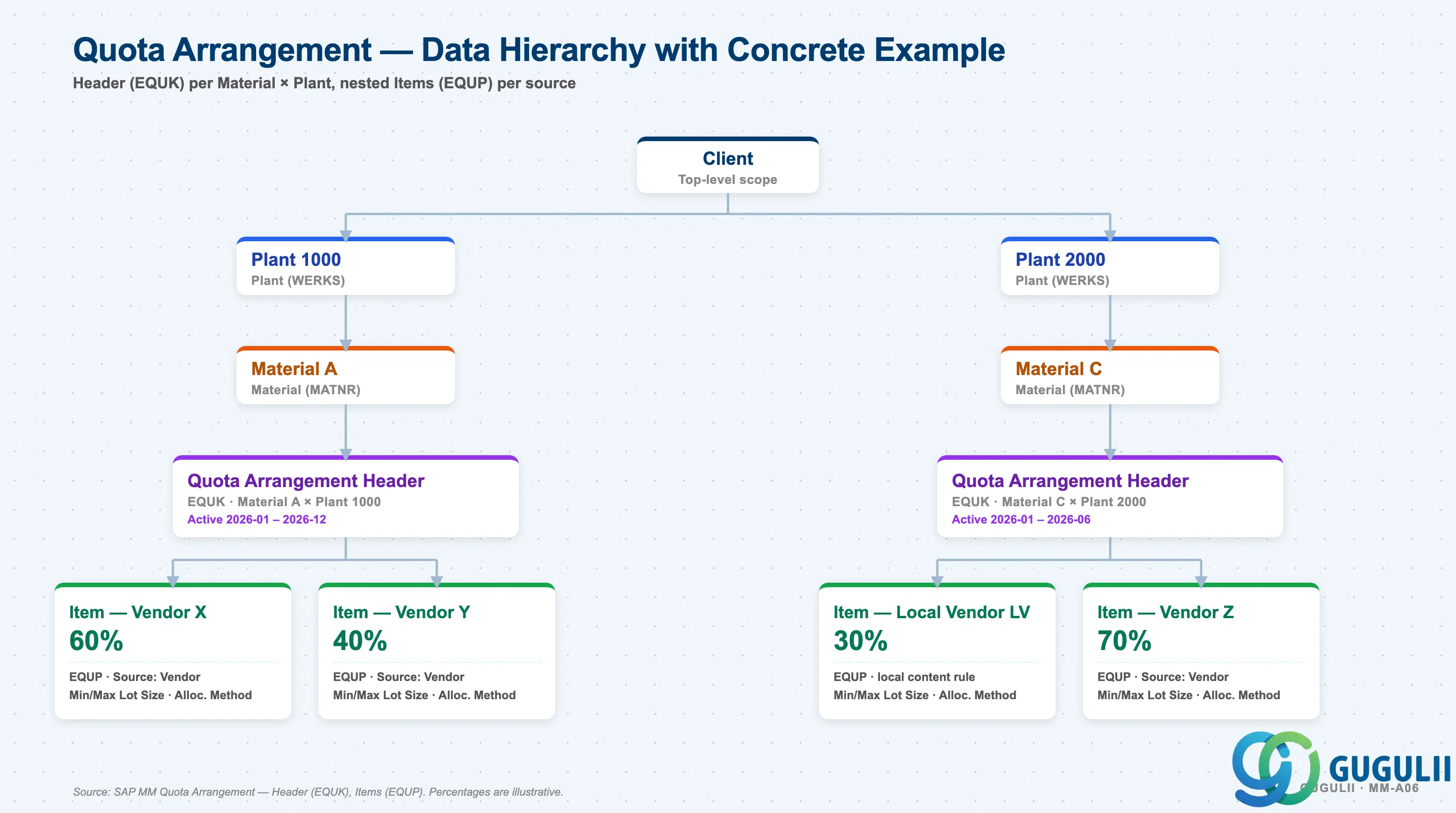
Data hierarchy with a concrete example
Client
   │
   ├── Plant 1000
   │      │
   │      └── Material A — Quota Arrangement Header (active 2026-01 to 2026-12)
   │             │
   │             ├── Quota Item: Vendor X        → 60%
   │             └── Quota Item: Vendor Y        → 40%
   │
   └── Plant 2000
          │
          └── Material C — Quota Arrangement Header (active 2026-01 to 2026-06)
                 │
                 ├── Quota Item: Local Vendor LV → 30% (local content rule)
                 └── Quota Item: Vendor Z        → 70%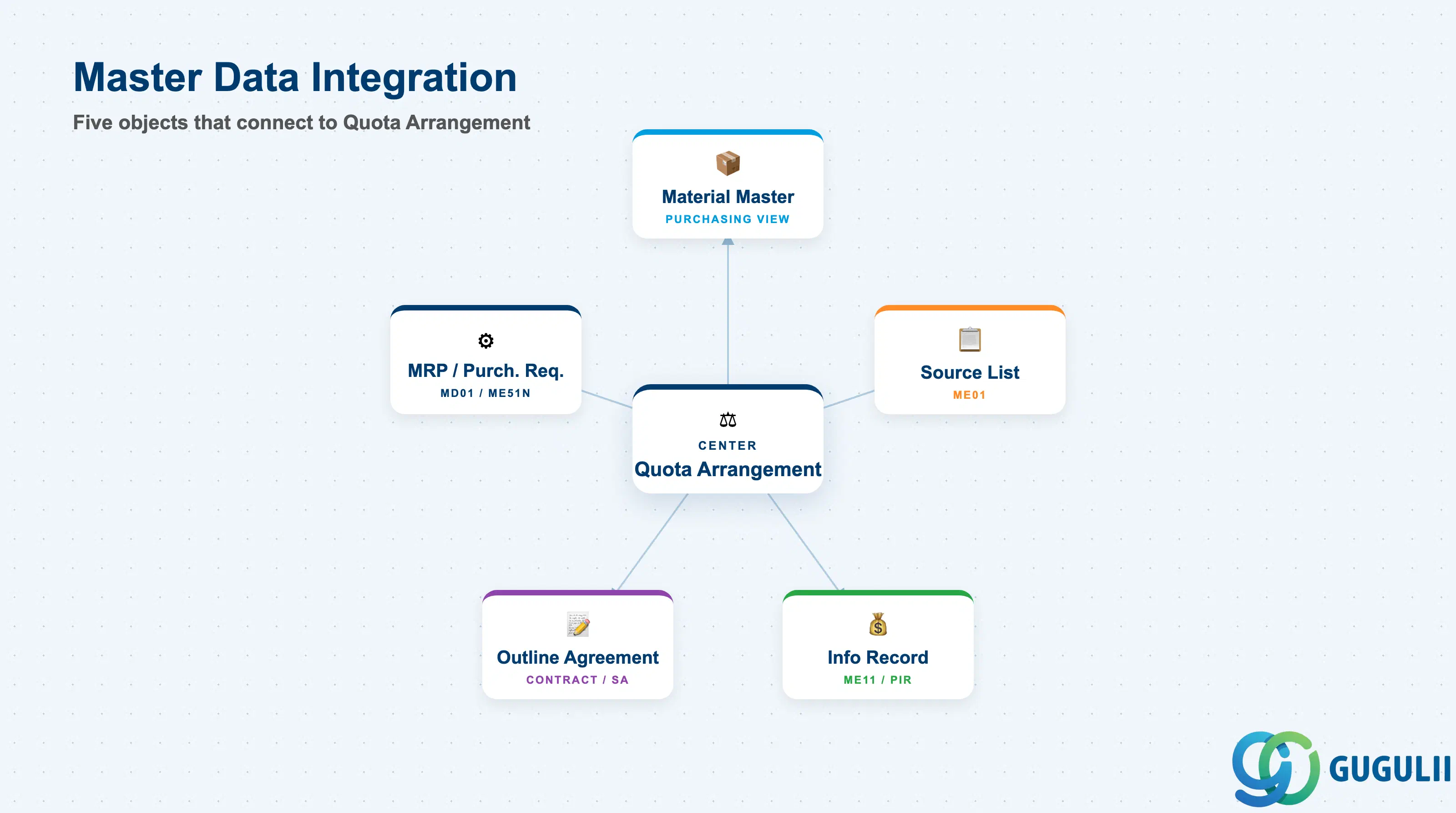
The Quota Arrangement does not function in isolation. It requires a correctly configured chain of prerequisite master data, and its effect is realized only through the MRP run or manual PR source assignment.
| Object | Relationship | Practical Notes |
|---|---|---|
| Material Master (Purchasing View) | Quota Arrangement Usage field controls whether MRP considers the quota | The “Quota Arrangement Usage” field (QUNUM) in the Material Master Purchasing View must be set (typically “4” — relevant for all procurement types) for MRP to consult the Quota Arrangement. Without this setting, the quota is completely ignored, even if MEQ1 records exist. |
| Source List (ME01) | Quota Arrangement items reference Source List records; Source List must be active | Each quota item must correspond to an active Source List entry for the same Material-Plant-Validity combination. A Quota Arrangement without an underlying Source List entry for its sources cannot drive automatic source assignment. |
| Purchasing Info Record (ME11) | PIR provides the price and delivery conditions for each quota source | The PIR is the condition source for each vendor in the quota split. Quota Arrangement does not store prices — it stores only the split logic. Each source vendor must have an active PIR (or outline agreement) for pricing to be proposed on the resulting PO. |
| Outline Agreement (Contract / SA) | A scheduling agreement or contract can be a quota source instead of (or alongside) a PIR | When an outline agreement is the source, the quota item references the agreement number rather than a PIR. The agreement conditions (price, terms) then apply to POs generated for that quota item. |
| MRP / Purchase Requisition | MRP uses the quota to assign sources to MRP-generated PRs automatically | At each MRP run, the system evaluates the Quota Arrangement for each material-plant requiring procurement and assigns the source with the lowest quota usage ratio. The PR is created with the source pre-filled, reducing buyer workload. |
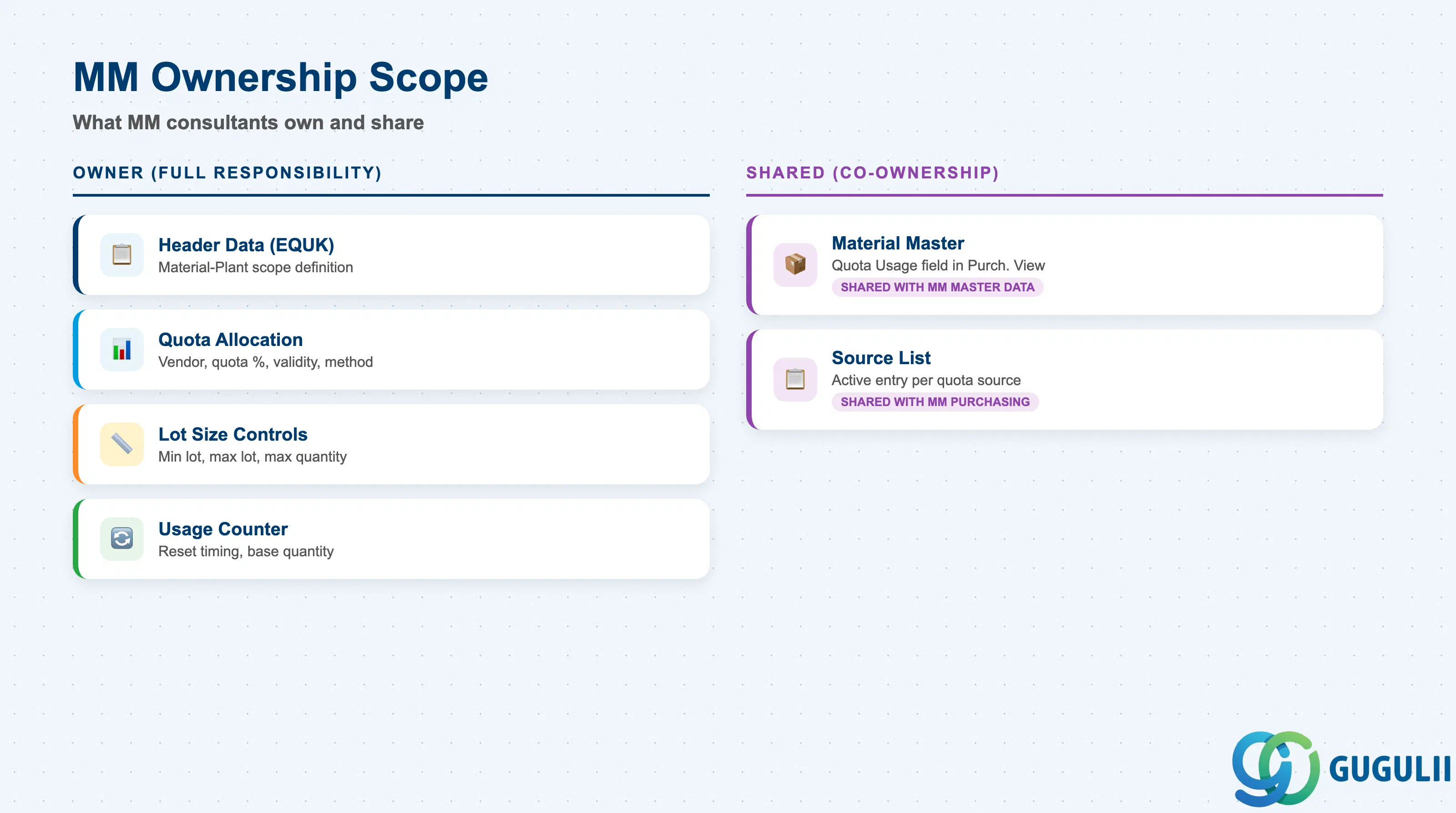
| Data Section | MM Involvement | Notes |
|---|---|---|
| Header Data (EQUK) | ◎ Owner | Material-Plant scope, Quota Arrangement Usage link |
| Quota Items (EQUP) — Allocation | ◎ Owner | Vendor/source, quota %, validity period, allocation method |
| Quota Items (EQUP) — Lot Size Controls | ◎ Owner | Min lot, max lot, max quantity per period |
| Quota Usage Counter | ◎ Owner | Reset timing, base quantity management |
| Material Master Prerequisite | ○ Shared with MM Master Data team | Quota Arrangement Usage field in Material Master Purchasing View |
| Source List Prerequisite | ○ Shared with MM Purchasing team | Each quota source must exist as an active Source List entry |
Legend: ◎ = Owner / Critical, ○ = Direct involvement
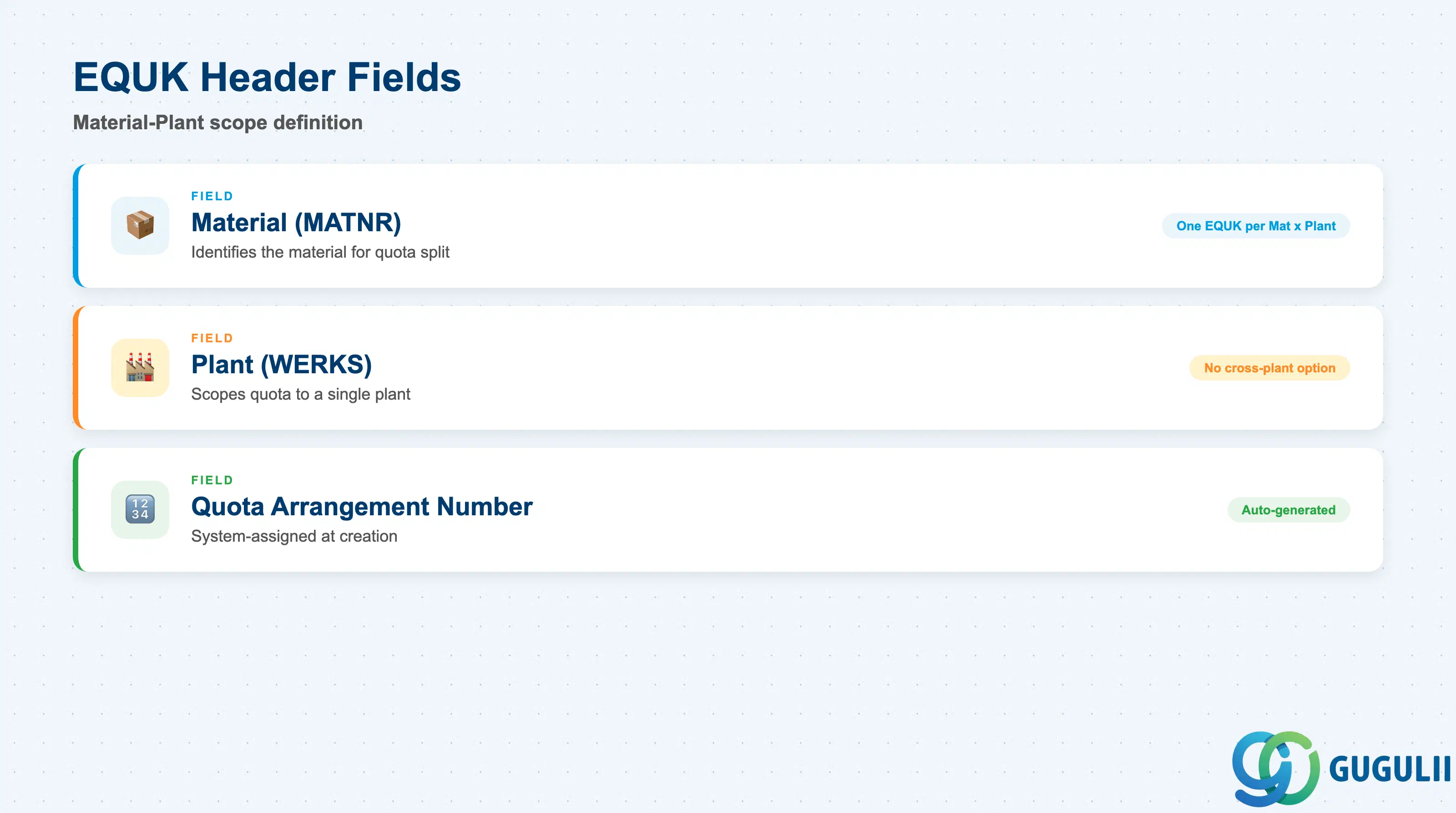
The Quota Arrangement header identifies the Material-Plant scope for which the quota is defined. It is the anchor record that ties the quota items (EQUP) to the correct material and plant, and it links to the Material Master setting that activates the quota for MRP.
| Field | Description | Practical Usage |
|---|---|---|
| Material (MATNR) | Material number | Identifies the material for which demand will be split. One EQUK per Material × Plant combination. In multi-plant projects, a separate header is required for each plant even if the split logic is identical — centralized quota templates are not supported in standard SAP; manage via mass upload (LSMW or migration workbench). |
| Plant (WERKS) | Plant key | Scopes the quota to a single plant. Unlike the PIR, there is no cross-plant quota option. For plants sharing the same vendor pool but requiring different splits, maintain separate headers. For plants where no split is needed, omit the Quota Arrangement entirely and manage sourcing through the Source List alone. |
| Quota Arrangement Number | System-assigned number | Auto-assigned by the system at creation. Referenced in the Source List item (Agreement field is blank; the quota number is implicit via material-plant lookup). Not typically used in day-to-day maintenance but important for change history tracking (MEQ4). |
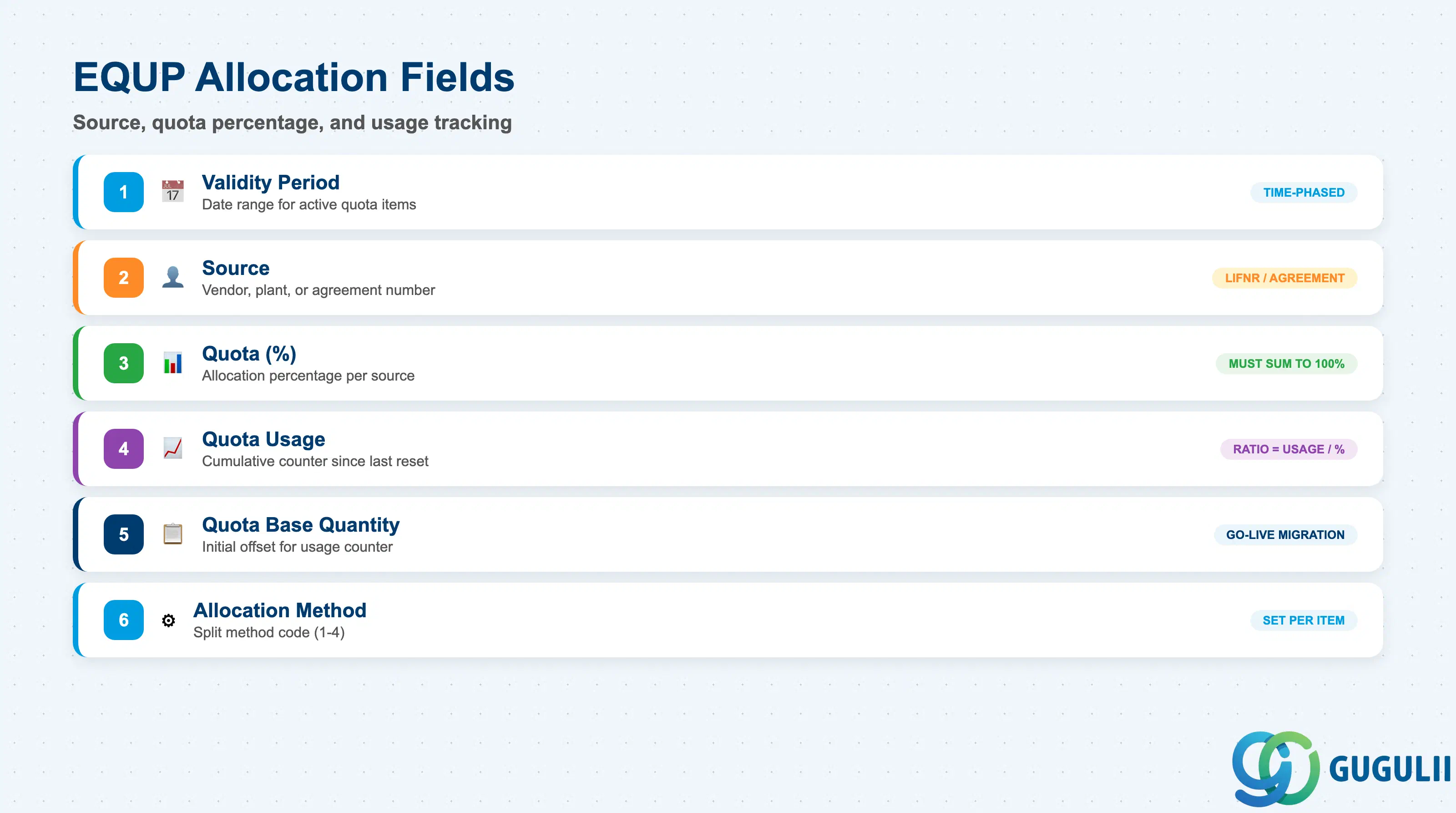
The quota item is the operational core of the Quota Arrangement. Each item represents one approved source of supply and specifies its share of the total demand. The system tracks cumulative usage against each item’s quota allocation and routes new orders to the source with the lowest usage-to-quota ratio.
| Field | Description | Practical Usage |
|---|---|---|
| Validity Period (Valid From / To) | Date range for which this quota item is active | Quota items are time-phased — multiple sets of quota items can exist under one header for different validity periods (e.g., annual vendor contract periods). Always align validity periods with Source List validity and PIR validity. A quota item active beyond its corresponding Source List entry causes source determination errors. |
| Source (Vendor / Plant / Agreement) | The supply source for this item | Identifies the vendor (LIFNR), internal supplying plant (for STOs), or outline agreement assigned to this quota item. In multi-source scenarios, each row is a different source. The system evaluates all active items in the current validity period during source determination. |
| Quota (%) | Allocation percentage for this source | The percentage of total demand to be routed to this source. All active items for a material-plant in the same validity period must sum to 100%. Example: Vendor A = 60%, Vendor B = 30%, Vendor C = 10%. The system does not enforce the 100% sum automatically — a data governance check or custom validation is recommended during mass data load phases. |
| Quota Usage | Cumulative usage counter | Running total of quantities assigned to this source since the last counter reset. The system divides Quota Usage by Quota (%) to calculate the effective usage ratio and selects the source with the lowest ratio for the next order. Resetting the counter (MEQ6 → Reset Usage) should be done periodically — typically at the start of a new contract year — to prevent compounding drift from historical assignments. |
| Quota Base Quantity | Base offset for the usage counter | Allows an initial offset to be added to the Quota Usage counter, effectively pre-filling demand. Useful when transitioning from a legacy system where some demand has already been placed — set the base quantity to reflect prior orders so the new quota picks up mid-cycle without distortion. |
| Allocation Method | Quota split method code | Determines how the system compares sources (pure percentage vs. percentage + lot-size constraints). See Section 1.2 for the four method codes. Set at item level — different items within the same quota can use different methods, though this is uncommon and can be confusing to maintain. |
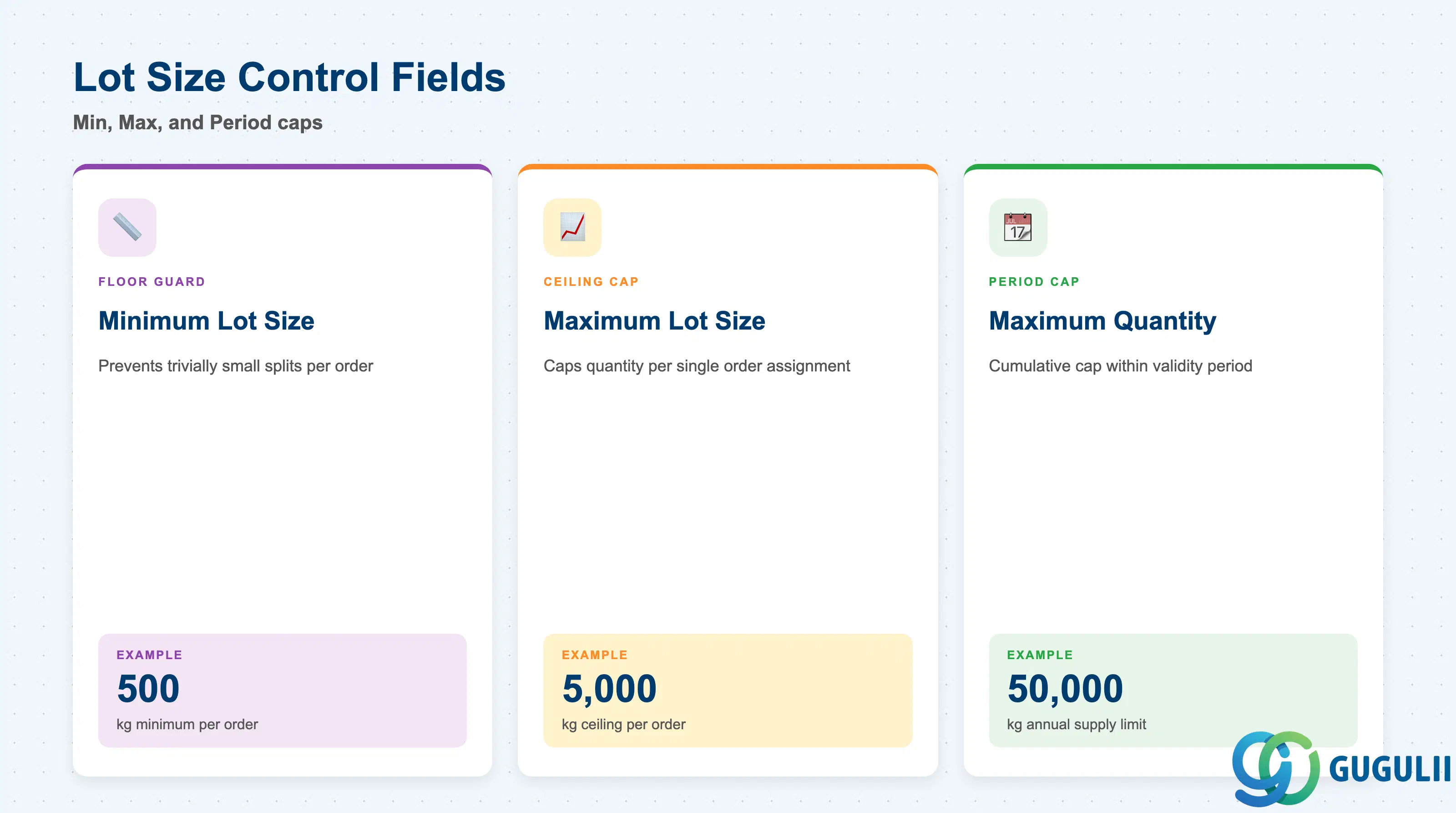
Lot size control fields act as guardrails on the quota split, preventing the system from generating orders that are too small to be economically viable or too large for a single vendor to fulfill within the validity period.
| Field | Description | Practical Usage |
|---|---|---|
| Minimum Lot Size | Minimum order quantity assignable to this source per order | Prevents trivially small splits. If MRP generates a PR with a quantity below the Minimum Lot Size for this source, the source is skipped and the next eligible source is selected. Common for vendors with fixed setup costs or minimum order requirements (e.g., a chemical supplier requiring a minimum 500 kg order). Set based on vendor terms negotiated during sourcing. |
| Maximum Lot Size | Maximum order quantity assignable to this source per single order | Caps the quantity assigned to this source in a single PR/PO. If the total demand exceeds the maximum lot, the excess quantity flows to the next source in the quota sequence. Use for vendors with capacity constraints or when spreading large orders across multiple vendors is a risk mitigation strategy. Requires Allocation Method 2, 3, or 4 to be active. |
| Maximum Quantity | Maximum cumulative quantity assignable to this source within the validity period | Period-level cap — once a source reaches its Maximum Quantity for the period, it is excluded from source determination for the remainder of the validity period even if its usage ratio would otherwise select it. Use for vendors with annual supply caps defined in framework agreements. |
Prerequisite: Minimum and Maximum Lot Size constraints are only enforced when the Allocation Method includes lot-size control (codes 2, 3, or 4). If Method 1 (quota only) is set, these fields are stored but not evaluated during source determination.
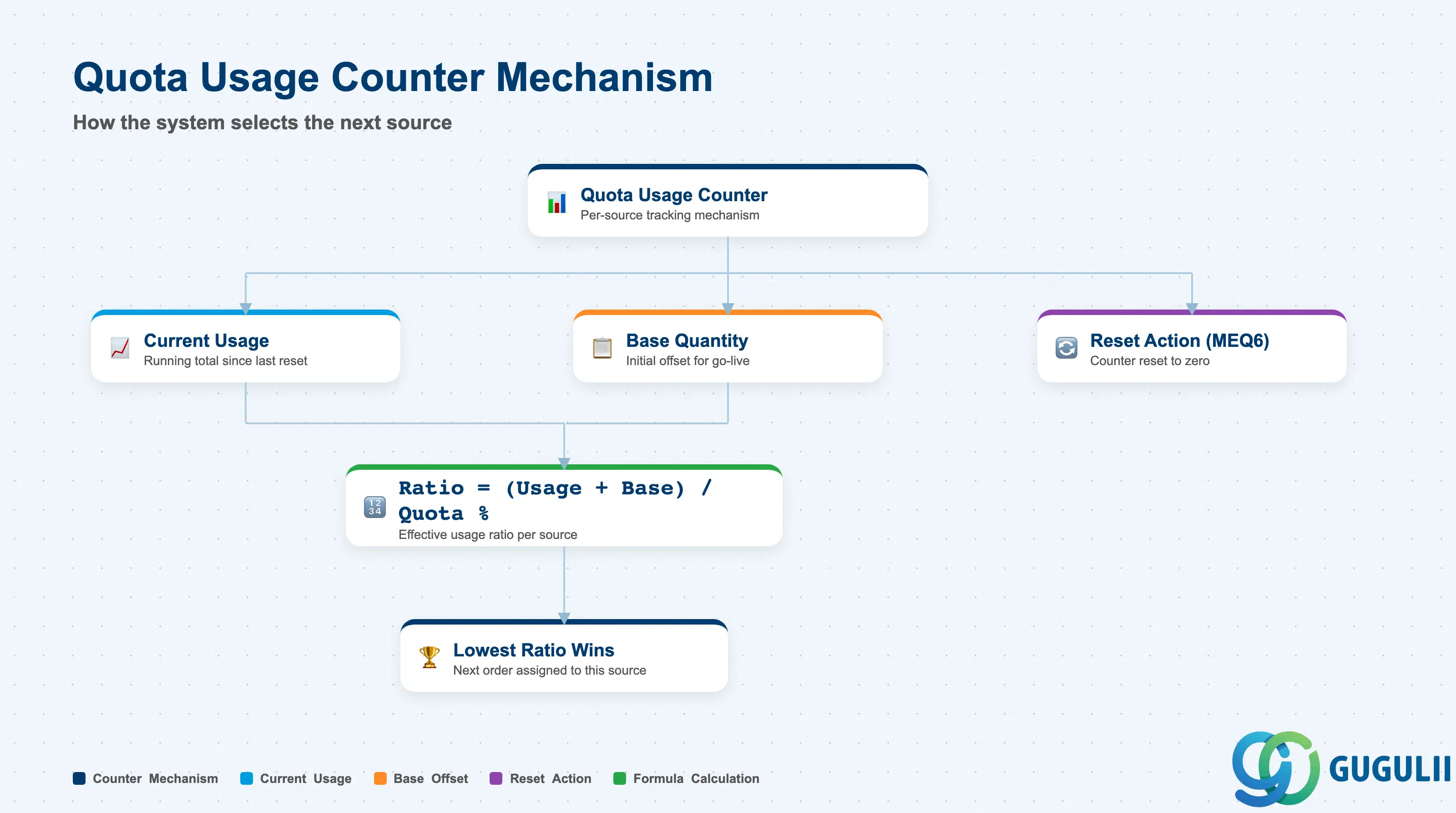
The quota usage counter is the mechanism by which the Quota Arrangement achieves its percentage-based distribution over time. Understanding how it works — and how to manage it — is essential for consultants diagnosing unexpected source assignments in MRP runs.
| Field | Description | Practical Usage |
|---|---|---|
| Quota Usage (current) | Running cumulative quantity assigned to this source since last reset | Updated each time MRP assigns a PR to this source or a buyer manually assigns a PR. The system selects the source with the lowest (Quota Usage / Quota %) ratio. Example: Vendor A has usage 600, quota 60% → ratio = 10.0. Vendor B has usage 280, quota 40% → ratio = 7.0. Vendor B is selected next. |
| Quota Base Quantity | Additive offset applied to the Quota Usage for ratio calculation | Effective ratio = (Quota Usage + Quota Base Quantity) / Quota (%). Use the base quantity when importing historical demand at go-live — without it, the first MRP run after cutover would assign all demand to the source with zero usage, violating the intended split. |
| Reset Quota Usage | Manual counter reset action (MEQ6) | Resets the Quota Usage counter to zero for all items in the arrangement. Best practice: reset at the start of each contract year or whenever a major re-negotiation changes the allocation percentages. Failure to reset after a percentage change means the new ratios are applied on top of a usage history that reflects the old percentages, causing a rebalancing phase that can last several months. |
Prerequisite: Quota Arrangement source selection only functions if the Material Master Purchasing View field “Quota Arrangement Usage” (QUNUM) is set. Common values: “1” = relevant for purchase orders, “2” = relevant for PRs, “3” = both, “4” = all procurement types including MRP. Consult with the MM master data team to confirm the correct value for each material category during blueprint.
| ID | Category | Title |
|---|---|---|
| mm-001 | Overview | What is SAP MM? |
| ID | Category | Title |
|---|---|---|
| mm-a01 | Overview | SAP MM Master Data: Overview, Hierarchy & Relationships |
| mm-a02-01 | Master Data | SAP MM Material Master |
| mm-a04-01 | Master Data | SAP MM Class |
| mm-a04-02 | Master Data | SAP MM Characteristic |
| mm-a06-01 | Master Data | SAP MM Purchasing Info Record |
| mm-a05-01 | Master Data | SAP MM Batch Master |
| mm-a06-02 | Master Data | SAP MM Source List |
| mm-a06-03 | Master Data | SAP MM Quota Arrangement 📍 |
| mm-a06-04 | Master Data | SAP MM Price Condition |
| ID | Category | Title |
|---|---|---|
| mm-b01 | Overview | SAP MM Transactions: Process Flow, Hierarchy & Module Integration |