Title here
Summary here

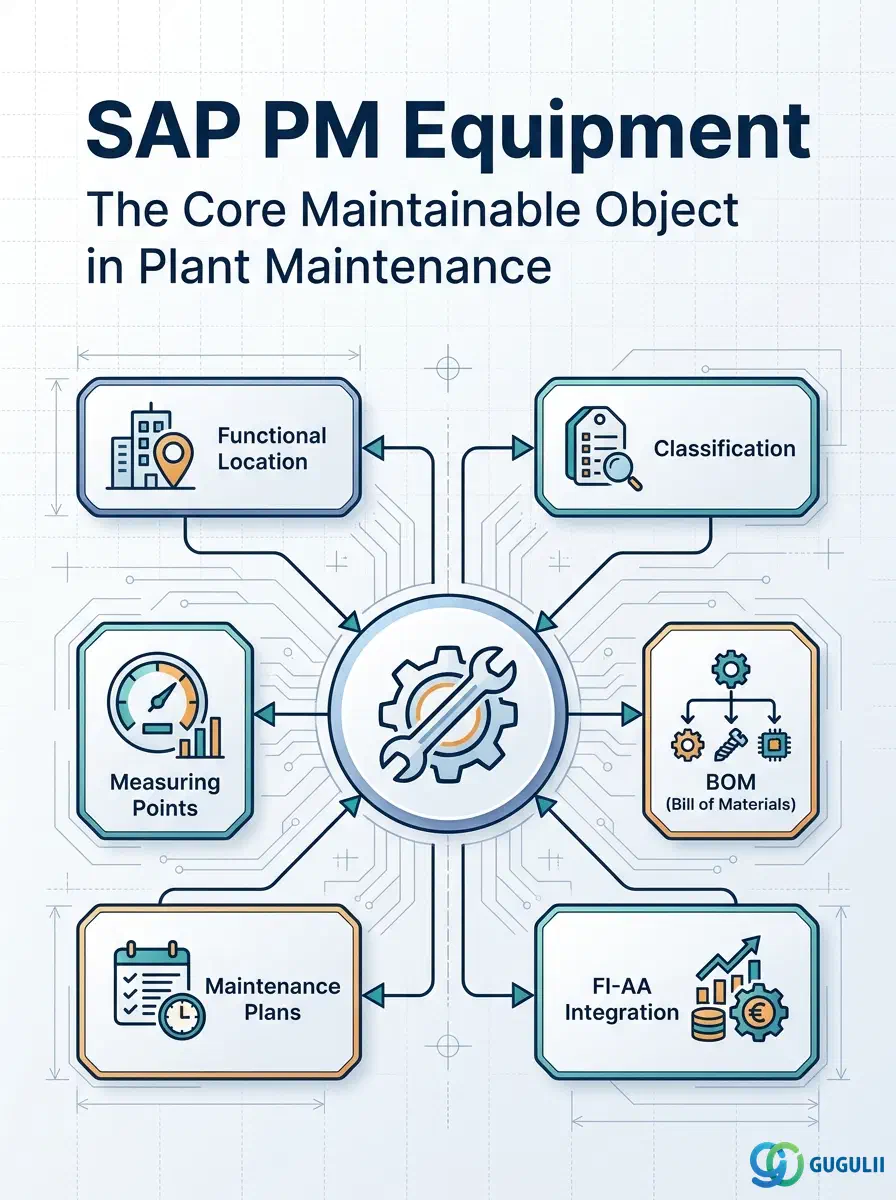
The Equipment master is the central object of SAP Plant Maintenance — it represents a single, uniquely identifiable physical asset subject to maintenance. Each piece of equipment is installed at a Functional Location, classified for search and attribute management, measured by Measuring Points, and referenced in Maintenance Plans and Work Orders. Together with the Functional Location, it anchors the entire PM master data structure. This article covers Equipment’s categories, organizational levels, integration relationships, and the field-level detail PM consultants must configure.
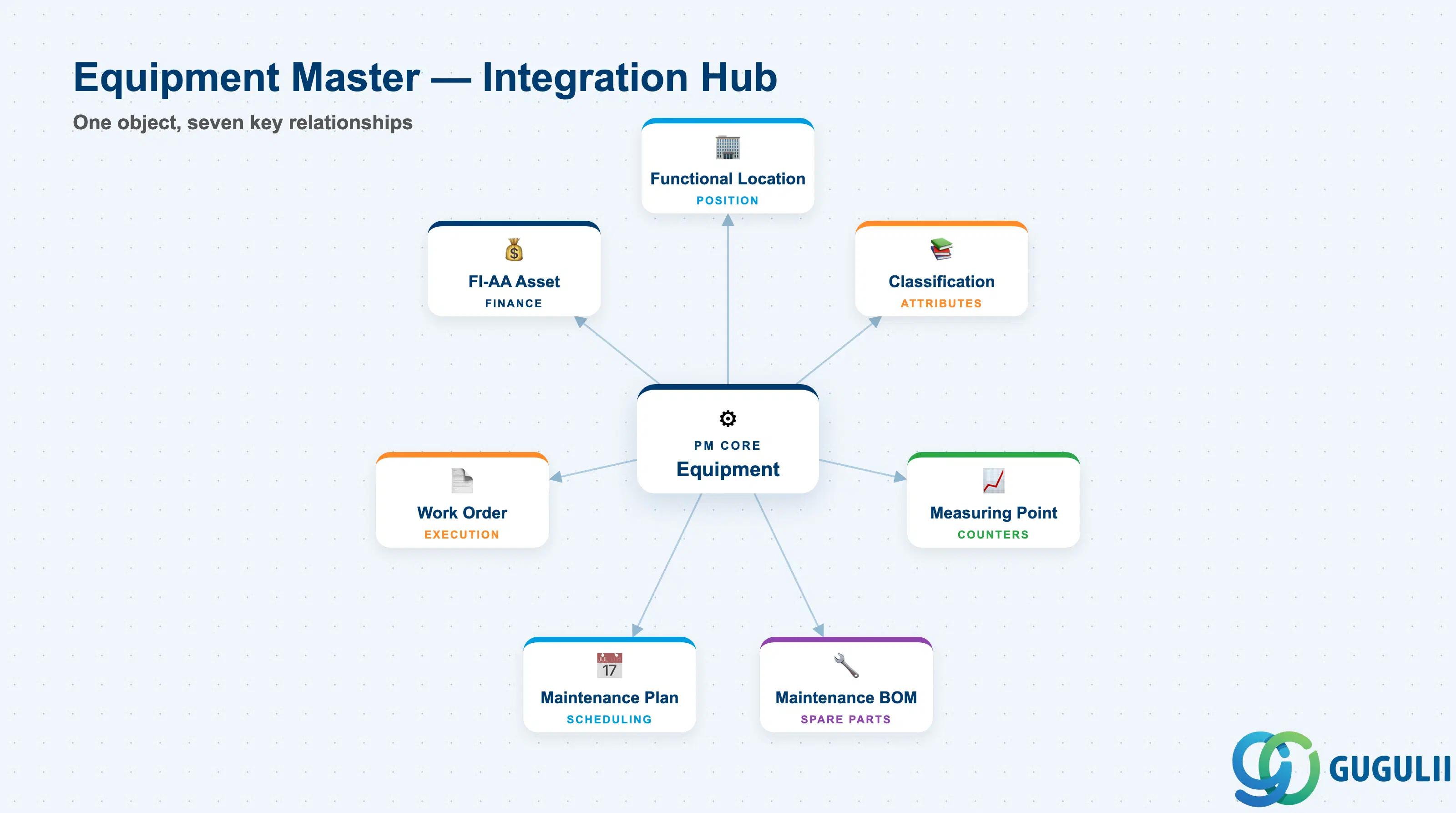
Equipment is an individual, uniquely numbered physical object that must be maintained, inspected, or tracked over its lifecycle. Unlike the Functional Location (which defines where something is), Equipment defines what is there — its identity, manufacturer, model, installation date, and technical specifications.
| Aspect | Details |
|---|---|
| Role | Uniquely identifies a single maintainable asset; links location, classification, and maintenance history |
| Modules using it | PM (primary owner — maintenance history, work orders, BOM), FI-AA (asset integration for capitalized equipment), CO (cost assignment to maintenance orders), MM (spare parts BOM, procurement), QM (quality inspections on equipment) |
| Transactions | IE01 (Create) / IE02 (Change) / IE03 (Display) / IW38 (Work Orders for Equipment) / IL11 (Equipment list at Functional Location) |
| Key Tables | EQUI (Equipment master general data) / EQUZ (Equipment usage periods / installation history) / EQBS (Equipment to Business Partner) / IFLO (Functional Location assignment) |
| S/4HANA note | Equipment master data model is unchanged from ECC. In S/4HANA, Business Partner (BP) integration replaces standalone vendor master links for equipment suppliers. Fiori app “Manage Equipment” (F2748) provides modern maintenance UI. |
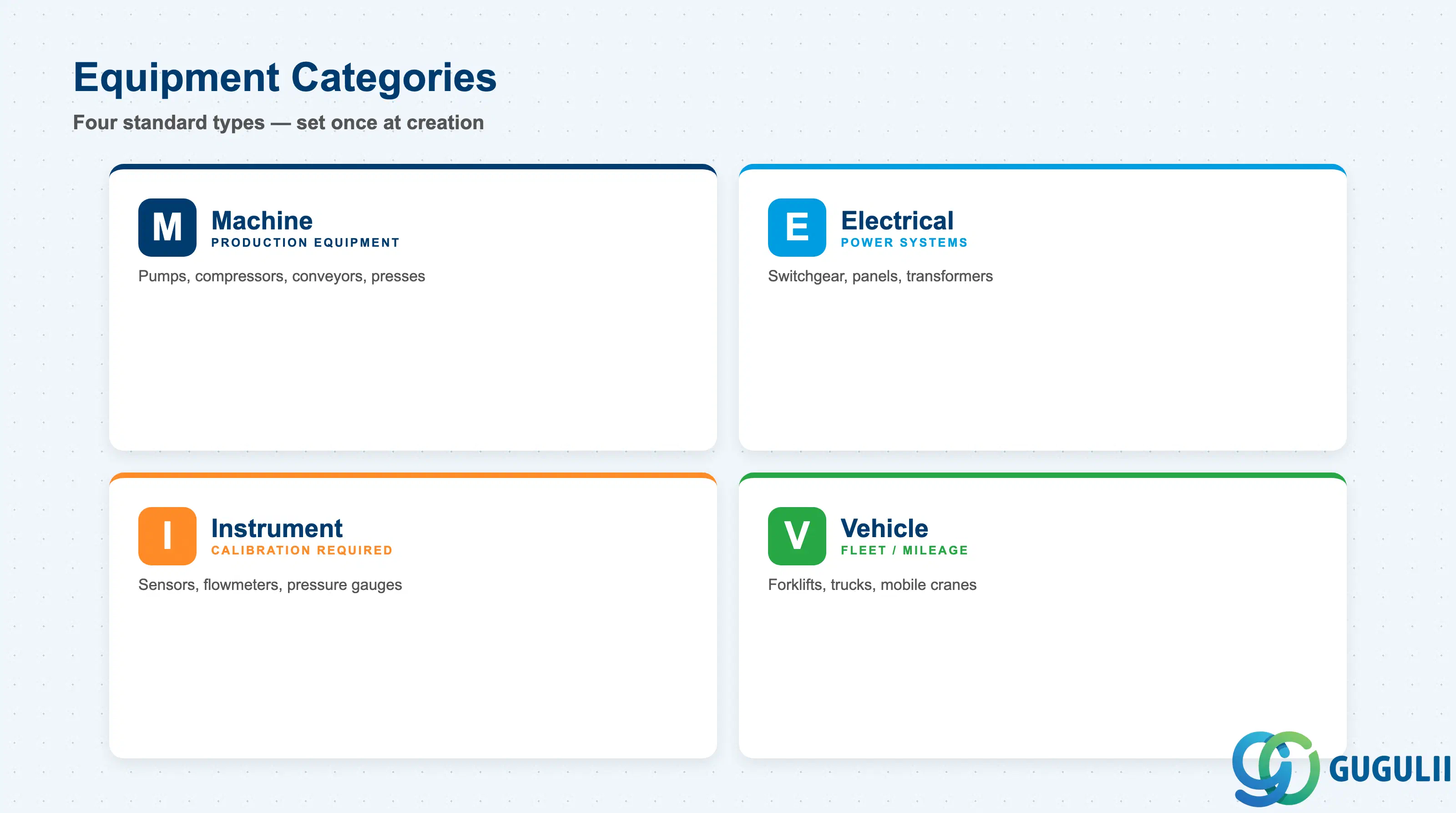
The Equipment Category is the most fundamental classification of an equipment record. It controls the screen layout, fields displayed, and the valid organizational assignments for that equipment. Selecting the wrong category at creation time causes rework — the category cannot be changed once set.
| Category | Code | Use Case | Key Behavior |
|---|---|---|---|
| Machine | M | Production machinery, conveyor lines, pumps, compressors, presses | Default category for industrial plant equipment. Controls manufacturing-oriented fields (manufacturer, model, year). Most PM implementations primarily use category M. |
| Electrical Equipment | E | Switchgear, control panels, transformers, power distribution systems | Electrical-specific fields (voltage, power rating). In some implementations, electrical equipment is tracked separately from mechanical for inspection compliance (IEC, OSHA). |
| Instrument | I | Sensors, flowmeters, pressure gauges, temperature transmitters | Calibration-relevant equipment. Often linked to Measuring Points for counter readings. Instrument categories may have additional Customizing for calibration cycles. |
| Vehicle | V | Forklifts, trucks, company vehicles, mobile cranes | Mileage or engine-hour based maintenance. Counter-based Maintenance Plans are common for vehicles. FI-AA integration for fleet depreciation tracking. |
Design principle: Equipment Categories are defined in Customizing (SPRO → Plant Maintenance → Master Data → Technical Objects → Equipment → Define Equipment Categories). Custom categories can be created for project-specific needs (e.g., “S” for Safety Equipment requiring regulatory inspection intervals), but standard categories (M, E, I, V) cover the majority of implementations.
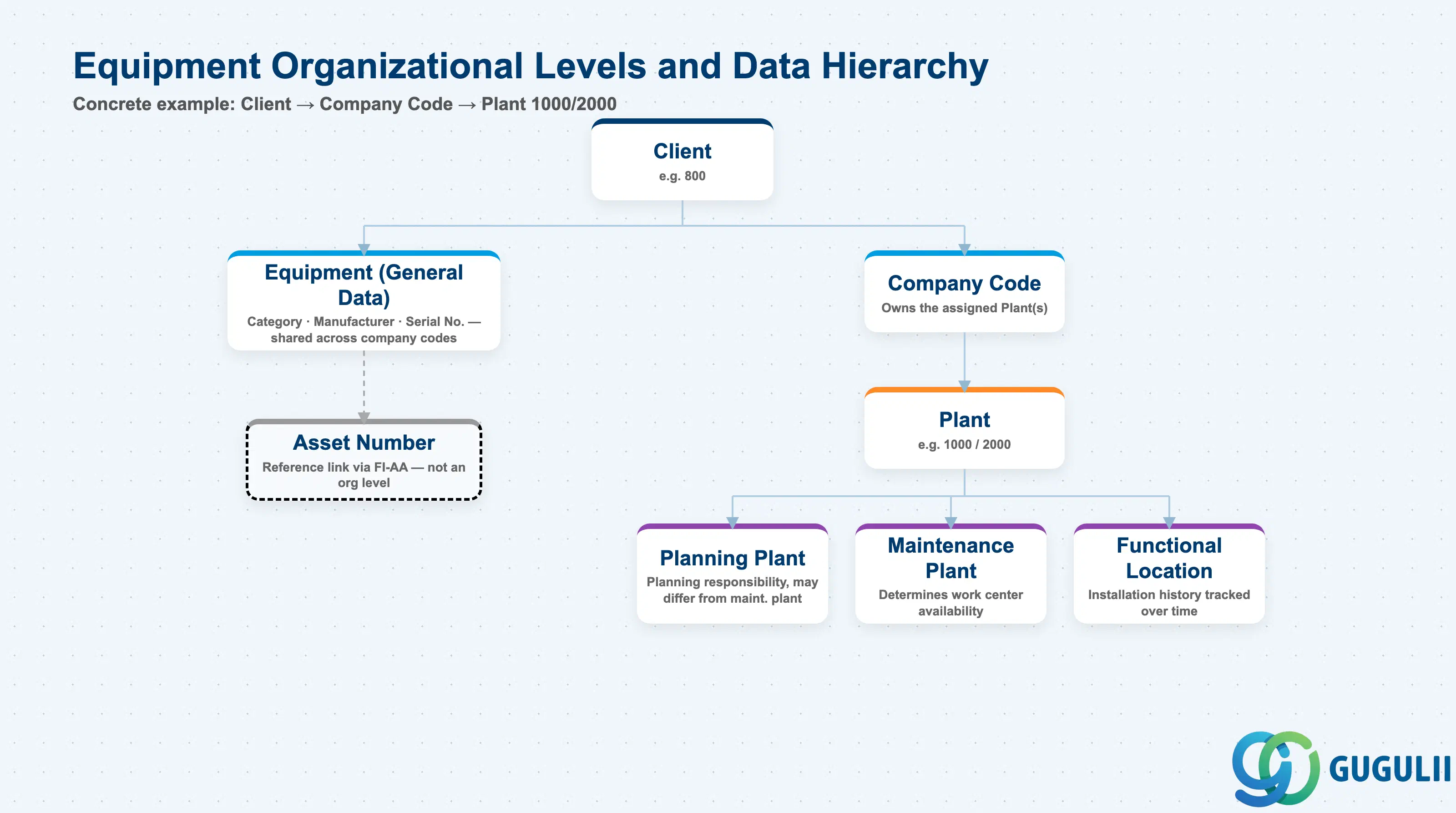
Data hierarchy with a concrete example
Client
   │
   ├── Equipment (General Data)
   │      Category, Manufacturer, Model, Serial Number
   │      One record per equipment — shared across company codes
   │
   └── Company Code
          │
          └── Plant (1000, 2000, ...)
                 │
                 ├── Planning Plant
                 │      Maintenance planning responsibility; may differ from maintenance plant
                 │
                 ├── Maintenance Plant
                 │      Physical location plant; determines work center availability
                 │
                 └── Functional Location
                        Hierarchical position within the plant structure
                        Installation history tracked over time

Reference link (not an org level):
   Equipment ──(via FI-AA)──> Asset Number
      Fixed asset integration for capitalized equipment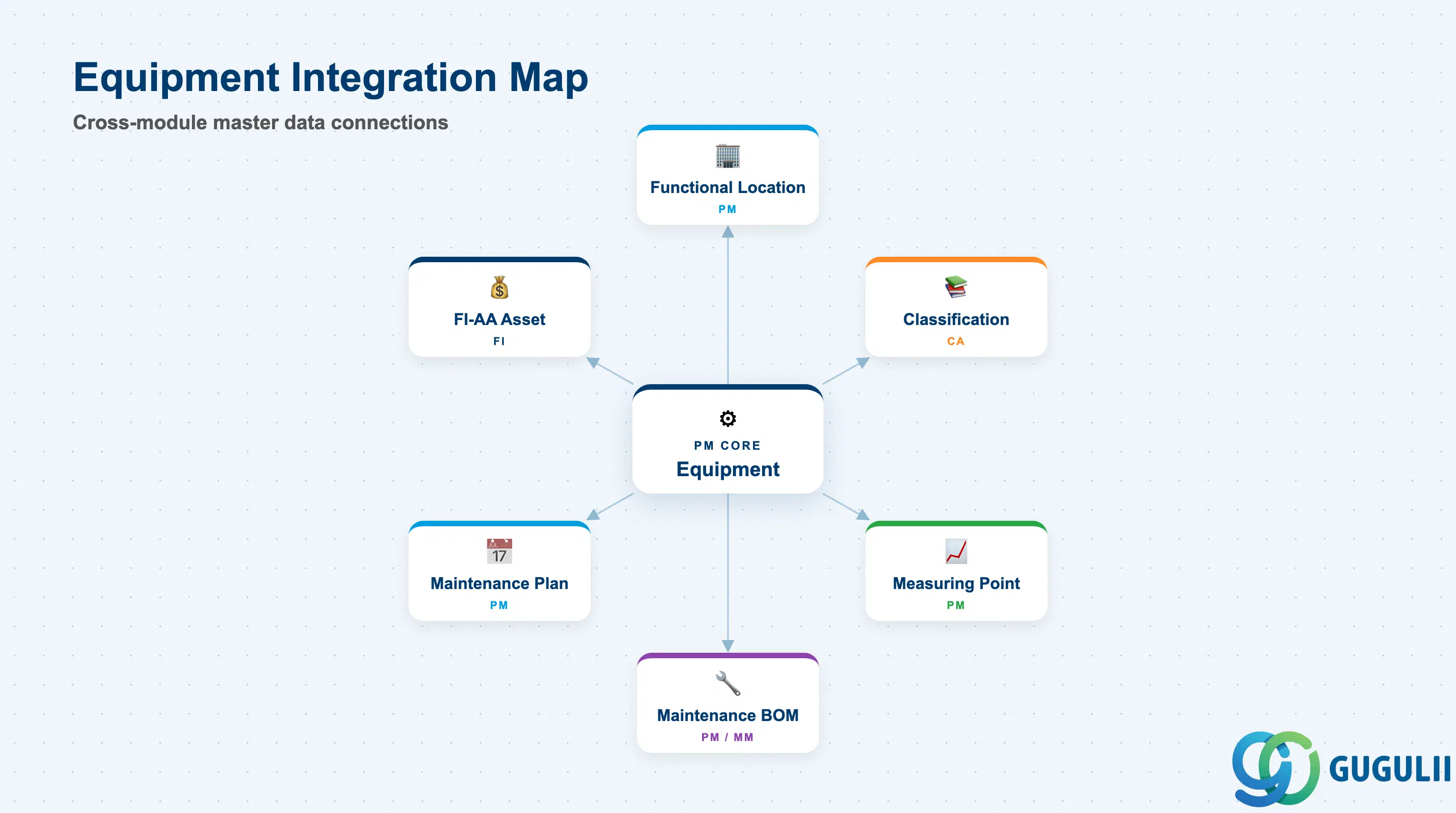
Equipment sits at the intersection of every PM master data domain. It is not a standalone object — its value comes from the network of relationships it anchors.
| Object | Relationship | Practical Notes |
|---|---|---|
| Functional Location | Equipment is installed at one Functional Location | A Functional Location defines the physical structure (plant → building → line → process). Equipment inherits the Functional Location’s master data (cost center, plant, maintenance work center) unless overridden at equipment level. |
| Class / Characteristic | Equipment is assigned to classes for attribute management and search | Classification (Class Type 002) enables equipment search by technical parameters. Critical for large fleets where finding all equipment of a specific type or rating is required for safety recall or batch replacement programs. |
| Measuring Point | Measuring Points are defined on Equipment for counter and gauge readings | Counter-based Maintenance Plans (operating hours, production cycles, mileage) depend on Measuring Points. Each Measuring Point belongs to exactly one Equipment — measurement documents post against the equipment’s counter history. |
| Maintenance BOM (IB01) | Equipment BOM lists the spare parts making up the equipment | Equipment BOM with Usage “3” lists components relevant for maintenance. When a Work Order is created for equipment, the BOM can be exploded to generate component reservations automatically. |
| Maintenance Plan / Maintenance Item | Equipment is the call object for Maintenance Plans | A Maintenance Plan references the Equipment directly as the maintenance object. When the plan triggers, Work Orders or Notifications are created with the Equipment number pre-filled, building maintenance history. |
| FI-AA Asset Master | Equipment linked to an FI-AA asset number | For capitalized assets, this link is required for cost settlement from Work Orders to the asset (investment orders, settlement to the asset’s depreciation area). |
| PRT (Production Resource/Tool) | Equipment can be used as a PRT in Task Lists | When a piece of equipment (e.g., a calibrated torque wrench or lifting jig) is used as a production resource/tool in maintenance operations, it is assigned as Equipment-category PRT in the Task List operation. This tracks usage against the PRT equipment record. |
| Data Section | PM Involvement | Notes |
|---|---|---|
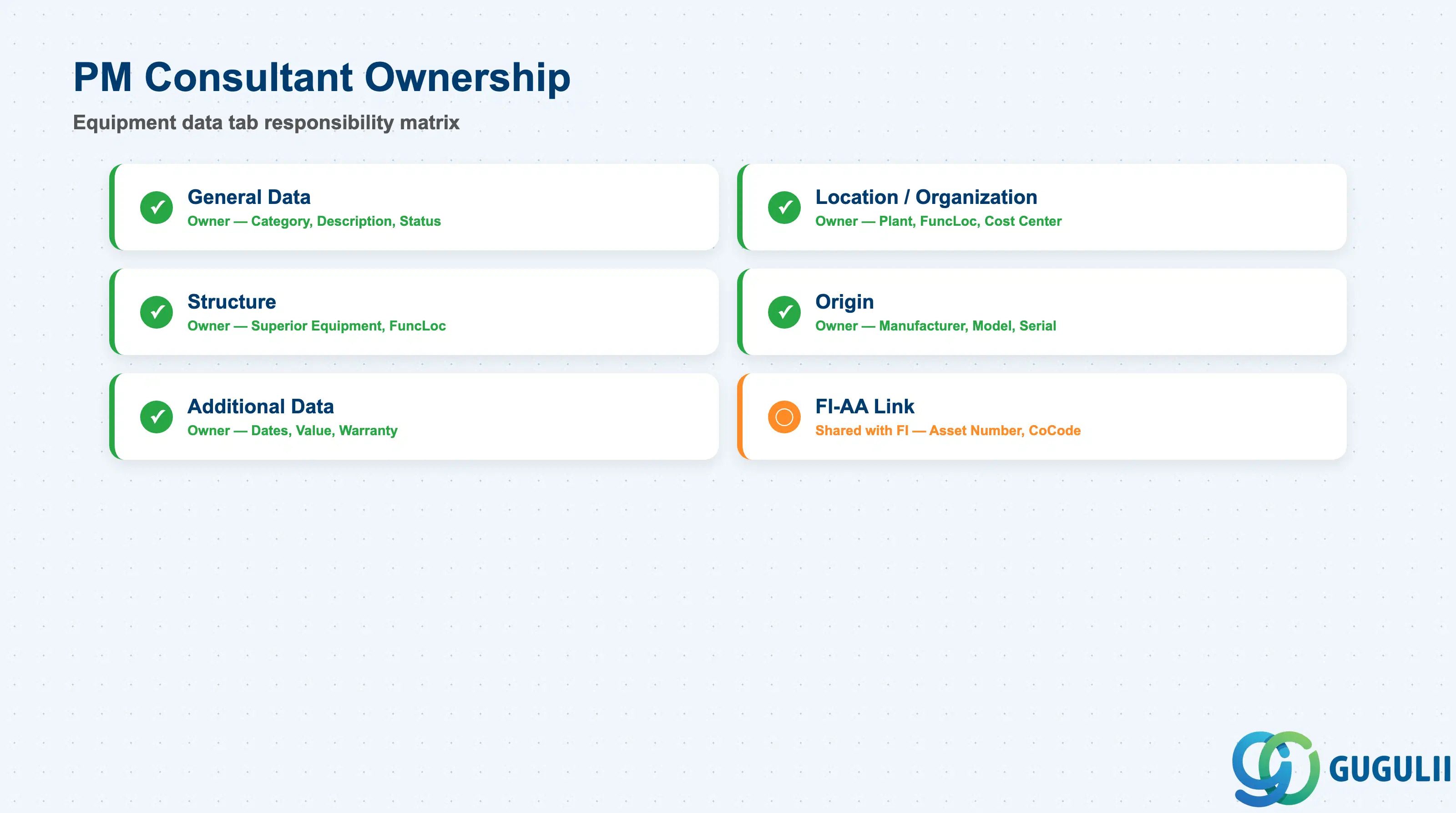
| General Data | ◎ Owner | Equipment category, description, object type, status |
| Location and Organization | ◎ Owner | Plant, planning plant, functional location, cost center, work center |
| Structure | ◎ Owner | Superior equipment / functional location hierarchy position |
| Origin | ◎ Owner | Manufacturer, model, serial number, year of construction, country of origin |
| Additional Data | ◎ Owner | Start-up date, acquisition date, acquisition value |
| FI-AA Link (Asset Data) | ○ Shared with FI | Asset number and company code — configured with FI team |
Legend: ◎ = Owner / Critical, ○ = Direct involvement
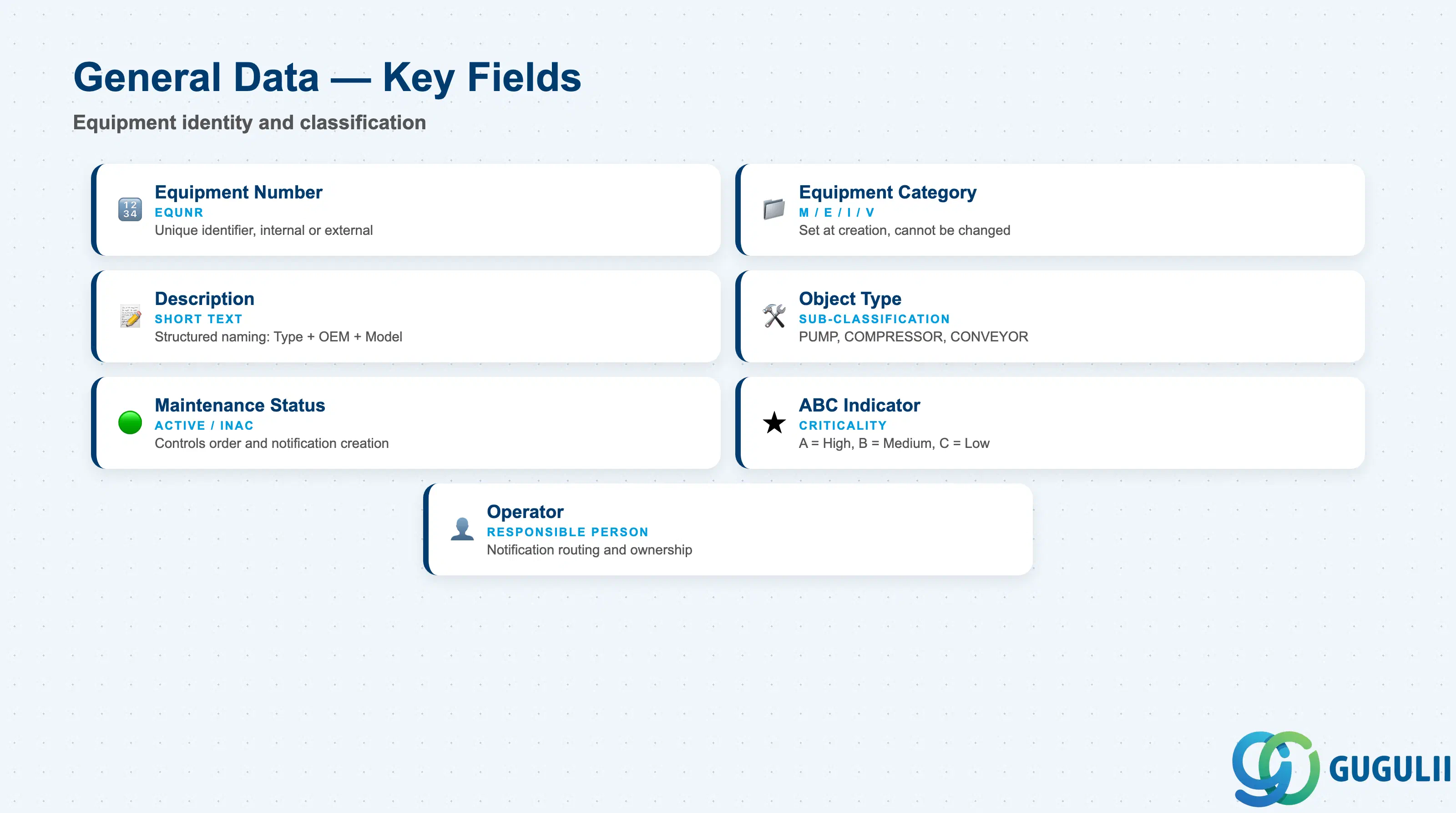
General Data is the top level of the Equipment record, shared across all organizational assignments. It identifies the object and controls which PM processes apply to it.
| Field | Description | Practical Usage |
|---|---|---|
| Equipment Number (EQUNR) | Unique equipment identifier | Can be internally or externally assigned depending on Customizing. Define the numbering policy during blueprint: internal (system-assigned sequential numbers) is simpler, external (engineer-assigned asset tag numbers) aligns with physical asset tagging systems but requires governance to prevent gaps and duplicates. |
| Equipment Category | Category code (M, E, I, V, or custom) | Determines screen layout and field selection. Set at creation — cannot be changed. Document the category assignment rules in the data governance policy so all project team members assign the correct category at creation time. |
| Description | Short text description of the equipment | Use a structured naming convention: Equipment Type + Manufacturer + Model (e.g., “CENTRIFUGAL PUMP ABB NHM-65”). Consistent naming enables search and reporting across the fleet — unstructured descriptions (“Pump for Line 3”) become unusable in large equipment catalogs. |
| Object Type | Technical object type (sub-classification within category) | Further refines the category. Example: within M (Machine), define types such as “PUMP”, “COMPRESSOR”, “CONVEYOR”. Object types are defined in Customizing and can be used in selection criteria for mass processing and reporting. |
| Maintenance Status | PM processing status | Controls whether maintenance orders, notifications, and work requests can be created against the equipment. Set to “Active” for equipment in service. Use status “INAC” (Inactive) for mothballed equipment to prevent unintentional maintenance activity. |
| ABC Indicator | Criticality classification | A = High criticality (failure causes production stoppage or safety hazard), B = Medium (degraded performance), C = Low (non-critical / redundant). The ABC indicator drives maintenance strategy decisions: A-class equipment typically receives time-based preventive maintenance and condition monitoring; C-class may be run-to-failure. |
| Operator | Person responsible for the equipment | The equipment operator or responsible department. Informational field used in notification routing and equipment search by organizational ownership. |
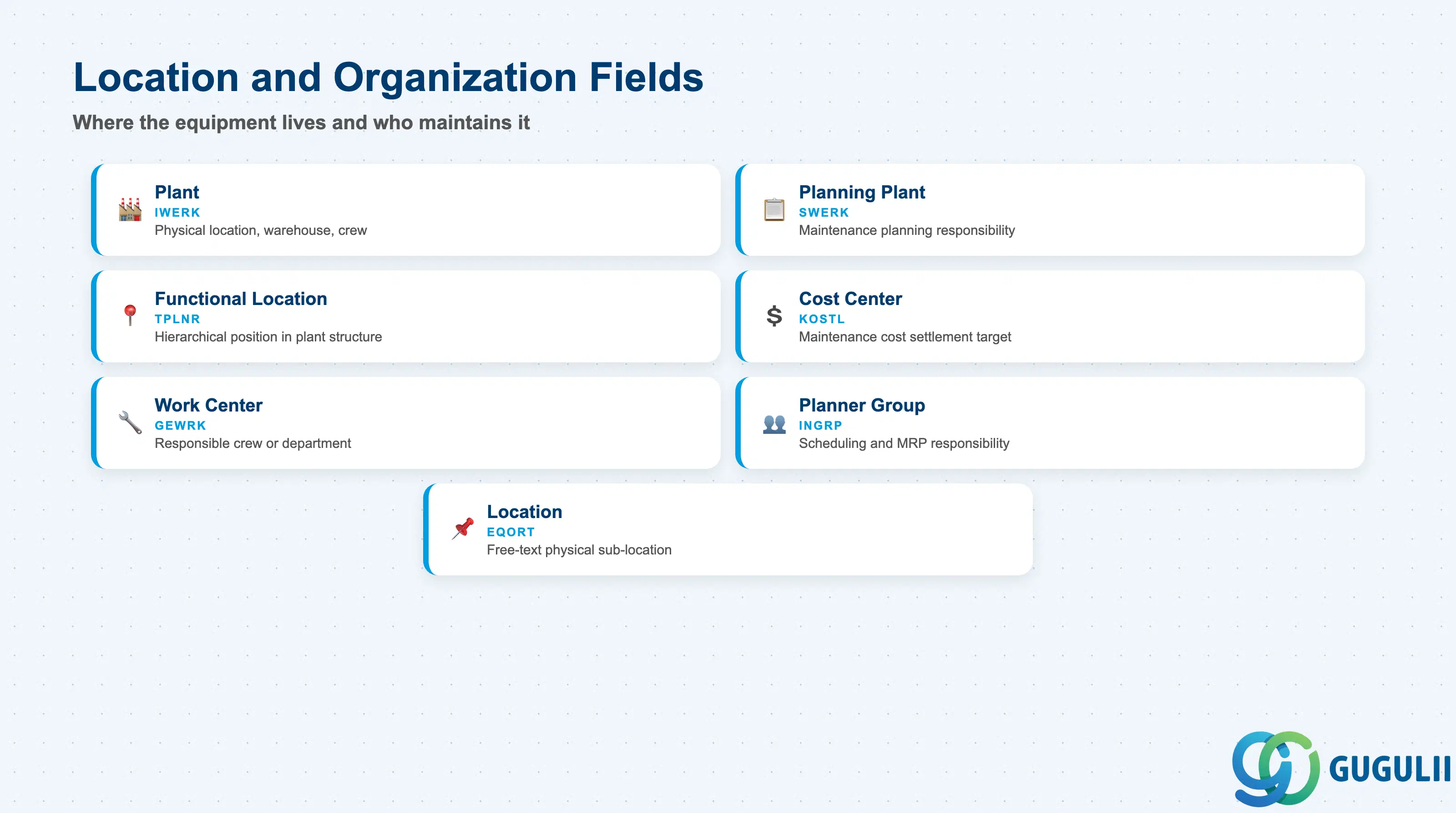
Location and Organization data determines how maintenance costs are assigned, which planners are responsible, and where the equipment is physically positioned in the plant structure.
| Field | Description | Practical Usage |
|---|---|---|
| Plant (IWERK) | Maintenance plant — physical location | The plant where the equipment physically resides. Determines which work centers, spare parts warehouses, and maintenance crews are available for work orders. In multi-plant environments, plant assignment also controls which company code bears the maintenance costs by default. |
| Planning Plant (SWERK) | Maintenance planning plant | The plant responsible for maintenance planning. For companies with centralized maintenance planning (one planning team serving multiple production plants), the Planning Plant and Maintenance Plant will differ. This distinction controls which planner groups and task lists are available for the equipment. |
| Functional Location (TPLNR) | Hierarchical installation position | Links the equipment to its physical position in the plant hierarchy. Equipment inherits the Functional Location’s organizational data (cost center, work center, planning plant) unless values are explicitly overridden at equipment level. Always assign Functional Location at equipment creation — equipment without a location is difficult to find and maintain in a large fleet. |
| Cost Center (KOSTL) | Maintenance cost assignment center | The cost center to which maintenance costs (labor, materials, external services) are settled. For production equipment, this is typically the producing cost center. Must align with CO cost center design — confirm cost center assignments with the CO team during blueprint to ensure maintenance costs roll up correctly to production, facilities, or fleet cost nodes. |
| Work Center (GEWRK) | Main work center responsible for this equipment | The maintenance work center (crew or department) primarily responsible for this equipment. Pre-filled on Work Orders when the equipment is selected, reducing data entry time for maintenance planners and schedulers. |
| Planner Group | Maintenance planner group | The planner group (INGRP) responsible for maintenance planning for this equipment. Controls who receives MRP and maintenance scheduling messages related to this equipment. Align with the organizational structure of the maintenance planning team. |
| Location (EQORT) | Free-text physical location description | A descriptive sub-location within the Functional Location (e.g., “North wall of Building 3, column G-7”). Useful for field technicians who need precise physical directions to find equipment — especially in large or complex facilities where the Functional Location hierarchy alone is insufficient. |
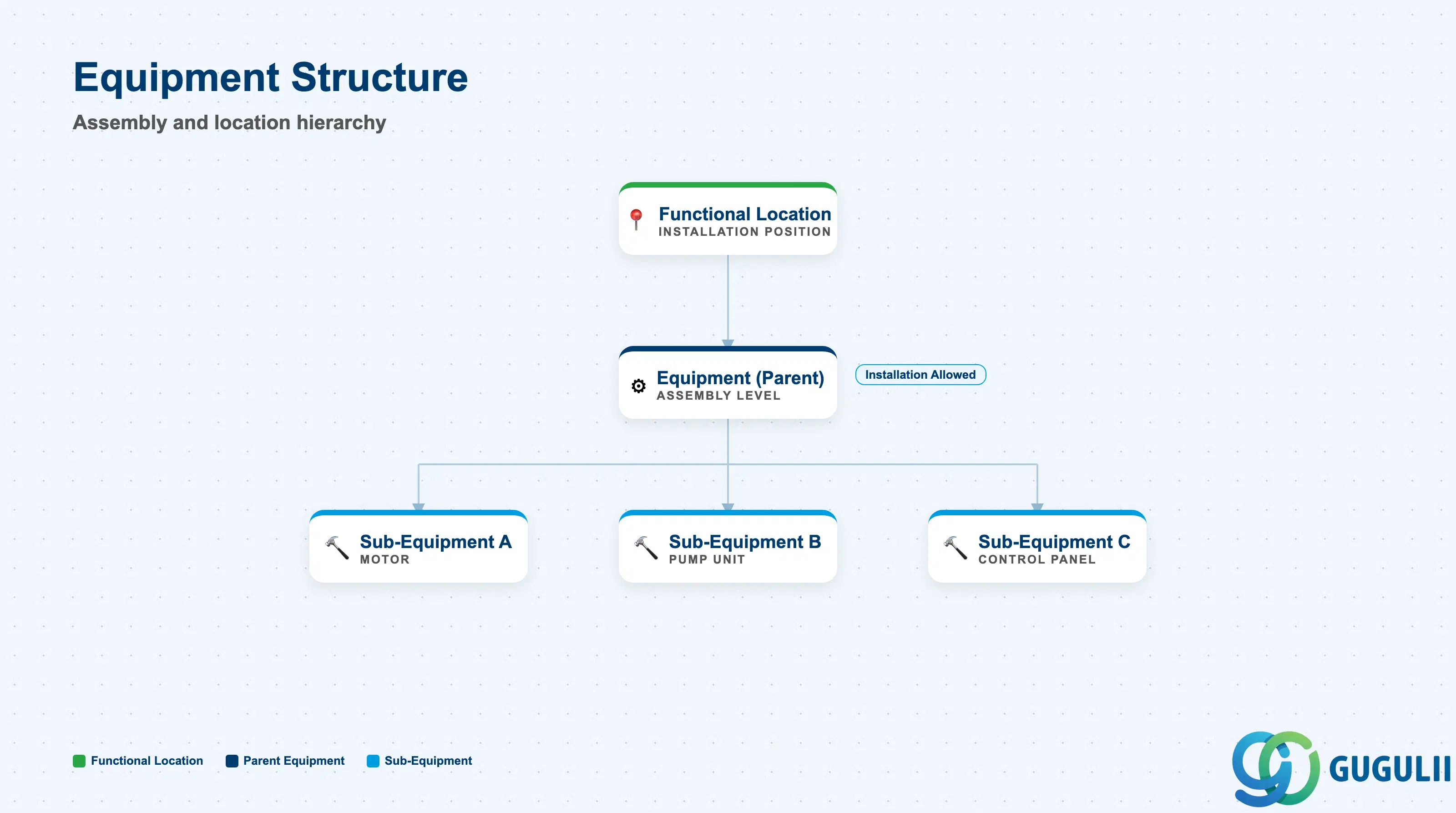
The Structure tab defines the Equipment’s position within technical object hierarchies — both functional hierarchies (Functional Location) and equipment-to-equipment hierarchies (sub-equipment).
| Field | Description | Practical Usage |
|---|---|---|
| Superior Equipment | Parent equipment in an equipment assembly | Enables an equipment-within-equipment hierarchy: a pump (child) installed within a pump skid assembly (parent). Maintenance history and work orders can be viewed at either the assembly or component level. Use for complex machinery where sub-components are maintained individually but also tracked as part of a larger asset. |
| Superior Functional Location | Functional Location where this equipment is installed | Redundant with the Location/Organization tab’s Functional Location field — displays the same value in a hierarchy context. The structural view makes the position in the overall technical object hierarchy visually clear. |
| Installation Allowed | Flag permitting equipment installation at a functional location | Controls whether this equipment can be installed at functional locations. For equipment that is a sub-component of another equipment (e.g., a motor within a pump assembly), installation is managed at the assembly level and may be restricted at individual component level. |
Prerequisite: The Functional Location hierarchy must be fully defined (IL01) before Equipment records are created and installed. Equipment installed at a non-existent or incorrectly structured Functional Location creates orphaned records that are costly to correct in production.
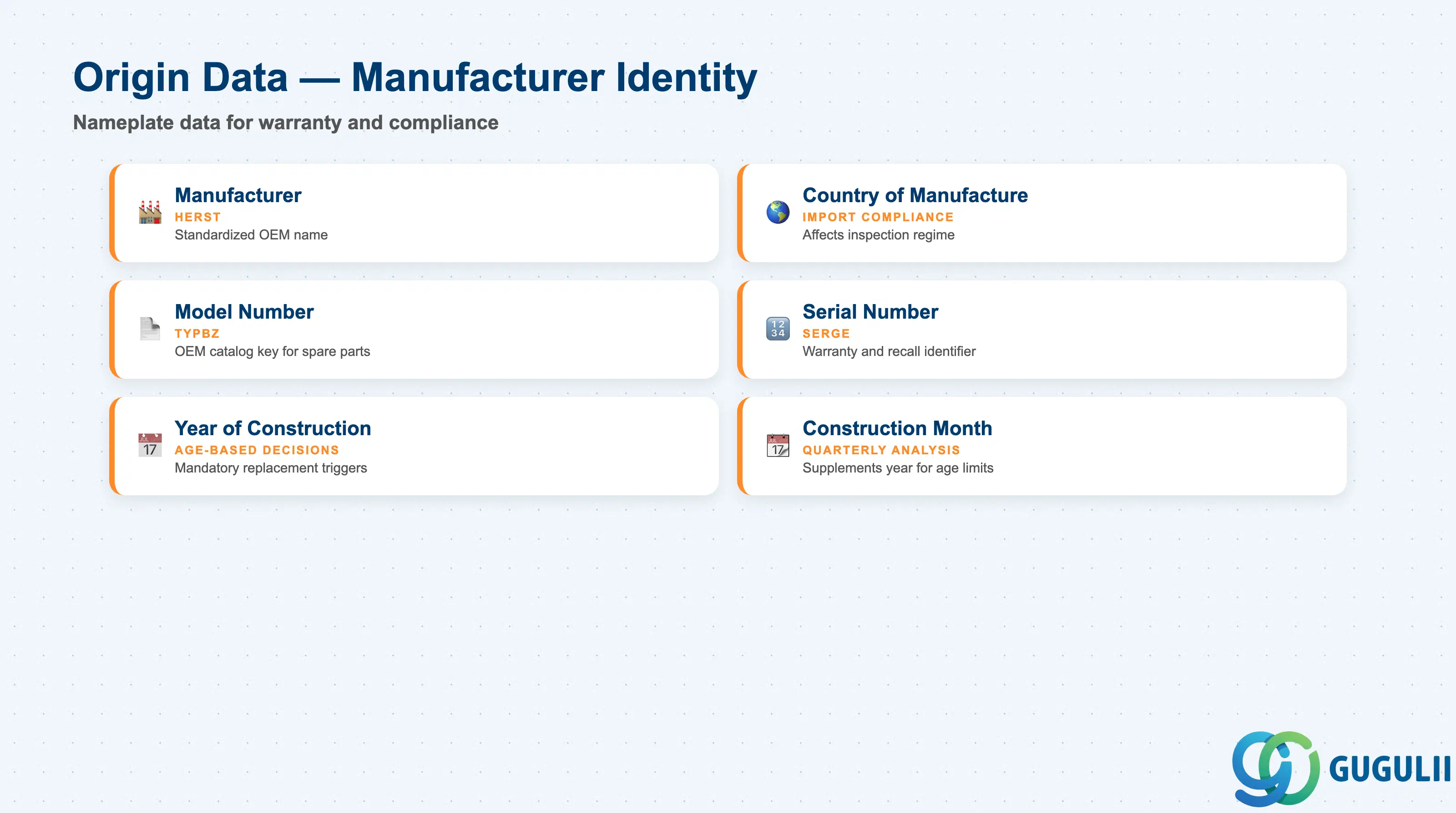
Origin data records the equipment’s physical identity as delivered by the manufacturer. This data is essential for vendor communication, warranty claims, spare parts ordering, and regulatory compliance.
| Field | Description | Practical Usage |
|---|---|---|
| Manufacturer (HERST) | Manufacturer name | The OEM name. Use a standardized manufacturer name list (defined in Customizing or via a characteristic) to prevent duplicates (“ABB” vs. “ABB Ltd.” vs. “Asea Brown Boveri”). Inconsistent manufacturer names fragment equipment reporting by manufacturer — making it impossible to identify all equipment from a vendor affected by a safety recall. |
| Country of Manufacture | Country where the equipment was built | Required for import compliance documentation and may affect warranty terms. In regulated industries (food, pharmaceutical, nuclear), the country of manufacture can determine which inspection regime applies. |
| Model Number (TYPBZ) | Manufacturer’s model designation | The manufacturer’s model or type number. Critical for ordering spare parts — many OEM parts catalogs are organized by model number, not by customer-specific equipment number. Store the exact model string as printed on the equipment nameplate. |
| Manufacturer Serial Number (SERGE) | Unique serial number from the manufacturer | The manufacturer’s serial number, as found on the equipment’s nameplate or documentation. This is the primary key for warranty claims, OEM service hotline support, and recall notifications. One serial number per piece of equipment — enforce uniqueness during data load. |
| Year of Construction | Year the equipment was manufactured | Used for age-based maintenance decisions (e.g., mandatory replacement after 20 years of service for safety-critical equipment) and for calculating current asset value. Also informational for insurance and financial reporting. |
| Construction Month | Month of manufacture | Supplements Year of Construction for quarterly or monthly age analysis. Important in industries with strict equipment age limits (pressure vessels, lifting equipment, safety valves). |
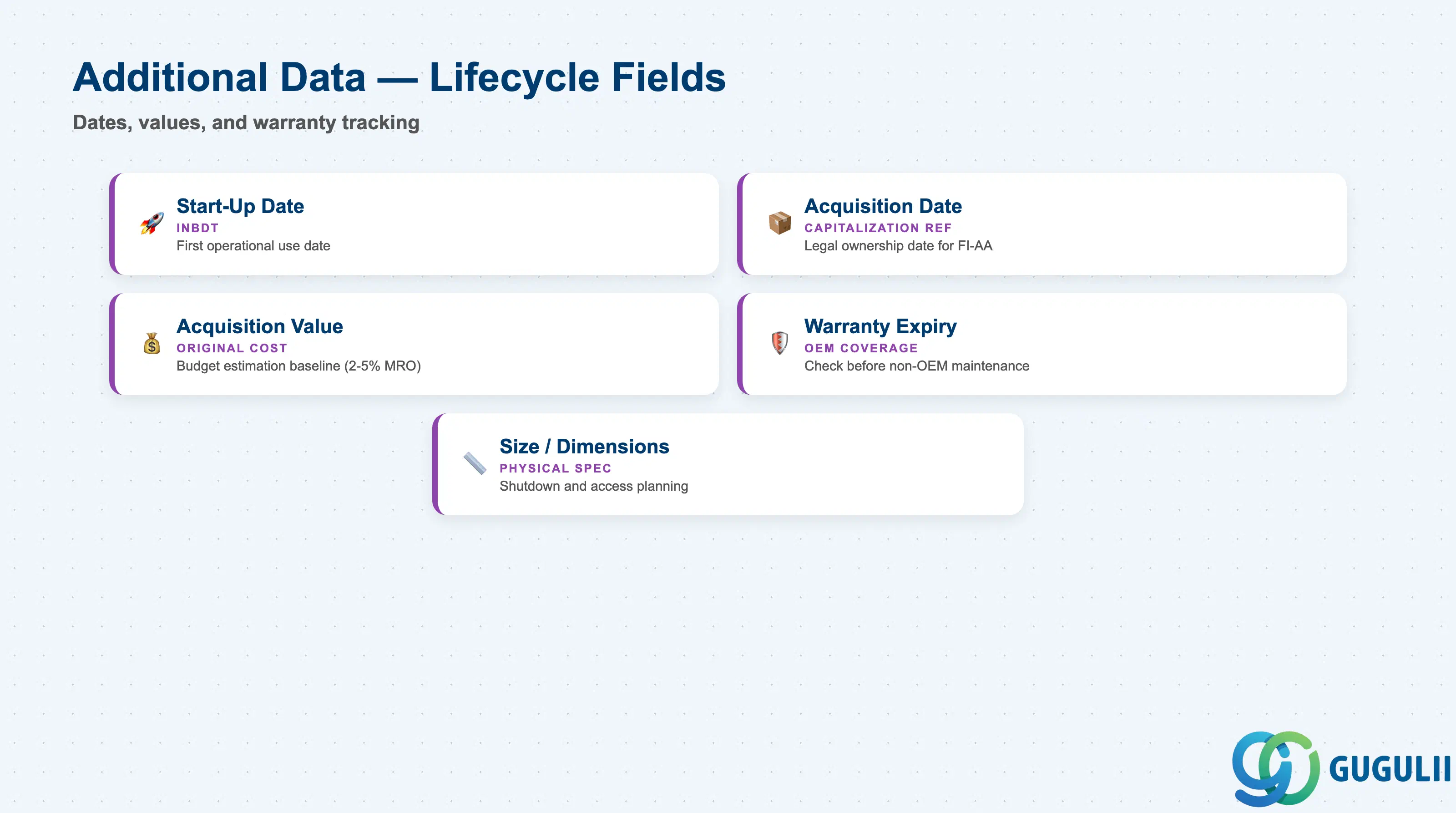
Additional Data captures the lifecycle and commercial history of the equipment — when it was acquired, its initial value, and warranty coverage. This section bridges PM and FI-AA for capitalized equipment.
| Field | Description | Practical Usage |
|---|---|---|
| Start-Up Date (INBDT) | Date the equipment was first put into service | The operational start date — distinct from the acquisition or delivery date. Counter-based Maintenance Plans use this date as the reference point for first-cycle scheduling (e.g., first 500-hour service). Also used to calculate equipment age for maintenance strategy reviews. |
| Acquisition Date | Date the equipment was purchased or received | The date on which the company took legal ownership. For FI-AA integration, this date aligns with the asset capitalization date. May differ significantly from Start-Up Date for equipment that goes through a commissioning period before operational use. |
| Acquisition Value | Original purchase price | The equipment’s original cost at the time of acquisition. Informational in PM — the authoritative value resides in FI-AA. Use for rough-order-of-magnitude maintenance budget estimation (typical MRO spend for industrial equipment is 2–5% of replacement asset value per year). |
| Warranty Expiry Date | End date of OEM warranty coverage | Maintenance activities during the warranty period must often be performed by the OEM or authorized service partners to preserve warranty rights. Flag equipment within warranty in the maintenance strategy — work orders for warranted equipment should trigger a check before ordering non-OEM spare parts or performing self-maintenance. |
| Size / Dimension fields | Physical dimensions of the equipment | Useful for space planning during maintenance shutdowns (e.g., access requirements for lifting and extraction). Populate for large or complex equipment; leave blank for small instruments and tools. |
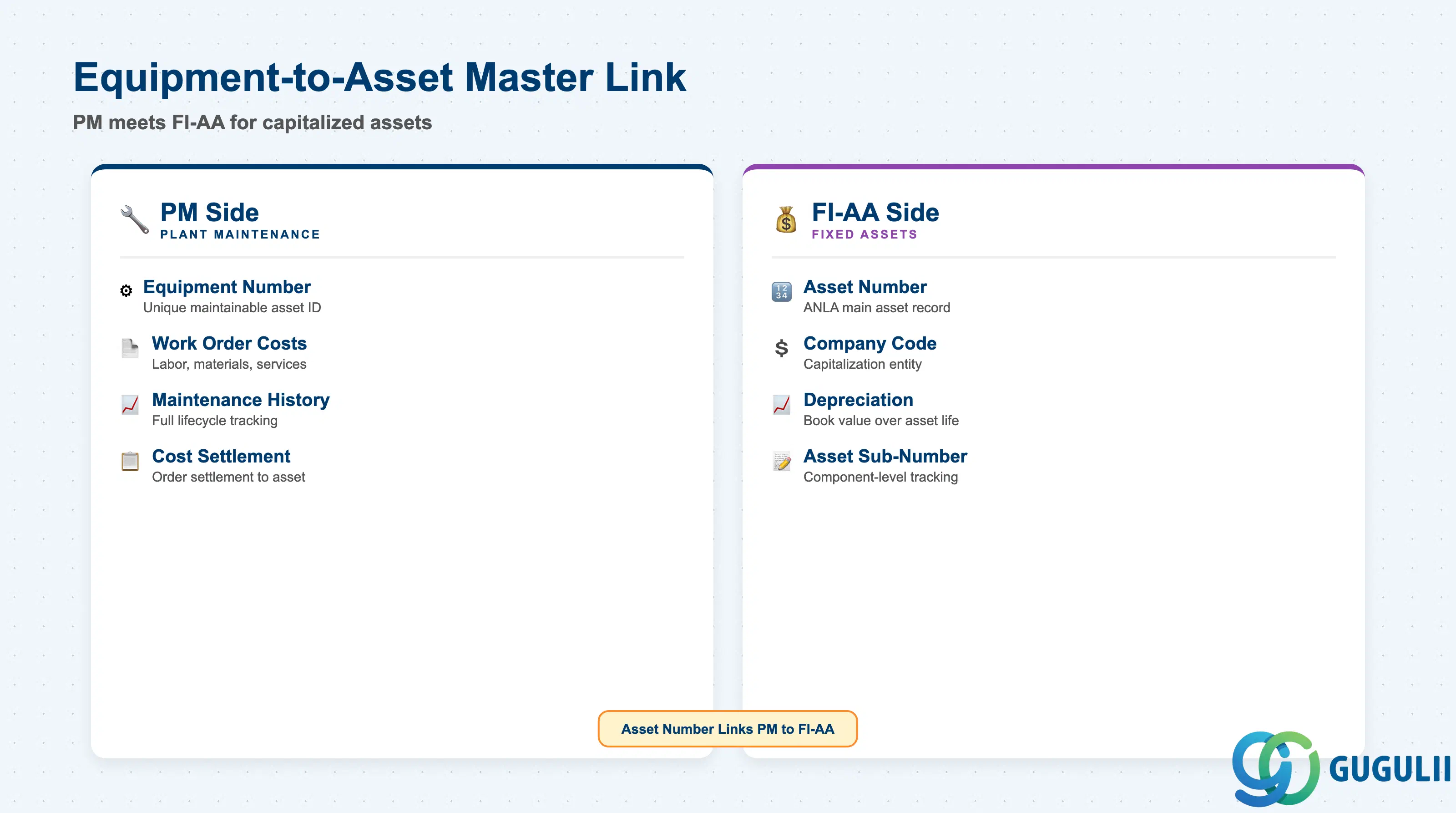
The FI-AA link connects the Equipment master to the Financial Accounting Fixed Assets module. For capitalized equipment, this linkage is mandatory — it enables maintenance costs to be settled to the correct asset and ensures PM and FI-AA remain in sync throughout the asset lifecycle.
| Field | Description | Practical Usage |
|---|---|---|
| Company Code | FI company code owning the asset | Must match the company code under which the asset is capitalized in FI-AA. For equipment installed at a plant that belongs to a different company code than the owning entity (intercompany asset scenarios), confirm the correct company code assignment with the FI team before creating the equipment record. |
| Asset Number | FI-AA asset master number | The main asset number in the FI-AA module (table ANLA). Linking Equipment to an Asset Master enables: (1) maintenance work order costs to settle against the asset’s accumulated expenditure account, (2) cross-report viewing of maintenance history alongside asset book value and depreciation in FI reporting. |
| Asset Sub-Number | FI-AA asset sub-number | Used when a single FI-AA main asset has multiple physical components tracked as sub-assets. For example, a production line (main asset) with individual machines as sub-assets — each machine is one Equipment record linked to one asset sub-number. |
Prerequisite: The FI-AA Asset Master must exist in the system before the Equipment-to-Asset link can be set. Coordinate Equipment data migration and FI-AA asset capitalization during project go-live planning — if the asset does not yet exist in FI-AA, leave the asset fields blank and populate them once the asset is created post-capitalization.
| ID | Category | Title |
|---|---|---|
| pm-001 | Overview | What is SAP PM? |
| ID | Category | Title |
|---|---|---|
| pm-a01 | Overview | SAP PM Master Data: Overview, Hierarchy & Relationships |
| pm-a02-01 | Master Data | SAP PM Functional Location |
| pm-a02-02 | Master Data | SAP PM Equipment 📍 |
| pm-a03-01 | Master Data | SAP PM Class |
| pm-a03-02 | Master Data | SAP PM Characteristic |
| pm-a04-01 | Master Data | SAP PM Measuring Point |
| pm-a05-01 | Master Data | SAP PM Work Center |
| pm-a06-01 | Master Data | SAP PM Material Master |
| pm-a05-02 | Master Data | SAP PM Task List |
| pm-a05-03 | Master Data | SAP PM Production Resource Tool |
| pm-a06-03 | Master Data | SAP PM Maintenance BOM |
| pm-a07-01 | Master Data | SAP PM Maintenance Item |
| pm-a07-02 | Master Data | SAP PM Maintenance Plan |
| ID | Category | Title |
|---|---|---|
| pm-b01 | Overview | SAP PM Transactions: Process Flow, Hierarchy & Relationships |