Title here
Summary here

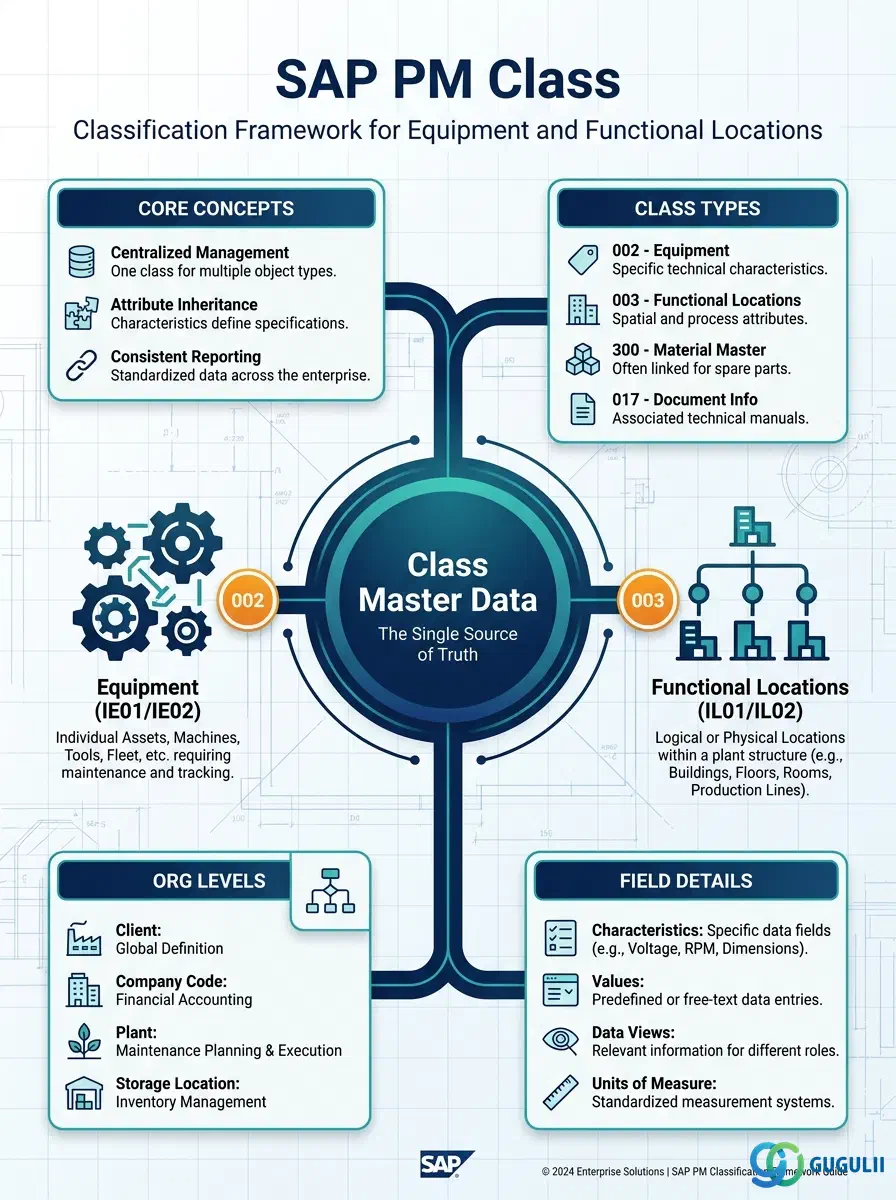
The Class is the master data object that defines a classification group — a named container of Characteristics — which can be assigned to Equipment, Functional Locations, or other technical objects in SAP PM. It enables structured attribute management beyond the standard PM fields: once a Class is assigned to an object, that object inherits all Characteristics defined in the Class, and users can record measured or observed values against each Characteristic. Every equipment search by attribute, every standard reporting grouping, and every attribute-driven maintenance trigger in SAP PM depends on a correctly designed Class.
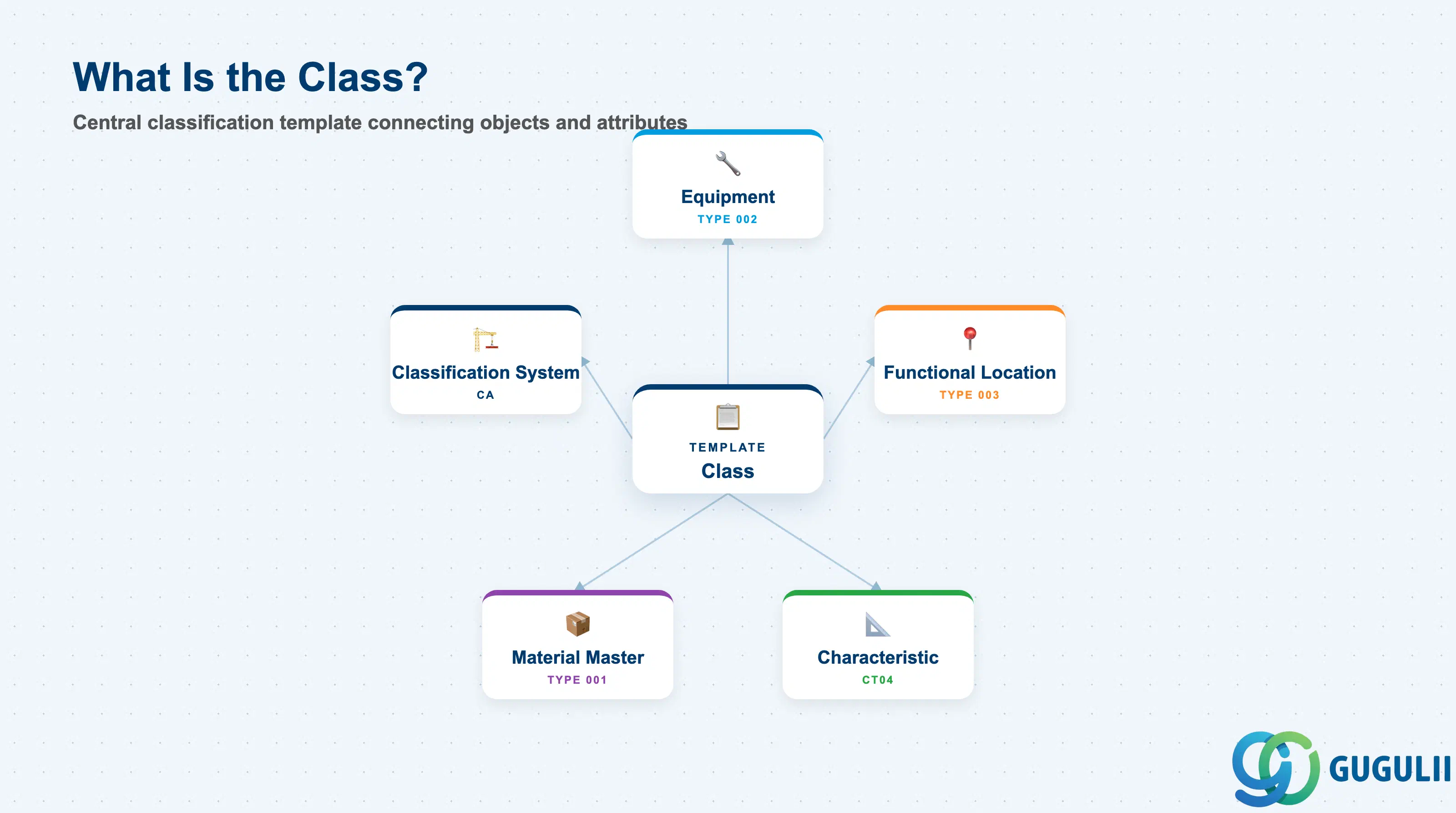
A Class is a named grouping template in the SAP Classification System (CA — Cross-Application). It defines a set of Characteristics that describe objects sharing a common type or category. When a class is assigned to a technical object, the object gains structured attribute fields governed by the class definition.
| Aspect | Details |
|---|---|
| Role | Defines a classification framework — a named group of Characteristics assigned to technical objects for attribute management, search, and reporting |
| Modules using it | PM (Equipment / FL classification — primary owner), MM (material classification), PP (routing / BOM classification), QM (inspection characteristic classification) |
| Transactions | CL01 (Create Class) / CL02 (Change Class) / CL03 (Display Class) / CL20N (Mass assignment) / CL30N (Object list per class) |
| Key Tables | KLAH (Class Header) / KSML (Characteristics in Class) / INOB (Object-Class Link) / AUSP (Characteristic Values) |
| S/4HANA note | Classification System is unchanged from ECC. Fiori app “Manage Classification” (F3866) provides a simplified interface for class and characteristic assignments. AUSP still stores values; no HANA-native structure change. |
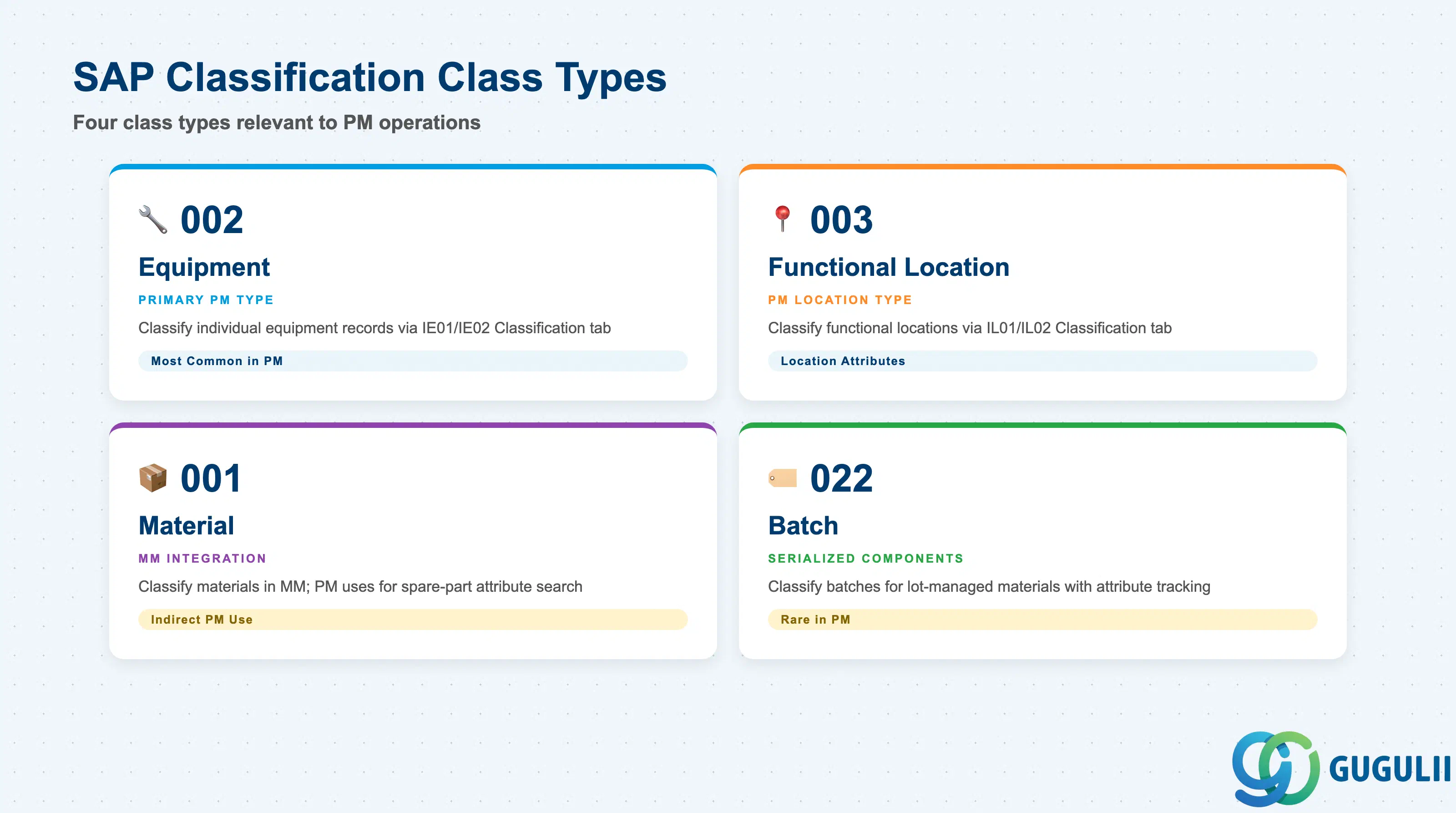
The Class Type is the most critical parameter on a Class record. It determines which SAP object type the class can be assigned to. Assigning the wrong Class Type means the class cannot be linked to the intended technical objects — a configuration error that cannot be corrected after values have been recorded.
| Class Type | Code | Use Case | Key Behavior |
|---|---|---|---|
| Equipment | 002 | Classify individual equipment records (IE01/IE02) | Assigned in the Equipment master “Classification” tab. Supports equipment search by attribute (IE05 / IH08). The most common PM class type. |
| Functional Location | 003 | Classify functional locations (IL01/IL02) | Assigned in the FL master “Classification” tab. Characteristics describe location-level attributes (floor load capacity, hazard zone, etc.). |
| Material | 001 | Classify materials in MM (also visible in PM context for spare parts) | Assigned via MM03 “Classification” view. PM uses indirectly when spare parts carry class-based attributes (e.g., bearing dimensions). |
| Batch | 022 | Classify batches of serialized or lot-managed materials | Relevant in PM only when serialized components tracked via batch management require attribute recording. |
Design principle: Define Class Types 002 and 003 first during the PM master data design workshop. A single Class can belong to only one Class Type — never mix equipment-level and location-level attributes in one class. Redesigning after go-live requires data migration and value re-entry.
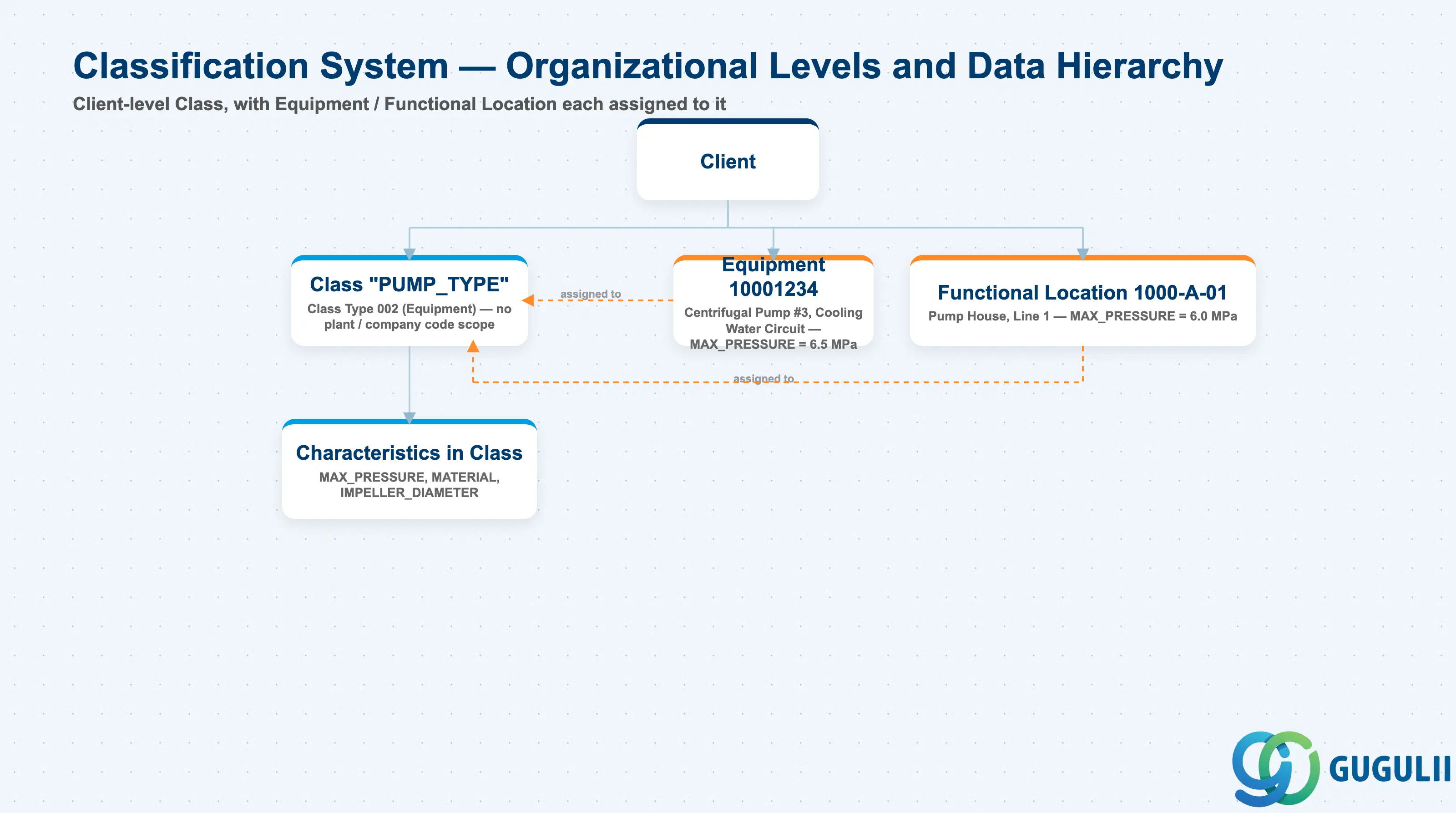
Data hierarchy with a concrete example
Client
   │
   ├── Class Header
   │      "PUMP_TYPE" (Class Type 002 — Equipment)
   │      No plant / company code scope
   │      │
   │      └── Characteristics in Class (1 Class : N Characteristics)
   │             MAX_PRESSURE, MATERIAL, IMPELLER_DIAMETER
   │
   ├── Equipment
   │      10001234 — Centrifugal Pump #3 (Cooling Water Circuit)
   │      ── assigned to ──> Class "PUMP_TYPE"
   │      MAX_PRESSURE = 6.5 MPa
   │
   └── Functional Location
          Functional Location 1000-A-01 — Pump House, Line 1
          ── assigned to ──> Class "PUMP_TYPE"
          MAX_PRESSURE = 6.0 MPa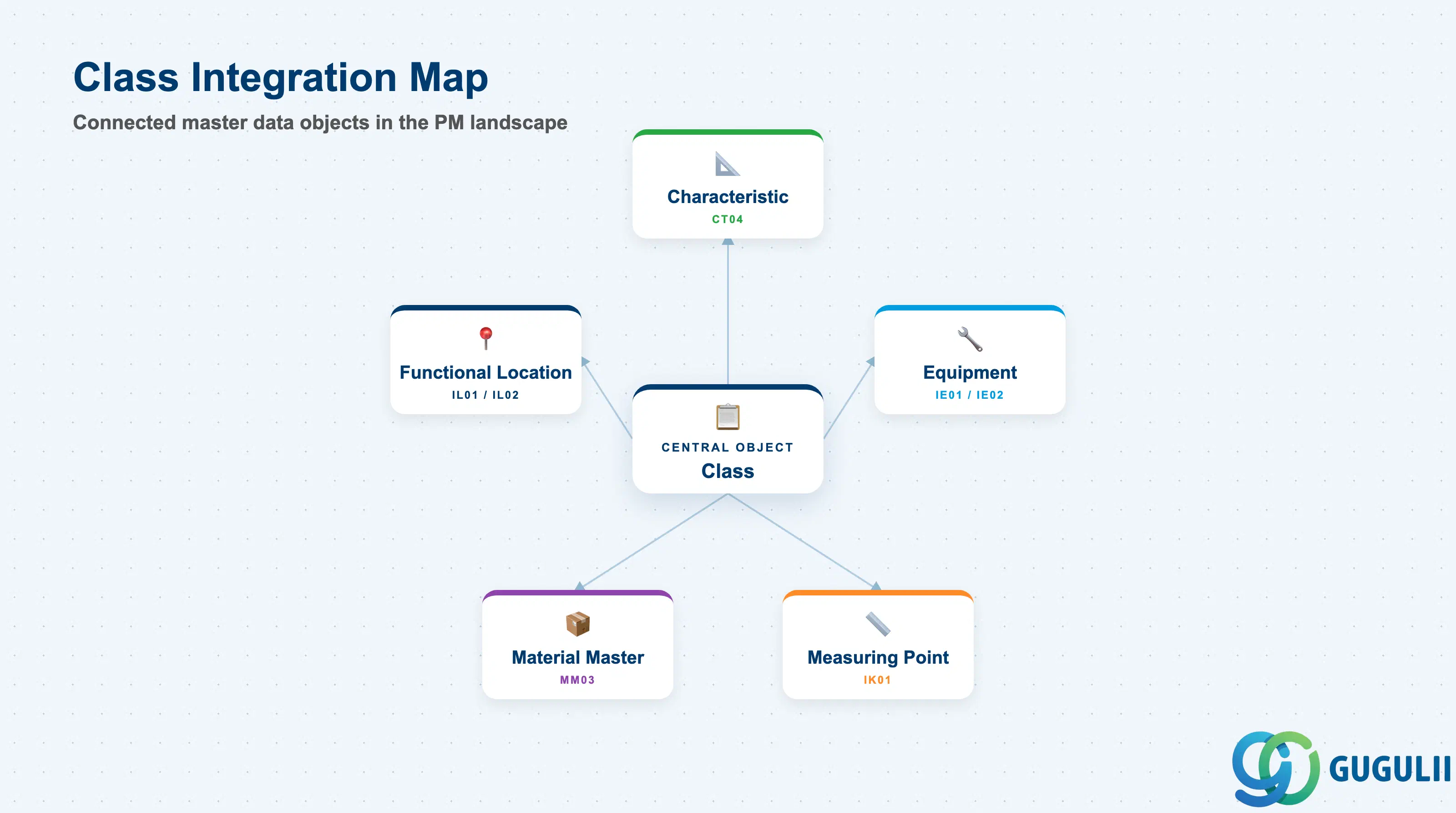
The Class does not hold attribute values itself — it is the structural template. Value recording and search capability depend on the connected objects being correctly configured.
| Object | Relationship | Practical Notes |
|---|---|---|
| Characteristic (CT04) | Class contains one or more Characteristics | Characteristics must exist before they can be assigned to a Class. Deleting a Characteristic from a Class does not automatically delete values already recorded in AUSP — a data cleanup step is required. |
| Equipment (IE01/IE02) | Class assigned in Equipment “Classification” tab | One Equipment can be assigned to multiple Classes (of the same or different types). Each assignment creates one INOB row. Plan the multi-class strategy early: too few classes limit search granularity; too many create maintenance burden. |
| Functional Location (IL01/IL02) | Class assigned in FL “Classification” tab (Class Type 003) | FL classification supports location-based attribute searches (e.g., find all FLs in hazard zone A). Less commonly used than Equipment classification but valuable in process-industry and utilities PM. |
| Measuring Point (IK01) | Measuring Point may reference characteristic values for counter-based maintenance | When counter-based PM is combined with classification, the counter characteristic must be consistent between the class definition and the measuring point unit of measure. Mismatches cause scheduling errors in Maintenance Plans. |
| Material Master (MM03) | Material classification (Class Type 001) provides spare-part attributes visible in PM context | PM-MM integration scenario: bearings classified by inner diameter / outer diameter / load rating in MM. PM technicians can search for replacement parts by characteristic value directly from the work order. |
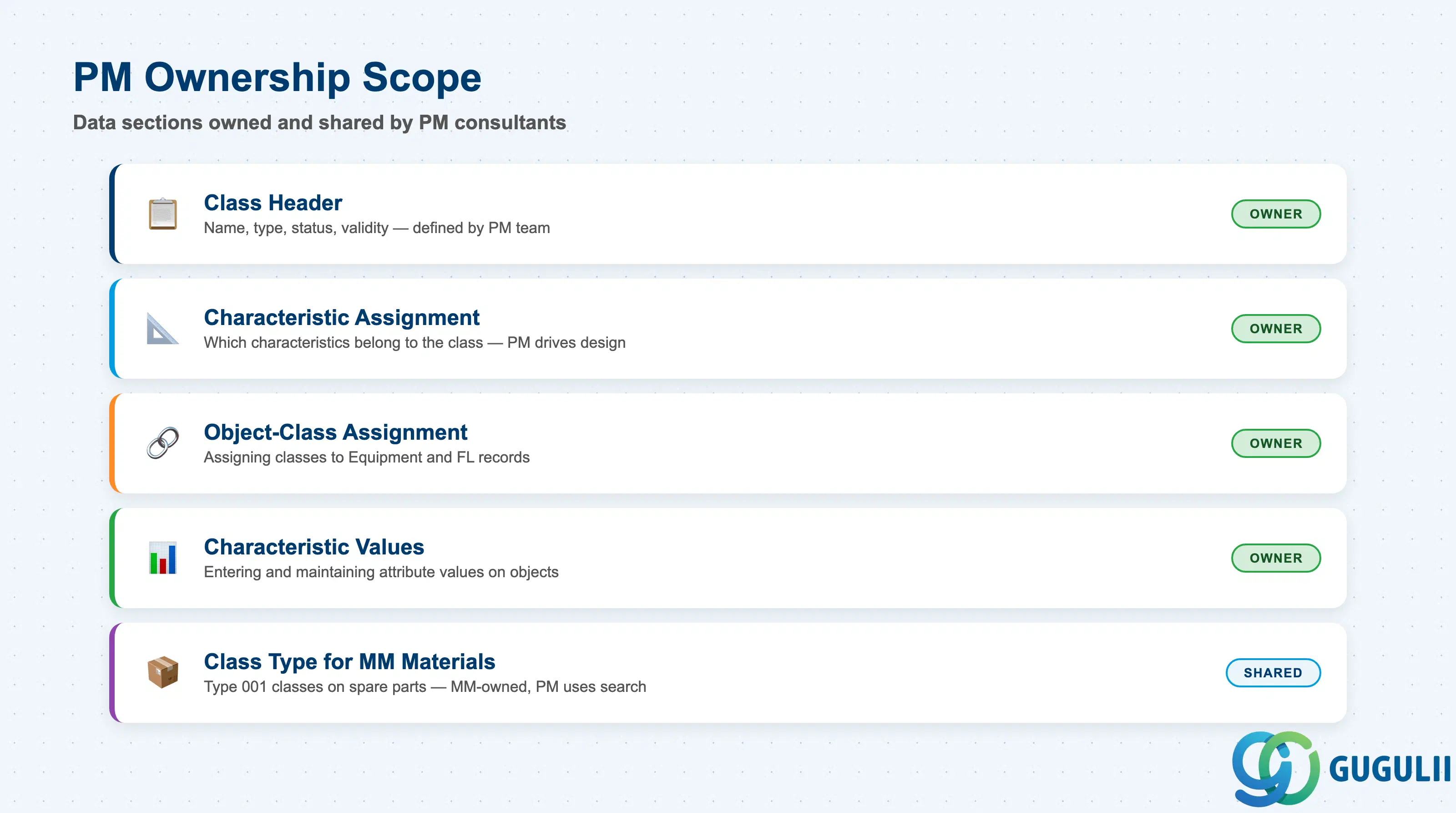
| Data Section | PM Involvement | Notes |
|---|---|---|
| Class Header | ◎ Owner | Class name, type, status, validity — defined and maintained by PM team |
| Characteristic Assignment in Class | ◎ Owner | Which characteristics belong to this class — PM drives the attribute design |
| Object-Class Assignment | ◎ Owner | Assigning classes to Equipment and FL records — PM administrator responsibility |
| Characteristic Values | ◎ Owner | Entering and maintaining actual attribute values on equipment / FL records |
| Class Type for MM Materials | ○ Shared with MM | Class Type 001 classes on spare parts are MM-owned; PM uses search only |
Legend: ◎ = Owner / Critical, ○ = Direct involvement
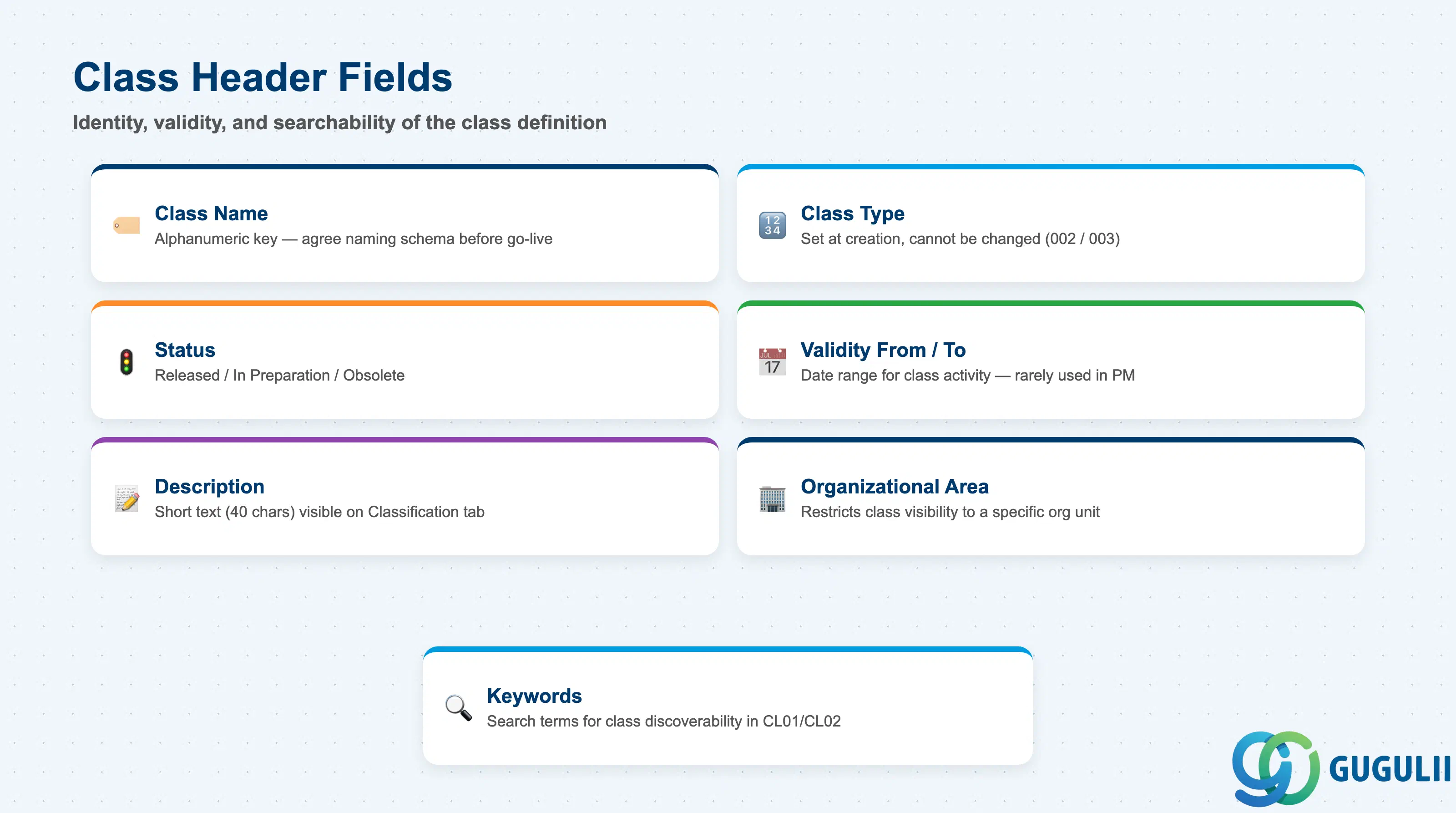
The Class Header defines the identity and validity of the classification template. Fields here control whether the class is active, which object type it applies to, and how it is found in search.
| Field | Description | Practical Usage |
|---|---|---|
| Class Name | Alphanumeric key identifying the class | Naming conventions are critical: agree on a naming schema before go-live (e.g., “PM_PUMP_CENTRIFUGAL”, “PM_MOTOR_AC”). Renaming a class after production use requires a class rename transaction and a system note to affected users — avoid post-go-live renames. |
| Class Type | Numeric code defining which object type the class applies to | Must be set at creation and cannot be changed. Use 002 for Equipment, 003 for Functional Location. Mixing types is not possible — one class, one type. |
| Status | Released / In Preparation / Obsolete | Only “Released” classes can be assigned to objects. Set status to “In Preparation” during design and testing phases to prevent premature use. Mark “Obsolete” when a class is superseded — do not delete classes that have existing INOB/AUSP records. |
| Validity From / To | Date range during which the class is active | Rarely used in standard PM implementations but valuable for time-limited classification programs (e.g., a temporary inspection attribute set for a regulatory audit period). |
| Description | Short text (40 chars) | Visible in the object’s Classification tab. Keep the description business-readable — technicians see this label on the screen, not the class name. |
| Organizational Area | Restricts class visibility to a specific organizational unit | Used in large multi-division clients to prevent cross-division class assignments. Leave blank in single-site implementations. Requires Customizing of Organizational Areas in the Classification System. |
| Keywords | Search terms for finding the class in CL01 / CL02 search | Add synonym keywords (both English and Japanese where needed) to make the class discoverable by users who do not know the exact class name. Particularly important in a large classification catalog. |
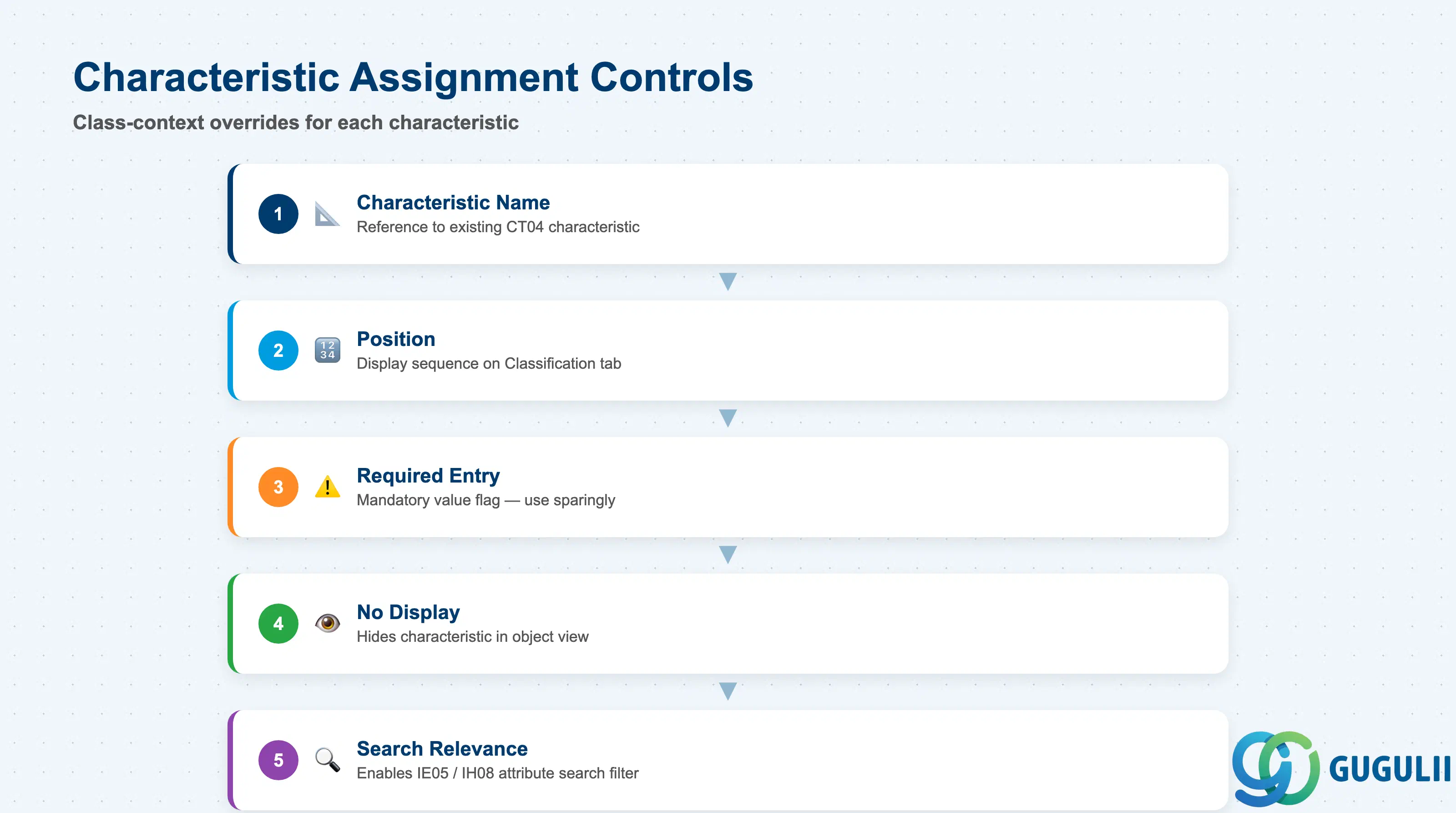
When Characteristics are assigned to a Class, additional control parameters govern how each characteristic behaves within that specific class context. These settings are separate from the Characteristic definition itself (CT04) — they are class-context overrides.
| Field | Description | Practical Usage |
|---|---|---|
| Characteristic Name | Reference to an existing Characteristic (CT04) | Characteristics must be created in CT04 before assignment. Reuse characteristics across multiple classes wherever possible — a single “MAX_PRESSURE” characteristic can serve both PUMP and COMPRESSOR classes, reducing master data proliferation and reporting fragmentation. |
| Position | Display sequence within the Classification tab | Controls the order in which characteristics appear on the object’s Classification tab. Group logically related attributes together (e.g., all dimensional attributes first, then operational limits). Reordering does not affect stored values. |
| Required Entry | Flag marking the characteristic as mandatory | When checked, the user cannot save the object’s classification without entering a value for this characteristic. Use sparingly — overly strict required-entry settings frustrate data entry and lead to workaround values (e.g., “0” or “N/A”) that corrupt reporting. |
| No Display | Flag to hide the characteristic in the object view | Use to carry inherited or system-set values that should not be manually edited by end users. Rarely needed in standard PM setups. |
| Search Relevance | Flag marking the characteristic for use in classification search | When set, this characteristic can be used as a filter criterion in IE05 (Equipment selection by class/characteristic) and IH08. Set on all characteristics that PM planners or engineers will use to find equipment. If search relevance is not set, the characteristic value is recorded but not searchable. |
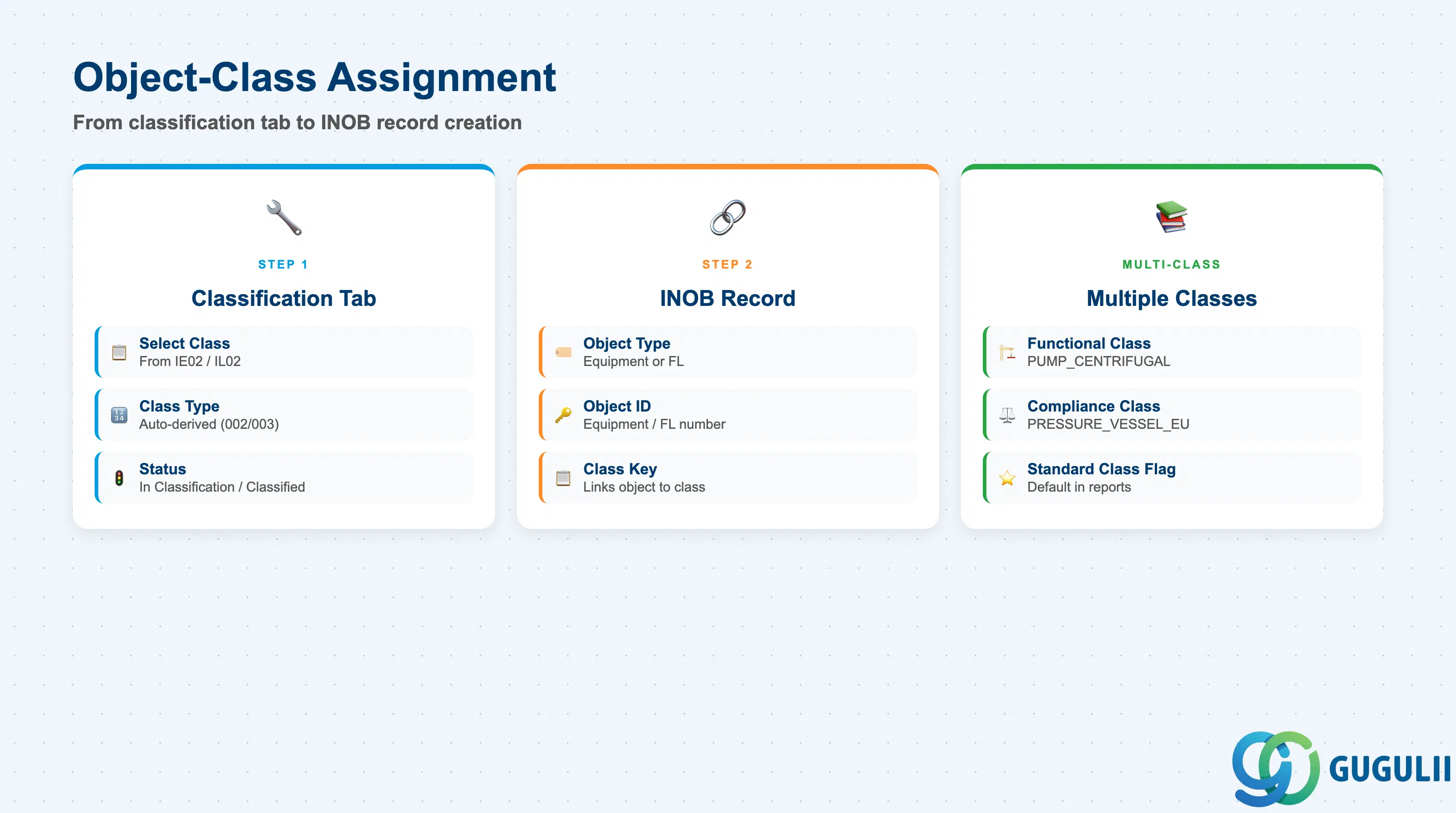
The Object-Class Assignment connects a specific Equipment or FL record to a Class, creating the INOB record that enables characteristic value entry on that object.
| Field | Description | Practical Usage |
|---|---|---|
| Class Type | Class type used for this assignment | Automatically derived from the class selected. PM consultants must ensure the class type matches the object type (002 for Equipment, 003 for FL). Attempting to assign a Type 002 class to a FL is blocked by the system. |
| Class Name | The Class being assigned to the object | Multiple classes can be assigned to one equipment or FL. This is common when the same equipment needs both a functional-category class (e.g., PUMP_CENTRIFUGAL) and a regulatory-compliance class (e.g., PRESSURE_VESSEL_EU). |
| Status of Object in Class | Indicates whether the classification is complete or in process | “In Classification” vs. “Classified” state. Reporting tools (CL30N) can filter by status to find equipment awaiting complete attribute entry — useful during data migration cutover. |
| Standard Class Flag | Marks one class as the primary class among multiple assigned classes | When multiple classes are assigned, the standard class is the default shown in equipment overview reports. Particularly relevant when equipment carries both a PM functional class and an asset-accounting classification class. |
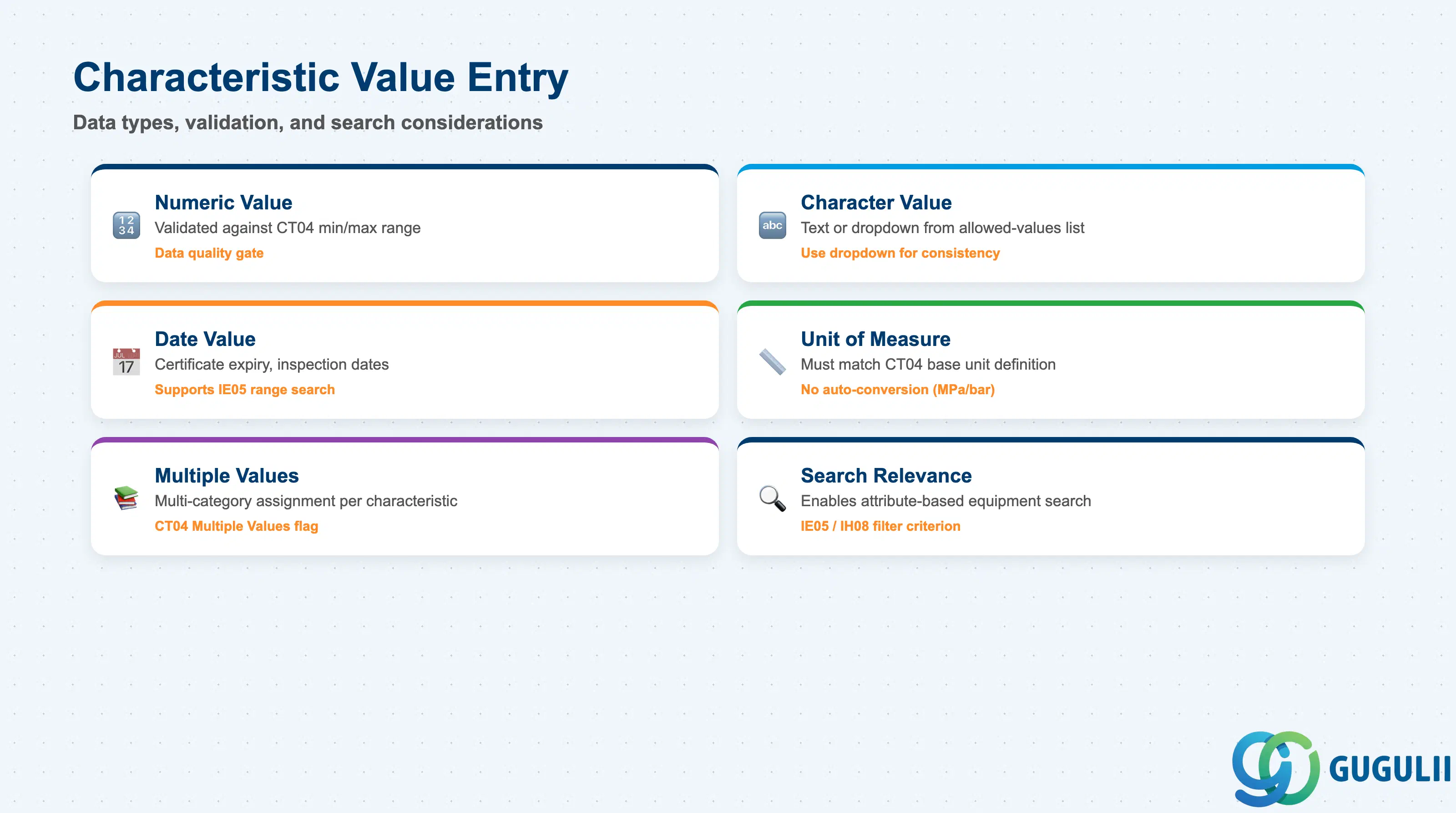
Characteristic Values are the actual data recorded against each characteristic on a specific equipment or FL record. They are stored in AUSP and represent the operational output of the classification effort.
| Field | Description | Practical Usage |
|---|---|---|
| Characteristic Name | Reference characteristic from KSML | Displayed as a labeled field on the Classification tab. The label is the characteristic description, not the technical name — confirm descriptions are business-readable during CT04 design. |
| Value (Numeric) | Numeric value within the defined value range | Validated against the minimum/maximum and decimal places defined in CT04. Out-of-range entries are rejected at save. For equipment with known design limits (e.g., MAX_PRESSURE = 6.5 MPa), the CT04 range definition acts as a data quality gate. |
| Value (Character) | Text string or selection from a predefined value list | If CT04 defines an allowed-values list, the field becomes a dropdown — this is the recommended approach for categorical attributes (e.g., DRIVE_TYPE: Electric / Hydraulic / Pneumatic). Free-text character values are harder to report on and prone to inconsistency across sites. |
| Value (Date) | Date entry (used for certificate expiry, last inspection dates, etc.) | Useful for regulatory compliance attributes (e.g., NEXT_INSPECTION_DATE). Date characteristics support range searches in IE05 — a practical way to generate equipment lists due for inspection within a date window. |
| Unit of Measure | Unit associated with a numeric value | Must match the base unit defined in CT04. If CT04 defines MPa and the user enters a value in bar, no automatic conversion occurs — a common data quality issue during migration. Resolve unit standardization at CT04 design time. |
| Multiple Values | Allows more than one value for the same characteristic | Controlled by the “Multiple Values” flag in CT04. Useful for classification scenarios where an equipment item legitimately belongs to more than one category (e.g., APPLICABLE_STANDARD: ISO9001 / ISO14001). |
| ID | Category | Title |
|---|---|---|
| pm-001 | Overview | What is SAP PM? |
| ID | Category | Title |
|---|---|---|
| pm-a01 | Overview | SAP PM Master Data: Overview, Hierarchy & Relationships |
| pm-a02-01 | Master Data | SAP PM Functional Location |
| pm-a02-02 | Master Data | SAP PM Equipment |
| pm-a03-01 | Master Data | SAP PM Class 📍 |
| pm-a03-02 | Master Data | SAP PM Characteristic |
| pm-a04-01 | Master Data | SAP PM Measuring Point |
| pm-a05-01 | Master Data | SAP PM Work Center |
| pm-a06-01 | Master Data | SAP PM Material Master |
| pm-a05-02 | Master Data | SAP PM Task List |
| pm-a05-03 | Master Data | SAP PM Production Resource Tool |
| pm-a06-03 | Master Data | SAP PM Maintenance BOM |
| pm-a07-01 | Master Data | SAP PM Maintenance Item |
| pm-a07-02 | Master Data | SAP PM Maintenance Plan |
| ID | Category | Title |
|---|---|---|
| pm-b01 | Overview | SAP PM Transactions: Process Flow, Hierarchy & Relationships |