Title here
Summary here

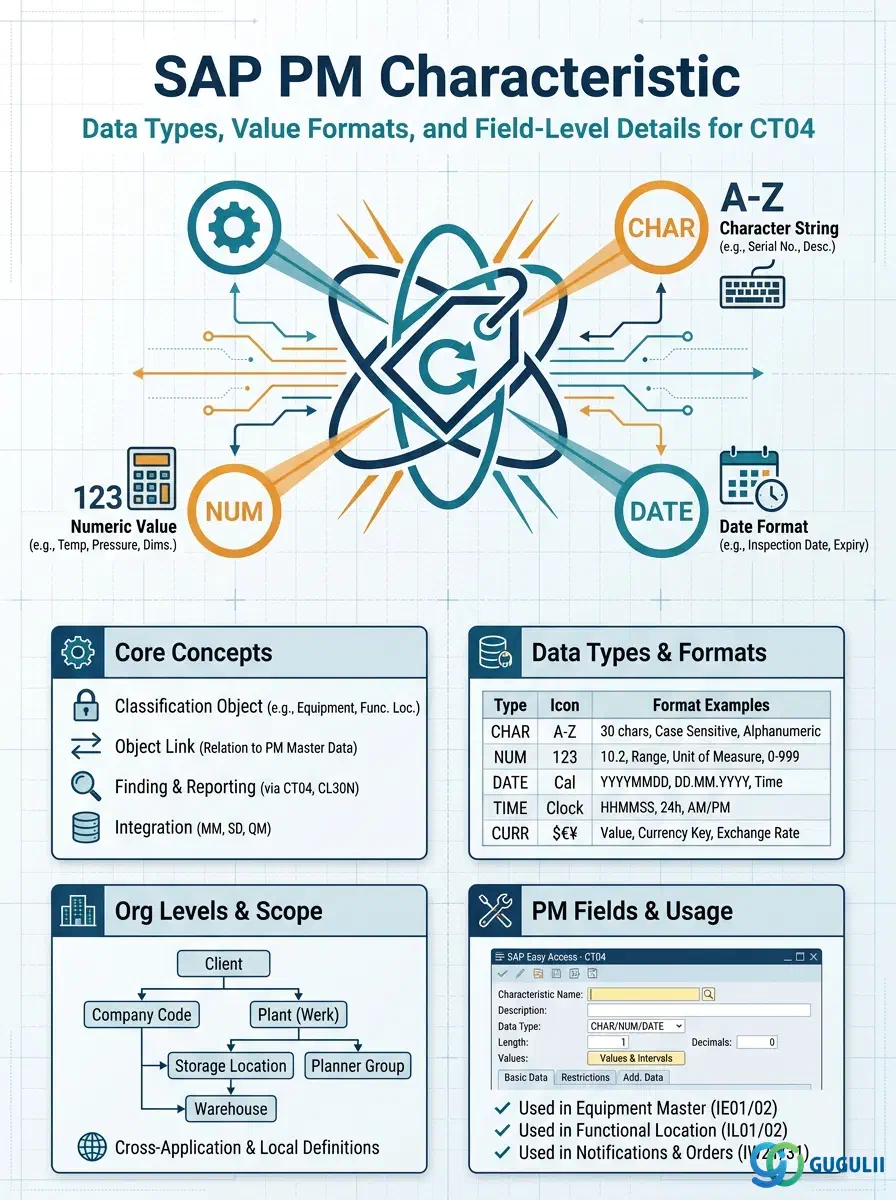
A Characteristic is the atomic unit of the SAP Classification System — it defines a single named attribute, its data type, and the rules governing what values it may hold. In Plant Maintenance, Characteristics are assigned to Classes of type 002 (Equipment) or type 003 (Functional Location), and their values are populated on individual Equipment and Functional Location records to enable attribute-based search, grouping, and reporting. This article covers the full structure of a Characteristic from general data through value restriction settings, and explains the field-level decisions PM consultants make in CT04.
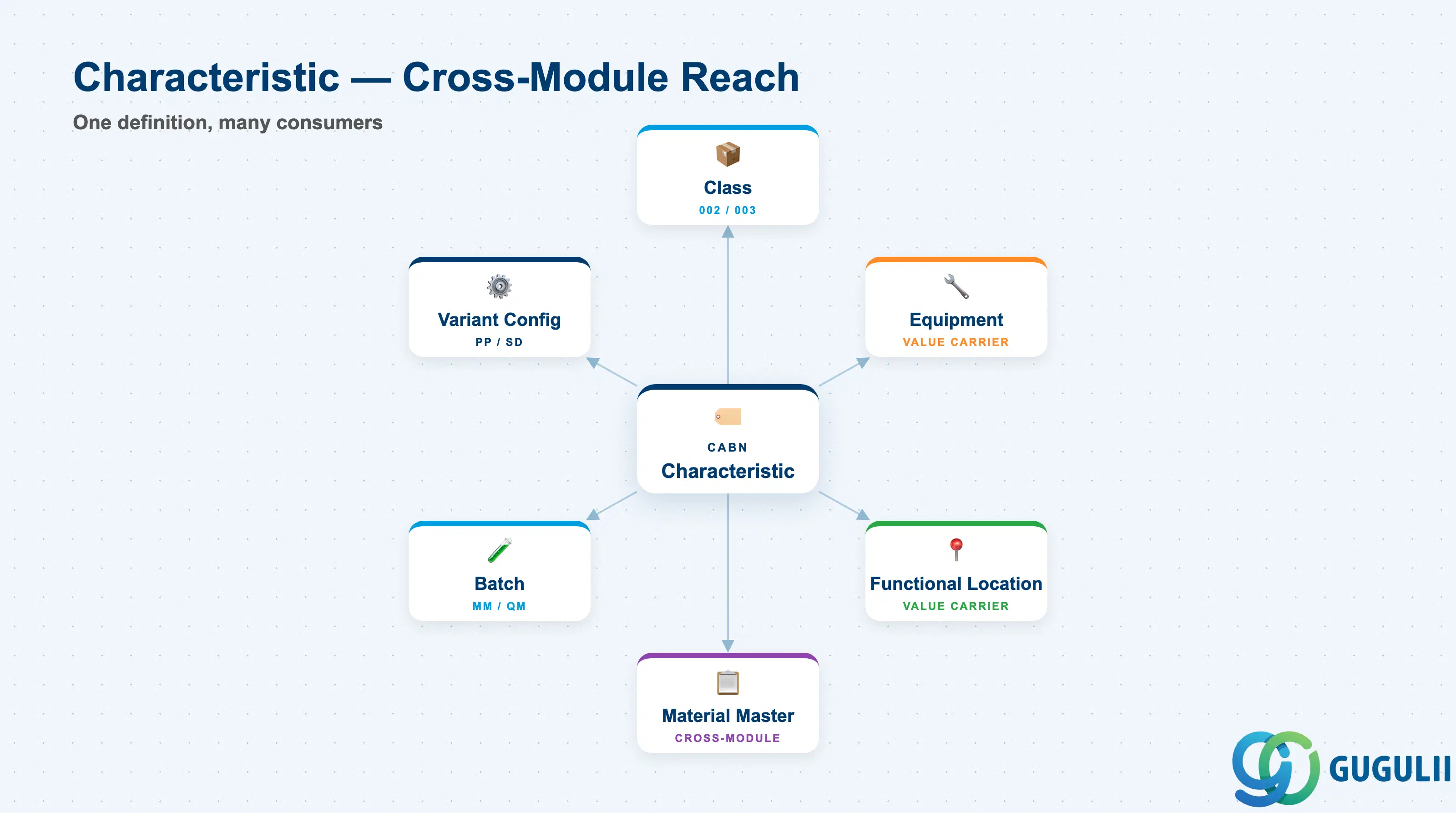
A Characteristic is a metadata template that declares an attribute — its name, data type, unit of measure, and permissible values — without yet being attached to any specific object. Once created, it is assigned to one or more Classes, and those Classes in turn are assigned to technical objects (Equipment, Functional Locations) or other SAP objects (Material, Batch, Variant). The value is filled at the object level, not inside the Characteristic itself.
| Aspect | Details |
|---|---|
| Role | Defines the attribute template (name, type, format, value set) used inside the Classification System |
| Modules using it | PM (Equipment / Functional Location attributes), MM (Material, Batch classification), PP (Variant configuration), QM (Inspection characteristics), SD (Variant configuration), WM/EWM (Storage type classification) |
| Transactions | CT04 (Create/Change/Display Characteristic), CT05 (Display where-used list), CLCA (Batch assignment), CL24N (Class assignment list) |
| Key Tables | CABN (Characteristic definition), CABNT (Characteristic description texts), CAWN (Characteristic values — allowed value list), CAWNT (Allowed value descriptions), AUSP (Characteristic value assignments on objects), KLAH (Class header) |
| S/4HANA note | Classification data model is unchanged from ECC. Fiori app “Manage Classification” (F1922) allows maintaining characteristic values on objects; CT04 remains the primary transaction for master data creation and structure changes. |
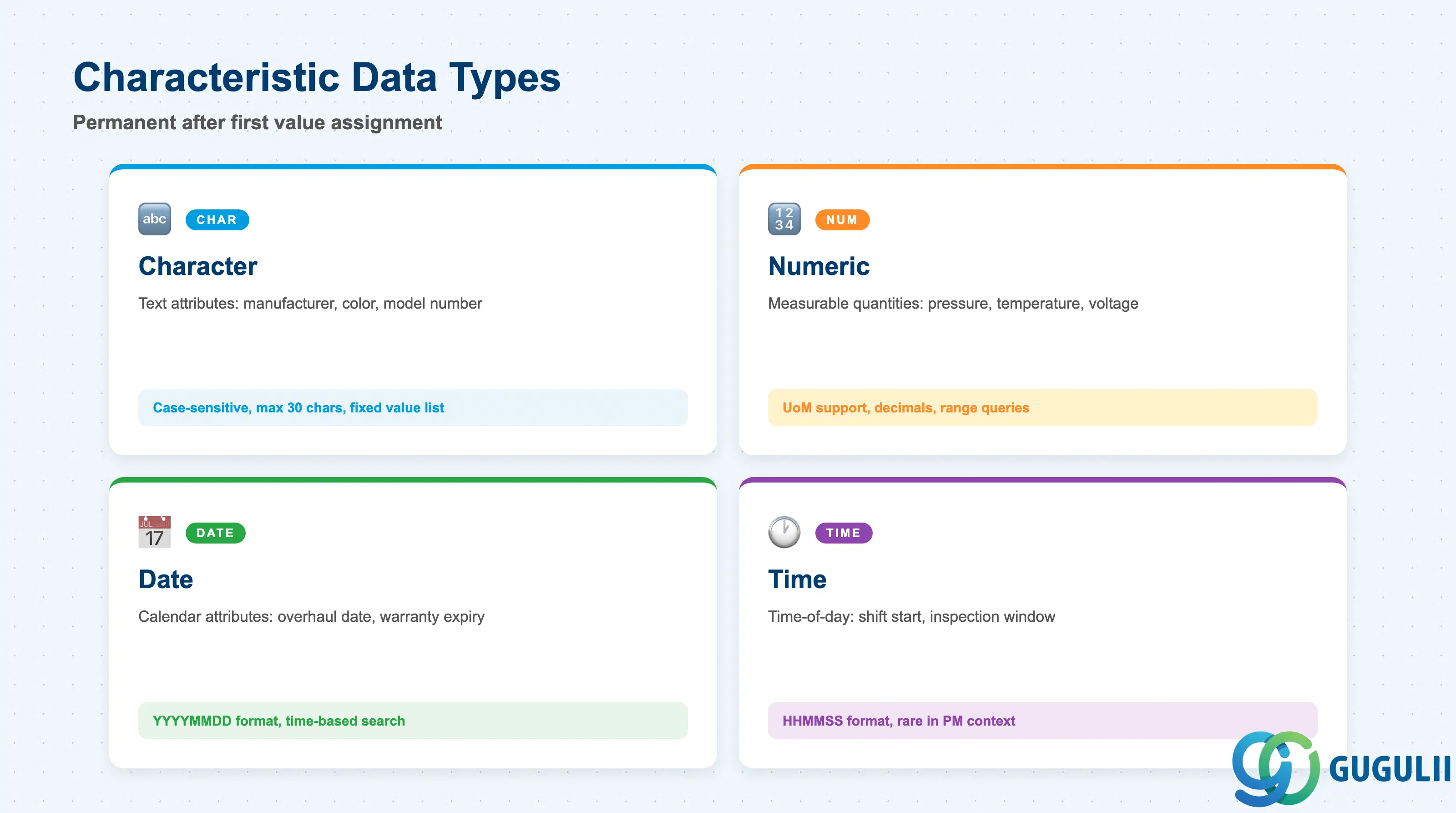
The data type chosen at Characteristic creation is permanent — it cannot be changed after values have been assigned to objects. Selecting the wrong type causes mismatches in search and reporting logic, so this decision must be made deliberately during blueprint.
| Data Type | Code | Use Case | Key Behavior |
|---|---|---|---|
| Character | CHAR | Text attributes such as manufacturer name, color code, or model number | Case-sensitive by default; can define a fixed allowed value list (check table). Max length up to 30 characters per value. |
| Numeric | NUM | Measurable quantities: pressure, temperature, voltage, weight, capacity | Supports unit of measure, decimal places, and numeric range restrictions (from/to). Enables arithmetic comparison in variant configuration. |
| Date | DATE | Calendar-based attributes: last overhaul date, installation date, warranty expiry | Stored in YYYYMMDD format internally. Useful for time-based search and reporting filters. |
| Time | TIME | Time-of-day attributes: shift start, planned inspection window | Stored in HHMMSS format. Less common in PM; used primarily in batch and variant contexts. |
Design principle: For PM Equipment attributes that need range-based search (e.g., “all pumps with max pressure between 50 and 100 MPa”), always use Numeric type with a unit of measure — Character type cannot support range queries.
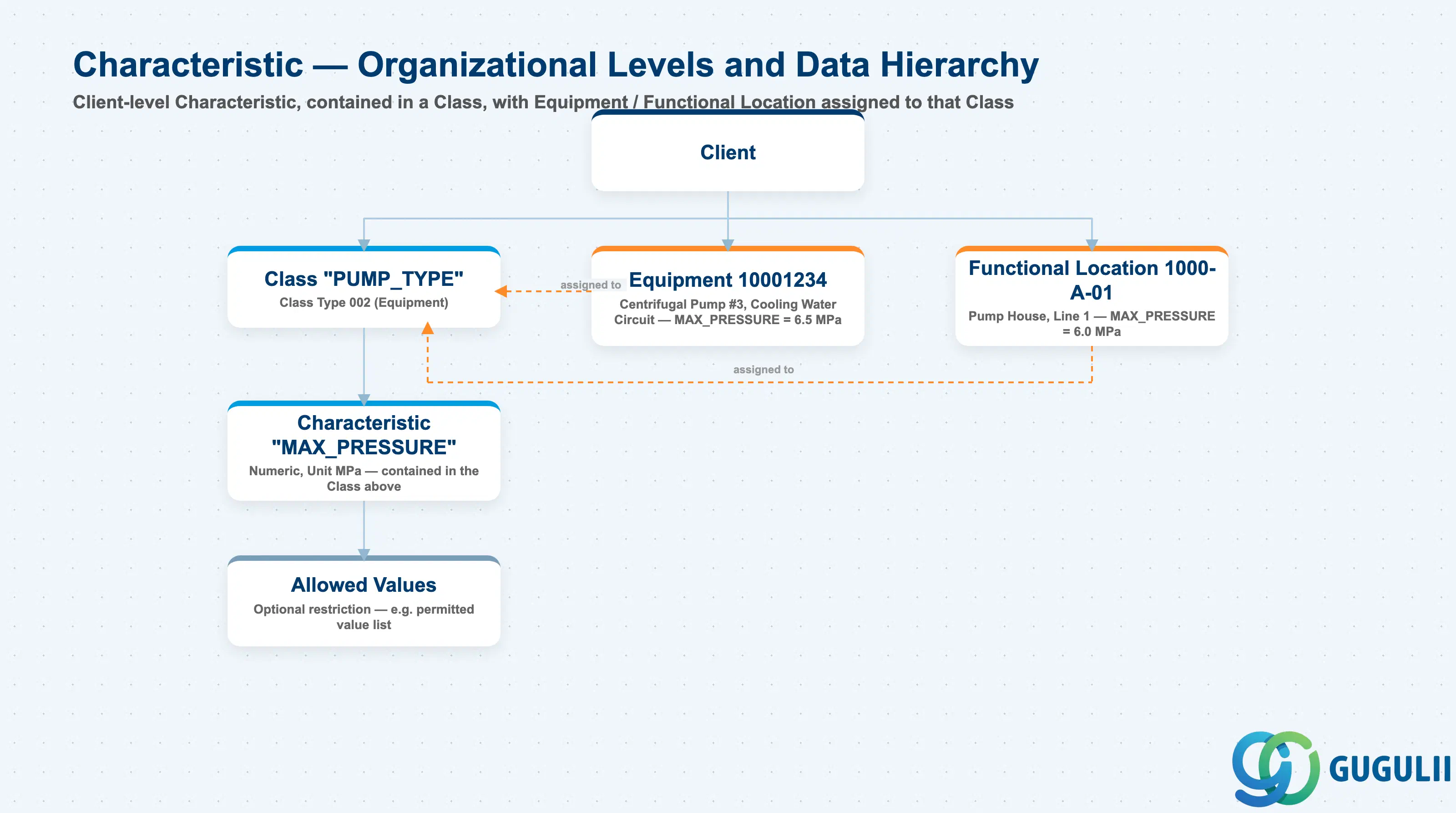
Data hierarchy with a concrete example
Client
   │
   ├── Class "PUMP_TYPE"
   │      Class Type 002 (Equipment)
   │      │
   │      └── Characteristic "MAX_PRESSURE"
   │             Numeric, Unit MPa — contained in the Class above
   │             │
   │             └── Allowed Values
   │                    Optional restriction — e.g. permitted value list
   │
   ├── Equipment 10001234
   │      Centrifugal Pump #3, Cooling Water Circuit
   │      ── assigned to ──> Class "PUMP_TYPE"
   │      MAX_PRESSURE = 6.5 MPa
   │
   └── Functional Location 1000-A-01
          Pump House, Line 1
          ── assigned to ──> Class "PUMP_TYPE"
          MAX_PRESSURE = 6.0 MPa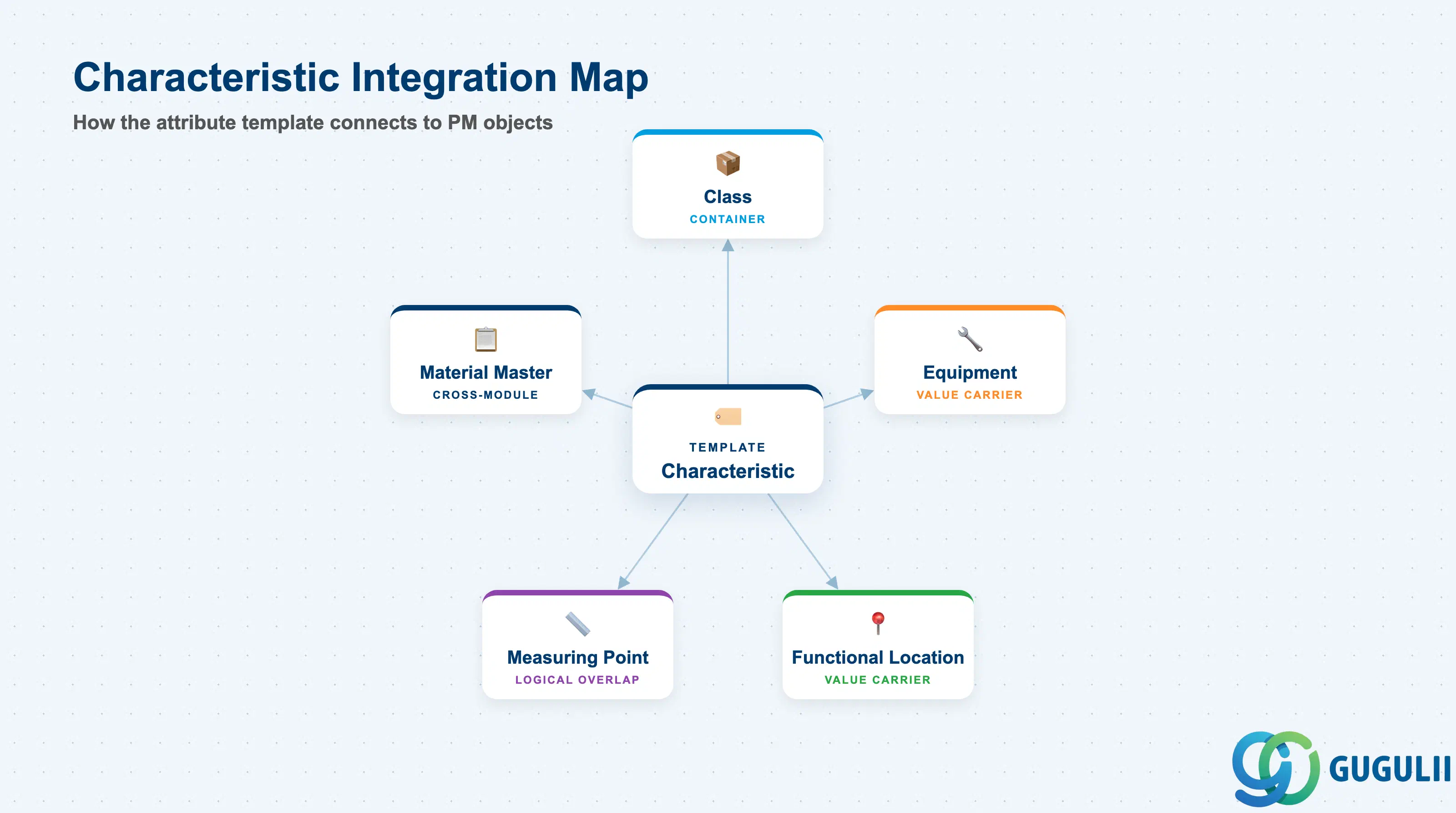
A Characteristic does not stand alone — its value is only meaningful in the context of an object to which a Class containing that Characteristic has been assigned. The integration chain is Characteristic → Class → Object.
| Object | Relationship | Practical Notes |
|---|---|---|
| Class (PM-A03-01) | Container: a Class groups one or more Characteristics and assigns them collectively to objects | Every Characteristic must be assigned to at least one Class before it can be used. A single Characteristic can belong to multiple Classes (cross-class reuse). |
| Equipment (PM-A02-02) | Value carrier: Equipment records hold the actual values for each Characteristic in an assigned Class | Assignment is done via the Classification tab in IE01/IE02. Characteristic values on Equipment are searchable via IE05 or CL30N. |
| Functional Location (PM-A02-01) | Value carrier: same as Equipment — FL records carry Characteristic values from Classes of type 003 | Class type 002 is for Equipment; class type 003 is for Functional Locations. Both can use the same Characteristics if the Characteristics are assigned to both class types. |
| Measuring Point (PM-A04-01) | Logical overlap: Measuring Points also capture numeric readings on Equipment, but through a dedicated counter/gauge structure rather than Classification | Use Measuring Points for time-series measurement data (vibration, temperature trends). Use Characteristics for static attribute values (rated capacity, voltage class). |
| Material Master (MM) | Cross-module reuse: Characteristics assigned to class type 001 (Material) enable batch classification, variant configuration, and material search by attribute | The same Characteristic definition (CABN record) is reused across all class types — only the Class assignment differs. |
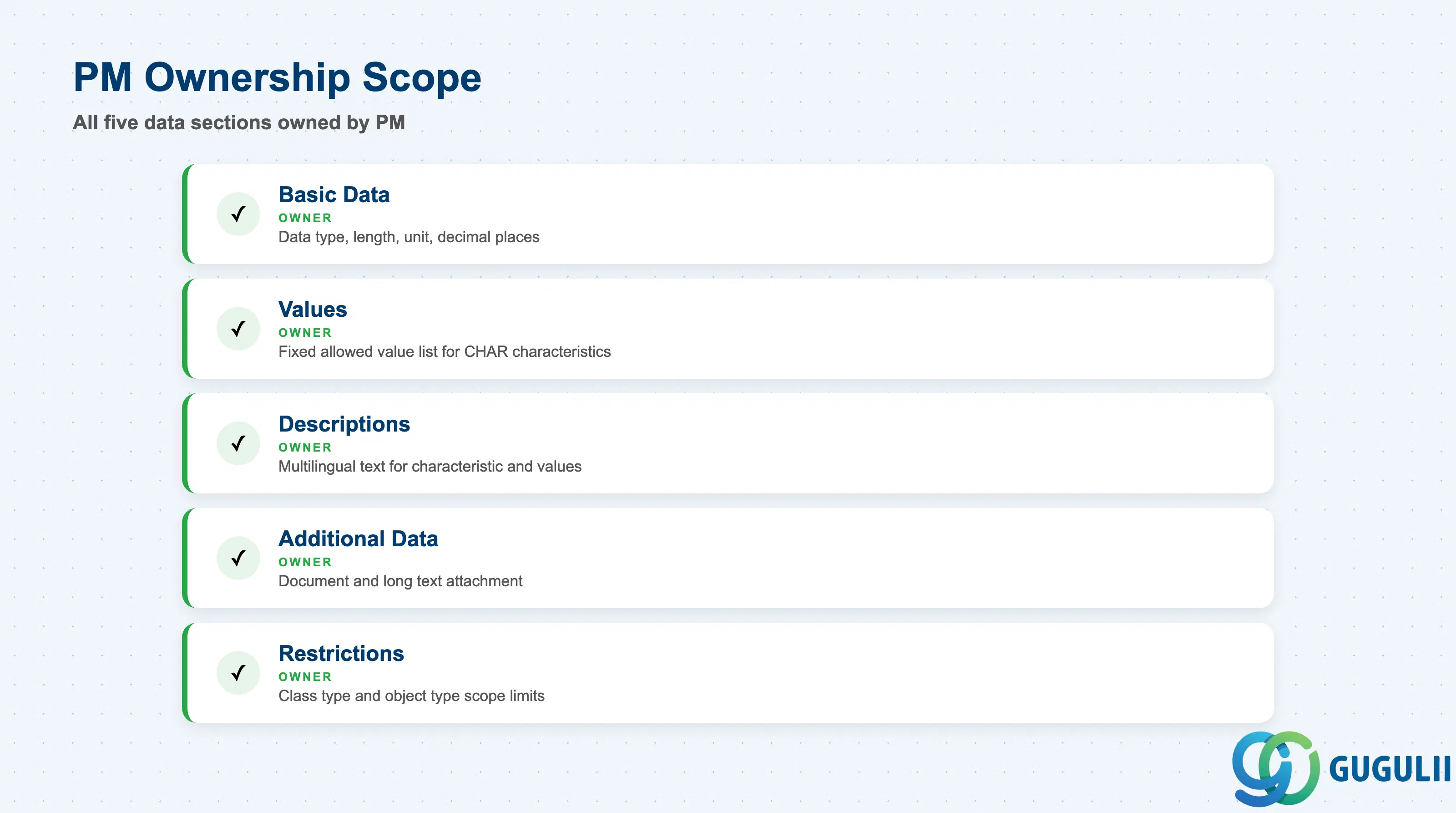
| Data Section | PM Involvement | Notes |
|---|---|---|
| Basic Data | ◎ Owner | Data type, length, unit of measure, decimal places — all set here. Core decision made by PM consultant. |
| Values | ◎ Owner | Fixed allowed value list. PM consultant defines allowed values for CHAR characteristics (e.g., equipment criticality codes). |
| Descriptions | ◎ Owner | Multilingual description texts for the Characteristic and each allowed value. |
| Additional Data | ◎ Owner | Document and long text attachment. Rarely needed for standard PM use cases but available. |
| Restrictions | ◎ Owner | Class type and object type restrictions that limit where the Characteristic can be used. PM consultant restricts to class type 002/003 to prevent misuse in other contexts. |
Legend: ◎ = Owner / Critical
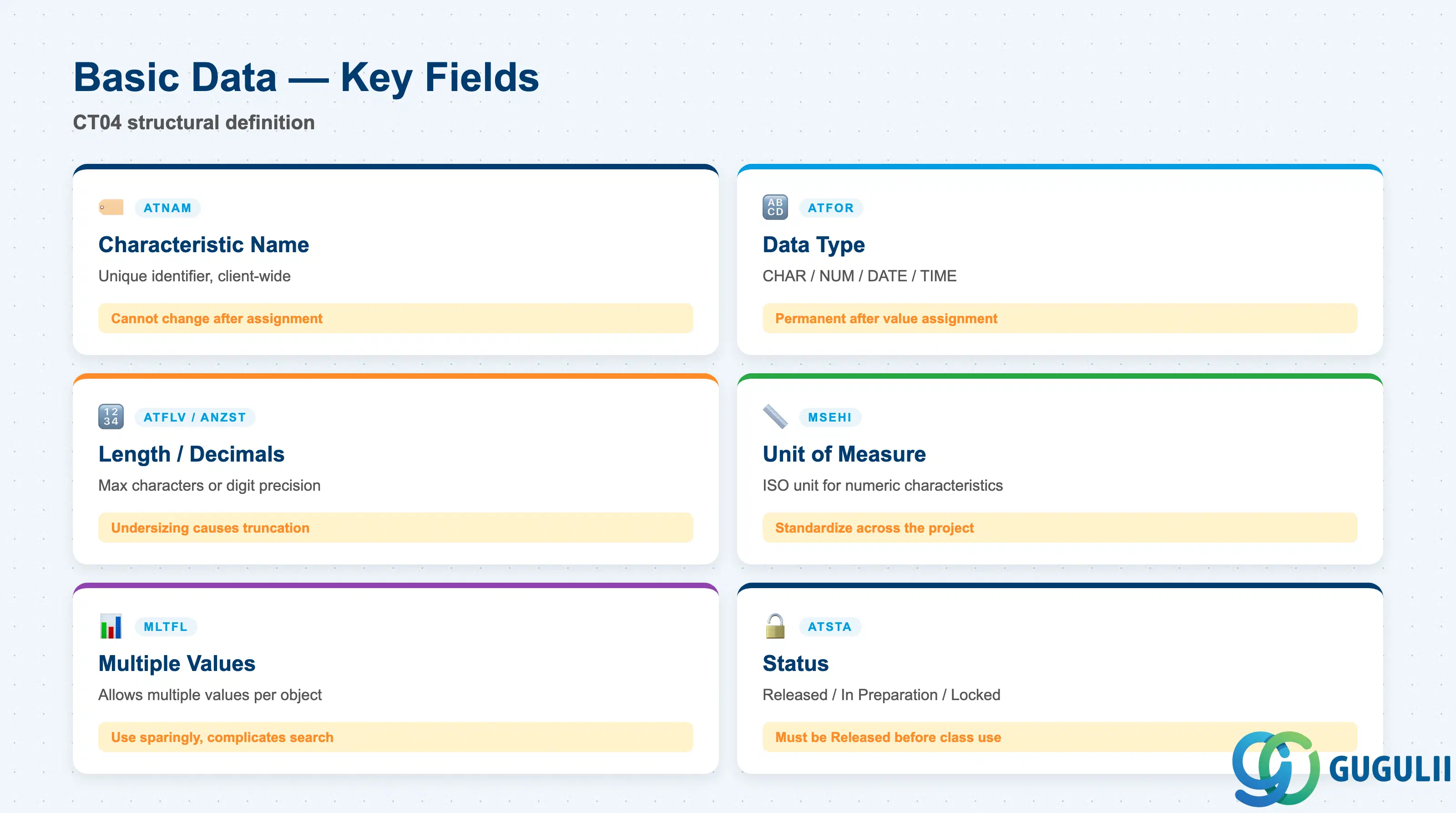
The Basic Data tab in CT04 contains the structural definition of the Characteristic. These fields control how values are stored and how the Characteristic behaves across all systems that use it.
| Field | Description | Practical Usage |
|---|---|---|
| Characteristic Name (ATNAM) | Unique identifier for the Characteristic across the client. Follows the naming convention defined in project standards. | Use a structured naming convention such as PM_<OBJECT>_<ATTRIBUTE> (e.g., PM_PUMP_MAX_PRESSURE). Names cannot be changed after the Characteristic has been assigned to objects, so the naming convention must be defined before the first go-live. |
| Data Type (ATFOR) | Determines value format: CHAR (character), NUM (numeric), DATE, or TIME. Permanent after object assignment. | Choose NUM for any attribute that requires range search or arithmetic comparison. Choose CHAR for code-list attributes. The choice cannot be reversed without deleting all existing value assignments. |
| Number of Characters / Decimal Places (ATFLV, ANZST) | For CHAR: maximum string length. For NUM: total digits and decimal precision. | For pressure (e.g., MPa), 6 digits with 2 decimals (9999.99) is typically sufficient. Undersizing this field causes truncation of valid values at entry time. |
| Unit of Measure (MSEHI) | ISO unit attached to a Numeric Characteristic. Controls display and unit conversion behavior. | Standardize units across the project. Mixing MPa and bar in the same Characteristic causes search inconsistencies. Use the unit as defined in the master data governance document. |
| Multiple Values Allowed (MLTFL) | Flag that permits an object to carry more than one value for this Characteristic. | Use sparingly. Multi-value Characteristics complicate search logic and are prone to data quality issues. For PM Equipment attributes like “installed sensor types,” a multi-value CHAR characteristic is the correct approach. |
| Status (ATSTA) | Released = 1, In Preparation = 0, Locked = 2. Only Released Characteristics can be assigned to objects. | Always set to Released (1) before assigning to a Class. Characteristics in “In Preparation” status block class activation, which blocks Equipment classification. |
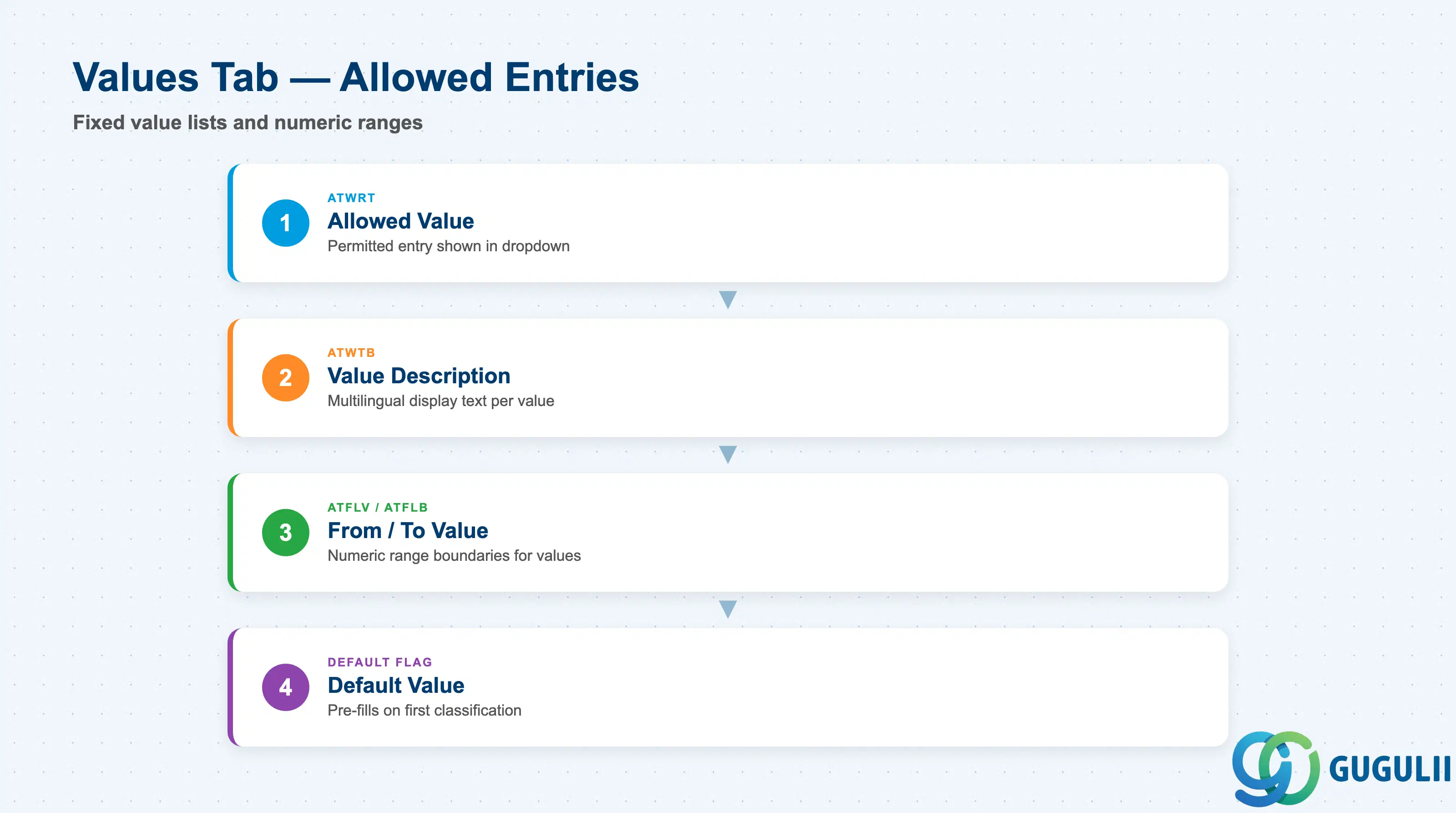
The Values tab (only active when the Characteristic has “With Allowed Values” checked) defines the fixed list of permissible entries. For Numeric Characteristics, a value range (from/to) can be set instead of a discrete list.
| Field | Description | Practical Usage |
|---|---|---|
| Allowed Value (ATWRT) | The permitted entry for a CHAR Characteristic. Displayed in the value dropdown when users classify objects. | Limit value lists to entries that are meaningful for search and reporting. Avoid freeform coding like “TBD” or “N/A” in allowed values — they add noise to search results. |
| Value Description (ATWTB) | Multilingual display text for each allowed value. Shown to end users in place of the raw code. | Always maintain descriptions in the project’s primary language. If the site uses Japanese, fill both English (EN) and Japanese (JA) descriptions. Codes without descriptions appear as raw strings in Fiori apps. |
| From Value / To Value (ATFLV / ATFLB) | Lower and upper numeric boundary for a value range entry. Used when allowed values for a Numeric Characteristic are defined as ranges rather than discrete points. | Useful for criticality classification: “Low” = 0–33, “Medium” = 34–66, “High” = 67–100. Ranges defined here are enforced during object value entry — entries outside all defined ranges are rejected. |
| Default Value (ATFLV with default flag) | Pre-fills the Characteristic with a default when the object is first classified. | Use defaults for attributes that are “almost always” a particular value to reduce data entry effort. Avoid defaults that mask missing data — if a value is genuinely unknown, blank is more accurate than a default. |
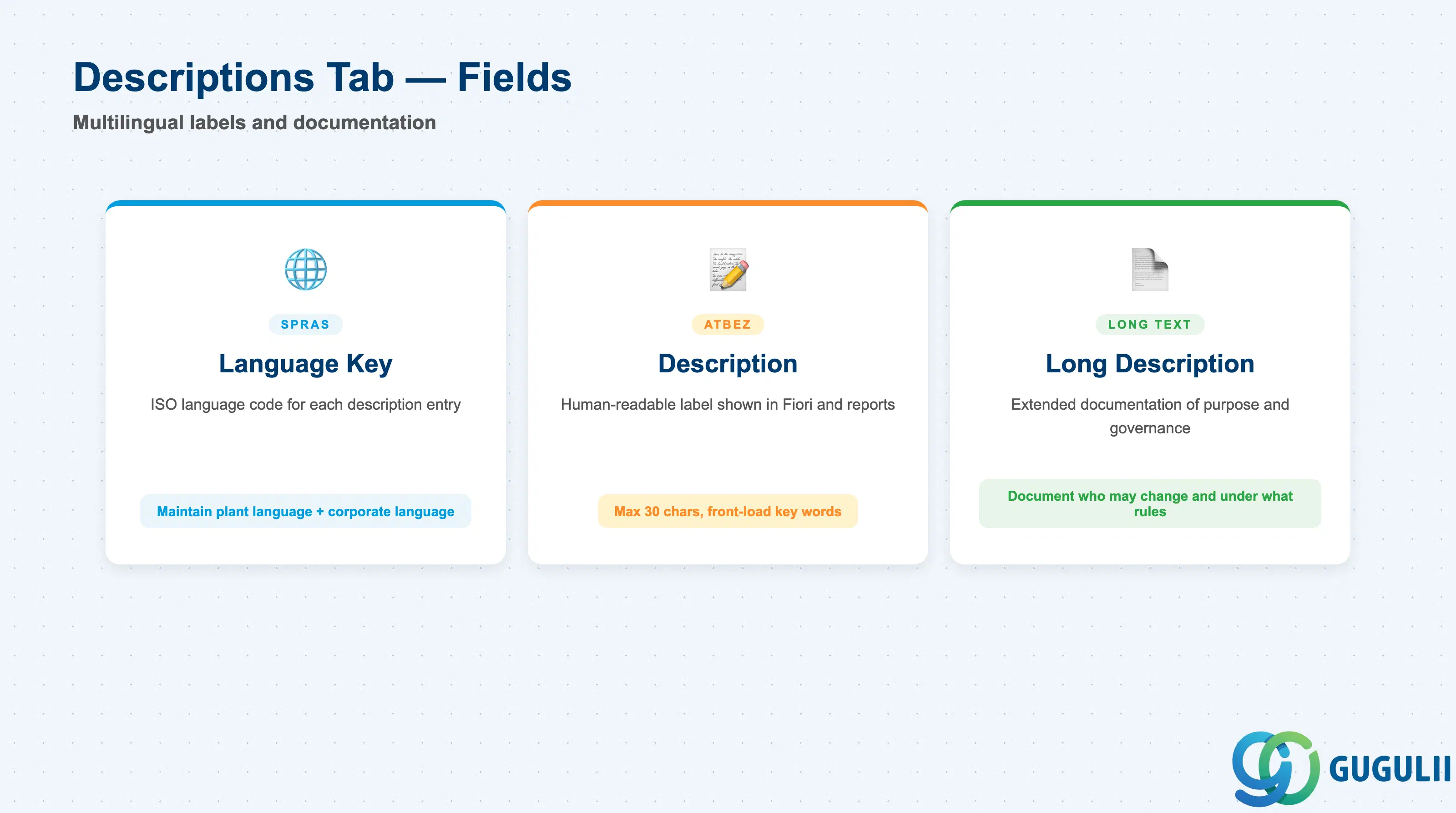
The Descriptions tab stores multilingual text for the Characteristic itself. This text appears as the label in classification views on Equipment and Functional Location screens.
| Field | Description | Practical Usage |
|---|---|---|
| Language Key (SPRAS) | ISO language code for the description entry (EN = English, JA = Japanese, DE = German, etc.). | Maintain at minimum the language used by the plant site and the corporate reporting language. A Characteristic used at a Japanese plant should have both JA and EN descriptions. |
| Characteristic Description (ATBEZ) | Human-readable label for the Characteristic, shown in classification screens, Fiori apps, and reports. | Keep descriptions short and unambiguous. “Maximum Operating Pressure (MPa)” is better than “Pressure.” Truncation at 30 characters is possible in some classical screens, so front-load the meaningful words. |
| Long Description | Free-text field for extended documentation of the Characteristic’s purpose, measurement method, or constraints. | Use long descriptions to document the data governance rule: who is allowed to change this value, under what conditions, and which source document defines the standard. This is especially useful for Characteristics that feed into maintenance strategy decisions. |
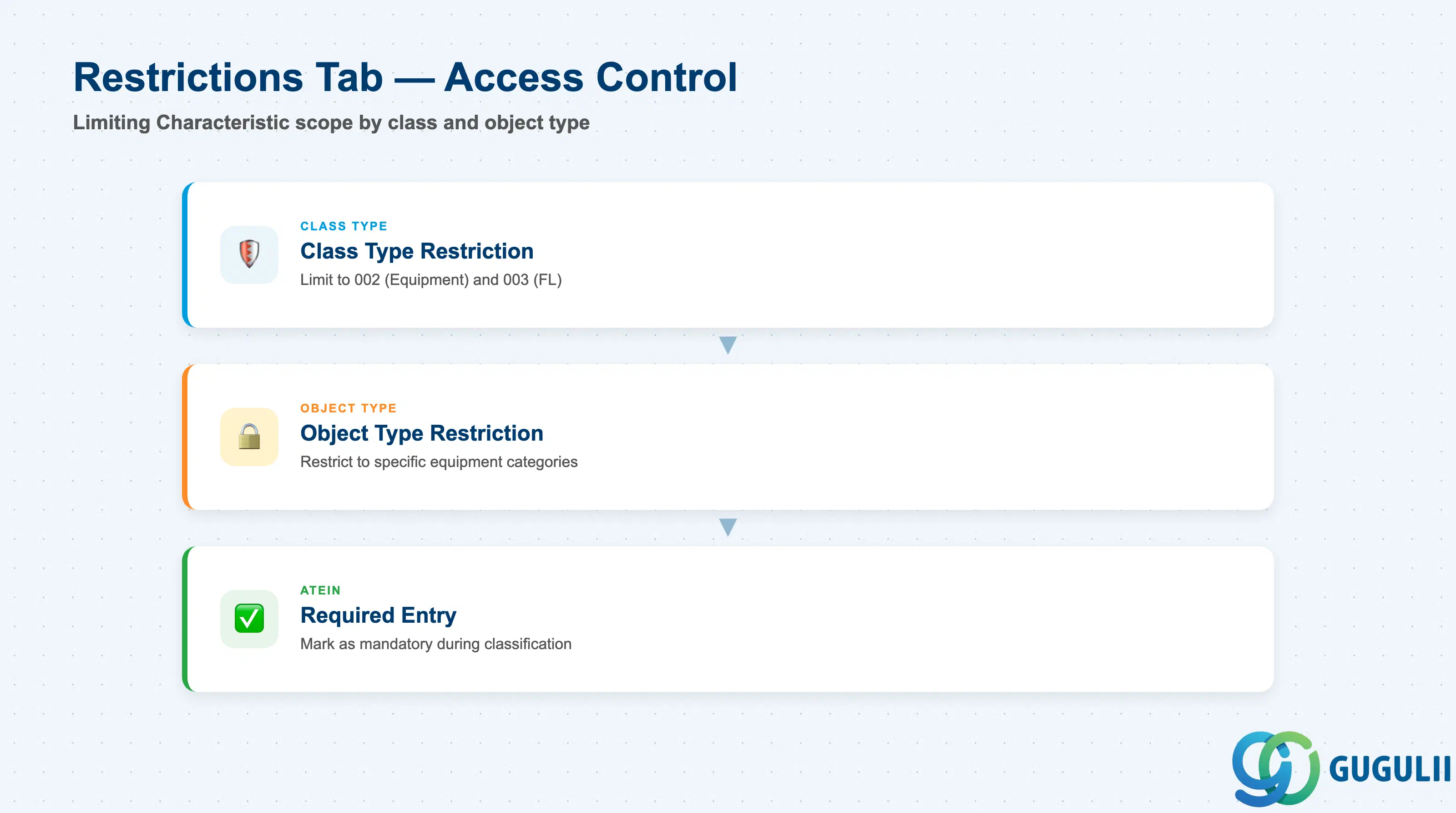
The Restrictions tab controls which Class types and object types may use this Characteristic. Without restrictions, a Characteristic created for PM Equipment can inadvertently be used in Variant Configuration or Batch Management, polluting those domains.
| Field | Description | Practical Usage |
|---|---|---|
| Class Type Restriction | Limits the Characteristic to one or more specific class types (e.g., 002 = Equipment, 003 = Functional Location, 001 = Material, 022 = Batch). | In a PM project, restrict Equipment-specific Characteristics to class type 002. If the same physical attribute applies to both Equipment and Functional Locations (e.g., voltage rating), add class type 003 as well. Restricting to 002/003 prevents the Characteristic from appearing in MM Batch classification dropdowns. |
| Object Type Restriction | Further restricts to specific SAP object types within a class type (e.g., only Equipment category M within class type 002). | Use object type restrictions sparingly — they increase maintenance overhead when new equipment categories are introduced. Reserve this restriction for Characteristics that genuinely make no sense outside a specific equipment category (e.g., “Engine Displacement” restricted to vehicle Equipment). |
| Required Entry (ATEIN) | Marks the Characteristic as mandatory when filling classification values. A Class containing a required Characteristic cannot be saved without a value for that Characteristic. | Use required-entry carefully. Setting too many Characteristics as required creates data entry friction and encourages users to enter dummy values just to save the record. Reserve required entry for Characteristics that are critical for maintenance strategy or legal compliance. |
| ID | Category | Title |
|---|---|---|
| pm-001 | Overview | What is SAP PM? |
| ID | Category | Title |
|---|---|---|
| pm-a01 | Overview | SAP PM Master Data: Overview, Hierarchy & Relationships |
| pm-a02-01 | Master Data | SAP PM Functional Location |
| pm-a02-02 | Master Data | SAP PM Equipment |
| pm-a03-01 | Master Data | SAP PM Class |
| pm-a03-02 | Master Data | SAP PM Characteristic 📍 |
| pm-a04-01 | Master Data | SAP PM Measuring Point |
| pm-a05-01 | Master Data | SAP PM Work Center |
| pm-a06-01 | Master Data | SAP PM Material Master |
| pm-a05-02 | Master Data | SAP PM Task List |
| pm-a05-03 | Master Data | SAP PM Production Resource Tool |
| pm-a06-03 | Master Data | SAP PM Maintenance BOM |
| pm-a07-01 | Master Data | SAP PM Maintenance Item |
| pm-a07-02 | Master Data | SAP PM Maintenance Plan |
| ID | Category | Title |
|---|---|---|
| pm-b01 | Overview | SAP PM Transactions: Process Flow, Hierarchy & Relationships |