Title here
Summary here

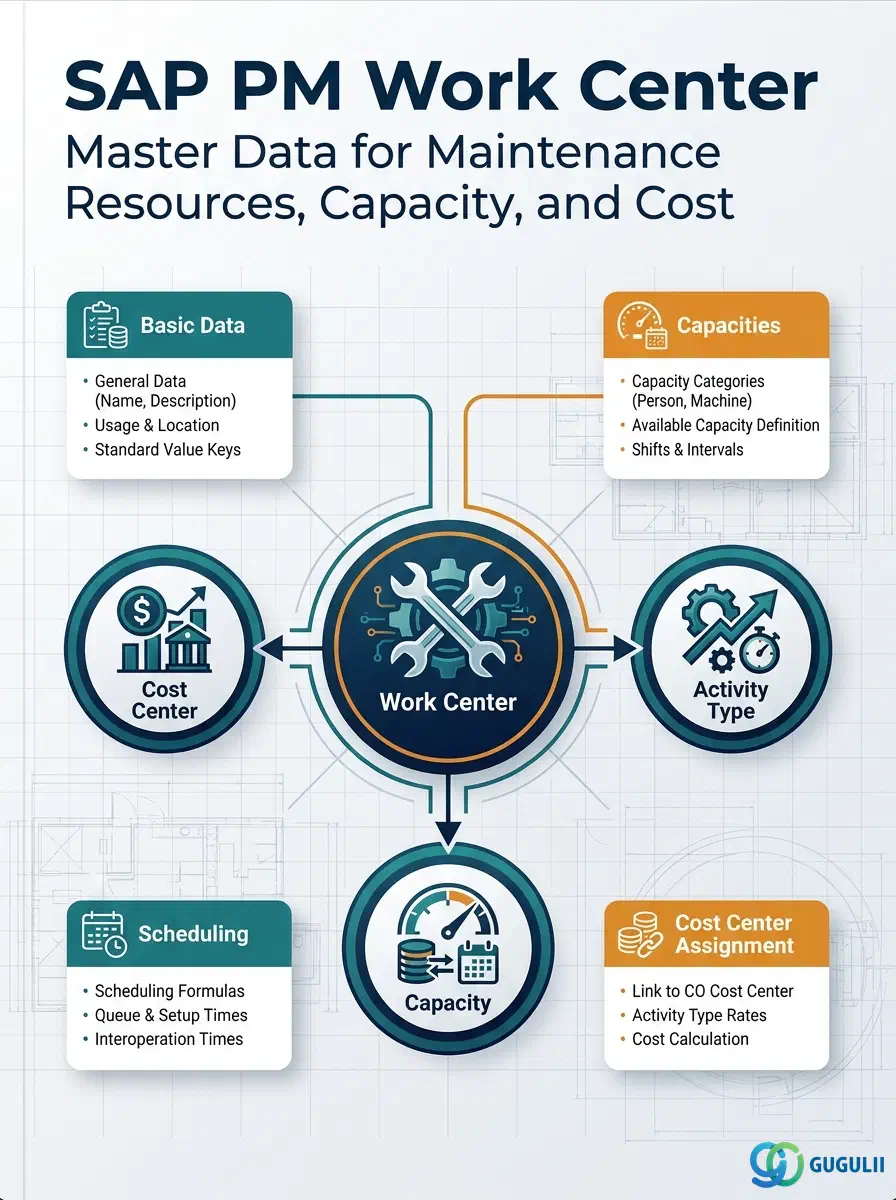
The PM Work Center is the master data object that defines the organizational resource unit — a team, crew, or workshop — that executes maintenance work orders. It stores the link to a Cost Center and Activity Types used for internal cost settlement, the capacity available for scheduling, and the default values that flow into every Task List and Work Order operation referencing it. While Work Centers also exist in PP for production routing, the PM Work Center is configured and managed by the Plant Maintenance team and carries PM-specific defaults. This article covers Work Center types, organizational scope, CO integration, and a field-level reference for every section PM consultants own.
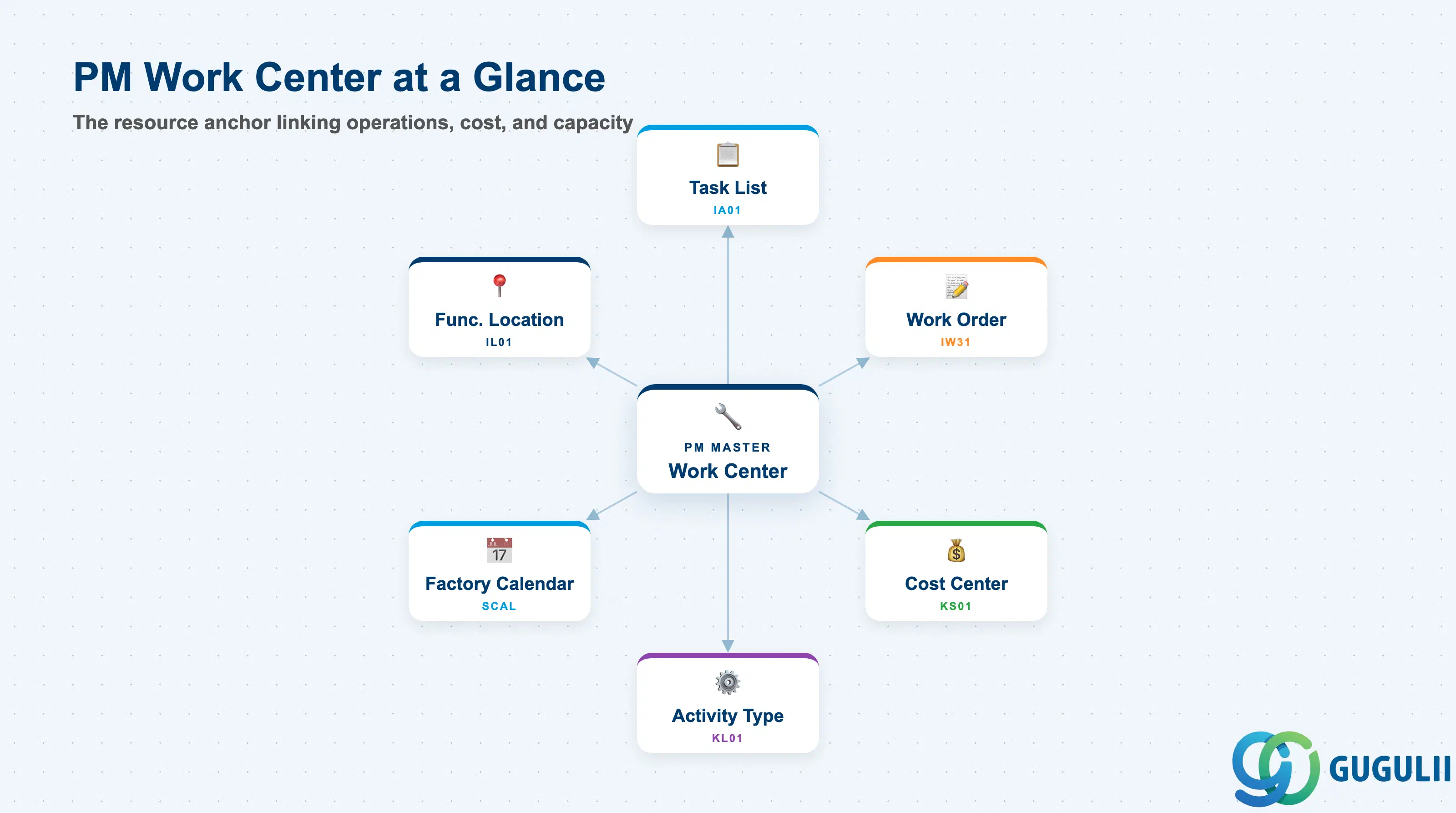
A Work Center in SAP is a resource master that represents a group of people, machines, or a combination of both that can perform a defined set of activities. In the PM context, the Work Center is the team or workshop responsible for executing maintenance tasks — it defines who does the work, how much it costs per hour, and how much capacity is available.
| Aspect | Details |
|---|---|
| Role | Defines the maintenance resource unit: links labor/capacity to cost (via CO) and to scheduling (via Capacity) |
| Modules using it | PM (primary owner — maintenance work orders, task lists, scheduling), PP (separate Work Centers for production — managed by PP team), CO (cost center and activity type settlement from maintenance operations) |
| Transactions | IR01 (Create) / IR02 (Change) / IR03 (Display) — PM-specific. CR01/CR02/CR03 are the general Work Center transactions (also valid for PM) |
| Key Tables | CRHD (Work Center Header), CRCO (Cost Center Assignment), KAKO (Capacity Header), CRTX (Work Center Text) |
| S/4HANA note | Work Center data model unchanged from ECC. Fiori app “Manage Work Centers” (F3729) available in S/4HANA. Capacity evaluation via Fiori “Capacity Management” replaces CM01/CM21 in newer releases. |
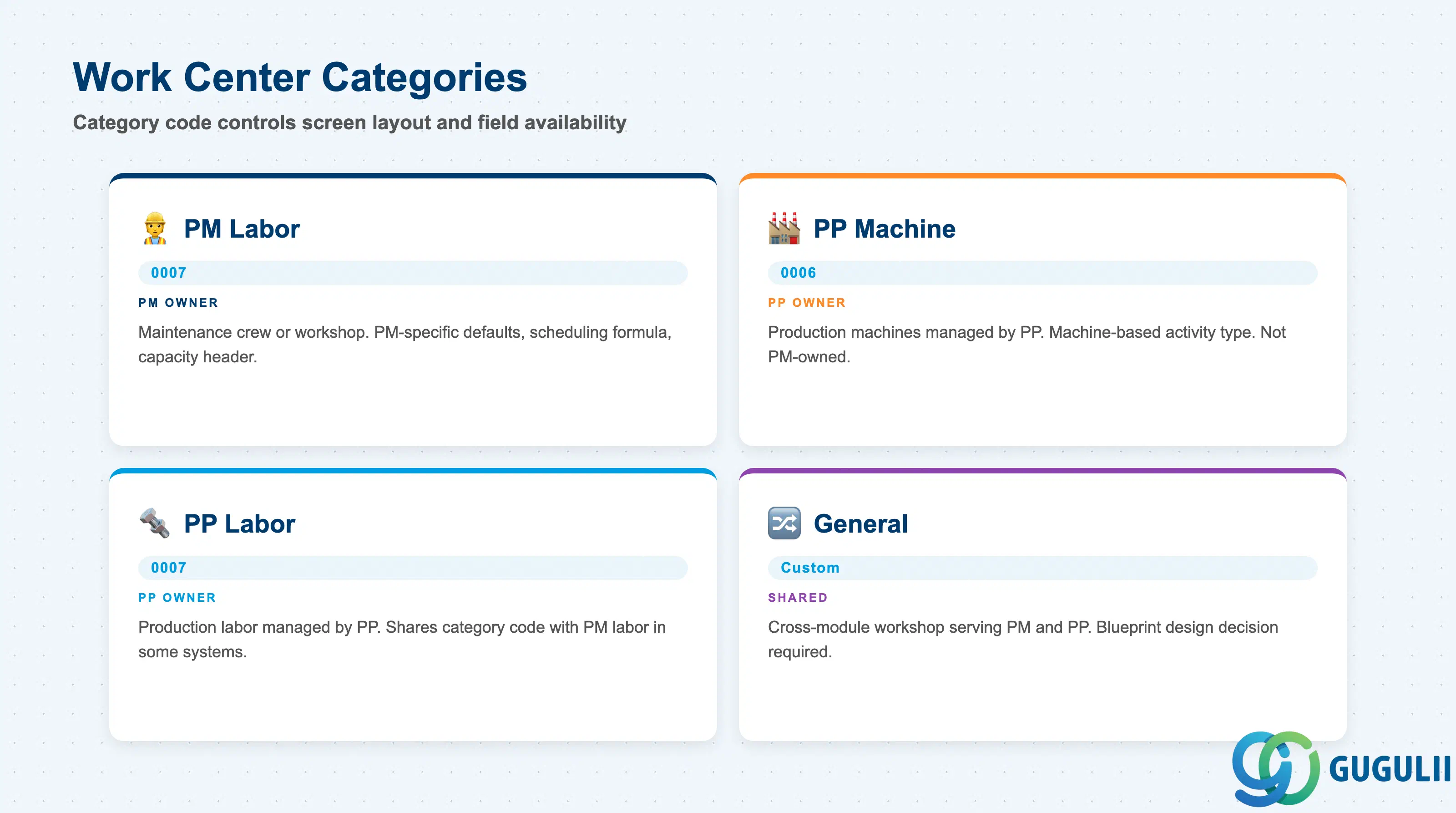
The Work Center Category controls which screens and fields are displayed when creating or changing a Work Center. Selecting the wrong category causes incorrect field availability and can prevent PM-specific defaults from being configured.
| Category | Code | Use Case | Key Behavior |
|---|---|---|---|
| PM Work Center (Labor) | 0007 (or customer-defined) | Maintenance crew, workshop, external contractor crew | Activates PM-relevant defaults: activity type proposal, scheduling formula, and capacity header. Most commonly used category in PM implementations. |
| PP Machine Work Center | 0006 | Production machines managed by PP — not PM | Activity type often machine-based. PM consultants do not own this category. Referenced here to distinguish from PM use. |
| PP Labor Work Center | 0007 (standard) | PP production labor — managed by PP | Shares the standard category with PM labor in some implementations. Differentiated by Plant and system usage, not by category code. |
| General Work Center | Customer-defined | Workshop serving both PM and PP, or cross-plant resource | Design decision required during blueprint. Must agree on ownership and default values with both PM and PP teams. |
Design principle: In most implementations, PM Work Centers are created with a dedicated Work Center Category configured in Customizing (Transaction OP40) that activates the PM-relevant tab layouts and default screens. Confirm the category design with the basis/configuration team before data migration begins.
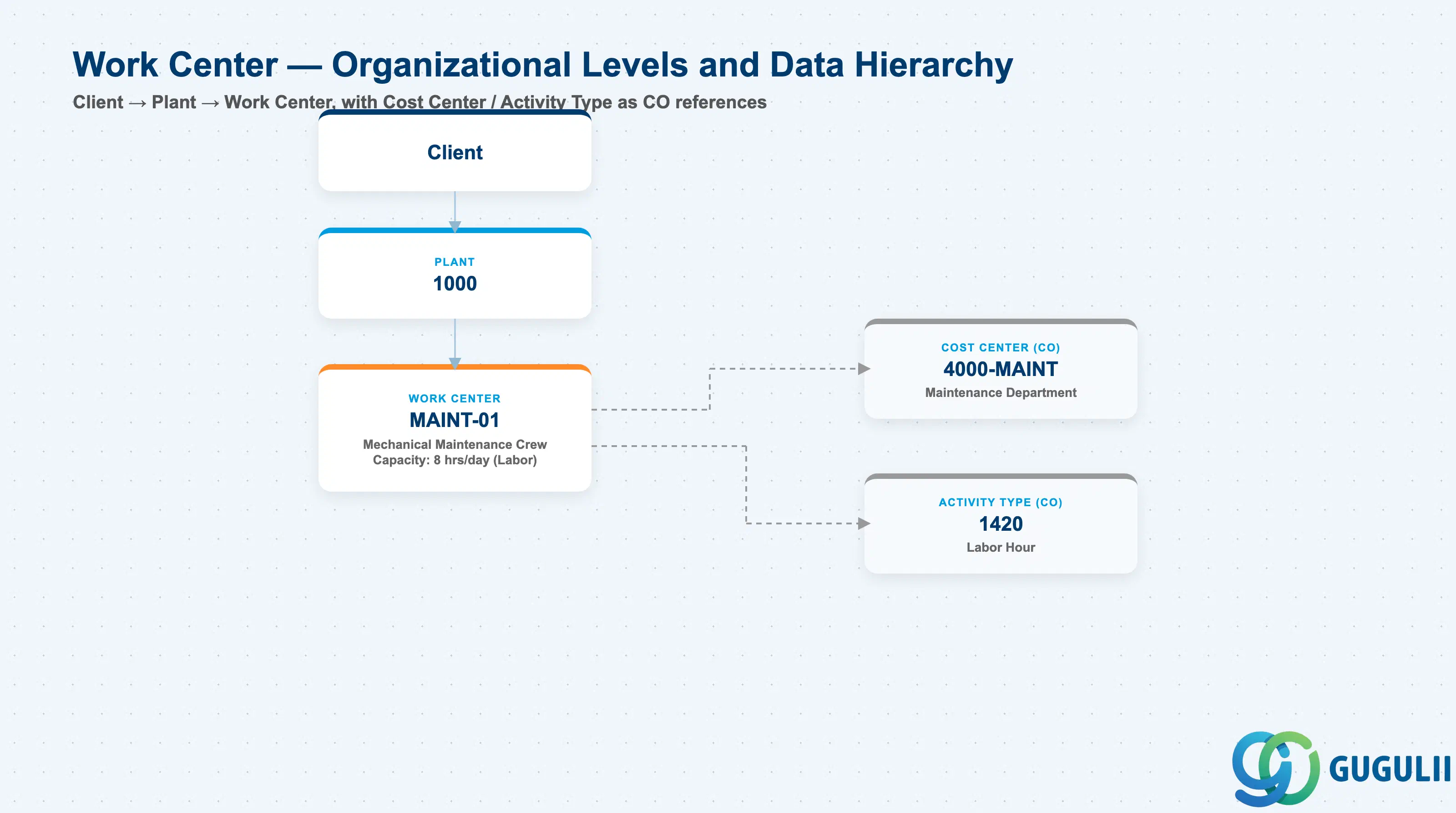
Data hierarchy with a concrete example
Client
   │
   └── Plant 1000
          │
          └── Work Center MAINT-01
                 Mechanical Maintenance Crew
                 Capacity: 8 hrs/day (Labor)
                 │
                 ├── ── references ──> Cost Center 4000-MAINT
                 │                        Maintenance Department (CO)
                 │
                 └── ── references ──> Activity Type 1420
                                          Labor Hour (CO)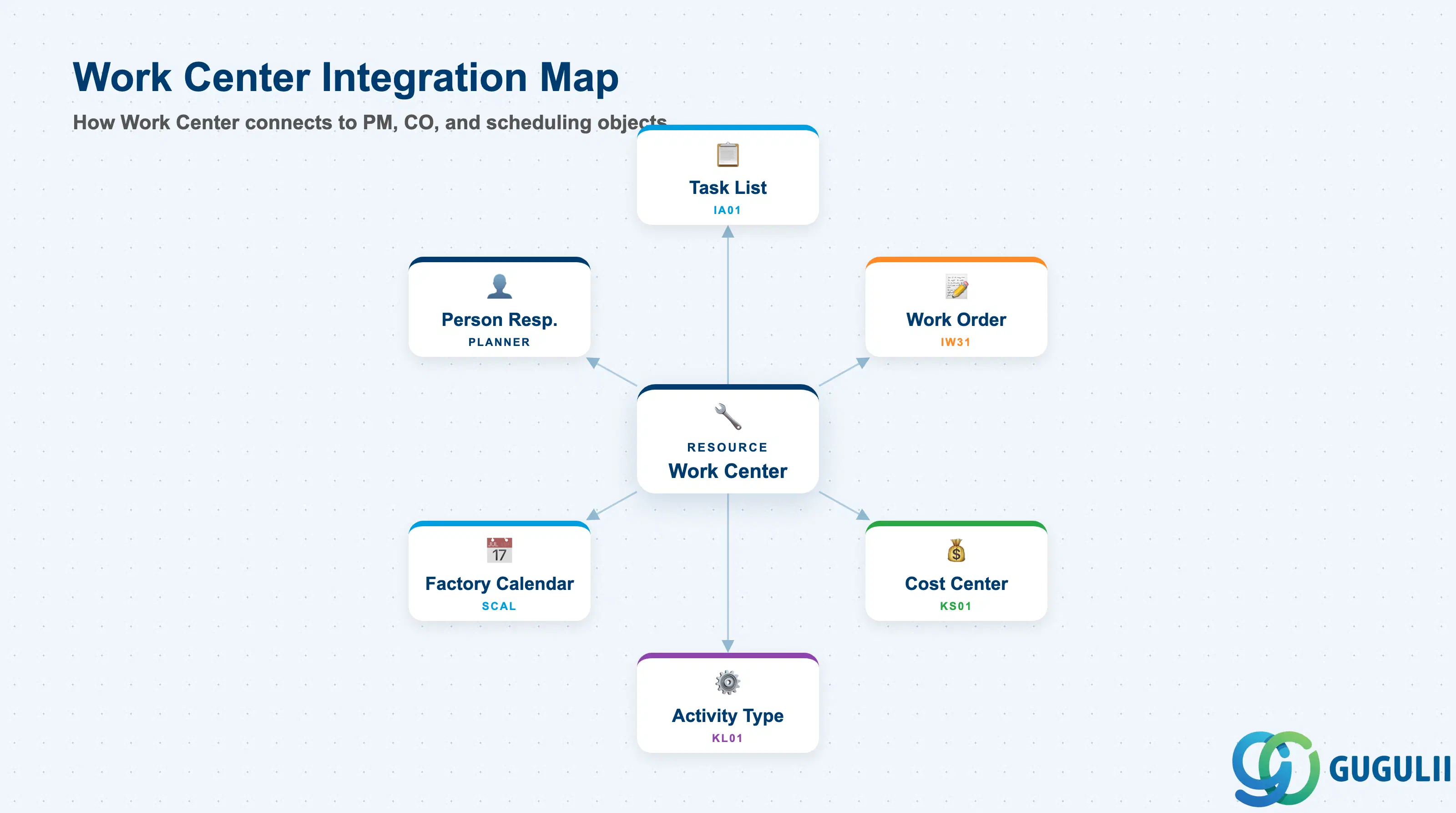
The Work Center is the resource anchor in the PM master data chain. It links the physical work location to CO cost objects and drives scheduling calculations across Task Lists and Work Orders.
| Object | Relationship | Practical Notes |
|---|---|---|
| Task List (IA01) | Work Center is mandatory on each Task List operation | The Work Center on the Task List operation defaults into the Work Order operation at order creation. Changing the Work Center on the Task List does not retroactively update existing Work Orders. |
| Work Order (IW31) | Work Center specified on each Work Order operation | Drives both scheduling (capacity requirement) and cost settlement (activity type × hours = cost). Correct Work Center assignment is essential for meaningful capacity load reporting. |
| Cost Center (KS01) | Work Center carries a Cost Center assignment (CRCO) | Costs from Work Order confirmations (actual hours × activity rate) are settled to this Cost Center. A missing or expired Cost Center assignment causes confirmation errors at period-end settlement. |
| Activity Type (KL01) | One or more Activity Types linked per Work Center | Each Activity Type represents a cost rate (e.g., JPY/hour for maintenance labor). The rate is planned in CO annual cost planning (transaction KP26). Activity Type must be linked to the Work Center before it can be selected on a Work Order operation. |
| Factory Calendar (SCAL) | Work Center references a Factory Calendar for capacity calculation | Determines working days and shift patterns used in scheduling. Misalignment between Work Center calendar and the plant’s production calendar causes incorrect lead time and scheduling results. |
| Person Responsible | Work Center header carries a person responsible code | Used as the default planner group or maintenance coordinator in Work Order header. Drives notifications and is the contact point for capacity exception messages. |
| Data Section | PM Involvement | Notes |
|---|---|---|
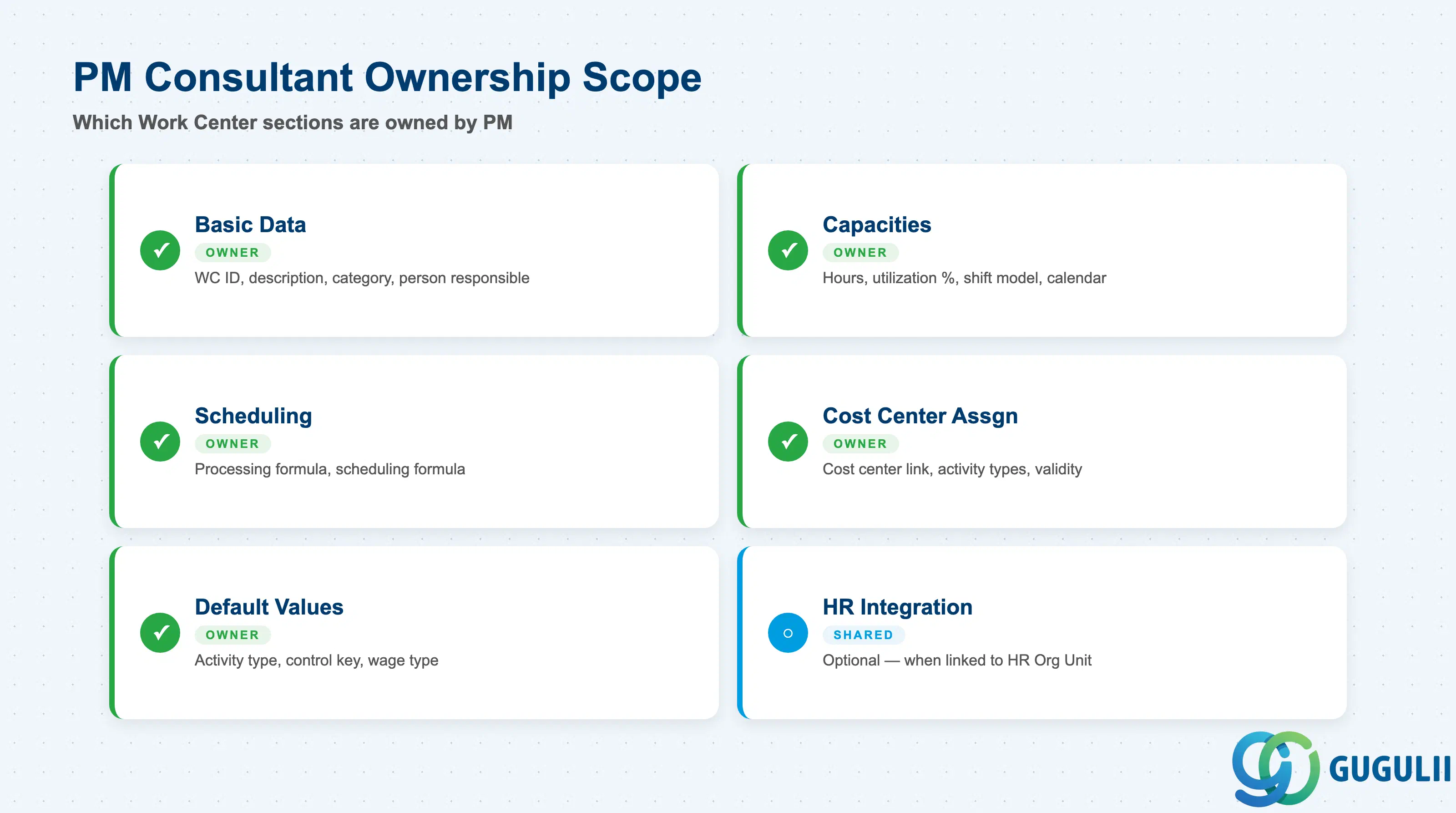
| Basic Data | ◎ Owner | Work Center ID, description, category, person responsible |
| Capacities | ◎ Owner | Available hours, utilization %, shift model, factory calendar |
| Scheduling | ◎ Owner | Scheduling basis formula, processing formula |
| Cost Center Assignment | ◎ Owner | Cost Center link, Activity Types, validity period |
| Default Values | ◎ Owner | Activity Type defaults, control key, wage type (for HR-linked WCs) |
| HR Integration (Optional) | ○ Shared with HR | Relevant only when Work Center is linked to HR Organizational Unit |
Legend: ◎ = Owner / Critical, ○ = Direct involvement
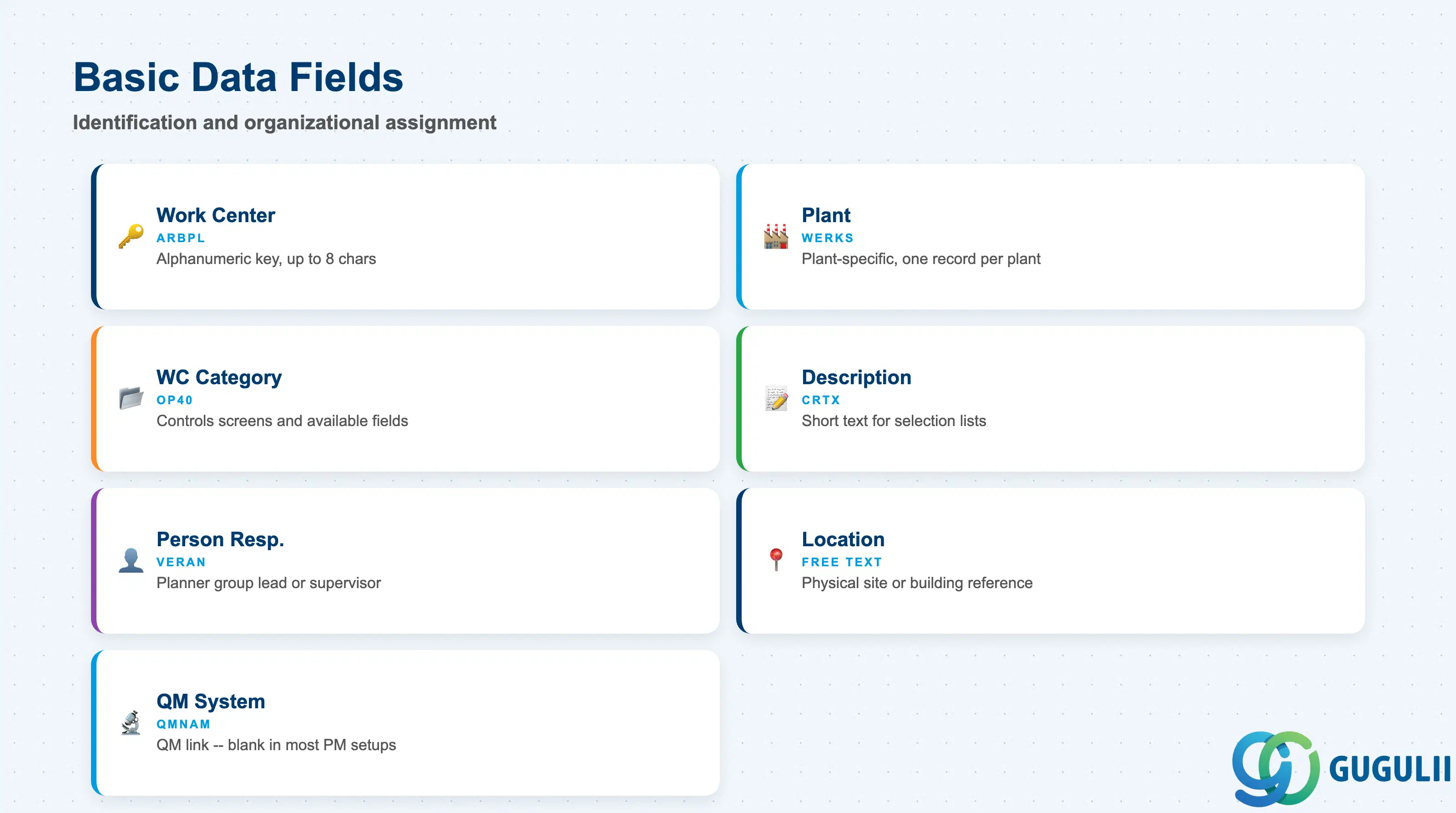
Basic Data is the identification layer of the Work Center. It establishes the Work Center’s identity, its organizational category, and the person responsible for its capacity and maintenance execution.
| Field | Description | Practical Usage |
|---|---|---|
| Work Center (ARBPL) | Work Center key | Alphanumeric identifier, up to 8 characters. Establish a naming convention at blueprint: team-based (e.g., MAINT-EL for electrical maintenance), location-based (e.g., SHOP-A1), or org-unit-based. Consistent naming is critical for reporting and capacity management across multiple plants. |
| Plant | Plant key | Work Centers are plant-specific. For a multi-plant rollout, maintain separate Work Center records per plant even when the crew physically works across plant boundaries. |
| Work Center Category | Category code | Determines screen layout and available fields. Set in Customizing (OP40). Choose the PM-specific category (commonly derived from 0007) during blueprint — changing category after go-live is technically disruptive and should be avoided. |
| Description | Short text | Appears in Work Order and Task List selection lists. Use a description that unambiguously identifies the team or workshop to the planner: “Electrical Maintenance Crew 1” is clearer than “ELEC1.” |
| Person Responsible (VERAN) | Responsible planner/coordinator | Typically a key user, planner group lead, or maintenance supervisor code. Used in Work Order exception notifications and as the default contact on capacity planning screens. Must be a valid user or partner code in the system. |
| Location | Physical or organizational location text | Free text field. Useful for reporting when multiple Work Centers share the same plant but are physically distributed across buildings or sites. |
| QM System (QMNAM) | QM system indicator | Links the Work Center to a Quality Management system entry if QM is active. In most PM implementations this field is left blank unless an integration with QM inspection lots at confirmation is required. |
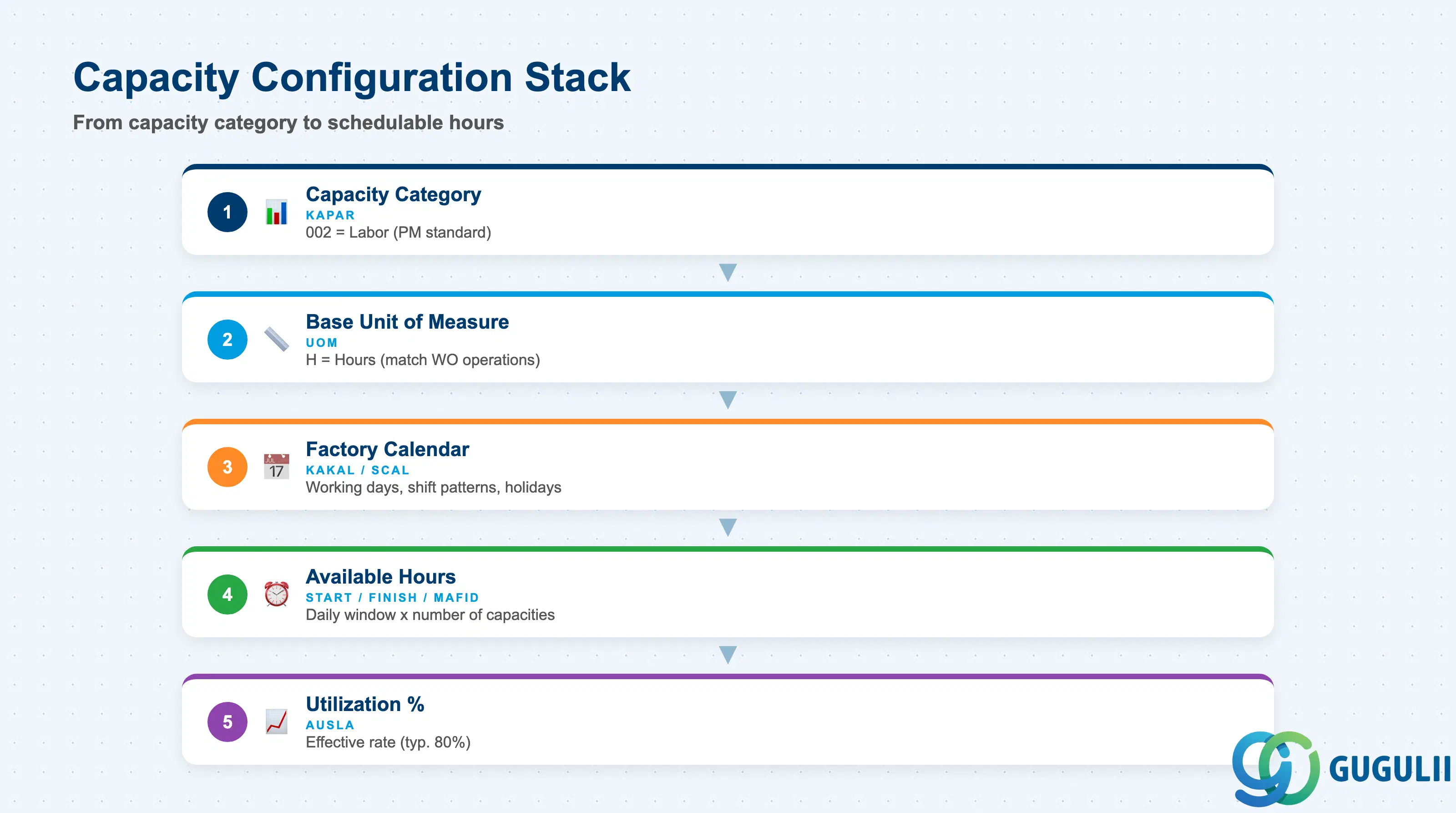
The Capacities section defines how much work the Work Center can absorb per period. This data drives capacity requirements planning (CM01/CM21) and finite scheduling in Work Orders. Incorrect capacity data leads to either phantom overloads (over-stated demand vs. under-stated supply) or invisible bottlenecks.
| Field | Description | Practical Usage |
|---|---|---|
| Capacity Category (KAPAR) | Capacity type code | 002 = Labor (most common for PM). Determines the dimension of capacity: labor hours, machine hours, etc. Define in Customizing before creating Work Centers. One Work Center can have multiple Capacity Categories (e.g., both labor and tool capacity), but labor capacity is always required for scheduling. |
| Base Unit of Measure | Unit for capacity quantities | Typically H (hours). Must match the unit used in Work Order operations and Task List standard values to avoid conversion inconsistencies in scheduling. |
| Factory Calendar (KAKAL) | Calendar ID | Points to the factory calendar defined in SCAL. Determines which days are working days and the number of working hours per day. Assign the correct plant factory calendar — not the corporate calendar if they differ (e.g., local plant holidays vs. group calendar). |
| Start Time / Finish Time | Daily work window | Defines the schedulable window for this Work Center (e.g., 07:00–16:00 for day shift). Used in finite scheduling to determine when operations can start and end. Correct shift times are essential for realistic promise dates on emergency Work Orders. |
| Number of Capacities (MAFID) | Parallel work slots | Represents the number of workers or machines available simultaneously. Example: a crew of 5 technicians = 5 capacities. This multiplier is applied to the daily available hours to yield total capacity. |
| Utilization (%) (AUSLA) | Effective utilization rate | Percentage of the available capacity that can be planned (e.g., 80% accounts for breaks, administrative time, travel between sites). Setting 100% creates a theoretically overloaded Work Center in practice — always apply a realistic utilization factor agreed with the maintenance manager. |
| Relevant to Finite Scheduling | Finite scheduling flag | When checked, the scheduling engine treats this Work Center as a constrained resource and will not overload it. Required for bottleneck resources (e.g., a specialized crane). For general maintenance crews that rarely hit capacity limits, leaving this unchecked simplifies scheduling behavior. |
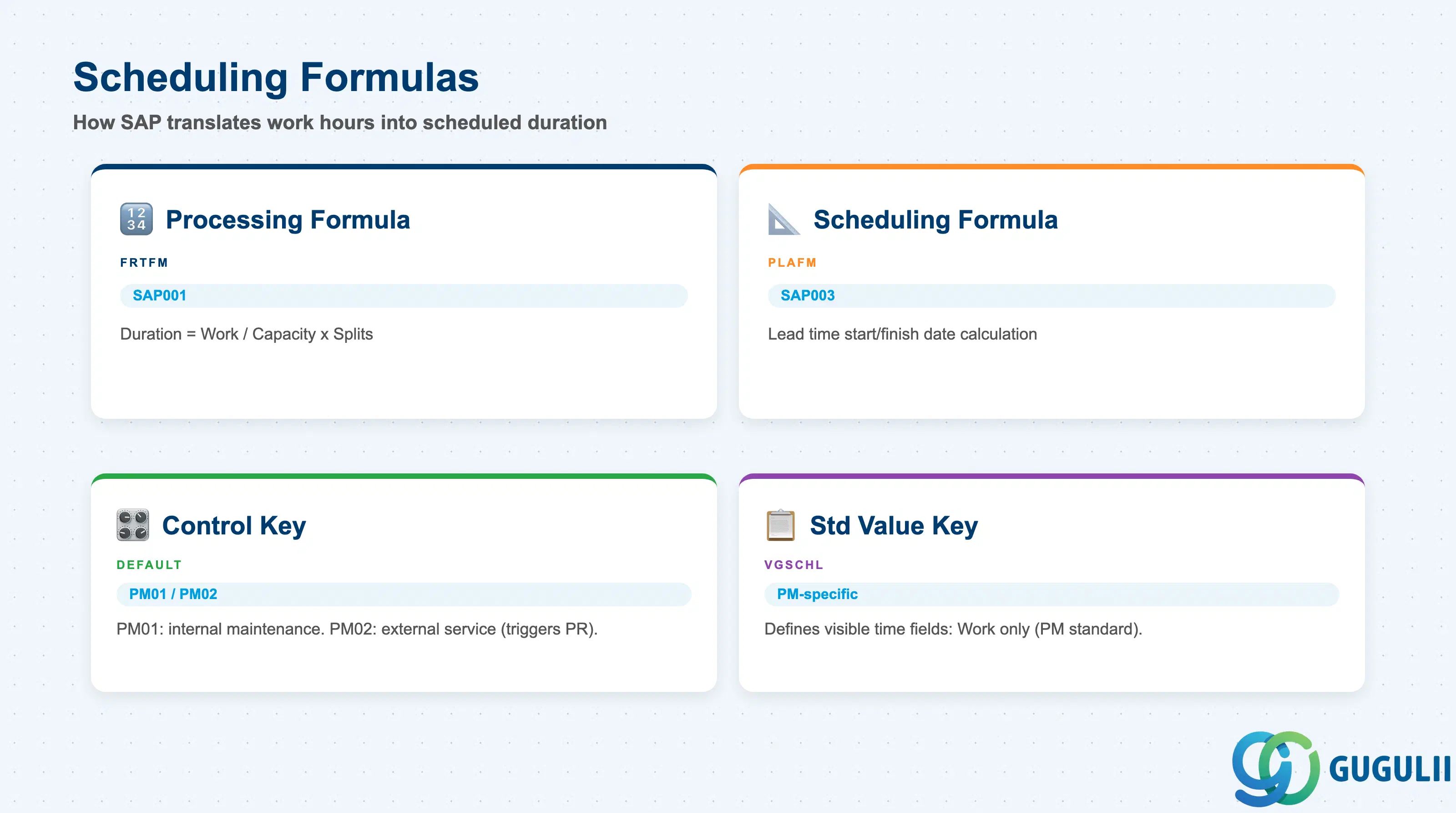
The Scheduling section connects Work Center capacity to the time-based scheduling algorithms used in Work Order and Task List operations. The formulas here determine how SAP translates activity quantities (hours entered on a Work Order operation) into a scheduled duration.
| Field | Description | Practical Usage |
|---|---|---|
| Processing Formula (FRTFM) | Formula for duration calculation from work | Standard PM formula: SAP001 (Duration = Work / Capacity × Number of splits). Select from the formula catalog defined in Customizing (OP51). For simple maintenance scenarios, SAP001 is sufficient. Custom formulas are developed by the configuration team if crew-size or multi-shift logic is needed. |
| Scheduling Formula (PLAFM) | Formula used in lead time scheduling | Governs how the scheduled start and finish dates are calculated from the required duration. SAP PM standard: SAP003 or equivalent. Must be aligned with the PP scheduling team if Work Centers are shared. |
| Control Key | Default control key for operations | Proposes the control key on each Task List operation that references this Work Center. For PM: PM01 (internal maintenance with confirmation required) is the most common default. PM02 applies to external service operations. Setting the correct default here reduces manual override work during Task List creation. |
| Standard Value Key (VGSCHL) | Key defining which standard value fields appear | Determines which time fields (Setup, Processing, Teardown) are visible on Task List and Work Order operations. In PM, typically a simplified key that shows only the “Work” field (processing time) — setup and teardown are uncommon in maintenance scenarios. |
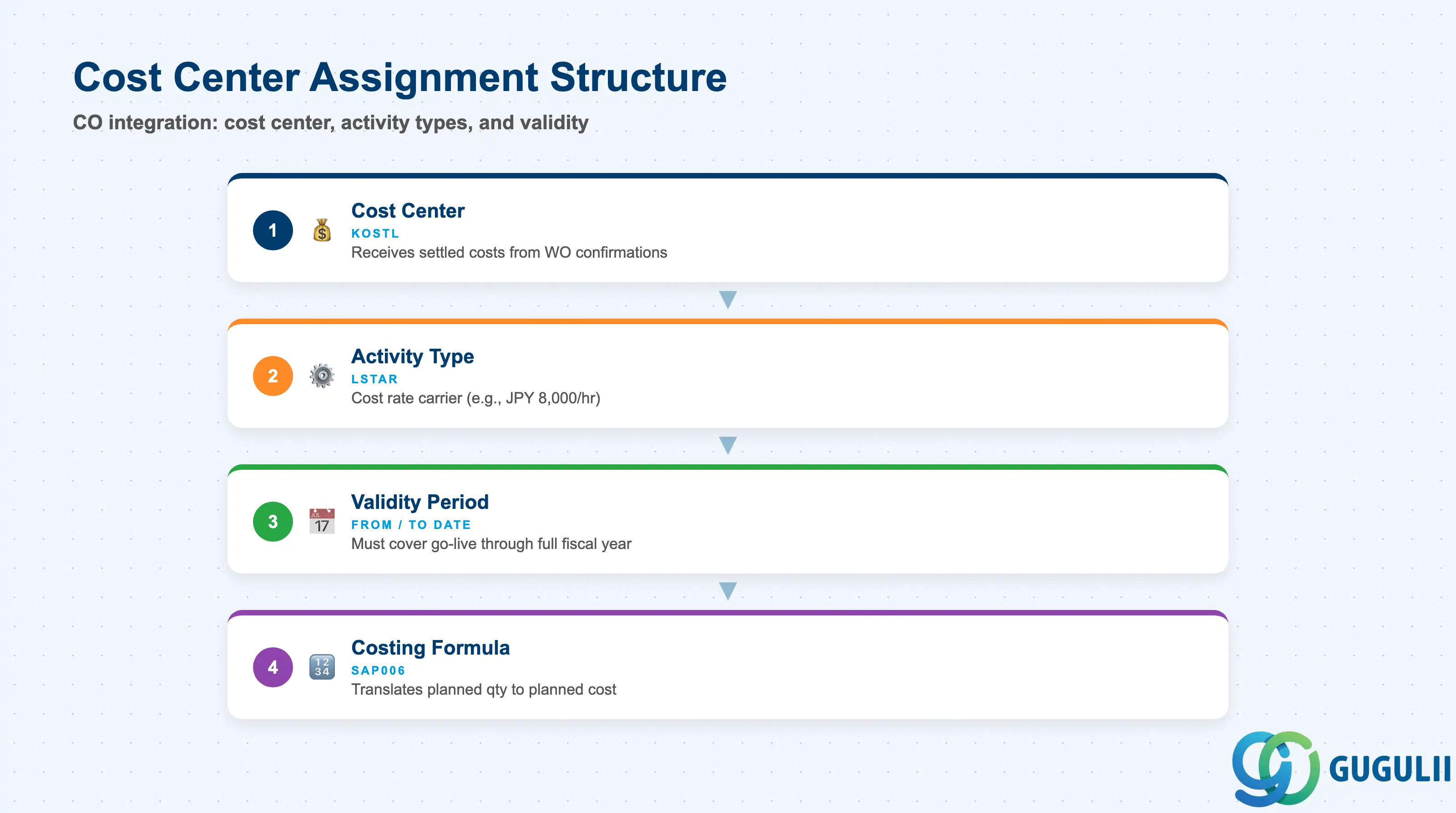
The Cost Center Assignment section is the bridge between PM operational data and CO cost accounting. Every maintenance hour confirmed against a Work Order operation is valued using the Activity Type rate and posted to the assigned Cost Center. This section requires close coordination with the CO team during blueprint.
| Field | Description | Practical Usage |
|---|---|---|
| Cost Center (KOSTL) | CO Cost Center receiving actual maintenance costs | Costs from Work Order operation confirmations (actual hours × activity type rate) are settled here. The Cost Center must exist in CO and be valid for the PM plant’s controlling area. For Japan-based projects, verify the fiscal year variant and cost center hierarchy match the PM organizational structure before assigning. |
| Activity Type (LSTAR) | CO Activity Type linked to this Work Center | Represents the cost rate category: e.g., “MAINT-LAB” for maintenance labor at JPY 8,000/hour. Multiple Activity Types can be assigned per Work Center (e.g., regular hours, overtime hours, specialist rate). Each Activity Type must be planned in CO (KP26) for the relevant period before Work Order settlement can produce meaningful cost results. |
| Validity Period (From / To Date) | Date range for Cost Center / Activity Type assignment | Allows reassigning the Work Center to a different Cost Center in future periods (e.g., reorganization). A gap in validity periods causes settlement errors for Work Orders confirmed during the gap period. Always ensure the validity period covers the entire go-live period through at least one full fiscal year. |
| Costing Formula | Formula used to calculate planned costs | Determines how planned work quantities are translated to planned cost on the Work Order. Standard: SAP006 or equivalent. Must be consistent with the formula used in the Scheduling section. Mismatched formulas produce discrepancies between scheduled work and planned cost. |
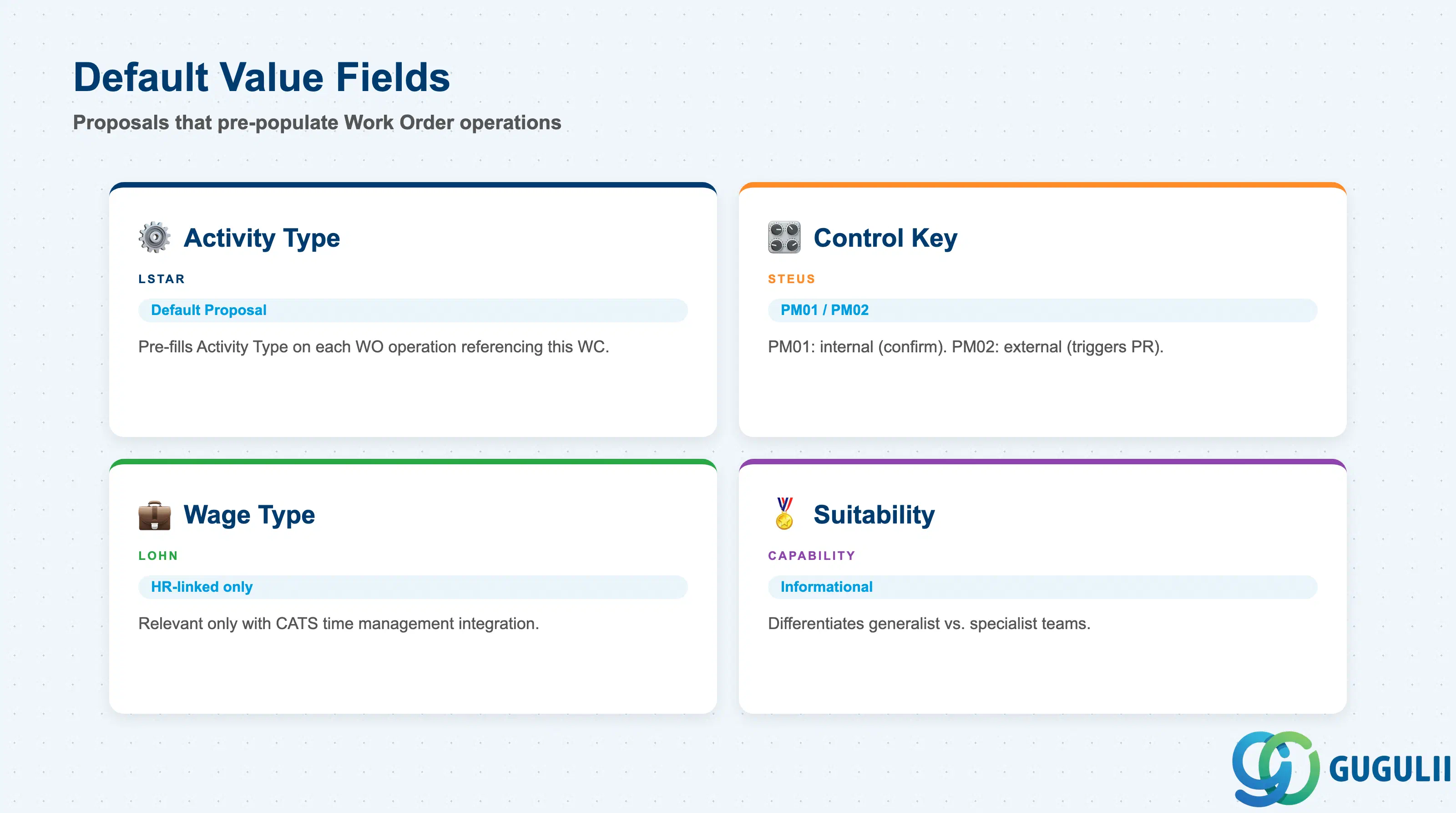
The Default Values section stores the proposals that pre-populate Work Order and Task List operations when this Work Center is selected. Correct defaults reduce manual entry errors and enforce data governance standards across high-volume Work Order creation.
| Field | Description | Practical Usage |
|---|---|---|
| Activity Type (LSTAR) | Default Activity Type proposed on operations | Pre-fills the Activity Type field on each Work Order operation that references this Work Center. If the Work Center has a single Activity Type (the most common PM scenario), set it as the default to eliminate the mandatory selection step at operation entry. For Work Centers with multiple Activity Types (e.g., regular vs. overtime), leave blank and require planners to select explicitly. |
| Control Key (STEUS) | Default control key on operations | PM01 for internal maintenance (planned and confirmed by PM crew). PM02 for external service operations (triggers purchase requisition for external work). Setting the correct default is particularly important when the same Task List template is referenced by multiple Work Orders — incorrect control key defaults lead to missing PRs for external work or unnecessary confirmations for internal work. |
| Wage Type (LOHN) | Default wage type for HR-linked Work Centers | Relevant only when the Work Center is integrated with HR Time Management (CATS). For most PM implementations that do not use CATS for maintenance confirmations, this field is left blank. If HR integration is in scope, the wage type must exist in the HR wage type catalog and the cross-application time sheet configuration must be completed before the Work Center goes live. |
| Suitability | Work Center suitability code | Informational field used in capacity planning and Work Center selection lists. Can be used to differentiate generalist maintenance crews from specialized teams (e.g., high-voltage certified technicians). Not a hard system constraint — use with caution if automated assignment logic is expected. |
| ID | Category | Title |
|---|---|---|
| pm-001 | Overview | What is SAP PM? |
| ID | Category | Title |
|---|---|---|
| pm-a01 | Overview | SAP PM Master Data: Overview, Hierarchy & Relationships |
| pm-a02-01 | Master Data | SAP PM Functional Location |
| pm-a02-02 | Master Data | SAP PM Equipment |
| pm-a03-01 | Master Data | SAP PM Class |
| pm-a03-02 | Master Data | SAP PM Characteristic |
| pm-a04-01 | Master Data | SAP PM Measuring Point |
| pm-a05-01 | Master Data | SAP PM Work Center 📍 |
| pm-a06-01 | Master Data | SAP PM Material Master |
| pm-a05-02 | Master Data | SAP PM Task List |
| pm-a05-03 | Master Data | SAP PM Production Resource Tool |
| pm-a06-03 | Master Data | SAP PM Maintenance BOM |
| pm-a07-01 | Master Data | SAP PM Maintenance Item |
| pm-a07-02 | Master Data | SAP PM Maintenance Plan |
| ID | Category | Title |
|---|---|---|
| pm-b01 | Overview | SAP PM Transactions: Process Flow, Hierarchy & Relationships |