Title here
Summary here

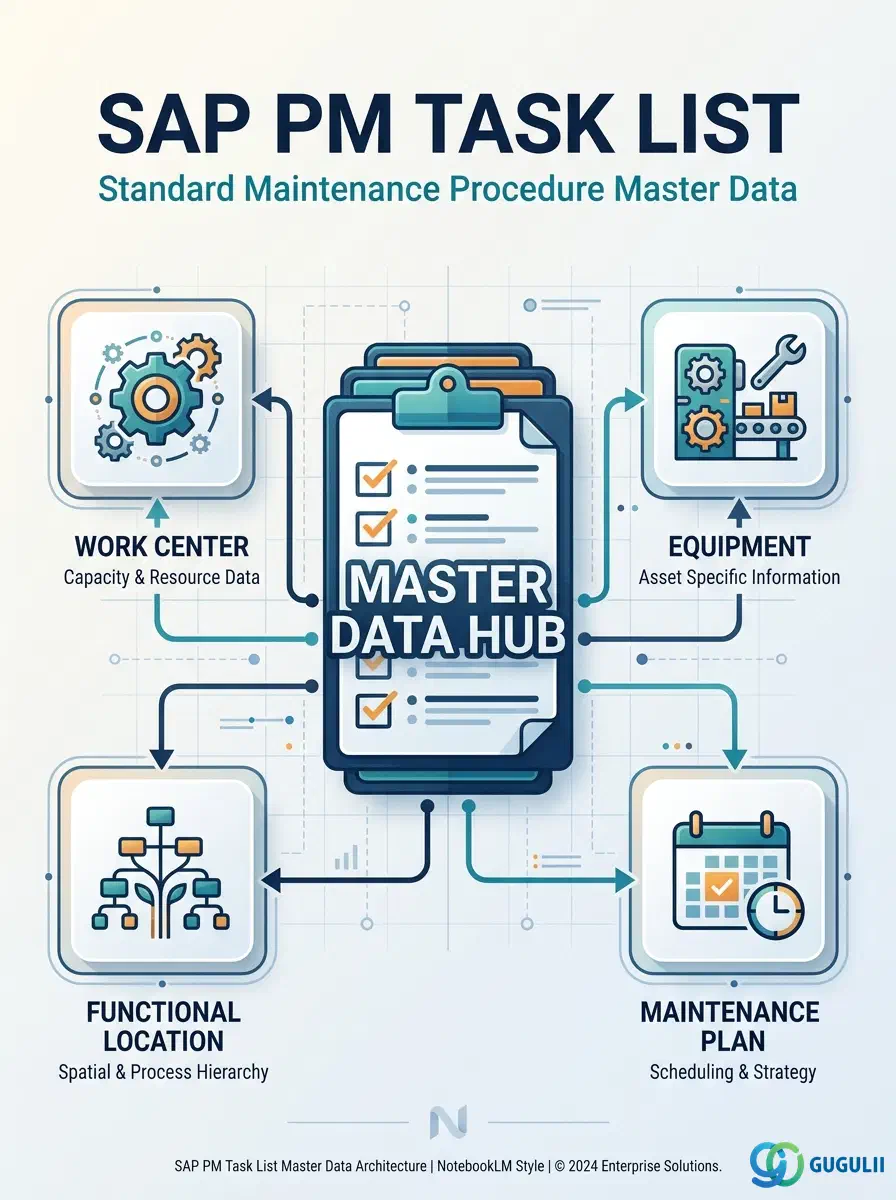
The Task List is the master data object that encodes a standard, repeatable maintenance work procedure. It holds the sequence of operations, the responsible Work Center, estimated labor hours, required materials, and production resources/tools (PRTs) for a given type of maintenance activity. In SAP PM, Task Lists serve as reusable templates: they are referenced by Maintenance Items and, through them, by Maintenance Plans — forming the operational backbone of preventive maintenance scheduling. This article covers the three Task List types used in PM, their organizational scope, data structure, and the field-level detail PM consultants configure.
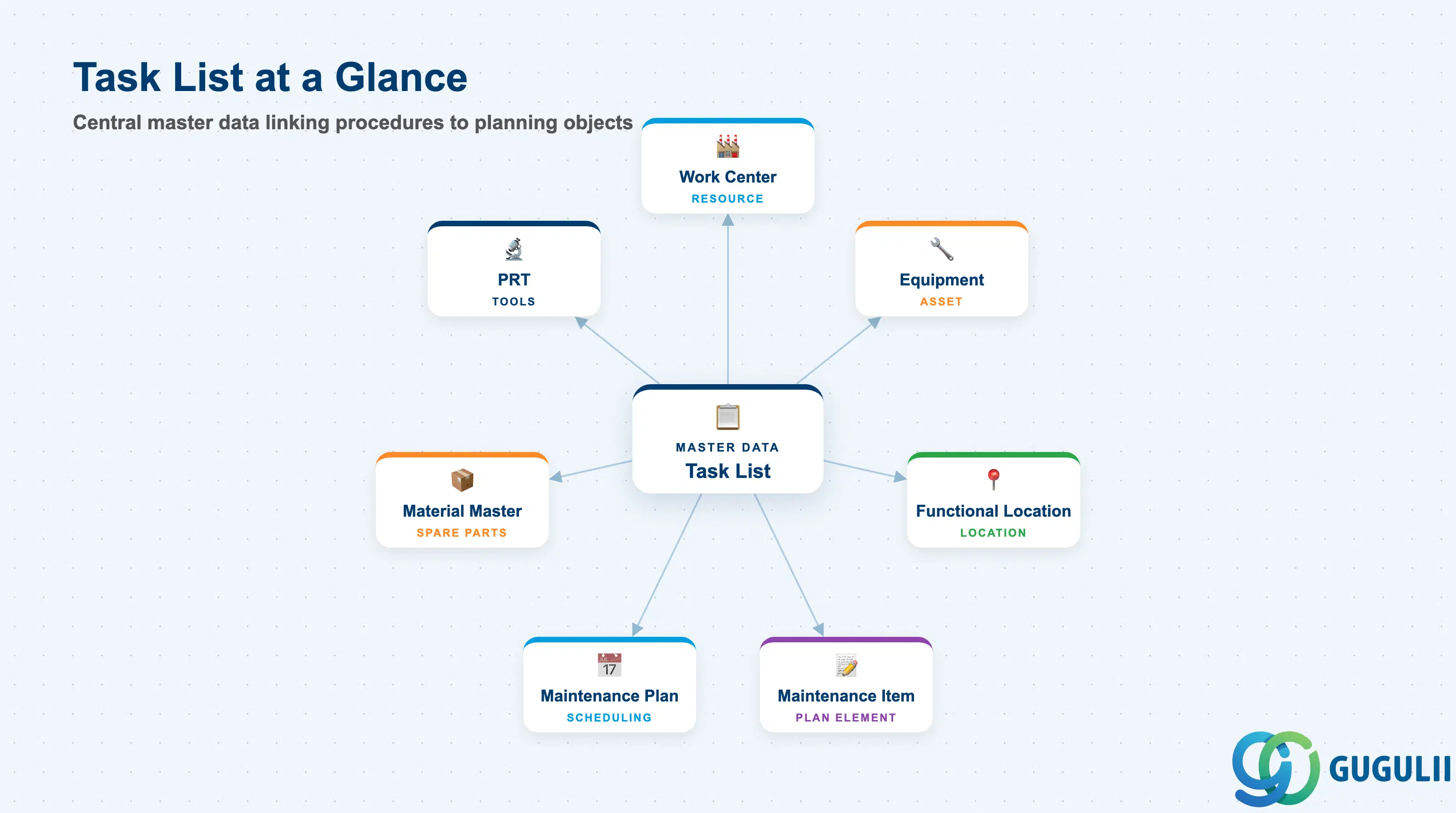
A Task List is a structured, reusable procedure document stored as master data. Each Task List contains a header defining its scope and a list of operations detailing individual work steps, their work centers, time estimates, and resource requirements. Unlike a one-off work instruction, a Task List is designed to be referenced repeatedly — either assigned directly to a Work Order or linked to a Maintenance Item for recurring preventive maintenance.
| Aspect | Details |
|---|---|
| Role | Defines standard maintenance work procedures: sequence of operations, responsible Work Centers, labor hours, required materials, and PRTs |
| Modules using it | PM (Plant Maintenance — primary owner), CS (Customer Service — uses Service Task Lists, usage “3”), PP (Production routings use the same underlying framework, usage “1”) |
| Transactions | IA01 (Create General), IA05 (Create Equipment), IA11 (Create Functional Location), IA02/IA06/IA12 (Change), IA03/IA07/IA13 (Display), IA08 (Display with change documents) |
| Key Tables | PLKO (Task List Header), PLPO (Task List Operation), PLAS (Task List — Object assignment), PLMZ (Component/Material allocation), PLWP (PRT assignment) |
| S/4HANA note | Task List data model is unchanged from ECC. Fiori apps “Manage Maintenance Task Lists” (F4219) and “Create Maintenance Task List” are available in S/4HANA. Usage code “4” remains the PM-specific identifier. |
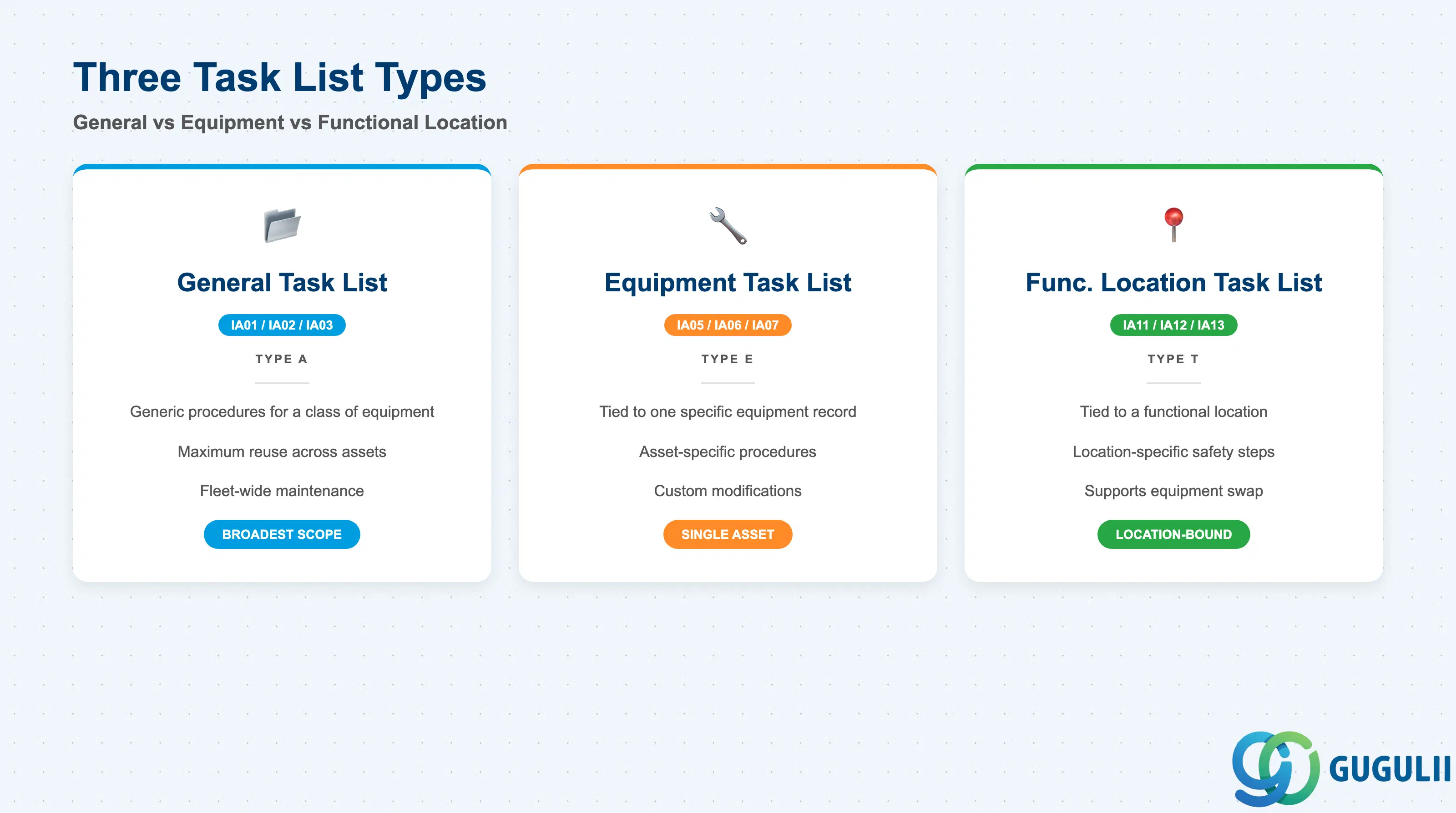
The Task List type determines which maintenance object the procedure is assigned to, and how broadly it can be reused. Choosing the wrong type creates either excessive master data proliferation (too specific) or inappropriate reuse (too generic), both of which undermine scheduling reliability.
| Task List Type | Transaction | Use Case | Key Behavior |
|---|---|---|---|
| General Task List | IA01 | Generic procedures applicable to a class or type of equipment, not tied to one specific asset | Maximum reuse. One Task List can be referenced by any number of Maintenance Items for different equipment. Standard choice for fleet-wide or category-wide maintenance programs (e.g., quarterly oil change for all pumps). |
| Equipment Task List | IA05 | Procedures specific to one individual piece of equipment (identified by Equipment Master) | Tied to a single Equipment record. Use when the procedure steps, standard times, or required PRTs differ per asset — for example, due to equipment age, custom engineering modifications, or unique safety requirements. |
| Functional Location Task List | IA11 | Procedures tied to a functional location (installation point) rather than the installed equipment | Used when the procedure is location-specific — for example, a high-voltage switchroom where the location itself dictates safety steps regardless of which equipment is currently installed. Supports equipment swap scenarios without task list re-assignment. |
Design principle: Start with General Task Lists during blueprint. Introduce Equipment Task Lists only when equipment-specific variation in procedure steps, times, or PRTs is genuinely required — excessive Equipment Task Lists dramatically increase maintenance overhead.
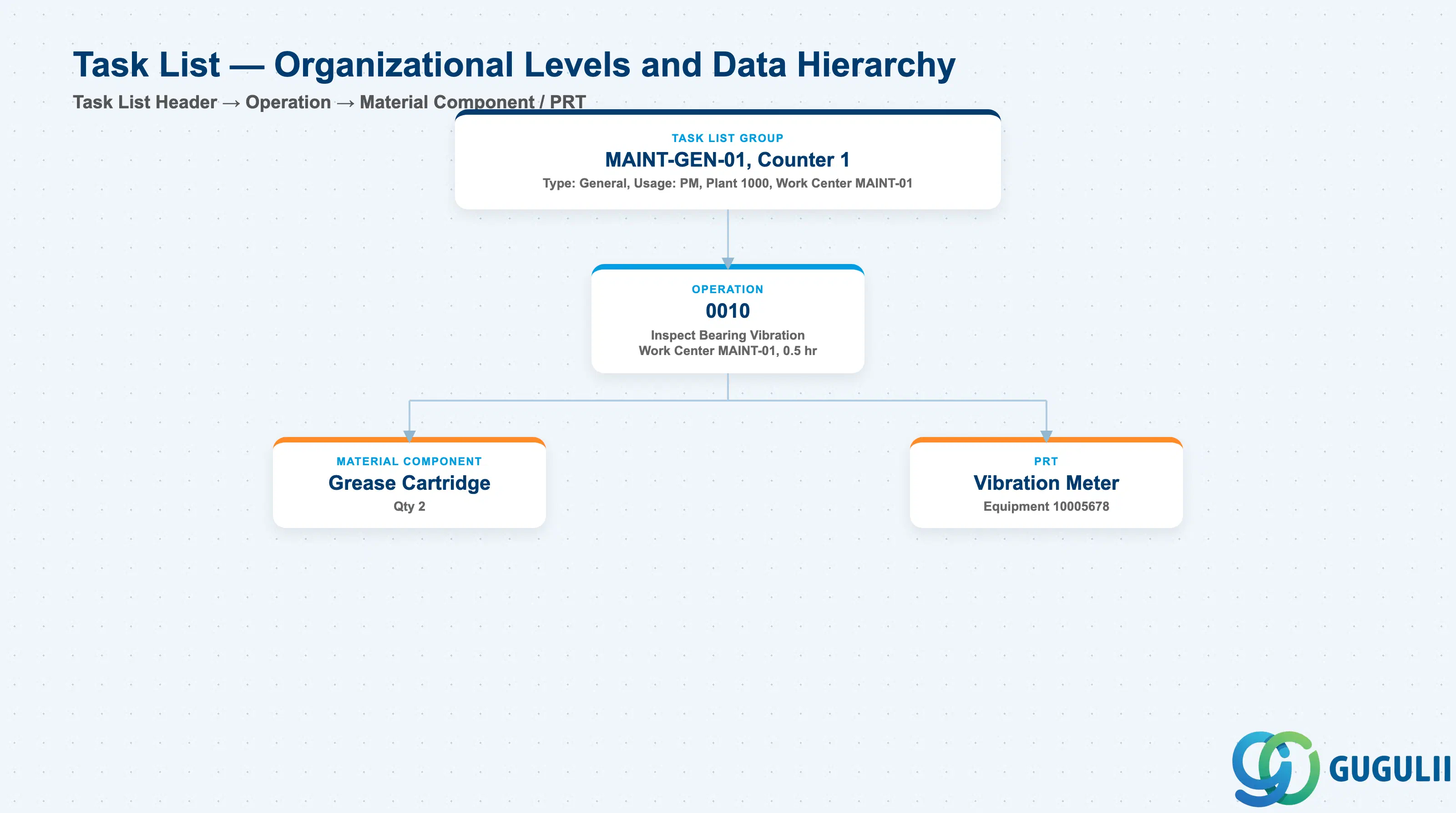
Data hierarchy with a concrete example
Task List Group MAINT-GEN-01, Counter 1
   Type: General, Usage: PM, Plant 1000, Work Center MAINT-01
   │
   └── Operation 0010
          Inspect Bearing Vibration
          Work Center MAINT-01, Standard Time: 0.5 hr
          │
          ├── Material Component
          │      Grease Cartridge, Qty 2
          │
          └── PRT
                 Vibration Meter — Equipment 10005678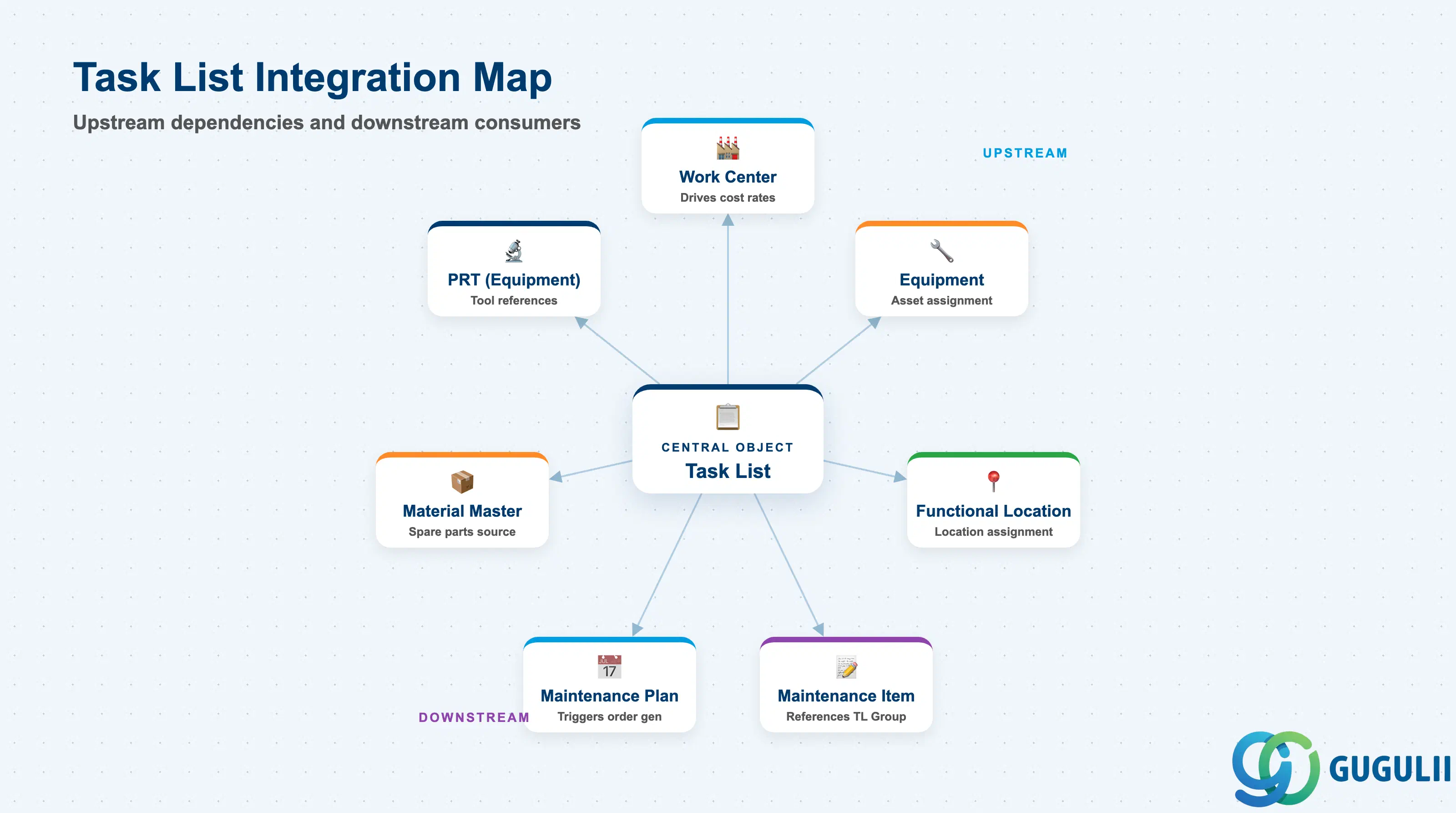
The Task List sits at the intersection of the work definition layer and the planning layer in SAP PM. It is consumed by downstream planning objects and depends on upstream master data for its content.
| Object | Relationship | Practical Notes |
|---|---|---|
| Work Center | Header and each operation reference a Work Center | The Work Center drives labor cost rates (via Activity Types) and resource capacity loading. A missing or incorrect Work Center on the Task List causes costing gaps in resulting Work Orders. |
| Equipment | Equipment Task List (IA05) is assigned directly to one Equipment record | The Equipment record must exist before an Equipment Task List is created. If the Equipment is decommissioned or replaced, the task list assignment must be reassessed — it does not automatically transfer. |
| Functional Location | Functional Location Task List (IA11) is assigned to a Functional Location record | The Functional Location must be released (status “INAK” or “ACTI”) before assignment. Particularly valuable for locations where equipment changes frequently. |
| Maintenance Item (IP11) | Maintenance Item stores the Task List Group number | When a Work Order is generated from a Maintenance Plan, the operations, materials, and PRTs from the referenced Task List are copied into the Work Order. Keeping Task Lists current is the key to accurate order planning. |
| Maintenance Plan (IP01) | Maintenance Plan triggers order generation referencing the Maintenance Item, which holds the Task List | The Task List release status must be “Released” (status 4) before the Maintenance Plan can generate orders. Unreleased Task Lists silently produce incomplete orders. |
| Material Master | Material components listed in PLMZ reference the Material Master | Materials must exist in the system (at least the Basic Data view) before they can be assigned as Task List components. Reservation against specific storage locations may require the Plant/Storage Location view. |
| PRT (Equipment Master) | PRTs of category “Equipment” reference the Equipment Master | Equipment used as PRTs (measuring instruments, specialized tools) must have an Equipment Master. The Equipment Master’s availability for PRT use is controlled by the Equipment Category and usage settings. |
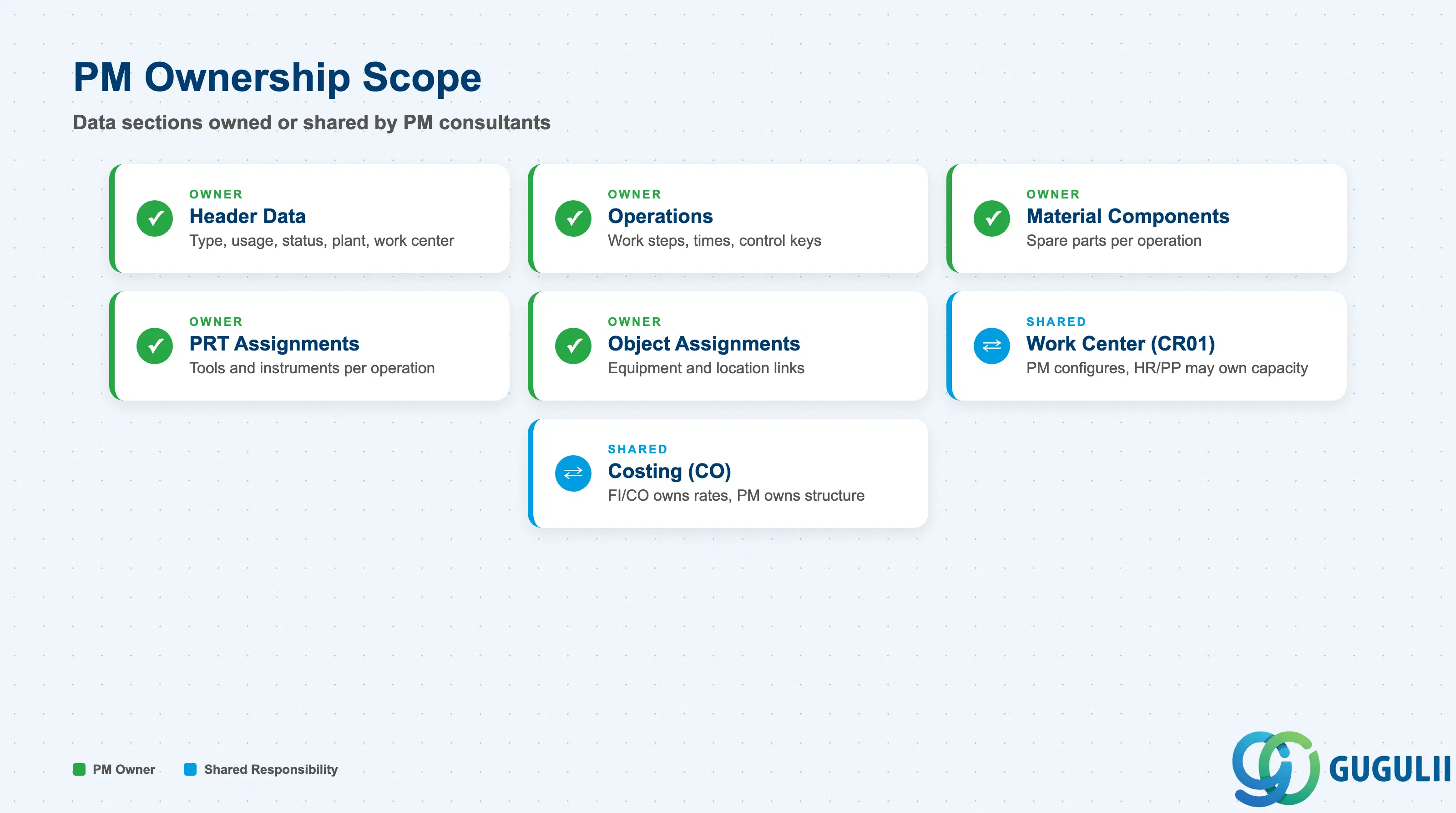
| Data Section | PM Involvement | Notes |
|---|---|---|
| Header Data | ◎ Owner | Task List type, usage, status, plant, main work center, long text |
| Operations | ◎ Owner | Work steps, work centers, control keys, standard times, long text |
| Material Components | ◎ Owner | Spare parts and consumables required per operation |
| PRT Assignments | ◎ Owner | Tools, measuring equipment, and documents per operation |
| Object Assignments | ◎ Owner | Which Equipment / Functional Locations reference this Task List (General Task Lists) |
| Work Center (CR01) | ○ Shared with PM/HR | Work Centers are configured by the PM Administrator; capacity views may involve HR or PP |
| Costing (CO integration) | ○ Shared with CO | Activity Types and Cost Center assignments on Work Centers feed PM order costing — FI/CO configures rates, PM configures the structure |
Legend: ◎ = Owner / Critical, ○ = Direct involvement
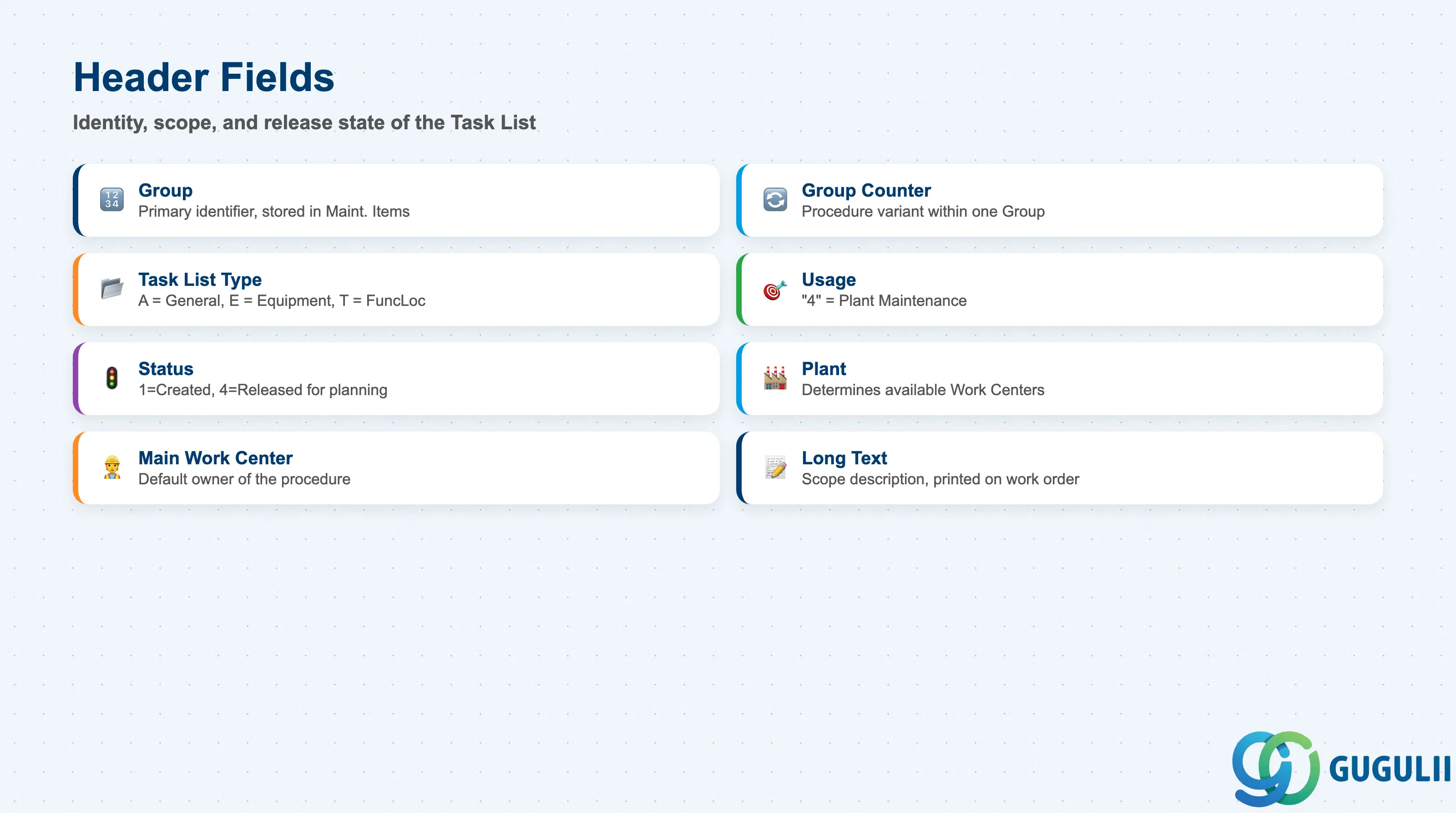
The Task List header defines the identity, scope, and release state of the entire procedure. Header settings govern where the Task List can be used and whether it can generate Work Orders.
| Field | Description | Practical Usage |
|---|---|---|
| Group | Numeric identifier for the Task List | The primary reference key stored in Maintenance Items. Assign a meaningful numbering range per maintenance category (e.g., 100000–199999 for rotating equipment, 200000–299999 for electrical). Once referenced in a Maintenance Item, changing the Group number requires updating all referencing Maintenance Items. |
| Group Counter | Alternative counter within one Group | Allows multiple procedure variants under one Group number (e.g., counter 1 = standard procedure, counter 2 = safety-critical variant). Only one counter can be active at any time. Use sparingly — multiple counters per Group increase maintenance complexity. |
| Task List Type | A (General), E (Equipment), T (Functional Location) | Determines the assignment scope. Drives the creation transaction (IA01/IA05/IA11) and the Object Assignment tab visibility. Cannot be changed after creation — confirm the type during master data design. |
| Usage | “4” = Plant Maintenance | Mandatory for PM Task Lists. Usage “4” restricts the Task List to the PM module; usage “3” is for CS (Service). Mixing usages causes system errors when the Task List is referenced from a Maintenance Item. |
| Status | 1 = Created, 2 = Updated, 3 = To be deleted, 4 = Released | The Task List must be in status “4 Released” before it can be used in Maintenance Plans or Work Orders. A common go-live oversight is leaving Task Lists in status “Created” — the system will not prevent plan scheduling, but order operations will be incomplete or missing. |
| Plant | Plant for which this Task List is valid | Determines which Work Centers are available for selection on operations. A Task List is plant-specific; if the same procedure is needed at multiple plants, a separate Task List per plant is required (or cross-plant Work Centers, which require additional configuration). |
| Main Work Center | Default responsible work center | The “owner” of the Task List at header level. Drives the planner group assignment and is the fallback work center if an individual operation’s Work Center is not populated. |
| Long Text | Free text description of the overall procedure | Use to describe the scope, safety precautions, and general prerequisites of the procedure. This text is visible in the Work Order header and can be printed on the work order paper document — it is the primary communication to the maintenance technician. |
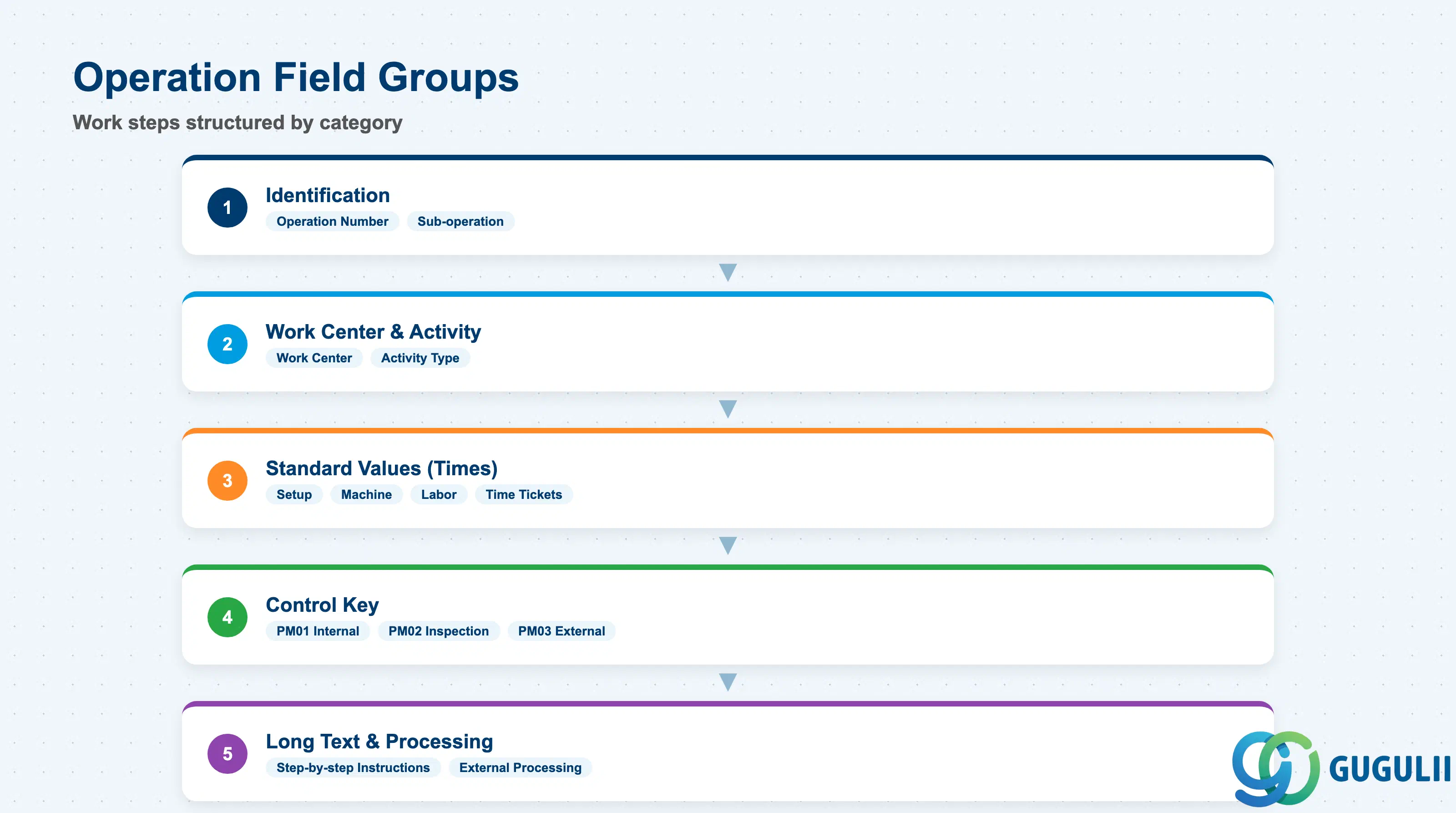
Operations are the individual work steps within a Task List. Each operation represents a discrete activity assigned to a specific Work Center, with its own time estimates and control settings. Operations are copied as-is into Work Orders when the Task List is referenced.
| Field | Description | Practical Usage |
|---|---|---|
| Operation Number | Sequential step number (0010, 0020, …) | Steps are numbered in increments of 10 to allow easy insertion of new steps later. Operation sequence determines the default scheduling order in the resulting Work Order. Use sub-operations (internal steps within an operation) for complex parallel activities. |
| Work Center | Responsible work center for this operation | Drives capacity loading and cost rates for this step. Different operations within one Task List can reference different Work Centers (e.g., mechanical team, electrical team, and external contractor operations in the same procedure). |
| Control Key | Determines operation processing type | PM01 = Internal processing (confirmed against capacity), PM02 = Inspection characteristic (for Quality Management integration), PM03 = External processing (subcontract — generates a PR/PO). The control key is mandatory and must match the intended processing type. Using PM01 for subcontract operations causes missing PO generation. |
| Activity Type | CO Activity Type linked to the Work Center | Together with the Work Center, determines the cost rate applied to this operation. Must be assigned in the Work Center master (CR01) first. If the Activity Type is blank, no labor cost is posted to the resulting Work Order — a silent data quality issue that distorts cost reporting. |
| Standard Values — Setup | Setup time (in Work Center base UoM) | Time for preparation before the main work starts (e.g., gathering tools, installing safety barriers). Included in capacity planning and cost calculations. |
| Standard Values — Machine | Machine/equipment run time | Relevant when machinery or equipment time is the binding resource, rather than labor hours. Used in capacity planning for asset availability. |
| Standard Values — Labor | Labor time (in Work Center base UoM) | The primary cost driver for PM operations. Maps to the Activity Type rate. Accurate labor times are essential for both cost planning and capacity management — inflated times mask true resource requirements. |
| Number of Time Tickets | Headcount for this operation | Splits the labor time across multiple workers. Example: Labor = 4 hours, Time Tickets = 2 → capacity consumption = 2 × 4 = 8 person-hours. Required when team-based operations are performed simultaneously. |
| Long Text | Step-by-step procedure instructions | The detailed “how to” for the technician. Include safety steps, tool specifications, torque values, measurement thresholds, and sign-off requirements. This text is printed on the work order operation list and is the primary driver of work quality — vague long text leads to inconsistent execution. |
| External Processing | Subcontract indicator and info record | Populated for PM03 operations. References the Purchasing Info Record for the subcontract service. Required for automatic PR generation when the Work Order is released. |
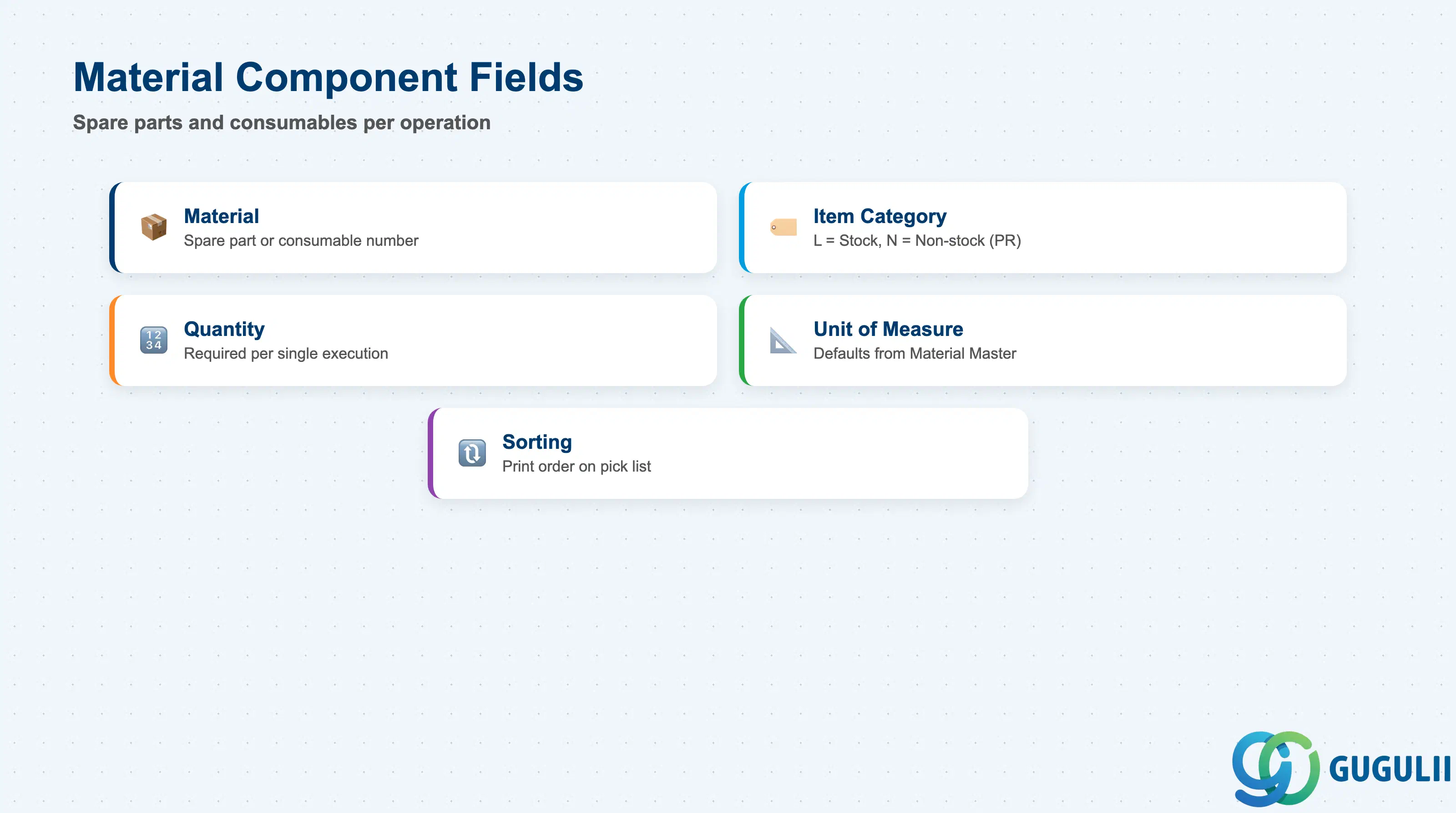
Material components on a Task List define the spare parts, consumables, and supplies required for each operation. When the Task List is transferred to a Work Order, these components are automatically proposed as order reservations or purchase requisitions — eliminating manual entry and reducing the risk of missing materials at execution.
| Field | Description | Practical Usage |
|---|---|---|
| Material | Material number of the required spare part or consumable | Must exist in the Material Master (ERSA material type for PM spare parts). The material’s plant views must be maintained for the plant where the Task List is used. Non-stock materials (without Material Master, entered as free text via Item Category N) are allowed but bypass inventory management entirely. |
| Item Category | L (Stock item) or N (Non-stock/text item) | Category L creates a reservation against plant stock at order creation; quantity is checked against stock on hand. Category N generates a PR for direct procurement. Default to L for catalogued spare parts to leverage inventory management and stock replenishment. |
| Quantity | Required quantity per operation | Represents the requirement per single execution of the Task List (one Work Order). Ensure the quantity reflects a single maintenance event, not a bulk order quantity — overbooking quantities inflate material costs in order settlement. |
| Unit of Measure | Base unit of the material | Defaults from the Material Master. Override only when the Task List-specific unit differs from stock management unit (e.g., cutting materials specified in meters when stock is managed in rolls). |
| Sorting | Sort sequence within the operation component list | Controls the print order on the pick list. Group by storage location or material type for efficient staging by warehouse staff. |
Prerequisite: Material components are only proposed on the resulting Work Order if the Task List’s Header Usage is “4” (PM) and the Work Order type is configured to adopt task list components. Verify this configuration in your Customizing (SPRO → Plant Maintenance and Customer Service → Maintenance and Service Orders → Functions and Settings for Order Types).
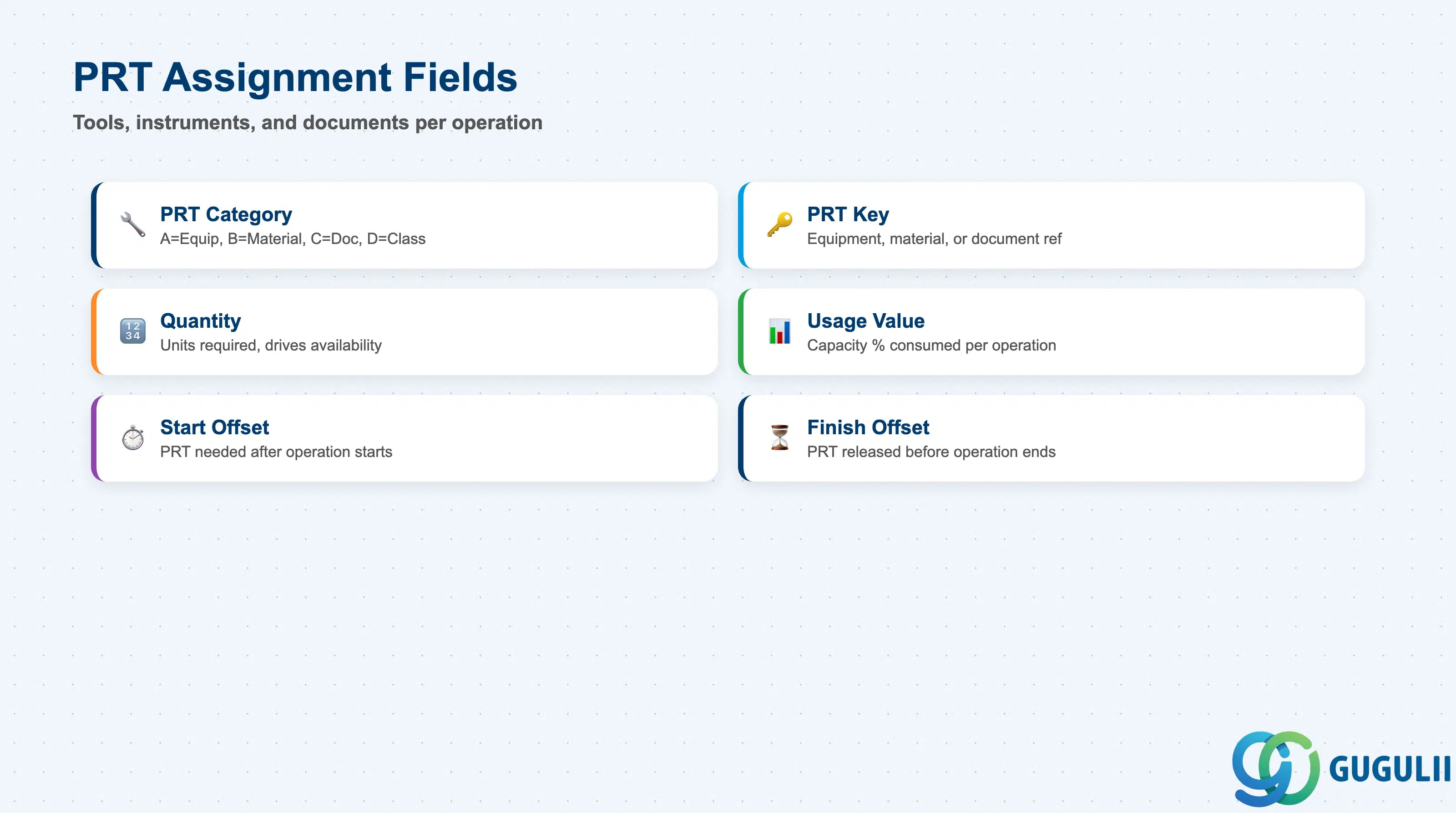
Production Resources/Tools (PRTs) on a Task List define the tools, measuring instruments, or documents required to execute an operation. PRT assignments enable availability checking of shared tools during work order scheduling, preventing resource conflicts across concurrent maintenance activities.
| Field | Description | Practical Usage |
|---|---|---|
| PRT Category | Determines which master data object the PRT references | Category “A” = Equipment Master (for registered tools and instruments), Category “B” = Material Master (for stock-managed tools), Category “C” = Document (for technical drawings, manuals), Category “D” = Object from class (classification-based). Category A is the most common for PM — measuring instruments and specialized maintenance tools typically have their own Equipment records. |
| PRT Key | Reference key for the PRT (Equipment number, Material number, etc.) | The specific Equipment, Material, or Document referenced. For Equipment-category PRTs, the Equipment Master must exist and the Equipment Category must be configured to allow PRT use. If the PRT Equipment is also the object being maintained, the system will warn — a useful safeguard. |
| Quantity | Number of PRT units required | Typically 1 for unique instruments. Set to the actual number needed when multiple identical tools are used simultaneously (e.g., 4 lifting jacks for simultaneous use). Drives availability checking. |
| Usage Value | Percentage of PRT capacity consumed by this operation | Used in availability checking to detect overallocation. 100% = PRT is exclusively occupied during the operation. Set below 100% only when the PRT is time-shared with other concurrent operations. |
| Start Offset | Start time relative to the operation start | Allows the PRT to be scheduled after the operation begins (e.g., measuring instrument needed only from the midpoint of a 4-hour operation). Expressed in the Work Center base time unit. |
| Finish Offset | End time relative to the operation end | Allows the PRT to be released before the operation completes. Combined with Start Offset to model precise tool window requirements and reduce artificial capacity conflicts. |
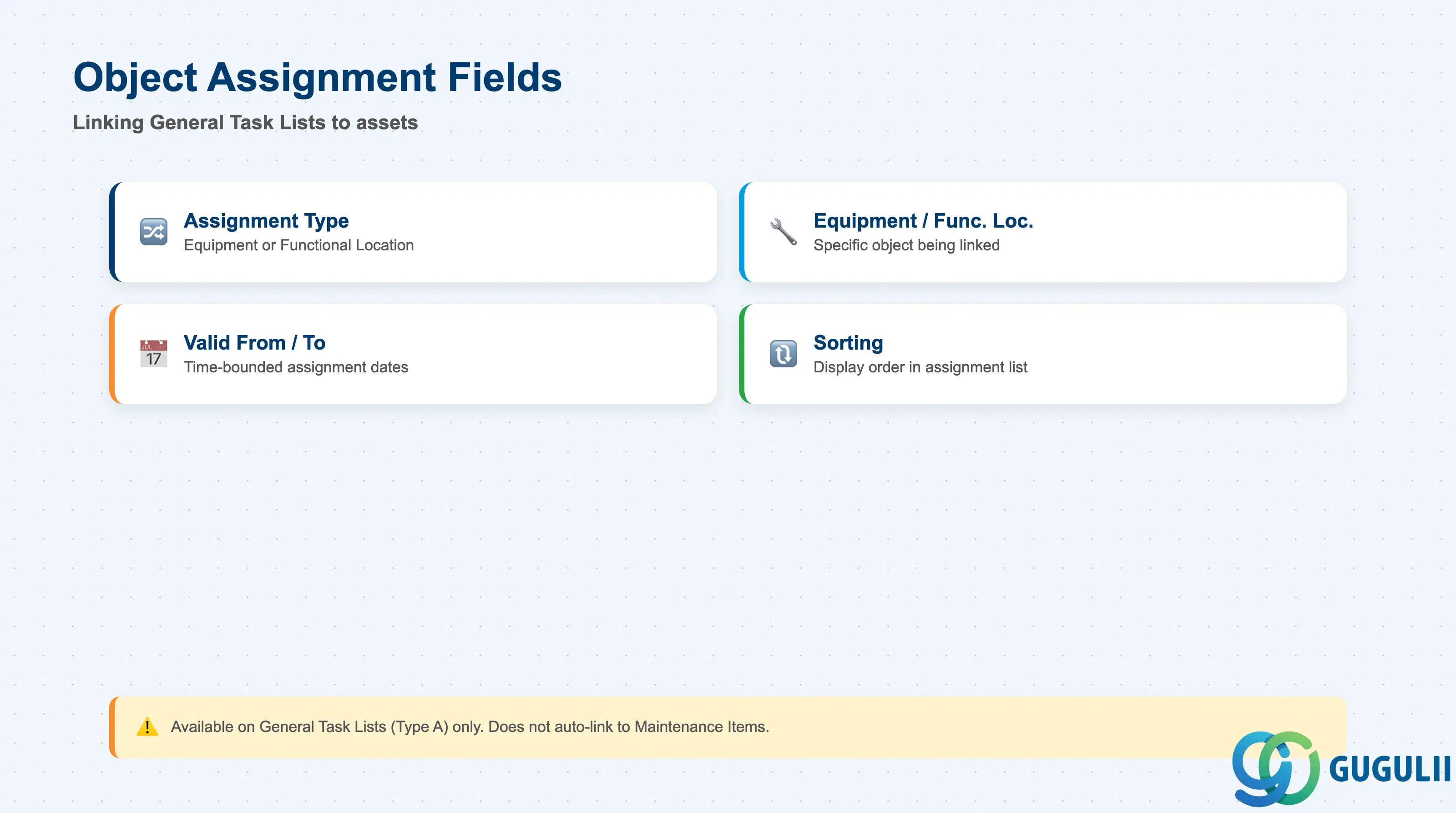
Object Assignments are available on General Task Lists (Type A) to link the procedure to specific Equipment or Functional Locations. This is an alternative to creating Equipment-specific or Functional Location-specific Task Lists, and is the preferred approach when the procedure is identical across multiple assets.
| Field | Description | Practical Usage |
|---|---|---|
| Assignment Type | “Equipment” or “Functional Location” | Determines which master data object is being linked. A single General Task List can have both Equipment and Functional Location assignments simultaneously — useful for transition periods where some locations have been converted to Functional Location structures and others have not. |
| Equipment / Functional Location | The specific object being assigned | The Equipment or Functional Location must already exist in the system. The object’s usage and status (active/inactive) are not validated at assignment time — verify independently that assigned objects are active before plan activation. |
| Valid From / Valid To | Date range for the assignment | Allows time-bounded assignments — for example, an equipment assignment that is valid only during the current year’s maintenance cycle. Expired assignments are ignored during order generation. Always set a Valid From date; leaving it blank defaults to the earliest system date. |
| Sorting | Display sort order in the assignment list | Use to group assignments by plant, equipment category, or maintenance area for readability in mass assignment reviews. No functional impact on order generation. |
Prerequisite: Object Assignments on General Task Lists are informational in the base system — they do not automatically link the Task List to Maintenance Items. The Task List Group must still be manually referenced in each Maintenance Item (IP11). Object Assignments are primarily used for documentation and mass reporting (e.g., to identify which Task Lists apply to a given Equipment via TCODE IA08).
| ID | Category | Title |
|---|---|---|
| pm-001 | Overview | What is SAP PM? |
| ID | Category | Title |
|---|---|---|
| pm-a01 | Overview | SAP PM Master Data: Overview, Hierarchy & Relationships |
| pm-a02-01 | Master Data | SAP PM Functional Location |
| pm-a02-02 | Master Data | SAP PM Equipment |
| pm-a03-01 | Master Data | SAP PM Class |
| pm-a03-02 | Master Data | SAP PM Characteristic |
| pm-a04-01 | Master Data | SAP PM Measuring Point |
| pm-a05-01 | Master Data | SAP PM Work Center |
| pm-a06-01 | Master Data | SAP PM Material Master |
| pm-a05-02 | Master Data | SAP PM Task List 📍 |
| pm-a05-03 | Master Data | SAP PM Production Resource Tool |
| pm-a06-03 | Master Data | SAP PM Maintenance BOM |
| pm-a07-01 | Master Data | SAP PM Maintenance Item |
| pm-a07-02 | Master Data | SAP PM Maintenance Plan |
| ID | Category | Title |
|---|---|---|
| pm-b01 | Overview | SAP PM Transactions: Process Flow, Hierarchy & Relationships |