Title here
Summary here

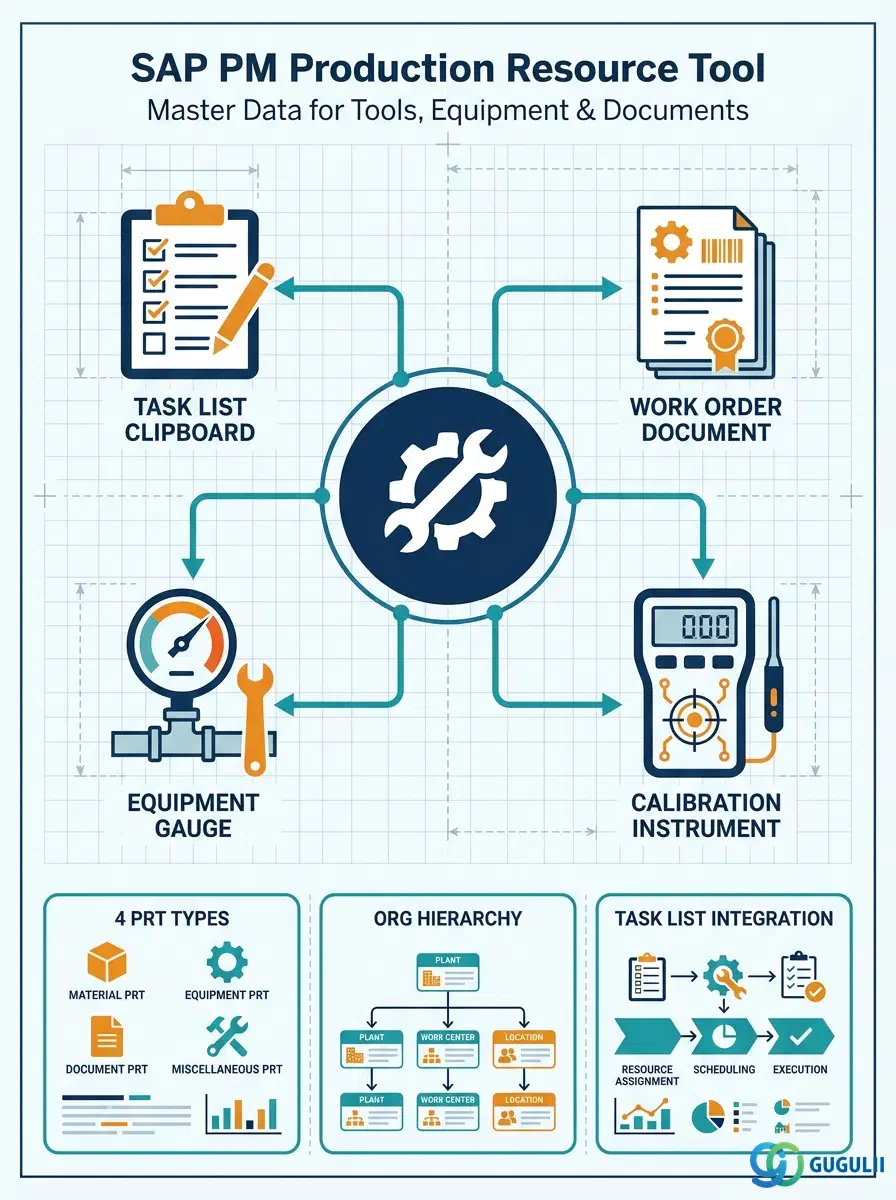
The Production Resource Tool (PRT) is the master data object that identifies and governs the physical tools, measuring instruments, and documents required to execute a maintenance operation. PRTs are assigned to task list operations and are carried forward to work order operations, enabling resource planning, availability checking, and usage tracking. Unlike work centers (which model who performs the work), PRTs model what is needed to perform it — torque wrenches, vibration analyzers, inspection documents, or specific equipment items. This article maps PRT types, their organizational structure, integration with task lists and work orders, and the field-level detail PM consultants must own.
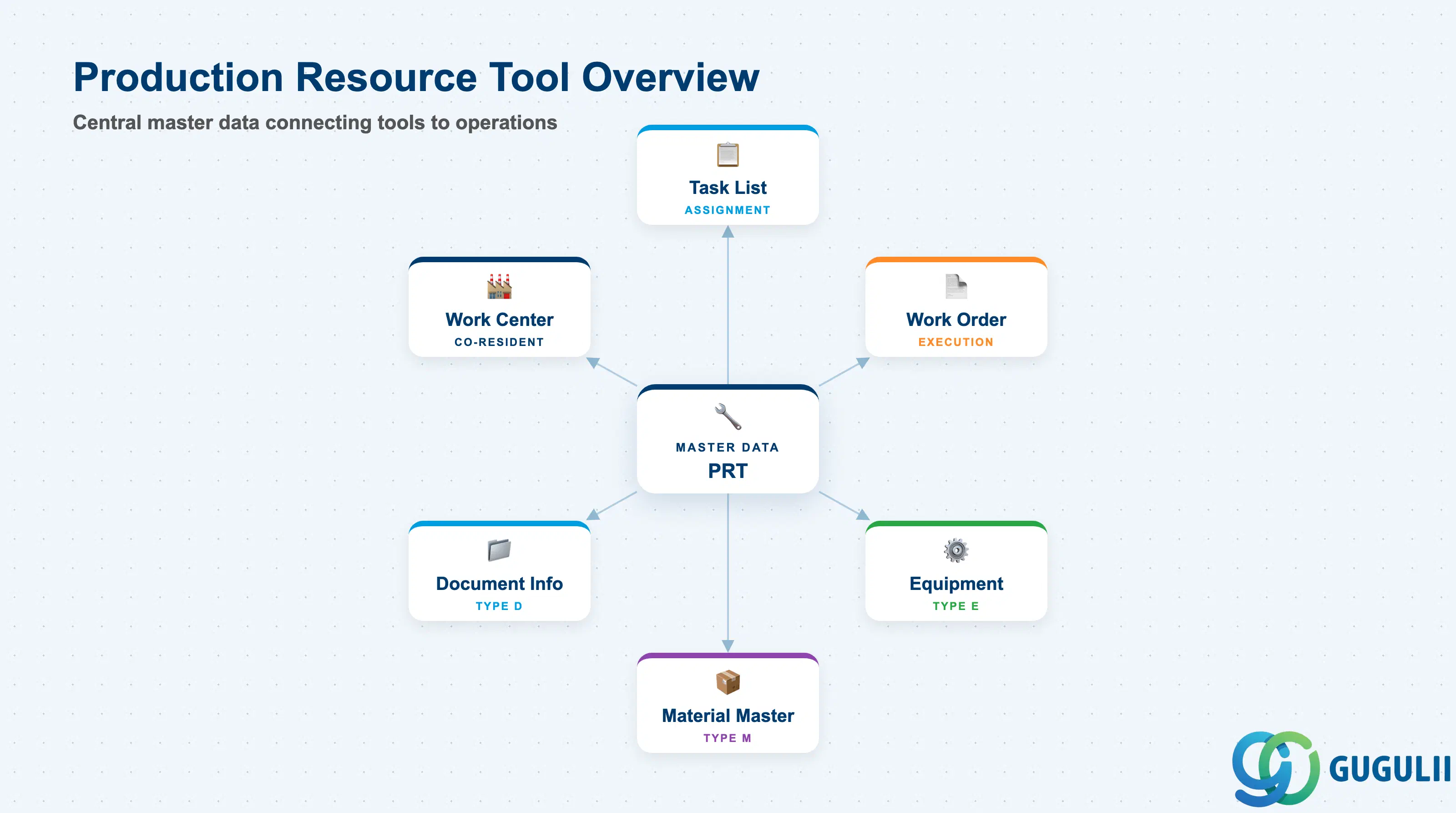
A Production Resource Tool is a reusable resource assigned to production or maintenance operations to indicate that a specific tool, device, or reference document must be available before the work can begin. In the SAP PM context, PRTs are assigned to task list operations and are automatically pulled into work order operations when the task list is referenced. They serve two purposes: operational (ensuring the right tool is on hand) and tracking (recording tool usage, wear, and calibration status).
| Aspect | Details |
|---|---|
| Role | Identifies tools, instruments, and reference documents required for maintenance operations; enables availability checking and usage tracking |
| Modules using it | PM (primary owner — task list and work order management), PP (production order operations use PRTs the same way), QM (inspection equipment as PRTs for calibration tracking) |
| Transactions | IA06 (Create PRT — Material type), IA07 (Change PRT), IA08 (Display PRT), CA95 (PRT where-used list — task lists), CA96 (PRT where-used list — orders) |
| Key Tables | PLAS (Task list — general operation data), PLWP (Task list — PRT assignment), AFFWP (Work order — PRT assignment), EQUI (Equipment master — used when PRT type = E) |
| S/4HANA note | PRT data model unchanged from ECC. Transaction codes IA06/IA07/IA08 remain active. Fiori app “Manage Production Resources/Tools” (F2384) is available for display; maintenance still performed via classic transactions in most implementations. |
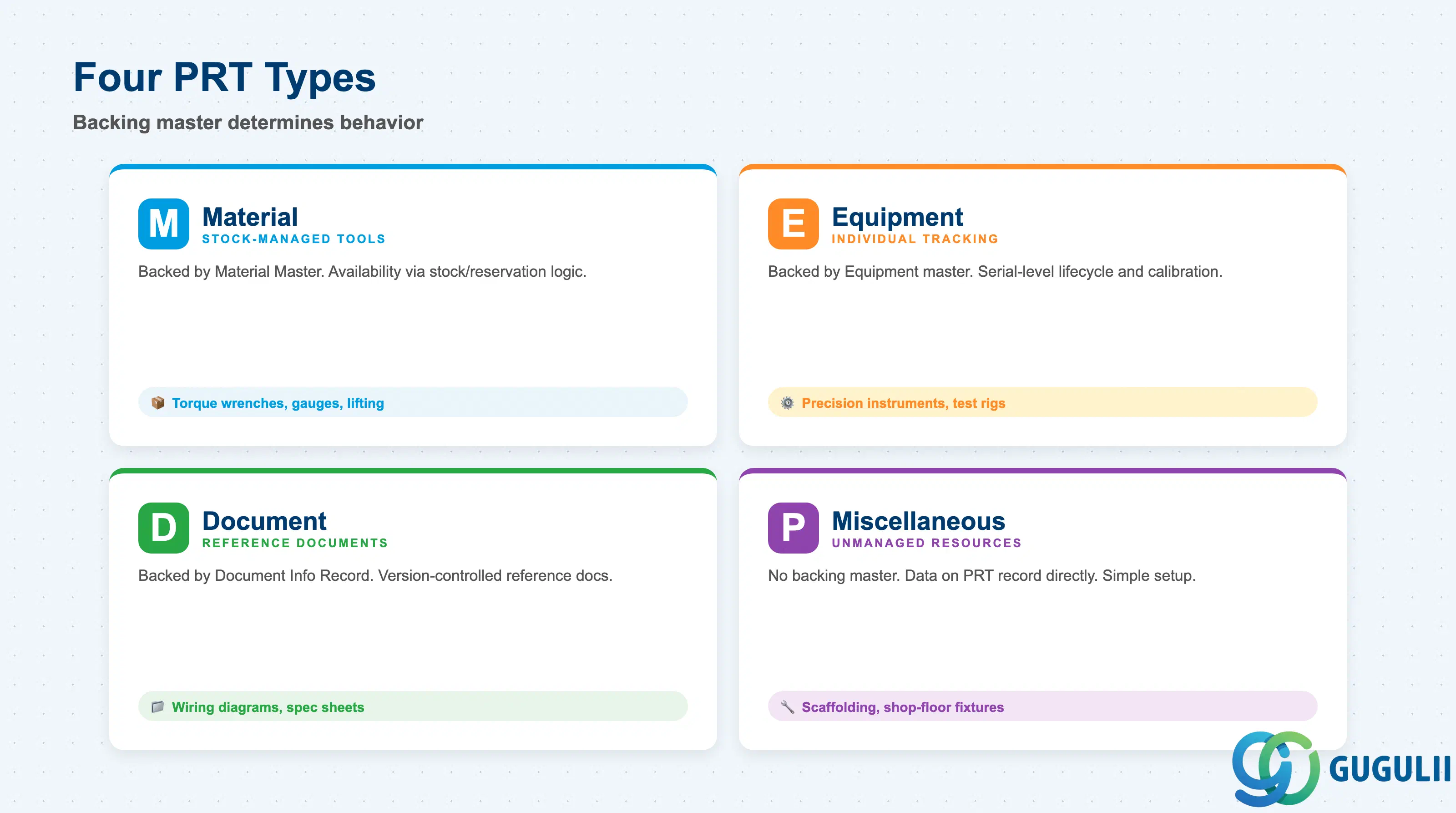
The PRT type determines the source master record that backs the PRT, and consequently which data it inherits and which availability check logic applies. Selecting the wrong type causes incorrect availability checks, missing tool data in work orders, and gaps in tool traceability.
| PRT Type | Code | Use Case | Key Behavior |
|---|---|---|---|
| Material | M | Standard tools and instruments managed as stock or non-stock items (torque wrenches, gauges, lifting equipment) | Backed by a Material Master record. Availability check uses stock/reservation logic. Suitable for tools that are consumed, have stock counts, or are purchased through MM procurement. |
| Equipment | E | Individual, uniquely identified maintenance equipment items (precision measuring instruments, calibrated test rigs, special vehicles) | Backed by an Equipment master record (IE01). Each unit tracked individually by serial number. Calibration and maintenance history tracked on the equipment record. Most powerful option for high-value precision tools requiring individual lifecycle management. |
| Document | D | Technical reference documents required during maintenance (wiring diagrams, torque specification sheets, inspection checklists) | Backed by a Document Info Record (DMS). Ensures the correct document revision is referenced at task execution. Not a physical tool — used to enforce document control compliance. |
| Miscellaneous | P | Tools and resources that are not managed as materials, equipment, or documents (temporary scaffolding, standard shop-floor fixtures managed manually) | No backing master record. Data maintained directly on the PRT master (IA06). Simple to create; no availability check from a separate master. Use when tool tracking at the individual item or stock level is not required. |
Design principle: For calibrated instruments requiring calibration records and individual tracking, always use PRT type E (Equipment). Using type M for these items loses the individual lifecycle trace. Agree on the PRT type matrix during blueprint — changing it later requires re-creation of PRT master records and re-assignment to task lists.
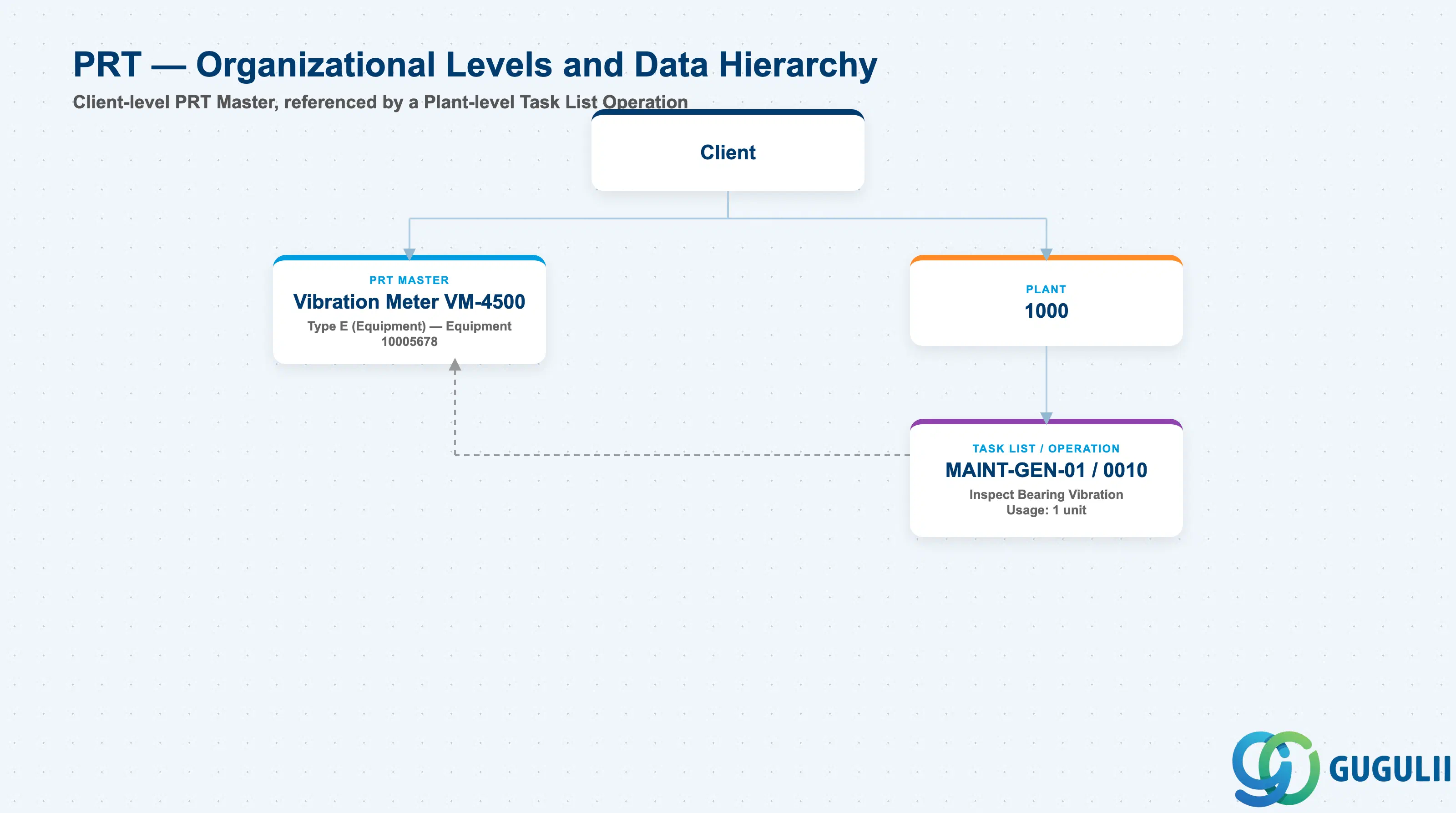
Data hierarchy with a concrete example
Client
   │
   ├── PRT Master
   │      Vibration Meter VM-4500
   │      Type E (Equipment) — Equipment 10005678
   │
   └── Plant 1000
          │
          └── Task List MAINT-GEN-01, Operation 0010
                 Inspect Bearing Vibration
                 ── references ──> PRT Master VM-4500
                 Usage: 1 unit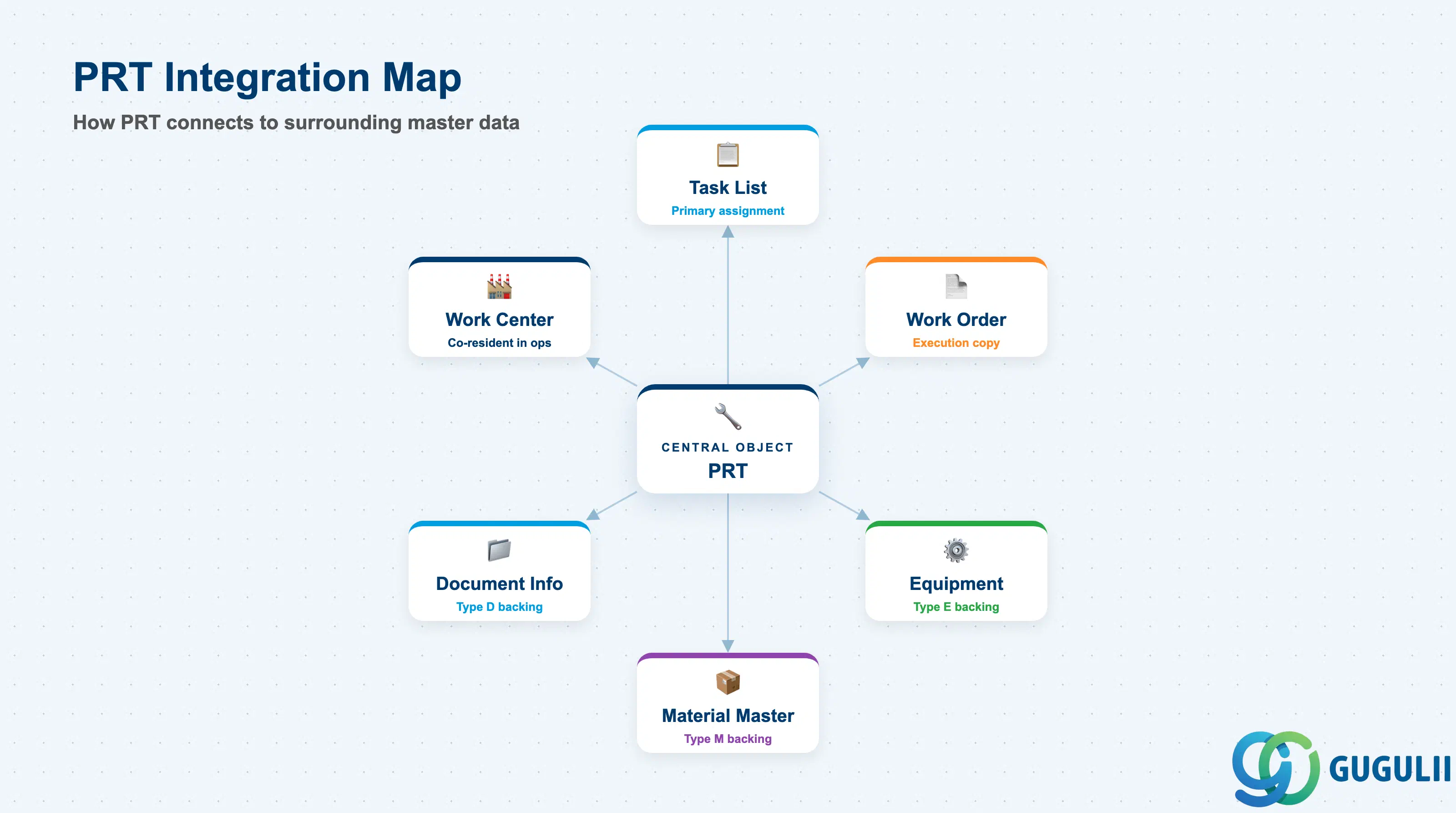
The PRT sits at the intersection of the work management master data chain. It is created and managed independently, but its operational value is realized only through its assignment to task list operations and, from there, to work orders.
| Object | Relationship | Practical Notes |
|---|---|---|
| Task List (IA01/IA05/IA11) | PRT is assigned to task list operations (PLWP) | This is the primary assignment point. When a task list is referenced in a work order, all PRT assignments are copied to the order. The task list is the master template; the work order is the execution instance. |
| Work Order (IW31) | PRT assignments are copied from task list to work order operations (AFFWP) | At work order confirmation (IW41), actual PRT usage can be recorded. This enables post-execution reporting on tool utilization and wear. |
| Equipment Master (IE01) | PRT type E is backed by an Equipment record | The Equipment record carries calibration data, serial number, installation location, and maintenance history. Using Equipment as PRT type enables full lifecycle traceability of precision tools. |
| Material Master (MM01) | PRT type M is backed by a Material Master record | Availability check for type M PRTs uses the material’s MRP and stock data. If the tool is managed as non-stock (material type NLAG), no stock availability check is performed — only a scheduling check. |
| Document Info Record (DMS) | PRT type D is backed by a Document Info Record | The DMS link ensures only the current released revision of the document is used. Version control is enforced through the document management system. |
| Work Center (CR01) | Work Center and PRT both appear in the task list operation | Work Center defines who performs the work; PRT defines what tool is needed. Both are resolved at work order scheduling. Confirm that the Work Center’s plant matches the task list’s plant. |
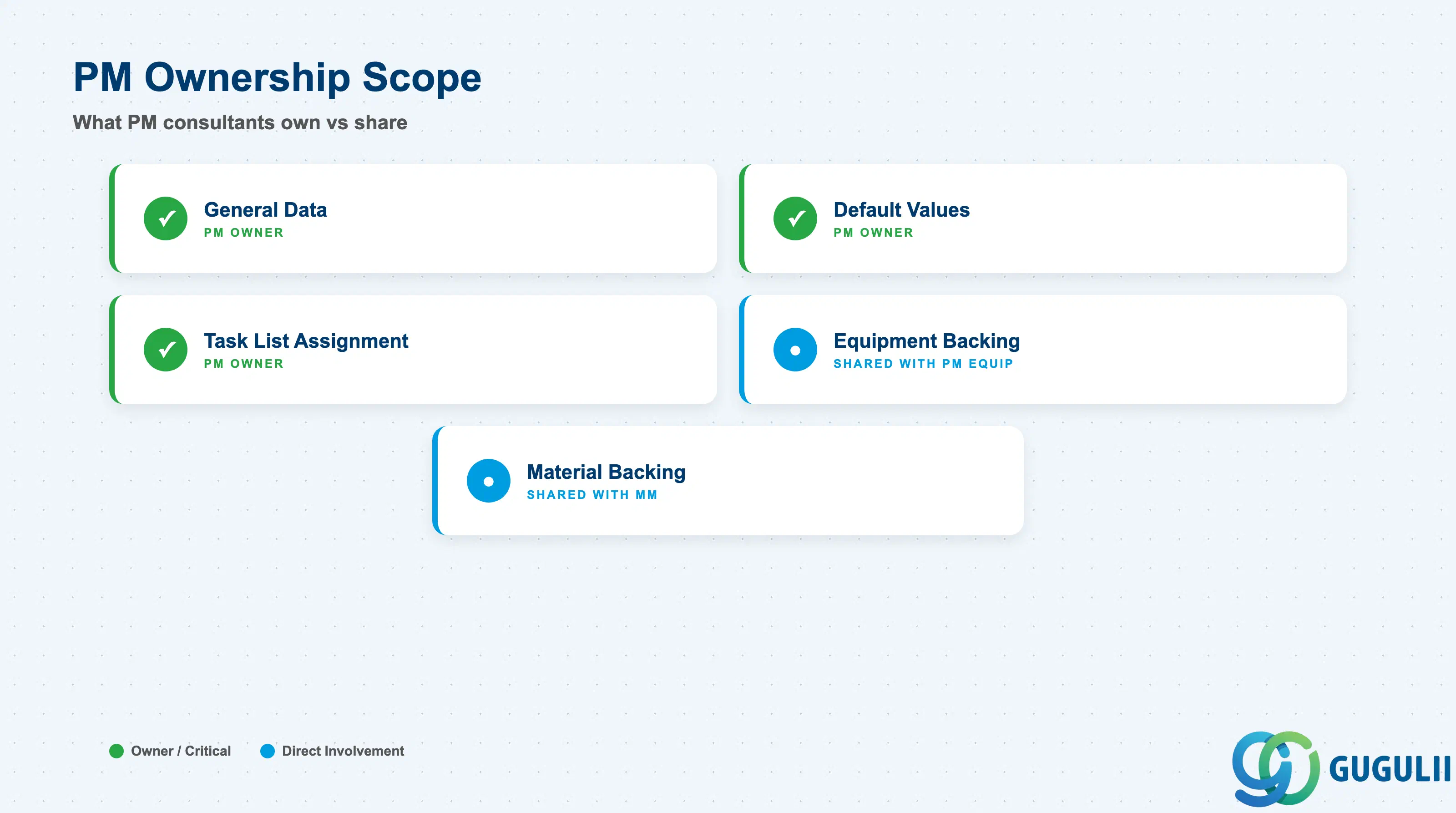
| Data Section | PM Involvement | Notes |
|---|---|---|
| General Data (PRT Header) | ◎ Owner | PRT type, PRT category, description, plant, quantity, usage unit |
| Default Values | ◎ Owner | Default usage value, usage unit, activity (for cost tracking), control key |
| Task List Assignment (PLWP) | ◎ Owner | Assignment to task list operations, required quantity, usage offset |
| Equipment backing data (type E) | ○ Shared with PM (Equipment Admin) | Equipment category, maintenance data — maintained via IE01 separately |
| Material backing data (type M) | ○ Shared with MM | Material type (FHMI — Production Resource / Tool), plant views, MRP settings |
Legend: ◎ = Owner / Critical, ○ = Direct involvement
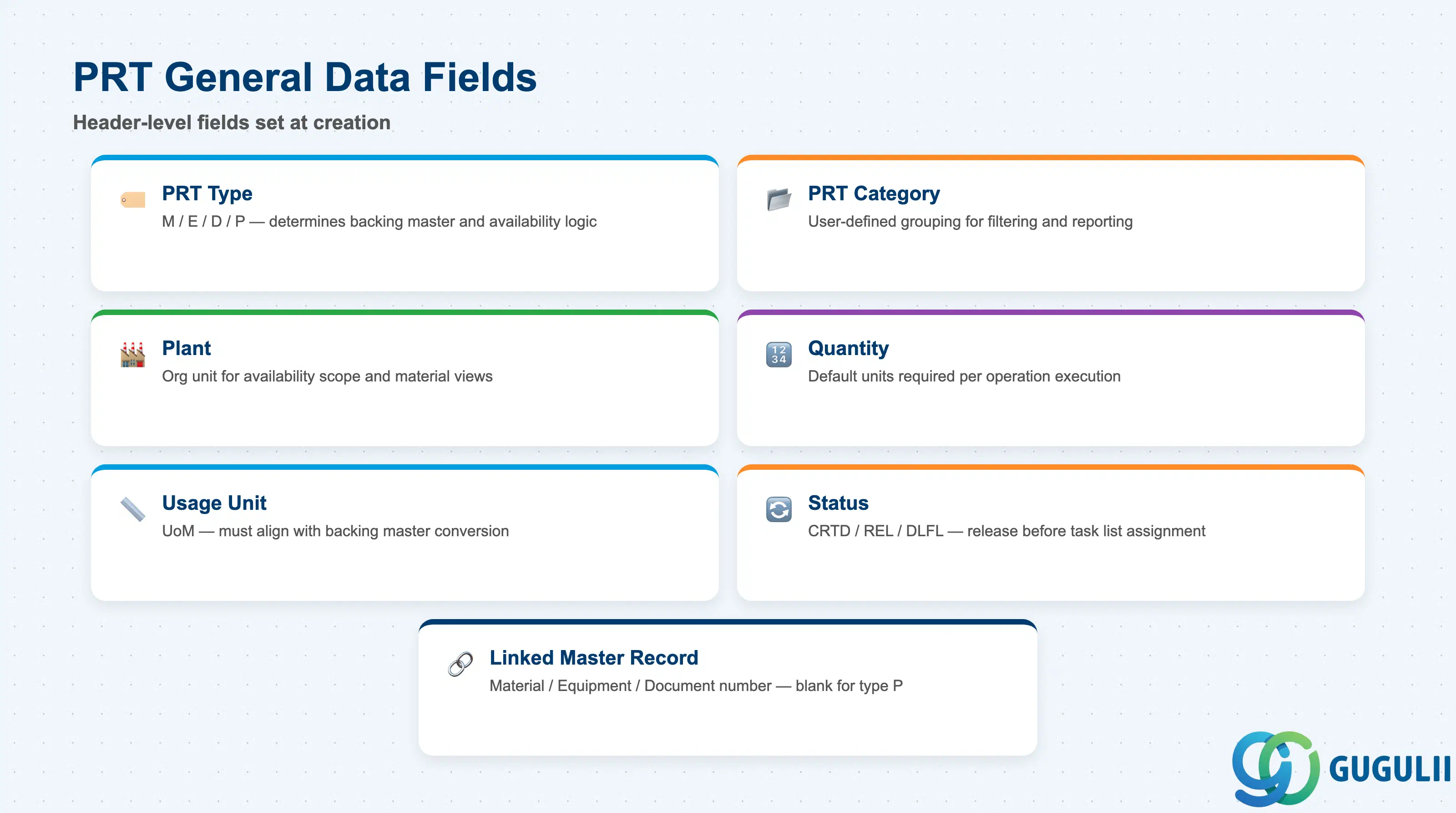
The General Data section defines what the PRT is — its type, classification, physical quantity, and administrative status. This data is set at creation and rarely changes; any change to PRT type requires deletion and re-creation of the master record.
| Field | Description | Practical Usage |
|---|---|---|
| PRT Type | Category of PRT: M (Material), E (Equipment), D (Document), P (Miscellaneous) | The most consequential field on the PRT master. Drives which backing master record is linked (Material Master, Equipment, or DMS document) and which availability check logic is applied. Decide during blueprint and document in a PRT type matrix approved by all stakeholders. |
| PRT Category | User-defined grouping code for PRTs | Used for filtering in task list assignment screens and PRT reporting. Define a category scheme aligned with your tool taxonomy (e.g., “TORQUE” for torque tools, “MEASURE” for measuring instruments, “LIFT” for lifting equipment). Categories are defined in Customizing (SPRO: Plant Maintenance → Basic Settings → Production Resources/Tools → PRT Categories). |
| Plant | Plant the PRT is assigned to | For type M and E PRTs, the plant links to the backing master’s plant data. For type P, the plant is the primary org unit for availability and reporting. Cross-plant task lists can reference PRTs from multiple plants, but this requires careful org-unit design. |
| Quantity | Default required quantity per operation | The default number of units of this PRT required per operation execution. Can be overridden at the task list operation assignment level. For type E (Equipment), this is typically 1 (the specific equipment item). |
| Usage Unit | Unit of measure for the PRT quantity | Must be consistent with the backing master’s unit of measure. For type M PRTs, ensure the usage unit matches or has a conversion defined in the Material Master. |
| Status | System status of the PRT (e.g., CRTD, REL, DLFL) | PRTs must be in Released status before they can be assigned to task list operations in production systems. Always release PRTs before the task list is released. Deleting a PRT requires it to be flagged for deletion (DLFL) first; active assignments to task lists block deletion. |
| Linked Master Record | Material number, Equipment number, or Document number | The key reference to the backing master. For type M: the Material number (material type FHMI is standard for PM tools). For type E: the Equipment number. For type D: the Document number and version. For type P: blank (no linked master). |
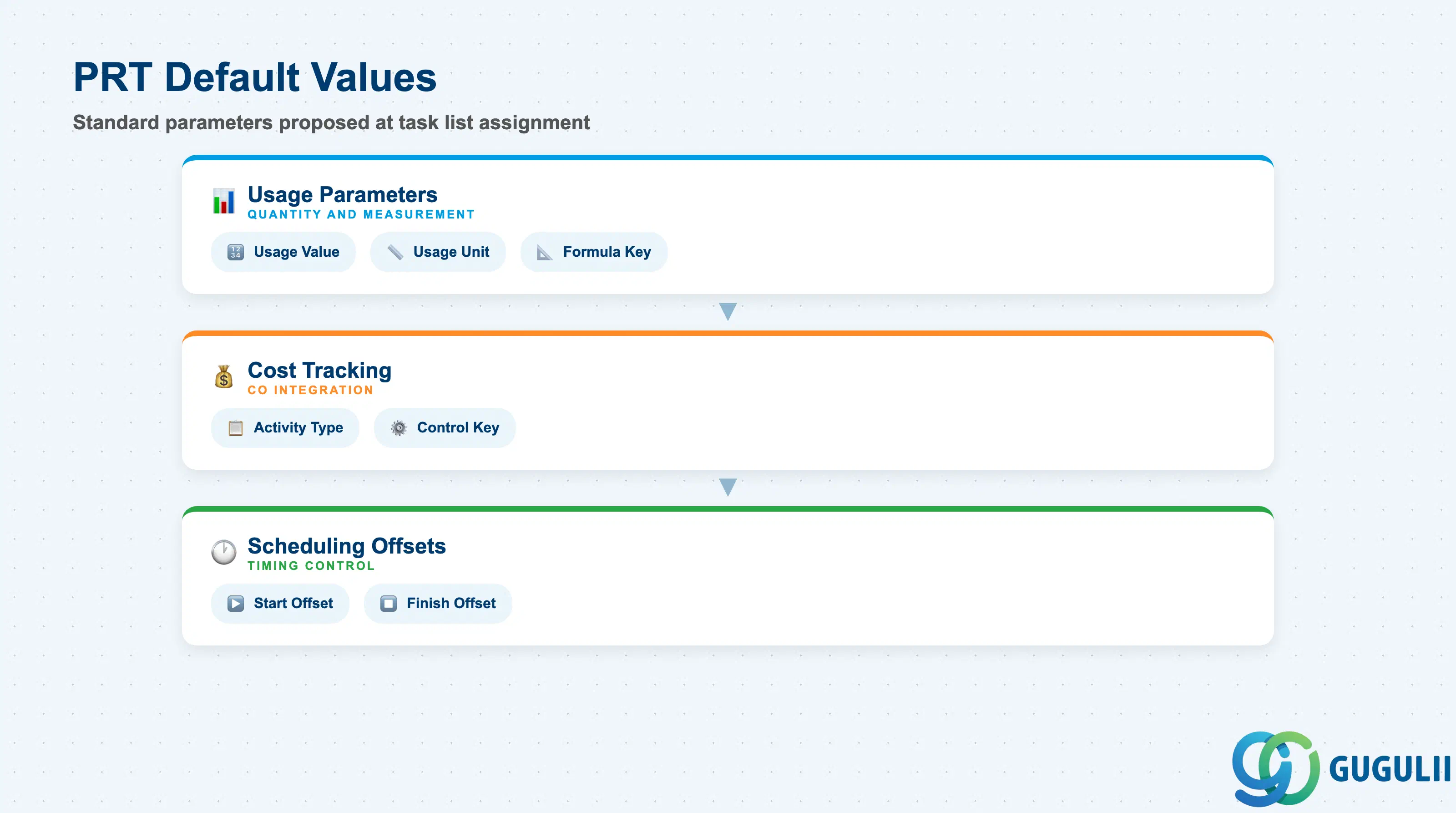
Default Values define the standard parameters that are proposed when the PRT is assigned to a task list operation. These defaults reduce data entry effort and ensure consistency across all task list assignments — critical when the same tool appears in dozens of maintenance procedures.
| Field | Description | Practical Usage |
|---|---|---|
| Usage Value | Default numeric usage quantity per operation | The amount the PRT is used per operation execution — for example, 2 hours of vibration analyzer time per pump inspection. This is the default value proposed at task list assignment; it can be overridden per operation. For type M stock tools, usage value drives reservation logic. |
| Usage Unit | Unit of measure for usage value | Typically time-based (H for hours, MIN for minutes) for tools used by duration, or quantity-based (EA, ST) for tools assigned by count. For type E equipment, usage in hours feeds into the equipment’s counter if a measuring point is configured. |
| Activity Type | CO activity type for PRT cost tracking | Links tool usage to a CO cost element via the activity type. When usage is confirmed on a work order, the system calculates a cost posting: Usage Value × Activity Rate = PRT cost on the order. Agree with the CO team on whether PRT costs should be tracked separately or rolled into the work center labor rate. |
| Control Key | Operation control key for PRT | Determines whether the PRT operation is printed on the work order shop paper, whether it is relevant for scheduling, and whether completion confirmation is required. Use the same control key logic as for work center operations — PM01 (internal processing) is the standard starting point. |
| Formula Key | Formula for usage value calculation | Links to a formula defined in Customizing that calculates usage value dynamically based on operation quantity or duration. For example, usage hours = operation quantity × 0.25 hours per unit. Use when PRT usage scales with the order quantity rather than being fixed per operation. |
| Start Offset / Finish Offset | Scheduling offset relative to the operation | Defines when the PRT must be available relative to the operation start and when it is released back (finish offset). A start offset of −1 day means the PRT must be reserved 1 working day before the operation begins. Use for high-demand tools that require advance booking or calibration setup time. |
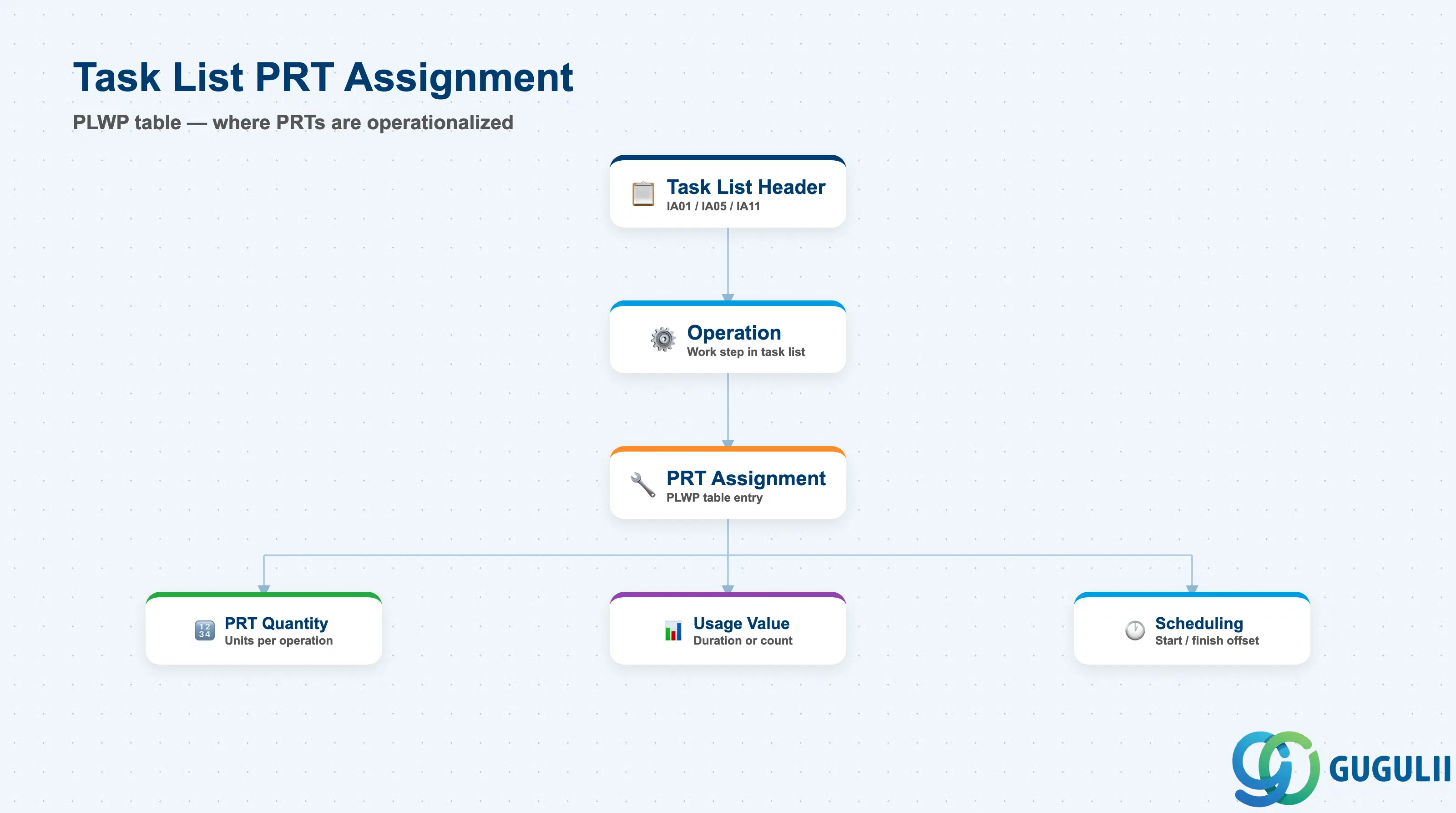
Task List Assignment is where the PRT is operationalized. This data is not stored on the PRT master record itself but on the task list operation (PLWP table), and it is the primary place where PM consultants configure how, when, and how much of each PRT is required for a given maintenance procedure.
| Field | Description | Practical Usage |
|---|---|---|
| PRT Number | Reference to the PRT master | Links the task list operation to the PRT. One operation can have multiple PRT assignments (multiple rows in PLWP). When the same PRT is used in many task lists, use CA95 to audit all assignments and identify the impact of any PRT master data change. |
| PRT Quantity | Number of PRT units required for this operation | Overrides the default quantity from the PRT master for this specific operation. Example: most pump inspections require 1 vibration analyzer, but a simultaneous 3-point measurement procedure requires 3. |
| Usage Value | Usage quantity for this operation | Overrides the default usage value. For a 4-hour operation requiring 2 hours of vibration analyzer time, set usage value = 2 (hours). This value is used in PRT availability checking and feeds into CO cost calculations at confirmation. |
| Usage Unit | Unit of measure for this operation’s usage | Should match or be convertible to the PRT master’s usage unit. Mismatches cause inconsistent cost postings across work orders. |
| Scheduling Start / Finish | When the PRT is needed relative to operation timing | Fine-grained scheduling data for this specific operation. Can differ from the PRT master default when this particular operation has a different lead time requirement. |
| Availability Checking Rule | Determines how and whether PRT availability is checked | Controlled via the PRT category and operation control key. For type M PRTs, the availability check uses MM stock data (ATP logic). For type E, it checks the Equipment’s maintenance status. For type P (Misc), no system availability check is performed — the responsibility is manual. |
Prerequisite: The task list must be in status “Created” (CRTD) or changed back to editable status before PRT assignments can be modified. Once a task list is set to Released (status 4 in PM usage), changes require explicit status management.
| ID | Category | Title |
|---|---|---|
| pm-001 | Overview | What is SAP PM? |
| ID | Category | Title |
|---|---|---|
| pm-a01 | Overview | SAP PM Master Data: Overview, Hierarchy & Relationships |
| pm-a02-01 | Master Data | SAP PM Functional Location |
| pm-a02-02 | Master Data | SAP PM Equipment |
| pm-a03-01 | Master Data | SAP PM Class |
| pm-a03-02 | Master Data | SAP PM Characteristic |
| pm-a04-01 | Master Data | SAP PM Measuring Point |
| pm-a05-01 | Master Data | SAP PM Work Center |
| pm-a06-01 | Master Data | SAP PM Material Master |
| pm-a05-02 | Master Data | SAP PM Task List |
| pm-a05-03 | Master Data | SAP PM Production Resource Tool 📍 |
| pm-a06-03 | Master Data | SAP PM Maintenance BOM |
| pm-a07-01 | Master Data | SAP PM Maintenance Item |
| pm-a07-02 | Master Data | SAP PM Maintenance Plan |
| ID | Category | Title |
|---|---|---|
| pm-b01 | Overview | SAP PM Transactions: Process Flow, Hierarchy & Relationships |