Title here
Summary here

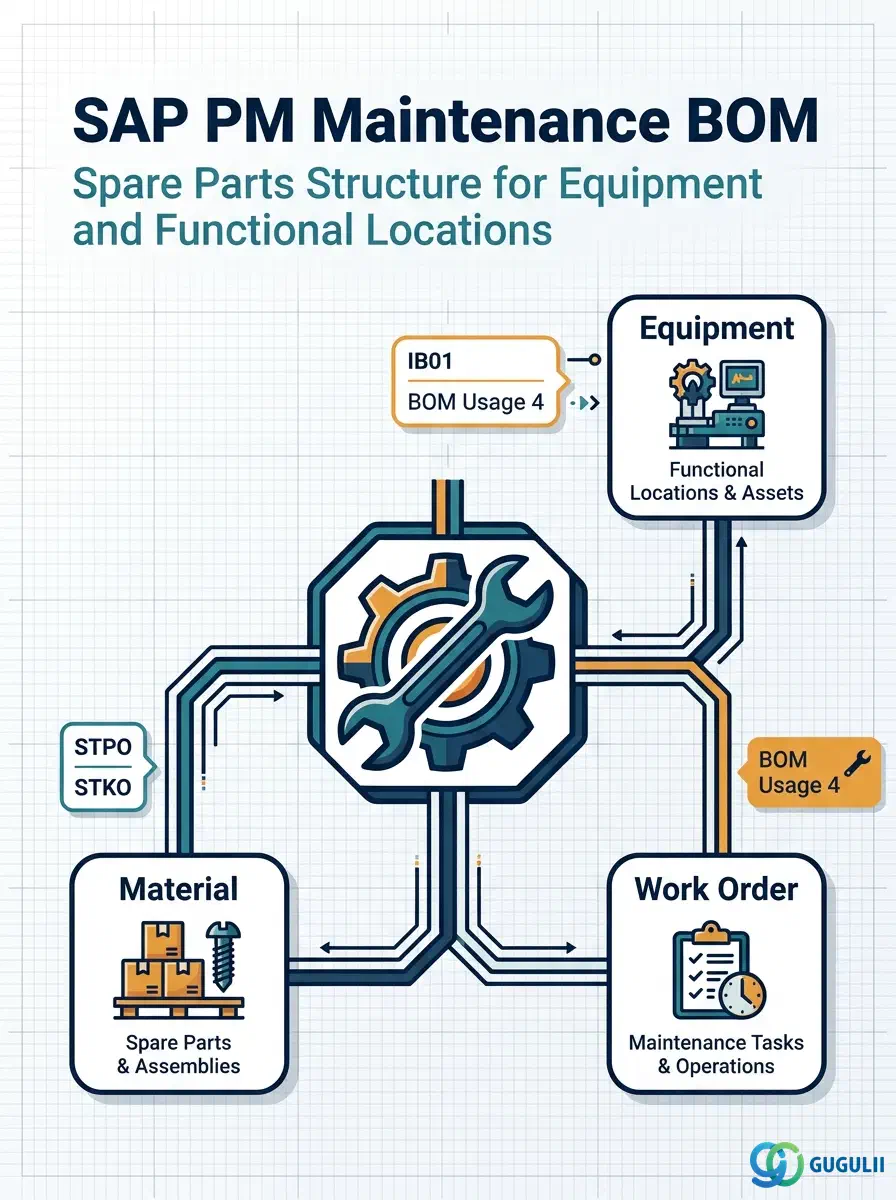
The Maintenance BOM is the master data object that defines the component and spare parts structure of an equipment or functional location in SAP Plant Maintenance. It stores which materials are installed in or belong to a technical object, enabling automatic parts reservation and goods issue when a Work Order is created. Unlike the Production BOM (PP, CS01) or the Material BOM (MM), the Maintenance BOM uses BOM Usage 4 and is created via transaction IB01, making it a PM-owned master record tightly coupled to the equipment hierarchy.
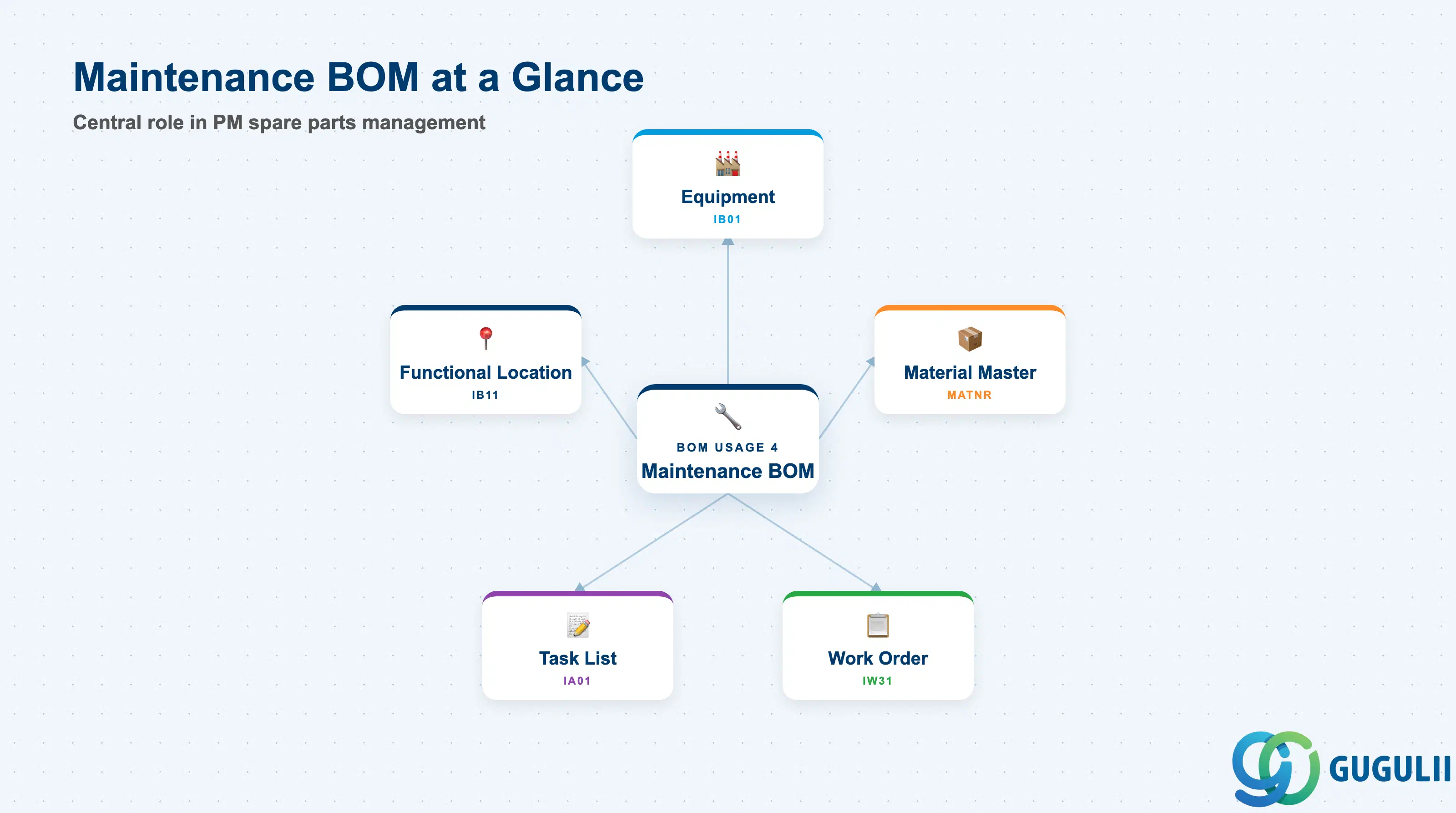
A Bill of Materials (BOM) in the maintenance context is a structured list of the components — spare parts, sub-assemblies, and consumables — that make up a piece of equipment or a functional location. In SAP PM, the Maintenance BOM serves as the authoritative parts reference used when planning and executing Work Orders: the system can explode the BOM to propose the materials needed for a specific maintenance task.
| Aspect | Details |
|---|---|
| Role | Defines the component and spare parts structure of a technical object (Equipment or Functional Location); drives material reservation in Work Orders |
| Modules using it | PM (primary owner — spare parts planning, Work Order component assignment), MM (material availability checking, goods movement), PP (BOM explosion may share material data but usage differs) |
| Transactions | IB01 (Create Equipment BOM) / IB02 (Change) / IB03 (Display) / IB11 (Create Functional Location BOM) / IB12 (Change) / IB13 (Display) / CS15 (Where-Used) |
| Key Tables | STKO (BOM header — usage, status, validity), STPO (BOM items — components, quantities, item category) |
| S/4HANA note | Maintenance BOM data model is unchanged from ECC. Fiori app “Manage Bills of Material” (F1912) can display and edit BOMs across usages. BOM explosion in Work Orders uses the same STKO/STPO structures. |
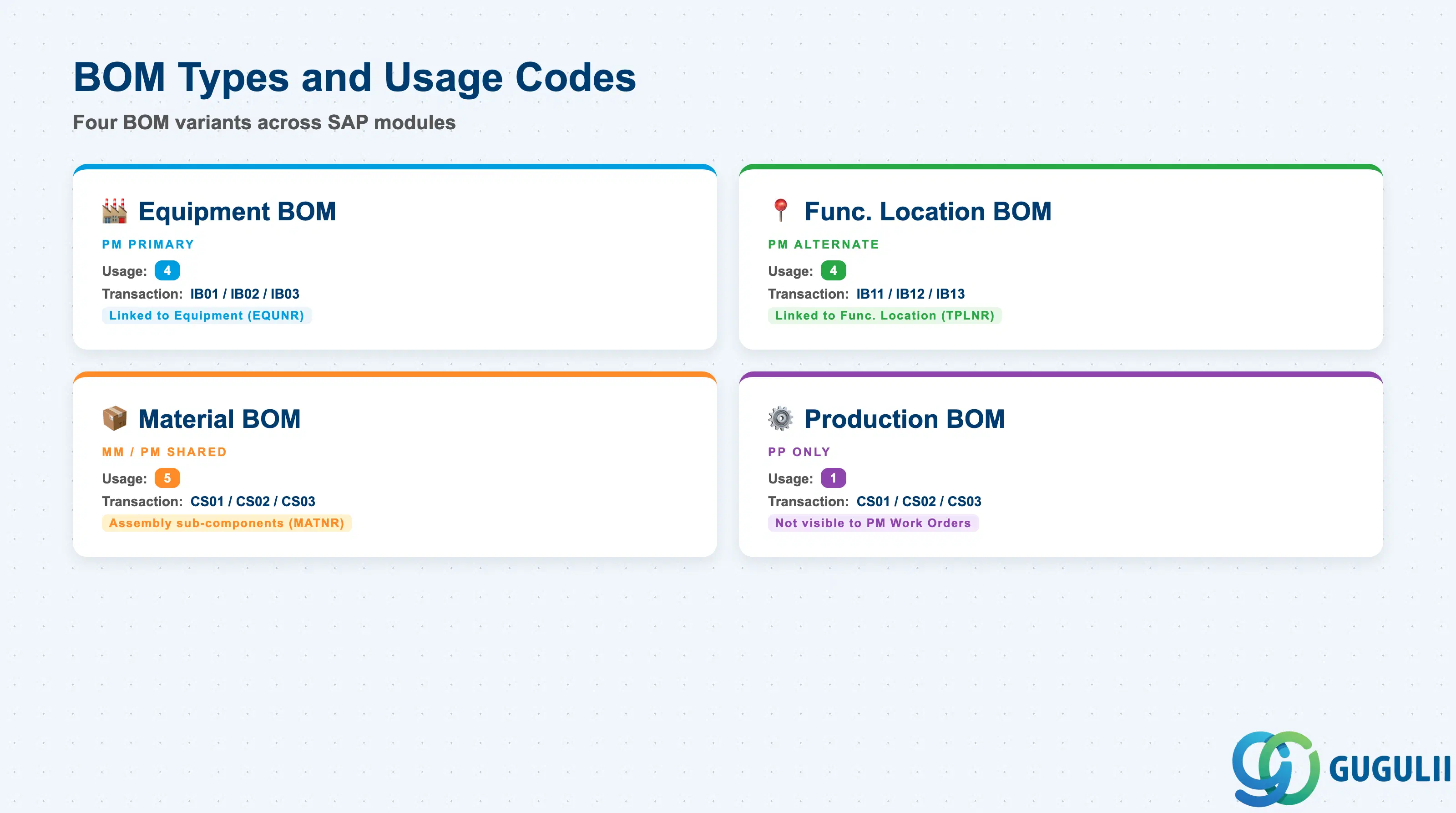
The BOM Usage code is the most critical classification in BOM design. It determines which transactions create the BOM, which explosion functions use it, and how the system selects the correct BOM at Work Order creation. Using the wrong usage code causes BOMs to be invisible to PM processes.
| BOM Type | Usage Code | Transaction | Use Case | Key Behavior |
|---|---|---|---|---|
| Equipment BOM | 4 | IB01 / IB02 / IB03 | Spare parts structure for a specific equipment master record | Linked directly to an Equipment number (EQUNR). Explodes when the equipment is referenced in a Work Order. |
| Functional Location BOM | 4 | IB11 / IB12 / IB13 | Spare parts structure for a functional location | Linked to a Functional Location (TPLNR). Used when multiple equipment units at a location share the same parts profile. |
| Material BOM (PM-relevant) | 5 | CS01 / CS02 / CS03 | Assembly-level BOM for a spare parts material | Linked to a Material Master (MATNR). Referenced in PM when a material is itself an assembly with sub-components (e.g., a pump assembly). |
| Production BOM | 1 | CS01 / CS02 / CS03 | Manufacturing finished-goods explosion for PP | Not used in PM Work Orders directly. Shared material data only. |
Design principle: Always assign BOM Usage 4 to all PM BOMs. A BOM with Usage 1 (PP) is not visible to IB01/IB02 and will not explode in PM Work Orders — a common source of “no components found” issues during go-live.
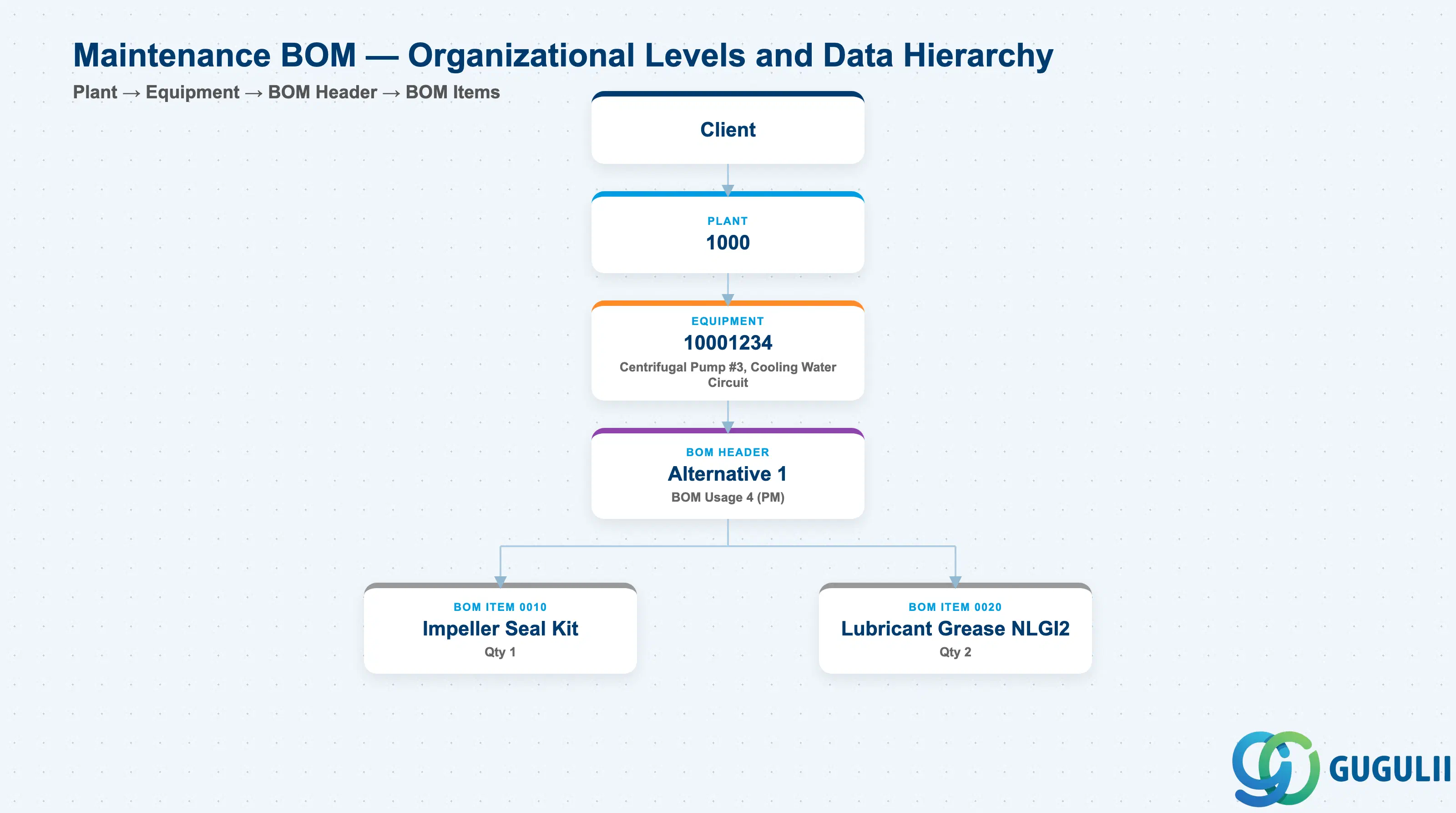
Data hierarchy with a concrete example
Client
   │
   └── Plant 1000
          │
          └── Equipment 10001234
                 Centrifugal Pump #3, Cooling Water Circuit
                 │
                 └── BOM Header
                        Alternative 1, BOM Usage 4 (PM)
                        │
                        ├── BOM Item 0010
                        │      Impeller Seal Kit, Qty 1
                        │
                        └── BOM Item 0020
                               Lubricant Grease NLGI2, Qty 2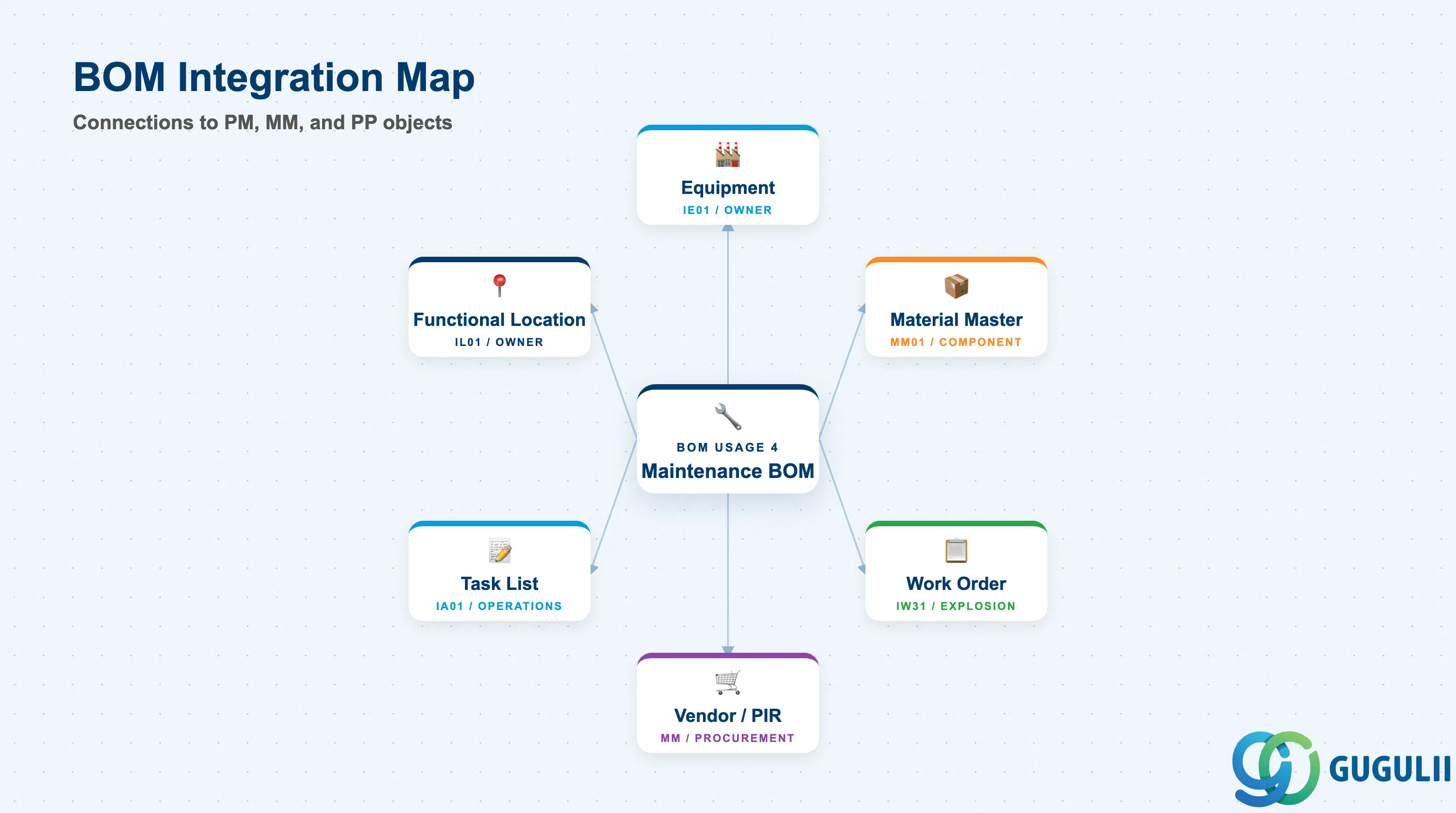
The Maintenance BOM sits at the intersection of the equipment hierarchy and the materials management world. It does not function in isolation — its value is only realized when equipment, material masters, and Work Orders are all properly aligned.
| Object | Relationship | Practical Notes |
|---|---|---|
| Equipment (IE01) | BOM is owned by an Equipment master (EQUNR) | One equipment can have multiple alternative BOMs (STLAL). The BOM inherits the equipment’s plant; cross-plant BOMs are not supported directly. |
| Functional Location (IL01) | BOM may be owned by a Functional Location instead of Equipment | Functional Location BOMs are useful when assets are defined at location level (e.g., conveyor line as a location, not individual motors as equipment). |
| Material Master (MM01) | Each BOM item references a MATNR | The Material Master must exist in the same plant with at least the Basic Data view. For stock-managed items (category L), the Plant Data/Storage view must also exist. Missing material views block Work Order component reservation. |
| Vendor Master / Purchasing Info Record | Indirect — components in the BOM may have PIRs in MM | When the Work Order triggers a purchase requisition for a non-stock BOM item, MM’s purchasing records (PIR, Source List) are activated. PM owns the BOM structure; MM owns the procurement master data. |
| Task List (IA01) | Components from the BOM can be assigned to Task List operations | In a standard maintenance scenario, the Task List defines what work to do; the BOM defines which parts are needed. When the Work Order is created from the Task List, BOM explosion populates the component list. |
| Work Order (IW31) | BOM explodes into Work Order component list at order creation | System uses the equipment’s BOM (Usage 4, active alternative) to propose components. PM planners review and adjust quantities before releasing the order. Goods reservation is created upon order release. |
| Data Section | PM Involvement | Notes |
|---|---|---|
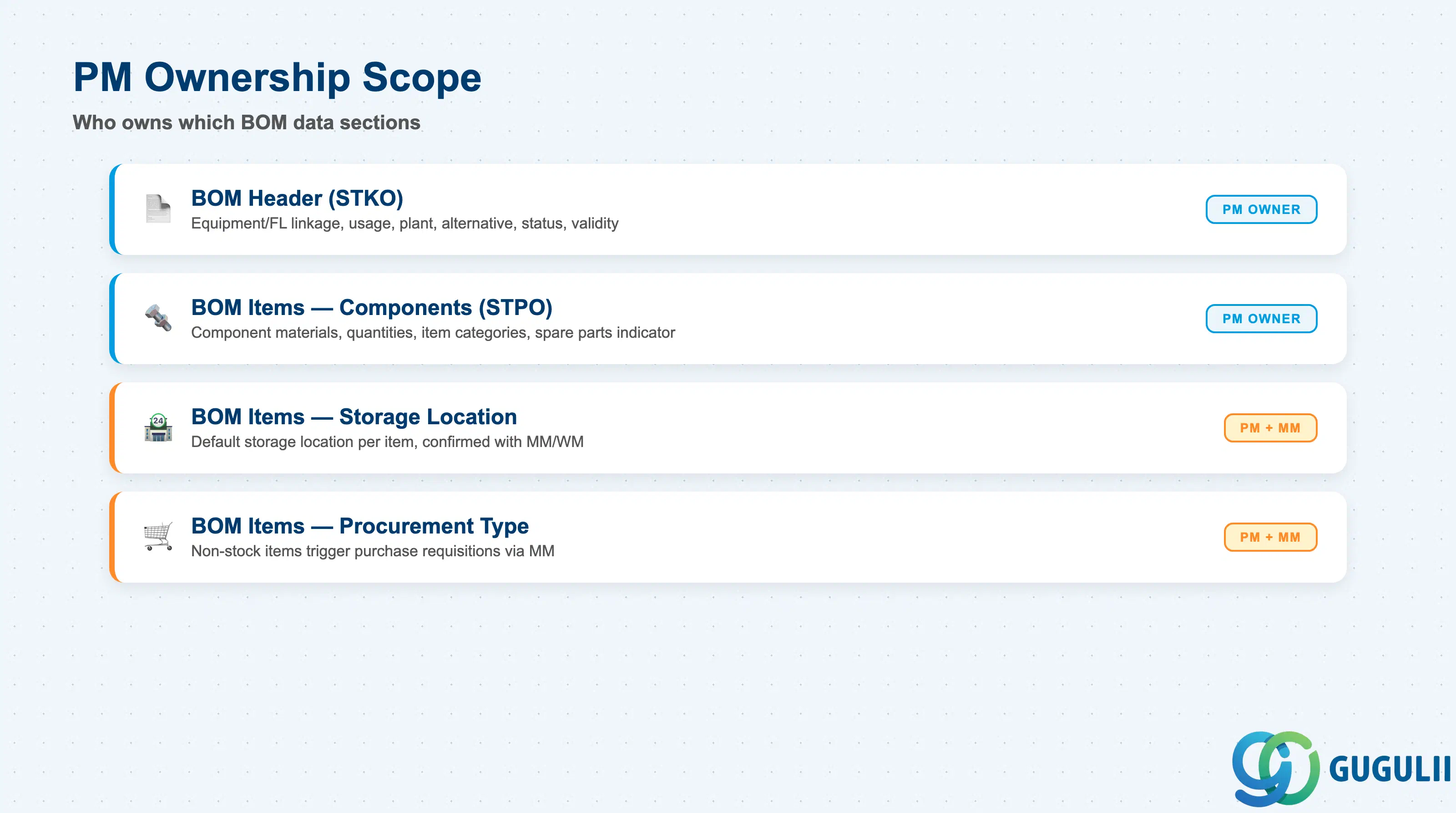
| BOM Header (STKO) | ◎ Owner | Equipment/FL linkage, usage, plant, alternative, status, validity |
| BOM Items — Component Assignment (STPO) | ◎ Owner | Component materials, quantities, item categories, spare parts indicator |
| BOM Items — Storage Location | ○ Shared with MM/WM | Default storage location per item; confirmed with MM/WM during design |
| BOM Items — Procurement Type | ○ Shared with MM | Non-stock items (category N) may trigger purchase requisitions — MM configures procurement paths |
Legend: ◎ = Owner / Critical, ○ = Direct involvement
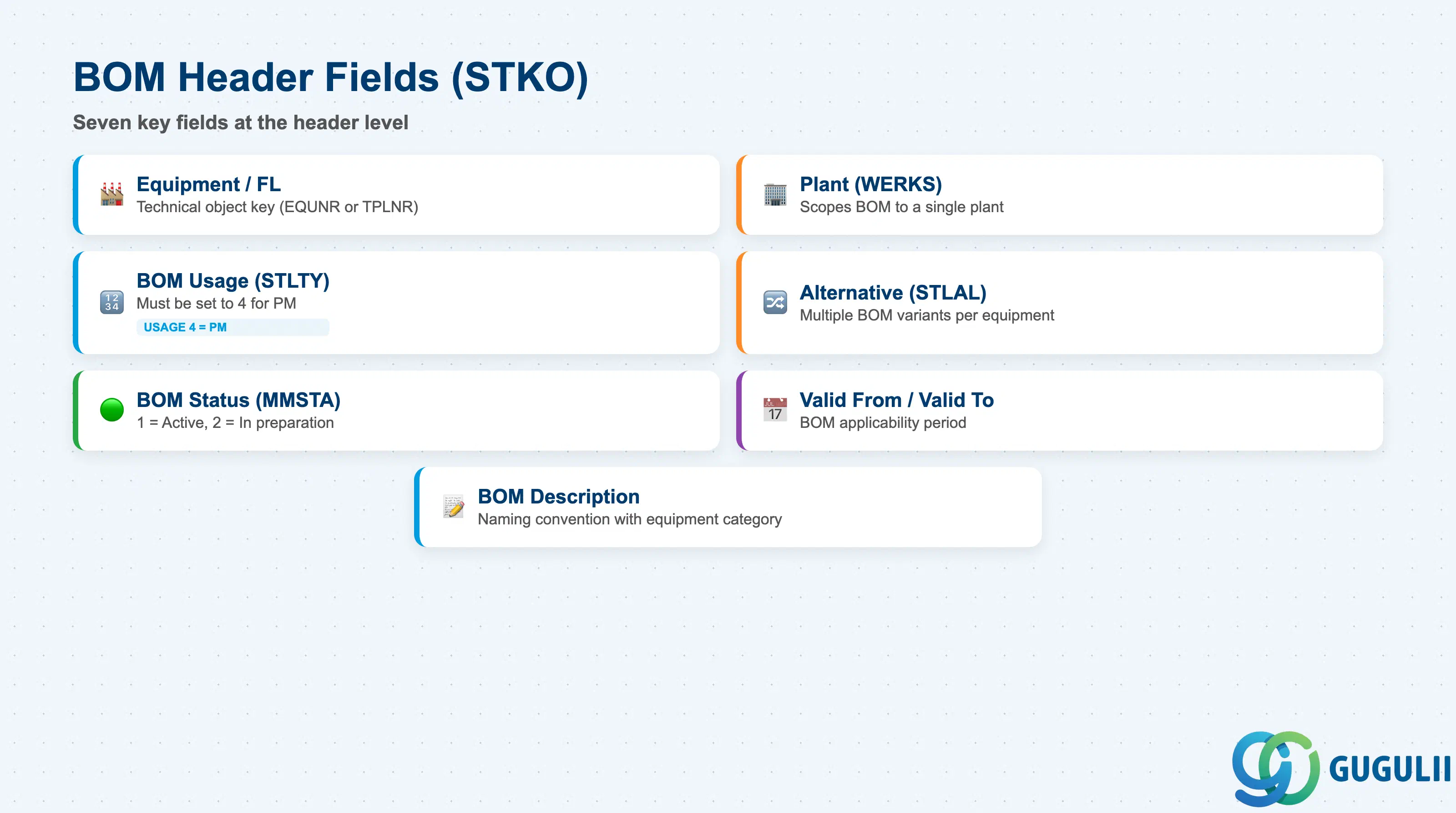
The BOM header identifies the technical object that the BOM belongs to, its plant scope, and its administrative validity. Getting the header configuration right is the prerequisite for all downstream BOM explosion and Work Order integration.
| Field | Description | Practical Usage |
|---|---|---|
| Equipment / Functional Location | Technical object key (EQUNR or TPLNR) | The primary identifier linking the BOM to the PM equipment hierarchy. One header per equipment per alternative number. If the equipment is deleted or archived, its BOMs must be reviewed and deactivated to avoid orphaned records. |
| Plant (WERKS) | Plant key | Scopes the BOM to a single plant. Components must also be valid in this plant. For projects with equipment shared across plants, a BOM must be created per plant — there is no cross-plant PM BOM. |
| BOM Usage (STLTY) | BOM usage code | Must be set to 4 (Plant Maintenance) for PM. This value is fixed at header creation and cannot be changed. Enforcing Usage 4 in training materials is critical — incorrect usage creates BOMs invisible to IB01/IB03. |
| Alternative BOM (STLAL) | Alternative number (01, 02, …) | Distinguishes multiple BOM variants for the same equipment. Alternative 01 is the default. Always define an alternative BOM selection rule (Customizing, transaction OS32) so Work Orders automatically pick the correct alternative. |
| BOM Status (MMSTA) | Status of the BOM | Status 1 = Active (usable in Work Orders). Status 2 = In preparation (blocked). Only Active BOMs are exploded in Work Orders — confirm status before go-live testing. |
| Valid From / Valid To | BOM validity period | Determines the date range during which the BOM is applicable. Important for planned equipment modifications: create a new alternative with a future Valid From date rather than modifying the current active BOM mid-project. |
| BOM Description | Short text | Free text description. Use a naming convention that includes the equipment category and key attribute (e.g., “Centrifugal Pump — Standard Spare Set”). |
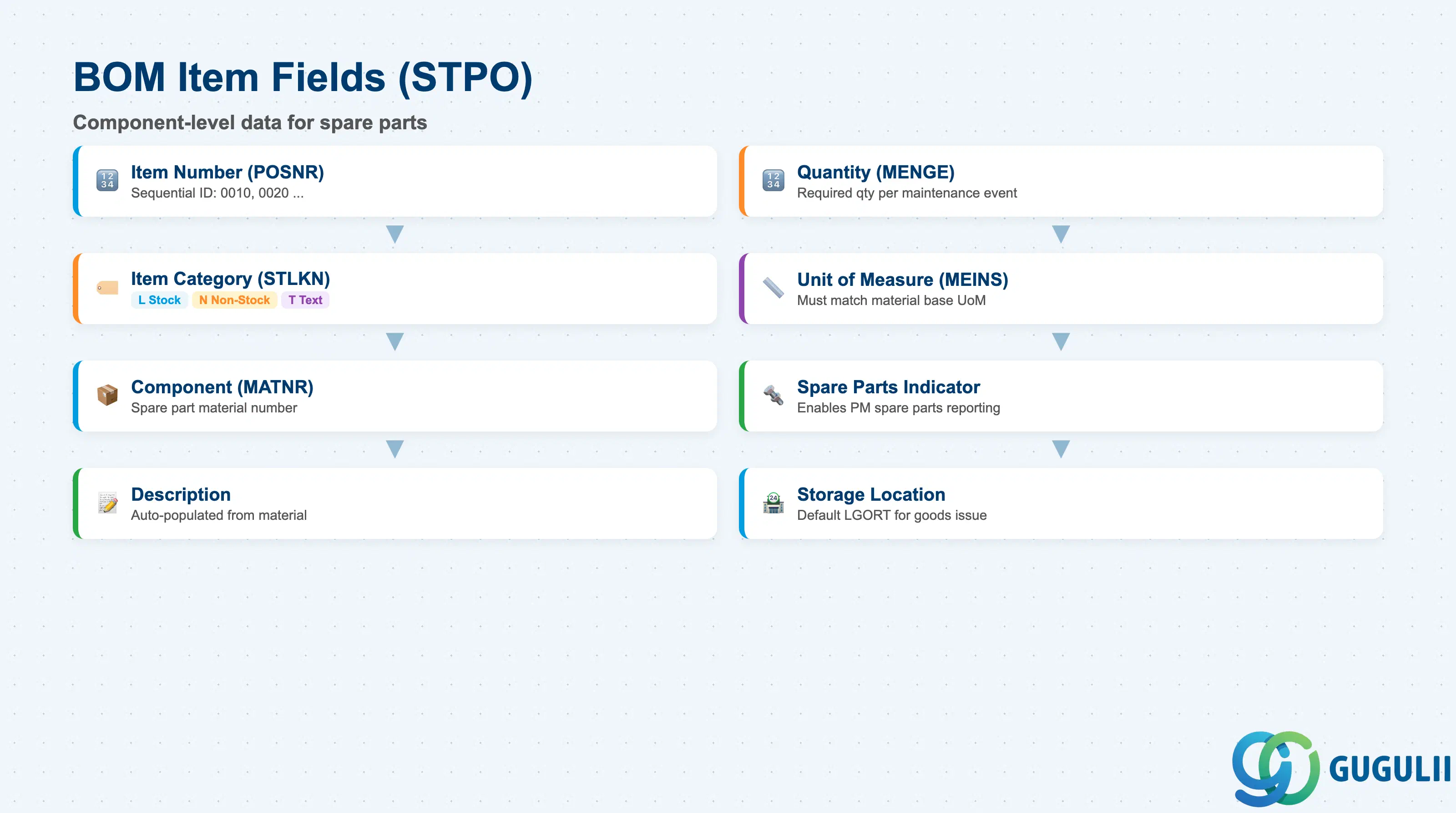
The BOM item level is where spare parts are specified in detail. Each item row represents one component. The item category and spare parts indicator drive how the component behaves in a Work Order — whether it generates a reservation, triggers procurement, or serves as reference information only.
| Field | Description | Practical Usage |
|---|---|---|
| Item Number (POSNR) | Sequential item identifier (0010, 0020, …) | Numbering convention determines sort order in Work Order component lists. Leave gaps (0010, 0020) for future inserts rather than renumbering existing items — renumbering breaks change history traceability. |
| Item Category (STLKN) | Component type: L (Stock), N (Non-stock), T (Text), D (Document) | Category L generates a material reservation when the Work Order is released. Category N records the part for information and may trigger a purchase requisition. Category T is a text line (no material). Choose L for all inventory-managed spare parts; N for consumables purchased directly to the order. |
| Component (IDNRK / MATNR) | Material number of the spare part | Must reference an existing Material Master in the same plant. For PM, ERSA (Spare Parts) material type is standard. Confirm the material exists with Plant/Storage views before creating the BOM item. |
| Component Description | Description from Material Master | Populated automatically from the material’s Basic Data view. Verify that the PM team’s colloquial spare part names align with the formal material descriptions — mismatches cause confusion during goods issue at the shop floor. |
| BOM Component Quantity (MENGE) | Required quantity per maintenance event | The quantity consumed per work order when the BOM is exploded. For standard periodic maintenance, this is the expected consumption (e.g., 2 bearings). For conditional quantities (varies by severity), configure as 1 and adjust manually in the Work Order. |
| Unit of Measure (MEINS) | Component UoM (EA, KG, L, M, etc.) | Must match the Base Unit of Measure in the Material Master. Mismatches cause conversion errors at goods issue. Verify at data migration time — particularly for materials managed by weight or volume. |
| Spare Parts Indicator (ERSZF) | Spare part classification | Classifies the component as a spare part in the PM context. Typical values: 1 = Spare part (displayed in PM spare parts list reports). Blank = component not classified as spare part. Use consistently to enable PM spare parts reporting (IB81 / component where-used). |
| Storage Location (LGORT) | Default storage location for this component | Pre-populated on the Work Order component when the BOM is exploded. If left blank in the BOM, the system uses the MRP or plant-level default. Setting the storage location in the BOM reduces planner effort and minimizes goods issue errors for PM stores with dedicated spare parts bins. |
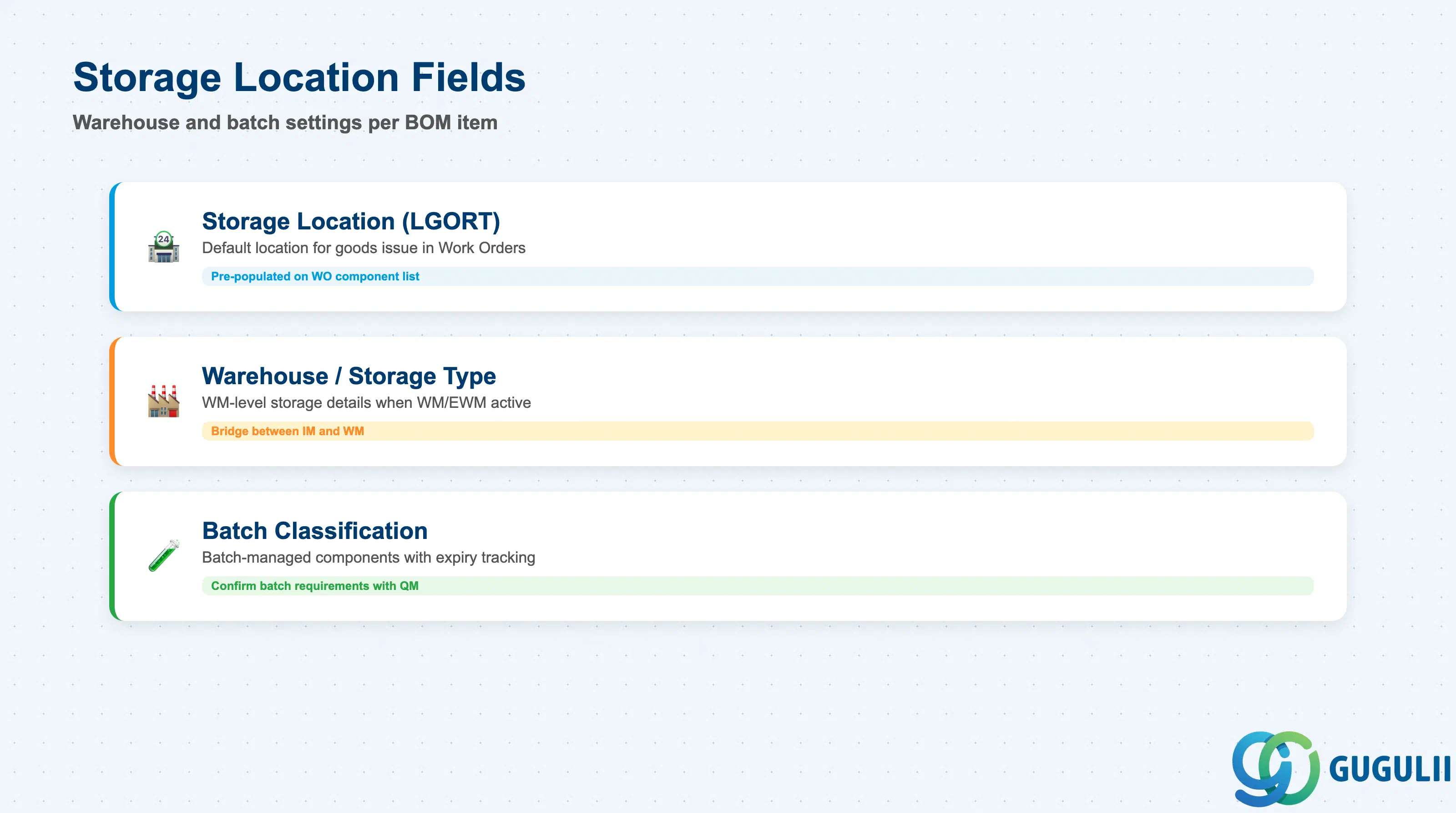
The default storage location on a BOM item tells the Work Order where to pick the component from. Setting this correctly at the BOM level reduces data-entry effort for PM planners and eliminates mis-picks in the PM spare parts store.
| Field | Description | Practical Usage |
|---|---|---|
| Storage Location (LGORT) | Default storage location for goods issue | Pre-populated on the Work Order component list when the BOM is exploded. The planner may override per order if needed. For PM warehouses with dedicated spare parts bins, maintaining the storage location in the BOM reduces daily planner workload at scale — especially on high-frequency scheduled maintenance tasks. |
| Warehouse Number / Storage Type | WM-level storage details (if WM active) | If SAP Warehouse Management (WM) or EWM is active in the plant, the storage location is the bridge between IM and WM. Confirm the WM-relevant indicator on the storage location with the WM/MM team during design — incorrect setup causes transfer order issues at goods issue. |
| Batch Classification | Batch-managed component handling | If the spare part is batch-managed (e.g., chemicals, lubricants with expiry dates), a batch number must be assigned at goods issue. The BOM item itself does not carry the batch number, but the item can carry a batch search strategy reference if configured. Confirm batch requirements with QM during blueprint. |
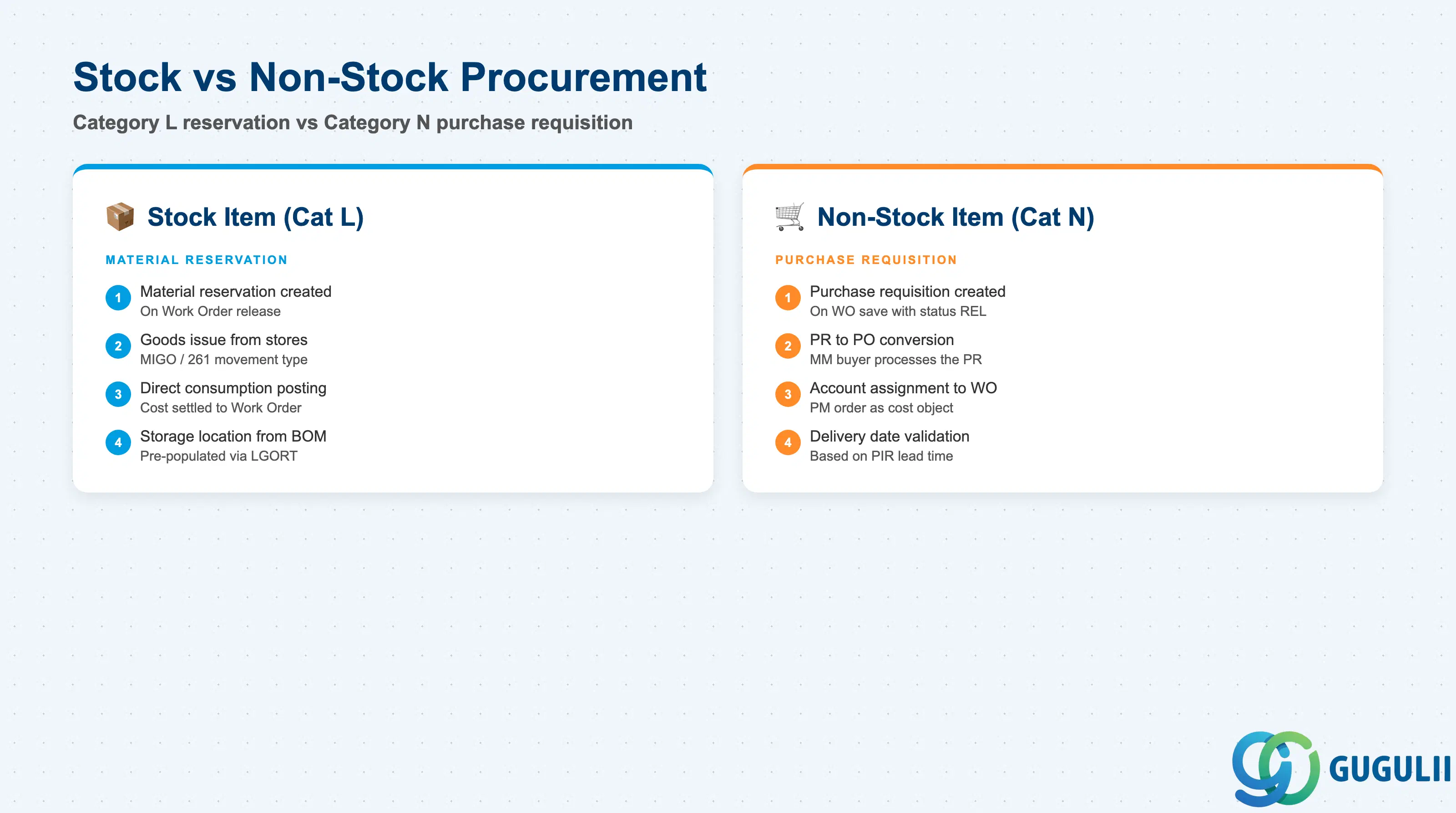
Non-stock BOM items (item category N) trigger a procurement path rather than a warehouse reservation when included in a Work Order. Understanding the distinction between stock and non-stock items in a PM BOM is essential for designing the integration between PM Work Orders and MM purchasing.
| Field | Description | Practical Usage |
|---|---|---|
| Item Category N (Non-Stock) | Component purchased directly to the Work Order | No Material Master reservation is created. Instead, a purchase requisition is generated when the Work Order is saved with status REL (Released). The PR references the Work Order as the account assignment object (order type PM, account assignment category F). |
| Purchasing Group (EKGRP) | Purchasing group responsible for procuring the non-stock item | Defaults from the Material Master Purchasing View (if exists) or from Work Center. Determines which buyer in MM processes the PR. Confirm the purchasing group assignment with MM during design — unassigned PRs fall into a default queue and may be missed. |
| Delivery Date | Required delivery date for the non-stock component | Calculated backward from the Work Order’s basic finish date using the planned delivery time from the PIR or Material Master. Unrealistic delivery dates (too tight for lead time) cause procurement delays — always validate lead times in the BOM component design. |
| Account Assignment | Cost object for direct procurement | Non-stock items are charged directly to the Work Order (PM order as cost object). The settlement rule on the Work Order distributes cost to the equipment’s functional location or cost center at order settlement. PM and CO must agree on the settlement receiver during blueprint. |
Prerequisite: For non-stock items to generate purchase requisitions automatically, the Work Order type must be configured with the “Create PR” indicator in Customizing (transaction OIOY or order type parameters). Confirm this setting with the PM Customizing team at project start.
| ID | Category | Title |
|---|---|---|
| pm-001 | Overview | What is SAP PM? |
| ID | Category | Title |
|---|---|---|
| pm-a01 | Overview | SAP PM Master Data: Overview, Hierarchy & Relationships |
| pm-a02-01 | Master Data | SAP PM Functional Location |
| pm-a02-02 | Master Data | SAP PM Equipment |
| pm-a03-01 | Master Data | SAP PM Class |
| pm-a03-02 | Master Data | SAP PM Characteristic |
| pm-a04-01 | Master Data | SAP PM Measuring Point |
| pm-a05-01 | Master Data | SAP PM Work Center |
| pm-a06-01 | Master Data | SAP PM Material Master |
| pm-a05-02 | Master Data | SAP PM Task List |
| pm-a05-03 | Master Data | SAP PM Production Resource Tool |
| pm-a06-03 | Master Data | SAP PM Maintenance BOM 📍 |
| pm-a07-01 | Master Data | SAP PM Maintenance Item |
| pm-a07-02 | Master Data | SAP PM Maintenance Plan |
| ID | Category | Title |
|---|---|---|
| pm-b01 | Overview | SAP PM Transactions: Process Flow, Hierarchy & Relationships |