Title here
Summary here

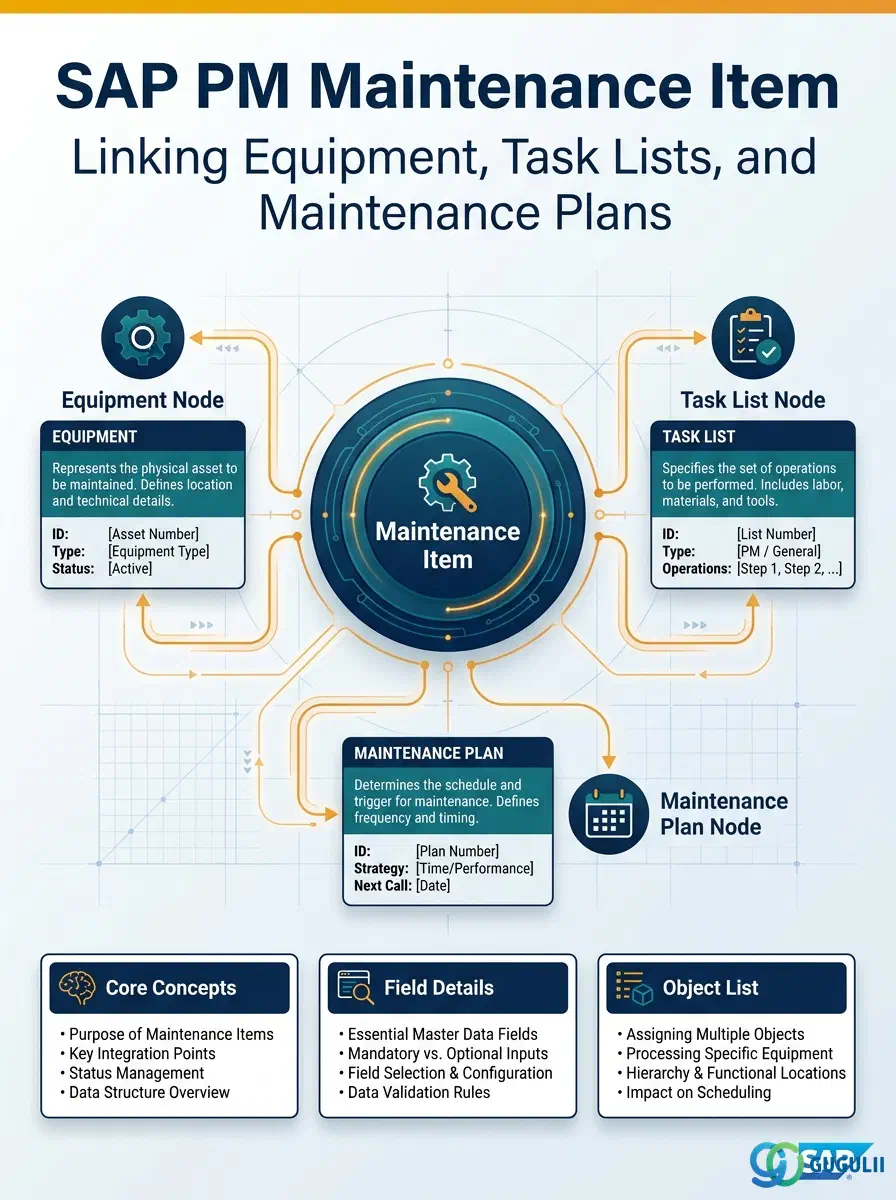
The Maintenance Item is the master data object that defines what maintenance is performed on which technical object. It ties a maintenance object — an Equipment or Functional Location — to a Task List that contains the standard work steps, and it sits inside a Maintenance Plan as the callable unit of work. Without a Maintenance Item, a Maintenance Plan has no defined scope: it knows when to call work but not what work to call or on which object. This article covers the Maintenance Item’s role, types, organizational scope, data fields, and integration with the surrounding Phase 6 master data chain.
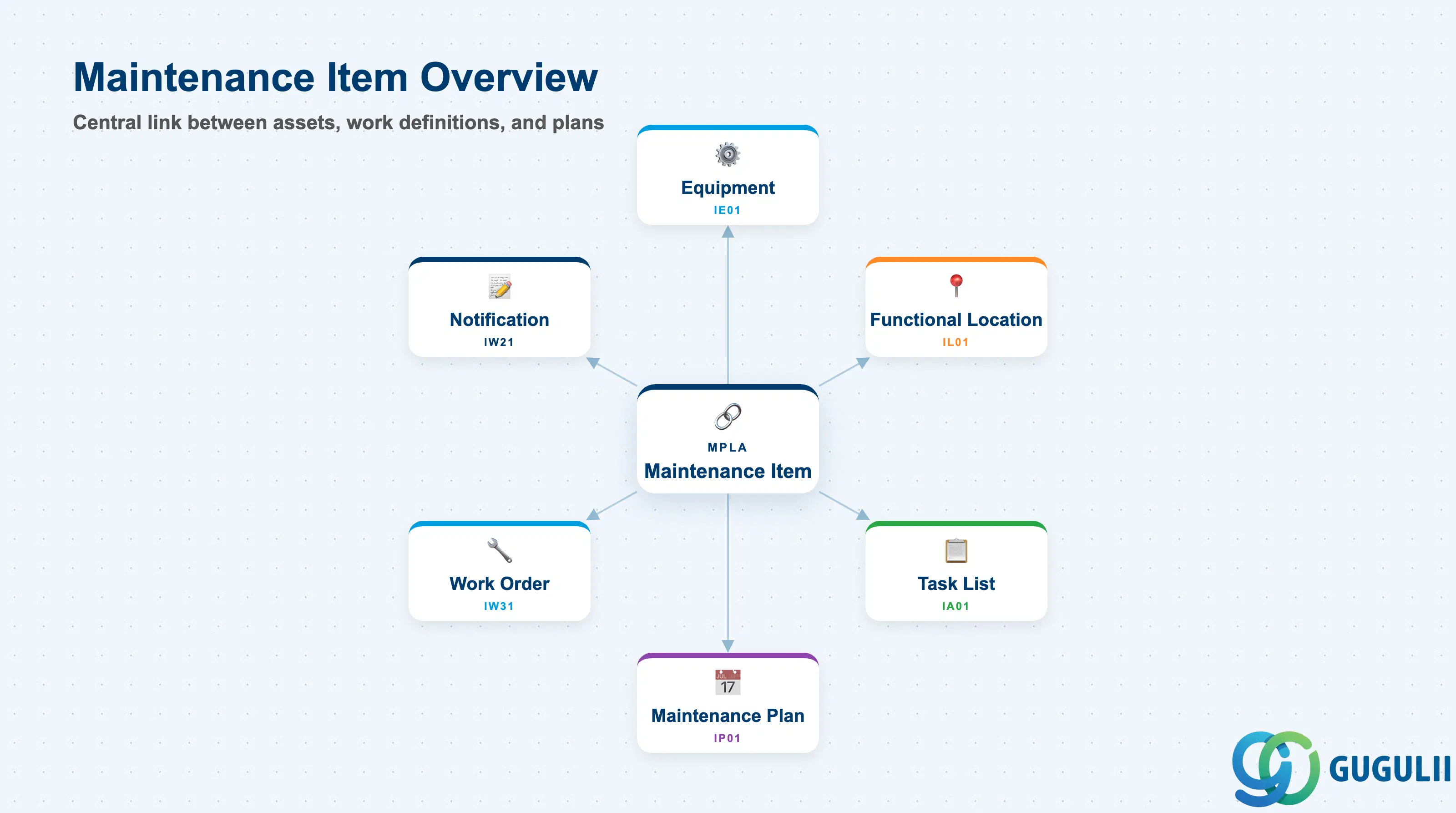
The Maintenance Item is a planning record that answers three questions in one object: What maintenance work is needed (Task List), On which asset it is needed (Equipment or Functional Location), and Within which plan it is scheduled (Maintenance Plan). It is the atomic unit of a preventive maintenance program — every maintenance call object generated by a Maintenance Plan traces back to at least one Maintenance Item.
| Aspect | Details |
|---|---|
| Role | Links a maintenance object (Equipment / Functional Location) to a Task List within a Maintenance Plan; defines the call object (Notification or Work Order) that is generated per cycle |
| Modules using it | PM (primary owner — preventive maintenance planning), CS (service-oriented plans using Equipment as the service object) |
| Transactions | IP04 (Create standalone Maintenance Item) / IP11 (Create) / IP12 (Change) / IP13 (Display) — also accessible from within the Maintenance Plan via IP01/IP02 |
| Key Tables | MPLA (Maintenance Item header), MPOS (Maintenance Item — object list entries), MPLB (Maintenance Item cycle assignments for single-cycle plans) |
| S/4HANA note | Data model unchanged from ECC. Fiori app “Manage Maintenance Items” (F2370) is available but most PM consultants continue to work in IP04/IP11–IP13 for complex multi-item plans. Maintenance Plan scheduling (IP30) continues to consume MPLA records unchanged. |
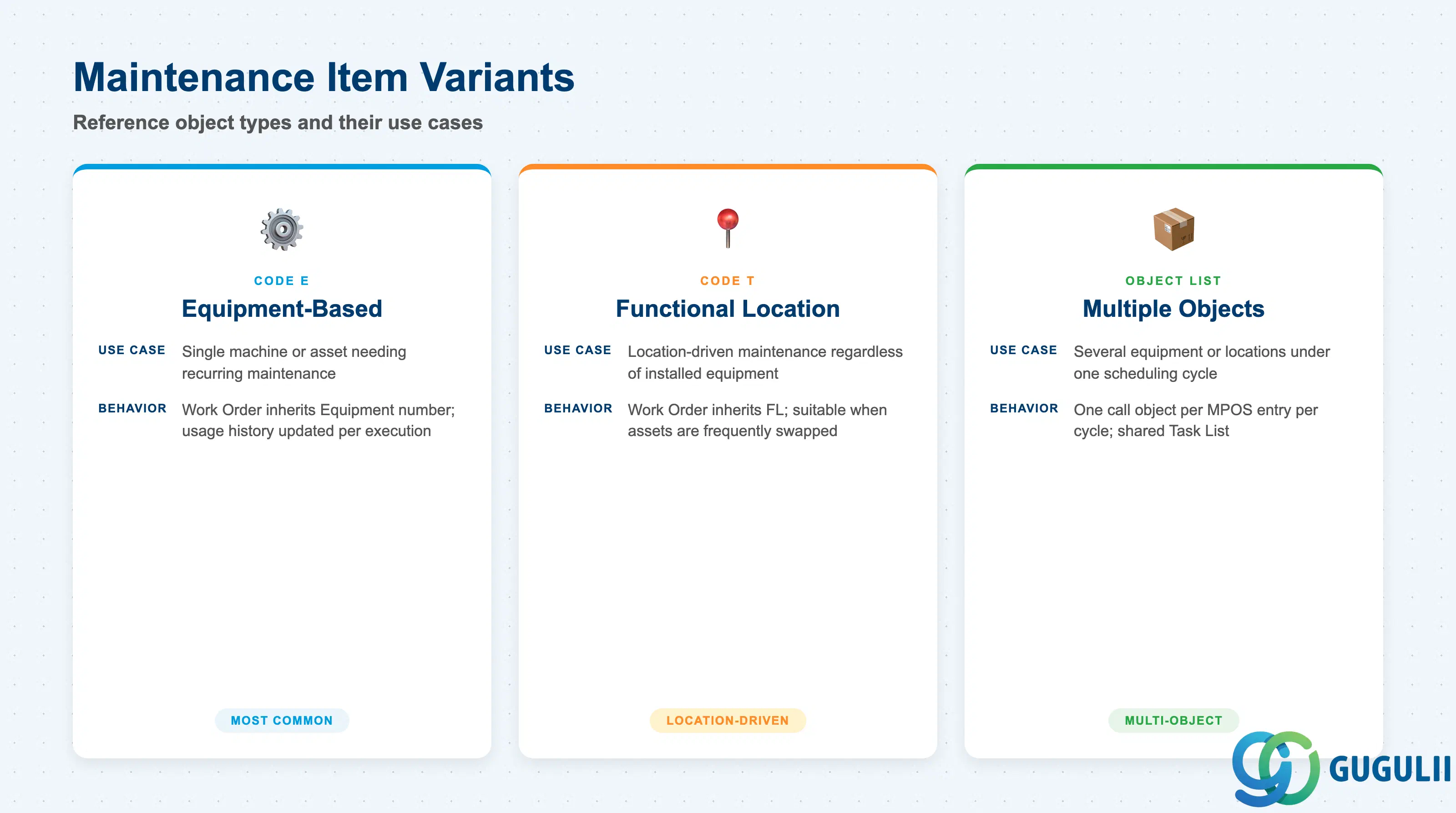
A Maintenance Item can reference different types of technical objects, and a single Maintenance Plan can contain multiple Maintenance Items — each for a different object or a different work scope on the same object. The reference object type determines which master data is required and how the generated Work Order or Notification is populated.
| Reference Object Type | Code | Use Case | Key Behavior |
|---|---|---|---|
| Equipment | E | Single machine or asset requiring recurring maintenance (e.g., a pump, motor, or robot arm) | Work Order inherits Equipment number; equipment usage history (IH08) is updated with each execution |
| Functional Location | T | An installation location requiring recurring maintenance regardless of which equipment is installed (e.g., a spray booth or HVAC zone) | Work Order inherits Functional Location; suitable when maintenance is location-driven rather than asset-driven |
| None (plan-level only) | — | General maintenance tasks not tied to a specific technical object (e.g., site inspections, regulatory checks) | Task List still executes; no equipment history updated; least common in production environments |
| Object List (multiple) | — | Plans that cover several pieces of equipment or locations under one scheduling cycle | Each MPOS entry represents one object; the plan generates one call object per entry per cycle |
Design principle: Use Equipment-based Maintenance Items whenever lifecycle history and cost tracking per asset are required. Functional Location-based items are appropriate when assets are frequently swapped out (e.g., rental or leased equipment) and location continuity matters more than individual asset history.
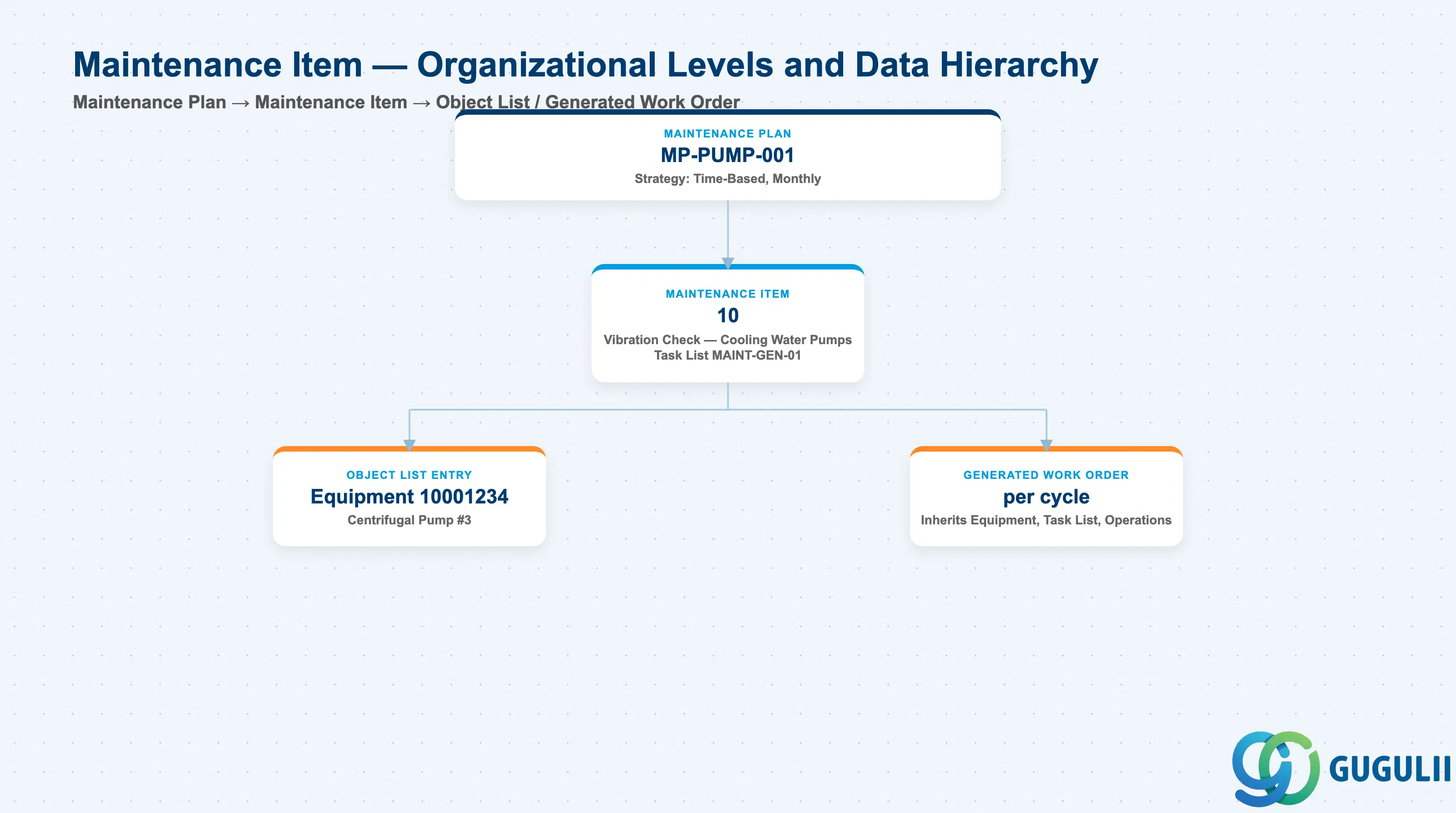
Data hierarchy with a concrete example
Maintenance Plan MP-PUMP-001
   Strategy: Time-Based, Monthly
   │
   └── Maintenance Item 10
          Vibration Check — Cooling Water Pumps
          Task List MAINT-GEN-01
          │
          ├── Object List Entry
          │      Equipment 10001234 — Centrifugal Pump #3
          │
          └── Generated Work Order (per cycle)
                 Inherits Equipment, Task List, Operations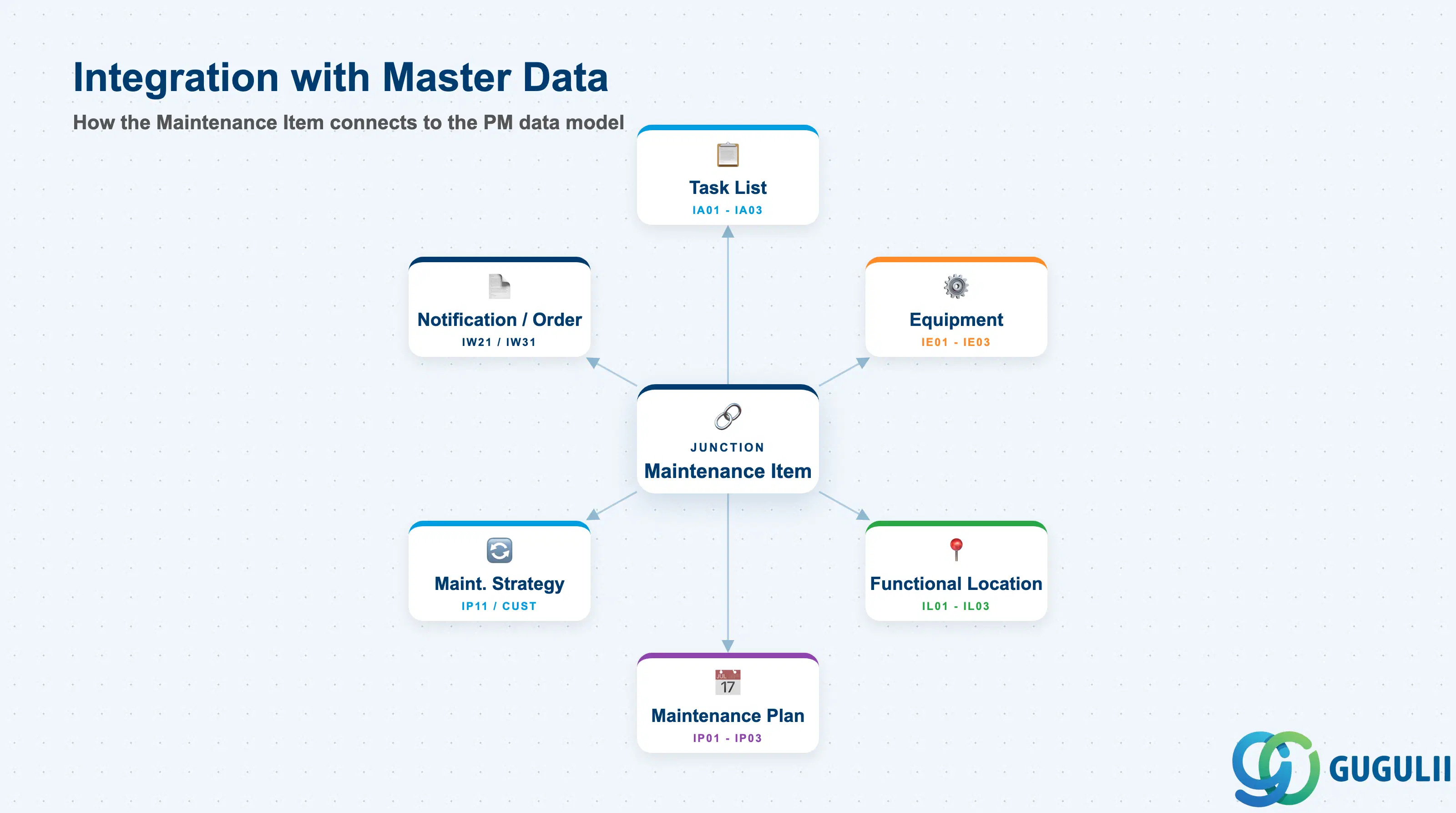
The Maintenance Item does not stand alone. It is the junction record that connects the planning layer to both the asset layer and the work-definition layer of the PM master data model.
| Object | Relationship | Practical Notes |
|---|---|---|
| Task List (IA01–IA03) | Maintenance Item references a Task List by group and group counter | The Task List defines the operations, materials, work center, and standard times. If no Task List is assigned, the Maintenance Item generates a call object with no predefined work steps — useful for simple inspections but problematic for complex regulated maintenance. |
| Equipment (IE01–IE03) | Maintenance Item references the Equipment number | Drives automatic population of the Work Order Equipment field; enables equipment-level cost accumulation and usage history. Equipment must be flagged as PM-relevant (maintenance plant assigned). |
| Functional Location (IL01–IL03) | Maintenance Item references the Functional Location | Used when maintenance scope is location-driven. If both Equipment and Functional Location are assigned to the item, the Equipment takes precedence in the generated Work Order. |
| Maintenance Plan (IP01–IP03) | Maintenance Item is owned by one Maintenance Plan | A Maintenance Item cannot exist without belonging to a plan. The plan’s strategy (time-based, counter-based, or multiple counter) controls when the item’s call object is generated. |
| Maintenance Strategy (IP11 / Customizing) | Strategy assigned at the plan level applies to all items in that plan | All Maintenance Items within a single-cycle plan share the same cycle; within a strategy-based plan, each item can have different strategy packages assigned. |
| Notification / Work Order | Maintenance Item is the template from which call objects are generated | IP30 (Deadline Monitoring) reads MPLA records, calculates due dates, and generates Notifications or Work Orders based on the call object type configured in the item. |
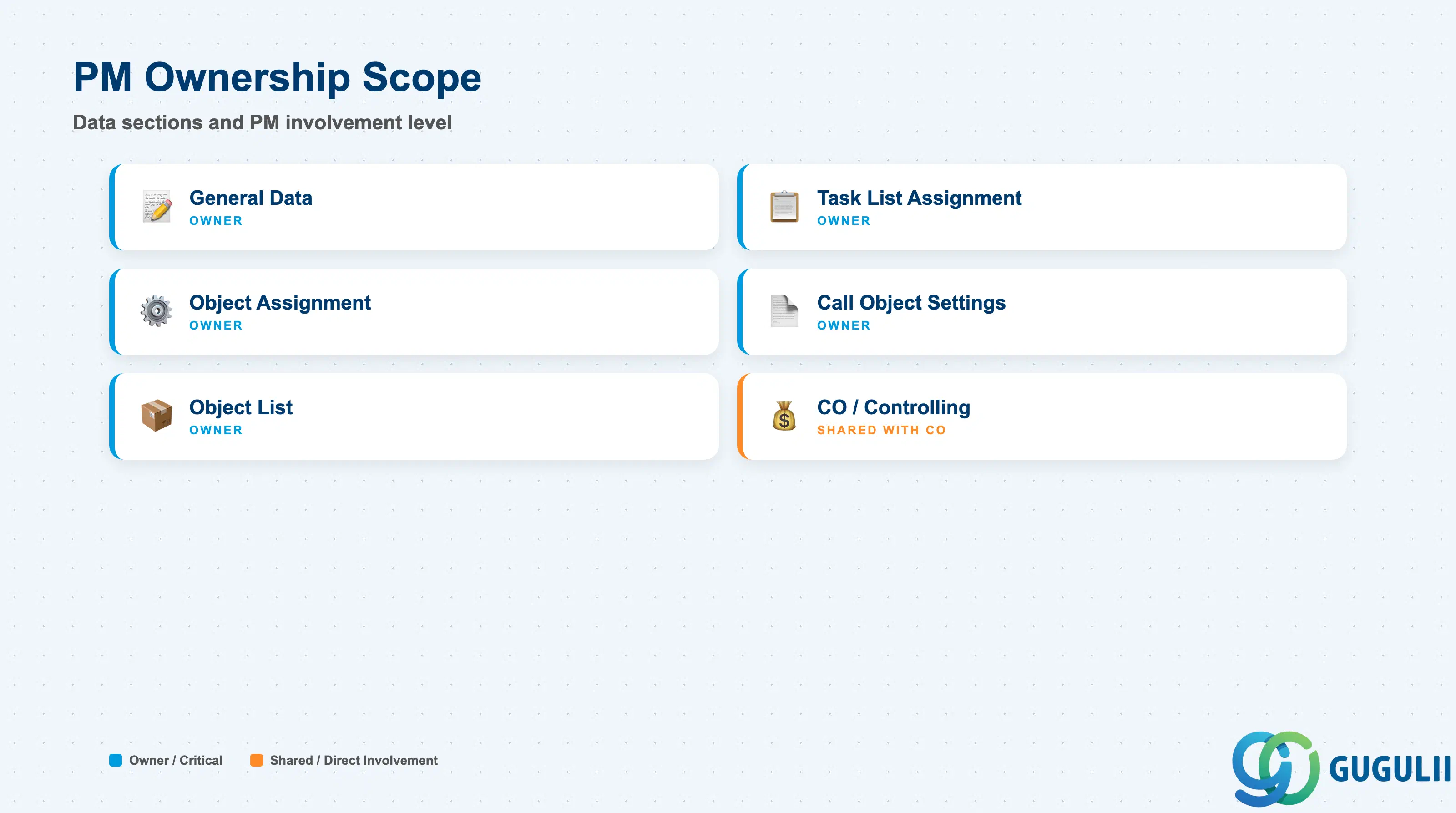
| Data Section | PM Involvement | Notes |
|---|---|---|
| General Data | ◎ Owner | Item text, maintenance plant, planner group, main work center |
| Task List Assignment | ◎ Owner | Task List group, group counter, operation selection |
| Object Assignment | ◎ Owner | Equipment, Functional Location, assembly; drives call object population |
| Call Object Settings | ◎ Owner | Call object type (Notification type vs. Order type), order type, priority |
| Object List | ◎ Owner | Multiple equipment/FL entries per item; sorting and active/inactive flags |
| CO / Controlling | ○ Shared with CO | Settlement rule and cost center inherited from Work Center and Equipment; CO consultant reviews account assignment at order level, not item level |
Legend: ◎ = Owner / Critical, ○ = Direct involvement
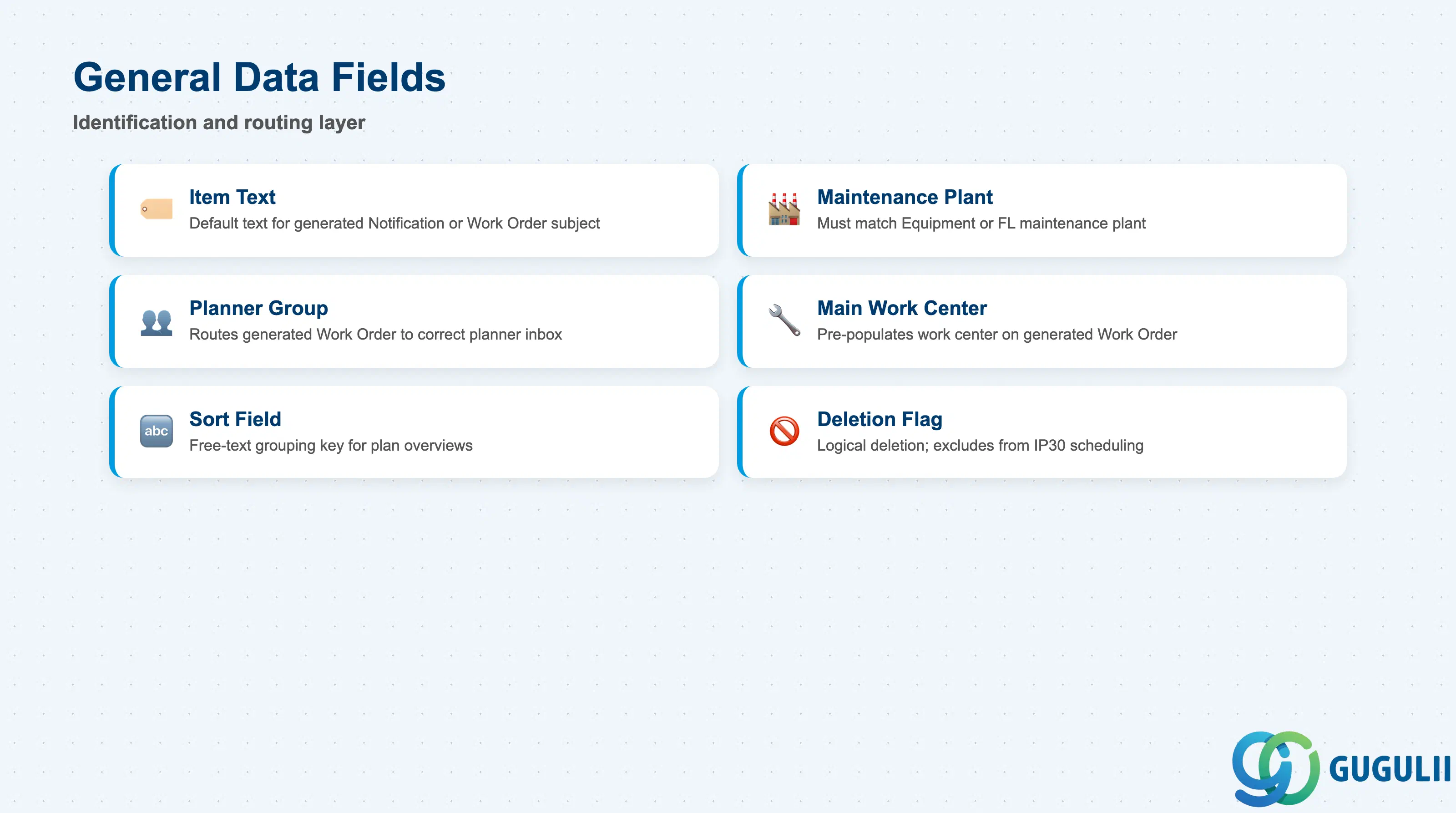
General Data is the identification and routing layer of the Maintenance Item. These fields control which organizational unit is responsible for planning the generated work and where the item appears in plan overviews.
| Field | Description | Practical Usage |
|---|---|---|
| Item Text | Short description of the Maintenance Item | Used as the default text on the generated Notification or Work Order subject line. Write descriptive text that identifies both the object and the maintenance type — for example, “Pump P-101 Monthly Inspection” — so that operations teams can identify the work without opening the full plan. |
| Maintenance Plant | Plant in which the technical object resides | Must match the maintenance plant of the assigned Equipment or Functional Location. Mismatches cause scheduling errors in IP30. For multi-plant deployments, each plant’s equipment requires a separate Maintenance Item even if the work procedure (Task List) is identical. |
| Planner Group | Responsible planning group (PM Customizing) | Routes the generated Work Order or Notification to the correct planner inbox. Aligns with the organizational responsibility matrix defined during blueprint. Critical for plants with multiple PM departments (e.g., mechanical vs. electrical maintenance). |
| Main Work Center | Default work center for execution | Pre-populates the work center on the generated Work Order header. Should align with the work center assigned in the Task List operations; if different, the Task List operation-level work center overrides the item-level default at order creation. |
| Sort Field | Free-text grouping key | Used for custom sorting in maintenance plan overviews (IP16, IP17). Typical values: cost center code, asset category, or geographical zone. Has no system logic — purely an organizational reporting aid. |
| Deletion Flag | Marks the item for logical deletion | Set this flag rather than physically deleting items that are temporarily out of scope (e.g., equipment under long-term repair). Flagged items are excluded from IP30 scheduling without losing historical data. Physical deletion via MMPLA is irreversible. |
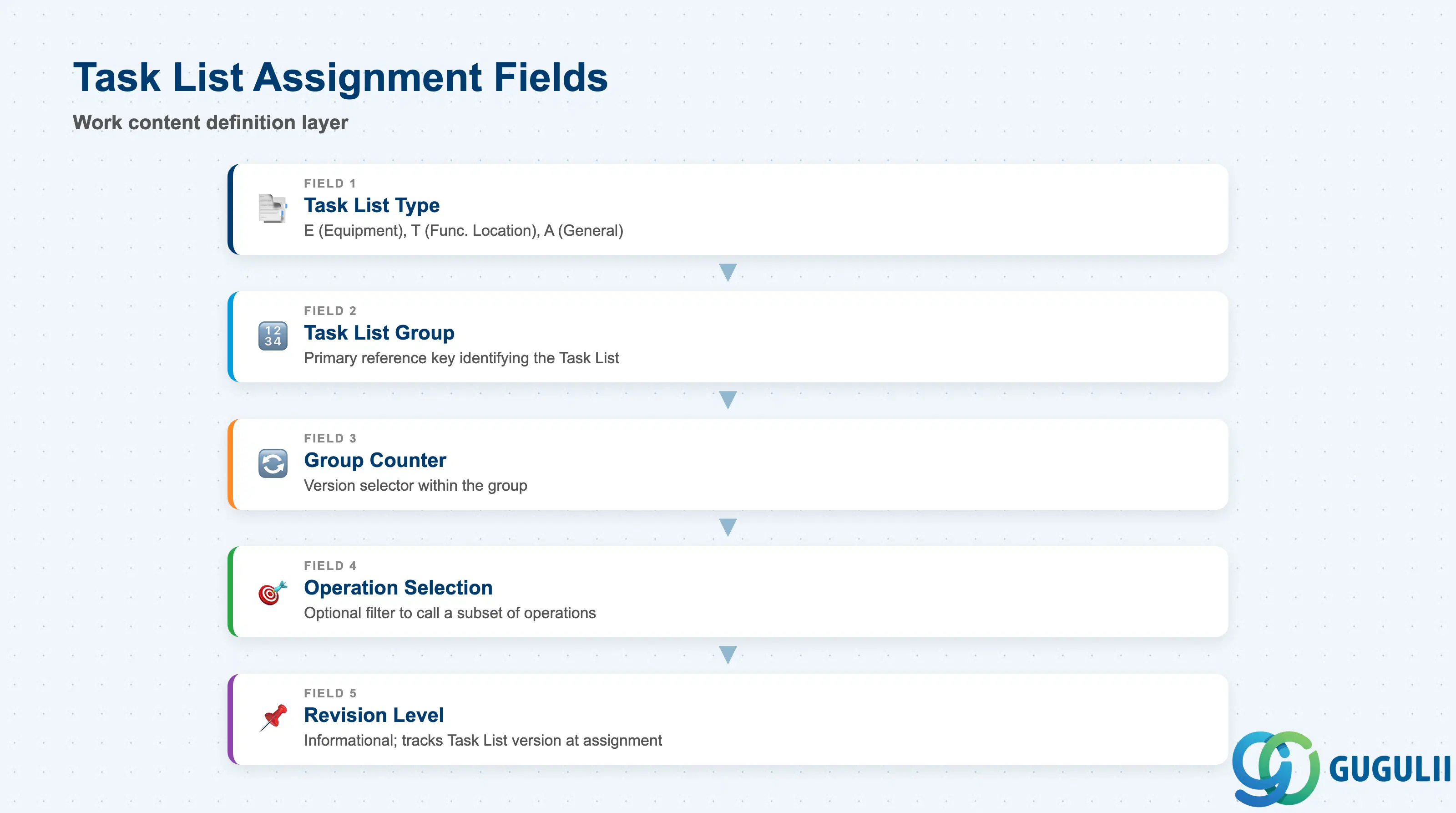
The Task List Assignment section is where the Maintenance Item acquires its work content. Without a valid Task List reference, the generated call object will have no operations and will require manual work scope entry each time.
| Field | Description | Practical Usage |
|---|---|---|
| Task List Type | Category of Task List: E (Equipment), T (Functional Location), A (General) | Must match the type of the reference object. An Equipment Task List (type E) can only be assigned to Maintenance Items that reference the same Equipment number. Use General Task List (type A) when the same work steps apply across many different equipment records. |
| Task List Group | Group number identifying the Task List | Multiple Task Lists can share a group number (differentiated by Group Counter). The group number is the primary reference key — always note it during configuration as it is needed for mass-maintenance and batch-update scenarios. |
| Group Counter | Version selector within the Task List Group | Selects a specific Task List version within the group. Counter 1 is the standard baseline. Use additional counters for seasonal variants (e.g., summer vs. winter lubrication procedures) or for pending revisions awaiting approval before going live. |
| Operation Selection | Restriction to specific operations within the Task List | Leave blank to execute all operations. Populate to call only a subset — useful when one Maintenance Plan covers a quarterly subset of the annual Task List. Reduces call object complexity without duplicating the Task List. |
| Revision Level | Revision number of the Task List at time of assignment | Informational. When the Task List is revised, existing Maintenance Items continue to reference the previous revision unless manually updated. Schedule a periodic review (e.g., annually) of Maintenance Item-to-Task List alignment as part of PM master data governance. |
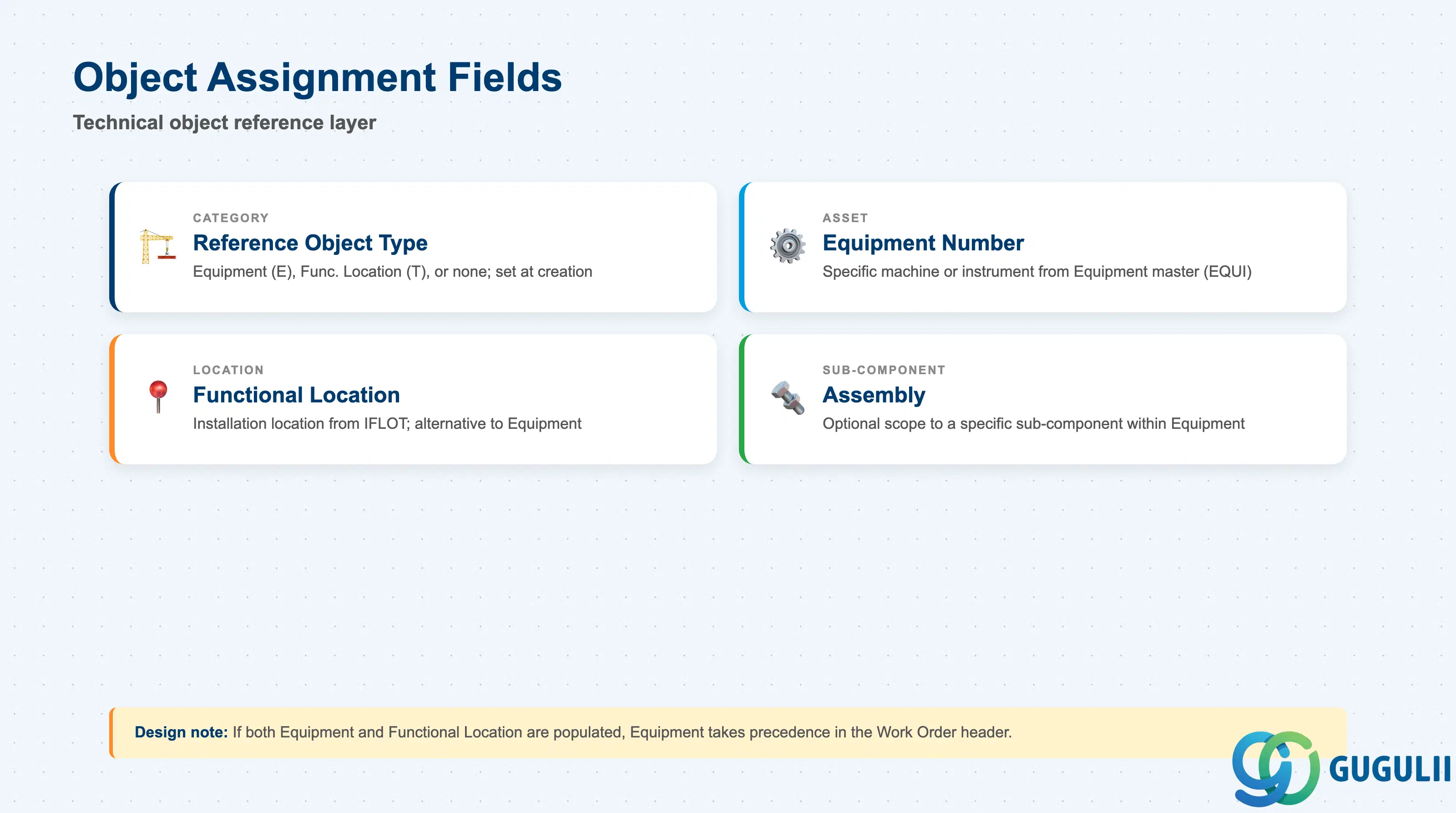
The Object Assignment section defines the technical object on which the maintenance work is performed. The combination of Equipment (or Functional Location) and the Maintenance Item’s Task List defines the full scope of a maintenance call.
| Field | Description | Practical Usage |
|---|---|---|
| Reference Object Category | Determines whether the item references Equipment (E), Functional Location (T), or no technical object | Set during item creation; cannot be changed afterward without deleting and recreating the item. Choose carefully during blueprint — a global PM rollout typically standardizes on Equipment-based items for all production assets and Functional Location-based items for infrastructure assets (utilities, buildings). |
| Equipment Number | Equipment master record (EQUI/EQUZ) | The specific machine, vehicle, or instrument subject to this maintenance cycle. Populated from IE01/IE02. When entered, the system validates that the equipment’s maintenance plant matches the item’s maintenance plant. |
| Functional Location | Installation location (IFLOT) | Alternative to Equipment for location-driven maintenance. If both Equipment and Functional Location are populated, the Equipment number takes precedence in the Work Order header; the Functional Location is carried as context. |
| Assembly | Component or sub-assembly within the Equipment | Optional. Used to scope the maintenance to a specific sub-component (e.g., the gearbox within a conveyor drive unit). Reduces the risk of technicians performing incorrect scope when equipment has multiple maintainable sub-assemblies. |
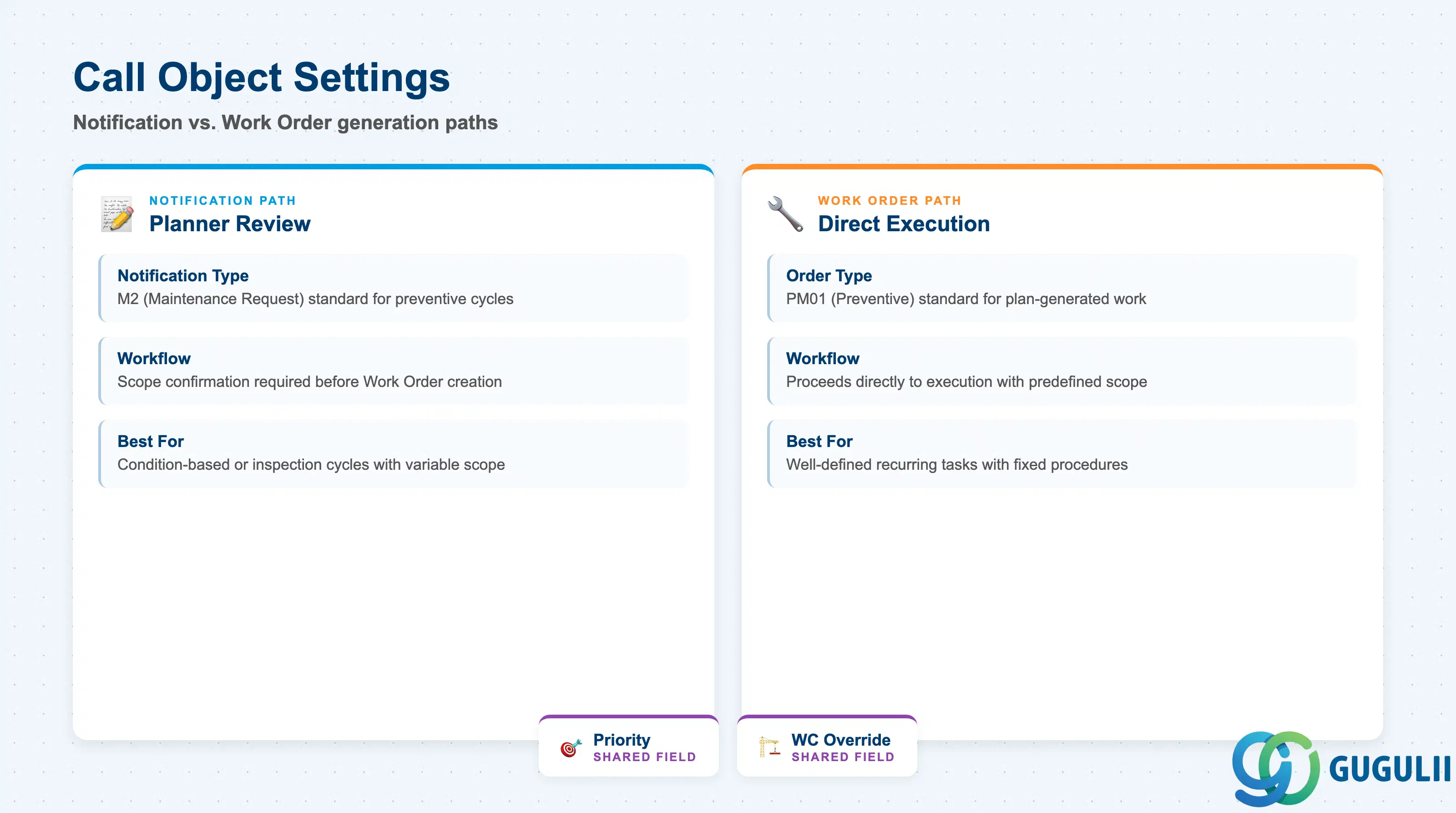
Call Object Settings control what document is automatically created each time the Maintenance Plan’s scheduling triggers the Maintenance Item. This is the bridge between the planning layer and the execution layer.
| Field | Description | Practical Usage |
|---|---|---|
| Call Object | Type of document generated: Notification (PM, QM type) or Order | The most consequential setting in the Maintenance Item. Use “Order” (PM01, PM03) when the work is well-defined and can proceed directly to execution. Use “Notification” when work requires planner review and scope confirmation before a Work Order is created — typical for condition-based or inspection-type cycles where the exact scope varies. |
| Notification Type | PM Notification type (M1, M2, M3) or QM type | Required when Call Object = Notification. M2 (Maintenance Request) is the standard type for preventive maintenance-triggered notifications. M1 (Malfunction Report) should not be used for plan-generated items — it implies reactive maintenance. |
| Order Type | PM Work Order type (PM01, PM02, PM03) | Required when Call Object = Order. PM01 (Preventive Maintenance Order) is the standard type for plan-generated work. PM02 (Emergency Order) and PM03 (Corrective Maintenance Order) should not be auto-generated by plans — reserve them for manual reactive maintenance. |
| Priority | Urgency code for the generated call object | Drives prioritization in the planner’s worklist and can influence scheduling in capacity planning. Define a company-wide priority scale during blueprint (e.g., 1 = Safety-critical, 2 = Production-critical, 3 = Standard, 4 = Opportunistic) and apply consistently across all Maintenance Items. |
| Main Work Center (override) | Work center override at call-object level | If populated, overrides the General Data main work center specifically for the generated call object. Useful when the planning work center (General Data) differs from the execution work center (operations team). |
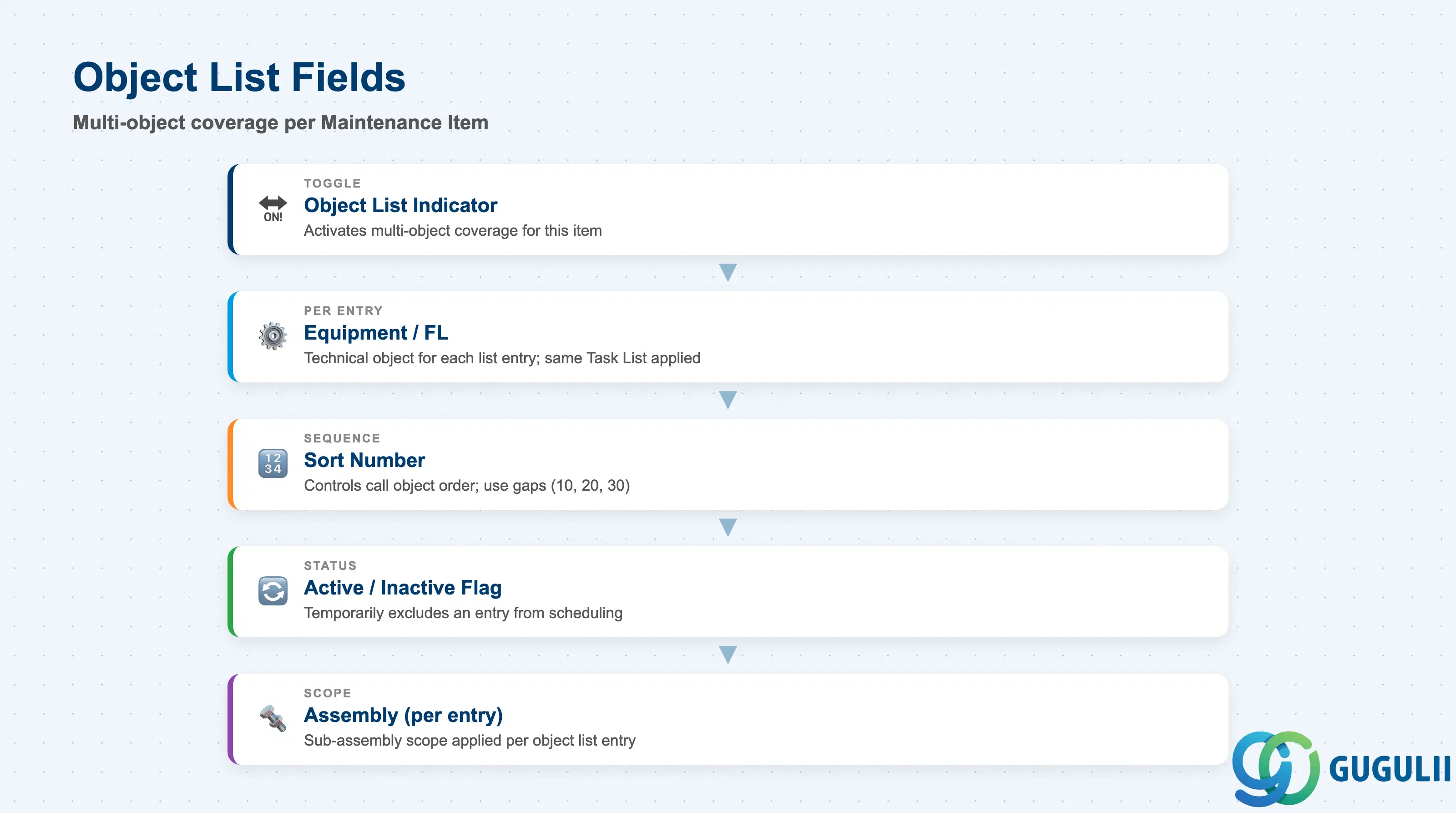
The Object List allows a single Maintenance Item to cover multiple technical objects within one scheduling cycle. When the plan is called, the system generates one call document per active Object List entry, each with its own technical object assignment.
| Field | Description | Practical Usage |
|---|---|---|
| Object List Indicator | Activates multi-object coverage for this item | Set to active to enable the Object List tab. Once activated, the single equipment/FL field in the Object Assignment section is superseded by the list entries. Do not activate unless multiple objects genuinely share the same maintenance cycle — unnecessary object lists inflate scheduling run times in IP30 for large plans. |
| Equipment / Functional Location (per entry) | Technical object for each list entry | Each row represents one asset or location. The same Task List is applied to all entries — if different assets require different procedures, separate Maintenance Items (and potentially separate plans) are the correct design. |
| Sort Number | Sequence number for list entries | Controls the order in which call objects appear in the generated Work Order package. Use sequential numbering (10, 20, 30, …) with gaps to allow future insertions without full renumbering. |
| Active / Inactive Flag | Temporarily removes an entry from scheduling | Set an entry to Inactive when a specific piece of equipment is undergoing repair or is temporarily decommissioned, without deleting it from the list. This preserves the list structure and reactivation is immediate once the equipment returns to service. |
| Assembly (per entry) | Sub-assembly scope per object | Same function as in the Object Assignment section, applied individually to each object list entry. Allows fine-grained scope definition when objects in the list have different sub-assembly targets. |
| ID | Category | Title |
|---|---|---|
| pm-001 | Overview | What is SAP PM? |
| ID | Category | Title |
|---|---|---|
| pm-a01 | Overview | SAP PM Master Data: Overview, Hierarchy & Relationships |
| pm-a02-01 | Master Data | SAP PM Functional Location |
| pm-a02-02 | Master Data | SAP PM Equipment |
| pm-a03-01 | Master Data | SAP PM Class |
| pm-a03-02 | Master Data | SAP PM Characteristic |
| pm-a04-01 | Master Data | SAP PM Measuring Point |
| pm-a05-01 | Master Data | SAP PM Work Center |
| pm-a06-01 | Master Data | SAP PM Material Master |
| pm-a05-02 | Master Data | SAP PM Task List |
| pm-a05-03 | Master Data | SAP PM Production Resource Tool |
| pm-a06-03 | Master Data | SAP PM Maintenance BOM |
| pm-a07-01 | Master Data | SAP PM Maintenance Item 📍 |
| pm-a07-02 | Master Data | SAP PM Maintenance Plan |
| ID | Category | Title |
|---|---|---|
| pm-b01 | Overview | SAP PM Transactions: Process Flow, Hierarchy & Relationships |