Title here
Summary here

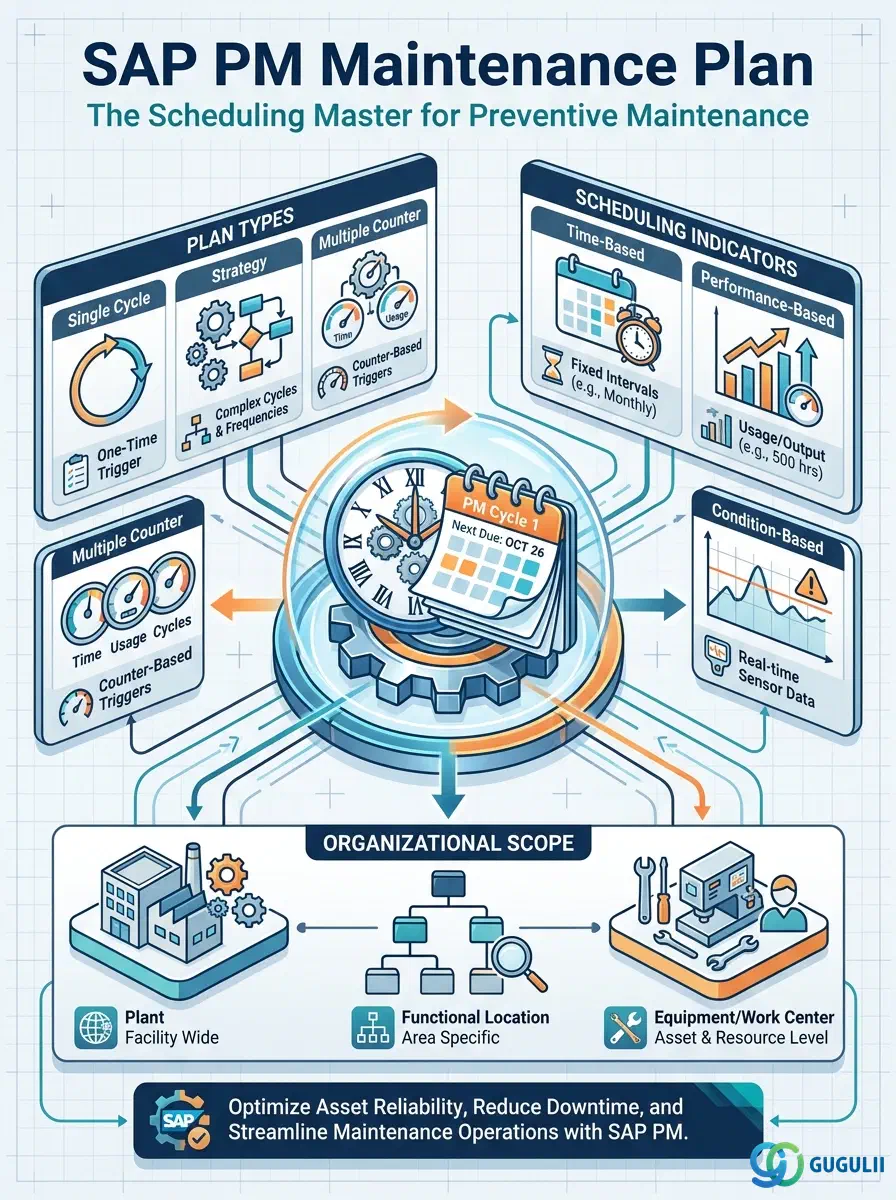
The Maintenance Plan is the top-level scheduling object in SAP PM preventive maintenance. It defines when preventive maintenance should occur, how often, what work should be performed, and what object is to be maintained — and it drives the automatic creation of Maintenance Notifications or Work Orders at the right time. Built on top of Maintenance Items (which link Task Lists to technical objects), the Maintenance Plan is the final master data object in the PM setup flow. This article covers its plan types, scheduling indicators, organizational data hierarchy, and all fields a PM consultant must configure to put a preventive maintenance schedule into production.
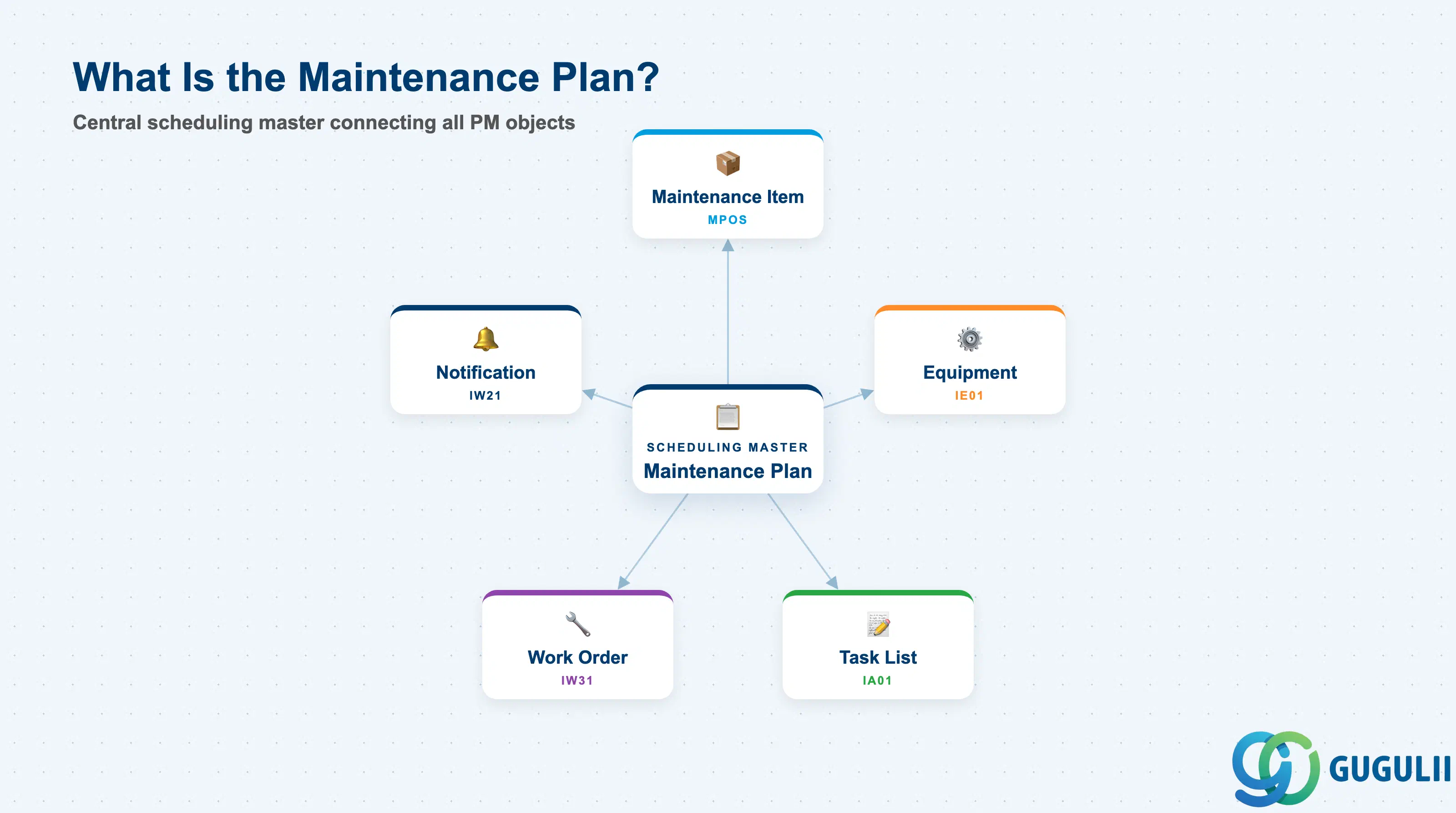
A Maintenance Plan is a scheduling master record that tells SAP “perform this maintenance activity on this equipment at this frequency.” It is the bridge between the detailed work definition (Task List, via Maintenance Item) and the operational execution objects (Notification and Work Order). Without a Maintenance Plan, preventive maintenance must be created manually every time — the Maintenance Plan replaces that manual trigger with a system-driven scheduling engine.
| Aspect | Details |
|---|---|
| Role | Defines the schedule for preventive maintenance: frequency, timing, call object type, and the Maintenance Items (technical objects + task lists) to be covered |
| Modules using it | PM (primary owner — preventive and condition-based maintenance scheduling), CS (Customer Service — service plan scheduling for customer equipment) |
| Transactions | IP01 (Create Single-Cycle Plan) / IP10 (Create Strategy Plan) / IP02 (Change) / IP03 (Display) / IP30 (Deadline Monitoring batch job) |
| Key Tables | MPLAN (Maintenance Plan header) / MPOS (Maintenance Items assigned to the Plan) / MPLA (Maintenance Plan scheduling data) |
| S/4HANA note | Core data model unchanged from ECC. Fiori app “Schedule Maintenance Plans” (F2359) is available for monitoring and manual scheduling. IP30 (Deadline Monitoring) is still the standard batch scheduling mechanism. |
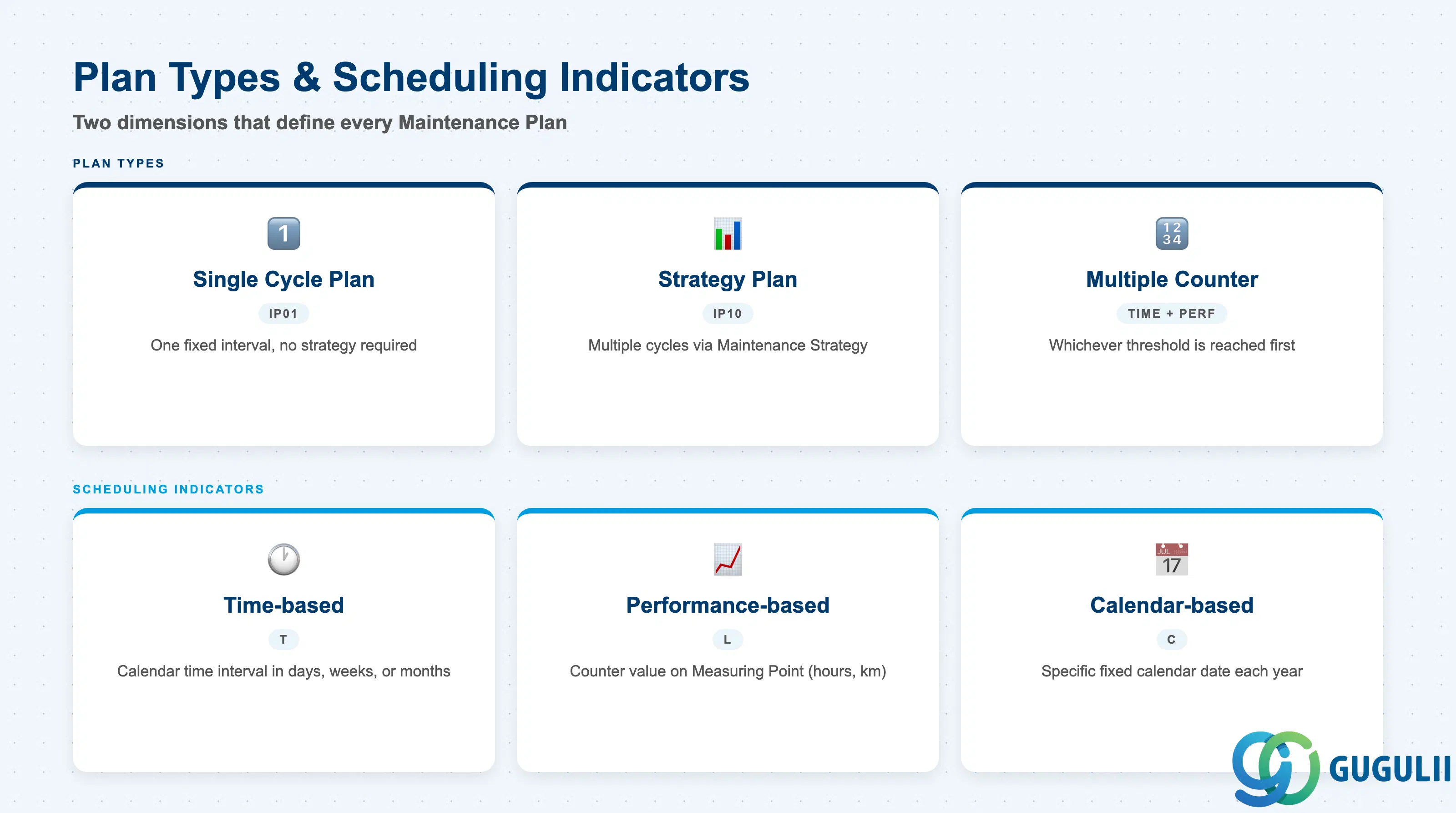
The Maintenance Plan has two fundamental dimensions that must be decided at blueprint: the Plan Type (how many maintenance cycles) and the Scheduling Indicator (what triggers the cycle). Getting this combination wrong causes either missed maintenance events or incorrect scheduling behavior that is difficult to correct once plans are in production.
Plan Type
| Plan Type | Description | Use Case | Key Behavior |
|---|---|---|---|
| Single Cycle Plan (IP01) | One maintenance cycle — a single fixed interval | Simple periodic tasks with one frequency (e.g., monthly lubrication, annual inspection) | Easiest to set up; no Maintenance Strategy required. Cycle is defined directly on the plan. |
| Strategy Plan (IP10) | Multiple maintenance cycles driven by a Maintenance Strategy | Complex preventive programs with layered frequencies (e.g., monthly, quarterly, annual checks at the same equipment) | Requires a Maintenance Strategy master record. Multiple packages within one strategy generate separate call objects on different schedules. |
| Multiple Counter Plan | Combines multiple counters (time + performance) | Maintenance triggered by whichever threshold is reached first (e.g., 500 operating hours OR 6 months) | Requires Measuring Points (counters) to be configured on the Equipment; uses Measurement Documents to update counter values. |
Scheduling Indicator
| Scheduling Indicator | Code | Trigger | Typical Example |
|---|---|---|---|
| Time-based | T | Calendar time — fixed interval in days/weeks/months/years | Monthly inspection every 30 days |
| Performance-based (Counter-based) | L | Counter value on Measuring Point (operating hours, km, cycles) | Engine service every 500 hours |
| Calendar-based | C | Specific calendar date (not a rolling interval) | Annual regulatory inspection on a fixed government-mandated date |
Design principle: For most industrial PM scenarios, Time-based Single Cycle Plans cover the majority of requirements. Add Strategy Plans only when multiple frequency packages are genuinely needed for the same equipment — over-engineering with strategies increases master data maintenance cost without scheduling benefit.
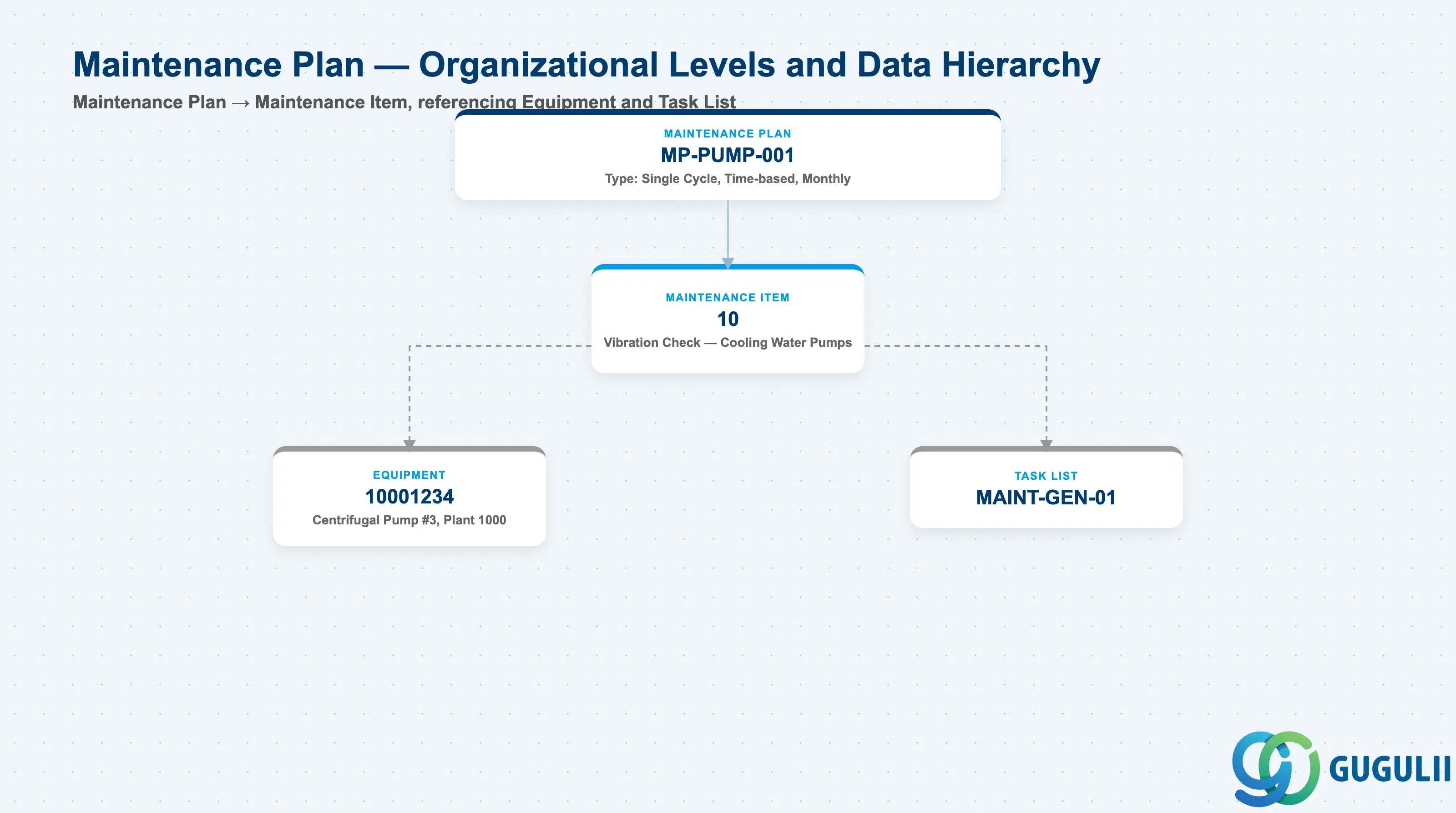
Data hierarchy with a concrete example
Maintenance Plan MP-PUMP-001
   Type: Single Cycle, Time-based, Monthly
   │
   └── Maintenance Item 10
          Vibration Check — Cooling Water Pumps
          ── references ──> Equipment 10001234
                                Centrifugal Pump #3, Plant 1000
          ── references ──> Task List MAINT-GEN-01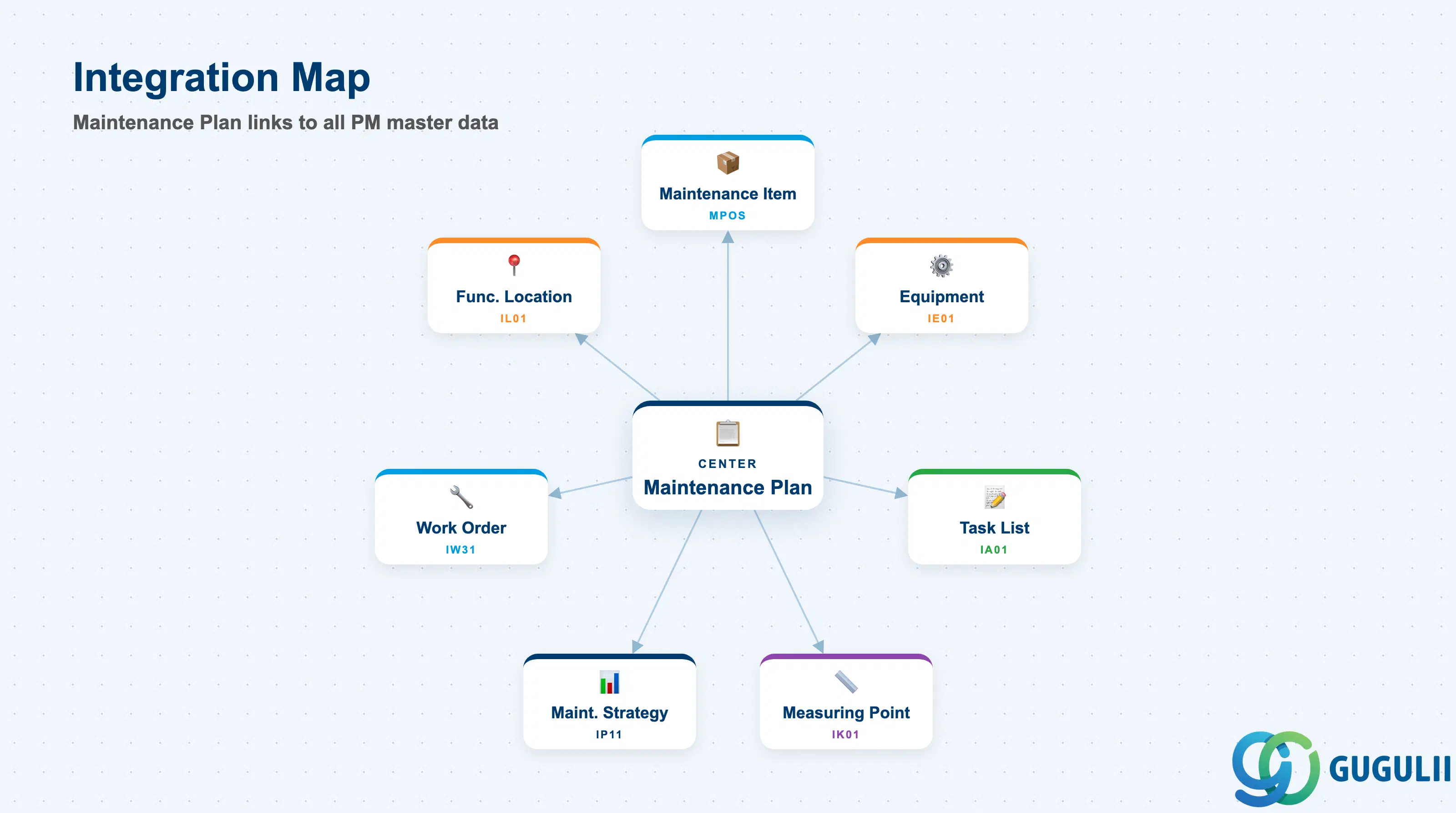
The Maintenance Plan is the final master data object in the PM preventive maintenance chain. It integrates with virtually every master created in Phases 1 through 5.
| Object | Relationship | Practical Notes |
|---|---|---|
| Maintenance Item (MPOS) | Plan contains one or more Maintenance Items | The Maintenance Item is created separately (IP11) and assigned to the plan. It carries the Task List reference and technical object. Without at least one Maintenance Item, the plan cannot generate any call objects. |
| Equipment (IE01) | Referenced through Maintenance Item | Equipment defines the plant-level organizational scope. Equipment status (AVLB, LOCK) directly affects whether the plan can generate active Work Orders. |
| Functional Location (IL01) | Referenced through Maintenance Item (alternative to Equipment) | Plans can reference Functional Locations instead of specific Equipment — used when maintenance is location-based rather than asset-specific. |
| Task List (IA01) | Referenced through Maintenance Item | Defines the operations, work center, and standard times for the work to be performed. A plan without a Task List generates a Work Order with no operations — the planner must add steps manually. |
| Measuring Point / Counter (IK01) | Required for performance-based (counter-based) plans | The counter on the Measuring Point provides the reading that IP30 evaluates against the cycle threshold. Counter-based plans fail scheduling if the Measuring Point counter is not regularly updated via Measurement Documents (IK11). |
| Maintenance Strategy (IP11 area) | Required for Strategy Plans (IP10) | Defines the package hierarchy (e.g., M1=monthly, M3=quarterly, M12=annual). Changing a Maintenance Strategy after plans are live requires careful review of all dependent plans. |
| Work Order (IW31 area) | Generated by IP30 when a plan call date is reached | The plan’s Call Object setting determines whether a Maintenance Order (PM01/PM02/PM03) or a Maintenance Notification (M1/M2/M3) is created. Most preventive plans create Work Orders directly. |
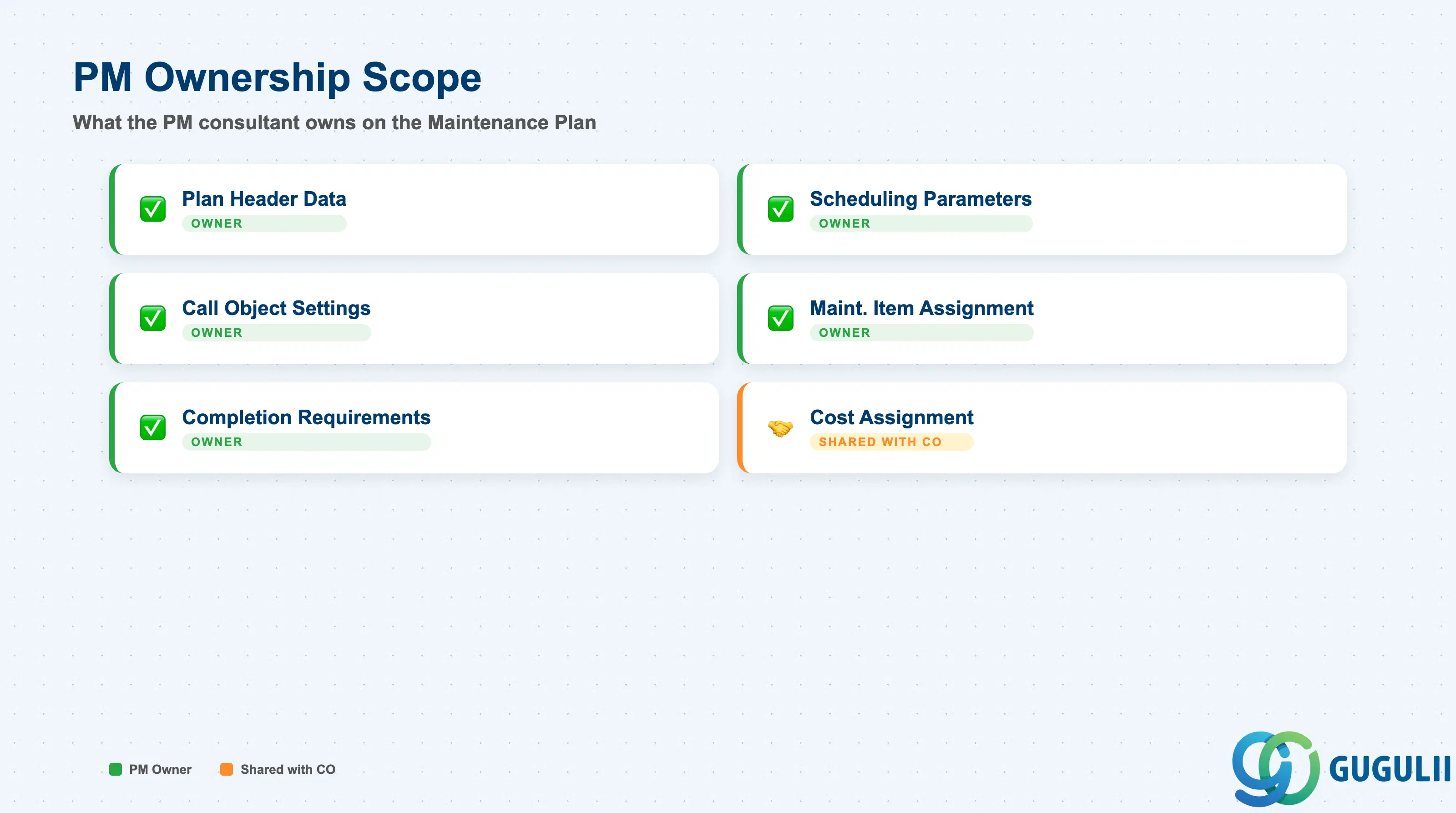
| Data Section | PM Involvement | Notes |
|---|---|---|
| Plan Header Data | ◎ Owner | Plan type, description, planning plant, maintenance planner group |
| Scheduling Parameters | ◎ Owner | Cycle, start date, call horizon, tolerance, scheduling period |
| Call Object Settings | ◎ Owner | Call object type (Order or Notification), Order type, priority |
| Maintenance Item Assignment | ◎ Owner | Technical object, Task List reference, item description |
| Completion Requirements | ◎ Owner | Completion requirement flag, cycle modification factor |
| Cost Assignment | ○ Shared with CO | Settlement rule on generated Work Orders is PM-configured; CO owns the cost object (cost center, WBS element) |
Legend: ◎ = Owner / Critical, ○ = Direct involvement
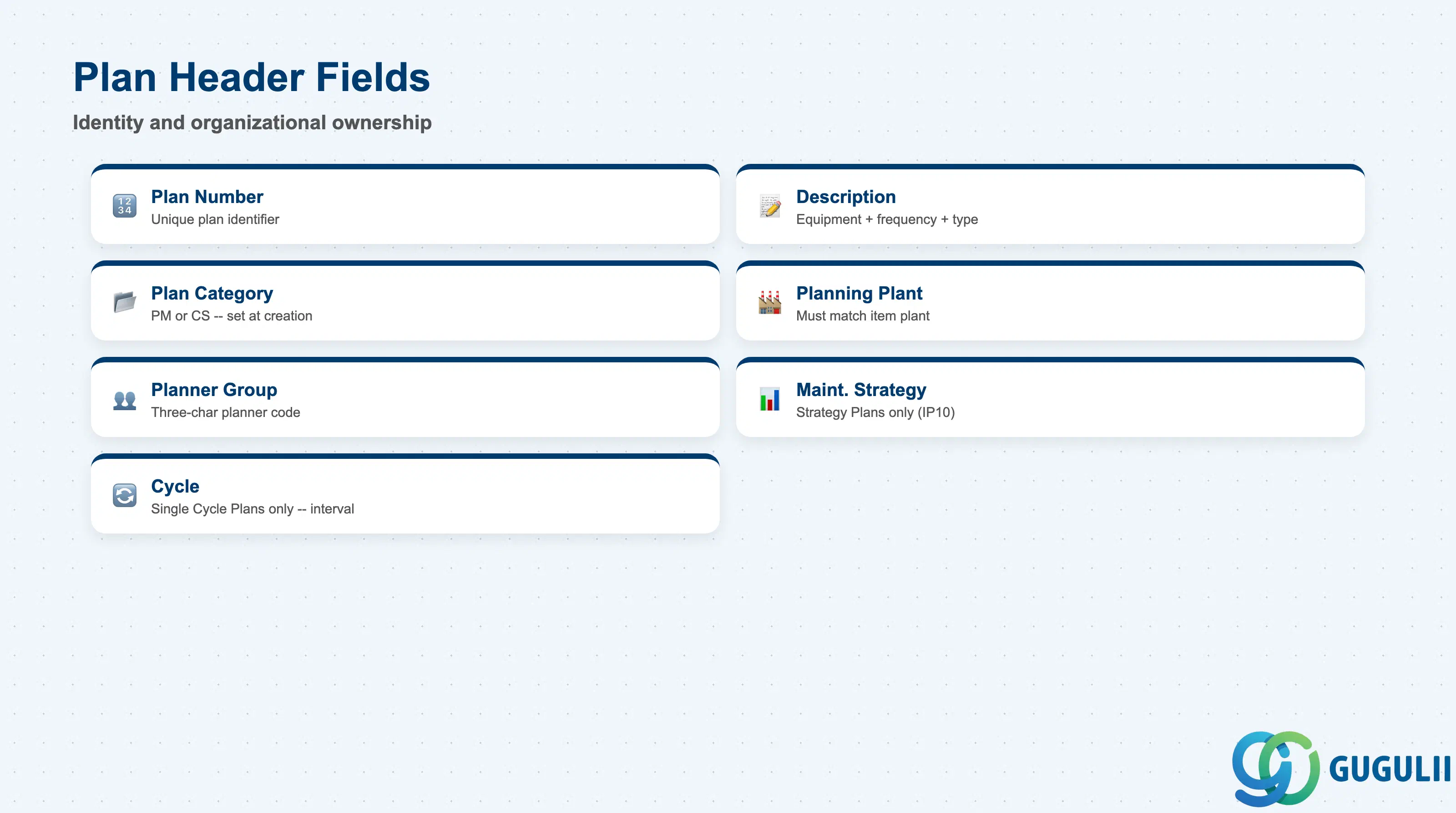
The Plan Header defines the identity and organizational ownership of the Maintenance Plan. These fields determine who is responsible for the plan and which scheduling engine variant applies.
| Field | Description | Practical Usage |
|---|---|---|
| Maintenance Plan (Number) | Unique plan identifier | Can be assigned internally (number range) or externally. Establish a consistent numbering convention by plant or equipment category during blueprint — ad hoc numbering makes mass reporting and plan monitoring difficult. |
| Description | Free-text plan description | Use a naming convention that conveys the equipment, frequency, and maintenance type. Example: “Pump P-101 Monthly Inspection.” Good descriptions dramatically reduce time spent in IP30 monitoring and in audits. |
| Plan Category | Maintenance Plan category | Controls which scheduling variants are available. Standard PM plans use category “PM.” Customer Service plans use “CS.” Must be set at creation — cannot be changed afterward. |
| Planning Plant | Plant responsible for this plan | Determines the plant context for Work Order creation. Must match the plant of the Equipment or Functional Location in the Maintenance Items. Discrepancies cause system errors during scheduling. |
| Maintenance Planner Group | Planner group responsible | Three-character code for the planner or planner team. Used in standard PM reporting (e.g., IP24, IP25) to filter and assign responsibility. Define planner groups before going live — they are a key organizational control point. |
| Maintenance Strategy | Strategy key (Strategy Plans only) | References the Maintenance Strategy master (defined in Customizing). Required for IP10 Strategy Plans; left blank for Single Cycle Plans. Changing the strategy on an active plan resets all scheduling counters — do so only during a planned maintenance window. |
| Cycle | Maintenance cycle (Single Cycle Plans only) | The interval — in days, weeks, months, or years — between maintenance events. Example: 30 days for monthly inspection. For performance-based plans, the cycle is a counter value (e.g., 500 h). This is the single most critical scheduling parameter. |
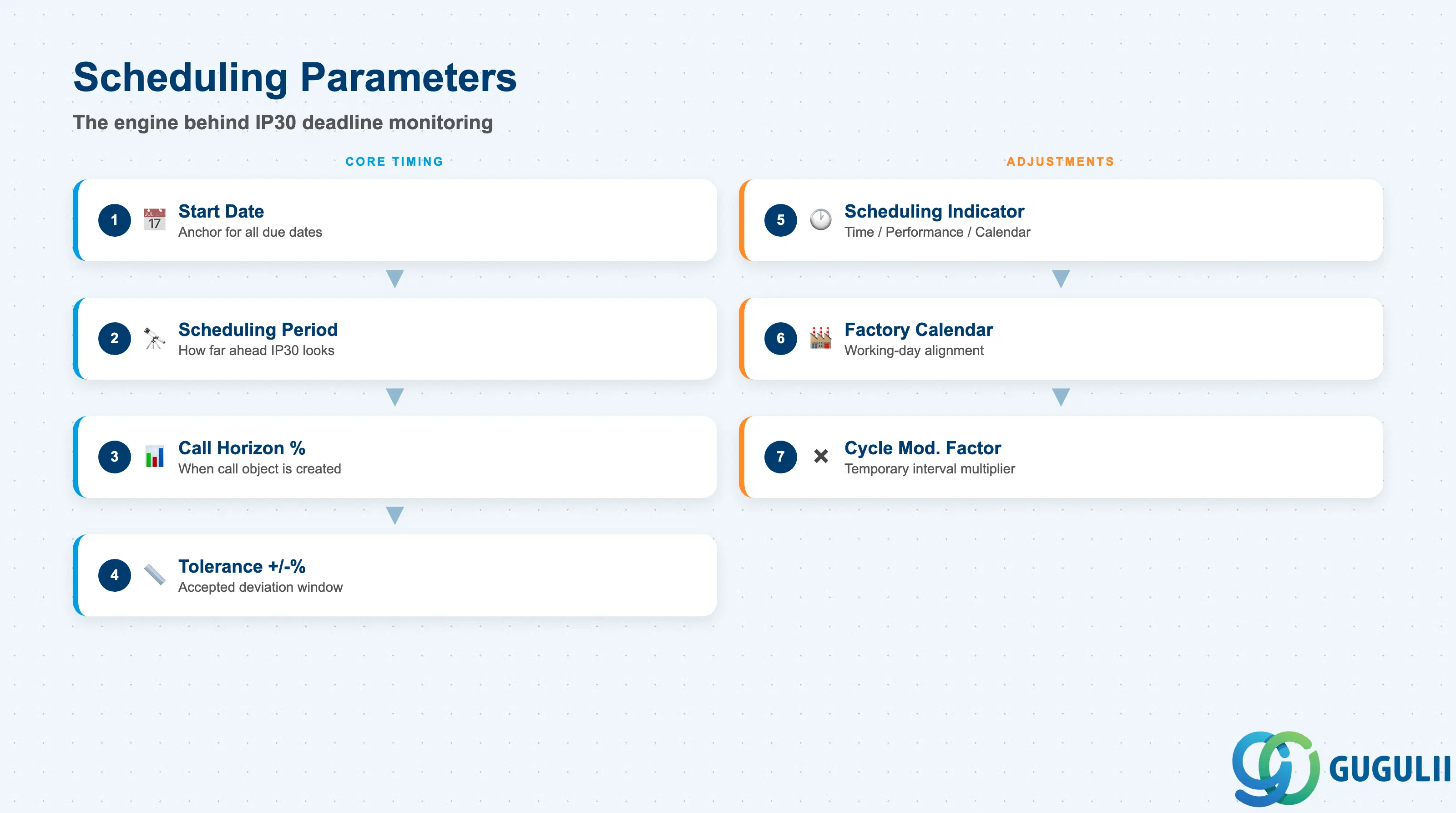
Scheduling parameters are the engine that IP30 (Deadline Monitoring) reads to calculate due dates and decide when to generate call objects. Errors in these fields are the leading cause of maintenance plans that appear to be running but silently miss planned events.
| Field | Description | Practical Usage |
|---|---|---|
| Start Date (Basic Start) | Date from which the first cycle begins | The anchor for all subsequent due date calculations. Set this to the date maintenance was last performed or the commissioning date of the equipment. An incorrect start date shifts every future due date by the same error — verify before activating the plan. |
| Scheduling Period | Horizon in days/weeks/months for future call generation | How far ahead IP30 looks when generating call objects. Example: 30 days means Work Orders are created up to 30 days before they are due. Too short a period means Work Orders are created too late for planning; too long creates a backlog of future orders that clutters the planner’s queue. |
| Call Horizon (%) | Percentage of the cycle at which the call object is created | Expressed as a percentage of the total cycle. Example: 80% of a 30-day cycle = call object created 6 days before the due date. Aligns Work Order creation timing with the planning team’s lead time requirement. |
| Tolerance (+/−%) | Accepted deviation from the scheduled date | Defines the window within which completion of the previous call satisfies the schedule without resetting the offset. Example: ±10% of a 30-day cycle = ±3 days. If the work is completed within tolerance, the next due date is calculated from the original scheduled date — not from actual completion. This prevents schedule drift. |
| Scheduling Indicator | Time / Performance / Calendar | Determines what triggers the cycle calculation. See Section 1.2 for detail. Impacts which scheduling fields are active. |
| Factory Calendar | Plant-specific working day calendar | Used for calendar-based scheduling to align due dates with actual working days. Reference the plant’s factory calendar ID (defined in SCAL). Failure to assign the correct calendar causes due dates to fall on weekends or plant shutdowns. |
| Cycle Modification Factor | Multiplier applied to the cycle | Allows temporary cycle compression or extension without changing the base cycle. Example: factor 0.5 halves the interval during a high-risk period. Reset to 1.0 once the condition normalizes. Use sparingly — document any non-standard factors in the plan description. |
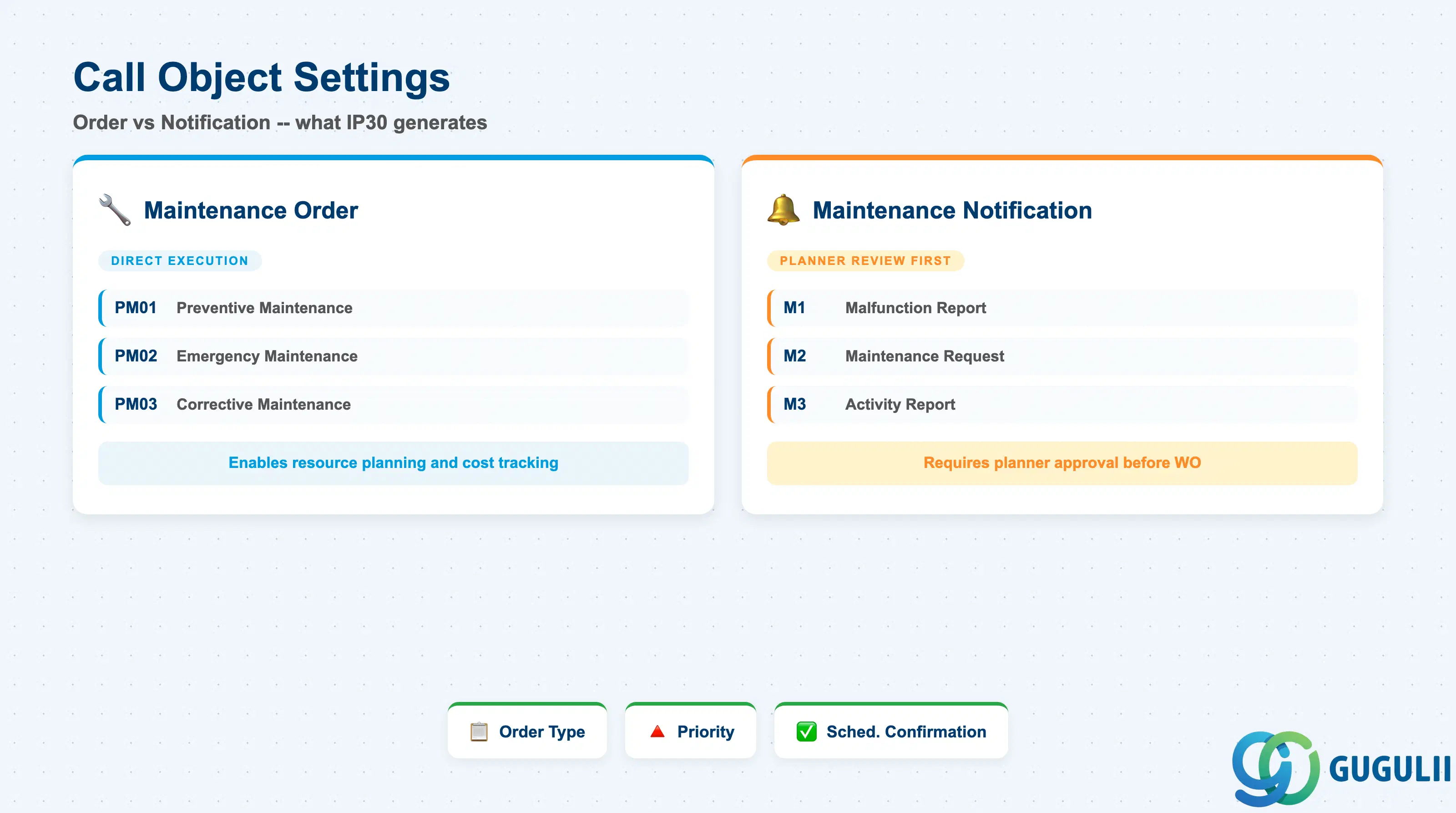
The Call Object setting determines what SAP creates when IP30 determines a maintenance event is due. This is the link between the scheduling master and the operational execution layer.
| Field | Description | Practical Usage |
|---|---|---|
| Call Object | Type of object generated: Order or Notification | Most preventive plans create a Maintenance Order directly (bypassing Notification) to enable resource planning and cost tracking from the start. Use Notification as call object when the maintenance event requires planner review and approval before a Work Order is created. |
| Order Type | PM Order type for generated Work Orders | Standard PM order types: PM01 (Preventive Maintenance), PM02 (Emergency), PM03 (Corrective). For preventive plans, PM01 is the standard choice. Order type determines settlement rule defaults, status management, and reporting categorization. |
| Priority | Default priority for generated Work Orders | Used by the planner to sequence work and in standard PM reports (e.g., IW38, IP24). Define a priority scheme (1=Critical, 2=High, 3=Normal, 4=Low) during blueprint and apply consistently — inconsistent priorities undermine the usefulness of PM reporting. |
| Scheduling Confirmation | Confirmation required before next cycle calculates | When active, the system waits for the generated order to be technically completed (TECO) before calculating the next due date. Essential for condition-based or compliance-driven maintenance where the next cycle should only begin after confirmed completion of the previous event. |
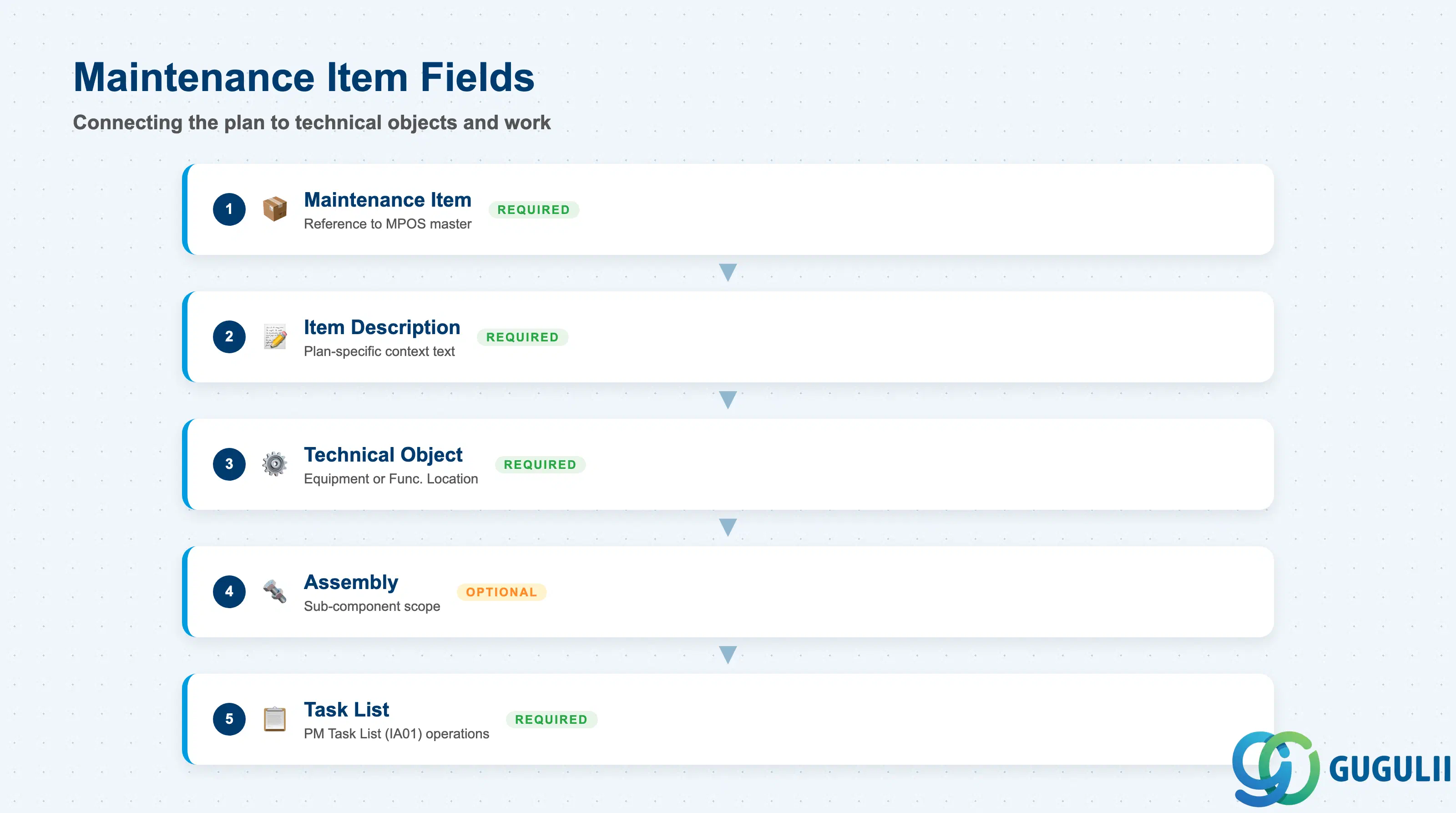
Maintenance Items are the connection points between the Maintenance Plan and the technical objects and task lists that define what needs to be done and where. Each item assigned to the plan generates a separate call object.
| Field | Description | Practical Usage |
|---|---|---|
| Maintenance Item | Reference to the Maintenance Item master (MPOS) | Maintenance Items are created independently in IP11 and then assigned to the plan in IP01/IP10. One plan can hold multiple items — each item produces its own Work Order when the plan is called. Verify that all items are in “Released” status before activating the plan. |
| Item Description | Short text for this plan-item combination | Supplements the Maintenance Item description with plan-specific context. Example: “Annual check per regulatory requirement 2026.” Visible in IP30 monitoring and in the generated Work Order short text. |
| Technical Object | Equipment or Functional Location | The equipment or location to be maintained. Plant and planner group are inherited from the technical object. Changing the technical object after the plan is live generates a new scheduling history entry — notify the PM planner team when objects are reassigned. |
| Assembly | Sub-component of the Equipment | Optional refinement to scope the maintenance task to a specific assembly within the Equipment (e.g., a pump motor rather than the whole pump unit). Used when the Task List operations are specific to one sub-assembly. |
| Task List | PM Task List (IA01) assigned to this item | Defines the operations and work center for the Work Order. If no Task List is assigned, the generated Work Order has no operations — the planner must add them manually. Always assign a released Task List (status 4) to preventive plan items before plan activation. |
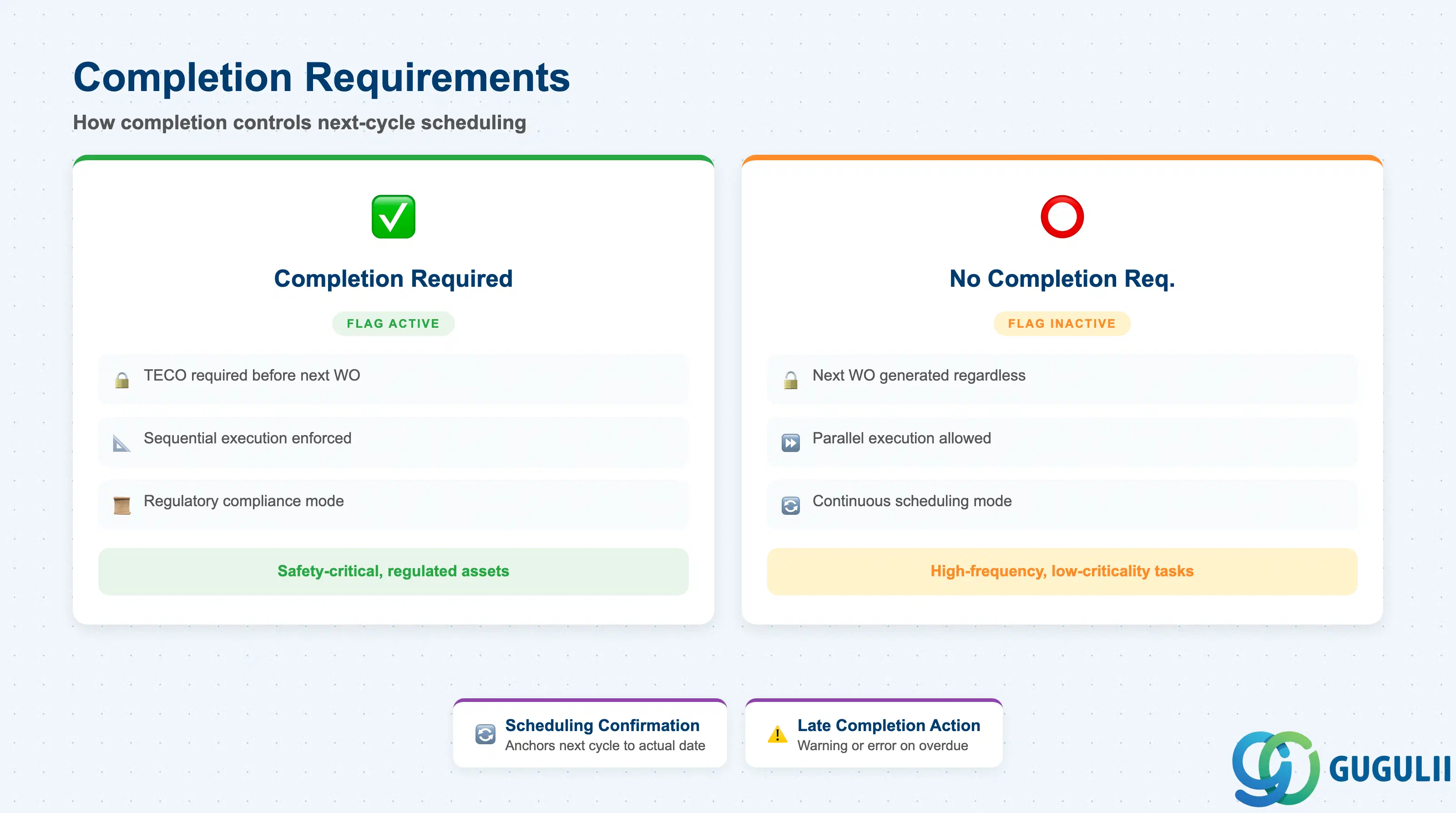
Completion requirements control the relationship between actual maintenance completion and future schedule calculation. This is particularly important for regulatory compliance scenarios where proof of completion is mandatory before the next cycle begins.
| Field | Description | Practical Usage |
|---|---|---|
| Completion Requirement | Flag requiring prior call object completion before next cycle | When active, IP30 does not generate the next Work Order until the current one reaches Technical Completion (TECO). Mandatory for maintenance activities governed by safety regulations or insurance requirements. When inactive, IP30 generates future Work Orders regardless of the status of the current one — appropriate for high-frequency, low-criticality inspections. |
| Scheduling Confirmation | Confirmation-based scheduling (alternative to Completion Requirement) | A softer variant: the next cycle is calculated from the actual confirmation date rather than the scheduled date. Used when the maintenance team needs flexibility to confirm late but still wants the subsequent cycle anchored to the actual execution date. |
| Late Completion Action | System response when a call object is overdue | Configurable in Customizing: no action, warning, or error. For critical assets, set to warning so planners are alerted. Document the business decision on overdue handling during blueprint — audit teams frequently review this setting in regulated industries. |
| ID | Category | Title |
|---|---|---|
| pm-001 | Overview | What is SAP PM? |
| ID | Category | Title |
|---|---|---|
| pm-a01 | Overview | SAP PM Master Data: Overview, Hierarchy & Relationships |
| pm-a02-01 | Master Data | SAP PM Functional Location |
| pm-a02-02 | Master Data | SAP PM Equipment |
| pm-a03-01 | Master Data | SAP PM Class |
| pm-a03-02 | Master Data | SAP PM Characteristic |
| pm-a04-01 | Master Data | SAP PM Measuring Point |
| pm-a05-01 | Master Data | SAP PM Work Center |
| pm-a06-01 | Master Data | SAP PM Material Master |
| pm-a05-02 | Master Data | SAP PM Task List |
| pm-a05-03 | Master Data | SAP PM Production Resource Tool |
| pm-a06-03 | Master Data | SAP PM Maintenance BOM |
| pm-a07-01 | Master Data | SAP PM Maintenance Item |
| pm-a07-02 | Master Data | SAP PM Maintenance Plan 📍 |
| ID | Category | Title |
|---|---|---|
| pm-b01 | Overview | SAP PM Transactions: Process Flow, Hierarchy & Relationships |