Title here
Summary here

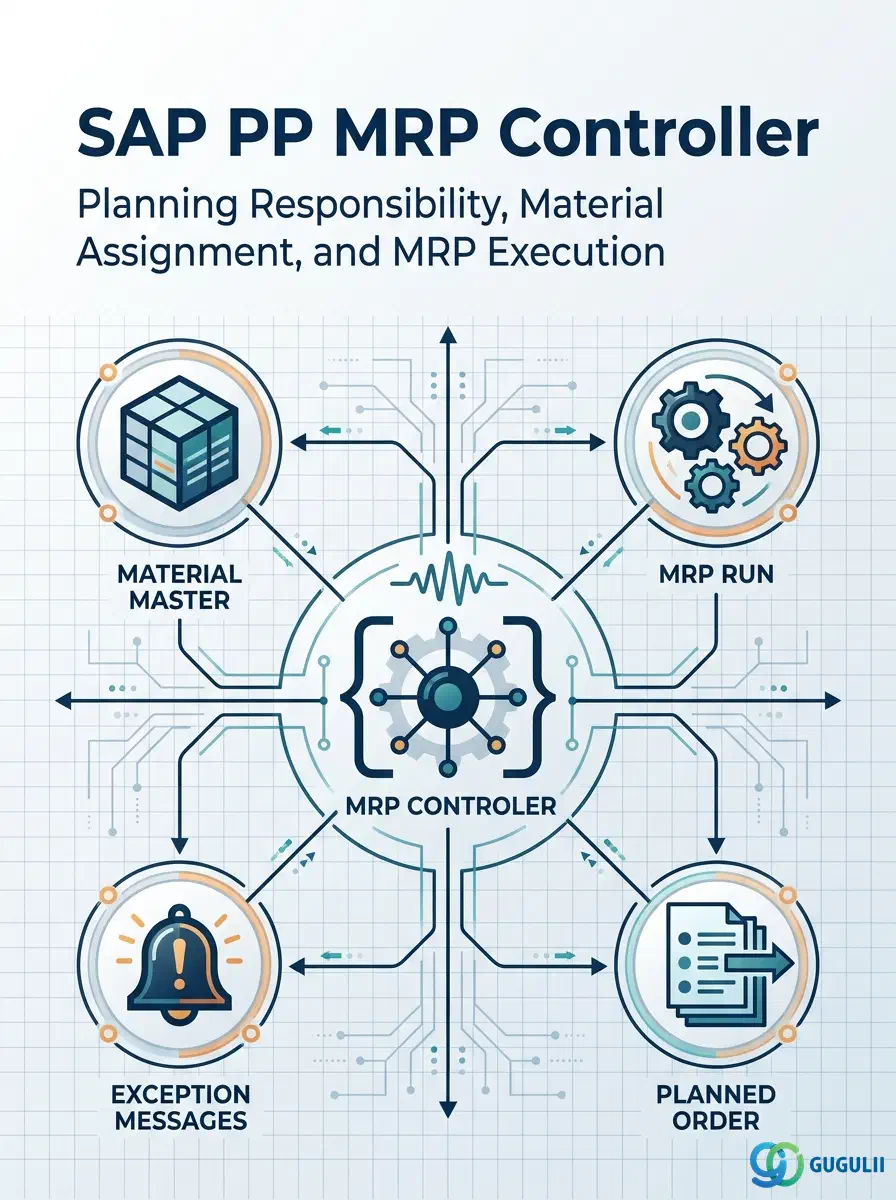
The MRP Controller (German: MRP-Verantwortlicher) is the person or planning group responsible for executing MRP and managing planned order conversion within a plant. It is a lightweight but strategically important master data object: every material subject to MRP planning must have an MRP Controller assigned in the MRP 1 view, and every MRP run, exception message, and planning list is filtered by this key. This article covers the MRP Controller’s definition, scope, configuration transactions, and the field-level detail PP consultants must own from blueprint through go-live.
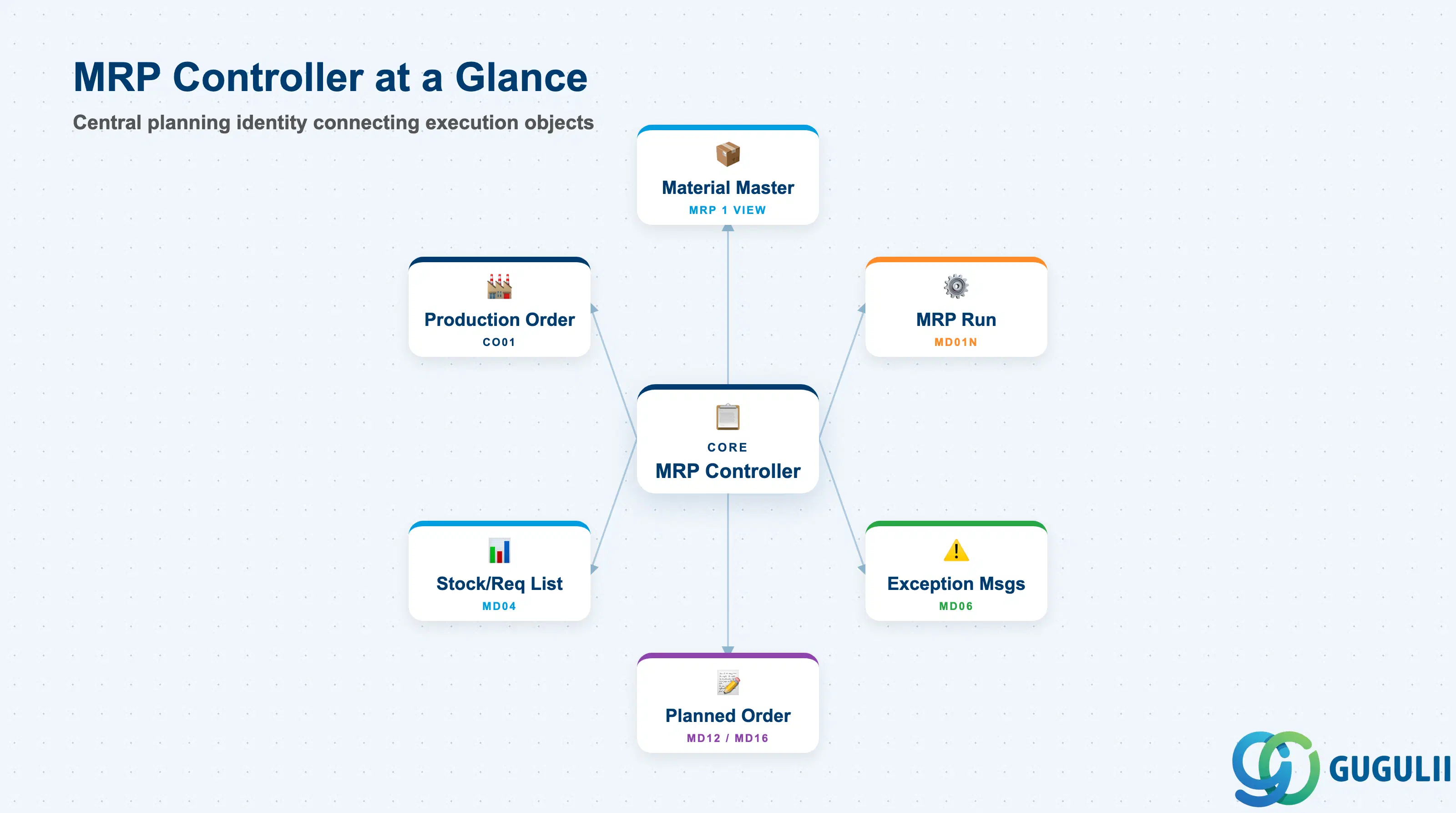
The MRP Controller is a planning identity record defined per plant. It functions as an organizational key that groups materials under a responsible planner or planning team, enabling filtered MRP runs, worklist management, and exception message triage.
| Aspect | Details |
|---|---|
| Role | Identifies the person or team responsible for MRP planning of assigned materials in a plant; used as a filter key in MRP execution and planning evaluations |
| Modules using it | PP (primary owner — MRP execution, planned order conversion, production order creation), MM (optional: used when procurement planning is shared with purchasing teams) |
| Transactions | OPJK / OMD0 (Customizing: Define MRP Controllers) / MM02 (Assign to Material Master MRP 1 View) / MD01N / MD03 (MRP Run) / MD04 (Stock/Requirements List) / MD06 (MRP Exception Messages) |
| Key Tables | T024D (MRP Controllers per plant) |
| S/4HANA note | MRP Controller definition and assignment unchanged from ECC. In S/4HANA, MD01N (MRP Live) replaces MD01 as the standard MRP execution transaction. Exception message processing in MD06 is also available via Fiori app “Manage MRP Exception Messages.” |
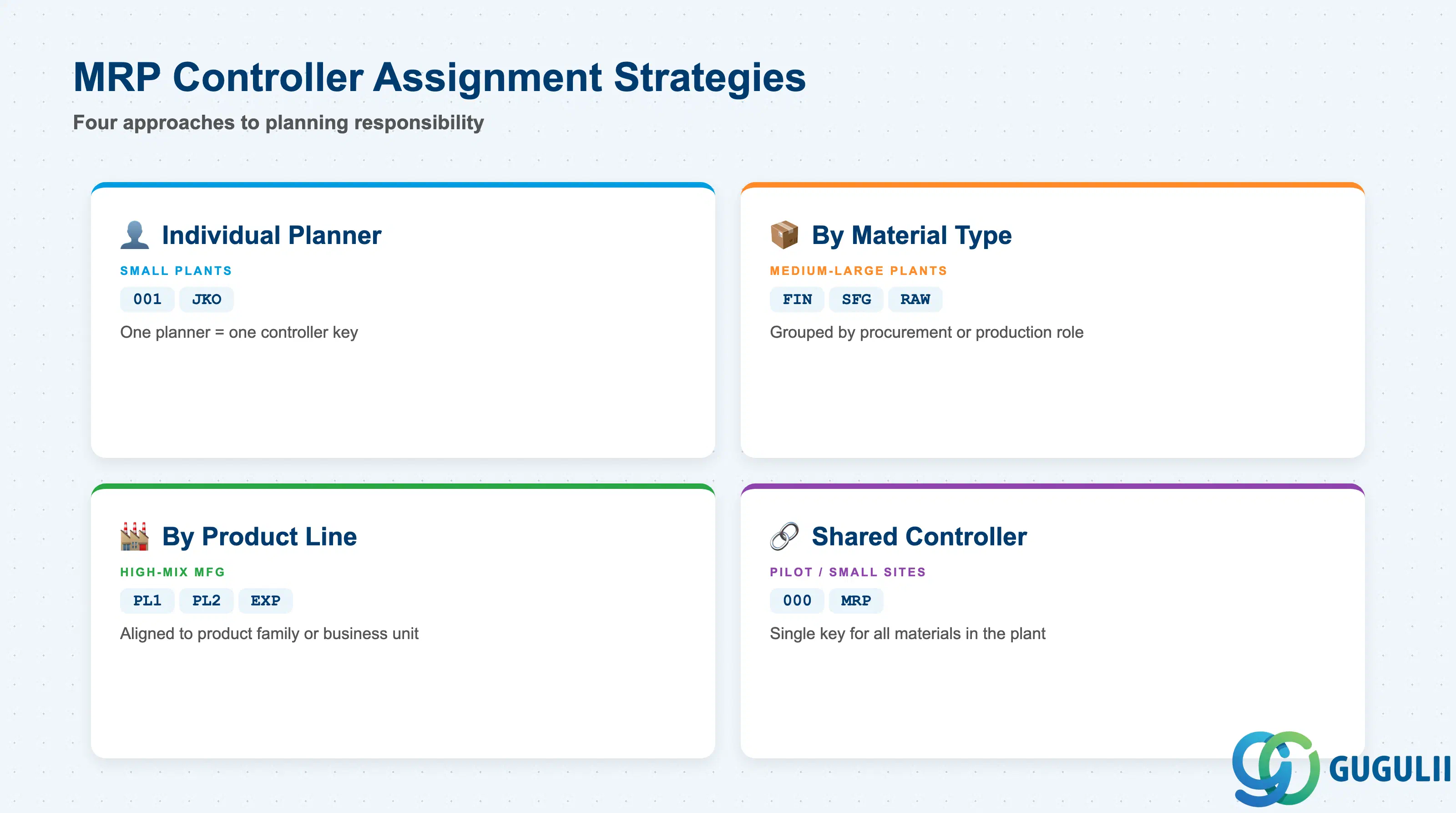
The MRP Controller is a free-form key (up to 3 characters). The way customers define and assign controllers significantly affects day-to-day planning workload distribution. Choosing the wrong granularity — too few or too many controllers — creates either an unmanageable worklist or a planning blind spot.
| Strategy | Typical Code Pattern | Use Case | Key Behavior |
|---|---|---|---|
| Individual Planner | 001, 002, JKO | Small plants with few planners, each owning a defined set of materials | One-to-one: planner = controller. Enables precise exception ownership but becomes unmanageable above 5–7 planners with high material counts. |
| Planning Group by Material Type | FIN, SFG, RAW | Medium-to-large plants where finished, semi-finished, and raw materials are planned by different teams | Materials grouped by procurement/production role. Common in discrete manufacturing. Allows each team to run MRP and manage worklists independently. |
| Planning Group by Product Line | PL1, PL2, EXP | High-mix manufacturing or multi-division plants | Materials grouped by product family or business unit. Enables P&L-aligned planning and exception ownership. |
| Shared Controller | 000, MRP | Pilot projects, small sites, or plants with a single planning resource | All or most materials share one controller. Simplest setup; loses the ability to filter by responsible person in MD06 and planning worklists. |
Design principle: Controller granularity should match your real operational structure, not be designed bottom-up from materials. Establish the controller list during blueprint and avoid proliferating codes beyond what planners can manage.
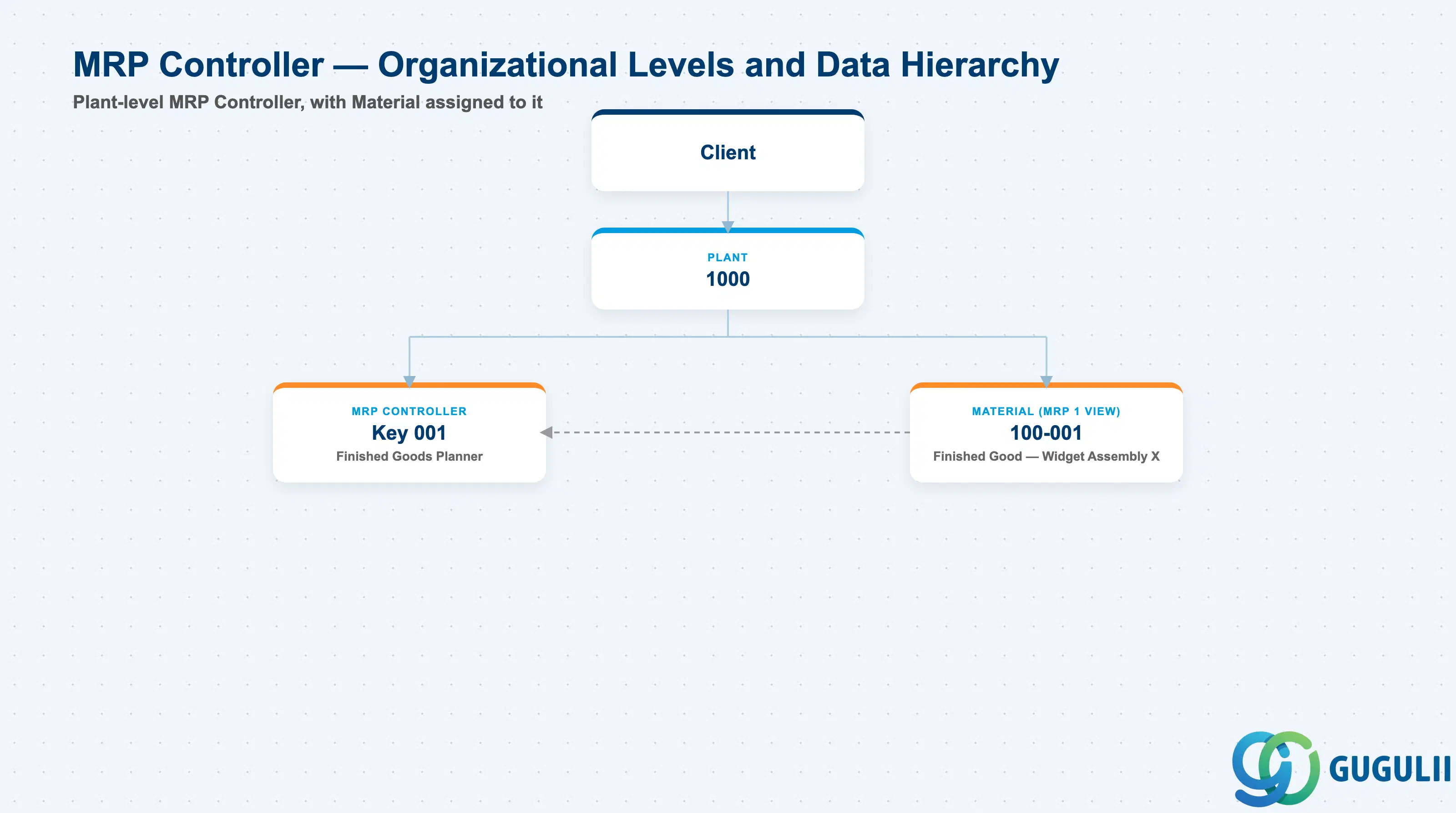
Data hierarchy with a concrete example
Client
   │
   └── Plant 1000
          │
          ├── MRP Controller
          │      Key 001 — Finished Goods Planner
          │
          └── Material 100-001
                 Finished Good — Widget Assembly X (MRP 1 View)
                 ── assigned to ──> MRP Controller 001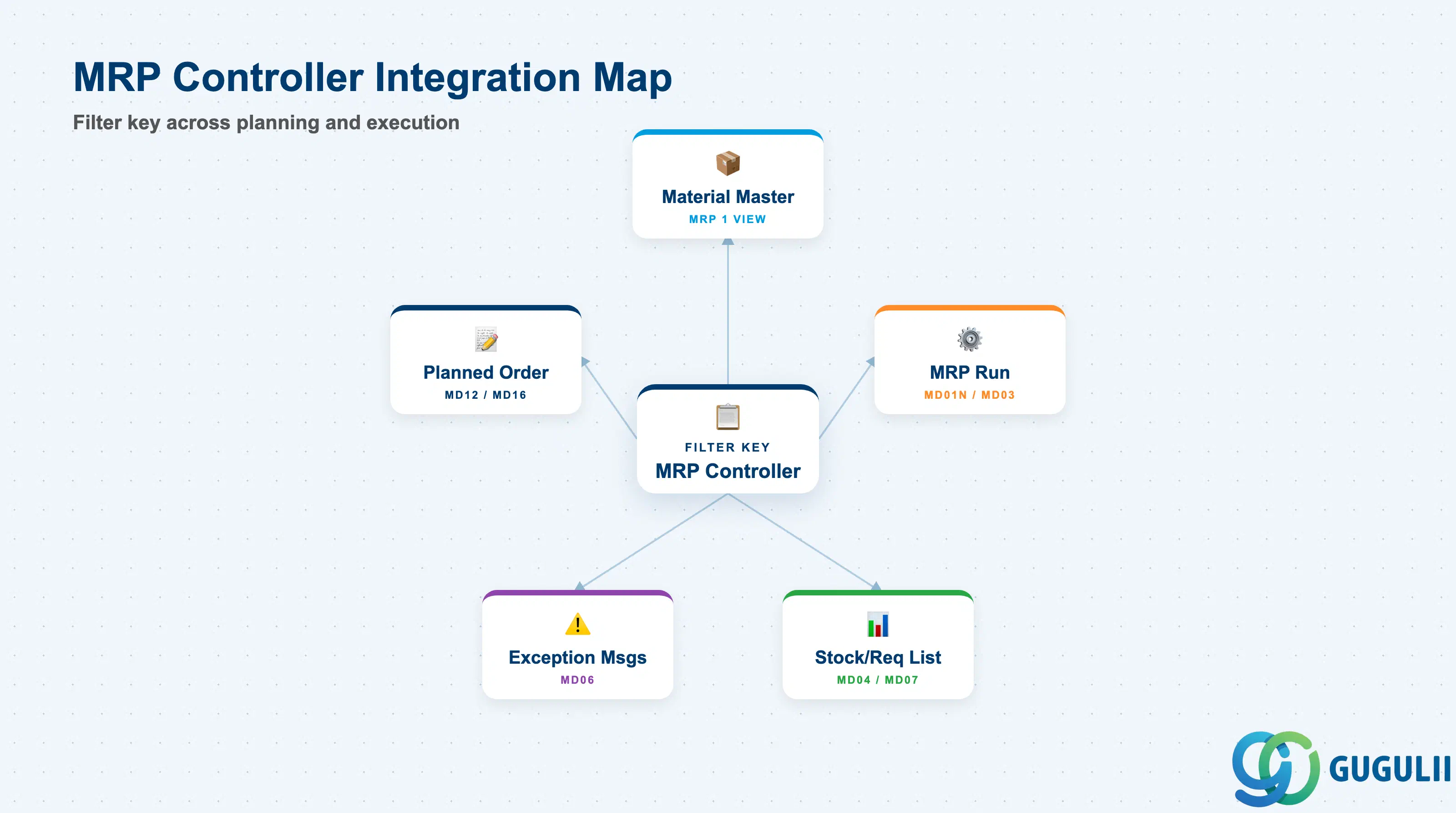
The MRP Controller is the filter key that connects planning master data to planning execution. Its influence extends through every MRP output.
| Object | Relationship | Practical Notes |
|---|---|---|
| Material Master (MRP 1 View) | Controller assigned at material-plant level (MARC-DISPO) | Every MRP-relevant material must have a controller assigned. Materials without a controller cannot be filtered in MD06 or planning worklists — exception messages appear only in the “unassigned” catch-all. |
| MRP Run (MD01N / MD03) | Controller used as a selection filter | MD01N accepts MRP Controller as a selection criterion, enabling a planner to run MRP only for their assigned materials. This is the primary operational use of the controller key. |
| Stock/Requirements List (MD04) | Filtered by controller in MD07 / MDBT | MD07 (MRP List — collective display) and MDBT (background MRP) accept controller as a filter. Allows planners to review only their materials. |
| Exception Messages (MD06) | Primary exception filter | MD06 is the daily planning worklist. Planners open MD06, filter by plant and MRP Controller, and process exception messages (reschedule, cancel, convert planned orders). Controller granularity directly determines how useful this worklist is. |
| Planned Order (MD12 / MD13) | Planned orders carry the controller of the material | Planned order lists (MD16) can be filtered by MRP Controller. During order conversion week, planners use this filter to convert only their assigned planned orders to production orders. |
| Production Order (CO01) | Inherits controller from planned order/material | Controller visible in the production order header. Can be used in CO reporting filters to link planning responsibility to actual order execution. |
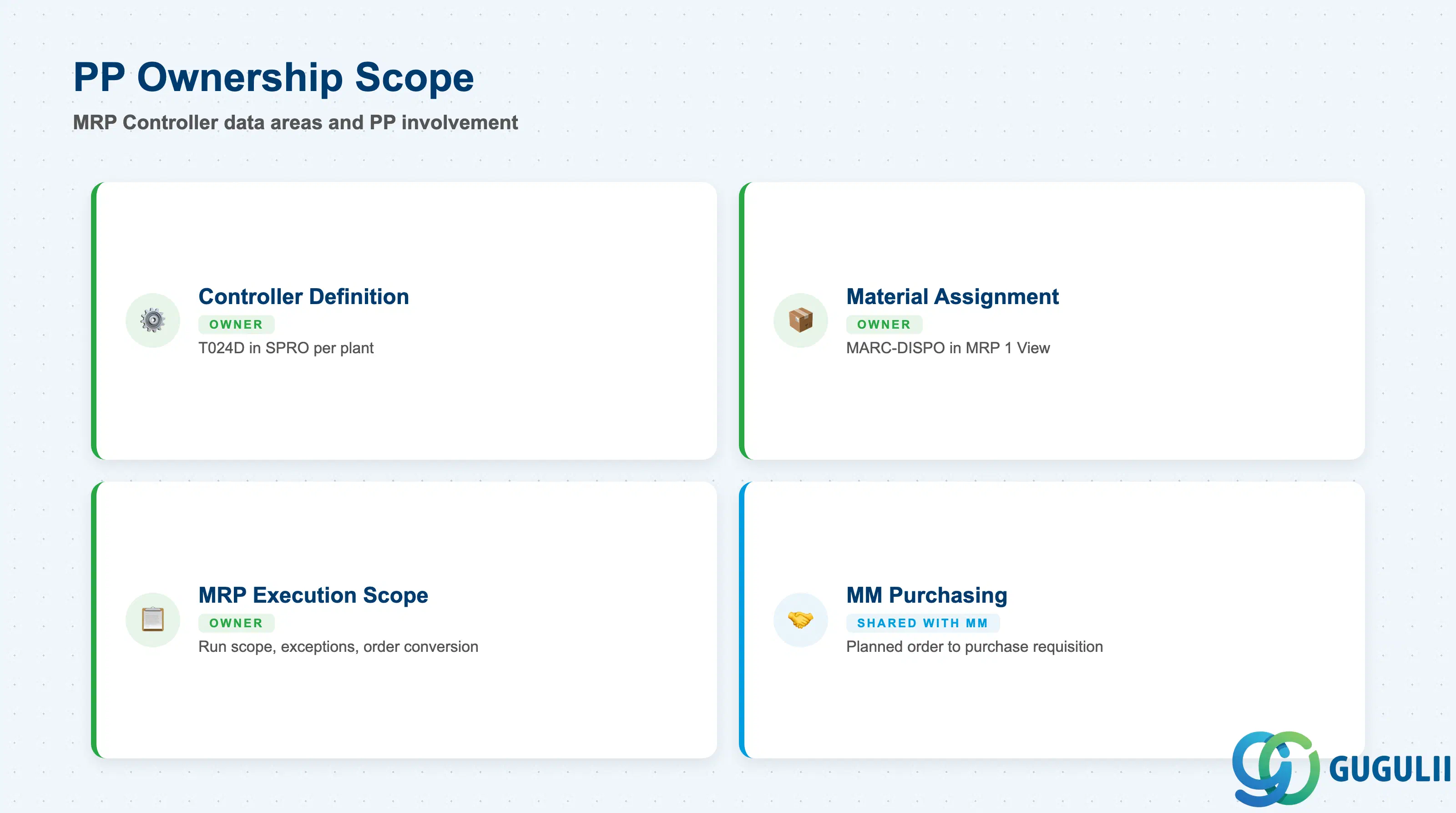
| Data Section | PP Involvement | Notes |
|---|---|---|
| Controller Definition (T024D) | ◎ Owner | Defined in SPRO per plant; PP consultant owns the complete definition |
| Material Master Assignment (MARC-DISPO) | ◎ Owner | Assigned in MM02 MRP 1 View; PP owns all MRP view fields |
| MRP Execution Scope | ◎ Owner | MRP run scope, exception triage, and planned order conversion all use Controller as primary filter |
| MM Purchasing Coordination | ○ Shared with MM | For externally procured (F) or combination (X) materials, MRP Controller determines which planner converts planned orders to purchase requisitions; MM buyers then process them |
Legend: ◎ = Owner / Critical, ○ = Direct involvement
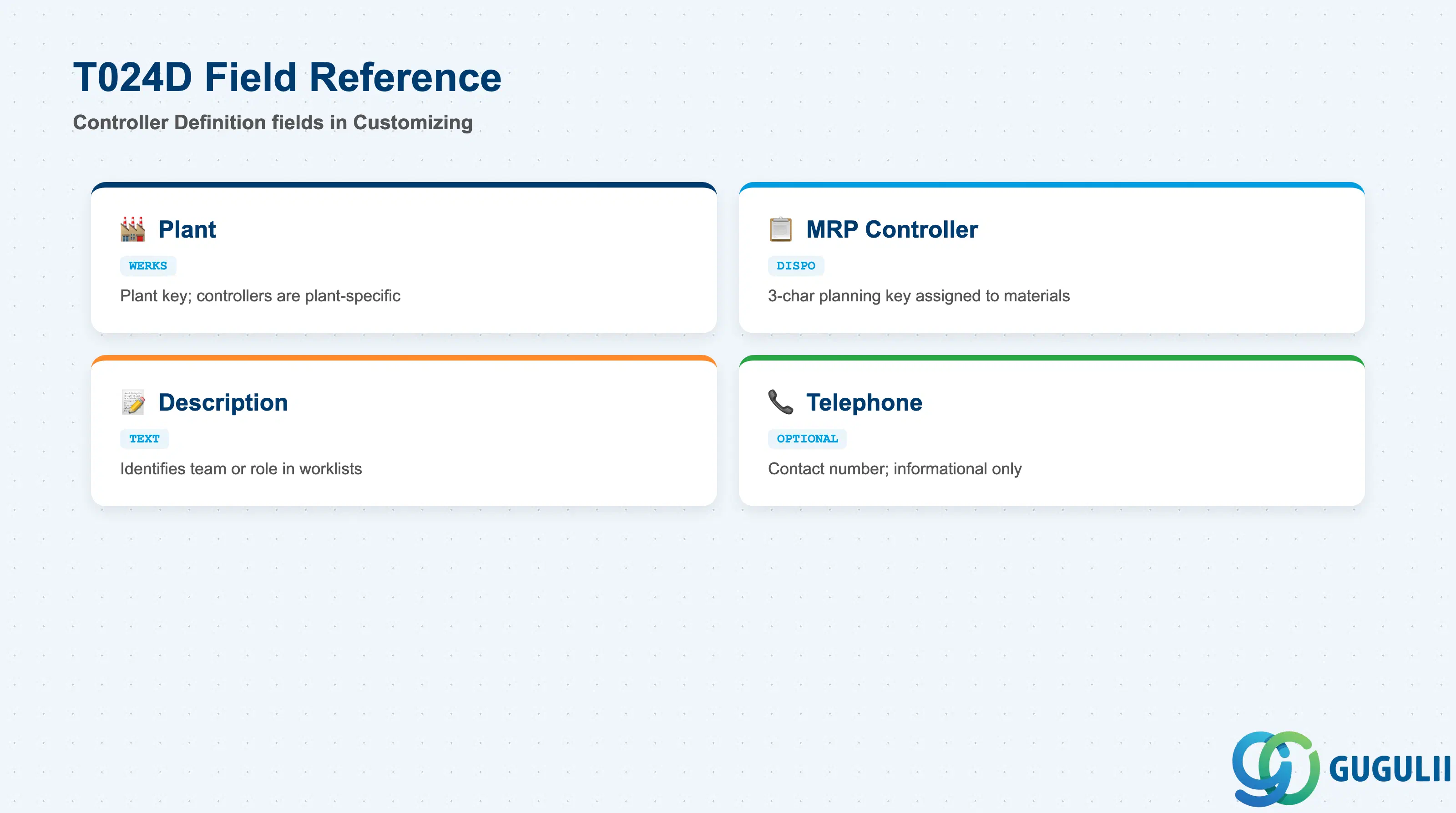
The Controller Definition is maintained in Customizing (SPRO) and establishes the valid keys for MRP Controller assignment in the plant. It is a short record with few fields, but its absence blocks material master maintenance.
| Field | Description | Practical Usage |
|---|---|---|
| Plant (WERKS) | Plant key for this controller definition | MRP Controller keys are plant-specific. Define the same key in each plant separately if the same planning team covers multiple plants. Do not assume cross-plant inheritance — it does not exist. |
| MRP Controller (DISPO) | 3-character planning key | The key assigned to materials in the MRP 1 View. Choose codes that planners can recognize at a glance (e.g., FIN, RAW, 001). Avoid cryptic codes that require a lookup table to interpret during daily exception triage. |
| Description | Free-text description of the controller | Visible in planning worklists and reports. Write a description that identifies the responsible team or role clearly: “Finished Goods Planning Team,” not just “FG.” Clear descriptions reduce misrouting of exception messages. |
| Telephone | Contact telephone number (optional) | Informational only. Useful in multi-site or shared-service center environments where the planner identity behind the key is not obvious to other teams. Not used in any system logic. |
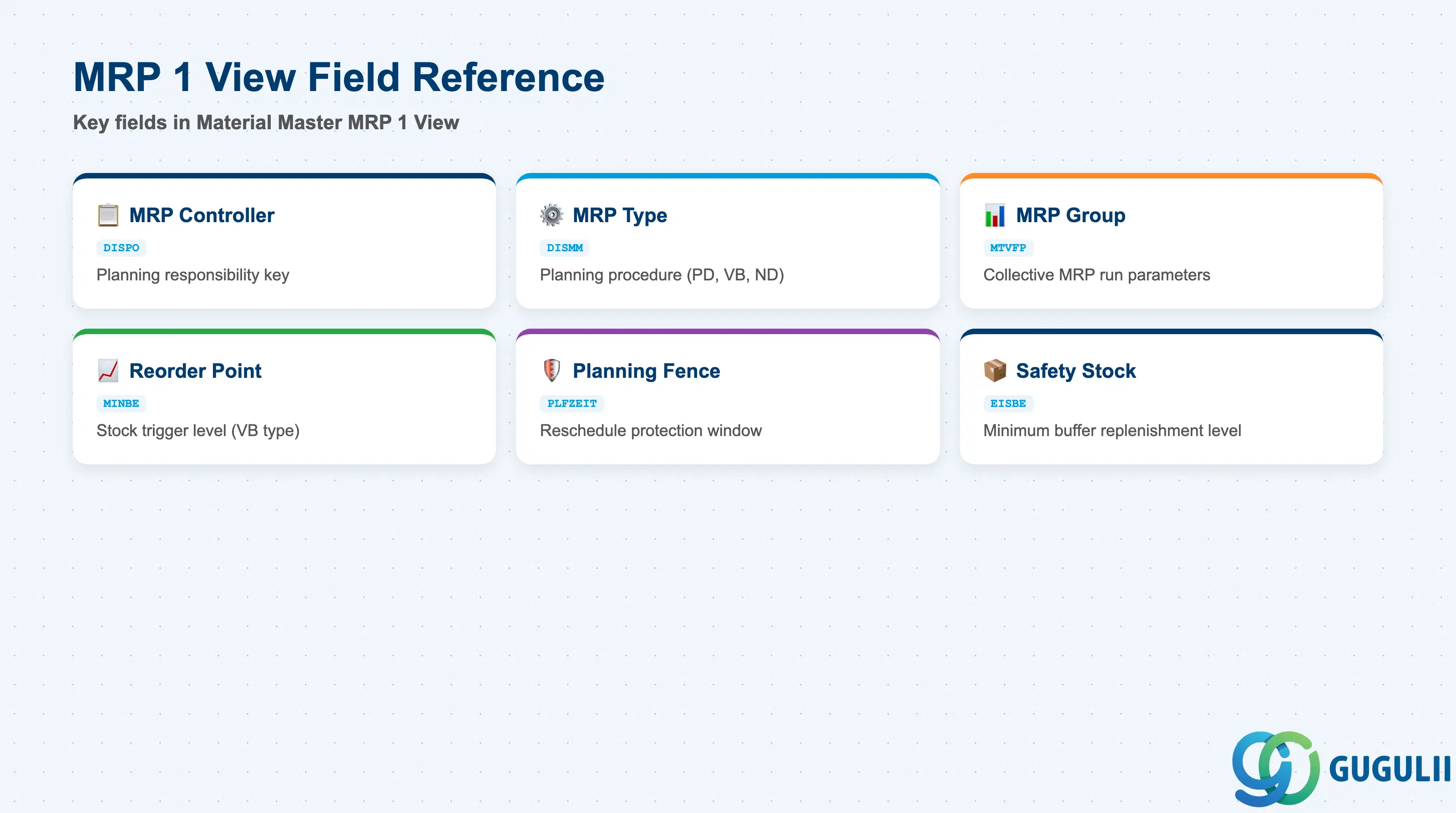
The MRP 1 View is where the MRP Controller is assigned to an individual material at the plant level. This view also contains the MRP Type and other planning parameters that determine how MRP runs for this material and how the controller’s workload is generated.
| Field | Description | Practical Usage |
|---|---|---|
| MRP Controller (DISPO) | Planning responsibility key | The primary assignment field. Must reference a key defined in T024D for the plant. Changing a controller on a high-volume material mid-project is disruptive — exception messages in progress will appear under the old controller until the next MRP run. Establish the assignment during data migration and lock it in governance policy. |
| MRP Type (DISMM) | Controls which MRP procedure is used for the material | Determines the planning logic: PD = MRP (standard deterministic), VB = Reorder Point, ND = No MRP. The MRP Controller is only operationally meaningful for materials with an active MRP type (PD, VB, etc.). Materials with ND do not generate planned orders or exception messages — assigning a controller to them is informational at best. |
| MRP Group (MTVFP) | Groups materials for collective MRP run parameters | Optional. MRP Group (transaction OPPR) allows additional planning parameters (planning horizon, creation indicator defaults) beyond what MRP Type provides. Used in complex production environments to differentiate planning parameters by product family within the same plant. |
| Reorder Point (MINBE) | Stock level that triggers a planned order (VB type only) | Relevant only for Reorder Point planning. For MRP type PD, this field is irrelevant. Set based on average daily consumption × replenishment lead time + safety stock, and review quarterly against actual demand patterns. |
| Planning Time Fence (PLFZEIT) | Number of days in which MRP does not reschedule existing orders | Protects confirmed production orders from being rescheduled by MRP within the fence. The MRP Controller is responsible for manually resolving exceptions inside the fence. A fence of 0 means MRP will reschedule everything — in high-volume plants this floods MD06 with reschedule messages and undermines planner trust in the system. |
| Safety Stock (EISBE) | Minimum stock buffer below which replenishment is triggered | For MRP type PD, safety stock acts as an additional demand signal. The MRP Controller must review safety stock values periodically to prevent chronic over-procurement or stock-outs in volatile demand scenarios. |
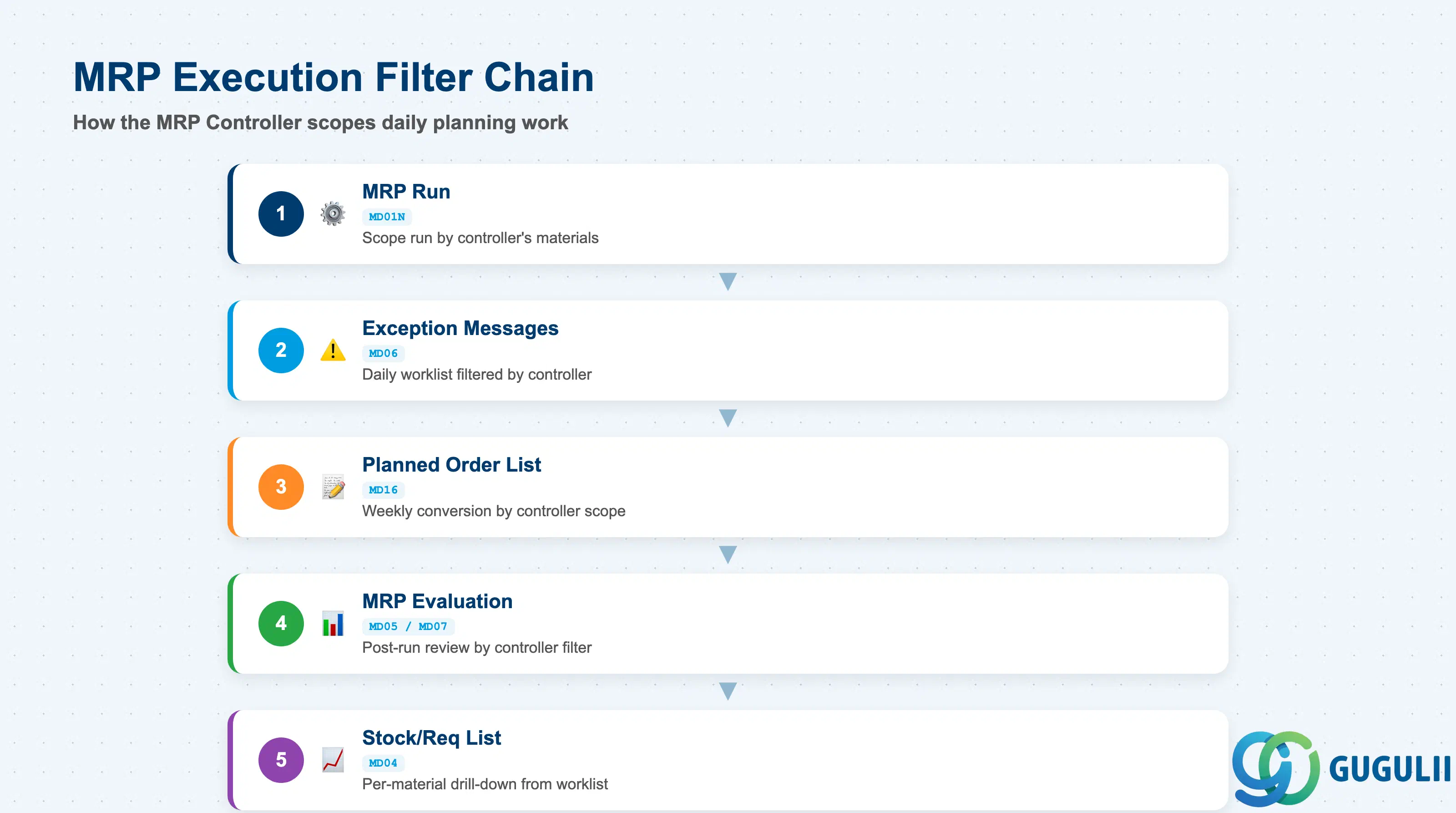
The MRP Controller’s primary operational value is as a filter and ownership key in MRP execution transactions. These are not “fields” in a master data record but the runtime behaviors driven by the controller assignment.
| Execution Context | Description | Practical Usage |
|---|---|---|
| MRP Run Scope (MD01N) | Controller used as a selection parameter to scope the MRP run | Run MRP only for one controller’s materials to reduce runtime and isolate planning scope. In go-live stabilization phases, running by controller allows the planner to verify their own materials before a full plant run. Requires the “MRP Controller” selection field to be active in the MD01N selection screen. |
| Exception Messages (MD06) | Controller is the primary filter for the daily planning worklist | Planners open MD06 each morning filtered by their controller key and plant. Exception messages include: reschedule in/out, cancel, increase/decrease quantity, new requirements. The volume and actionability of these messages is the most direct measure of planning data quality. High volumes of “reschedule in” messages typically indicate unrealistically long planned delivery times or safety stock set too high. |
| Planned Order List (MD16) | Filter for planned order conversion | At the weekly order conversion meeting, planners use MD16 filtered by controller to review planned orders due for conversion to production orders. Controller granularity here determines how cleanly the conversion workload is distributed between planners. |
| MRP Evaluation (MD05 / MD07) | MRP list filtered by controller for post-run review | After an MRP run, planners review the MRP list (MD05 per material, MD07 collective) to check what the system proposed. Filtering by controller allows planners to focus review on their assigned materials without seeing the entire plant’s output. |
| Stock/Requirements List (MD04) | Individual material planning view | Not filtered by controller — MD04 is always per-material. The controller is visible in the material’s MRP 1 view but MD04 itself shows the planning situation for one material regardless of controller. The integration here is via MD06/MD16 which link back to MD04 for drill-down. |
| ID | Category | Title |
|---|---|---|
| pp-001 | Overview | What is SAP PP? |
| ID | Category | Title |
|---|---|---|
| pp-a01 | Overview | SAP PP Master Data: Overview, Hierarchy & Relationships |
| pp-a02-01 | Master Data | SAP PP Material Master |
| pp-a02-02 | Master Data | SAP PP MRP Controller 📍 |
| pp-a03-01 | Master Data | SAP PP Work Center |
| pp-a04-01 | Master Data | SAP PP Bill of Materials (BOM) |
| pp-a04-02 | Master Data | SAP PP Routing |
| pp-a05-01 | Master Data | SAP PP Production Version |
| pp-a06-01 | Master Data | SAP PP Class |
| pp-a06-02 | Master Data | SAP PP Characteristic |
| ID | Category | Title |
|---|---|---|
| pp-b01 | Overview | SAP PP Transactions: Process Flow, Hierarchy & Relationships |