Title here
Summary here

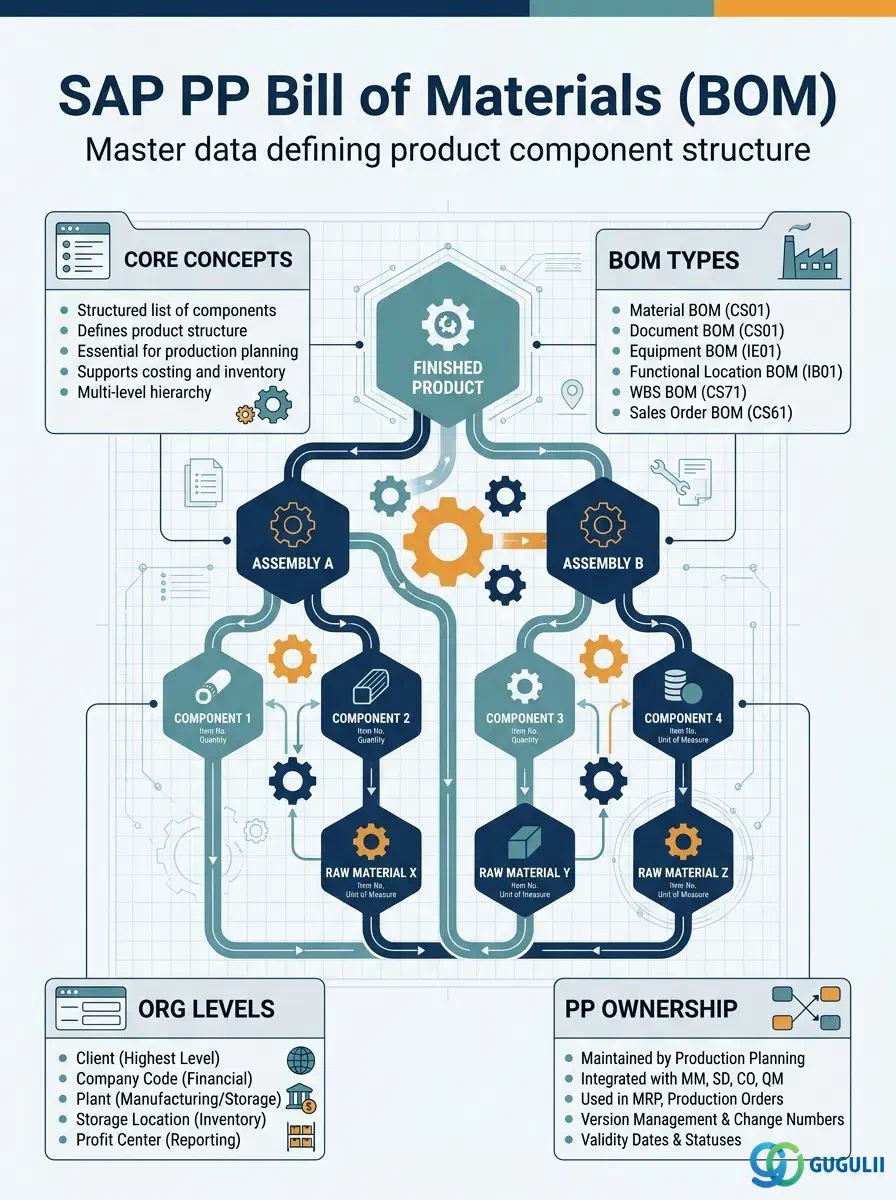
The Bill of Materials (BOM) is the master data object that defines the complete component structure of a manufactured product. It lists every component material, its quantity, and its unit of measure required to produce one unit of the parent material. Every MRP explosion, production order component staging, and cost estimate in SAP PP traces back to this master. This article covers BOM types, usage codes, the multi-level BOM structure, alternative BOM management, and the field-level detail that PP consultants configure and maintain.
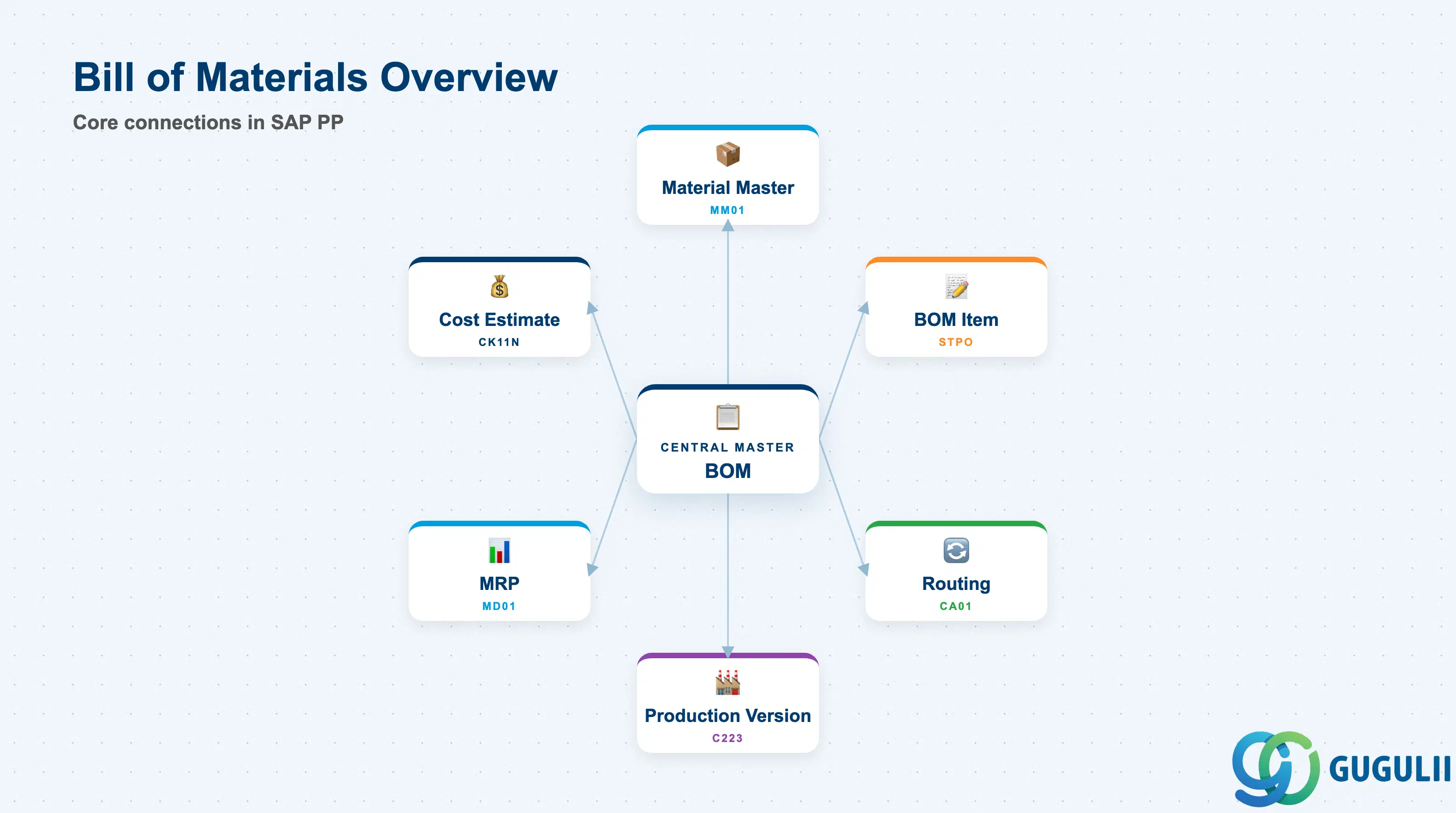
The Bill of Materials is a structured list of the components (sub-assemblies, raw materials, and purchased items) required to produce a specific finished or semi-finished product. It defines the “what” of production: which materials go in, and in what quantities. In SAP S/4HANA PP, the BOM is paired with the Routing (which defines the “how”) and combined into a Production Version to form the complete manufacturing recipe.
| Aspect | Details |
|---|---|
| Role | Defines the complete component list for a parent material — quantities, units, validity periods, and assembly structure |
| Modules using it | PP (production planning and manufacturing — primary owner), CO (product cost estimate via CS component explosion), MM (BOM used in subcontracting purchase orders for component provisioning), SD (Sales BOM for assemble-to-order / kit scenarios) |
| Transactions | CS01 (Create) / CS02 (Change) / CS03 (Display) / CS11 (BOM Explosion) / CS15 (Where-Used List) / CS40 (Multi-Level BOM) |
| Key Tables | MAST (BOM Header Link — Material to BOM), STKO (BOM Header), STPO (BOM Item), STAS (BOM Item Selection) |
| S/4HANA note | BOM data model is unchanged from ECC. Fiori apps “Manage Bills of Materials” (F2229) and “Display Bill of Materials — Multi-Level” are available. Engineering Change Management (ECM) integration for revision-level BOM management is fully supported. |
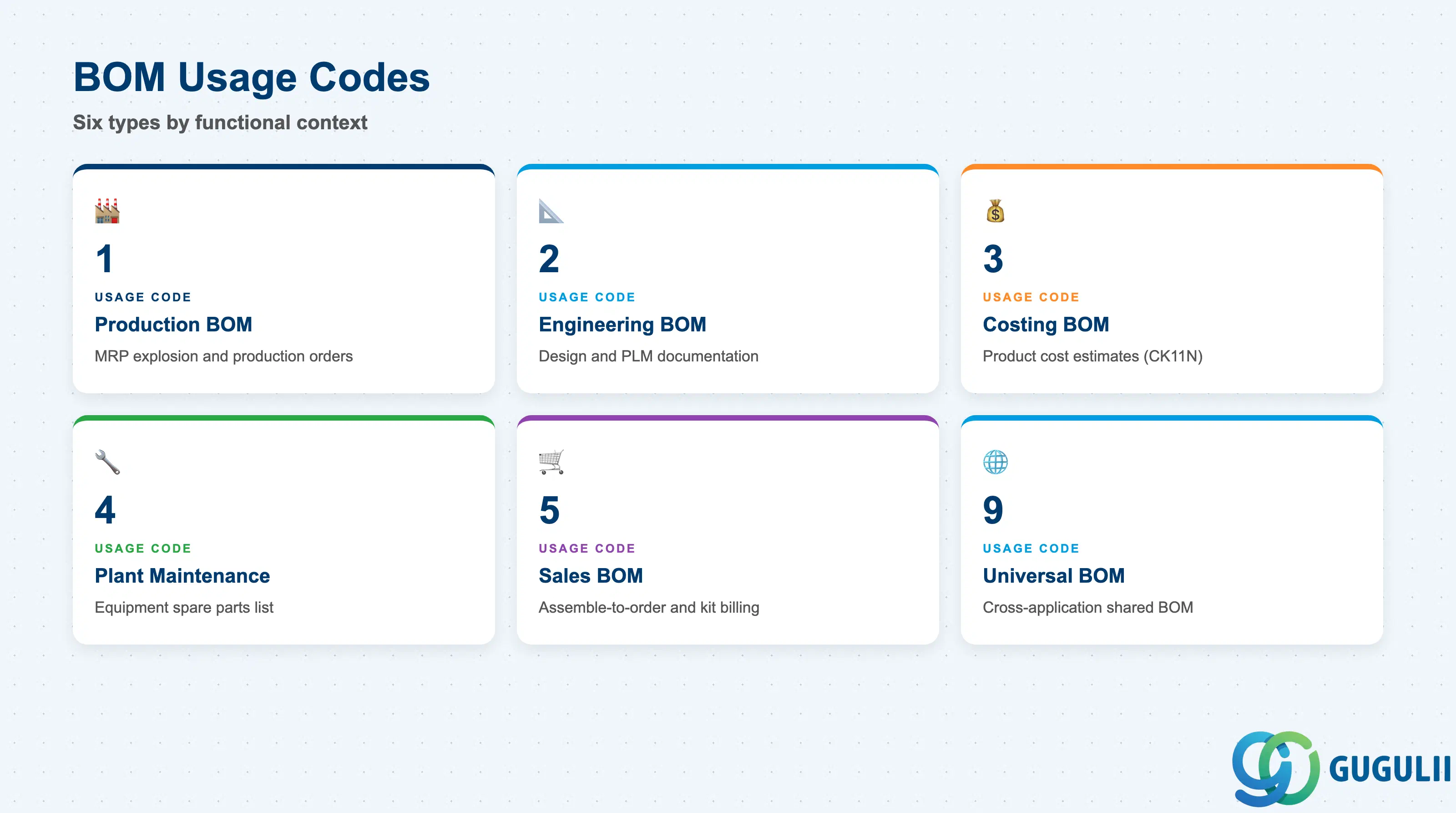
The BOM Usage code determines the functional context in which a BOM is valid. Getting this wrong causes the BOM to be invisible to the relevant application — for example, using a Costing BOM in MRP will not trigger production planning correctly.
| BOM Usage | Code | Use Case | Key Behavior |
|---|---|---|---|
| Production BOM | 1 | Standard manufacturing — MRP explosion, production orders | The primary BOM type in PP. Used for MRP material requirements planning and production order component assignment. Must be present for any material subject to in-house manufacturing (Procurement Type E or X). |
| Engineering BOM | 2 | Design and engineering documentation | Used by engineering/PLM teams for product definition. Not used by MRP or production orders unless converted or copied to Usage 1. |
| Costing BOM | 3 | Product cost estimate (CO-PC) | Consumed by standard cost estimates (CK11N). Can differ from the Production BOM — for example, scrap allowances, yield losses, or overhead activities may be modeled differently for cost purposes. |
| Plant Maintenance BOM | 4 | Equipment spare parts list (PM) | Linked to PM Equipment Master or Functional Location. Used for maintenance planning and spare parts procurement. |
| Sales BOM | 5 | Assemble-to-order and kit scenarios (SD) | Exploded during sales order processing for kit billing. Configurable in SD pricing via BOM explosion at order entry. |
| Universal BOM | 9 | Cross-application BOM shared across usages | Less common. Used when one BOM definition should be referenced by multiple applications without maintaining separate records. |
Design principle: Always create a Production BOM (Usage 1) as the baseline. If engineering, costing, or sales structures differ materially from the production structure, create separate BOMs per usage rather than compromising the production BOM with non-production adjustments.
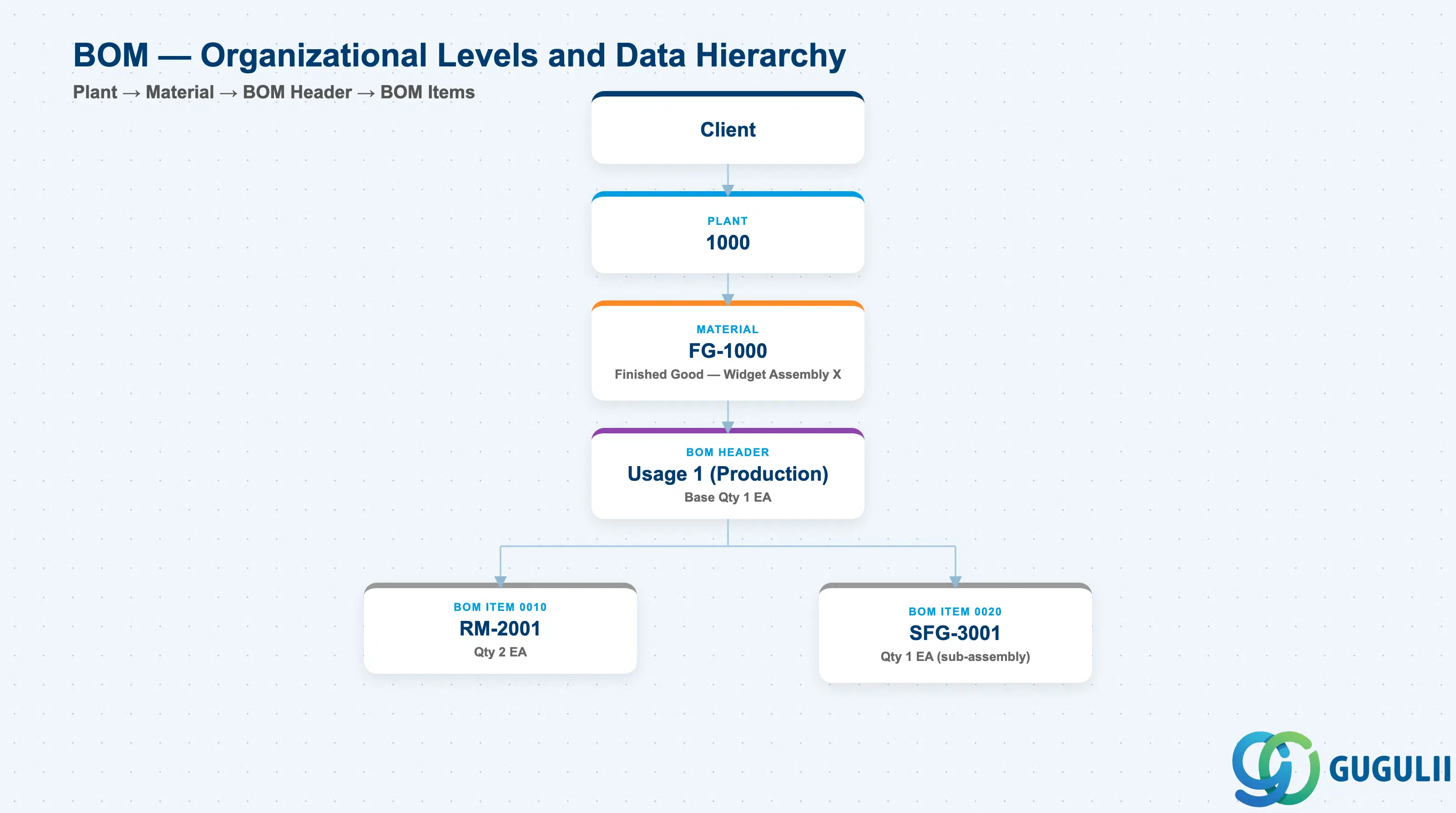
Data hierarchy with a concrete example
Client
   │
   └── Plant 1000
          │
          └── Material FG-1000
                 Finished Good — Widget Assembly X
                 │
                 └── BOM Header
                        Usage 1 (Production), Base Qty 1 EA
                        │
                        ├── BOM Item 0010
                        │      Component RM-2001, Qty 2 EA
                        │
                        └── BOM Item 0020
                               Component SFG-3001, Qty 1 EA
                               (sub-assembly — own BOM)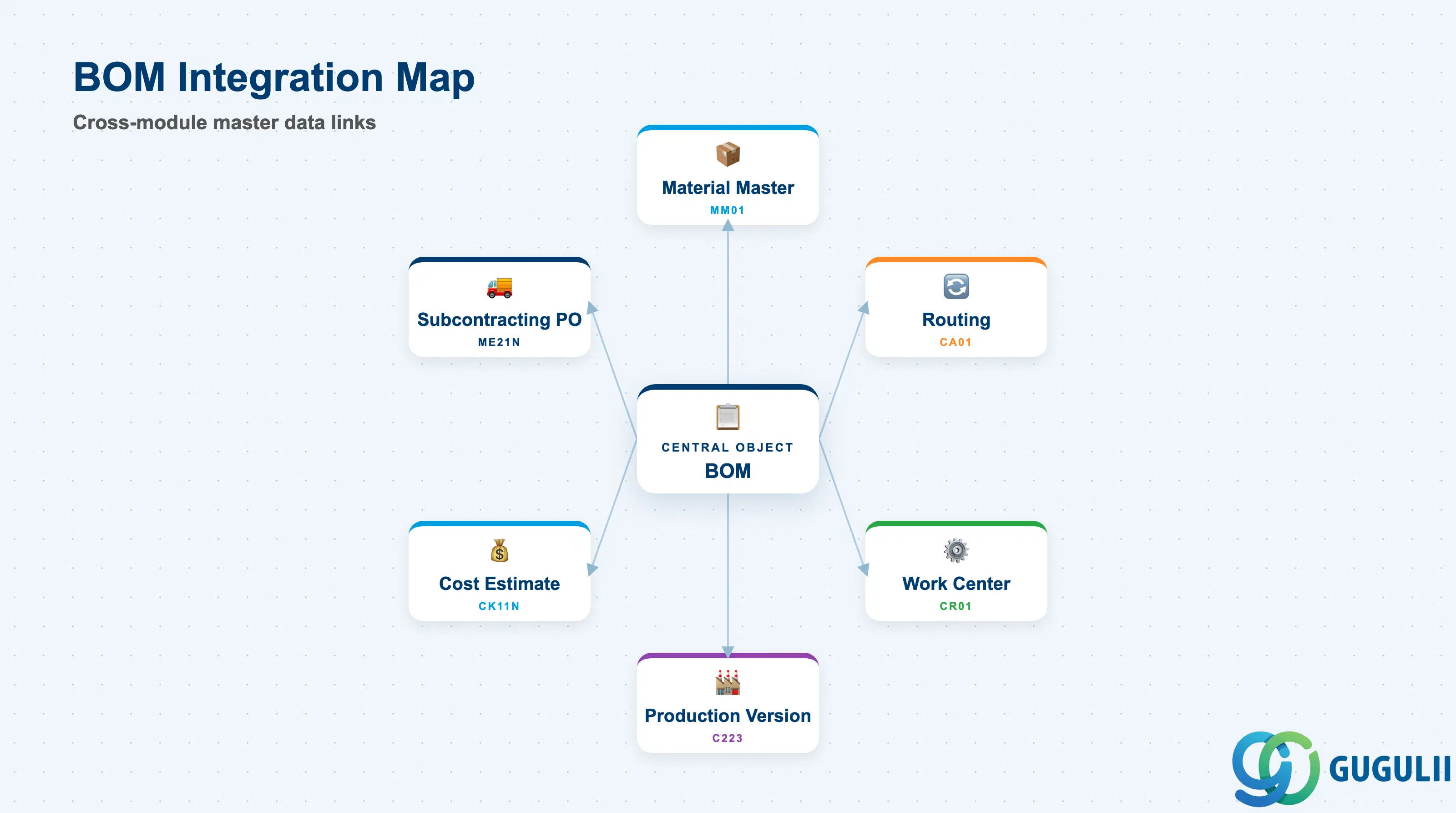
The BOM does not stand alone. It is the structural input for production planning, costing, and supply chain execution across multiple modules.
| Object | Relationship | Practical Notes |
|---|---|---|
| Material Master (MM01) | BOM header references the parent material (MATNR); BOM items reference component materials | Material Master must exist for both parent and all components before BOM creation. The Procurement Type field (MRP 2 View) of the parent material must be set to E (in-house) or X (both) for MRP to use the Production BOM. |
| Routing (CA01) | BOM and Routing are paired in the Production Version | BOM defines components; Routing defines operations. Together they form the complete manufacturing recipe. A Production Version is required to link them formally. |
| Work Center (CR01) | Indirect — components are issued to work centers defined in the Routing | Work Center does not appear directly in the BOM, but backflush and goods issue processes are tied to the work center operations that consume BOM components. |
| Production Version (C223) | Production Version references the BOM (via BOM Usage and Alternative) | One Production Version can reference only one BOM Alternative. Multiple alternatives enable switching production methods (e.g., manual assembly vs. automated line) without changing the parent material. |
| Product Cost Estimate (CK11N) | CO-PC explodes the BOM to calculate material component costs | Costing BOM (Usage 3) takes precedence if maintained; otherwise the Production BOM (Usage 1) is used. Scrap percentage (AUSSS) on BOM items directly inflates the cost estimate. |
| Subcontracting Purchase Order | MM subcontracting orders use the BOM to determine components to be supplied to the vendor | Ensure the subcontracting BOM is aligned with the production BOM or maintained as a separate alternative to avoid component discrepancies at goods issue to vendor. |
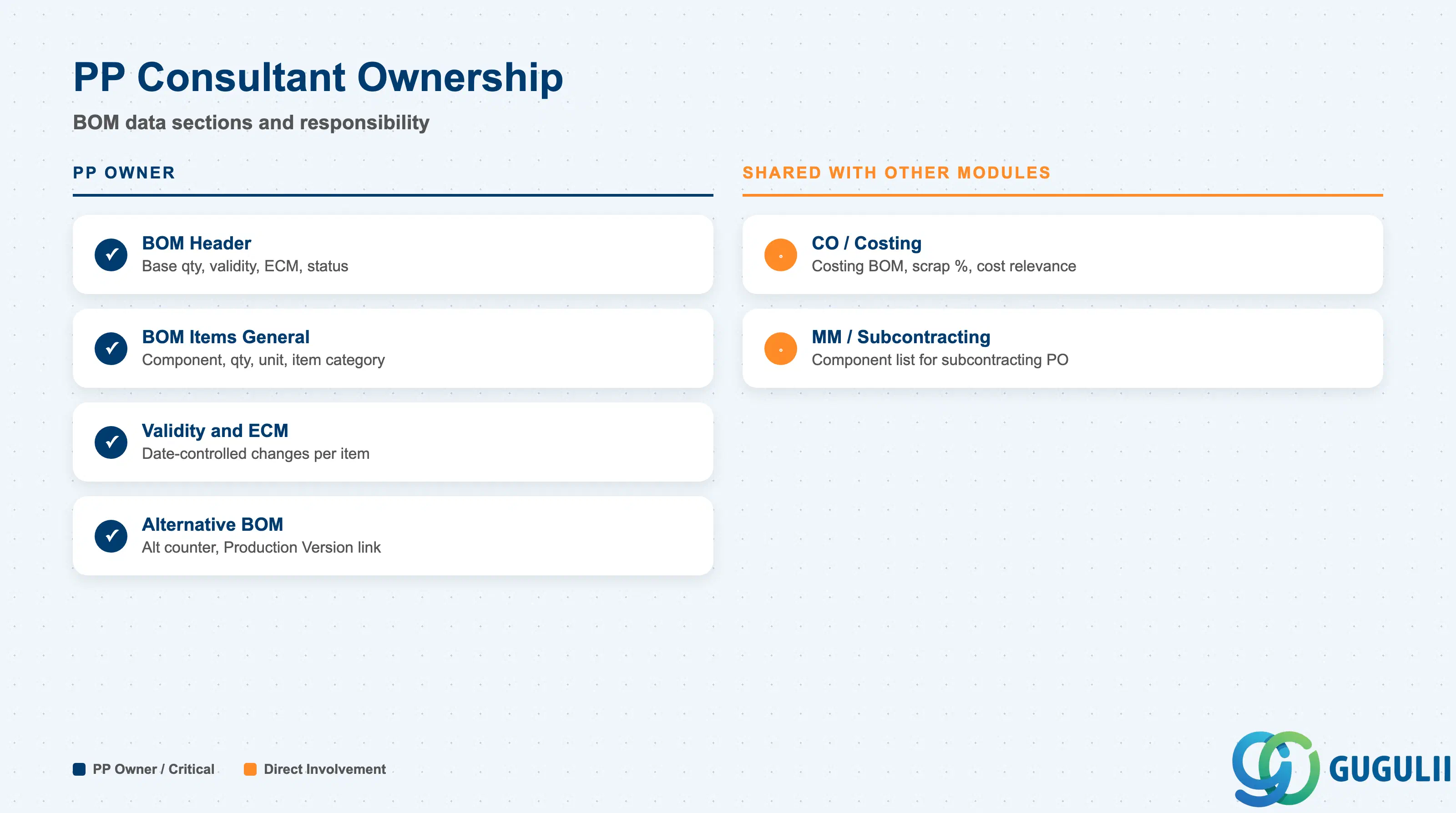
| Data Section | PP Involvement | Notes |
|---|---|---|
| BOM Header | ◎ Owner | Base quantity, validity, ECM change number, BOM status |
| BOM Items — General Data | ◎ Owner | Component, quantity, unit, item category, scrap |
| BOM Items — Validity and ECM | ◎ Owner | Valid From/To, engineering change number per item |
| Alternative BOM Management | ◎ Owner | Alternative BOM counter, Production Version linkage |
| CO / Costing Integration | ○ Shared with CO | Costing BOM variant, scrap percent, component cost relevance |
| MM / Subcontracting | ○ Shared with MM | Component list for subcontracting PO explosion |
Legend: ◎ = Owner / Critical, ○ = Direct involvement
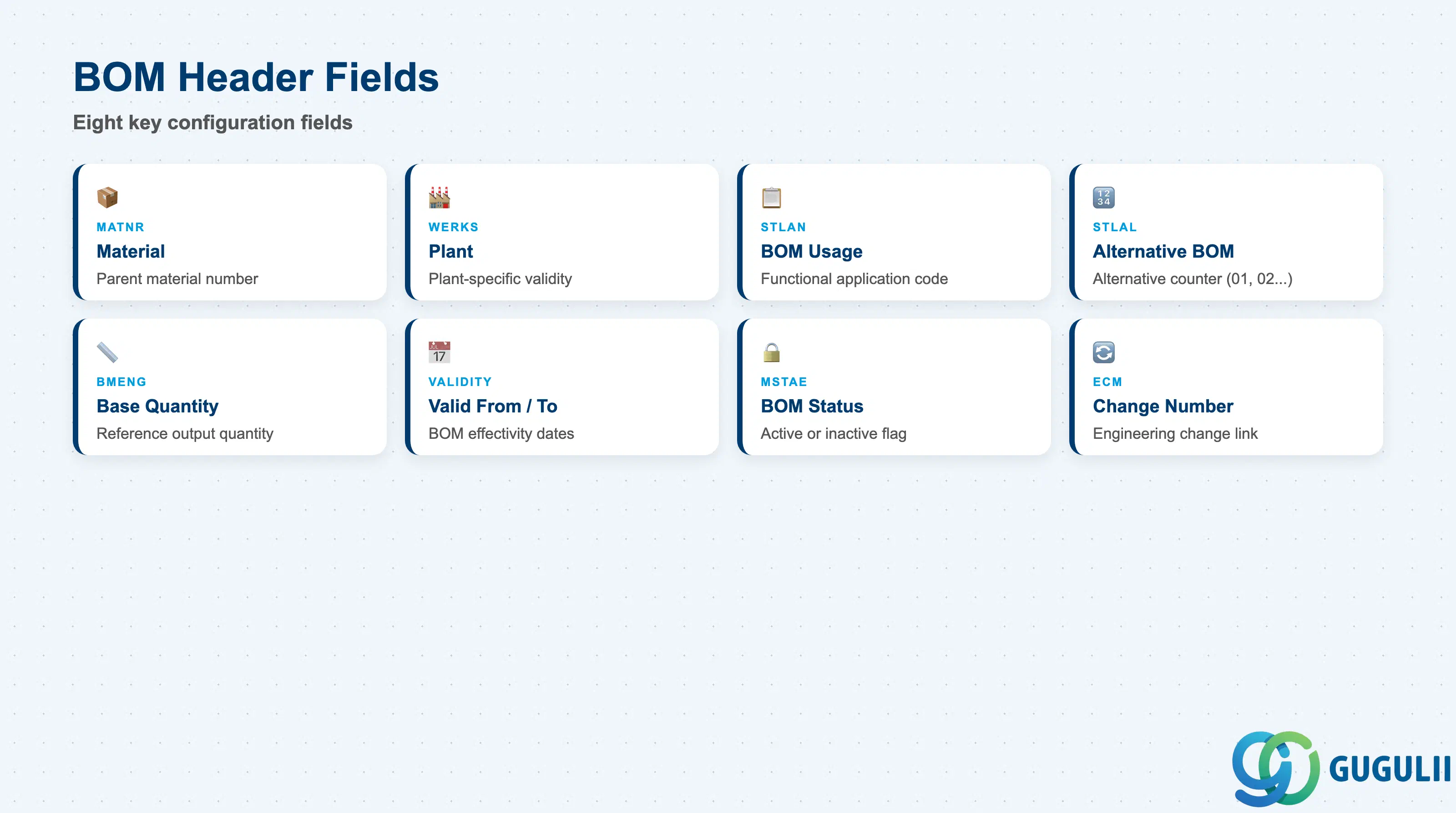
The BOM Header is the controlling record that defines the scope and validity of the entire component list. Header settings govern which production scenario the BOM applies to and its effective date range.
| Field | Description | Practical Usage |
|---|---|---|
| Material (MATNR) | Parent material number | The finished or semi-finished good produced by this BOM. Must have a Material Master with procurement type E or X on the MRP 2 View for MRP to trigger BOM explosion. |
| Plant (WERKS) | Plant where BOM is valid | BOMs are plant-specific. In multi-plant deployments, each plant requires its own BOM record or a copy via CS14. Cross-plant BOMs are not natively supported — this is a frequent blueprint discussion point in global rollouts. |
| BOM Usage (STLAN) | Functional application code | Determines which application can read this BOM: 1 = Production, 3 = Costing, 5 = Sales, etc. A common setup is to maintain Usage 1 for production and Usage 3 only when the costing structure deliberately differs (e.g., to include planned scrap not present in the production BOM). |
| Alternative BOM (STLAL) | Alternative counter | Counter (01, 02, 03…) distinguishing multiple alternative structures for the same material-plant-usage. Alternative 01 is always created first; subsequent alternatives represent different manufacturing methods. The Production Version references a specific alternative. |
| Base Quantity (BMENG) | Reference quantity for component quantities | Defines the output quantity to which all component quantities are relative. Standard is 1 EA of the parent material. Choose carefully: changing Base Quantity requires recalculating all component quantities and impacts cost estimates. |
| Valid From / Valid To | BOM effectivity dates | Define the date range during which this BOM Header is active. BOM explosion in MRP uses the production order’s basic start date to select the valid BOM. Manage design changes via Engineering Change Management (ECM) rather than creating new BOMs whenever possible. |
| BOM Status (MSTAE) | Active / Inactive flag | Only BOMs with an active status are used in production. Setting status to inactive immediately removes the BOM from MRP explosion and production order processing — use with caution in live production environments. |
| Change Number (ECM) | Engineering Change Management number | Links the BOM to a formal change record. ECM enables date-controlled BOM revisions: a new component can be added effective a future date while the current BOM continues to be used for existing orders. Required for change-controlled manufacturing environments (automotive, aerospace, pharma). |
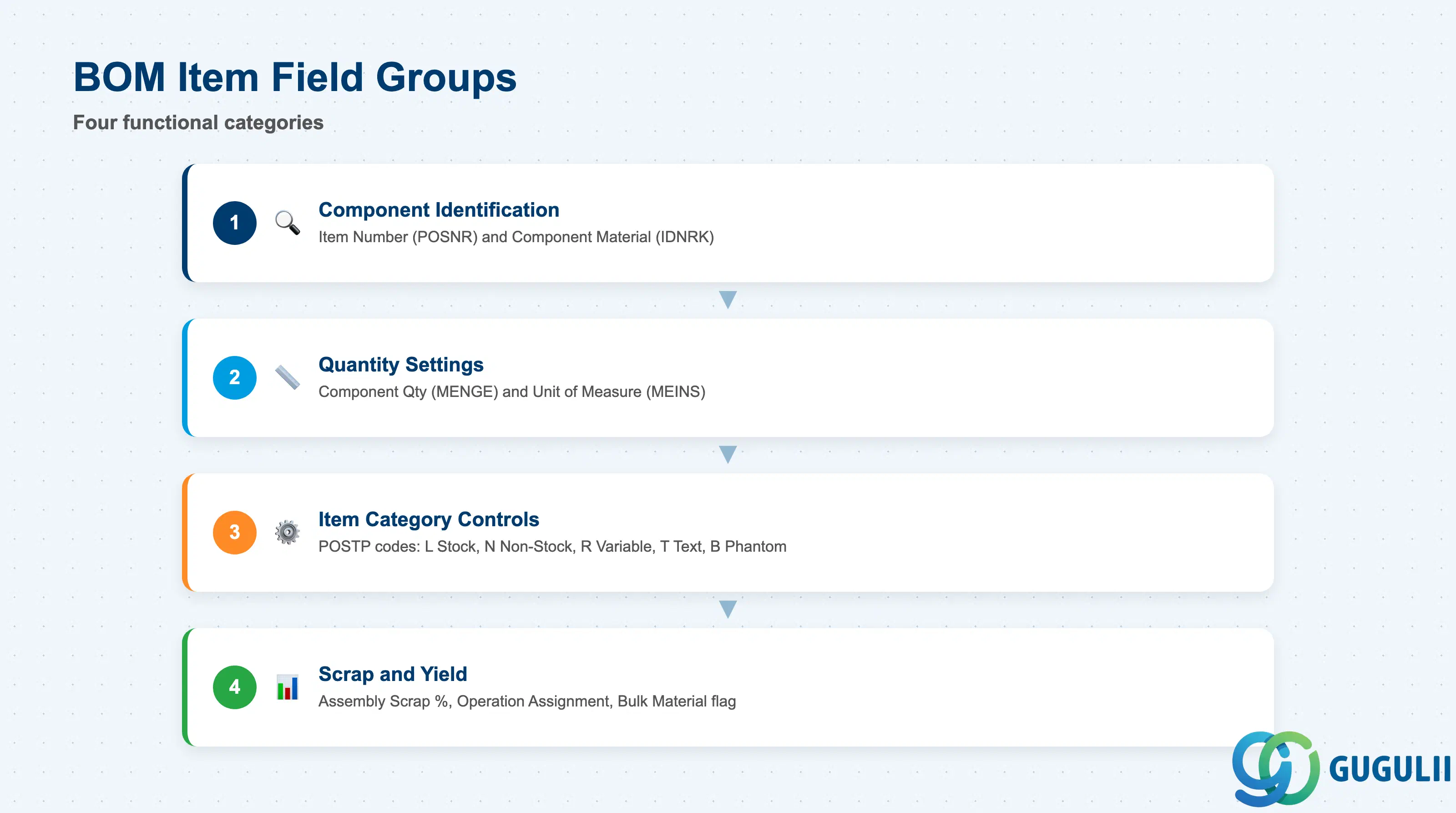
BOM Items define each component required by the parent material. Item-level data controls what is issued, how much, and whether the system handles it as a normal stock material, a phantom assembly, or a non-stock item.
| Field | Description | Practical Usage |
|---|---|---|
| Item Number (POSNR) | Sequence number (0010, 0020, …) | Controls the display order of components in CS03 and production order component lists. Numbering in increments of 10 allows later insertion without full renumbering. |
| Component (IDNRK) | Component material number | The material to be consumed. Must have a Material Master at the same plant. For text items or document items (Item Category N or D), a material number is not mandatory. |
| Item Category (POSTP) | Controls item processing logic | L = Stock Item (standard — goods issued from warehouse); N = Non-Stock Item (procurement item without stock management); R = Variable-Size Item (length or area calculation); T = Text Item (free text — no material issued); B = Phantom Assembly (sub-assembly dissolved at explosion; components issued directly). The most frequent implementation decision is whether to use Phantom Assemblies or maintain separate production orders for sub-assemblies. |
| Component Quantity (MENGE) | Quantity per base quantity | Quantity of the component required to produce the Base Quantity of the parent. Entered per unit of the component’s base unit. Verify unit conversions carefully — a mismatch between BOM component unit and Material Master base unit causes incorrect goods issue quantities. |
| Unit of Measure (MEINS) | Component quantity unit | Must be either the component’s base unit or a unit with a defined conversion in the Material Master Additional Units of Measure. |
| Assembly Scrap (AUSSS) | Component yield loss percentage | Percentage of the component quantity that is expected to be scrapped during production. The system adds this percentage to the component requirement automatically. Example: 5% scrap on a 100 EA component requirement results in 105 EA issued. Feeds directly into the product cost estimate — inflates material cost. |
| Operation Assignment | Routing operation where component is issued | Links the component to a specific routing operation (e.g., issue steel sheet at Operation 0020 — Stamping). Enables operation-level goods issue control and backflush assignment. Leave blank to issue all components at production order release. |
| Bulk Material Indicator | Non-stock consumable flag | When set, the component is treated as a bulk material (oil, lubricant, packaging tape) and excluded from the component list of the production order — it is not planned or issued individually by the system. |
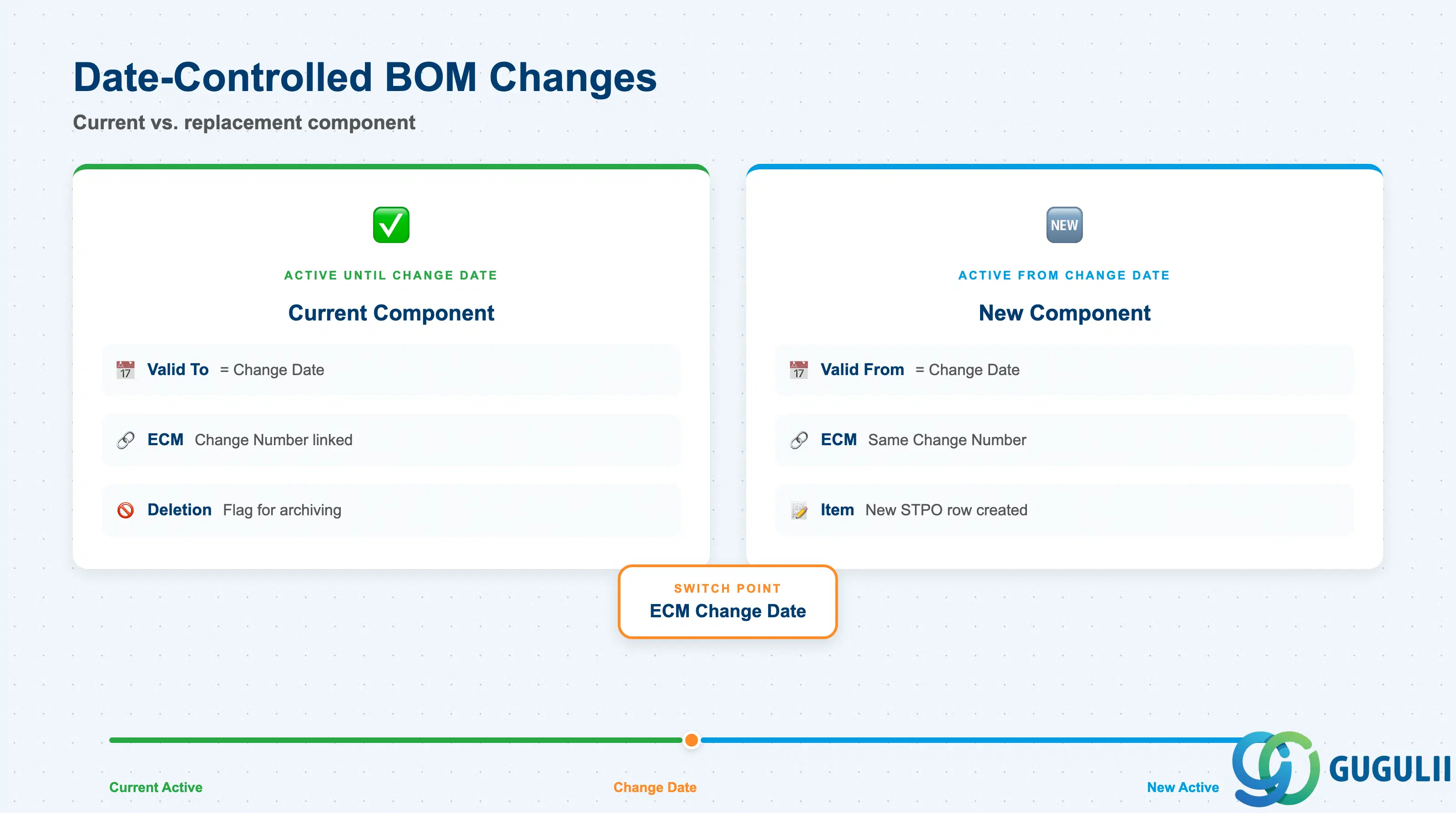
Item-level validity fields allow individual components to have different effective date ranges within the same BOM Header. This supports engineering change management at the component level without replacing the entire BOM.
| Field | Description | Practical Usage |
|---|---|---|
| Valid From (DATUV) | Component effective start date | The date from which this component is active in the BOM. During BOM explosion, MRP and production orders select only components whose Valid From is on or before the production order’s start date. |
| Valid To (DATUB) | Component effective end date | The date after which this component is no longer active. Typically set by an Engineering Change Order (ECO): the old component receives a Valid To, and the new replacement component receives a Valid From on the same date — creating a clean date-controlled switch. |
| Change Number (ECM) | Item-level ECM reference | Links the item change to a formal engineering change record. When an ECM change number is assigned to a BOM item, the change only becomes effective at the ECM’s planned effective date — not immediately. This is the preferred mechanism for revision-controlled manufacturing (automotive, electronics). |
| Deletion Indicator | Mark component for deletion | Flags a component row for archiving. Does not immediately remove the item — use in combination with BOM archiving programs. For active discontinuation, set Valid To to the last effective date instead. |
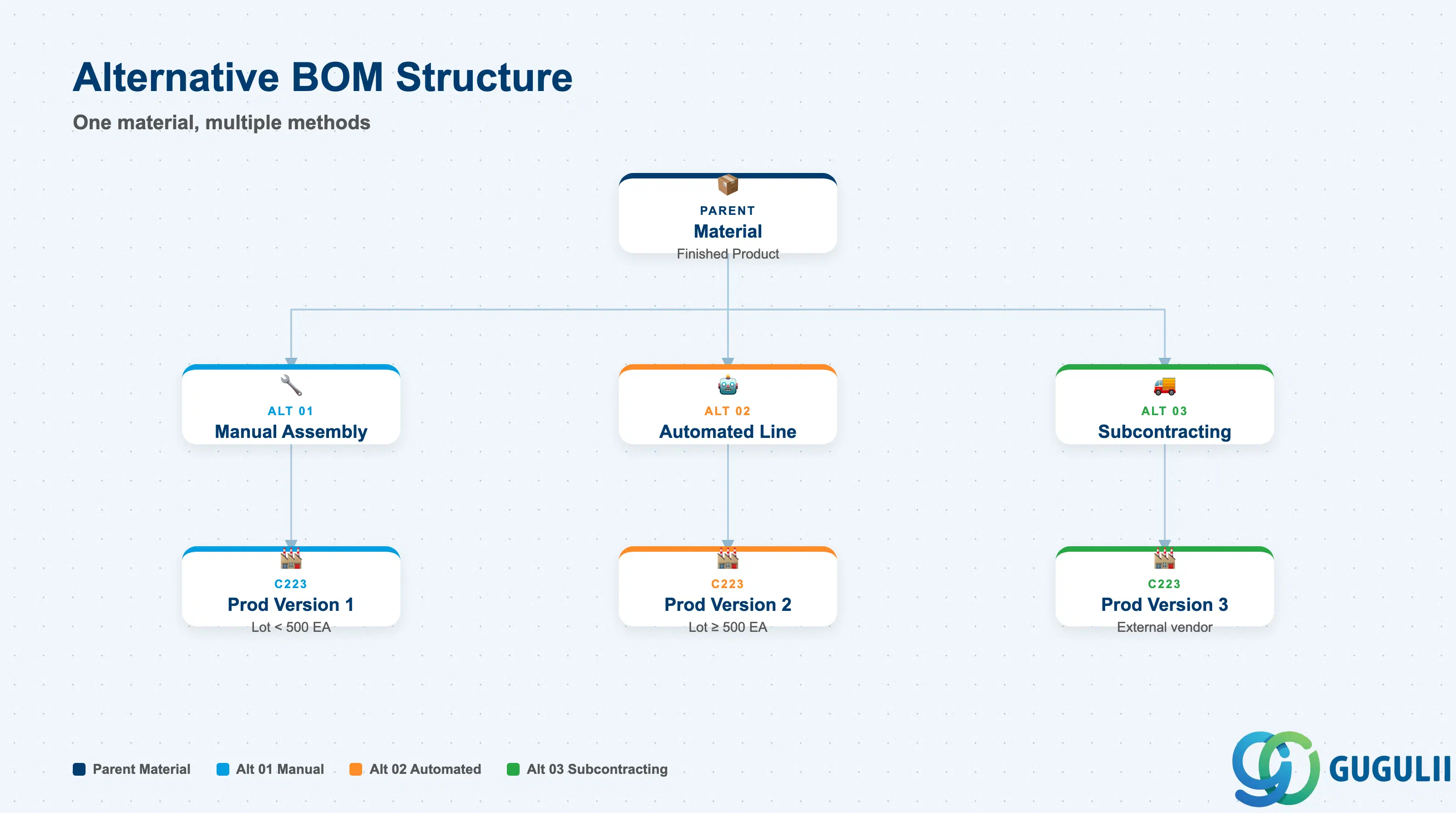
Alternative BOMs enable multiple component structures for the same parent material at the same plant and usage. Each alternative represents a different manufacturing method or supplier scenario. The Production Version selects which alternative to use for a specific production run.
| Field | Description | Practical Usage |
|---|---|---|
| Alternative BOM Number (STLAL) | Counter identifying the alternative (01, 02, 03…) | Created automatically when a new alternative is added in CS01 or CS02. Alternative 01 is always the first. In Production Version setup (C223), each version references exactly one alternative BOM — this is the primary mechanism for method switching in MRP and production order creation. |
| Alternative BOM Text | Short description of the alternative | Use descriptive text to distinguish alternatives clearly: “Manual Assembly,” “Automated Line 1,” “Subcontracting.” Without clear text, alternatives become difficult to manage as the number grows. |
| Lot Size Range (in Production Version) | Applicable lot size min/max | Defined at the Production Version level (not the BOM directly), but drives which alternative is selected by MRP. Example: Alternative 01 (manual) for lots under 500 EA, Alternative 02 (automated) for lots of 500 EA and above. |
| BOM Comparison (CS14) | Tool for comparing two alternatives | Use CS14 to compare component differences between two alternatives or between plants. Essential during rollouts where a template plant BOM is copied to a new plant and deviations need to be documented. |
Design principle: Limit the number of active alternative BOMs per material. More than three alternatives significantly increases maintenance complexity and the risk of production orders referencing an outdated or incorrect alternative. Regularly audit alternatives during annual BOM reviews.
| ID | Category | Title |
|---|---|---|
| pp-001 | Overview | What is SAP PP? |
| ID | Category | Title |
|---|---|---|
| pp-a01 | Overview | SAP PP Master Data: Overview, Hierarchy & Relationships |
| pp-a02-01 | Master Data | SAP PP Material Master |
| pp-a02-02 | Master Data | SAP PP MRP Controller |
| pp-a03-01 | Master Data | SAP PP Work Center |
| pp-a04-01 | Master Data | SAP PP Bill of Materials (BOM) 📍 |
| pp-a04-02 | Master Data | SAP PP Routing |
| pp-a05-01 | Master Data | SAP PP Production Version |
| pp-a06-01 | Master Data | SAP PP Class |
| pp-a06-02 | Master Data | SAP PP Characteristic |
| ID | Category | Title |
|---|---|---|
| pp-b01 | Overview | SAP PP Transactions: Process Flow, Hierarchy & Relationships |