Title here
Summary here

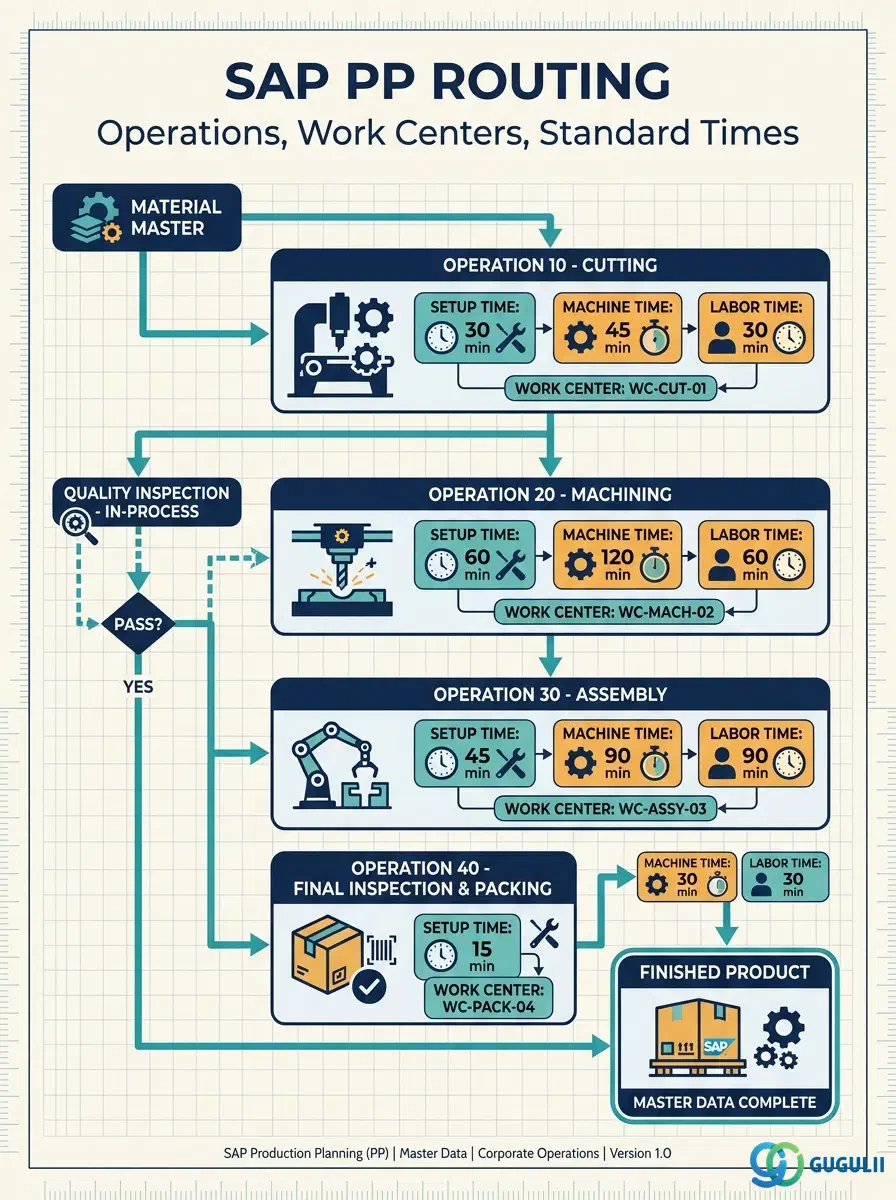
The Routing (作業手順) is the master data object that defines the manufacturing process for a finished or semi-finished material. It specifies the sequence of operations, the work centers responsible for each operation, and the standard times (setup, machine, labor) required to complete production. Together with the BOM, the Routing forms the technical backbone of production planning, scheduling, capacity planning, and cost calculation. This article covers Routing and its child object Routing Operation — their types, organizational scope, integration with other PP master data, and the field-level detail PP consultants configure and maintain.
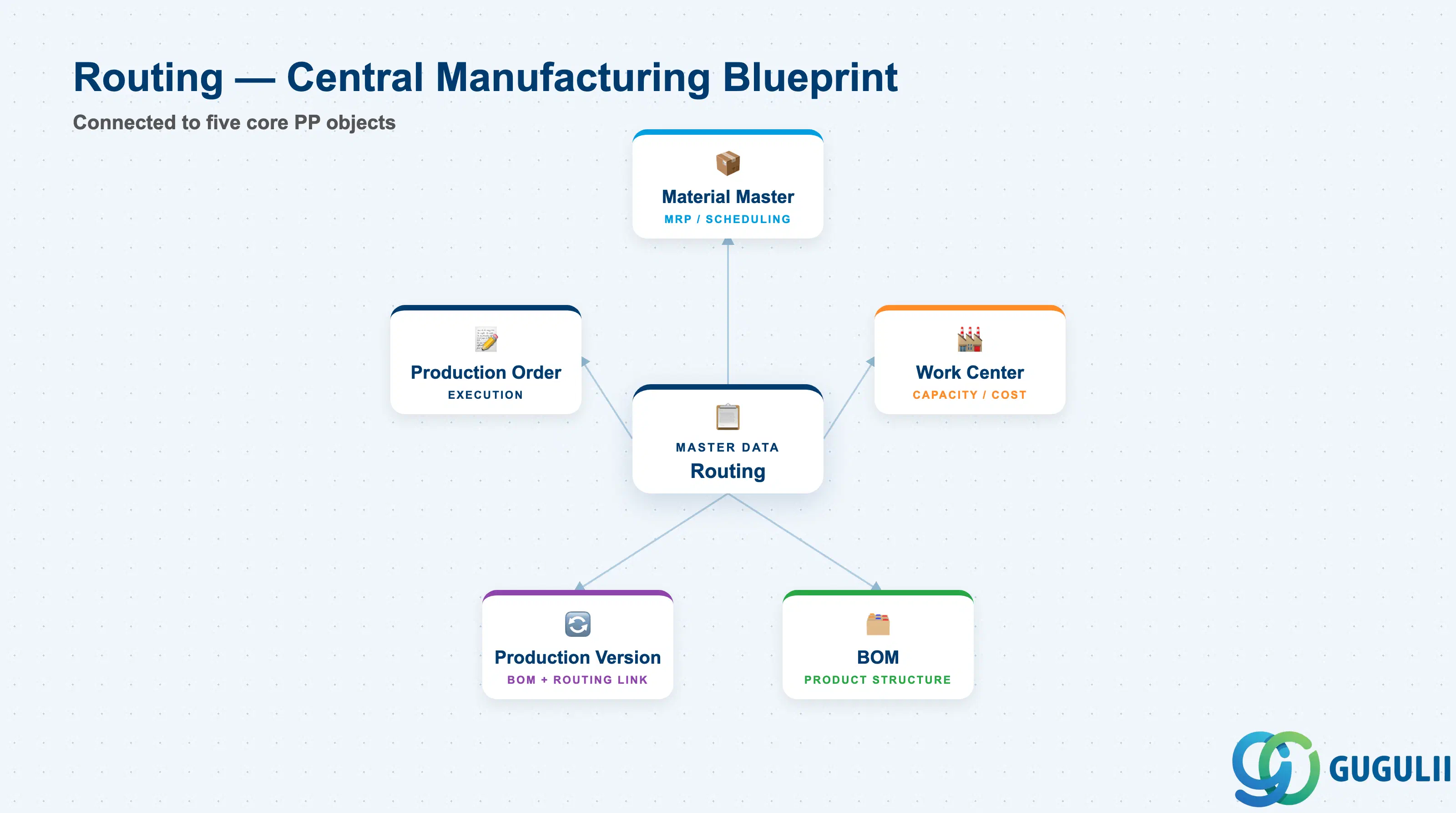
A Routing is a time-sequenced list of manufacturing operations that describes how a product is made. Each operation is assigned to a Work Center and carries standard time values used for scheduling, capacity planning, and cost roll-up. Without a Routing, SAP PP cannot schedule production orders, plan capacity, or calculate standard costs for manufactured materials.
| Aspect | Details |
|---|---|
| Role | Defines manufacturing process sequence: operations, work centers, standard times, and control keys |
| Modules using it | PP (production orders, capacity planning, MRP scheduling — primary owner), CO (standard cost calculation via activity types at work centers), PM (maintenance task lists share the same task list infrastructure) |
| Transactions | CA01 (Create) / CA02 (Change) / CA03 (Display) / CA60 (Where-used list) / CAOR (Operation overview) |
| Key Tables | PLKO (Routing header — task list group), PLPO (Routing operations), PLAS (Allocation: Material to Routing), PLFL (Sequences), PLMZ (Component assignment to operations) |
| S/4HANA note | Routing data model is unchanged from ECC. In S/4HANA, the Fiori app “Manage Routings” (F3082) provides a modern interface. Recipe management (Process Industries) uses a separate object (Master Recipe) but shares the same foundational structure. |
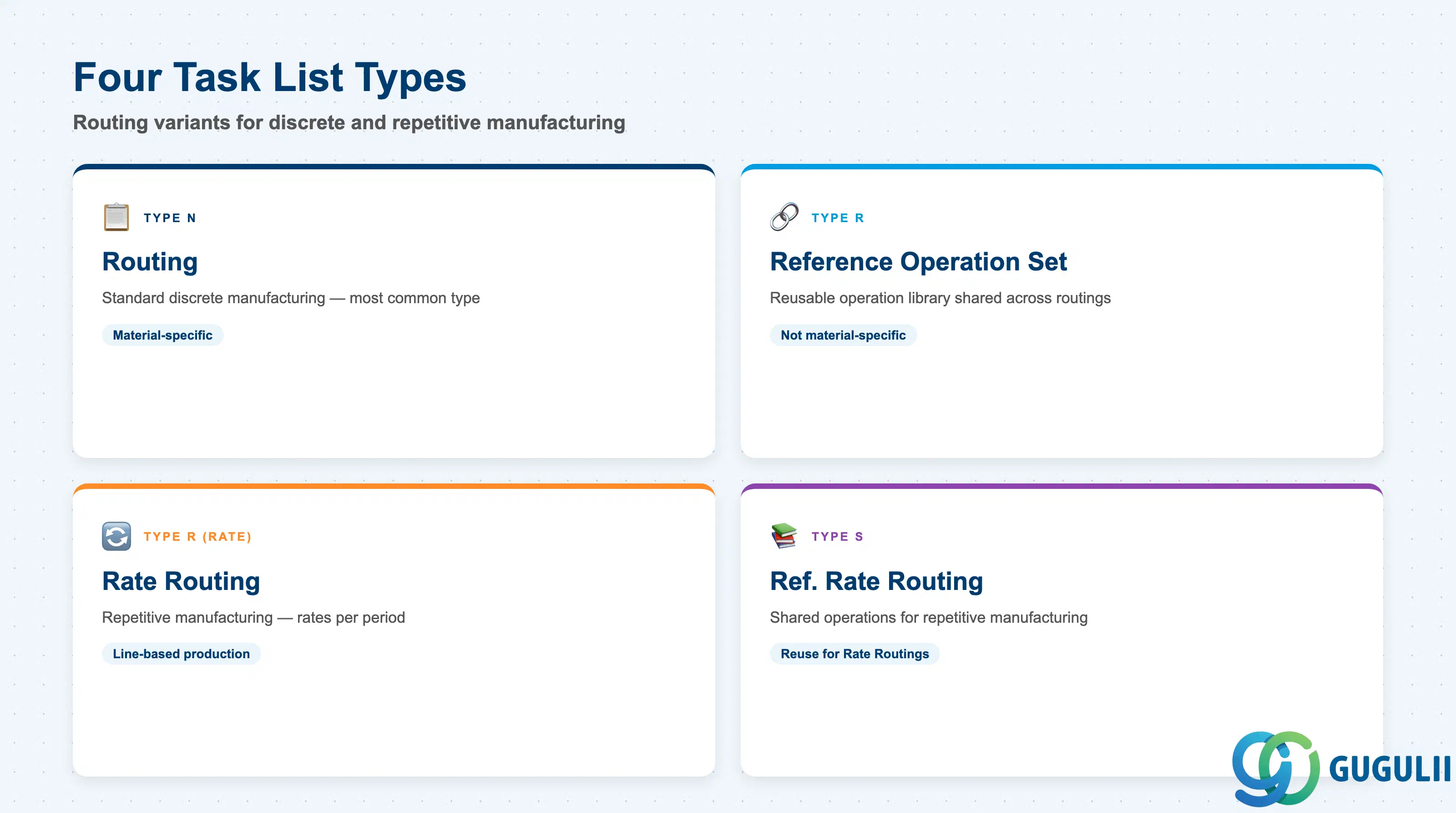
SAP PP uses the concept of “task lists” to cover multiple manufacturing scenarios. Selecting the wrong task list type causes mismatches in production order creation, capacity planning, and costing.
| Routing Type | Task List Type | Use Case | Key Behavior |
|---|---|---|---|
| Routing | N (Normal) | Standard discrete manufacturing — most common | Material-specific. Assigned to one or more materials. Used in production orders and MRP scheduling. |
| Reference Operation Set | R | Reusable operation library — operations shared across multiple routings | Not material-specific. Referenced by other routings to reduce maintenance. Changes to the Reference Operation Set propagate to all referencing routings. |
| Rate Routing | R (Rate) | Repetitive manufacturing (high-volume, line-based production) | Used with planned orders in repetitive manufacturing. Operation quantities are rates per period rather than per order. |
| Reference Rate Routing | S | Reusable operation library for repetitive manufacturing | Shared operations for Rate Routings — same reuse concept as Reference Operation Set but for the repetitive manufacturing context. |
Design principle: For standard discrete manufacturing projects, only Routing (type N) and Reference Operation Sets are relevant. Commit to the Reference Operation Set strategy early — retrofitting shared operations into existing routings is high-effort.
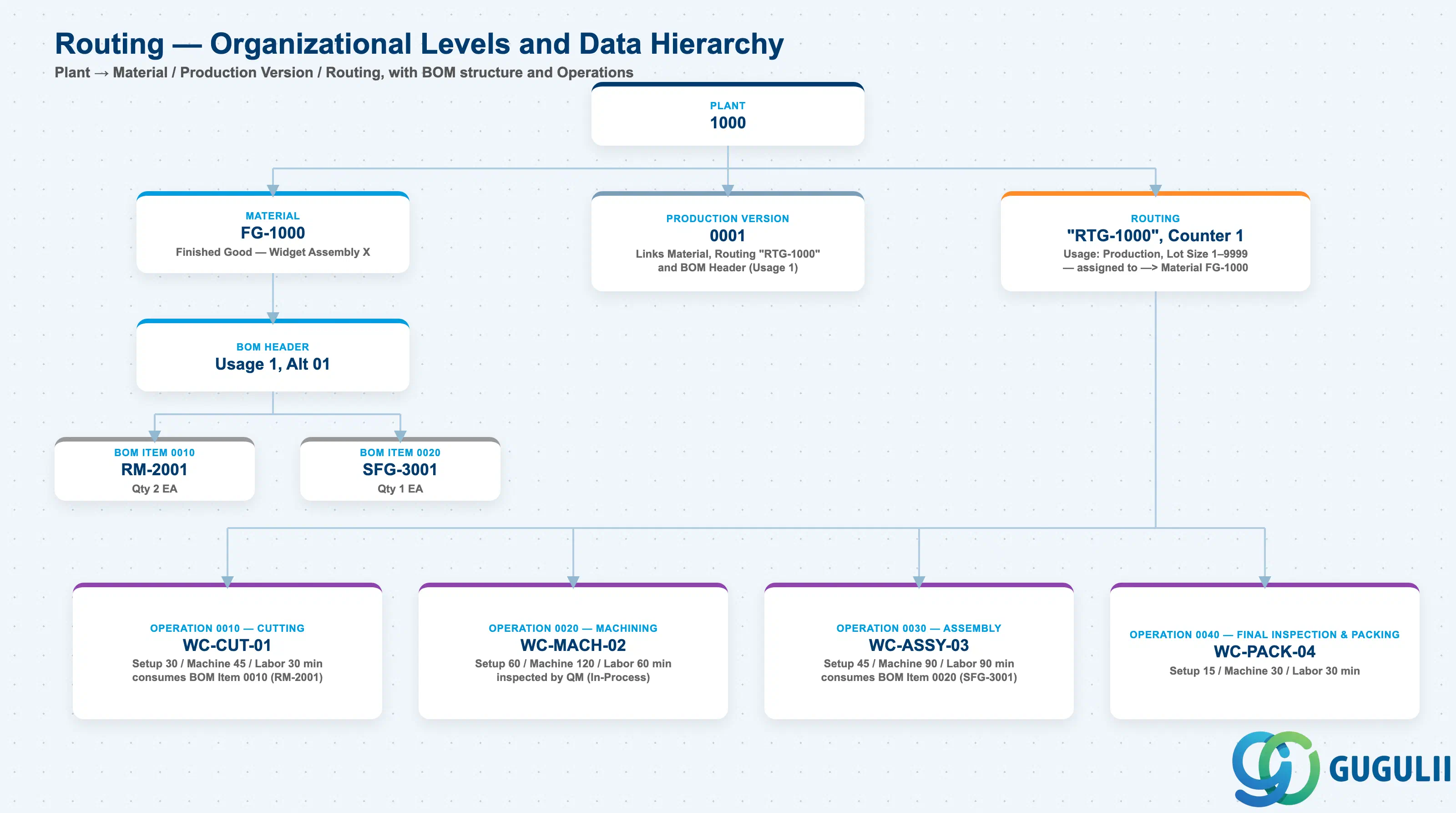
Data hierarchy with a concrete example
Plant 1000
   │
   ├── Material FG-1000
   │      Finished Good — Widget Assembly X
   │      │
   │      └── BOM Header (Usage 1, Alt 01)
   │             ├── BOM Item 0010 — RM-2001, Qty 2 EA
   │             └── BOM Item 0020 — SFG-3001, Qty 1 EA
   │
   ├── Production Version 0001
   │      ── links ──> Material FG-1000
   │      ── links ──> Routing "RTG-1000" + BOM Header (Usage 1)
   │
   └── Routing "RTG-1000", Counter 1
          Usage: Production, Lot Size 1–9999
          ── assigned to ──> Material FG-1000
          │
          ├── Operation 0010 — Cutting
          │      Work Center WC-CUT-01
          │      Setup 30 min, Machine 45 min, Labor 30 min
          │      ── consumes ──> BOM Item 0010 (RM-2001)
          │
          ├── Operation 0020 — Machining
          │      Work Center WC-MACH-02
          │      Setup 60 min, Machine 120 min, Labor 60 min
          │      ── inspected by ──> Quality Inspection (In-Process)
          │
          ├── Operation 0030 — Assembly
          │      Work Center WC-ASSY-03
          │      Setup 45 min, Machine 90 min, Labor 90 min
          │      ── consumes ──> BOM Item 0020 (SFG-3001)
          │
          └── Operation 0040 — Final Inspection & Packing
                 Work Center WC-PACK-04
                 Setup 15 min, Machine 30 min, Labor 30 min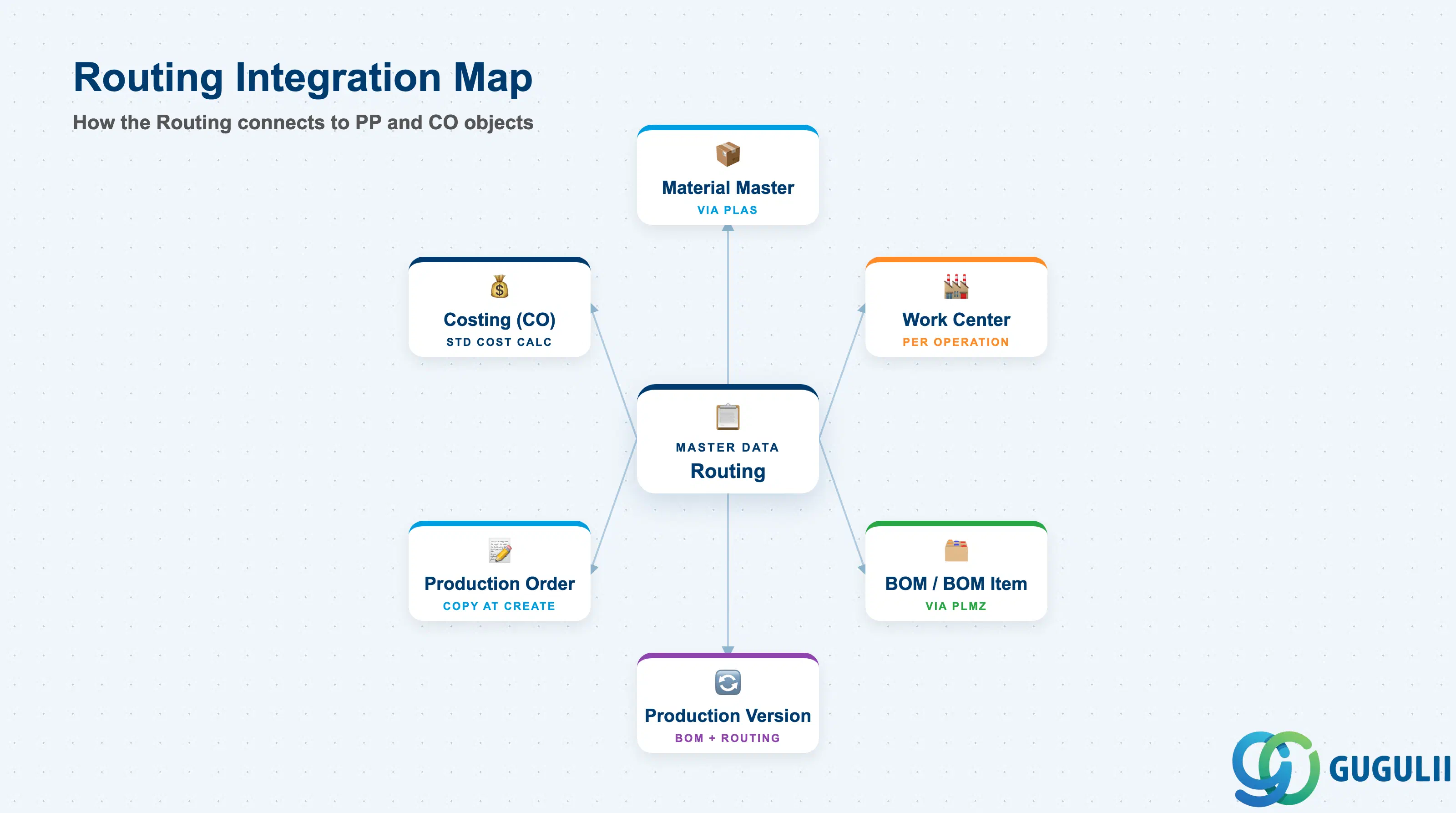
The Routing does not stand alone. It is the bridge between the product structure (BOM) and the manufacturing resources (Work Centers), and is activated for execution via the Production Version.
| Object | Relationship | Practical Notes |
|---|---|---|
| Material Master | Routing is assigned to a material via PLAS | The material’s Work Scheduling view (production scheduler profile, scheduling margin key, in-house production time) must be consistent with the routing’s standard times. In-house production time in MM03 is used as a fallback when no routing exists. |
| Work Center | Each operation references exactly one Work Center | Work Center must exist in the same plant. Capacity category and standard value key defined at the Work Center must match the capacity and time fields used in the routing operation. Misalignment causes scheduling and costing errors. |
| BOM / BOM Item | BOM components are assigned to operations via PLMZ | Component assignment (CA01, “Components” tab on operation) controls the goods issue timing — components are issued when the operation is confirmed. Without explicit assignment, all components are issued at order release. |
| Production Version | Production Version links one BOM alternative and one Routing counter | The Production Version (C223 / MM02 Work Scheduling view) activates a specific BOM + Routing combination for a material-plant-lot-size. MRP uses Production Version to select the correct routing for scheduling. |
| Production Order | Routing is copied into the production order at order creation | Operations from the routing become order operations. Changes to the routing after order creation do NOT automatically update existing orders — orders must be re-scheduled or manually adjusted. |
| Costing (CO) | Standard cost uses routing operations × work center activity rates | CO uses the standard values from routing operations and the activity type rates from work center cost center assignments to calculate the manufacturing cost component in the material standard cost. Routing and cost center must be aligned before cost roll-up. |
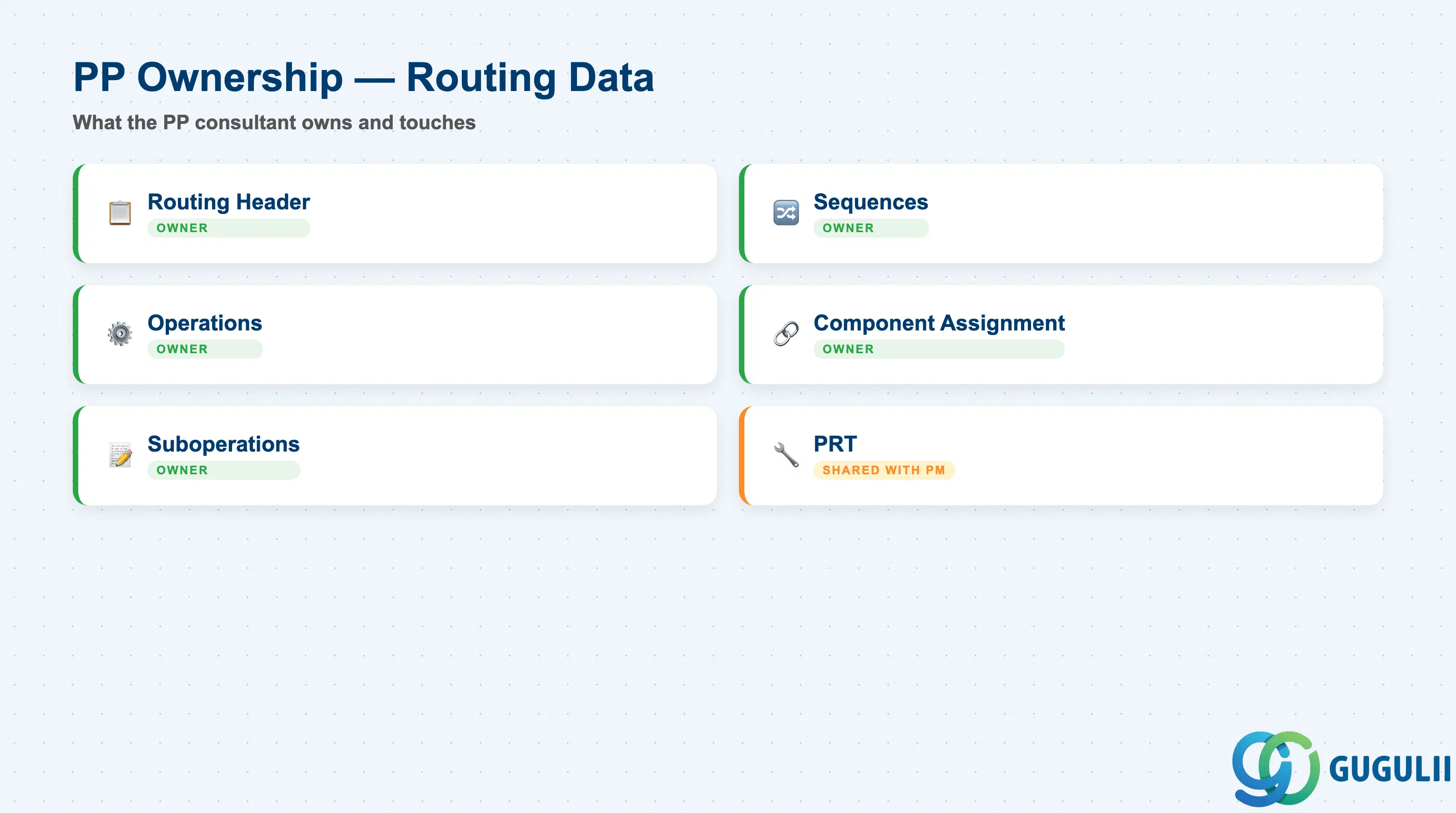
| Data Section | PP Involvement | Notes |
|---|---|---|
| Routing Header | ◎ Owner | Group, Status, Usage, Lot Size Range, Valid From/To |
| Sequences | ◎ Owner | Standard sequence (mandatory), parallel/alternative sequences (optional) |
| Operations | ◎ Owner | Operation number, Work Center, Control Key, Standard Values |
| Component Assignment | ◎ Owner | BOM item-to-operation assignment for goods issue timing |
| Suboperations | ◎ Owner | Sub-steps within an operation (optional) |
| Production Resources/Tools (PRT) | ○ Shared with Plant Maintenance | Jigs, fixtures, and tools assigned to operations |
Legend: ◎ = Owner / Critical, ○ = Direct involvement
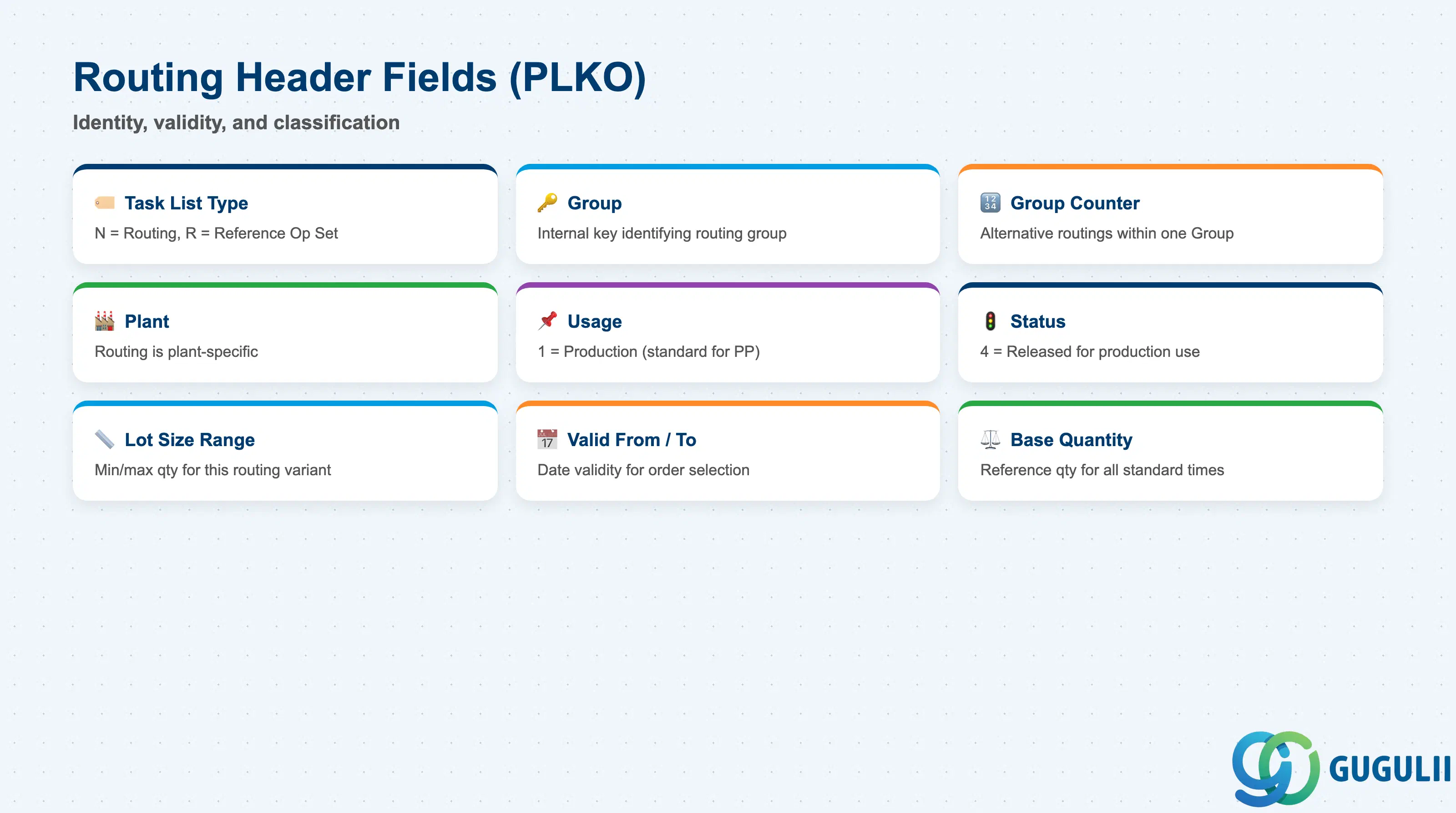
The Routing Header (PLKO) defines the identity, validity scope, and administrative classification of the routing. Getting these fields right at creation time avoids the need for mass updates later.
| Field | Description | Practical Usage |
|---|---|---|
| Task List Type | Identifies the category of task list (N = Routing, R = Reference Op Set, etc.) | Determines behavior in production order creation and MRP. For standard discrete manufacturing, always use type N. Once created, the type cannot be changed — deletion and re-creation is required. |
| Group | Internal key identifying the routing group | System-assigned or manually entered. A Group can hold multiple counters (alternative routings). Use a consistent numbering convention (e.g., aligned with material number) to simplify where-used list maintenance. |
| Group Counter | Differentiates alternative routings within one Group | Counter 1 = primary routing. Additional counters represent alternative methods. The Production Version controls which counter applies to a given order. Keep the number of active counters minimal — each counter must be maintained independently. |
| Plant | Plant for which the routing is valid | Routings are plant-specific. For multi-plant rollouts, routings must be created separately per plant or copied using PLAS/CA01 with plant change. Reference Operation Sets allow operation-level reuse across plants. |
| Usage | Defines which type of order the routing can be used in | Usage 1 = Production (standard for PP). Other usages (e.g., 3 = Universal, 4 = Plant Maintenance) restrict or broaden the routing’s applicability. Confirm usage during blueprint — it affects whether the routing appears in production order creation and in MRP scheduling. |
| Status | Controls whether the routing is released for use | Status 4 = Released (General) — the standard active status for production. Status 1 = Created (under development). A routing in status 1 cannot be used in production orders. Release status must be set before the Production Version referencing the routing can be made active. |
| Lot Size Range (From / To) | Minimum and maximum production quantity for this routing | Allows different routings (counters) for different lot sizes — e.g., small lots use a manual process, large lots use an automated line. If the production order quantity falls outside all defined ranges, order creation fails. Always cover the full expected quantity spectrum. |
| Valid From / To | Date validity of the routing | A routing with an expired Valid To date cannot be selected for new production orders. Manage validity carefully when implementing engineering changes — create a new counter with a future Valid From rather than modifying the active counter in-place. |
| Base Quantity | Reference quantity for standard time values | All standard times (setup, machine, labor) in the routing operations are expressed per this base quantity. Example: Base Qty = 1 EA means setup time is per 1 piece produced. Misalignment between base quantity and production order quantities causes incorrect scheduling and costing. |
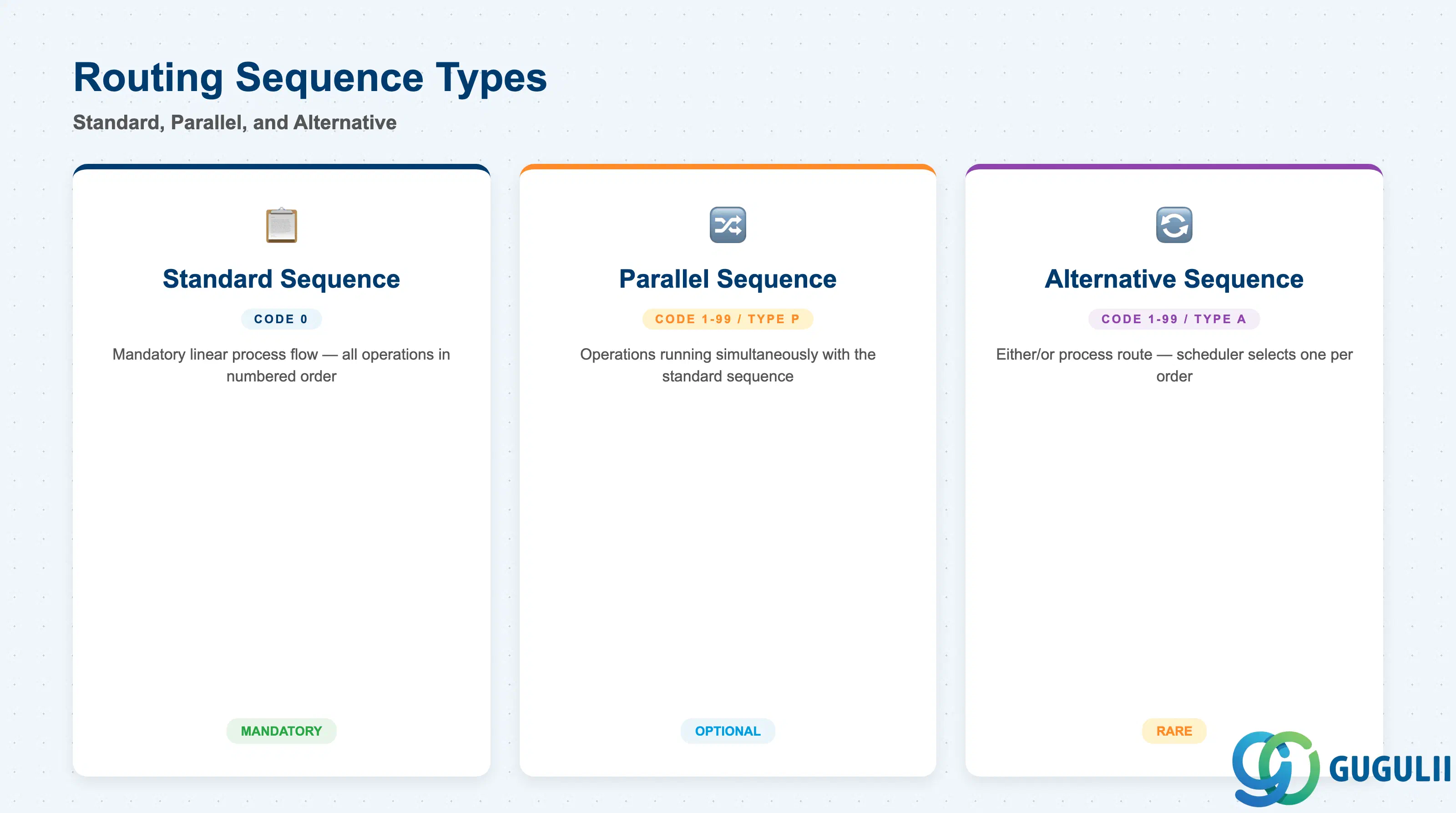
Every routing must contain exactly one Standard Sequence (Sequence 0). Parallel and Alternative sequences are optional and serve specific scheduling strategies.
| Sequence Type | Code | Use Case | Key Behavior |
|---|---|---|---|
| Standard Sequence | 0 | Normal linear process flow — all operations executed in numbered order | Mandatory. Operations are scheduled end-to-end. The production order always begins with the standard sequence. |
| Parallel Sequence | 1–99 (branch type P) | Operations that can run simultaneously with the standard sequence | Enables overlapping scheduling of independent operations (e.g., sub-assembly prepared in parallel with main assembly). Requires a branch and return operation in the standard sequence. |
| Alternative Sequence | 1–99 (branch type A) | Alternative process route — either/or, not simultaneous | Used when the product can be manufactured via different process paths. The scheduler selects one sequence per order. Rarely used outside process industry projects. |
Design principle: For most discrete manufacturing implementations, only the Standard Sequence is required. Parallel sequences add scheduling complexity — model them only if the physical process genuinely requires concurrent operations that must be tracked and confirmed separately.
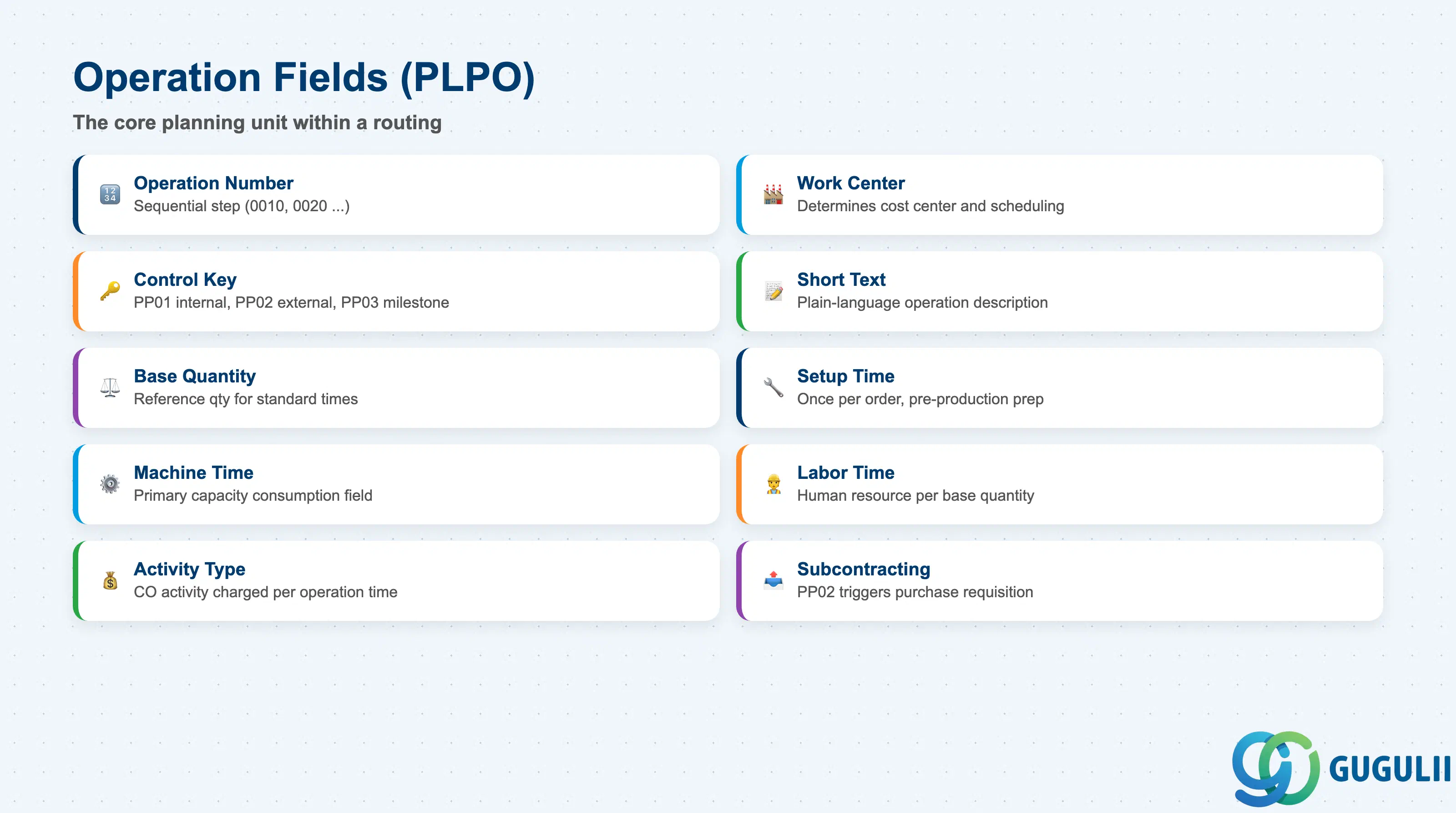
Operations (PLPO) are the core planning unit within a routing. Each operation represents one manufacturing step, performed at one Work Center, consuming capacity and activity types for scheduling and costing.
| Field | Description | Practical Usage |
|---|---|---|
| Operation Number | Sequential step number (0010, 0020, …) | Determines execution sequence. Gaps (10, 20, 30 rather than 1, 2, 3) allow future insertion of steps without renumbering. Renumbering existing operations in a live system invalidates confirmation history — avoid. |
| Work Center | Work center assigned to this operation | Must exist in the same plant. Determines which cost center and activity types are used for costing. Also defines the default scheduling formula. Assigning the wrong work center is the most common routing setup error. |
| Control Key | Defines how the operation is processed and confirmed | PP01 = Internal processing (standard in-house operation, confirmation required). PP02 = External processing (subcontracting — triggers a purchase requisition for the operation). PP03 = Milestone confirmation (confirming this operation auto-confirms all preceding operations). Select the correct key during blueprint — changing it after production orders exist causes confirmation inconsistencies. |
| Operation Short Text | Description of the manufacturing step | Appears on the shop floor paper and in production order operation lists. Keep concise and action-oriented (e.g., “Weld frame assembly,” “Final inspection”). Avoid using material numbers or internal codes — operators on the shop floor need plain-language descriptions. |
| Base Quantity | Reference quantity for this operation’s standard times | Normally inherited from the routing header. Can be overridden at operation level for operations with a different per-unit effort profile. Overriding at operation level increases maintenance complexity. |
| Setup Time | Time to prepare the work center before production starts | Scheduled once per production order regardless of order quantity. High setup times relative to operation time indicate a candidate for SMED or lot-size optimization. Setup time is a key input to capacity planning bottleneck analysis. |
| Machine Time | Time the machine runs per base quantity unit | The primary capacity-consumption field. Used in conjunction with the work center’s capacity category to calculate available capacity utilization. For labor-intensive operations, Machine Time may be zero — use Labor Time instead. |
| Labor Time | Time a person is required per base quantity unit | Relevant when human resource capacity is planned separately from machine capacity. Assign to a labor activity type on the Work Center for correct cost allocation. |
| Activity Type (from Work Center) | CO activity type charged per operation time | Defined on the Work Center, not directly on the operation. The cost roll-up uses: Activity Qty × Activity Rate = Manufacturing Cost Component. Confirm activity type alignment with CO before running standard cost estimates. |
| Subcontracting (External Processing) | Triggers PR for outsourced operation when Control Key = PP02 | When PP02 is set, the system creates a purchase requisition for external processing when the production order is created. The vendor performs the operation and sends back the processed material. Requires a purchasing info record (or outline agreement) for the service. |
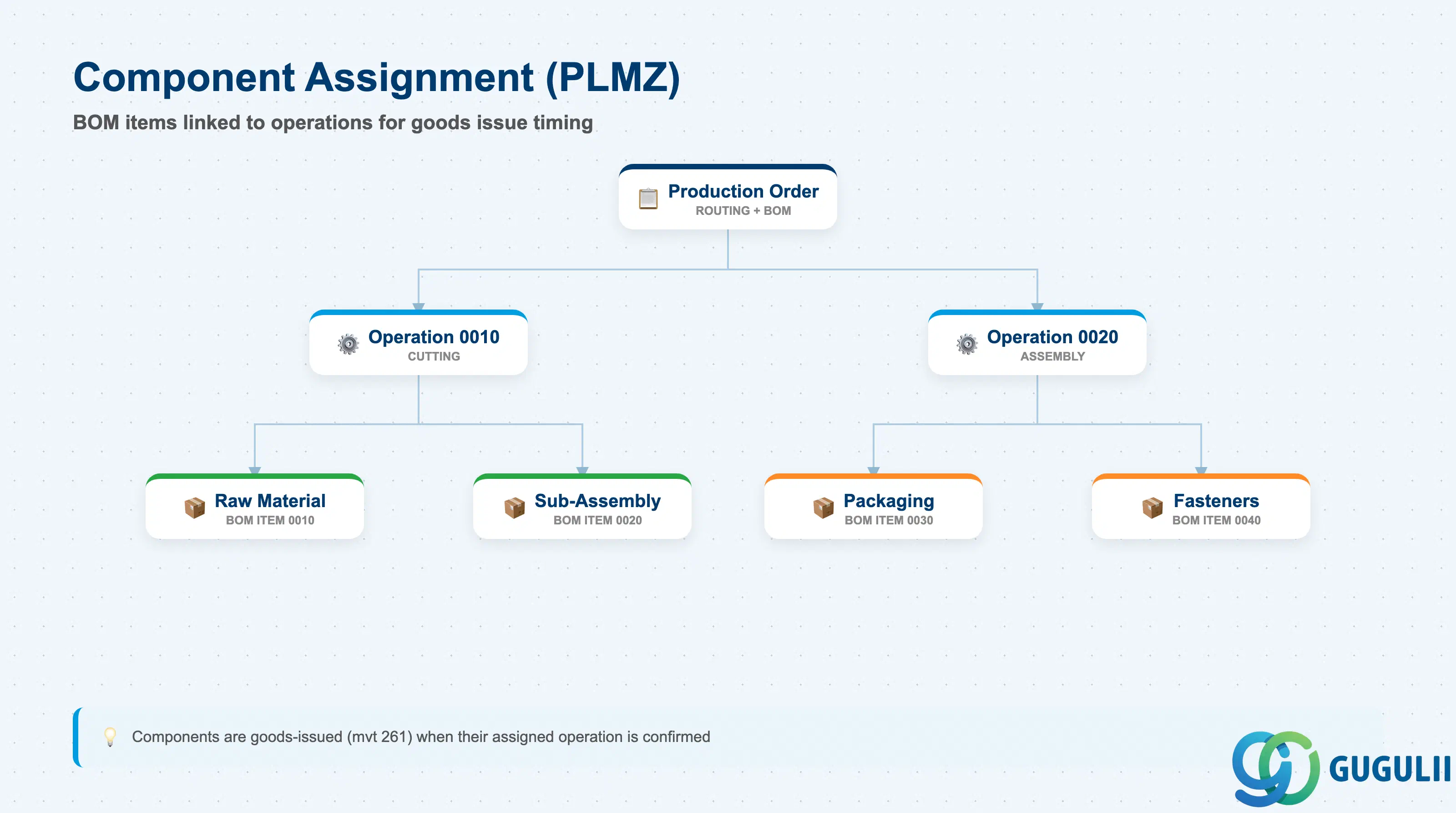
Component assignment links BOM items to specific routing operations, controlling exactly when (at which operation confirmation) components are issued from stock. Without explicit assignment, SAP issues all components at order release — which is operationally impractical for multi-stage manufacturing.
| Field | Description | Practical Usage |
|---|---|---|
| Material (BOM Item) | The component material assigned to this operation | Pulled from the BOM associated via Production Version. Only components included in the BOM can be assigned. If a component does not appear in the assignment list, check that the BOM and routing are linked via the correct Production Version. |
| Operation Number | The operation at which the component is consumed | Goods issue is triggered when this operation is confirmed (movement type 261). Assigning components to the correct operation is especially important in multi-stage routings where sub-assemblies are consumed at intermediate steps rather than at the start of production. |
| Relevant to Costing | Flag indicating whether the component is included in cost calculation | Should be set for all BOM components in standard implementations. Deactivating excludes the component from standard cost roll-up — use only for informational components (e.g., engineering drawings referenced in the BOM). |
| Bulk Material | Indicates the component is a bulk/backflush material | Bulk materials (consumables like lubricants, small fasteners) are typically not individually issued — they are settled via a periodic posting rather than at operation confirmation. Confirm bulk material treatment during blueprint to avoid goods issue anomalies. |
| ID | Category | Title |
|---|---|---|
| pp-001 | Overview | What is SAP PP? |
| ID | Category | Title |
|---|---|---|
| pp-a01 | Overview | SAP PP Master Data: Overview, Hierarchy & Relationships |
| pp-a02-01 | Master Data | SAP PP Material Master |
| pp-a02-02 | Master Data | SAP PP MRP Controller |
| pp-a03-01 | Master Data | SAP PP Work Center |
| pp-a04-01 | Master Data | SAP PP Bill of Materials (BOM) |
| pp-a04-02 | Master Data | SAP PP Routing 📍 |
| pp-a05-01 | Master Data | SAP PP Production Version |
| pp-a06-01 | Master Data | SAP PP Class |
| pp-a06-02 | Master Data | SAP PP Characteristic |
| ID | Category | Title |
|---|---|---|
| pp-b01 | Overview | SAP PP Transactions: Process Flow, Hierarchy & Relationships |