Title here
Summary here

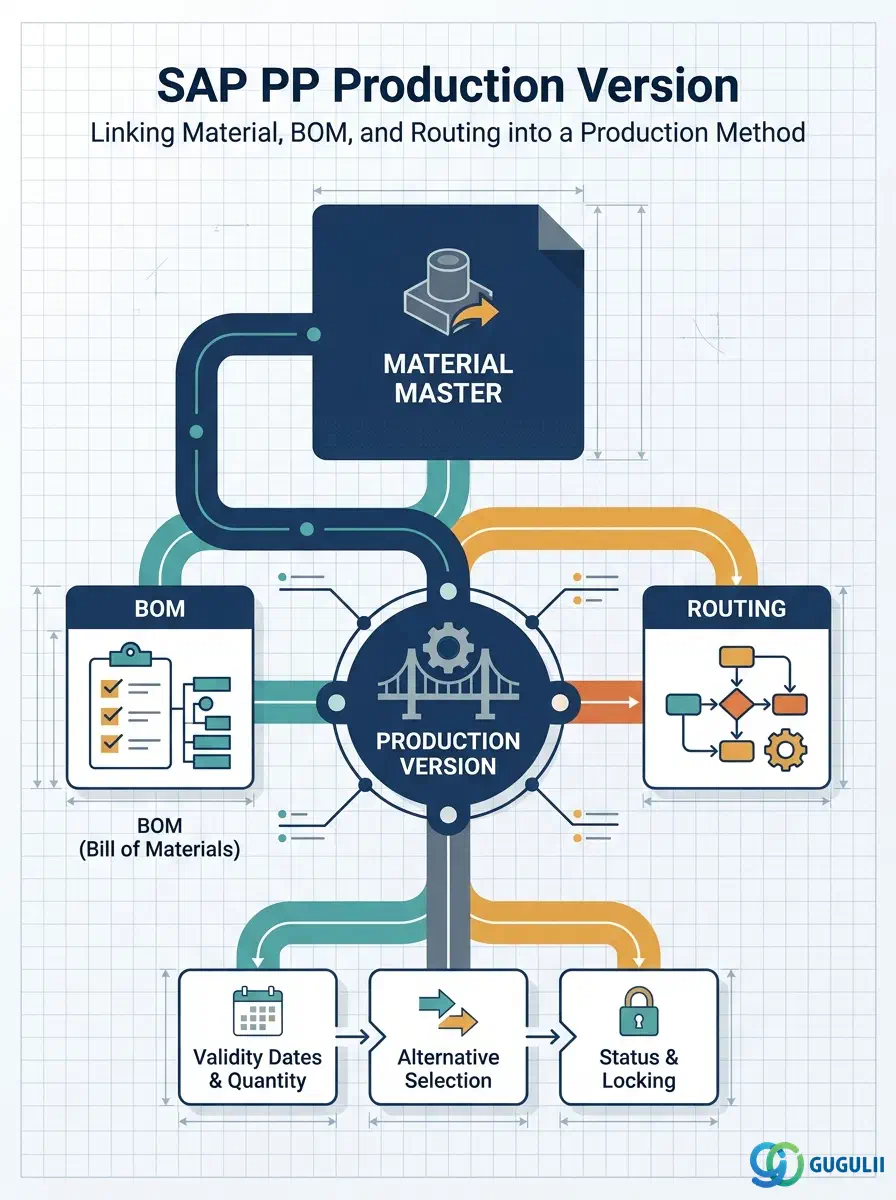
The Production Version is the master data object that defines a specific method of manufacturing a material by combining a Bill of Materials (BOM) and a Routing under an explicit validity period and lot size range. A material can have multiple Production Versions — for different production lines, manufacturing processes, or design revisions — and MRP selects the appropriate version at planning time. This article covers the concept, version types, organizational hierarchy, integration points, and every field PP consultants configure.
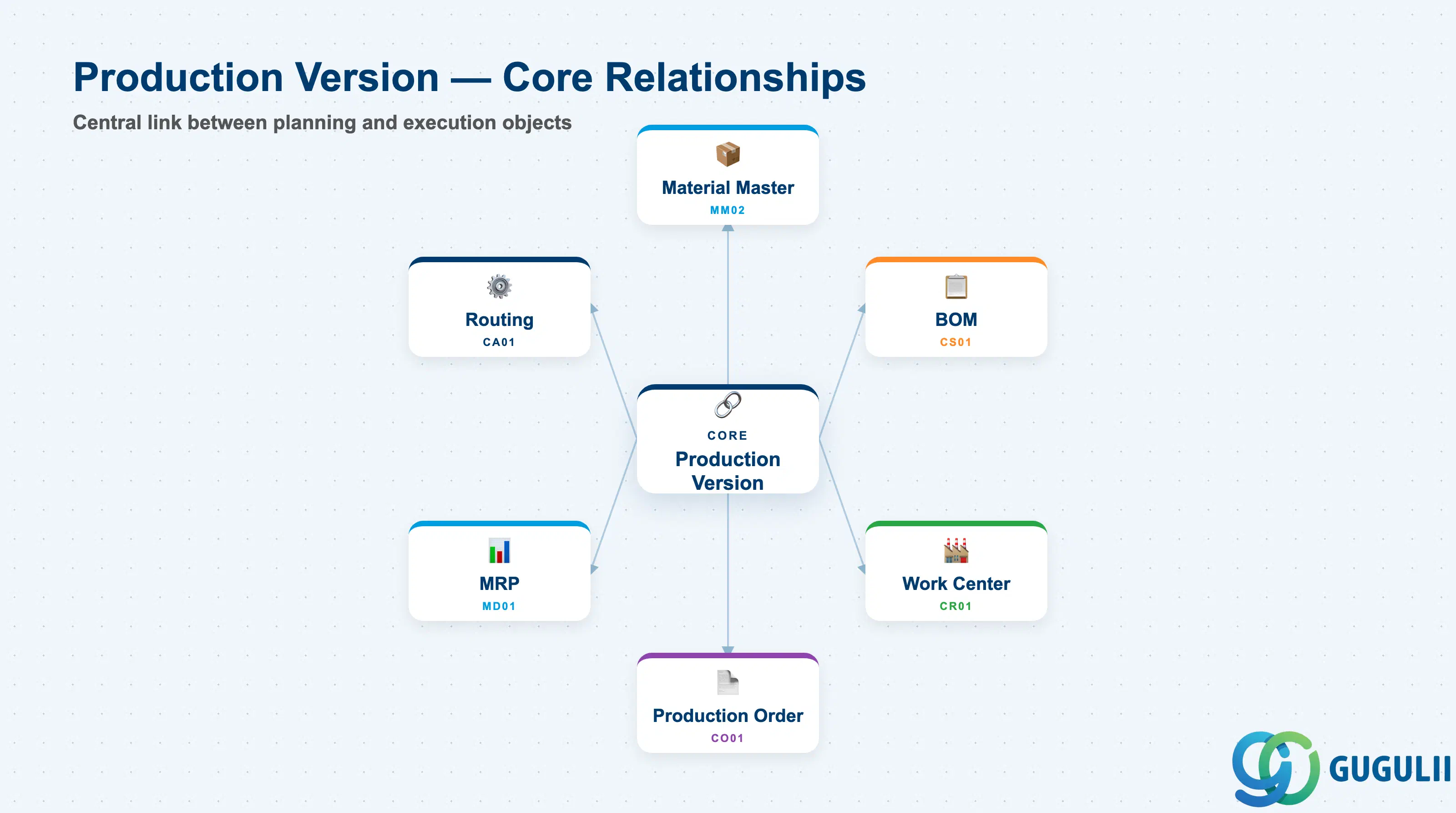
The Production Version is a configuration record that formalizes the answer to the question: “Which BOM and which Routing should be used to make this material?” It sits at the intersection of the product structure (BOM) and the manufacturing process (Routing), and it is the prerequisite for creating production orders in Make-to-Stock and Make-to-Order scenarios.
| Aspect | Details |
|---|---|
| Role | Combines BOM and Routing to define a complete, executable production method for a material |
| Modules using it | PP (primary owner — production order creation, MRP selection), CO-PC (cost estimate references Production Version for standard cost calculation) |
| Transactions | C223 (Create/Change Production Version), MM02 (Work Scheduling View — alternative entry), CG3Y (Mass maintenance), CRC2 (Production version via Work Center) |
| Key Tables | MKAL (Production Version header), PLKO (Routing header — cross-reference), STKO (BOM header — cross-reference) |
| S/4HANA note | Data model unchanged from ECC. Fiori app “Manage Production Versions” (App ID: F1971) provides list-based maintenance as an alternative to C223. |
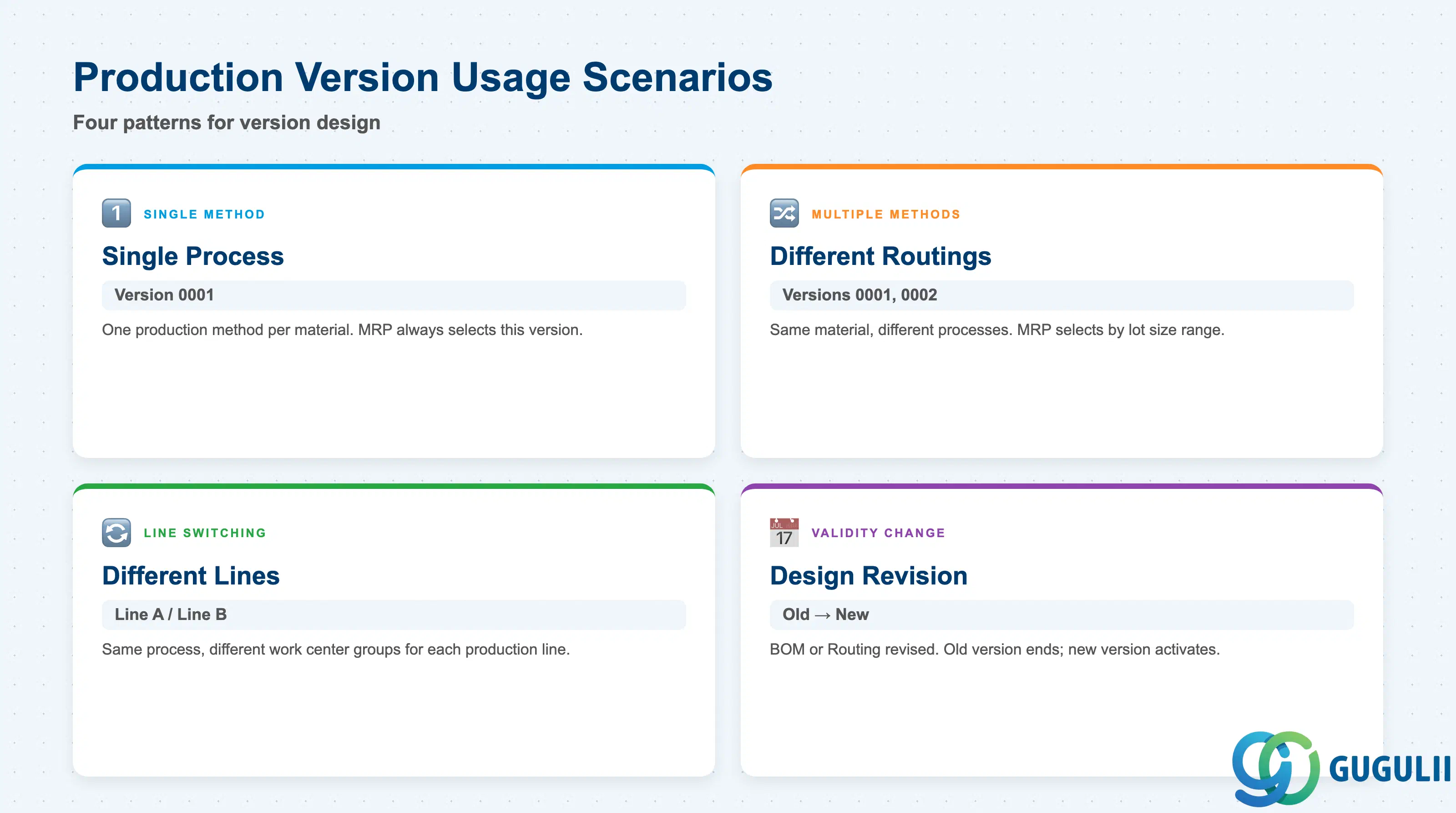
The Production Version determines not just how a material is manufactured, but which production resources and BOM configuration apply. Designing the right number of versions — and their selection logic — is one of the most impactful decisions in a PP blueprint.
| Scenario | Version Code | Use Case | Key Behavior |
|---|---|---|---|
| Single method | 0001 | One production process for the material | Default in simple environments; MRP always selects this version. |
| Multiple manufacturing methods | 0001, 0002, … | Same material produced by different processes (e.g., batch vs. continuous) | Each version references a different Routing. MRP selects based on lot size range. |
| Line switching | 0001 (Line A), 0002 (Line B) | Same process, different work center groups (production lines) | Each version references a different Routing with its own work center assignments. |
| Validity-based design change | 0001 (old), 0002 (new) | BOM or Routing revised due to engineering change | Old version retains its validity end date; new version activates from the changeover date. |
Design principle: Keep the number of Production Versions to the minimum required by planning and manufacturing variation. Each additional version adds master data maintenance overhead and increases the risk of MRP selecting an incorrect method.
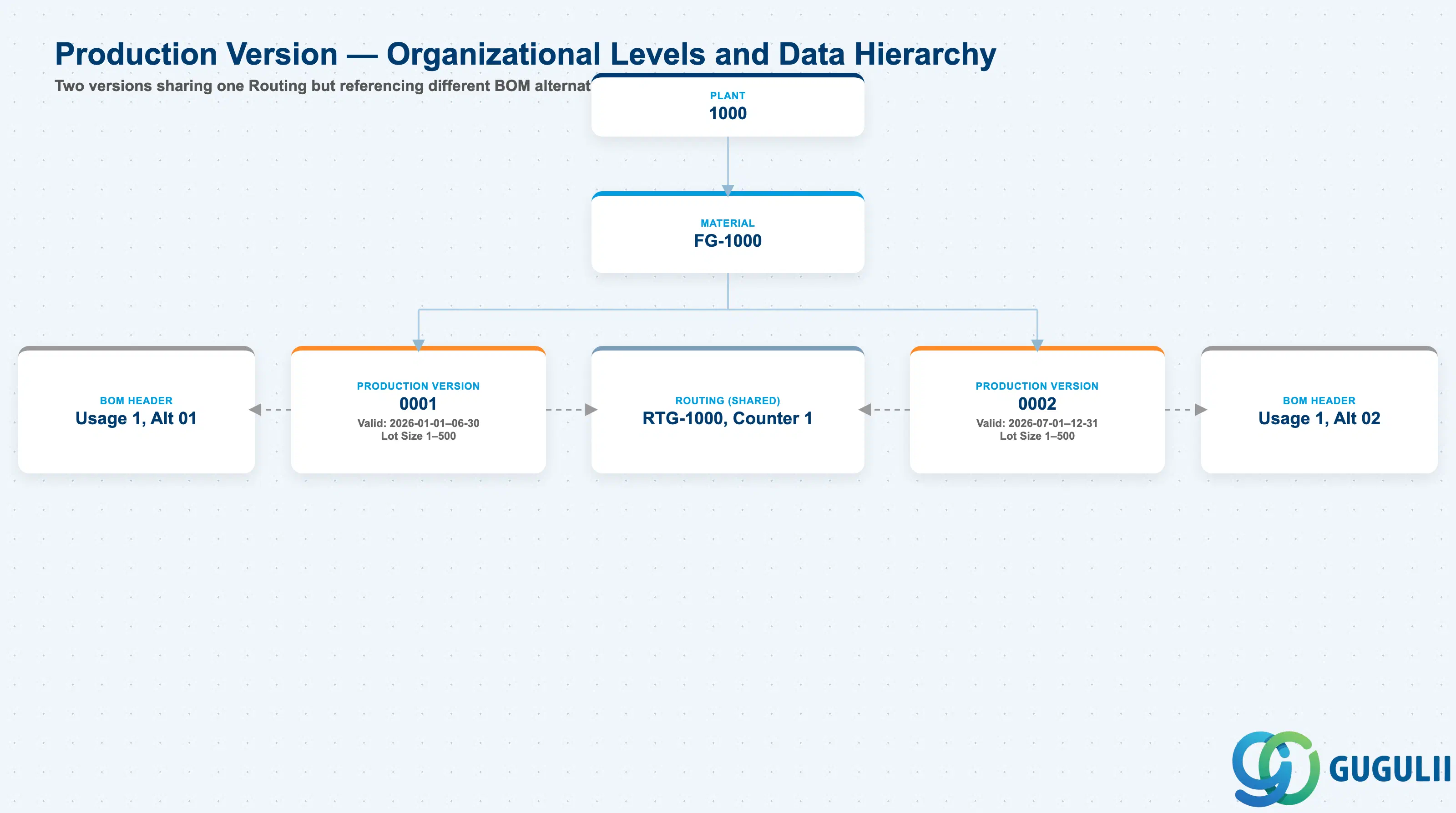
Data hierarchy with a concrete example
Plant 1000
   │
   └── Material FG-1000
          │
          ├── Production Version 0001
          │      Valid: 2026-01-01 – 06-30, Lot Size 1–500
          │      ── references ──> Routing RTG-1000, Counter 1
          │      ── references ──> BOM Header (Usage 1, Alt 01)
          │
          └── Production Version 0002
                 Valid: 2026-07-01 – 12-31, Lot Size 1–500
                 ── references ──> Routing RTG-1000, Counter 1
                 ── references ──> BOM Header (Usage 1, Alt 02)
Both versions above point to the same Routing (RTG-1000, Counter 1) — the manufacturing steps and work centers don’t change — but each references a different BOM alternative (Alt 01 vs. Alt 02). This is a common pattern for a component substitution or engineering change where only the material composition changes, not the process.
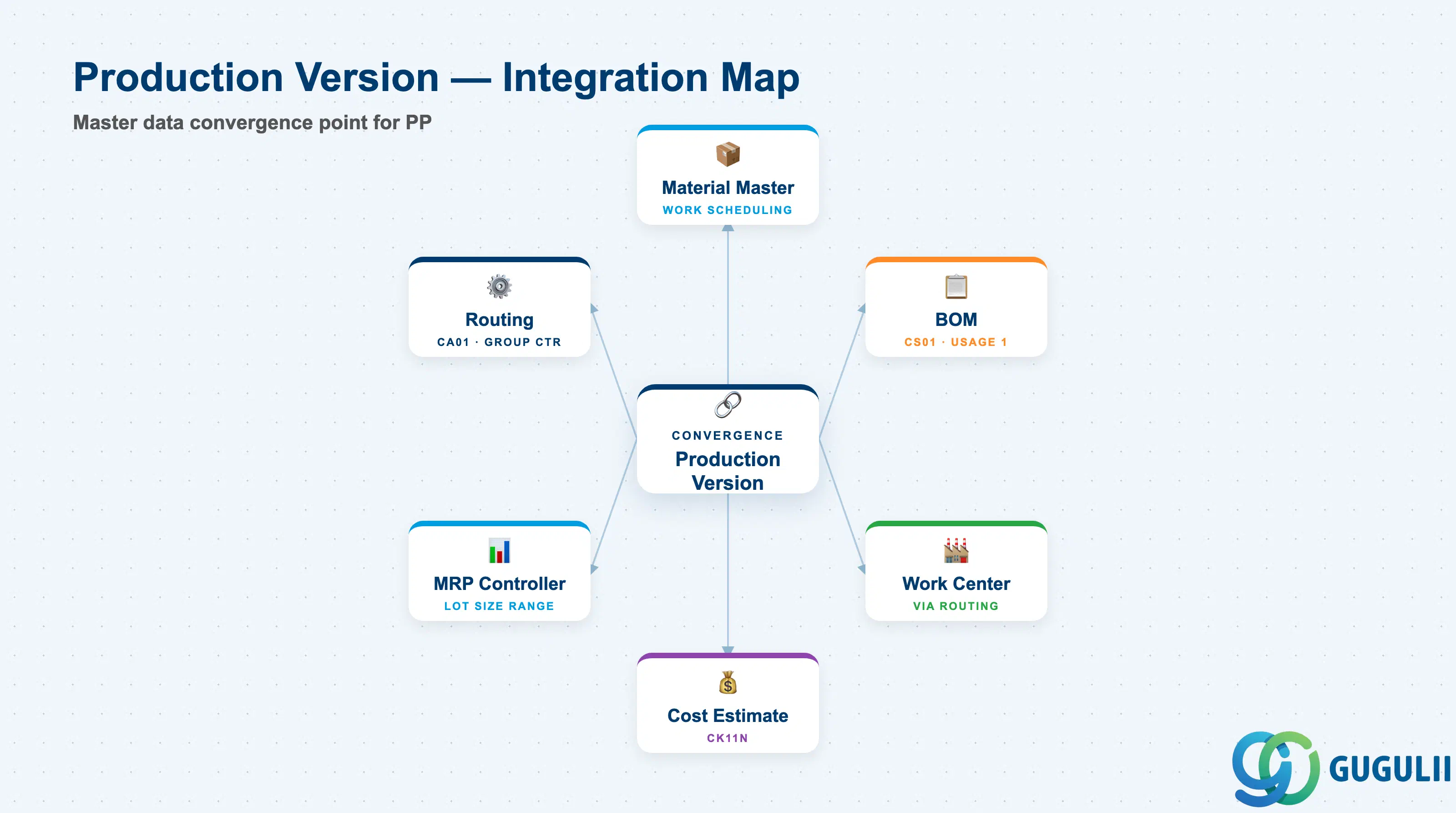
The Production Version is the convergence point of the entire PP master data setup flow. It cannot be created until the Material Master (Work Scheduling View), BOM, and Routing are complete.
| Object | Relationship | Practical Notes |
|---|---|---|
| Material Master | Production Version is maintained in the Work Scheduling View (MRP4 tab) | The Work Scheduling View determines which Production Version is the default for production order creation. The MRP4 view also shows all valid versions and their lot size ranges. |
| BOM (CS01) | Production Version references BOM usage and alternative BOM number | BOM usage “1” (Production) is standard. If multiple alternative BOMs exist (e.g., 01 = standard, 02 = rework), each can be assigned to a separate Production Version. |
| Routing (CA01) | Production Version references Routing group and group counter | Routing must exist before the Production Version can reference it. The group counter distinguishes parallel routings for the same material (e.g., machine-paced vs. labor-paced). |
| Work Center (CR01) | Routing operations reference Work Centers | Indirectly linked via Routing. The Work Center drives capacity planning (CM01/CM04) and cost calculation through its Cost Center and Activity Type assignments. |
| MRP Controller | MRP uses Production Version for planned order scheduling | The lot size range on the Production Version determines which version MRP selects. If no Production Version matches the planned order quantity, MRP raises an exception. |
| Cost Estimate (CK11N) | CO-PC uses Production Version to read BOM + Routing for standard cost | When running a cost estimate, the system follows the Production Version to find the correct BOM and Routing combination. Incorrect or inconsistent Production Versions cause cost estimate errors that block period-end closing. |
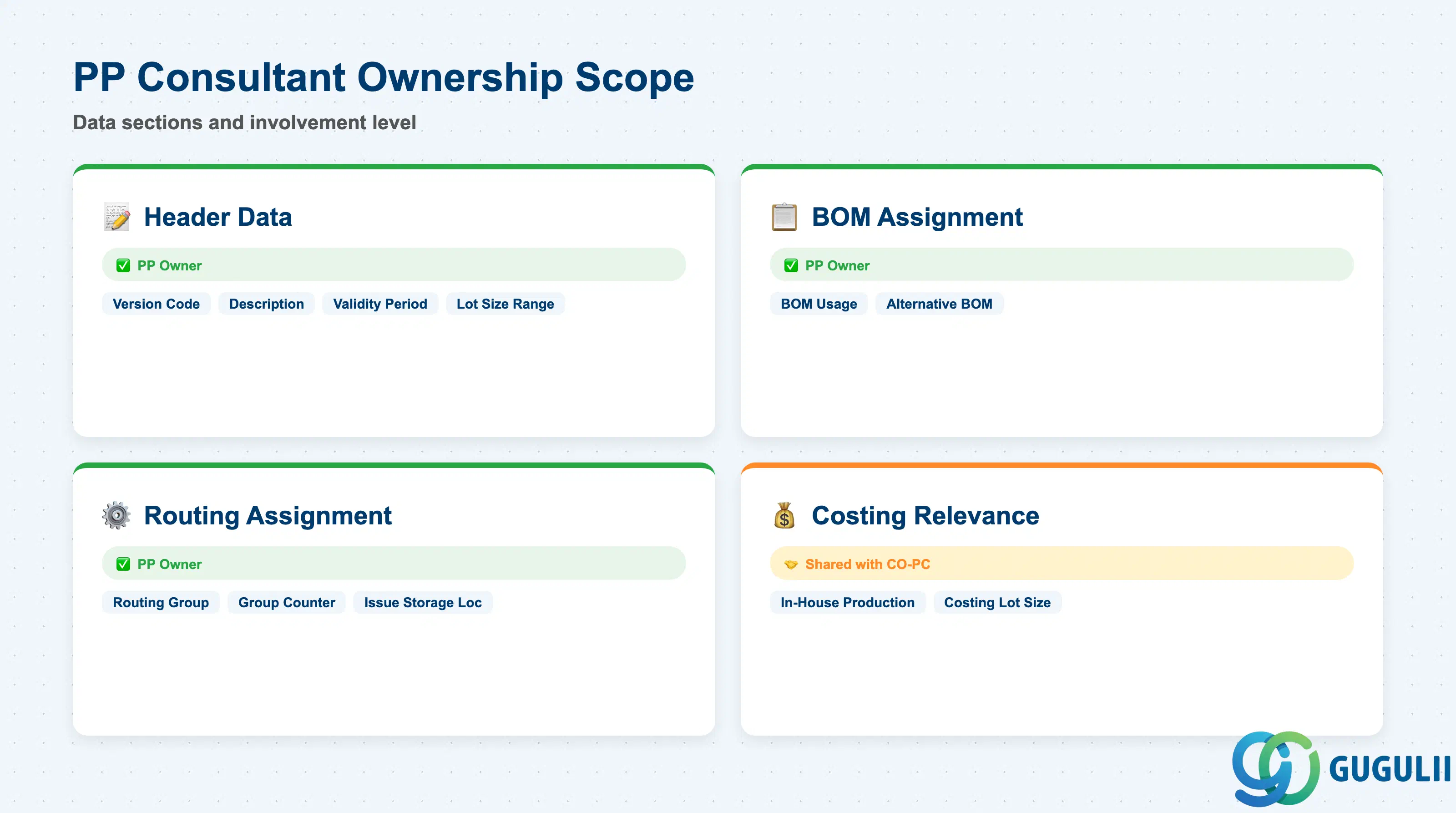
| Data Section | PP Involvement | Notes |
|---|---|---|
| Header Data | ◎ Owner | Version code, description, validity period, lot size range |
| BOM Assignment | ◎ Owner | BOM usage, alternative BOM number |
| Routing Assignment | ◎ Owner | Routing group, group counter, issue storage location |
| Costing Relevance | ○ Shared with CO-PC | In-house production indicator, costing lot size — CO-PC reads these during standard cost estimate |
Legend: ◎ = Owner / Critical, ○ = Direct involvement
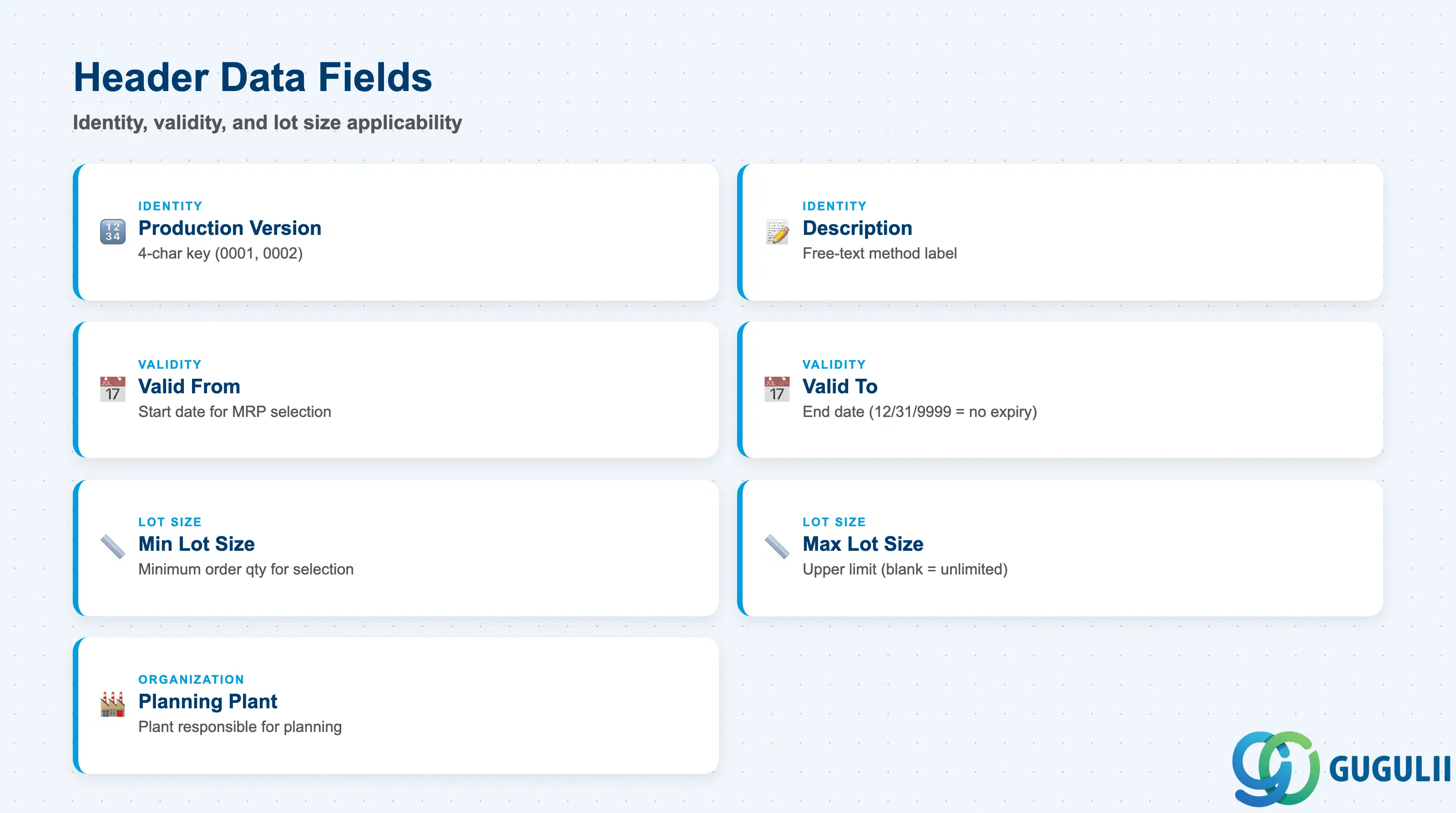
The Header Data section defines the identity, validity window, and lot size applicability of the Production Version. These are the fields MRP evaluates when selecting which version to use for a planned order.
| Field | Description | Practical Usage |
|---|---|---|
| Production Version | 4-character alphanumeric version key (e.g., 0001) | Identifies the version within the material-plant. Convention: use sequential numbers (0001, 0002). If line-based versions are used, adopt a naming convention (e.g., 0001 = Line A, 0002 = Line B) and document it in the project data dictionary. |
| Description | Free-text description of the version | Describe the manufacturing method or the distinguishing characteristic (e.g., “Standard batch process,” “Line A — high-speed”). Shown in C223 and in the MRP4 tab of Material Master. Keep descriptions concise and consistent across materials. |
| Valid From | Start date of the version’s validity | MRP only selects versions whose validity period covers the planned order date. Set to the project go-live date (or earlier) to ensure MRP can use the version from day one. |
| Valid To | End date of the version’s validity | Use 12/31/9999 for versions with no planned expiry. For engineering change management, align the end date with the effective-from date of the successor version to prevent gaps. |
| Min. Lot Size | Minimum order quantity for which this version applies | MRP selects the version whose lot size range matches the planned order quantity. If the planned order falls below the minimum, MRP raises exception message 10 (no valid production version). Set to match the production line’s minimum economic batch. |
| Max. Lot Size | Maximum order quantity for this version | If no upper limit applies, leave blank (interpreted as unlimited). For multi-version setups where each version targets a distinct quantity range, the max of version 0001 must be less than the min of version 0002 to prevent overlap. |
| Planning Plant | Plant responsible for planning this version | Usually the same as the producing plant. In multi-plant scenarios with central planning, the planning plant may differ from the production plant. |
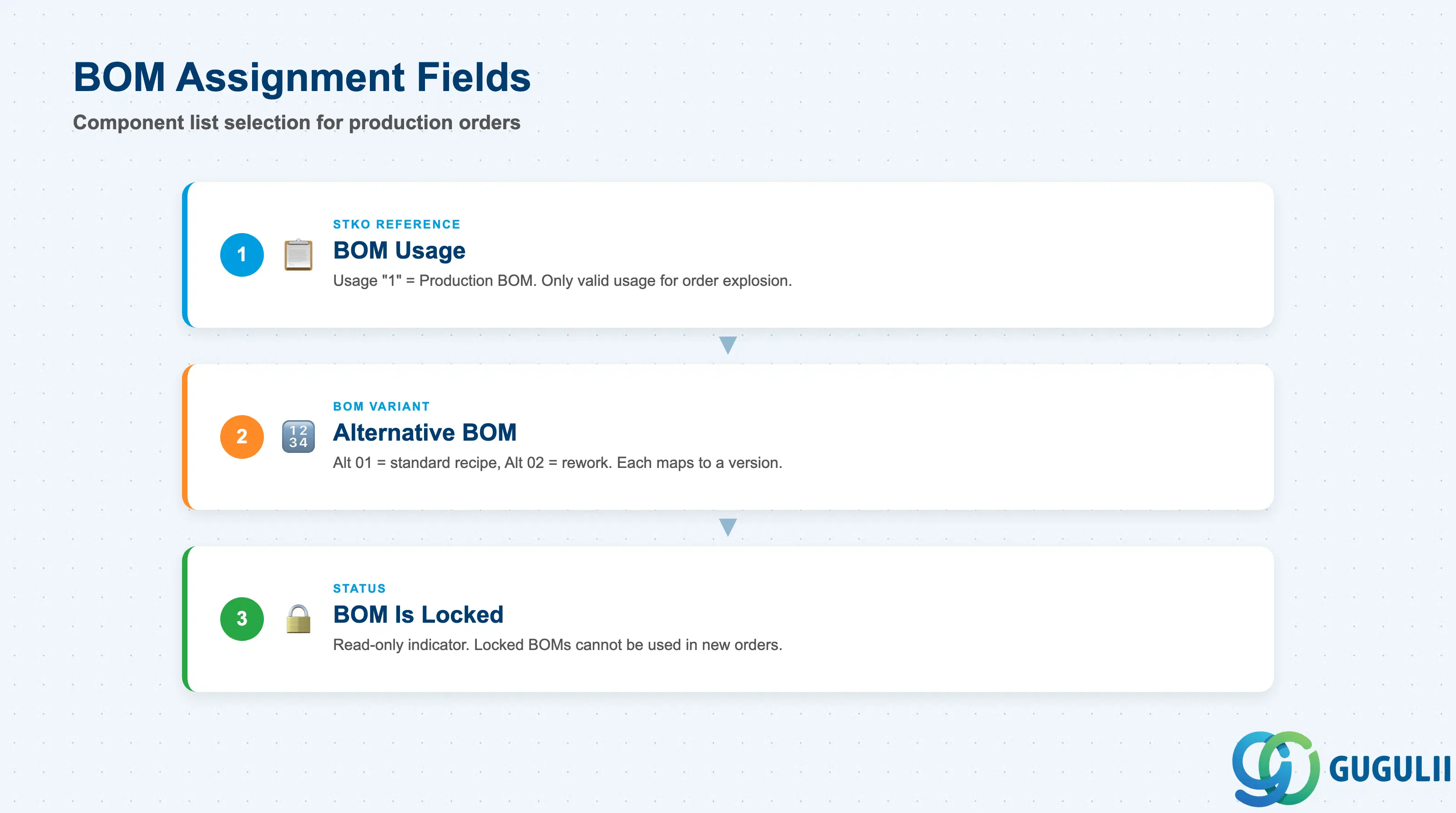
The BOM Assignment section specifies which BOM the Production Version uses as its component list. The combination of BOM Usage and Alternative BOM uniquely identifies one BOM record in the STKO table.
| Field | Description | Practical Usage |
|---|---|---|
| BOM Usage | Identifies the application for which the BOM was created | Standard for production: Usage “1” (Production BOM). Do not mix with Usage “3” (Costing) or “5” (Sales) in a Production Version — only usage “1” is valid for production order BOM explosion. |
| Alternative BOM | Alternative number within the BOM usage (e.g., 01, 02) | When multiple alternative BOMs exist for the same material under the same usage, each can be assigned to a different Production Version. Example: Alternative 01 = standard recipe, Alternative 02 = rework recipe. Assign alternative numbers systematically across materials to simplify reporting. |
| BOM Is Locked | Read-only indicator set when the BOM is locked for changes | If this indicator appears on C223, the underlying BOM has been locked (CS02 → Lock). A locked BOM cannot be used in new production orders until unlocked. Coordinate with engineering before releasing new Production Versions that reference newly revised BOMs. |
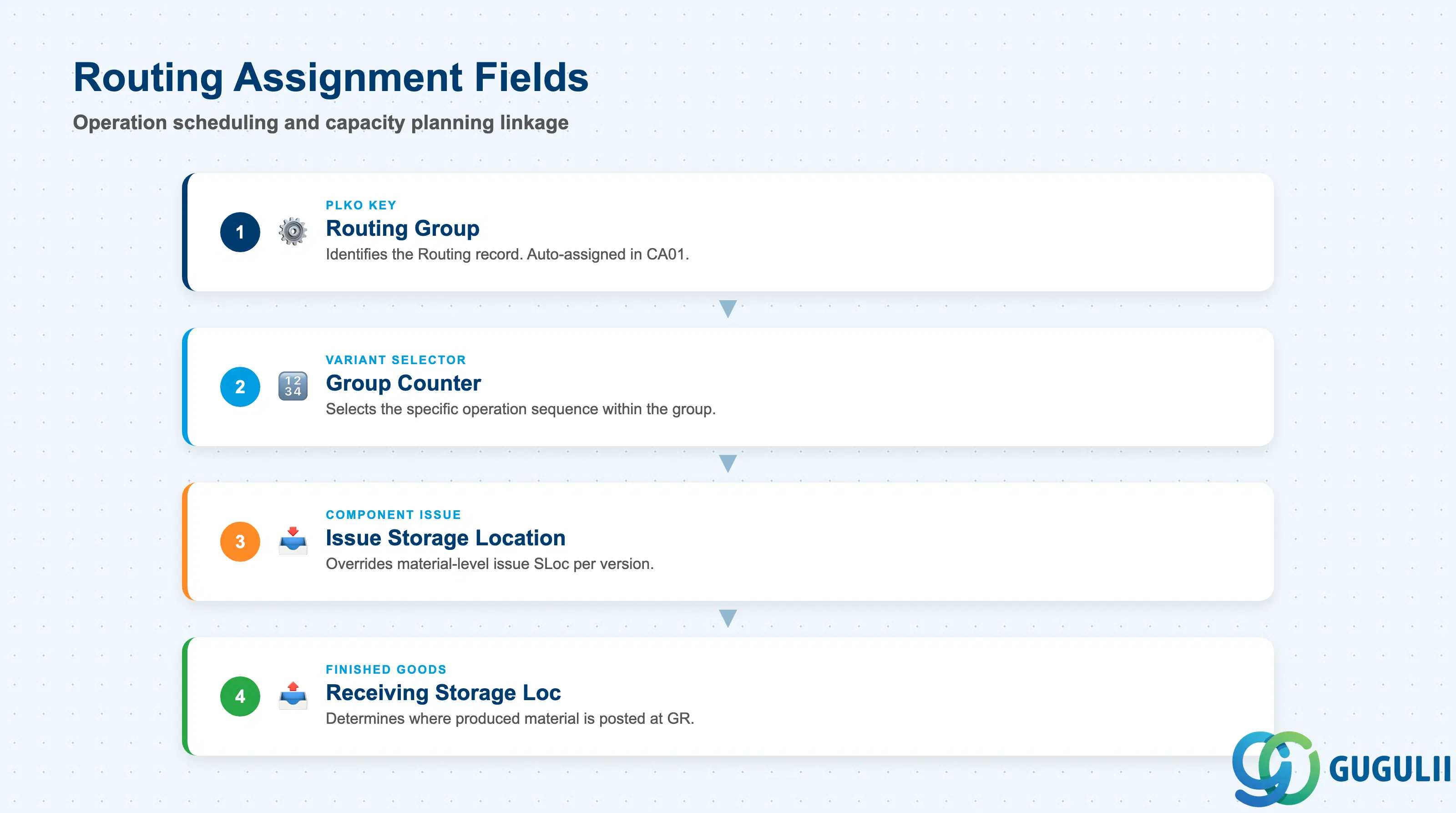
The Routing Assignment section specifies which Routing — and which specific variant within that Routing group — the Production Version uses for operation scheduling and capacity planning.
| Field | Description | Practical Usage |
|---|---|---|
| Routing Group | Key identifying the Routing record in table PLKO | The Routing Group is assigned automatically when a Routing is created in CA01. One Routing Group can have multiple Group Counters (parallel routings). In multi-version setups, confirm that the Routing Group referenced in C223 matches the actual CA03 Routing displayed. |
| Group Counter | Identifies the specific Routing variant within the Routing Group | Each Group Counter represents a distinct sequence of operations. Example: Counter 1 = standard process (3 operations), Counter 2 = expedited process (2 operations, skip QI inspection). Assign Group Counters systematically and document the meaning in the project master data guide. |
| Issue Storage Location | Storage location from which components are issued at GR | Overrides the material-level issue storage location for this Production Version. Critical for multi-line facilities where different production lines draw components from different warehouse locations. Set during blueprint in alignment with the warehouse team’s storage location design. |
| Receiving Storage Location | Storage location to which the produced material is posted | Determines where the finished goods inventory is posted after the production order confirmation (GR). Align with the warehouse team’s FG storage strategy. |
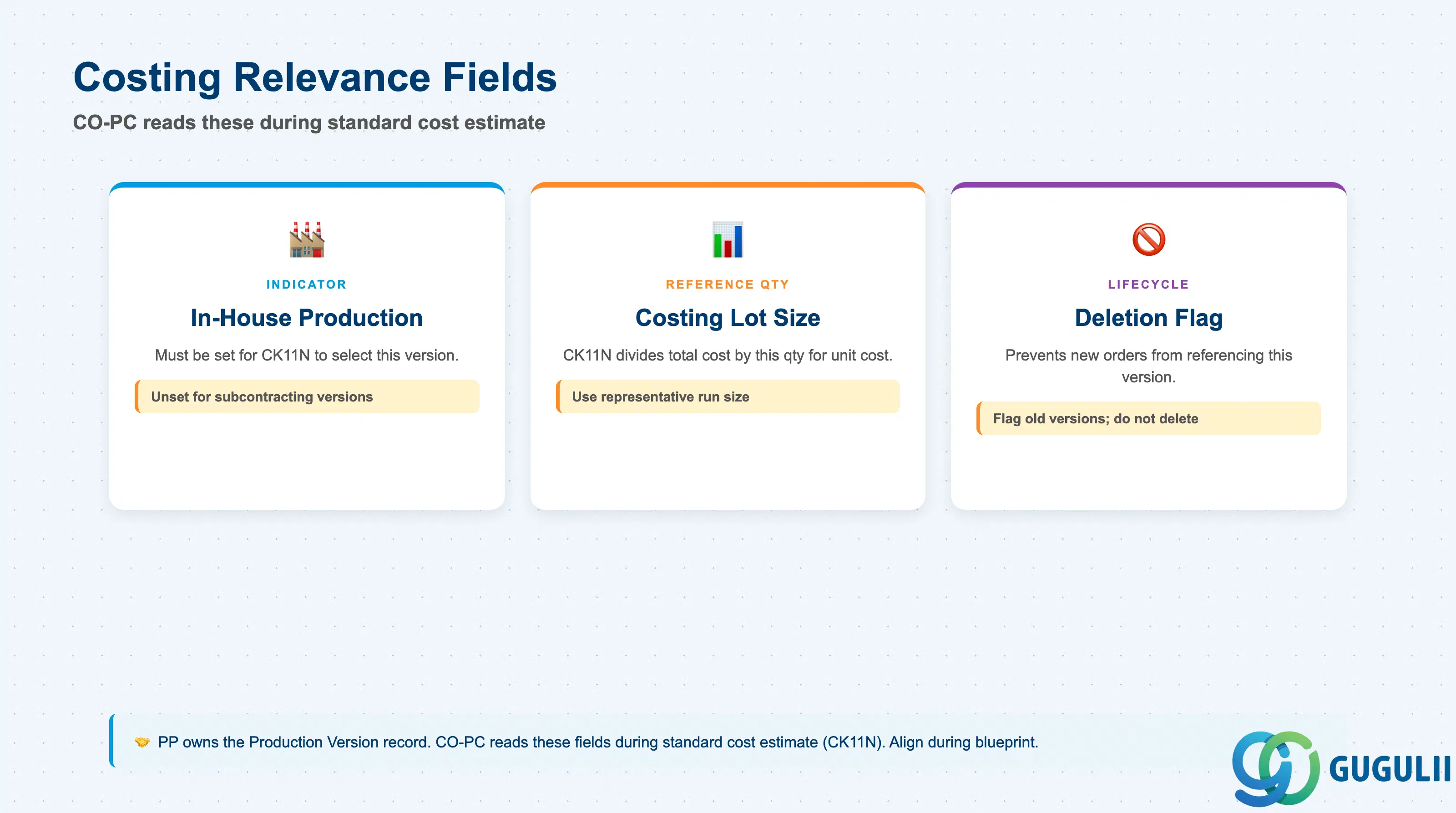
The costing-relevant fields in the Production Version are read by CO-PC during the standard cost estimate (CK11N). Although PP owns the Production Version record, these fields must be aligned with the CO-PC team during blueprint and before each cost estimate run.
| Field | Description | Practical Usage |
|---|---|---|
| In-House Production | Indicator that this version represents internal manufacturing (not subcontracting or external processing) | Must be set for the Production Version to be selected by the cost estimate. If unchecked, CK11N bypasses this version. In subcontracting scenarios, the external processing version has this indicator unset and uses a special procurement key instead. |
| Costing Lot Size | Reference quantity used by CK11N to calculate the standard cost per unit | The cost estimate divides total operation costs by this quantity to derive unit cost. Set to a representative production run size — typically the same as the standard lot size. Unrealistic costing lot sizes (e.g., 1 unit) can cause distorted per-unit cost results, especially for materials with high setup costs relative to processing time. |
| Deletion Flag | Marks the Production Version as logically deleted | Setting the deletion flag prevents new production orders from referencing this version. Use when phasing out a version due to process change or line closure, rather than immediately deleting the MKAL record (which may be blocked by historical order references). Flag the old version and create a new one with a fresh validity start date. |
| ID | Category | Title |
|---|---|---|
| pp-001 | Overview | What is SAP PP? |
| ID | Category | Title |
|---|---|---|
| pp-a01 | Overview | SAP PP Master Data: Overview, Hierarchy & Relationships |
| pp-a02-01 | Master Data | SAP PP Material Master |
| pp-a02-02 | Master Data | SAP PP MRP Controller |
| pp-a03-01 | Master Data | SAP PP Work Center |
| pp-a04-01 | Master Data | SAP PP Bill of Materials (BOM) |
| pp-a04-02 | Master Data | SAP PP Routing |
| pp-a05-01 | Master Data | SAP PP Production Version 📍 |
| pp-a06-01 | Master Data | SAP PP Class |
| pp-a06-02 | Master Data | SAP PP Characteristic |
| ID | Category | Title |
|---|---|---|
| pp-b01 | Overview | SAP PP Transactions: Process Flow, Hierarchy & Relationships |